OpenAI signs surprise deal with Google Cloud despite fierce AI rivalry

OpenAI has struck a deal to use Google’s cloud computing infrastructure for AI despite the two companies’ fierce competition in the space, reports Reuters. The agreement, finalized in May after months of negotiations, marks a shift in OpenAI’s strategy to diversify its computing resources beyond Microsoft Azure, which had been its exclusive cloud provider until January.

Microsoft’s long-standing partnership with OpenAI dates back to 2019, with significant expansions of investment from the computer giant in 2021 and 2023. In October, The Information reported that the ChatGPT maker had begun to seek data center deals elsewhere, citing the need for more AI data center servers faster than Microsoft could supply them.

Under the new deal, Google Cloud will provide additional computing capacity to help OpenAI train and run its AI models. For OpenAI, the partnership addresses growing demands for computing power as the company’s annual revenue reached $10 billion as of June, according to sources familiar with the matter who spoke to Reuters.

Read full article

Comments

Apple’s Liquid Glass is Windows Vista done well

It’s hard to look at Apple’s new “Liquid Glass” aesthetic and not think about Windows Vista, Microsoft‘s much-maligned OS which also touted transparencies and glass-like effects as a bold new vision for computing. You can see the similarities between Apple‘s UI and Vista’s “Windows Aero” design language everywhere, from the glassified app icons in iOS 26 and macOS Tahoe 26 which look a lot like VIsta’s glossy icons, to the transparent backgrounds used in drop down menus, which hearken back to VIsta’s transparent window borders. The key difference is that Apple is just doing it all better. (Sorry, not sorry, Windows fans.)

While Microsoft started off with an intriguing idea, it failed to execute the Windows Aero UI well in Vista. Mostly, that’s because Vista itself was a huge mess — it was far slower than Windows XP, it was notoriously buggy and it handled drivers poorly. And if you actually wanted to partake in the glory of Aero transparency bars, you needed a computer with a powerful GPU. That was far more rare in 2007 than it is today, when even integrated graphics can run basic 3D and fancy UI elements well. With its homegrown chips, Apple also provides decent graphics capabilities in its devices that support iOS 26, iPadOS 26 and other new software releases with Liquid Glass.

It also helps that Liquid Glass isn’t really a huge change for Apple, unlike the jump from Windows XP to Vista. Apple has been creeping towards a flashier UI and more widespread use of transparencies ever since iOS 7 was released in 2013, which dropped the archaic skeuomorphic design trend in favor of a flatter and more stylish aesthetic. So sure, your icons and menus may have a bit more shine to them in iOS 26, but they mostly work the way you remember. (You could also argue Apple itself kickstarted the move towards transparencies in desktop operating systems with the original Mac OS X in 2001, which gave its iconic dock a glossy background.)

Apple iOS 26 Liquid Glass interface
Apple

I can argue for the overall wisdom of Apple’s Liquid Glass, at least compared to Windows Vista, and personally I also think it gives iOS a much-needed dose of personality. But I can’t really convince you otherwise if you think it looks ugly, as many of my Engadget colleagues do. Senior News Editor Avery Ellis calls it “busy and obnoxious,” and Editor-in-Chief Aaron Souppouris noted that “it truly feels like Aero, rooted in the mid ’00s…. I don’t need light refracting around my pause button.” Fair complaints! And as usual, you can also reduce transparency effects and motion elements in Apple’s Accessibility Settings, if these elements truly bother you.

But after spending a bit of time with the first iOS 26 developer beta, I’m more intrigued by Liquid Glass than anything else. It makes app icons look like tiny jewels that I just want to touch, and I dig the transparency effects throughout the OS — they almost seem like a preview for a future where we’re using holographic Apple devices. (That’s also something I felt while using visionOS on the Vision Pro, which served as the launchpad for Liquid Glass.) I also genuinely love iOS 26’s revamped Safari, which lets you browse completely in full screen. As you scroll down, the location bar at the bottom of your screen shrinks and gets out of the way. But if you scroll up or tap into the location bar, it pops back up to give you the sharing and navigation options you’re used to.

Apple iOS 26 Control Center
Devindra Hardawar for Engadget

It could also be that I’m a sucker for novelty. Back in my Windows XP days, I used to use apps like WindowBlinds to customize the OS and add transparent effects. And there are signs that Apple may be going a bit too far with transparencies, like with the iOS 26’s Control Center (above). It looks fine if you’re swiping it down while inside an app, but if you’re on the home screen, it’s just one of many levels of glass-like windows. I could see that being a bit overbearing for some users.

It’s also worth noting that interface redesigns are often rejected at first glance, especially since you’re seeing them abstracted through screenshots and videos. Even Apple’s slick marketing magic doesn’t replicate the experience of using Liquid Design. In my experience, iOS 26 really isn’t that different from everything that came before. Once you get over the initial shock of a new interface, you may see it with new eyes.

Apple macOS Tahoe 26
Apple

There’s also still plenty of time until Apple’s new operating systems arrive this fall though, and the company is often quick to tweak major design changes if beta users complain about them. I could see Apple toning down the Control Center’s transparent background, or even better, giving users more control over the amount of Liquid Glass elements on your screen. Personally, I don’t mind it when companies stretch their interface ideals a bit too far – there’s always room to move back. That’s far better than being too conservative and never really pushing your aesthetic vision forward.

This article originally appeared on Engadget at https://www.engadget.com/computing/apples-liquid-glass-is-windows-vista-done-well-181954910.html?src=rss

Ubuntu Linux 25.10 Quietly Kills Off GNOME On Xorg As Wayland Takes Over

BrianFagioli writes: Ubuntu 25.10, known as Questing Quokka, is taking a big turn under the hood. Canonical has dropped support for the GNOME desktop running on Xorg. Starting with this release, the default Ubuntu session now uses Wayland only. Yes, folks, there’s no longer an option to log into GNOME on Xorg.


Read more of this story at Slashdot.

Eight New Features Coming in the June 2025 Pixel Drop

Google is rolling out the finished, stable version of Android 16 today, while also releasing a new Pixel Drop for June 2025. These drops bring exclusive features to Pixel phones and tablets, on top of the general Android codebase that’s available to every Android phone manufacturer, including Samsung, Nothing, Sony, and Motorola.

This time around there are several new features to talk about. These should show up automatically on all currently supported Pixel phones and tablets in the coming days—so right back to the Pixel 6—but you can also check manually via System > Software updates in Settings on your device.

1. Pixel VIPs

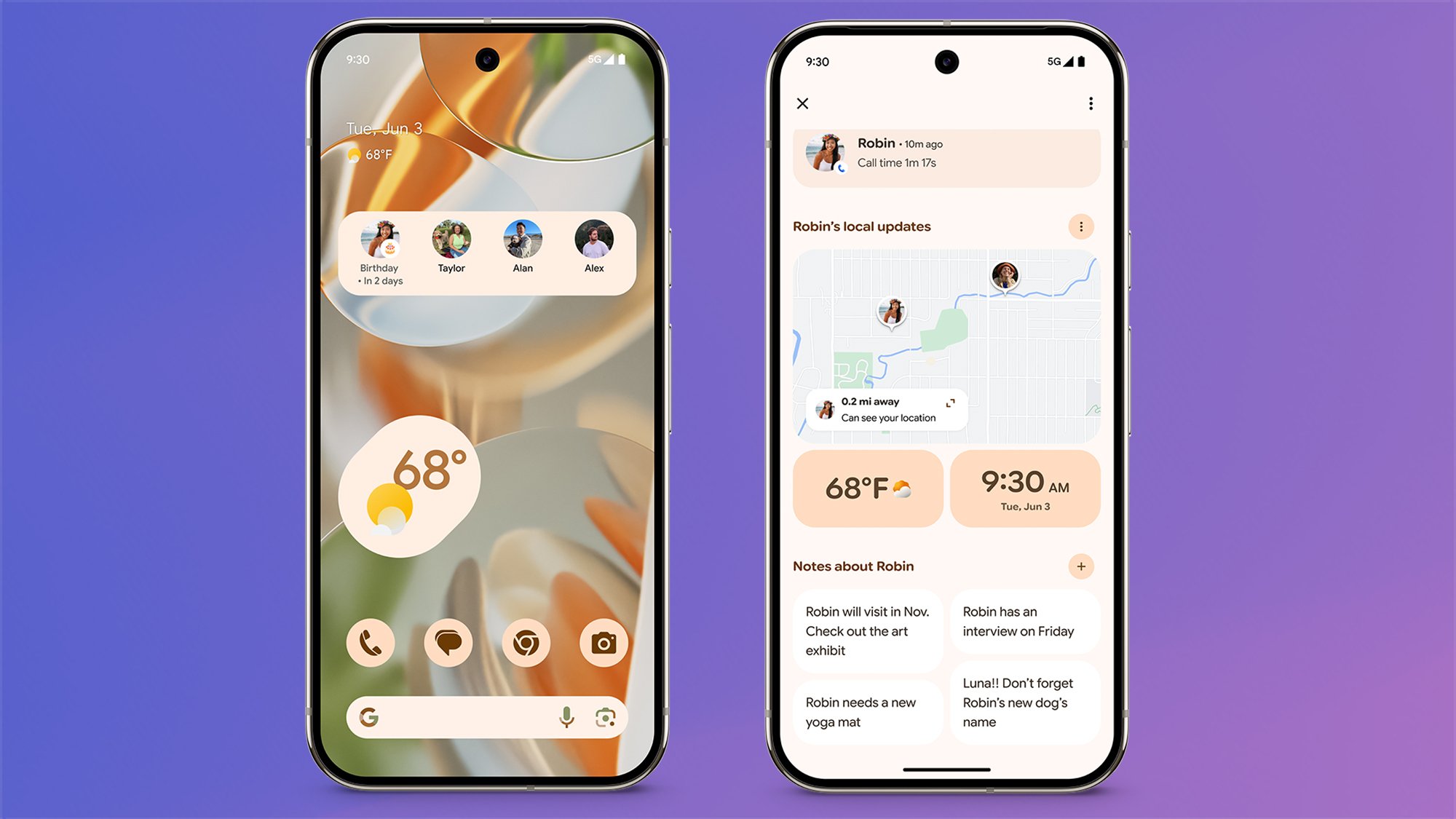
Your Pixel VIPs are the most important contacts on your device, and now they get their own special widget as a spin-off from the Contacts app. This widget lets you see recent messages and calls from these people across messaging apps, including WhatsApp, as well as more details about them (including their birthdays and notable anniversaries).

Pixel VIPs
You can now make some of your contacts VIPs.
Credit: Google

These special VIPs get extra permission to bypass the Do Not Disturb mode on your Pixel, which should make sure you don’t miss anything important when notifications are muted. If you’re currently sharing your location with these Very Important contacts, these details appear in the widget too, but all this information is kept locally on your device.

2. Custom stickers in Gboard

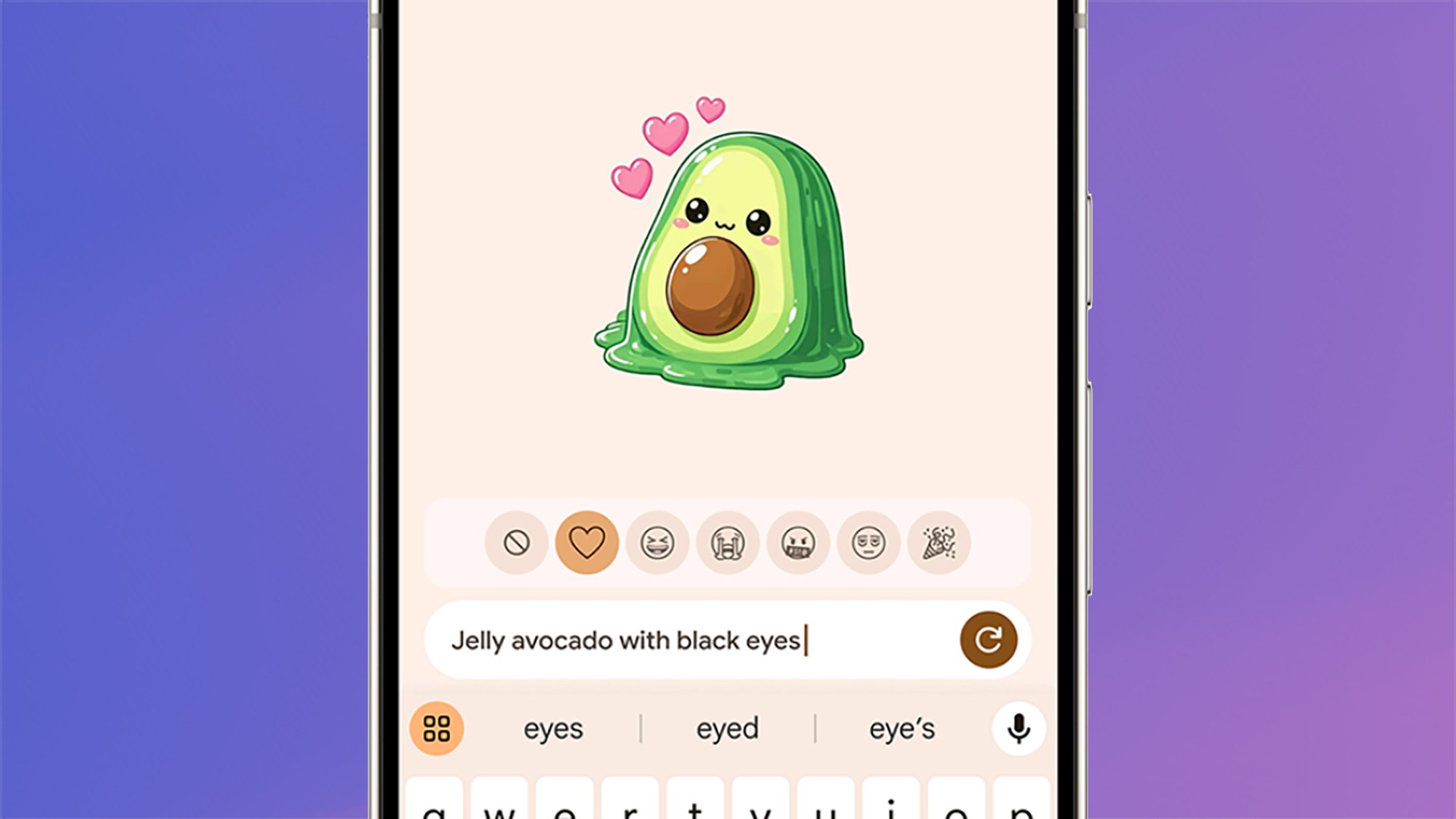
Stickers made with generative AI are coming to the default Pixel keyboard, Gboard, with the latest Pixel Drop. With the help of Pixel Studio, you can create stickers of anything you like: An excited jelly avocado, a sad starfish wearing sunglasses, and sparkly blue sneakers are the examples Google gives. And yes, it does sound a lot like Genmoji on the iPhone.

Gboard stickers
Get creative with your stickers in Gboard.
Credit: Google

As you might have gathered from the mention of Pixel Studio, this will only work if you have a phone from the Pixel 9 series, as your device needs a certain amount of AI power to produce graphics without contacting the cloud. If you’ve got a compatible device, the new feature will be available via a button above any text input box when Gboard is enabled.

3. Expressive Captions

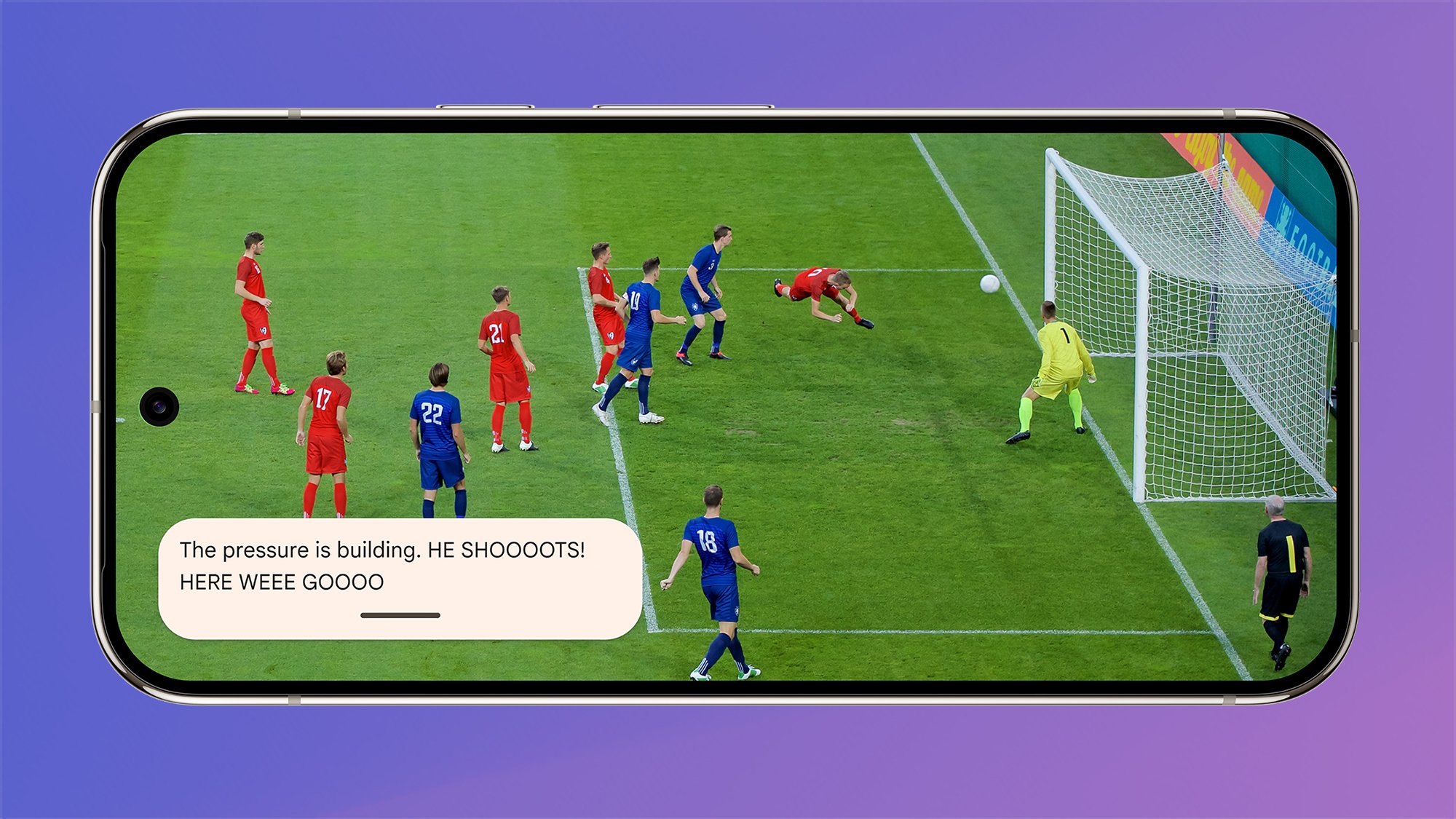
If you use Live Captions on your Android device, you’ll know it can be a useful way of getting live subtitles on screen for video and audio content, even if they weren’t included in the original file or stream. Expressive Captions adds more feeling to this feature, so you’ll see labels like “whispering” or “yawning” alongside the actual words themselves.

Expressive Captions
Expressive Captions in action.
Credit: Google

If words are stretched out—like “gooooooooal!”—that should show up too. This feature isn’t completely new, because it was announced last month for Android 15 devices: As far as I can make out from Google’s announcement, it seems the Pixel Drop may be introducing more of these expressions, or possibly making them more widely available.

4. New accessibility features

The new Pixel Drop includes several smaller new features worth mentioning, including improved support for hearing aids with LE audio features: You can now access presets and volume controls from inside a dedicated panel on your phone, as long as it’s a Pixel 9 or newer handset running Android 16 (rolling out at the same time as this update).

Then there are improvements to the Magnifier app (exclusive to Pixel phones), which now incorporates live search. You can type what you’re looking for (like something on a menu), then move your phone camera around, with matches highlighted in real time and accompanied by a little vibration. You no longer need to take a photo first and then search.

5. Battery health indicator

If you own a Google Pixel 8a or newer, this latest Pixel Drop brings with it a new battery health indicator screen, which we were first made aware of in April. It shows details of the battery’s remaining capacity, based on charging and usage patterns, and the feature should help you get more use out of your battery (and show you when it needs replacing).

6. Improve your photography skills

There’s a neat little feature arriving in the default Camera app for Pixel phones and tablets: If you tap the new question mark icon that appears in the corner of the Camera screen, you get a visual guide to what each camera mode does, plus some instructions on how to use it. The idea is to “help you get the most out of your Pixel Camera,” Google says.

Google Photos
We’re still waiting for the latest AI features in Google Photos.
Credit: Google

7. AI edits in Google Photos

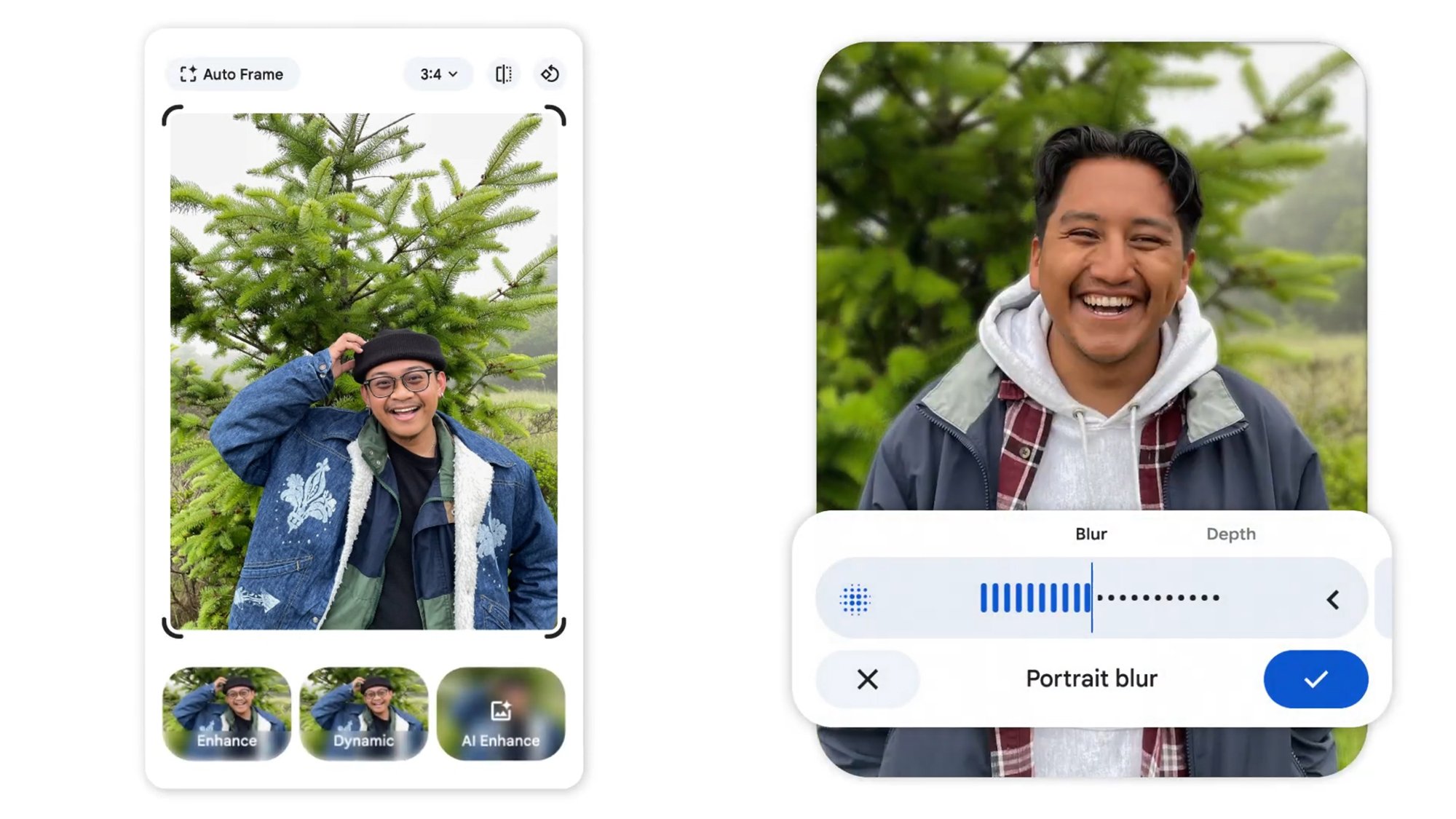
In its June 2025 Pixel Drop announcement, Google has again mentioned the enhanced AI editing tools coming to Google Photos that it also announced last month—for Android and iOS devices. This upgrade is still coming soon, and apparently won’t be a Pixel exclusive, but it’s worth flagging that Google has again mentioned it in its latest blog post.

8. Expanded feature availability

Finally, a couple of notes on availability: The Pixel satellite SOS feature that lets you get help when you’re beyond wifi and cellular range is expanding to Australia, while the Pixel-exclusive Recorder app is adding French and German to the list of languages it can work with when it comes to transcribing and summarizing audio conversations.


Android 16 Is Now Officially Available on These Devices

After months of beta testing and following an extensive preview ahead of Google I/O 2025, Android 16 is now complete and is rolling out to devices. As usual, Pixel phones and tablets are going to be first in line for the software update, with handsets from other manufacturers following later (Samsung’s One UI 8 upgrade, based on Android 16, is already in testing).

As per Google’s documentation, every Pixel phone and tablet since the Pixel 6 and the Pixel 6 Pro are eligible for Android 16. Those phones were introduced in 2021, so if you’ve got either of those handsets or something newer, you’re good to go.

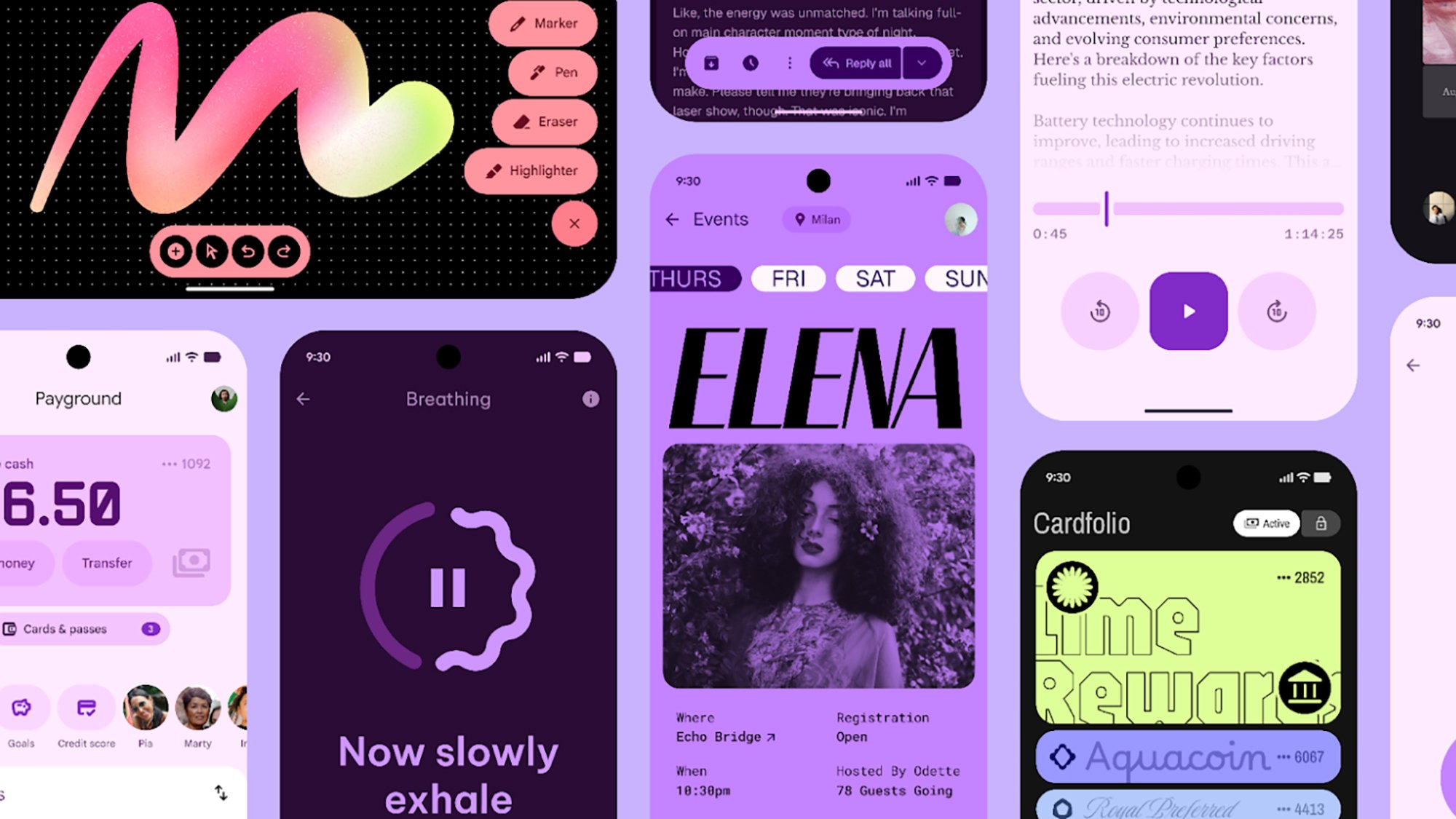
Perhaps the biggest update in Android 16 is the revamped Material 3 Expressive design language, which Google has already previewed. It’s designed to encourage more engagement and to create more emotional pull, as well as being more intuitive and easier to use. However, this Android 16 release only “lays the foundation” for the revamp: Google says the redesign will roll out gradually across the course of the year.

Material 3 Expressive
The Android 16 redesign isn’t included in this first stable release.
Credit: Google

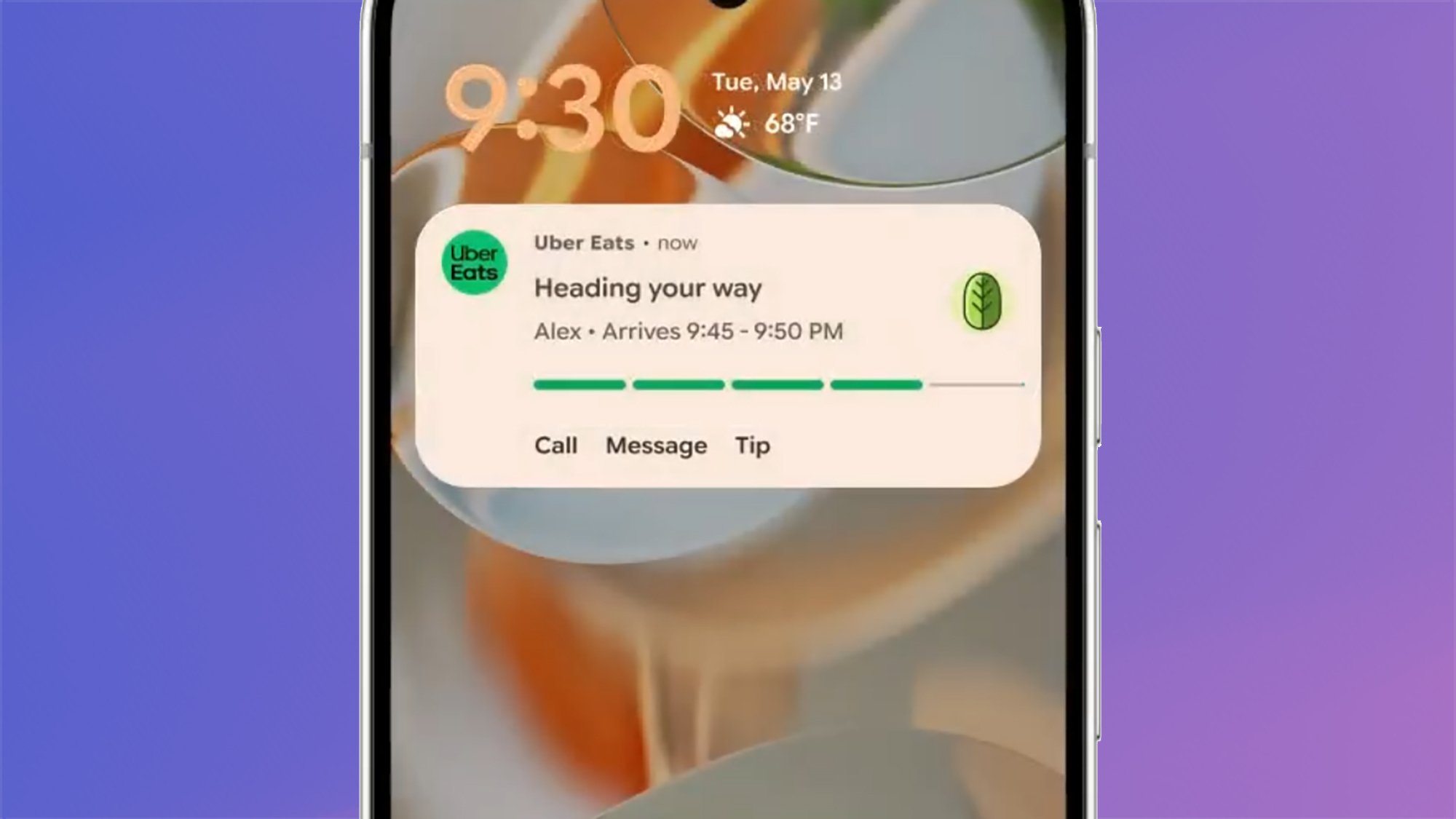
Notifications are getting some improvements. Android 16 introduces Live Updates, which are similar to the Live Activities already available on iOS. Essentially, it gives real time updates more prominence on the home screen and the lock screen, so you won’t have to keep opening an app for sports scores or to see where your Uber is.

Samsung has already implemented something like this with the Now Bar in One UI 7, and it should improve the experience for apps like Google Maps and food delivery apps. The feature will launch with “compatible ride-share and food delivery apps,” Google says, with more integrations to follow.

Android 16 Live Updates
Live Updates give more prominence to important notifications.
Credit: Google

Another notification tweak: Similar alerts will be grouped together automatically, to avoid “information overload.” One of the examples Google shows is a security camera: Rather than every notification appearing separately every time motion is detected, you’ll get them all together in one grouped package.

Android 16 is also bringing with it improved support for hearing aids, with the option to switch to your phone’s mic for audio input when you’re on a call—which should mean better results in noisy environments. Also, native control for hearing devices will be appearing in Android 16, providing access to settings such as volume levels.

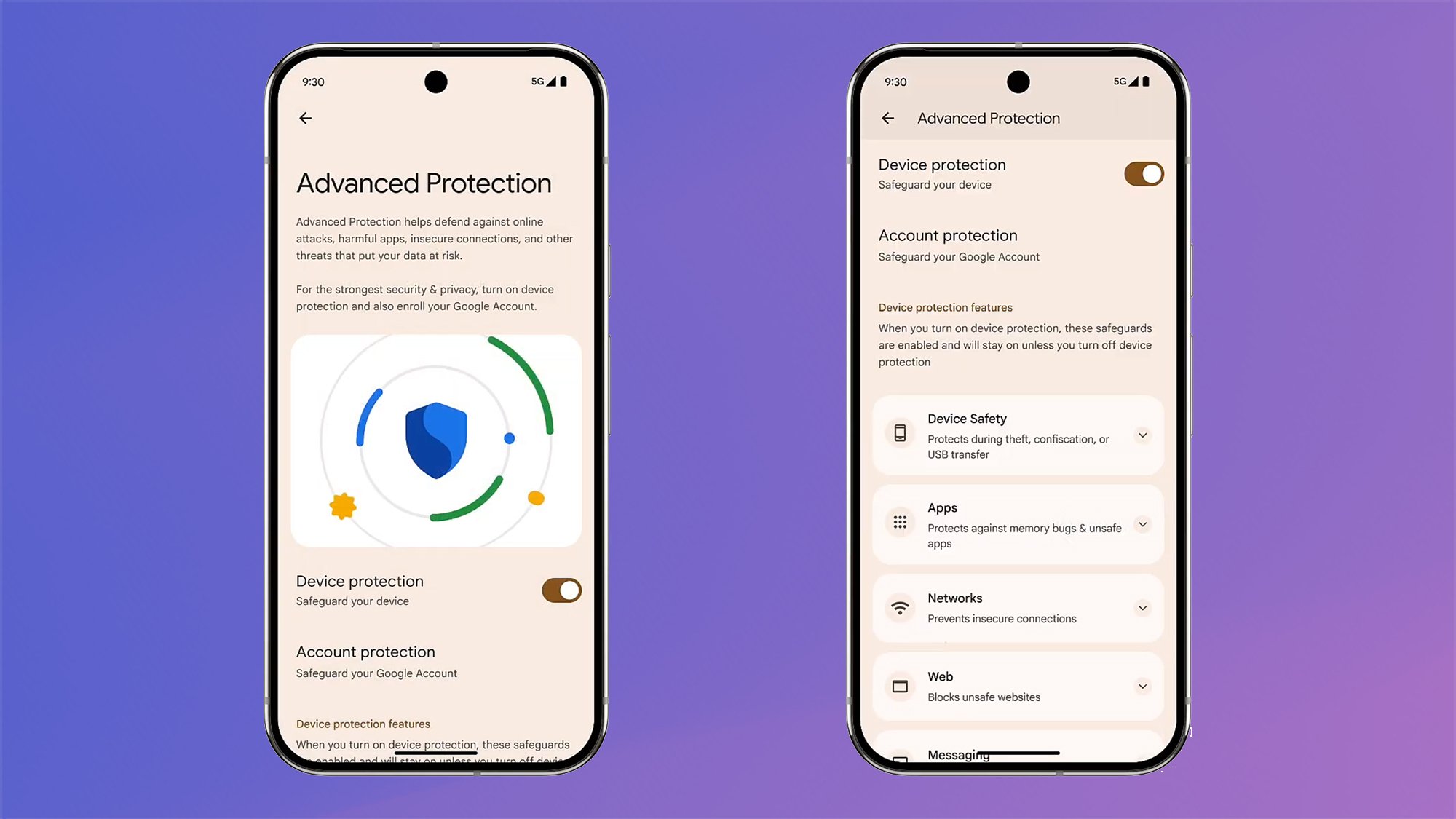
There’s a big security upgrade as well, which we’ve already seen in the Android 16 beta. It builds on the existing Advanced Protection mode, which is described as “Google’s strongest security for mobile devices yet” in official communications: Previously available for Google accounts on the web, it’s now specific to mobile devices, too, with Android 16, which means you can manage these protections from your phone or tablet.

Android 16 Advanced Protection
Advanced Protection is now available on phones and tablets.
Credit: Google

There are multiple different elements to Advanced Protection, including preventing USB connections while your phone is locked, stopping automatic connections for unsecured wifi networks, and real time warning for scam calls. All of this can be configured through the Advanced Protection menu in Settings.

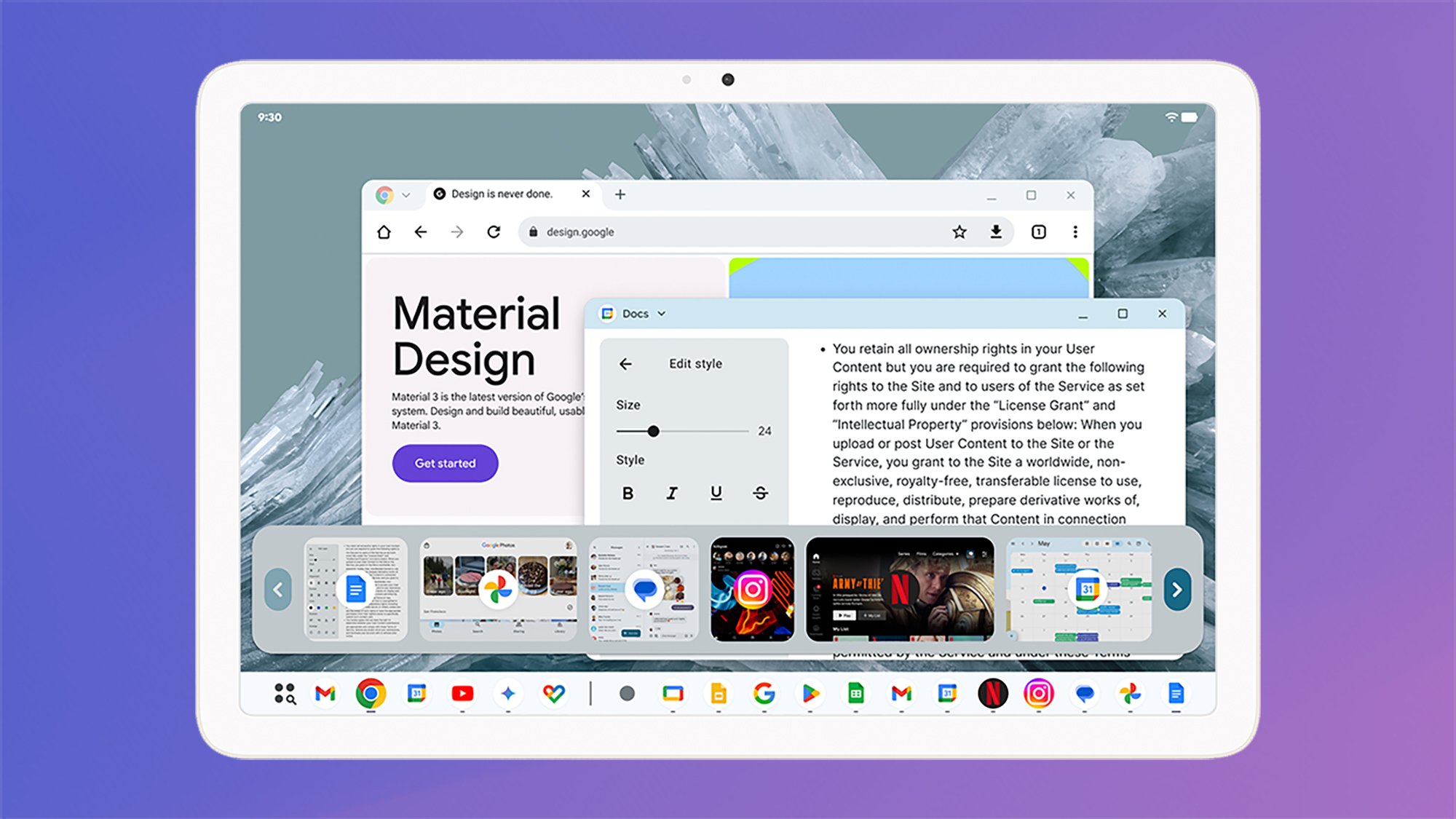
Android 16 is also bringing with it an improved desktop mode, along the lines of Samsung DeX. Google says it’s actually worked with Samsung to improve window support on Android tablets, so you now have more control over how your apps are positioned in devices with larger screens.

Android 16 desktop mode
Android 16 works better on bigger screens.
Credit: Google

It sounds like the bigger updates for this feature are still to come: Custom keyboard shortcuts, an improved taskbar, and support for external displays (for the full DeX experience) are all arriving “later this year,” so you’ll have to wait a little longer to use this new desktop mode to its fullest.

As usual, there are numerous new features behind the scenes for developers too: They cover easier access to camera settings like night mode and color temperature, better support for adaptive layouts that work on any screen size, and even improved consistency for progress bars. Look out for improvements to your Android apps, and wider support for the new Material 3 Expressive redesign, as time goes on.

Android 16 also includes a wealth of more minor tweaks and improvements that you might not notice for a while (or might never see at all). If you have a Pixel phone or tablet, you should get the update automatically in the coming days, but you can also check for it manually: From Settings, choose System and Software updates.

Android 16 is here, but the cool stuff is coming later

After months of speculation and beta testing, Google is rolling out Android 16 starting today. The new software will arrive first on Pixel phones, but you can expect to see updates on other phones in the coming weeks—or more likely months.

For those with Pixel devices, the OTA should begin appearing soon. If you just can’t wait, Google will have system images and update files on its developer pages. You probably don’t need to get up in arms about potential delays, though. Like other recent Android updates, there aren’t many changes bundled into this version. Many of the most interesting changes are coming later this year.

Android 16 has landed

Despite the light feature set at launch, there are a few things of note. Right at the top of the list is a cleaner notification shade. Google launched bundled notifications in Android 7.0 Nougat, which has helped to clean up phones ever since. With Android 16, Google is stepping up notification bundling by forcing it on apps. Now, multiple notifications from a single app will be merged together into a single expandable item. Neat.

Read full article

Comments

Linux 6.15 Delivering Some Performance Gains On AMD EPYC For AI, HPC & Databases

The Linux 6.15 kernel cycle started off a bit rough with a heavy hitting performance regression spotted and then fixed but to only then discover another Linux 6.15 performance regression affecting modern AMD CPUs. Fortunately those issues were cleared out in time for the recent Linux 6.15 stable release. Linux 6.15 stable is looking good especially on 5th Gen AMD EPYC “Turin” servers with some recent benchmarks showing some modest gains over the Linux 6.14 kernel.

Top 5 Zwift Videos: FTP Tests, Zwift Racing Tips, and Zwift HQ

One of the best ways to monitor progress in cycling is through FTP Tests. In this week’s top video, one Zwifter tackles an FTP test to see how much he has improved since his first ramp test nearly 2 years ago.

Also featured in this post are videos about tips for winning Zwift races, a tour of Zwift HQ, a brutal Zwift race, and the Zwift Insider Tiny Races.

What 666 DAYS on Zwift Did to My FTP

After almost 2 years of training with Zwift, Adam from Road to A shares how the training has impacted his FTP.

How To Win a Zwift Race | My Essential Tips For Success!

Looking to win your next Zwift race? Ryan Condon shares his top tips and tricks on how you can improve your chances of winning a Zwift race.

L.A. Baby! – Puck at Zwift

In Puck’s latest vlog, she visits Zwift HQ and rides the local roads of SoCal.

I Hit My ALL-TIME LOW in this BRUTAL Zwift Race! � – Cat D Zwift Racing

Watch as Benji Naesen battles through the Zwift Insider Tiny Race series.

Zwift Insider Tiny Races – Can I keep up with the men?

Caryl Granville tackles the Zwift Insider Tiny Races with a few goals in mind, with one of them being finishing in the top ten overall in her category.

Got a Great Zwift Video?

Share the link below and we may feature it in an upcoming post!

You Can Get This Lenovo 300E Chromebook for Just $80 Right Now

We may earn a commission from links on this page. Deal pricing and availability subject to change after time of publication.

This refurbished Lenovo 300E Chromebook is on sale for just $79.99 right now on StackSocial. It’s a practical pickup if you need a machine for casual use, a backup device around the house, or something safe for kids to hammer on. It’s listed with a Grade “B” rating, meaning there might be some light scuffs or dents, but nothing that’ll get in the way of day-to-day use.

The specs are modest: a quad-core Intel N3450 processor, 4GB of RAM, and 32GB of storage. It’s not built for heavy multitasking or serious workloads, but it can run Chrome OS smoothly enough for web browsing, streaming, and schoolwork. The 11.6-inch touchscreen is handy for more interactive tasks and folds back into a tablet mode if you want something a little more flexible. Chrome OS also means you get access to Google Play apps, and the system will keep getting updates until 2028. Storage is tight, so you’ll want to lean on cloud storage or an external drive if you have a lot of files, but for everyday apps and online use, it’s enough to get by.

That said, the screen maxes out at 1366×768 resolution, which isn’t going to win any beauty contests, and at just over three pounds, it’s a little chunky for an 11-inch device. But it has wifi and Bluetooth, a decent webcam, and a battery that can handle a day of light tasks. If you need something inexpensive and durable for kids, travel, or just light web work, this Chromebook does the job without much fuss. At this price, you’re not expecting perfection—you’re looking for a tool you won’t panic over if it gets scratched, dropped, or left in a coffee shop, and that’s exactly what this delivers.

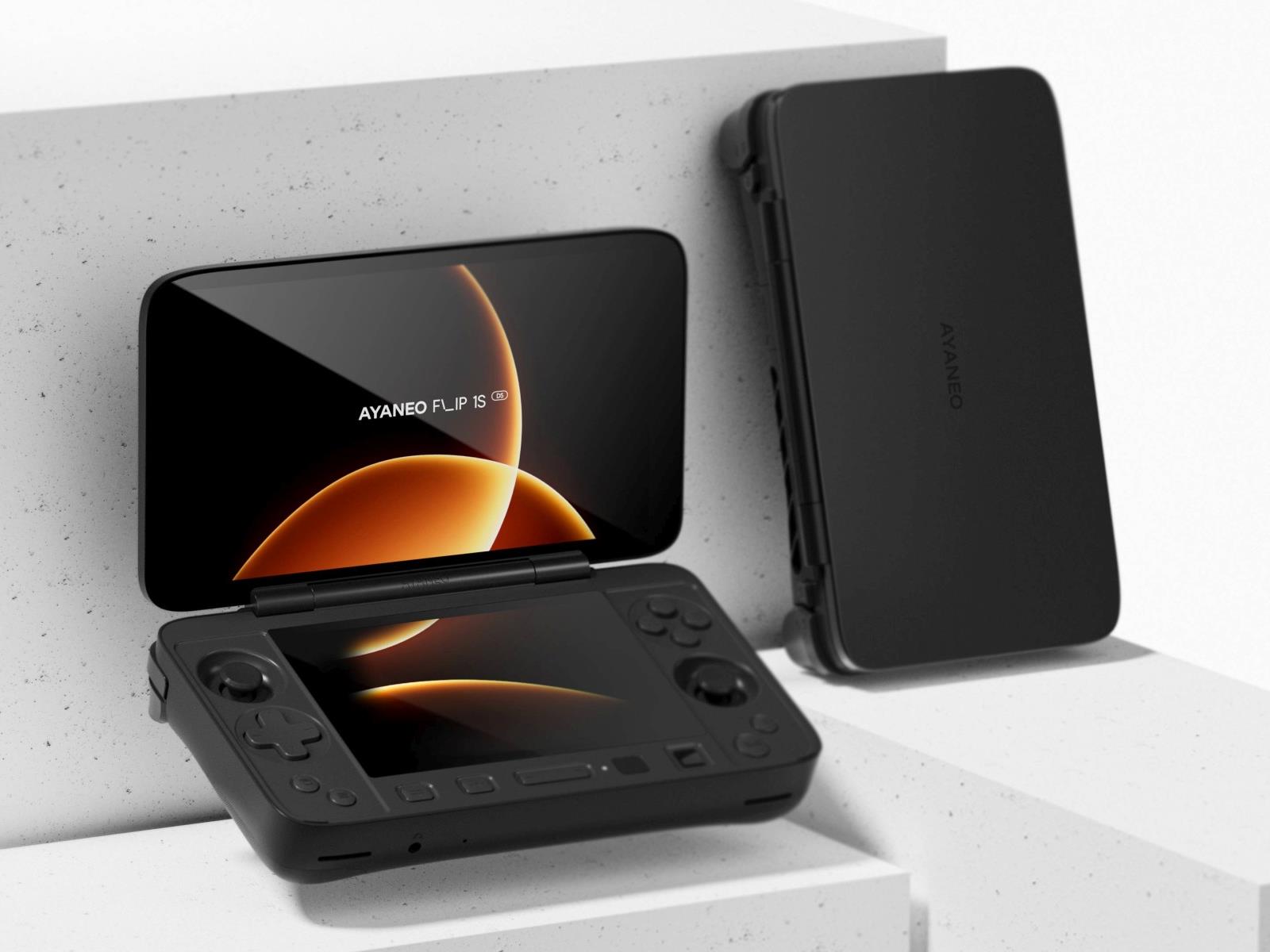
Ayaneo’s Flip 1S DS Handheld Is A PC Gaming Salute To Iconic Nintendo

Ayaneo's Flip 1S DS Handheld Is A PC Gaming Salute To Iconic Nintendo
Back in January of last year, Ayaneo formally unveiled its Flip series of gaming handhelds, composed of two models: the Flip DS and Flip KB. Both models had 7-inch flip-up screens, but the Flip KB had a full QWERTY keyboard underneath, while the Flip DS had a second screen, making it perfect for emulating classic Nintendo DS games. Of course,

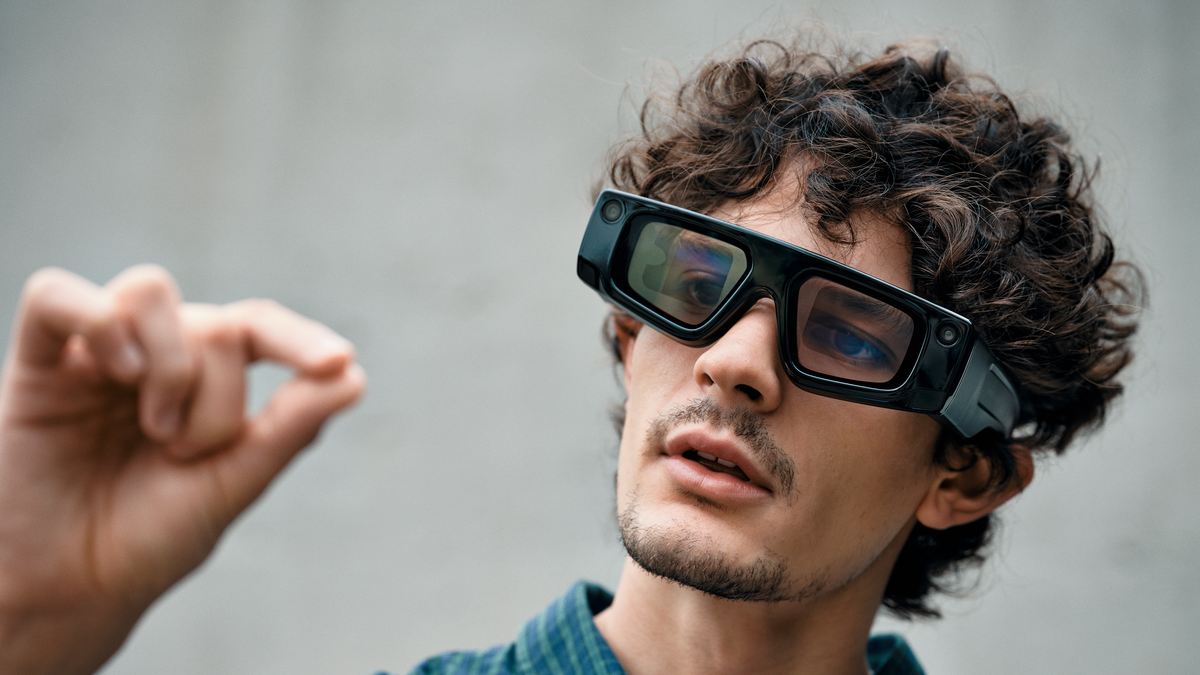
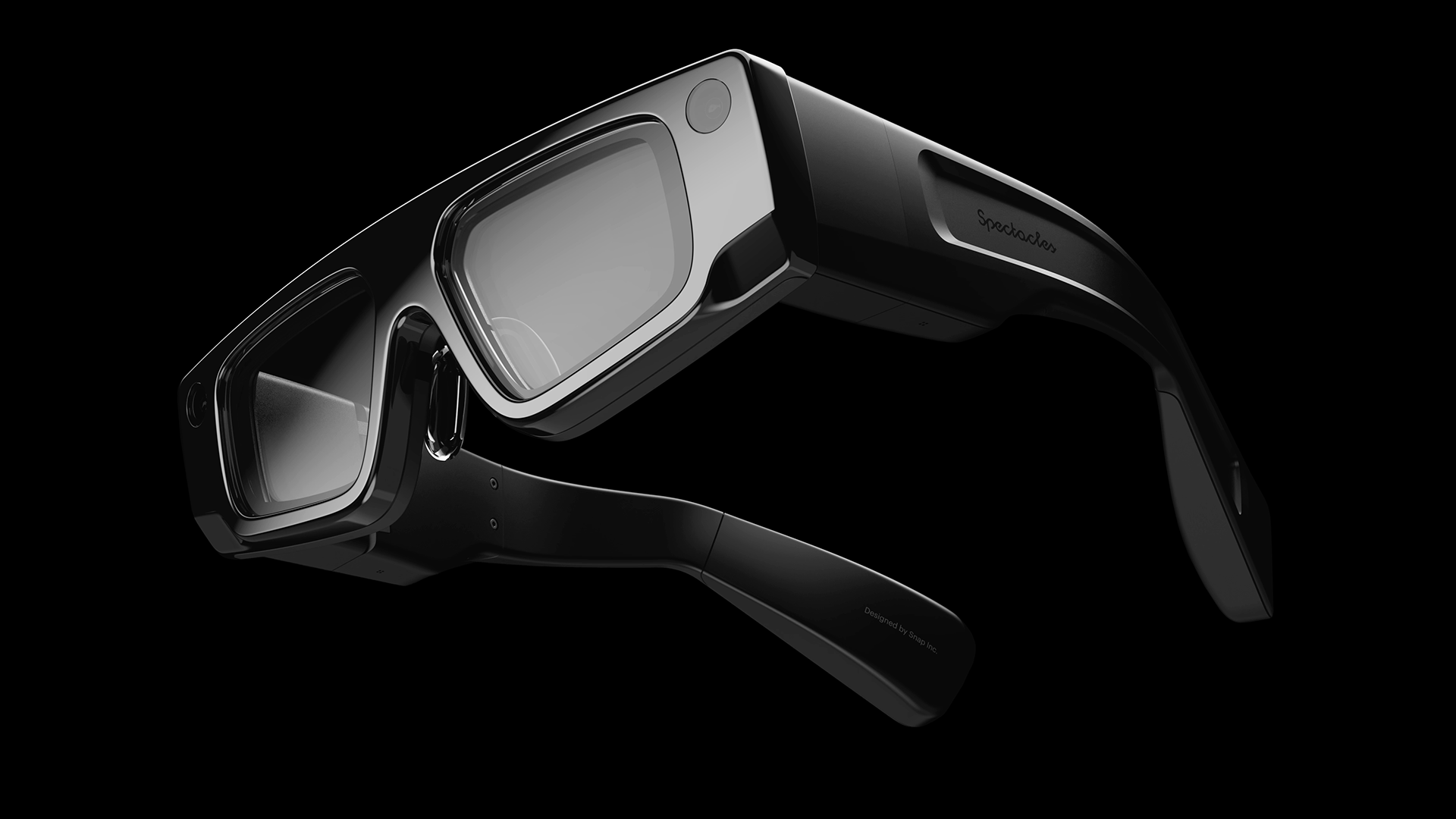
Snap Says It Will Launch Consumer AR Glasses, Called Specs, In 2026

The company behind Snapchat says it will launch fully standalone consumer AR glasses, called Specs, in 2026.

At Augmented World Expo 2025 just now, Snap CEO Evan Spiegel described the coming Specs as “an ultra-powerful wearable computer integrated into a lightweight pair of glasses with see-through lenses”, and revealed that the company has spent $3 billion so far developing them.

Snap has a long history in the smart glasses space. The company publicly sold three generations of non-AR camera glasses between 2016 and 2019, years before the Ray-Ban Meta glasses, and in recent years has released two AR glasses development kits. These devices so far have been called Spectacles, and the move to Specs reflects Snap’s intention to finally ship an AR product.

The first AR Spectacles development kit, made available to select developers from 2021, had a tiny 26-degree field of view, 30 minute battery life, and weighed 134 grams. The second generation AR Spectacles dev kit released in September for any interested developers to rent for $100/month, boosting the field of view to 46 degrees and the battery life to 45 minutes, but also increasing the weight to 226 grams and introducing a bulkier design that pushes the limits of what can be described as a true glasses form factor.

Both AR Spectacles development kits feature hand tracking and run Snap OS, a lightweight custom OS built specifically for AR that runs apps called ‘Lenses’, developed using Snap’s Lens Studio software for Windows and macOS.

Snap Spectacles Are $100/Month AR Glasses For Developers
The company behind Snapchat just unveiled upgraded AR Spectacles, available to developers for $99/month.
UploadVRDavid Heaney

Compared to the current development kit, Spiegel claims the Specs releasing as a product in 2026 will have “a much smaller form factor, at a fraction of the weight, with a ton more capability”, while running all the same Lenses developed so far.

Snap isn’t revealing any further details of Specs yet, nor is it showing a render of what it will look like.

“No bulky headset, no puck, no tether, no phone required”, Spiegel boasted, referring to the current development kit, and Snap confirmed to UploadVR that this will be the case for Specs too.

If Snap meets its timeline, it could be the first major tech company to launch true AR glasses. Multiple reports suggest Meta plans to ship its first AR glasses in 2027, and Bloomberg’s Mark Gurman has reported that Apple won’t launch AR glasses until 2028 at the earliest.

Snap’s strategy of building a fully standalone device is also notable. Meta’s Orion prototype used a wireless compute puck, and the company has indicated that its 2027 product will too. Similarly, Apple is widely expected to leverage your iPhone’s compute for its eventual AR glasses, though this is far from confirmed.

Trying to pack all of the computing hardware for true AR into a “lightweight pair of glasses” so soon will be a significant engineering challenge for Snap, and we’ll be very curious to see how this turns out, as well as how long the battery lasts.

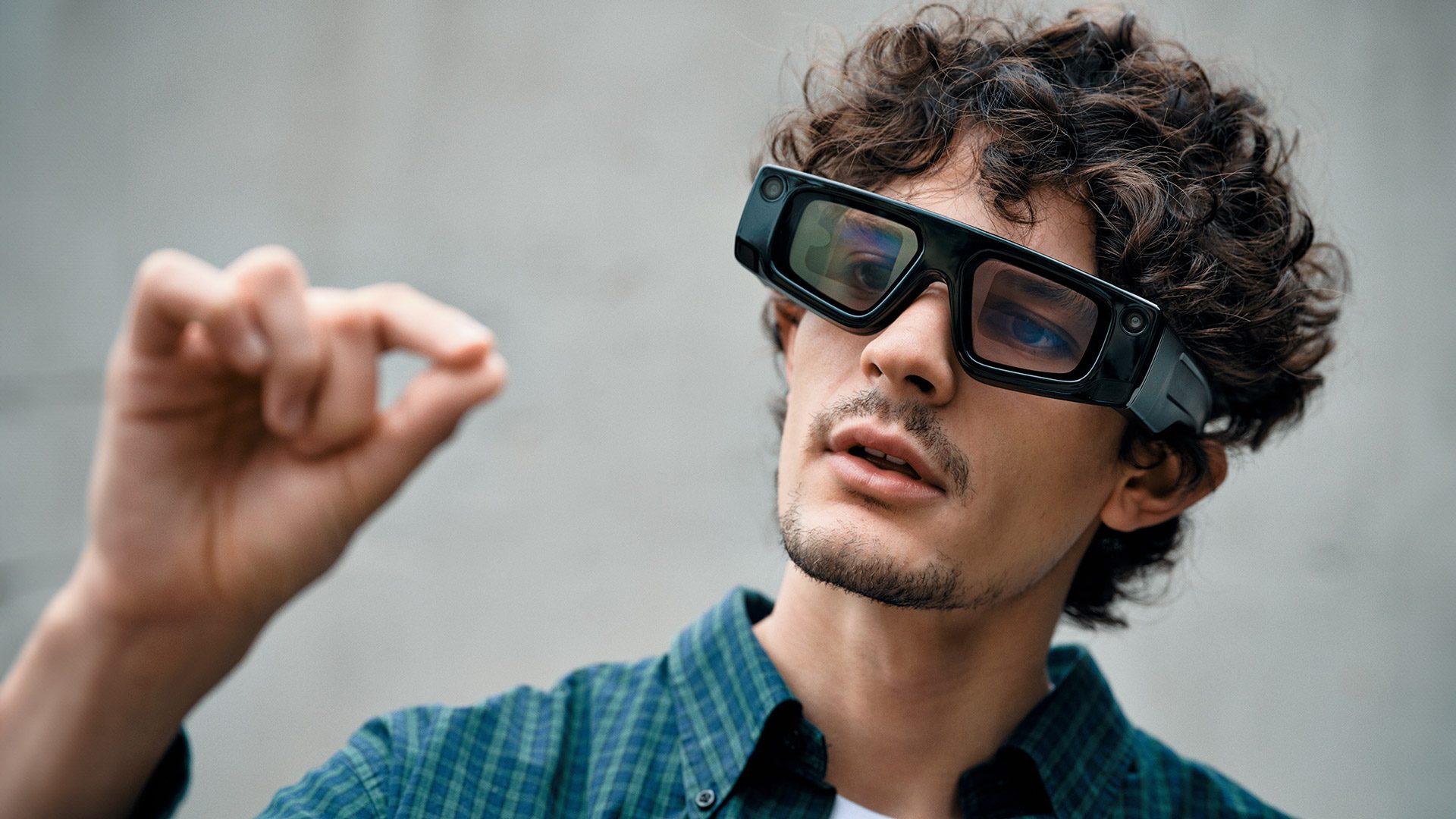
Snap says new ‘lightweight’ AR glasses will come in 2026

Snap’s next generation of standalone augmented reality glasses will arrive next year and will be smaller, lighter and more powerful than the developer-focused device the Snapchat maker introduced last year. CEO Evan Spiegel announced the upcoming glasses, which will be called “Specs,” during a keynote at Augmented World Expo (AWE).

“Specs are coming next year, in a much smaller form factor, at a fraction of the weight, with a ton more capability,” Spiegel said. He said the glasses will be “ready for public release,” but didn’t provide details on how much they may cost. The current fifth-generation glasses are available only to approved developers willing to commit to a year-long $99/month subscription.

Still, a smaller pair of AR glasses from Snap should be welcome news to Snapchat fans curious about the company’s standalone AR device, but who may have been put off by its bulky, oversized design. Spiegel shared few details about the glasses, but in a blog post Snap suggested that AI will play an important role. “It’s clear that today’s devices and user interfaces are woefully inadequate to realize the full potential of AI,” the company wrote. “Chatbots will soon give way to immersive experiences that bring AI into the world through augmented reality, empowering us to express ourselves, live in the moment, learn about the world, and have fun together.”

The existing version of Spectacles already has some AI-powered experiences, thanks to a partnership with OpenAI. And Snap today also announced new integrations with OpenAI and Google that allow developers to build multimodal lenses for Spectacles that can use the built-in cameras to react to the wearer’s surroundings. Developers have already created experiences for recipe generation, translation and currency conversion, Snap said.

Spiegel did confirm that the AR lenses that developers are building now will work with the next-generation of frames. So whenever they do launch, there should be an established catalog of AR experiences for the glasses. 

This article originally appeared on Engadget at https://www.engadget.com/ar-vr/snap-says-new-lightweight-ar-glasses-will-come-in-2026-171020059.html?src=rss

Snap Plans to Launch New Consumer ‘Specs’ AR Glasses Next Year

Snap, the company behind Snapchat, today announced it’s working on the next iteration of its Spectacles AR glasses (aka ‘Specs’), which are slated to release publicly sometime next year.

Snap first released its fifth generation of Specs (Spectacles ’24) exclusively to developers in late 2024, later opening up sales to students and teachers in January 2025 through an educational discount program.

Today, at the AWE 2025, Snap announced it’s launching an updated version of the AR glasses for public release next year, which Snap co-founder and CEO Evan Spiegel teases will be “a much smaller form factor, at a fraction of the weight, with a ton more capability.”

There’s no pricing or availability yet beyond the 2026 launch window. To boot, we haven’t even seen the device in question, although we’re betting they aren’t as chunky as these:

Snap Spectacles ’24 | Image courtesy Snap Inc

Spiegel additionally noted that its four million-strong library of Lenses, which add 3D effects, objects, characters, and transformations in AR, will be compatible with the forthcoming version of Specs.

While the company isn’t talking specs (pun intended) right now, the version introduced in 2024 packs in a 46° field of view via stereo waveguide displays, which include automatic tint, and dual liquid crystal on silicon (LCoS) miniature projectors boasting 37 pixels per degree.

As a standalone unit, the device features dual Snapdragon processors, stereo speakers for spatial audio, six microphones for voice recognition, as well as two high-resolution color cameras and two infrared computer vision cameras for 6DOF spatial awareness and hand tracking.

There’s no telling how these specs will change on the next version, although we’re certainly hoping for more than the original’s 45-minute battery life.

Snap Spectacles ’24 | Image courtesy Snap Inc

And as the company is gearing up to release its first publicly available AR glasses, Snap also announced major updates coming to Snap OS. Key enhancements include new integrations with OpenAI and Google Cloud’s Gemini, allowing developers to create multimodal AI-powered Lenses for Specs. These include things like real-time translation, currency conversion, recipe suggestions, and interactive adventures.

Additionally, new APIs are said to expand spatial and audio capabilities, including Depth Module API, which anchors AR content in 3D space, and Automated Speech Recognition API, which supports 40+ languages. The company’s Snap3D API is also said to enable real-time 3D object generation within Lenses.

For developers building location-based experiences, Snap says it’s also introducing a Fleet Management app, Guided Mode for seamless Lens launching, and Guided Navigation for AR tours. Upcoming features include Niantic Spatial VPS integration and WebXR browser support, enabling a shared, AI-assisted map of the world and expanded access to WebXR content.

Releasing Specs to consumers could put Snap in a unique position as a first mover; companies including Apple, Meta, and Google still haven’t released their own AR glasses, although consumers should expect the race to heat up this decade. The overall consensus is these companies are looking to own a significant piece of AR, as many hope the device class will unseat smartphones as the dominant computing paradigm in the future.

The post Snap Plans to Launch New Consumer ‘Specs’ AR Glasses Next Year appeared first on Road to VR.

‘Stranger Things’ Multiplayer VR Experience is Coming to Sandbox VR Destinations Later This Year

Sandbox VR, the location-based VR destination, is working with Netflix to create a multiplayer VR experience based on the hit TV show Stranger Things.

Coinciding with the fifth and final season of the show, the upcoming VR experience Stranger Things: Catalyst is slated to let you gear up with friends to face supernatural threats plaguing Hawkins, Indiana, promising iconic locations, unique abilities, and terrifying creatures from the Upside Down.

Like all of Sandbox VR’s multiplayer experiences, Stranger Things: Catalyst was built by its in-house studio, also marking its third collaboration with Netflix, following Squid Game Virtuals and Rebel Moon: The Descent.

Stranger Things: Catalyst is set to launch at Sandbox VR locations in late 2025. At the time of this writing, Sandbox VR operates in over 55 global locations, attracting over 117k players monthly.

This follows news in April that Sandbox VR had surpassed $200 million in lifetime revenue since its 2016 founding. This has spurred the San Francisco-based company to open 29 new locations this year alone, representing around a 50% increase.

We’ll be keeping our eyes on Sandbox VR’s website in the meantime, which includes the full slate of available VR experiences and locations.

The post ‘Stranger Things’ Multiplayer VR Experience is Coming to Sandbox VR Destinations Later This Year appeared first on Road to VR.

Android 16 is out, complete with live notification updates and new camera features

Google has released Android 16 to the masses, as it’s now available for compatible handsets. The company says new devices will come preloaded with the OS in “the coming months.”

The update includes several notable features. The biggest one might be live updates in notifications. This means that stuff like ride-shares and food deliveries will get a progress bar directly in the notification, so folks won’t have to constantly open and close the app to wonder why a burrito seems to be stuck four blocks away.

The tool in action.
Google

Also, notifications from the same app will now be automatically grouped together to reduce clutter and pings. There’s now support for LE audio hearing aids, with a native control option. Users can also switch to the phone’s microphone when using one of these hearing devices for clearer audio in noisy places.

Google has tied all of its security features together, so users can now be protected from “online attacks, harmful apps, unsafe websites, scam calls and more in just a tap.” This includes new scam detection features that were previewed back in May.

The security feature opt-in.
Google

Shutterbugs are getting a fairly robust suite of new features, including automatic night mode scene detection, hybrid auto exposure and more precise color temperature adjustments. UltraHDR images have been improved, with support for HEIC encoding, and Android 16 offers integration with the high-end Advanced Professional Video (APV) codec.

The feature in action.
Google

The company is finally bringing desktop windowing to Android, but it’s not ready just yet. That feature will be available to general users later in the year, but Android 16 QPR 3 Beta 2 is currently previewing the feature.

There’s also a neat Android ecosystem update with some nifty features. This includes upgraded RCS group chats, with custom icons and the ability to mute threads. Google Photos now offers an AI-enhanced image editor that will recommend suggested edits. Emoji Kitchen is receiving new sticker combinations and Wear OS devices can now pay for transit fares without having to open a dedicated app.

The VIPs.
Google

Finally, Google has offered details on the Pixel Drop for June. New features include a Pixel VIPs widget that displays information on preferred contacts and more expressive captions on videos.

This article originally appeared on Engadget at https://www.engadget.com/mobile/android-16-is-out-complete-with-live-notification-updates-and-new-camera-features-170006072.html?src=rss