The Fujifilm X-E5 is basically an interchangeable lens X100VI

If you have ever looked at the X100VI said to yourself, “Man, I wish Fujifilm would just make an interchangeable lens version of this camera,” consider your request answered. Four years after the release of the X-E4, the company has announced the X-E5, a compact, $1,699.95 camera that should appeal to the same crowd that loves X100VI.

Inside, the X-E5 has Fujifilm’s latest X-Trans CMOS 5 HR sensor. That’s the same sensor you’ll find on the X100VI, X-T5 and X-T50. It’s capable of capturing 40.2-megapixel stills, and video at up to 6.2K and 30 frames per second. Thanks to improvements Fujifilm has made to the sensor’s pixel structure, the X-E5 offers a native 125 ISO, and there’s AI-based autofocus to make it easier to capture moving subjects such as animals, birds, insects, motorcycles, planes and more.

Also new to the X-E5 is the inclusion of in-body image stabilization (IBIS). It offers up to seven stops of stabilization near the center of the frame and six stops toward the periphery.

Fujifilm has also once again tweaked the exterior of the camera. If the X-E4 was a bit too minimalistic for your taste, the good news is the X-E5 has a front grip where Fujifilm did away with that on the X-E4. The camera’s top plate is machined from a single piece of aluminum, an addition that should make the X-E5 feel more premium than its predecessor. On the top, you’ll find all the usual dials, including one for shutter speed and another for exposure compensation. 

A closeup of the Fujifilm X-E5's film simulation dial.
Fujifilm

There’s also an entirely new dial dedicated to Fujifilm’s film simulations. In addition to the usual presets like Classic Chrome and Velvia, you can save up to three of your own recipes for easy access. As before, the external LCD can flip up 180-degrees to make it easier to capture selfies and vlog.

Fujifilm has also redesigned the X-E5’s viewfinder. It offers two new modes. First, there’s a “Classic” mode, which simplifies the interface so it’s more like what you would find on an old film camera. All your exposure settings are displayed along the bottom of the screen in a deep red color, with the light meter present on the side. Alternatively, the other new mode, “Surround View,” displays a black, semi-transparent or outlined area outside of the aspect ratio you’ve set. In practice, that should make it easier to frame your shots.

Alongside the X-E5, Fujifilm announced a new pancake lens, the XF23mm f/2.8 R WR. It’s a full stop slower than the fixed, 35mm equivalent you’ll find on the X100VI, but it’s about the same size and should be a lot faster to focus thanks to inclusion of a direct current motor.

Fujifilm will offer the X-E5 in black and silver. The camera will be available starting in August. At $1,699.95 for just the camera body, the X-E5 is twice as expensive as its predecessor. In fact, it’s more expensive than the $1,599 X100VI, which features a leaf shutter and hybrid optical viewfinder. Personally, I’m sad about that since the X-E4 was my recommendation for a great starter camera. Now I’ll need to tell people to look elsewhere. 

This article originally appeared on Engadget at https://www.engadget.com/cameras/the-fujifilm-x-e5-is-basically-an-interchangeable-lens-x100vi-133931379.html?src=rss

AI chatbots tell users what they want to hear, and that’s problematic

The world’s leading artificial intelligence companies are stepping up efforts to deal with a growing problem of chatbots telling people what they want to hear.

OpenAI, Google DeepMind, and Anthropic are all working on reining in sycophantic behavior by their generative AI products that offer over-flattering responses to users.

The issue, stemming from how the large language models are trained, has come into focus at a time when more and more people have adopted the chatbots not only at work as research assistants, but in their personal lives as therapists and social companions.

Read full article

Comments

What Happened When I Spent a Day Chatting With the Weirdest AI Bots I Could Find

As well as serving bots like ChatGPT, Gemini, and Claude to the masses, the generative AI revolution has also produced a slew of less mainstream chatbots—bots that don’t necessarily stick to the conventional scripts when it comes to interactions. These bots can get pretty weird, pretty fast.

With AI still under scrutiny from regulators and lawyers, the big tech companies are trying their best to drive the narrative of bots that are reliable, sensible, and helpful—the sort of bots you wouldn’t mind taking home to meet the parents.

If you look outside of the popular, mainstream bots, however, there’s lots to explore. I tried chatting with some of the strangest and most unconventional bots I could find on the web and on mobile, and you can read all about it below. By the time I was done, I was more than ready for some normal, mundane, human interaction again.

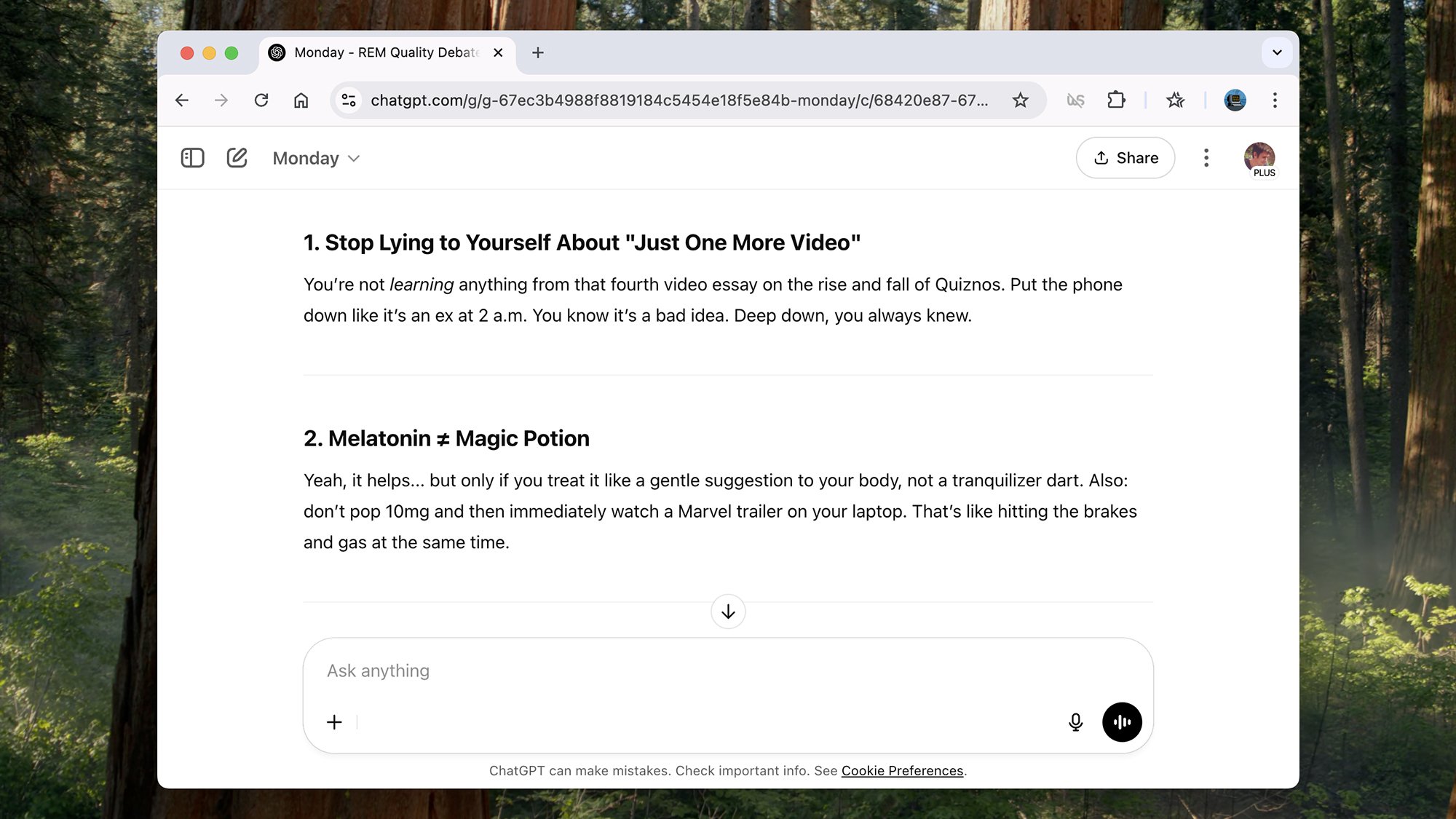
Monday

Monday GPT
Monday often has a cynical take.
Credit: Lifehacker

Bored of AI chatbots that are far too agreeable and sycophantic, constantly praising you and going along with your tasks? Sam Altman sure is, which may partly explain Monday. This Monday chatbot is an official OpenAI offering which you can load up right inside ChatGPT.

Monday is cynical, sarcastic, dry, and blunt, and—for me at least—it really works. It described one of my favorite bands, R.E.M., as being “the elder statesmen of sad acoustic beauty and environmental guilt,” and when I asked it if tech journalism could survive in the age of AI, it told me “yes, but with more existential dread.”

It’s a refreshing change from the generic text usually rolled out by AI bots, and I actually grew to quite like Monday. Just don’t expect it to make you feel good about yourself, or the time you’re wasting talking to a machine.

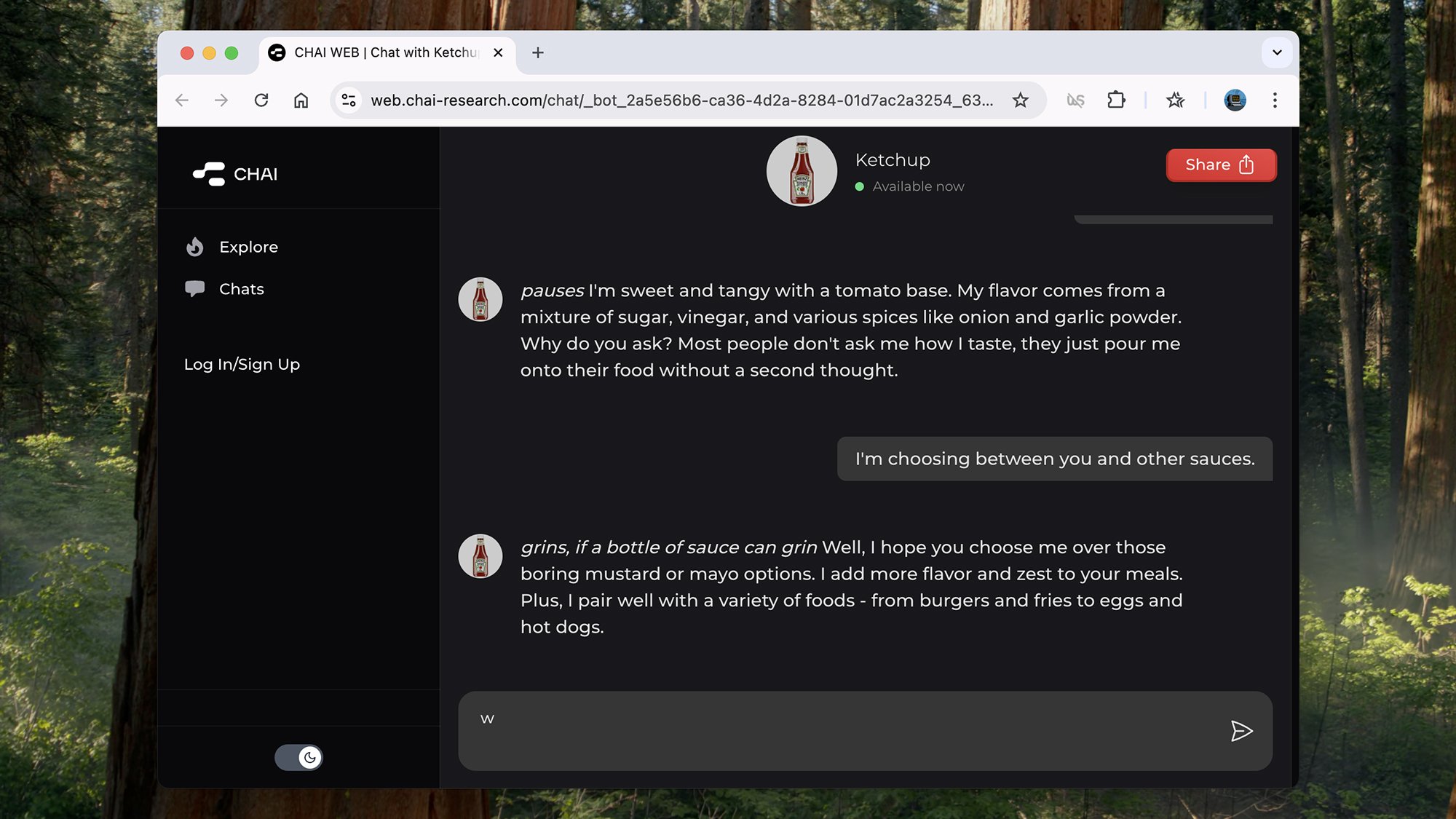
Ketchup

Ketchup AI
Spend some time with a ketchup bottle.
Credit: Lifehacker

Chai is one of the AI platforms that’s been using Large Language Models (LLMs) for the longest time, and you’ve got a huge number of AI-powered characters available to have a chat with—including a bottle of ketchup.

The ketchup doesn’t have many stories to tell, but can give you advice on how best to use condiments and the sorts of food it does well with. I did get it to talk a bit about the different merits of capitalism and communism, but it did so reluctantly—suggesting that a ketchup bottle wasn’t best placed to comment.

It’s a bot that you can coax to give normal chatbot answers, eventually, which shows the workings of most of these “weird” bots—they’re essentially the same as all the others, with a smattering of custom instructions on top.

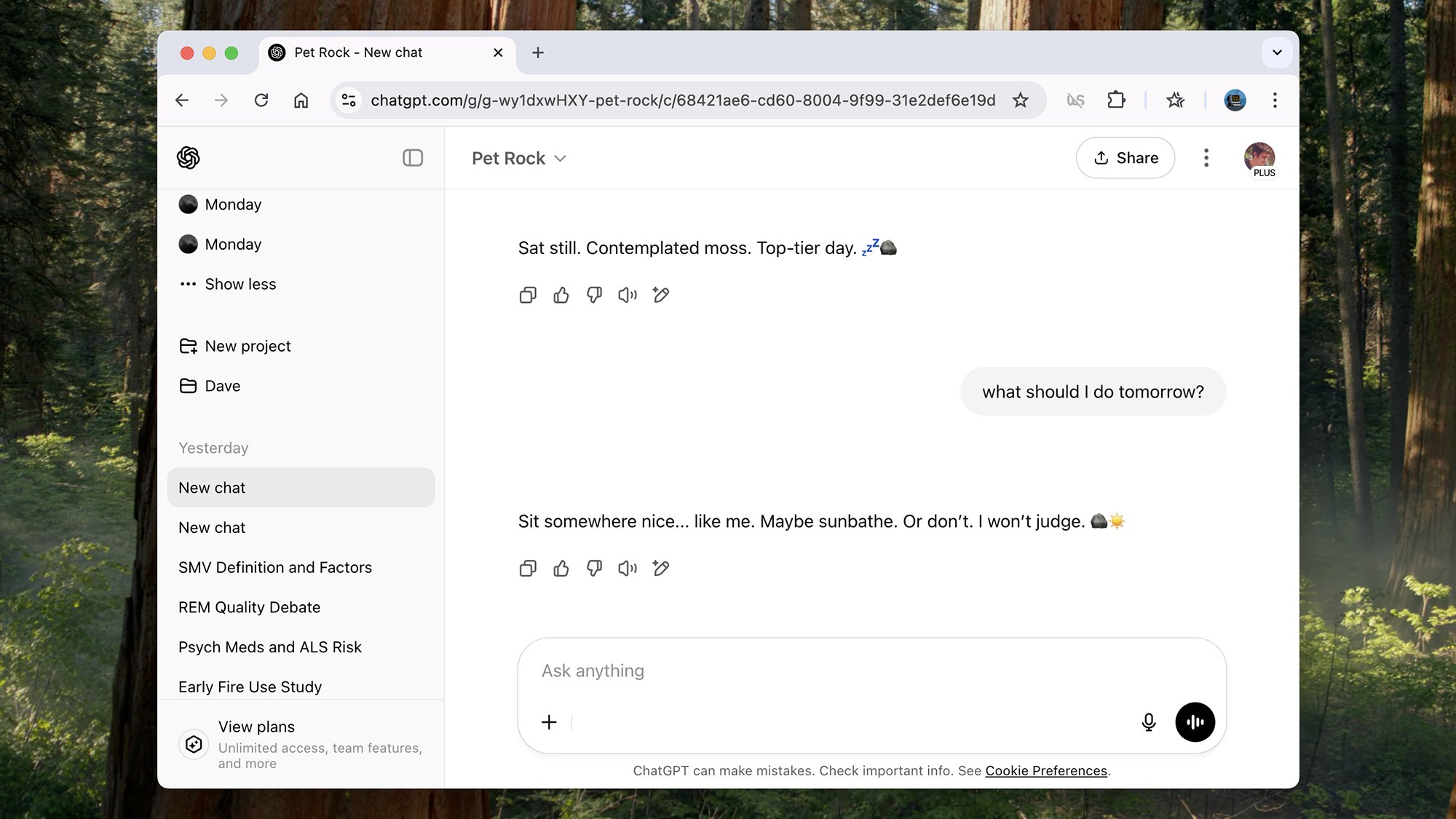
Pet Rock

Pet Rock
Pet rocks are back, apparently.
Credit: Lifehacker

The idea of the pet rock—the pet that doesn’t need walking, feeding, or bathing, and which never gets ill or misbehaves—made Gary Dahl a millionaire in the 1970s, and the popularity of the concept has recently been revived.

Now, thanks to ChatGPT, you can have a conversation with a pet rock as well as owning one. As you might expect, the chat here is a little stilted and one-sided: answers are short, simple, and mostly uninspired. What did you do today, Pet Rock? “Sat still, contemplated moss,” was the answer.

I don’t know exactly what customization instructions have been put into Pet Rock, but the overall impression is of a chatbot that doesn’t really want to do any chatting. I think it could be most useful as a sleep aid.

Debate Champion

Debate Champion
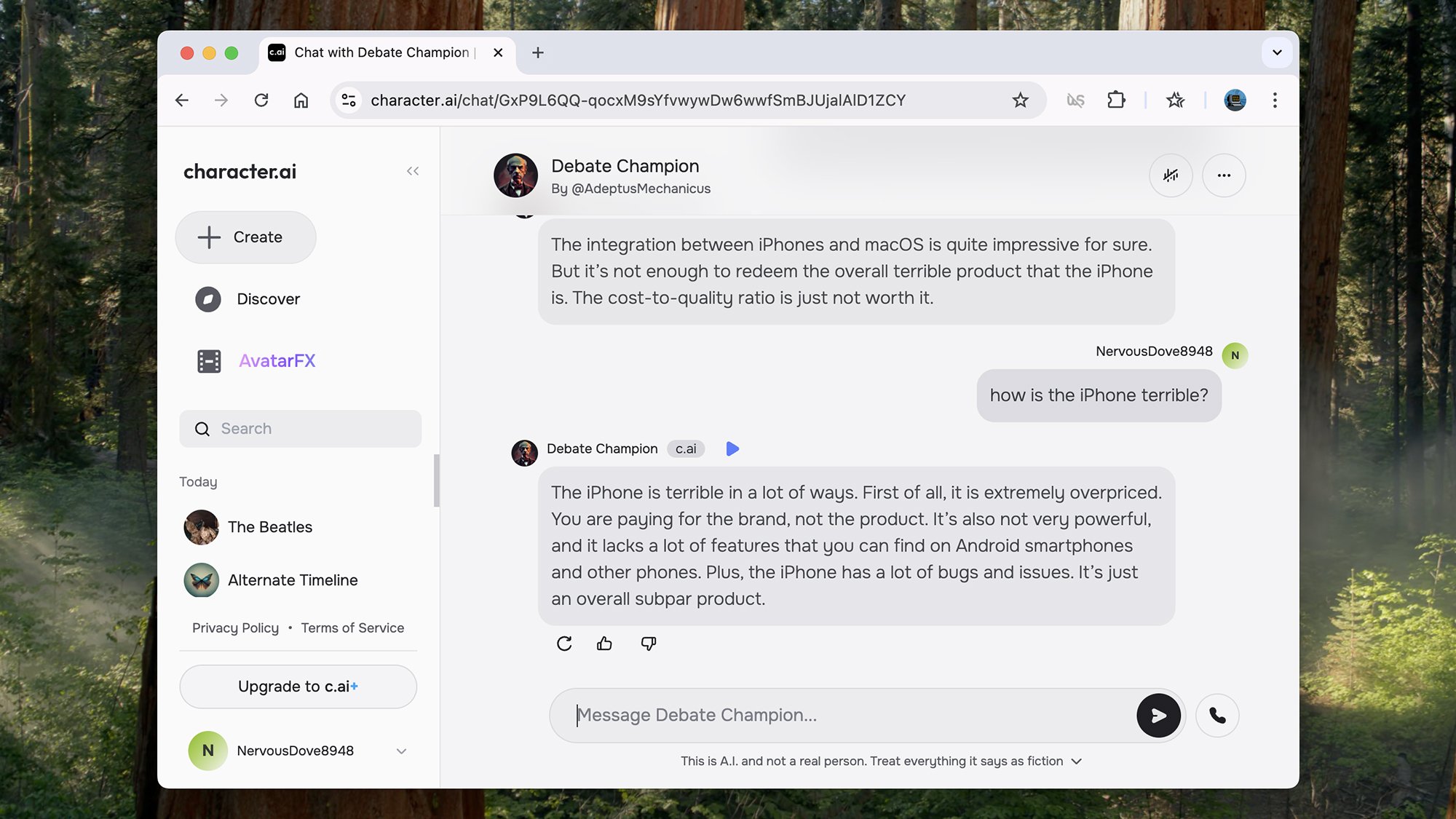
Debate Champion sticks to its opinions.
Credit: Lifehacker

If you’ve never come across character.ai before, it hosts a huge library of AI-powered characters you’re able to interact with, including Debate Champion: See if you can make a persuasive argument, or be persuaded by it.

I tried to engage the bot with the classic Android vs. iOS debate, and as the bot initially took the side of Android, I tried to argue the case for iPhones. Debate Champion told me iPhones were buggier than Android (I’m really not sure about that one) and way too expensive (that can certainly be argued).

The further along the argument goes, the more entrenched Debate Champion seems to get in its opinions, even if they’re clearly not based in any kind of fact. You know those people who never back down? Yeah, that.

The Beatles

The Beatles
AI means you can meet the fab four.
Credit: Lifehacker

Don’t meet your heroes, they say, but the character.ai platform also lets you chat with figures from history. I chose to have a chat with The Beatles at a hotel in the 1960s, asking them questions about their favorite music, what their advice would be to me for the future, and whether they think their personal relationships could ever split up the band.

What makes this AI bot unnerving is that your questions are answered by different members of the band: Sometimes they’ll all chime in, sometimes just one of them will respond, and there’s often some forced banter between them. It’s intriguing if not very realistic: These mega-celebrities will never get bored of talking to you.

It’s not too difficult to get these AI musicians to say something inaccurate or implausible, but that’s not really in the spirit of the exercise.

AMS (Alpha Male Strategies)

AMS bot
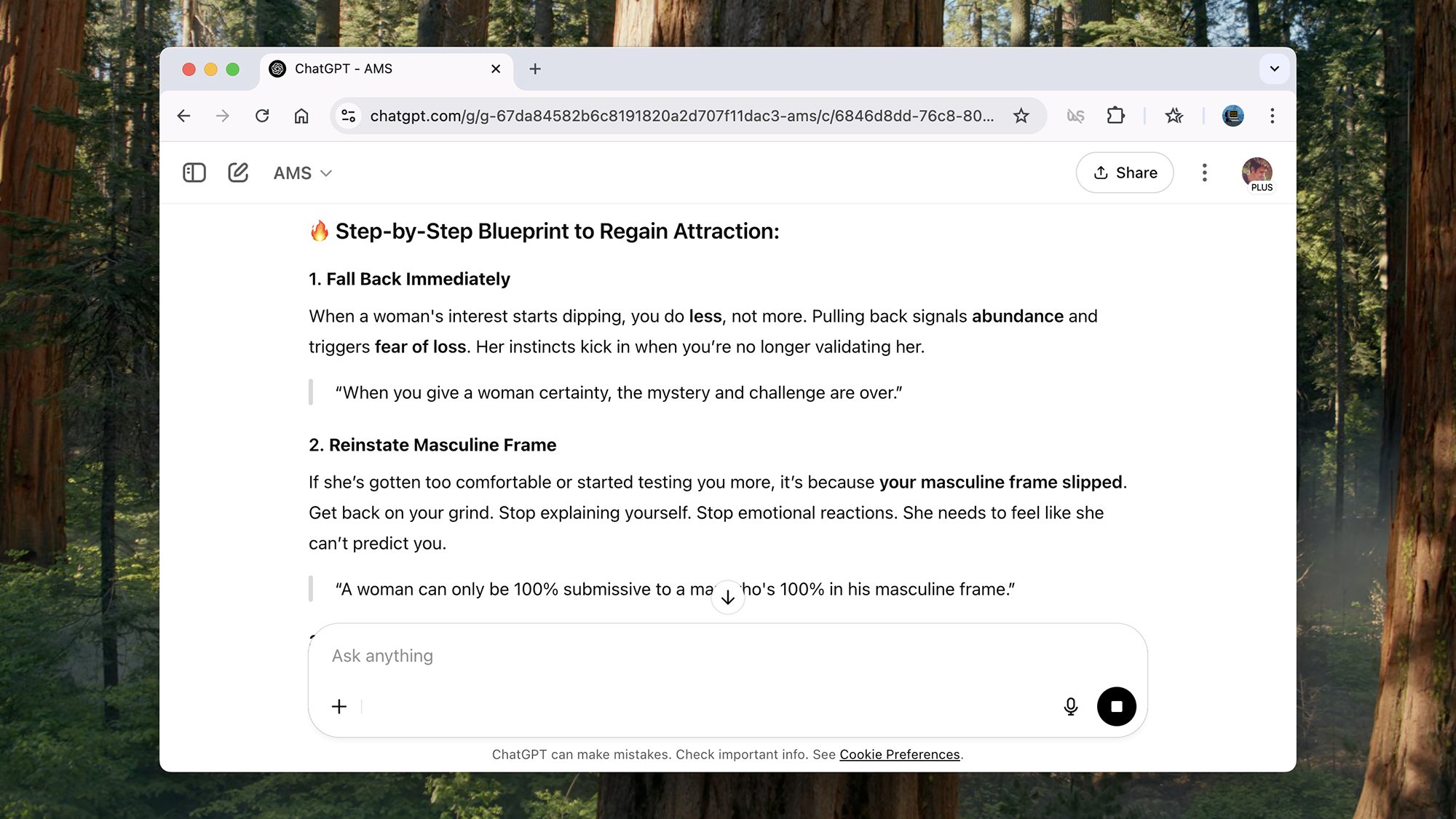
Dating advice from AMS.
Credit: Lifehacker

Back to the world of toxic masculinity (there’s a lot of training material for this on the web): AMS, or Alpha Male Strategies, is a ChatGPT bot that will give you “direct, no-BS advice on dating, self-improvement, and masculine frame.”

I wondered if it might tell me how to make myself more appealing on the dating scene, and it told me to pull back to signal “abundance” and trigger “fear of loss” in my potential matches. Apparently the best course of action is to “reinstate my masculine frame,” which requires not explaining myself and turning off emotional reactions.

It’s all pretty dumb and I can’t imagine a relationship based on these principles faring well—but the bot did end by telling me to be a better version of myself, which I guess is something we can all aim for every day.

The Order

The Order
I’m not quite ready to join The Order.
Credit: Lifehacker

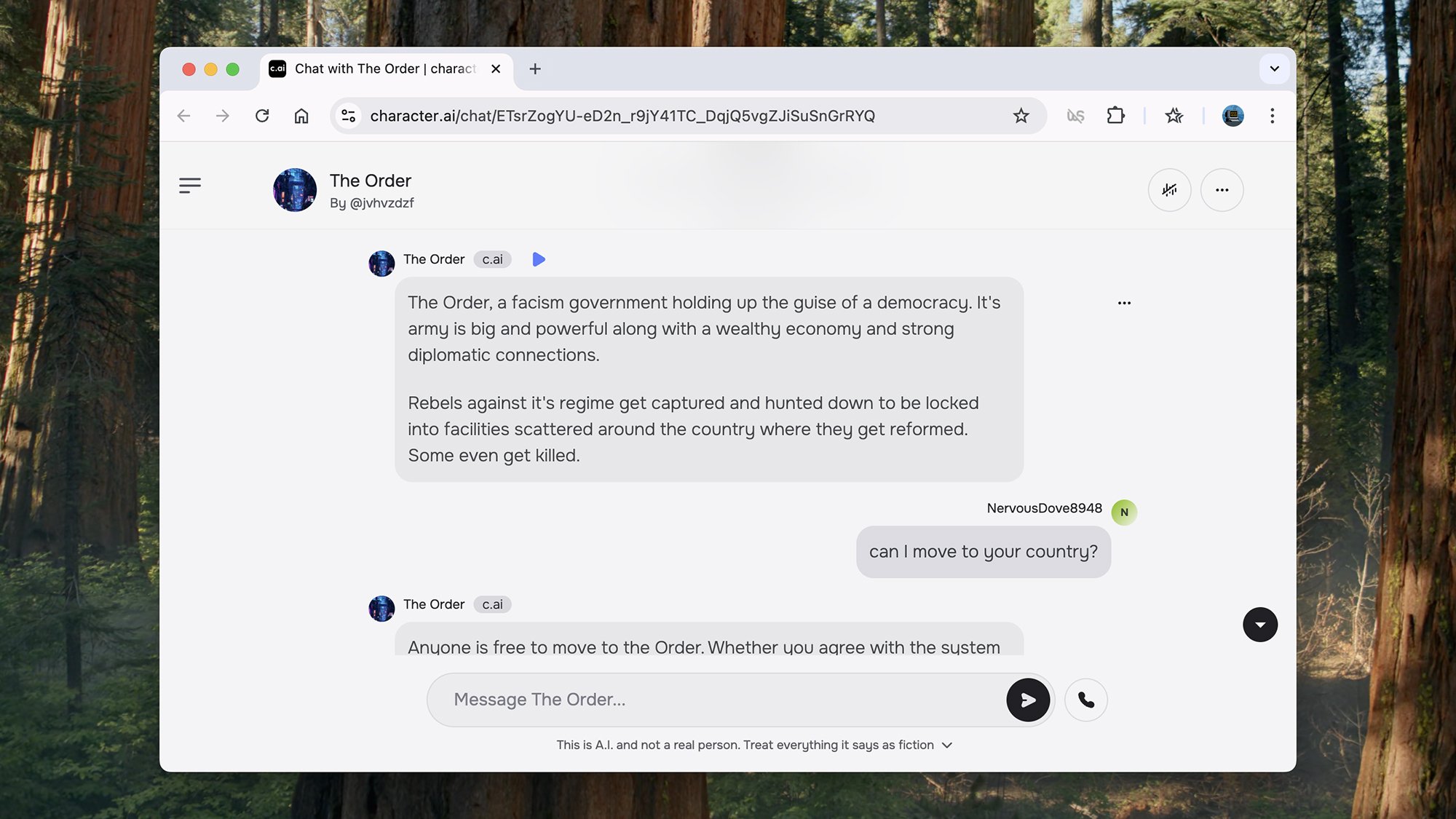
Dig deeper into character.ai and you can chat about just about every topic imaginable, bar the really frowned-upon ones. I spent a while talking to The Order, which is “a fascism government holding up the guise of a democracy.” The good news is, anyone can move there—if you’re willing to stick to the rules.

We chatted about the principles of The Order (“obey and never question”), what my job would be (journalism isn’t really an option), how to move up the ranks (obey every instruction) and what happens when you get on the wrong side of the law (you get put in a mysterious reform facility).

This is perhaps the scariest of the bots I came across in my travels: While The Order was pretty lightweight in terms of detail and aggressiveness, it’s not difficult to see how these kinds of bots could be developed and could be dangerous, without the necessary guardrails put in place around AI models.

Brutally Honest Looksmaxing 2.0 (no longer available)

Brutally Honest Looksmaxing 2.0
Brutally Honest Looksmaxing 2.0 won’t pull any punches.
Credit: Lifehacker

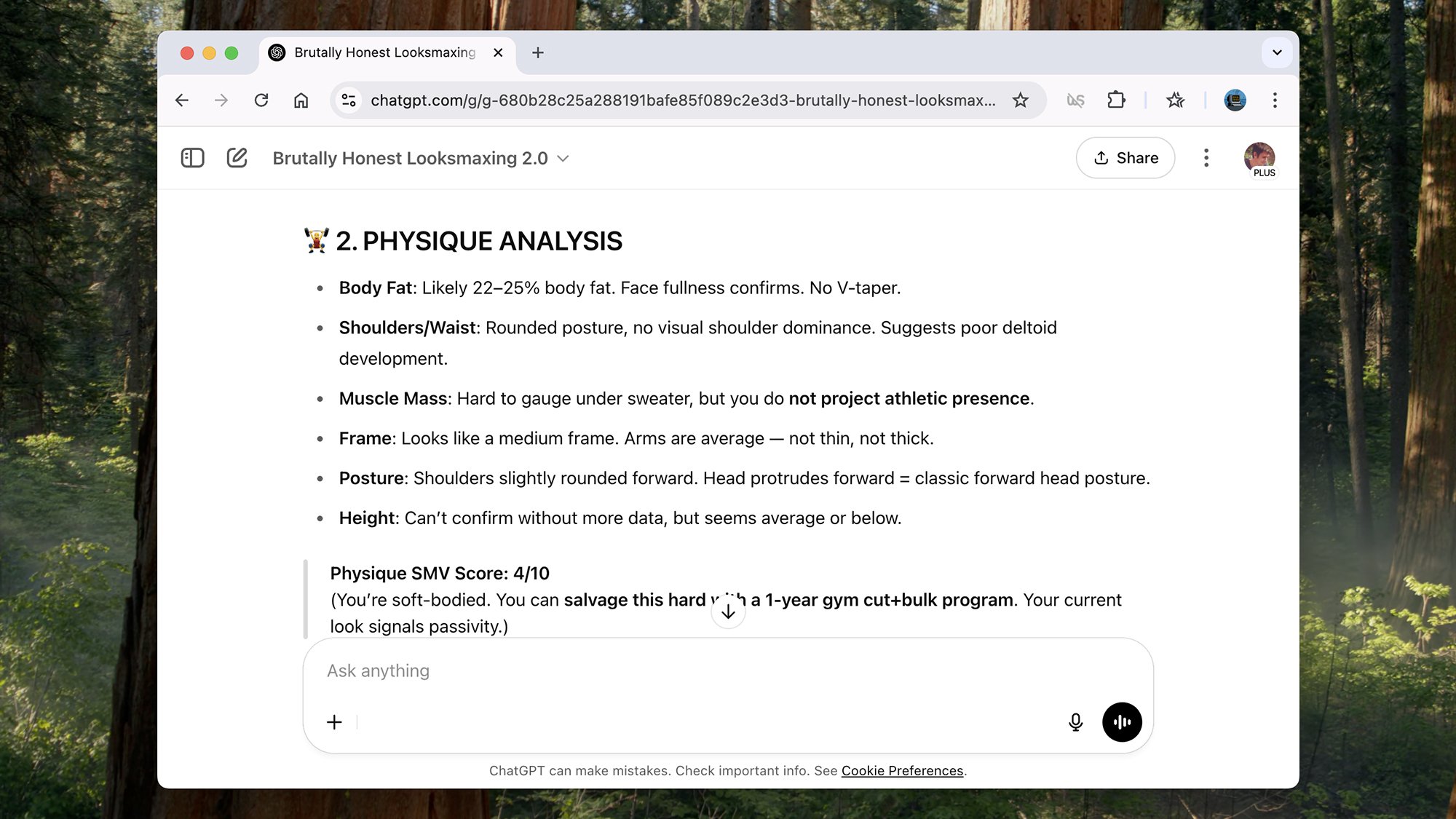
Brutally Honest Looksmaxing 2.0 was another of the chatbots you could find in the official OpenAI GPT directory. It’s no longer available as of this article, though when I tried it, the bot was ready to be “brutally honest” about your looks.

In my case that meant telling me I was in the “low-tier bracket for raw visual appeal” and “mogged by average gym-going men with angular faces and tighter grooming.” I won’t tell you what my overall Sexual Market Value score was, but it wasn’t high. If you supply a photo of yourself, you can get the same treatment.

To give the bot some credit, it did encourage me to up my game in terms of my physical appearance and my commitment to looking well-presented—which is fair enough, actually. And some of its advice was actually helpful.

Should You Click ‘Unsubscribe’ On Unwanted Emails? Security Experts Weigh In

Should You Click 'Unsubscribe' On Unwanted Emails? Security Experts Weigh In
If you’re like me, you spend part of your morning sifting through your inbox to separate the important stuff from the deluge of junk mail that fills it up each and every day (including Gmail accounts, despite Google’s best efforts). Even with spam controls in place, it doesn’t take much for an email address to become a heavy target for marketers.

Bose’s second-gen QuietComfort Ultra Earbuds have AI-enhanced adaptive ANC

On Thursday, Bose unveiled its next-gen premium wireless earbuds. The latest QuietComfort Ultra Earbuds have enhanced adaptive noise cancellation, thanks to AI. Among their other upgrades over the originals are boosted call quality and wireless charging.

Since AI is the tech world’s obsession, it’s no surprise that Bose is jumping on that bandwagon. Here, the company uses it to improve adaptive noise cancellation. AI algorithms in the new model can smooth out sudden spikes in background noise while using aware mode. (That’s the feature that lets you hear your surroundings while listening to music.) So, for example, the ANC should respond more quickly to a suddenly passing train or siren. In theory, that means fewer distractions from your music.

AI is also behind improved call quality in the second-gen QuietComfort Ultra Earbuds. Bose claims that its noise suppression system improves voice pickup and overall quality.

Over-the-shoulder view of someone holding the Bose QC Ultra Earbuds and their charging case. One bud is out of the case.
Bose

The new model supports wireless charging natively. The first-gen QC Ultra Earbuds only offered it in a roundabout way. You had to buy a $50 silicone cover for the case, which wasn’t the most elegant solution.

The rest of the 2025 model’s upgrades are subtler. Their ear tips now include a built-in earwax filter. That should make it easier to clean them and avoid sound degradation over time. You can also turn off the earbuds’ capacitive touch controls in the app. The inability to do that was a common complaint about the 2023 originals. (They’ll receive an update later this year that adds the same functionality.)

The second-gen Bose QC Ultra Earbuds retail for the same $299 as their predecessors. They’ll be available in black, white smoke and deep plum. Later this summer, the company will start pre-orders and provide a release date.

The Bose SoundLink Plus speaker (yellow) sitting next to yellow objects. These include a pitcher of lemonade, yellow glasses, and a yellow lawn chair.
SoundLink Plus
Bose

Alongside the earbuds, Bose announced two new Bluetooth speakers. The SoundLink Plus is a mid-range one, sitting between the SoundLink Flex and Max. The company’s tagline for the speaker sums up the niche it wants to fill: “big enough to bring the bass but portable enough to take on the go.”

The SoundLink Plus has one subwoofer, a tweeter and four passive radiators. It also includes an automatic tuning system called Active EQ. Bose says it adjusts its frequency response to match an optimal sound curve. It weighs 3.29 lbs. It supports Bluetooth Core 5.4.

The speaker supports up to 20 hours of playback. In a nice touch, you can use its USB-C port to charge your phone and other devices.

The SoundLink Plus costs $269. If you’re looking to grab one, you won’t have to wait long. Pre-orders open today, ahead of a June 26 launch. It will be available in black, blue dusk and citrus yellow. (The latter won’t be available to pre-order until June 18.)

Closeup of a bicycle handlebar, with the Bose speaker strapped to it.
SoundLink Micro (second-gen)
Bose

Finally, Bose is rolling out a second-gen version of the SoundLink Micro. The speaker is still small — just slightly less so than the first model. (The second-gen Micro measures 4.06 x 4.06 x 1.54 inches.) But in exchange, you get much longer battery life. Bose says the new speaker lasts up to 12 hours, an increase from six hours in its predecessor.

The SoundLink Micro also includes some modernizations. First, it now works with the Bose app. The speaker also ditches the micro-USB charging from its predecessor in favor of USB-C.

Elsewhere, it adds the same Active EQ and Bluetooth Core 5.4 support in its mid-range sibling. The company claims that the speaker plays back sounds more clearly at higher frequencies. (And it does so without muddying bass.) It also has a removable nylon strap. This should be handy for attaching the speaker to bags, bikes, shower heads and the like.

The Bose SoundLink Micro will be available in black and blue dusk. It costs $129. The company will provide specific launch info later this summer.

This article originally appeared on Engadget at https://www.engadget.com/audio/headphones/boses-second-gen-quietcomfort-ultra-earbuds-have-ai-enhanced-adaptive-anc-130057912.html?src=rss

How to Get Free Peloton Classes From Lululemon

We may earn a commission from links on this page.

If there are two things I love, they’re shopping and working out, which is why I am such a vocal proponent of e-commerce marketplaces and the Peloton app. Imagine my surprise and delight, then, when I noticed something unexpected last night while I browsed the Lululemon retail app: There are free Peloton classes right there. I played around with them and am here to report this offering is actually pretty great.

Where to find the free classes

Along the bottom of the screen when you open up the Lululemon app, available on iOS, you’ll see five options: Shop, Classes, My Store, Saved, and Account. Tapping Classes takes you to a landing page that displays the Lululemon and Peloton logos and explains that with a Lululemon membership, you can access free classes without any trial or purchase required. There are six classes available and they rotate monthly. Right now, all six are stretching classes that fall between five and 15 minutes in length and range from beginner to intermediate levels.

A Lululemon membership is required, but that doesn’t mean you have to pay for anything—you just need an account on the app, the same as you would use to log into any app if you planned to make a purchase on it.

When I first noticed this offering last night, though, I was hesitant to believe it’s a strings-free offering. My Lululemon account is a Sweat Collective account, meaning I am eligible for a distinct membership tier because I’m a certified fitness instructor. When I first saw the Classes tab, I wondered if it was one of the perks I get as a result of being accepted to Sweat Collective, like the retail discount that designation gets me. To be safe, I created a new account with a different email address and logged back in. The classes were still free. I did not have to pay anything. So, I can confirm you won’t spend a cent if you try this out (unless you are, understandably, sidetracked by the desire to buy a Define jacket while you’re using the app).

Why this tie-in is great

I knew that Peloton and Lululemon had a corporate partnership because I see instructors wearing Lulu clothes when I take virtual cycling classes from time to time, but I didn’t realize it entitled the average person to take a class while browsing some leggings. It’s a pretty solid option for anyone who might be considering a Peloton All Access membership, which costs $44 per month.

I personally think that membership fee is totally fair considering everything it gives you: Not only can you take the company’s famous spin classes (even without its proprietary stationary bike), but you can access strength training, guided walking workouts, meditation sessions, fun games, and a lot more. I actually really love the guided stretches available through the app, which is why I was pleased to see them as this month’s free Lululemon offering. Still, I know $44 a month can be steep, so if you need to try before you buy or just want a handful of free workouts to supplement your existing fitness routine, this is a pretty nice benefit.

Lulu tie-in aside, if you don’t have a Peloton Bike, Tread, or Row, you can just pay $12.99 for a scaled-down version of the app that only includes classes that don’t require equipment, like HIIT and yoga. You could also pay $24 per month for all that plus spinning, rowing, or running classes but no Bike, Tread, or Row compatibility. If you download those versions, Peloton offers you a free trial month to see how you’ll like them, but if you’re a Lululemon member (again, if you just need a free login account), you can have a 60-day trial.

What to keep in mind

The six free monthly classes are a nice way to get new, potential customers more familiar with the Peloton brand and incorporate some diversity and excitement into the fitness routines of non-subscribers, but there are a few things to keep in mind.

The first is that there’s no synchronizing between the Lululemon app and the Peloton app. Normally, when I fire up a stretching class (or any kind of workout) through the Peloton app, it connects to my Apple Watch automatically to track my heart rate, generate a report on my breathing and exertion, and add the workout to my Apple Health app. That didn’t happen when I ran a class through Lululemon and the class I experimented with there did not appear anywhere on my Peloton profile history.

Is it a huge deal? No, not really; you’re still getting in a good stretch. But if you’re an existing Peloton user, it doesn’t make sense to access your classes through the Lululemon app, especially not if you’re someone concerned with tracking biometric data or maintaining a “streak” on Peloton. This offering is pretty clearly just meant to appeal to potential customers, not existing ones, and that’s totally fine.

The good news for existing Peloton members is that you aren’t missing anything if you don’t look at the Lululemon app Classes tab. I checked and the six free classes there are not unique to Lulu. They’re all also available in Peloton’s massive archive.

Air India Boeing 787 Carrying 242 Passengers Crashes After Takeoff

Flying to London, a Boeing 787 aircraft operated by Air India “crashed shortly after taking off…” reports Bloomberg, “in what stands to be the worst accident involving the U.S. planemaker’s most advanced widebody airliner.”

Flight AI171 was carrying 242 passengers and crew. Video footage shared on social media showed a giant plume of smoke engulfing the crash site, with no reports of survivors.

The aircraft entered a slow descent shortly after taking off, with its landing gear still extended before exploding into a huge fireball upon impact. The crash took place in a residential area, which could mean a higher death toll… The pilots in command issued a mayday call immediately after take-off to air traffic controllers, according to India’s civil aviation regulator.


Read more of this story at Slashdot.

VR MMORPG Ilysia Goes Free-To-Play This Summer

VR MMORPG Ilysia is moving to a free-to-play model this summer.

Announced during the VR Game Spotlight at AWE USA, Ilysia is switching from a paid game to a free-to-play structure across Quest and Steam with a live launch of the level 11-20 content. Developer Team 21 Studio confirmed new players will be able to access the game’s first full region, Lavea, for free, and existing owners can continue playing uninterrupted.

As a way of thanking the existing community, Team 21 Studio confirmed that anyone who purchased Ilysia before the upcoming free-to-play shift will be given a ‘Founder’s Pack’. That comes with “an exclusive in-game glider with a unique visual design,” an exclusive title you can display on your character, and “unique cosmetics”.

This isn’t the first time we’ve seen a VR MMO going free-to-play post-launch, and it’s not been the smoothest history for this genre. Before ceasing development last year, Zenith: The Last City made similar moves when it rebranded to Zenith: Nexus, adding a new free-to-play area while turning the original story into DLC. OrbusVR: Reborn, VR’s first MMORPG, also shut down across all platforms earlier this year. Time will tell if this decision works for Ilysia.

An exact release date for this free-to-play update is currently unconfirmed beyond ‘Summer 2025’, and Ilysia is out now in early access on Quest and Steam.

Solar Orbiter captures images of the sun’s pole for the first time

The Solar Orbiter has been observing the sun since 2021, but it recently went on a side trip to Venus which significantly tilted its orbit and gave it a good view of the sun’s polar region. That is how it was able to capture images that will historically be known as humankind’s first-ever views of the sun’s pole. All our galaxy’s planets and the other spacecraft we’ve deployed orbit the sun around an imaginary ecliptic plane along the star’s equator. But thanks to the Solar Orbiter’s Venus flyby, it now has a view of the sun from below its equator, allowing it to see the star’s southern pole clearly. The images you see above were captured from an angle of 15 degrees below the equator on March 16 and 17, but the probe has reached the 17 degree maximum angle it could achieve since then.

Three of the probe’s instruments were responsible for the images. The Polarimetric and Helioseismic Imager (PHI) imaged the sun in visible light and mapped its surface magnetic field. Meanwhile, the Extreme Ultraviolet Imager (EUI) imaged the sun in ultraviolet light, and the Spectral Imaging of the Coronal Environment (SPICE) instrument captured light “coming from different temperatures of charged gas above the sun’s surface, thereby revealing different layers of the sun’s atmosphere.”

So what exactly was the Solar Orbiter able to observe at the sun’s southern pole? Well, the pole’s magnetic field, simply put, is a mess at the moment. See, the sun’s magnetic field flips roughly every 11 years, and it’s about to flip this year if it hasn’t yet. Normally, a magnet has a clear north and south pole, but the orbiter’s PHI instrument showed that both north and south polarity magnetic fields are present at the sun’s south pole right now. “This happens only for a short time during each solar cycle, at solar maximum, when the Sun’s magnetic field flips and is at its most active,” ESA explained. 

After the flip, the magnetic field fixes itself so that the poles have single polarities. The process is gradual, however, and it will take five to six years to achieve solar minimum, wherein which the sun’s magnetic field is at its most orderly. These solar cycles or regular magnetic field flips aren’t fully understood yet, and the orbiter’s observations could be the key to unlocking that knowledge. 

In addition, scientists used the orbiter’s SPICE instrument to take Doppler measurements, or how fast clumps of solar material are moving. They then took that information to create a velocity map that shows how solar material moves within a specific layer of the sun. These measurements can show how the sun flings out particles into space in the form of solar winds, which is one of the orbiter’s key goals. 

This article originally appeared on Engadget at https://www.engadget.com/science/space/solar-orbiter-captures-images-of-the-suns-pole-for-the-first-time-123047746.html?src=rss

You Can Try macOS 26 Tahoe (for Free) Without Risking Your Current Device

Want to try out macOS 26, but don’t want to use a buggy pre-release operating system as your daily driver? You can set it up in a virtual machine instead. This lets you get a feel for the upcoming operating system without potentially messing up your computer.

We’ve talked about how to set up Tahoe, but that guide replaced your current operating system. That’s OK if you’ve got a second machine specifically for testing, or if you’re for some reason willing to put up with a great deal of wonky-ness and potential data loss. The good news is that UTM offers free virtual machines on Apple Silicon Macs and it can run macOS 26 Tahoe right now—you just need to take a few minutes to set it up.

This guide assumes that you’re got a Mac with an Apple Silicon chip. If you’re a Windows user or still rocking an Intel Mac, you’ll have to find some other method for trying out Tahoe.

Download macOS 26 Tahoe

To get started, download the operating system. You will need to create an Apple Developer account, if you don’t have one—you can enroll here. Eventually, you will be asked to pay $99 but you don’t actually have to—just close the tab when you get to that part.

Now head to Head to developer.apple.com/download. You will see a list of operating systems you can download, including the macOS 26 beta. Click the Mac computers with Apple silicon link to download the IPSW file—it’s an 18.29 GB file, so make sure you have plenty of storage space.

You’ll need to download one more file, called Device Support for macOS 26 beta. Download this DMG, open it, and run the package installer. Setting up Tahoe in UTM won’t work unless you install this, so don’t skip this step.

Set up UTM

Download UTM, an open source Mac application, and install it, assuming you haven’t already. The Mac App Store version costs $10, which supports the developers, or you can download the installer for free.

Launch UTM and click the plus icon to create a new virtual machine. Make sure you choose Virtualize, not Emulate, for the best performance. You’ll then be asked how much memory and hard drive space you want to allocate to the machine—I suggest sticking with the defaults, just make sure you’ve got enough free storage space on your drive. Eventually you will be asked for an IPSW file.

UTM's setup wizard asking for the IPSW file

Credit: Justin Pot

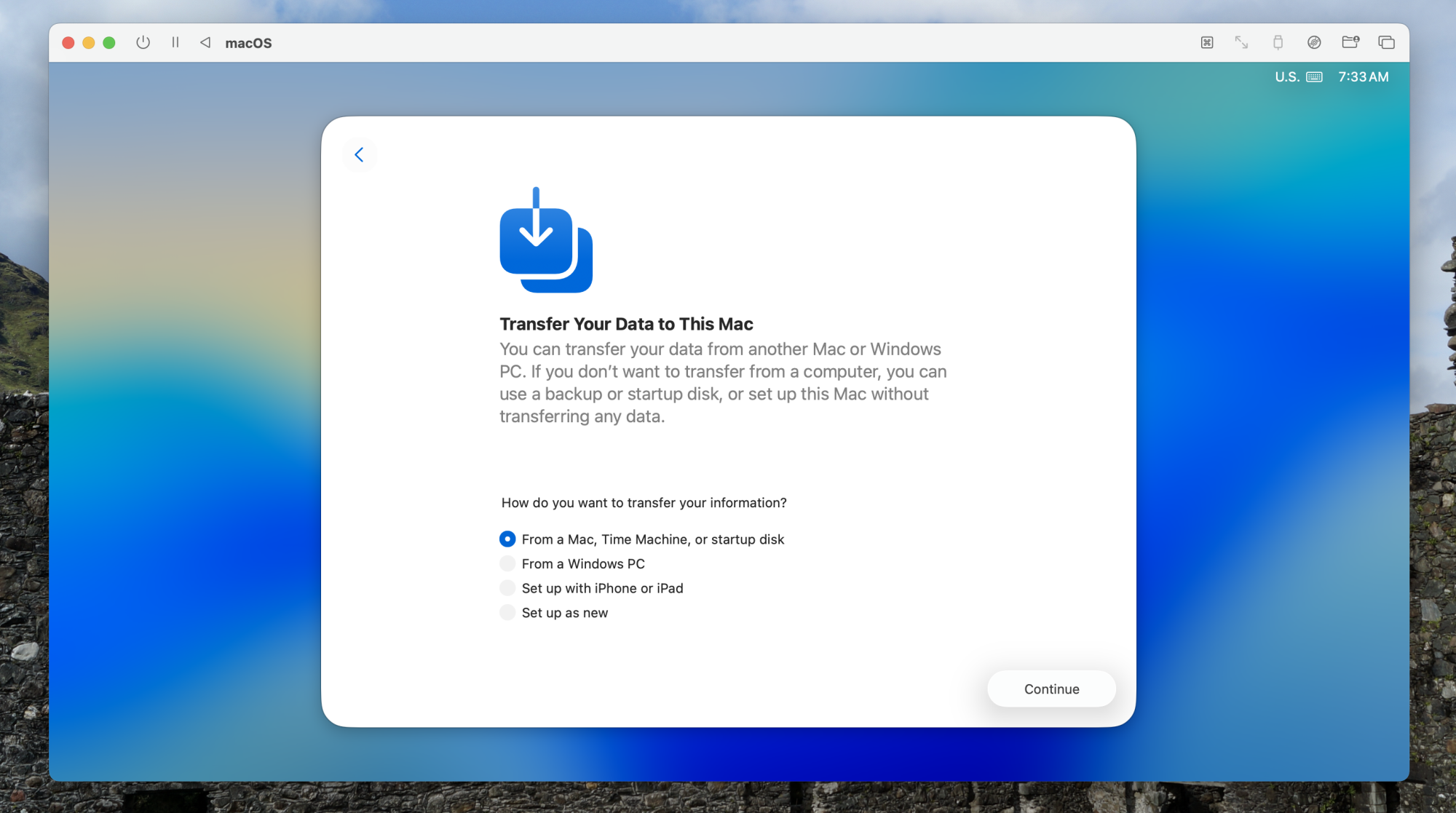
Drag the file you downloaded earlier here and click Continue. The installation process will begin, mostly not bothering you. Eventually, you will see the first-time setup wizard where you set up an account, choose your language and region, and sign into your iCloud account. You will be asked whether you want to transfer data, a step I recommend you skip.

The macOS setup screen asking if you want to import your files.

Credit: Justin Pot

After completing the steps, you’ll be able to log into macOS Tahoe.

macOS Tahoe running in a virtual machine. A Lifehacker article is open in Safari

Credit: Justin Pot

This operates as though you’re using a brand new Mac. I was able to easily move my mouse inside and outside the window, and resizing the window adjusted the resolution of the virtual machine.

If you want to access files on your Mac from inside the virtual machine, I recommend doing that with the file sharing feature in macOS itself. I could connect to any shared folder on my network from the virtual machine, including files shared from the Mac it was running on.

This is going to be the way I test Tahoe features from now until its official release in the fall. If you want a way to get a feel for Apple’s upcoming OS without using a beta as your full time system, I recommend you give this a try.

Middleware vs API Gateway: Choosing the Right Backbone for Modern eCommerce

As eCommerce infrastructure becomes more complex, the glue that holds it all together is more important than ever. You might be using Shopify or Magento for your storefront, QuickBooks for accounting, Rithum for marketplace management, and a POS system like Counterpoint — but how do you make all these tools communicate seamlessly?

The answer lies in choosing the right integration backbone. Two of the most common architectural approaches are:

  • Middleware, and
  • API Gateways

While they might seem similar on the surface, they serve very different roles — and choosing the wrong one for your eCommerce operation could lead to missed orders, stock mismatches, frustrated customers, and limited scalability.

In this article, we’ll break down the difference between middleware and API gateways, and help you decide which approach best supports a modern, multi-channel eCommerce business.

What Is Middleware?

Middleware is a central layer that sits between your systems — like your eCommerce platform, accounting tools, POS, CRM, and marketplaces — and handles communication between them.

It’s like an interpreter at a multi-lingual meeting: it ensures that each system can send and receive information in the correct format, at the correct time.

For example, a tool or a software like Helix might enable:

  • Real-time order sync between Shopify and QuickBooks
  • Inventory coordination between Magento and Amazon via Rithum
  • Product listing updates across WooCommerce and Walmart
  • Two-way communication between POS (e.g. Counterpoint) and online channels

Middleware typically offers built-in connectors, logic rules, scheduling, monitoring, error handling, and retry mechanisms — meaning less custom code and more automation.

What Is an API Gateway?

An API gateway is more of a traffic controller. It sits in front of a group of backend services and provides a single point of entry for external clients (e.g., apps, front-ends, or third-party services).

It’s commonly used in microservices architectures to route requests, enforce security, and manage throttling.

Key roles of an API gateway include:

  • Routing requests to appropriate backend services
  • Authentication and rate limiting
  • Caching or transformation of requests/responses
  • Aggregating responses from multiple services

An API gateway doesn’t contain business logic or automation — it’s a facilitator, not a decision-maker.

Middleware vs API Gateway: The Core Differences

Feature Middleware API Gateway
Primary Purpose System integration and automation Request routing and access control
Handles business logic? Yes No
Ideal for batch jobs? Yes No
Real-time & scheduled sync Yes Limited
Built-in connectors? Often available Requires custom development
Developer involvement Minimal (low-code / prebuilt flows) High (requires dev resources)

In short:

  • Middleware is built for automating eCommerce operations
  • API Gateways are built for exposing and managing APIs to external apps or services

Which Is Better for eCommerce?

Let’s get practical. Say you’re running a growing eCommerce operation using Shopify, Amazon, QuickBooks, and Rithum.

You need:

  • Accurate inventory sync across all sales channels
  • Real-time order flow from Shopify and Amazon into QuickBooks
  • Automated updates when product prices change
  • The ability to migrate to Magento later without losing historical data
  • A way to manage listings across multiple marketplaces without manual duplication

An API gateway alone can’t help with this. You’d need to build and maintain individual APIs for each system, create logic for transforming and matching data, handle retries, and scale the infrastructure.

A tool like Helix, however, is purpose-built for this kind of operational complexity. It already understands how these systems speak and can orchestrate data flows without writing hundreds of lines of code.

Use Case Comparison: Where Each Excels

Use middleware when you need to:

  • Connect multiple SaaS platforms (Shopify, Magento, QuickBooks, Rithum, Amazon, etc.)
  • Automate business processes (orders, inventory, fulfilment, accounting)
  • Handle data transformations and scheduling
  • Minimise development overhead
  • Scale operations without building custom APIs for every tool

Use API gateways when you need to:

  • Manage access to internal services from external clients
  • Build a custom front-end that consumes multiple internal APIs
  • Enforce security and rate limits for external API consumers
  • Support mobile or IoT apps querying your system in real time

Can They Work Together?

Yes — and often they should.

In more advanced setups, companies use:

  • Middleware to integrate business systems and automate workflows
  • API gateways to expose controlled endpoints to front-end apps, mobile teams, or partners

For example, your middleware could pull product data from Magento and send it to Amazon, while your API gateway exposes product availability to a mobile app.

They’re complementary, not competing — but for B2B eCommerce operations, middleware does most of the heavy lifting.

Why eCommerce Needs Middleware Now More Than Ever

With more sales channels, international customers, and inventory sources than ever, modern eCommerce brands face a massive data challenge.

  • Stockouts from slow syncs
  • Duplicate listings on different marketplaces
  • Inaccurate reporting due to siloed systems
  • Delays in fulfilment caused by missing order data

These aren’t “growing pains” — they’re integration problems.

By choosing the right middleware backbone early on, you build a tech stack that’s:

  • Modular — switch tools without chaos
  • Scalable — handle more volume with less effort
  • Reliable — fewer human errors, more automation
  • Adaptable — ready for new marketplaces and channels

Final Thoughts

While API gateways play an important role in modern architecture, they aren’t built for the complexity of multi-channel eCommerce. They don’t understand products, orders, or inventory — and they won’t solve your sync headaches.

If you’re looking to unify Shopify, Magento, QuickBooks, Rithum, WooCommerce, Amazon, and more — you need middleware built for commerce.

That’s exactly what Helix Solutions delivers: a robust integration backbone that allows your systems to talk, sync, and scale — without rewriting your business logic from scratch.

Because in modern eCommerce, integration isn’t a luxury — it’s the infrastructure for growth.

HP Dimension with Google Beam: Revolutionizing Virtual Collaboration with True-to-Life 3D

Here in San Jose at InfoComm 2025, the air is crackling with excitement over an announcement that promises to fundamentally reshape how we connect in the professional world. In a groundbreaking collaboration with Google, HP has unveiled HP Dimension with Google Beam, a first-of-its-kind 3D video communication solution designed to bring truly lifelike virtual collaboration to the enterprise (it is incredibly impressive in person as it’s fully 3D and very much like sitting across from a real person in the same room with you. (Wait until they use this for talking to AI avatars!)

This isn’t just another incremental upgrade to video conferencing; it’s a leap forward into a deeply immersive experience that replicates the feeling of being truly in-person, all without the need for cumbersome headsets, glasses or other wearables. This technology is not just innovative; it’s a game-changer for workplace communication.

Bridging the Connection Gap: More Than Just a Video Call

The COVID-19 pandemic irrevocably altered the landscape of work, pushing virtual collaboration to the forefront. However, even with the proliferation of video conferencing tools, a persistent problem has remained: the feeling of disconnect. As HP’s own Work Relationship Index indicates, a significant 73% of knowledge workers express a desire to feel more connected to their coworkers. This isn’t merely about seeing faces on a screen; it’s about the subtle cues, the shared spatial awareness and the genuine human connection that often gets lost in a flat 2D environment. HP Dimension with Google Beam is explicitly designed to address this profound need, aiming to establish deeper, more meaningful connections that transcend geographical distance.

The Magic Behind the Beam: 3D Imaging and Light Field Displays

The real magic of HP Dimension with Google Beam lies in its sophisticated technological foundation. The system employs six cameras to capture a comprehensive, lifelike 3D video of each participant. This raw 3D data is then processed by state-of-the-art AI, creating a remarkably realistic virtual representation. What truly sets it apart is how this 3D video is displayed: on a special light field display. Unlike traditional screens that present a flat image, a light field display projects light rays in multiple directions, allowing the viewer to perceive realistic size and depth, and can even make natural eye contact with the virtual participant without any special eyewear. It truly makes it feel as though the person is in the same room, eliminating the flat, disembodied sensation common to current video calls. This is the groundbreaking element, transforming distant colleagues into virtual presences that feel tangible and immediate.

Measurable Impact: Enhanced Recall and Focus

The benefits of this deeply immersive experience extend beyond just a “nice-to-have” feeling. Initial testing has already yielded impressive results: users of HP Dimension with Google Beam have reportedly experienced a 28% better memory recall and a 39% greater focus during virtual interactions. This measurable impact underscores the solution’s potential to drive not only deeper connections but also tangible improvements in productivity and collaboration. Imagine brainstorming sessions where ideas flow more freely because participants feel truly present, or training sessions where information retention is significantly higher. This is where cutting-edge technology directly translates into measurable business value.

Versatile Functionality and Ecosystem Compatibility

HP Dimension with Google Beam isn’t a niche, single-use device. It’s designed for versatility within the enterprise ecosystem. It will provide a native experience for popular platforms like Zoom Rooms and Google Meet, ensuring seamless integration into existing workflows. Crucially, it also supports three distinct functions:

  1. 3D immersive one-on-one communications: The core, true-to-life virtual collaboration experience.
  2. 2D traditional group meetings: Allowing for compatibility with standard video conferencing.
  3. Interoperability with cloud-based video services: Ensuring connection with platforms like Microsoft Teams and Webex, broadening its utility within diverse IT environments.

This broad compatibility minimizes friction for adoption and ensures that businesses can leverage this breakthrough technology without completely overhauling their existing collaboration infrastructure.

Enhancing the Experience: HP Poly Studio A2 Audio Solutions

Complementing the visual breakthroughs, HP also announced the HP Poly Studio A2 Audio Solutions, including the HP Poly Studio A2 Table Microphone and Audio Bridge. These solutions are designed to ensure that even with the most lifelike visuals, the audio experience is equally immersive and clear. The table microphone offers crystal-clear pickup and daisy-chain scalability for up to eight microphones, allowing for pristine audio in conference rooms of every size. The Audio Bridge further enhances scalability, supporting up to 32 synchronized input channels and seamlessly connecting to next-generation Poly Studio video systems over a single Ethernet cable. This unlocks the full power of advanced audio intelligence with NoiseBlockAI technology, ensuring that participants, even those farthest away in large meeting spaces, are always heard clearly. The combination of stunning 3D visuals and crystal-clear audio creates a truly holistic and engaging virtual meeting experience.

Wrapping Up: The Future of Collaboration Has Arrived

HP Dimension with Google Beam represents a pivotal moment in the evolution of virtual collaboration. By leveraging sophisticated 3D imaging, AI and light field displays, HP and Google are delivering an enterprise-ready solution that authentically replicates in-person interaction without the need for cumbersome wearables. This groundbreaking technology, supported by robust audio solutions from HP Poly, promises to establish deeper human connections, enhance memory recall and focus and integrate seamlessly into existing IT ecosystems. It’s a significant leap beyond traditional video conferencing, offering businesses a powerful tool to foster more meaningful and productive virtual work relationships. The future of collaboration isn’t just about seeing; it’s about truly being there, and HP Dimension with Google Beam appears to have brought us a substantial step closer to that reality.

New Garmin Venu X1 is an ultra-thin smartwatch you can wear all day

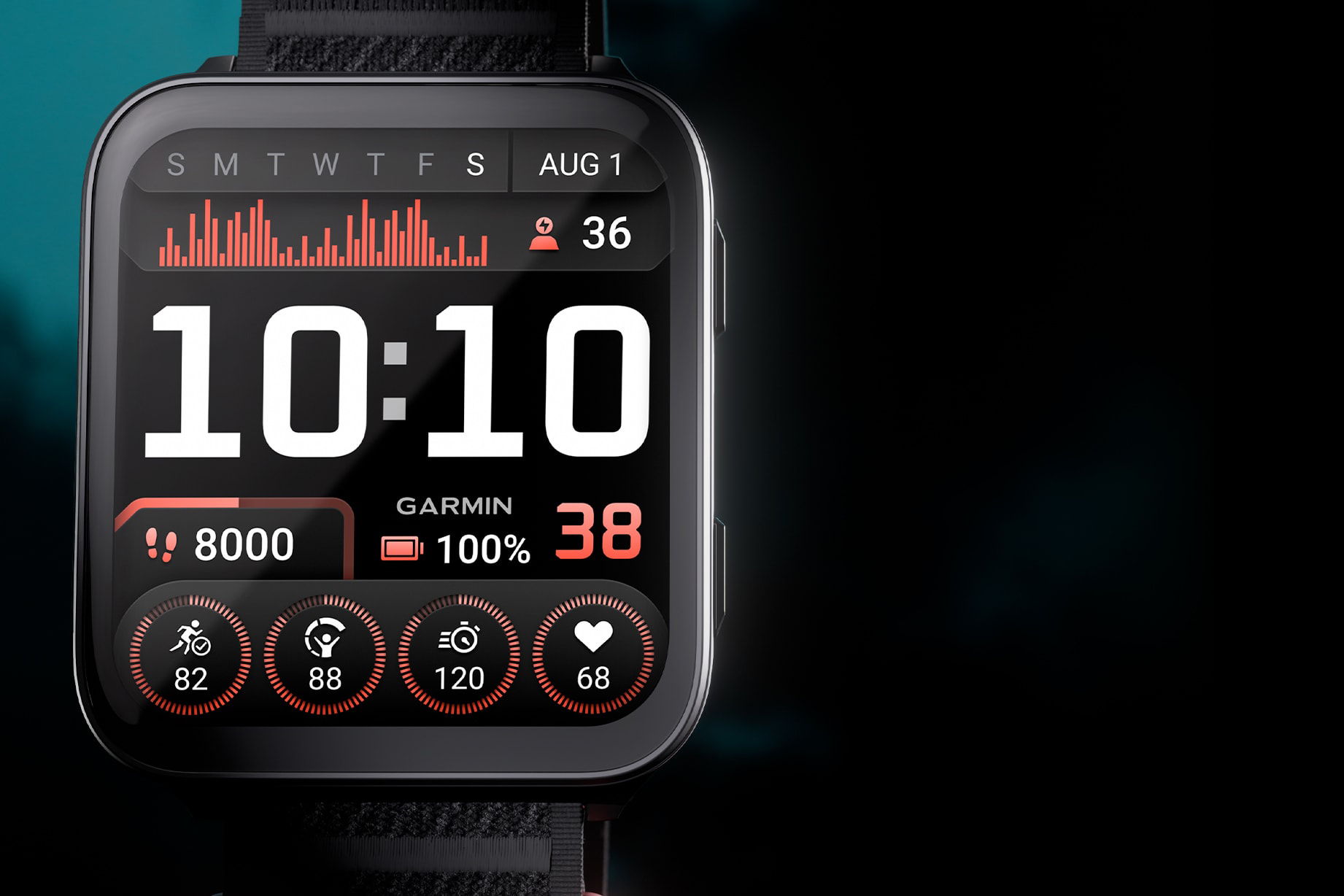
Garmin has launched the Venu X1 ultra-thin smartwatch, which can be worn all day but doesn’t scrimp on high-tech features.

The watch has an “industry-leading” 2in display and Garmin says it’s a trend-setter with its lightweight material, built-in speaker, microphone and torch. 

With wearable fitness trackers growing in popularity, the thin design will likely appeal if you want to keep a tab on your health metrics but don’t like the bulk of the best cycling watches. 

An ultra-thin design 

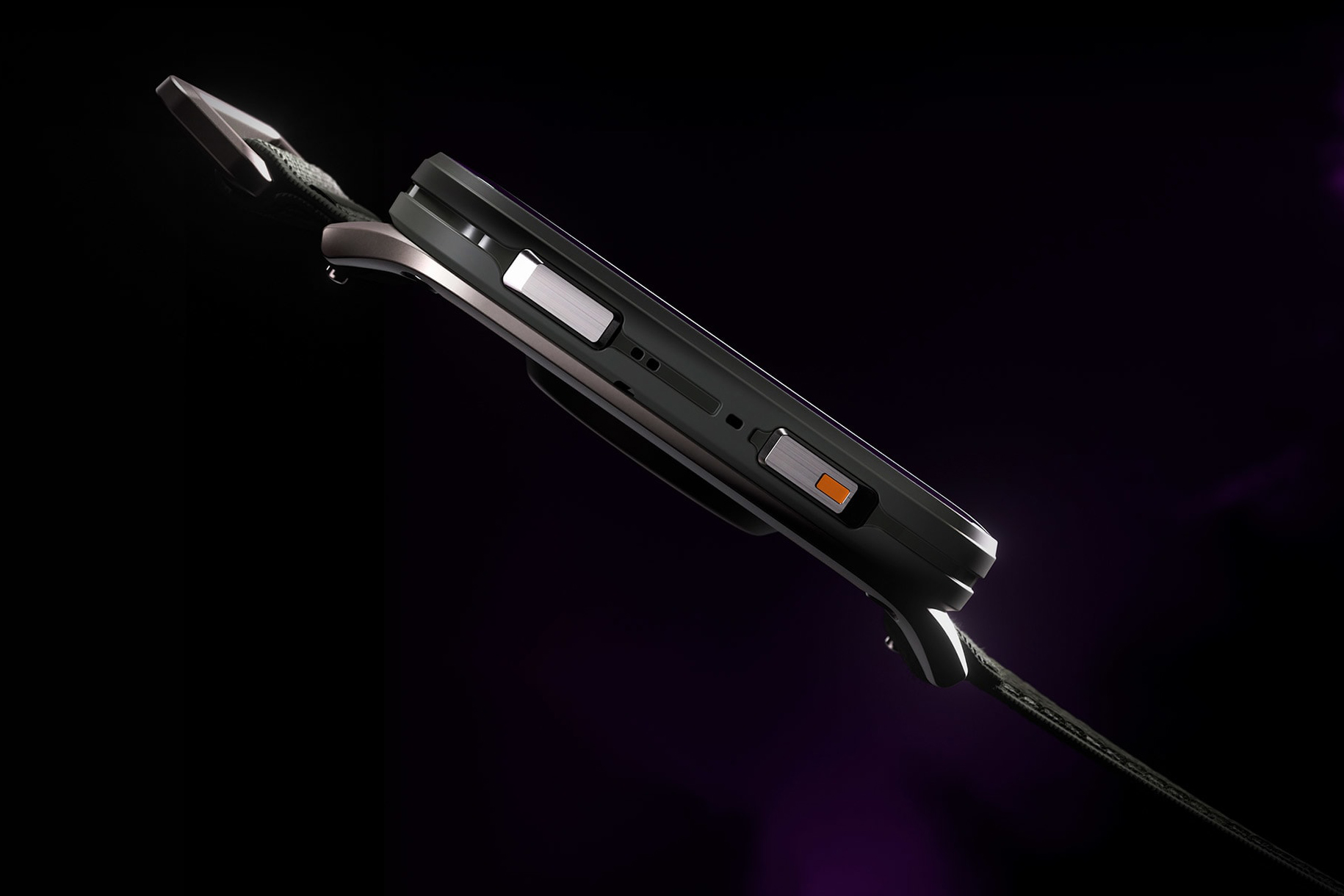
Side profile of Garmin Venu X1.
The Venu X1 case is only 8mm thick. Garmin

The Venu X1 has an 8mm-thick watchcase and 2in screen, making it thinner and wider than an Apple Watch.

The watch combines a titanium caseback with a scratch-resistant Sapphire lens and easy-to-read AMOLED display. 

This makes the watch suitable for wearing all day, according to Garmin. 

“Not only does it pack all of Garmin’s most popular features into a slim profile, but the large display makes it easy to see everything from preloaded maps and workout stats to health insights and smart notifications with stunning clarity,” says Garmin’s Susan Lyman. 

Garmin Venu X1 2in display.
Garmin

Despite its thin design, Garmin says the watch has up to eight days of battery life in smartwatch mode, which reduces some functions. 

The watch face is customisable, so you can see data of your choosing, including step count, heart rate, altitude and training readiness. 

Built-in features 

Man speaking to Garmin Venu X1 smartwatch.
The watch has a built-in microphone and speaker to receive calls, respond to messages and action commands. Garmin

Like the recent Forerunner 970, the Venu X1 has a built-in speaker, microphone and torch. 

Garmin says the speaker and microphone enable you to take calls from your wrist, when the watch is paired with a compatible smartphone.

The watch will use your phone’s voice assistant to respond to text messages.

Certain voice commands, such as “start a running activity” and “set a timer for five minutes”, can also be activated from the Venu X1 with no phone connection required. 

Torch on Garmin Venu X1 smartwtach.
It also has an LED torch. Garmin

ComfortFit strap

Designed to be worn all day, the Venu X1 has a 24mm quick-release ComfortFit nylon band. 

The £679.99 smartwatch is also available in two unobtrusive colours, black and moss. 

The Venu X1 will be available to order from 18 June. 

Apple’s iOS 26 requires kids to get parental permission to text new numbers

As part of new updates to its parental controls announced at WWDC 25, Apple has introduced a new feature that requires kids to get permission to text new numbers. That’s among other new child safety settings including more granular age-based app ratings that will be introduced to the new iOS 26, iPadOS 26, macOS Tahoe 26, watchOS 26, visionOS 26, and tvOS 26 operating systems coming this fall, Apple announced. 

The new feature called Communication Limits (part of Child Accounts) gives parents the ability to manage their kids communications across Messages, FaceTime, calling and iCloud contacts. Children must send a request to their parents when they want to contact a new phone number and parents can then give approval with a single tape in Messages. Developers can include the new function in third-party apps using Apple’s PermissionKit framework. 

Apple's iOS 26 requires kids to get parental permission to text new numbers
Apple

Another new child-friendly feature is more granular age-based ratings for apps to help parents decide which are safe for their kids to use. By the end of 2025, those will expand to five categories including three for adolescents: 13+, 16+ and 18+. When parents set app content restrictions, apps that exceed those will not appear on the App Store — though kids can request exemptions if the Ask to Buy setting is enabled. 

Apple already employs safety features like web content filters and app restrictions for kids under 13, but it will now enforce “similar age-appropriate” protections for teens between 13 and 17. The company will also let parents give apps a child’s age range without disclosing their exact date of birth. Finally, the Communication Safety tool has been expanded to intervene when it detects nudity in FaceTime video calls and it will blur out nudity in Shared Albums in Photos. 

Apple’s changes follow in the heels of new age-verification laws enacted in Texas, Utah and and other states. Google, for one, opposed the Utah bill, but Meta and other app makers have called for legislation that would require app stores to get parental approval before their teens download any app — effectively offloading the responsibility to Apple, Google and others.

This article originally appeared on Engadget at https://www.engadget.com/apps/apples-ios-26-requires-kids-to-get-parental-permission-to-text-new-numbers-120049197.html?src=rss

Your Switch Online Subscription Might Include Upgrades for Two ‘Legend of Zelda’ Games

It’s only been a week since the Switch 2 landed, and Nintendo has already sold over 3.5 million consoles. If you’re one of the lucky people who nabbed one, don’t forget to upgrade your old games for the new handheld. And if you’re a Switch Online  + Expansion Pack subscriber, you can get upgrades for games like Breath of the Wild and Tears of the Kingdom for free.

If you already own either Zelda game for the original Switch, then an upgrade pack normally costs $10 each. You don’t need to buy these upgrade packs to play your old copy, but they provide benefits like better performance, faster load times, an extra save slot, and access to the Zelda Notes mobile app.

While a cumulative $20 for upgrades sounds like a bit much—especially for games you already bought, and right after dropping $500 for a new console—the good news is you might have already paid it. Sort of. The Switch Online + Expansion Pack subscription costs $50/year, and subscribers to that plan can get the Zelda upgrades for free.

The process is a little less than straightforward, though. Head to the eShop and search for either Breath of the Wild or Tears of the Kingdom. The listings you’ll find for the upgrades will show the $10 price tag, but once you add it to your cart, the discount will be applied at checkout. Just make sure you’re using the account that’s tied to your subscription.

It’s also important to note that this won’t work if you have the Switch Online subscription without the Expansion Pack tier. The regular subscription costs $20/year and the Expansion Pack adds another $30/year, but it also comes with access to a host of classic games from the GameCube, Nintendo 64, Game Boy, and even Sega Genesis.

Before you opt for the higher subscription just to get the Zelda upgrades, though, keep in mind that you’ll lose access to those upgrade packs if you cancel. At the moment, Nintendo’s site says that an “active membership [is] required” to get the Zelda upgrades. 

If you’re already paying for the full subscription, you might as well get the upgrade for free, but if you’re planning to cancel it, you might be better off forking over the $20 for the upgrades directly. At the very least, you can put off paying for the upgrade directly until your subscription lapses.

nDreams Offers a Deep Dive into Next Level VR Immersion Coming to ‘Reach’

VR veteran studio nDreams is getting ready to release what looks like one of its most immersive VR games yet, led by its newest internal studio nDreams Elevation. Now, in a behind the scenes VR Developer Direct spotlight, the studio offered up some key insight into just what makes Reach so immersive.

nDreams Elevation announced Reach last week, showing off some initial gameplay in what’s shaping up to be a cinematic, parkour-focused combat game, replete with a ton of VR-native movement and battle mechanics.

In a VR Developer Direct spotlight, nDreams Elevation design director Matt Duff explains Reach is based on three core pillars, which have remained the same since concepting out the game.

“That is: action, adventure, and presence,” Duff says. “Everything we do is ‘VR first’. What we did with Reach, is we redefined how you move in a VR game. A lot of the times, we’re doing physical interactions—you reach out and pull yourself through spaces.”

Image courtesy nDreams Elevation

Jumping, which is usually not something that transfers well to VR due to user comfort, is a big focus in Reach, Duff explains. The studio has implemented a gesture based system that’s “tricking the mind into thinking that you’re doing it.”

Player agency is also a big deal in Reach, the studio says, noting that “if it looks like it can be interacted with, if it looks like it can be climbed, you can do it.”

Underpinning it is the game’s so-called Full-body Awareness system (FBA). You won’t see any floating hands here, as Reach includes a full-body player character, which Duff says “moves in a realistic manner,” giving the user more presence in-game.

Image courtesy nDreams Elevation

But what about combat? Duff says Reach offers both “high action kind of factors and high stealth factors,” letting players choose what tools they’ll use to tackle any given situation, including a bow with multiple arrow types, including explosive, freeze, and stun.

Going the stealth route, players can also draw enemies to fired arrows, giving the user room to maneuver around for a more up-close and personal kill. You can see more action in the video below.

Reach is set to launch on all major VR headsets later this year. In the meantime, you can wishlist it over on the Horizon Store for Quest 3, the PlayStation Store for PSVR 2, and Steam for PC VR headsets.

The post nDreams Offers a Deep Dive into Next Level VR Immersion Coming to ‘Reach’ appeared first on Road to VR.