Don’t Remove This Film on Your Switch 2

After years of rumor, speculation, and hype, the Nintendo Switch 2 is about to launch. On June 5, stores will sell you the new console (while supplies exist), and preorders will start arriving on doorsteps. It’s a fun time to be a Nintendo fan, but also a gamer in general, since this is the first major console release in nearly five years.

If you do pick up a new Switch 2, there are plenty of things you should do with it: You should try out the new mouse mode on games that support it; you should replay classics like Tears of the Kingdom in higher-definition with faster frame rates; and you should set charging limits to extend battery longevity. What you shouldn’t do, however, is take off the plastic film on the display. That would be a mistake.

That film is meant to stick on the Switch 2 for good

Nintendo published the Switch 2’s instruction manual on Sunday, in anticipation of the console’s release. You can give it a scan if you want to learn important Switch 2 strategies, like don’t use the console if the battery is leaking, or take a 10- to 15-minute break every hour, “even if you don’t think you need it.” But there’s actually some less obvious advice hidden away in this manual. As spotted by Gizmodo, Nintendo offers a word of warning under the “Careful Usage” section: “The screen is covered with a film layer designed to prevent fragments scattering in the event of damage. Do not peel it off.”

Nintendo doesn’t elaborate, but the explanation does give you a good idea about the company’s thinking here. In the event you drop your Switch 2 unit and the screen shatters, this film stops the display’s shards from flying all over the place. If you remove the film, a shattered Switch 2 screen could hurt someone if you don’t manage to pick up each and every little piece of the display you used to play Mario Kart World on. Lose-lose.

Whether the display itself looks much different with or without the film remains to be seen, but I recommend waiting for a tear-down video to learn the difference. Even if you don’t plan on dropping your Switch 2, it doesn’t really seem worth the risk to remove this film.

What else is in the instruction manual?

The guide is full of advice for using your Switch 2 to its fullest potential, but most of it is common sense. That said, there are some interesting tips you should be aware of here.

Nintendo says you need to charge the batteries at least once every six months. If you’re a frequent gamer, you’ll do that without thinking. But for any gamers that like to play once or twice a year (or less), the company warns it may be impossible to charge the batteries if you don’t use them for an extended period of time.

You might know the Switch 2 Joy-Cons attach via magnets. Nintendo warns not to “swing or dangle the console” from an attach Joy-Con, or “apply force to the connecting parts.” You shouldn’t put stickers on the Joy-Cons where the SL/SR buttons are, since you could weaken the connection and cause the Joy-Cons to detach (and risk shattering said screen).

Apparently, the magnets are strong enough to attach other magnetic objects, like screws or tacks. Nintendo advises if these items attach to the Switch 2 or Joy-Cons, use a cotton swab to remove them. In general, you should be cleaning the Joy-Cons anytime there is dust or debris before using them.


Mount Etna is erupting, and I cycled down it just weeks ago!

Mount Etna, the active volcano that emerges from the Italian island of Sicily, is currently erupting, sending plumes of ash miles into the sky. Just a couple of weeks ago, I was riding my mountain bike down its lava-strewn flanks.

Two nights before my epic descent, the mountain popped its top, with some seriously impressive lava flows, but this was nothing in comparison to the eruption we’re seeing today, 2 June 2025.

But what was it like riding on a volcano?

Truly, it’s an experience I’ve never had – and will likely never have again.

With special permission, and accompanied by a volcanologist guide, I rode the new Ghost Poacha Freeride down its slopes, over fields of volcanic pumice and pyroclastic flows.

There were no trails to follow, so we simply picked lines down the side of the mountain, carving turns, kicking up dust, and hitting some truly terrifying speed.

Watch the video below to see more of our epic adventure.

Chevy’s Corvette ZR1 Eats Ferrari And Lamborghini Alive In Track Race

Chevy's Corvette ZR1 Eats Ferrari And Lamborghini Alive In Track Race
For decades, the Chevrolet Corvette has championed American musclecar performance, and in case you haven’t read the news lately, the newly unveiled 2025 Corvette ZR1 isn’t just playing on the same field as European supercars – it’s handily trouncing many of them. With an astonishing 1,064 horsepower, this mid-engine marvel is making headlines

Turning A Treadmill Into A Giant 3D Printer

Because the biggest downfall of 3D printers is not being able to print a ladder long enough to reach the moon and finally escape earth, this is a video of Youtuber Ivan Miranda modding a treadmill into a 3D printer that allows for infinitely long prints. After running into and solving a number of issues along the way, Ivan successfully prints a 7-foot long I-beam. That’s cool, a whole bunch more of those and I could build a plastic house! And you know what they say about people who live in plastic houses. “They can throw all the stones they want.” I’ll never stop.

Thanks to my dad, who agrees it’s about time we can print kayaks.

New federal employees must praise Trump EOs, submit to continuous vetting

With the federal hiring freeze lifting in mid-July, the Trump administration has rolled out a controversial federal hiring plan that critics warn will politicize and likely slow down the process rather than increase government efficiency.

De-emphasizing degree requirements and banning DEI initiatives—as well as any census tracking of gender, race, ethnicity, or religion to assess the composition of government—the plan requires every new hire to submit essays explaining which executive orders or policy initiatives they will help advance.

These essays must be limited to 200 words and cannot be generated by a chatbot, the guidance noted. While some applicants may point to policies enacted by prior presidents under their guidance, the president appears to be seeking to ensure that only Trump supporters are hired and that anyone who becomes disillusioned with Trump is weeded out over time. In addition to asking for a show of loyalty during the interview process, all federal workers will also be continuously vetted and must agree to submit to “checks for post-appointment conduct that may impact their continued trustworthiness,” the guidance noted, referencing required patriotism repeatedly.

Read full article

Comments

Apple Challenges EU Order To Open iOS To Rivals

Apple has filed an appeal with the European Union’s General Court in Luxembourg challenging the bloc’s order requiring greater iOS interoperability with rival companies’ products under the Digital Markets Act. The EU executive in March directed Apple to make its mobile operating system more compatible with competitors’ apps, headphones, and virtual reality headsets by granting developers and device makers access to system components typically reserved for Apple’s own products.

Apple contends the requirements threaten its seamless user experience while creating security risks, noting that companies have already requested access to sensitive user data including notification content and complete WiFi network histories. The company faces potential fines of up to 10% of its worldwide annual revenue if found in violation of the DMA’s interoperability rules designed to curb Big Tech market power.


Read more of this story at Slashdot.

I Installed This Alternate Launcher to Get Rid of the Ads on Google TV

You may already know that you can install an alternative launcher on your Android phone that will completely revamp the look and feel of the software, and this same trick applies to devices running Google TV and Android TV. Changing up your launcher means that you don’t have to stick with the default look, including all the ads and promotional content Google forces into it.

Whether it’s on your phone or your TV, a launcher is essentially a new skin for your software. It doesn’t really change anything fundamental about how the operating system works, and you can easily uninstall it again and go back to the default option whenever you want. What an alternate launcher does do is take over from the system default when you hit the Home button, so the original graphical interface stays hidden.

You’ve got a few different choices when it comes to launchers for Google TV and Android TV, and you can take a look at what’s available on the Play Store to find an option that fits your preferences, but I’ve lately been using one that earns my strong recommendation. It’s one of the best and most popular alternative launcher: Projectivy Launcher. You can use it for free in limited capacity, or pay a one-off fee of $7.50 to access the full feature set, which includes extra customizations for wallpapers and icons.

Projectivy Launcher
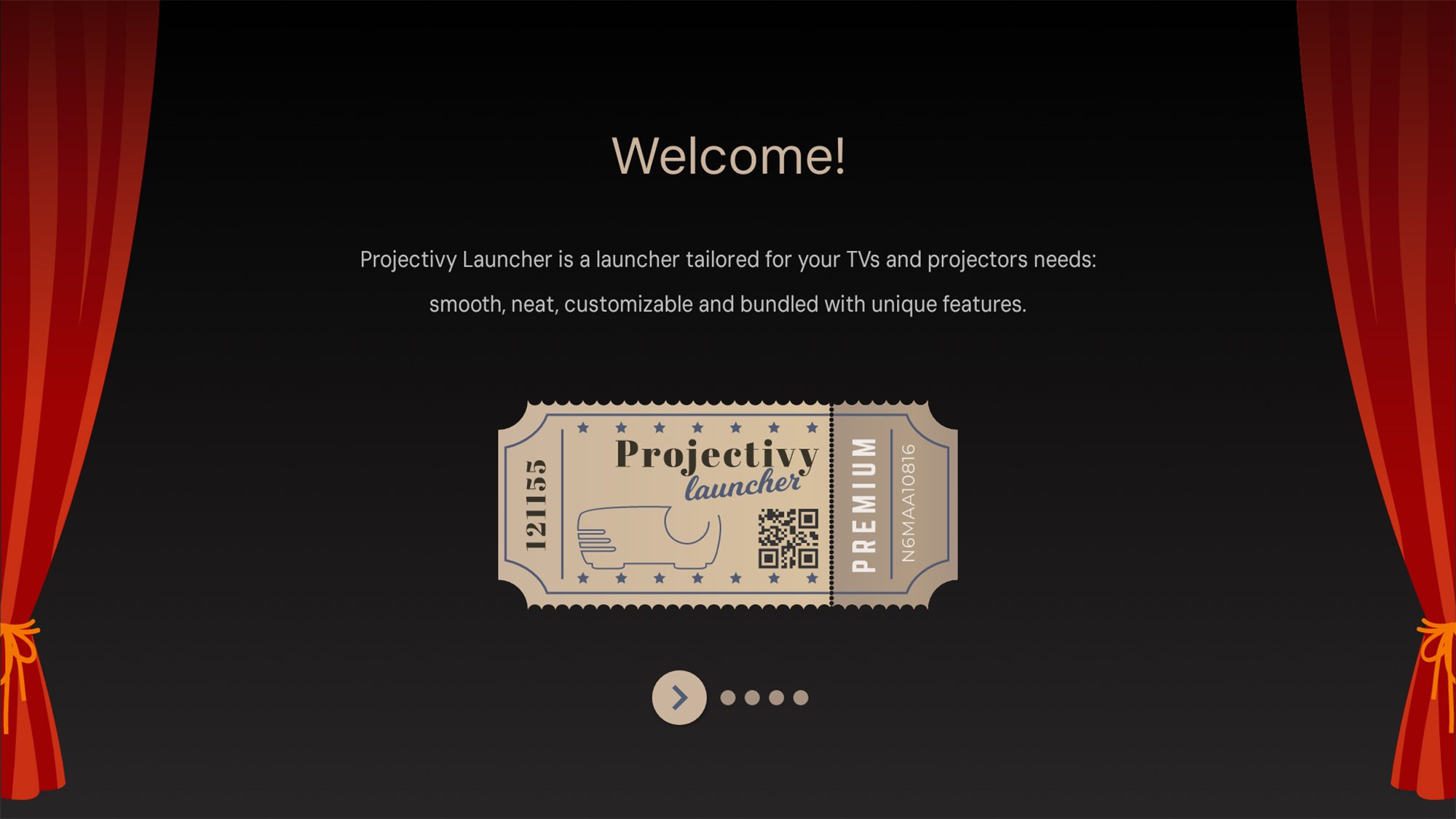
Even the welcome screen looks good.
Credit: Lifehacker

How to install an alternative launcher on a Google TV or Android TV and set it as the default

To get started, find the Google Play Store icon or Apps tab on your Google TV or Android TV or streaming device. From there, a quick search should turn up Projectivity Launcher. (You can also send it directly to your devices from the Projectivy Launcher page on the web.) Once you’ve gone through the process of downloading and installing it, you’ll see a few welcome screens explaining how the app works.

Be sure to give the app all the permissions it asks for, because it won’t work without them. Enable Projectivy Launcher’s access to the device’s accessibility features too, as this will allow you to do tricks like remapping the remote control buttons. To do that, select the gear icon (top right), then choose Accessibility and Projectivy Launcher.

Set your new launcher as the default

When you first install the launcher, hitting the back or home key on your remote will take you to the default Android TV or Google TV menus, which isn’t ideal. To take care of this, from within Projectivy Launcher, select the gear icon (top right), then Projectivy Launcher settings and General: Here you’ll find options to Change default launcher and Override current launcher, which will put Projectivy Launcher in charge of your device and completely hide Google’s interface.

Why I love Productivity Launcher

Projectivy Launcher makes use of a stripped down, straightforward interface, and if you scroll down the home screen you’ll see your main apps listed at the top, together with some recommendations about what to watch next based on your viewing history—and importantly, no promos for any streaming services up at the top. It’s much cleaner and makes it easier to access the apps you use most.

Projectivy Launcher
The launcher comes with plenty of options to play around with.
Credit: Lifehacker

Customize your settings to control what you see and how it looks

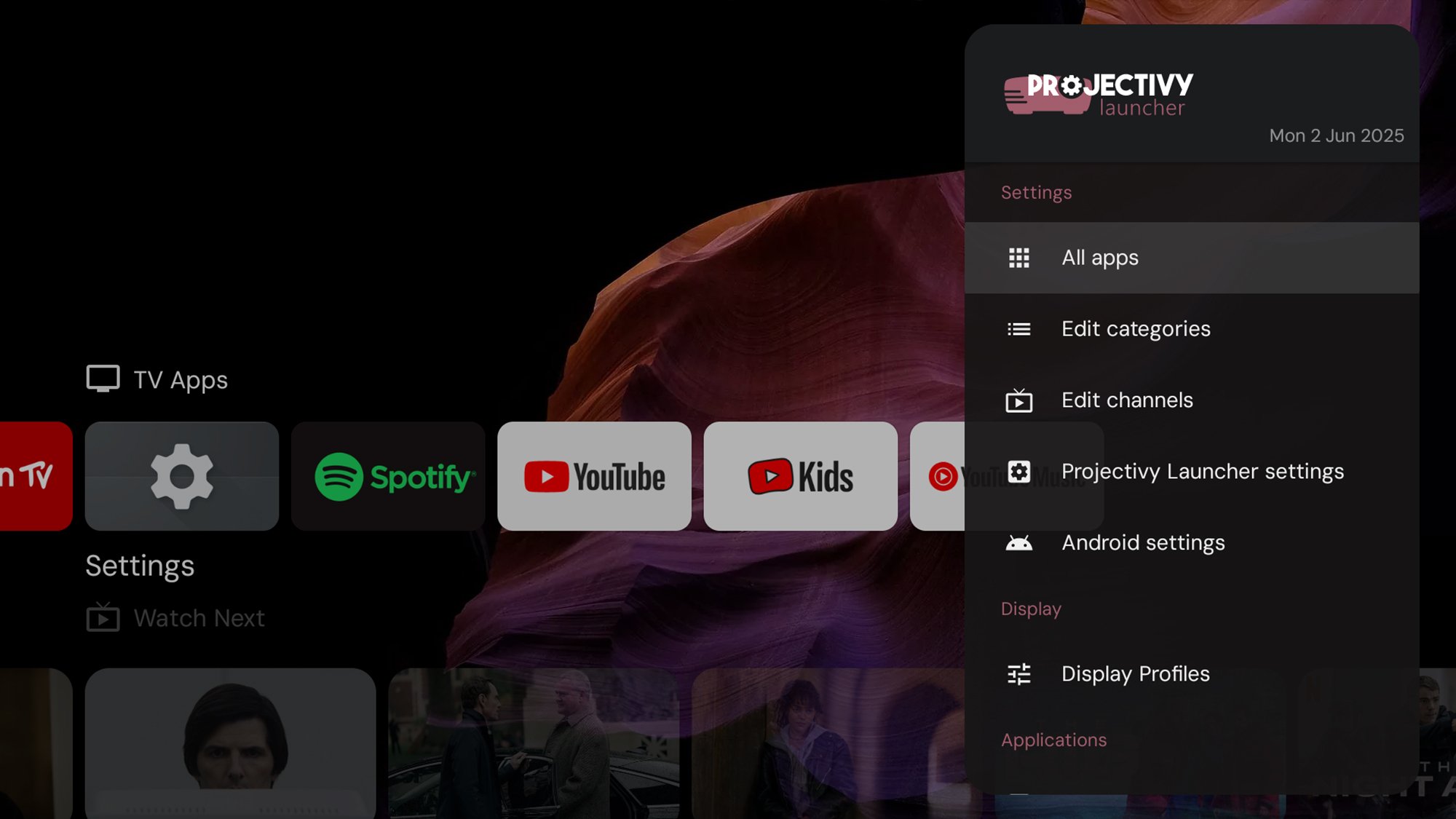
Select the gear icon up in the top right corner of the screen to access a host of different settings you can play around with. There are options here for changing the types of apps you see on the home screen, for selecting which streaming services are allowed to show recommendations, and setting up parental controls. You can also set how events like restarts are handled.

Pick Edit categories from the Settings list, and you’re able to see all the different categories the launcher can show, including Now Playing, Favorites, Video, and Music. For each, you can choose whether or not the category is visible, as well as change its size, its title, and how it’s sorted (by most frequently used apps, for example). You can also create brand new categories and populate them as you see fit.

Choose Edit channels from the Settings list, and you’re able to decide which of your streaming services get to promote their wares on your home screen. Any channels that you choose to show will display a carousel of recommended content, which saves you having to dive into the apps individually to find something to watch.

Projectivy Launcher
You’re able to control almost every aspect of the interface.
Credit: Lifehacker

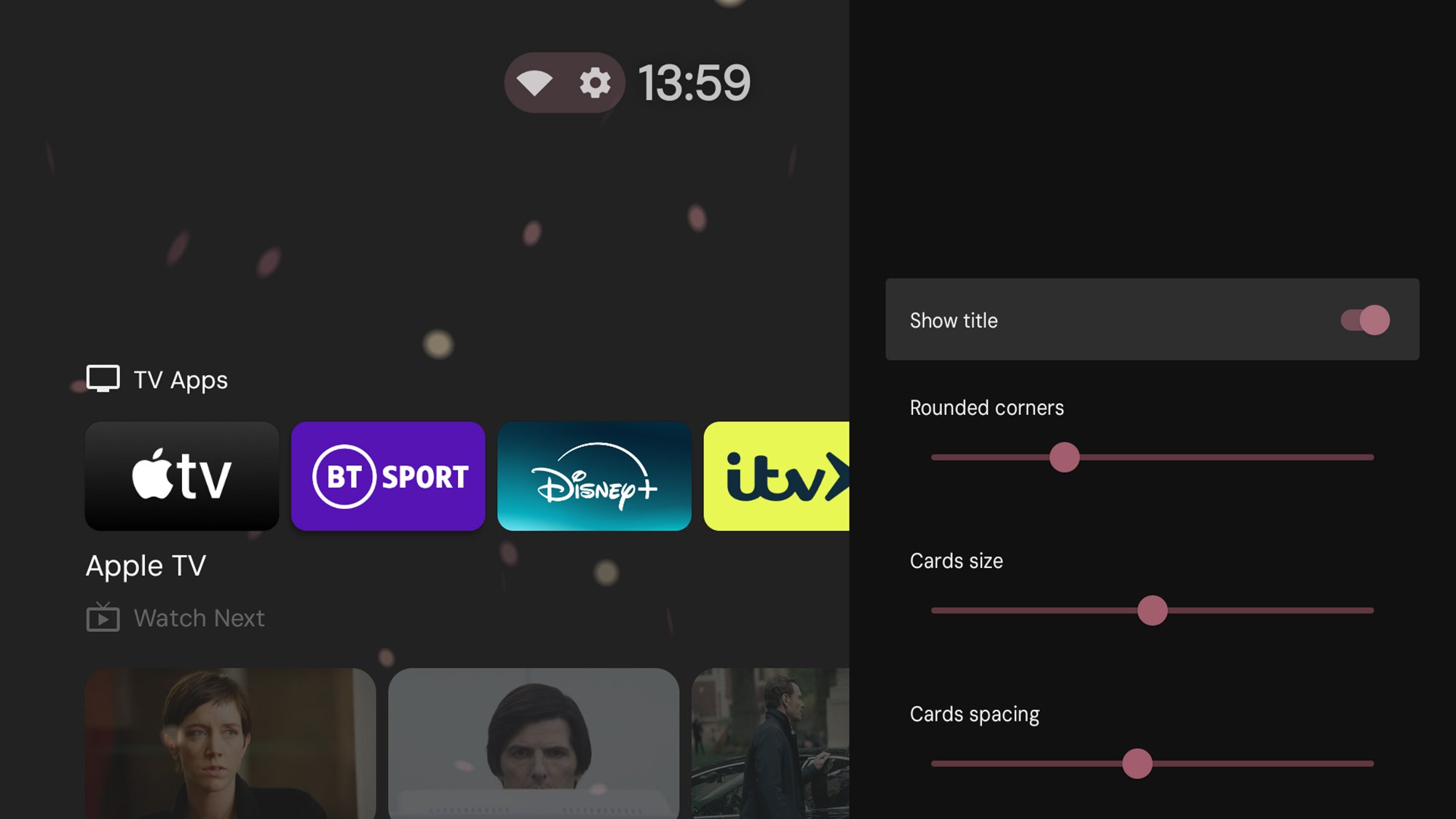
If you select Projectivy Launcher settings and Appearance from the main Settings list, you can customize the look of the interface in a variety of different ways. It’s possible to change the home screen wallpaper, the accent colors used across the interface, and even how big the content thumbnails and app shortcuts are on your display.

The level of control and customization you get is impressive, and there are a lot of different settings to explore—it can genuinely transform the experience of using Android TV or Google TV.

How to switch back to the default launcher

Should you ever want to go back to the original Projectivy Launcher interface, just disable the launcher settings you changed above above. To get rid of Projectivy Launcher completely and go back to the original default launcher, long press on its shortcut icon on the interface, then pick View details > Uninstall > OK.

5 of the best cycling nutrition deals on Amazon right now

Keeping properly fuelled during your ride (as well as before and afterwards) is a crucial component to unlocking your maximum potential. 

Choosing a good source of carbohydrates to consume as you pedal prevents the dreaded energy bonk, where your legs turn to lead and your morale plummets faster than you might like to admit. 

While making your own energy bars at home is affordable and easy, sometimes it’s nice to have a stash of bars or gels on hand, ready to stuff into your pockets at a moment’s notice before jumping on the bike. 

Everyone likes a bargain, so we had a dig through Amazon to find the best deals on cycling nutrition available right now.

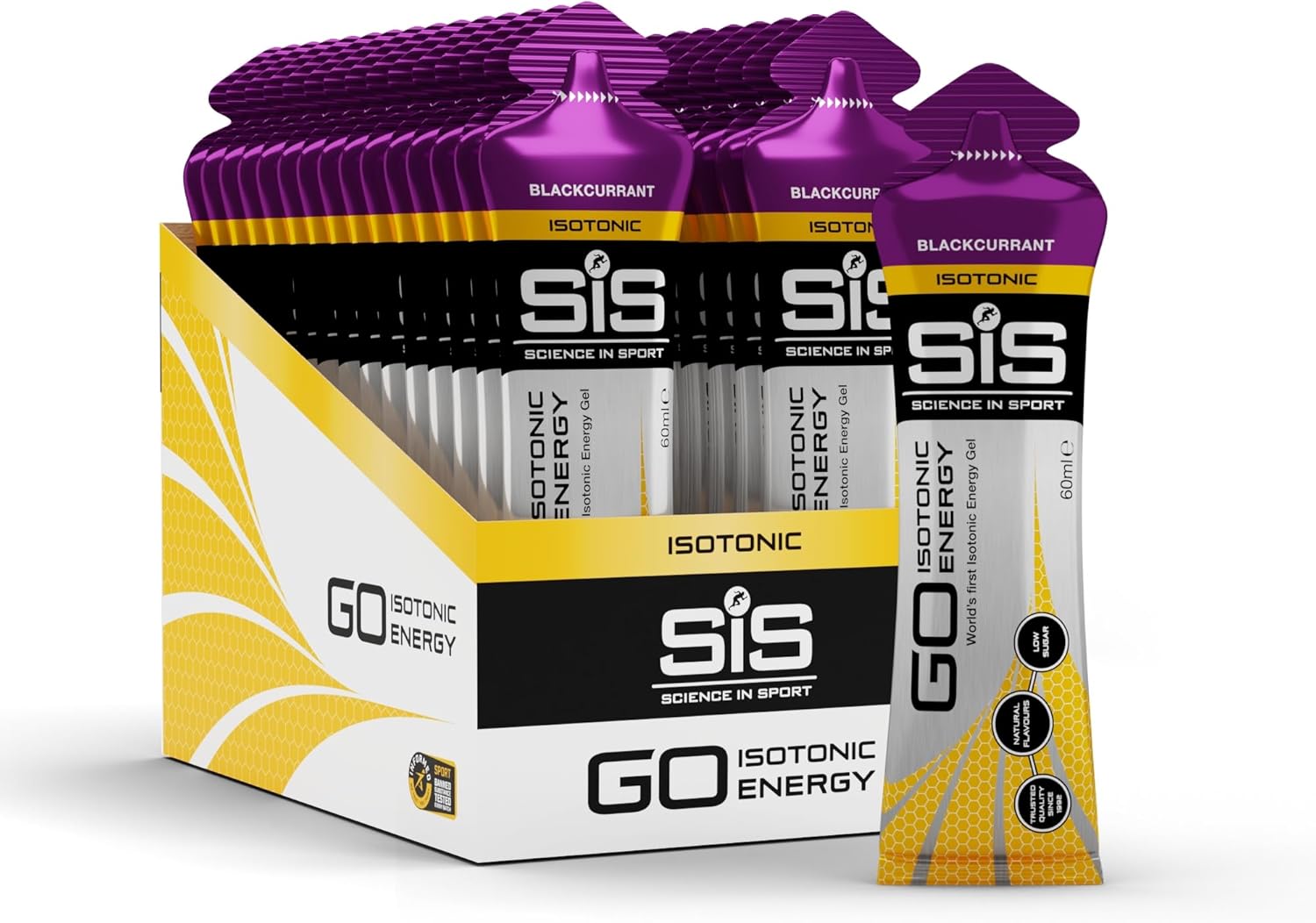
Science In Sport GO Isotonic Energy Gels (30 pack) – $25.99 $20.12 (save 23%) £46.50 £24.09 (save 48%)

SIS Go Gels
Science In Sport’s GO Isotonic Energy Gels are a popular choice for many riders. Amazon

When all else fails, it’s time to break out the energy gels… Here, we’ve chosen Science In Sport and its GO Isotonic Energy Gel. 

Containing no artificial flavours and 22g of carbs per sachet, these gels are also isotonic, meaning you don’t need to chase them with water to guarantee smooth digestion. 

Science In Sport claims its GO Isotonic Energy Gel was officially recognised as the world’s first isotonic energy gel, and is proud of its rigorous testing against WADA-banned substances, and Informed Sport certification. 

Amazon has a 30-pack of the blackcurrant flavoured GO gel on sale for £24.09, saving 48%.

Clif Bar Energy Bar (12 pack) – £22.20 £16.99 (save 23%)

Clif Bar 12 pack
Clif Bars are calorie-dense and pack in 11g of protein per serving. Amazon

Clif Bars have earned a somewhat legendary status in the worlds of sports nutrition and adventure fueling. Offering a plant-based energy hit, these tasty and chewy oat bars pack in 36g of carbs and 11g of protein per serving. They also contain phosphorus, which Clif claims contributes to normal energy-yielding metabolism.

Clif has a multitude of flavours to choose from, and these particular bargain bars are of the chocolate almond fudge variety.

They’re currently on sale at 23% off for £16.99, which works out at around £1.42 per bar. Just be careful to save them for your rides, though, because they can quickly end up being consumed as a late-night treat on the sofa.

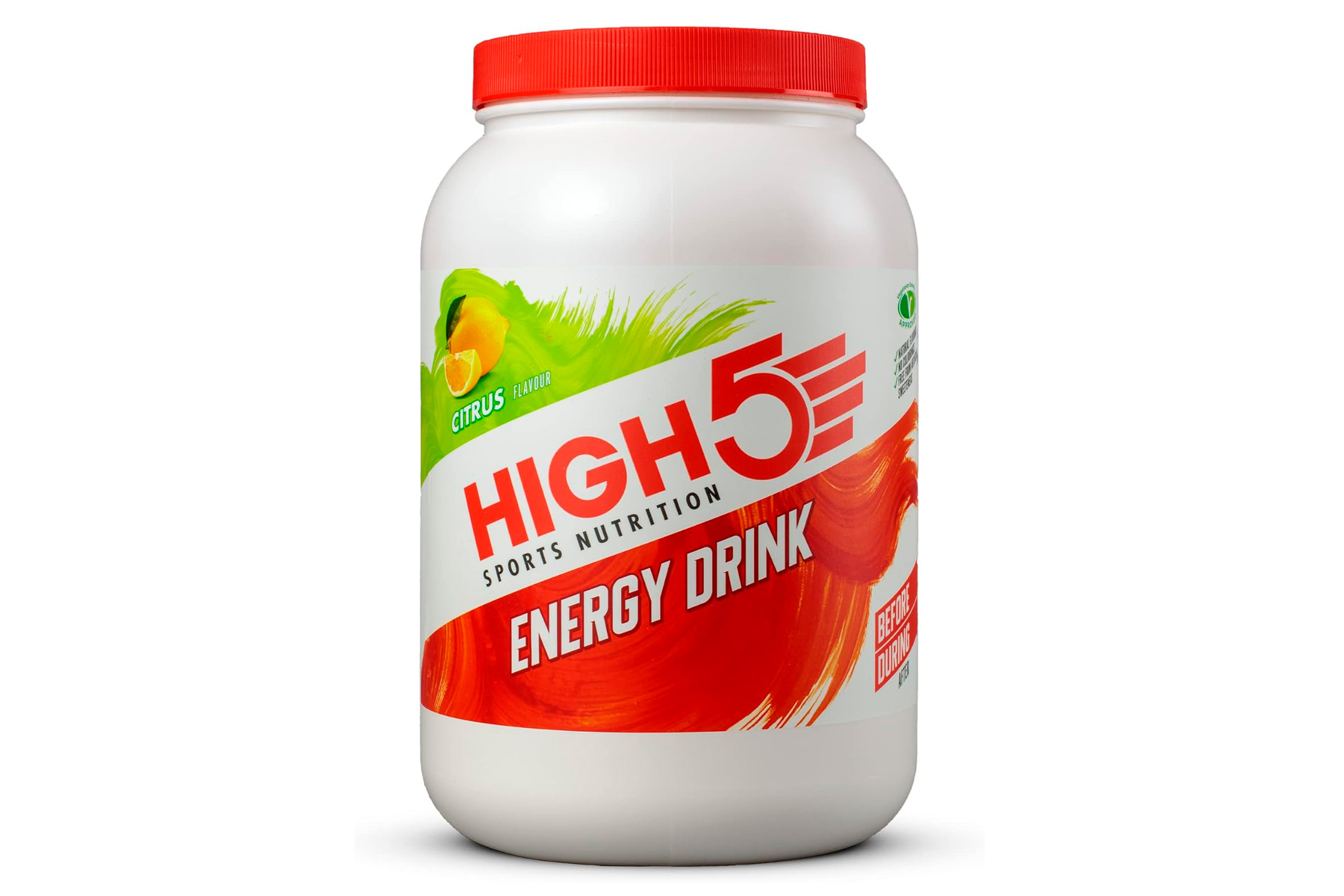
HIGH5 Energy Drink (2.2kg) – £29.99 £18.79 (save 37%)

High 5 energy drink
Energy drinks are a great way to fuel and hydrate when out on the bike. Amazon

Drinking your carbs is a great and easy way to keep fueled while out on a big ride. This is where HIGH5’s energy drink formula comes in handy – simply mix the powder with water in your bottle, and off you go. 

The energy drink itself is free from artificial flavourings and colours, and contains a 2:1 ratio of maltodextrin and fructose. This, HIGH5 claims, enables you to absorb up to 50% more carbohydrates per hour. 

To make sure you stay well hydrated, HIGH5 includes essential electrolytes in its Energy Drink formula. Each bottle of Energy Drink (one scoop mixed with 500ml of water) contains 240mg of sodium, 50mg of potassium and 84mg of chloride.

As far as bargains go, this one’s pretty hot – you can get a 2.2kg tub of berry-flavoured energy (which contains 46 servings) for only £18.79. That’s 37% off Amazon’s usual price.

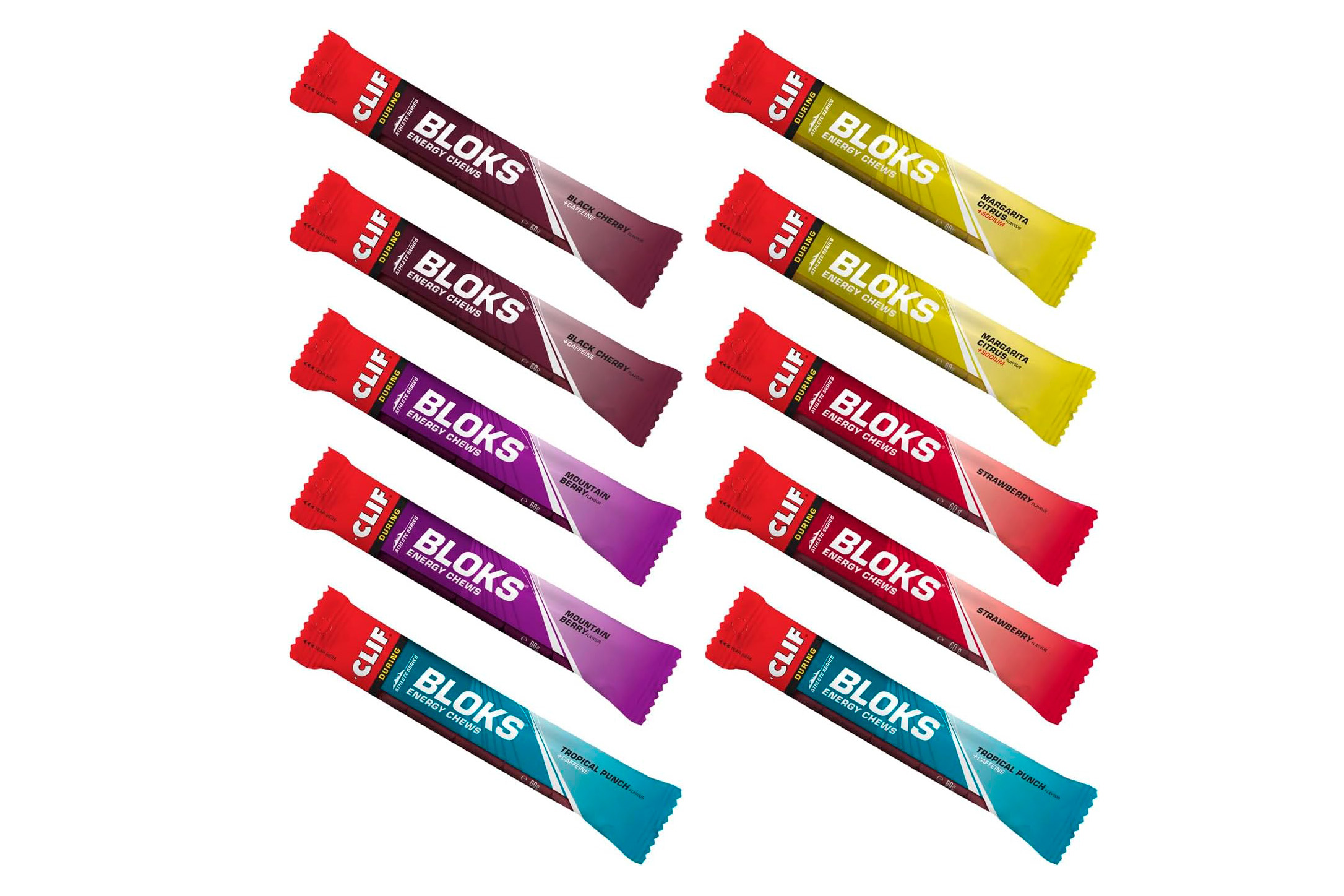
Clif Bar Bloks (10 pack) – £36.90 £30.64 (save 17%)

Cliff Bloks energy chews
Clif Bloks are an easy form of energy to ingest. Amazon

If you need a little more than carbs to keep you going, Clif has you covered with its Bloks. 

As well as packing in 31g of carbohydrates per pack of four, these little energy chews also contain green tea extract, giving them 68.4mg of caffeine. Clif recommends eating up to four pieces a day, depending on your activity. 

These blocks pack a punch, so make sure you can handle your caffeine and stick to the recommended dosage. If you’re craving some caffeination on the go, you can pick up a 10-pack containing five flavours (2x Mountain Berry, 2x Strawberry, 2x Black Cherry, 2x Tropical Punch, 2x Margarita Citrus) for £30.64, saving 17%.

Optimum Nutrition Gold Standard Plant Based Protein Powder – £27.99 £20.90 (save 25%)

Optimum Nutrition Gold Standard Plant Based Protein Powder
Optimum Nutrition says this protein powder is vegan. Amazon

Post-ride recovery is equally important as fueling as you go, so let’s round out this list with some quality, plant-based protein powder from Optimum Nutrition. 

Consisting of a blend of pea and rice proteins, Optimum Nutrition claims this powder contains a full amino acid profile and 24g of protein per serving, meaning your body should get all the resources it needs to aid recovery and muscle growth. It contains no artificial colourings or flavours, and is also 100% vegan. 

On sale here with 25% off is the Vanilla flavour, which contains 21 servings in its 684g tub. 

[$] OpenH264 induces headaches for Fedora

Software patents and workarounds for them are, once again,
causing headaches for open-source projects and users. This time
around, Fedora users have been vulnerable to a serious flaw in the OpenH264 library for
months—not for want of a fix, but because of the Rube
Goldberg machine
methodology of distributing the library to Fedora
users. The software is open source under a two-clause BSD license; the RPMs are built and
signed by Fedora, but the final product is distributed by Cisco, so
the company can pick up the tab for license fees. Unfortunately, a
breakdown in the process of handing RPMs to Cisco for distribution has
left Fedora users vulnerable, and inaction on Fedora’s part has left
users unaware that they are at risk.

Microsoft Released An Emergency Windows Patch Over The Weekend, Get It Now

Microsoft Released An Emergency Windows Patch Over The Weekend, Get It Now
Microsoft has swiftly deployed an emergency patch to address a critical issue that has been preventing some Windows 11 systems from properly installing the May 2025 security update (KB5058405). The problem, which primarily impacts enterprise environments, has been causing machines to enter recovery mode and fail to start, leading to significant

Business Insider Recommended Nonexistent Books To Staff As It Leans Into AI

An anonymous reader shares a report: Business Insider announced this week that it wants staff to better incorporate AI into its journalism. But less than a year ago, the company had to quietly apologize to some staff for accidentally recommending that they read books that did not appear to exist but instead may have been generated by AI.

In an email to staff last May, a senior editor at Business Insider sent around a list of what she called “Beacon Books,” a list of memoirs and other acclaimed business nonfiction books, with the idea of ensuring staff understood some of the fundamental figures and writing powering good business journalism.

Many of the recommendations were well-known recent business, media, and tech nonfiction titles such as Too Big To Fail by Andrew Ross Sorkin, DisneyWar by James Stewart, and Super Pumped by Mike Isaac. But a few were unfamiliar to staff. Simply Target: A CEO’s Lessons in a Turbulent Time and Transforming an Iconic Brand by former Target CEO Gregg Steinhafel was nowhere to be found. Neither was Jensen Huang: the Founder of Nvidia, which was supposedly published by the company Charles River Editors in 2019.


Read more of this story at Slashdot.

This iPhone Browser Lets You Play YouTube Videos in the Background Without Paying

YouTube hides some of its best mobile features, like background playback and picture-in-picture, behind its expensive $14/month YouTube Premium subscription. And it’s notorious for stopping free apps and workarounds. If you’re on Android, you can use the third-party app NewPipe to get around these limitations. But on the walled garden that is the iPhone? There’s very little you can do. Even if you try to play videos using Safari, they’ll stop playing as soon as you lock your screen.

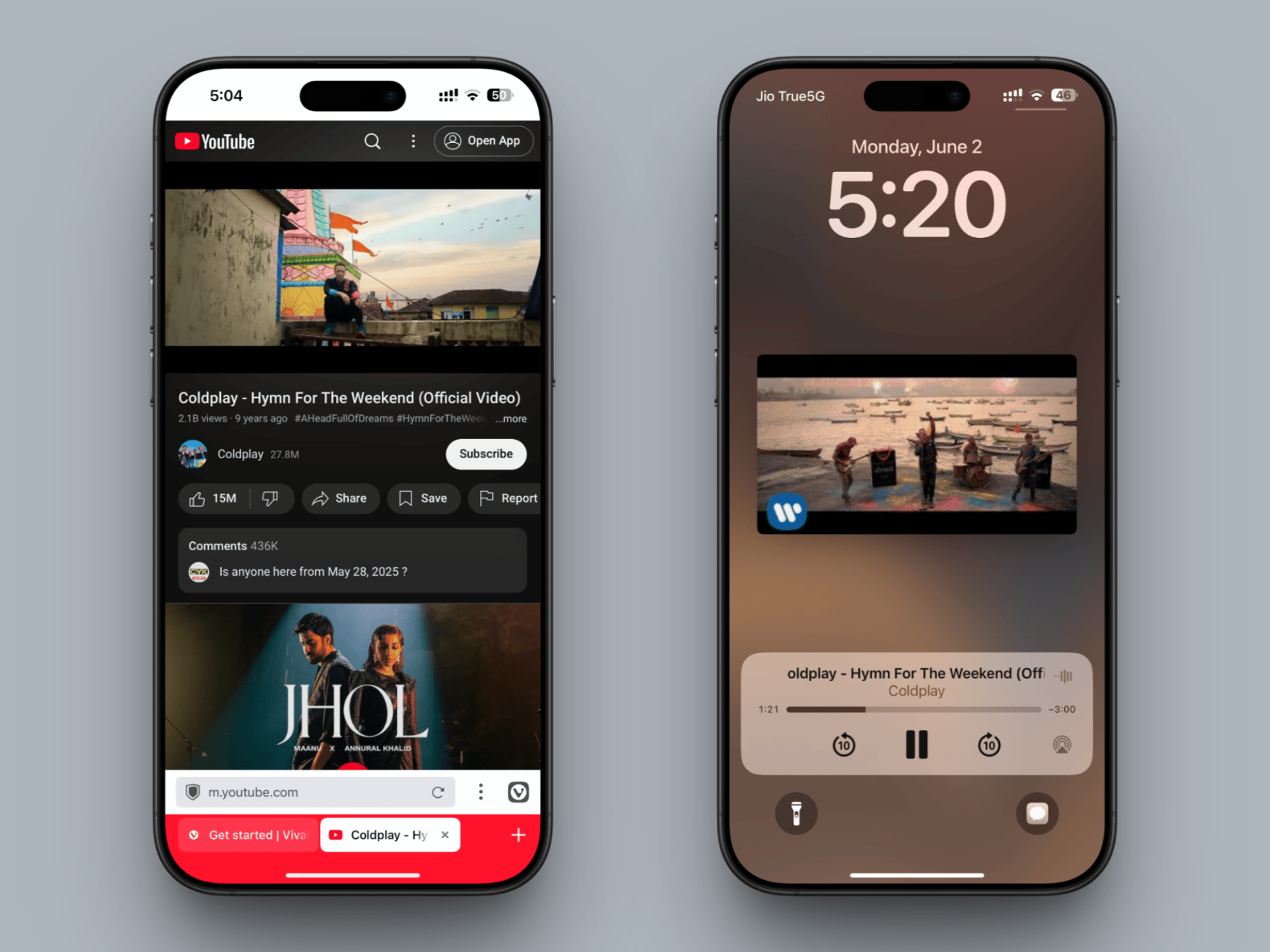
Which is why it’s a big deal that Vivaldi, the privacy-focused browser, now supports background playback for YouTube, and many other video sites that expressly block it. If you’re okay using YouTube on the web instead of an app (your feed will still be the same), you can now enjoy a paid YouTube Premium feature for free. Even if you only use this feature for long podcast episodes or long videos, it might be worth it.

How to enable and use background playback in Vivaldi for iPhone

For this feature to work, you’ll first need to update your Vivaldi app to the latest version. As long as you’re running version 7.4 or higher, you’re good.

Next, it’s time to enable a specific setting, without which, this feature won’t work. First, click the Vivaldi icon from the toolbar, then choose the Settings icon.

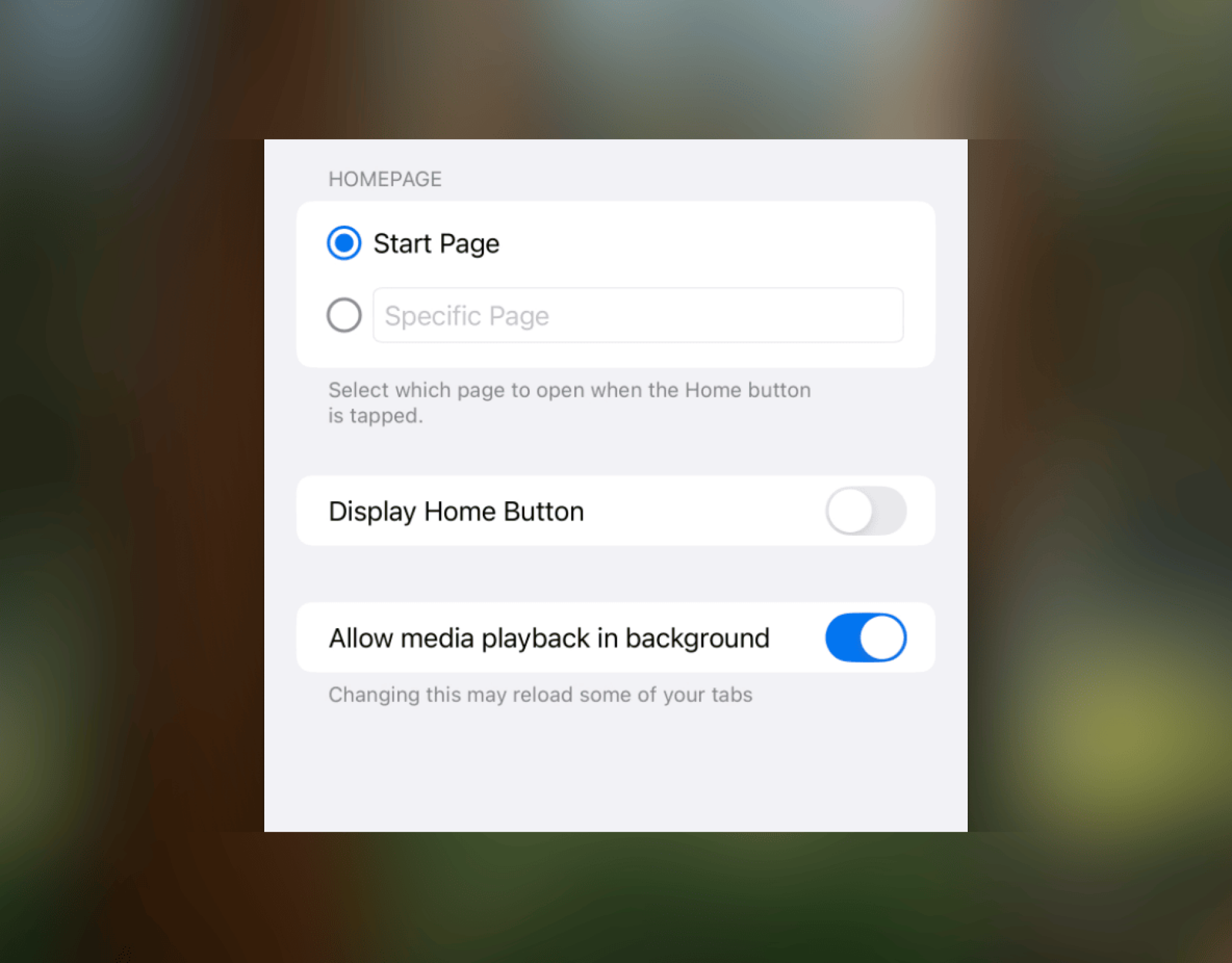
Go to General and enable the Allow media playback in background option.

Enable option for background playback in Vivaldi.

Credit: Khamosh Pathak

With that, background playback is now enabled.

To try it out, go to the YouTube website in Vivaldi and open a video. Once it starts playing, go back to the Home Screen or lock your iPhone or iPad completely. The playback will still continue, as intended, in the background.

Background playback in Vivaldi.

Credit: Khamosh Pathak

When you lock the screen, you’ll also see media controls, like when you use a music app (or when you use YouTube Premium). So you’ll be free to pause the video, or move forwards or backwards freely, without opening Vivaldi again. Unfortunately, Vivaldi still won’t stop ads, so for that, take a look at our best ad-free YouTube apps.

Anker power banks are up to 41 percent off

There’s a big Anker sale on Amazon that covers several well-regarded power banks and charging accessories. This includes the 737 portable laptop charger, which is just $88. That’s the best deal of the bunch, as the price represents a 41 percent discount.

The 737 is a 24,000mAh charger that can juice up a laptop, but also works with other devices like smartphones, tablets and virtual reality headsets. The design is similar to our favorite premium power bank. This one, however, includes a trio of ports, making it a great option for multi-device charging.

Anker says the battery is large enough to charge an iPhone 16 Pro over four times before requiring a refill. Beefier devices, like the newest iPad Pro or MacBook Pro, will get just over a single charge. This is a portable device, with a nice form factor that makes it easy to pack. However, it is on the heavier side.

The Anker MagGo 621 magnetic charger is also on sale for $30, which is a discount of 25 percent. This one attaches to the back of a smartphone to provide more juice. The deal applies to multiple colorways.

The Anker MagGo 3 in 1 charging station is a nice little accessory for a nightstand. It’s on sale for $84, which is a discount of 24 percent. It’s not portable, as it plugs into the wall, but it accommodates an iPhone, AirPods and an Apple Watch all at the same time. I have one and it really does cut down on cable clutter.

Follow @EngadgetDeals on X for the latest tech deals and buying advice.

This article originally appeared on Engadget at https://www.engadget.com/deals/anker-power-banks-are-up-to-41-percent-off-152352368.html?src=rss

Could floating solar panels on a reservoir help the Colorado River?

GILA RIVER INDIAN RESERVATION, Ariz.—About 33 miles south of Phoenix, Interstate 10 bisects a line of solar panels traversing the desert like an iridescent snake. The solar farm’s shape follows the path of a canal, with panels serving as awnings to shade the gently flowing water from the unforgiving heat and wind of the Sonoran Desert.

The panels began generating power last November for the Akimel O’otham and Pee Posh tribes—known together as the Gila River Indian Community, or GRIC—on their reservation in south-central Arizona, and they are the first of their kind in the US. The community is studying the effects of these panels on the water in the canal, hopeful that they will protect a precious resource from the desert’s unflinching sun and wind.

In September, GRIC is planning to break ground on another experimental effort to conserve water while generating electricity: floating solar. Between its canal canopies and the new project that would float photovoltaic panels on a reservoir it is building, GRIC hopes to one day power all of its canal and irrigation operations with solar electricity, transforming itself into one of the most innovative and closely watched water users in the West in the process.

Read full article

Comments

This aloSIM Mobile Data Plan Is 50% Off Right Now

We may earn a commission from links on this page. Deal pricing and availability subject to change after time of publication.

Anyone who’s traveled internationally knows the deal: either you cough up $10–$20 a day for roaming or go hunting for café wifi like it’s oxygen. Neither option is ideal. That’s where aloSIM makes a convincing case. Right now, you can get $50 in eSIM credit for $24.97—basically half off. If your phone supports eSIM (most modern ones do), this lets you download a local data plan before you even leave the airport. No SIM card swapping, no surprise fees, just straight-up mobile internet that doesn’t drain your bank account.

Here’s how it works. You pick a plan—some start as low as $4.50 for seven days—download the eSIM onto your phone, and activate it when you land. It connects you to a local 4G or 5G network in over 200 countries, so your phone behaves like a local one, minus the local contract. The credit itself is good for a year after you redeem it, and the eSIM doesn’t expire, so you can keep it on your device for future trips. You even get a temporary phone number during your data plan’s active window, which is useful if you’re making bookings, messaging hosts, or just want to avoid giving out your personal number.

That said, there are a few caveats to note. This deal’s for new aloSIM users only, and it won’t stack with other offers. Also, once you activate a data plan, it runs on a timer, so if you buy a seven-day plan and barely use it, it still expires in seven days. If you’re planning to travel (or just don’t want to pay your carrier’s roaming fees again), this is an easy fix to have in your back pocket. No contracts, no stress, and no awkward moments spent begging hotel wifi to load your Google Maps.

iPhone 17 To Employ Metalens Tech To Optimize Face ID And Dynamic Island

iPhone 17 To Employ Metalens Tech To Optimize Face ID And Dynamic Island
Fresh buzz around the next iteration of Apple’s flagship smartphone, the iPhone 17, suggests a small but significant shift in Apple’s popular Dynamic Island feature. Initially believed to be relegated to the iPhone 17 Pro Max, it’s now said that all four iPhone 17 models are now tipped to feature the “metalens” upgrade, meaning a smaller Dynamic