Riding All The Zwift Routes: How to Find Your Unfinished Routes and Earn Every Badge

Cycling appeals to different people for different reasons, but I love how it enables achievement and exploration. Whether it’s a new Strava PR, a race win, or finishing a long ride, there are always new achievements to strive for. And who doesn’t love riding new roads? The best way to see the world is on a bicycle, after all.

At the time of this post, there are 199 routes on Zwift awarding a completion badge accompanied by bonus XP. And while some Zwifters may not pay any attention to all the different routes, badges, and XP bonuses, you, dear reader, are different. You love a good challenge, and the dopamine hit of achievement. And you’ve come to the right place.

Why?

Any self-help guru will tell you it’s smart to start with your “why”, so let’s do that. Why would anyone care about riding all of Zwift’s routes? Several reasons…

  • Exploring: if you’re the type of person who likes to see new sites, riding all of Zwift’s routes will get you intimately acquainted with the platform’s virtual roads. You’ll end up traversing popular sections multiple times, too, so you’ll really get to know your way around the place!
  • Veloviewer Leaderboards: we’ve set up a route/KOM leaderboard in partnership with Veloviewer so you can compete with other Zwifters to not only see who has completed the most routes, but how fast you’ve completed them! (Read how it works here, and I should mention there’s also a Climb Portal Veloviewer Leaderboard.)
  • Extra XP: the first time you complete a route in Zwift, you’ll earn an XP bonus with the route badge. That bonus is basically equal to the amount of XP you’ll have already earned each mile/kilometer while riding the route (32XP per mile, or 20XP per kilometer), so you’re effectively doubling your XP earnings when riding new routes. That means faster level ups!
  • Completionists, Rejoice: if you’re the type of person who likes to make a to do list, then check off each item until it’s done, route hunting on Zwift is made for you.
  • Another Carrot: Zwift is full of carrots – little prizes dangled in front of us to entice us to ride more often, or push harder. Route achievements are just one of those carrots, and while it may not appeal to you all the time, it may just grab your interest when other carrots do not.

Defining “All”

As we kick off this discussion, it’s important to define what we actually mean when we talk about riding “all” the routes in Zwift. Because there are Zwift routes you’ll never be able to ride (because they’re only for runners). And there are Zwift routes which can only be ridden in events (aptly named “event-only” routes).

Based on our master routes list, at the time of this post, there are 49 event-only routes on Zwift and 23 run-only routes.

To confuse matters more, it used to be that event-only routes didn’t award route badges. But then, in November 2021, Zwift released the Neokyo Crit Course route, an event-only route with an achievement badge. And since then, they’ve added badges to several other event-only routes!

For most Zwifters, when they talk about wanting to ride “all” the routes in Zwift, they’re talking about earning all the route badges. Doing this will show every route listed in game as finished, and will earn you all the extra XP available from route badges. So I’ll assume that’s what you’re going for.

Defining “Finish”

At the risk of being pedantic, I want to document precisely what is required to “finish” a route, since this is a common point of confusion with newer Zwifters. When I say “finish” here, I mean completing the route in such a way as to earn the route achievement badge.

You can finish a route in one of four ways:

  1. Select the route from the game’s route list and ride to the route’s finish line
  2. Select the route from the route picker that pops up after you choose a workout, then ride all the way to the route’s finish line
  3. Join an event or meetup hosted on the route (don’t late join as you may miss the start of the route!) and ride all the way from the start of the route to the finish line
  4. Join a Robopacer on a particular route and stay with that Robopacer from the start line of the route to the finish line

You will see an achievement banner pop up when you finish the route, and the badge’s XP bonus will pop in at the same time (see “680 XP” below):

If you don’t see that banner, you haven’t earned the route achievement badge!

There are three common ways Zwifters attempt to complete routes but aren’t successful. Hopefully listing them here will save someone a bit of grief:

  • Joining a Robopacer ride on a route, but failing to stay with the bot long enough to ride from the start of the route (including the lead-in) all the way through to the finish
  • Freely navigate your way along the route, expecting that since you covered all the route’s roads, you will earn the badge. While that makes logical sense, it won’t work: you must explicitly select the route before riding it in order to earn the badge.
  • Riding a route which covers the same roads as another route, assuming you’ll earn both badges (the first half of Sacre Bleu, for example, is the entire Three Musketeers route). Again, the route must be explicitly selected in order for you to earn the badge.

Looking Up Unfinished Routes

So we know what “all” is, and we know what “finish” is. And while you probably haven’t ridden all the routes in Zwift, I’m sure you’ve already ridden some of them.

How do you figure out which ones you still need to finish?

There are two easy ways: in game, and via Zwift’s Companion app.

In Game

In the Zwift game, you can tap “Routes” on top to see a complete list of free-ridable routes in Watopia and the other two current guest maps. The icon next to the route’s name indicates whether you’ve earned the route badge or not: a green icon is an earned badge, while a grey icon means you haven’t yet earned it:

Select a route, click “Start Ride”, and go until you see the achievement banner. Easy!

You can even use the “Sort By” dropdown to show the routes you haven’t yet finished. Sort by “Route Completion” and all the unearned badges in your chosen map will be listed first:

The downside of the Routes list approach is that you can only search the three current active maps for unfinished routes. If you click “Achievements” under your profile on the top right, you can scroll down to Route Achievements and easily see which routes badges you haven’t yet earned. Here’s my current screen:

This is just a visual list of badges, though: you can’t just click an unearned badge to be taken to that route. For a complete list of your unfinished routes, and a way to add them to a sort of “To Do List”, you’ll need to head to the Companion app.

Companion App

The Companion app has a route explorer with a filter to “Show Uncompleted Routes”. Here’s a video showing how it’s done (around the 1:20 mark):

This is the easiest and most thorough way to see all the routes you need to complete. And this is where you can add those routes to “My List” so you can easily access them in game (see below for details).

Plan of Attack

If you fail to plan, you plan to fail. Have you formulated a plan for finishing all the routes in Zwift? I’ve got three tips that may prove helpful.

Tip #1: Use “My List”
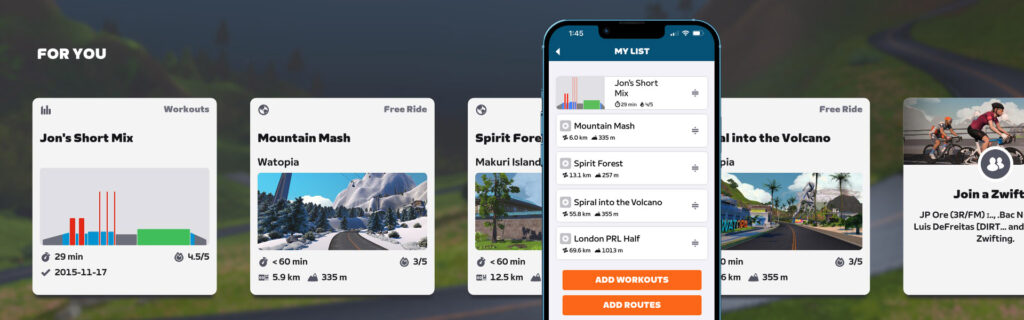
The Companion app has a “My List” tool where you can add workouts and routes which then show up on the game’s homescreen under the “For You” header. It’s a simple, straightforward tool (read all about how it works), and one handy thing about it is you can add routes to your list and easily click to ride them in game, even if that route’s map isn’t one of the three scheduled on the day.

You can even boot into the game, then pull up your Companion app, search for uncompleted routes, and add one to your list. It will immediately pop into your homescreen, where you can click it to begin riding. Easy!

Tip #2: Use Events

The downside of riding a route in an “off-schedule” map is that it will be a very lonely experience, since everyone else is riding in the “open” maps.

Whenever possible, I like to ride new routes with others in events. This ensures I always have others to ride with, which helps the time pass faster but also makes the actual ride time shorter, as I get the benefit of drafting.

Finding events for a particular unfinished route isn’t easy using Zwift’s current tools, though. Fortunately, ZwiftHacks has an events tool which you can use to filter upcoming events by route.

Tip #3: Ramp It Up

One last tip: don’t overdo it. Especially if you’re newer to cycling, you may want to plan your route badge hunting so you start with easier routes and work your way toward the longer ones. The My List tool in Companion lets you easily drag and drop routes to re-sort the list, so use this to schedule upcoming badge attempts in a sensible fashion.

Our printable list of Zwift routes by difficulty may be a helpful tool in your route badge quest. Plus, if you print it out, you get the satisfaction of checking off each route as you complete it!

You might also try alternating hard days with easy days, saving the shorter routes for your zone 1/2 recovery rides while doing a ramping-up succession of harder routes every other day.

Route Achievement Feature Requests

I’ll wrap up this post with a few feature requests for Zwift HQ to consider.

Route Prestige

The challenge of completing all the routes in Zwift is a fun one, but once you’ve done it, you sort of have to find more carrots since the achievement of finishing a route for the second or third time is much less significant than the first time.

What if Zwift could give me some sort of achievement prize when we finish all the routes? That would drive more Zwifters to work at completing every route. And with that prize, all of my route badges could (optionally?) be set back to “unfinished” so I could work to finish them all again.

This could even be grown into some sort of “route prestige” system, where riders earn a new prestige level each time they complete all badged routes currently in Zwift.

Consistent Badging

Opinions may differ, but I think route badges should only be available for free rideable routes. It’s frustrating and sometimes tedious, when I’m forced to track down an event on a particular event-only route just so I can earn that badge.

I should add that lately, Zwift has been rolling out some new routes as event-only routes with badges, then opening them up as free rideable a few weeks later. I think this is a perfectly acceptable approach.

Ride On

Route badge hunting is one of my favorite activities on Zwift, and I know lots of Zwifters are motivated by the fun of new roads and extra XP. Hopefully this post helps even more Zwifters join in the quest to finish all the routes!

Questions or Comments

Have you finished all the routes in Zwift? Is that a motivating carrot for you? Share your thoughts and any questions below!


Paris now the safest European cycling city for kids, with three UK cities making the top 20

Paris has topped a European ranking of cycling-friendly cities for children, leaving Amsterdam in second place.

Analysing 36 European cities, the report published by the Clean Cities Campaign (CCC) found Paris has been transformed into a cycling city over the past decade with another 60km of new cycling lanes added in preparation for the 2024 Olympic Games. 

The report cites Paris mayor Anna Hildago’s efforts to boost cycling in the city, alongside the introduction of a 30km/h speed limit in the French capital. 

Compiling data on ‘school streets’, safe speeds and protected cycling infrastructure, CCC put Copenhagen in third place, followed by Brussels and Lyon.

Three British cities made CCC’s top 20, with Bristol ranked 8th, Greater London 14th and Manchester just making the cut in 19th.  

“Among the leading cities, some – such as Amsterdam and Copenhagen – are widely recognised as long-standing pioneers in progressive urban mobility, having started the re-design of transport infrastructure decades ago,” the report reads. “Others – like Paris, Brussels and London – have achieved remarkable progress in just the past 10 years. This demonstrates that meaningful change is possible within a relatively short period of time.” 

The report, published yesterday, says Greater London leads in school streets, scoring 27 per cent and beating Paris by two points. 

CCC says London has created more than 500 school streets, where cycling and walking are prioritised, in less than 10 years. 

September, 2024. Bristol, United Kingdom. Street view in the center of the city with various persons and the tower of Bristol university in the background.
Bristol is the highest-ranked UK city in the report. Sami Auvinen / Getty Images

The report outlines that child mobility is an important metric because over 70 per cent of the EU population lives in cities, where 14 per cent of residents are under 14, and children are particularly vulnerable road users. 

CCC also highlights how air pollution is the leading environmental health risk for children in urban environments.

“The effects of air pollution on children’s health are well-documented. It has been linked to a range of health issues, including asthma, respiratory infections, allergies, and reduced lung function,” the report says. 

It also says that ensuring children have opportunities for active mobility in their daily routines is “essential” with research highlighting that physical activity for children improves brain health, muscular fitness, and better heart and lung health.

Despite improvements in many cities, CCC says no cities reached the A grade of 80 per cent. Paris came just short with a score of 78.9 per cent. 

CCC says the absence of city-wide roll-outs of school streets emerged as a shortcoming across the surveyed cities. 

Eight cities, primarily in southern, central and eastern Europe, received grades of E or F. These include Marseille, France’s second biggest city, Rome and Budapest. 

Sofia had the lowest score of 1 per cent. 

How to Create Decoy File System in Linux Using FUSE

A decoy filesystem is a virtual system masquerading as a real filesystem that looks like the real thing but is actually fake. Its purpose is to deceive intruders, observe attack behavior, or induce attackers to reveal their identity.

You can think of it as a “digital trap”. It can lure malicious actors into opening it.

The post How to Create Decoy File System in Linux Using FUSE appeared first on Linux Today.

WNBA Basketball 2025 Season Tips Off This Week on Quest, Featuring 20 Livestreamed Games

The 2025 WNBA season starts this week, and Meta announced it’s again livestreaming a host of season games on Quest across the Xtadium app and Horizon Worlds NBA Arena.

Quest users will be able to tune into 20 live games this season, including five games captured in 180-degree immersive video, Meta says in a news update.

Games will be hosted in the US-only Xtadium app, which includes live and on-demand games, as well as immersive video steaming. Private virtual watch parties will be available in Xtadium, while public watch parties are set to take place in NBA Arena, which you can find for free over on the Horizon Worlds social VR platform.

Starting May 27th, NBA Arena will also host WNBA-branded avatar merch, which you can buy directly in the Horizon Worlds app.

Like with a majority of syndicated sports games, geo-restrictions apply, which means some games may not be available in all regions—viewers located near the physical event may be unable to view it based on local blackouts.

  • May 18: Minnesota Lynx at Los Angeles Sparks // 3:00 pm PT
  • May 22: New York Liberty at Chicago Sky // 5:00 pm PT
  • May 27: Immersive Game: Chicago Sky at Phoenix Mercury // 7:00 pm PT
  • June 9: Golden State Valkyries at Los Angeles Sparks // 7:00 pm PT
  • June 17: Immersive Game: Las Vegas Aces at Minnesota Lynx // 5:00 pm PT
  • June 18: Phoenix Mercury at Connecticut Sun // 4:00 pm PT
  • June 24: Atlanta Dream at Dallas Wings // 5:00 pm PT
  • July 3: Immersive Game: Los Angeles Sparks at New York Liberty // 4:00 pm PT
  • July 9: Dallas Wings at Chicago Sky // 5:00 pm PT
  • July 14: Minnesota Lynx at Chicago Sky // 5:00 pm PT
  • July 16: Las Vegas Aces at Dallas Wings // 5:00 pm PT
  • July 24: Seattle Storm at Chicago Sky // 5:30 pm PT
  • August 11: Connecticut Sun at Golden State Valkyries // 7:00 pm PT
  • August 13: Chicago Sky at Connecticut Sun // 4:00 pm PT
  • August 20: Immersive Game: Dallas Wings at Los Angeles Sparks // 7:00 pm PT
  • August 21: Minnesota Lynx at Atlanta Dream // 4:30 pm PT
  • August 31: Washington Mystics at Los Angeles Sparks // 5:00 pm PT
  • September 3: Connecticut Sun at Chicago Sky // 5:00 pm PT
  • September 4: Immersive Game: Dallas Wings at Golden State Valkyries // 7:00 pm PT
  • September 10: Atlanta Dream at Connecticut Sun // 4:00 pm PT

The post WNBA Basketball 2025 Season Tips Off This Week on Quest, Featuring 20 Livestreamed Games appeared first on Road to VR.

Synth Riders Adds Blur, Radiohead & More With 90s Rock Music Pack

Synth Riders goes back to the 90s with its latest music pack, adding Blur, Radiohead and more later today.

Available from 8am PT for most supported platforms, the Synth Riders – 90s Rock Music Pack is the latest song pack themed around a particular decade following this year’s 80s Mixtape – Side B. Alongside Blur and Radiohead, this paid DLC pack also features a song from Red Hot Chili Peppers, Soundgarden, and The Presidents of the United States of America.

0:00

/0:53

Similar to previous packs, you can get each song individually for $1.99 or as a bundle for $7.99. Here’s the full 90s Rock Music Pack track list.

  • Red Hot Chili Peppers – Give It Away
  • Blur – Song 2
  • Soundgarden – Black Hole Sun
  • Radiohead – Creep
  • The Presidents of the United States of America – Lump

Today’s news follows the recent Synth Riders Challenges+ update back in April, which introduced power-ups previously seen in multiplayer battles to asynchronous Challenges. Themed on the premise of aliens messing up your run, this includes modifiers like missiles you need to punch or dodge, or on-screen notes disappearing or changing colors.

Synth Riders – 90s Rock Music Pack is out today on Quest, Steam, PlayStation VR2, and Apple Vision Pro.

How to turn your old iPhone into an alarm clock

Getting a new phone might leave you wondering what to do with your old one. Trading it in, particularly for credit towards your new handset, is ideal and could make a future refurbished shopper happy. But if the trade-in value isn’t worthwhile to you and you’ve been wondering what else your retired pocket computer can do, we have a few ideas. One suggestion is to turn it into a dedicated alarm clock. Yes, you can absolutely use your new phone for that purpose — you probably already do. But there are clear advantages to using your decommissioned device instead. Here’s how to upcycle your old iPhone into an alarm clock.

What’s the point?

Stuffing a retired gadget in a drawer does nothing — except make you half-heartedly contemplate doing something with it each time you open said drawer. Recycling is a valid option, but even if your old handset isn’t as speedy as your new one, it’s almost assuredly more powerful than any sleep machine or smart alarm clock on the market. And with the setup tips detailed here, it can actually perform more advanced functions, too.

Plus, using your current phone when you’re trying to sleep is perilous. I’ve never picked up my phone without getting distracted. Finally, with on-again, off-again tariffs making electronic gadgets harder to come by for a good price, rethinking what an existing device can do is intelligent alchemy.

First, delete everything

OK, not everything. But the idea is to make your phone as unexciting as possible — no Instagram, no Monument Valley, no Photos memories from last year’s road trip. Your iPhone won’t let you delete certain apps, such as Phone, Messages, the App Store and others — but you can hide them from your home screen so they’ll only pop up if you search for them.

You’ll still need a few apps to create your alarm clock, so don’t delete or hide the following:

  • Clock

  • Music (and iTunes store if you don’t pay for Apple Music)

  • Shortcuts

  • Health

  • Settings

Upcycle your iphone to an alarm clock
Make your phone look exactly as boring as this.
Amy Skorheim for Engadget

Set a personalized alarm tone

If you’d rather wake up to something more pleasant than the Clock app’s chirps and bleeps, pick a personalized sound instead.

1. Set your sleep schedule in Health. Apple requires you to set your Sleep Schedule in the Health app before you can set an alarm in the Clock app.

2. Download a song. Theoretically, you can use any song you have downloaded to your phone as a sound for your alarm. But I couldn’t get it to work with any song that supported Dolby Atmos or Lossless audio (even if I turned those options off in Settings > Music > Audio).

But standard quality songs worked great. If, like me, you’re not a heavy sleeper, you might like something like singing bowls or a meditative flute. If you need the thunder of the gods to wake you, perhaps go for something more rousing.

3. Set your alarm. Open the Clock app and select the Alarms tab. Set your alarm as usual. Then tap Sound > Pick a song > Downloaded > and select the (non Lossless!) song you desire. Hit Save.

4. Turn off vibrate. If you don’t want your phone to vibrate when it plays your alarm, turn the Haptics option to Never Play in Settings > Sounds & Haptics.

Screenshots of how to set a custom tone for your alarm.
Tap Sound then select any downloaded song as your alarm sound. Just be sure not to select a Lossless or Dolby Atmos track.
Amy Skorheim for Engadget

Make some (white) noise

My favorite thing about my sleep machine is the ambient music it plays as I drift off into slumber. Unsurprisingly, your old iPhone is capable of playing lulling tunes as well. And if white noise helps you stay in dreamland, you can program your phone to play those sounds, too. A combination of Shortcuts and Automations will make your sleep routine play automatically so you don’t have to touch your screen at all.

1. Build a sleepytime playlist. Open Apple Music and make a playlist. (Unfortunately, Shortcuts doesn’t work with Spotify.) I populated Amy’s Sleepytime Mix with songs from Apple’s Ambient Chill and Pure Ambient playlists. I made the set about 30 minutes long because that’s a little longer than it takes me to drift off.

2. Turn off Autoplay. It’s pretty jarring when you’re drifting off and your dreamy playlist morphs into some algorithmically selected oontz oontz banger. To turn Autoplay off:

  • Play any track in Apple Music.

  • Tap the name of the song to enlarge the album cover and track controls.

  • Tap the three lines at the bottom right. You’ll now see upcoming tracks and three buttons at the top of the list: crossed arrows (shuffle), looped arrows (repeat) and an infinity symbol (Autoplay).

  • Toggle Autoplay off so it’s greyed out.

Upcycle your old iphone to an alarm clock
Tap the song that’s currently playing to access the Autoplay option (left). Tap the infinity symbol at the top of the screen to toggle Autoplay off (right).
Amy Skorheim for Engadget

Note: Turning Autoplay off turns it off across ALL your Apple devices. If you like it when Apple keeps the tunes flowing after a playlist ends, you’ll have to complete a side quest, which is detailed at the end of this post.

3. Pick your white noise sound. An accessibility feature gives you the option of eight different white noise sounds, including Rain, Ocean, Fire and Night (with more functions coming soon).

  • Open the Settings app

  • Tap Accessibility

  • Tap Audio & Visual

  • Tap Background Sounds

  • Toggle Background Sounds on

  • Tap Sound then pick your favorite

  • Press back and toggle Background Sounds back off

  • Toggle on Use When Media Is Playing

  • Toggle off Stop Sounds When Locked

3. Create a Shortcut. This will make your phone play your playlist with white noise beneath it (which softens song transitions) and when the playlist ends, the white noise continues.

  • Open Shortcuts and tap All Shortcuts, then tap + in the upper right

  • Search for the term “volume,” tap Set Volume and choose a percentage, such as 25-percent or your desired level

  • Search for “background,” tap Set Background Sounds. The shortcut should read: [Turn] [Background Sounds] [On]

  • Search for “play” and tap Play Music

  • Tap Music > Library > Playlist > [Your sleepy time mix]. Then tap the tiny ⊕ in the upper right

  • Tap the arrow next to the Shortcut title at the very top to rename your shortcut, perhaps something like Sleep Routine or Night Night.

  • Tap Done.

4. Trigger your Shortcut with an Automation. To run your Shortcut, you can just ask Siri by saying “Hey Siri, Night Night” (or “Hey Siri, Sleep Routine” or whatever you named the above shortcut). But if you want your routine to start at the same time each night, create an automation.

  • In the Shortcut app, tap the Automation tab at the bottom

  • Tap + to create a new Automation

  • Tap Time of Day and enter your preferred start time and days

  • Make sure there’s a checkmark near Run Immediately (and not Run After Confirmation) and keep Notify When Run toggled off

  • Tap Next

  • If you don’t see the name of the Shortcut you created at the top, search for its name and tap on it

Upcycle your old iphone to an alarm clock
Create a Shortcut that sets the volume, turns on white noise and plays a playlist (left). Set an Automation that automatically runs the Shortcut at bedtime (right), or just say “Hey Siri…” and the name of your shortcut.
Amy Skorheim for Engadget

5. Turn off Background Sounds. Whether you want your white noise to play all the way up to your alarm or just for an hour or two, it’s wise to create an automation to turn it off so you don’t have to do it manually.

  • Create a new Shortcut

  • Search for “background”

  • Tap Set Background Sound

  • Tap [On] to [Off] so the Shortcut reads [Turn] [Background Sounds] [Off]

  • Rename the Shortcut: Background Sounds Off

  • Hit done

  • Create a new Automation in the Automation tab

  • Tap Time of Day

  • Set it for your alarm time or a couple hours after you’re usually asleep

  • Tap Run Immediately and make sure Notify When Run is toggled off

  • Hit done and choose the shortcut you just made (Background Sounds Off)

Upcycle your old iphone to an alarm clock
To enable an Automation that turns off Background noises (left) first, create a Shortcut that turns Background Sounds Off (middle). You can change which background sound you want in Settings > Accessiblity > Audio & Visual (right).
Amy Skorheim for Engadget

Stand it up

Phones running iOS 17 or later have StandBy mode, which displays your choice of stylized clock faces when the handset is charging and oriented horizontally. To enable StandBy:

  • Open Settings

  • Tap StandBy and toggle it on

  • Toggle on Night Mode (This makes the clock dimmer when it’s dark in the room)

If you put your phone in a stand, it’ll look a lot like an alarm clock (and be easier to see from afar). Whether you use a MagSafe wireless stand or a basic stand-and-cord combo, your new alarm clock (aka old phone) will likely be plugged in all the time. So you may want to change your battery settings to keep it from reaching 100 percent. (Being fully charged or fully empty is what strains batteries the most). To do that:

  • Open Settings

  • Tap Battery

  • Tap Charging

  • Set Charge Limit to 80 percent

Upcycle your old iphone to an alarm clock
Putting your phone on a stand and plugging it in enables StandBy mode and makes it look like a real alarm clock!
Amy Skorheim for Engadget

Side quest: Make your sleep playlist stop without turning off Autoplay

Some people like it when the algorithm tries to keep the party going with related songs after a playlist ends. But, playing random music all night probably isn’t great for sleep. The good news is, you can set a timer to have your sleep tunes play for a specified period, so it ends on its own without you having to disable Autoplay across all your devices.

  • Note the length of your playlist

  • Open the Clock app and tap the Timers tab

  • Tap When Timer Ends and scroll down to and tap Stop Playing

  • Tap Set

  • Open Shortcuts and edit your night time routine by tapping the three dots in the Shortcut card (the one with your playlist and Background sounds)

  • Search for “timer”

  • Tap Start Timer

  • Enter the length of your playlist in the Duration field

  • Tap Done

Because the Background Sounds are a setting and not technically media that’s playing, your white noise selection will still play until the automation that ends it runs.

This article originally appeared on Engadget at https://www.engadget.com/mobile/smartphones/how-to-turn-your-old-iphone-into-an-alarm-clock-110001148.html?src=rss

Pirates VR: Jolly Roger Is Out Now On PlayStation VR2

Pirates VR: Jolly Roger is going treasure hunting today on PlayStation VR2.

Developed by Split Light Studio, Pirates VR: Jolly Roger previously released on Steam in January, and the action adventure game is now available on Sony’s headset. Having reached a strange Caribbean island with your reliably sarcastic parrot companion, you’re tasked with exploring this cursed location by fighting off undead pirates, exploring strange ruins and solving puzzles.

Today’s PlayStation VR2 port features a few new additions, too. Haptic feedback has been implemented for both the headset and Sense controllers alongside adaptive trigger support, and there’s a new introduction scene set in a pirate bar. However, as previously confirmed by publisher VRKiwi, there are “no plans yet” to bring this new introduction scene to the Steam release.

We’ve not had the chance to go hands-on yet with the PlayStation VR2 port, though we had mixed opinions in our Pirates VR: Jolly Roger review back in January on PC VR. While we criticized some design issues and shallow combat, we still found a “colorful” adventure with rewarding exploration.

Pirates VR: Jolly Roger is out now on PlayStation VR2 and Steam.

Pirates VR: Jolly Roger Review – Colorful Adventure With Shallow Combat
Pirates VR: Jolly Roger presents an enjoyable lighthearted VR adventure, though it’s hampered by shallow combat.
UploadVRHenry Stockdale

‘VRChat’ Opens New Marketplace for Buying and Selling VR Avatars

VRChat announced it’s officially opened its own Avatar Marketplace, allowing users a centralized way to buy and sell avatars from within the social VR platform.

Users have been able to visit VRChat worlds and directly buy and sell avatars for a while, however the company has now rolled out a centralized marketplace to make it easier to find and purchase avatars.

Users can browse avatars via the ‘Avatars’ tab, letting you try on avatars before spending VRChat Credits, the app’s premium currency. VRChat Credits can also be used to purchase virtual items, exclusive roles, group instances, unlockable features, and paid subscriptions to user-generated worlds.

“The store will launch with an initial installment of high-quality avatars. We expect this number to grow rapidly as creators move their wares to the Marketplace,” says VRChat Senior Community Manager ‘Strasz’ in a news update.

VRChat also now lets users see an avatar’s performance ranking before buying, as well as know when another user has obtained their avatar through the Marketplace.

Notably, the studio says its Avatar Marketplace isn’t replacing the ability to upload your own avatar via Unity, or the ability for users to sell their avatars on other platforms, such as popular third-party marketplaces like Booth or Gumroad.

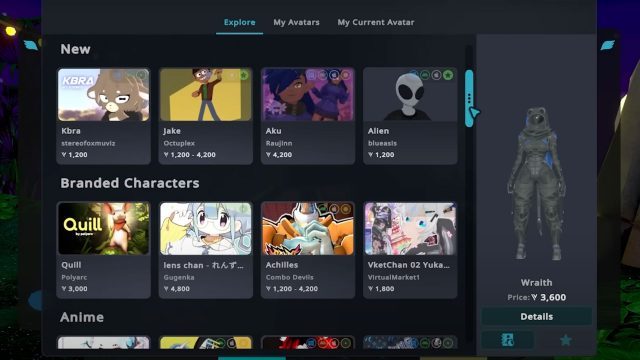
In addition to the usual cohort of user-generated avatars, the Avatar Marketplace is also now hosting branded avatars, such as ‘Quill’ from Polyarc’s VR adventure series Moss, ‘Achilles’ from platform-fighting game Combo Devils, and Lens Chan from Gugenka.

VRChat’s Avatar Marketplace will be limited to select sellers at first, the studio says, with perspective sellers requiring to go through the same onboarding process as Creator Economy sellers, which includes a number of requirements to allow you to earn VRChat Credits and convert them into USD. After that, sellers submit their avatar to the Marketplace for manual review.

“We intend to release the foundations of the Avatar Marketplace system shortly. After launch, we’ve already planned some immediate improvements — think tag search and filtering, along with other ways to make browsing through the avatars on the Marketplace a lot easier,” Strasz says. “We also intend to simplify the buyer’s journey, smoothing out the purchasing process. We’ll also be continuously onboarding new sellers into the system, increasing the number of avatars actually in the Marketplace.”

Founded in 2014, VRChat brings together VR and non-VR users in user-generated worlds across PC, PC VR headsets, Meta Quest, Pico headsets, and Android mobile devices. At the time of this writing, the platform now boasts over 40,000 concurrent users across its Steam client alone, according to SteamCharts.

The post ‘VRChat’ Opens New Marketplace for Buying and Selling VR Avatars appeared first on Road to VR.

Pinball FX VR Gets Nine New Williams Tables Today

Pinball FX VR released nine new Williams tables today on Quest.

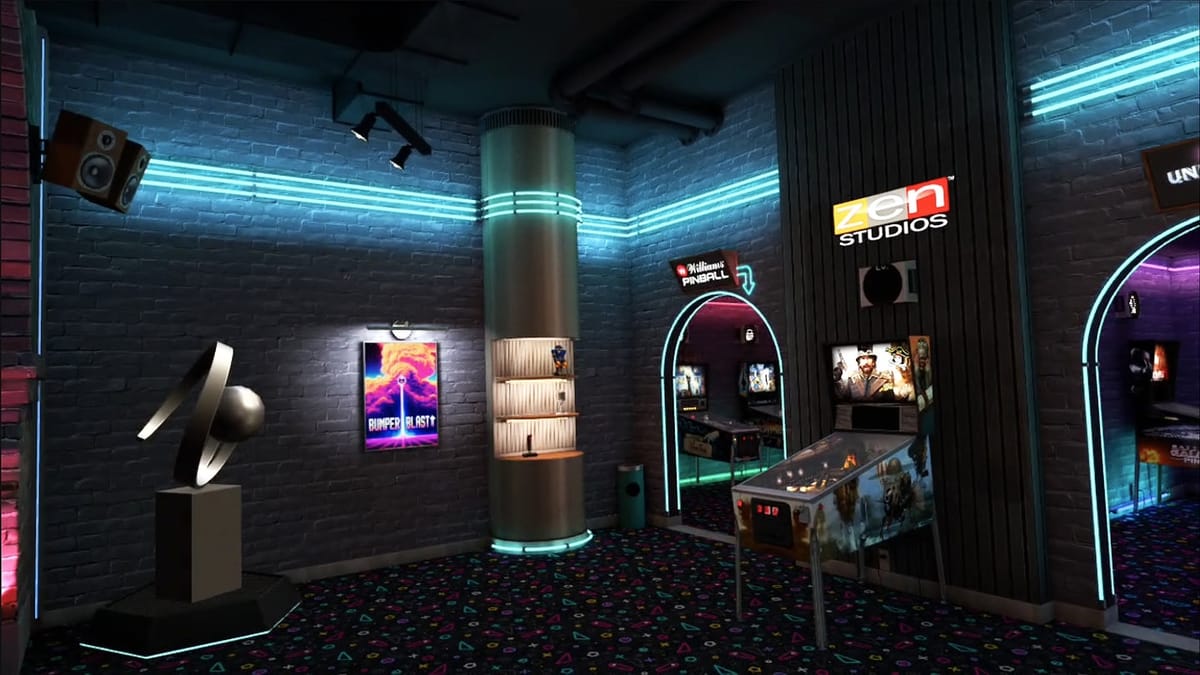
For the unfamiliar, Williams is one of the world’s most prolific pinball machines manufacturers, and they continued making tables until the division’s closure in 1999. Unsurprisingly, it’s consistently collaborated with Zen Studios across the years to adapt the manufacturer’s different tables. For Pinball FX VR, the latest DLC is being split across three different packs with three tables each.

0:00

/1:17

Each of these tables first appeared in the ’90s, and Volume 1 includes The Getaway: High Speed II, Junk Yard, and Medieval Madness. Volume 2 features Black Rose where you traverse the high seas, Attack from Mars that’s inspired by ’50s sci-fi, and the Party Zone. Finally, Volume 3 comes with Theatre of Magic, Safe Cracker, and a boxing-themed table called The Champion Pub.

Today’s launch follows recent news that Pinball FX VR will also receive Tomb Raider DLC next month. These tables, called Tomb Raider Pinball: Adventures of Lara Croft and Tomb Raider Pinball: Secrets of Croft Manor, will bring key locations and set pieces from the series, and this follows other notable crossovers like Star Trek and Indiana Jones.

Pinball FX VR game is available now on Quest, and all three volumes cost $9.99 each.

Pinball FX VR Review: A Promising Yet Pricey Commitment
Pinball FX VR gets pretty close to the illusion of playing pinball in a real arcade.
UploadVRDiego Nicolás Argüello

CoreWeave To Spend Up To $23 Billion This Year To Tap AI Demand Boom

Nvidia-backed CoreWeave plans to spend up to $23 billion this year on AI infrastructure and data center capacity, as it aims to meet the booming demand from clients. Reuters reports: The heavy spending plan weighed on its shares, which fell 5% after surging as much as 11% on better-than-expected revenue in its first results as a public company after debuting on the Nasdaq in March. The company’s projected capital expenditure of between $3 billion and $3.5 billion for the second quarter was way above its revenue expectation of $1.06 billion to $1.1 billion. “While the revenue from Microsoft is likely secure for the next three years, CoreWeave represents overflow capacity for Microsoft, which may not need that capacity in the future,” D.A. Davidson analyst Gil Luria said.

The company’s revenue backlog was $25.9 billion as of March 31, with its five-year deal with OpenAI adding $11.2 billion to the pile up. As part of the deal signed in March, CoreWeave will provide AI infrastructure to OpenAI, while the ChatGPT maker will get a stake. CoreWeave expects annual revenue of $4.9 billion to $5.1 billion, above analysts’ expectation of $4.61 billion, according to data compiled by LSEG. It reported revenue of $981.6 million for the first quarter, beating the estimate of $852.9 million.


Read more of this story at Slashdot.

Trump Tells Apple CEO To Avoid Manufacturing in India

U.S. President Donald Trump said he has told Apple CEO Tim Cook to stop expanding manufacturing operations in India despite New Delhi offering a “no-tariff deal” to the United States, a move that could impede India’s aspirations to become a global technology manufacturing hub.

“I had a little problem with Tim Cook yesterday,” Trump said during his state visit to Qatar, referring to the Apple chief executive. “He is building all over India. I don’t want you building in India. India can take care of itself.”

Apple has significantly increased its Indian manufacturing footprint, assembling $22 billion worth of iPhones in India during the 12 months through March. Apple said earlier this month a majority of its devices shipped into the U.S. in the June quarter will originate in India and Vietnam.


Read more of this story at Slashdot.

Standert ‘revolutionises’ aluminium race bikes with overhauled aero Kreissäge RS

Standert has overhauled its Kreissäge RS and says the new model promises to “revolutionise the way we think about aluminium race bikes.” 

The previous Kreissäge RS launched back in 2022. Standert says that the geometry is “about all that remains” with this updated version, having taken everything back to the drawing board.

Now the bike features aero-optimised tubes, increased tyre clearance and a host of other changes. 

Max Von Senger, Standert’s CEO and founder, says: “The Kreissäge RS has always been about defining our own standards. It’s about showing what metal bikes can do, about being different in a sea of black plastic, and about having fun, while putting in the hard work.”

New tube shapes

The tube shapes are striking for an alloy bike. Standert / Poster CA

There is one obvious difference between the new and older version of this aluminium road bike.

Gone is the horizontal top tube, and in its place is a sloping tube for better power transfer and seatpost compliance, according to Standert.

Otherwise, the differences are more subtle. Instead of round tubes, the new Kreissäge RS has new tube shapes. The top tube appears to be ovalised, and the head tube now has a drastic hourglass shape. 

Standert says these custom-engineered tubes give the new Kreissäge RS “significant aerodynamic improvements, enhancing speed and efficiency” – although no stats or numbers to substantiate these claims were provided at launch.

Scandium from Dedacciai 

Standert’s tubing is supplied by Dedacciai . Standert / Poster CA

Like the previous Kreissäge RS, this new model uses scandium tubing, which is supplied exclusively to Standert from Italian manufacturer, Dedacciai.

The scandium and aluminium alloy is said to give an “otherwise impossible strength-to-thickness ratio” to the bike. 

The alloy means it can have thinner and therefore lighter tubing for “a ride feel unmatched by aluminium alone.” 

Further improvements – and a whopping tyre clearance 

The bike now has clearance for 35mm tyres. Standert / Poster CA

Standert has widened the Kreissäge RS’s T47 bottom bracket shell, with the brand stating this aids stiffness.

The wider bottom bracket also facilitates one of the bike’s most appealing updates. Previously the Kreissäge RS could fit 700x30mm tyres, but the new bottom bracket design means it can fit 700x35mm tyres. 

This whopping tyre clearance brings the Kreissäge RS in line with many of the best endurance road bikes – and even the best aero road bikes – which now fit wider rubber for greater comfort and potentially improved rolling resistance. 

Cables are routed through the head tube. Standert / Poster CA

Elsewhere, Standert has opted to make the bike’s headset bearings internal “to increase longevity and reduce weight.” 

The bike also features a SRAM Universal Derailleur Hanger, which is appearing on more and more road bikes. 

“It’s becoming the standard and is available in almost every bike shop in the world, future-proofing the frame for any direct or full mount option Sram and Shimano might come up with,” Standert says.  

How much does it cost?

The new Kreissäge RS costs a bit more than its predecessor, with the price of a frameset increasing by roughly €200 to €1,999. 

The bike will be available via Standert’s custom programme. But the brand says an example of a complete bike with Shimano Ultegra and DT Swiss Arc 1400 wheels will cost €6,299. 

The new Kreissäge RS costs a bit more than its predecessor, with the price of a frameset increasing by roughly €200 to €1,999. 

The bike will be available via Standert’s custom programme. But the brand says an example of a complete bike with Shimano Ultegra and DT Swiss Arc 1400 wheels will cost €6,299. 

Intel Xeon 6 CPUs make their name in AI, HPC

There isn’t a datacenter workload whose performance or efficiency isn’t improved by using Xeon 6 chipsPartner content IT environments today have a passing resemblance to those from 15 or 20 years ago, when enterprise workloads mostly ran on industry standard servers connected through networks and into storage systems that were all contained within the four walls of a datacenter, where performance as the name of the game and was protected by a perimeter of security designed to keep the bad guys out. …

What’s the Best Way to Treat Addiction in 2025? The Answers Are Finally Getting Clearer

Addiction doesn’t always look the way people expect. It isn’t just someone falling asleep in a parking lot or disappearing for days. It can also be a sharp-dressed professional who hits their targets at work, smiles on Zoom calls, and quietly crumbles when no one’s watching. Behind closed doors, addiction slips into every kind of life — not just the ones that scream “trouble.” And in a digital world where everything moves at full speed, treatment options have had to evolve to keep up.

Today’s addiction treatment landscape isn’t built just for the stereotypical cases. It’s becoming more adaptable, more nuanced, and yes, more effective — especially when it’s taken seriously early on. But cutting through the noise and understanding what actually works can feel like trying to fix a leaky pipe with 12 different kinds of tape. So let’s get into it — the real types of treatment that are actually helping people get their lives back, one day at a time.

Why People Need Different Kinds of Help, Not Just One

No two addictions are exactly alike. That’s part of what makes treatment tricky — and part of what makes it so personal. Some people are struggling with alcohol, some with prescription medication, some with stimulants, and some with a combination of substances. What’s more, people come into recovery with different backgrounds, different work pressures, and very different reasons for using in the first place.

There’s no one-size-fits-all fix, and that’s probably a good thing. One person might benefit from a 30-day inpatient program with full medical supervision. Another might need something much less intense but more flexible, like outpatient counseling sessions built around their job. Searching rehab sites for more info is a great place to start, especially for professionals who work for companies such as Boeing, Sysco, or AstraZeneca and don’t want to broadcast what they’re going through. Quiet research opens the door. It’s the first move that tells the brain, “You’re not ignoring this anymore.” And that simple step can make all the difference.

Outpatient Programs Are Quietly Transforming Recovery

Outpatient care used to be seen as the easier, softer way — something you did if you weren’t “that bad.” But that attitude has shifted, fast. These days, outpatient treatment is one of the most respected ways to treat addiction, especially for people who need to stay functional while they heal. That might mean a person continues showing up to work while they also attend therapy sessions, peer support meetings, or even medication appointments.

This model works well for people who are in high-pressure jobs, especially in tech and business, where taking 30 days off to disappear might not be a real option. Outpatient treatment respects the life someone has already built — and helps them protect it, rather than dismantling it. It leans heavily on accountability, structured support, and community, all without pulling someone out of their daily rhythm. And for many people, that makes it sustainable in the long run.

That said, this only works if someone is genuinely committed. The flexibility can be a gift or a trap, depending on how much someone wants recovery. The people who make real progress are the ones who show up, again and again, even when they’re tired or frustrated or tempted. They take the structure seriously. They participate fully. And eventually, they start taking control of their choices again — not all at once, but steadily.

Inpatient Programs Still Matter — Especially for Breaking the Cycle

For people who are physically dependent on substances or caught in a pattern of daily use, inpatient programs can be life-saving. These are the settings where people step away from their normal environments completely. It’s not just about detoxing in a medical setting. It’s about pressing pause on the chaos and giving the brain a chance to reset, with real clinical support and 24/7 monitoring.

This kind of treatment is intense by design. It forces someone to slow down. To sleep. To eat. To start noticing how their body actually feels without the blur of a substance. Many inpatient centers also build in group therapy, one-on-one counseling, and educational workshops — not to “fix” someone overnight, but to help them understand what made them vulnerable in the first place. There’s a big difference between abstaining and healing, and inpatient work leans into the second one hard.

Yes, it can be expensive. Yes, it requires time away from regular life. But for many people, that interruption is exactly what they need. There’s no Wi-Fi in your old patterns. Stepping out of them, even briefly, can be what finally makes a long-term change possible.

Tech-Supported Recovery Is Quietly Becoming the New Normal

This part often surprises people: some of the strongest tools in addiction recovery today live on your phone. Whether it’s daily check-in apps, remote therapy sessions, secure group chat platforms, or calendar-based tracking tools, digital support is showing up big in the recovery space. It’s not meant to replace in-person help — but for people who don’t live near treatment centers, or who are managing life on the go, it can be a lifeline.

Think of it like scaffolding. Digital tools let people track patterns, vent to a support group, or attend a Zoom meeting at midnight when things get hard. And because these tools are available 24/7, they remove one of the biggest hurdles: waiting for the right moment. Recovery doesn’t happen only during business hours. A lot of the hardest moments happen late at night, early in the morning, or on a random Tuesday when everything feels like too much. Being able to log on and talk to someone, even briefly, can be what keeps a person from relapsing.

It’s also a reminder that addiction treatment isn’t about removing technology — it’s about rethinking how it’s used. For people who spend their entire day plugged in, tech-based support feels intuitive. It feels like something you can actually do. That ease of access matters.

Long-Term Support Is the Piece That Holds It All Together

Treatment isn’t something that ends when you walk out of a clinic or finish your last therapy appointment. In fact, what happens after the formal treatment ends is often what determines whether someone stays sober. Long-term support isn’t flashy, and it’s not always interesting to talk about, but it’s the foundation. That can mean continuing therapy. It can mean joining recovery-based communities or getting a sponsor. It might even mean finding a sober coach or attending check-in appointments regularly for months.

The goal isn’t perfection. The goal is learning how to live your life — real life, with its emails and its bills and its surprise chaos — without needing to escape it every time something feels hard. And that takes practice. Nobody masters it in 30 days. But the people who build systems around their sobriety, who stay connected, who stay honest, are the ones who actually make it stick.

Because recovery isn’t about becoming a different person. It’s about becoming yourself, without the thing that used to blur everything.

Real Recovery, Real Lives

Addiction treatment isn’t what it used to be. It’s more flexible, more varied, and more in tune with what real people actually need. Whether it’s outpatient structure, inpatient care, tech-based tools, or long-term support, there’s no wrong door — only the door you walk through. And the sooner someone walks through it, the more life they have waiting on the other side.

Written by Lara Harper

First US Hub For Experimental Medical Treatments Is Coming

Montana has passed a bill allowing licensed clinics to offer experimental medical treatments that haven’t been approved by the FDA, provided the drugs have passed phase I safety trials. MIT Technology Review reports: The bill, which was passed by the state legislature on April 29 and is expected to be signed by Governor Greg Gianforte, essentially expands on existing Right to Try legislation in the state. But while that law was originally designed to allow terminally ill people to access experimental drugs, the new bill was drafted and lobbied for by people interested in extending human lifespans — a group of longevity enthusiasts that includes scientists, libertarians, and influencers. These longevity enthusiasts are hoping Montana will serve as a test bed for opening up access to experimental drugs. […]

Supporters of the bill say it gives individuals the freedom to make choices about their own bodies. At the same event, bioethicist Jessica Flanigan of the University of Richmond said she was “optimistic” about the measure, because “it’s great any time anybody is trying to give people back their medical autonomy.” Ultimately, they hope that the new law will enable people to try unproven drugs that might help them live longer, make it easier for Americans to try experimental treatments without having to travel abroad, and potentially turn Montana into a medical tourism hub.

But ethicists and legal scholars aren’t as optimistic. “I hate it,” bioethicist Alison Bateman-House of New York University says of the bill. She and others are worried about the ethics of promoting and selling unproven treatments — and the risks of harm should something go wrong. […] At any rate, the clinics are coming to Montana, says [Dylan Livingston, founder and CEO of the Alliance for Longevity Initiatives]. “We have half a dozen that are interested, and maybe two or three that are definitively going to set up shop out there.” He won’t name names, but he says some of the interested clinicians already have clinics in the US, while others are abroad.”

Mac Davis — founder and CEO of Minicircle, the company that developed the controversial “anti-aging” gene therapy — told MIT Technology Review he was “looking into it.” “I think this can be an opportunity for America and Montana to really kind of corner the market when it comes to medical tourism,” says Livingston. “There is no other place in the world with this sort of regulatory environment.”


Read more of this story at Slashdot.