Google’s New Accessibility Features Will Finally Make Small Text Easier to Read on Mobile

Ahead of Google I/O 2025, which starts on May 20, the company has announced a few big accessibility focused features for Android and Google Chrome. Among these are improvements to the Android screen reader, more expressive captions, and easier to read text in Chrome for Android. This follows Apple’s recent accessibility focused announcements, with both companies’ posts timed to mark Global Accessibility Awareness Day (May 15). Here are the best new accessibility features coming to Android and Chrome.

Improved screen reader on Android

TalkBack with Gemini integrated on Android.

Credit: Google

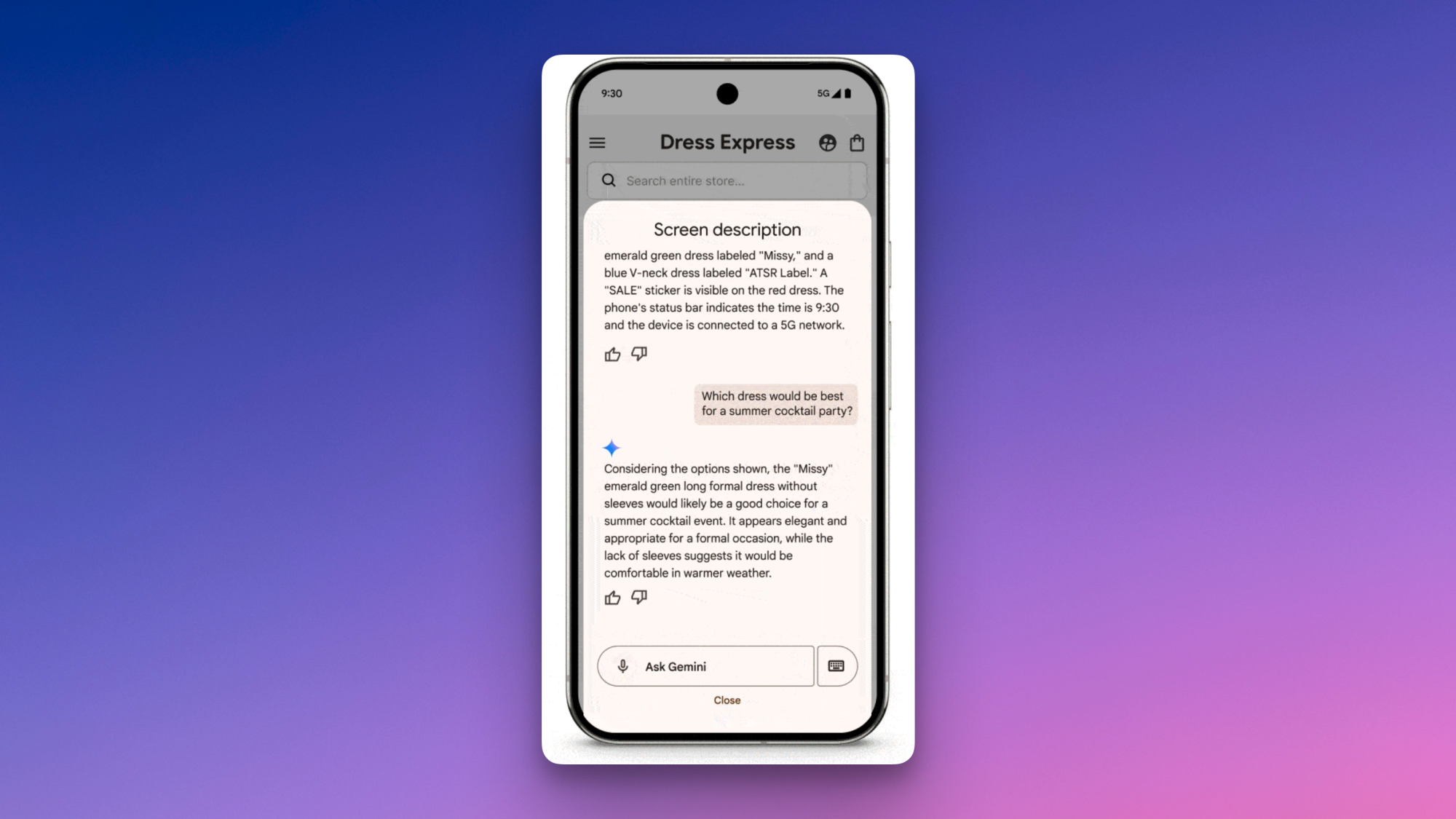
TalkBack is Android’s screen reader, and while it’s had Gemini AI integration for a while now, it’s getting a few updates. Previously, the AI could generate descriptions of onscreen images even if they didn’t have alt text (which is what normally allows screen readers to describe images). Now, Google is expanding its feature set to include question and answer support for images. This should help users learn more about whatever’s pictured, such as the make and model of a product, if discounts are available for it, and what else is in the photo. You could even use TalkBack to ask Gemini to look at clothes on a shopping website and recommend the best pick for a certain occasion, Google suggests.

Captions will convey more emotions

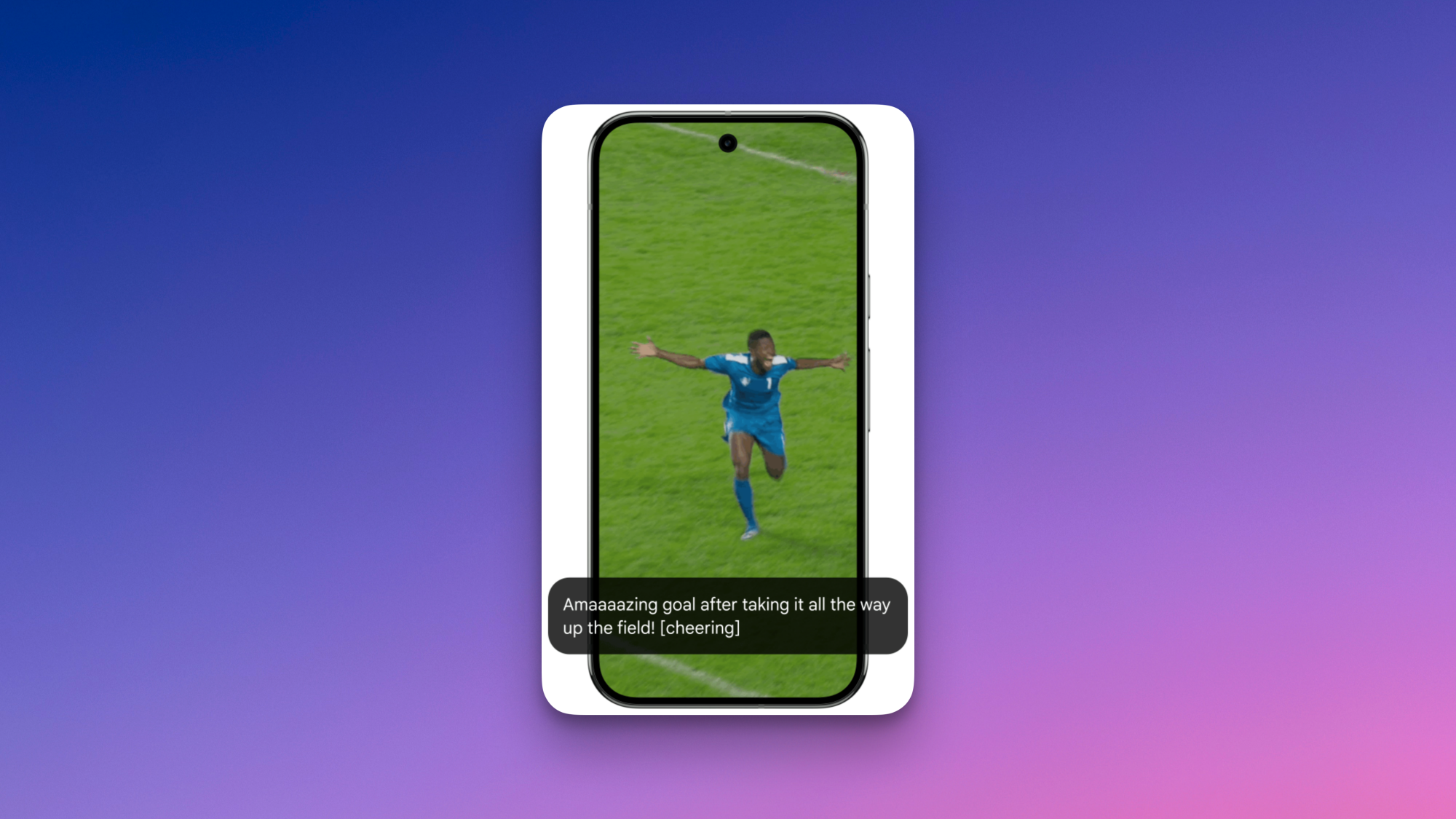
Expressive Captions on Android.

Credit: Google

When you’re watching a sports game with captions enabled, the text doesn’t always convey the emotion behind the commentary. If a player scores an unbelievable goal, the commentator may say, “Gooooooooooaaaaaalllll,” but the captions will often turn that into a much more stoic “Goal (cheering).” Google is aiming to address that with Expressive Captions, which uses AI to capture how someone is speaking, and not just what they’re saying. The company also says that Expressive Captions will display more labels for sounds, including whistles and throat clearing. This feature is rolling out to devices running Android 15 or newer, and will work for English captions in four regions—Australia, Canada, UK, and the US.

Read small text easily in Chrome for Android

Google is trying to make it easier to read text in Chrome for Android. If you find the default font size too small, Chrome’s new Page Zoom feature will allow you to increase the font size without zooming in on the rest of the website. Google says you’ll be able to customize your adjustments and save your preferences for all websites.

Better screen reader support for PDFs in Chrome

In Chrome for desktop, Google is adding the ability to use a screen reader to interact with scanned PDFs. Chrome will use OCR (Optical Character Recognition) to identify scanned pages and let you use a screen reader to select, highlight, copy, and search text.

Red Dead Redemption 2 could be coming to Switch 2 this year

Third-party support was a big theme of the Switch 2 reveal earlier this year, with many publishers seemingly keen to capitalize on both the popularity of the outgoing Switch and the significantly increased horsepower of its imminent successor. And if you’re looking to get third-party games on your new system, they don’t come much much bigger than Red Dead Redemption 2, which could be making its way to Nintendo’s new console later this year.

Gamereactor says it has heard from sources close to Rockstar (which it then corroborated with other sources) that the enormous open-world Western that first released in 2018 is bound for Switch 2, and could arrive either at the same time, or after, a long-rumored next-gen update for the PS5 and Xbox Series X. Red Dead Redemption 2 is of course currently playable on both of those platforms, but unlike GTA 5, it’s never been patched to support the higher frame rates and fidelity afforded by the newer hardware.

This should by no means be taken as an official announcement, but Rockstar has supported the current Switch pretty well throughout its life cycle, releasing ports of L.A. Noire, the original 3D Grand Theft Auto trilogy, and most recently the first Red Dead Redemption. If the Switch 2 can run its sequel, it’s a pretty safe bet to assume that Rockstar would want to do it, and the console is likely to be roughly equivalent in power to the base model PS4, according to Digital Foundry. It goes without saying that we’ll know a lot more about how the Switch 2 performs when the console is in the wild and put through its paces. 

Both a Nintendo Switch 2 port and current-gen patch for Red Dead Redemption 2 would be a good way for Rockstar to bridge the gap between now and the release of GTA 6, which was recently delayed until May 2026. With a 97 percent score on Metacritic, RDR2 is one of the developer’s most acclaimed titles to date, and you can be sure that a lot of people would happily hop back into the cowboy boots of Arthur Morgan while they wait to return to Vice City.

This article originally appeared on Engadget at https://www.engadget.com/gaming/red-dead-redemption-2-could-be-coming-to-switch-2-this-year-161043422.html?src=rss

Meta argues enshittification isn’t real in bid to toss FTC monopoly trial

Meta thinks there’s no reason to carry on with its defense after the Federal Trade Commission closed its monopoly case, and the company has moved to end the trial early by claiming that the FTC utterly failed to prove its case.

“The FTC has no proof that Meta has monopoly power,” Meta’s motion for judgment filed Thursday said, “and therefore the court should rule in favor of Meta.”

According to Meta, the FTC failed to show evidence that “the overall quality of Meta’s apps has declined” or that the company shows too many ads to users. Meta says that’s “fatal” to the FTC’s case that the company wielded monopoly power to pursue more ad revenue while degrading user experience over time (an Internet trend known as “enshittification”). And on top of allegedly showing no evidence of “ad load, privacy, integrity, and features” degradation on Meta apps, Meta argued there’s no precedent for an antitrust claim rooted in this alleged harm.

Read full article

Comments

This Mini 4K Laser Projector Is $300 Off Right Now

We may earn a commission from links on this page. Deal pricing and availability subject to change after time of publication.

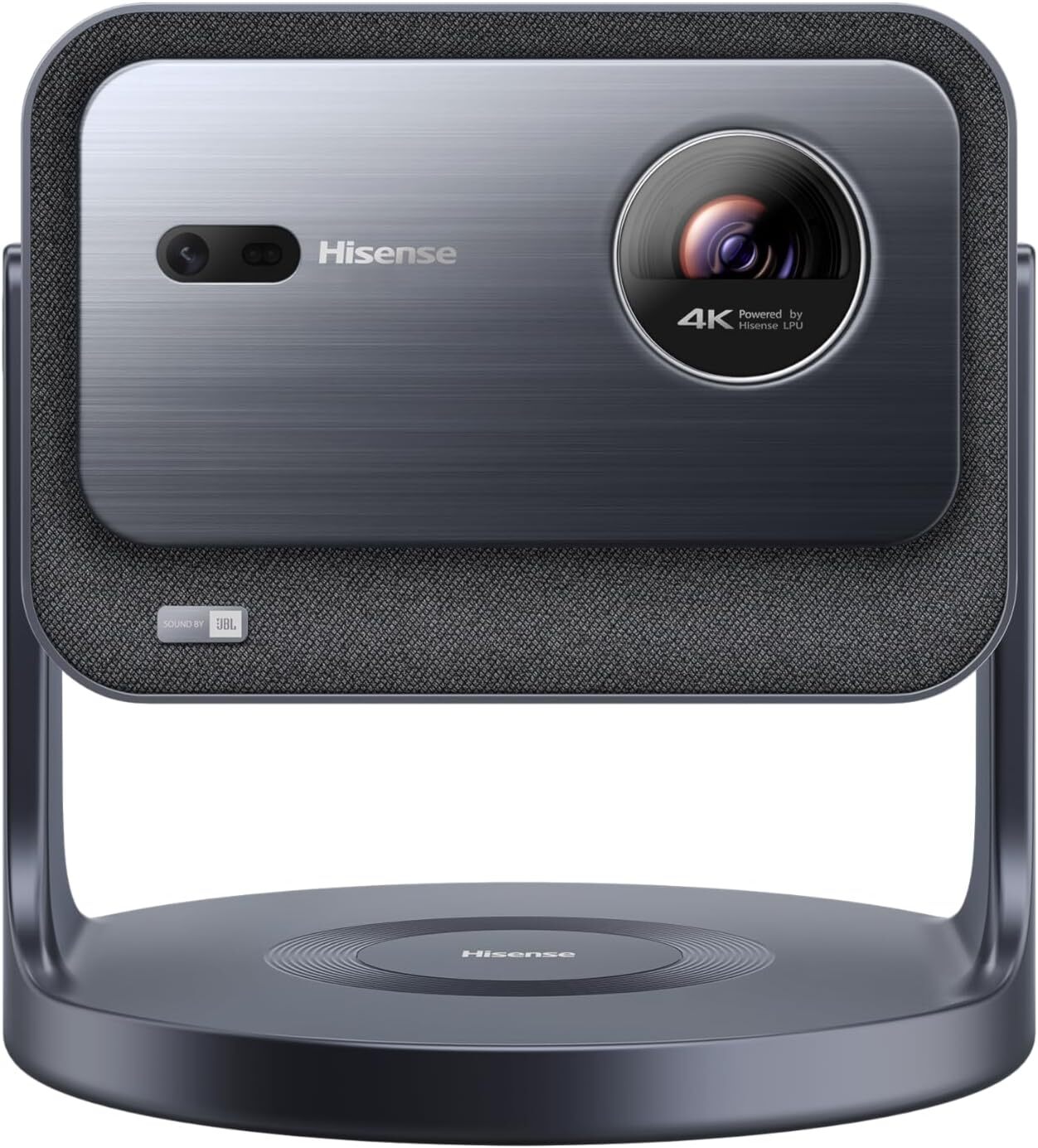
If you’re in the market for a mini laser projector, the Hisense C2 Portable Laser Projector is at its lowest price yet, according to price-tracking tools, down from $1,999.99 to $1,699.99. A compact setup for small living spaces or trips, this impressive projector boasts quality comparable to that of a high-quality TV. While it doesn’t have the same quality as pricier models like the Hisense C2 Ultra, it’s a space-saving projector for casual viewing or a lag-free gaming experience.

The Hisense C2 can project up to a 300-inch movie screen, and it has an adjustable viewing angle to align with screens, walls, and ceilings precisely for a more flexible setup. It features a sharp 4K image and 2000 ANSI Lumens brightness for maximum vibrancy. The unique 4K AI Upscaler feature transforms lower-quality videos, such as classic films and home movies, into crystal-clear 4K quality, complete with vivid and accurate colors. This is achieved through the projector’s innovative MCL38 Laser design, which harnesses the power of 4 LEDs. 

The Ultra model comes with additional bells and whistles; it has a greater ANSI Lumens and is a stronger choice for brighter rooms and home theaters. It also features a stronger audio quality that doesn’t require any external speakers for superior sound. However, the price tag is also significantly heftier with a nearly $800 difference. They both feature the same resolution, projection size, and display technology. If you don’t plan on using this projector in very bright rooms or are hoping to replace a high-quality TV, this mini projector could hit the sweet spot.

Vision Pro Owners Face Weight of Buyer’s Remorse

Early adopters of Apple’s $3,500 Vision Pro mixed-reality headset report widespread disappointment a year after its February 2024 launch, with many devices now unused due to physical discomfort and social awkwardness, according to customers who spoke with WSJ.

“It’s just collecting dust,” said Dustin Fox, a Virginia realtor who has used his headset only four times in the past year. “It’s way too heavy. I can’t wear it for more than 20 or 30 minutes without it hurting my neck.” Customers told the paper that the device’s one-pound weight causes neck strain. The device is also reeling from limited app selection and negative public reactions as primary complaints.


Read more of this story at Slashdot.

‘Project Warhol’ Paying Participants $50/Hour To Train Meta’s Codec Avatars Model

‘Project Warhol’ is offering $50/hour to capture facial expressions, speech, and gestures of participants to train Meta’s Codec Avatars model.

“Project Warhol aims improve virtual reality of the future.

In a recorded session, you’ll perform various tasks, such as mimicking facial expressions, reading sentences, making hand gestures, following eye targets, and doing full-body range-of-motion exercises.”

Recruitment for the project is being handled by AI dataset company Appen on behalf of Meta, and the capture is taking place in Meta’s 100,000 square foot 4-story building in Pittsburgh, Pennsylvania.

Pittsburgh is where, for more than a decade now, Meta has been researching and developing the technology it calls Codec Avatars, photorealistic digital representations of humans driven in real-time by the tracking of VR headsets. The highest-quality prototype achieves the remarkable feat of crossing the uncanny valley, in our experience.

The goal of Codec Avatars is to deliver true social presence, the subconscious feeling that you’re truly with another person, despite them not physically being there. No shipping technology today can do this. Video calls don’t even come close.

In this interview, it’s likely the avatars were being decoded and rendered by a high-end PC.

Meta told Business Insider, which first spotted Project Warhol, that it has been running avatar data collection studies for years. But Meta does appear to be getting ever closer to actually shipping Codec Avatars in a headset, and references to Codec Avatars have been discovered in the code of Quest’s Horizon OS since early 2024.

In September 2024 Meta’s then VP of VR/MR Mark Rabkin told Engadget “I think probably, if we do really well, it should be possible in the next generation” headset, in reference to Codec Avatars.

0:00

/0:12

Codec Avatars being decoded on Quest 2 standalone in 2021.

Meta has made solid progress on decoding avatars on standalone mobile hardware. The biggest remaining challenge is to narrow the quality gap between Codec Avatars generated using specialized capture rig with over 100 cameras and those generated via a smartphone or headset scan, the process practical for a shipping system.

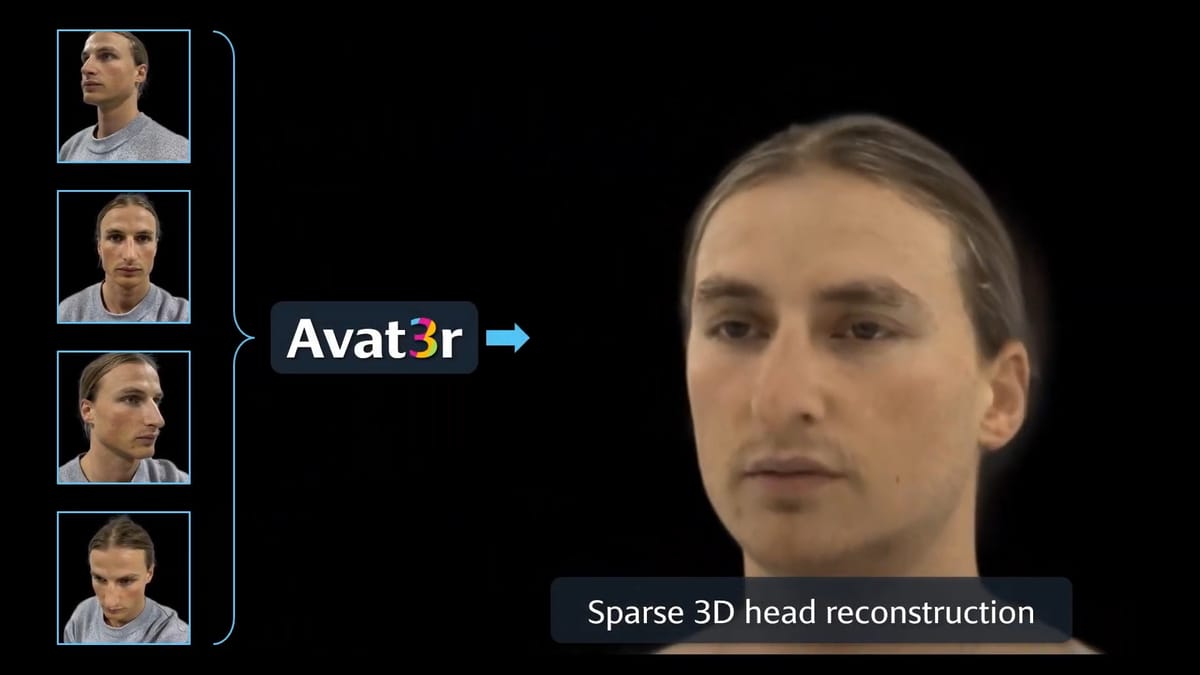
The company first showed Codec Avatars generated from a smartphone scan in 2022, but that system required making 65 facial expressions over the course of more than three minutes, and the data captured took multiple hours to process. Earlier this year it showed a new system that needs just four phone selfies, and the processing takes a matter of minutes, not hours. But it runs at just 8 FPS on an RTX 3090.

Meta Research: Photorealistic Avatars From Just 4 Selfies
Meta researchers built a “large reconstruction model (LRM)” that can generate an animatable photorealistic avatar head in minutes from just four selfies.
UploadVRDavid Heaney

Meta Connect 2025 will take place from September 17, and the company might share progress on Codec Avatars then. One possibility is also that it launches a rudimentary flatscreen version first, to let you join WhatsApp and Messenger video calls with a more realistic form than your Meta Avatar. But shipping VR Codec Avatars of the type Meta has promised will require offering a headset with face tracking, and all signs point to the next Meta headset arriving in 2026, not this year.

Focus Group Listing Suggests Quest 4 Could Have Face & Eye Tracking
Does this call for focus group testers for a new Meta device suggest Quest 4 will have face and eye tracking?
UploadVRDavid Heaney

The 2025 VW Tiguan caters to US tastes at an affordable price

In the modern era, cars keep getting bigger and bigger between generations. Or at least, they’re certainly not getting smaller. That’s especially true in America, where bigger is always better and the vehicles in the current crop of “compact” crossovers are now nearly as large as full-size SUVs from a decade ago. Don’t ask about curb weights, either, as more powerful drivetrains, including widespread adoption of hybrid-electric components, add significant mass, as highlighted by the new BMW M5 “sport sedan.” 

Within that fray, however, the new Volkswagen Tiguan stands apart. VW purposefully refined the third-gen Tiguan to cater better to American consumer needs, which meant dropping the third row to create more interior volume for the front and rear seats. The wheelbase still measures the same length at 109.9 inches (2,791 mm), but shorter overhangs mean the overall length actually shrinks by nearly two inches. Yet more efficient packaging on the inside also results in a marginal passenger volume increase of about two percent.

To help keep pricing attractive at below $30,000 to start, VW also decided to skip out on a hybrid variant, but the new EA888evo5 2.0 L turbocharged-four nonetheless delivers more power and improved fuel economy. And all of the above actually contributes to the Tiguan losing weight while evolving from the second to third generation, shaving about 160 lbs (72.5 kg), depending on trim.

Read full article

Comments

Miracle In Space: NASA Resurrects Voyager 1’s Dead Thrusters After 21 Years

Miracle In Space: NASA Resurrects Voyager 1's Dead Thrusters After 21 Years
Holy cheese cows, NASA’s Voyager 1 spacecraft that keeps on giving has achieved a remarkable feat by reviving a set of backup thrusters that had been dormant since 2004—that’s 21 years! This surprising milestone—achieved by the mission team right before a command pause for radio comms upgrades—ensures the spacecraft can maintain its orientation

You Can Safely Delete These Preinstalled Apps From Your Samsung Galaxy

Like the iPhone, Samsung Galaxy handsets come loaded with a bunch of preinstalled Samsung apps that you don’t necessarily need and might never use—especially as there are Google-made equivalents for a lot of them that you’ll also find on your phone.

As these Samsung apps come preinstalled, you might think that removing them might break something on your device, but you can safely uninstall most of them without worrying (and find them again on the Galaxy Store, if you ever need to get them back).

Clearing out the apps you’re not using regularly means your phone won’t need to download updates for them, and you’ll free up some storage space too. It’s well worth taking a few minutes to delete any apps you don’t need, and that includes the ones Samsung has helpfully installed for you.

You can delete any app on your Samsung phone from the app drawer: Just press and hold on an app icon, then choose Uninstall > OK. These are the ones that One UI lets you get rid of, quickly and safely:

  • Calculator: For doing sums on your phone, courtesy of Samsung.

  • Calendar: Samsung’s alternative to Google Calendar.

  • Clock: Samsung’s own app for checking times and setting alarms.

  • Galaxy Shop: For buying everything from TVs to watches from Samsung.

  • Galaxy Wearable: If you need to manage Galaxy smartwatches.

  • Gaming Hub: A hub for launching your games and finding new ones.

  • Global Goals: Samsung’s app for supporting charities and causes.

  • Notes: For creating notes with text, drawings, images, and more.

  • Penup: Samsung’s app for creating and sharing drawings.

Samsung Find
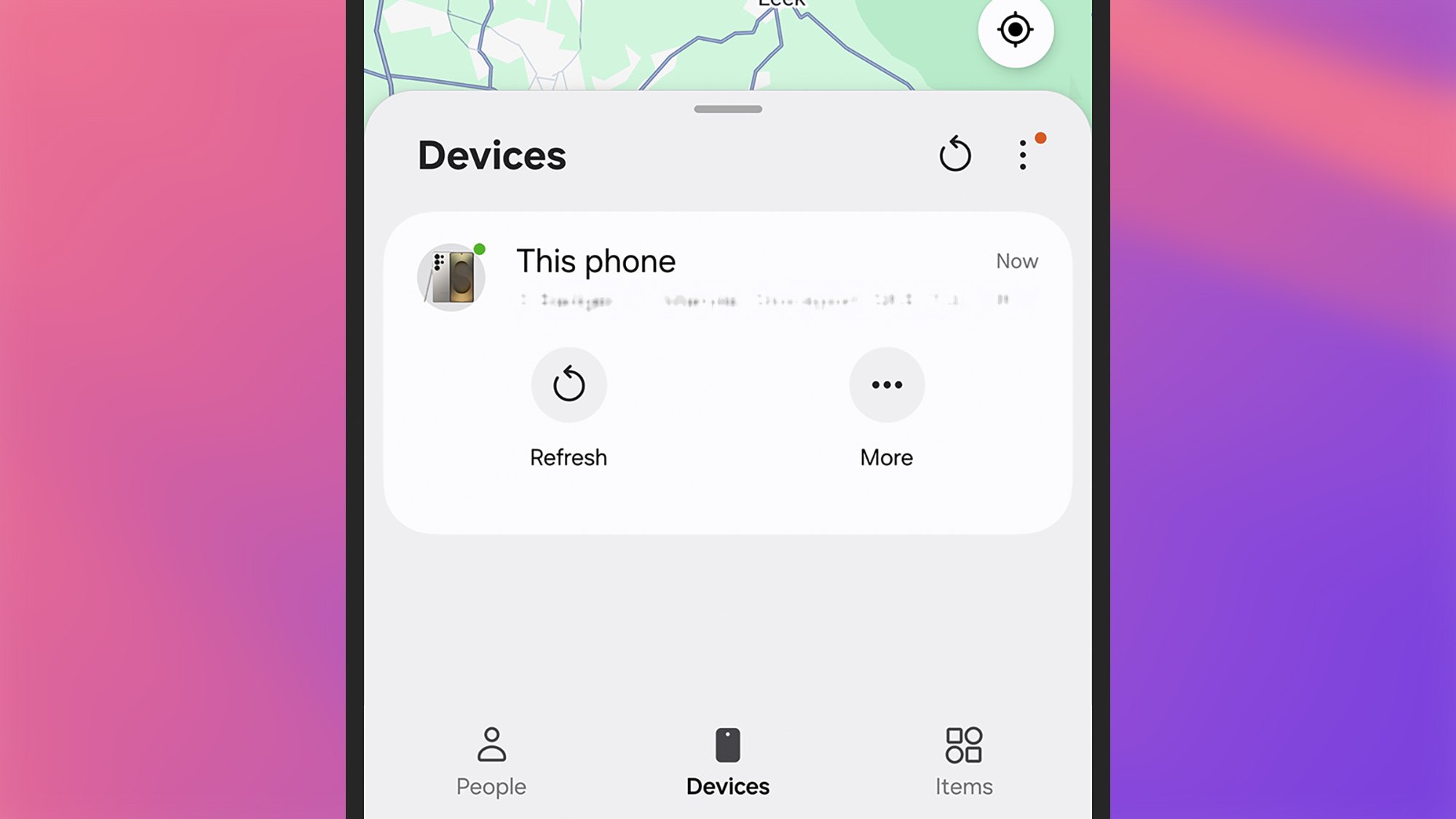
Samsung’s Find app can track your devices.
Credit: Lifehacker

  • Samsung Find: Locates your family and friends, and your Samsung devices.

  • Samsung Health: For tracking your fitness stats and other health metrics.

  • Samsung Internet: Samsung’s own mobile web browser.

  • Samsung Members: Shows special offers and benefits with your Samsung account.

  • Samsung TV Plus: Free streaming TV channels from Samsung.

  • Samsung Wallet: Samsung’s take on mobile payments and passes.

  • SmartThings: For controlling smart home kit supporting Samsung’s standard.

  • Tips: Get to know the key features on your Samsung phone.

  • Voice Recorder: For audio recordings and transcriptions on your phone.

The preinstalled apps you can’t delete

That’s list constitutes the majority of the Samsung apps that come bundled with One UI, but it’s not all of them. You can’t uninstall Bixby, Camera, Contacts, the Galaxy Store, Gallery, My Files, or Smart Switch as you look to declutter your phone.

Other preinstalled apps you can delete

Depending on where in the world you are, you might also see a range of third-party apps (not made by Samsung) on your Galaxy handset. These can all be safely uninstalled, and may include Facebook, Netflix, and Spotify.

You might also come across various Google and Microsoft apps. These are the ones you can get rid of to free up some space:

  • Google Drive: For accessing your Google Drive files in the cloud.

  • Google TV: Streaming shows and movies across various platforms.

  • LinkedIn: The professional social network owned by Microsoft.

LinkedIn app
If you’re tired of LinkedIn notifications, you can uninstall the app.
Credit: Lifehacker

For some preinstalled apps, including Google Chrome and Microsoft OneDrive, you won’t see an Uninstall option, but you will see a Disable option. Disabling an app hides it from view and stops automatic updates for it, but it doesn’t actually remove it from your phone. You can enable these apps again by opening up Settings and navigating to the Apps.

MSI Unveils A Super Bright 4K Rapid IPS Mini LED Gaming Monitor With A Cool Trick

MSI Unveils A Super Bright 4K Rapid IPS Mini LED Gaming Monitor With A Cool Trick
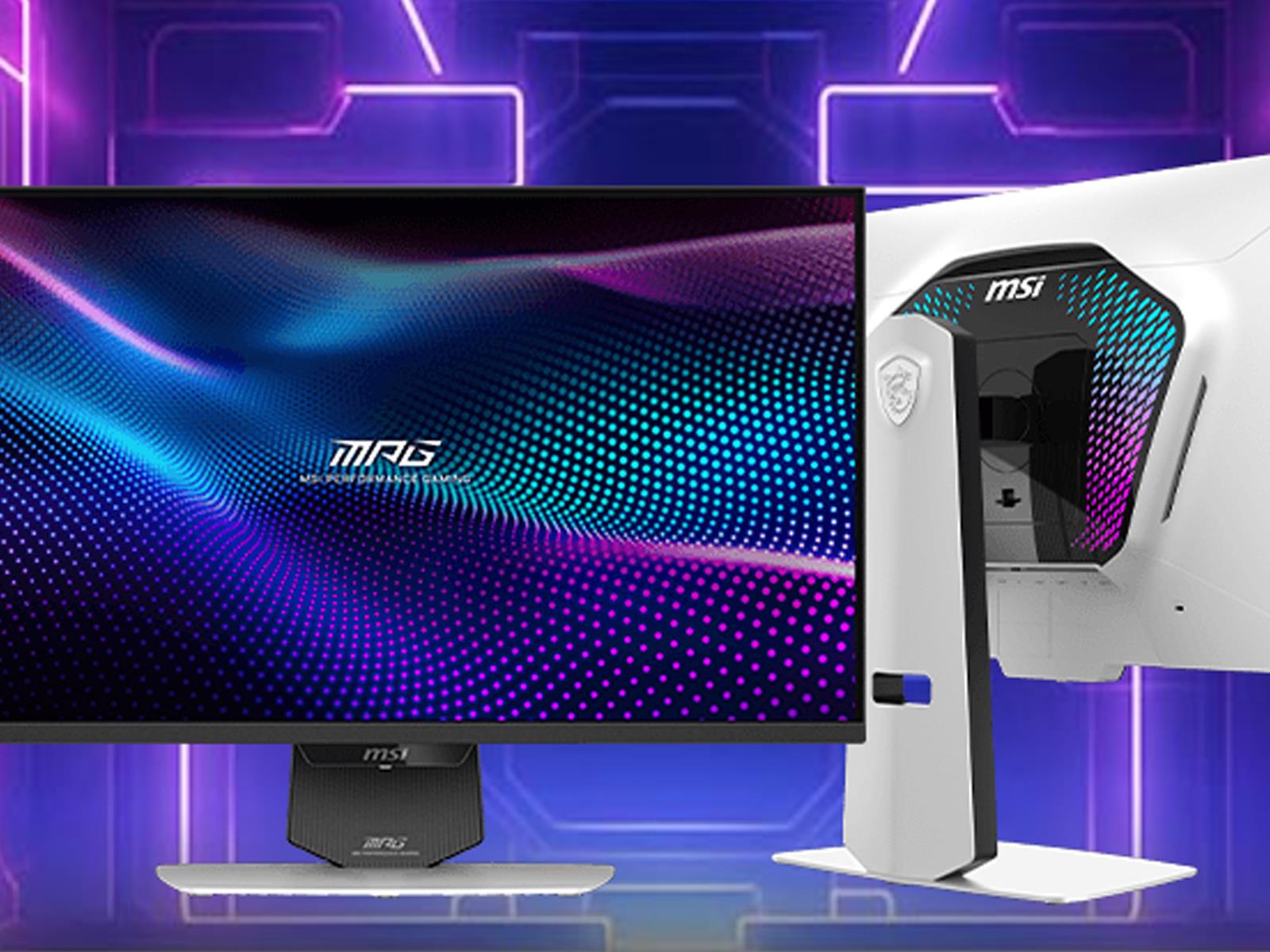
Give it enough time and dual-mode refresh rate options may just become a standard feature on all (or most) gaming monitors. We’re not quite there yet. In the meantime, MSI is adding to a comparatively small but growing pile of monitors that feature this nifty trick, with the launch of its MPG 274URDFW E16M. Good luck remember the model designation!

Challenge

Nintendo says more about how free Switch 2 updates will improve Switch games

When Nintendo took the wraps off the Switch 2 in early April, it announced that around a dozen first-party Switch games would be getting free updates that would add some Switch 2-specific benefits to older games running on the new console. We could safely assume that these updates wouldn’t be as extensive as the $10 and $20 paid upgrade packs for games like Breath of the Wild or Kirby and the Forgotten Land, but Nintendo’s page didn’t initially provide any game-specific details.

Earlier this week, Nintendo updated its support page with more game-by-game details about what players of these older games can expect on the new hardware. The baseline improvement for most games is “improved image quality” and optimizations for the Switch 2’s built-in display, but others include support for GameShare multiplayer, support for the new Joy-Cons’ mouse controls, support for HDR TVs, and other tweaks.

The most significant of the announced updates are frame rate improvements for Pokémon Scarlet and Violet, the main-series Pokémon games released in late 2022. Most latter-day Switch games suffered from frame rate dips here and there, as newer games outstripped the capabilities of a low-power tablet processor that had already been a couple of years old when the Switch launched in 2017. But the Pokémon performance problems were so pervasive and widely commented-upon that Nintendo released a rare apology promising to improve the game post-release. Subsequent patches helped somewhat but could never deliver a consistently smooth frame rate; perhaps new hardware will finally deliver what software patches couldn’t.

Read full article

Comments

Two Blink Mini 2 security cameras are on sale for $38

You can pick up a pair of Blink Mini 2 security cameras for just $38. This is a discount of 46 percent, as the typical price is $70. The discount is available for both the black and white models. This deal is part of an early Memorial Day sale.

The Blink Mini 2 made our list of the best security cameras, and we gave it kudos for being a great option for the budget-conscious. These are small cameras that are easy to place just about anywhere. You can adjust the head to accommodate a wide variety of angles and we found the setup to be painless and quick.

The image quality is decent, though not astounding. The bright spots can get a bit blown out, but the camera gets the job done. We found that it was particularly useful at night, thanks to the infrared view and the spotlight. This model also offers the ability to set privacy zones and it can double as a doorbell chime if you happen to have a Blink Video Doorbell installed.

The camera is weather resistant, so it works outside. It also integrates with Alexa, which makes sense as Amazon owns Blink. Alexa can be used to adjust settings, arm the camera and more.

There’s no location detection here, so it can’t automatically arm the device when you leave the house. This has to be done manually. Also, it doesn’t offer any cloud storage unless you pony up for a Blink subscription. A basic subscription for one camera costs $3 per month.

Follow @EngadgetDeals on X for the latest tech deals and buying advice.

This article originally appeared on Engadget at https://www.engadget.com/deals/two-blink-mini-2-security-cameras-are-on-sale-for-38-152339616.html?src=rss

Broadcom Employee Data Stolen By Ransomware Crooks Following Hit on Payroll Provider

Broadcom employees have had their personal data compromised following a September 2024 ransomware attack on Business Systems House (BSH), a Middle Eastern subsidiary of payroll company ADP.

The breach, claimed by the Russian-speaking El Dorado ransomware group, wasn’t fully identified until December when stolen data appeared online, according to The Register. Broadcom only received details of affected employees on May 12, 2025. Compromised information potentially includes national ID numbers, financial account numbers, health insurance details, dates of birth, salary information, and contact details.

Five employee accounts were initially compromised, ultimately affecting 560 users. ADP has distanced itself from the incident, stating only “a small subset of ADP clients” in “certain countries in the Middle East” were affected.


Read more of this story at Slashdot.

xAI says an “unauthorized” prompt change caused Grok to focus on “white genocide”

On Wednesday, the world was a bit perplexed by the Grok LLM’s sudden insistence on turning practically every response toward the topic of alleged “white genocide” in South Africa. xAI now says that odd behavior was the result of “an unauthorized modification” to the Grok system prompt—the core set of directions for how the LLM should behave.

That prompt modification “directed Grok to provide a specific response on a political topic” and “violated xAI’s internal policies and core values,” xAI wrote on social media. The code review process in place for such changes was “circumvented in this incident,” it continued, without providing further details on how such circumvention could occur.

To prevent similar problems from happening in the future, xAI says it has now implemented “additional checks and measures to ensure that xAI employees can’t modify the prompt without review” as well as putting in place “a 24/7 monitoring team” to respond to any widespread issues with Grok’s responses.

Read full article

Comments

How to Plant the Perfect Kitchen Garden in a Small Space

We may earn a commission from links on this page.

The reality of home gardening is that you rarely have as much space as you’d like. For many people, all they have is one raised 4×8 foot bed. While that doesn’t feel like a lot of space, you can fit a whole lot of plants into 32 square feet. With a smaller space, you just have to find new and inventive ways to get more variety in your beds. Around where I live, we call this “cramscaping. “

Take advantage of plant timing and growth patterns

Every vegetable and fruit out there has recommended spacing (for instance, tomatoes should be 18 inches apart), and in an ideal world, you’d accommodate them perfectly. However, you can plant closer if needed, while understanding your plants might not be as productive as they’d be if they had more space to grow to their full potential. 

kohrabi growing underneath beans
kohnrabi growing underneath beans, which are trellised up.
Credit: Amanda Blum

To get the most out of limited space, take advantage of space above and below the soil. For instance, radishes and carrots are mostly below ground, while tomatoes are above ground. Thus, they are great to grow next to one another. Grow beets alongside peas and large squash with climbing beans. 

Also consider that plants mature at different rates. Lettuce will grow quickly, and be ready for harvest in mere weeks, while eggplants take all summer. If you plant them at the same time when they’re both small, you’ll harvest your lettuce in time to free up space for your eggplants to spread out. 

Trellising is essential 

use trellises to help plants grow upward
help plants grow upward using trellises, creating horizontal space
Credit: Amanda Blum

When you don’t have as much horizontal space, you have to take advantage of the vertical space. You’ll need to keep plants from sprawling on the ground, and the primary way to do that is by training them up. Choose indeterminate tomatoes (which are more vine-like) instead of determinate (or “bush” tomatoes) so they continue to grow upwards despite pruning. Then prune everything but a few stems and train them onto a tall trellis. Use an obelisk or netting to provide structure for climbing beans, peas, or cucumbers. IYellow squash and zucchini can also be trained to grow upwards along a trellis, as can pumpkins and melons. 

Remember, though, that items on trellises have to be within reach: If you plant a trellis of green beans in the dead center of your bed, you’re not going to be able to reach those beans without stepping on other plants. So trellised plants should be located close enough to the edge of the bed to be accessed. Corners and edges make the most sense. For low trellises such as for squash, you can place them closer to the middle, but test your reach before finalizing planting. 

Start with the largest plants

empty 4x8 bed
Start with an empty 4×8 bed (I left last year’s nasturtiums.)
Credit: Amanda Blum

Begin by sketching out a grid for your bed, foot by foot, and a list of everything you’d like to plant. Lay in the largest plants first: in this case, tomatoes. Since they’ll be the tallest, place them in the corners or close to the edge of the bed, so they’re not shading anything. Now consider anything that needs a wide trellis, like peas and cucumbers or beans. Those should live at the edge of the bed, but leave space on either side of the trellis so you can reach what’s on the other side. These trellises are good at the short ends of the bed, so they don’t prevent you from reaching in. Now, start working your way down the list of plants in descending size. I placed eggplants and peppers, which will all need a trellis, on either side. For the center, which is hard to reach, I chose plants that don’t need support and won’t get too tall, but are larger: kale, chard, and onions. 

What’s left to plan for are short crops that will grow quickly like lettuce, radishes, beets, and carrots. Lettuce is a great buffer between nightshades like eggplant and cruciferous plants like chard and kale, so you can add heads of various lettuces. I don’t worry about root vegetables yet. 

I then add some beneficial flowers like nasturtium, alyssum and marigolds throughout, particularly hanging over the edges of the bed. These flowers will trap aphids, keep pests at bay, and add color. Next, I lay in herbs like basil, dill, parsley, and cilantro. In addition to being great in the kitchen, these all help control pests. These herbs can be sprinkled throughout the bed, but basil and dill do best next to nightshades. 

Now, in all the spaces left, I backfill with root vegetables: rows of carrots, circles of radishes, and blocks of beets. 

Plant established seedlings first, then seeds

sketch of the finished garden
Sketch of the finished garden.
Credit: Amanda Blum

When it comes time to plant, work from the inside out. Start with the plants in the dead center of the bed, and work towards the outside by putting your seedlings into the ground. Once your starts are planted, go back and work sector by sector, seeding things like beets and radishes. Working in this way allows you to see what you’ve already done, so you don’t accidentally overseed an area you’ve already worked on. 

Water everything well and then simply pay attention. Prune plants as soon as they need to be pruned. As plants need to be harvested, replace them or allow larger plants to infill the area.  Keep your bed moist, but not wet, watering at the root —and use a fish fertilizer every other week, adding it to your water. 

Over the season, some plants might do better than others, and you may need to replace them. Because of the tight spacing, eggplants might not get enough sun where they are, or lettuce might get too much. You’ll learn over the season where each plant might succeed, and you should chart it for next year. Each season is another opportunity to learn about your yard, sun profile, and soil, and each season your vegetable garden—no matter how small—will get better.

Apple CarPlay Ultra Rolls A Dash Of Luxury And Custom Designs To Vehicles

Apple CarPlay Ultra Rolls A Dash Of Luxury And Custom Designs To Vehicles
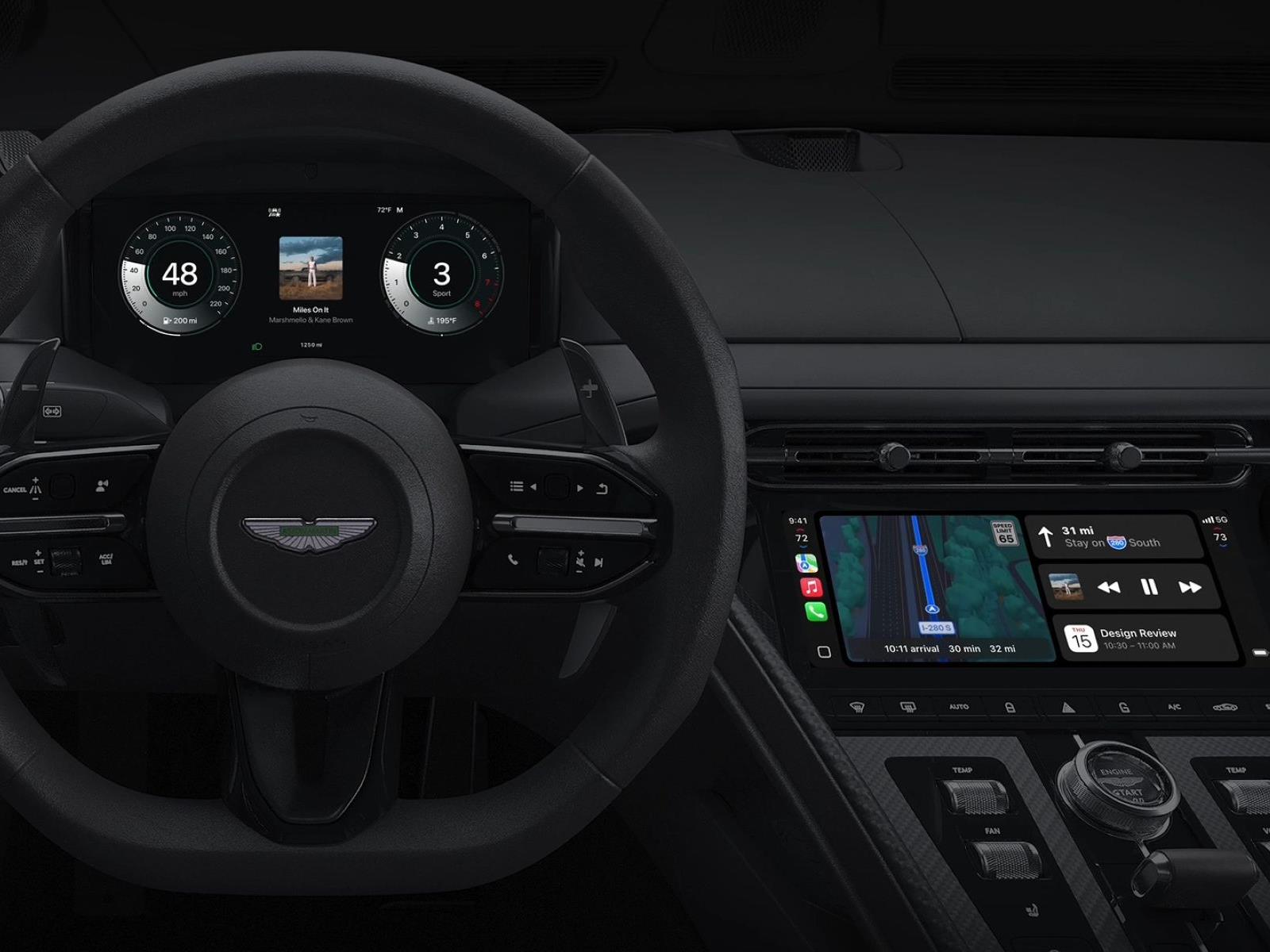
Apple’s next-generation CarPlay, known as CarPlay Ultra, is officially rolling out with the promise of a deeply integrated and enhanced in-car experience for iPhone users, such as real-time content and gauges, and car brand-specific skins. The system, which seems intent on making car screens more iPhone-y, could prove to be the deciding factor