
AlmaLinux 9.6 (Sage Margay) is out now with updated toolchains, enhanced virtualization, and images for x86_64, ARM64, PowerPC, and IBM Z architectures.
Monthly Archives: May 2025
Monitoring Tree Leaves From Space Could Help Predict Volcanic Eruptions

Carbon dioxide emissions from rising magma is one of the earliest signs that a volcano is waking up, but measuring it directly is notoriously difficult.
Google Just Launched New AI Models for Video and Images
The pace of AI progress is showing no signs of slacking. Following ChatGPT’s big image upgrade a few weeks ago, it’s now Google’s turn to show off new models for generating videos and pictures from text prompts: We’ve got Veo 3 (for video) and Imagen 4 (for pictures), announced during Google I/O 2025, and they come with some significant improvements.
Starting with Veo 3, it’s the next step up from the Veo 2 model that was recently pushed out to paying Gemini subscribers last month. Google says Veo 3 brings with it notable improvements in real-world physics (something AI video often struggles with) and details such as lip-syncing. In short: Your clips should look more realistic than ever.
There’s another crucial upgrade here, and that’s sound. Previously, Veo-made clips came without any audio attached, but the AI is now smart enough to add in suitable ambient sounds, including traffic noise, wildlife sounds, and even dialog between characters.
Google has provided a few example videos to show off the new capabilities, as you would expect, including Old Sailor. Of course, it’s impressive that a clip like this can be produced from a text prompt, and it is up to a high standard in terms of realism—we’re no longer getting the six-fingered hands that we used to with AI.
Still, the usual hallmarks of artificial intelligence are evident: This is a generic sailor, on a generic sea, speaking generic dialogue about the ocean. It’s a mashing together and averaging out of every video of the sea and old sailors that Veo 3 has been trained on, and may or may not match the original prompt (which Google hasn’t given).
Veo 3 is only available to those brave enough to pay $250 a month for Google’s AI Ultra plan, but Veo 2 is also getting some upgrades for those of us paying a tenth of that for AI Pro. It’s now better at control and consistency, according to Google, with improved camera movements and outpainting (expanding the view of a frame). It can also have a go at adding and removing objects from clips now.
Moving on to images: We’ve got Imagen 4, the successor to Imagen 3. Here, we’re promised “remarkable clarity in fine details like intricate fabrics, water droplets, and animal fur,” plus support for higher resolutions (up to 2K) and more aspect ratios. You get top-tier results in both photorealistic and abstract styles, as per Google.

There are sheep as big as tractors in Google’s AI world.
Credit: Google
Credit: Google
Google has also tackled one of the major problems with AI image generation, which is typography. Imagen 4 is apparently much better than the models that came before it in terms of making characters and words look cohesive and accurate, without any weird spellings or letters than dissolve into unintelligible hieroglyphics.
Imagen 4 is available now to all users, inside the Gemini app. Google hasn’t mentioned any usage limits, though presumably if you don’t have a subscription you’ll hit these limits more quickly, as is the case with Imagen 3 (there’s no fixed quota for these limits, and it seems they depend on general demand on Google’s AI infrastructure).
The carefully curated samples Google has provided look good, without any obvious mistakes or inaccuracies—just the usual AI sheen. Imagen 4 is faster than Imagen 3 too, Google says, with more improvements on the way: A variant on the model that’s 10x faster than Imagen 3 is going to be launching soon.
There’s one more image and video tool to talk about: Flow. It’s an AI filmmaking tool from Google that pulls together its text, video, and image models to help you stitch together successive scenes that are consistent, featuring the same characters and locations. You can use Flow if you’re an AI Pro or AI Ultra subscriber, with higher usage limits and better models for those on the more expensive plan.
Visual Feast Hellblade 2 Is Getting The PS5 Pro Treatment This Summer

The march of “everything is an Xbox” continues as console exclusive Senua’s Saga: Hellblade II becomes the latest first-party Microsoft game to come to PlayStation 5. The visually dazzling fantasy thriller will arrive on Sony’s platform this summer with new features and an enhanced version for PS5 Pro.
SteelSeries Rival 3 Gen 2 Gaming Mice Promise Affordable Luxury For Gamers

Following up on its recent white-themed refresh of various gaming and esports peripherals, SteelSeries has officially launched its highly anticipated Rival 3 Gen 2 and Rival 3 Wireless Gen 2 gaming mice. Building upon the legacy of the original Rival series, these new iterations promise to redefine the “affordable luxury” category for gamers,
Microsoft Blames Apple for Xbox Mobile Store Delay
Microsoft has officially cited Apple’s App Store policies as the roadblock preventing its Xbox mobile store launch promised for July 2024. In an amicus brief supporting Epic Games filed this week, Microsoft alleged that Apple’s “anti-steering policies” have “stymied” its mobile store ambitions despite a court injunction allowing developers to advertise alternative payment methods.
The brief challenges Apple’s attempt to overturn this crucial ruling, which enabled Fortnite’s App Store return with external payment links. Microsoft argues that launching its store under threat of Apple potentially winning a temporary stay creates significant business risk. The restrictions also impact Microsoft’s Xbox mobile app functionality.


Read more of this story at Slashdot.
These Anker Soundcore Open Earbuds Are at Their Lowest Price Ever
We may earn a commission from links on this page. Deal pricing and availability subject to change after time of publication.
While Anker might be known best for its power banks, speakers, and smartphone accessories, the brand also has a track record for delivering high-quality audio products. Currently, Anker Soundcore AeroClip open-ear earbuds are available for the lowest price ever at $129.98, according to price-trackers. These earbuds are lightweight and flexible, yet stay in place due to their open-ring design.

The open-ring design of these clip-on headphones has become a popular choice for people seeking a comfortable audio experience while remaining aware of their surroundings, making them ideal for activities like running, cycling, or walking the dog. For those who make calls using their earbuds, the AI-driven noise reduction and four beam-forming microphones allow for crystal-clear calls, even in busy settings. While tap controls are available and touch control-enabled, controls are limited and don’t allow users to control volume or return to previous tracks.
With an advanced virtual bass technology and a 12mm titanium-coated driver for improved audio, reviewers report excellent sound quality and less static than similar products from other brands. However, while audio quality and bass receive high ratings across the board, some people say the volume doesn’t reach as loud as it should, even when set to the maximum.
In addition, some users report comfort issues and ear fatigue during extended wear, but since the adaptive design allows them to be fully adjusted on any part of the ear, finding the right spot to clip them on can reduce strain. Compared to more expensive open earbuds that are fully waterproof, these only have an IPX4 rating, making them resistant to sweat and light rain but not suitable for swimming or other water activities.
With an average of 4.4 stars on Amazon and three color options to choose from, these aren’t the cheapest open earbuds, but at 24% off, they’re more affordable than higher-end brands that deliver similar results.
AMD To Focus On Better ROCm Linux Experience In H2-2025, Day-One Client Support
At the AMD Computex keynote last night in addition to announcing the Ryzen Threadripper 9000 series, Radeon RX 9060 XT, and Ryzen AI PRO R9700, they also brief talked about the ROCm compute stack and their plans for the second half of 2025…
Band Plays Music & Sound Effects For Live Mario Kart Games
The Mario Kart Band of Columbus, Ohio, performs live gigs where audience members compete in 4-player Mario Kart, and the band provides the track-specific music, along with some sound effects. That’s amazing and we should start planning a trip to Ohio. TRUE STORY: I have never won a Mario Kart race against my girlfriend. Apparently she played a lot growing up. I played a lot growing up too, but mostly in the sewers behind my house pretending to be a ninja turtle.
Keep going for some videos, the last of which has like 5 or 6 swipeable videos in one.
Google AI Ultra Brings An Army Of Bots Under Your Fingertips For Every Task Imaginable

AI might be force-jammed into everything, but once you sift the slop, there are more than a handful of actually useful tools out there beyond chatbots that replace search engines. Google knows that, and along with unveiling a bunch of new AI services, it’s combined every consumer-facing one it has into the banner of Google AI Ultra, a collection
‘Budget Cuts’ Studio Announces Norse-inspired Roguelite ‘Crossings’ for Quest & PC VR Headsets


Neat Corp, the veteran VR studio behind the Budget Cuts series, announced its next VR game Crossings, which lets you melee and spell-cast your way through the Norse afterlife.
The co-op roguelite takes you through “an ever-changing world in a quest for vengeance and survival in an epic Adventure through the Norse afterlife,” Neat Corp says. “Meet fellow lost souls in seamless and wordless VR Co-op as you Block, Dodge, Strike and Power your way through Trolls, Draugr and other dark beings.”
In Crossings, you’ll learn new magic spells and upgrade weapons during each run, including suitably Viking-age blades, clubs, axes, and ancient weapons like the ‘Tooth of Nör’, giving you plenty of ways to fight, block and dodge your way through a host Trolls, Draugr, Ghosts and other Norse-inspired beings.
1 of 4

Image courtesy Neat Corp
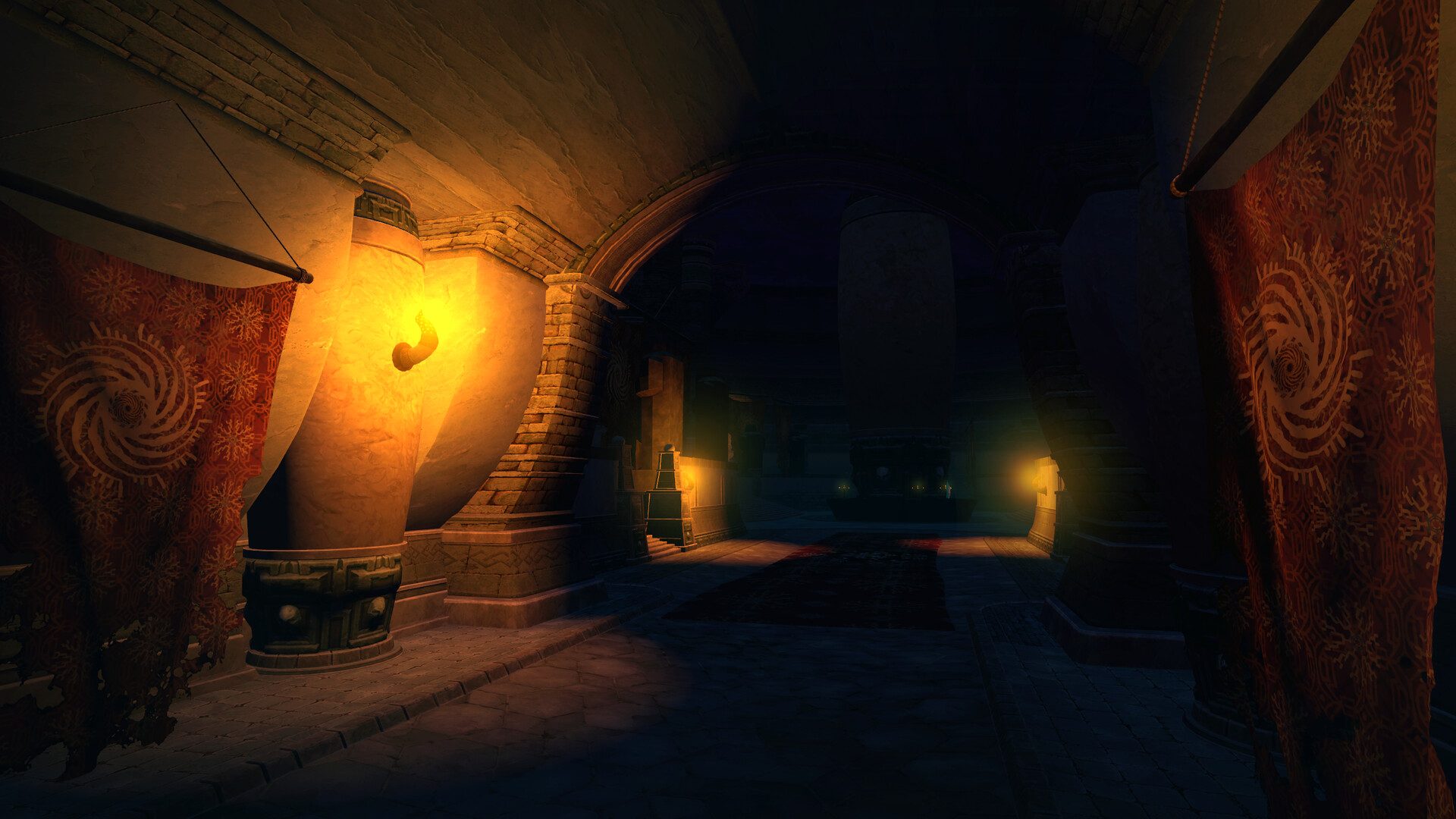
Image courtesy Neat Corp

Image courtesy Neat Corp
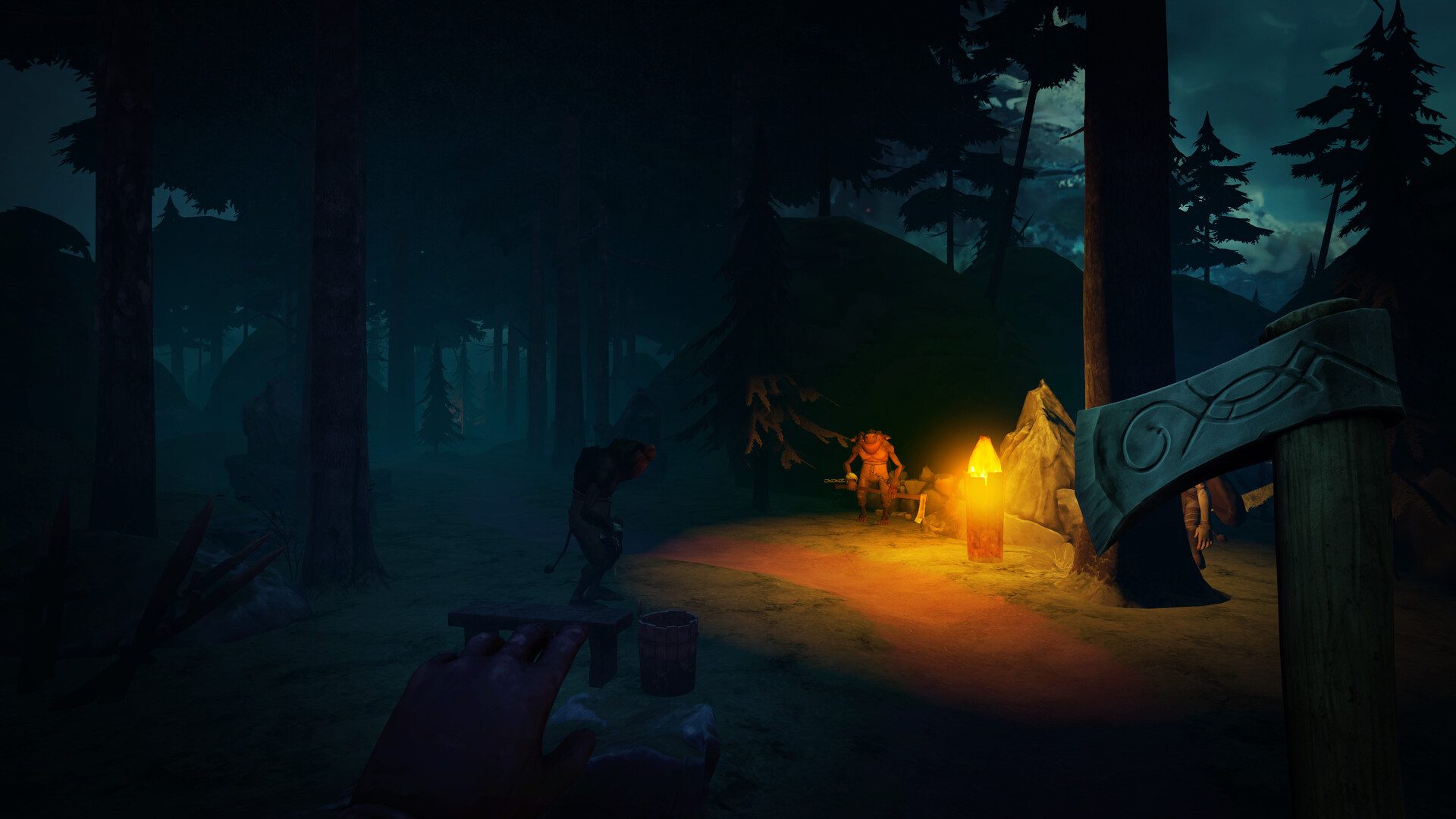
Image courtesy Neat Corp
Here’s how Neat Corp describes the action:
You awaken cold and alone in a forgotten land—somewhere between death and memory.
Though your body fell, your spirit fought free, and now you walk a shifting world shaped by ancient powers and broken fates. Crossings is a VR-first fantasy roguelite set in a Norse afterlife where the world itself reshapes with every run. Magically cross paths with other lost souls—no words, only movement, trust, and survival. Master deadly, physical combat where reading your enemies is key: block, dodge, strike, and unleash magic through careful timing and real-world movements. Face creatures old myths—trolls, draugr, dvärg, and those that linger at the edge of life and death. Choose your path through each run.
Fight alone or stand side-by-side with others. Every crossing leaves a mark—and every choice carries the weight of the world you left behind.
There’s no release date yet, however you can now wishlist Crossings on the Horizon Store for Quest, and on Steam for PC VR headsets.
Additionally, the studio says a playable PC VR demo of Crossings will be available during Steam Next Fest from October 14th – 21st, which is said to include a “single-player slice of the full game.”
The post ‘Budget Cuts’ Studio Announces Norse-inspired Roguelite ‘Crossings’ for Quest & PC VR Headsets appeared first on Road to VR.
AlmaLinux 9.6 Released on Same Day as RHEL 10
The AlmaLinux Foundation rolls out AlmaLinux 9.6 on the same day that Red Hat officially releases RHEL 10.
The post AlmaLinux 9.6 Released on Same Day as RHEL 10 appeared first on FOSS Force.
Meta hypes AI friends as social media’s future, but users want real connections
If you ask the man who has largely shaped how friends and family connect on social media over the past two decades about the future of social media, you may not get a straight answer.
At the Federal Trade Commission’s monopoly trial, Meta CEO Mark Zuckerberg attempted what seemed like an artful dodge to avoid criticism that his company allegedly bought out rivals Instagram and WhatsApp to lock users into Meta’s family of apps so they would never post about their personal lives anywhere else. He testified that people actually engage with social media less often these days to connect with loved ones, preferring instead to discover entertaining content on platforms to share in private messages with friends and family.
As Zuckerberg spins it, Meta no longer perceives much advantage in dominating the so-called personal social networking market where Facebook made its name and cemented what the FTC alleged is an illegal monopoly.
AMD Launches Radeon RX 9060 XT: Specs, Pricing And All We Know So Far
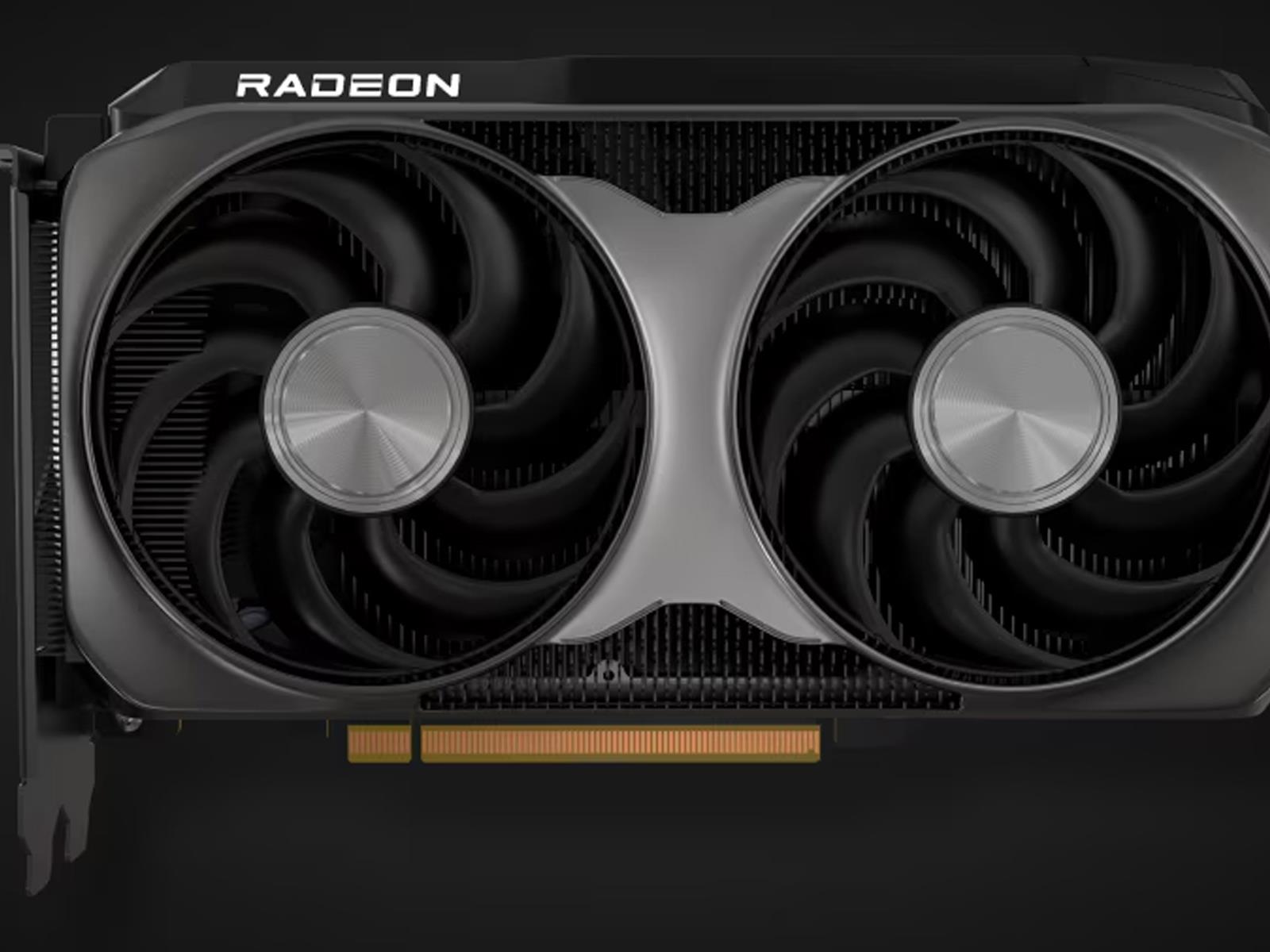
As promised several weeks ago, AMD made some key gaming product announcements during its 2025 Computex keynote, the highlight of which is the launch of its Radeon RX 9060 XT. As expected, it’s coming in two flavors—one with 16GB of GDDR6 memory and a second SKU with 8GB of GDDR6 memory. Let the mainstream GPU wars begin.
AMD did not devote
ASUS ROG Flow Z13 (2025) review: When a traditional gaming laptop just won’t do
On paper, the idea of a PC gaming tablet doesn’t really make sense. Anything with a screen larger than eight to ten inches is generally too big to hold for longer sessions. Their thin chassis don’t leave much room for big batteries, ports or discrete graphics. But with the second-gen ROG Flow Z13, ASUS is turning that line of thought on its head with a surprisingly powerful system that can do more than just game — as long as you don’t mind paying a premium for some niche engineering.
Design and display: Not exactly stealthy
For better or worse, the Z Flow 13 looks like someone tweaked a Surface Pro to accommodate the stereotypical gamer aesthetic. It has cyberpunky graphics littered across its body along with a small window in the back that’s complete with RGB lighting.
Unlike a lot of tablets, ASUS gave the Z13 a thicker-than-normal body (0.6 inches), which left space for a surprising number of ports. Not only do you get two USB 4 Type-C ports, there’s also a regular USB-A jack, full-size HDMI 2.1, 3.5mm audio and even a microSD card reader. This instantly elevates the tablet from something strictly meant for playing games into something that can also pull double duty as a portable video editing station.
ASUS’ 13.4-inch 2.5 IPS display leans into that even more thanks to a 180Hz refresh rate, strong brightness (around 500 nits) and Pantone validation. Regardless of what you’re doing, colors will be both rich and accurate. Rounding out the package are some punchy speakers, so you don’t have to suffer from subpar sound. But there are limitations here, as deep bass is always tough to produce on smaller systems like this.
Sam Rutherford for Engadget
Finally, there are some pogo pins along the bottom of its display for connecting its folding keyboard. Sadly, this is one of the system’s weak points. Because the Z13 is heavier than a typical tablet PC, its keyboard has to carry a hefty load. On a table, it’s fine. But if you try to use this thing on your lap (or any uneven surface), I found that the keyboard can flex so much it can result in accidental mouse clicks. It’s a shame because the bounce and travel of the keys generally feels pretty good. Nothing is more of a bummer than playing a game while relaxing on the couch and then having to fight with the tablet to avoid errant clicks.
Performance
Instead of relying on discrete graphics, ASUS opted for AMD’s Ryzen AI Max 390 or Max+ 395 APUs, which feature up to 32 cores and a whopping 128GB of unified RAM. However, our review unit came with a more modest, but still ample, 32GB. Unsurprisingly, this makes mincemeat out of basic productivity tasks while having more than enough power to quickly edit videos on the go.
Sam Rutherford for Engadget
But without a proper graphics card, can it actually game? Yes, and rather well, I might add. In Cyberpunk 2077 at 1080p and Ultra settings, the Z13 hit an impressive 93 fps. And while numbers weren’t quite as high in Control at 1080p on Epic presets, 70 fps is still very playable. The one wrinkle is that when I tested Cyberpunk 2077 a second time on Ultra with ray tracing enabled, the Flow’s performance was cut in half to just 45 fps. Unless you’re playing a brand new AAA title that requires RT support (of which there are a growing number), the Z13 is a shockingly good portable gaming companion for frequent travelers.
You just have to be careful about how you configure its power settings. That’s because if you’re out in public or a quiet room, high performance (especially turbo) can result in a fair bit of fan noise, which may draw some unwanted attention. Or in my case, it got much harder to talk to someone sitting next to me on the couch.
Battery life
Sam Rutherford for Engadget
When it comes to longevity, you’ll get one of two outcomes. In normal use and on PCMark’s Modern Office productivity battery life test, the Z13 fared quite well, finishing with a time of six hours and 54 minutes. That’s not quite a full day’s worth of work untethered, but it’s good enough for most folks. You’ll just want to keep its chunky power adapter nearby.
However, if you plan on gaming without plugging this thing into the wall, just be prepared for the Z13 to conk out after two hours at best. When I played League of Legends’ Teamfight Tactics, I only made it through two games (about 30 to 40 minutes each) before its battery got dangerously low (around 10 percent). And suffice it to say, TFT isn’t a very demanding title.
Wrap-up
Sam Rutherford for Engadget
The Flow Z13 is a niche device that’s more of an all-rounder than it might seem at first glance. This system fills an interesting gap between ASUS’ gaming machines and more creatively-focused PCs from its ProArt family. In a lot of ways, slapping an ROG badge on it doesn’t really do this thing justice. It’s got more than enough performance to breeze through general productivity or video edits, and its built-in microSD card reader makes transferring footage to the tablet a breeze. Its screen is bright and vibrant, while also offering accurate colors and a decently high refresh rate. And even without a discrete GPU, the Z13 didn’t have much trouble rendering games with lots of graphical bells and whistles turned on.
However, this tablet’s issues boil down to a couple of major sticking points. Its detachable keyboard is simply too flimsy, to the point where if you use it anywhere besides a table or desk, you risk fighting with it just to ensure your mouse clicks are correct. But the bigger hurdle is price. Starting at $2,100 (or around $2,300 as tested), the Flow Z13 costs the same or more as a comparable ROG Zephyrus G14 with a proper RTX 5070. Not only does it have worse performance, it’s less stable too due to its tablet-style design. For people trying to get the most value out of their money, that proposition is a hard sell.
Sam Rutherford for Engadget
Deep down, I want to like the ROG Flow Z13. And I do, to a certain extent. It’s got a funky build and unapologetically aggressive styling. But unless you have a very particular set of requirements, it doesn’t fit neatly into most people’s lives as an equivalent laptop. And that’s before you consider how much it costs.
This article originally appeared on Engadget at https://www.engadget.com/gaming/pc/asus-rog-flow-z13-2025-review-when-a-traditional-gaming-laptop-just-wont-do-133510833.html?src=rss
This Dyson Air Purifier Is $200 Off Right Now
We may earn a commission from links on this page. Deal pricing and availability subject to change after time of publication.
If you’ve ever wished your air purifier could do more than just purify, the Dyson Hot+Cool Formaldehyde HP09 steps up with some bold solutions. It’s currently available for $649 (down from $849.99), which is still a splurge, but not quite as painful as usual.

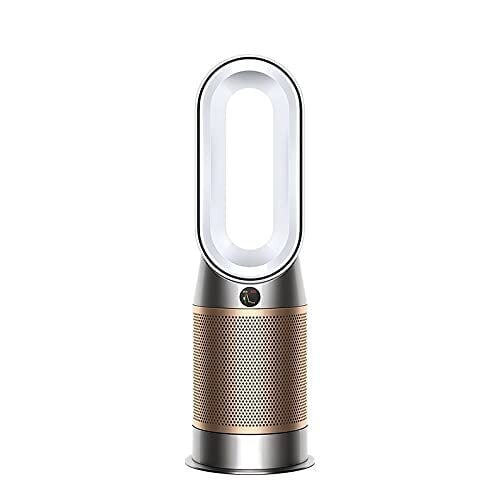
This machine is a purifier, yes—but also a fan and a space heater, all in one unit. Designed for rooms up to 800 square feet, it uses a blade-free oval tower (classic Dyson) to project clean, warm, or cool air with a 350-degree oscillation range. That’s wide enough to cover most living rooms, and the device is light enough (just over 12 pounds) to shift from room to room without much hassle.
One of the most useful things about the HP09 is how much it tells you about the air you’re breathing. It doesn’t only claim to clean—it shows you exactly what it’s removing. That includes everyday stuff floating around your home like dust, smoke, pollen, pet dander, fumes from cleaners and sprays, off-gassing from furniture or paint, and emissions from gas stoves or candles. It tracks all of this in real time, breaking it down into easy-to-read stats on the purifier’s LED screen or in the MyDyson app (which also pulls in outdoor AQI based on your location). You’ll see things like temperature, humidity, and overall air quality, plus specific readings for fine particles (PM2.5), larger particles (PM10), volatile organic compounds (VOCs), nitrogen dioxide (NO2), and formaldehyde (this being a big deal if your space has new furniture or paint).
The catalytic filter that breaks down formaldehyde doesn’t need replacing, but the HEPA and carbon filters that trap other pollutants are estimated to last up to a year (replacements run $79.99). You can control everything through the app or with your voice using Alexa, Siri, or Google Assistant. That said, it lacks Apple HomeKit support, and you’ll still need the included remote to activate heating for safety reasons. Also, according to this PCMag review, it gets loud when you push it to higher speeds.
For something simpler and cheaper, the $449.77 Dyson Purifier Cool TP07 (down from $649.99) skips the heater and formaldehyde filter but still keeps the air clean and your home connected.
‘Deadly Delivery’ Brings Co-op Package Delivering Dungeon Crawler to Quest & PC VR Later This Year


Flat Head Studios, the team behind time-bending VR puzzle We Are One (2023), announced its next VR game: Deadly Delivery.
The game’s trailer shows off a clever mashup of a package delivery sim and dungeon crawler, casting players delivery goblins slinging packages to dungeon-dwelling monsters—who are probably hoping their Amazon Prime deliveries can make it same-day through the game’s dark, procedurally generated mines.
It’s not all ringing door bells and nabbing hazard pay though. Instead, Deadly Delivery arms up to four players with questionable equipment, forcing you to sneak, sprint, and coordinate your deliveries without being picked off by the mine’s deadly inhabitants.

The game is “[b]uilt for VR with a physics based world, spatial audio, and proximity voice chat,” Flat Head says on the game’s Steam page. “Haul a variety of parcels, climb on other players or give them a slap of encouragement. Face off against terrifying entities, some may even look and act like your teammates. Learn their patterns—or feed them your friends Level up, upgrade your gear, grab a pet, unlock cosmetics.”
Deadly Delivery is slated to release on Quest and SteamVR headsets sometime later this year, which will include cross-play, Flat Head says. To boot, the studio is currently taking applications for closed beta testing via the game’s Discord (invite link), with the first round of testing set to kick off in mid-June.
In the meantime, you can wishlist Deadly Delivery over on the Horizon Store for Quest 2 and above, and Steam for PC VR headsets.
The post ‘Deadly Delivery’ Brings Co-op Package Delivering Dungeon Crawler to Quest & PC VR Later This Year appeared first on Road to VR.
How To Defeat The Tough-As-Nails Dualliste In Clair Obscur: Expedition 33

You might’ve caught a few vibes here and there that the good folks at Sandfall might’ve had a Souls game or two on the brain while designing Clair Obscur. But right around here is the point where reasonable doubt gets kicked off a skyscraper, because the Dualliste is the most Souls-game shit ever. It’s a lot of long…
Toyota debuts all-new RAV4 with hybrid and PHEV powertrains only
An all-new version of Toyota’s best-selling RAV4 crossover debuted last night. For generation six, Toyota North America is going all-electrified, with hybrid and plug-in hybrid powertrains on offer. And while the RAV4 isn’t quite a software-defined vehicle as we understand the term, it features an all-new software platform tying everything together.
Toyota has grouped the various RAV4 configurations into three groups: core, rugged, and sport. And there are three different powertrain options: front-wheel drive hybrid, all-wheel drive hybrid, and all-wheel drive PHEV, although some trims are only available in certain configurations.
Front-wheel drive hybrid RAV4s feature a 226 hp (168 kW) 2.5 L engine, with all-wheel drive hybrid models offering a slight increase at 236 hp (176 kW). The PHEV generates a combined 320 hp (239 kW), and Toyota says it can go 50 miles (80 km) on a single charge.
Oura’s Activity Tracking Is About to Get a Lot Better
We may earn a commission from links on this page.
The Oura ring is great at tracking sleep and keeping tabs on your healthy habits, but as I noted in my review of the Oura ring 4, it’s really not great at activity tracking. That may be changing with a rollout of new activity-tracking features that the company has announced today. These still aren’t enough to replace, say, a proper sports watch, but they do look like a significant improvement on Oura’s previous abilities.
I’m going to test these features over the coming days and weeks to let you know how much of an improvement they really are. Here’s what Oura says is included:
-
Step counting will use a new algorithm that is supposed to be more accurate.
-
Calorie burn for activities will take heart rate into account (allowing Oura to estimate how intense your workout was).
-
Split times will now be available for runs automatically tracked with Oura.
-
Heart rate data will be included when Oura pulls in workouts from other sources (for example, if you track a workout with your Apple Watch or Garmin).
-
You can add or edit activities from the past week, not just the current day. Past readiness scores will update accordingly.
-
Automatic activity detection will now work at any time of day or night, removing the previous limitation where activities would only be detected during the day.
-
There will be a new trend view for activities, showing your daily, weekly, and monthly active time.
-
You will finally be able to edit your max heart rate. This will change your zones and your heart rate trends accordingly.
That last one is a biggie, and makes Oura’s heart rate zone reporting a lot more useful. Previously they used an age-based formula, even though people’s max heart rates vary too much for any one-size-fits-all formula to be accurate. (Oura previously thought my easy runs were done mostly in zone 5. I promise you, Oura, they are not.)
Oura has also announced integrations with several apps that can pull in data like HRV from the Oura app, and use those to inform your workouts or analysis in those apps. The new integrations include CorePower Yoga, The Sculpt Society, Technogym, and meditation app Open.
The new features are rolling out to iOS users now, and Android users in June.