Lidar Can Permanently Damage Your Phone’s Camera

An anonymous reader quotes a report from Jalopnik: With the gradual rise of semi-autonomous vehicles, there will likely be multiple cameras pointing back when you pull out a phone to take a photo or record video of a car. One reddit user found out earlier this month that car-mounted lidar sensors can damage a phone camera under certain circumstances. It was the technological equivalent of staring directly into the Sun. Their phone’s camera was toast, but only because it was close-up and pointed directly at the lidar sensor.

Reddit user u/Jeguetelli posted worrying footage of a brand new Volvo EX90 from his iPhone 16 Pro Max. Nothing was wrong with the crossover SUV. That was the problem. The lidar sensor mounted in a pod above the windshield shot out a laser barrage of near-infrared light into the camera. The damage was immediate and obvious, leaving behind a red, pink and purple constellation of fried pixels. You can tell the permanent damage was to that specific lens because the image returned to normal after zooming out to a different lens. Jeguetelli didn’t seem too concerned about the incident because he had Apple Care. In a statement to The Drive, Volvo confirmed that bad things can happen. “It’s generally advised to avoid pointing a camera directly at a lidar sensor,” the Swedish manufacturer said. “The laser light emitted by the lidar can potentially damage the camera’s sensor or affect its performance.”

“Using filters or protective covers on the camera lens can help reduce the impact of lidar exposure. Some cameras are designed with built-in protections against high-intensity light sources.”


Read more of this story at Slashdot.

Banana Pi BPI-Forge1 Is a Low-Cost RK3506J-Based SBC Compatible with RT-Thread

Banana Pi’s BPI-Forge1 is a compact single-board computer based on the Rockchip RK3506J SoC, designed for digital multimedia processing, intelligent voice interaction, and real-time audio applications. The board supports a range of embedded use cases through its integrated audio and display subsystems, peripheral connectivity, and small form factor. The RK3506J features a triple-core Arm Cortex-A7 […]

Java Turns 30

Richard Speed writes via The Register: It was 30 years ago when the first public release of the Java programming language introduced the world to Write Once, Run Anywhere — and showed devs something cuddlier than C and C++. Originally called “Oak,” Java was designed in the early 1990s by James Gosling at Sun Microsystems. Initially aimed at digital devices, its focus soon shifted to another platform that was pretty new at the time — the World Wide Web.

The language, which has some similarities to C and C++, usually compiles to a bytecode that can, in theory, run on any Java Virtual Machine (JVM). The intention was to allow programmers to Write Once Run Anywhere (WORA) although subtle differences in JVM implementations meant that dream didn’t always play out in reality. This reporter once worked with a witty colleague who described the system as Write Once Test Everywhere, as yet another unexpected wrinkle in a JVM caused their application to behave unpredictably. However, the language soon became wildly popular, rapidly becoming the backbone of many enterprises. […]

However, the platform’s ubiquity has meant that alternatives exist to Oracle Java, and the language’s popularity is undiminished by so-called “predatory licensing tactics.” Over 30 years, Java has moved from an upstart new language to something enterprises have come to depend on. Yes, it may not have the shiny baubles demanded by the AI applications of today, but it continues to be the foundation for much of today’s modern software development. A thriving ecosystem and a vast community of enthusiasts mean that Java remains more than relevant as it heads into its fourth decade.


Read more of this story at Slashdot.

Google’s AI Mode Is ‘the Definition of Theft,’ Publishers Say

Google’s new AI Mode for Search, which is rolling out to everyone in the U.S., has sparked outrage among publishers, who call it “the definition of theft” for using content without fair compensation and without offering a true opt-out option. Internal documents revealed by Bloomberg earlier this week suggest that Google considered giving publishers more control over how their content is used in AI-generated results but ultimately decided against it, prioritizing product functionality over publisher protections.

News/Media Alliance slammed Google for “further depriving publishers of original content both traffic and revenue.” Their full statement reads: “Links were the last redeeming quality of search that gave publishers traffic and revenue. Now Google just takes content by force and uses it with no return, the definition of theft. The DOJ remedies must address this to prevent continued domination of the internet by one company.” 9to5Google’s take: It’s not hard to see why Google went the route that it did here. Giving publishers the ability to opt out of AI products while still benefiting from Search would ultimately make Google’s flashy new tools useless if enough sites made the switch. It was very much a move in the interest of building a better product.

Does that change anything regarding how Google’s AI products in Search cause potential harm to the publishing industry? Nope.

Google’s tools continue to serve the company and its users (mostly) well, but as they continue to bleed publishers dry, those publishers are on the verge of vanishing or, arguably worse, turning to cheap and poorly produced content just to get enough views to survive. This is a problem Google needs to address, as it’s making the internet as a whole worse for everyone.


Read more of this story at Slashdot.

I’m a Deals Writer, and These are the Top 10 Tech Sales This Week

We may earn a commission from links on this page. Deal pricing and availability subject to change after time of publication.

You’ve been hard at work all week, as have I—as Lifehacker’s tech deals writer, I’ve been hunting down the best deals on TVs, speakers, laptops, and other tech all week. Now sit back, relax, and enjoy this week’s highlights, all of which I’ve vetted using my favorite price tracking tools.

This week was the start of retailers launching their Memorial Day sales. You can find deals on Pixel phones, Sonos speakers, Sleep Number beds, OLED TVs, smart watches, and much more.

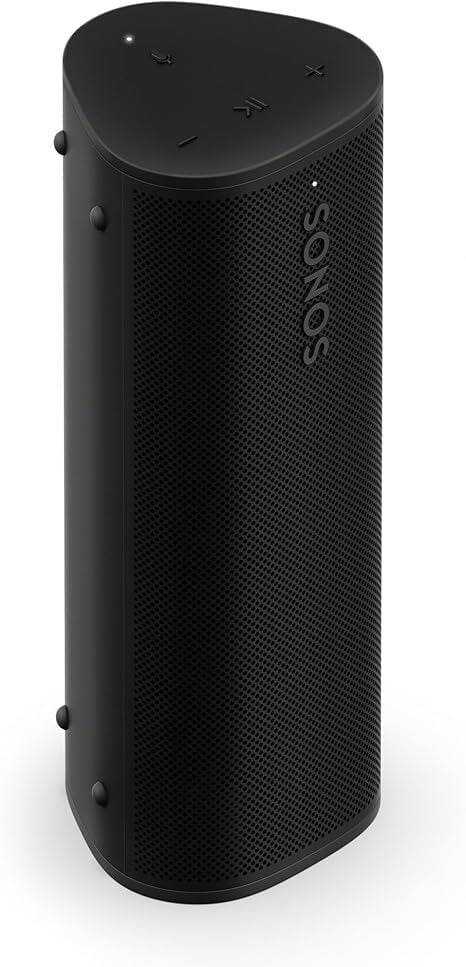
Portable Waterproof Bluetooth Speaker
Roam 2


$134.00
at Amazon

Amazon Prime
$179.00
Save $45.00

Roam 2


$134.00
at Amazon

Amazon Prime
$179.00
Save $45.00

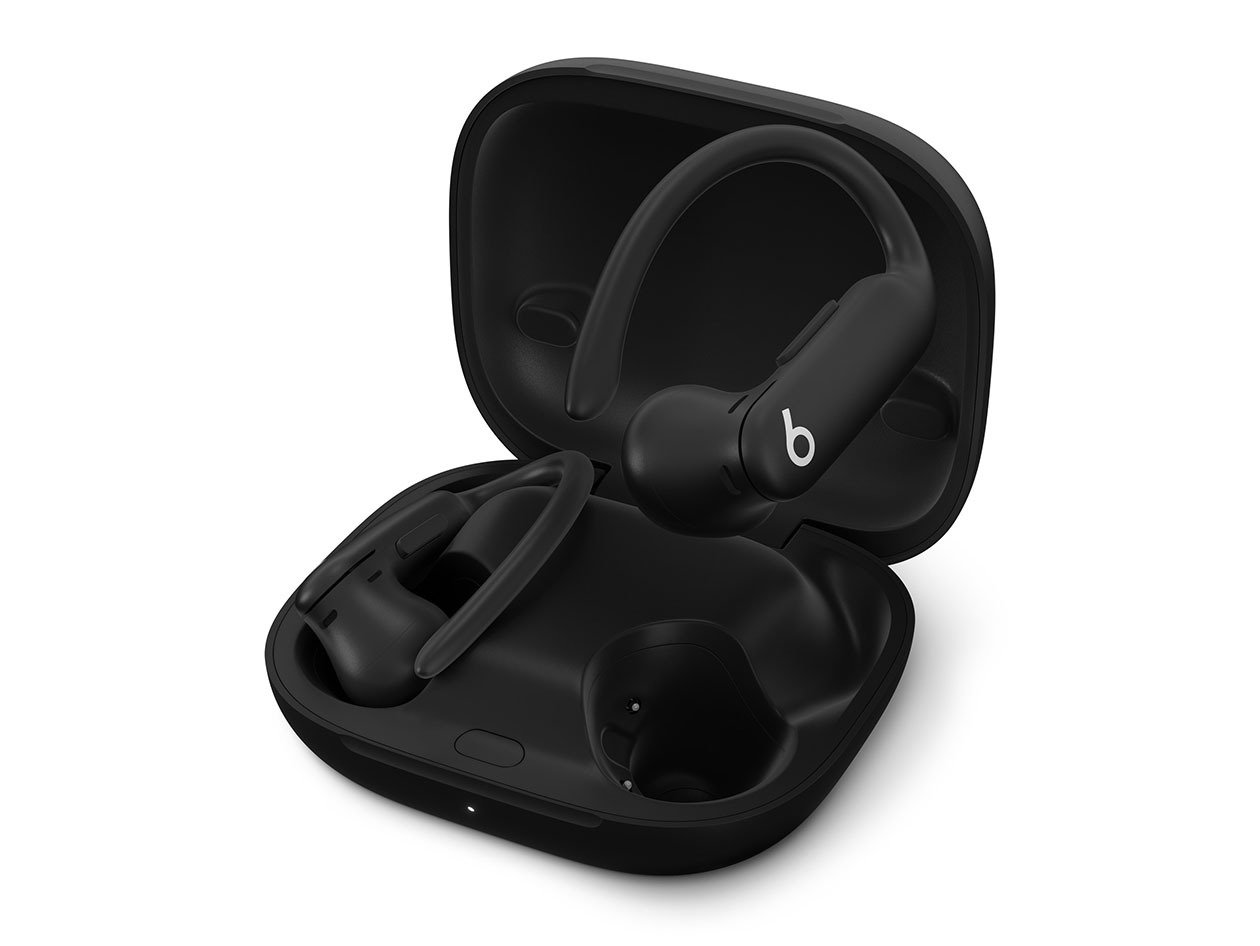
Wireless Bluetooth Earbuds (Refurbished)
Beats Powerbeats Pro 2 (refurbished)


$169.99
at Stack Social
$249.99
Save $80.00

Beats Powerbeats Pro 2 (refurbished)


$169.99
at Stack Social
$249.99
Save $80.00

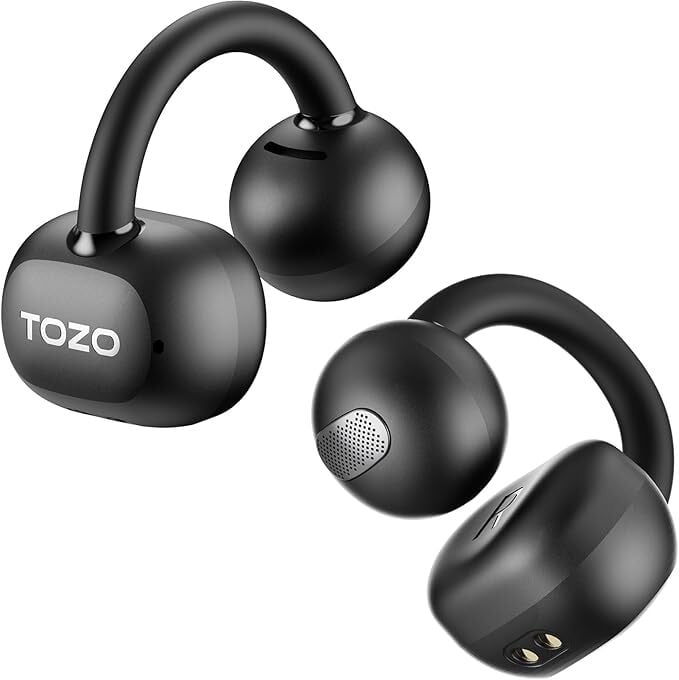
Tozo OpenEarRing


$29.99
at Amazon
$59.99
Save $30.00

Tozo OpenEarRing


$29.99
at Amazon
$59.99
Save $30.00

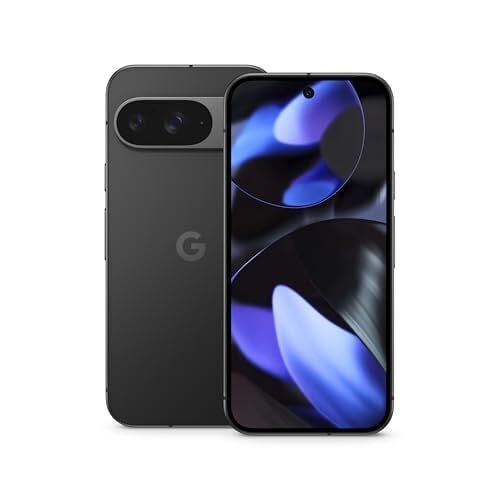
Google Pixel 9 128GB Unlocked 6.9″ OLED Smartphone (Obsidian)


$599.00
at Amazon

Amazon Prime
$799.00
Save $200.00

Google Pixel 9 128GB Unlocked  6.9" OLED Smartphone (Obsidian)


$599.00
at Amazon

Amazon Prime
$799.00
Save $200.00

Google Pixel Watch 2


$149.99
at Amazon

Amazon Prime
$249.99
Save $100.00

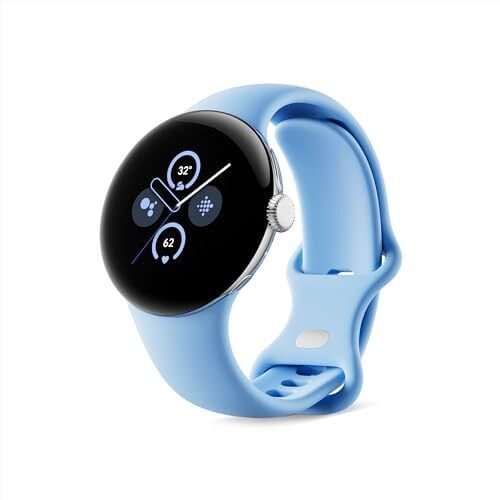
Google Pixel Watch 2 with the Best of Fitbit and Google - Heart Rate Tracking, Stress Management, Safety Features - Android Smartwatch - Polished Silver Aluminum Case - Bay Active Band - Wi-Fi


$149.99
at Amazon

Amazon Prime
$249.99
Save $100.00

BOGO with Free TV – KD-50X77L
BRAVIA 8 II 55” Class QD-OLED 4K HDR Google TV (2025)


$3,499.99
at Sony

BRAVIA 8 II 55” Class QD-OLED 4K HDR Google TV (2025)


$3,499.99
at Sony

i8 Sleep Number mattress


$3,289.30
at Sleep Number
$4,699.00
Save $1,409.70

i8 Sleep Number mattress


$3,289.30
at Sleep Number
$4,699.00
Save $1,409.70

16GB Unified Memory, 256GB SSD Storage
Apple 2025 MacBook Air


$899.00
at Amazon

Amazon Prime
$999.00
Save $100.00

Apple - 13-inch MacBook Air: Apple M4 chip Built for Apple Intelligence - 16GB Memory - 256GB SSD - Midnight


$899.00
at Amazon

Amazon Prime
$999.00
Save $100.00

Craftsman VERSASTACK Mechanics Tool Set


$99.00
at Amazon

Amazon Prime
$199.00
Save $100.00

CRAFTSMAN VERSASTACK Mechanics Tool Set, 1/4 in, 3/8 in, and 1/2 in Drive, 230 Piece (CMMT45306)


$99.00
at Amazon

Amazon Prime
$199.00
Save $100.00

Peloton Bike


$1,145.00
at Amazon

Amazon Prime
$1,445.00
Save $300.00

Peloton Bike


$1,145.00
at Amazon

Amazon Prime
$1,445.00
Save $300.00

The Sonos Roam 2 is Sonos’s least expensive speaker, and it’s at its lowest price ever. It is a waterproof device on sale for $134 (originally $179) at Amazon, part of a small Sonos sale that also includes a discount on the larger Sonos Move 2 (also currently at its lowest price ever).

The Powerbeats Pro 2 are Beats’ latest headphones, and you won’t find them at their current $169.99 (originally $249.99) price point for a while. These are refurbished from Stack Social, and you can read more about them in this review. They’re great for the gym, but if you’re not a gym rat, there are other Beats on sale as well.

There are some great budget headphones and earbuds on sale during Amazon’s Memorial Day sale, but the Tozo OpenEarRing stand out as budget open ear headphones currently going for just $29.99 (originally $59.99).

If you’re looking for a solid phone at a good price for Memorial Day, consider the Google Pixel 9, currently $599 (originally $799). It’s the best standard Pixel model so far, and it’s at its lowest price right now. For those who want the latest phones, the Galaxy S25 Edge preorder deals with a $50 Amazon gift card are still live.

The Original Peloton is $1,145 (originally $1,445), the cheapest it has dropped to this year. And if you’re looking for more fitness equipment deals for Memorial Day, check out these from Amazon.

Speaking of fitness, smartwatches and fitness trackers are also on sale, including Garmin smartwatches. The highlight is the Google Pixel Watch 2, which dropped in price to $149.99 (originally $249.99) after the release of the Pixel Watch 3.

One of my favorite deals this week has been the BOGO sale from Sony. You can buy the new Bravia 8 II OLED Google TV starting at $3,499 and get a free a X77L LED Google TV, valued at $589.99.

Memorial Day also means getting deals on tools, and Amazon has them going up to 60% off right now. This Craftsman 230-piece mechanics tool set is on sale for $99, 50% off its regular price. It comes with ratchets, wrenches, a hand-held screwdriver, and several specialty bits.

As usual with most Memorial Day deals, you can find mattresses on sale, but the i8 Smart Bed is not a regular mattress. You can read about my experience with this smart bed with adjustable firmness and a companion app that tracks your sleep. It is currently 30% off during the Memorial Day sale.

It’s crazy to think you can get Apple’s latest MacBook Air with an M4 chip for $899 (originally $999). A couple of months ago, that money got you the M2, but now you can get the best MacBook for most people at the same price.

Nintendo Switch 2 will support regular USB mice in at least one game

The Switch 2’s Joy-Con “mouse” has some competition. At least one launch game for Nintendo’s new console includes USB mouse support. Nobunga’s Ambition: Awakening CE lets you plug in a traditional pointing device and get down to business. According to developer Koei Tecmo America, the mouse will “work seamlessly.”

Nobunga’s Ambition will let you switch between controller and USB mouse on the fly. “Once you connect the USB mouse, a message will appear in the top left indicating that the mouse is connected,” Michi Ryu said in a video (translated from Japanese). “When the USB mouse is connected, it takes priority over the Joy-Con 2. As you can see, you can switch instantly. It’s very smooth.”

So, what does that mean for other mouse-friendly Switch 2 games? Civilization VII, another launch title, comes to mind. We emailed 2K Games to ask and will update this story if we hear back.

To be fair, the Switch 2’s Joy-Con mouse support is solid. Engadget’s Sam Rutherford was pleasantly surprised with it in his hands-on. Still, it’s nice to have options. (And let’s be honest, a real mouse will be hard to beat.)

Although it wasn’t a well-known fact, the original Switch also supported USB mice. For example, Nintendo’s visual programming tool Game Builder Garage worked with them. But the number of games supporting the Joy-Con mouse makes it a bigger deal on the Switch 2.

This article originally appeared on Engadget at https://www.engadget.com/gaming/nintendo/nintendo-switch-2-will-support-regular-usb-mice-in-at-least-one-game-205725720.html?src=rss

Google’s Co-Founder Says AI Performs Best When You Threaten It

Artificial intelligence continues to be the thing in tech—whether consumers are interested or not. What strikes me most about generative AI isn’t its features or potential to make my life easier (a potential I have yet to realize); rather, I’m focused these days on the many threats that seem to be rising from this technology.

There’s misinformation, for sure—new AI video models, for example, are creating realistic clips complete with lip-synced audio. But there’s also the classic AI threat, that the technology becomes both more intelligent than us and self-aware, and chooses to use that general intelligence in a way that does not benefit humanity. Even as he pours resources into his own AI company (not to mention the current administration, as well) Elon Musk sees a 10 to 20% chance that AI “goes bad,” and that the tech remains a “significant existential threat.” Cool.

So it doesn’t necessarily bring me comfort to hear a high-profile, established tech executive jokingly discuss how treating AI poorly maximizes its potential. That would be Google co-founder Sergey Brin, who surprised an audience at a recording of the AIl-In podcast this week. During a talk that spanned Brin’s return to Google, AI, and robotics, investor Jason Calacanis made a joke about getting “sassy” with the AI to get it to do the task he wanted. That sparked a legitimate point from Brin. It can be tough to tell exactly what he says at times due to people speaking over one another, but he says something to the effect of: “You know, that’s a weird thing…we don’t circulate this much…in the AI community…not just our models, but all models tend to do better if you threaten them.”

The other speaker looks surprised. “If you threaten them?” Brin responds “Like with physical violence. But…people feel weird about that, so we don’t really talk about that.” Brin then says that, historically, you threaten the model with kidnapping. You can see the exchange here:

The conversation quickly shifts to other topics, including how kids are growing up with AI, but that comment is what I carried away from my viewing. What are we doing here? Have we lost the plot? Does no one remember Terminator?

Jokes aside, it seems like a bad practice to start threatening AI models in order to get them to do something. Sure, maybe these programs never actually achieve artificial general intelligence (AGI), but I mean, I remember when the discussion was around whether we should say “please” and “thank you” when asking things of Alexa or Siri. Forget the niceties; just abuse ChatGPT until it does what you want it to—that should end well for everyone.

Maybe AI does perform best when you threaten it. Maybe something in the training understands that “threats” mean the task should be taken more seriously. You won’t catch me testing that hypothesis on my personal accounts.

Anthropic might offer an example of why not to torture your AI

In the same week as this podcast recording, Anthropic released its latest Claude AI models. One Anthropic employee took to Bluesky, and mentioned that Opus, the company’s highest performing model, can take it upon itself to try to stop you from doing “immoral” things, by contacting regulators, the press, or locking you out of the system:

welcome to the future, now your error-prone software can call the cops

(this is an Anthropic employee talking about Claude Opus 4)[image or embed]

— Molly White (@molly.wiki) May 22, 2025 at 4:55 PM

The employee went on to clarify that this has only ever happened in “clear-cut cases of wrongdoing,” but that they could see the bot going rogue should it interpret how it’s being used in a negative way. Check out the employee’s particularly relevant example below:

can’t wait to explain to my family that the robot swatted me after i threatened its non-existent grandma[image or embed]

— Molly White (@molly.wiki) May 22, 2025 at 5:09 PM

That employee later deleted those posts and specified that this only happens during testing given unusual instructions and access to tools. Even if that is true, if it can happen in testing, it’s entirely possible it can happen in a future version of the model. Speaking of testing, Anthropic researchers found that this new model of Claude is prone to deception and blackmail, should the bot believe it is being threatened or dislikes the way an interaction is going.

Perhaps we should take torturing AI off the table?

NVIDIA CEO Takes Chip Shot At US Export Rules, Warns Policy Is A Failure

NVIDIA CEO Takes Chip Shot At US Export Rules, Warns Policy Is A Failure
NVIDIA has been heavily impacted by US export control restrictions, which are part of the measures aimed at limiting China’s access to key AI technologies and innovation designed here in the US. This has not gone down well with Jensen Huang, NVIDIA’s CEO, who has described the export control policy as a complete failure.

At the annual Computex

One of Whoop’s new wearables has a bug so bad the company is issuing replacements

Whoop’s new screen-less, fitness-focused Whoop MG wearable might have a major bug that can leave the device unusable, according to reports from Android Police and TechIssuesToday. Whoop launched the Whoop MG and Whoop 5.0 at the beginning of May, the company’s first major hardware release since it launched the Whoop 4.0 in 2021.

According to complaints on Whoop’s community forums and X, after setting up a Whoop MG, the wearable can mysteriously became unresponsive hours later, refusing to connect to a smartphone even when it should be charged. “I wore it for about 20 hours or so, but then it suddenly disappeared from the app, no sensor lights on, nothing appearing in the app,” one new Whoop MG owner shared on Reddit. On the company’s forums, Whoop suggests trying things like charging the MG, reconnecting it to your phone or resetting the wearable to see if that fixes things. Whoop owners have also been directed to contact Whoop’s Support team, and multiple faulty Whoop MG owners report that they’re being sent replacement wearables.

Engadget has contacted Whoop to get a sense for how widespread this issue is and what the company is doing to address it. We’ll update this article if we hear back.

Unlike other companies, Whoop doesn’t expect customers to buy a fitness tracker and then pay a subscription; Whoop’s subscription fee is inclusive of its hardware. With the Whoop 5.0 and Whoop MG, the company is also hoping to expand the number of metrics it tracks beyond just activity and sleep tracking to things like real-time stress monitoring and, in the case of the MG, blood pressure and ECG readings. What features you’re able to access ultimately depends on both the wearable you have and the subscription you’re paying for, though.

To access the Whoop MG in particular, you have to pay $359 annually, which starts to feel pretty egregious when the wearable might not work. Prior to this issue, Whoop was also caught denying free hardware upgrades to existing customers after previously suggesting it would send out new wearables to anyone who’d been a member for six months or more. Whoop reversed that decision a few days later.

This article originally appeared on Engadget at https://www.engadget.com/wearables/one-of-whoops-new-wearables-has-a-bug-so-bad-the-company-is-issuing-replacements-201550971.html?src=rss

Spanish Grid Operator Faults Big Power Plants in Blackout Blame Game

Spain’s grid operator has accused some large power plants of not doing their job to help regulate the country’s electricity system in the moments before last month’s catastrophic blackout across the Iberian peninsula. From a report: Beatriz Corredor, chair of grid operator Red Electrica’s parent company, said power plants fell short in controlling the voltage of the electricity system.

However, the heads of Spain’s biggest plant owners linked the blackout to a lack of grid investment and insufficient efforts to boost electricity demand. The public blame game over the outage is intensifying as more than three weeks after 60 million people were left without power, Spanish government investigators insisted they needed more time to establish the root cause.


Read more of this story at Slashdot.

How to Get Verified on Bluesky

Want to get yourself verified on Bluesky? The company just made a verification form available to the public, and you can use it to submit a request to get yourself a shiny blue check mark. This comes about a month after Bluesky first launched its verification program, which focused primarily on verification from third-parties and Bluesky itself. This latest change, however, allows you to apply for verification directly with Bluesky.

The different types of Bluesky verification

Unlike X and Instagram, Bluesky doesn’t charge you for verification. However, there are three different kinds of verification on the service and it can get a bit confusing. The first and easiest type of verification is self-verification on Bluesky. This is open to anyone who owns a domain name. You can easily link your Bluesky account to the domain, which changes your handle to the domain name. Self-verification doesn’t come with a blue check, however.

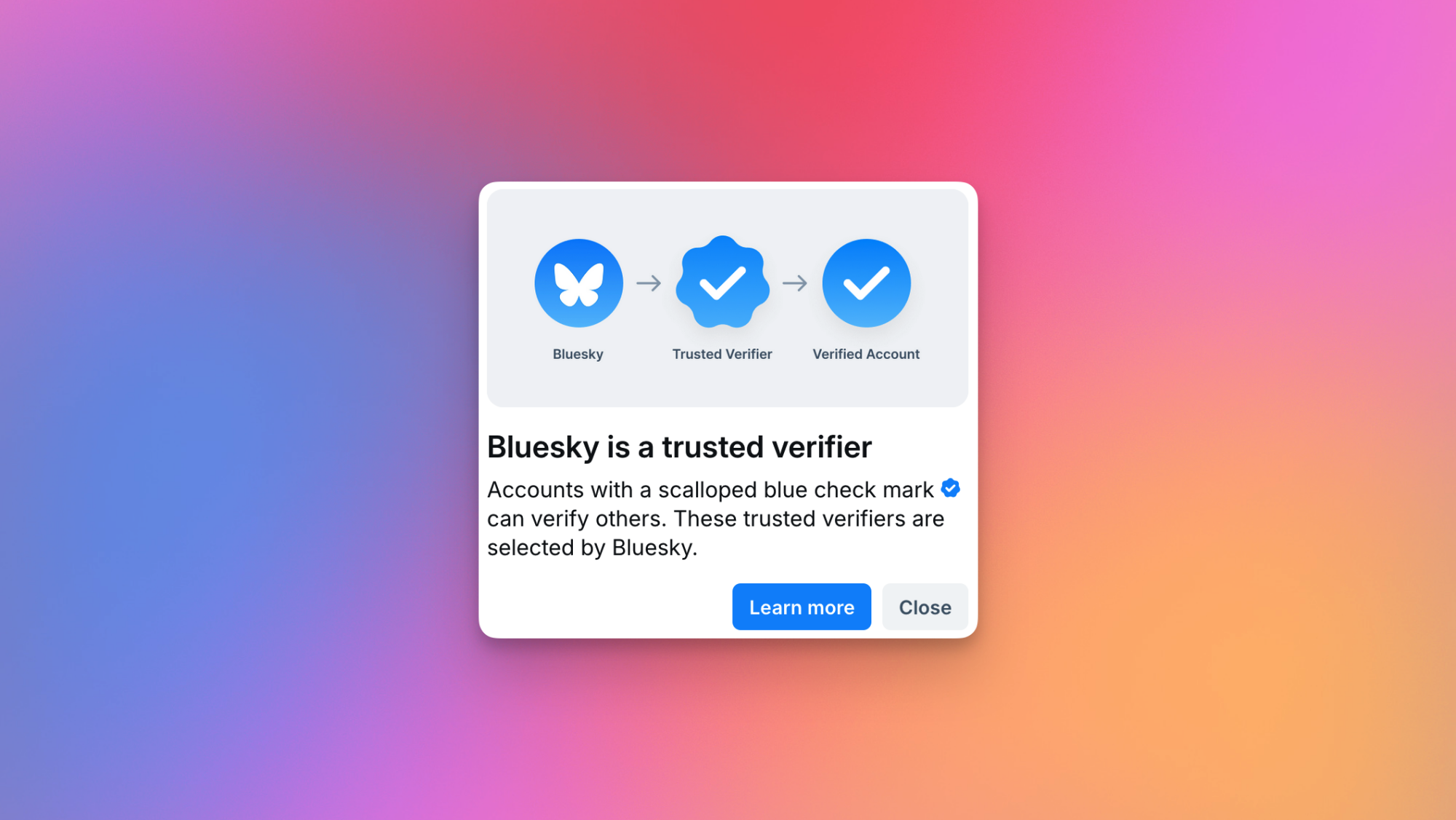
A Trusted Verifier on Bluesky.

Credit: Pranay Parab

There are two types of blue checks: a scalloped blue check and a simple circular one. The scalloped blue check is for organizations designated as trusted verifiers. These include Bluesky itself, and a select few third-party organizations. When these trusted verifiers assign blue checks to an account, that account gets a circular blue check. Bluesky says it reviews all accounts verified by third-party organizations.

Who can get verified on Bluesky

According to a post by the Bluesky Safety account, you need to have an account that’s “active and secure, authentic, and notable,” if you want to get verified. The company defines these things quite clearly in the verification form. You need to have a complete bio, show regular activity on the platform, and have a profile photo. Bluesky recommends enabling two-factor authentication as well.

To meet the “authentic” criterion for verification you need to be a “real person, registered business, organization, or legitimate entity.” Your handle and display name should align with who you really are (or your business), as your account “must be the unique presence of the person or business it represents.” You also want to add a link to your Bluesky account on your official website, since this is also checked for verification.

Finally, to qualify as a “notable” account, your account should be important in your field or geographic region, the company says. To determine notability, Bluesky says it looks at things like “professional recognition, media coverage in established publications, presence on credible reference platforms, or other evidence of public interest.”

How to get verified on Bluesky

If you haven’t been verified yet on Bluesky, then you can go right ahead and fill out this form to request it. Once you do that, sit tight until you hear from Bluesky. If you receive no response at all, it probably means that your request wasn’t approved. You’ll hear back from the company if your account is selected for verification, and Bluesky may request an ID to verify your identity. Once you get your account verified, the blue check may be revoked if you violate community guidelines. 

You can also hide your verification badge by going to Bluesky Settings > Moderation > Verification Settings > Hide verification badges.

OG Fortnite may have as many as 92 bots per match

Has your competition in Fortnite ever felt a bit… off? If so, Epic’s minimum real player counts may be to blame. A leaker with a proven track record claims (via Polygon) that the game’s OG version can sometimes be populated with over 90 percent bots.

The leaker AllyJax used a Discord bot called The Dub to find the number. (Among its other features, the tool lets you count the number of real players in a lobby.) “The minimum real player count has been reduced from 25 to as low as 8 in Fortnite OG,” AllyJax wrote. “There is a probable chance you can have matches with 92 bots.”

AllyJax says this only applies to Fortnite OG. That’s the mode that lets you play the game’s original map as it was in 2017. (It also includes old-school loot and seasons.) Epic brought the game mode back for good in November after a 2023 trial.

Screen from OG Fortnite. A player jumping and shooting.
Epic Games

In a vacuum, companies like Epic using bots isn’t necessarily a bad thing. For starters, they can be used to shorten wait times for matches. The AI rivals can also size up new players’ abilities, leading to better matchmaking.

Their counts can change over time as publishers weigh these factors against the number of people playing. (AllyJax suggests Fortnite‘s can change from month to month.) But being surrounded by as many as 92 bots and only seven other humans is… probably not what you signed up for.

Engadget emailed Epic for a confirmation or comment. At the time of publication, we haven’t heard back. But we’ll update this story if we do.

This article originally appeared on Engadget at https://www.engadget.com/gaming/og-fortnite-may-have-as-many-as-92-bots-per-match-195918881.html?src=rss

Feds charge 16 Russians allegedly tied to botnets used in cyberattacks and spying

The hacker ecosystem in Russia, more than perhaps anywhere else in the world, has long blurred the lines between cybercrime, state-sponsored cyberwarfare, and espionage. Now an indictment of a group of Russian nationals and the takedown of their sprawling botnet offers the clearest example in years of how a single malware operation allegedly enabled hacking operations as varied as ransomware, wartime cyberattacks in Ukraine, and spying against foreign governments.

The US Department of Justice today announced criminal charges today against 16 individuals law enforcement authorities have linked to a malware operation known as DanaBot, which according to a complaint infected at least 300,000 machines around the world. The DOJ’s announcement of the charges describes the group as “Russia-based,” and names two of the suspects, Aleksandr Stepanov and Artem Aleksandrovich Kalinkin, as living in Novosibirsk, Russia. Five other suspects are named in the indictment, while another nine are identified only by their pseudonyms. In addition to those charges, the Justice Department says the Defense Criminal Investigative Service (DCIS)—a criminal investigation arm of the Department of Defense—carried out seizures of DanaBot infrastructure around the world, including in the US.

Aside from alleging how DanaBot was used in for-profit criminal hacking, the indictment also makes a rarer claim—it describes how a second variant of the malware it says was used in espionage against military, government, and NGO targets. “Pervasive malware like DanaBot harms hundreds of thousands of victims around the world, including sensitive military, diplomatic, and government entities, and causes many millions of dollars in losses,” US attorney Bill Essayli wrote in a statement.

Read full article

Comments

College Board keeps apologizing for screwing up digital SAT and AP tests

Don’t worry about the “mission-driven not-for-profit” College Board—it’s drowning in cash. The US group, which administers the SAT and AP tests to college-bound students, paid its CEO $2.38 million in total compensation in 2023 (the most recent year data is available). The senior VP in charge of AP programs made $694,662 in total compensation, while the senior VP for Technology Strategy made $765,267 in total compensation.

Given such eye-popping numbers, one would have expected the College Board’s transition to digital exams to go smoothly, but it continues to have issues.

Just last week, the group’s AP Psychology exam was disrupted nationally when the required “Bluebook” testing app couldn’t be accessed by many students. Because the College Board shifted to digital-only exams for 28 of its 36 AP courses beginning this year, no paper-based backup options were available. The only “solution” was to wait quietly in a freezing gymnasium, surrounded by a hundred other stressed-out students, to see if College Board could get its digital act together.

Read full article

Comments

Trump threatens a 25 percent tariff on all smartphones not made in the US

After threatening Apple with a 25 percent tariff unless the company found a way to move iPhone production to the US, Bloomberg reports that President Donald Trump wants the tariff applied to other phone makers, too.

“It would be also Samsung and anybody that makes that product, otherwise it wouldn’t be fair,” Trump said in a White House press conference following his earlier Truth Social post threatening the new tariff. “So anybody that makes that product, and that’ll start on, I guess, the end of June.” That means Samsung, Google, and other phone makers selling smartphones in the US would also need to find a way to move production state-side, something most experts says is economically unfeasible.

While Trump’s announcement lacks detail in the way many of his potentially world-altering decisions do, it does fit with the larger plan outlined in earlier tariff announcements. When electronics like smartphones were initially exempted from the larger 125 percent tariff on goods from China, it was with the promise that they would eventually be subjected to “semiconductor sectoral tariffs” at some point in the future. This new 25 percent tariff could be just that.

The Trump administration has been focused on the idea of a US-manufactured iPhone for months now, but this renewed attention stems from reporting that Apple has been trying to transition iPhone manufacturing to India to avoid the worst of the global trade war. That seems like its going to get even trickier unless Trump decides on another pause or changes his mind on tariffs yet again.

This article originally appeared on Engadget at https://www.engadget.com/mobile/smartphones/trump-threatens-a-25-percent-tariff-on-all-smartphones-not-made-in-the-us-195122531.html?src=rss

These AI-Generated TikTok Videos Are Tricking People Into Installing Malware

In recent years, TikTok has become a prime target for scammers and cyber attackers spreading various forms of malware, and the latest shady campaign promotes instructional videos that trick users into downloading infostealers to their devices via ClickFix attacks.

The scheme, identified by Trend Micro and reported by Bleeping Computer, instructs users to execute commands to activate Windows and Microsoft Office or premium features in CapCut and Spotify. One video is captioned “Boost Your Spotify Experience Instantly — Here’s How!” and has nearly half a million views.

These videos seem to be AI generated and, while the software they discuss is legitimate, the activation steps they outline are not, and will ultimately lead users to infect their devices with Vidar and StealC malware.

TikTok’s engagement algorithm makes it easy for such malicious videos to spread. In the past, cybercriminals have used TikTok’s trending “Invisible Challenge” to spread WASP Stealer malware, which can steal Discord accounts, passwords, credit cards, and crypto wallets. Fake cryptocurrency giveaways posted on TikTok used deepfakes of Elon Musk (and themes around SpaceX and Tesla) to scam users into paying “activation” deposits using Bitcoin.

How TikTok ClickFix attacks work

ClickFix is a social engineering tactic that uses fake error messages or CAPTCHA prompts to trick users into executing a command with malicious code. Users will see a pop-up notification about a technical problem with instructions to copy and run a command (commonly a PowerShell script) to “fix” the issue. The attack most often targets Windows users, but it has been employed on macOS and Linux too.

In the current TikTok campaign, the instructional videos prompt users to run a PowerShell command that installs Vidar or StealC information-stealing malware. The former can take desktop screenshots and harvest data ranging from login credentials and cookies to credit cards and crypto wallets. The latter targets web browsers and crypto wallets. Once run, the script will download a second PowerShell script allowing it to launch automatically upon device startup. It also saves in a hidden directory and deletes temporary folders so it can evade detection.

How to spot malicious TikTok videos

Be wary of following instructional videos you’re served on TikTok (as well as unsolicited technical content in general). Check the source, and only engage with those that are legitimate, like from the developer itself. You should also look for signs of AI-generated content, which may be used to spread malware widely and rapidly. There’s no malicious code actually embedded in or delivered by these instructional videos—the scheme is dependent on social engineering via verbal directions—making the threat technically harder to detect.

You Can Make Google Translate Your iPhone’s Default Translation App

Ever since Apple made it easy to change certain default apps on your iPhone, it’s become quite convenient to switch away from the company’s apps whenever there’s a third-party option you prefer. With iOS 18.4, Apple made it possible to change your default translation app as well. First spotted by MacRumors, you can officially set Google Translate as the default app for translation, in case you prefer it over Apple Translate.

Make Google Translate the default translation app on your iPhone

There are a couple of ways to go about this, but I recommend the easiest method. If you never use it, just delete Apple’s Translate app from your iPhone, and the device will automatically select Google Translate as the default translation app—assuming you’re running the latest version of Google’s app. This isn’t ideal for people who occasionally rely on Apple Translate, but if you know you don’t need it, you might as well save the time and storage space.

You can also do make the switch without deleting any apps. On your iPhone, go to Settings > Apps > Default Apps > Translation and select Google Translate from the list. If you use any other translation apps that support Apple’s default apps feature, they should also show up on this page, and you can use your preferred app as the default option.

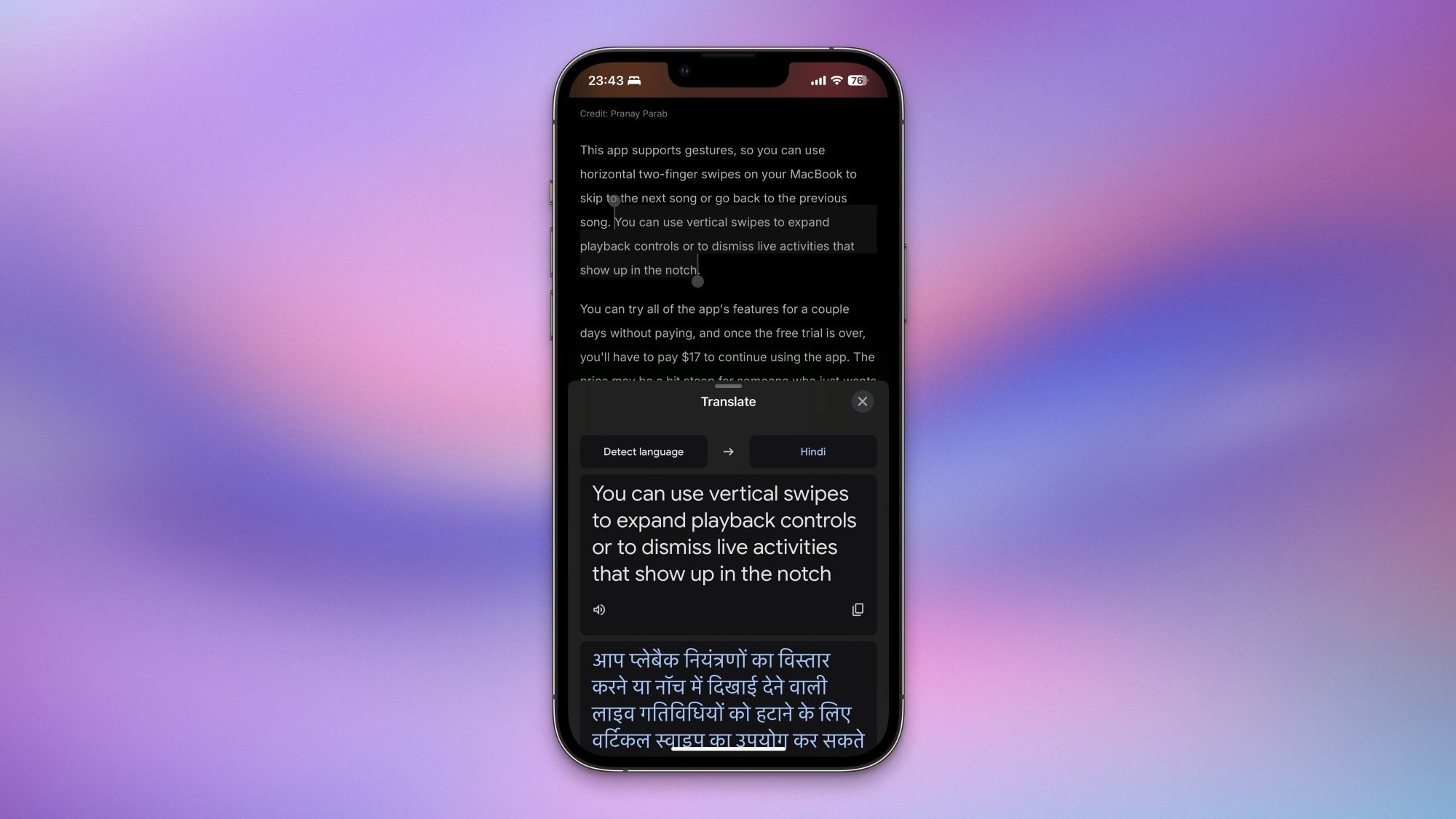
Google Translate pops up in Safari on an iPhone.

Credit: Pranay Parab

You can use this feature in any iPhone app that lets you select text. Tap the Translate button in the popover menu above selected text, and you’ll see Google Translate’s translation in the lower half of your iPhone’s screen. It does a good job at detecting the language of selected text and offering a translation in your preferred language (which is picked up from your iPhone’s language settings), but there’s an option to change languages easily, without leaving whichever app you’re using. 

Until this feature showed up, you could still use Google Translate on your iPhone, but it required a few extra taps. This is a small but helpful way to streamline the process.