A former Minnesota waitress unknowingly helped North Korean workers steal $17.1 million in wages from over 300 American companies through an elaborate remote work scheme, federal prosecutors said this week. Christina Chapman operated a “laptop farm” from her home, managing dozens of computers that allowed North Koreans using stolen U.S. identities to work as legitimate tech employees.
The FBI estimates this broader infiltration involves thousands of North Korean workers generating hundreds of millions annually for the sanctions-hit regime. Chapman, recruited via LinkedIn in 2020 to serve as “the U.S. face” for overseas IT workers, handled logistics including receiving company laptops, installing remote access software, and processing falsified employment documents.
The North Korean workers accessed the devices daily from overseas, with some maintaining jobs for months or years at major American corporations. Chapman earned just under $177,000 before the FBI raided her Arizona operation in October 2023, seizing over 90 computers. She pleaded guilty in February to wire fraud, identity theft, and money laundering charges, facing up to nine years in prison at her July sentencing.
I vEverested on Friday, May 23rd. While preparing, I consulted various resources, including the Zwift Insider posts from Ron Chatfield and Tim Perkin. These testimonials helped me understand what I was facing, and now that I’ve completed the challenge, I want to share my experience with the community to help others prepare for their epic vEverestings.
But First, the Numbers
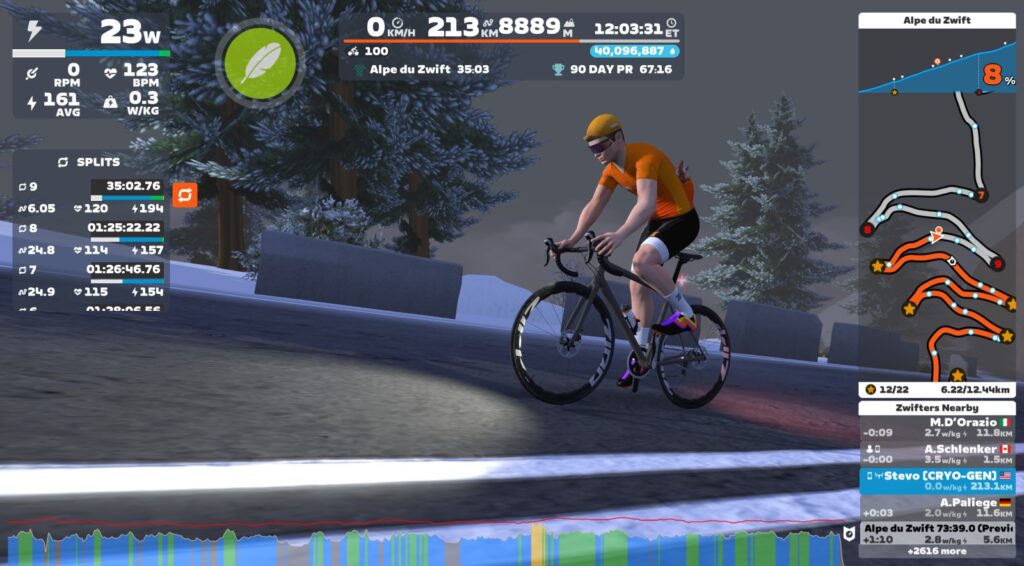
Time: 12:03:05
Elevation: 8888 m
Distance: 213.18 km
Route: Road to Sky
Segment: Alpe du Zwift
Laps: 8.5
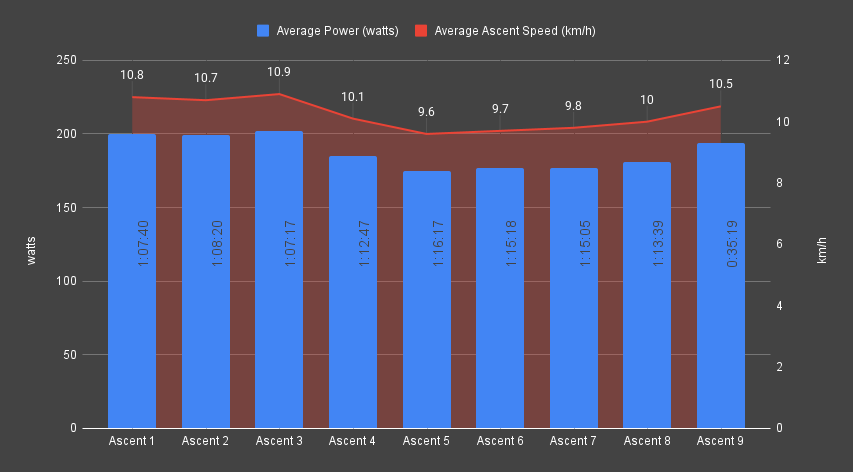
Average Ascent Speed: 10.5 km/h
Average Descent Speed: 66.1 km/h
Average Ascent Power: 188 w
Normalize Ascent Power: 189 w
Average Ascent Heart Rate: 121 bpm
Average Ascent Cadence: 84 rpm
TSS: 489
Work: 7047 kJ
Weight: 71.4 kg
FTP: 4 w/kg
Height: 180 cm
Carbohydrates In: 873 g
Sodium In: 9199 mg
Calories In: 4563 kcal
Getting Started
After a few weeks of consideration, I scheduled the ride for Friday, May 23rd. Leading up to the day, I secured my nutrition and configured my pain cave/battle station for the event, trying not to overthink the challenge ahead.
I didn’t adjust my training schedule in advance of the attempt and still raced with my TTT team the day before the event (go CRYO-GEN Kestrels). Early Friday morning, I set out. Here are my observations.
Initial Preparation
I’m a data nerd. As such, I was at home researching and planning my vEverest attempt. I consulted first-hand reports, compared segment data, and quickly decided to use Road to Sky and Alpe du Zwift for the ride. After running the numbers through Everesting’s lap calculator, I settled on a 12-hour target time. I prefer to train early in the morning, but your chronotype will ultimately determine your optimal ride schedule. I scheduled my attempt for 4 am, intending to have an early dinner.
The Day Before
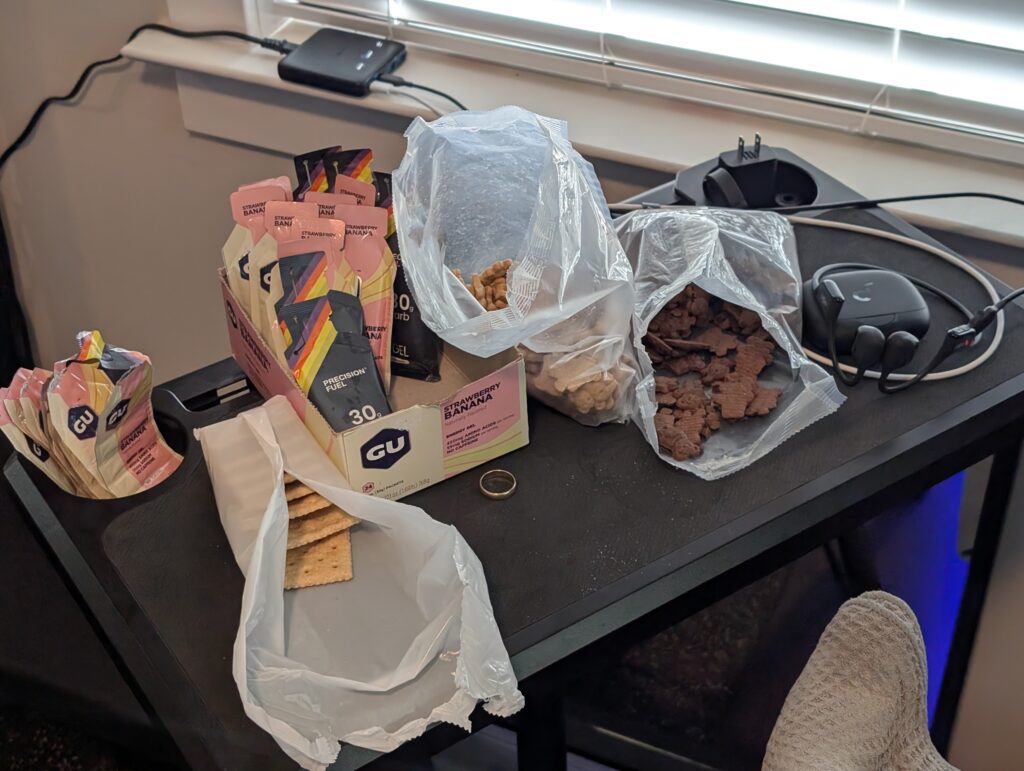
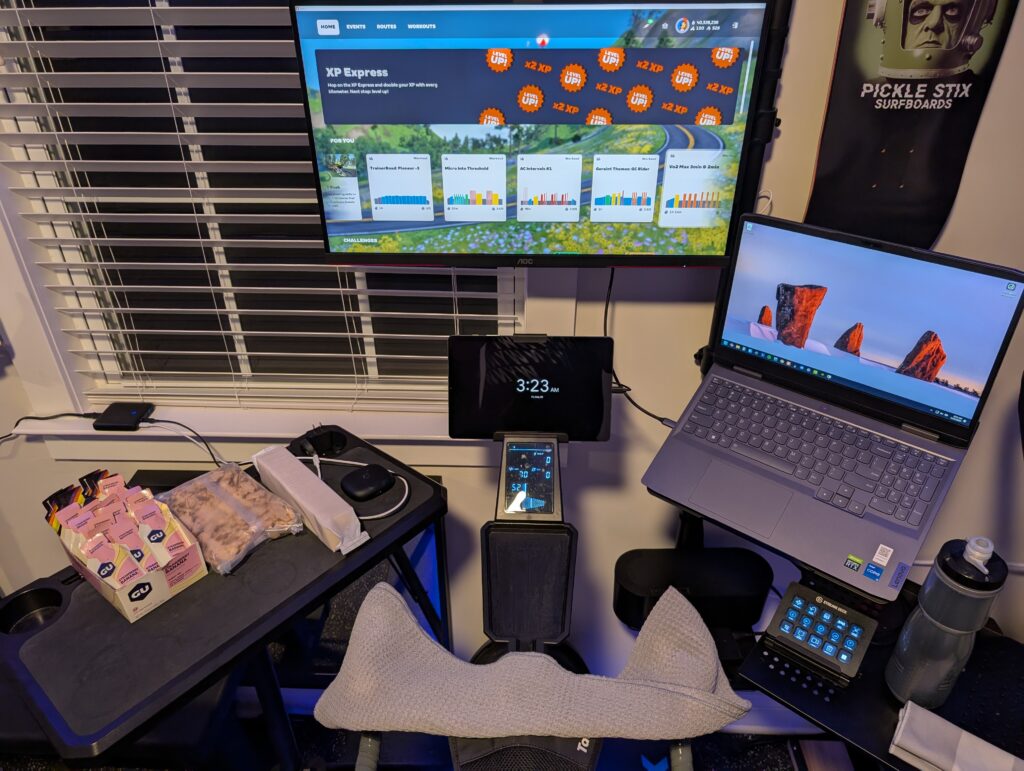
I assembled my nutrition and set up an extra table next to my trainer to house the goods. I completed a full video weigh-in, updated my weight in Zwift, set the trainer difficulty to 100% according to Everesting rules, and took screenshots and photos of each step in Zwift’s settings.
This is a good time to optimize your virtual gears, as trainer difficulty will change the feel of the ascents. Also, hit the garage and equip your fastest climbing bike and wheels! I used the S-Works Aethos and Zipp 353 NSW wheels.
The Day Of
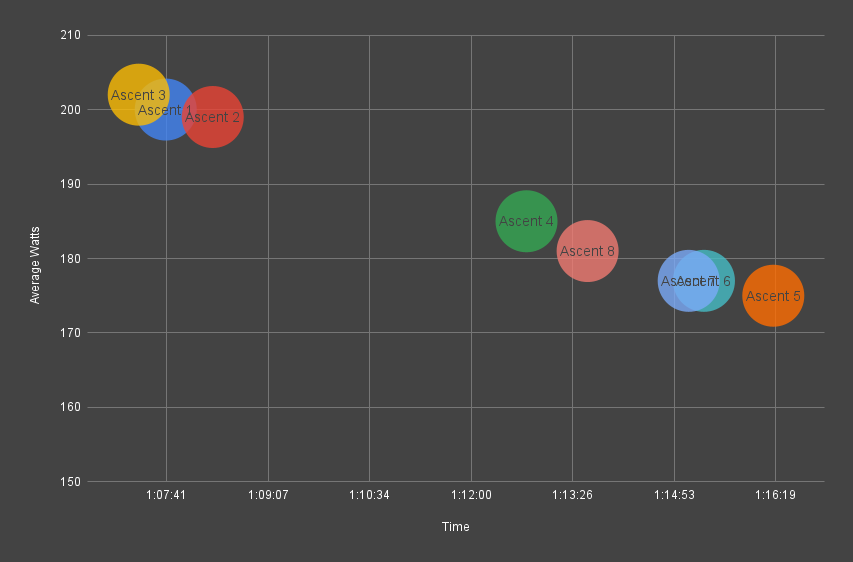
I woke up an hour early, but otherwise maintained my routine. Wake, dress, eat, stretch, and train. After logging on and taking a few more pictures, I started out, quickly realizing I needed to adjust my gearing further. After that hiccup, I started my watch and was off at 4:17 am. My pace for ascents one through three was hot and likely unsustainable. This was entirely avoidable, but I settled into a sustainable pace by lap four, which I maintained until lap nine.
I utilized each descent to get off the bike, eat real food, refill hydration, change kit, and bio break. Use these rests wisely, but do not let your guard down. I avoided sitting down and used the time strictly to prepare for the next ascent. Time your first descent so you can return to the bike before your avatar passes the segment start line. Be aware of the limitations of your watch and heart rate monitor as you leave your training area. Consider leaving them behind to prevent disconnects from your trainer and Zwift device.
After completing the vEveresting, I straightened up my pain cave and headed for the shower. I consistently fueled during the ride and wasn’t hungry, but I happily ate a massive burrito, then retired to the couch with my laptop to pore over my data.
The Next Day
I returned to my usual routine: wake, dress, eat, stretch, and train. The legs felt okay, all things considered, and 90 minutes of zone 1 got things loosened up. My only other activity for the day was resting, eating, and walking after meals. While not fully recovered, by the end of the day, I was ready to lead my Sunday morning 2-hour Cat C group ride (go Team CRYO-GEN).
Environment
Optimizing your environment will help you be more efficient and comfortable for such a long session on a trainer. Familiarize yourself with your training area so you know what time to close the shades and block the afternoon sun. Make a reminder to adjust the HVAC to prevent the space from becoming too hot or humid. Adjust the lighting to prevent glare, darkness, or other distracting conditions. Check the condition of your fans and add more if needed. Stock your training area with clean towels and sweatbands.
Nutrition
This will make or break your ride. Stick with familiar foods that you’re comfortable with and do not cause you digestive or GI issues. Fuel early and often. Set up a dedicated table for on-bike nutrition where everything is easily accessible. The goal is to reduce friction and encourage fueling, as you may not feel like eating. Supplement your water with electrolytes and hydrate consistently throughout the session. As with food, stick with known brands that do not cause you issues. Consider pre-hydrating with electrolytes before you begin your attempt.
Hardware
Some tips to ensure your hardware functions smoothly throughout your vEverest attempt:
Update your Zwift devices, head units, watches, and tech well in advance of your vEverest attempt.
Allow plenty of time to establish a secure connection between your trainer, Zwift device, head unit, watch, and heart rate monitor. Make a test ride or two prior to starting your attempt to ensure that all devices are communicating with reliable connections.
Address any bike, trainer, rocker plate, or shoe maintenance well ahead of your ride.
Dial in your physical or virtual gears before your attempt. The 100% trainer difficulty setting will impact the feel of the ascent. Get comfortable with your updated gearing before you set out.
Set up a charger for your phone and wireless headphones.
If running Zwift on a tablet or phone, ensure your charger is powerful enough to charge the device while it is running Zwift.
Zwift Features
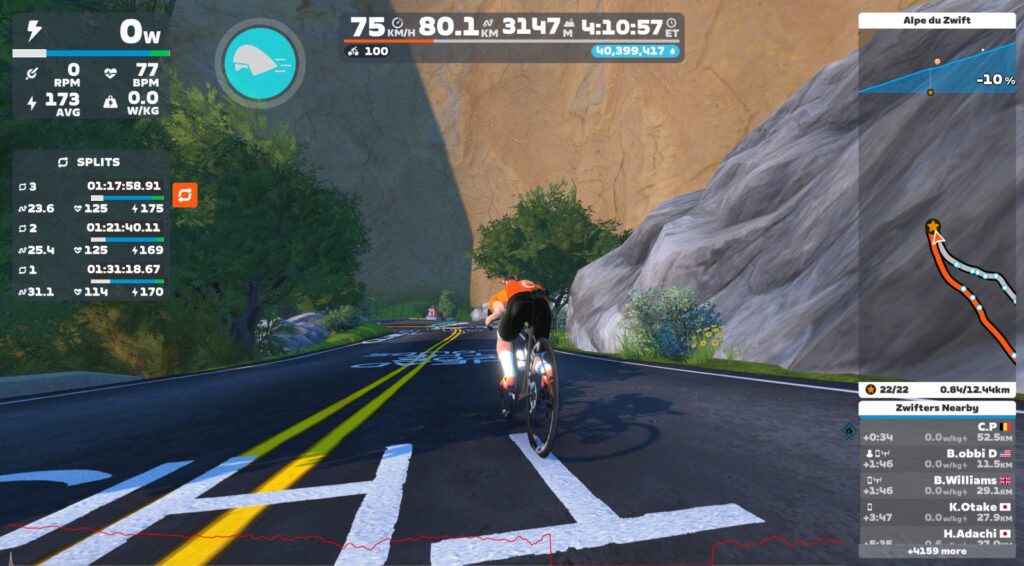
Zwift launched the new lap feature the week of my vEveresting. The lap counter was an outstanding tool, and I was able to launch a new lap at the start of each ascent. Initially, I planned to reset the lap counter at the beginning and end of each ascent, but I quickly forgot to reset it at the top of the mountain and decided to log each complete lap instead. Combined with the segment timer HUD elements, the lap counter made it easy to compare average power, heart rate, and time.
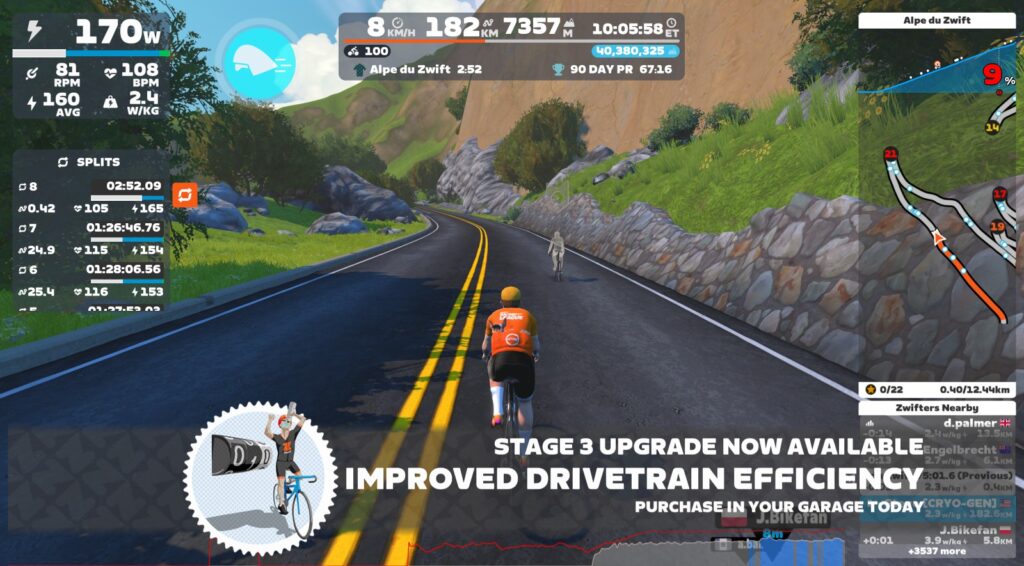
vEveresting also provided an outstanding opportunity to upgrade my S-Works Aethos climbing bike. Ahead of the ride, I noted the elevation thresholds for each upgrade level and used them as milestones during the session. When I hit an upgrade, I quickly stopped, hit the drop shop, and purchased the upgrade. This routine was motivational, and I was able to upgrade from level 0 to level 3 by lap 8!
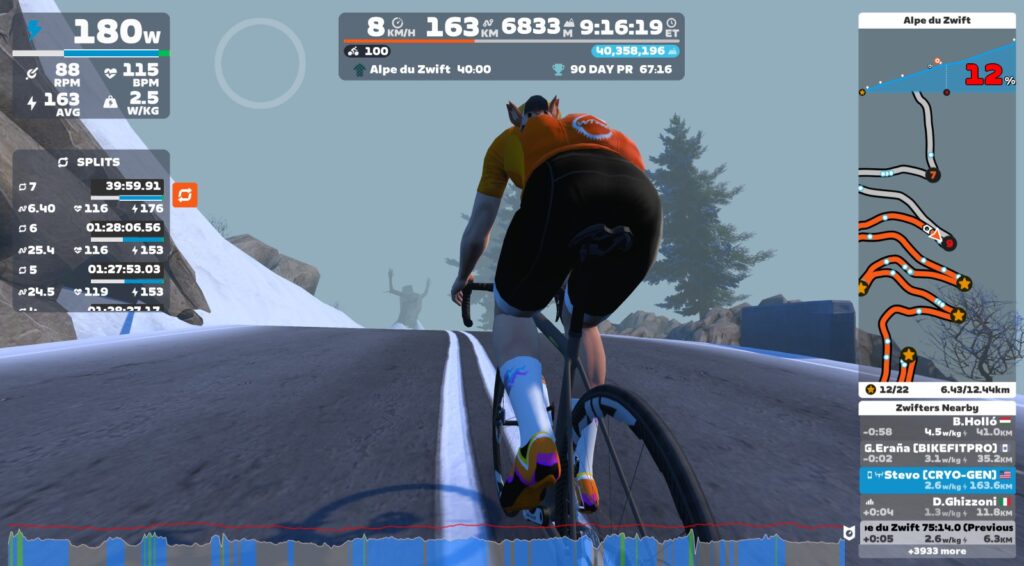
The HoloReplay ghost is the MVP of a ride with repeating segments. Once you’ve established a sustainable pace, your ghost will escort you up the mountain on the next lap. If you pace yourself to the ghost, you can hit consistent lap times with little effort. Be aware of chasing a fast ghost and know when to fold and let the ghost ride ahead. The sunk cost fallacy is real, and it’s easy to attempt to maintain the unsustainable pace from your previous lap.
Kit
Bib selection is paramount for a ride this long. Use your best-fitting, most comfortable bibs, and plan to swap them at least once during the ride. I changed my bibs, shirt, and socks after lap four and felt like a new person. Consider swapping to a different model or style of bibs when you change. A slightly different fit may help prevent hot spots caused by impedance mismatches between your bibs and anatomy.
Training
A strong level of base fitness is necessary for vEveresting. Consider long ERG mode training sessions in zones 2 and 3. There is no coasting up the mountain, and if you stop or slow pedaling, you will stop moving. ERG mode helps train you to maintain steady and consistent power, which is crucial for this attempt.
Pets
Ensure you have a feeding, walking, and care plan in place for your pets. Make sure that they are comfortable while you suffer on your ride.
Support
While it’s more challenging to take on this attempt unsupported, it’s entirely possible. If possible, schedule your ride for a day when family or friends are available to assist. I rode unsupported until the very end when my beautiful wife brought home burritos. Consider coordinating with your Zwift team, who will provide moral support during your ride. I kept my attempt a secret until one of my teammates noticed me online with 200 km clocked and rallied the team for an all-out ride-on assault. This gesture helped me in the end.
Conclusion
vEveresting was the hardest thing I’ve done on a bike, indoors or out. It put my endurance to the test but resulted in a deep feeling of accomplishment that I’m sure won’t come from anywhere else. A massive thank you to the community for the content that helped me plan the event and Team CRYO-GEN for motivation and props. Hopefully, this article will help others in the future. Be well and ride on!
KDE Plasma 6.4 has entered its beta testing phase. The beta version ships with a lot of new features and improvements. This step-by-step tutorial will show you how to install KDE Plasma 6.4 Beta on Fedora 42.
We may earn a commission from links on this page. Deal pricing and availability subject to change after time of publication.
There’s something to be said for a one-time payment that actually sticks. This bundle on StackSocial pairs Microsoft Office Professional 2021 with Windows 11 Pro for just $54.97 (down from nearly $419), and it’s the kind of deal that makes sense if you’re setting up a new PC or finally updating an old one. The Office license is for life—no subscription, no annual fees, and it covers all the essentials, including Word, Excel, PowerPoint, Outlook, OneNote, Publisher, Access, and the free version of Teams. Everything installs locally on one Windows PC, so there’s no hopping between browser tabs or worrying about renewing in 12 months.
The Windows 11 Pro license, also included, is the full upgrade, not just cosmetic tweaks but real functionality gains. It’s got advanced tools like BitLocker encryption, Hyper-V virtualization, and Windows Sandbox for anyone dealing with professional-level tasks or sensitive data. If you’re switching from Windows 10 Home, you’ll notice productivity bumps too: snap layouts, tabbed File Explorer, and Copilot baked into the OS. That last one is Microsoft’s AI helper that lives on your taskbar. You can press the Windows key + C to launch it and ask it to summarize web pages, open apps, or adjust settings—all with plain English.
There are a few caveats. Note that you’ll need at least 4GB of RAM and 64GB of storage to run it, plus TPM 2.0 and UEFI support, so older PCs may be out. You can only use Office on one PC, and the license is tied to that device, not your Microsoft account, so it doesn’t travel with you if you upgrade to a new computer later. The Windows 11 Pro key gives you a bit more flexibility (it can be activated on up to two devices). And while it’s not compatible with virtual machines or Parallels, the deal still offers solid value for most everyday or professional users looking to avoid recurring costs. Just be sure to activate it within 30 days of buying.
For the last three months or so, I’ve been learning to use (and love) a Bambu Labs A1 3D printer, a big, loud machine that sits on my desk and turns pictures on my computer screen into real-world objects.
In the first part of my series about diving into the wild world of 3D printers, I covered what I’d learned about the different types of 3D printers, some useful settings in the Bambu Studio app (which should also be broadly useful to know about no matter what printer you use), and some initial, magical-feeling successes in downloading files that I turned into useful physical items using a few feet of plastic filament and a couple hours of time.
For this second part, I’m focusing on what I learned when I embarked on my first major project—printing upgrade parts for the A1 with the A1. It was here that I made some of my first big 3D printing mistakes, mistakes that prompted me to read up on the different kinds of 3D printer filament, what each type of filament is good for, and which types the A1 is (and is not) good at handling as an un-enclosed, bed-slinging printer.
While there is nice out-of-the-box support for the new Intel Arc “Battlemage” graphics cards on the new Ubuntu 25.04 release, if you prefer running the Ubuntu 24.04 Long Term Support (LTS) release there isn’t complete support until the next hardware enablement “HWE” update. But Intel in cooperation with Canonical has now published a new graphics driver preview stack for enabling better Intel Arc B-Series support for Ubuntu 24.04 LTS users…
Microsoft on Tuesday released a new version of Azure Linux, their in-house Linux distribution that is used for a variety of purposes from the Azure cloud to powering other Microsoft services…
The Phoenix Gene, a narrative third-person shooter and the debut game from developer HEROmation, launches on Quest next week.
Controlling a phoenix called Firestorm, The Phoenix Gene sees players navigate a series of increasingly perilous environments. Set in a corrupted reality, players use a combination of controller inputs and physical movement (seated or standing) to guide their mythical host around damaging obstacles like collapsing bridges and assaulting enemies. Here, instead of a typical HUD, the screen is clear, with players having to rely on visual cues from their avian buddy as well as their own intuition to avoid game over.
0:00
/1:17
The Phoenix Gene is the first game from the studio HEROmation, which was founded by Michael Cawood and Julie Pifher Cawood. Between them, the veteran duo have credits on projects like Skylanders Giants and Happy Feet, among others. The project also features work from other notable figures, like programmer Phil Woods (Perfect Dark) and BAFTA-nominated composer Grant Kirkhope (Banjo-Kazooie, GoldenEye 007).
“It’s like Starfox in VR,” said The Phoenix Gene director Michael Cawood as part of a press release. “But you can shoot in all directions, toggle between realities, and feel the action on a gut level. Every mechanic was built to serve both the gameplay and the story—it’s all connected.”
The Phoenix Gene will be available on Quest for $24.99 on June 5.
Hobbyists continue to tinker around with the Motorola 68000 “m68k” support within the Linux kernel and even landing a fix now in 2025 for the vintage Macintosh II…
Steven J. Vaughan-Nichols writes in an op-ed for The Register: I use AI a lot, but not to write stories. I use AI for search. When it comes to search, AI, especially Perplexity, is simply better than Google. Ordinary search has gone to the dogs. Maybe as Google goes gaga for AI, its search engine will get better again, but I doubt it. In just the last few months, I’ve noticed that AI-enabled search, too, has been getting crappier.
In particular, I’m finding that when I search for hard data such as market-share statistics or other business numbers, the results often come from bad sources. Instead of stats from 10-Ks, the US Securities and Exchange Commission’s (SEC) mandated annual business financial reports for public companies, I get numbers from sites purporting to be summaries of business reports. These bear some resemblance to reality, but they’re never quite right. If I specify I want only 10-K results, it works. If I just ask for financial results, the answers get… interesting. This isn’t just Perplexity. I’ve done the exact same searches on all the major AI search bots, and they all give me “questionable” results.
Welcome to Garbage In/Garbage Out (GIGO). Formally, in AI circles, this is known as AI model collapse. In an AI model collapse, AI systems, which are trained on their own outputs, gradually lose accuracy, diversity, and reliability. This occurs because errors compound across successive model generations, leading to distorted data distributions and “irreversible defects” in performance. The final result? A Nature 2024 paper stated, “The model becomes poisoned with its own projection of reality.” […]
We’re going to invest more and more in AI, right up to the point that model collapse hits hard and AI answers are so bad even a brain-dead CEO can’t ignore it. How long will it take? I think it’s already happening, but so far, I seem to be the only one calling it. Still, if we believe OpenAI’s leader and cheerleader, Sam Altman, who tweeted in February 2024 that “OpenAI now generates about 100 billion words per day,” and we presume many of those words end up online, it won’t take long.
Archinstall 3.0.7 is out today as the newest feature update to this text-based Arch Linux installer that makes it quick and easy to deploy a new Arch Linux installation…
SpaceX made some progress on another test flight of the world’s most powerful rocket Tuesday, finally overcoming technical problems that plagued the program’s two previous launches.
But minutes into the mission, SpaceX’s Starship lost control as it cruised through space, then tumbled back into the atmosphere somewhere over the Indian Ocean nearly an hour after taking off from Starbase, Texas, the company’s privately-owned spaceport near the US-Mexico border.
SpaceX’s next-generation rocket is designed to eventually ferry cargo and private and government crews between the Earth, the Moon, and Mars. The rocket is complex and gargantuan, wider and longer than a Boeing 747 jumbo jet, and after nearly two years of steady progress since its first test flight in 2023, this has been a year of setbacks for Starship.
Or, rediscovering the KISS principle, the long way roundComment Linux distro wars are nothing new. “Advocacy” (a euphemism for angry argument) about hardware, OSes, programming languages and editors goes back as long as different computers have existed. Computers appeal to geeky folks, and geeky folks readily get a little too attached to things — and then become possessive and defensive about them.…
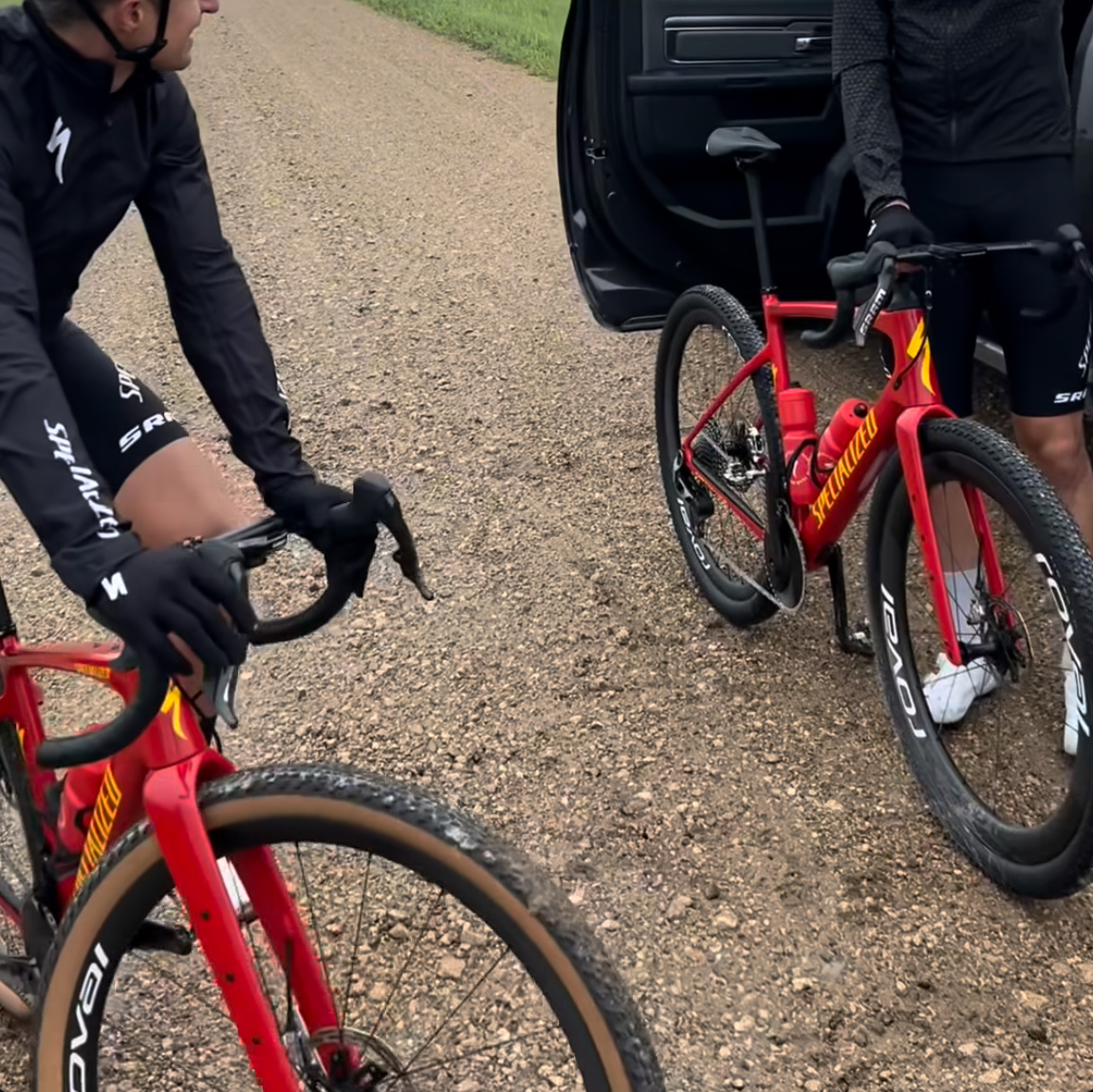
It has a SRAM UDH to fit SRAM’s 13-speed groupsets. Annika Langvad
The bike Langvad posted to Instagram has a SRAM UDH (Universal Derailleur Hanger. The current Diverge can’t run SRAM Transmission. But with more gravel bikes adopting UDH, it’s no surprise to see Specialized use the hanger, especially because it allows riders to use the 13-speed SRAM Red XPLR.
Elsewhere, the bike has three mounting points on each fork blade. The current Diverge only has two mounts on the fork blades, but the additional mount will allow you to fit a carrying cage.
The bike features three mounting points on he fork blades.
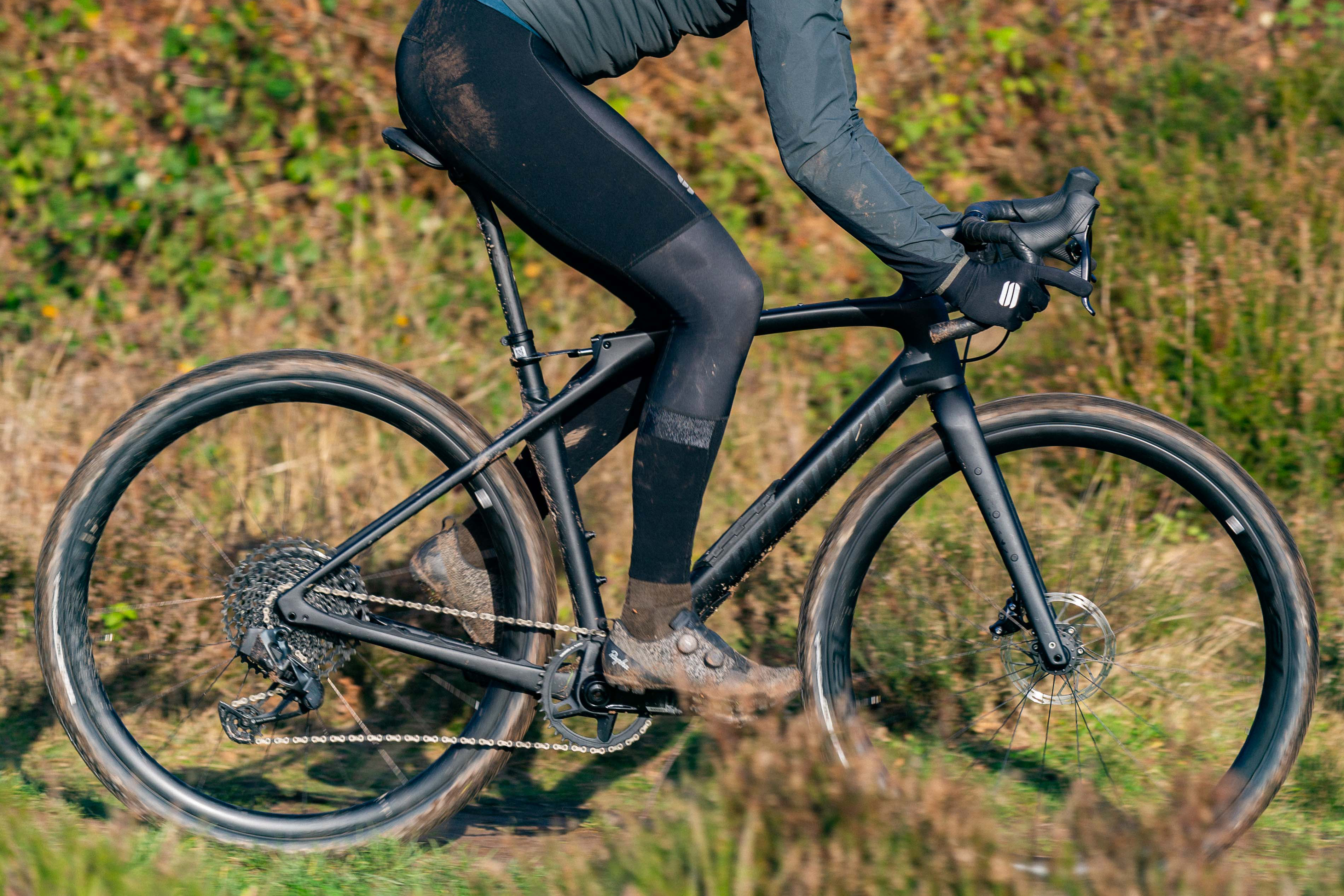
This detail could be borrowed from the Diverge STR. The bike launched three years ago and Specialized called it the “most capable Diverge ever”. Alongside its novel rear suspension system, the bike featured three mounts on its fork blades. The new Diverge also appears to have fender mounts, another detail it shares with the STR.
The bike has also retained its Specialized Future Shock front suspension. The gravel racer and former MTB World Champion Langvad’s posts show at least one externally routed cable, and the current Future shock design prevents any internal cable routing.
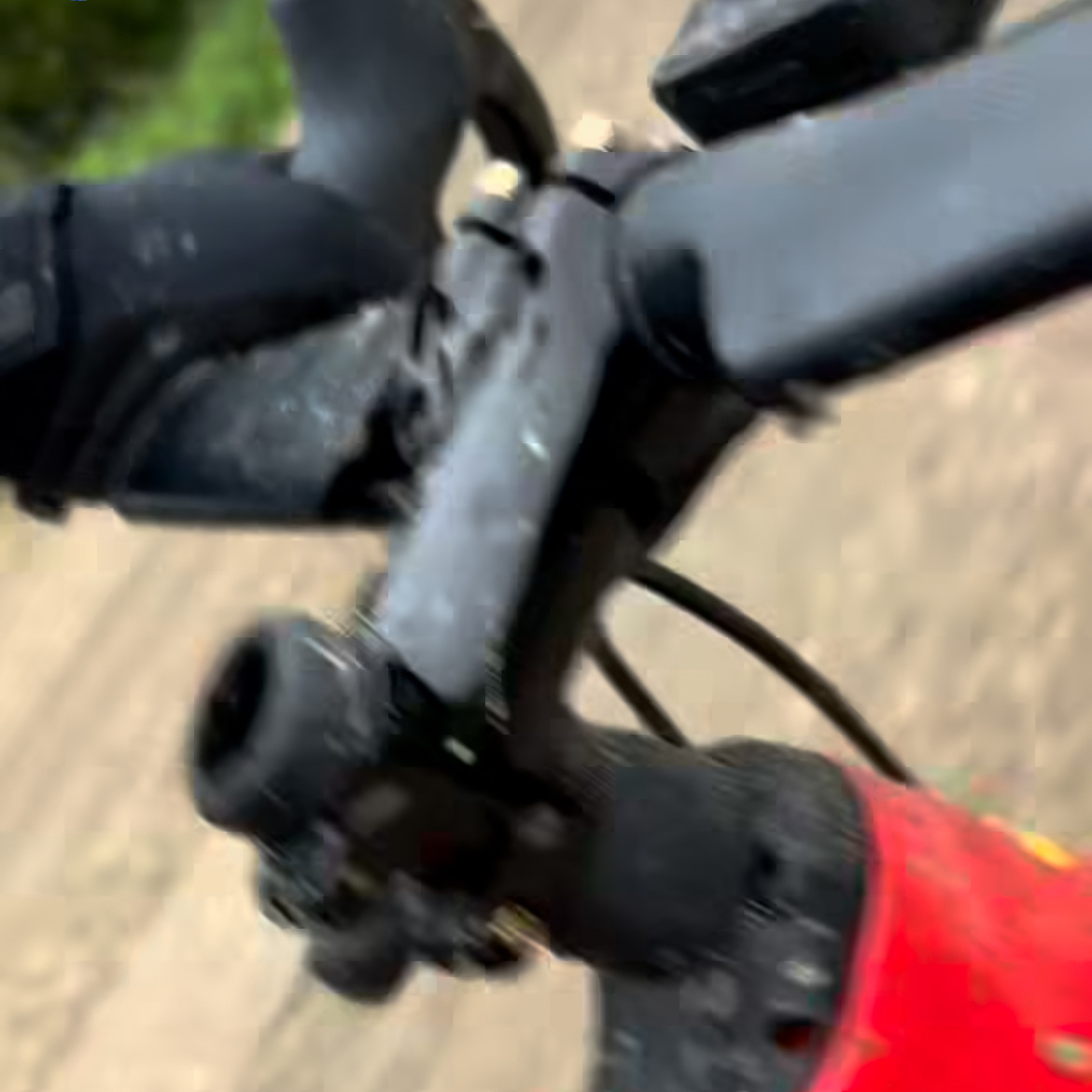
Another difference at the front end is the aero-profile handlebar. Although this could be a matter of rider preference or a minor modification to the Diverge’s specifications, it is another indication that Specialised may have a new bike in the works.
The bike appears to retain Specialized’s Future Shock front suspension. Annika Langvad
There are few other discernible differences with the current Diverge, but the top tube slopes more dramatically and the fork crown appears to be wider, which suggests a greater tyre clearance on this bike.
The Diverge STR has been a fixture at Unbound Gravel in recent years.
If you follow gravel racing tech, you’ll probably be asking about Specialized’s other gravel bikes at this point.
Specialized’s pro athletes often race on the Specialized Crux. Langvad used the Crux at this year’s Traka 200 where she finished third.
The Diverge STR has also become a fixture at Unbound Gravel. The STR’s rear suspension provides an easier ride over Unbound’s long, demanding course. Geerike Schreurs finished second in the women’s race last year using the bike.
The fact that Langvad is trialling a different bike in the run-up to Unbound is another clue that this could be a new Diverge.
Unbound Gravel runs from May 29 to June 1. The flagship 200-mile event takes place on Saturday 31 May.
KaOS Linux 2025.05 has been released today as the latest ISO snapshot for this independent Linux distribution built on top of the latest KDE software and featuring Arch Linux’s pacman package manager.
Thunderbird 139 is out now as the latest stable version of this popular, open-source, free, and cross-platform email, address book, chat, news, and calendar client for GNU/Linux, macOS, and Windows systems.
An anonymous reader quotes a report from Axios: Advanced robots don’t necessarily need to look like C3PO from “Star Wars” or George Jetson’s maid Rosie, despite all the hype over humanoids from Wall Street and Big Tech. In fact, some of the biggest skeptics about human-shaped robots come from within the robotics industry itself. […] The most productive — and profitable — bots are the ones that can do single tasks cheaply and efficiently. “If you look at where robots are really bringing value in a manufacturing environment, it is combining industrial or collaborative robots with mobility,” ABB managing director Ali Raja tells Axios. “I don’t see that there are any real practical applications where humanoids are bringing in a lot of value.”
“The reason we have two legs is because whether Darwin or God or whoever made us, we have to figure out how to traverse an infinite number of things,” like climbing a mountain or riding a bike, explains Michael Cicco, CEO of Fanuc America Corp. “When you get into the factory, even if it’s a million things, it’s still a finite number of things that you need to do.” Human-shaped robots are over-engineered solutions to most factory chores that could be better solved by putting a robot arm on a wheeled base, he said.
“The thing about humanoids is not that it’s a human factor. It’s that it’s more dynamically stable,” counters Melonee Wise, chief product officer at Agility Robotics, which is developing a humanoid robot called Digit. When humans grab something heavy, they can shift their weight for better balance. The same is true for a humanoid, she said. Using a robotic arm on a mobile base to pick up something heavy, “it’s like I’m a little teapot and you become very unstable,” she said, bending at the waist.
SpaceX’s Starship Flight 9 successfully launched and reached space — marking the first reuse of a Super Heavy booster — but both rocket stages were ultimately lost mid-mission due to a “rapid unscheduled disassembly.” SpaceX CEO Elon Musk said in a statement: “Starship made it to the scheduled ship engine cutoff, so big improvement over last flight! Leaks caused loss of main tank pressure during the coast and re-entry phase. Lot of good data to review.” Musk said the next three Starship test launches could lift off every three to four weeks in the days ahead. Space.com reports: The mission lifted off from Starbase today at 7:37 p.m. EDT (2337 GMT; 6:37 p.m. local Texas time), sending the 40-story-tall rocket into the Texas sky atop a pillar of flame. It was a milestone launch, marking the first-ever reuse of a Super Heavy booster; this one earned its wings on Flight 7 in January. (SpaceX swapped out just four of its Raptors after that mission, meaning that 29 of the engines that flew today were flight-proven.) “Lessons learned from the first booster refurbishment and subsequent performance in flight will enable faster turnarounds of future reflights as progress is made towards vehicles requiring no hands-on maintenance between launches,” the company wrote in a Flight 9 mission preview.
The Super Heavy had a somewhat different job to do today; it conducted a variety of experiments on its way back down to Earth. For example, the booster performed a controlled rather than randomized return flip and hit the atmosphere at a different angle. “By increasing the amount of atmospheric drag on the vehicle, a higher angle of attack can result in a lower descent speed, which in turn requires less propellant for the initial landing burn,” SpaceX wrote in the mission preview. “Getting real-world data on how the booster is able to control its flight at this higher angle of attack will contribute to improved performance on future vehicles, including the next generation of Super Heavy.” These experiments complicated Super Heavy’s flight profile compared to previous missions, making another “chopsticks” catch at Starbase a tougher proposition. So, rather than risk damaging the launch tower and other infrastructure, SpaceX decided to bring the booster back for a “hard splashdown” in the Gulf of Mexico on Flight 9. That was the plan, anyway; Super Heavy didn’t quite make it that far. The booster broke apart about 6 minutes and 20 seconds into today’s flight, just after beginning its landing burn. “Confirmation that the booster did demise,” [Dan Huot, of SpaceX’s communications team] said during the Flight 9 webcast. Super Heavy’s flight ended “before it was able to get through landing burn,” he added.
Ship, by contrast, improved its performance a bit this time around. It reached space today on a suborbital trajectory that took it eastward over the Atlantic Ocean — the same basic path the vehicle took on the truncated Flight 7 and Flight 8. But Flight 9 got choppy for Ship after that. The vehicle was supposed to deploy eight dummy versions of SpaceX’s Starlink satellites about 18.5 minutes after liftoff, which would have been a landmark first for the Starship program. That didn’t happen, however; the payload door couldn’t open fully, so SpaceX abandoned the deployment try. Then, about 30 minutes after launch, Ship started to tumble, which was the result of a leak in Ship’s fuel-tank systems, according to Huot. “A lot of those [tanks] are used for your attitude control,” he said. “And so, at this point, we’ve essentially lost our attitude control with Starship.” As a result, SpaceX nixed a plan to relight one of Ship’s Raptor engines in space, a test that was supposed to happen about 38 minutes after launch. And the company gave up hope of a soft splashdown for the vehicle, instead becoming resigned to a breakup over the Indian Ocean during Ship’s reentry.
The company therefore will not get all the data it wanted about Flight 9. And there was quite a bit to get; for example, SpaceX removed some of Ship’s heat-shield tiles to stress-test vulnerable areas, and it also tried out several different tile materials, including one with an active cooling system. But the company plans to bounce back and try again soon, just as it did after Flight 7 and Flight 8. You can watch a recording of the launch on YouTube.