Google Plans To Roll Out Its AI Chatbot To Children Under 13

An anonymous reader quotes a report from the New York Times: Google plans to roll out its Gemini artificial intelligence chatbot next week for children under 13 (source paywalled; alternative source) who have parent-managed Google accounts, as tech companies vie to attract young users with A.I. products. “Gemini Apps will soon be available for your child,” the company said in an email this week to the parent of an 8-year-old. “That means your child will be able to use Gemini” to ask questions, get homework help and make up stories. The chatbot will be available to children whose parents useFamily Link, a Google service that enables families to set up Gmail and opt into services like YouTube for their child. To sign up for a child account, parents provide the tech company with personal data like their child’s name and birth date. Gemini has specific guardrails for younger users to hinder the chatbot from producing certain unsafe content, said Karl Ryan, a Google spokesman. When a child with a Family Link account uses Gemini, he added, the company will not use that data to train its A.I.

Introducing Gemini for children could accelerate the use of chatbots among a vulnerable population as schools, colleges, companies and others grapple with the effects of popular generative A.I. technologies. Trained on huge amounts of data, these systems can produce humanlike text and realistic-looking images and videos. […] Google acknowledged some risks in its email to families this week, alerting parents that “Gemini can make mistakes” and suggesting they “help your child think critically” about the chatbot. The email also recommended parents teach their child how to fact-check Gemini’s answers. And the company suggested parents remind their child that “Gemini isn’t human” and “not to enter sensitive or personal info in Gemini.” Despite the company’s efforts to filter inappropriate material, the email added, children “may encounter content you don’t want them to see.”


Read more of this story at Slashdot.

Immerrock Guitar Training Hands-On: Slightly Off Tune

We went hands-on with Immerrock, a mixed reality guitar training game for Meta Quest.

Last year, for no distinct reason, and certainly not because I’d just trudged through my 40th birthday entering my peak midlife crisis era, I suddenly decided to learn how to play guitar. My new Epiphone Les Paul arrived in two days, and with great excitement, I plugged in the amp, sat down with the guitar cradled lovingly in my arms, and realized I didn’t know how to play. Immerrock, a new mixed-reality guitar learning app/game, seeks to help people like me (and maybe you) learn to shred.

I’ve spent the last few weeks noodling around, learning how best to use the app, and working through the joys and frustrations of VR/MR edutainment. The experience is certainly mixed, and not just “mixed reality.” While the idea of learning an instrument in virtual reality sounds great, in practice, there are quite a few missed notes.

0:00

/1:08

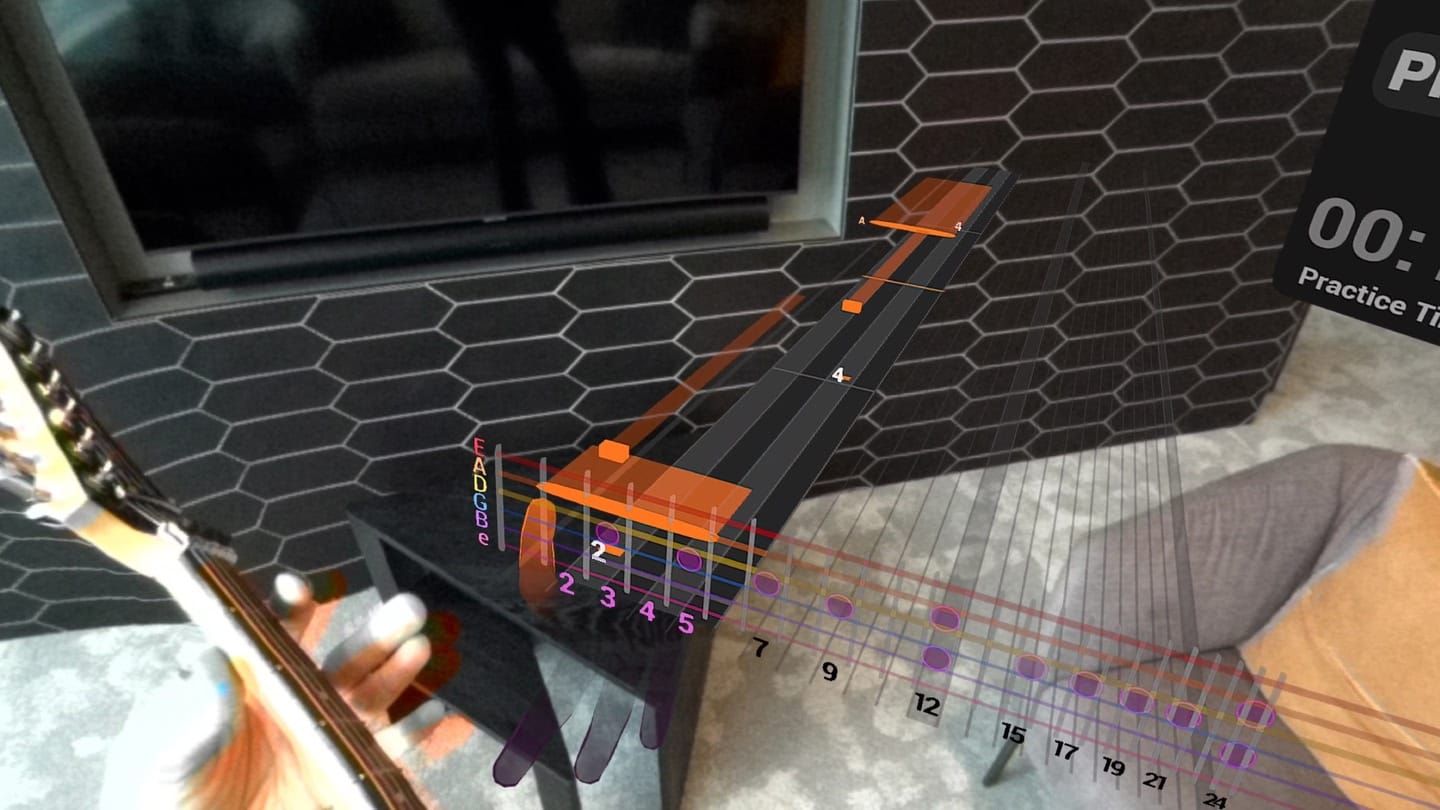
Immerrock is a gamified training program that lets you learn at your own pace, offering 100+ exercises and both long and bite-sized lessons tailored for every level of player. Essentially, the VR headset’s passthrough cameras show us our real-world guitar, hands, and environment, while several HUD and digital user interfaces hover in various places all around us. These primarily take the shape of a hovering fretboard, digital representation of our hands and fingers, and a scrolling note display.

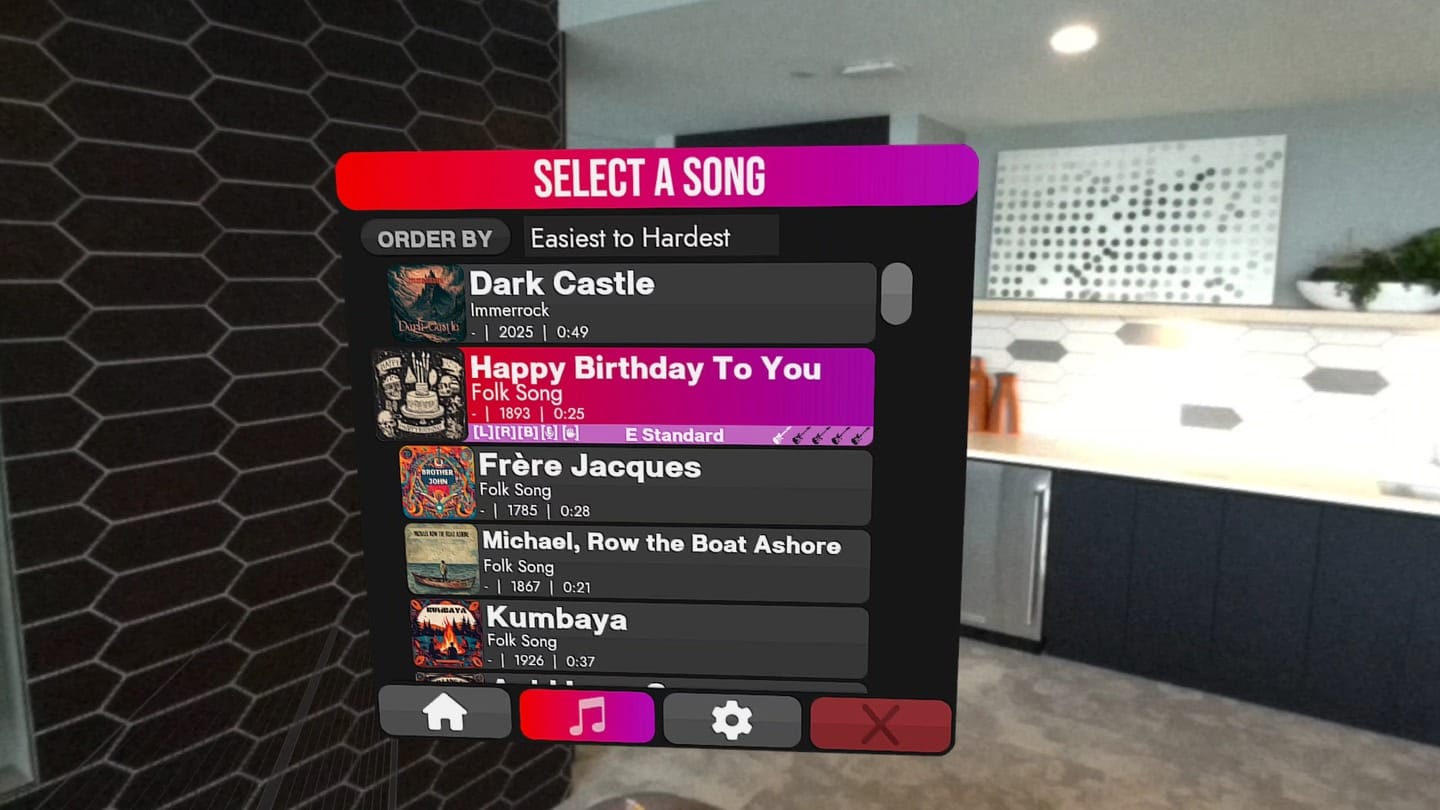
Want an easy comparison? Immerrock is an educational Guitar Hero, but that’s something of a reach. Where Guitar Hero was exciting and flashy, loaded with the most popular guitar songs ever recorded, Immerrock is a bit bland and stayed, and loaded with lots of royalty-free public domain tunes.

At the core of the experience is what I call the “note highway,” a streaming display where colored bars representing notes stream toward you in time with the music. The aim is to place your fingers on the appropriate strings and frets and strum in time with visual stimuli.

Numerous tools are available to help you learn. You can choose the complexity of songs based on your comfort level and ability, alongside adjusting the speed at which songs play. There’s also a series of specialized training exercises.

But here’s the problem. So much of learning guitar hinges on creating muscle memory, subconsciously linking your brain with your fingers so that your fingers can do what they’re supposed to do without conscious input from your mind. The only way to achieve this is through reps, successfully putting your fingers where your eyes are looking and hitting the correct string and fret at the correct time.

That is so difficult to do when what you’re seeing with your eyes doesn’t match the reality of what you’re feeling with your hands. When playing Immerrock, the digital representation of your hand gets jittery and things feel imprecise. The fingers sometimes do weird things, which isn’t necessarily catastrophic, but it’s distracting. Also, the peripheral distortion of the headset’s lenses adds another dimension of uncertainty to what we’re seeing.

Immerrock screenshot shows a guitar being played in mixed reality with digital assistance

I played Immerrock on a Quest 3S, and perhaps this whole experience would be different on a headset with higher specs. I’m not convinced, though. I think the tech just isn’t ready for something as fine and precise as playing guitar.

A couple of additional notes here. For one, there’s this interesting thing that happens when learning guitar (or when hyper-focusing on any difficult task, really). When you do it for a period of unbroken time, let’s say an hour, you eventually reach a distraction-free flow state. When I’m practicing guitar without distraction, I eventually become super relaxed, hyper-focused, blissfully detached from everything but the music and my brain and body that are making it.

With Immerrock, I never reached that flow state. Not once. And I think I know why. To start, the previously noted disconnect between reality and what the app was showing me, and the other reason has to do with shellfish and headsets.

Assuming the very best circumstances possible, practicing guitar is painful. It can hurt your fingers, neck, spine. I’ve even hurt my toe practicing guitar (I dropped it). Then consider the additional strain of a VR headset, when you’re sitting with your head tilted forward and your chin on your chest, watching the fretboard and your fingers for a half hour straight. Doing so with a 1.25 pound weighted headset strapped to your forehead, things become unbearable very fast.

Your neck hurts. Your spine takes on the posture of a shriveled shrimp. You’re never allowed to just relax and chill and play and focus. You’re always adjusting the headset, always fiddling with the virtual UI, always being annoyed during a process that’s supposed to be fun and one that requires total concentration.

Immerrock screenshot shows a song selection screen

To Immerrock’s credit, the game is highly customizable. Placing my virtual fret bar exactly in the right place helped a lot. Choosing a song that appealed to me helped, too. And the game works well, no mistake. But it never quite feels right, no matter how hard I try, nor how many settings I fiddle with, nor which song or lesson I choose.

The concept is genius, but the tech is just out of step. When headsets weigh nothing (or close enough) and passthrough cameras render flawless 1:1 video of the world around us, Immerrock will be perfect. We’ll be effortlessly shredding, building calluses, nailing barre chords as easily as we once smashed the floppy Tonka Truck buttons of our giant, plastic Rock Band guitar.

For now? If you are a new guitar player looking to learn the basics of finger placement, chord transitions, strumming, and building crucial muscle memory, flatscreen apps like Gibson’s App or Fender Play on a tablet or phone still have the edge over VR/MR guitar training.

With these apps, the screen is stable while the visuals are clean and precise. Your posture won’t resemble a shellfish in distress, and if my experience over the last six months is typical, you’ll make far more progress with these training methods than would be achieved with Immerrock’s admittedly very cool, unfortunately imperfect tech.

Immerrock is available now in early access for $11.99 at the Meta Quest store.

Volkswagen recalls 5,700 ID.Buzz electric vans because their seats are too spacious

Volkswagen has recalled 2025 ID.Buzz electric vans, because their rear seats are only configured for two people but are wide enough to fit three. According to the NHTSA note (PDF) found by Electrek, Volkswagen is recalling 5,637 vehicles, which were manufactured between September 18, 2024 and February 11, 2025. The removable third-row of the 2025 ID.Buzz are only fitted with seatbelts for two people. However, its seating surface width exceeds the value specified for two occupants under Federal Motor Vehicle Safety Standard No. 208, which sets the standards to reduce the number of deaths in the event of a crash. 

In other words, the third row of the 2025 ID.Buzz is wide enough to require three seatbelts. As it is, it’ll be very easy to fit a third person in, and they will have no protection while the vehicle is on the road, increasing their likelihood of getting injured or dying if they get into an accident. Volkswagen intends to fix the issue by installing permanent “unpadded trim parts” to limit the surface width where passengers can sit on the rear bench. The 2025 Volkswagen ID.Buzz electric van was released in the US in November 2024 and has a starting price of $60,000. It has an EPA-estimated range of 234 miles on a full charge and comes in several possible color schemes. 

Seats inside a vehicle.
Volkswagen

This article originally appeared on Engadget at https://www.engadget.com/transportation/evs/volkswagen-recalls-5700-idbuzz-electric-vans-because-their-seats-are-too-spacious-120034140.html?src=rss

In his first 100 days, Trump launched an “all-out assault” on the environment

This article originally appeared on Inside Climate News, a nonprofit, non-partisan news organization that covers climate, energy, and the environment. Sign up for their newsletter here.

One hundred days into the second Trump administration, many environmentalists’ worst fears about the new presidency have been realized—and surpassed.

Facing a spate of orders, pronouncements, and actions that target America’s most cherished natural resources and most vulnerable communities, advocates fear the Trump agenda, unchecked, will set the country back decades.

Read full article

Comments

Man Pleads Guilty To Stealing 1.1 Terabytes of Disney’s Slack Data

A 25-year-old from Santa Clarita has pleaded guilty to hacking a Disney employee’s computer using malware disguised as an AI art tool, stealing over 1 terabyte of confidential Disney data and threatening to leak it under the guise of a fake Russian hacktivist group. Variety reports: Santa Clarita resident Ryan Mitchell Kramer, 25, pleaded guilty to two felony charges, including one count of accessing a computer and obtaining information and one count of threatening to damage a protected computer. Each charge carries a maximum sentence of five years in federal prison. According to the plea agreement, in early 2024 Kramer posted a computer program on various online platforms that appeared to be used to create AI-generated art, when it really contained a malicious file to gain access to victims’ computers.

Between April and May 2024, a Disney employee downloaded the program, and Kramer gained access to the victim’s personal and work accounts, including a non-public Disney Slack channel. Kramer dowloaded approximately 1.1 terabytes of confidential data from thousands of Disney Slack channels. In July, Kramer contacted the victim by pretending to be a member of a fake Russian hacktivist group called “Nullbulge” and threatened to leak their personal information and Disney Slack data. On July 12, Kramer publicly released the data, including the victim’s bank, medical, and personal information on multiple online platforms.


Read more of this story at Slashdot.

Quest v77 PTC & Beyond: What Datamining Reveals About The Future of Horizon OS

The Horizon OS v77 system software update started to roll out last week in the PTC (Public Test Channel).

What Is the Public Test Channel (PTC)?

The Public Test Channel (PTC) is Meta Quest’s beta release channel. If you opt in, your headset receives a pre-release build of each Quest system software, now technically called Horizon OS, version.

Note that there are often features in the eventual stable version not present in the PTC, and occasionally (but rarely) features or changes in the PTC don’t make it to the stable version.

Each month, when the PTC is released, I analyze system files and apps to look for potential changes that might hint at what Meta is working on.

Many of the features discovered are still in development and may change significantly or never launch. Meta uses server-based rollouts as well. Even if an update supports a feature, individual headset owners may not gain access for weeks or months after it’s announced. In some cases, Meta may not announce a feature at all, and instead wait until a future version to both announce it and begin rolling it out.

Further, some features are announced but then delayed without notice, only to reappear in later announcements. Others quietly roll out to select users as experiments, without ever being officially mentioned.

What follows are some of my findings across v76 and v77 PTC.


Major UI Overhaul

As revealed at Meta Connect 2024, Meta is working on what is slated to be one of their most extensive initiatives yet to improve Horizon OS.

0:00

/0:14

Meta’s vision for the future of Horizon OS as shown at Connect 2024.

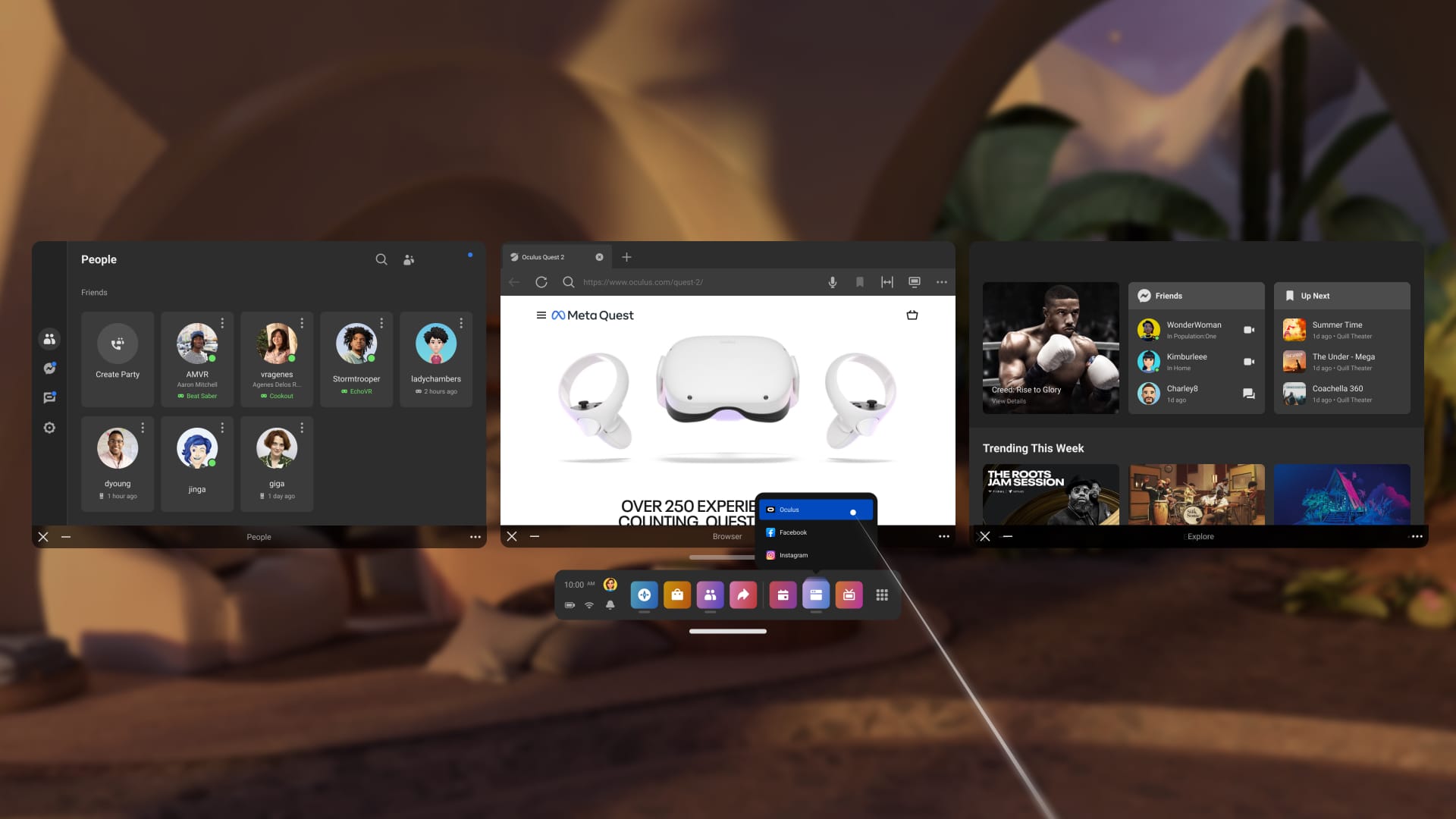
In v77 or higher it seems like the longstanding dock and window system on Quest headsets, called the Universal Menu will be replaced by a new system referred to as the Personal Display. It consists of at least two major components: Portable Windows and Navigator.

Portable Windows

The three-window multitasking system on Horizon OS as it was introduced, above the Universal Menu.

Portable Windows is the new name for the window configuration that previously allowed you to anchor up to three applications above the Universal Menu.

This will function identically to how it does today, but the main difference is that it will have a drastically simplified interface in place of the Universal Menu, with only a movement handle, a virtual Meta button to open Navigator, and a button to show or hide these windows.

A description of Portable Windows from the v77 PTC system files.
A string that describes Portable Windows in relation to the Expanded quick actions feature.

Portable Windows can be shown or hidden by double-pressing the Meta button on your right Touch Controller, performing a double-pinch gesture while looking at your palm, or pressing the virtual button on the interface.

Navigator

0:00

/0:05

A tutorial video for Navigator that appeared in the v76 system files.

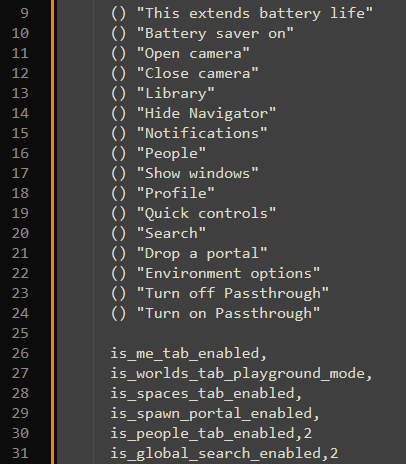
Navigator is a brand new overlay-style launcher in Horizon OS. System functions previously found on the Universal Menu, such as Profile, Notifications, Library, People, Camera, Battery, Clock, and Quick Settings (now called Quick Controls), are now located here.

An additional tutorial video for Navigator that appeared in the v77 PTC system files.

While initially some of these functions will open their existing 2D windows, the major improvement here is that the Navigator overlay itself can be opened at any time — completely independent of your current 2D apps within the Portable Windows display. This can be done via a single press of the Meta button on your right Touch Controller, performing a single-pinch gesture while looking at your palm, or by pressing the virtual Meta button on the interface.

Items such as Library and Quick Controls are directly integrated into the overlay, allowing you to open new apps and adjust settings like brightness without needing to rearrange active 2D windows.

0:00

/0:14

The Navigator overlay also includes a space for privacy and system state indicators, located above the Quick Controls icon. A purple dot appears when permissions like the Microphone or Spatial Data are being used by apps, while an orange dot indicates that system settings such as Travel Mode are active.

A non-exhaustive list of potential Navigator components and functions as of v77 PTC.

Meta is working on multiple Navigator components and functions that appear to be a work in progress and may not ship with the initial release. These may include a Worlds and/or Spaces Tab with the ability to drop portals for other users, a Me Tab, and a Global Search function.


New Window Capabilities

Horizon OS initially limited users to three apps in a fixed layout above the Universal Menu. This changed with v67 PTC, which introduced the New Window Layout experimental feature, allowing up to three additional apps to be placed freely in space as Spatial Windows. It also added Theater View, which enlarges a single window and includes an option to dim the environment.

With this setup having become the default in v69, Meta now plans further improvements, either alongside or shortly after the introduction of Portable Windows and Navigator.

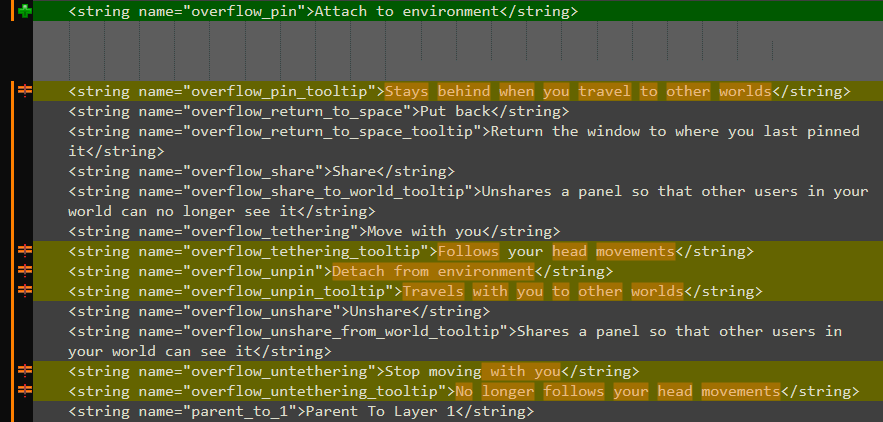
There are a number of window functions listed that are likely intended for internal debugging, but the new user-facing options set to be introduced appear to be:

  • Pin (“Attach to environment”): “Stays behind when you travel to other worlds.”
  • Return to Space (“Put Back”): Return the window where you last pinned it.
  • Share (“Share”): “Shares a panel so that other users in your world can see it.”
  • Tether (“Move with you”): “Follows your head movements.”

0:00

/0:07

A version of the Pin feature being shown at Meta Connect 2024.

Depending on the implementation, this would effectively transition Horizon OS to a system where you can bring Portable Windows anywhere, while also supporting Spatial Windows that can be shared and saved in various states across immersive apps and Horizon Worlds. There are also references to a parameter that removes the current limit of three Spatial Windows, which would significantly enhance multitasking capabilities.


Eye-Tracking-Based Authentication

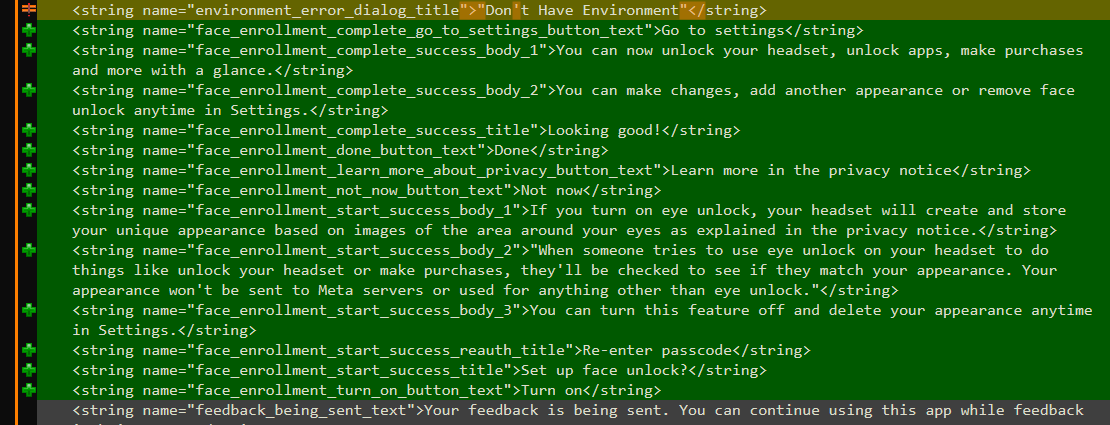
Strings added in v77 PTC suggest that Meta is working to support eye-tracking-based user authentication on Horizon OS via a feature called Face Enrollment.

This would serve as an additional security option alongside the current passcode system. The strings describe it as being used to unlock your account, access apps, and authorize purchases.

While this could be intended for Quest Pro, that device was discontinued earlier this year — making it more likely that it’s intended for Quest 4, and possibly upcoming Horizon OS-powered headsets from ASUS and Lenovo.


Surface Typing

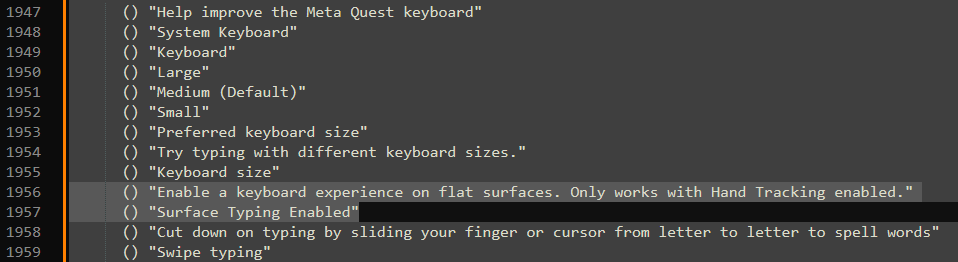
Strings added across v76 and v77 PTC suggest that Meta is experimenting with the ability to turn flat surfaces into a virtual keyboard.

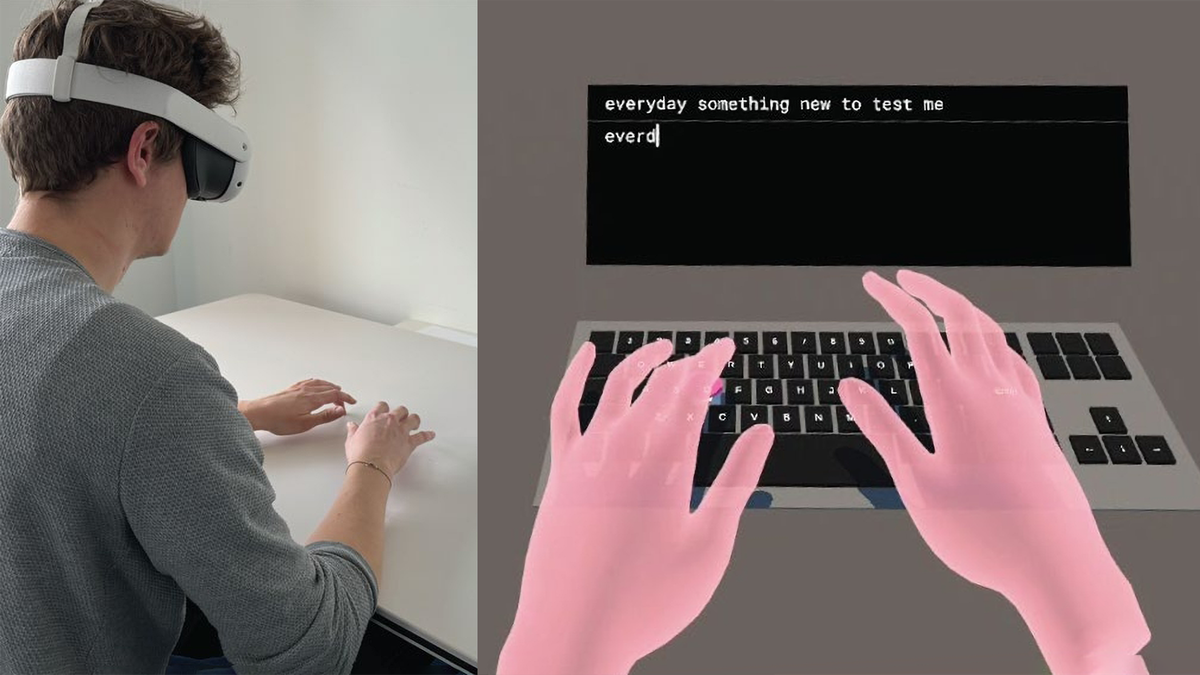
Researchers Say They’ve Solved Turning Any Surface Into A Keyboard
Researchers from Meta and ETH Zurich developed software called TouchInsight, which they say solves turning any surface into a virtual keyboard.
UploadVRDavid Heaney

This concept was presented in research by Mark Zuckerberg and Meta CTO Andrew Bosworth in 2023. More recently, researchers from Meta and ETH Zurich developed a software system called TouchInsight, which they claim solves the problem of turning any surface into a virtual keyboard. Could productization be imminent?


The Removal Of Static Object Warnings

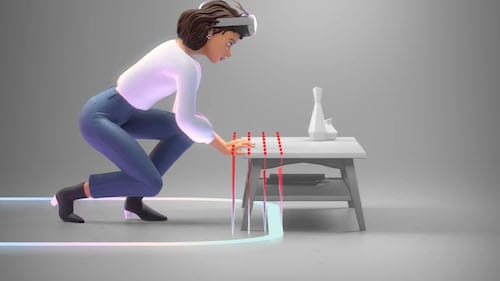
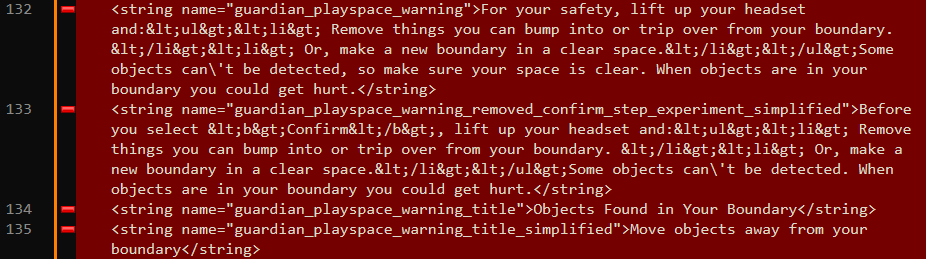
In v77 PTC, Meta appears to have removed the Quest 1-era Boundary obstacle detection system, called Playspace Scan, from the end of the Roomscale Boundary creation process.

Previously, if there was an object such as a table within your Boundary, it would be highlighted with a red pin, and you’d receive a warning prompting you to redraw. This wasn’t mandatory, however. It could be ignored by simply selecting “Continue.”

In v77 PTC, this system and its related strings appear to have been removed. However, there’s a major positive: in my testing, the Roomscale Boundary setup process runs much more smoothly, with fewer hitches and slowdowns.

0:00

/0:20

The new “Stationary Ring” Boundary, with its adjustable sizes in Settings.

This change follows Meta’s broader rollout of a new Boundary flow introduced in v72, where users are now placed into a Stationary Boundary by default. You only need to draw a Roomscale Boundary when launching into an immersive app, if one hasn’t already been set.


Meta’s Next Moves

2025 appears to be a year of strong emphasis on functionality and optimization for Horizon OS and the broader Horizon platform.

“Never Give Up”: Meta CTO Responds To Leaked Memo Discourse
Meta’s CTO has responded to the discourse around his leaked “Horizon Worlds on mobile absolutely has to break out” memo.
UploadVRDavid Heaney

With looming competition from Google’s Android XR and reportedly upcoming Apple Vision devices, and as Meta simultaneously prepares the OS for third-party manufacturers, the company is seemingly doing everything it can to expand the platform’s capabilities while also enhancing stability and reliability.

Temu To Stop Selling Goods From China Directly To US Customers

An anonymous reader quotes a report from the BBC: Temu has said it will stop selling goods imported from China in the US directly to customers from its platform. The online marketplace said sales would now be handled by “locally based sellers,” with orders fulfilled from within the country. The move comes as a duty-free rule for low-value packages is closed.

Temu, and rival Chinese retail giant Shein, had previously relied on the so-called “de minimis” exemption to sell and ship low-value items directly to the US without having to pay duties or import taxes. Temu said it had been actively recruiting US firms to join the platform. “All sales in the US are now handled by locally based sellers, with orders fulfilled from within the country. “The move is designed to help local merchants reach more customers and grow their businesses,” it added.

Supporters of the de minimis loophole, which applied to parcels worth less than $800, argue it helped streamline the customs process. But both Trump and his predecessor, Joe Biden, said it damaged American businesses and was used to smuggle illegal goods, including drugs. In February, Trump briefly closed the loophole but the suspension was quickly paused as delivery services and customs agencies struggled to adjust. During the pause, the U.S. Postal Service even stopped accepting parcels from mainland China and Hong Kong.


Read more of this story at Slashdot.

SWE-agent: Open-source tool uses LLMs to fix issues in GitHub repositories

By connecting powerful language models like GPT-4o and Claude Sonnet 3.5 to real-world tools, the open-source tool SWE-agent allows them to autonomously perform complex tasks: from fixing bugs in live GitHub repositories and solving cybersecurity challenges, to browsing the web or executing custom workflows.

The post SWE-agent: Open-source tool uses LLMs to fix issues in GitHub repositories appeared first on Linux Today.

Linkerd 2.18 advances open source cloud-native service mesh

The term service mesh has been widely used over the last several years to refer to technology that helps to manage communications across microservices and applications. In the cloud-native world, arguably the first implementation of a service mesh came from Buoyant with the open-source Linkerd technology in 2015. Over the last 10 years, Linkerd has grown as a core project within the Cloud Native Computing Foundation (CNCF). Today the project is out with Linkerd 2.18, continuing the technology’s decade-long evolution with improvements focused on operational simplicity and real-world production scenarios.

The post Linkerd 2.18 advances open source cloud-native service mesh appeared first on Linux Today.

Uber Inks Robotaxi Deal With Chinese Startup Momenta

Uber is partnering with Chinese autonomous driving startup Momenta to launch robotaxi services outside the U.S. and China, starting in Europe in early 2026 with safety operators onboard. CNBC reports: Uber said the goal is to combine its global ridesharing network with Momenta’s technology to deliver safe and efficient robotaxi services. “This collaboration brings together Uber’s global ridesharing expertise and Momenta’s AI-first autonomous driving technology, paving the way for a future where more riders around the world experience the benefits of reliable and affordable autonomous mobility,” Uber CEO Dara Khosrowshahi said in the press release. Momenta CEO Xudong Cao said the arrangement “completes the key ecosystem needed to scale autonomous driving globally.”

Momenta, based in Beijing, is a leading autonomous driving company known for its “two-leg” product strategy. It offers both Mpilot, a mass-production-ready assisted driving system, and MSD (Momenta Self-Driving), aimed at full autonomy. The company has years of experience operating autonomous vehicles in cities across China and has partnerships with large equipment manufacturers.


Read more of this story at Slashdot.

How to Choose Between ChatGPT, Gemini, and Perplexity’s Deep Research Tools

You might be used to AI chatbots answering your questions with a few sentences or even paragraphs, but how about multipage reports? With Deep Research, that’s exactly what the likes of ChatGPT, Gemini, and Perplexity are doing, utilizing their large language models alongside web searches and reasoning capabilities to become research assistants of sorts.

A Deep Research query takes time (anything between five minutes to 30 minutes, depending on what you ask), but comes back to you with a detailed report on any subject you can ask about, including complex things like niche market research or scientific mysteries. Even better, all three major Deep Research AI providers now have free tiers.

Though, let’s be honest, most of us aren’t performing scientific research on a day to day basis. So, how can these Deep Research tools help you?

How Deep Research works

Deep Research combines the power of the open web, large language models, and new reasoning models. When you type in your prompt, it will first use a reasoning model to figure out what you’re really asking. At this point, the AI chatbot might even come back to you with clarifying questions and prepare a research plan all on its own. You are free to reply with answers and edit the research plan, but this is usually optional.

Once the research begins, you can follow along with what the AI is up to using a sidebar (or separate tab, if you’re using Perplexity). Here, you can see the searches the AI is making, documents it’s scanning, and information it’s collating.

As I mentioned above, detailed reports take up to 30 minutes, but that’s only true if you’re asking something really complicated. In my testing, I found that all three tools generate results in 5-10 minutes, spinning out reports that are still detailed and a couple of pages long.

When should you use Deep Research?

The best way to use Deep Research tools is when you can’t find something on Google yourself, or you don’t want to spend the time going through five different articles to distill the basics about a topic.

I’ve personally used these Deep Research tools to find a spare part code for my car that Google just wouldn’t tell me. I’ve also used them to research a company’s share price outlook, and to learn new things about the handpan, a musical instrument I can’t stop obsessing over.

If you want quick answers, a regular Search in a AI chatbot is, of course, going to be better. And if you’re working on a client pitch and you need a market research for five different competitors, you might want to spring for the paid version of whatever Deep Research tool you’re using. But for anything in between, it’s worth knowing how to use their lightweight alternatives.

How to use Deep Research tools in ChatGPT, Gemini, and Perplexity

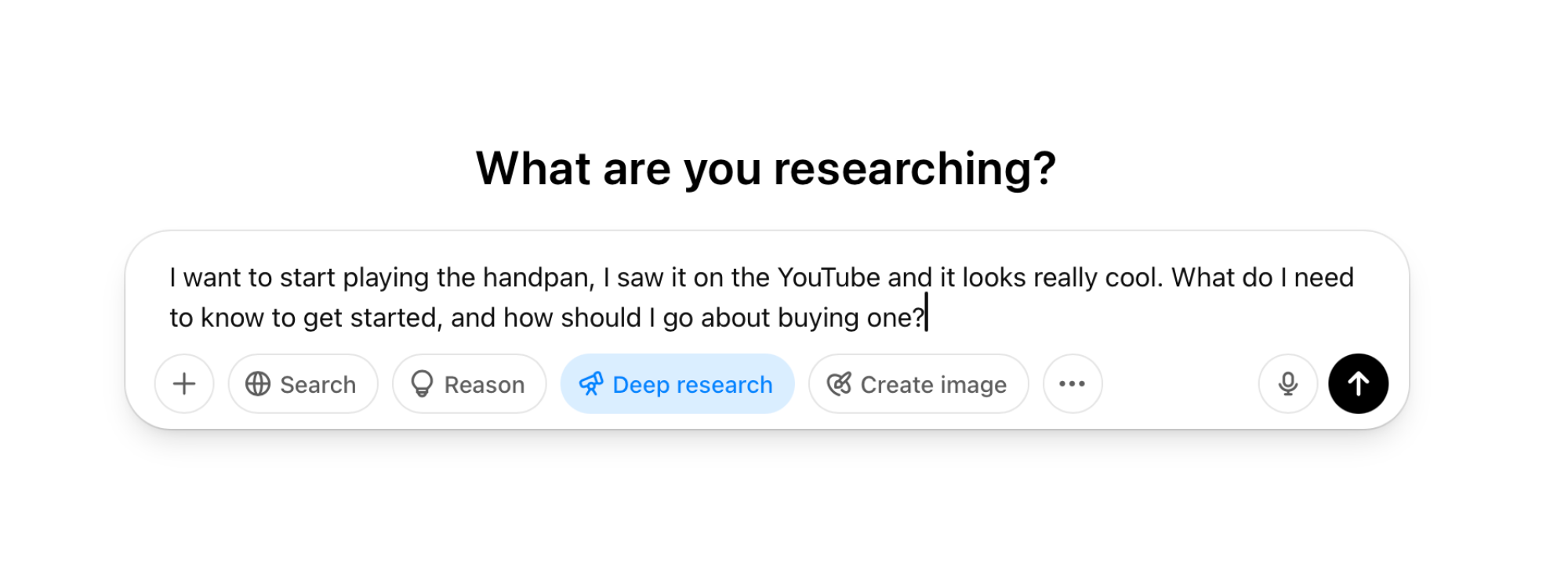
All three competing major AI chatbots have their own Deep Research tools that work in roughly the same fashion. I’ll go into detail below, but in general, you start with a prompt, as detailed as you can make it, click the Deep Research button below the prompt, and then send out your query. You can also upload documents, spreadsheets, and images as added context.

ChatGPT Deep Research

Credit: Khamosh Pathak

The limits of free Deep Research

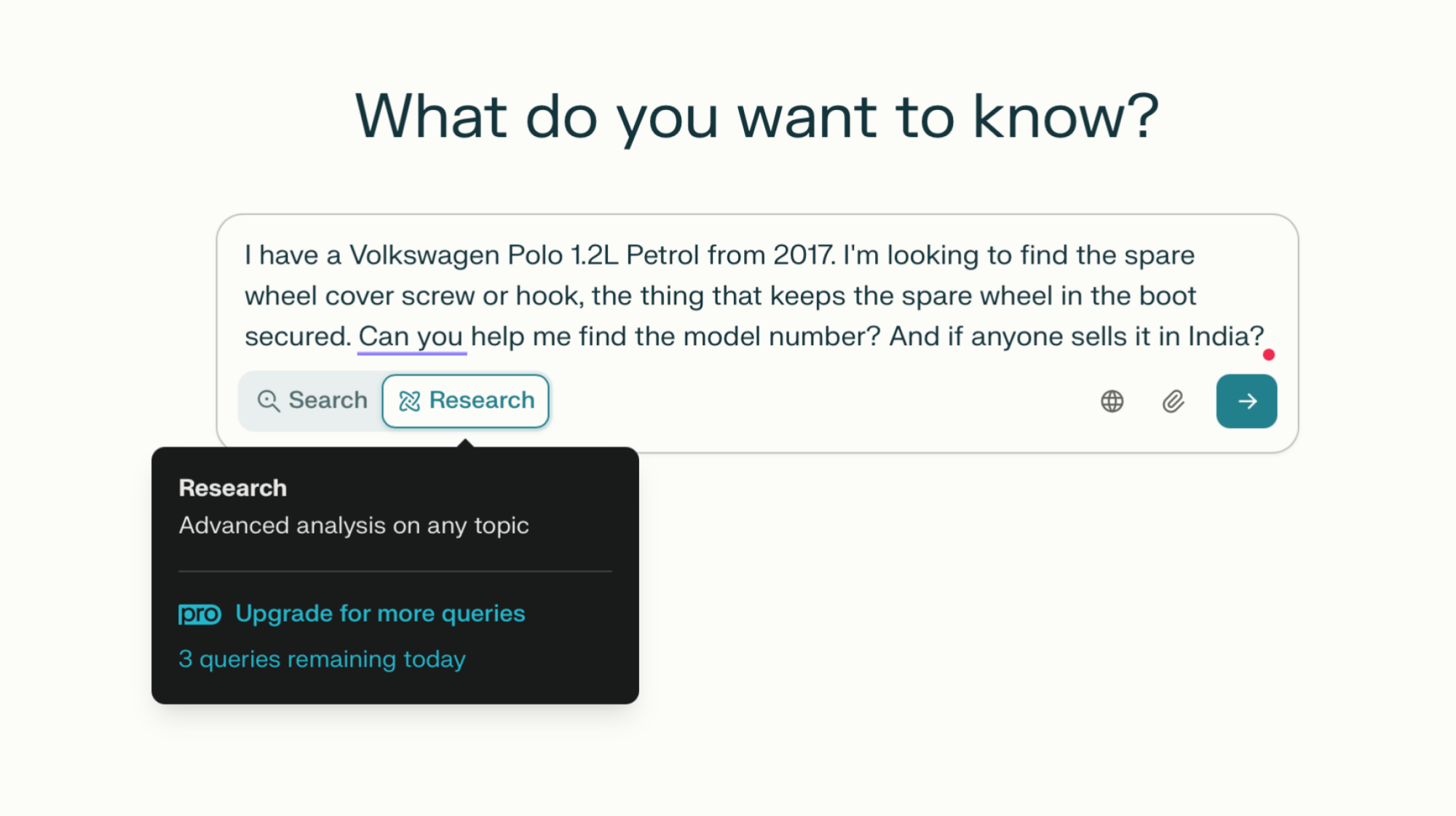
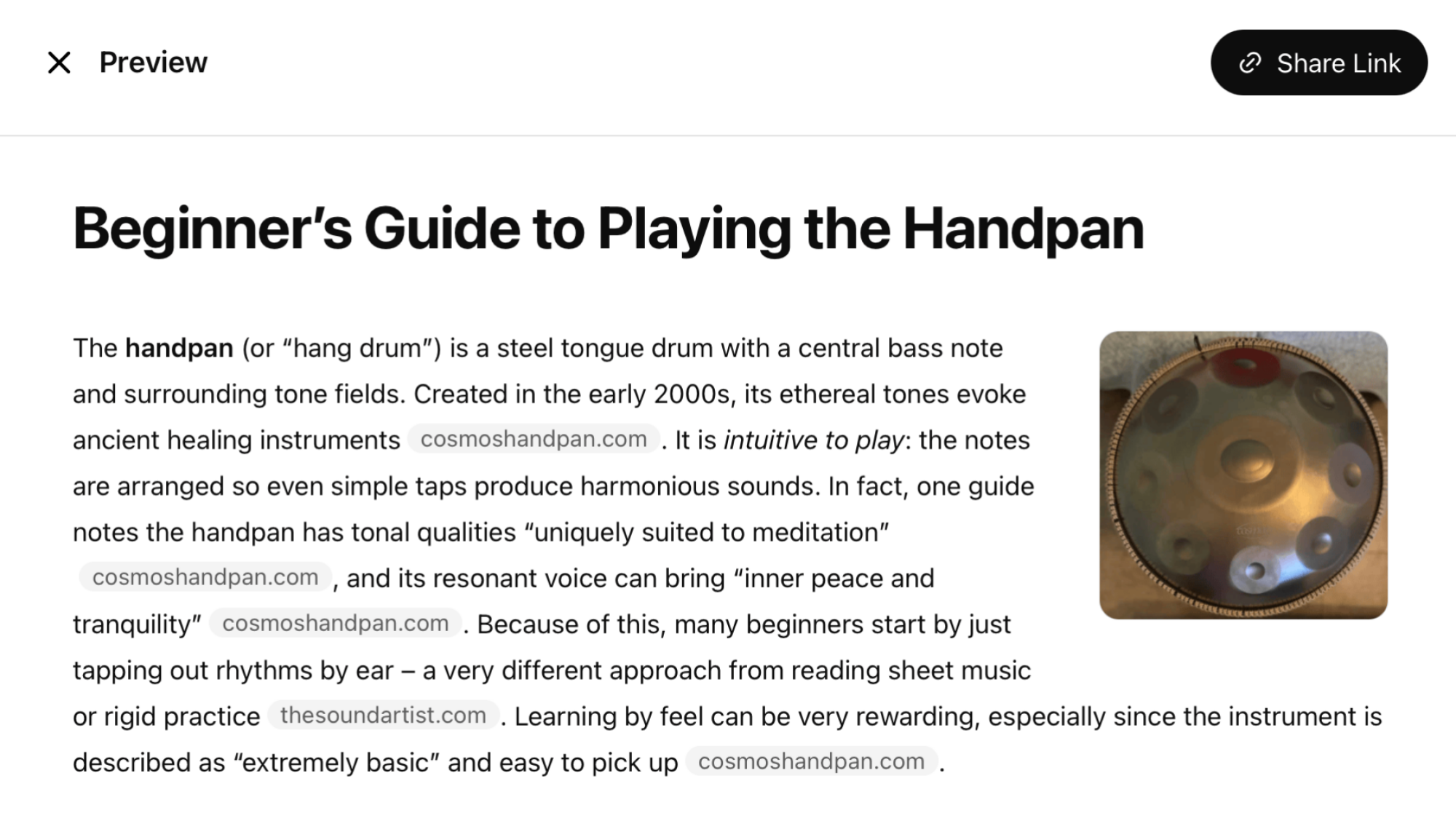
Perplexity daily limits.

Credit: Khamosh Pathak

The free versions of Deep Research tools are limited. Perplexity and Gemini provide the same quality of Deep Research reports to free users as they do paid plans, but they limit the usage. Perplexity is the most generous, though, with a daily limit system. Perplexity doesn’t specify its limits exactly, but it will show you how many Deep Research queries you have left in a day. In my testing, I’ve been able to make three Deep Research queries per day. You can upgrade to the $20 per month plan to remove all limits.

Gemini limits free users to 5 searches a month, and Gemini Advanced users can generate up to 20 reports a month on the $20 per month plan.

ChatGPT has the most complex structure. Free users get access to five monthly searches using ChatGPT’s lightweight model, which doesn’t generate full-length reports. Still, in my experience, this free model is enough for regular day-to-day searches.

ChatGPT’s $20/month Plus plan increases the limits to 10 queries a month using the full-fledged Deep Research model and 15 using the lightweight one.

How I tested ChatGPT, Gemini and Perplexity’s Deep Research tools

I tested the Deep Research features on all three platforms using the same three prompts. The first was to create a beginner-friendly guide on learning the handpan, the second was to research a company’s stock outlook in the market, and the third was to find a part number for a spare wheel screw cover for my car. The last one was something that I just couldn’t figure out myself using Google.

ChatGPT Deep Research: To the point and robust

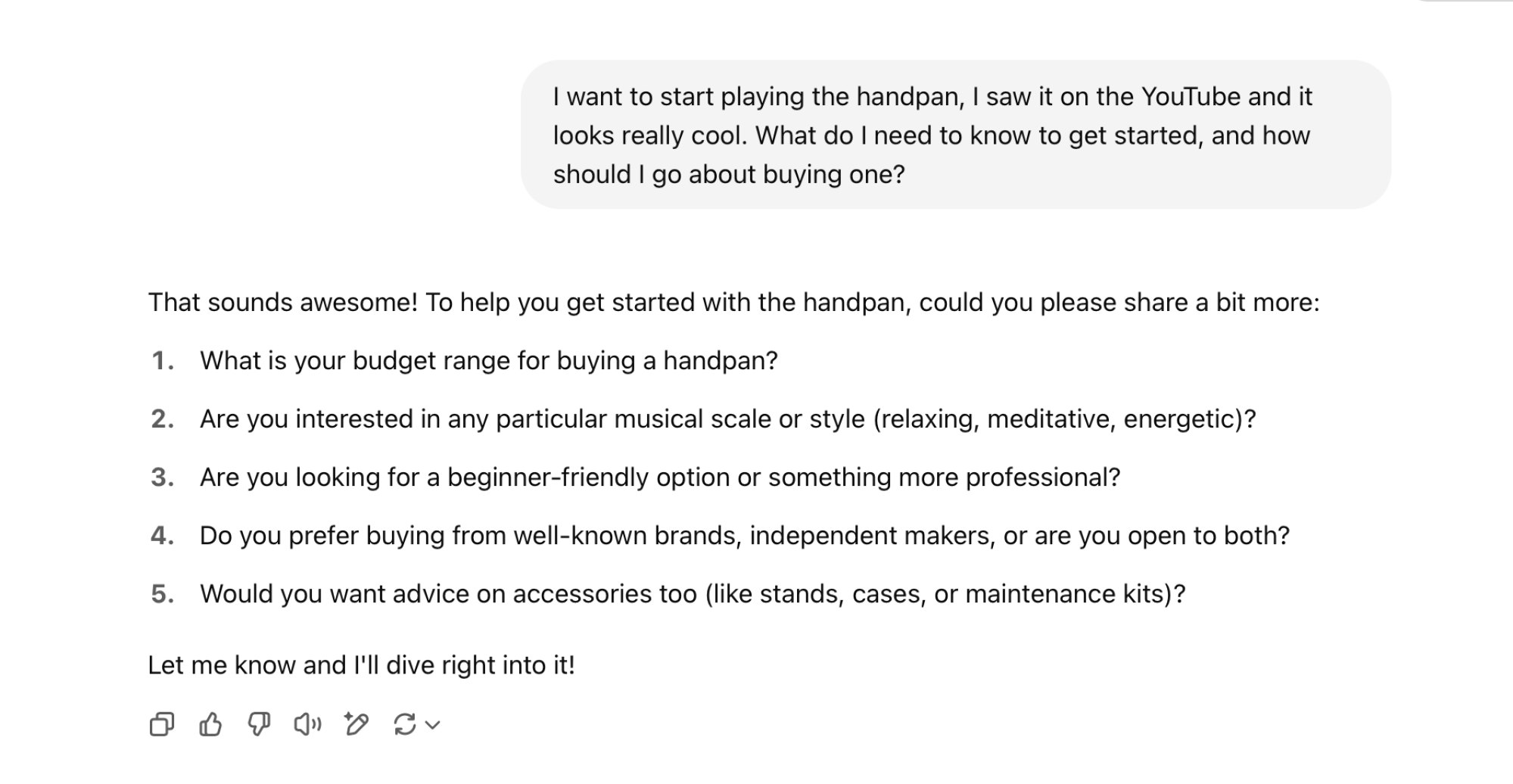
I found ChatGPT’s Deep Research to be the most direct and robust. The reports that ChatGPT generates are easy to read, and importantly, contain the information you asked for and nothing else. ChatGPT always asks follow up questions whenever you make a Deep Research query. This can feel tiresome (it did for me), but it clearly works, and you can tell ChatGPT to proceed without follow up answers from you, if you want.

ChatGPT Research Questions

Credit: Khamosh Pathak

I saw this in both the report for the handpan and the stock research. However, ChatGPT is perhaps not the best at finding shopping links yet. While it did find me the right car part and highlighted it right at the top, it failed to find a link for buying the part in India, where I’m based (but it did find sellers in the US and Europe).

ChatGPT Report

Credit: Khamosh Pathak

Gemini Deep Research: Contextual, but wordy

When it comes to Deep Research, Gemini has two strengths: The ability to edit planned research, and access to other Google products.

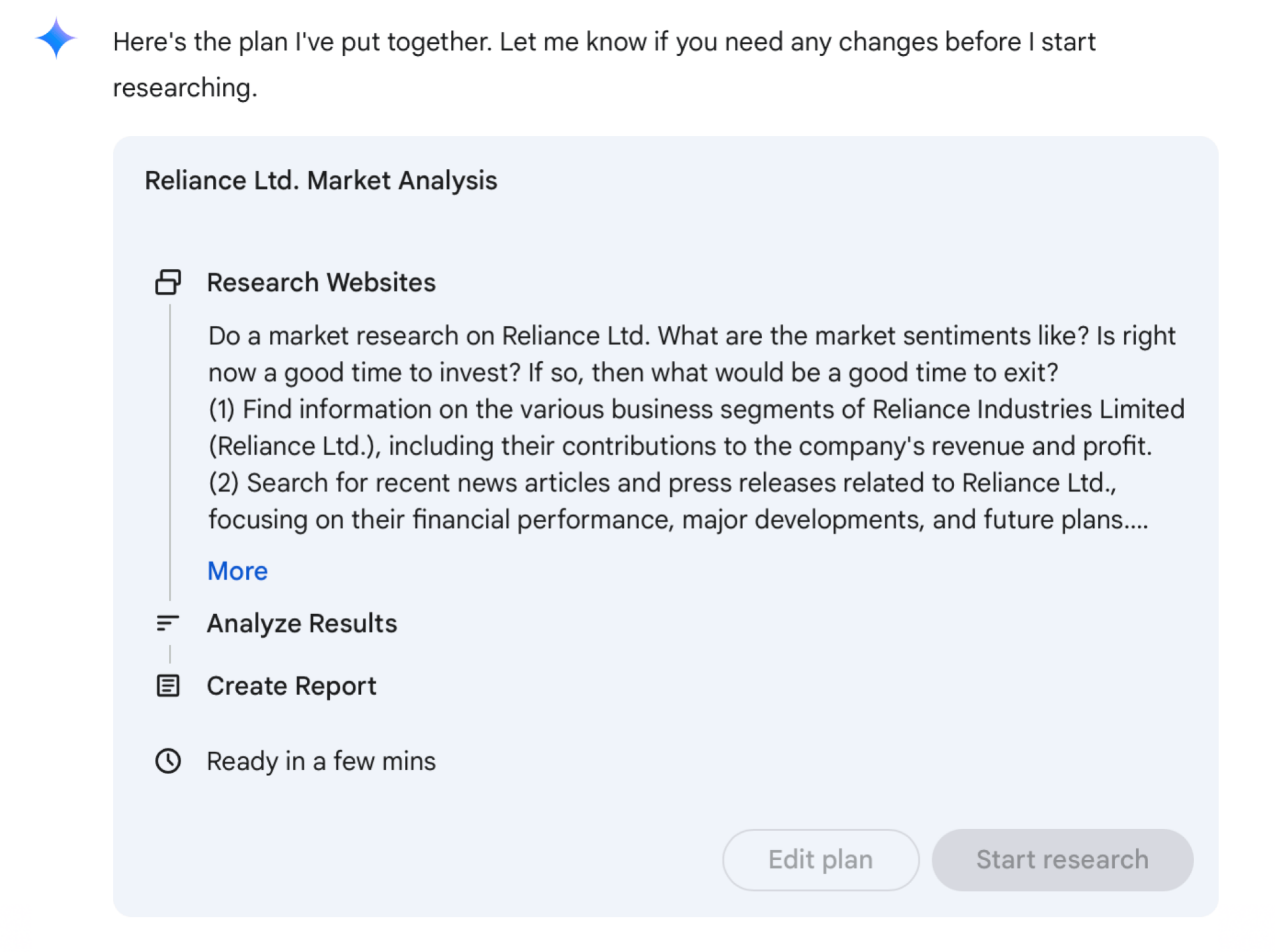
When you give Gemini a Deep Research prompt, it first goes out and creates a research plan. It will then show you a glimpse of this plan, and you can then edit it if you need to (just approve it if you don’t need to make any edits). Unlike ChatGPT, Gemini doesn’t ask you clarifying questions, instead focusing on using its integrations with your Google account for wide-level thinking. This being Google, it will include researching relevant information from around your hometown, for instance.

Gemini Research Plan

Credit: Khamosh Pathak

Gemini’s Deep Research feature integrates with Google Search, too. Basically, when you use Deep Research, you’re essentially asking the AI to perform multiple Google Searches for you. It can even take into account your browsing history (though, only if you want it to).

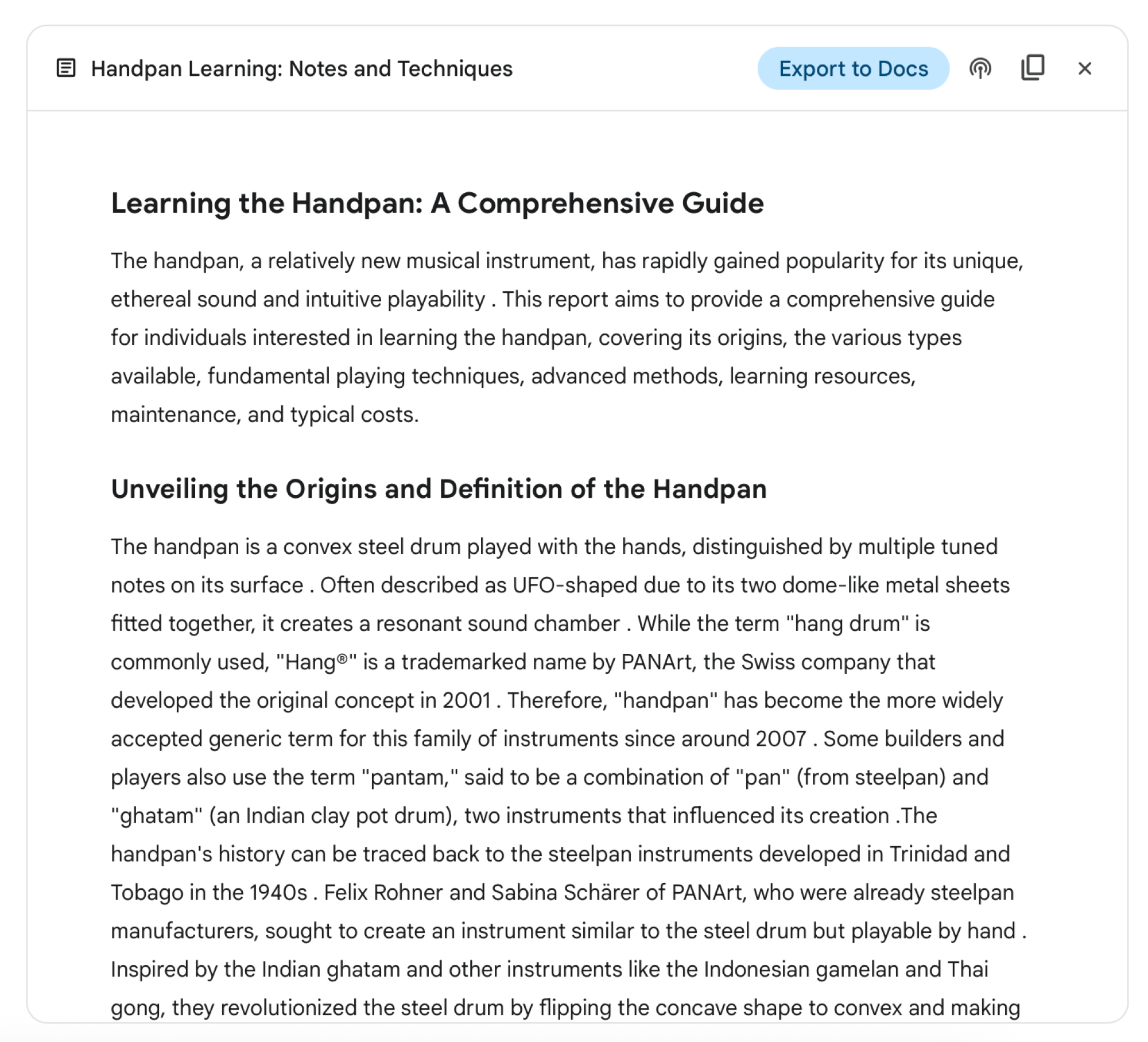
Handpan learning report from Gemini.

Credit: Khamosh Pathak

But Gemini’s downside is that it’s a bit too wordy, and its default research plan is often too broad in scope. It might be best to edit a research plan to make it more specific. I saw this in my test about finding a a number for my car part, where it spent multiple paragraphs talking about spare wheel covers instead of directly pointing out the part number I asked for (something that both ChatGPT and Perplexity do better). The upside is that Gemini integrates Deep Research directly into its Audio Overviews feature, though, so you can easily generate a short podcast episode based on your report.

Perplexity: Fast and made for web search

Perplexity’s Deep Research tool is fast. It’s the fastest at coming back with a Deep Research report, sometimes giving me answers in just two minutes or so. It does quite well with shopping links, and shopping research. And it’s a one-click affair. Perplexity doesn’t ask any follow up questions, nor does it ask you to approve its research plan like Gemini does. It just goes and does its thing.

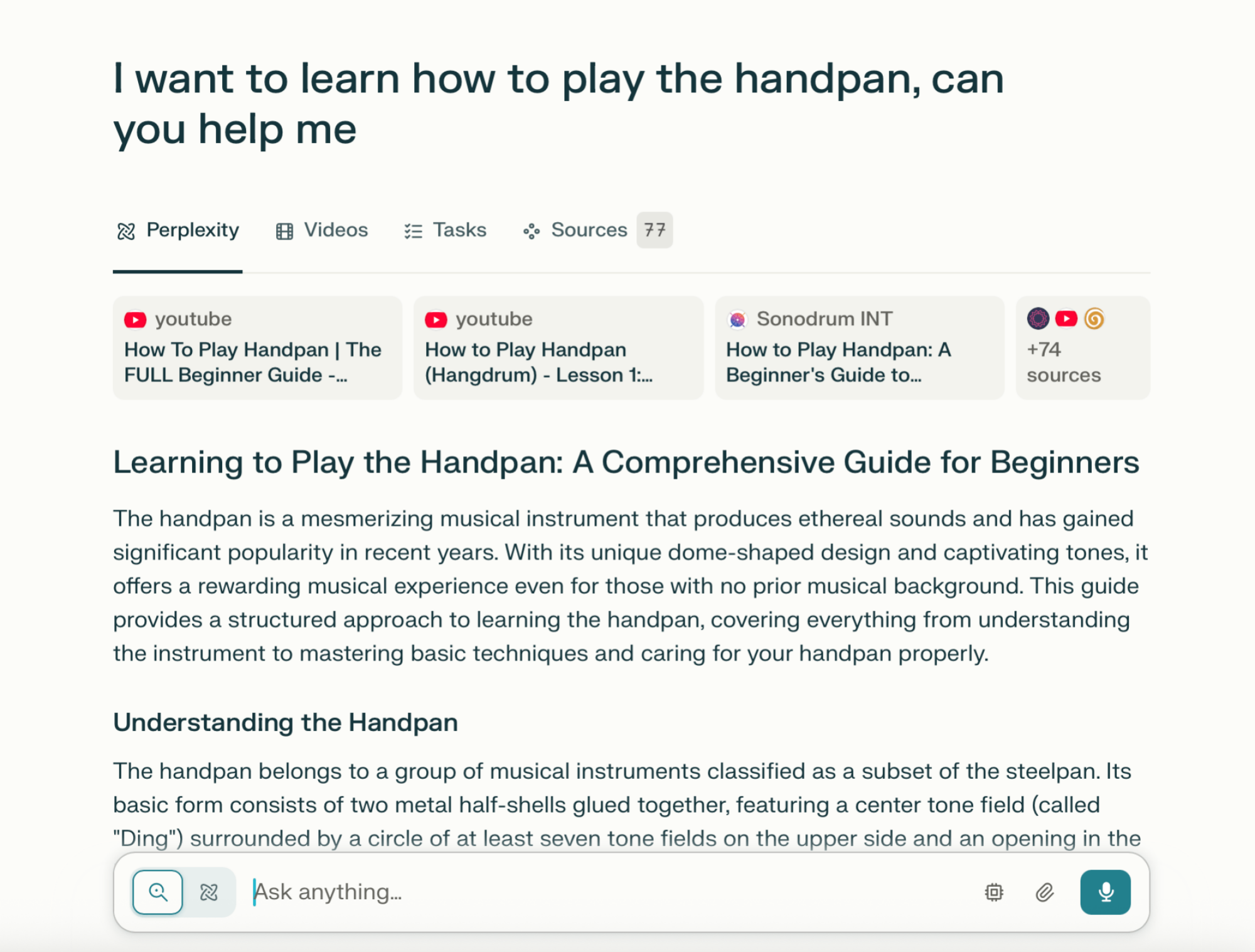
Perplexity Deep Research.

Credit: Khamosh Pathak

Currently, Perplexity is adept at integrating web searches into its research, perhaps even better than Gemini is. But its speed comes at a cost. In my testing, I found Perplexity’s Deep Research reports to be lacking in detail, even though there were a lot of sources attached to the report.

Perplexity Deep Research Direct Answers.

Credit: Khamosh Pathak

Which Deep Research tool is right for you?

All three free Deep Research tools have their uses, but some are better suited to certain tasks than others. Based on my research and testing, this is what I’ve found:

  • ChatGPT’s Deep Research documents are the most robust while staying concise, although they suffer a bit when it comes to finding specific links online.

  • Gemini’s Deep Research reports are the most detail-oriented, although they tend to be too verbose, and sometimes unnecessarily long.

  • Perplexity’s Deep Research tool is the fastest, giving me results in mere minutes. While the research it generates is not often factually wrong, it is lacking in detail or depth when compared to ChatGPT or Gemini.

Rescued Roadrunner Brings Gifts To Rescuer Every Morning

This is a video highlighting the life of Chappy, a greater (I would argue the best) roadrunner that lives in Texas and comes to the door of wildlife rehabilitator Heather every morning. Chappy was rescued as a chick and returned to the wild, but comes to bring Heather a gift every day. That is sweet. Also, not what I thought roadrunners looked like. I expected it to have a lot longer neck, followed by a coyote riding a rocket into a the side of a cliff.