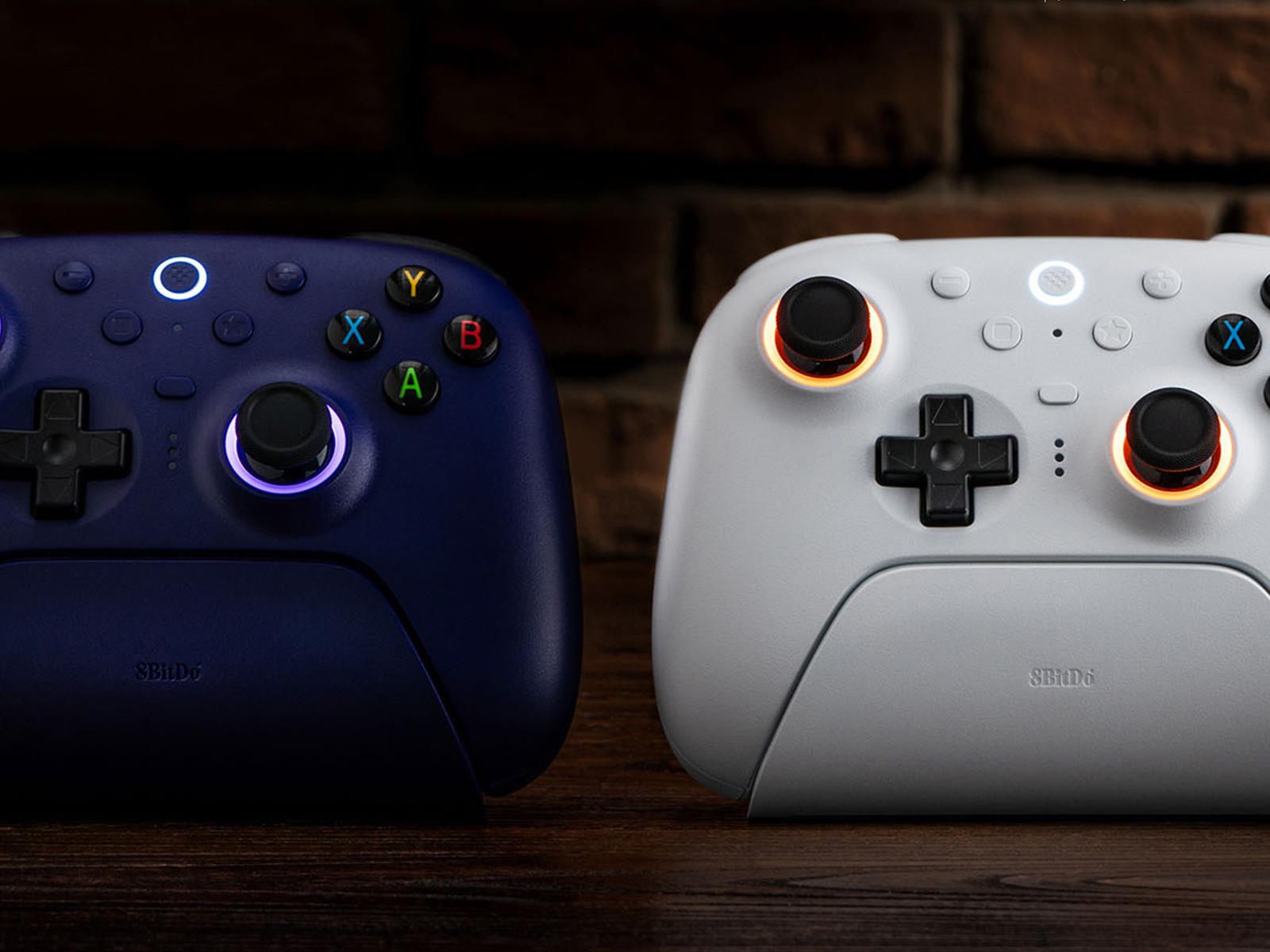
While 1st party gaming controllers from the likes of Microsoft (Xbox) and Sony (PlayStation) often are more than enough for most gamers, there are more versatile third-party options on the market. 8BitDo, well known for its controllers and other gaming accessories (like the recently-launched Retro R8 Mouse N Edition), has its new Ultimate
Microsoft has instituted a stringent new performance management system that places ousted employees on a two-year rehiring block list and categorizes their departures as “good attrition,” Business Insider reported Tuesday, citing internal documents. The company now tracks staff departures it considers beneficial, mirroring Amazon’s “unregretted attrition” metric, though no specific targets have been established yet.
Microsoft recently terminated 2,000 underperforming employees without severance and implemented a new performance improvement plan (PIP). Employees facing performance issues now must choose between entering the PIP or accepting a “Global Voluntary Separation Agreement” with 16 weeks of pay.
Further reading: Microsoft Offers Underperformers Cash To Quit.
Open Brush (2021), an open source successor to Google’s defunct VR art creation app Tilt Brush (2016), now has a multiplayer mode thanks to a recent update to the free app.
Open Brush developer The Icosa Foundation has already released the update across all supported devices, which includes Quest and SteamVR headsets.
The new update lets users collaborate, chat and create immersive VR art together in real-time, letting artists draw side-by-side, explore each other’s worlds, or showcase their work in a shared space.
For now, the initial multiplayer mode supports core painting tools, however the Icosa Foundation says more features are planned to release in future updates. Like many social VR games, room owners can manage their sessions with tools to mute, kick, or set participants to view-only mode. Notably, Open Brush’s multiplayer mode is available cross-platform, so you can share and interact across both the Quest and SteamVR versions.
“Open Brush is about making creativity free, fun, and accessible to everyone,” said Mike Nisbet of the Icosa Foundation. “Support for live collaboration is our most frequently requested feature and we’re really excited to make it available to our community.”
Once the most popular art creation app on PC VR headsets following its release in 2016, Google eventually pulled back from development in 2021, making Tilt Brush open source. This has allowed studios to reproduce and freely build upon the art app, which not only saw the near-immediate release of Open Brush, but also free iterations like SideSketch and Tilt Brush for WebXR, as well as paid multiplayer apps Multibrush (2022) and MetaBrush (2022).
While the list of Tilt Brush-derived apps is much longer than that, having cross-platform multiplayer as a core part of the app now makes it’s pretty difficult to beat Open Brush in both features and its long-term support.
Phone notifications are tricky to balance: too many of them, and you’re constantly distracted by buzzes and pings. Too few of them, and you risk missing something important, from a relative in trouble to a great deal on headphones (two ends of the importance scale there, but you get the idea).
Over the years, Apple and Google have tweaked and refined the notification systems built into iOS and Android, but there’s still room for improvement. The native features that are currently in place work fine, but lack the sort of granular control you need to properly manage the alerts you want and the alerts you don’t want.
Enter BuzzKill: It’s Android only (sorry, iPhone users), and it’ll cost you $4, but it does a fine job of managing notifications for you. It hits the sweet spot to give you a powerful set of options to manage without feeling overwhelming or cluttered, and it just might be the notification solution you’ve been looking for.
Unfortunately there’s no free trial to take advantage of, though the developer does promise to refund you your money if you’re not happy with the app—and as I take you through some of the features it offers here, you should get a good idea of whether or not this is an app you’re going to find useful on your own phone.
Creating rules in BuzzKill
Rules have certain criteria attached to them. Credit: Lifehacker
Load up BuzzKill for the first time, and once you’ve given it the necessary permissions to run in the background and access your notifications, you’re ready to add your first rule: Tap on Create rule to do this. That then leads you to a rule builder that will look familiar if you’ve ever attempted to set up filters for your email.
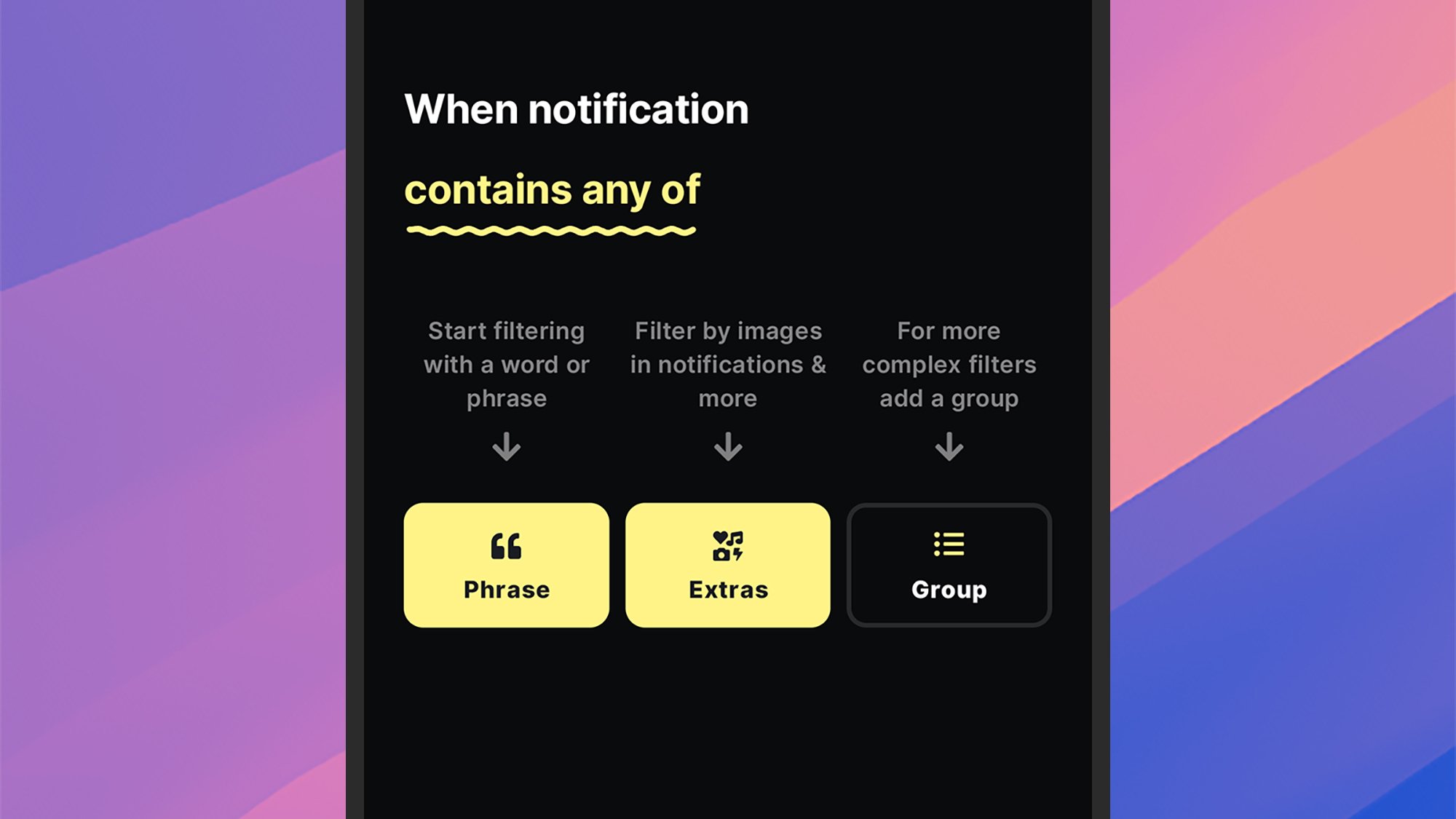
There are two parts to each rule: how to identify the notifications that qualify it (tap any app and contains anything to specify the criteria), and then the action to take for matching alerts (tap do nothing to set an action). To begin with, you’ll need to pick a specific app— whether it’s Uber, WhatsApp, or anything else you’ve got installed—and you can select multiple apps per rule.
You can leave a rule to apply to all notifications from your chosen app(s), or you can specify further filters. BuzzKill is able to look for words or phrases inside notifications, plus certain notification attributes for the notification—such as whether or not it has an image in it, or whether it’s from a group conversation (handy for those group chats).
You can build up some quite complex filters this way, and it’s even possible to nest certain criteria in sub-groups. You can ask BuzzKill to match all the filter rules you’ve listed, or just some of them (so a rule might be applied to messages from group chats or with images in them, or only when both of those criteria are met, for example).
All you then need to do is specify the action that BuzzKill needs to take, and it’s here that the app really proves its value. You can do everything from mute an alert, to make sure it’s unmuted even if your phone is silenced—so BuzzKill is useful for getting your attention for important notifications as well as reducing distractions from more minor ones. You can also invoke popular automation tool Tasker from BuzzKill for even more control.
Managing rules in BuzzKill
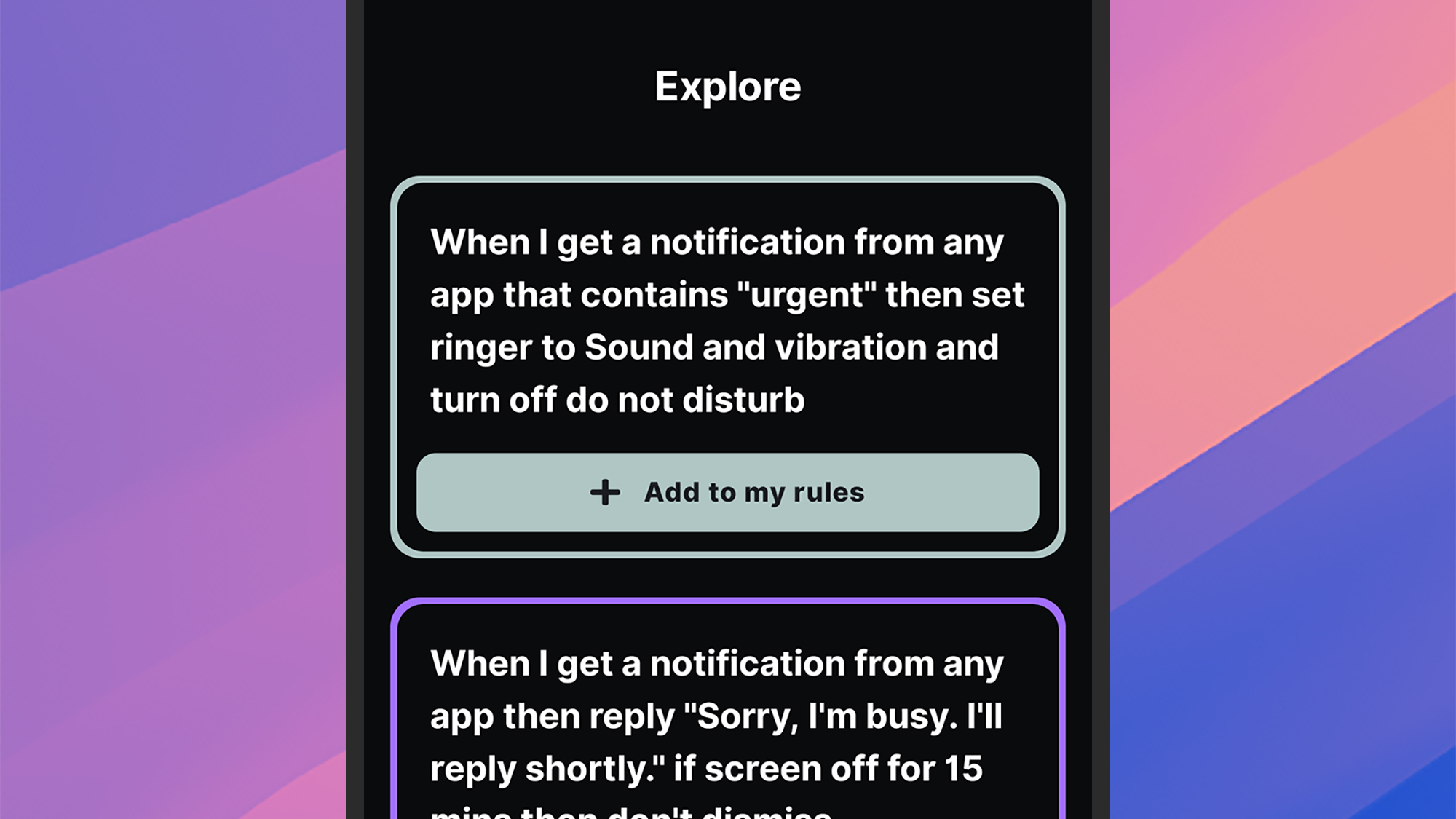
Head to the Explore tab for inspiration for your rules. Credit: Lifehacker
Once you’ve started creating rules in the app, they can be managed from the Rules tab: Simple toggle switches let you enable or disable them, and you can also delete and duplicate rules by tapping the three dots in the top left corner of the rule box.
Over on the History tab, you can see stats relating to all the notifications that have come in on your phone, with filters and summaries available if you need them. One handy feature on this screen is the option to create a new rule based on a notification you’ve already received: Just tap on the notification and pick Create rule.
The Explore tab gives you some examples of what BuzzKill can do, and it’s a great resource for finding inspiration. For example, you can set up automatic replies to incoming messages, or snooze alerts that arrive together in quick succession, or create a custom vibration for communications from a particular contact.
Head to the Settings tab and you can play around with some of the app options. From here you’re able to give BuzzKill control over persistent notifications that stick around in the status bar, and create shortcuts for quickly triggering rules from the home screen or the quick settings panel on Android.
I’ve found BuzzKill most useful for shushing apps that I don’t particularly want to hear from during the day, without losing those notifications altogether—above and beyond the features that you get with Android itself. Creating and managing rules is also straightforward, and there’s an export tool for moving them to another device (BuzzKill is particularly privacy-conscious, and doesn’t connect to the web).
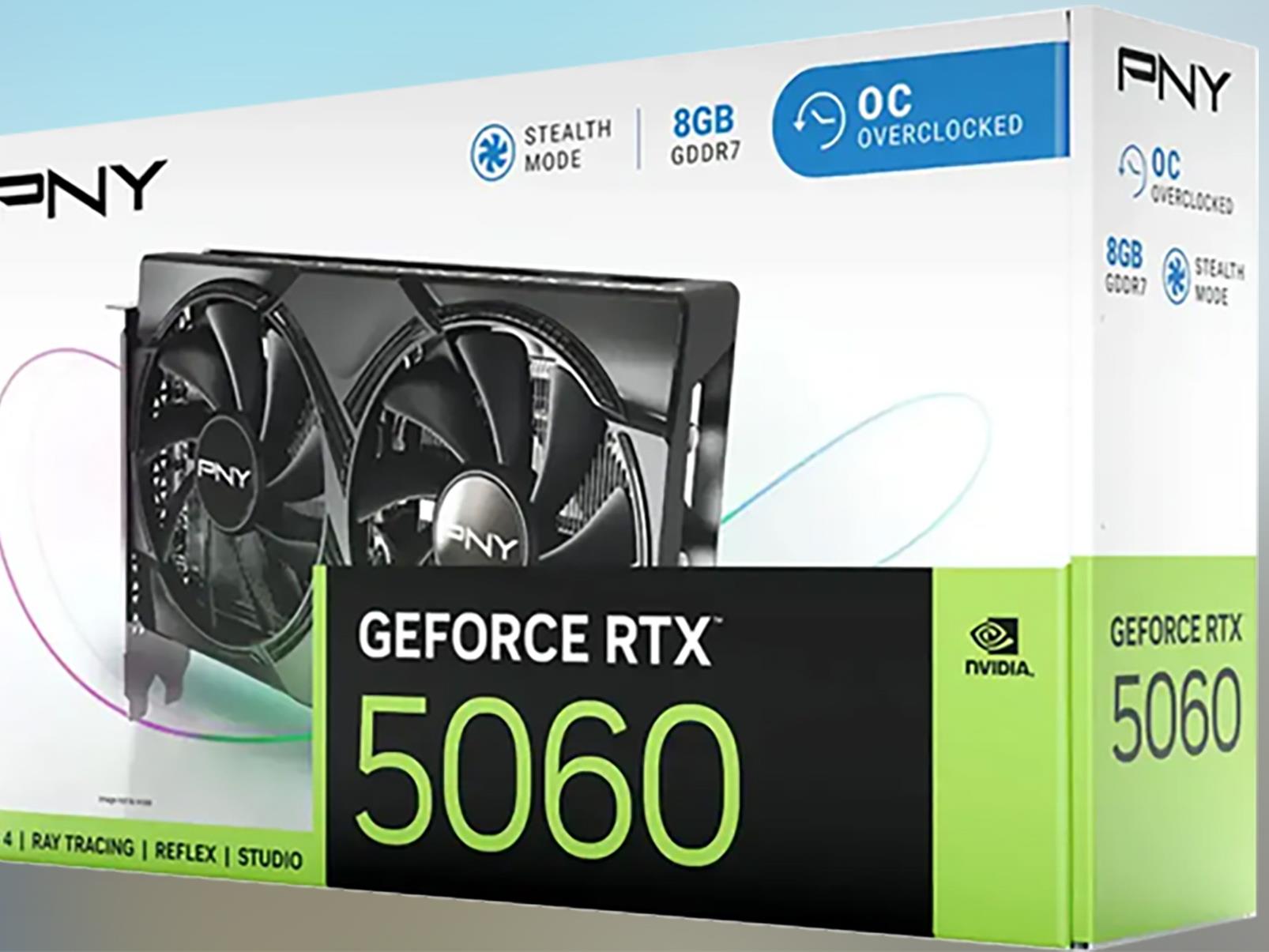
On paper, the launch of NVIDIA’s GeForce RTX 5060 family brought the price of Blackwell to below $500. In practice, the GPU situation is what it is—’frustrating’, if summing it up in a single word—but there is reason to be a bit optimistic. We’re seeing more models listed at MSRP, availability be damned, and there’s already a retail listing
With the spring Linux distribution/OS updates upon us, in recent weeks I’ve looked at the Ubuntu 25.04 performance gains on AMD EPYC 9005 “Turin” and also the performance of Fedora Server 42. Following that I expanded the scope of the Linux operating systems (distributions) benchmarks on the latest 5th Gen AMD EPYC server hardware. Here is a look at how the performance of the new Ubuntu and Fedora Linux releases compare to AlmaLinux and Intel’s in-house Clear Linux distribution that tends to be at the forefront of open-source performance optimizations.
In April, a US District Court ruled that Google monopolized open-web digital ad markets. Now, the tech giant and the US Justice Department are at odds about what Google must do about it. The DOJ argues that Google should sell AdX, or Ad Exchange, a platform for publishers to sell unused ad space in real-time. It also wants the company to offload Google Ad Manager, previously DoubleClick for Publishers (Google DFP).
The DOJ claims that both platforms minimize competition and contribute to Google’s monopoly in the advertising space. The executive department has also pushed Google to sell Chrome due to a separate ruling that the company held a monopoly on search engines.
Unsurprisingly, Google has no interest in getting rid of its products — it also plans to appeal the Court’s ruling on Google Ad Manager. Google has announced “a proposal that fully addresses the Court’s findings.” These changes include allowing all rival publisher ad servers to make real-time bids on AdX and letting publishers set different price floors for each bidder.
“In contrast, the DOJ is seeking remedies that go significantly beyond the Court’s narrow ruling by forcing a divestiture of Google Ad Manager,” Google stated in its announcement. “This would risk breaking a tool advertisers use to connect with publishers and efficiently reach their customers, and that app and video publishers use to monetize their content — businesses that aren’t even part of the narrow market of ‘open web display ads’ at issue in this case.”
This article originally appeared on Engadget at https://www.engadget.com/big-tech/doj-pushes-for-google-to-sell-its-advertising-platforms-134250436.html?src=rss
Rockstar, following last week’s announcement that Grand Theft Auto 6 has been delayed until May 2026, has released a surprise new video, and it’s showing in-game footage as well as cutscenes.
Ahead of Rebellion’s launch of Zombie Army VR on major VR headsets later this month, the studio released a new trailer showing off all of the features that await.
In the new ‘Features Trailer’ for Zombie Army VR, we get a fresh look at zombie-ganking action as well as an array of real WWII weapons which you’ll use against the undead hordes.
Coming to Quest 2 and above, PSVR 2, SteamVR headsets, and Oculus Rift on May 22nd, in Zombie Army VR you take on the role of a ‘Deadhunter’, the franchise’s elite squad hunting squad down zombie war criminals. Wading through the bombed-out city of Nuremberg, you help Deadhunter leader Hermann Wolff find his scattered family and fight to free Europe from the zombie apocalypse.
In the new trailer, Zombie Army VR shows off loads of classic guns, including working sniper rifles, submachine guns, pistols–all of which feature manual reloading for more immersion, not to mention melee weapons galore. The series’ upgrade kits are also here, letting you modify the damage, accuracy, and ammo capacity of your weapons.
Here’s a list of features coming to Zombie Army VR, courtesy of Rebellion:
New high thrills campaign
Slay alone or take the fight online and join a friend for 2 player co-op
Authentic World War II weaponry and impactful melee combat
Relive devastating long-range shots with the signature X-ray Kill Cam
VR enhances the expressive interactions & tactile experience of the Zombie Army franchise
Player progression and weapon modification
Competitive arcade-style scoring system
bHaptics support on PlayStation® VR2, Quest and PCVR
ProTubeVR support on Quest and PCVR
Wide range of accessibility features
Ahead of its May 22nd release, you can pre-order Zombie Army VRon the Horizon Store for Quest 2 and above, on the PlayStation Store for PSVR 2, and on Steam for PC VR headsets where you can nab it for as low as 10% off its regular $30 price tag.
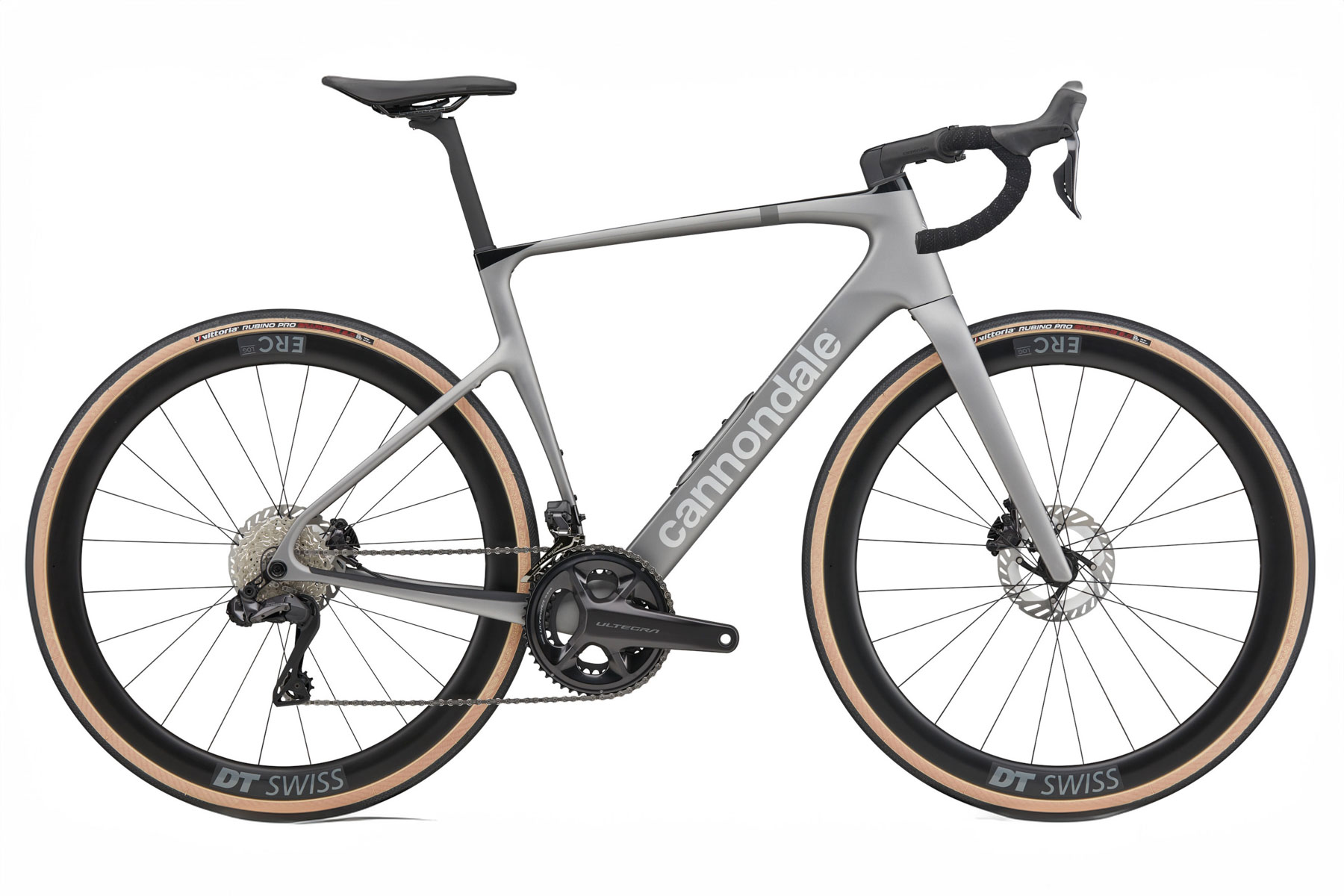
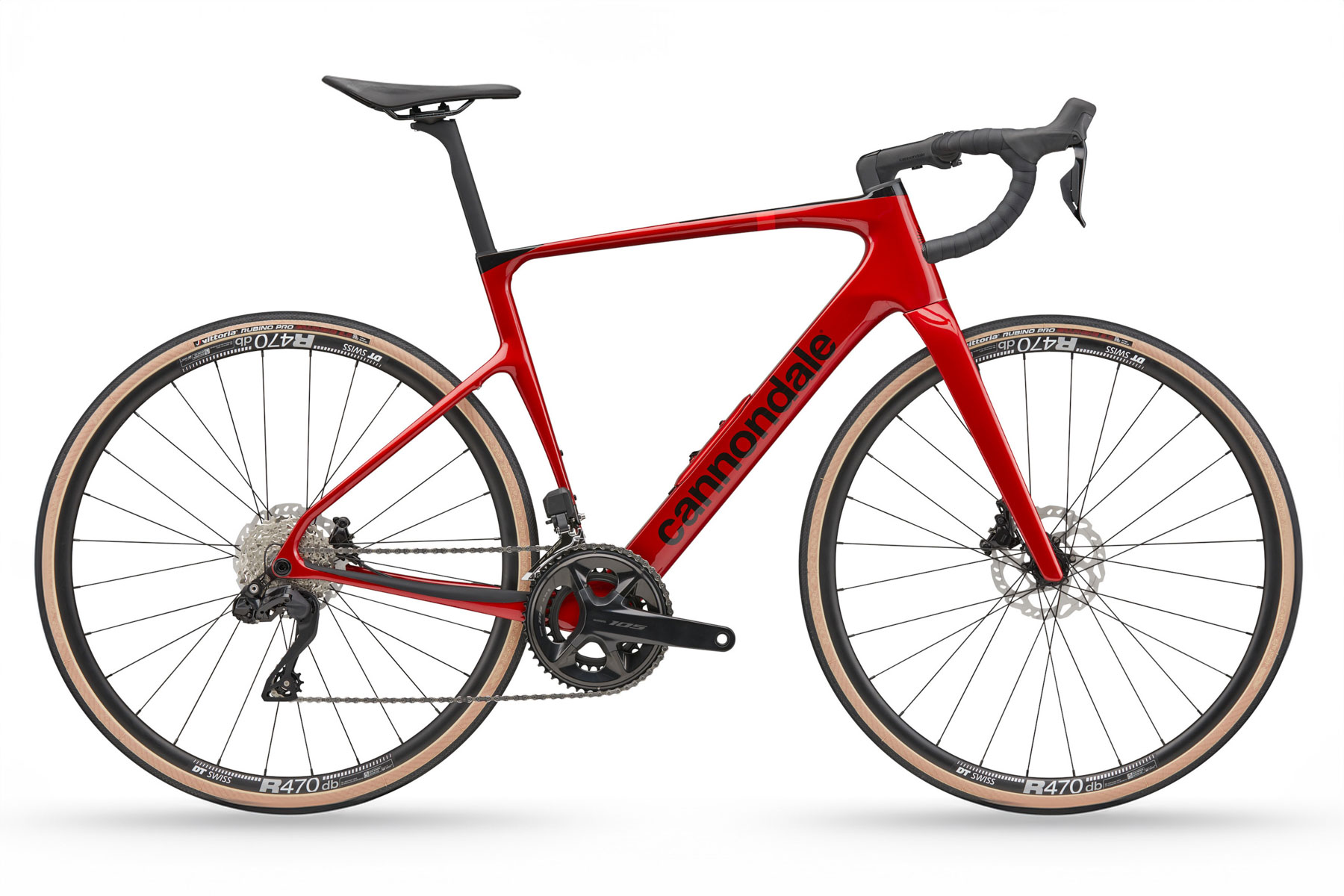
The new 2025 Cannondale Synapse takes its inspiration from the SuperSix Evo, but adopts frame-flex technology from the SuperX.
The latest iteration of Cannondale’s endurance bike platform elevates the humble Synapse to the same level as the pro-tour proven SuperSix Evo.
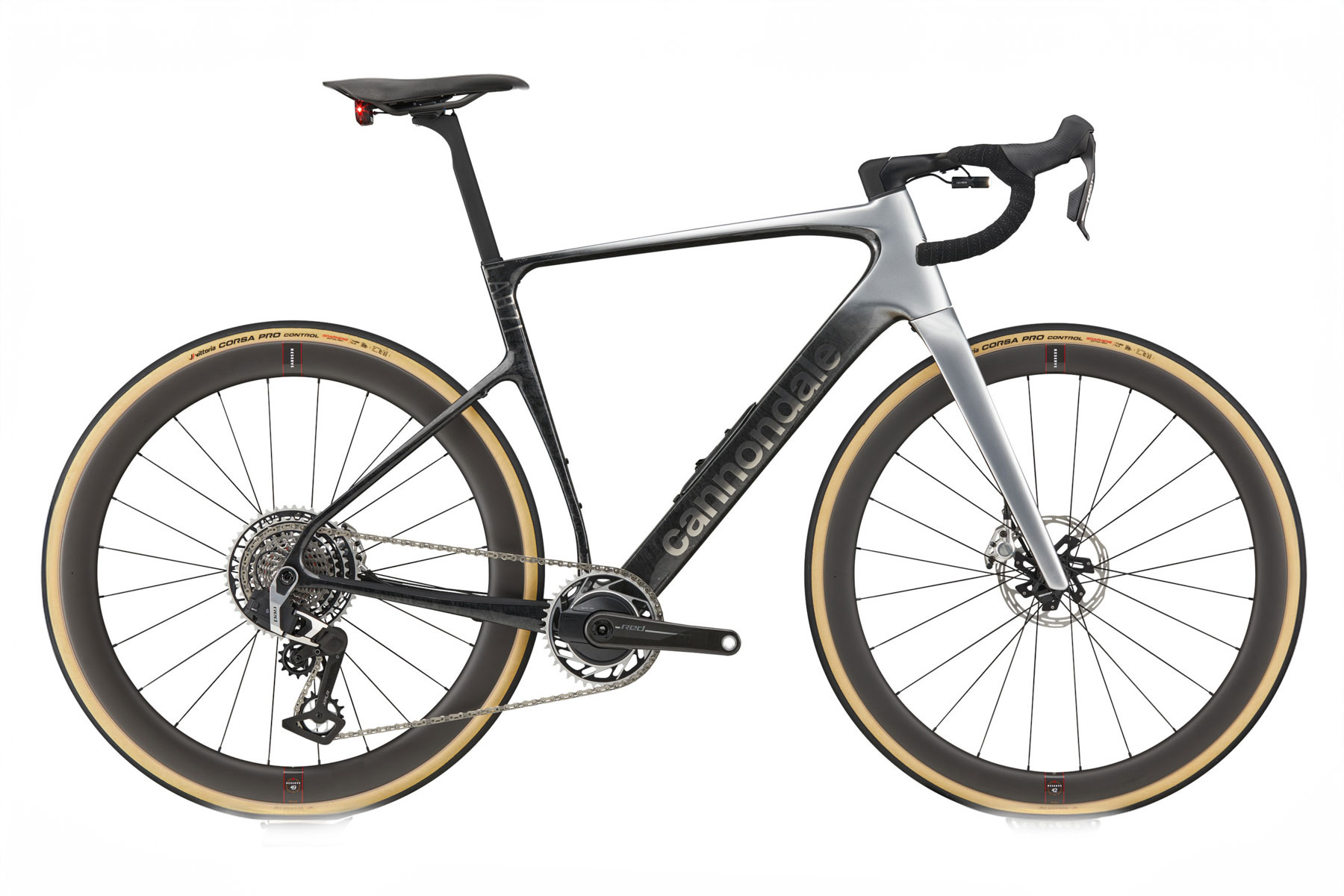
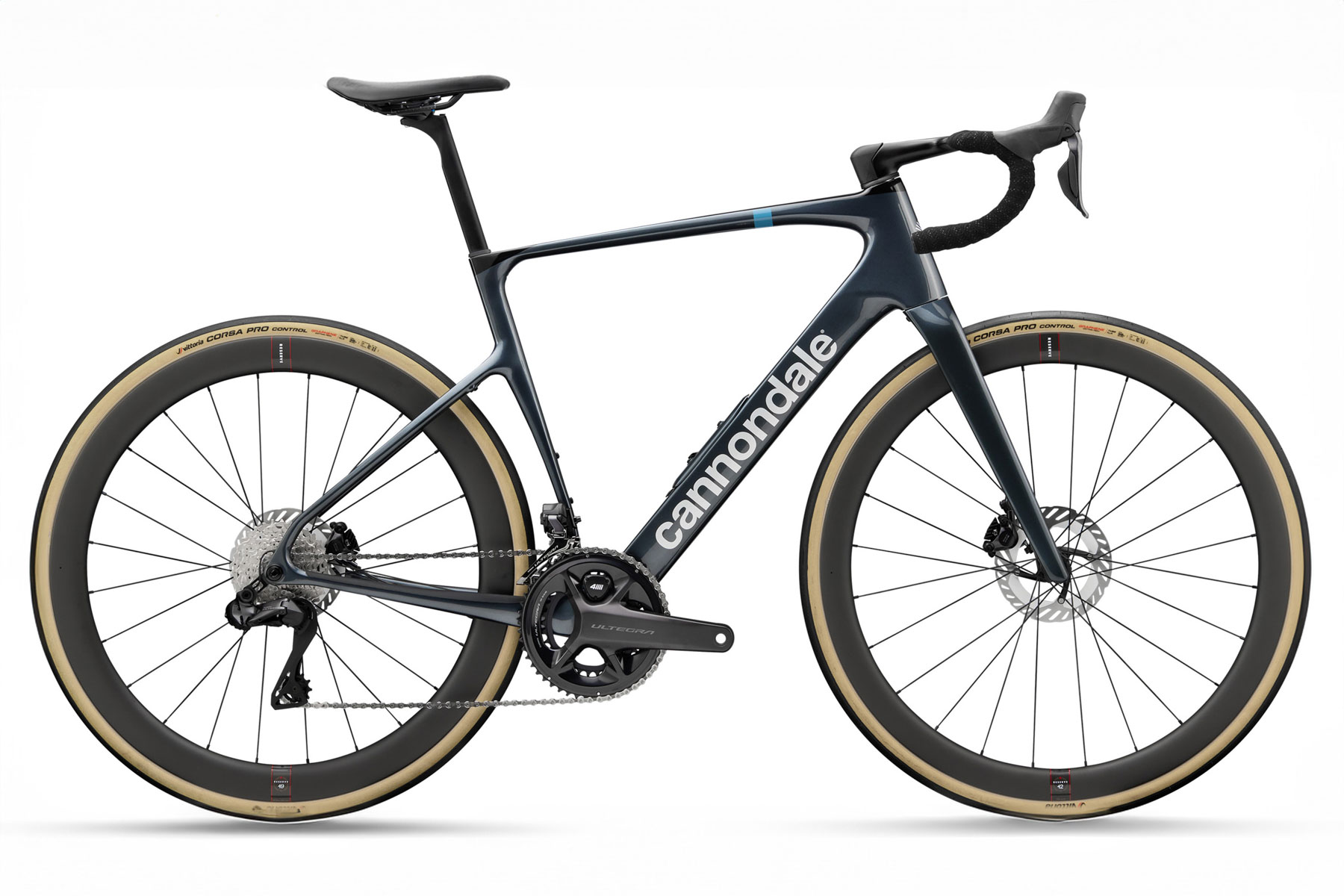
With a raft of bikes available at launch (and a couple more models coming in June), the new Synapse will cover all levels, from the Shimano 105 mechanical-equipped Carbon 5 to a new Lab71 SRAM Red AXS XPLR model complete with a power meter.
That marks a return to the highest-level specifications for the Synapse – something Cannondale didn’t offer on the previous 2022 model.
New Synapse frame design
The new 2025 Synapse. cannondale
The new bike brings plenty of what we would expect from Cannondale.
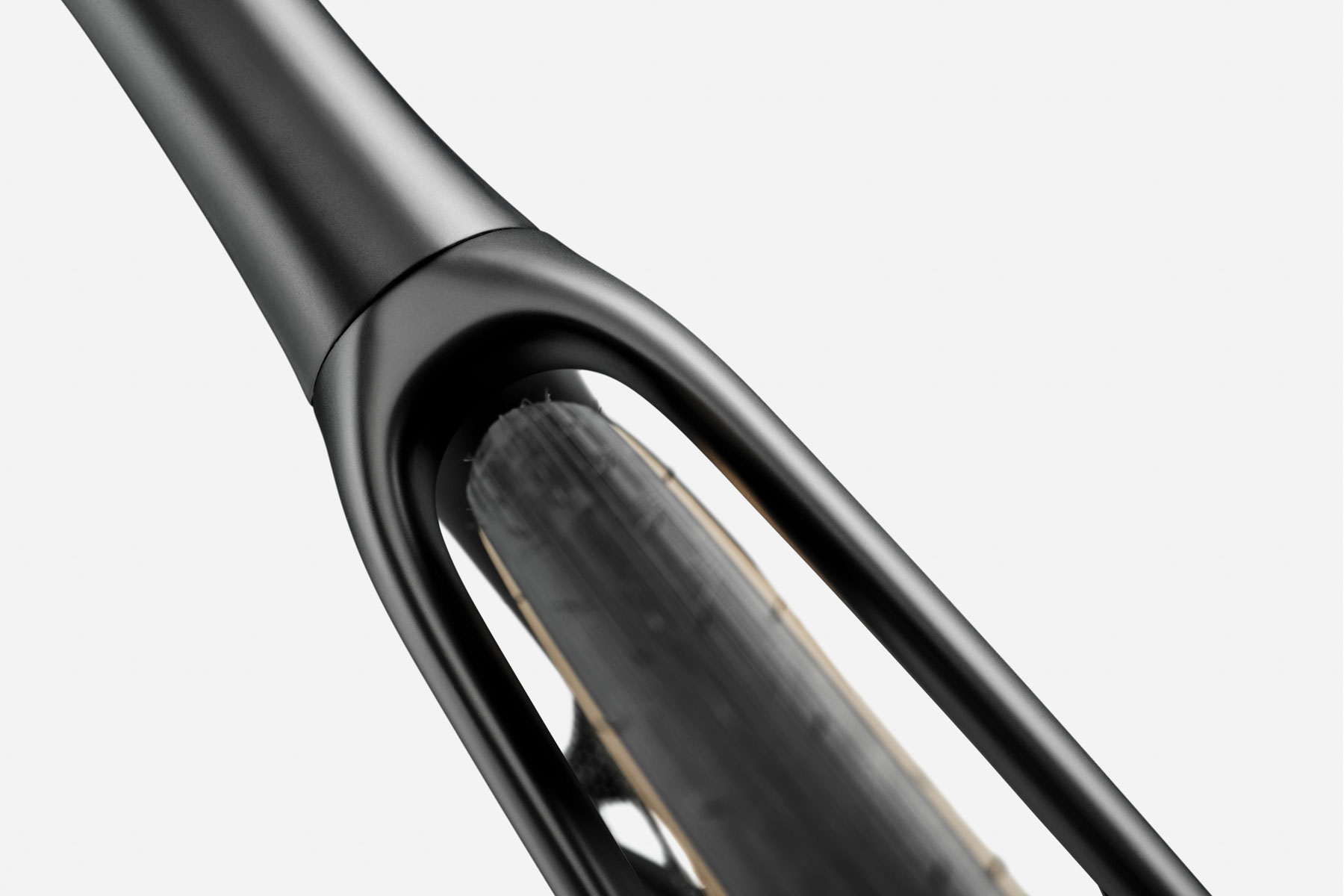
First up, the Synapse retains its BSA bottom bracket and uses the Delta Steerer from the SuperSix Evo. This brings standardised parts from the rest of Cannondale’s drop-bar offerings to the Synapse.
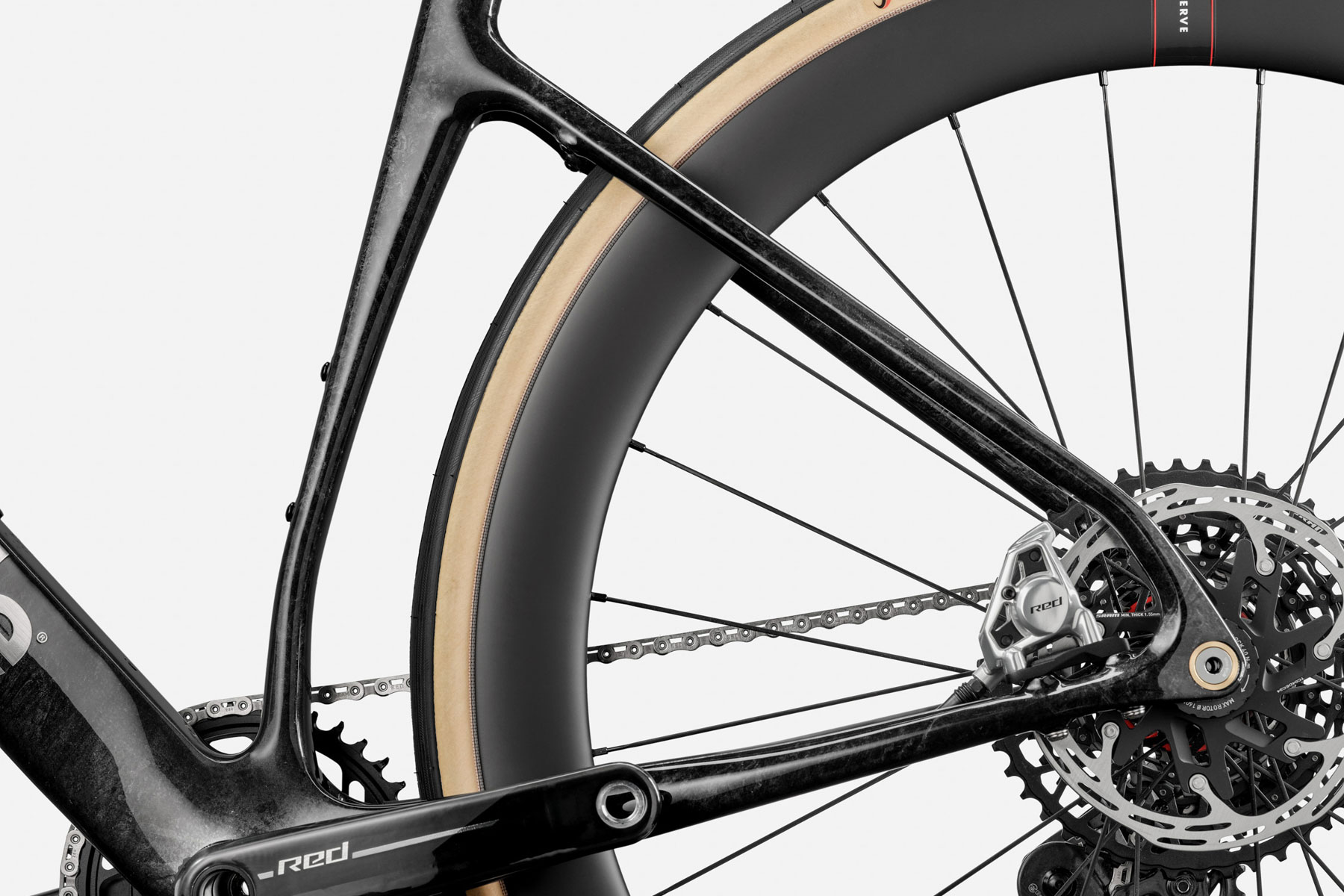
The aerodynamic tube shapes come straight from lessons learned on the SuperSix Evo. cannondale
For simplicity, it shares the same thru-axles, rear hangers, stems and even the SuperSix Evo’s slim aerodynamic seatpost.
With 42mm of tyre clearance, the Synapse has go-anywhere potential. cannondale
Add in huge 42mm tyre clearances (all models will ship with 32mm tyres), down-tube storage and mudguard/fender eyelets, and the new Synapse is a bike with practicality at its core.
Geometry tweaks
The Synapse doesn’t forgo practical touches such as fender bosses on the stays. cannondale
The geometry of the new bike is largely unchanged, although Cannondale has relaxed the head angle down from 73 degrees on the previous bike to 71.5 degrees.
This, and the advent of larger tyre clearances and larger stock tyres, has increased the wheelbase and trail figures, with the chainstays lengthened to 43cm from 41.5cm to account for 42mm tyre clearance.
The trail rises to 61mm from 59mm, bringing the Synapse in line with bikes such as Cervélo’s latest Caledonia 5. It’s only 3mm longer than its racing brother, the SuperSix Evo (58mm).
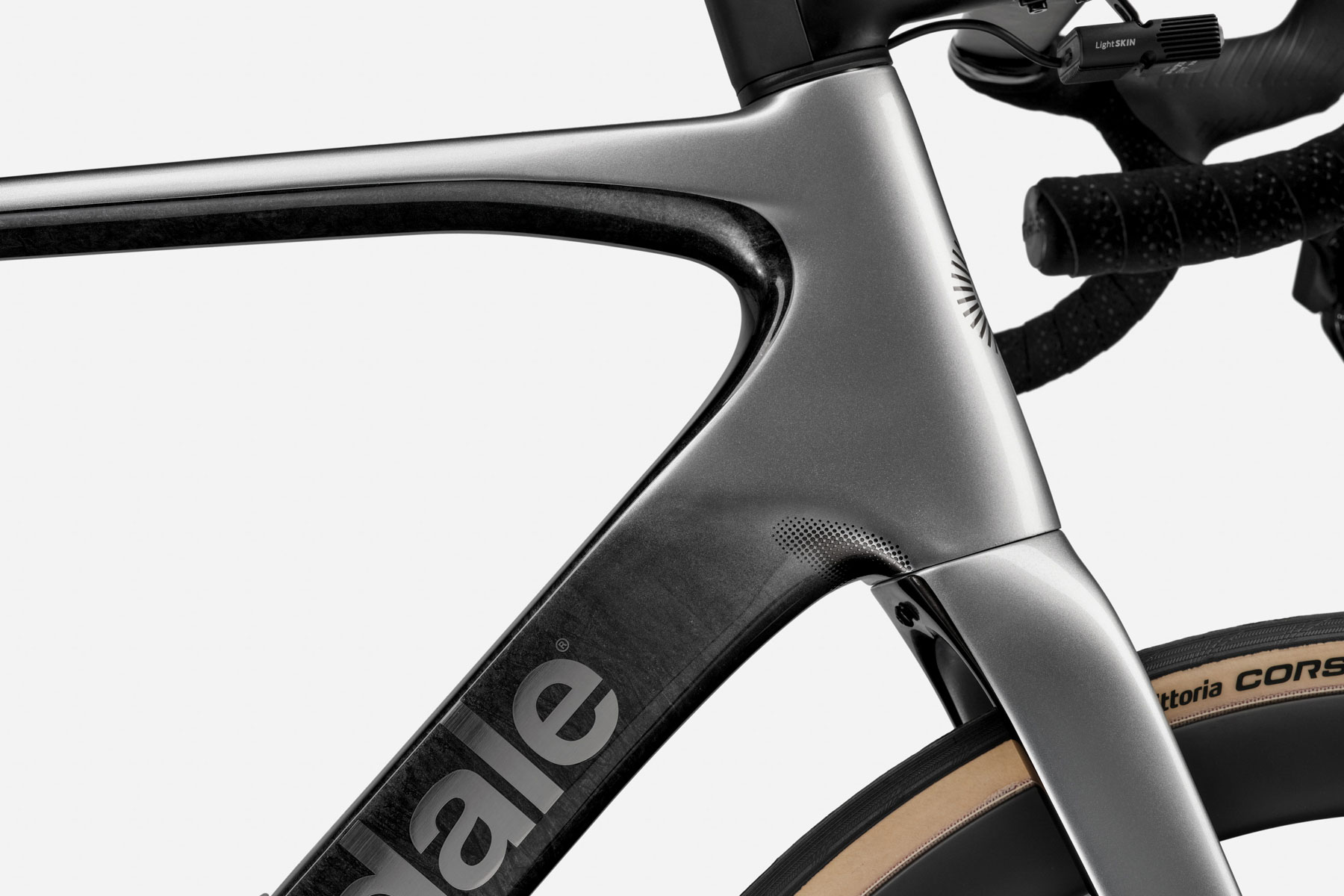
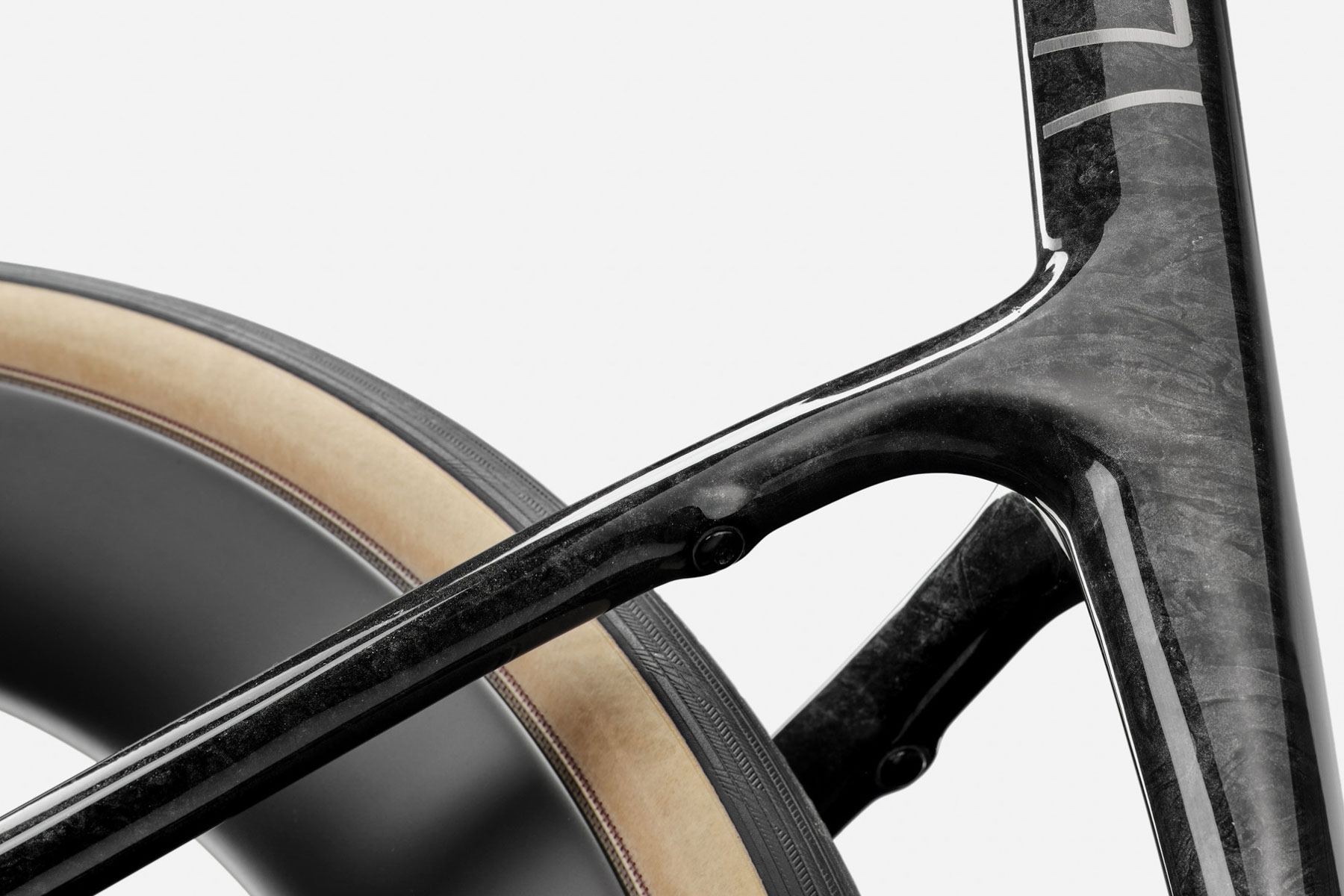
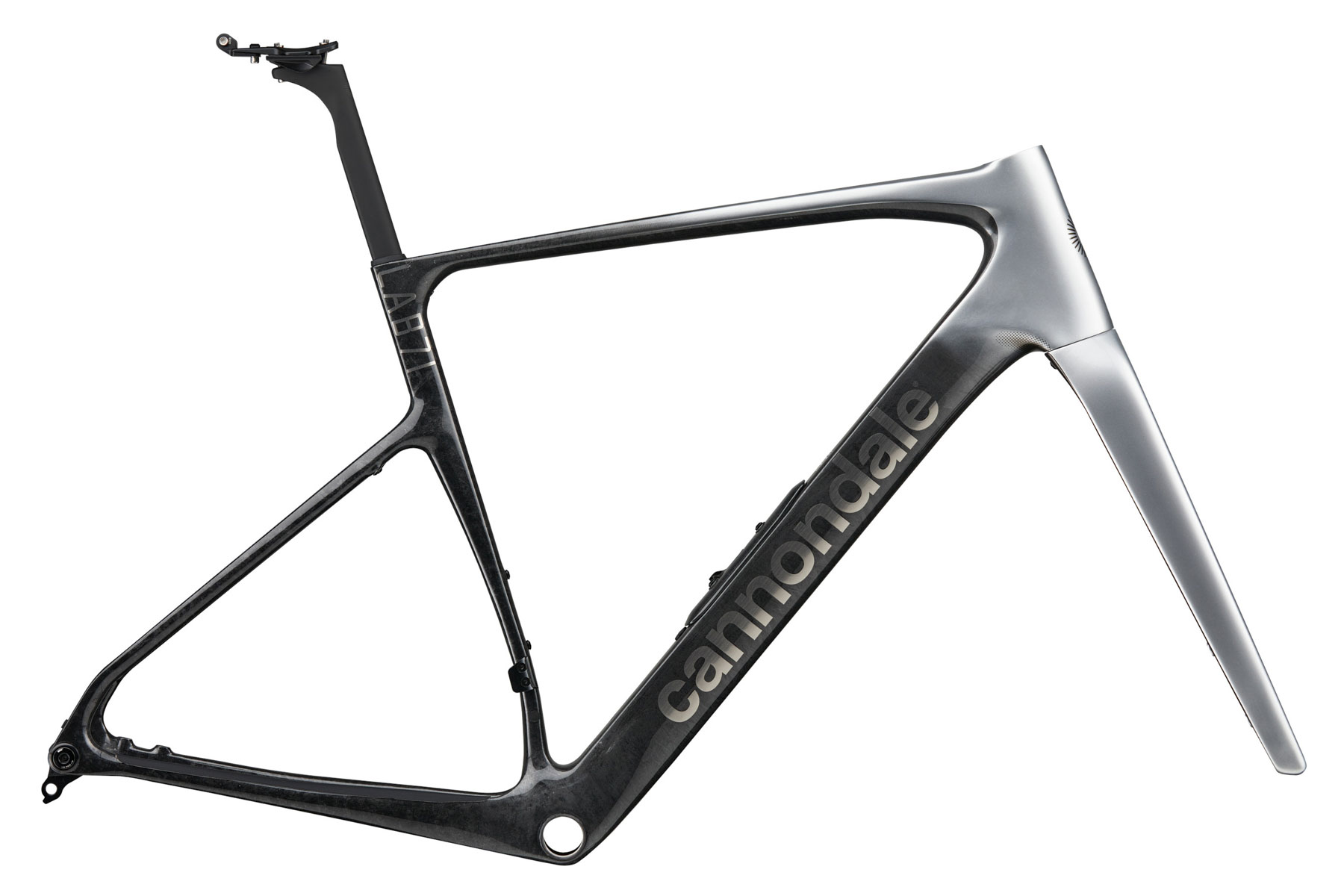
As for the Synapse’s appearance, it’s very much now a companion to Cannondale’s performance bikes. The head tube, down tube, top tube and dropped stays all bear plenty of similarities to the latest SuperSix Evo, while the kinked and flattened seat tube follows the same design cues as the latest SuperX.
The tapered and kinked seat tube is reminiscent of the new SuperX. cannondale
Cannondale tells us this gives similar compliance figures to the SuperX, too. The overall compliance of the new Synapse is up 20% over the previous model, while Cannondale has improved the vital stiffness figures at the head tube and bottom bracket.
Aerodynamics matter for endurance
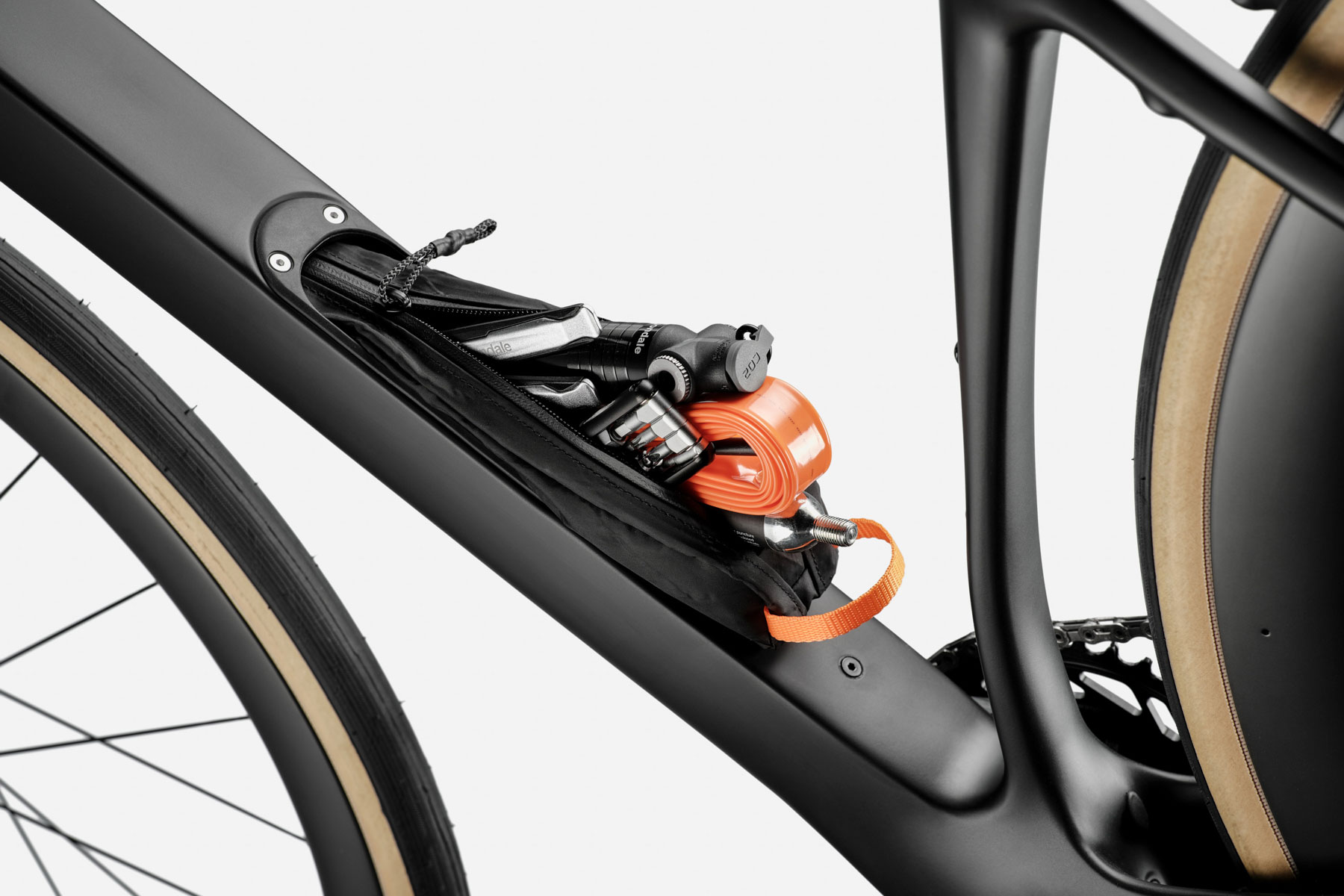
The down tube storage contains both the SmartSense battery and a large tool storage bag. cannondale
A focus on aerodynamics is also at the heart of the new design. Cannondale’s aerodynamics expert Nathan Barry explains: “Much of what we learnt from the Evo-derived performance is here, from the cockpit integration to the highly truncated airfoils (first used on the third-generation SuperSix Evo).
“Our performance-driven design is more about speed and efficiency for the Synapse. Aero is the biggest factor, much more than weight. Bike weight is a very small factor, weight is more about the rider than the bike.”
That said, Cannondale hasn’t exactly delivered a hefty bike with the new Synapse, with claimed frame weights of under 1,000g for the Hi-Mod frame, 1,150g for the standard Carbon and 900g for the Lab71 edition. The Hi-Mod fork adds 445g and the standard Carbon 494g.
Lab71 brings 1x for the road
The move to a 1x drivetrain is something of a shock move on a mainstream production road bike, outside of niche brands such as Vielo and its R+1, but one that we’ve seen coming – especially since Wout van Aert used SRAM’s 1x setup for Milan-San Remo back in 2023.
We saw the same move from van Aert again at this year’s Paris-Roubaix, with the Lidl-Trek team using XPLR rear derailleurs in Paris-Roubaix Femmes.
The Lab71 has a full Red AXS XPLR group, with a 10-46 13-speed cassette matched to a 40-tooth chainring. I’m expecting delivery of this bike any day now, so I’ll report back on how this gravel setup fares on the road.
SmartSense is back
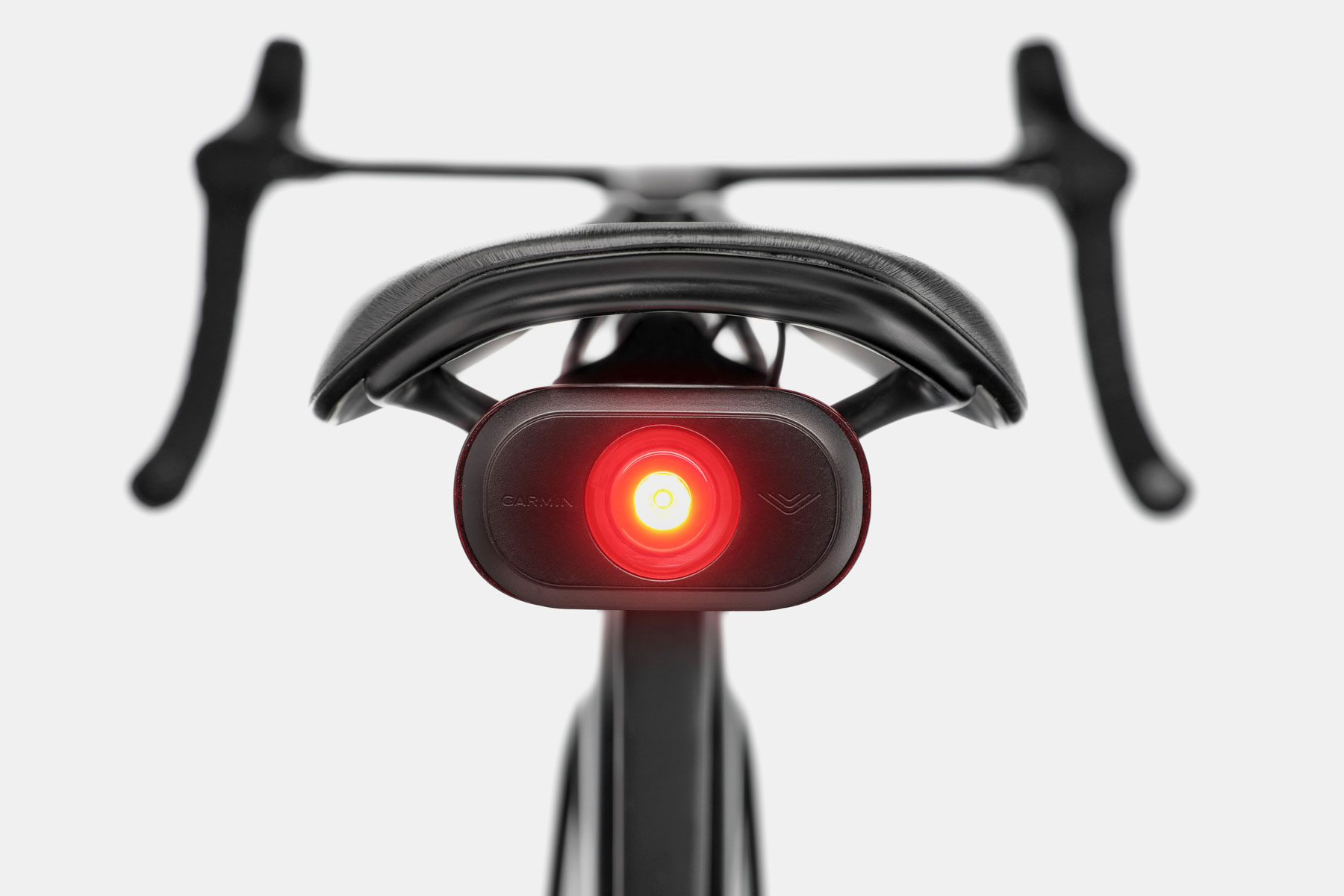
Perhaps the most divisive element of the previous Synapse was the integration of SmartSense, which incorporated an integrated front light, rear light and rear radar using Garmin’s tech, all running from a down-tube mounted single battery.
While initially sceptical about the rear radar, after using it when testing the bike, I became a convert. The added safety of knowing what’s approaching from behind and at what speed makes riding on busy, fast roads safer. I now use a Garmin Varia RCT715 for my regular 30-mile each-way commute.
The issue with the system, however, was a rather clunky integration. The external battery, chunky light and the bracket all added weight, and didn’t have the seamless integration you’d expect from Cannondale design.
Lighting up Lachlan
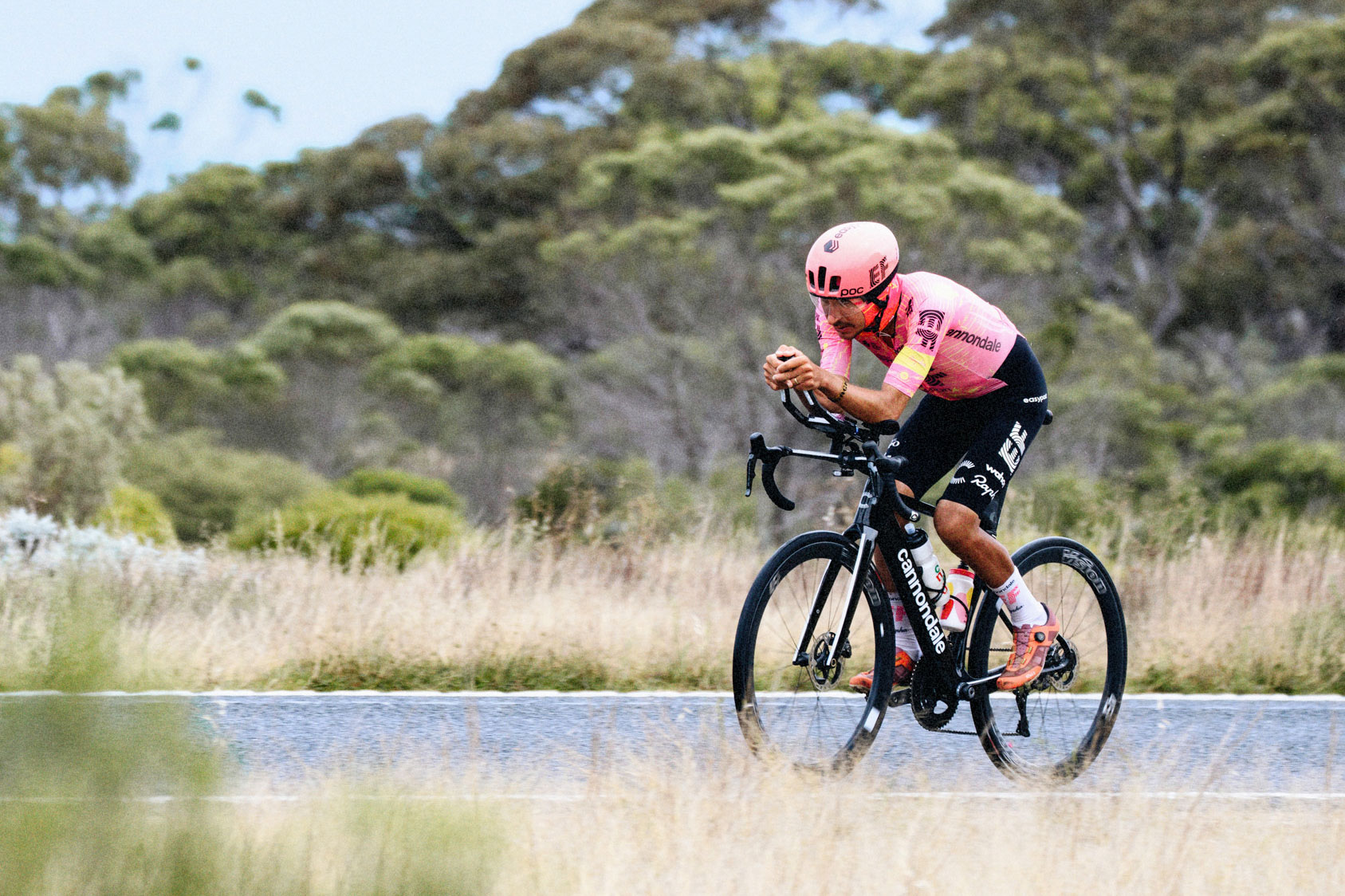
Lachlan Morton rode the new Synapse on a record-breaking lap of Australia. Karter Machen
The new Synapse does a much better job, and when Lachlan Morton rode the as-yet unreleased Synapse for his record-breaking lap around Australia, he employed the full SmartSense setup.
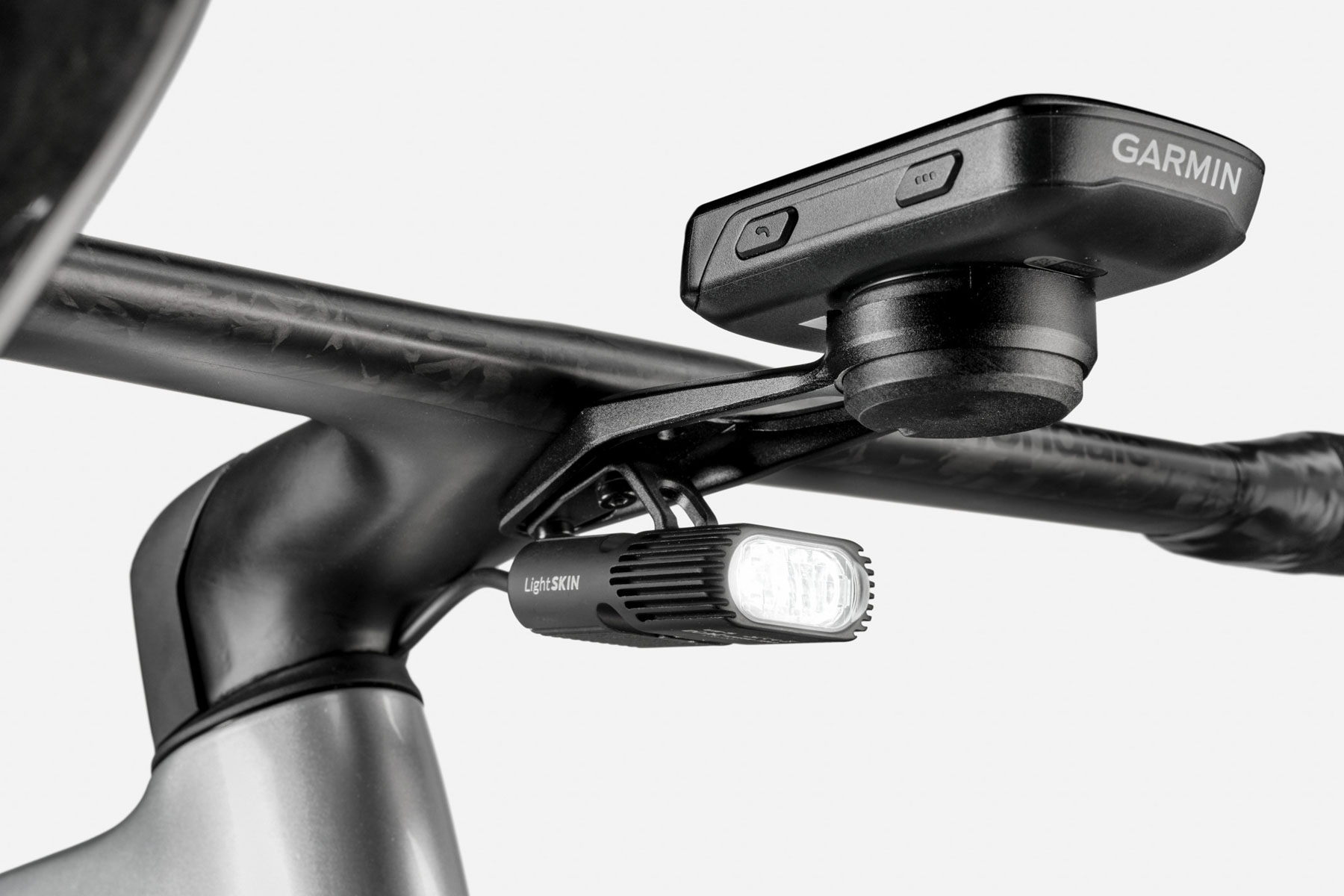
The new light can fit under the out-front mount and power a Garmin through a power mount.
The new front light, made in conjunction with LightSkin, is much slimmer and more slickly integrated into the underside of the cockpit. It’s also much more powerful at 800 lumens (400 for STVZO-compliant countries). The rear light/radar is more minimal, too.
The central battery has a higher capacity of 43.5Wh. It is hidden within a down-tube storage chamber, which also houses storage bags for tools and spares. The storage even includes a built-in flashlight.
The battery also powers the AXS shifting on SRAM-equipped bikes. It can be recharged in place through the USB-C port or removed and charged off the bike.
The new rear light/radar is much more compact.
Any possible battery woes affecting shifting have been considered, with protection for shifting built in. Cannondale tells us the battery, at 5% charge, still has a higher capacity than a standard SRAM AXS battery.
SmartSense is available on all SRAM-equipped bikes, whereas Shimano bikes, both electronic and mechanical, are non-SmartSense models.
SmartSense components will be available aftermarket, should you want to add the system later.
What is the new Synapse?
Lachlan Morton on his lap of Australia. Karter Machen
The frame design has an emphasis on aero and integration on one hand, like the most popular 2014 iteration of the Synapse. On the other hand, it has huge tyre clearances, SmartSense tech and a flagship bike that comes with a gravel groupset.
I think it’s somewhere in between – a performance endurance bike with a go-anywhere spirit. It’s a bike designed for a new breed of rider at the highest level, personified by Lachlan Morton, who’s at home in any discipline and at a tremendous pace.
If the Synapse lives up to these (my) expectations, it could be the ultimate do-it-all bike – equally at home in the cut and thrust of fast-paced road rides, gravel excursions, and epic days, weeks, or more.
If it’s good enough to aid Morton in setting the record of a 14,200km lap of Australia in an astonishing 30 days, 9 hours and 59 minutes – averaging over 450km a day – it’s going to be enough bike for most of us.
2025 Cannondale Synapse range details
There are eight models in the new Synapse range, although the details of four are embargoed until 17 June, when fellow US company SRAM has its own announcements.
The range starts with the Carbon 5 at £2,995 / €3,499 / $3,599 and is topped by the new Lab71 Synapse (as ridden by Lachlan Morton), priced at £13,000 / €15,799.
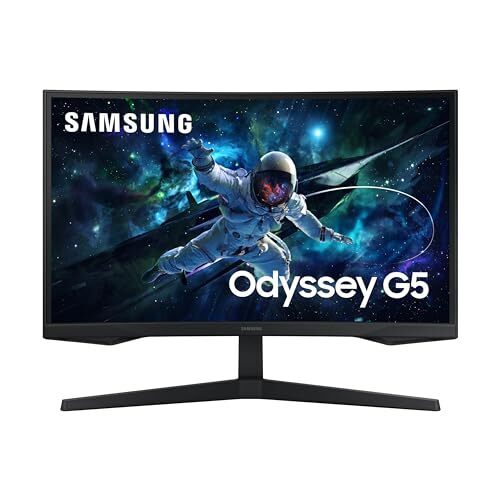
It’s got a 1440p resolution, a 1000R curve that pulls you into the action, a 165Hz refresh rate with FreeSync and G-SYNC compatibility to keep screen tearing to a minimum, and features like Samsung’s Virtual Aim Point and Contrast Enhancer adding a little extra gaming flair without overcomplicating the experience. On paper, that’s more than enough for casual and mid-tier gamers.
That said, it’s not without its issues. If you’re sensitive to input lag or picky about motion clarity, the G55C might leave you wanting more. Fast-paced games show noticeable blur and smearing, especially with dark transitions, and the input lag at 165Hz and 60Hz can reportedly feel sluggish (oddly enough, gameplay feels snappier at 120Hz). Additionally, the backlight strobing feature, meant to reduce motion blur, introduces ghosting and can’t be used with VRR on. HDR is supported, but you’ll want to keep expectations in check—it gets bright enough to fight off some glare, but not enough to deliver meaningful HDR performance.
It works decently with consoles like the PS5 and Xbox Series X|S, but you’ll have to tweak settings to avoid compatibility hiccups with 4K and HDR signals. You also won’t find any USB-C ports or a USB hub here, and there are no built-in speakers either. Plus, its narrow viewing angles mean once you move off to the side or stand up, the picture quality takes a hit—so it’s not ideal for couch co-op or multitasking with someone else. But for solo gaming on a budget, especially if you’re playing slower-paced or story-driven games, it delivers a big screen with immersive visuals and decent contrast. If you’re considering alternatives, the Dell G2724D Gaming Monitor makes a good case for itself with similar specs, but it comes at a higher price point of $314.
The US data center industry has warned that the Trump administration’s crackdown on renewable energy could slow its growth and undermine Washington’s goal to win the global artificial intelligence race.
Renewables have become a flashpoint since Donald Trump re-entered the White House, with his administration suspending clean energy developments on federal land, pausing federal loans, and last month canceling high-profile projects such as Equinor’s $5 billion Empire Wind site.
For tech companies struggling to secure reliable energy supplies to power and train AI, a clampdown on renewables could create power bottlenecks, drive up costs, and push operators towards dirtier energy, experts said.
Gravel suspension was a hot topic at this year’s Traka, and Lachlan Morton has weighed in with his take.
Speaking exclusively to BikeRadar at the Spanish event, the 2024 Unbound winner said the current trend towards ever-larger gravel tyres is essentially “trying to mimic what suspension does”.
“There’s no one fix” when it comes to determining the best gravel bike for every scenario, though, Morton cautions.
Four different courses, four different setups
Does suspension make gravel bikes faster? It depends, says Lachlan Morton. Liam Cahill / Our Media
A big part of the ‘problem’ with determining the best setup for gravel racing, Morton says, is that “you could race four different courses and there’d be four different setups that are better”.
There’s no doubt, he says, that “There are courses where suspension would be great”, but there are different ways to address the problems gravel suspension is designed to solve (namely smoothing out rough surfaces and increasing traction and control).
In Morton’s view, the current trend for riders to use the biggest tyres that will fit in their gravel bikes – with some riders even opting for cross-country mountain bike tyres – is driven by similar concerns.
Gravel racers regularly push the limits of their frame’s clearance in order to run bigger tyres. Liam Cahill / Our Media
“Effectively, that’s what using big tyres is doing,” he says. “It’s low pressure – you’re trying to reduce that up and down motion.”
Contrary to popular opinion, Morton says: “There’s not a huge traction gain from running a bigger tyre, necessarily.”
Likewise, Morton says “you kind of lose out” using them on the “really high speed stuff” – potentially because they’re heavier and less aerodynamic than narrower tyres.
“I’m sure you could probably get away with less tyre if you’re running suspension,” he adds.
Enjoying the process
Lachlan Morton opted for a rigid bike at this year’s race. Liam Cahill / Our Media
Part of the fun of gravel racing, Morton says, is enjoying the process of setting up your bike for maximum performance ahead of each race.
“It’s nice when you look at the course and make your decisions based on what the course is doing, what your body’s doing, and then what your plans are for the race.
“You can run a bunch of different setups, and different things could be faster on different parts of the course.”
Morton even says riders “might take more gambles on equipment” if they feel the need to make up for a deficit in physical prowess compared to their competitors.
Morton’s 42/44c tyres were relatively small by modern standards. Liam Cahill / Our Media
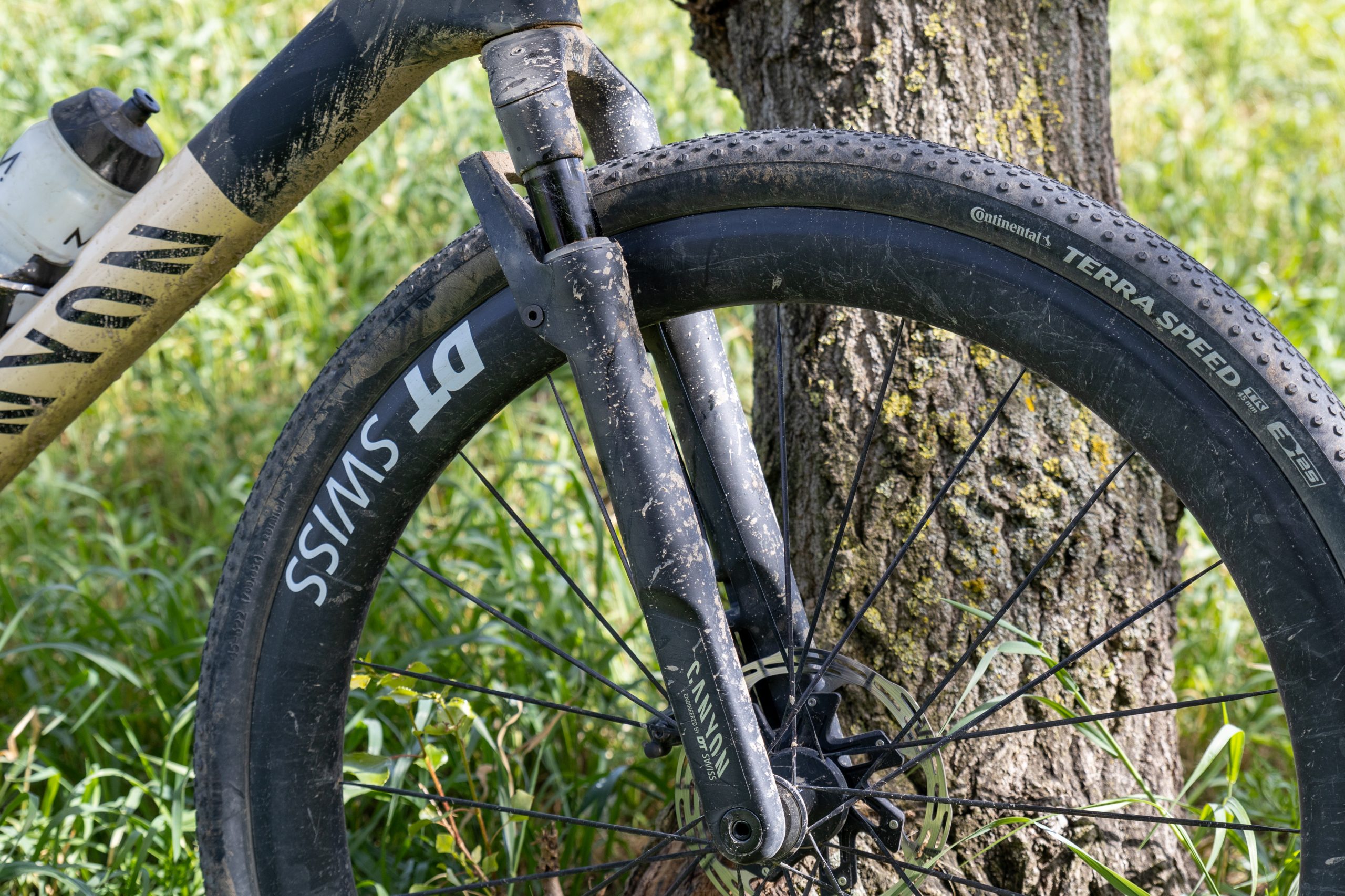
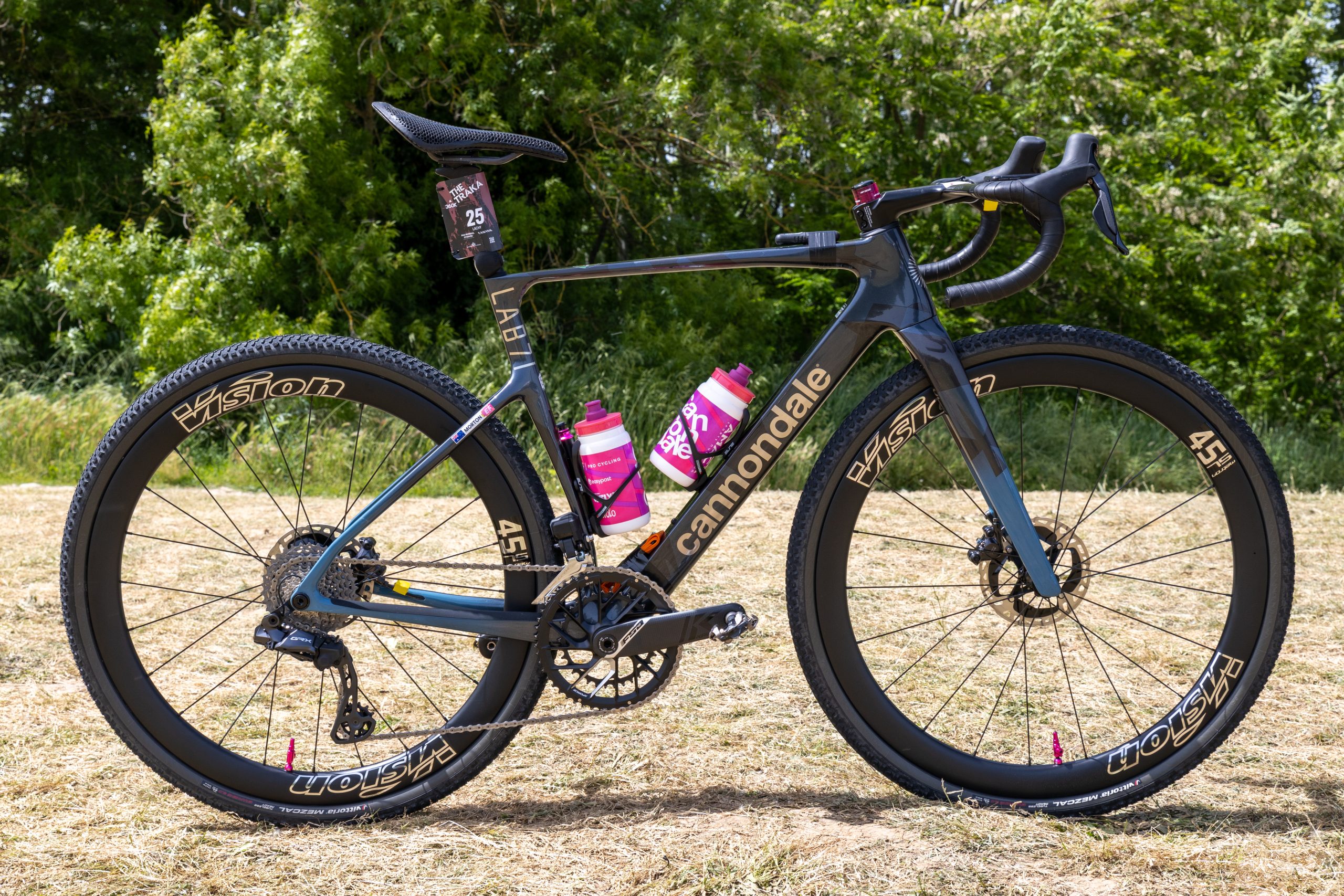
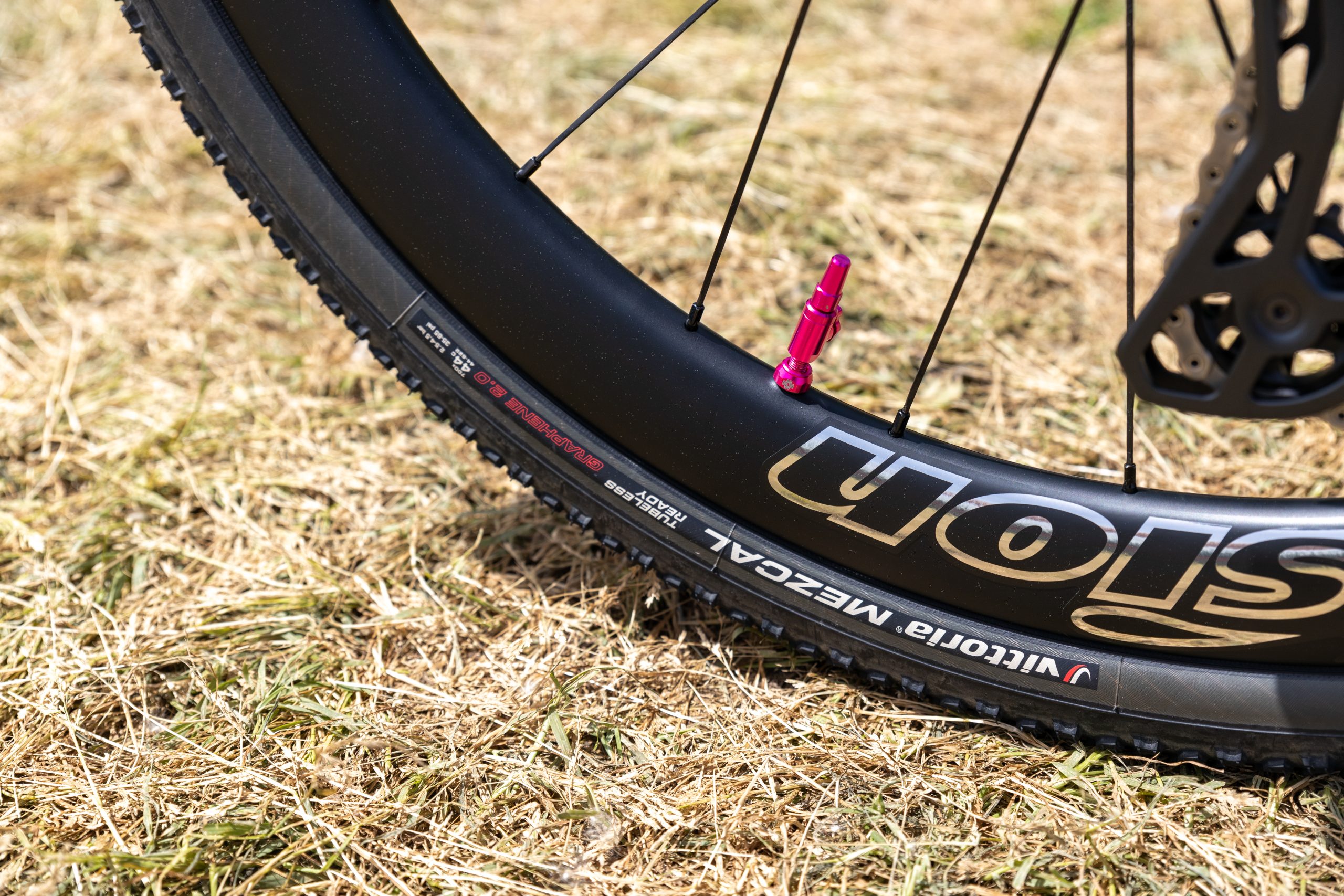
Morton, though, has clearly yet to be converted to gravel suspension. His bike for this year’s Traka 360 was a rigid Cannondale SuperX Lab71 equipped with relatively narrow, 700×42 and 44c Vittoria Mezcal Gravel Endurance tyres, front and rear.
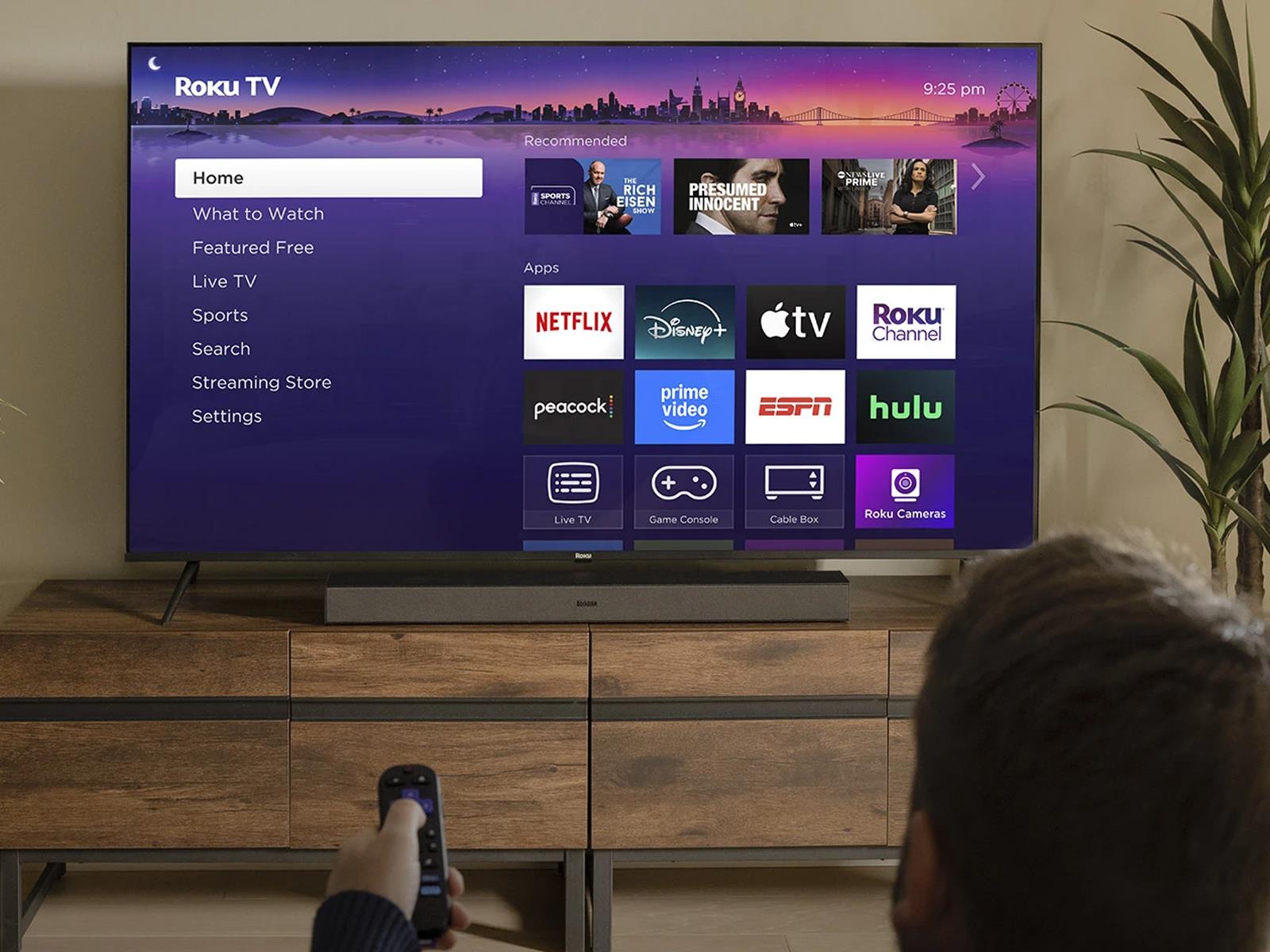
Roku has been catching heat for its decision to inject ads over HDMI to TVs and other streaming clients when a user presses the pause button, an unpopular (among its users) feature that began rolling out recently. Adding insult to injury, however, some users are reporting that the latest Roku update is washing out colors on HDR and/or 4K streaming
Roku’s streaming player lineup is a little easier to understand in 2025 than ever — but it’s still a bit confusing. With the release of the Roku Streaming Stick and the Roku Streaming Stick Plus, there are now three streaming sticks and one set-top box in the company’s streaming player family. Express models and ones with the plus symbols are no longer in the mix. The Roku Ultra set-top box is the most expensive at $100. The 2021 Streaming Stick 4K goes for $50, while the Streaming Stick and the Streaming Stick Plus cost $30 and $40, respectively. After reviewing the Streaming Stick Plus and comparing it to other streamers, I think it packs a decent amount of power (and Roku’s convenient interface) into a small dongle.
The Roku Streaming Stick Plus vs the Roku Streaming Stick 4K
Arguably the Streaming Stick Plus’ biggest competition comes from within its family. The Streaming Stick 4K and the Streaming Stick Plus both support 4K image quality, despite the Plus not having the term in its name. The Stick 4K also supports Dolby Vision and has a longer-range Wi-Fi connection. Both connect through the Wi-Fi 5 standard, but the “4K” model has a built-in Wi-Fi extender within its USB power cable.
At this point, the Stick 4K is four years older than the Plus, and the new stick benefits from a few technological upgrades. For one, the Plus streamier is smaller thanks to the lack of Wi-Fi extender and power adapter. Roku’s math claims the dongle itself is 35 percent smaller than the competition — but honestly none of these sticks are particularly large. I found that it was indeed smaller than the Amazon Fire TV Stick I tested. But the size reduction doesn’t make a huge difference in everyday use — especially since they hide behind most TVs.
The Roku Streaming Stick 4K (left) with it’s cable, Wi-Fi extender and dongle. The Roku Streaming Stick Plus (right) with it’s cable and dongle.
Amy Skorheim for Engadget
Another upgrade is a little more significant: better power efficiency. Now you can use your TV’s USB port to power the device instead of a wall adapter. The Plus doesn’t even come with an adapter in the box, making it a more travel-ready package. Older Roku sticks allowed you to do this (and the 4K model can use USB power on some TVs) but this is the first 4K-enabled device that Roku actually recommends using without a power adapter. Since you don’t need an open wall outlet nearby, the dongle will prove more flexible. It certainly would have come in handy during a recent trip in which my hotel room’s TV was about 12 feet from the nearest available plug.
Both Sticks support Apple AirPlay and are compatible with Siri, Alexa and Google Assistant. They come with the same remote, which packs features like voice input and the ability to control the power and volume of your TV. They both showcase the same OS, with Roku’s playful, purple interface, which I particularly like for live and free programming — as I outlined in our streaming devices guide.
Performance
Amy Skorheim for Engadget
The Streaming Stick Plus is pretty fast for a $40 device. I have a Roku Ultra hooked up to another TV in my house and, when I performed the same actions on both, the Streaming Stick Plus was only a bit slower than the Ultra. For instance, Disney+ took a second or two to start on the Ultra, and just a half second or so longer on the Plus. Yes, there was a time difference, but the Streaming Stick Plus was never frustratingly slow.
I don’t think anyone honestly expects a streaming stick to perform at the same level as most recent smart TVs. My set is relatively new and side-by-side comparisons showed a minor disparity between a dongle and a bigger, built-in CPU. Take the Netflix menu, for example. It’s clear and crisp and vibrant via my TV’s native Netflix app, but the same page was markedly fuzzier and more pixelated when I opened it on the Roku device.
That said, I only noted a slight difference in quality between the two when a show was actually playing. Sweeping shots of the sumptuous-yet-blood-stained White House interiors in The Residence were only the slightest bit grainier on the Roku. True video connoisseurs may note the disparity, but those who are just here to see Detective Cupp unnerve all the suspects won’t likely notice.
Should you get the Roku Streaming Stick Plus?
Amy Skorheim for Engadget
Something the size of a tube of squashed lipstick can’t rival a good smart TV. But if you have an older screen or a cheaper set with a tedious interface, the Roku Streaming Stick Plus could make TV time more enjoyable. Comparable streaming sticks include Amazon’s Fire TV Stick 4K, which is $10 more at full price (though it’s often on sale). Between the two, I’d go with Roku’s Streaming Stick Plus, as Roku’s interface is far more helpful. This is also the stick I want to take with me on my next trip. I can plug it in at the Airbnb and, instead of logging in to whatever random apps the TV happens to have, I can watch more Doctor Who. I won’t have to worry about where the nearest outlet is and I’ll be spared the effort of typing in my stupidly long Disney+ password.
As for whether you should get this or Roku’s other 4K-enabled streaming stick, I’d go with this one. The Roku Streaming Stick Plus is $10 cheaper and four years newer. The fact that it’s powered by the TV means the dongle and the USB power cable fit out of sight so if you, like me, are opposed to the look of snaking wires everywhere, you’ll be pleased. Of course, if you have a TV that supports Dolby Vision or your Wi-Fi router is really far away from your TV, then you can go with the Streaming Stick 4K — that’s really the only major advantage that model has. Otherwise, the Streaming Stick Plus is a good pick for a cheap but modern streaming player.
This article originally appeared on Engadget at https://www.engadget.com/home/home-theater/roku-streaming-stick-plus-review-powered-by-the-tv-and-perfect-for-travel-130047601.html?src=rss
Since arriving in 2020, the Backbone One has helped popularize dedicated mobile game controllers, the kind you might use for streaming services like Xbox Cloud Gaming and NVIDIA GeForce Now, remote play apps, emulators or any smartphone game you’d rather play with buttons and joysticks instead of your fingers. While you can always clip your phone to a PlayStation or Xbox controller paired over Bluetooth, telescopic gamepads like the One tend to be more ergonomic, creating a Nintendo Switch-style shape by clamping around your device at both ends. Backbone is far from the only company making these things now, but the One is still among the most frequently recommended options on the market — Engadget’s own Mat Smith gave it a favorable review back in 2022.
After releasingseveraliterations of the One, Backbone is now unveiling its first real follow-up: the Backbone Pro. The new device comes with many of the design upgrades you might expect, from comfier grips and smoother joysticks to larger triggers and quieter face buttons. But it also supports Bluetooth, which means it can unhook from your phone entirely and work with PCs, iPads, smart TVs and the like. Backbone has built a few new features for its companion app as well, including one called “FlowState” that lets you quickly connect to previously paired devices from one menu.
“[The Pro] is meant to be a premium device for anyone who wants to play games on any screen,” Backbone CEO Maneet Khaira said during a briefing in New York City last month. “Our idea was really, we want to make one device for all of gaming.”
After using the Backbone Pro for the past few days, I can squint and see the future Khaira has in mind, and the controller itself clearly feels more premium than its predecessor (which will remain available). But at $170, the device will be prohibitively expensive for some. That’s Xbox Elite territory for a controller still mainly aimed at smartphones. Plus, as with the One, some the gamepad’s perks are locked behind a Backbone+ subscription, which tacks on another $40 per year.
A better Backbone
Jeff Dunn for Engadget
You really need to buy the Backbone Pro as a multi-device controller for it to make the most sense as a purchase. Used strictly with a phone, however, it’s a definitive upgrade over the Backbone One. This is most obvious in the grips, which are considerably thicker and more grooved than before. They fill out and hug your palms much more naturally as a result, which keeps the design comfier to hold over time. They’re also coated in a soft, lightly textured matte plastic that seems better at fending off sweat.
The concave joysticks are significantly taller and have a grippier “ring” around the top. They don’t use magnetic Hall effect sensors to resist drift long-term, which is annoying at this price, but they’re tight and tangibly smoother. Khaira says the Pro uses the same joystick component as Microsoft’s Xbox Elite controller and Sony’s DualSense Edge; indeed, the sticks don’t feel all that different than the ones on a full-size gamepad. Like other “pro” controllers, you can also remap buttons and fine-tune the joysticks’ and triggers’ dead zones in the Backbone app, then assign those tweaks to different profiles.
Backbone
The face buttons still aren’t super quiet but feel distinctly less clicky and stiff, with a smoother finish and deeper sense of travel. Along those lines, the triggers are wider and fuller — my large-ish fingers can rest on them without hanging off, which wasn’t the case with the One. The shoulder buttons are longer as well, while the menu buttons are less flush and easier to reach. The D-pad is similarly firm and precise but now has a glossier coating. There’s also a pair of customizable back buttons, which rest right against your ring fingers but haven’t caused any accidental presses in my testing.
The fatter grips make the design taller than the One, but not much wider, and it’s still about 80 grams lighter than a typical Xbox or PlayStation pad at 199g. As before, the Pro comes with adapters that hold different-sized phones steady in place, with or without a case. I’ve experienced no wobbling using an iPhone 15 Plus with Apple’s Clear Case on. There’s still a built-in headphone jack and pass-through charging port, though the actual connector is USB-C only, so the controller won’t work with older Lightning-based iPhones. Since the Pro needs its own battery to play wirelessly, it sips a small amount of power to recharge whenever you top up a connected phone. Overall, Backbone says the Pro can last up to 40 hours; I haven’t been able to perform a full rundown test, but the battery hasn’t given me reason to doubt that estimate in the few days I’ve spent with the device.
Looking past the phone
You can quickly connect the Backbone Pro to new devices from this menu in Backbone’s app.
Jeff Dunn for Engadget / Backbone
Pairing the Backbone Pro with other devices wirelessly is largely straightforward. There’s a dedicated button at the bottom of the controller that puts it into pairing mode, and the app prompts you to connect to all your other screens upon setup. Once you connect to a new device for the first time, the Pro remembers it, and that information is relayed in the app. When you want to play on one of those devices again, you simply tap a menu in the app, select the device and hit “connect.” As long as that device has Bluetooth active, it’ll immediately reconnect. You need to have your phone hooked into the Pro’s USB-C port to swap devices via the app, but I’ve had few hiccups bouncing from screen to screen otherwise.
You can see how the Pro lines up with the multi-screen vision brands like Xbox are pushing. I can launch a Game Pass stream of Clair Obscur on my phone while my wife has the TV, then move it to the Fire TV Stick when she’s all set. I can start a Balatrosession on my PC and carry it to my iPad through Steam Link. I don’t have to change my controller at any point. I don’t have to fiddle with any buttons to pair with the next thing I want to use — I just pop in my phone, select the device and go. I can even pick up right where I left off in a cloud stream, provided I swap devices within a few minutes. The Pro isn’t the only controller that lets you game like this, of course, but its phone-friendly design and fast pairing tech make it especially inviting to this sort of “play anywhere” approach.
Top to bottom: an Xbox Series X/S controller, the Backbone Pro and the Backbone One.
Jeff Dunn for Engadget
There are a few issues once you look closer, though. One is simply that the Pro lacks the proprietary tech needed to pair with an Xbox, PS5 or Switch. That’s not necessarily Backbone’s fault, but when it pitches the Pro as a controller for “all of gaming,” it has to ignore the main way tons of people actually play games.
Second, for as much as I like the Pro compared to other mobile gamepads, it still can’t help but feel cramped next to more traditional alternatives. The right joystick constantly brushes up against the bottom of my thumb, for instance, because it has to sit right below the face buttons. The triggers may be deeper, but they don’t have the same travel as a standard console pad. The Pro is still comfy, still capital-N Nice, and it’s great if you use your phone for gaming often. But an Xbox or PlayStation controller just has more room to work with.
Third, all of this can get expensive in a hurry. The Pro’s price tag is already steep. To take full advantage of cloud services like Xbox Cloud Gaming or GeForce Now, you have to pay a subscription fee. Same goes for Apple Arcade. You can’t remote play without owning a console or gaming PC. And Backbone restricts some app features to its own membership program, most notably the ability to launch cloud-based games directly from the app. So there are questions of what the market for a device like this actually is: Just how much do hardcore gamers, the people who’d buy a $170 controller, play on their phone? How much do they need a multi-device controller when they likely own an Xbox or PS5 pad already? Who really wants a subscription for a video game controller?
You can organize and start up games from the Backbone app, but the ability to launch games from cloud services like Xbox Cloud Gaming and NVIDIA GeForce Now directly in the app (annoyingly) requires a subscription fee.
Jeff Dunn for Engadget / Backbone
That aside, the app still looks clean, and it still lets you organize your games or streaming apps in one central hub. The search function works well, allowing you to filter games by different platforms. When you select a game, it helpfully shows you which platforms you can play it through.
Backbone is also adding a new built-in emulator with its next update. It can run NES, SNES, Game Boy, Game Boy Advance and Nintendo 64 games today, though the company says it’s testing PlayStation 1 and PlayStation Portable cores as well. Opening a ROM in the app is simple enough, and once you do, it’ll appear in your hub alongside the rest of your library. That said, you need a Backbone+ subscription to use the emulator, and it’s fairly barebones compared to an app like RetroArch, with no way to rewind, adjust resolution or manage multiple save states. I also experienced a few bugs with certain games, with one title not loading entirely. This is still a neat idea, but given that other more featured emulators are available for free, I can’t say it’s worth paying for today.
In an ideal world, the Backbone Pro would be a next-gen version of One rather than a step-up model priced $70 higher. The hardware is better in meaningful ways, and being able to use it across devices is genuinely convenient. But it’s certainly not cheap. There’s a decent chance the price was influenced by the looming effects of President Trump’s tariff policy, but that still leaves the device well above other capable mobile gamepads today. If you’ve got the cash and spend hours gaming across your phone and other screens, the Pro is still well worth a look. It’s one of the best in its niche. It’s just hard to call it a great value.
This article originally appeared on Engadget at https://www.engadget.com/gaming/backbone-pro-hands-on-a-pricey-controller-for-more-than-just-your-phone-130034399.html?src=rss
Last year was a major one for Microsoft’s Surface lineup, thanks to the launch of Copilot+ AI PC initiative, as well as surprisingly capable Arm-powered Surface Pro and Surface Laptop models. But aside from the addition of OLED and Qualcomm’s new Snapdragon chips, the overall design for those Surface machines didn’t really evolve much. That changes this year, as Microsoft has announced smaller versions of its Surface family: A 12-inch Surface Pro hybrid tablet and a 13-inch Surface Laptop. To be clear, they won’t be replacing the existing Surface devices, instead they’re more like compact siblings.
While they may sound only a bit smaller than the existing 13-inch Surface Pro and 13.8-inch Surface Laptop, Microsoft managed to cut off plenty of excess weight. The new 12-inch Surface Pro is a half-pound lighter than the 13-inch model, clocking in at 1.5 pounds, and the revised Surface Laptop is 0.3 pounds lighter (2.7 pounds). Notably, the Surface Pro is coming in 0.2 pounds lighter than the Surface Pro X, a device we praised for having “gorgeous” hardware that was betrayed by Windows’ terrible Arm support in 2019.
Microsoft
Both new Surface devices are powered by an eight-core version of the Snapdragon X Plus chip, which includes a 45 TOPS NPU and Adreno GPU, as well as 16GB RAM. As for storage, you can choose from either 256GB of 512GB UFS (Universal Flash Storage) options. Unlike the SSDs in other Surface devices, you won’t be able to upgrade the UFS storage down the line.
That’s not the only downgrade, either: The smaller screens of both devices are a significant step down from their larger siblings. The Surface Pro’s 12-inch LCD sports a 2,196 by 1,464 resolution, which is only slightly better than 1080p, and maxes out at a 90Hz refresh rate. The 13-inch Surface Pro, meanwhile, offers more pixels per inch with a 2,880 by 1,920 resolution, up to 120Hz refresh rate, and an optional OLED upgrade. As for the smaller Surface Laptop, it sports a simple 1080p 60Hz LCD. The 13.8-inch Surface Laptop has a sharper 2,304 by 1,536 LCD that can hit up to 120Hz.
Microsoft
Microsoft has also given up on using the Surface Connect port with these devices, opting instead to rely on USB-C charging alone. The Surface Pro and Surface Laptop both have two USB-C/USB 3.2 ports, which support 45W and 60W fast charging, respectively. There’s no USB power adapter bundled with the Surface Pro, unfortunately, but the Surface Laptop still comes with a 45W charger of its own. Similarly, the Laptop is the only new machine with a USB Type-A connection and a headphone jack.
The 12-inch Surface Pro starts at $800, which is technically $200 less than the retail price of the 13-inch model, but oddly enough that version is currently on sale for $800 as well. As usual, you’ll have to buy the Surface Keyboard separately, which tacks on another $149 to your Surface Pro purchase. Microsoft says it’s reimagined the Surface Keyboard for the 12-inch tablet, so its typing experience may be different this time around.
The 13-inch Surface Laptop starts at $900, but in another curious twist the larger model is also currently on sale for $800 (down from $1,000). Perhaps Microsoft is betting some people will opt for the new hardware simply because it’s more compact. We’ll have to test both machines to see if their spec downgrades are worth the lighter weight.
This article originally appeared on Engadget at https://www.engadget.com/computing/laptops/microsoft-unveils-smaller-surfaces-a-12-inch-surface-pro-tablet-and-a-13-inch-surface-laptop-130030983.html?src=rss
Microsoft is releasing a pair of new Surface devices today, both models that undercut last year’s Surface Laptop and Surface Pro on price but also take a pretty big step down in specs. One of the devices is a new 12-inch Surface Pro tablet, which we’ve covered in more detail here. The other is a new 13-inch Surface Laptop, whose specs and price straddle the narrow gap between the current seventh-generation Surface Laptop and the original price of the aging Surface Laptop Go 3.
The new Surface Laptop starts at $899, and preorders open today. It will be available on May 20.
The new laptop shares many specs in common with last year’s entry-level seventh-generation Surface Laptop, including an Arm-based Qualcomm Snapdragon X Plus processor, 16GB of RAM, and support for Windows 11’s expanded Copilot+ capabilities. It’s also smaller and lighter than the 13.8-inch Surface Laptop. But the CPU has eight cores instead of 10 or 12, the screen is smaller and lower resolution, and you’re more limited in your upgrade options; we’ve outlined the key differences in the table below.
Microsoft is introducing a pair of new Surface devices today, both aimed slightly down-market from the 11th-generation Surface Pro tablet and 7th-generation Surface Laptop that the company released last spring. One is a 13-inch Surface Laptop, which we’ve covered in more detail here. The second (and more notably changed) device is a new 12-inch Surface Pro tablet, which is the first significant design change we’ve seen in the Surface Pro lineup since the first ARM-based Surface Pro X was released in 2019.
Preorders for both new Surface devices begin today, and they begin shipping on May 20. The 12-inch Surface Pro starts at $799, and the keyboard cover remains a separate purchase, available for $149.
The 12-inch Surface Pro is a cheaper alternative to the $939-and-up 13-inch Surface Pro (which Microsoft is continuing to sell), and the smallest Surface Microsoft has tried since the 10.5-inch underspecced Surface Go series. In addition to the smaller screen, the base model includes a bunch of other minor downgrades from the flagship 13-inch tablet, as outlined in the table below. But it’s also nearly half a pound lighter, and its 8-core Qualcomm Snapdragon X Plus processor should still deliver solid performance and compatibility with the extra Windows 11 features available on Copilot+ PCs.