With its gripping dark fantasy world and beautiful claymation visuals, The Midnight Walk is a memorable journey in VR. Read on for our full review.
Lost in Random was one of my favorite flatscreen games in 2021, and I never expected its two directors to end up working in VR. The Midnight Walk feels like a natural progression of the former’s gothic fairy tale, only this time it’s interlaced with light horror. You almost feel like you’ve walked into a Tim Burton movie with these gorgeous stop-motion inspired visuals, and that’s especially true in VR.
The Facts
What is it?: A dark claymation puzzle adventure with light horror elements and optional VR support. Platforms: PC VR, PS VR2 (reviewed on PC using Quest 3) Release Date: Out now Developer: MoonHood Price: $39.99
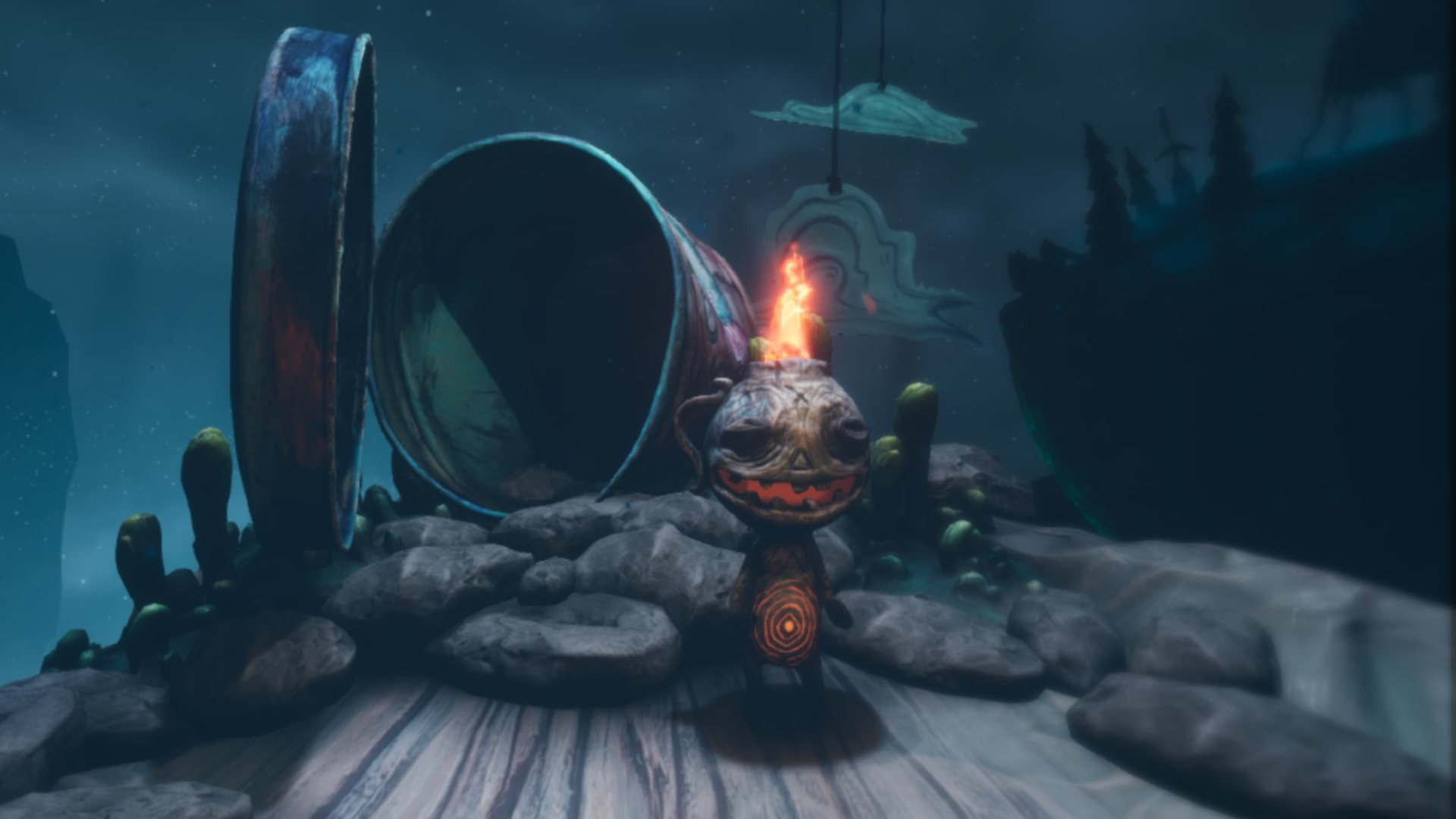
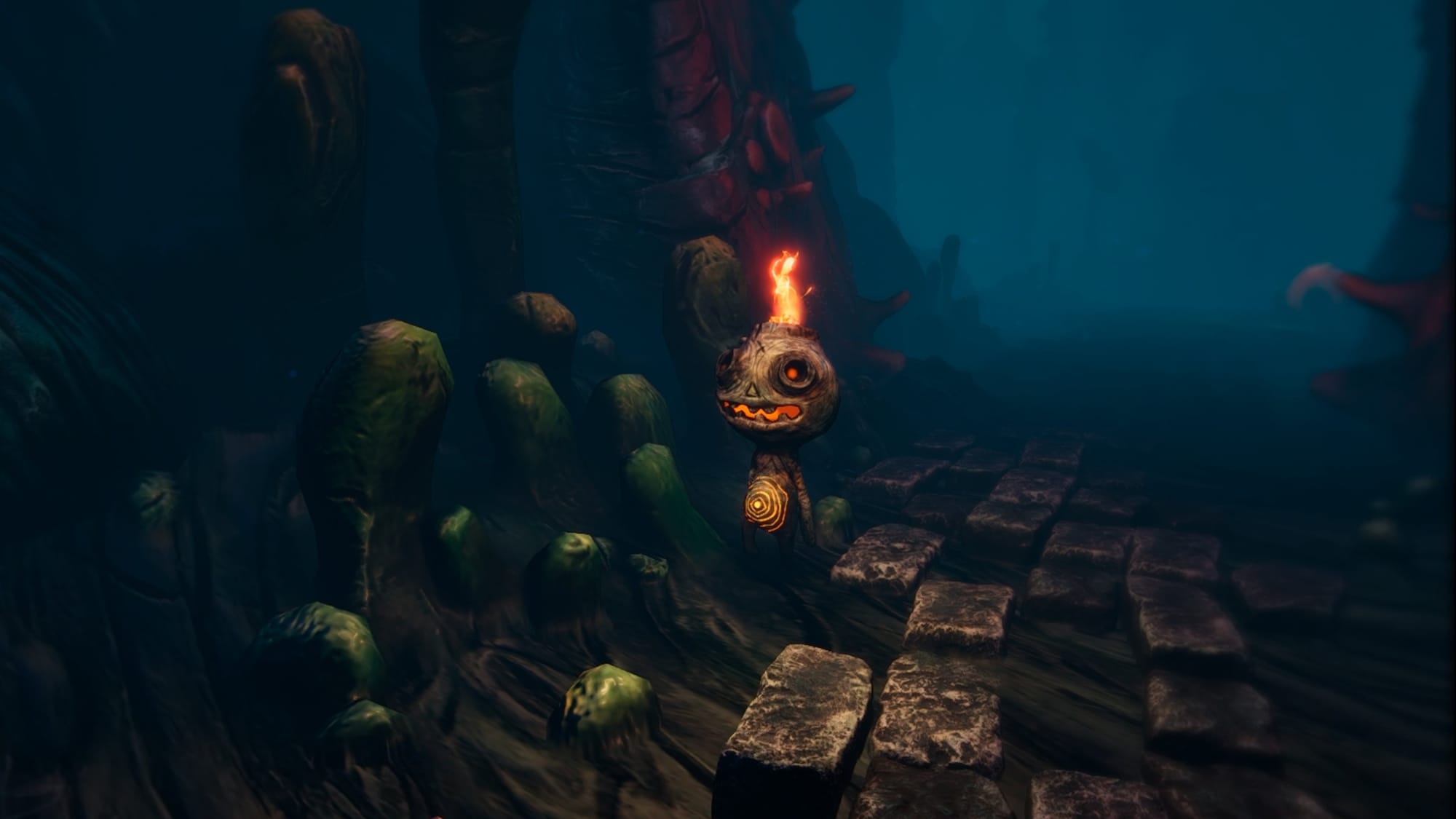
As ‘The Burnt One,’ our role in this world is both as a direct participant and a guiding force. This captivating world soon drew me in, and the goal is to complete the titular walk with an adorable lantern creature called Potboy for company. You don’t directly control him, though he can be prompted into certain actions for completing puzzles, like lighting a fire to raise the platform we’re standing on. Each chapter is unified by a common theme that involves restoring light to this dark, depressing world, delivering a roughly six-hour journey that may last longer if you exhaust finding the collectibles.
0:00
/0:18
Short PC VR gameplay clip captured by UploadVR
Potboy and The Burnt One aren’t much for words, and that’s ok when there’s a great cast of unusual characters. Between your mobile house with legs, cryptic soothsayers, headless beings who love insulting you for having limbs, and more, an eccentric cast injects some strong personality with great voice acting. I’m keen to learn more about each area’s history and its inhabitants, so it’s pleasing to see The Midnight Walk provide that via optional audio logs.
I wouldn’t call each chapter’s puzzle solving shallow, just that it never feels too in-depth or challenging. Puzzles like lighting a whole set of candles before the invisible timer runs out can be tough, but that’s more because firing matches from your cannon often feels fiddly. Others are more straightforward, like collecting all the items in a set or simply choosing the correct order.
What’s particularly interesting is how The Midnight Walk uses closing your eyes as a mechanic. Whether that’s listening around for clues, opening passageways upon seeing an active eye or even turning a monster to stone, it’s a well implemented idea that relies on your senses. These moments are where the sharp audio design really shines, leaving cues that feel clear and distinguishable.
PC VR screenshot captured by UploadVR
As someone who’s slightly deaf in one ear, I’m glad to see there’s a Visual Aid option that helps visualize your surroundings during these moments. The Steam version also uses gaze tracking and a button press to close your eyes across the game, while PlayStation VR2 seemingly benefits by using the eye tracking instead. We’ve not had the chance to try both versions yet, so I can’t directly compare.
PC Specs Used
My desktop uses an Intel i9 16-Core Processor i9-12900 (Up to 5.1GHz), 32GB RAM – Corsair VENGEANCE DDR5 5200MHz, and a 16GB Nvidia GeForce RTX 4070 Ti Super. This review was conducted using a Meta Quest 3 via the Steam Link app, and I had no performance issues on ‘Epic’ settings.
Stuttering was initially a noticeable issue when using Virtual Desktop during this review, though a late hotfix appears to have fixed that. You can find the minimum and recommended specs on the Steam page to learn more. If performance is an issue, you can disable the ‘film grain’ visual option from the main menu for a small framerate boost.
The stealth sections are easily the most nerve-racking, and I don’t agree with MoonHood calling this “cozy horror.” The clay aesthetic tones it down, sure, but weird creatures screaming their lungs off at you while hiding in a cupboard is not my idea of comfortable. I’m the first to admit that I’m normally a complete VR horror coward, yet I still navigated this with relative ease.
What I will say is that these segments do a fine job highlighting some of the world’s more terrifying inhabitants, and this leads to a few hair-raising moments. You don’t have any weapons, so figuring out how to get past these unkillable foes is often a puzzle in itself. Outsmarting these nightmarish creatures feels rewarding once you’re through.
PC VR screenshot taken by UploadVR
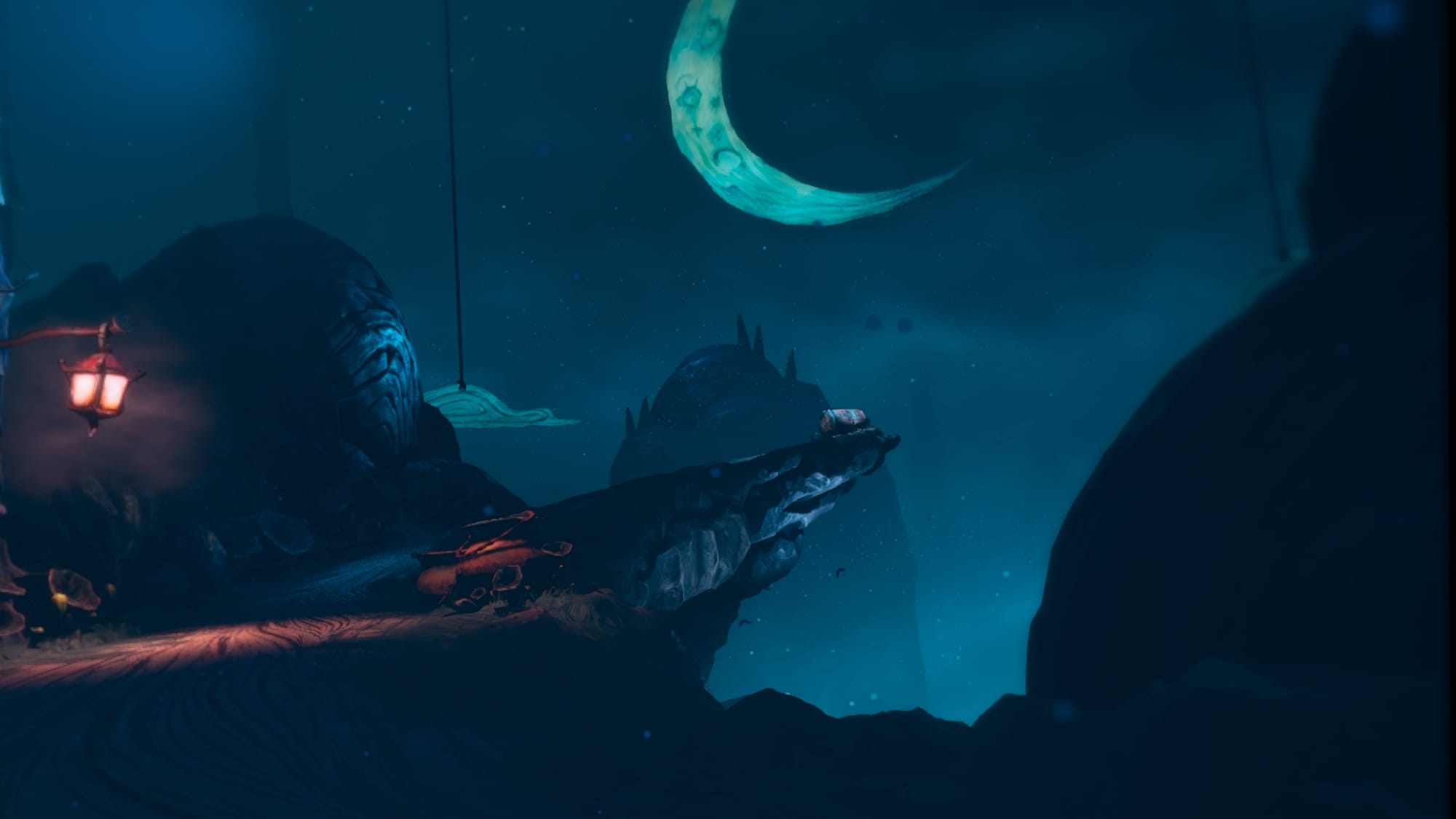
I’ve touched upon the visuals already, but I can’t get over how good The Midnight Walk looks in action. Much like the Wallace & Gromit game, MoonHood’s animation really captures the spirit of stop-motion design well. Everything looks great up close and that’s all helped by the unique, often haunting designs for both characters and monsters alike.
Comfort
The Midnight Walk will ask you whether you’re playing in seated or standing mode every time you load up the game in VR. Movement uses artificial stick-based locomotion, while the camera can be set to smooth turning or snap turning with adjustable degrees. Acceleration can be set to “linear” or “exponential” settings, too. Head bobbing during movement can be disabled or enabled. Stick navigation can be inverted in VR, and comfort vignettes with three intensities are available.
With wider accessibility, optional subtitles come in five different text sizes. Yellow or white text color can be chosen, and background opacity can be selected with three different strengths. Controller vibration can be switched off in-game, and the haptic intensity is adjustable. A visual aid feature is also available for players with hearing impairments to highlight object locations while closing your eyes in-game.
We’ve not gone hands-on with the PlayStation VR2 version yet, so we can’t say if there’s any version-specific settings there. However, MoonHood previously confirmed that it uses eye tracking. On PC, you’ve got the option to enable gaze tracking by moving the headset in a specific direction.
That’s only hampered by noticeable problems with LOD even on the highest PC settings, and you can sometimes see textures changing in your line of sight. It’s a concern worth noting, but it’s not a major game ruining concern by any means. Ultimately, that takes little away from these thoughtfully designed environments that have me searching for all of its hidden secrets.
PC VR screenshot taken by UploadVR
Whenever a hybrid game comes along, I’m often worried that VR support will feel like an extra compared to playing it flat. Designing for both typically involves compromises, and The Midnight Walk finds a great middle ground with some smaller trade-offs. Some sections involve “grabbing” onto a handlebar while flying, but your hands physically are not holding the bar during these scenes. With items, some can be passed over directly but with keys, those need to be dropped in front of the keyhole instead of a physical action.
Even still, I’d argue that The Midnight Walk feels like a VR game with a flatscreen mode and not the other way around. Striking a match to light it with motion controls, grabbing items directly from your inventory or frantically grabbing door handles to open cupboards as you try hiding from a nearby enemy add some welcome physicality. Having tested it both ways, VR is the optimal way to play and it never feels like an afterthought.
The Midnight Walk Review – Final Verdict
The Midnight Walk offers a memorable adventure that’s enchanting and bleak in equal measure, one that feels like wandering into a twisted fairytale. It’s a gripping tale with beautifully crafted claymation visuals, held back only by some minor frustrations and not especially in-depth puzzles. MoonHood have delivered a great example of hybrid design between flatscreen games and VR, and it’s a strong recommendation from me.
UploadVR uses a 5-Star rating system for our game reviews – you can read a breakdown of each star rating in our review guidelines.
UE-based Linux hardware vendor Slimbook announced today the launch of Kymera Black as the next generation of their Linux desktop computer designed for creators, gamers, and hardware enthusiasts.
Intel’s Arc Battlemage GPU is going Pro this month. The Santa Clara chip maker confirmed as much in a post on X, though it stopped short of offering up any concrete specifications or other details, such as availability and pricing. All will be revealed at the Computex event in Taipei, which runs from Monday, May 29, 2025 until Friday, May
June 2024 marked the launch of the Qualcomm Snapdragon X Elite to much initial fanfare for finally some compelling ARM laptop designs. While initially — and still to this day with the likes of the TUXEDO X Elite laptop not materializing yet — being focused on Windows 11 on ARM, there was hope among Linux users this would lead to a nice ARM Linux laptop experience, since after all Qualcomm and Linaro were working on enhancing the support for Linux. Now approaching the one year point, the overall state of the Qualcomm Snapdragon X Elite support and performance is rather disappointing. Here’s a look at where things currently are and performance relative to AMD Ryzen and Intel Core Ultra when making use of the latest Ubuntu Linux support.
The alphabet soup of TV terminology is overwhelming enough, but you might have seen a particularly confusing term pop up lately: mini-LED. LEDs are already tiny, so what exactly could the “mini” here even mean? It turns out, quite a lot, and that distinction can mean the difference between washed out colors and a more vivid display.
The thing is, almost every TV you see is technically some kind of LED display. Most use bright white LEDs as a backlight, which shines through an LCD matrix and color filter to produce a coherent image. (The exception is OLED, which lights up each pixel individually and thus doesn’t require a backlight.)
Mini-LEDs are an improvement over the backlight part of that process. Traditionally, the backlight on most LCD TVs have been either uniform or only divided into a few sub-zones. Mini-LEDs are much smaller back lights that can be individually controlled, allowing your TV to be bright in spots where it needs to be bright, and dark where it needs to be dark.
How do LED displays work?
Before we get to mini-LEDs, let’s break down how most LCD displays work a little further. When manufacturers advertise a display as an “LED TV,” this is usually referring to the backlight and, well, LED is kind of a given there. However, there are a couple different types of backlights:
Edge-lit backlighting: In this arrangement, LEDs are placed in an array along the outside edge of the screen, which then shine through light guides that more evenly distribute the light across the display. This can be more cost-effective, but it can sometimes lead to light bleed around the edges, or duller areas in the middle of the screen.
Full array backlighting: Alternatively, some manufacturers will create a grid of LEDs that fill the area of the display. This leads to more even lighting across the picture. More importantly, those LEDs can usually be controlled individually, allowing for local dimming (more on that below).
These backlights shine white light (or blue, in the case of quantum dot displays) that is then dimmed or blocked by an LCD matrix. This layer uses tiny liquid crystals to block or allow light to pass through, which then passes through either a red, green, or blue filter. By controlling how much light goes through each of these filters (or “subpixels”), the TV can control what color each pixel will be.
There’s just one tiny problem with this: LCDs can’t perfectly block all of the light that the backlight emits. This is why, even when your LCD screen is displaying all black, it still looks “on.” Some light is always making its way through. In order to achieve darker blacks, you need another technique.
How does local dimming work?
“Local dimming” refers to a range of techniques for LED-backed displays that essentially boils down to the same thing: dimming or disabling backlights where you don’t need them. This means less light bleeding through, resulting in darker black levels, and more contrast with the brighter parts of the screen.
The only hitch is, there are quite literally millions more pixels in an LCD display than there are individual backlights. Fewer backlights means less resolution to distinguish between bright and dark zones. It also means you can get what’s called a “bloom effect” when a bright object seems to glow more than it should. This is caused when the backlight bleeds through in the dark pixels around a bright object.
Every backlight creates a dimming “zone” and the more zones you have the better. For most LED-lit TVs, this can range from a couple dozen to a few hundred. However, mini-LED tech allows TVs to crank that number up to the thousands.
What makes mini-LED displays different?
Put simply, in a mini-LED display, the LEDs are, well, mini. That’s it. To be more specific, the term is defined as any display where the backlight LED diodes are no larger than 0.2 mm. They can be smaller than that, but any larger and they can’t (or at least shouldn’t) be called “mini-LED” anymore.
When they’re packed that small, you can fit a lot more LEDs into the same space. This Sony 65-inch Bravia Mini-LED TV, for example, has over 1,500 local dimming zones. That means that each LED backlight only has to light up a little over one square inch. This provides a lot more flexibility to create contrast between the light and dark parts of the image.
Why would you want mini-LED over OLED?
It does seem a little weird, right? OLED displays light up every single pixel individually, so you’re only using the pixels you need. Why this rigmarole with a local dimming array? In part, it’s because OLED displays have a higher susceptibility to burn in.
The organic LED elements can degrade in ways that leave ghosting of images that are frequently on screen, such as menus, taskbars, or lower-thirds. This isn’t an issue for typical LED-lit displays, where the LCD layer is made of sturdier, inorganic materials.
LED and mini-LED panels can also get a lot brighter than OLED displays. This makes them better suited for TVs that might sit in your living room, near a lot of sunny windows. While OLED TVs exist and they’re great, they can struggle to compete with the light in bright rooms, making them better suited to night-time viewing or dimly lit rooms.
The EF Education-EasyPost team’s hot pink jerseys are an awkward match for the Giro d’Italia, where for three weeks the cycling world turns pink.
So, as not to be confused with the race leader (who wears a pink jersey – the maglia rosa – at the Giro d’Italia), the team’s clothing supplier for the past seven seasons, Rapha, produces a special non-pink design each year for the first Grand Tour of the season.
The diamond pattern from EF Education’s standard pink jerseys is retained in the Giro kit.
Things are more understated this year, though, with a ‘White Diamonds’ design applied to Rapha’s Pro Team Flaero jersey.
It’s predominantly white, but preserves the studded diamond pattern that’s a feature of the standard pink kit. The team’s Cannondale SuperSix Evo Lab71 bikes look to be standard issue, rather than the custom options that have been rolled out in previous years.
We miss the bolder designs of recent years. Rapha
Rapha says the Pro Team Flaero jersey’s white is intended to keep riders cool in the heat. But hot weather can be in short supply in Italy in May, with cold rain and snow often more typical, particularly in the Grand Tour’s final week in the Alps and Dolomites.
Maybe we can expect hotter weather for the Giro’s first three stages in Albania, although even there the temperature is only forecast to reach 24c during the race’s first three days around Tirana.
Is this the end of the wild designs? In past years, the team has also changed kits at the Tour de France, not just the Giro d’Italia, so perhaps we can expect something brighter later this year.
Pink remains the dominant colour for the team’s lettering, bikes and helmets.
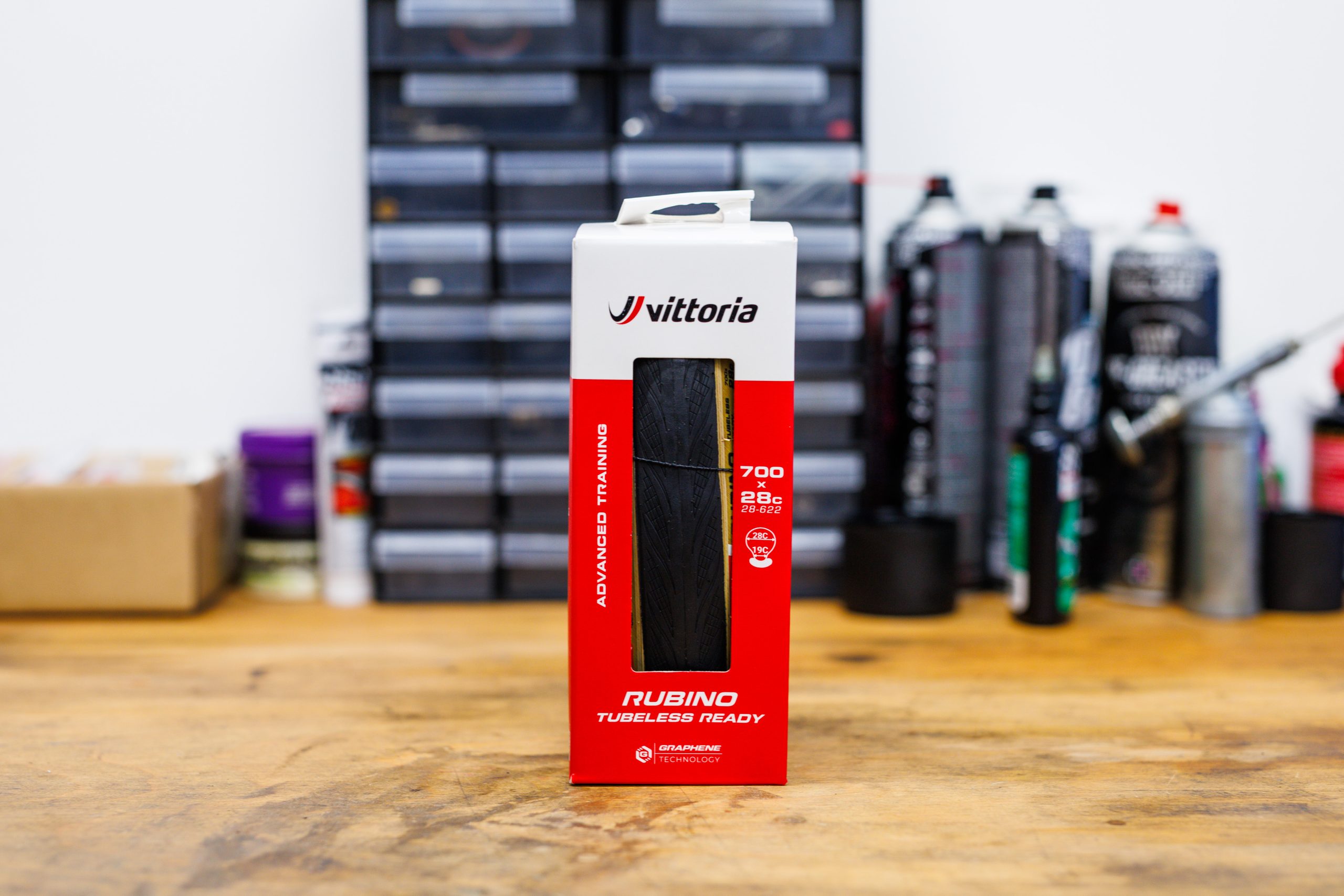
Vittoria has announced the latest update to its popular Rubino road bike tyre, bringing improved performance and tubeless compatibility.
Billed as an “everyday performance tyre”, Vittoria says the fifth-generation Rubino is lighter, grippier and features reduced rolling resistance compared to its predecessor, the Rubino Pro.
Despite this, Vittoria promises an updated casing gives the new Rubino “better ride quality and puncture resistance” than the outgoing version.
The champion of lunch rides
The Rubino is a mid-range tyre designed for training and everyday riding. Simon von Bromley / Our Media
While Vittoria’s Corsa Pro and Corsa Pro Control are designed for high-level racing, it says the Rubino is “the champion of lunch rides, town line sprints, and endless wanderings”.
According to the Italian brand, it opted to focus on improving the Rubino’s speed, puncture resistance and grip based on feedback from riders.
“When a product is already a bestseller, you don’t reinvent it – you refine it in the direction the riders take it,” says Vanessa ten Hoff, Vittoria’s chief marketing and innovation officer.
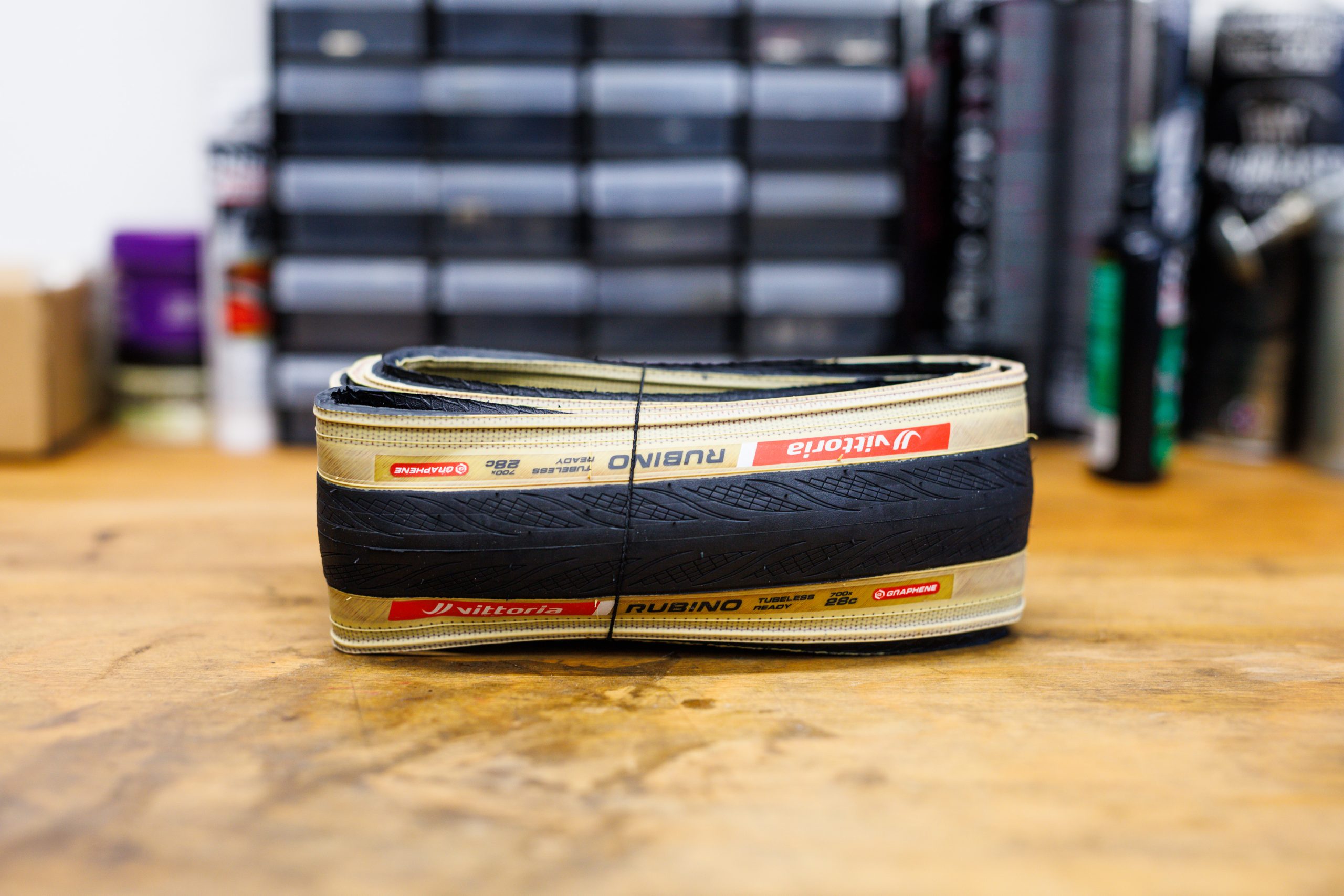
The new Vittoria Rubino gets an updated casing and tread. Simon von Bromley / Our Media
This was achieved, Vittoria says, by a new 100 TPI (Threads Per Inch) nylon casing mated to a new tread compound containing graphene and silica.
In terms of stats, Vittoria says the new tubeless-ready Rubino is 10 per cent lighter, with an 11 per cent improvement to “rolling efficiency” and 5 per cent more grip than the outgoing model.
The clincher version, meanwhile, is claimed to offer a 12 per cent reduction in weight, alongside 5 per cent improvements to rolling efficiency and grip.
Vittoria Rubino specifications and pricing
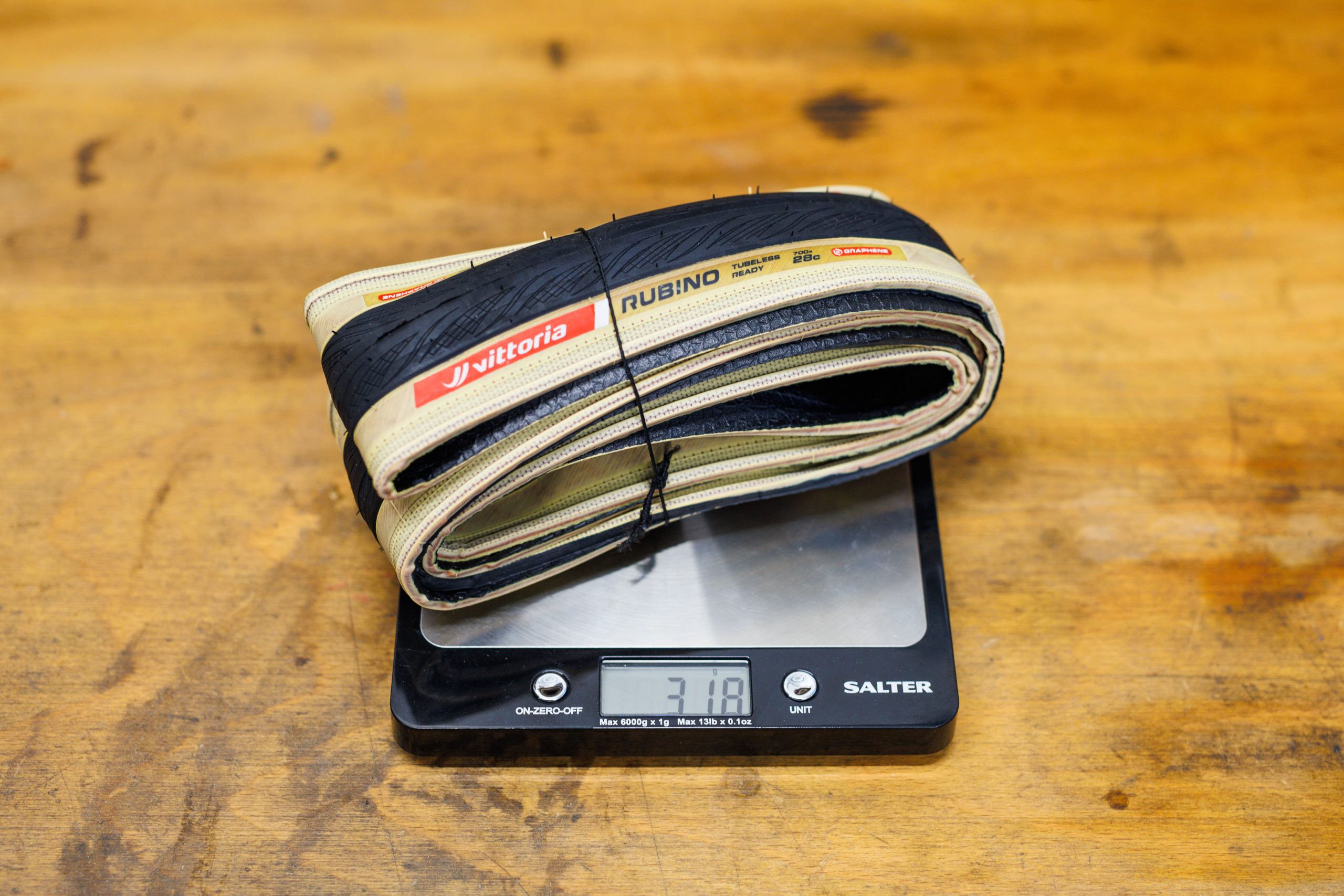
A 28c Rubino TLR weighs 318g on our scales. Simon von Bromley / Our Media
The Vittoria Rubino is available in clincher or tubeless form, in sizes from 700×26 to 700x34c.
In terms of price, the Rubino TLR costs £59.99 / $76.99 / €61.95, while the clincher comes in cheaper at £44.99 / $61.99 / €46.99.
Riders can choose between black or tan sidewalls in all sizes except the narrowest, 26c option.
Notably, according to Vittoria’s claimed weights, the tan sidewall tyres tend to be slightly lighter throughout the range.
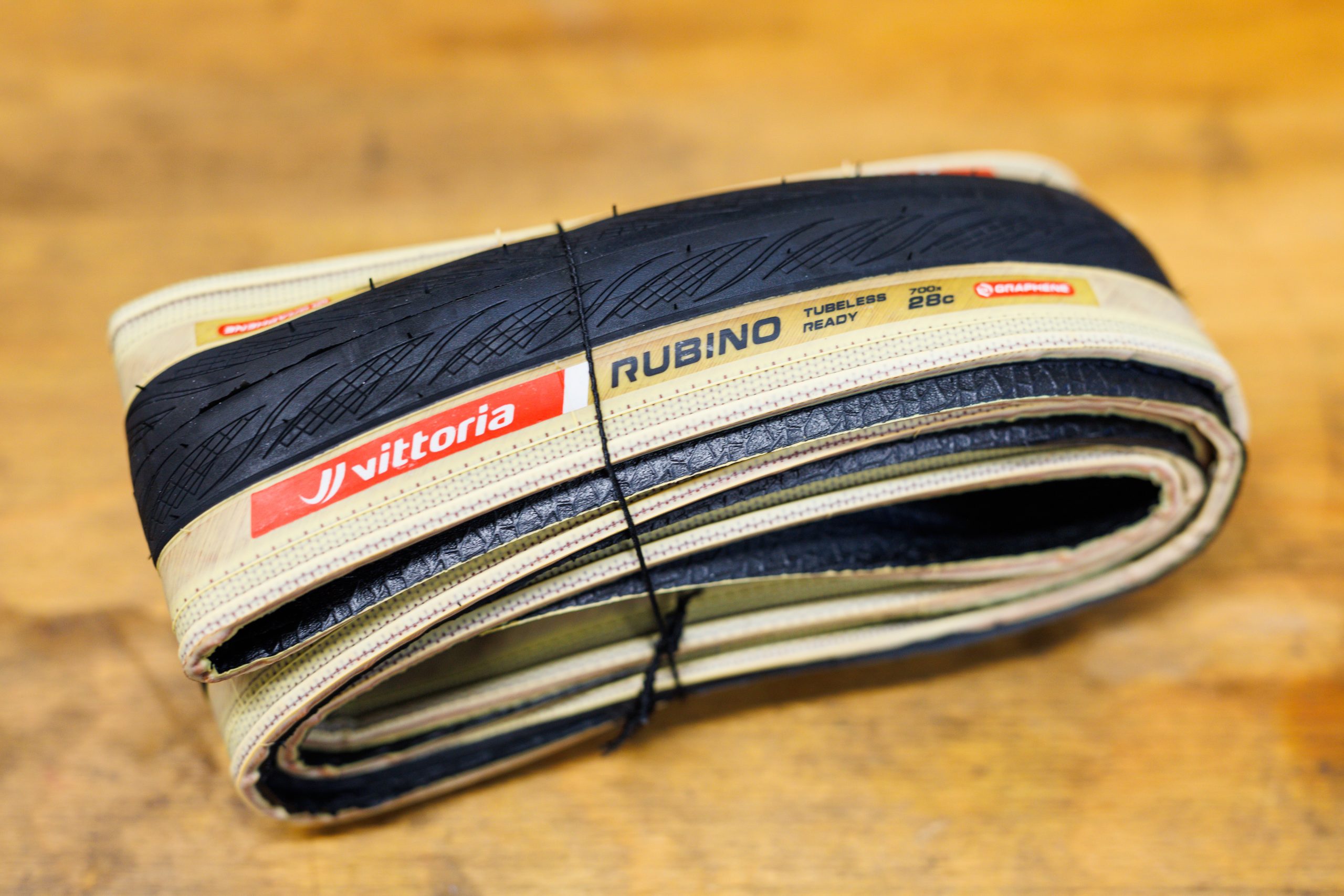
It seems there’s more than meets the eye to the tanwall Rubino tyres. Simon von Bromley / Our Media
A 28c tubeless-ready Rubino with tan sidewalls, for example, weighs 318g on our scales, whereas Vittoria claims a weight of 340g for the same tyre with black sidewalls.
This suggests there’s likely a difference in how the tyres are constructed beyond a simple lick of beige paint on the sidewalls. We’ve asked Vittoria for clarification on this and will update this article if we receive a response.
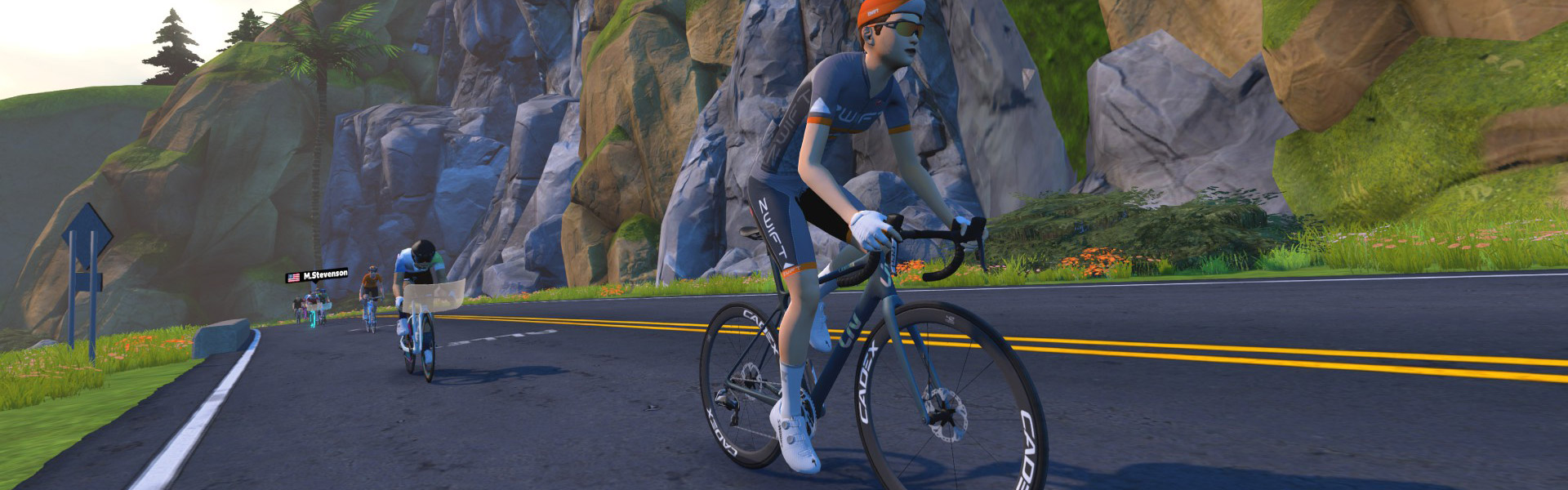
Zwift’s latest update includes a new frame from Liv, Giant’s brand dedicated to female riders. Named the Liv Langma Advanced SL 2025, it’s an update to the game’s existing Liv Langma Advanced SL, which has been renamed to the “Liv Langma Advanced SL 2021”. Here’s what it looks like IRL:
On Zwift, you’ll need to be updated to game version 1.89+ to see the Langma Advanced SL 2025 in the Drop Shop. You’ll also need to be at level 8+ with 1,000,000 Drops to buy it. Here’s how it’s described in the Drop Shop:
“The third-generation Liv Langma is built to optimize every ounce of power, this bike helps you push harder, climb faster, and accelerate with precision. Whether you’re chasing that next QOM or leading a pack sprint, the Langma is engineered for speed and agility, making it perfect for riders who want to push their limits and conquer any virtual course. Climb Higher than the Tibetan summit it’s named after: Mount Everest.“
It’s rated 3 stars for aero, 3 stars for weight, so we didn’t expect this frame to be a new top contender. Still, since the 4-star system isn’t the most granular of performance measurements, we ran this frame through our precise tests to measure performance at nerd-level detail. Let’s dive in!
Note: test results below are from a 75kg, 183cm rider holding 300W steady using Zwift’s stock 32mm Carbon wheelset on the un-upgraded version of the frame.
Aero (Flat/Rolling) Performance
Liv’s Langma Advanced SL 2025 turns in a strong performance on the flats, trimming 60.1s off our baseline Zwift Carbon frame over an hour of flat riding.
That puts it in the top 15% of all frames on Zwift, and within 2.9 seconds of the game’s fastest frame.
Climb Performance
The Langma Advanced SL 2025 is a strong climber, but not in the same league as the game’s top all-arounders. It shaves 40.9 seconds off of our baseline Zwift Carbon’s time on an hour-long climb, placing it in the 20% of all road frames on Zwift and 15.5 seconds behind the fastest climber (Specialized S-Works Tarmac SL8).
Upgrading Your Liv Langma Advanced SL 2025
Like all frames in Zwift, Liv’s Langma Advanced SL 2025 can be upgraded in five stages. As a high-end race bike, each of the five stages results in a performance improvement. The Langma Advanced SL 2025 upgrade stages are as follows:
Ride 200km, pay 100,000 Drops for an aero upgrade
Ride 260km, pay 200,000 Drops for a weight reduction
Ride 320km, pay 350,000 Drops for a drivetrain efficiency improvement
Ride 380km, pay 500,000 Drops for an aero upgrade
Ride 440km, pay 750,000 Drops for a weight reduction
You can expect a fully-upgraded Liv Langma Advanced SL 2025 to be approximately 28 seconds faster on a flat hour and 36 seconds faster on an hour-long climb vs the “stock” Liv Langma Advanced SL 2025.
Conclusions
There are currently three top all-arounders on Zwift, and their unlock levels and Drops costs are high:
Just below them, with essentially the same aero performance but slightly slower climb performance, you’ll find the Canyon Aeroad 2024 which unlocks at just level 10 and costs 1,100,000 Drops. This frame bucks the trend, offering exceptional performance at a very low level unlock.
The Liv Langma Advanced SL 2025 is comparable to the Canyon Aeroad 2024 in that way: unlocked at level 8+, with a similar price (1 million Drops), the new Langma outperforms all other frames available to level 15 and below Zwifters, apart from the Aeroad 2024.
It’s also the top-performing female-specific frame in Zwift, although it doesn’t have much competition there.
While the new Langma’s performance won’t be compelling enough to cause racers to buy it en masse, some fans of Liv, including existing Langma Advanced SL owners, will surely add it to their garages. They may even buy it to replace the older Langma frame they already own, since the 2025 model performs much better, trimming ~34 seconds off our flat hour test and ~8 seconds off our climbing hour.
Questions or Comments?
What do you think of this new frame from Liv? Share below…
Important note: this post contains speed test results for Zwift frames or wheels. These results may change over time, and a bike’s performance relative to others may also change. We don’t always revise posts when performance rankings change, but we do keep current, master versions of our speed test results which are always available. See the frame charts, wheel charts, and Tron vs Top Performers for current performance data.
At its Config 2025 event on Wednesday, Figma unveiled four new AI-powered tools — Sites, Make, Buzz, and Draw, positioning itself as a full-stack design platform to rival Adobe, WordPress, and Canva. These tools enable users to build websites, generate code, create marketing content, and design vector graphics without leaving the Figma ecosystem. The Verge reports: Figma’s first solution is Figma Sites, a website builder that integrates with Figma Design and allows creators to turn their projects into live, functional sites. Figma Sites provides presets for layouts, blocks, templates, and interactions that aim to make building websites less complex and time-consuming. Additional components like custom animations can also be added either using existing code or by prompting Site’s AI tool to generate new interaction codes via text descriptions, such as “animate the text to fall into place like a feather.” Figma Sites is rolling out in beta for users with full seat access to Figma products. Figma says that AI code generation will be available “in the coming weeks,” and that a CMS that allows designers to manage site content will be launched “later this year.”
Figma Make is Figma’s take on AI coding tools like Google’s Gemini Code Assist and Microsoft’s GitHub Copilot. The prompt-to-code Figma Make tool is powered by Anthropic’s Claude 3.7 model and can build working prototypes and apps based on descriptions or existing designs, such as creating a functional music player that displays a disc that spins when new tracks are played. Specific elements of working design, like text formatting and font style, can be manually edited or adjusted using additional AI prompts. Make is rolling out in beta for full seat Figma users. Figma says it’s “exploring integrations with third parties and design systems” for Figma Make and may apply the tool to other apps within its design platform.
Figma Buzz is a marketing-focused design app that’s rolling out in beta to all users, and makes it easier for teams to publish brand content, similar to Canva’s product design platform. The tool allows Figma designers to create brand-approved templates, styles, and assets that can be used by marketers to quickly assemble emails, social media posts, advertising, and more. Figma Buzz includes generative AI tools for making and editing images using text prompts, and can source information from spreadsheets to bulk create thousands of image assets at once.
Lastly, the Figma Draw vector design app is like a simplified version of Adobe Illustrator that creatives can use to make custom visuals without leaving the Figma platform. It includes a variety of brushes, texture effects, and vector editing tools to create or adjust scalable images and logos for product design projects. Figma Draw is generally available now for full seat users as a toggle in Figma Design, with some features accessible in Sites, Slides, and Buzz. It’s not quite as expansive as Adobe’s wider Creative Cloud ecosystem, but Figma Draw places the two companies in direct competition for the first time since Adobe killed its own XD product design platform. It also brings some new options to the creative software industry after Adobe failed to acquire Figma for $20 billion due to pressure from competition regulators.
Into the Radius 2, the co-op sequel to the popular post-apocalyptic shooter, has been available on PC VR headsets since its early access release on Steam in July 2024. Now, CM Games reveals it’s finally coming to Quest this month.
Into the Radius 2 is headed to Quest 3 and Quest 3S in early access on May 21st, the studio announced, noting that the full 1.0 release of the game is slated to arrive sometime next year.
Like the original Into the Radius (2020), the sequel is all about roaming the wastelands of a post-apocalyptic exclusion zone where you battle against deadly ‘Pechorsk’ anomalies.
Real-world weapons, tactical gear, and powerful artifacts are also here, although the follow-up’s biggest feature over the original is undoubtedly the inclusion of two-person co-op, which the studio says will also support up to four players at full release.
Notably, CM Games says crossplay between the PC VR and Quest 3 versions of the game “is not planned.”
Still, the incentive to bring Into the Radius 2 to VR’s biggest platform is massive. On PC VR alone, CM Games revealed earlier this year Into the Radius 2 has already generated nearly $3 million in revenue. What’s more, over half of that revenue was generated in the first week alone, making for some pretty high stakes when it launches on Quest later this month.
There isn’t a Horizon Store listing yet, but if you’re looking for tip and tricks to get you up to speed in the meantime, check out the game’s full explainer here, which takes you through weapons, gear, and a few handy bits about your future expeditions into the Radius.
The Raspberry Pi Foundation announced today a new version of their Debian-based Raspberry Pi OS Linux distribution for Raspberry Pi computers that introduces some new features, better touchscreen handling, and various Wayland improvements.
sciencehabit shares a repot from Science.org: Scientists have captured fungal spores cruising in the inhospitable environment of the stratosphere, much higher than commercial aircraft fly. When brought back to the lab, the researchers found that some of the spores — including pathogens of plants and people — had survived intercontinental trips and could be cultured in the lab. Although spores and microbes have been detected in the stratosphere before, the new results come from a cheap, homespun sampling device dangled from weather balloons, the project could help researchers figure out what traits and conditions allow spores to survive a swing through the stratosphere and how they get up there in the first place. The work could also be a first step towards an atmospheric monitoring system that could nip emerging fungal pathogens in the bud, the study’s authors reported at a conference of the European Geophysical Union.
After five preliminary flights, the team has already learned a lot. Based on DNA sequencing analysis, they identified spores from 235 genera, including fungi that infect blackberries and carrots in the United States and Japan, and one species, Naganishia albida, that can make immunocompromised people sick. In the lab, they were able to revive and culture spores from 15 different fungal species, among them several plant pathogens. Mostly, the results show that their sampler works. Now, the researchers want to set up regular flights to track airborne fungal biodiversity and seasonal variations. They also want to identify how events such as wildfires or volcanic eruptions inject spores into the stratosphere.
The openSUSE project has posted a
detailed explanation on why the Deepin Desktop has been removed
from the distribution; it comes down to a history of security problems and
a deliberate bypass (by the packager) of openSUSE’s security review.
Perhaps tired of waiting, the packager decided to try a different
avenue to get the remaining Deepin components into openSUSE
skirting the review requirements. In January 2025, during routine
reviews, we stumbled upon the deepin-feature-enable
package, which was introduced on 2021-04-27 without consulting us
or even informing us. This innocently named package implements a
“license agreement dialog” which basically explains that the SUSE
security team has doubts about the security of Deepin, but to
properly use Deepin, certain components need to be installed
anyway. Thus, if the user does not care about security then “the
license” should be accepted.
Lukas Fitti writes in detail
on the pganalyze blog about the asynchronous I/O capability coming with the
PostgreSQL 18 release.
Asynchronous I/O delivers the most noticeable gains in cloud
environments where storage is network-attached, such as Amazon EBS
volumes. In these setups, individual disk reads often take multiple
milliseconds, introducing substantial latency compared to local
SSDs.
With traditional synchronous I/O, each of these reads blocks query
execution until the data arrives, leading to idle CPU time and
degraded throughput. By contrast, asynchronous I/O allows Postgres
to issue multiple read requests in parallel and continue processing
while waiting for results. This reduces query latency and enables
much more efficient use of available I/O bandwidth and CPU cycles.