11 of the Most Common Venmo Scams (and How to Avoid Them)

Peer-to-peer payment apps like Venmo offer an easy way to send money to friends and family as well as businesses selling goods and services—but that ease makes them a target for scams involving theft and fraud.

Here are the most common Venmo scams to watch for.

The mistaken payment scam

If you receive money you weren’t expecting from someone you don’t know by “accident,” it’s not actually an accident. Scammers will Venmo you, claim it was a mistake, and ask for the money back as a new payment. This may seem harmless, but it typically involves scammers charging so-called mistaken payments to stolen credit cards then connecting their personal cards to receive payments in return. If the original payments are reversed when the stolen card is reported, the money will come from your account.

To avoid this scam, don’t send money back to someone you don’t know. Instead, contact Venmo support so they can reverse the charge without compromising your account. You should also block the user who sent the payment.

The impersonation scam

Scammers may try to trick you into sending payments by impersonating someone you know. They may change their username or profile picture to match someone in your public feed—if your Venmo transactions aren’t private, stop right now and change that setting—so you won’t suspect anything is amiss. Often, these payment requests are unexpected and seem time-sensitive.

If you receive a payment or payment request you weren’t anticipating or that seems urgent, tap the profile picture to view the account and confirm their identity. You should also message that person outside of Venmo to clarify the request before sending any money.

The tech support scam

If you reach out to a tech support line (for anything, not just Venmo), you should never send money via Venmo for that service. Scammers may spoof phone numbers and impersonate technical support staff, whose help is almost always free. Venmo warns that bad actors may try to trick you with something that sounds like this:

“Hello, thank you for calling (major company name) Support. Andrew here, ready to help! Before we get started, I will need to take your payment for our assistance today. Do you have a Venmo account? If not, I’d be happy to help you create one!”

Always locate company contact information directly from their website by typing the URL in rather than clicking through from search (where results can be spoofed), and never send a Venmo payment for these services.

The Venmo text/call scam

Similarly, scammers may contact you via call or text pretending to be from Venmo’s support team. They may tell you that there has been unauthorized activity on your account and ask you to log in via a link they send your or to provide your multi-factor authentication code. This is a phishing scam, as Venmo will never ask for verification codes or request to access your account remotely. You should also be skeptical of a message that asks you to install a third-party app, send a payment, or verify a new account. Never click links in unsolicited messages.

Instead, contact Venmo support directly to confirm any requests, and report fake or suspicious texts and emails.

The prize scam

If you receive a text or email saying that you’ve won money from Venmo, it’s a scam. This phishing attack includes a fraudulent link to sign into your Venmo account, which hands your information directly to scammers. Never enter your Venmo login anywhere except Venmo.com or the Venmo app (which you should always navigate to directly rather than via an unsolicited link), and do not provide anyone with your information unless you have contacted Venmo support directly.

The fake donation scam

Donating to a cause or group you care about is great, but scammers take advantage of this by circulating fraudulent Venmo accounts and collecting funds in the name of other individuals or organizations. Before you send money, verify the account belongs to the organization—don’t simply rely on links from social media. You should also research the best way to support and contribute to organizations directly from their website or social accounts.

The romance scam

Romance scams are a long game: fraudsters will create fake social media profiles and work to develop a relationship with you, gain your trust, and ask for money via Venmo. This scam plays on your emotions, and requests are often related to expenses to come visit you or potential investment opportunities. Be wary of people who reach out to you online to create an emotional connection, and never loan money to someone you’ve never met IRL.

The job offer scam

If you receive an unsolicited text from a recruiter with a job offer, it’s definitely a scam. Sometimes, these offers come with requests to pay upfront for onboarding or to move money around using your Venmo account. Obviously, this is money lost. Ignore these messages—don’t respond, and don’t click links.

A similar scam is a message from a prospective landlord requesting a deposit before you’ve signed a lease.

The fraudulent purchase scam

If you’re buying or selling goods and services using Venmo payments, watch out for tactics scammers use to steal money. They may ask you to pay upfront and then never send you the item they’ve promised, or they’ll send you fake shipping information. They may also ask you not to mark the payment as a purchase, which makes the transaction ineligible for Venmo’s purchase protection.

To avoid this scam, only buy from Venmo approved business accounts—you’ll see the message “Eligible items covered by Purchase Protection” under the Pay button. If you pay a personal profile, be sure to mark it as a purchase.

When selling, don’t send items without receiving legitimate payments, even if the buyer shows you screenshots of supposed Venmo transactions (that are actually fake payment invoices). Scammers may “accidentally” send you an overpayment (using a stolen card or bank account) for a purchase and request that you refund the extra—like with the mistaken payment scam, you’ll ultimately be on the hook.

The paper check scam

Scammers may send you a paper check and ask you to send them a payment on Venmo. The check may even clear when you deposit it but will bounce later, so you’re out funds you can’t get back. Don’t exchange other forms of payment for Venmo payments.

Too-good-to-be-true scams

While these are some of the most common ways scammers use Venmo, there may be others. For example, be wary of using Venmo to pay for hard-to-find items—like concert tickets or rare collectibles—advertised on other platforms, as these can be scams that exchange payment for nothing in return. Also, don’t pay for gift card deals or investments via Venmo.

How to protect yourself

All of the rules of scam avoidance apply to Venmo: don’t click links in unsolicited messages or provide your account information to anyone you don’t know, and don’t send payments to strangers. Beware messages that bring up emotions or sense of urgency, which can cloud your judgment in the moment. If something sounds too good to be true, it probably is.

Only use Venmo to pay people you know and trust, and ensure all of your transactions are private—there’s no reason anyone needs to see your payment history. Set up two-factor authentication for your Venmo account to prevent unauthorized logins (but know that these codes are also phishable). Check your financial records, including your credit report and bank statements, regularly to catch possible theft and fraud quickly.


AMD EPYC 4005 Series Launches For Entry-Level Zen 5 Servers

Last year AMD launched the EPYC 4004 series for taking Ryzen based processor designs into the EPYC segment for entry-level servers with ECC memory support, server designs with BMCs, and various enterprise software certifications and industry qualifications. Today they are launching the EPYC 4005 series as their new Zen 5 based offerings for entry-level / budget server deployments and other instances when not needing as much compute power or connectivity and other high-end features found with the EPYC 9005 “Turin” processors.

2025 Bentley Continental GT: Big power, big battery, big price

The new Bentley Continental GT was already an imposing figure before this one left the factory in Crewe clad in dark satin paint and devoid of the usual chrome. And under the bonnet—or hood, if you prefer—you’ll no longer find 12 cylinders. Instead, there’s now an all-new twin-turbo V8 plug-in hybrid powertrain that offers both continent-crushing amounts of power and torque, but also a big enough battery for a day’s driving around town.

We covered the details of the new hybrid a bit after our brief drive in the prototype this time last year. At the time, we also shared that the new PHEV bits have been brought over from Porsche. There’s quite a lot of Panamera DNA in the new Continental GT, as well as some recent Audi ancestry. Bentley is quite good at the engineering remix, though: Little more than a decade after it was founded by W.O., the brand belonged to Rolls-Royce, and so started a long history of parts-sharing.

Mind if I use that?

Rolls-Royce and Bentley went their separate ways in 2003. The unraveling started a few years earlier when the aerospace company that owned them decided to rationalize and get itself out of the car business. In 1997 it sold the rights to Rolls-Royce to BMW, or at least the rights to the name and logos. Volkswagen Group got the rest, including the factory in Crewe, and got to work on a new generation of Bentleys for a new century.

Read full article

Comments

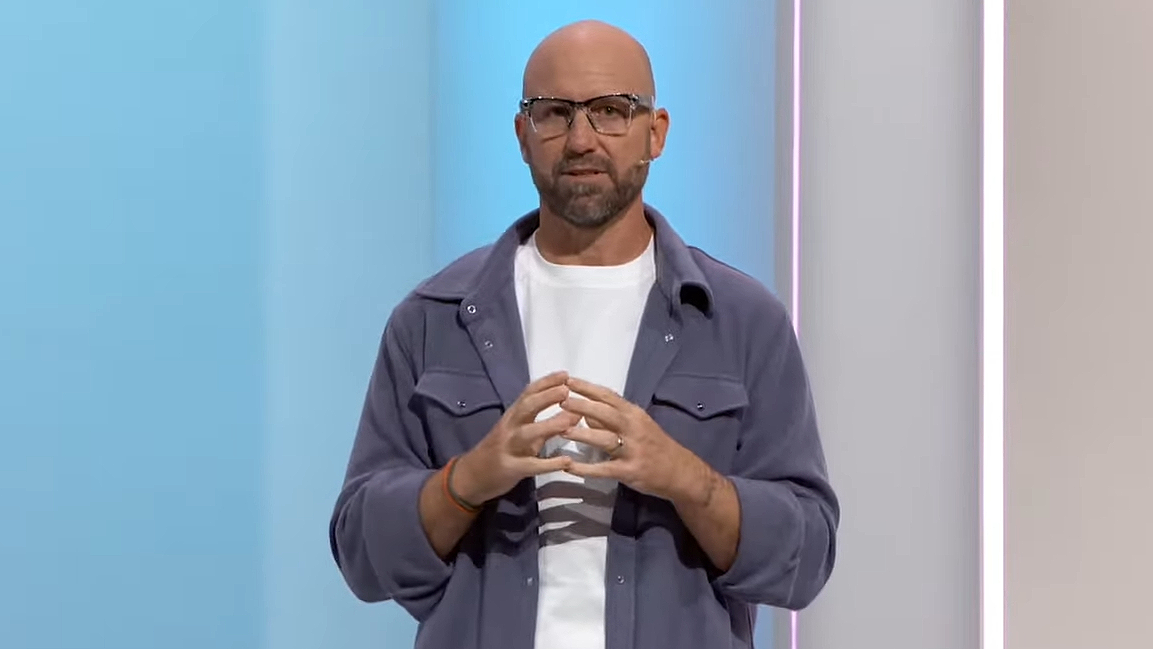
Meta CTO Says He And Mark Zuckerberg Are “True Believers” With “Actual Conviction”

Meta’s CTO Andrew Bosworth says that he and Mark Zuckerberg are “true believers” with “actual conviction”.

The quote comes from a recent interview of Bosworth conducted by venture capitalist firm Andreessen Horowitz (a16z). While it’s ostensibly unclear whether Bosworth is specifically referring to just AR, which he mentions in the quote, the context of the rest of the interview is about the work of Meta’s Reality Labs division in general, and he does mention VR earlier in the conversation when asked where he sees digital content in 5 and 10 years.

0:00

/1:09

Bosworth on the conviction he and Mark Zuckerberg have.

Well I’ll say two things about this, and this is where Mark [Zuckerberg] just deserves so much credit: we’re true believers. Like, we have actual conviction.

Mark believes this is the next thing, it needs to happen, and it doesn’t happen for free. We can be the ones to do it.

You know, our Chief Scientist Michael Abrash, who’s one of my favorite people I’ve ever gotten the chance to work with, he talks about the myth of technological [inevitability]. It doesn’t eventually happen. There’s a lot of people in tech who’re like “AR will eventually happen”. That’s not how it fucking works! You have to stop and put the money and the time, and do it. Somebody has to stop and do it. And that is the difference.

The difference between us and anyone else is we believe in this stuff in our cores. This is the most important work I’ll ever get the chance to do. This is Xerox PARC level new stuff where we’re rethinking how humans are gonna interact with computers. It’s J. C. R. Licklider and the human-in-the-loop computing (we’re seeing that with AI).

It’s a rare moment. It doesn’t even happen once a generation. I think it may happen every other generation, every third generation. You don’t get a chance to do this all the time.

So we’re not missing it. We’re gonna do it. And we may fail! It’s possible. But we will not fail for lack of effort.

Meta’s XR Revenue Declined Due To Decreased Quest Sales
Meta Reality Labs quarterly revenue declined 6% year-over-year in Q1, and the company says this was “due to lower Meta Quest sales”.
UploadVRDavid Heaney

Reality Labs, Meta’s “metaverse and wearables” division, has come under constant criticism from some shareholders and analysts because to date it has spent significantly more than it brings in, with some even calling for the division to be shut down. And adding fuel to the fire, in Q1 Reality Labs quarterly revenue was 6% lower than it was in Q1 2024.

Some in the XR industry question how long Meta will put up with these significant losses, concerns that were exacerbated earlier this year when a leaked all-hands memo from Bosworth revealed that he told staff that 2025 would determine whether Reality Labs is “the work of visionaries or a legendary misadventure”.

Bosworth later clarified that Meta would “probably never give up”, and essentially suggested that internal memos are rallying cries to staff, akin to a general riling up an army before a battle, rather than literal expressions of a company’s exact position. But the decline in Q1 revenue has renewed the discourse around the feasibility of Meta’s continuous investment.

“Never Give Up”: Meta CTO Responds To Leaked Memo Discourse
Meta’s CTO has responded to the discourse around his leaked “Horizon Worlds on mobile absolutely has to break out” memo.
UploadVRDavid Heaney

What truly makes Meta unique among the major consumer tech companies is that the beliefs and convictions of its CEO can be executed unchecked, not that those beliefs and convictions exist in the first place.

Unlike Tim Cook, Sundar Pichai, Satya Nadella, and Andy Jassy, Mark Zuckerberg owns a controlling stake in Meta, with over 60% of the voting power. While those other CEOs can be overruled by shareholders or fired by the board of directors, Mark Zuckerberg effectively cannot be. This unique setup is why Zuckerberg has been able to spend around $100 billion on Reality Labs over the course of a decade, despite the division bringing in less than $15 billion revenue.

Zuckerberg has repeatedly indicated that he sees this spending as long-term investment that he expects to pay off over the course of decades, a timescale most companies do not risk betting on. XR headsets like Quest are still a relatively early technology, far from maturity, and as of 2022 more than 50% of Reality Labs spending was on the research and development of AR glasses, a future product line that hasn’t even launched yet.

0:00

/0:23

Bosworth also mentions VR earlier in the interview, when asked about where he sees technology in 5 or 10 years.

Bosworth’s new comments suggest that the stance of Meta’s executives on this hasn’t much changed recently, and we recommend listening to the interview to hear his words in the context of the full conversation.

Google is reportedly planning to unveil a Pinterest alternative at I/O 2025

Google is set to debut a new feature that The Information describes as “Pinterest-like” at its annual I/O developer conference next week. It reportedly shows users image results, based on their queries, that can give them ideas for fashion and interior design. Users can then save the images in different folders of their choice if they want to keep them separated based on certain themes. While The Information has likened it to Pinterest, it could be more similar to Cosmos, which is a more pared-down version of the idea. Cosmos lets users curate anything they saved from the web into clusters, which they can then share with other people. 

As the publication has noted, Google might be debuting a Pinterest competitor in order to secure its ads revenue from commercial queries. Google has been losing searches in homework and math from ChatGPT, a company executive told the court during a hearing related to a previous court decision that the company maintains an illegal monopoly in search. While those queries don’t typically generate ads revenue, Google knows that it’s inevitable for the company lose earnings from ads for commercial inquiries. Giving users a more interesting way to get search results that an AI couldn’t provide through a new feature or a new product could help Google retain revenue from advertisements. 

In addition to the Pinterest-like competitor, Google could also introduce a “software development lifecycle agent” that could help software engineers identify bugs or flag security vulnerabilities while they’re developing programs. It could also demonstrate the voice-powered integration of the Gemini AI chatbot into its Android XR glasses and headset. Previous clues point to Google launching the integration of Gemini Live inside the Chrome desktop browser, as well. 

This article originally appeared on Engadget at https://www.engadget.com/big-tech/google-is-reportedly-planning-to-unveil-a-pinterest-alternative-at-io-2025-123033887.html?src=rss

I’m a Marathon Runner, and This Is My Favorite Running Gear for Warm Weather

We may earn a commission from links on this page.

Let’s cut to the chase: I dread running in the heat. You could say I’m a big baby about it, in fact. But as long as all my favorite marathons are in the fall (Philly, NYC, Chicago), I’ll be sticking to a summer training schedule.

As the temperature rises and summer approaches, runners everywhere are shedding layers and adapting their gear for the heat. After six marathons, I know what it looks like to invest in proper running gear. Here’s a rundown of my favorite gear that keeps me comfortable when the sun is killing all my strength and motivation to lace up and go.

Lightweight, technical running shirts

When it comes to warm-weather running tops, technical fabrics are non-negotiable. My go-to shirts feature moisture-wicking polyester blends that pull sweat away from my skin and dry quickly. (This blend is what Nike coined as “Dri-FIT.”)

Look for shirts labeled with terms like “heat gear” or “cool tech.” These typically incorporate mesh panels in high-heat areas like the back and underarms. At the same time, these technical running shirts can break the bank. Search for “moisture wicking” in the clearance section of your favorite brand of athletic clothes, and you should be able to snag some affordable options.

I prefer slightly looser fits in the summer that allow for better airflow, though not so baggy that the fabric clings when wet. For particularly hot days, tank tops provide maximum ventilation while still offering protection from the sun’s rays on your shoulders and upper back.

And for anyone who wears sports bras, I recommend finding a bra you like and buying five of ’em (or however many sports bras you go through before laundry day). As it gets warmer, I’ve been a big fan of wearing a bra that doesn’t require a shirt on top, although I know that’s not an option for everyone. This sports bra from Ciele keeps everything in place for me, and has been my go-to this season so far.

Breathable running shorts

In warm weather, the right shorts make all the difference. I’ve found that 5-inch inseam shorts hit the sweet spot for comfort and mobility, but definitely experiment to find the right length for you. If you’re ready to splurge, the best summer running shorts feature:

  • Built-in liners that provide support without restricting movement

  • Quick-drying, lightweight fabrics that won’t chafe when wet

  • Small interior pockets for keys and running gels

  • Reflective elements for early morning or evening runs

I especially appreciate shorts with split designs that increase range of motion and ventilation when you’re really working up a sweat.

Lightweight, responsive shoes

I’ve been getting into rotating my shoes to help them last longer—stay tuned for my results. For now, what you need to know is that finding the perfect running shoes is about so much more than style or brand preference—the right shoes are essential for performance, comfort, and injury prevention.

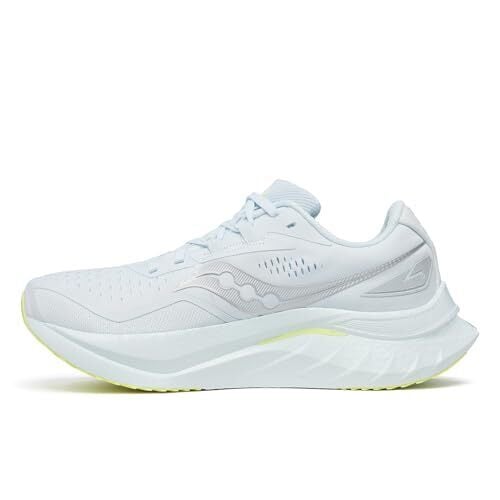
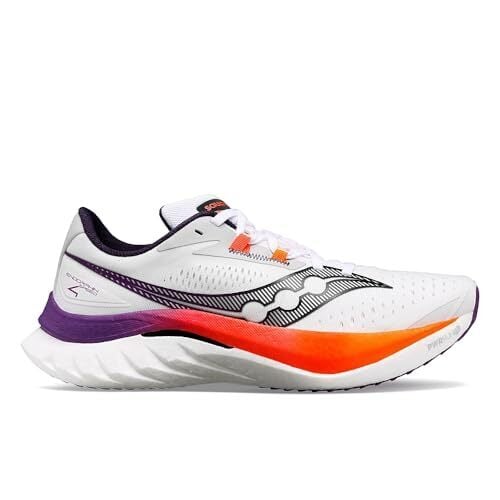
In particular, summer is the perfect time to rotate in your lightest, most breathable running shoes. For my lightweight pair this season, I’ve been a fan of the Saucony Endorphin series. For more cushioning and stability, I work in my Nucleo 2s. I know that some runners even prefer shoes with drain holes, for when you encounter puddles or water crossings, though these aren’t necessary for most road runners.

I’m also dipping my toe (pun intended) into the world of barefoot running these days. Something truly minimalist, like Xero Shoes, usually cost less than traditional running shoes. This tracks, since they are significantly less material than your standard shoe. Seriously. Be prepared to train as a borderline barefoot runner.

An extra shopping hack: The Saucony Endorphin Speed 5 drops June 1—making that week the perfect time to get a great deal on the Endorphin Speed 4.

Hydration and fueling

I’ve previously dedicated full posts to fueling during runs, and I could fill a book about my opinions on running gels alone. (A rambling and entirely subjective book, but still, a book.)

If you’re unfamiliar with gels, picture a syrupy Go-Gurt-like packet of quick energy. Most advertise a prime combination of carbs, caffeine, and amino acids. My preference in gels is aptly named Gu. Other runners swear by Gatorade chews, Snickers bars, or even some loose dates in a Ziploc bag.

Proper hydration becomes even more critical in warm weather. Depending on the length of your run and water availability, I alternate between:

Look for options with additional storage for essentials like nutrition, a phone, and keys. The best hydration gear feels secure without bouncing or chafing, even when you’re picking up the pace.

And while electrolyte mixes are over-marketed, they still do come in handy when it’s time to replace all those lost fluids. I plan on testing some this summer, but for now, I can recommend brands like LiquidI.V. and TailWind.

Moisture-wicking socks

Never underestimate the importance of good socks! Cotton is the enemy when temperatures soar, as it holds moisture and leads to blisters. Instead, I invest in technical running socks with synthetic blends or merino wool (which, surprisingly, performs excellently even in heat). Some also feature mesh panels on the top that increase airflow around your toes.

If you want to spring for features like odor control and moisture management, be my guest—but I haven’t found a world of difference for that higher price. This six-pack from Nike for $30 is par for the course, and I wouldn’t spend much more than that.

A reliable running hat

Sun protection is crucial during summer runs, and a good running hat serves multiple purposes: It shields your face and eyes from harsh sunlight, keeps sweat from dripping into your eyes, and prevents sunburn on your scalp.

My guess is you probably own a baseball cap that gets the job done. I personally wouldn’t spend money on a technical running hat. But if you need something special, look for lightweight hats with moisture-wicking sweatbands and mesh panels for ventilation. Dark underbills reduce glare without making your head hotter.

Body glide or anti-chafing balm

Anti-chafing products are essential. I cannot ethically write a running gear round-up with including anti-chafing tips. When sweat and repetitive movement combine, painful chafing can quickly ruin a run. I apply anti-chafing balm preemptively to common trouble spots: inner thighs, underarms, sports bra lines, and anywhere else friction occurs.

The best products create a long-lasting invisible barrier that holds up to sweat and won’t stain your clothing. This Body Glide anti-chafing stick works like a charm for just $8.99. This small addition to your running kit can make the difference between a miserable, cut-short run and a comfortable long-distance effort.

Final thoughts

Training in the heat is no small feat. The right warm-weather running gear allows you to maintain your training through the hottest months safely and comfortably. While quality technical apparel isn’t cheap, as the years go by I’m learning to accept what a worthwhile investment they are for dedicated runners.

Remember that the best gear is the gear that works for your specific needs. What works for one runner might not work for another based on body type, running style, and personal preference. Don’t be afraid to experiment until you find your perfect warm-weather running kit.

How to add VPN to your TV

For decades, the legacy Hollywood studios have made money by slicing and dicing the licenses to their ever-growing vaults of movies and TV shows to as many channels and streamers as possible in as many countries and territories as you can count. That’s why shows available on Max in one country might switch to Netflix in another, and disappear altogether in a third. And savvy viewers have long used VPNs — virtual private networks — to expand their streaming options. Change your location from the US to the UK and, voila, you suddenly have access to Friends and The Office on Netflix again.

That’s great if you’re watching on a phone, tablet or PC, where installing and activating a VPN is as generally as simple as visiting the device’s app store. But streaming through a VPN is a bit more challenging on a TV. Thankfully, there are quite a few ways to get that VPN-filtered content on the biggest screen in your home. Below, we’ll walk you through unlocking geo-blocked content on your TV.

If you don’t already have a VPN subscription, we’d suggest choosing a service from our list of best VPNs. And with the notable exception of Proton VPN, we’d strongly recommend avoiding any free VPN options.

How to stream video to your smart TV using a VPN

The easiest way to install a VPN on your smart TV is to download it from the built-in app store — if your preferred VPN is available. Not all smart TV operating systems support VPN apps. Amazon Fire TV has the best selection, but you can also install any VPN’s Android app on Android TV or Google TV from the Google Play Store. In this section, we’ll explain how to use a VPN on every smart TV model that supports them.

If your smart TV doesn’t support native VPNs (for example, if it’s a Roku or an older Apple TV model), you can use it with a box or dongle from an OS that does. This also has the benefit of being cheaper than a whole new TV.

Fire TV

Amazon’s Fire TV operating system has a wide range of content to binge-watch, as it comes with access to Prime Video’s expansive catalog. Thankfully, its user interface is easy to navigate, making installing a VPN a breeze.

Amazon's Fire TV Stick line is a very VPN-friendly streaming platform.
Amazon’s Fire TV Stick line is a very VPN-friendly streaming platform.
Amazon

To set up a VPN, navigate to the Fire TV app store and search for the VPN service to which you’re subscribed. Fire TV has multiple options on the app store, including most of the services on our aforementioned best VPNs list.

From there, the process is pretty simple: Download the app, log in, and connect to the VPN. Scroll through the server list and pick a location in the country whose Prime Video library you want to unlock. You can also watch any other streaming service by downloading its app and logging in. Read How to add a VPN on Fire TV for complete instructions.

Google TV

Google TV is a smart TV operating system with a sleek user interface that supports thousands of apps, including VPNs and streaming platforms. As with Fire TV, just download your VPN app of choice, input your credentials and run it before activating the streaming service you’d like to check out. Read How to stream using a VPN on your Google TV or Chromecast for more details. 

Apple TV

If you want to install a VPN on your Apple TV directly, you’ll need tvOS 17 or later. If not, you can follow our alternative workarounds with AirPlay or Google Cast.

Apple TV boxes have become more VPN-friendly with recent OS updates.
Devindra Hardawar/Engadget

For those with tvOS 17 and later, setting up a VPN on your Apple TV is simple. However, it doesn’t support many services, so you’ll have to double-check that the VPN you subscribe to has Apple TV compatibility. Read How to use a VPN on your Apple TV for more details. 

AirPlay or Google Cast from a VPN-enabled device

The simplest way to use a VPN on any TV is to connect your TV to a phone, tablet, or laptop, then use the VPN on that device instead. You’ve got two ways to do this — screen casting and mirroring.

Screencasting is when you set content on a device to play on your TV, then continue using that device for other purposes while you stream. Mirroring is when you show everything you’re doing on your device on your TV. For example, if you’re streaming a movie and close your browser tab, your smart TV will stop streaming the movie as well.

Apple and Google each have their own flavor of screencasting: AirPlay and Google Cast, respectively. (The latter is basically same digital protocol that works on Chromecast hardware.) In each case, you start by running your VPN of choice on your phone or tablet, then fire up your streaming app and start your movie or TV show. Finally, click the AirPlay or Google Cast icon once you start streaming. If your TV doesn’t have AirPlay or Google Cast built-in, you can buy a set-top box or dongle that supports one or the other.

AirPlay is probably the most well-known casting and mirroring technology, and it currently works on a wide range of smart TVs and set-top boxes. I screencasted from my iPhone XR with a VPN enabled to my Samsung UHD TV and everything worked without a hitch.

On the Google side, click the icon with a TV and Wi-Fi rays to start casting your content to the big screen. Amazon is working on a rival screencasting platform called Matter Casting, but it’s not widely supported yet. Read How to stream via a VPN on Roku for more details on all of this.

HDMI from a VPN-enabled device

If you don’t want to fiddle with wireless protocols, an underrated and lesser-known way to stream video to your TV using a VPN is via an HDMI cable. You’ll need an HDMI cable and (for some devices) an HDMI dongle, such as one that converts a USB-C port to HDMI. Once connected, your laptop, phone or tablet screen should be displayed on your TV’s screen. At that point, just use the source device to fire up your VPN, start your streaming app (or browser) and maximize the window.

Whole-house VPN access: Set up a VPN on your router

The sections above describe ways to get VPN streaming access on a single TV. But if you want a whole-house approach — in which you could, for instance, watch UK Netflix on every device on your home network — you’ll want to investigate accessing the VPN at the router level. Just note this is for advanced users only, and is far and away the most challenging method of the bunch.

Whole-house VPN access requires installing a new router, or making major modifications to your existing one. It generally also requires installing custom firmware on a router, which usually voids the hardware manufacturer’s warranty. Even then, you’ll need an expert user in the household who knows how to engage and disengage the VPN and customize its settings, as leaving it turned on all the time can interfere with non-streaming activities, including simple things like shopping online.

All that said, a more streamlined whole-home option is to try out the AirCove router models from ExpressVPN. (Engadget has not yet tested these routers.) Because they are ExpressVPN’s own hardware, they include warranty coverage and support through the company.

This article originally appeared on Engadget at https://www.engadget.com/cybersecurity/vpn/how-to-add-vpn-to-your-tv-143736648.html?src=rss

How to pre-order the Samsung Galaxy S25 Edge

The super slim Galaxy S25 Edge, which Samsung teased at the tail end of its January Unpacked event, has been officially revealed. During the most recent Unpacked event, we got full specs, pricing and shipping dates for Samsung’s latest phone, as well as a chance to put our hands on the new handset. 

The new Galaxy S25 Edge starts at $1,100 for 256GB of storage or $1,220 for the 512GB model and the phones ship May 30. Pre-orders are open at Amazon, Best Buy and directly from Samsung, which is offering a $50 pre-order store credit and a no-charge upgrade to the 512GB model. Amazon’s got a similar offer: it includes a $50 Amazon gift card when you pre-order the 512GB S25 Edge for $1,100.

The Edge’s headline features include its thin build and AI-supported photography chops — both of which we’d suspected from various leaks, only to have the rumors confirmed by Samsung’s own press release last week. And indeed, when Engadget’s Mat Smith got his hands on an Edge, he immediately felt how much lighter the device was — yet, he noted, it still felt premium. 

We now know for sure that the Galaxy S25 Edge has a 6.7-inch screen but measures just 5.8mm (0.22 inches) thick. That’s slightly less surface area than the 6.9-inch Ultra, but a full 2.4mm thinner. It weighs 163 grams, nearly the same as the standard Galaxy S25, but the Edge measures more than 10mm taller and 5mm wider than its base-model sibling.  

To shave off the grams and trim the width, Samsung developed a broader yet slimmer vapor chamber and a new Thermal Interface Material (TIM) for better heat dissipation. It uses Corning Gorilla Glass Ceramic 2 on the front display. It’s the first phone to use the material, which Corning says offers “enhanced drop performance on rough surfaces,” allowing for a thinner glass layer. The frame is made from titanium, like the Ultra model, a material many phone manufactures have put in higher-end models for its lightweight strength. 

As for camera power, the Edge has the same 200MP sensor as the S25 Ultra, which Samsung claims captures 40 percent brighter images in low light situations compared with the standard S25. There’s also a 12MP ultra-wide lens and a 12MP selfie cam up front. Those two rear cameras do protrude noticeably from the thin frame of the phone, but Mat was impressed how well-balanced the phone felt — it’s not lopsided at all. 

Of course, the phone also packs plenty of AI-powered tricks, including Pro Scaler, Audio Eraser and Drawing Assist. To support all the AI, Samsung is using the same Qualcomm Snapdragon 8 Elite chip as the other S25 phones and comes with 12GB of memory and either 256 or 512GB of storage. It packs a 3,900mAh battery, which is smaller than both the 4,000mAh one found in the standard S25 and the 5,000mAH power supply in the Ultra. Though Samsung claims the Edge can run for 24 hours on a charge. 

You can get the Samsung Galaxy S25 Edge in three color options: Titanium Silver, Titanium Jet Black, and Titanium Icy Blue. Samsung is promising seven years of security and software updates. We only spent a short time with the phone so far and our full review will be out shortly.  

This article originally appeared on Engadget at https://www.engadget.com/mobile/smartphones/how-to-pre-order-the-samsung-galaxy-s25-edge-000029138.html?src=rss

The Switch 2 has a mode that caps battery charge at 90 percent

Nintendo will include an optional battery preservation mode with the Switch 2, which the company revealed via its Nintendo Today! news app. This will cap the console’s charge as it approaches 90 percent and then maintain it at that amount.

Why do this? It’s to keep the battery in tip-top shape. Rechargeable lithium batteries can degrade if kept in a fully-charged state. So the feature will let users sacrifice 10 percent of playtime for ongoing battery maintenance. That seems like a fair tradeoff to me.

Nintendo Switch 2 has an option to stop charging the battery at ~90% �

This is to reduce battery deterioration � pic.twitter.com/ytqPfl5dKO

— Culture Crave � (@CultureCrave) May 12, 2025

Nintendo didn’t invent this concept. Many smartphones have been offering something like this for years. Valve has also been testing a similar feature for the Steam Deck.

When you unbox that shiny, new Switch 2, just head into system settings and look for a toggle that reads “Stop Charging Around 90%.” Tap it and you’ll be all set. Of course, you have to secure a Switch 2 pre-order to do this, and that’s easier said than done. The console will be released on June 5.

This article originally appeared on Engadget at https://www.engadget.com/gaming/nintendo/the-switch-2-has-a-mode-that-caps-battery-charge-at-90-percent-185219689.html?src=rss

Peacock’s The Office spin-off arrives this September

The Paper, a new spin-off of The Office set at a small Ohio newspaper, will premiere exclusively on Peacock in September, according to a post from the streaming service’s X account. Considering NBCUniversal’s streaming service has mostly existed as a dedicated The Office and Parks & Recreation rewatch tool, this is a pretty big get.

The new series “features the documentary crew that immortalized Dunder Mifflin’s Scranton branch,” but this time looks at a different industry — in this case, journalism. The Paper covers “a historic Toledo newspaper, The Truth Teller, and the eager publisher that is trying to revive it,” according to a press release from NBCUniversal’s Upfront presentation.

The Scranton documentary crew is heading to Toledo. #ThePaper arrives this September on Peacock. pic.twitter.com/Mzmbw7TBzF

— Peacock (@peacock) May 12, 2025

Domhnall Gleeson (Ex Machina) and Sabrina Impacciatore (The White Lotus) star alongside Oscar Nuñez, who is reprising his role as Oscar from The Office, following a lateral career move that finds his character as the accountant for a struggling newspaper. The Paper is very explicitly described as being “from the universe of The Office,” though, so it’s possible the connections to the previous series don’t end there.

The Paper was co-created by Greg Daniels, the creator of the US version of The Office, and Michael Koman, an executive producer and writer on Nathan for You. NBCUniversal hasn’t shared a specific date for when the series will premiere, beyond that it will land in September.

Like most streaming services, Peacock launched with splashy prestige TV shows, but has continually struggled to find original content that keeps subscribers around beyond its back catalog of classic sitcoms and reality shows. Streaming rights to the Olympics and weird experiments like the “AI vs. a nun” drama Mrs. Davis definitely appeal to someone (me, primarily), but it hasn’t produced explosive growth in Peacock’s subscriber numbers. Per NBCUniversal’s last earnings report, Peacock has grown from 36 million paid subscribers at the end of 2024 to 41 million in March 2025, but it’s still a money-losing operation. The Paper seems like a safer bet to keep current subscribers happy and draw lapsed The Office fans back in.

This article originally appeared on Engadget at https://www.engadget.com/entertainment/streaming/peacocks-the-office-spin-off-arrives-this-september-182859797.html?src=rss

Pick up this Anker 5K magnetic battery pack while it’s on sale for $22

The Anker 321 MagGo magnetic battery pack is on sale for just $22 via Amazon. This is a discount of 15 percent. This is a limited-time deal, however, and the sale ends when the stock runs out.

Anker makes good stuff, as evidenced by another MagGo-branded item topping our list of the best power banks. While this one didn’t make the list, it’s still a great entry-level battery pack for the budget-conscious. It magnetically attaches to the back of a smartphone, thus the name, and is available in multiple colors.

Once attached, the 5,000mAh battery provides up to 19 hours of additional battery life. It offers simultaneous charging, so the bank can charge as the phone juices up. It’s also light and compact, with a design that easily fits in a pocket or bag. It does connect via USB-C, so it’s not really ideal for older iPhones with the dreaded Lightning port.

This one doesn’t include a kickstand, which could be a dealbreaker for some. We got you covered. The Anker 621 MagGo is also heavily discounted on Amazon. This price is down to $32 from $48. The 621 includes a kickstand, while still retaining the ability to magnetically attach to the back of a smartphone.

Follow @EngadgetDeals on X for the latest tech deals and buying advice.

This article originally appeared on Engadget at https://www.engadget.com/deals/pick-up-this-anker-5k-magnetic-battery-pack-while-its-on-sale-for-22-180728140.html?src=rss

Peacock promises new streaming features when the NBA arrives this fall

The NBA is making its debut on Peacock this fall and it should be an “exciting and inclusive streaming experience,” according to NBCUniversal. It should also bring a few changes as NBC has announced new features including Instant Game Access and Performance View. 

For starters, users can watch games instantly with the Live in Browse feature, meaning the match will start right on Peacock’s homepage. There will also be real-time information on display. Peacock will also offer a Catch Up option for anyone not online from the first play, letting users watch key moments before jumping into the remaining live game. The streamer offers a similar feature for its English Premier League coverage.

Then there’s Performance View, which shows a lot of the key stats, such as which players are on a shooting streak and where they might score from next. While broadcasts typically show similar information during replays, it’s a bit more context than a viewer would usually get. All in all this on-screen data feels like something between a video game and a broadcast — though it can be turned off at any time. 

There’s also a ScoreCard feature, which NBC calls “bingo meets fantasy sports.” Alerts will inform participants how they stack up compared to other users and, if they end up top-ranked, their username might appear in the livestream. 

The new features follow NBCUniversal’s agreement with the basketball organization to show NBA and WNBA games across its channels. The 11-year deal starts with the upcoming 2025-2026 NBA season and includes exclusive livestreams on Peacock of national Monday night games.

“We’re bringing the same level of innovation, inspiration and commitment that we’ve brought to so many other huge sports moments and leagues to deliver an intuitive, interactive and reliable streaming experience that the full range of NBA fans will enjoy,” President of NBC Sports Rick Cordella, said in a statement. However, a similar deal with the Premier League began in 2021 and has yet to offer anything to this level.

This article originally appeared on Engadget at https://www.engadget.com/entertainment/streaming/peacock-promises-new-streaming-features-when-the-nba-arrives-this-fall-175338715.html?src=rss

iOS 18.5 arrives with a new wallpaper for Pride Month

Apple pushed iOS 18.5 on Monday. The most eye-popping new feature is a new wallpaper to honor the LGBTQ+ community ahead of Pride Month. Apart from that, the iPhone update isn’t exactly a barnburner, with only minor features and bug fixes.

Apple’s Pride Harmony wallpaper has bold, colorful stripes that change position as you move, lock or unlock your device. You can find it in Settings > Wallpaper or by long-pressing on your lock screen. If you’re an Apple Watch owner, you’ll find a corresponding Pride Harmony watch face in watchOS 11.5. That can pair well with Apple’s new Pride Edition Sport Band, which went on sale earlier this month.

Apart from that, there are only a couple of (barely) notable features in iOS 18.5. The Mail app has a new option to show or hide contact photos within the app. (Before, you had to dig into Settings.) Tap the three-dot context menu and toggle “Show Contact Photos.” There’s also a redesigned AppleCare and Warranty banner in the Settings app with an option to “Learn more about coverage.” (Do try to contain your excitement.)

As always, you can install the update by heading to Settings > General > Software Update.

This article originally appeared on Engadget at https://www.engadget.com/mobile/smartphones/ios-185-arrives-with-a-new-wallpaper-for-pride-month-172836075.html?src=rss

NASA’s Webb telescope captures mesmerizing images of Jupiter’s auroras

The James Webb Space Telescope, NASA’s successor to the Hubble Space Telescope, has captured new images of the auroras at Jupiter’s north pole. These massive auroras, caused by charged particles crashing into Jupiter’s atmosphere, are hundreds of times brighter than our own Aurora Borealis, and, for the first time, we can now see them in greater detail thanks to these new images.

Auroras on Earth are caused by solar storms, which occur when charged particles from the Sun collide with our upper atmosphere. This energizes the gases in the atmosphere, which gives them that distinctive colored glow that we know as the Northern (or Southern) Lights.

Among the coolest things we’ve gleaned from the telescope’s observations is that particles from solar storms are not the only source for Jupiter’s auroras. The giant planet’s strong magnetic field is also pulling in charged particles from its surroundings, which includes particles thrown into the atmosphere from volcanic eruptions on Io, a moon orbiting Jupiter. Together, these varied sources lead to a more complex auroral system than the one on Earth.

The high sensitivity of Webb’s NIRCam (Near-Infrared Camera) helps shed light (pun intended) on the rapidly changing features of Jupiter’s auroras. Scientists were able to see details and bright spots that weren’t visible with Hubble. Jonathan Nichols, who leads the team at the UK’s University of Leicester that captured the images, shared his excitement over the discovery with NASA.

In describing seeing the images, he said, “What a Christmas present it was — it just blew me away!” In describing what they learned from the images, he explained: “We wanted to see how quickly the auroras change, expecting them to fade in and out ponderously, perhaps over a quarter of an hour or so. Instead, we observed the whole auroral region fizzing and popping with light, sometimes varying by the second.”

The team was able to capture images of the auroras from the Hubble and Webb telescope simultaneously, which allowed them to directly compare data from both Ultraviolet and Near-Infrared images at once. It became evident with these comparisons that the Webb telescope was capturing details and nuance that the Hubble was completely missing. This is a testament to the power of the newer telescope and raised further questions about how the auroras function. 

Researchers hope these findings will help them further understand the inner workings of Jupiter’s magnetic field, and even help provide insights into how the planet heats and cools. There is a lot to learn about the gas giant’s atmosphere, and these images are just one step along the way.

This article originally appeared on Engadget at https://www.engadget.com/science/space/nasas-webb-telescope-captures-mesmerizing-images-of-jupiters-auroras-171107945.html?src=rss

The new F1 trailer has star power, fast cars and product placement

The high-octane racing film F1 hits theaters this June and there’s a brand-new trailer to prove it. The new footage shows more of the story and gives a deeper dive into Brad Pitt’s main character.

There’s still gobs of actual Formula 1 racing, as the movie has received extensive involvement from the organization. It looks fast, frenetic and fun. There’s also plenty of product placement during these scenes, which may be annoying to some but could add to the realism for others. In addition to F1 sponsors you’d see during a real race, we spotted logos for Shark/Ninja and Expensify on the fictional team that features in the film.

Brad Pitt is the primary star here, but the film also features Damson Idris, Javier Bardem, Kerry Condon, Tobias Menzies and Kim Bodnia. F1 is directed by Joseph Kosinski, who helmed the box office monster Top Gun: Maverick. He also made Tron: Legacy, though has no involvement with the upcoming Tron: Ares.

Ehren Kruger wrote the screenplay, who penned the aforementioned Top Gun sequel. The legendary Hans Zimmer created the score. This is certainly a high-end production.

Formula 1 has been growing in popularity these past few years, with a surge in filmmaking about this type of racing. Netflix released a documentary series about the organization called Formula 1: Drive to Survive, which is credited in growing the sport’s audience away from Europe.

This article originally appeared on Engadget at https://www.engadget.com/entertainment/tv-movies/the-new-f1-trailer-has-star-power-fast-cars-and-product-placement-165742662.html?src=rss

Google Keep launches text formatting for the web

One of the best things about writing on a computer versus by hand is all the things you can do with text, from bolding a HARSH word to italicizing a quippy point. Now, Google’s note-taking app, Keep, is adding these rich text formatting options and more to its web app. The text options have been available for Keep users on Android devices since late 2023. 

Anyone who uses Keep on the web will be able to bold, italicize and underline their words. They will also be able to create specific sections using the heading one (H1) and heading two (H2) buttons. All of these formatting options will be available by clicking on the underlined A in the editors left-hand corner. It’s a simple but beneficial update for anyone who wants to customize text from the web. 

Google Keep updates.
Google

Google is currently rolling out this update to Rapid Release and Scheduled Release domains, with the latter getting new features at least a week later than the former. The rich text formatting options are available to people with an individual Google account, Workspace Individual Subscribers and Google Workspace users. 

This article originally appeared on Engadget at https://www.engadget.com/apps/google-keep-launches-text-formatting-for-the-web-154609726.html?src=rss

Fox One is a new streaming service that should launch before September

Fox is releasing its very own streaming service, according to a report by Variety. It’s appropriately called Fox One and the company plans to launch the platform by the start of the NFL season, which is in early September.

This will be something of a one-stop shop for Fox content, as it’ll air sporting events like NFL games, traditional TV shows and, of course, Fox News programming. CEO Lachlan Murdoch, son of Rupert, says it will be “holistic of all of our content, sports and news.” Finally, a platform for both Bob’s Burgers and angry rants about men with painted nails or whatever.

FOX unveils the name of its new streaming service – FOX One.

It’s set to feature all of FOX’s premium news, sports and entertainment programming in one dynamic platform.

�: https://t.co/uKSkpmE1En pic.twitter.com/mVHWHgsKDN

— FOX Sports PR (@FOXSportsPR) May 12, 2025

Fox is a fairly decent network for sports. There are NFL games on Sunday afternoons and a spate of MLB and LIV Golf events. However, if you want to stream every NFL game, you’ll need a combination of several platforms. Matches air on Peacock, Prime Video and ESPN, among others.

Disney is also planning a standalone streaming platform for sports, which will just be called ESPN. This all-access streaming service should launch in the near future, with availability and pricing details arriving this week.

There seems to be some confusion regarding the potential price of Fox One. Murdoch suggested today that it “will be healthy. It will not be a discounted price.” However, in February the CEO said the cost would be “relatively low.” We’ll have to wait and see.

All of these new streaming services are popping up after the demise of Venu Sports. This platform was supposed to be a joint effort by Disney, Fox and Warner Bros. Discovery and would have allowed access to sporting events from all over the cable landscape. It was preemptively axed back in January.

This article originally appeared on Engadget at https://www.engadget.com/entertainment/streaming/fox-one-is-a-new-streaming-service-that-should-launch-before-september-152650429.html?src=rss