Toyota hopes for a smoother start with its redesigned bZ all-electric SUV

In an increasingly competitive EV landscape, Toyota hopes its newly redesigned and renamed Toyota bZ can stand out. As brands from Subaru to Volkswagen continue to expand all-electric offerings, Toyota is placing its bets on a single EV model for the American market.

The change in name may be partly in hopes of distancing the new model in consumers’ minds from the original bZ4X, which began stateside sales in 2022, only to be met with recalls and buybacks.

Toyota, for its part, states in a press release that the branding change is just “simplifying the name for customers.” Toyota is hoping for a fresh start and has brought several key improvements to the table.

The new bZ will have an estimated range of 314 miles, up from just 252 in the previous model. There is also a significant horsepower boost for all-wheel drive models, reaching 338 hp, and a modest 20-hp boost for front-wheel drive models, measuring in at 221 hp.

This model will come equipped with the now-standardized North American Charging Standard (NACS) outlet, first developed by Tesla. This brings fast-charging capability to the new bZ, which Toyota says will allow it to charge from 10 percent to 80 percent in about 30 minutes.

Toyota has also brought a number of other improved creature comforts and new features to this second-gen model including an updated X‑MODE system with Grip‑Control for improved off‑road traction.

The bZ’s price at launch is set to be somewhere between $37,000 and $42,000, depending on the trim and configuration. This positions the model to compete with other smaller all-electric SUVs like the Tesla Model Y.

Toyota expects the new bZ to begin arriving at Toyota dealerships in the back half of 2025.

This article originally appeared on Engadget at https://www.engadget.com/transportation/evs/toyota-hopes-for-a-smoother-start-with-its-redesigned-bz-all-electric-suv-182426253.html?src=rss

FCC threatens EchoStar licenses for spectrum that SpaceX wants to use

Federal Communications Commission Chairman Brendan Carr has threatened to revoke EchoStar licenses for radio frequency bands coveted by rival firms including SpaceX, which alleges that EchoStar is underutilizing the spectrum.

“I have directed agency staff to begin a review of EchoStar’s compliance with its federal obligations to provide 5G service throughout the United States per the terms of its federal spectrum licenses,” Carr wrote in a May 9 letter to EchoStar Chairman Charles Ergen. EchoStar and its affiliates “hold a large number of FCC spectrum licenses that cover a significant amount of spectrum,” the letter said.

Ergen defended his company’s wireless deployment but informed investors that EchoStar “cannot predict with any degree of certainty the outcome” of the FCC proceedings. The letter from Carr and Ergen’s statement is included in a Securities and Exchange Commission filing submitted by EchoStar today. EchoStar’s stock price was down about 8 percent in trading today.

Read full article

Comments

The UK’s House of Lords kicks back bill that let AI train on copyrighted content

The UK’s House of Lords just voted to add an amendment to a data bill that mandates that tech companies disclose which copyright-protected works were used to train AI models, as reported by The Guardian. The amendment faced government opposition but resoundingly passed with 272 votes to 125.

The vote came just a few days after hundreds of artists and organizations joined together to urge the government not to “give our work away at the behest of a handful of powerful overseas tech companies.” The artists involved in this push included Paul McCartney, Elton John and Dua Lipa, among many others.

Yesterday, the Lords asked the government to think again on the #DataBill, voting through changes on processing personal data, AI models, and the collection of sex data.

⬇️ Find out more https://t.co/5T0A3BvCe6

— House of Lords (@UKHouseofLords) May 13, 2025

The government’s preferred position has been a provision that would force copyright holders to formally opt-out of being used to train AI models. Critics say this would be impractical and unworkable for many artists. The bill will now return to the House of Commons for another vote. If today’s amendment is removed, it will likely lead to another confrontation with the House of Lords.

“The House of Lords has once again taken the right decision by voting to establish vital transparency obligations for AI companies,” Sophie Jones, chief strategist for the British Phonographic Industry, told Billboard. “Transparency is crucial in ensuring that the creative industries can retain control over how their works are used.”

This isn’t the first time the House of Lords has demanded tech companies make clear whether they have used copyright-protected material when training AI models. Back in January, the body voted 145 to 126 in favor of adding amendments to the bill aimed at strengthening copyright protections.

“Creators do not deny the creative and economic value of AI, but we do deny the assertion that we should have to build AI for free with our work, and then rent it back from those who stole it,” Baroness Beeban Kidron of the House of Lords said during a debate before this week’s vote.

There are some signs that Prime Minister Starmer is backing off the proposed “opt-out” idea that would force creators to petition AI companies not to use their work. The government recently added its own amendments to the data bill that include a commitment to conduct an economic impact assessment and to publish reports on transparency with regard to licensing. Technology secretary Peter Kyle has been looking into a new proposal that would, instead, create a licensing system for copyright holders and AI developers, according to a report by The Telegraph.

This article originally appeared on Engadget at https://www.engadget.com/ai/the-uks-house-of-lords-kicks-back-bill-that-let-ai-train-on-copyrighted-content-181540558.html?src=rss

iOS 19 Will Make It Easier to Sign Into Public Wifi on Multiple Devices

It feels like a minor problem, I’ll admit it. But you know when you check into a hotel and have to spend the next fifteen minutes connecting all your Apple devices to the network? Starting from your iPhone, then moving to your iPad, and then your Mac? Well, it looks like Apple understands your pain. According to a new report from Bloomberg’s Mark Gurman, iOS 19 will include a new feature that will automatically connect multiple devices to the same public Wi-Fi network after you log in with just one of them.

That’s convenient for a couple of reasons. Beyond just keeping you from having to cycle through all your devices, it can also reduce the amount of paperwork you have to fill out. When signing into wifi at a location with public access, like a gym, café, hotel, or the airport, you’ll often be asked to fill out a web form. These will usually ask for some information, but can also include captchas, or even unique codes that limit how much data you can access on a per-device basis.

This new system means you’ll only have to fill out the form once. Once you get through a web form, the wifi login and details will sync automatically between all your connected Apple devices, just like they do right now for a regular wifi network.

Of course, this hasn’t been 100% confirmed yet, and there are still a few questions to answer. How will this work for wifi networks that limit that amount of devices you can connect to them, for instance? Still, Gurman has a credible track record of leaking software and hardware changes currently on Apple’s roadmap, so we’ll likely see more on this in due time. iOS 19 is expected to be announced at WWDC in June, and according to the rumors, will come with a pretty big redesign for iPhones, iPads, and Macs.

Fastest Climbing Bike Frames and Wheels at Each Zwift Level

If you’re racing on Zwift, upgrading your frame and wheels can cut crucial seconds off your efforts. But figuring out where to spend your hard-earned Drops can be confusing! So we’ve put together this table which lists the best climbing frame and wheelset available at every Zwift level.

Keep in mind this list applies only to bigger climbs. If your race is flat or only has short, rolling climbs you’ll probably want to go with a more aero setup.

Fastest Climbing Frames

LevelFastest Frame Time
Savings
1Zwift Steel (Free)0
3Zwift Carbon (55,000)31.1s
5Parlee ESX (153,200)45.5s
6Chapter2 Tere (199,400)66s
8Liv Langma Advanced SL 2025 (1,000,000)72s
10Canyon Aeroad 2024 (1,100,000)73.8s
12Canyon Ultimate CFR (350,700)74.2s
17Scott Addict RC (660,200)77.8s
30Specialized Aethos S-Works (966,300)*85.7s
40Specialized S-Works Tarmac SL8 (1,750,000)87.5s

* It’s worth noting that the un-upgraded version of the Aethos climbs a bit slower than the un-upgraded S-Works Tarmac SL8, but if you compare the fully-upgraded versions of both bikes, the Aethos is a much stronger climber. This is due to how Zwift’s upgrade system is structured. See charts/data >

Fastest Climbing Wheelsets

LevelFastest WheelsetTime
Savings
1Zwift Classic (Free)0
3Zwift 32mm Carbon (32,000)11.5s
6Mavic Cosmic Ultimate UST (525,000)17.7s
17CADEX 42 (425,000)18.2s
24Zipp 353 NSW (600,000)*21.2s

* the Lightweight Meilenstein wheels turn in the same climb performance as the Zipp 353 NSW, but are unlocked via the spinner at the top of Alpe du Zwift/Ventoux.

Total time savings of fastest frame and wheelset over stock Zwift setup (Zwift Steele frame and Zwift classic wheels): 87.5+21.2=108.7 seconds

Times above are based on our climbing speed tests, done with a solo 75kg, 183cm rider at 300 watts on Watopia’s Alpe du Zwift.

Strategic Shopping

It may seem simplest to just purchase each frame or wheelset on the list as soon as you level up, but if you want to maximize performance you also need to take Zwift’s Bike Upgrade functionality into account, since it rewards riders who stay on the same frame long enough to fully upgrade it. Simply put: it doesn’t make sense to buy each frame/wheelset on this list, since you won’t be able to fully upgrade it before having access to buy the next fastest frame. So you’ll need to choose your purchases/upgrades wisely.

There’s another factor to consider here as well, when you’re looking strictly at climbing performance. Zwift’s upgrade system is structured so that, if a bike is classified as a climbing bike, the upgrades it receives are more climbing-focused. All-arounders and aero bikes, on the other hand, receive more “balanced” upgrades between aero and climb performance.

Specialized Aethos + Roval Alpinist CLX

So while the table above shows the Specialized S-Works Tarmac SL8 outperforming the Specialized Aethos S-Works on climbs, this is only true if the frames aren’t upgraded. If you compare fully-upgraded versions of those frames (the toggle on this Tron vs Top Performers chart may help), the Aethos is actually a much better climber, putting ~21 seconds into the S-Works Tarmac SL8 over an hour on a climb.

Trek Emonda SL + Lightweight Meilensteins

The Trek Emonda (unlocked by completing the Climb Mt Everest Challenge) earns a mention here as well, because it is classified as a climbing bike and will outclimb all bikes except the Aethos when fully upgraded.

Don’t have enough Drops? Keep riding – you’ll get them soon enough! (Learn how to earn more Drops here.) And if you’re wanting to level up faster, check out How to Earn More XP and Level Up Faster on Zwift.

What About the Tron Bike?

The Zwift Concept Z1 (Tron) bike is ~73 seconds faster than the stock Zwift Steel+Classic wheels across an hour of climbing. But as you can see above, the fastest climbing setups save 108.7 seconds over an hour! So the Tron bike is not the way to go in a pure climbing race.

Want to look closer at the Tron bike’s performance compared to other top racing setups? See Speed Tests: Concept Z1 (Tron) Bike vs Top Performers.

Improvement by Level

Even more so than our list of most aero frames and wheels by level, the biggest performance gains for climbing come very early in a Zwifter’s level progression. 77% of total gains are attainable by just level 6!

Your Thoughts

Hopefully this helps you select a bike for your next race, no matter your Zwift level. Got questions or comments? Post below!

Important note: this post contains speed test results for Zwift frames or wheels. These results may change over time, and a bike’s performance relative to others may also change. We don’t always revise posts when performance rankings change, but we do keep current, master versions of our speed test results which are always available. See the frame charts, wheel charts, and Tron vs Top Performers for current performance data.

Everything Google announced at The Android Show

Google I/O 2025 is still a week out, but Google shared a taste of the updates coming to Android and the larger Android Ecosystem at a separate event today, dubbed The Android Show: I/O Edition.

Engadget followed along with the announcements as they happened in our liveblog, but for an overview, here are the changes Google has planned for Android, its visual design and Gemini.

Material 3 Expressive is making Android and Wear OS more fun

Google's new design language in a few of its most popular apps.
Google

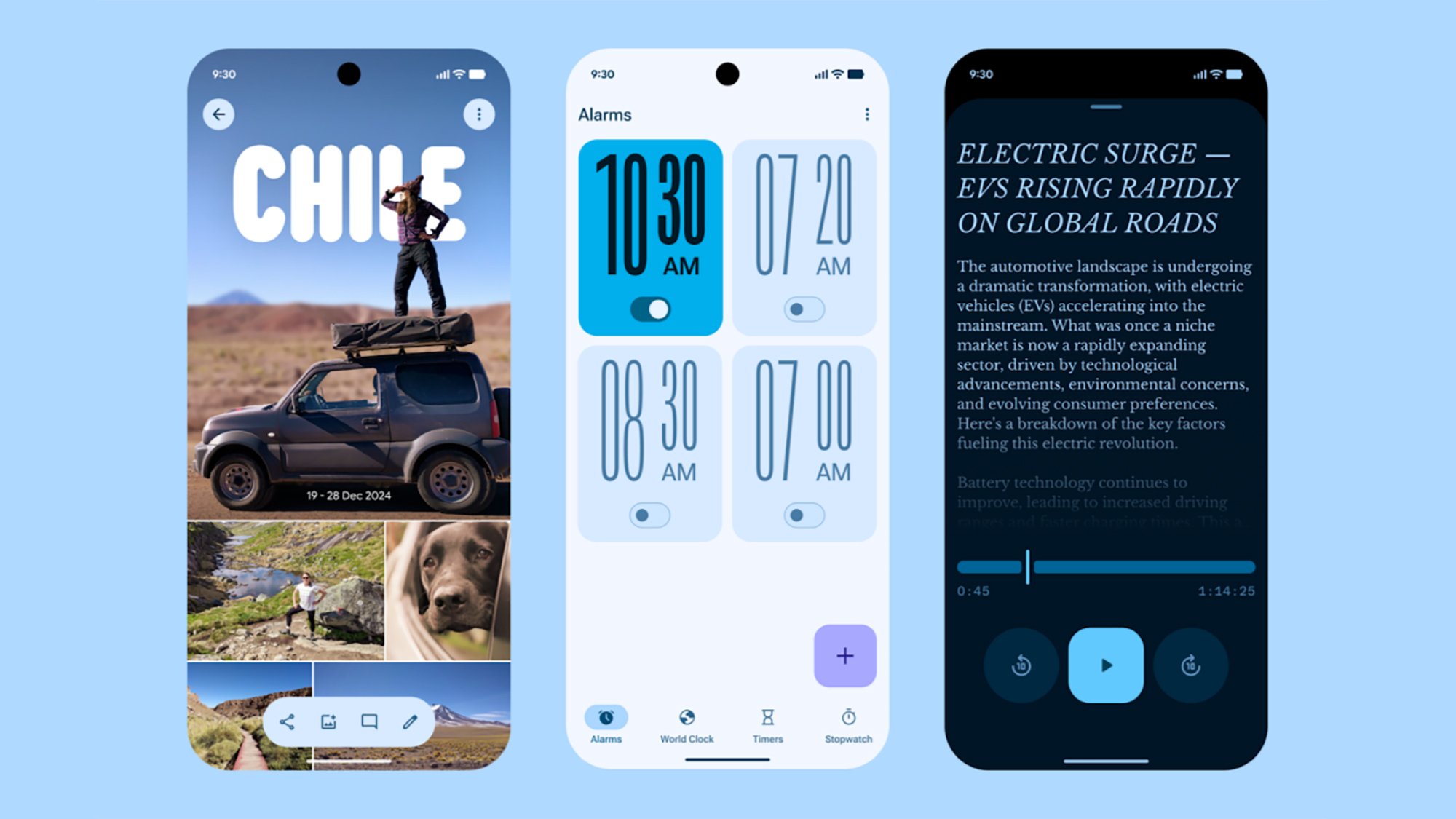
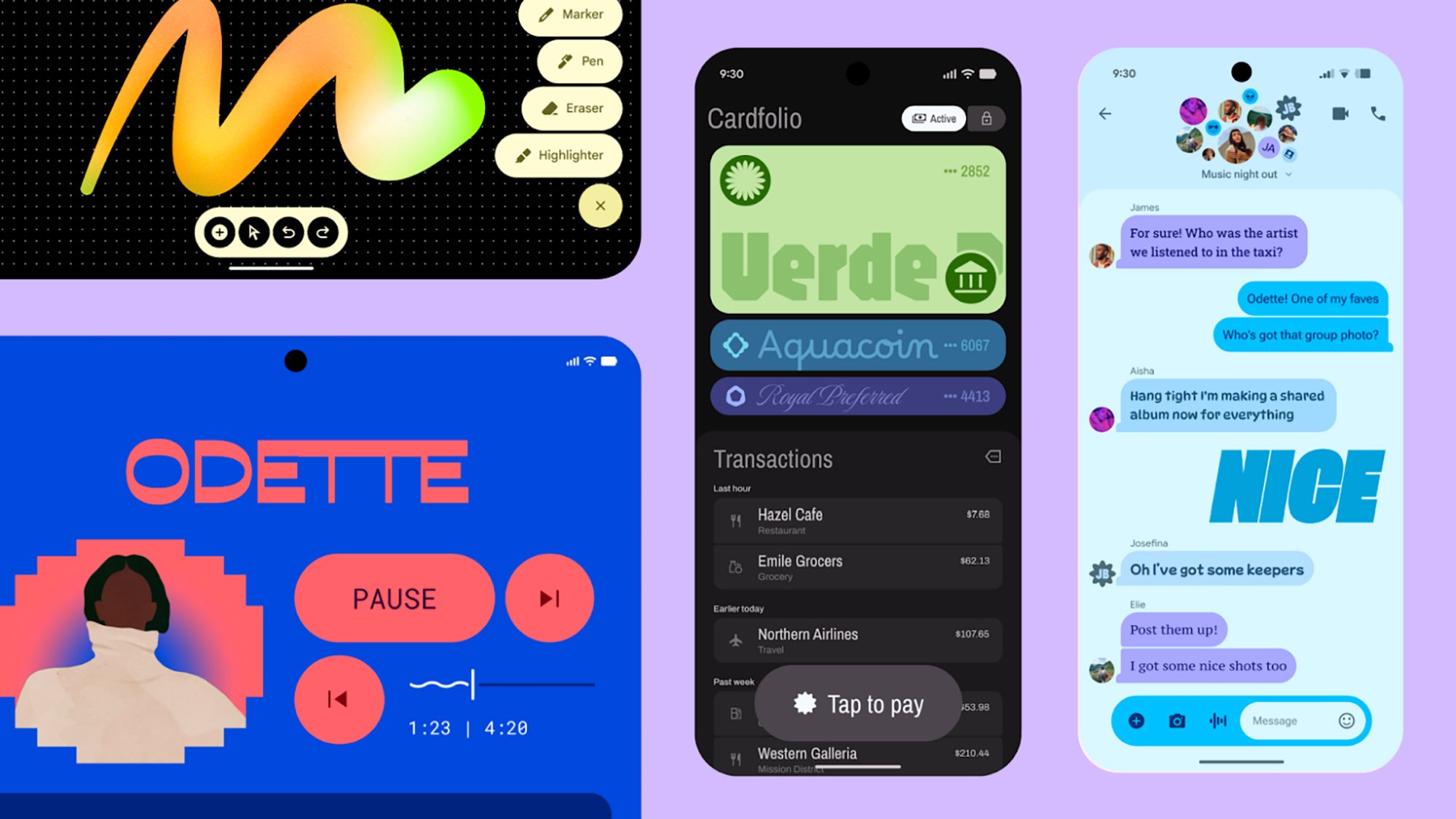
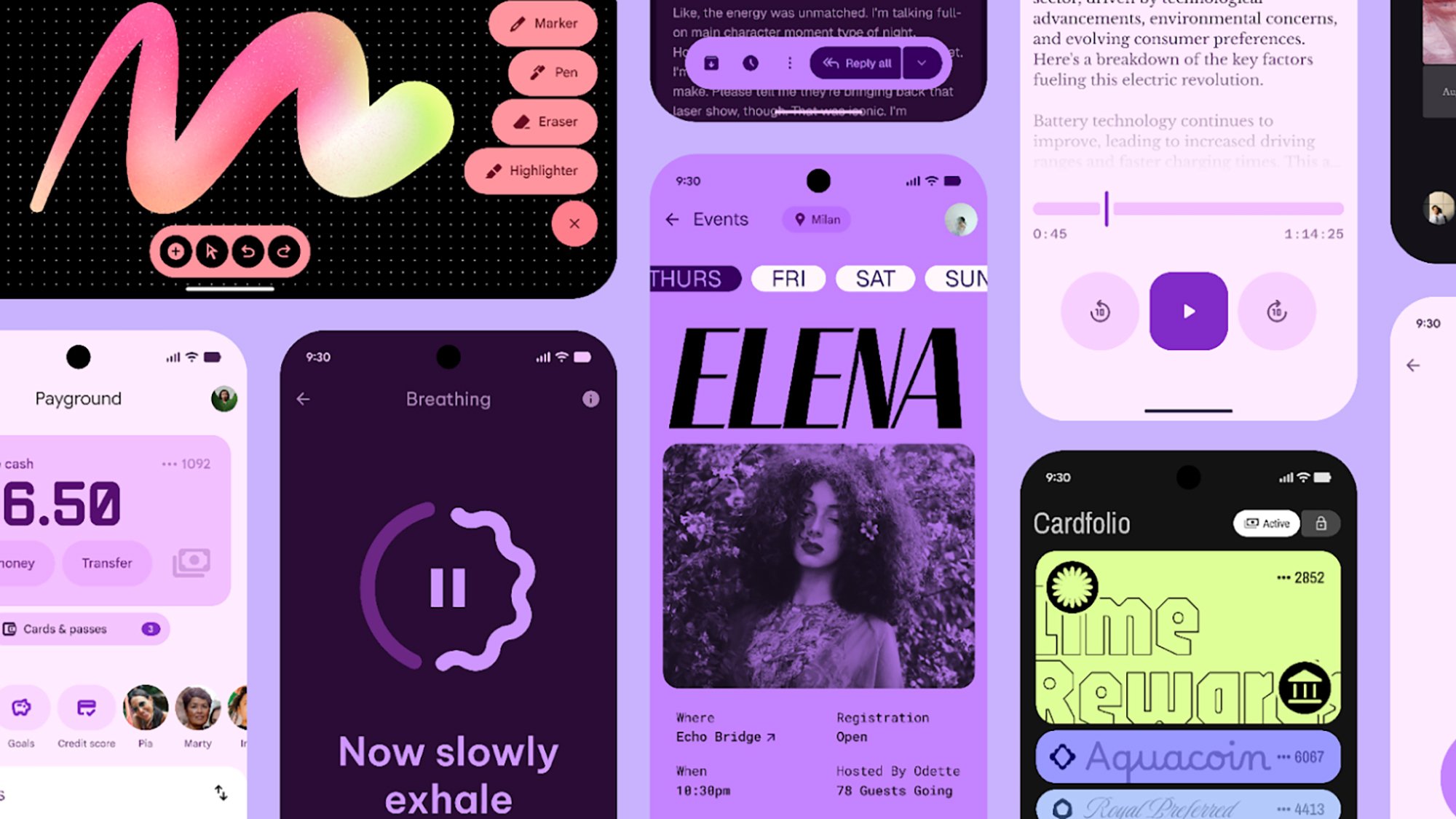
Material Design, Google’s design language for Android and Android apps, has been slowly evolving for years at this point, but Material 3 Expressive should be the biggest departure yet, adding new animations, typography and colors.

Google believes these changes make Android and apps easier to understand, while making them more appealing to young people. Based on the screenshots and clips Google shared, using Material 3 Expressive on Android 16 and Wear OS 6 has made the OSes look bouncier, more playful and fun. On Android, that also comes with the ability to add more tools to Quick Settings and apps and widgets to your home screen app grid. How much of a difference the new design language actually makes in your day-to-day life will depend on how quickly developers adopt the new style.

Gemini is coming to even more places

Gemini in Android Auto
Google

Google made Gemini the default assistant on Android and offered the multimodal generative AI’s smarts on the web and iOS. Now the assistant is making the jump to even more of the surfaces Google already controls, including Wear OS, the wearable operating system used by Samsung’s Galaxy Watches and Google’s Pixel Watches, Google TV and Android Auto.

Gemini will be able to do all of the things Google Assistant could do, like setting timers or creating reminders, but with much more flexible, natural language interactions. In Android Auto and cars with Google Built-in, you’ll also be able to use Gemini Live, Google’s tool for having live conversations with the AI about whatever topic you choose.

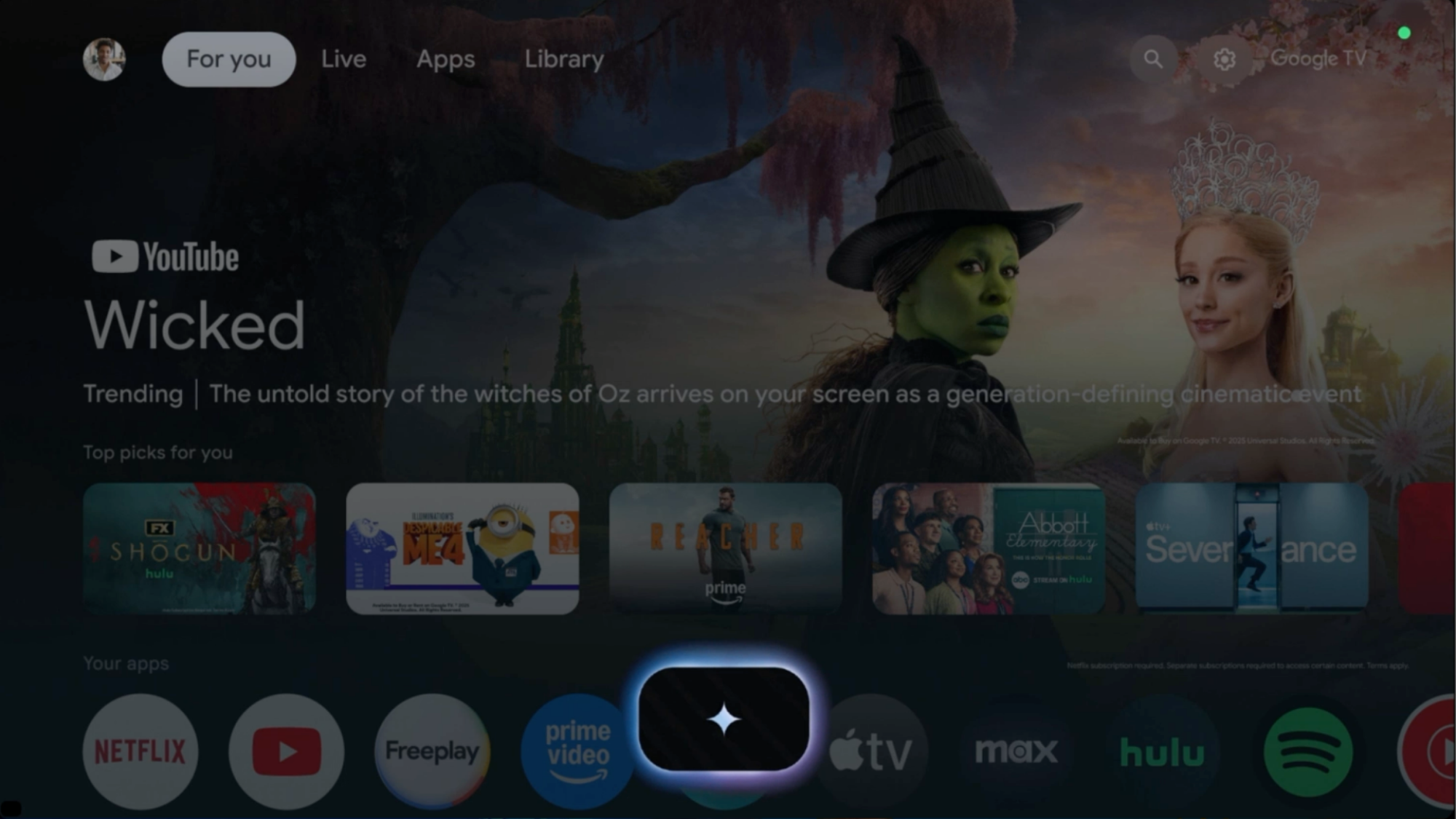
Google TV will leverage Gemini for TV and movie recommendations across your favorite genres, along with the AI assistant’s basic ability to answer questions. You could, for example, ask it for recommendations for kid shows and get information about your favorite actor.

Android is getting new security features and the Find Hub

The logo for the new Find Hub Google plans to use to track lost items.
Google

A major component of each new version of Android is improved security features, and Google has a few new features planned for Android 16. The company says it’s expanding its AI model for detecting spam texts and calls to account for new types of scams, like road toll scams.

The next version of Android will also make it possible to grant accessibility privileges on a call with an unknown contact, and a new Key Verifier tool makes it possible to swap encryption keys to verify the person you’re talking to is who they say they are.

On top of those changes, Google is expanding its Find My Device network into the new Find Hub, which can track your Android devices, compatible accessories and trackers, all in one location. Devices in Find Hub will also be able to use your phone’s satellite connectivity to make items findable even when you don’t have cell service.

This article originally appeared on Engadget at https://www.engadget.com/mobile/smartphones/everything-google-announced-at-the-android-show-174155773.html?src=rss

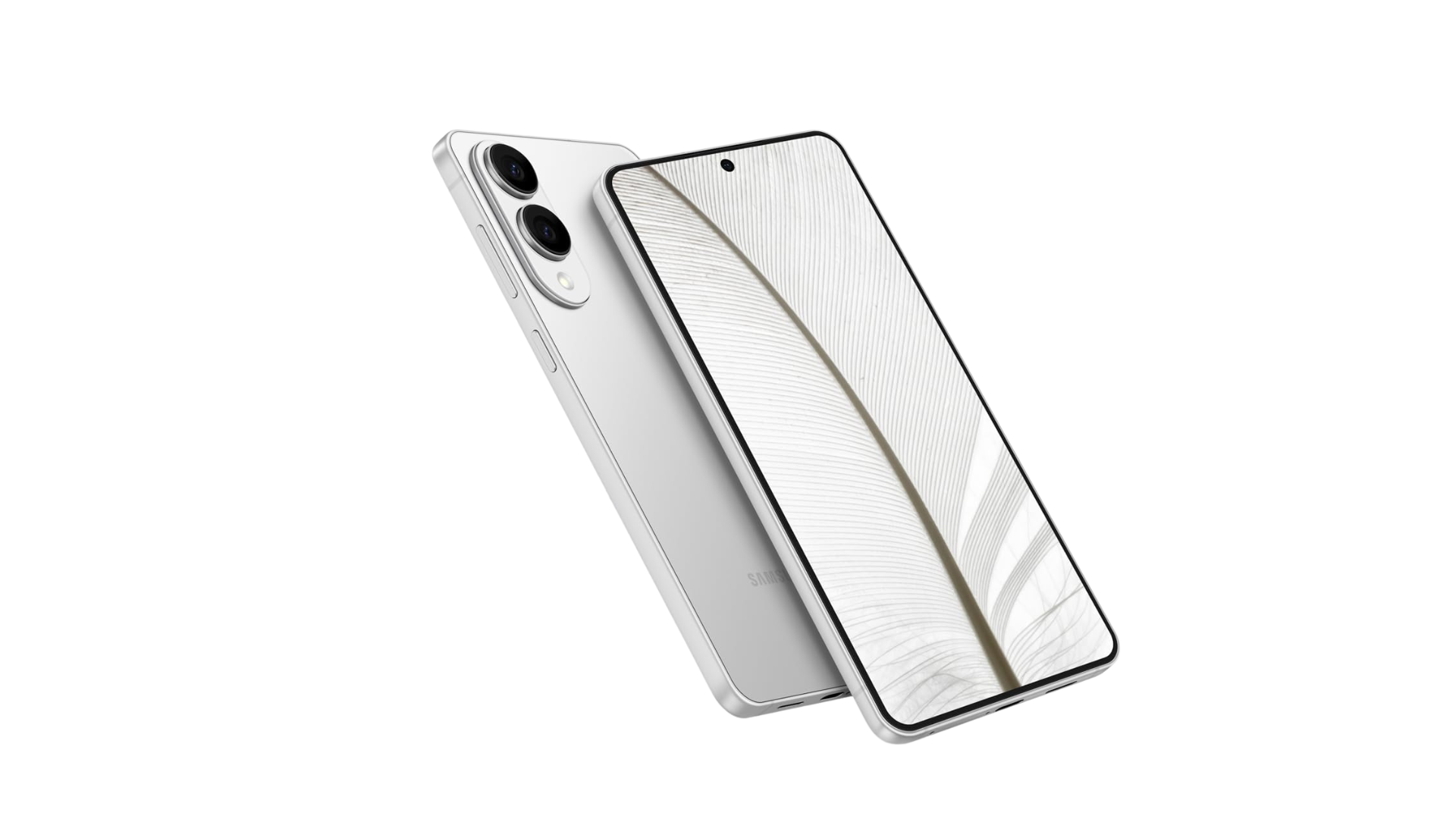
My Favorite Amazon Deal of the Day: Galaxy S25 Edge Preorders

We may earn a commission from links on this page. Deal pricing and availability subject to change after time of publication.

Samsung announced the new Galaxy S25 Series back in January, and later that same month teased a fourth, thinner phone, the Galaxy S25 Edge. It wasn’t until last week that we finally learned more about the new device Samsung is calling the “slimmest Galaxy S Series ever.”

Intrigued? You can already preorder it, and both Samsung and Amazon offering deals in the lead-up to the S25 Edge’s release on May 30.

The phone sounds like a winner: It is powered by the Qualcomm Snapdragon 8 Elite for Galaxy chip, comes with 12GB of RAM, and starts with 256GB of storage. It also has a dual camera setup with a 200 MP wide lens and 12 MP ultra-wide and front lenses. And it’s super thin at around 5.84mm.

It’s pretty sweet when retailers offer pre-order deals for flagship products. They don’t happen very often, and once the products are released, it’s rare to see a similar opportunity for at least a couple of months. Right now, both Samsung and Amazon are offering a free upgrade to 512GB from the basic 256GB option, allowing you to choose the unlocked version from among the same three colors.

But that’s where the similarities stop.

If you have a phone to trade in, go with Samsung’s offer

Samsung is offering up to $630 in trade-in credits when preordering the Samsung Galaxy S25 Edge. You can trade in more than one phone if you want as well. If you go with Samsung, you’ll also get their Samsung Care+ Theft and Loss program free for three months. Finally, if for some reason you want to upgrade again within 12 months, you’ll get at least 50% of the MSRP of the new phone.

If you don’t have a trade-in, Amazon is offering a $50 gift card

If you don’t have a trade-in or want to try your luck selling your older phone yourself, go with Amazon’s deal. You’ll get the same delivery timing and price, a one-year warranty, and a $50 Amazon gift card that Samsung doesn’t offer.

Office Apps on Windows 10 No Longer Tied To October 2025 End-of-Support Date

Microsoft has quietly extended support for Office applications running on Windows 10 well beyond the operating system’s October 14, 2025 end-of-support deadline. Microsoft 365 subscribers will now receive updates through October 2028, while perpetual license versions will follow their standard lifecycle policies — Office 2021 until October 2026 and Office 2024 until October 2029.

Windows Defender malware definitions will also continue “through at least October 2028” despite Windows 10’s imminent retirement. This reverses Microsoft’s previous stance that all Office applications would become unsupported when Windows 10 reaches end-of-life.


Read more of this story at Slashdot.

Verse VR Brings The Magic Of Poetry And Folk Song To Life

Verse transported me from the overwhelming din of a busy convention to the other side of the planet. During a quick hands-on session with this chill poetry game, I traveled to a Senegalese river village and a manicured Chinese garden, soaking up every word; every line of poetry and folk song as I wandered its immersive soundscapes.

Verse is all about texture. Highlighting curated folk poetry from every corner of the world, its painstaking attention to detail does a lot of heavy lifting to put you into the experience. Verse has you explore bespoke environments created with the help of cultural advisors and experts to help ensure that each environment measures up to the places it’s replicating. You blink around using teleportation-based movement and admire the scenery with vignette camera movement.

0:00

/1:00

Each area is peppered with glowing orbs. Pointing at them with the right controller and pressing the trigger prompts a poem, folk song, or informative pop-up to fill the screen. Songs and poetry are performed by curated voiceover artists with some serious chops, while informative bits of text like explanations about cultural flourishes and traditional musical instruments are without voiceover.

In the first level, I took a leisurely stroll through a traditional Chinese garden. Flowing poetry recited by a native speaker offered comment on moments in the garden like heartbreak, changing seasons, and the rain. Each poem lingers comfortably in the one-minute range, which makes for a hearty but digestible helping of verse. I’ve always been fascinated by the mechanics of language, so this is a rare treat. Especially for a language as famously idiomatic as Mandarin, I love looking for proper nouns in this sea of sounds I don’t recognize to anchor myself as I try to read along. Games rarely scratch this specifically nerdy kind of itch for me, so naturally, I sought out every poem in the two levels I played.

While the Chinese garden is undoubtedly cool, my time in Senegal is easily the highlight of the PAX East demo. Verse’s immersive approach to audio design shines in this more lively environment: kids giggle as they chase each other on the river bank, a rooster crows underneath a shady tree, food sizzles on a grill, and people gather around a tribal musician playing traditional music. All these sounds come together to really put me in that place and time.

Verse VR screenshot shows a Senegalese village

I wandered this Senegalese snapshot, listening to women of the village sing as they work, take care of their children, and cook. I definitely prefer this segment, if only because the poetry was set to music. And because you’re not doing much but watching the illustrations dance to the poetry as you read along, that musicality added a welcome dimension to the whole process.

That’s where my main gripe comes in… Verse has won me over with its immersion, but the shtick runs thin after a while because things just don’t really come together. Maybe I’m doing something wrong, but nothing happens after you find every poem, song, or cultural note. The world stays the same: those kids playing on the river bank run along the same canned path for the entire time you’re in the level.

I adore the picture Verse is painting thus far, but I really wish there was a greater sense of cohesion with each poem eventually feeding into a grand finale in some way. Something like listening to a specific poem bearing an effect on the world as a whole.

Verse VR screenshot shows a hall filled with tables

In its current state, Verse is rich in texture and vetted, painstaking authenticity. But while I’m impressed and would love to explore more, anyone looking for a video game might walk away underwhelmed. I can’t help but see opportunities where even a small amount of extra reward for curious players or an effort to work in some player impact on the level would make Verse significantly more engaging.

Verse VR is coming to Quest, Steam, and the Epic Games Store.

Google gives Android an animated makeover with Material 3 Expressive

Well, the leaks were right. Google is updating the look of Android and Wear OS to make its mobile and wearable operating systems more visually expressive and animated.

Google has dubbed its new design system Material 3 Expressive, and plans to introduce it when Android 16 and Wear OS 6 launch later this year. Material 3 Expressive builds on the Material You design changes Google made with the introduction of Android 12 by adding “more natural, springy animations,” a greater sense of depth, updated “dynamic color themes” and “emphasized typography.” If you’re familiar with Apple‘s approach to animation in iOS, Google seems to be using a similar philosophy here, making software elements more reactive to each other and your input, and layering in haptics so you can feel them react, too.

The new animations in Android 16 for working with notifications.
Google

The company specifically calls out the way other notifications bounce and jiggle when you pull one out of a stack in the notification shade and the haptics you feel dismissing apps in the recent apps menu, but new animations should be noticeable throughout Android 16. That’s along with what looks like an even more playful use of typography and color theming in Google’s stock apps, and a tasteful blur in the background of contextual menus. For even more personalization options, Google says the Quick Settings menu can now be customized to fit more actions, not unlike iOS 18’s Control Center. On the lock screen, apps will also have the option to display a live-updating notification, a feature Google calls “Live Updates” that is equivalent to Live Activities in iOS.

A gif showing the rounder and bouncier glances, app list and notifications from Wear OS 6.
Google

Given the smaller screen real estate, Material 3 Expressive comes across as less of a major change on Wear OS, but there are still visual changes that should be noticeable once you update. That includes new animations when you scroll through lists and glances, dynamic color-theming that matches the rest of your watch to your watch face and tweaks to notifications that make them easier to interact with. That’s on top of performance improvements that are supposed to give Wear OS 6 smartwatches up to 10 percent more battery life, according to Google.

Material 3 Expressive adds more of the quirky pizazz that has made the company’s software stand out in the last few years, but Google claims these changes are backed up by research, too. Material 3 Expressive is “the most researched update to Google’s design system, ever,” according to the company. There’s a blog digging into some of Google’s findings, but of particular note is the idea that Material 3 Expressive apps are attractive to young people — the company claims up to 87 percent of 18-to-24-year-olds prefer expressive design — while being easier to understand for people over the age of 45.

It remains to be seen whether developers take these changes in stride, but at the very least Android 16 and Wear OS 6 will be more visually exciting than anything Google’s released in years.

This article originally appeared on Engadget at https://www.engadget.com/mobile/google-gives-android-an-animated-makeover-with-material-3-expressive-170045667.html?src=rss

Android 16 adds new features for scam detection and device finding

Android 16's new Advanced Protection feature simplifies the task of managing your phone's security settings.
Android 16’s new Advanced Protection feature simplifies the task of managing your phone’s security settings.
Google

This summer’s Android 16 release will add several new and updated security measures that should make it more difficult for criminals to scam Android users or take advantage of stolen Android phones. After introducing AI features in March that detect fraudulent messages based on common language patterns, Google is working on teaching its models to recognize a wider range of text scams, such as those unpaid road toll scams you’ve probably seen this year. It’s also adding faster pattern analysis to Google Play Protect so it can unmask malicious apps more quickly.

Starting in Android 16, it will be impossible to grant certain accessibility privileges while on a call with an unknown contact. Meanwhile, the new Key Verifier feature prevents scammers from co-opting your known contacts, letting you and a trusted contact swap public encryption keys to confirm each other’s identities.

Android 16 also adds new ways to protect your phone against thieves. The Identity Check feature requires extra biometric verification to change sensitive settings outside user-designated safe locations. It launched on some Pixel and Galaxy devices in January, but Android 16 will widen the rollout. These upgrades should help protect against “shoulder surfing” device thefts and bank account breaches, in which thieves learn passcodes by watching targets unlock their phones, then steal and unlock the devices themselves. Such attacks have been vexing smartphone owners in bars and other crowded venues for years.

New anti-theft features include a security question for deactivating remote locks and more restrictions on what can be done to a device after a factory reset. If a phone running Android 16 is not unlocked or connected to Wi-Fi for a while, the lock screen will hide two-factor authentication codes received through texts.

Along with the new security features, Android 16 will centralize security under a single device-level feature called Advanced Protection. While the Advanced Protection switch is active, no feature under its umbrella can be turned off.

As a final complement to the Android 16 security updates, Google is expanding its Find My Device feature into Find Hub, a dashboard that can locate basically any object with smart capabilities or a bluetooth tag. Find Hub can use ultra-wide band (UWB) on compatible devices to narrow down more precise locations, and can also communicate via satellite so its features work outside cell range.

This article originally appeared on Engadget at https://www.engadget.com/cybersecurity/android-16-adds-new-features-for-scam-detection-and-device-finding-170037778.html?src=rss

Google is bringing Gemini to Wear OS, Android Auto and more

Google is bringing Gemini to more devices. During Tuesday’s airing of The Android Show: I/O Edition, the company said its family of AI models would soon power the conversational experiences on Android Auto, Wear OS, Google TV and beyond. I know what you’re thinking: don’t those platforms already come with Google Assistant? They do, but Google is promising Gemini will make every device it comes to more conversational.

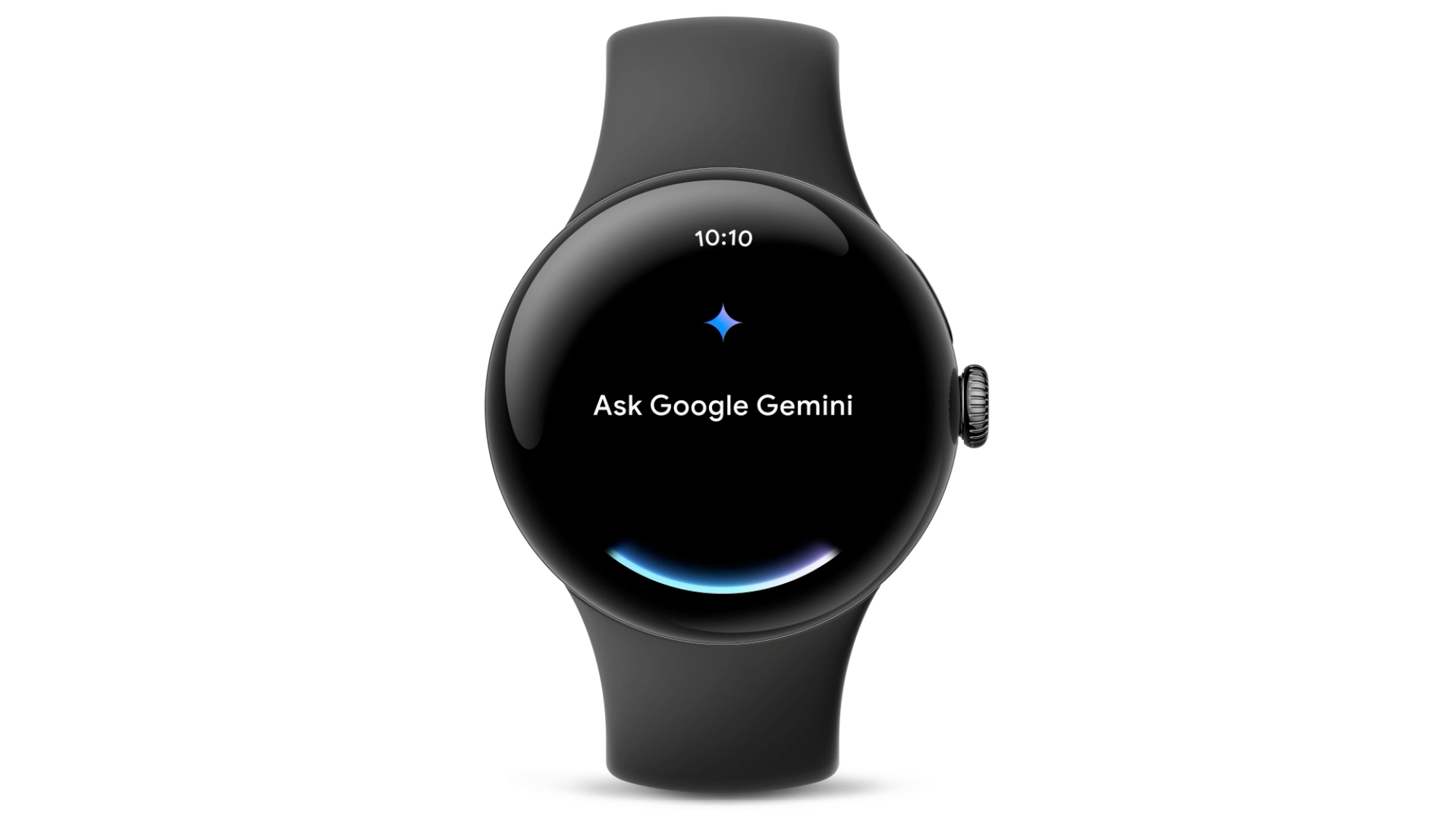
For instance, once Gemini arrives on Wear OS, Google says you won’t need to get the wording of your request just right for the software to understand you. Instead, you can say something like “Remember I’m using locker 43 today,” and Gemini will know to set a reminder for you. Google is promising similar enhancements on Android Auto, where Google Assistant has been an important part of the experience for years.

“Soon, Gemini will upgrade that experience by understanding what you want while you’re driving, through natural conversations,” the company says. “So instead of focusing on the perfect prompt or tapping the right button, you can stay focused on the road ahead.” 

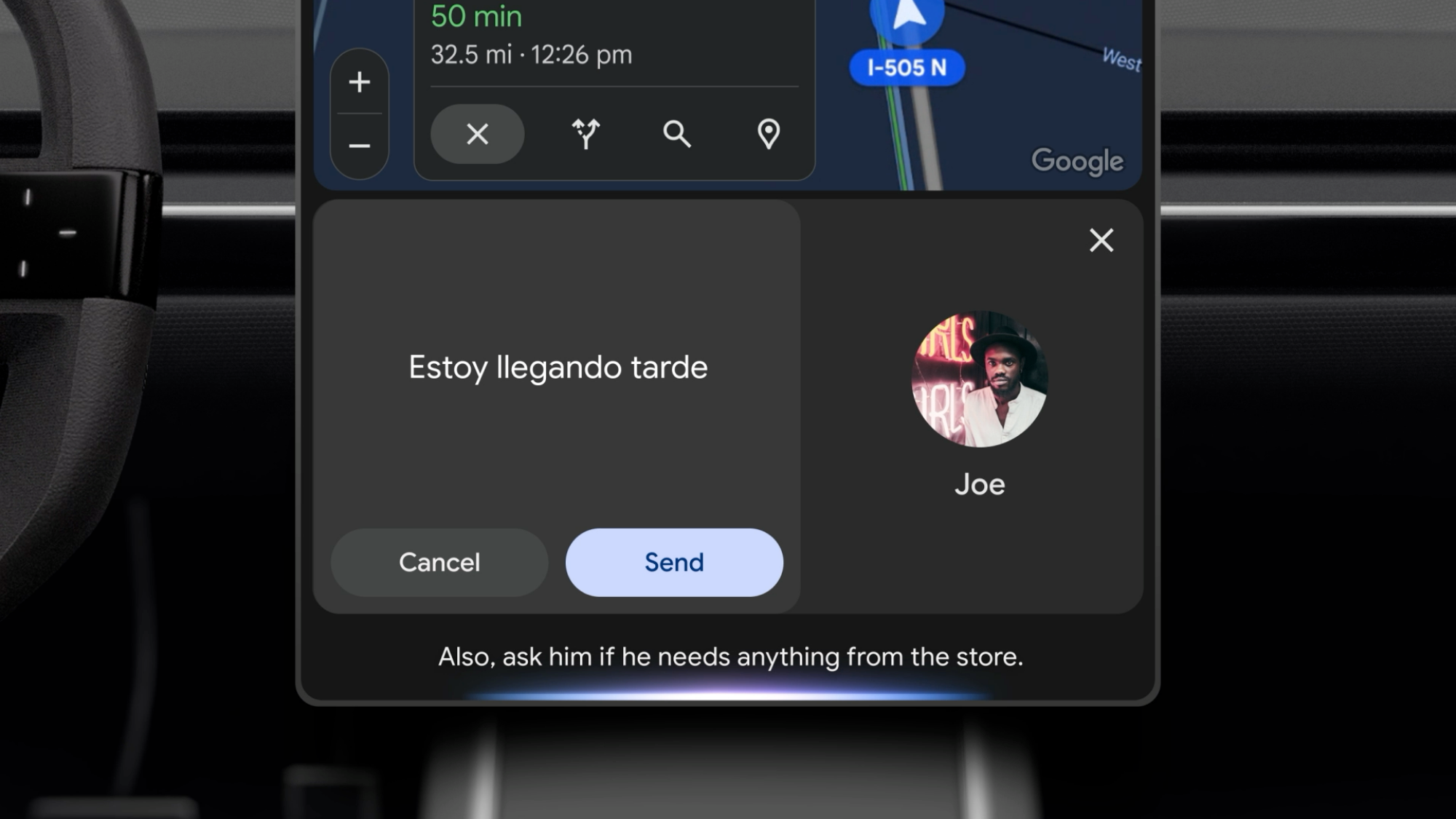
In practice, that means Gemini will be able to do things like summarize text messages for you and translate them into more than 40 languages. With its ability to “remember” things, you can do things like tell Gemini to always send messages to a specific friend in Spanish, even though you might not speak the language. Google will start rolling out Gemini to Android Auto in the coming months, with cars with Google built-in to follow later this year.

Elsewhere, Google is building Android XR from the ground up with Gemini built-in. “When the first headset from Samsung launches later this year, Gemini can help you do things like plan a vacation by surrounding you with videos, maps and local tips, creating an entire itinerary in minutes while providing a more realistic feel for the place you’re researching,” the company says.

In the coming months, Google will also bring Gemini to Google TV. As you can probably guess, here Gemini will augment recommendations. Specifically, you can expect better age-appropriate suggestions for your kids. The model will also give Google TV the capability to answer any questions your children might have about what they’re watching.

Last but not least, Google says Sony and Samsung will bring Gemini to some of the new earbuds the two companies plan to release this year and into the future. No details yet on what to expect there, but like on Wear OS and Android Auto, presumably the addition of Gemini will help make those earbuds better at understanding what you say to them.

This article originally appeared on Engadget at https://www.engadget.com/ai/google-is-bringing-gemini-to-wear-os-android-auto-and-more-170028033.html?src=rss

Google Just Unveiled a New Look for Android

Google has unveiled a major update to its Material 3 design language, which guides the visual appearance of apps across Android and the web. Called Material 3 Expressive, the new look is intended to make software “more engaging and easier to use,” and is quite a departure from what’s gone before.

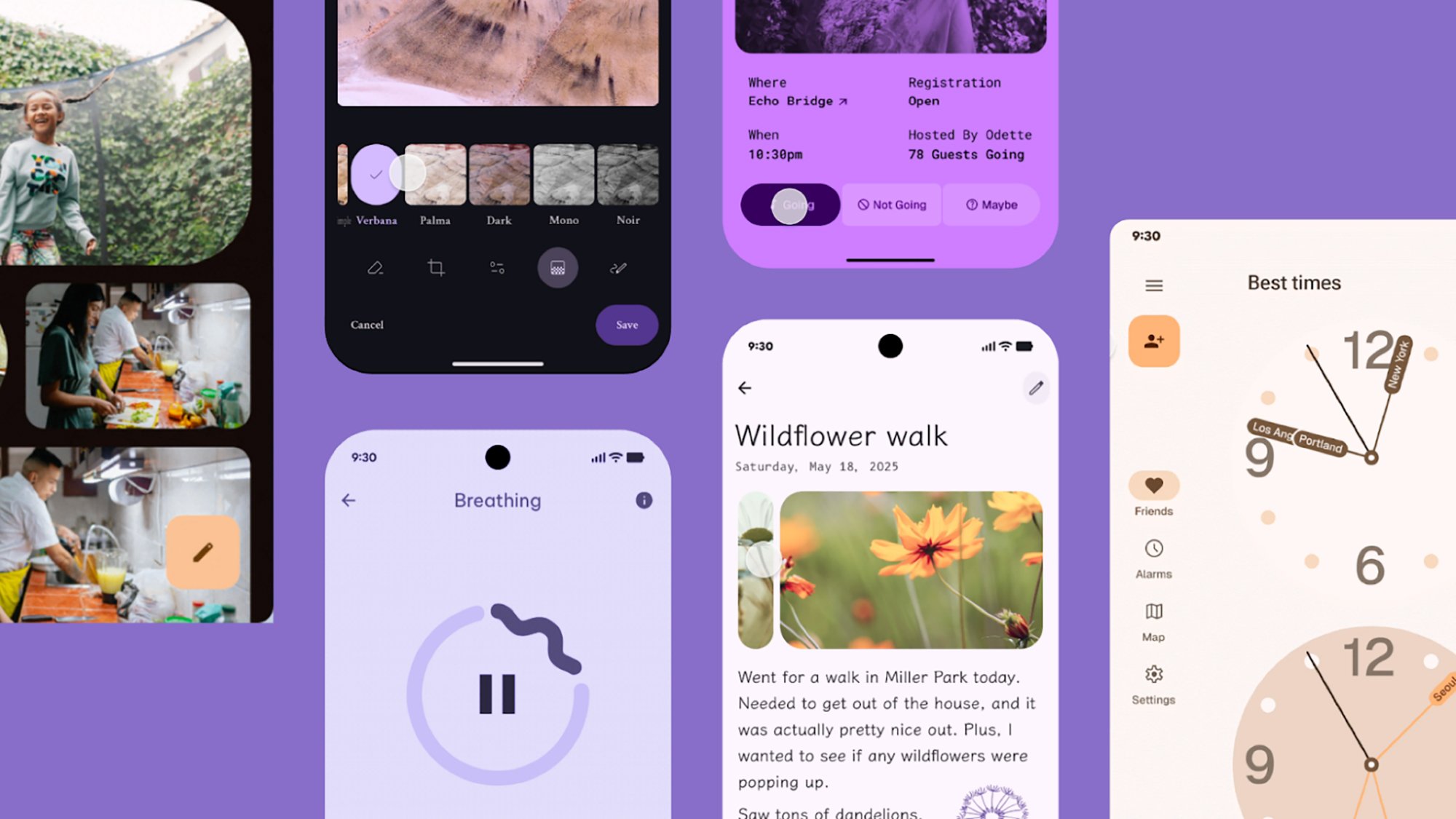
It’s not easy to sum up what Material 3 Expressive is, but you can see a few of Google’s example screenshots included in this article. Google says that expressive design is design that “makes you feel something” when you use it. “Expressive interfaces have an emotional impact, fostering connection by evoking a feeling or mood through visual design and interaction,” as per the official announcement blog post.

Material 3 Expressive
The new update covers colors, fonts, and shapes.
Credit: Google

What that actually looks like is bolder colors, more creative use of typography, more flexibility in terms of shapes, and animations that are now more natural and fluid. You can expect to see Material 3 Expressive start showing up in Google’s own apps, and it’s encouraging app developers to adopt the look, too. We should also hear more about the update at Google I/O 2025, which gets underway on May 20.

As you can see from the attached pictures, a fresh batch of text styles have been introduced to help add flair to apps and draw your attention to important functions and features—whether that’s a recording button or an unread message. There are also dozens of new shapes, and new morphs for switching between them.

Material 3 Expressive
More Material 3 Expressive examples from Google.
Credit: Google

Animation effects, meanwhile, are intended to look more realistic and more logical than before. Colors have been updated to be richer and more dynamic, and as with the other improvements, the thinking with the new color schemes is that users are better able to find their way around apps and see where key features are.

Google is encouraging app developers to combine these colors, shapes, text styles, and animations to be more creative in their designs. “Makers have more flexibility with M3 than ever before, so we encourage you to play around with these elements and see what works for you,” says Google.

Backed by user research

The revamped Material 3 Expressive design covers most aspects of a software interface, including navigation bars, progress indicators, app controls, carousels, and floating action buttons (known as FABs). However, Google has specifically said this isn’t a generational leap to Material 4, but rather an evolution of the existing Material 3 aesthetic.

The initial spark behind Material 3 Expressive was apparently to “dial up the feeling” and make mobile and web apps less homogeneous. While there are quite a few guidelines to take in here for developers, Google is also keen to see more variety and more experimentation—including “hero moments” that “break from predictable or uniformly applied design ideas.”

Material 3 Expressive
The new look has scored highly in testing, Google says.
Credit: Google

And there’s plenty of research behind the new look. According to Google, Material 3 Expressive is based on 46 different studies covering more than 18,000 participants, who were asked to rate visuals in categories including playfulness, energy, creativity, friendliness, and modernity.

A combination of surveys, experiments, and even eye-tracking tests were deployed to get Material 3 Expressive looking the way it does. It’s also an update that’s been three years in the making, so the shapes, colors, and text you see here have been tweaked and refined over a long period of time—and no doubt will stay in place for several years, before we get the next overarching visual refresh.

Material 3 Expressive
Expect to see refreshes for your favorite apps soon.
Credit: Google

The new look has been a hit with users of all ages, according to Google. As per its research, the new design guidelines make interfaces easier to use, and result in apps that users are more likely to switch to as well. Key UI elements are apparently up to four times easier to spot in apps that follow the Material 3 Expressive templates.

Whether or not you’re a fan of the Material 3 Expressive look, it’s on the way to Google’s suite of apps across mobile and the web. Google has now released design kits for developers to start playing around with, too, so third-party apps should also start adopting the visual refresh in the near future.

Google Is Putting Gemini AI Into Smartwatches, Cars, and TVs

Google’s Gemini AI is going beyond Android phones, the company officially announced today, prior to its Google I/O 2025 conference later this month. Specifically, Google says it will bring the AI assistant to smartwatches, cars, TVs, and even mixed reality headsets. This is a significant step forward for its Gemini push, as it’ll allow people to use the service on almost all devices in the Google ecosystem. 

Gemini on Wear OS devices

Google Gemini on smartwatch

Credit: Google

The goal of Gemini on your smartwatch is to ensure you’ve always got your AI assistant with you, so you can ask questions while you’re cooking, biking, or doing the chores as your phone charges. Google says you can use Gemini to set reminders, and it’ll be able to use contextual information such as your location to give you correct answers. The company adds that you can ask Gemini to remind you about a restaurant reservation mentioned in your email inbox, or to remember which locker you’re using at a gym, right from your Wear OS smartwatch. Gemini for smartwatches is planned to arrive “in the coming months.”

Gemini in your car

Gemini n Android Auto example

Credit: Google

Google Assistant for Android Auto has been among the most useful features for drivers who want to stay hands-free, and now the company is upgrading it to Gemini. This will be available to every car that supports Android Auto or has Google built-in. The company says this will help people by letting them use natural language to control their cars, reducing distractions. You won’t have to think of the right voice prompt to get the results you need, Google claims. 

As far as real-world use cases go, Google suggests that you could ask Gemini for a daily news rundown while excluding certain topics, or you could have Gemini summarize your text messages, then reply to them for you— even translating them to another language if you like. As for helping you with your trips, Google suggests you could ask the AI to help you find points of interest along your route, such as a charging station near a park.

Gemini is coming to Android Auto “in the coming months,” and it’ll be available for cars with Google Built-in after that. I’m curious how helpful this will really end up being, because in some use cases, Gemini has been a bit slower for me than non-AI control.

Gemini on TV and other devices

Gemini on Google TV

Credit: Google

Gemini is also coming to Google TV, where the company says it will help you find the right kind of content. For instance, you could ask it to find “action movies that are age-appropriate for kids,” and it’ll serve you up a list of AI-assisted recommendations. Alternatively, the bot could supposedly answer questions by sharing a few words, then linking to relevant YouTube videos. Sounds great, as long as the AI doesn’t hallucinate or accidentally send your kid down a misinformation rabbit hole.

Gemini is also planned for a few other devices, including eventual Android XR mixed reality headsets. The company said Samsung will launch the first Android XR headset later this year, and that it will ship with Gemini included. Some earbuds from Sony and Samsung will also get Gemini support, but the launch timeline is unclear for those devices.