
Today’s Linux benchmarking at Phoronix is looking at how the Intel Core Ultra 9 285K performance has evolved since its launch last October. Taking the launch-day benchmarks from October with the same hardware, we are revisiting the Intel Arrow Lake performance under Linux today using the newest system BIOS and the newly-released Ubuntu 25.04 for seeing how the performance has evolved roughly over the past half-year.
Monthly Archives: April 2025
GNOME, Microsoft, and GitHub: The Lack of Reporting on Abusive Colleagues Contributed to Profound Media Vacuum (or Blackout), Now Resorting to SLAPPs
This lack of morality/courage has helped enable further abuse, lining up more victims
Sony’s PS5 Pro Spills Its Guts Oozing With Liquid Metal In Official Teardown

To showcase some of the improvements implemented in the PlayStation 5 Pro, Sony has posted an official teardown of the upgraded console. Performed by engineers Shinya Tsuchida, PS5 Pro Mechanical Design Lead, and Shinya Hiromitsu, PS5 Por Electrical Design Lead, the teardown offers a “deep dive into the console’s innovative technology and
Why Free-Market Republicans Are Embracing a Surprisingly Green Cause

The right to repair can reduce emissions and pollution. But for conservatives, it’s “a freedom and liberty issue.”
GCC Compiler Adds Targeting Support For XuanTie RISC-V CPUs
One of the early features being merged for what will become the GCC 16 compiler following last week’s GCC 15 code branching is CPU targeting support for the XuanTie RISC-V processors…
Meta Revealed The 50 Best-Selling Quest Games Of All Time
Meta has revealed the 50 best-selling paid Quest games of all time in a new section of the Meta Horizon Store.
Unsurprisingly, Beat Saber holds the #1 spot. Arguably the best-known paid VR game of all time, including people who don’t own a headset, Beat Saber has become somewhat of a cultural phenomenon. By 2023 it had grossed over $250 million, though that figure included DLCs.
Position #2 and #3 are held by VR classics Job Simulator and Superhot VR respectively, both of which have been around since the dawn of consumer VR tracked controllers in 2016, and are often seen in top-selling lists on other platforms like PlayStation VR2 and Steam. Other classic titles in the top 10 include The Thrill of the Fight, Onward, and Vader Immortal Episode 1, while Blade & Sorcery: Nomad holds #4 as the standalone adaptation of the PC VR classic.
It’s also notable that Guy Godin’s Virtual Desktop is at #6. While it also lets you use your PC on a flat virtual screen, and even spawn virtual side monitors since last year, its flagship use case is turning your Quest into a wireless PC VR headset, and this has been a feature since before Meta’s own Air Link or Valve’s Steam Link even existed.
While the list ostensibly charts the entire Quest platform since the original Oculus Quest launched in 2019, lower down in the ranking you can find hints of the rapidly shifting age demographic of Quest owners the industry has been grappling with over the past year. Among Us 3D, for example, is at #7, while I Am Cat, which originally launched in early access just 11 months ago, holds #23.
Here’s Meta’s full list of the best-selling Quest titles of all time:
- Beat Saber
- Job Simulator
- Superhot VR
- Blade & Sorcery: Nomad
- The Thrill of the Fight
- Virtual Desktop
- Among Us 3D
- Onward
- Vader Immortal Episode I
- The Walking Dead: Saints & Sinners
- BONELAB
- Creed: Rise to Glory
- Vader Immortal Episode III
- Five Nights at Freddy’s: Help Wanted
- Vader Immortal Episode II
- Population: One
- GOLF+
- Eleven Table Tennis
- Drunkn Bar Fight
- Walkabout Mini Golf
- GORN
- Contractors
- I Am Cat
- Resident Evil 4
- Pistol Whip
- NFL Pro Era
- Vacation Simulator
- Wander
- The Thrill of the Fight 2
- Ghosts of Tabor
- Real VR Fishing
- A Township Tale
- The Climb 2
- Waltz of the Wizard
- Fruit Ninja
- Star Wars: Tales from the Galaxy’s Edge
- Hand Physics Lab
- Arizona Sunshine
- Pavlov Shack
- Gun Club VR
- I Expect You To Die
- I Am Security
- Warplanes: WW1 Fighters
- The Room VR: A Dark Matter
- Shave & Stuff
- The Climb
- SKYBOX VR Video Player
- Angry Birds VR: Isle of Pigs
- Moss
- Please, Don’t Touch Anything
Blue Check Verification Is Coming to Bluesky
It’s the old days of Twitter all over again: Bluesky is launching an official verification process for awarding the blue check mark to “notable” user accounts, adding to the platform’s existing option to self-verify using an owned domain.
Since 2023, Bluesky has allowed individuals and organizations to “verify” their own accounts by setting their domain as their user name—NPR is @npr.org, for example, and NPR journalists are on the subdomain @name.npr.org—in a decentralized approach to signaling authenticity and building trust.
Because connecting a domain required users to own or have access to that domain, this was one way of proving identity. However, Bluesky still saw a rash of fake and impersonator accounts, as self-verification required users to know (or investigate) which domains were real and trustworthy. Bluesky will soon launch a more centralized verification process that requires accounts to be reviewed and approved by platform moderators.
Verification exists in various forms across other social platforms, ranging from pay-to-play on X (replacing the legacy verification process for notable and authentic accounts) to Instagram’s applications for accounts representing a “well-known, highly searched-for person, brand or entity” that has been featured in multiple news sources.
How Bluesky verification works
According to a blog post announcing the change, Bluesky’s moderation team will “proactively verify authentic and notable accounts,” which will then have a blue check mark displayed next to their names.
In addition, select organizations will have the power to issue blue check marks directly through the Trusted Verifiers feature—for example, The New York Times will be able verify its individual journalists. Bluesky’s moderators will still review each verification, and other users will be able to see which organization granted it by tapping on the blue check.
For now, individuals and organizations cannot apply to be verified, though Bluesky expects to open requests for verification and Trusted Verifier status at some point in the future “as this feature stabilizes.” Users can still self-verify using domain names.
If you prefer, you can hide verification in the Bluesky app under Settings > Moderation > Verification Settings.
Insta360 X5 camera hands-on: Bigger sensors, improved low light performance
The Insta360 X5 ($550) is the company’s latest 8K 360 action camera and, while it remains a different proposition to traditional action cams, it is more powerful, more reliable and easier to use.
The X5 has a larger 1/1.28-inch sensor compared to the X4‘s 1/2-inch sensor, ensuring more detail and a notable boost to low-light performance. The issue with wide-angle camera capture is that detail gets lost, especially in low-lit settings. The specification upgrades this time around reduce that substantially, including up to 13.5 stops of dynamic range.
Over the years, I’ve tried to incorporate 360-degree cameras into my workflow, using them both on vacation or at events. However, a lot of the content I capture is either during the evening or in a dark venue, literally the main weakness of these kinds of cameras. In a bid to address those shooting conditions, Insta360 introduced a new PureVideo mode that with AI noise reduction and dynamic range optimization for clearer, brighter footage in low-light conditions. It’s not perfect, but it moves dim video from unusable to decent, if not outright good. With a 5nm AI chip and two imaging chips, the X5 can also now capture Active HDR on footage at up to 5.7K 60 fps.
Image by Mat Smith for Engadget
This chip array also reduces processing time. Insta360 doesn’t specify how much faster, but anecdotally, on-device processing and file transfers to my smartphone were noticeably faster. Videos are saved almost instantly onto the camera, while saving several short clips to my phone took around 30 seconds, compared to minutes on previous devices.
While the X5 doesn’t offer higher resolution video than its predecessor, it packs in even more shooting options, like InstaFrame, which is fast becoming my go-to shooting mode. InstaFrame can record a typical “flat” video and a 360-degree video at the same time. The notion is that this gives an “instantly shareable” flat video, with no reframing or heavy editing needed.
But when you do have to, Insta360’s companion smartphone app has been further improved, with some incredibly useful editing tools. You can re-edit 360-degree video to focus on the user, or force a single view. It’s all quite intuitive too, which is a trait that shouldn’t be ignored.
Image by Mat Smith for Engadget
The X5 an incredibly versatile tool, and there’s something to be said for a camera that can capture everything. However, in less favorable conditions (or when you’re not the camera person), you might prefer the simpler settings and shooting methods of a traditional action camera.
The X5 does perform better in lower light, but it doesn’t quite match the improvements we’ve seen in low-light smartphone photography in recent years. Despite my cautiously walking around in the late evening to capture low-light footage, there was a vibration after-effect as the camera struggled to stabilize the footage. This can be reduced by staying still, but even with PureVideo (which can also be a little too aggressive addressing noise), it’s not quite there yet. I will continue to test the camera and provide further impressions. Insta360 pushed a firmware update to the X5 hours before I published this story, adding 4K60fps recording in single-lens mode, and several resolution bumps across other recording modes.
Design-wise, you have to get up real close to tell the difference between the X5 and the X4. They’re largely the same size, although Insta360 has switched to a polygon effect on the front, with a panel for the mic (and a new mesh wind guard).
The battery compartment and microSD slot are secured with a double latch where the microSD slot lives, and are protected by solid covers with sliding locks. Both sides of the camera have a grippy texture, with record and mode buttons nestled under the screen.
With the same threaded mount, Insta360’s existing selfie sticks will work with its latest camera, although fast-chargers and cases won’t, due to hardware changes. The most important thing: Insta360’s bullet time effect is still here – if you have the right peripheral.
Most of the settings adjustments, like its predecessors, are found in pull-down menus from, well, pretty much every side of the screen. Swiping right will take you to the gallery, while manual camera options are a left swipe away. Toggles and lock settings are located in the dropdown menu. There’s a lot, but if you’ve used a smartphone, you should find the basic navigation familiar.
Image by Mat Smith for Engadget
There’s a whole list of smaller notable hardware improvements on the X5 compared to the predecessor, too:
-
Scratch-resistant glass lenses —- which are replaceable
-
Larger capacity battery that lasts up to 180 minutes
-
Faster-charging battery (0 to 80 percent in 20 minutes)
-
New built-in steel mesh wind guard
-
IP68 waterproofing up to 49 feet
-
Magnetic mounting system
-
‘Twist to shoot’ record feature, to initiate recording by twisting a connected selfie stick
The Insta360 X5 is now on sale, priced at $550, with an Essentials Bundle also available for $660. The bundle includes an extra battery, fast-charge case, “invisible” selfie stick, lens guards and a carry case. That’s $50 more than the Insta360 X4 was at launch. The improvements to both low-light performance and new shooting modes may be worth the price increase, but don’t expect crisp 4K (or 8K) video if light is an issue.
Competition in this category remains relatively limited. Ricoh continues its Theta series, with a similar camera form factor, but seems to focus on stills more than video, while GoPro’s Max 360 camera lacks features like traditional 4K video capture, let alone 8K recording. The best alternatives are arguably Insta360’s other 360 cameras, like last year’s X4.
While there are less major spec and design changes compared to last year, the Insta360 X5 is another step forward for this type of camera, both in terms of imaging and in simplifying how you share what you capture.
This article originally appeared on Engadget at https://www.engadget.com/cameras/insta360-x5-launch-date-price-hands-on-132439941.html?src=rss
FTC sues Uber over difficulty of canceling subscriptions, “false” claims
The US Federal Trade Commission has sued ride-hailing app Uber, saying it made “false or misleading” claims about its subscription service, in the latest sign that Donald Trump’s administration is embracing an aggressive stance against Big Tech groups.
The regulator alleged the company’s Uber One service failed to deliver promised savings and proved difficult to “cancel anytime” as promised, according to a complaint filed in a California court on Monday.
“Americans are tired of getting signed up for unwanted subscriptions that seem impossible to cancel,” said FTC chair Andrew Ferguson. “Uber not only deceived consumers about their subscriptions, but also made it unreasonably difficult for customers to cancel.”
Google Messages starts rolling out sensitive content warnings for nude images
Google Messages has started rolling out sensitive content warnings for nudity after first unveiling the feature late last year. The new feature will perform two key actions if the AI-based system detects message containing a nude image: it will blur any of those photo and trigger a warning if your child tries to open, send or forward them. Finally, it will provide resources for you and your child to get help. All detection happens on the device to ensure images and data remain private.
Sensitive content warnings are enabled by default for supervised users and signed-in unsupervised teens, the company notes. Parents control the feature for supervised users via the Family Link app, but unsupervised teens aged 13 to 17 can turn it off in Google Messages settings. The feature is off by default for everyone else.
With sensitive content warnings enabled, images are blurred and a “speed bump” prompt opens allowing the user to block the sender, while offering a link to a resource page detailing why nudes can be harmful. Next, it asks the user if they still want to open the message with “No, don’t view,” and “Yes, view” options. If an attempt is made to send an image, it provides similar options. So, it doesn’t completely block children from sending nudes, but merely provides a warning.
The feature is powered by Google’s SafetyCore system which allows AI-powered on-device content classification without sending “identifiable data or any of the classified content or results to Google servers,” according to the company. It only just started arriving on Android devices and is not yet widely available, 9to5Google wrote.
This article originally appeared on Engadget at https://www.engadget.com/apps/google-messages-starts-rolling-out-sensitive-content-warnings-for-nude-images-130525437.html?src=rss
Here’s How DIG VR On Steam & PlayStation VR2 Compares To Quest
With DIG VR launching on Steam and PlayStation VR2 soon, we’ve been given an early look at how it compares with the Quest version.
It’s been five months since we visited the Diglington on Quest, and we enjoyed the arcade-like light simulator back in November. Awarding it 3.5/5 stars, our DIG VR review believed it delivered an “enjoyable premise” with great humor with some drawbacks. Now, it’s found new land ready for excavation as Just Add Water and Wired Productions bring it to new platforms.
Going hands-on before next week’s launch, we’ve spent roughly an hour on both Steam and PlayStation VR2 to see how these ports hold up. For comparison purposes, you can find direct gameplay footage below and each video takes place in the first post-tutorial mission, Fishy Business on the Old Diglington Estate.
By Quest 3 standards, DIG VR visually still holds up well and our feelings remain unchanged from the original review. What’s here remains vibrant, colorful and polished on standalone VR hardware, and it’s not particularly different when using a Quest 2.
Next up is the PC VR release on Steam, which features four different visual presets, going from ‘Low’ to ‘Ultra’. As someone with a higher end PC VR setup, I found a welcome, albeit minor upgrade. You can tell it was initially designed for lower-spec hardware and the textures aren’t more detailed than on Quest, which is disappointing if you were hoping for a more sizable upgrade.
PC Specs And Headset Used
My desktop uses an Intel i9 16-Core Processor i9-12900 (Up to 5.1GHz), 32GB RAM – Corsair VENGEANCE DDR5 5200MHz, and a 16GB Nvidia GeForce RTX 4070 Ti Super. The Steam comparison was conducted using a Meta Quest 3 via Virtual Desktop. The minimum system requirement specs can be found on Steam.
That said, there are other improvements with the increased render scale making textures and resolution look considerably sharper in the headset. Though I never had any framerate issues on Quest, it certainly feels smoother on PC VR by comparison. Your performance will naturally vary depending on your PC specs, but here’s how it runs on ‘Ultra’ settings.
The PlayStation VR2 version feels largely on par with the PC VR release, but there are some extras worth considering. Wired Productions confirmed DIG VR is running on Sony’s console at 90fps with eye-tracking support and controller haptic feedback.
Directly capturing footage through the PS5 when the Lo-Fi channel plays is blocked, forcing me to settle for other tunes. You can see that in action below.
I’m also pleased that task icon sizes have been decreased unless you directly look at them, reducing potential screen clutter. More VR games would benefit from less UI where possible; it’s challenging to feel immersed when all you can see is flatscreen-derivative HUD displays. DIG VR achieves this in a way that doesn’t feel detrimental to the actual gameplay.
Not much else has really changed since launch beyond December’s Winter Update, which added new customization content, new radio stations, and the pleasing addition of a time trial mode. It’s an entertaining light sim that feels incredibly silly in a good way, though it can still feel tedious in longer stints. That’s backed up with a strong British sense of humor.
For DIG VR, I prefer the wireless gameplay trade-off that Quest 3 provides, though the upgrades are just enough that I’d consider sticking with Steam via Virtual Desktop. Even then, the PlayStation VR2 version holds up well with its headset-specific enhancements and improved performance. Ultimately, there’s not that much in it and I wish they’d taken advantage of these higher-spec platforms more, so you aren’t missing out by choosing one platform over the other.
DIG VR is available on Quest now, and it’s coming to PlayStation VR2 and SteamVR on April 29.
DIG VR Review: This Humorous Light Sim Has Its Charms
DIG VR delivers an entertaining light sim with a great sense of humor, and it’s out this week on Quest. Our full review.
 UploadVRHenry Stockdale
2025 Chevrolet Blazer EV SS first drive: A big ride and handling upgrade
CHARLOTTE, North Carolina — Before letting us loose on the freshly laid tarmac of Ten Tenths Motor Club, Chevrolet was at pains to tell us that the new Blazer SS “is not a track car.” Sure, there’s a “competitive mode” to the suite of electronic settings and the fastest 0–60 mph time of any SS-badged Chevy to date. The upgrades have been focused on making the Blazer EV “stop, go, and turn” better, and you don’t need to be driving hard to appreciate the benefits.
The Blazer EV had a rocky start. When we first drove it at the end of 2023, it felt a little unfinished, and a few days later unreliable software stranded another journalist and led to a nationwide stop-sale on the then-new EV. By last March, the software was fixed and the Blazer EV was back on sale, now cheaper than before.
Watts new?
While other Blazer EVs are available with front- or rear-wheel powertrains or with a smaller battery pack, the SS only comes with all-wheel drive and the larger 102 kWh battery pack. Nominal power output is 515 hp (384 kW) and 450 lb-ft (610 Nm), which jumps to 615 hp (458 kW) and 650 lb-ft (880 Nm) if you engage the “Wide Open Watts” mode.
How to Use ‘Live Translate’ on Your Pixel
There are now useful language translation features everywhere you look, whether they’re built into your web browser or available through your AI assistant of choice. If you own a recent Google Pixel phone (the Pixel 6 or later), you’ve also got access to a suite of features known as Live Translate, which work across calls, texts, and media.
This functionality works separately from Google Translate, and is actually built right into Android on Pixel devices. It means you can understand conversations you’re having or videos you’re watching in a foreign language without any additional apps, and it’s straightforward to set up and use.
Live Translate works quickly, too, leveraging the processing power of Google’s Tensor chips (which is why you need a Pixel phone to make use of these features). Similar features have appeared on other Android phones: If you have a Samsung Galaxy handset, you can make use of Galaxy AI for live translations.
Note that only a limited number of languages are supported at the time of writing, when it comes to on-board, local conversions without any data being sent to the cloud for processing. For audio translations, for example, you only have access to French, German, Italian, Spanish, and Japanese.
Configuring Live Translate
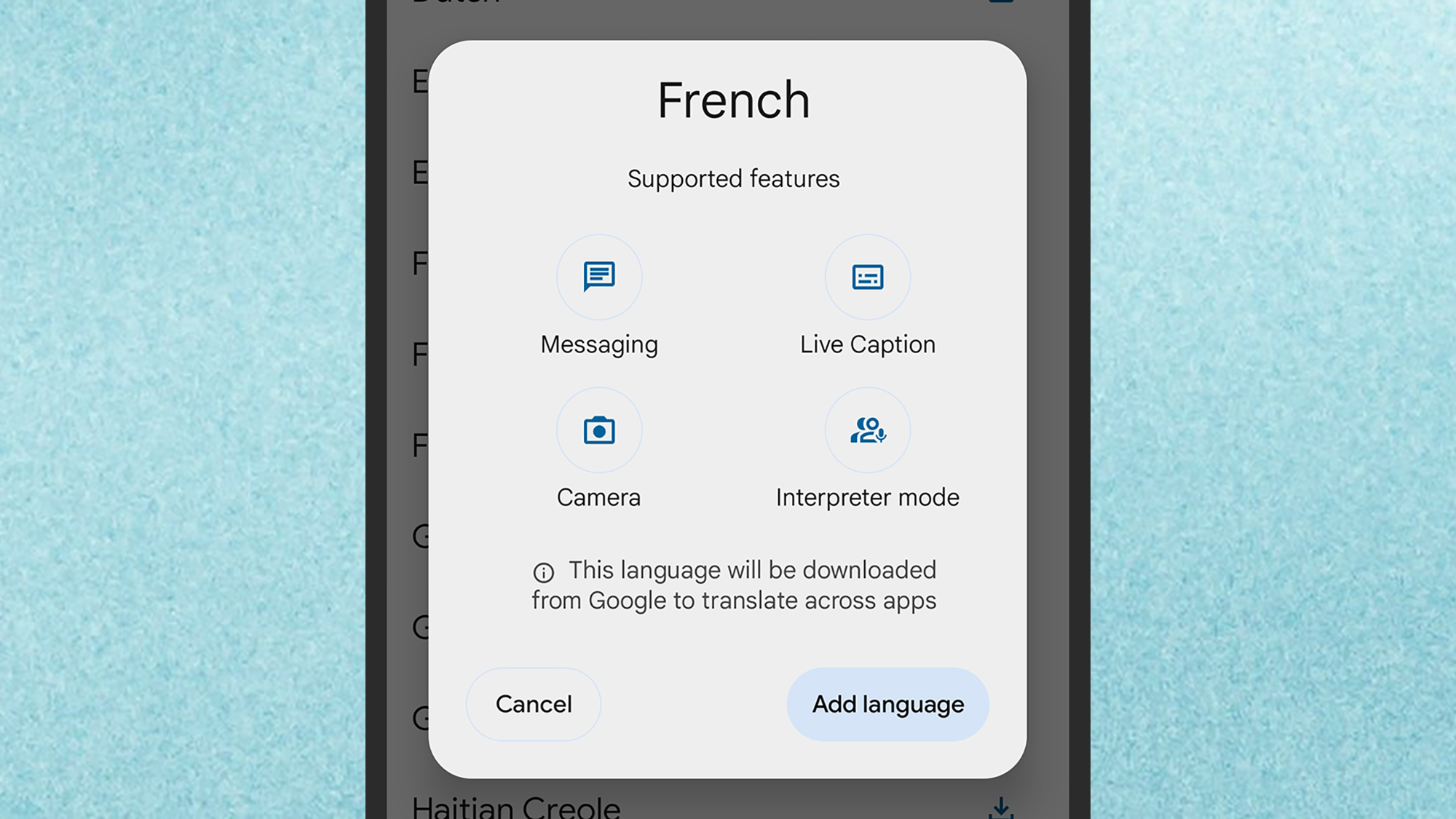
Languages need to be downloaded to your device.
Credit: Lifehacker
Credit: Lifehacker
Live Translate should actually be on by default on your Android phone. You can check this is the case and configure the features by opening Settings, then tapping System and Live Translate. There’s a toggle switch here for turning Live Translate on or off, and a toggle switch for restricting language downloads to times when you’re on wifi.
Part of what makes Live Translate so straightforward to use is that it’ll automatically detect languages you come across as you use your phone, and prompt you to download the necessary data files. Unlike Google Translate, you must have languages downloaded locally for the feature to work.
If a language isn’t downloaded automatically for whatever reason, or you want to make sure it’s prepared in advance, tap Add a language and make your choice. This Live Translate settings screen is where you can access your downloaded languages: Use the toggle switches to enable and disable them, or tap a language and then choose Remove language to delete it.
Using Live Translate for messages
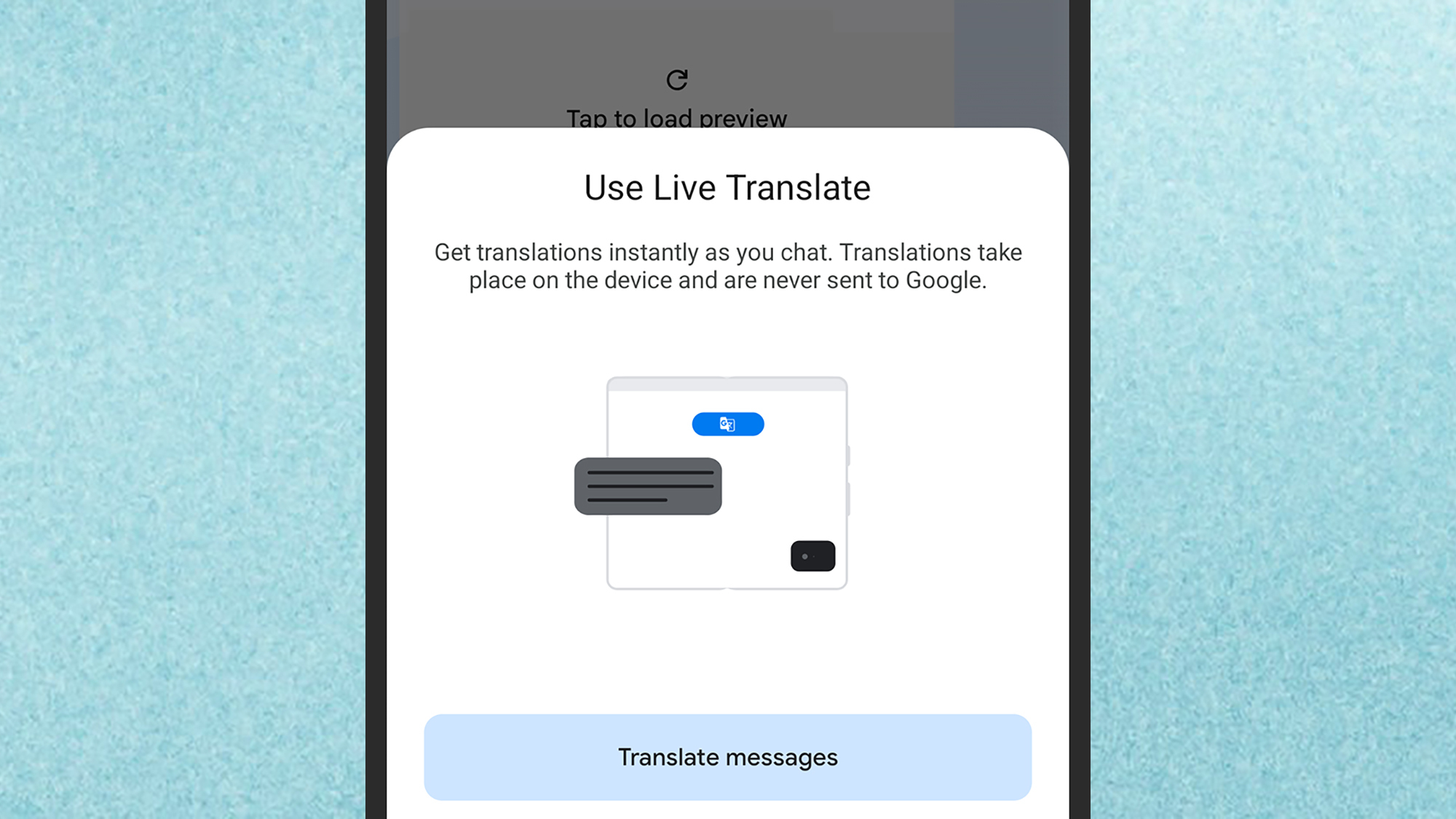
Enabling Live Translate in Google Messages.
Credit: Lifehacker
Credit: Lifehacker
One of the apps Live Translate will work in is Google Messages. If the app detects that someone is messaging you in a different language, you should see a pop-up inviting you to use Live Translate. If it doesn’t appear, try tapping and holding on a message, then selecting the copy button at the top (the two rectangles)—you should then see a prompt to turn on translation.
With Live Translate enabled, incoming messages will show up as English (if that’s your default language)—exactly as if you were messaging with a native English speaker. You’ll also be prompted to translate your English texts into whatever the relevant language is, before you send them, so you can be understood.
You’ll get a persistent toolbar at the top of a chat when Live Translate is running, and you can tap on this for further options—including the option to translate all the messages in a conversation. If you want to switch off the feature permanently for a chat, choose Don’t translate ; to temporarily disable it, choose Hide translations for now (you can enable translations again using the copy trick above).
Using Live Translate for audio
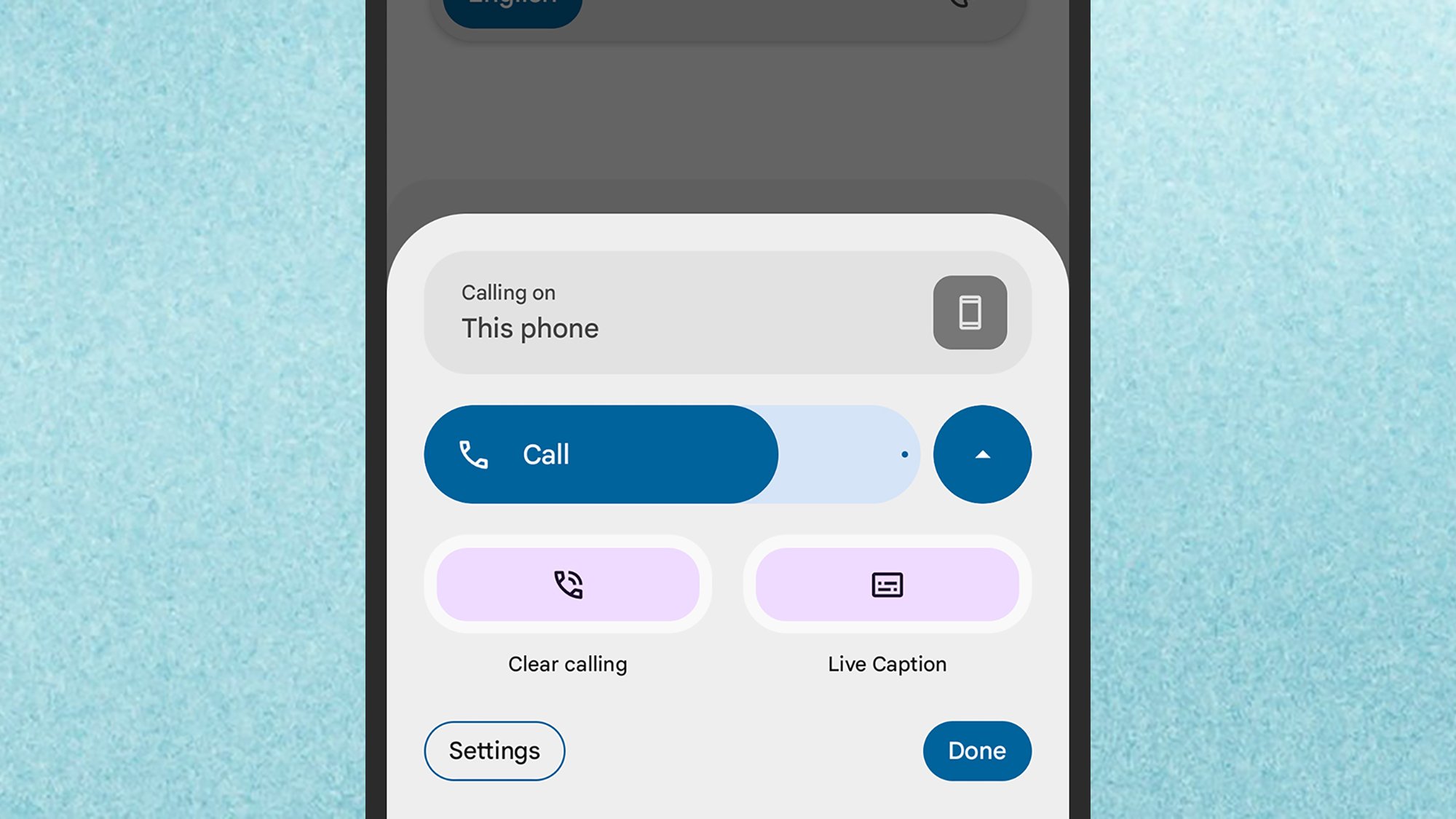
The Live Caption button during a phone call.
Credit: Lifehacker
Credit: Lifehacker
You can also get Live Translate working for any audio—phone calls, video dialog, podcasts, and so on. This overlaps with the Live Captions feature in Android that you can configure separately—the difference being that the Pixel Tensor chips can do translation work quickly, on your device, without needing the cloud.
When you’re in a phone call or listening to audio, tap either of the volume buttons to bring up the volume slider on screen, then tap the three dots underneath it. You should then see a Live Caption button you can tap. Once the captions are on screen, and a foreign language is detected, you get a prompt to translate the text to English (or the default language for your device).
To get further options, tap the text on screen—here you can force a translation to English if it isn’t happening automatically, or turn translations off again. You will also see an icon that looks similar to a painter’s palette, and if you tap on this you can configure how the captions appear in terms of size and color.
Other uses of Live Translate
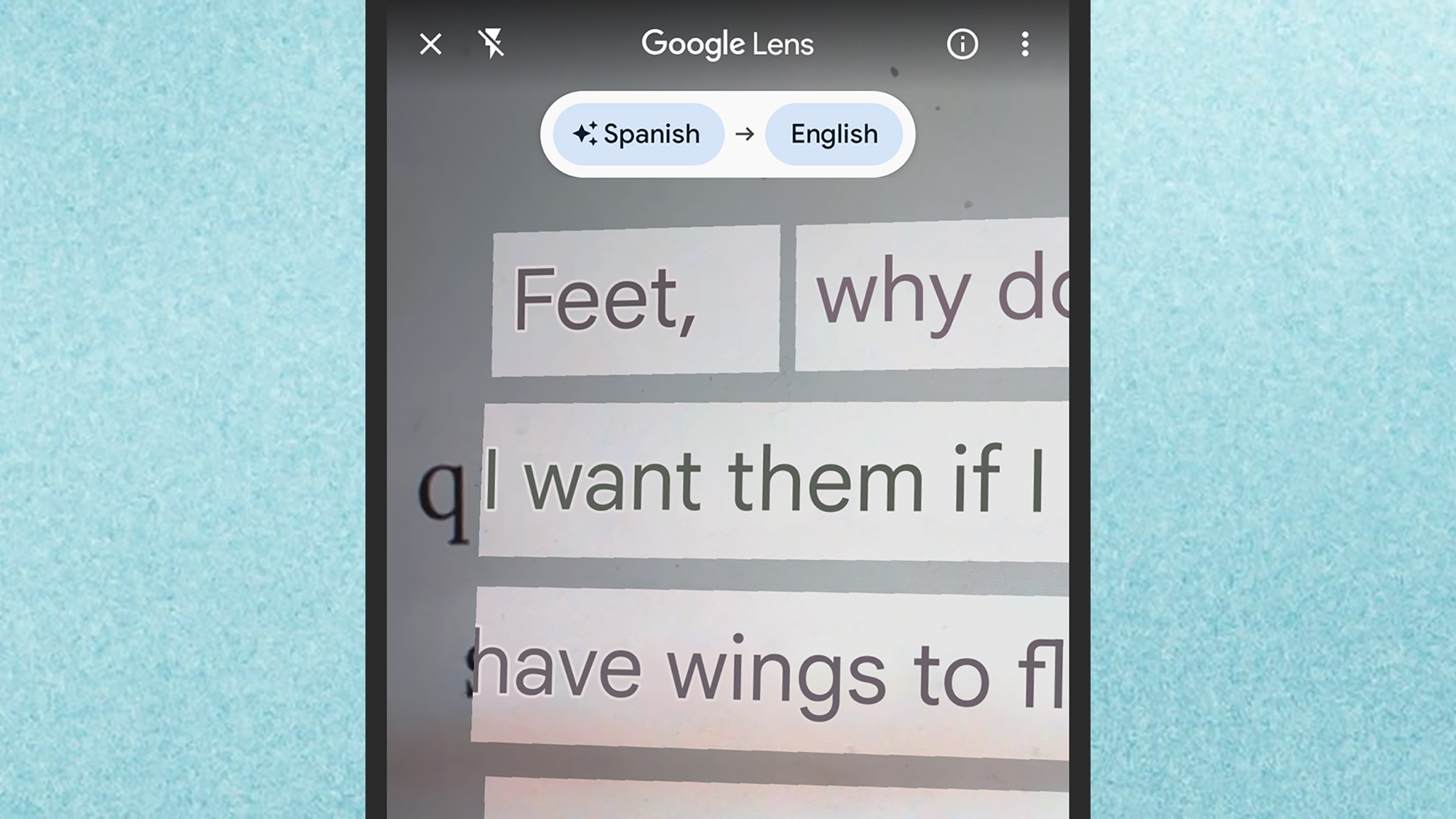
Live Translate through the camera, via Google Lens.
Credit: Lifehacker
Credit: Lifehacker
You’re also able to use Live Translate through your camera, though this isn’t much different to using Google Lens on any Android device: The only advantage you have with Live Translate is the local processing, which may come in handy if you’re abroad and have limited access to cell networks or wifi.
Tap the Google Lens button in the Google search bar on your Pixel home screen—it’s the one that looks like a colorful camera—then point your camera at something like a sign or a menu written in a foreign language. If you then switch to the Translate mode on screen, the text should be translated almost instantly on your phone display.
In addition, Google has previously advertised an interpreter mode, where live conversations are translated in real time. However, this originally worked via Google Assistant, and given the switch to Google Gemini that’s now happening, it now seems to have been disabled (it’s not functioning for me, at least). You can use the Conversation mode built into Google Translate for this instead: Just tap Conversation inside the app.
Logitech Quietly Raises Prices By Up To 25%
Logitech has quietly increased prices on several flagship products by as much as 25%, according to findings (video) by YouTuber Cameron Dougherty. The MX Master 3S mouse now costs $120, up 20% from its previous $100 price point, while the MX Keys S keyboard has jumped 18% to $130. The K400 Plus Wireless Touch keyboard saw the most dramatic percentage increase, rising from $28 to $35.
These price adjustments, implemented without formal announcement, come amid ongoing tariff pressures from the Trump administration affecting PC hardware manufacturers. Chinese electronics maker Anker also recently implemented similar increases, suggesting a broader industry trend.


Read more of this story at Slashdot.
Intel Gifts Gamers Core Ultra 200S Boost Overclocking With A Warranty

If you’re the proud owner of an Intel Core Ultra 200-series CPU, rejoice, as there may be good gaming gains to be gotten from a brand new BIOS feature. Intel’s engineers christened it the 200S Boost overclocking profile, and it promises to boost gaming performance without voiding your warranty.
This news is welcome to Core Ultra gamers
Insta360 takes another swing at GoPro with the new AI-powered, self-repairable X5 action camera
Insta360 has launched the X5, a new flagship action camera that offers 8k 360-degree video, has an AI-powered low-light mode and features a replaceable lens for on-the-fly repairs.
Insta360, along with DJI, has established itself as a key challenger to GoPro’s once-dominant position in the action camera market, carving out its niche in 360-degree video, and the X5 arrives as the successor to the X4.
Key features include:
- 8k, 360-degree video at 30 frames per second
- Enlarged 1/1.28in sensor
- An AI-powered low-light mode called ‘PureVideo’
- ‘InstaFrame’ – a new mode that records two files simultaneously: flat video and 360-degree video
- A replaceable lens system, built-in wind guard and claimed battery life of 185 minutes (recording in 5.7k)
- The X5 is available now via the Insta360 official store and Amazon, priced at $549.99 / £519.99 / €589.99.
Bigger sensors, better image quality

Insta360 says the X5’s enhanced image quality comes as a result of the new 1/1.28in sensor, said to be 144 per cent larger than the X4’s, and a ‘Triple AI Chip’ system, comprised of one 5nm ‘AI Chip’ and two ‘Pro Imaging Chips’.
There’s a dedicated mode for low-light shooting, called ‘PureVideo’, which uses “advanced AI noise reduction and dynamic range optimisation”, according to Insta360.
As the name suggests, Insta360’s specialism is 360-degree video – you may have noticed a video shot with an Insta360 camera, thanks to the ‘invisible selfie stick effect’ – and that continues here.
However, Insta360 has introduced a new mode – InstaFrame – for the X5. Here, the X5 records two files: the first a typical ‘flat’ video that follows a constant direction or a selfie view, and the second a full 360-degree video.
Enhanced editing

The accompanying app has been updated to coincide with this launch, “with a sleeker user interface and new tools that make editing easier than ever”, Insta360 says.
New features include a ‘Dewarp’ button to remove fisheye, and a ‘one-tap’ export option, without any editing or reframing.
Existing app features that carry over include ‘Quick Edit’ (semi-automatic) and ‘AI Edit’ (automatic) options. Insta360 also offers desktop editing.
Lights, camera, action

Back to the camera itself, and Insta360 says the X5 is designed for the rough-and-tumble of action sports – take note, mountain bikers – and the lens itself is replaceable.
A lens replacement kit is available to buy separately, and Insta360 says the lens itself is simple to swap out on the move.
Other features include a multi-layer steel mesh wind guard, algorithmically boosted sound and a 2400mAh battery.
This supports up to 185 minutes of recording in 5.7K in ‘Endurance Mode’, according to Insta360. The camera can charge from empty to 80 per cent in 20 minutes, the brand claims.
NVIDIA’s New GPU Hotfix Driver Fixes Game Crashes, Temp Sensing Issue And More
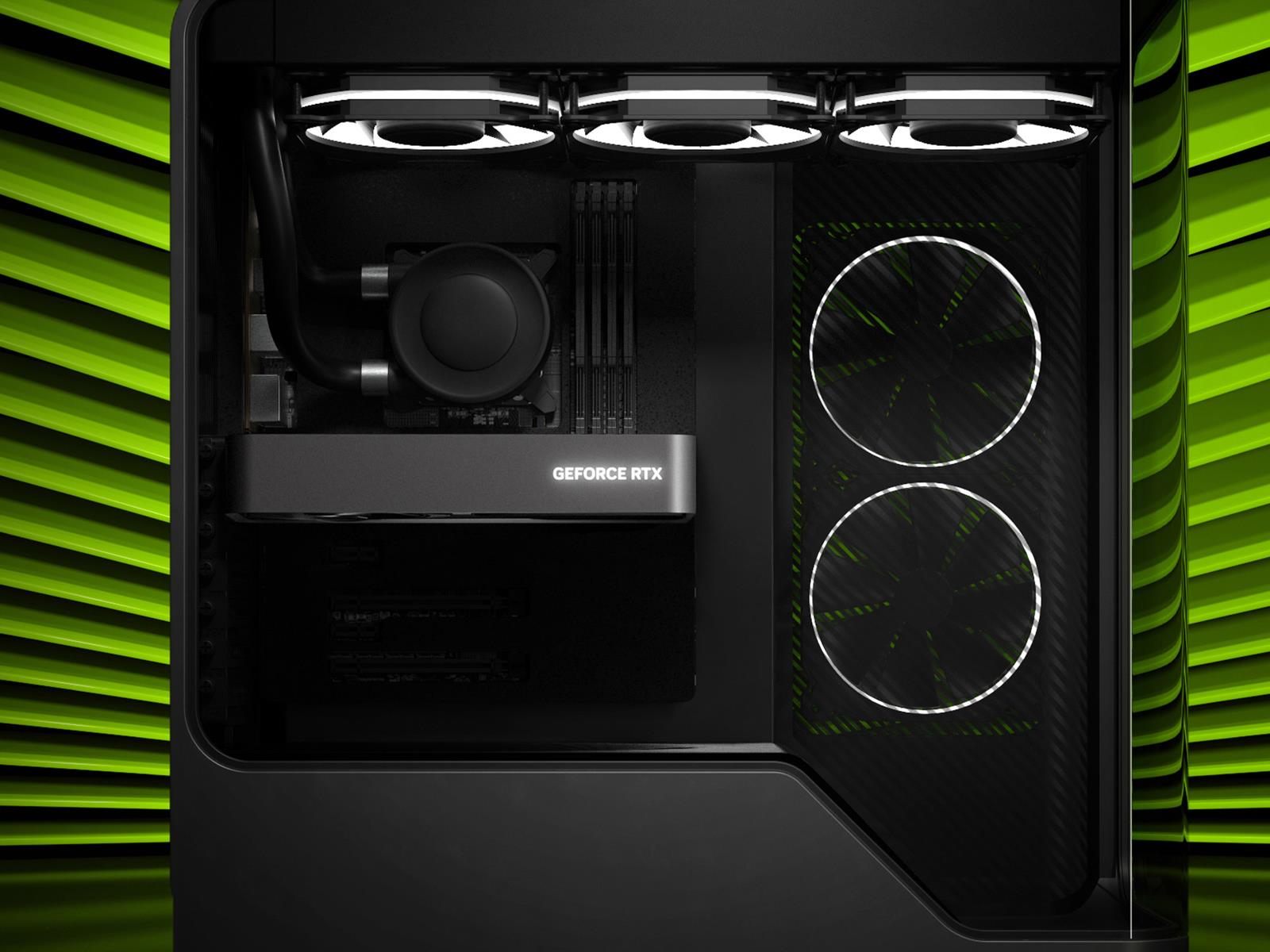
Just days after NVIDIA began rolling out its ‘Game Ready’ 576.02 WHQL driver package that’s packed to the brim with bug fixes, it’s made available an out-of-band hotfix to iron out even more wrinkles related to its GeForce GPUs. The incremental release—hotfix driver version 576.15—is based on the same 576.02 driver release, but with over half
Photorealistic PC horror Pools is coming soon to PSVR 2 and SteamVR

Tensori’s horror game Pools gets a free update and a new timeline for its long-awaited VR launch on PC and Playstation VR 2.
The post Photorealistic PC horror Pools is coming soon to PSVR 2 and SteamVR appeared first on MIXED Reality News.
Requisition VR Lets You Craft Absurd Zombie Killing Weapons Soon On Quest & Pico
Requisition VR is bringing the physics-based zombie killing co-op game to Quest and Pico next month.
Previously released on Steam in May 2023, Requisition VR takes inspiration from Dead Rising and The Walking Dead: Saints and Sinners. Developed by Arcadia VR, you can craft increasingly absurd weaponry like electrically charged baseball bats or “chair swords” using household items across an extraction-based PvPvE adventure. Now, it’s coming to standalone VR headsets in two weeks.
0:00
/0:49
You’ll need to scavenge for resources to create new weapons, letting you team up with friends to take down both AI and human opponents. Environmental traps can be set across these locations but risk alerting hordes of zombies, who come in distinct types, like armored zombies resistant to firearms or spiked ones best attacked from range.
Though the announcement trailer doesn’t include Pico, the studio’s X profile mentions a simultaneous launch with Quest. On the Horizon Store page, Requisition VR only lists two gameplay modes – Extraction and Horde – while the Steam version supports four modes – Survival, Horde, Story, and PvP.
Given the store description mentions human enemies, we’d speculate PvP is included in some capacity, but the rest is uncertain. A PlayStation VR2 version was also previously announced, though it’s unclear if this is still in development. We’ve contacted publisher Spheroom for clarification on both points, and we will update this story if we learn more.
Requisition VR will arrive on May 8 on Quest and Pico. It’s also on PC VR, but we’d advise caution as recent user reviews on Steam state the game currently does not work.
The Ring Spotlight Cam Pro Is at Its Lowest Price Ever Right Now
We may earn a commission from links on this page. Deal pricing and availability subject to change after time of publication.
If you’ve been thinking about adding a security camera to your setup but want something a little more refined than the entry-level options, the Ring Spotlight Cam Pro might hit that middle ground. Normally priced at $229.99, it’s now down to $159.99 on Amazon, which price trackers confirm is its lowest ever.

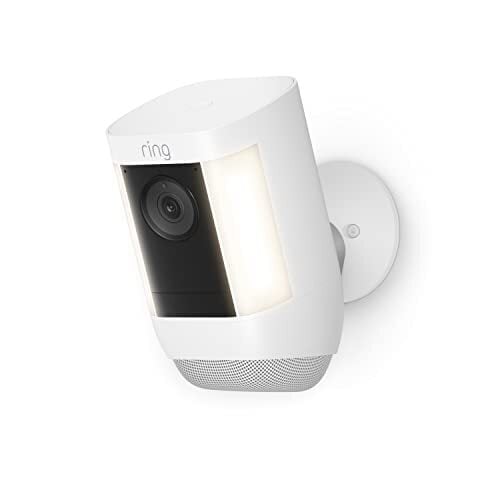
That’s a rare drop for a Ring Pro series camera, which typically stays at the premium end of Amazon’s home security lineup. This model came out in 2022, and while the 1080p resolution doesn’t exactly feel cutting-edge anymore, the overall package still holds up well.
This camera is battery-powered, meaning wireless setup and easy installation. Plus, it offers a wide 140-degree field of view, quick notifications when motion is detected, and two-way audio that’s unusually clear. According to this ZDNet review, you can carry on a full conversation with someone 40 feet from the camera without any lag or distortion. That said, the spotlight feature isn’t quite as strong—it maxes out at 375 lumens, which is enough for basic visibility in a small yard or porch, but not something you’d want for full floodlight coverage. Still, it’s equipped with color night vision and an adjustable alarm, which adds another layer of deterrence.
You’ll need a Ring Home subscription to actually record and store your videos, which starts at $4.99/month for a single camera—but live view and alerts work without one. And while it plays well with Alexa and IFTTT, it skips out on Google Assistant and HomeKit support. As for battery life, depending on your activity zones and lighting preferences, it can last anywhere from six months to a year, notes this PCMag review.