What VPNs Can Do (and What They Can’t)

When venturing out into the wilds of the modern web, many people now make use of a VPN, or a Virtual Private Network. These software packages have been around for decades as ways of securely connecting to private networks remotely, but the term is now more commonly used to refer to third-party VPN services that act as intermediaries between your devices and the internet at large.

The idea behind VPNs is they keep you and your data safer while you’re browsing, with a trade-off in terms of speed (though the best VPNs will aim to minimize the hit on download and upload transfer rates). If you’re wondering what exactly a VPN is, how these services work, and whether or not you should be signed up for one, you’ll find all of these questions and more answered below.

Why use a VPN?

Using a VPN is beneficial in terms of both security and privacy. VPNs create an encrypted tunnel between you and dedicated servers run by the VPN company. Your traffic is then sent down that tunnel, and your VPN service of choice then sends it on to websites or other servers. Traffic going in the other direction travels back in the same way.

This tunnel offers several protections. It means it’s a lot harder for people on the same wifi network as you at the local coffee shop or the hotel you’re staying in to see what you’re up to—so VPNs are often deployed by users when they’re traveling and connecting to numerous public wifi networks.
VPN weather
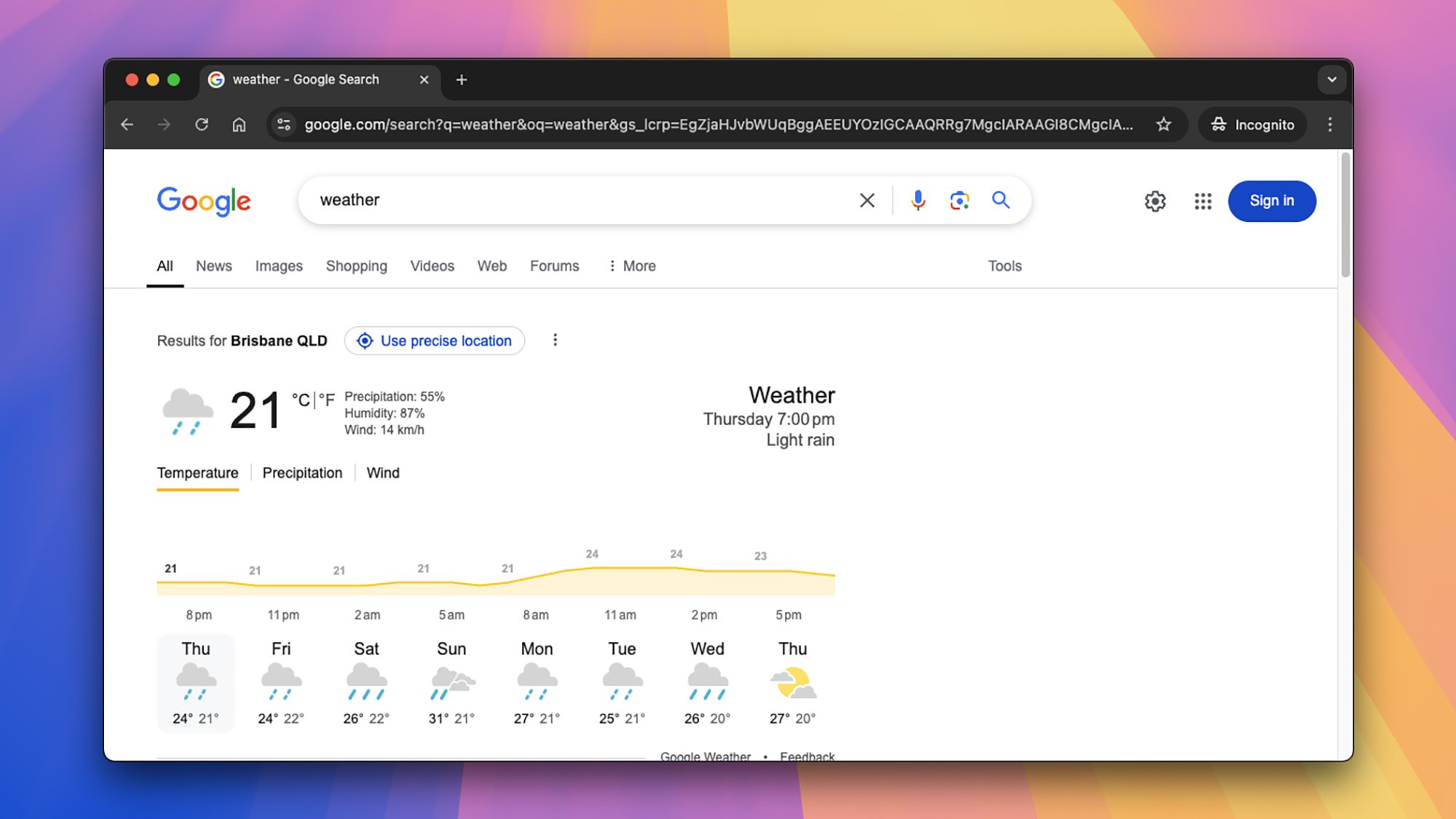
VPNs can let you pretend you’re in places you’re not.
Credit: Lifehacker

Connecting to a VPN also means your traffic is hidden from your internet service provider, or ISP. Your ISP can see you’re connecting to the VPN, but nothing beyond that—so it’s impossible for your ISP or any of its staff to snoop on you or keep logs. It also means ISPs are more limited in terms of what they can tell government agencies and law enforcement.

Another reason for using VPNs is to conceal or spoof your location: Websites can only see the location of the VPN server you’re using, not your actual location. That means they can’t track your whereabouts as easily, and in the case of streaming services, might serve up different libraries of content depending on where your VPN server is (though streaming services are pretty wise to VPNs now, so this doesn’t always work).

How VPNs work—and their limitations

That idea of an encrypted tunnel covers the basics of how VPNs work: You connect to a VPN server, then it connects to the web for you. When data comes back, it first goes to the VPN server, and then to your device. VPN providers will tell you how many servers they have and in how many countries—each time you connect to the VPN, you can typically choose which server to connect to, or have one assigned automatically.

If you want to stay safe on a public wifi network, it’s best to connect to a server in your country—it’ll be faster. If you want to pretend you’re in another country, or would like to stop websites and apps from knowing where you are, you can pick a server somewhere else. Some VPNs let you double-up servers for extra security.
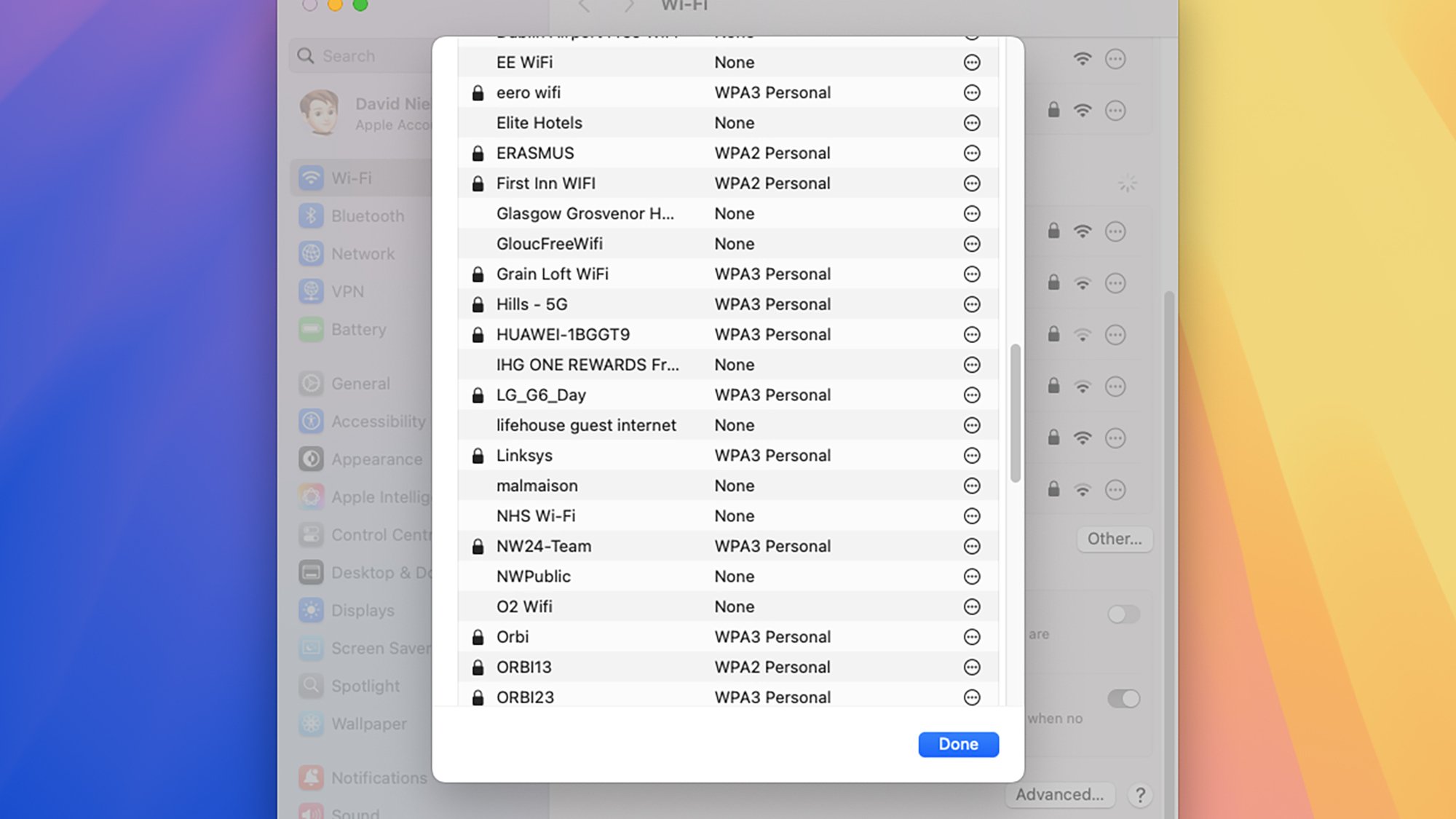
Wi-Fi networks
If you connect to a lot of wifi networks, VPNs can help keep you safe.
Credit: Lifehacker

It’s important to recognize the limitations of how VPNs work, too. Your location aside, they aren’t going to stop a lot of the tracking tech you’ll find on the web, such as cookies—and of course if you log into your Amazon account, Amazon will know it’s you. VPNs don’t offer anonymity cloaks.

In addition, you’re essentially transferring your trust from your ISP to a VPN provider: Your ISP provider can’t see your traffic, but your VPN service potentially can. What’s more, VPNs are under the same legal obligations as ISPs when it comes to giving data to government and law enforcement agencies. With that in mind, it’s important to pick a VPN you trust.

How to choose a VPN

As noted above, VPNs aren’t above the law, and can see the traffic they’re ferrying for you. With that in mind, it’s important to look for a VPN with an independently audited “no logs” policy—meaning none of your data is kept permanently. That means there’s less information that can be exposed or handed over to the authorities, if they come knocking.

It’s a crucial part of choosing a VPN, so VPN providers will usually promote “no logs” policies quite prominently. Read the policies for ExpressVPN and NordVPN, for example: You’ll see mention of independent auditors, technologies that scrub data automatically, and operations that are based in countries where data retention laws are less strict (which means VPNs aren’t legally obliged to keep records on their users).

ExpressVPN logs
See what VPN providers say about their data retention policies.
Credit: Lifehacker

There are lots of other criteria to use when weighing which VPN provider to go for. As previously mentioned, you can look for how many servers a provider offers, and where they’re based. You can also check up on the promised speeds, as well as the basics of how much you’re going to have to pay and what else you get included (maybe dark-web monitoring for data breaches, for example, or a bundled password manager).

Make sure you check how many devices you can connect to the VPN service at any one time, as this will vary—and some VPNs may not even have apps for every platform. You can also look at what you get in terms of customer service and support if something goes wrong. And don’t forget to consult reviews from trustworthy tech publications, too.

How much VPNs cost

As with most digital subscription decisions, cost is likely to be a big factor in your choice. Free VPNs are available, though they’ll usually be cut-down versions of paid-for packages, with limitations on how many connections you can make and the speeds you’re going to get in terms of uploads and downloads.

Considering how important VPNs are, in terms of trusting them with your data, it’s a good idea to avoid free ones if you can—at least if it’s not clear how they’re making their money. There are trustworthy free VPN packages around, and we’ve listed some of them here, but make sure you go for a well-known name with a long history.
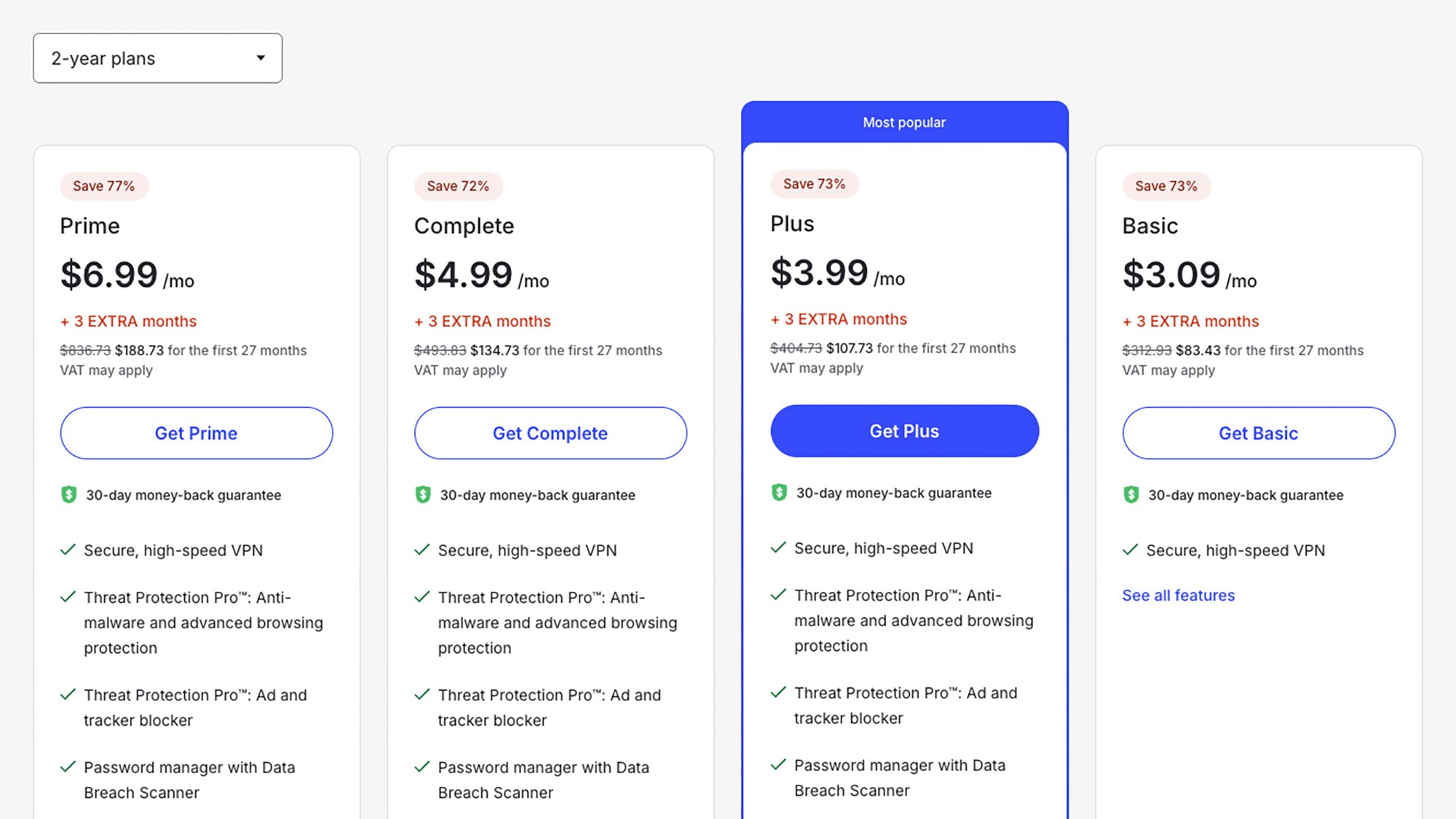
NordVPN pricing
Check the deal length and bundled features when comparing VPN prices.
Credit: Lifehacker

If you are able to pay for a VPN, make sure you weigh everything you get with your subscription: the number of available servers, the number of compatible devices, the length of the deal you have to sign up for, the customer support on offer, the bonus software included. Comparing prices is tricky because each VPN provider offers different packages for your money.

While subscription tiers and pricing are changing all the time—look out for introductory deals if you’re just signing up—here are a few offers available at the time of writing to give you a general idea: ExpressVPN is $12.95 a month, NordVPN is $12.99 a month, ProtonVPN is $9.99 a month, and TunnelBear is $9.99 a month. As usual, you can get lower monthly pricing by signing up for a year or two, and varying tiers with varying features are available on these services.

Should you use a VPN?

There’s no doubt that using a VPN on your phone or your laptop means your data is more secure and more private: The question is whether it’s worth paying for another subscription. It certainly gives you extra peace of mind if you’re on the go a lot, and often bouncing between different public wifi networks. For secure travel, and accessing services from abroad, VPNs are definitely appealing.

Then there’s the ISP issue: These big internet companies keep much more detailed records than most VPNs do. If you’d rather as little of your browsing activity was logged as possible, then a VPN might be the way to go (though again, this applies to activity logged by ISPs, and not necessarily advertising companies or websites).
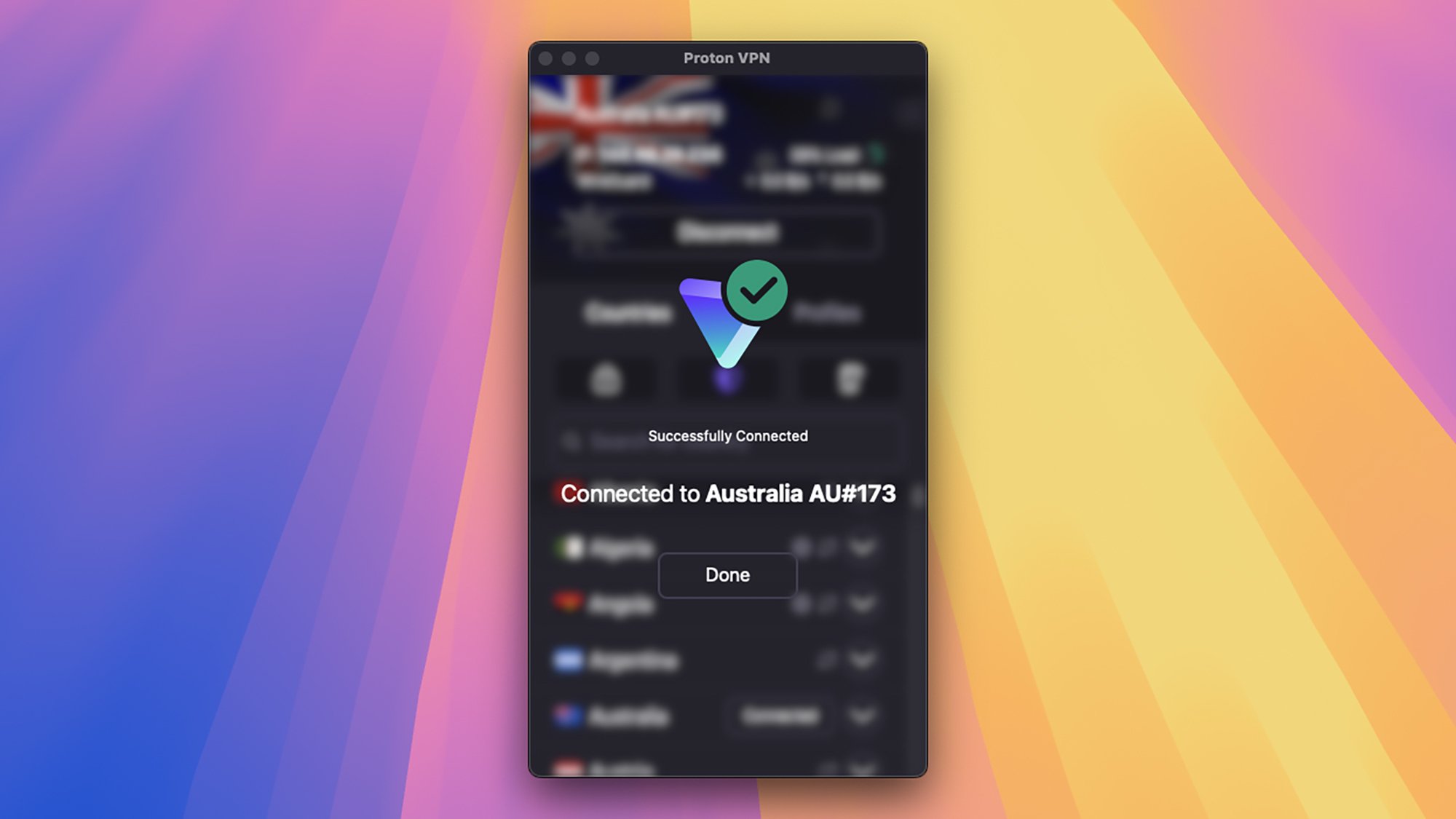
Proton VPN
VPNs can offer extra peace of mind.
Credit: Lifehacker

You’ve also got the built-in protection for your location—your IP address—and the ability to spoof locations to some extent, which can be helpful if you’re in a place with tightly regulated internet, or where your usual streaming services aren’t available. Bear in mind, though, that as soon as you log into Google or Netflix, they know who you are and which country you live in anyway.

VPN providers are usually falling over themselves to offer free trials or introductory offers, so there’s no harm in signing up for a package and seeing how it suits you—and how much you actually use it. You could even sign up for a couple at a time and compare them in terms of online speeds and the quality of their apps.
How carbon spokes helped shave 108g off Vision’s flagship road wheels – plus more new tech from Bike Connection’s spring event

We love a trade show here at BikeRadar, especially one blessed with sunshine, beautiful scenery, great food and – of course – plenty of new bikes and kit to test out.

With that in mind, we jumped at the chance to attend Bike Connection’s Spring 2025 road and gravel event, held just outside of Massa Marittima, Italy.

As my colleague, Alex Evans, eloquently described in his tech round-up from the mountain bike-focused winter event, Bike Connection is designed to gather some of the best bike, component and cycling kit brands together in one place, so journalists like myself can report back on all the juiciest news.

Over the course of the week, I saw a gorgeous (and outrageously expensive) raw carbon BMC road bike, and met the founders of Avona bikes, before testing their new gravel bike, the Callis, on the region’s incredible white gravel trails.

Beyond that, though, I saw blingy new carbon wheels from the likes of Campagnolo and Vision, Core’s updated thermal sensor, a new range of short saddles from Selle SMP and much more, so read on for all of that.

Vision Metron RS 45 wheels

Vision Metron RS 45 wheels
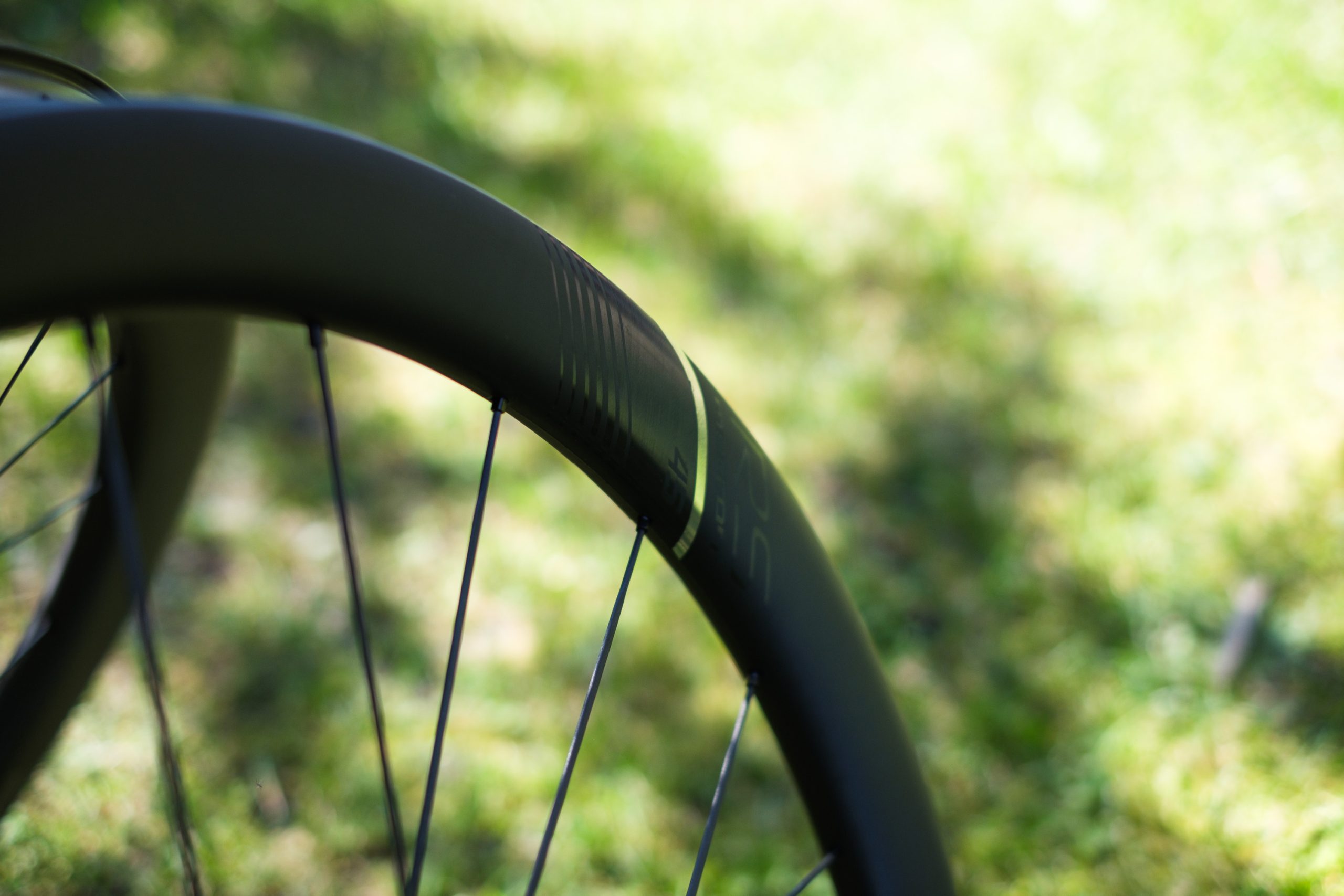
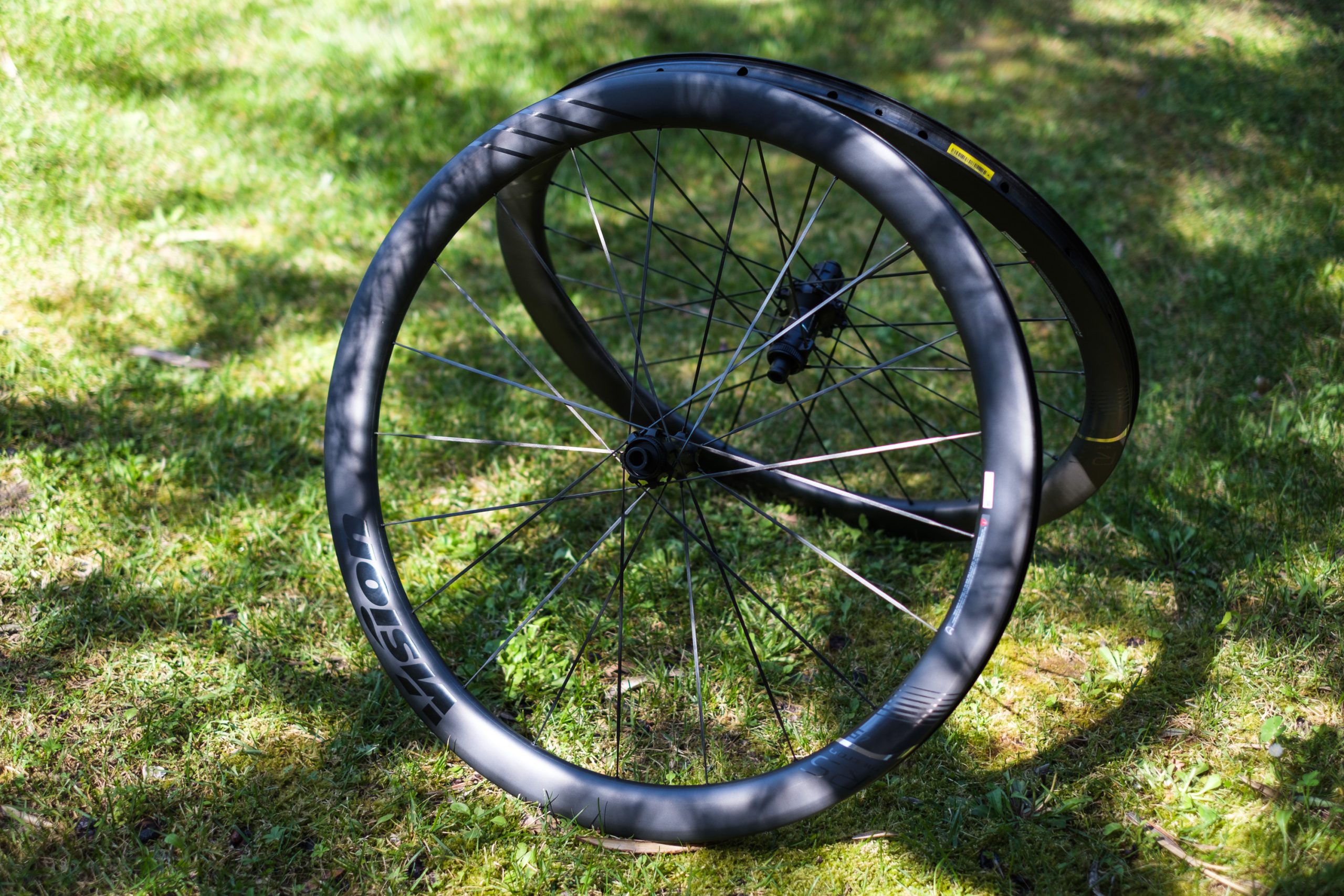
Vision’s Metron RS wheels are its new flagship road offering. Simon von Bromley / Our Media

Launched last week, Vision’s new Metron RS wheelset is its new flagship option for road bikes.

The Matron RS range consists of two wheelsets, the Metron RS 45 and 60 – which have 45mm-deep and 60mm-deep rims, respectively.

Both wheelsets feature updated carbon rims with 23mm internal rim widths (up from 21mm on the Metron SL wheels), with external widths of 31.1mm on the 45s and 33mm on the 60s.

Vision Metron RS 45 wheels
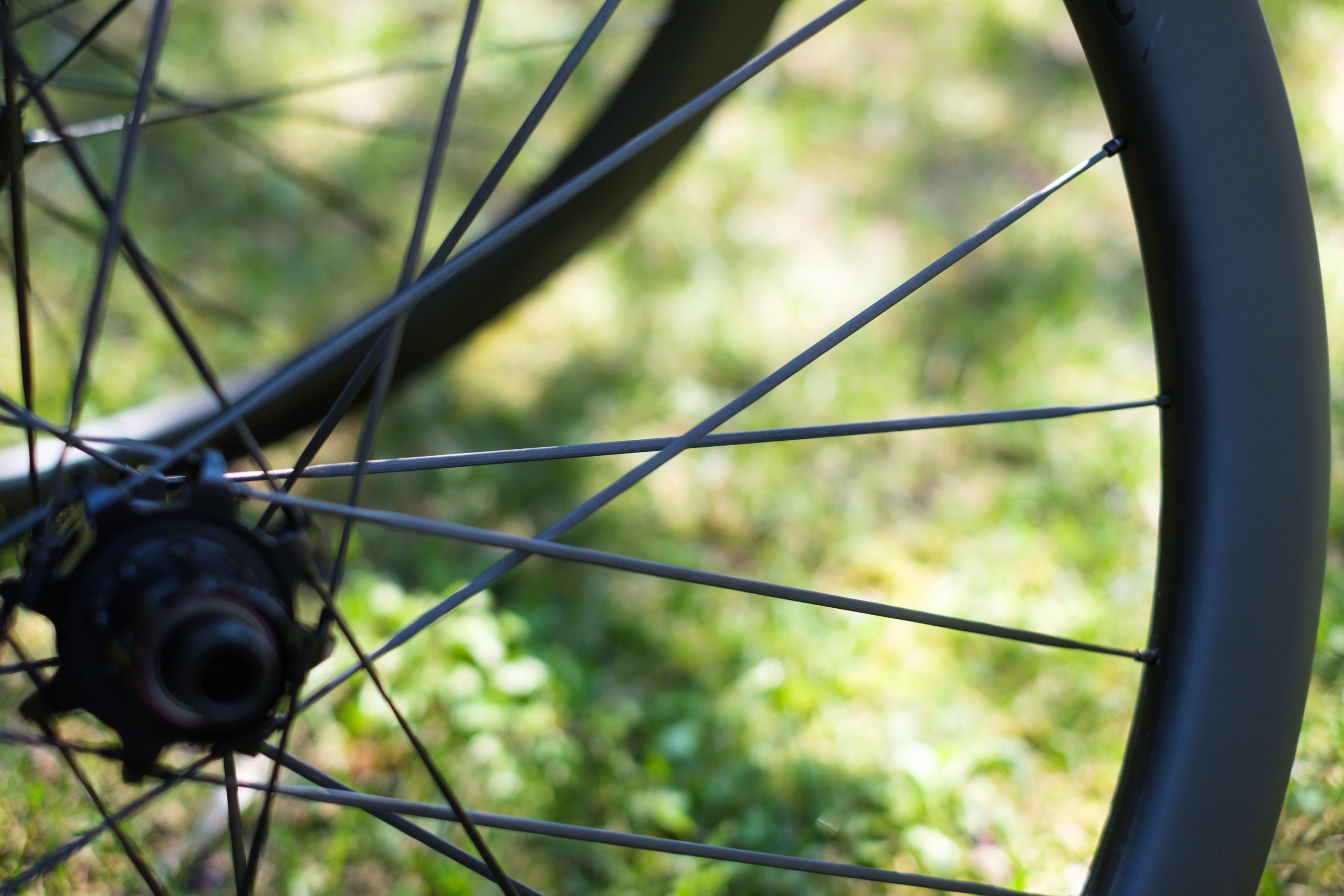
Vision says carbon spokes save 108g per wheelset, compared to using steel spokes. Simon von Bromley / Our Media

The headline feature, though, is the adoption of carbon fibre spokes, which help shave 108g off a complete wheelset compared to using steel spokes (each of the wheelset’s 45 spokes saves 2.4g).

This brings the claimed weight of the Metron RS 45 wheelset down to a feathery 1,290g, with the RS 60 wheelset said to weigh only 100g more.

Vision Metron RS 45 wheels
The Metron RS wheels are available with 45 or 60mm-deep rims. Simon von Bromley / Our Media

Vision says the differences in terms of aerodynamic drag are small – with only a 0.9-watt saving for the RS 45s and 1.6W for the RS60s – compared to Vision’s Metron SL 45 and 60 wheelsets.

However, it notes that the carbon spokes also offer a tangible improvement to lateral stiffness, which it claims helps to improve the wheelset’s ride feel and power transfer.

Vision Metron RS 45 wheels
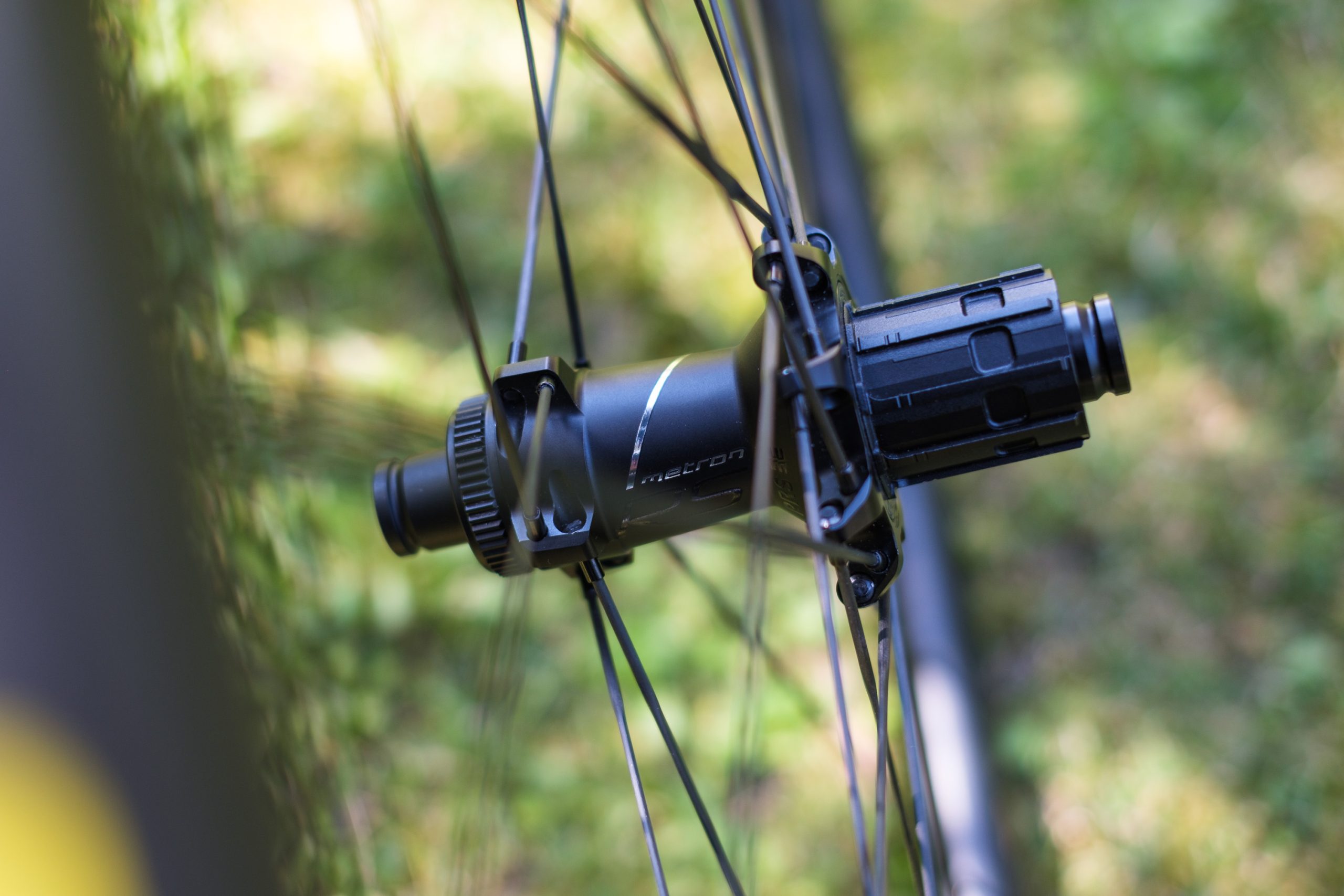
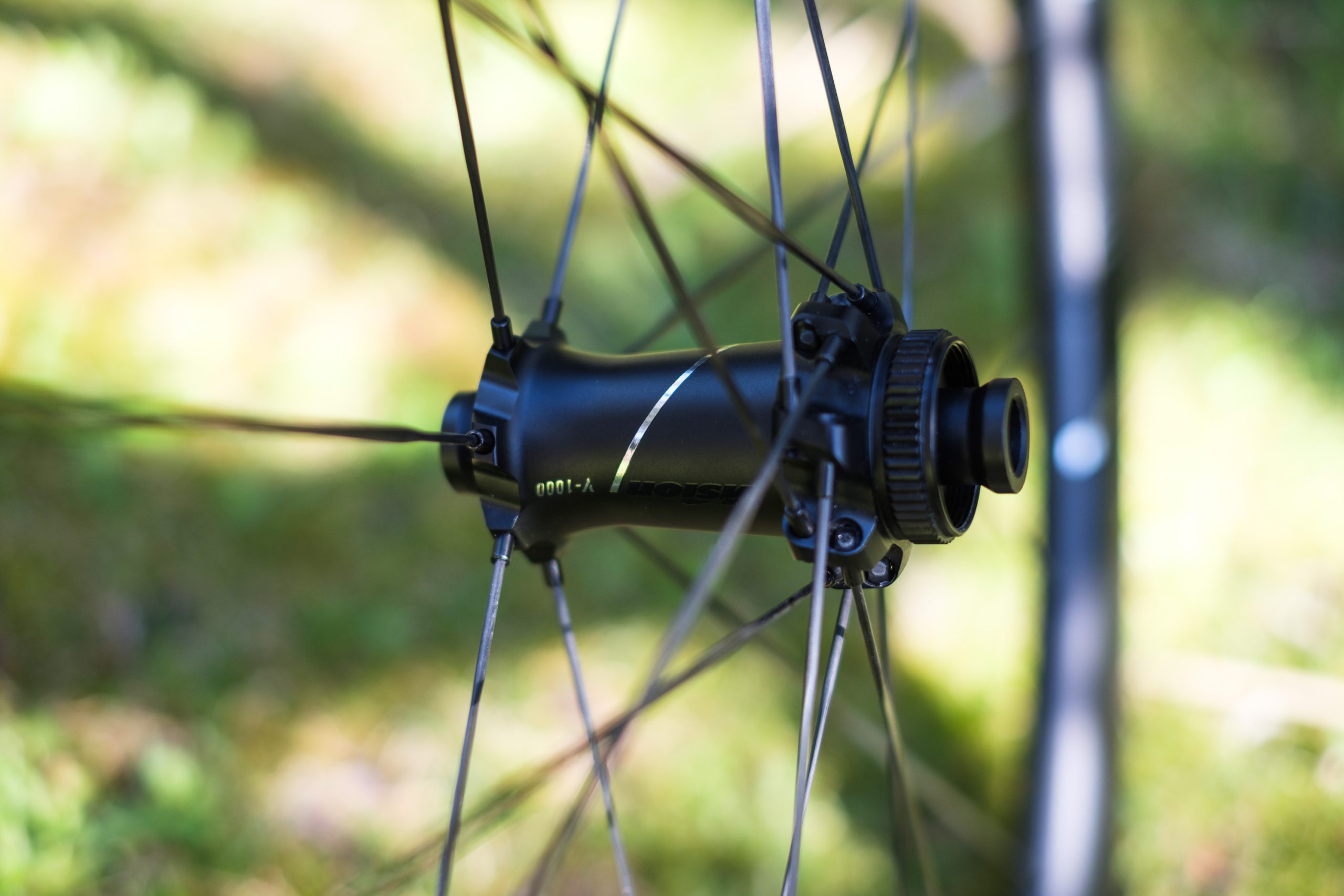
The new V-1000 hubs feature ceramic bearings and tool-free maintenance. Simon von Bromley / Our Media

At £3,109 / $3,290 / €3,109 for the RS 45s and £3,179 / $3,390 / €3,179 for the RS 60s, the wheels are an undeniably expensive proposition. They do, however, show the attention to detail you’d expect at this price.

The V-1000 hubs, for example, feature ceramic bearings and tool-free maintenance, while even the freehub is machined to save another 8g.

Vision Metron RS 45 wheels
The carbon spokes can be trued, but you’ll need a dedicated tool for the job. Simon von Bromley / Our Media

The rim graphics are also applied in-mould, saving a further 22g in decals.

Vision was also keen to stress it’s one of relatively few brands that owns the factories in which its products are produced. This, the brand says, gives it greater control over all aspects of production, allowing for higher quality and greater flexibility.

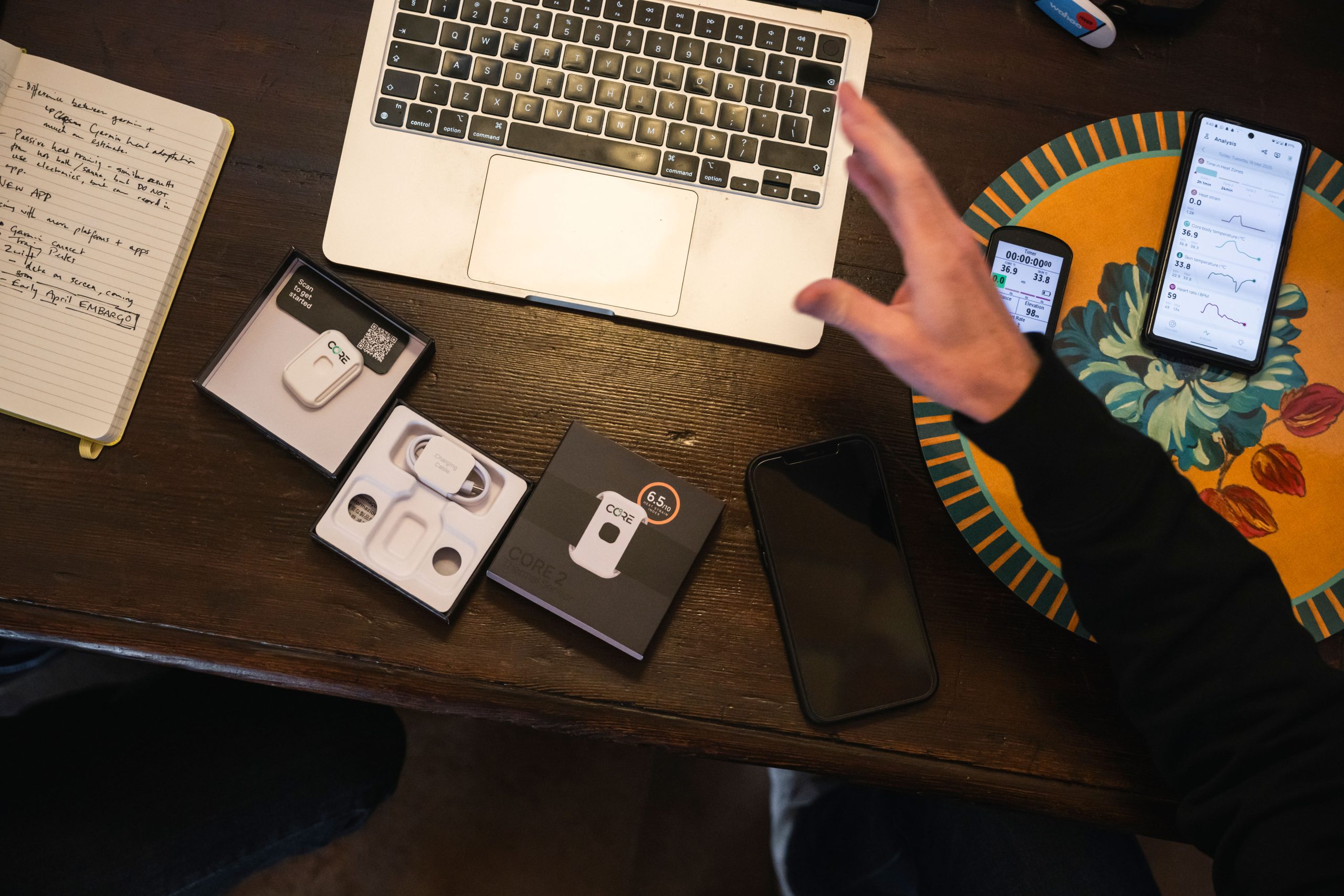
Core 2 thermal sensor

Core 2 thermal sensor
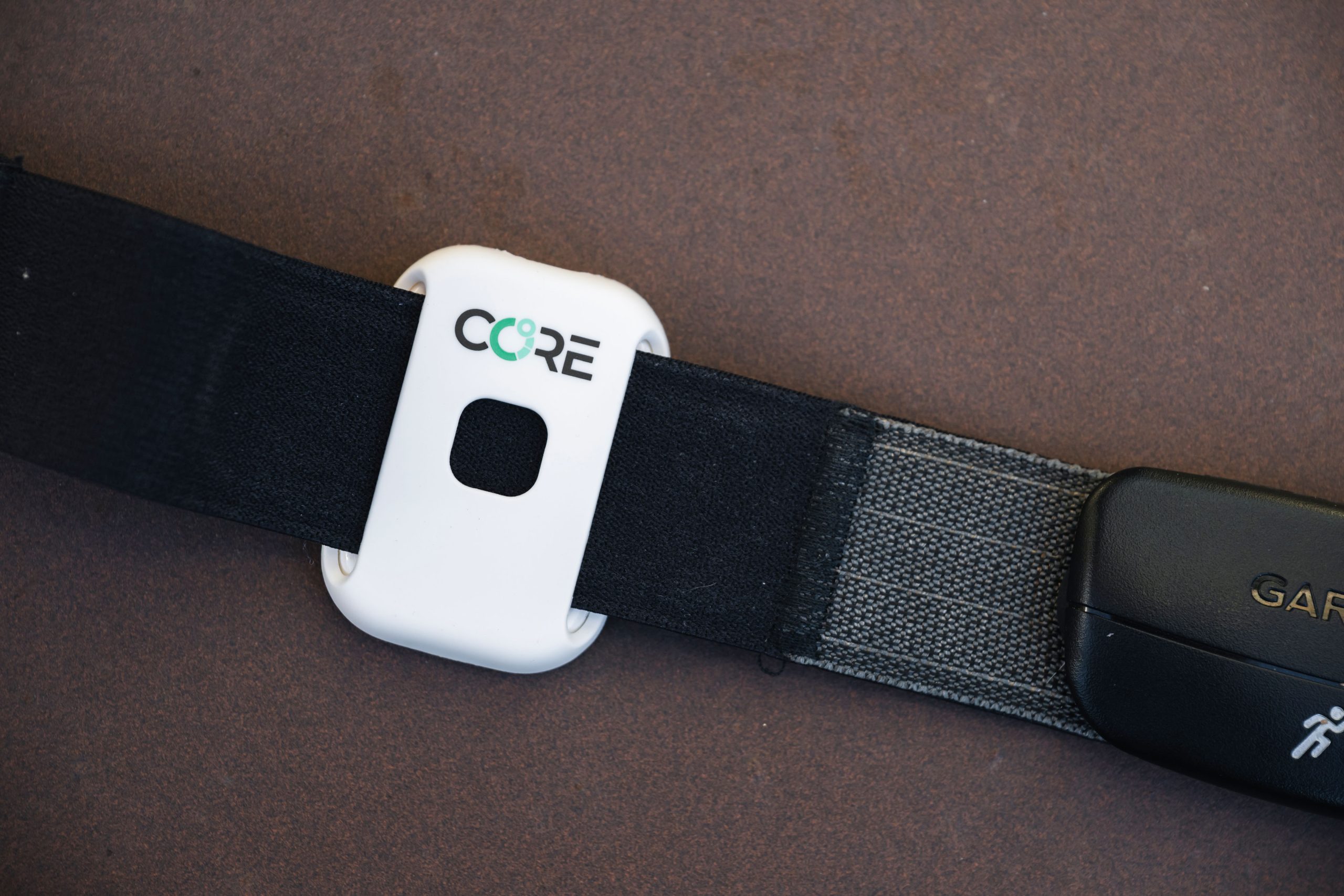
Core’s second-generation thermal sensor features an improved form factor. Bike Connection Agency / Rupert Fowler

Back with its first hardware update since 2019, Core has just launched its new thermal sensor – the aptly named Core 2.

Just like the original Core thermal sensor, the Core 2 clips onto a heart rate monitor chest strap, contacting your skin and monitoring how much thermal energy is being released.

The sensor then uses an ‘AI-powered algorithm’, in combination with data from the heart rate monitor, to determine your core body temperature. This is then broadcast to a compatible bike computer or smart device via ANT+ or Bluetooth.

Core 2 thermal sensor demonstration
Core says its thermal sensor can rival internal sensors for accuracy. Bike Connection Agency / Rupert Fowler

The point of all this is to enable you to perform heat training – where you raise your body temperature intentionally during exercise.

This has become increasingly popular among professional riders in recent years, with Core saying it has official partnerships with eight WorldTour teams, because it’s claimed to offer large improvements to performance in all weather.

Core claims its updated sensor has the same accuracy as the original one (within -0.01 to +0.23ºC of an ‘electronic pill’ sensor that you swallow), but features a number of quality-of-life improvements.

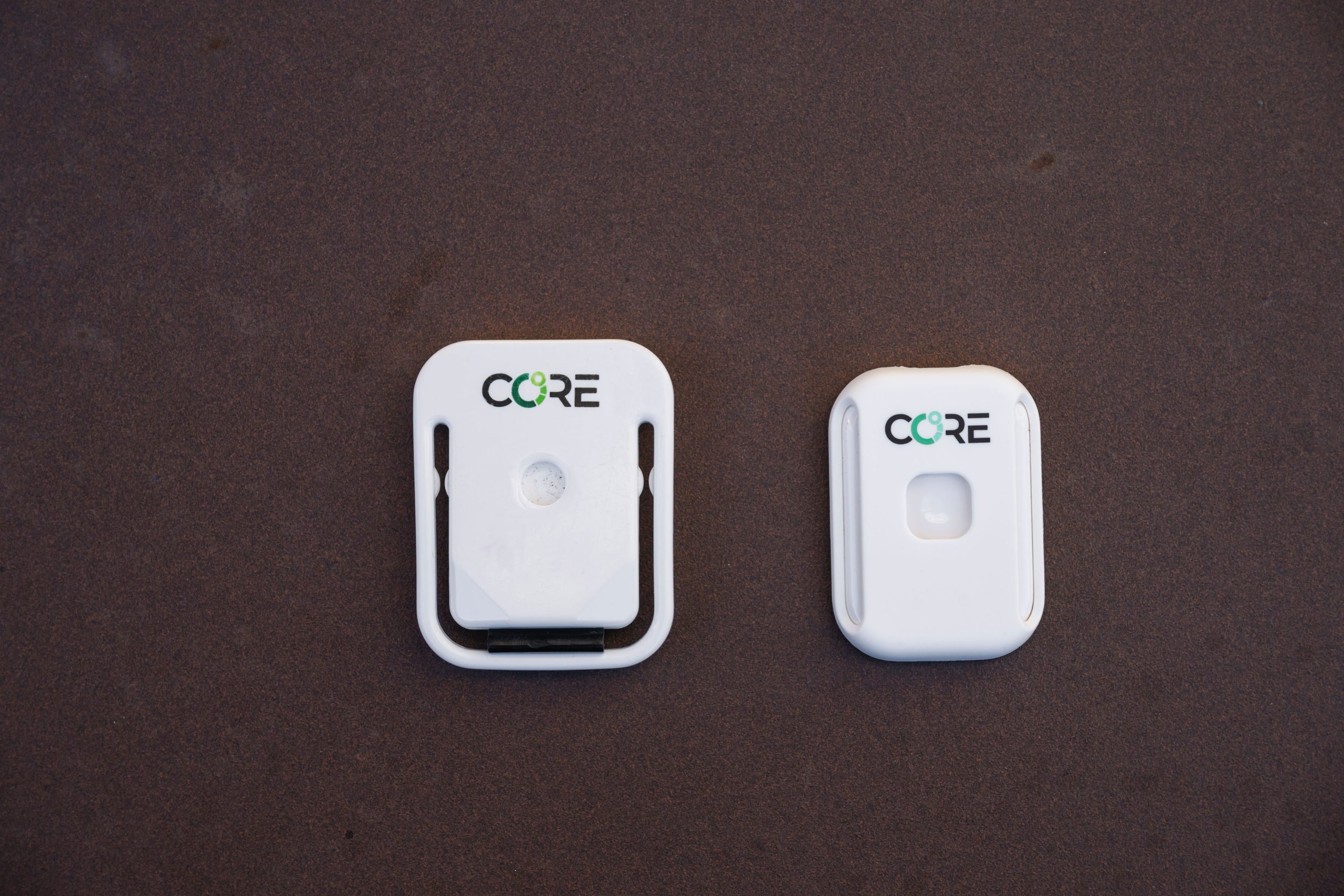
Core 1 and core 2 thermal sensor
The new Core 2 (right) is smaller and lighter than the original version (left). Bike Connection Agency / Rupert Fowler

For a start, Core says it’s 48 per cent smaller and 30 per cent lighter than the original sensor. On my scales, it weighs only 11.6g.

Core says its new modular design makes it easier to remove from a HRM strap for charging, and then easier to reinstall, while a new LED indicator light has been added to let you know when it needs charging.

The Core 2 thermal sensor costs £220.95, but if you own an original Core sensor, you can trade that in for a 30 per cent discount until 30 June 2025.

Selle SMP short saddles

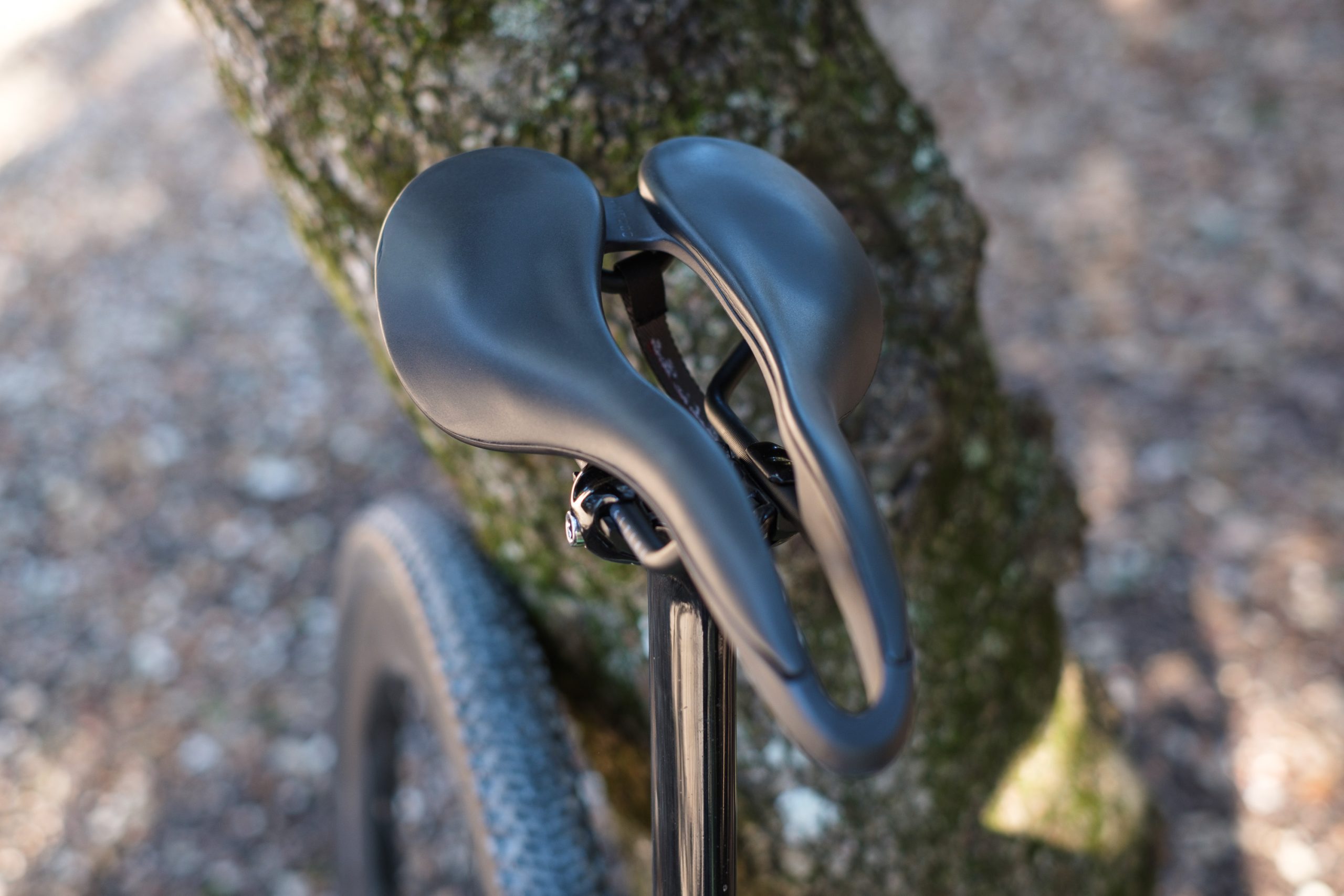
Selle SMP EVO20C saddle
Selle SMP’s latest saddles adopt the industry trend of a shorter overall length. Simon von Bromley / Our Media

Having been making bicycle saddles for more than 70 years, Selle SMP is best known for its dramatically curved saddles, such as the Dynamic.

It’s fair to say it’s a divisive design, in part because of its unusual looks, but it remains a steadfastly popular option among riders who have tried it and found it works for them.

In recent years, though, short-nose saddles have grown rapidly in popularity, inspired by the likes of Specialized’s Power saddle.

In response, Selle SMP has released a new range of short saddles, that marry its unique approach to saddle design with a more modern shape and length.

Selle SMP EVO20C saddle
Selle SMP’s signature curved shape is still here, but it’s less extreme than usual. Simon von Bromley / Our Media

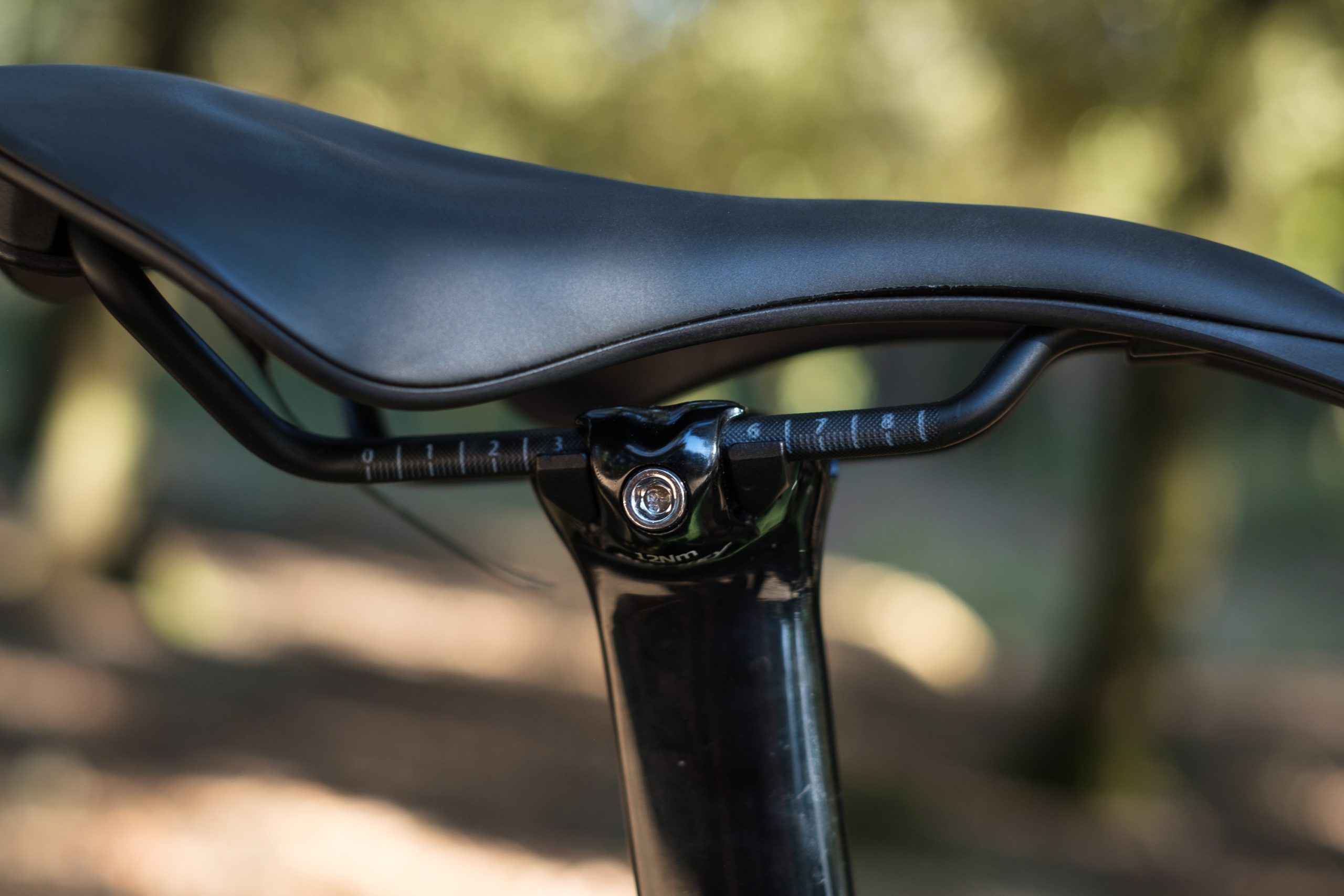
The Selle SMP EVO20C and EVO30C are unisex saddles that retain Selle SMP’s curved shape, generous cut-out and ‘eagle beak’ tip (designed to help reduce soft-tissue pressure), but in a shorter 253mm length.

Built from carbon fibre, with a supportive layer of EVA padding on top, the EVO20C is 140mm wide at the rear, with the EVO30C measuring 150mm wide. As with many saddle brands, Selle SMP recommends measuring the width of your sit bones to determine which saddle width is best for you.

The EVO20C and EVO30C also have shallow indentations on the rear, which are claimed to provide improved support by matching the shape of your sit bones.

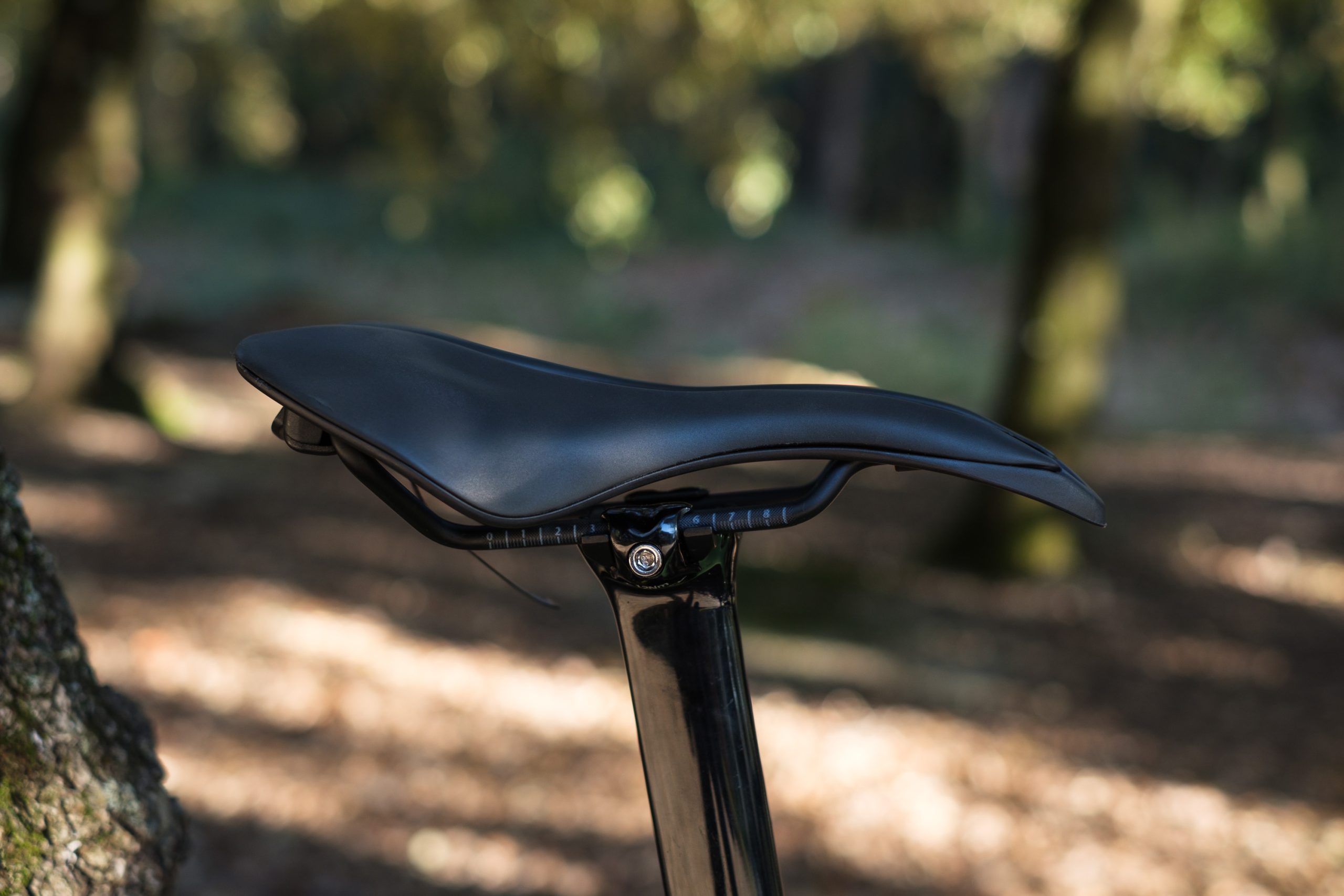
Selle SMP EVO20C saddle
The saddle rails are notably long. Simon von Bromley / Our Media

As with all Selle SMP saddles, the rails are also long, with 8.5cm of total adjustment range. The brand says this helps riders more easily achieve an optimal setback.

Both the EVO20C and EVO30C cost $299.

All of Selle SMP’s saddles are handmade in Italy, with the brand saying it ”works only with local suppliers” to prioritise quality and local jobs, and be environmentally friendly.

Campagnolo Bora Ultra Team Edition wheels

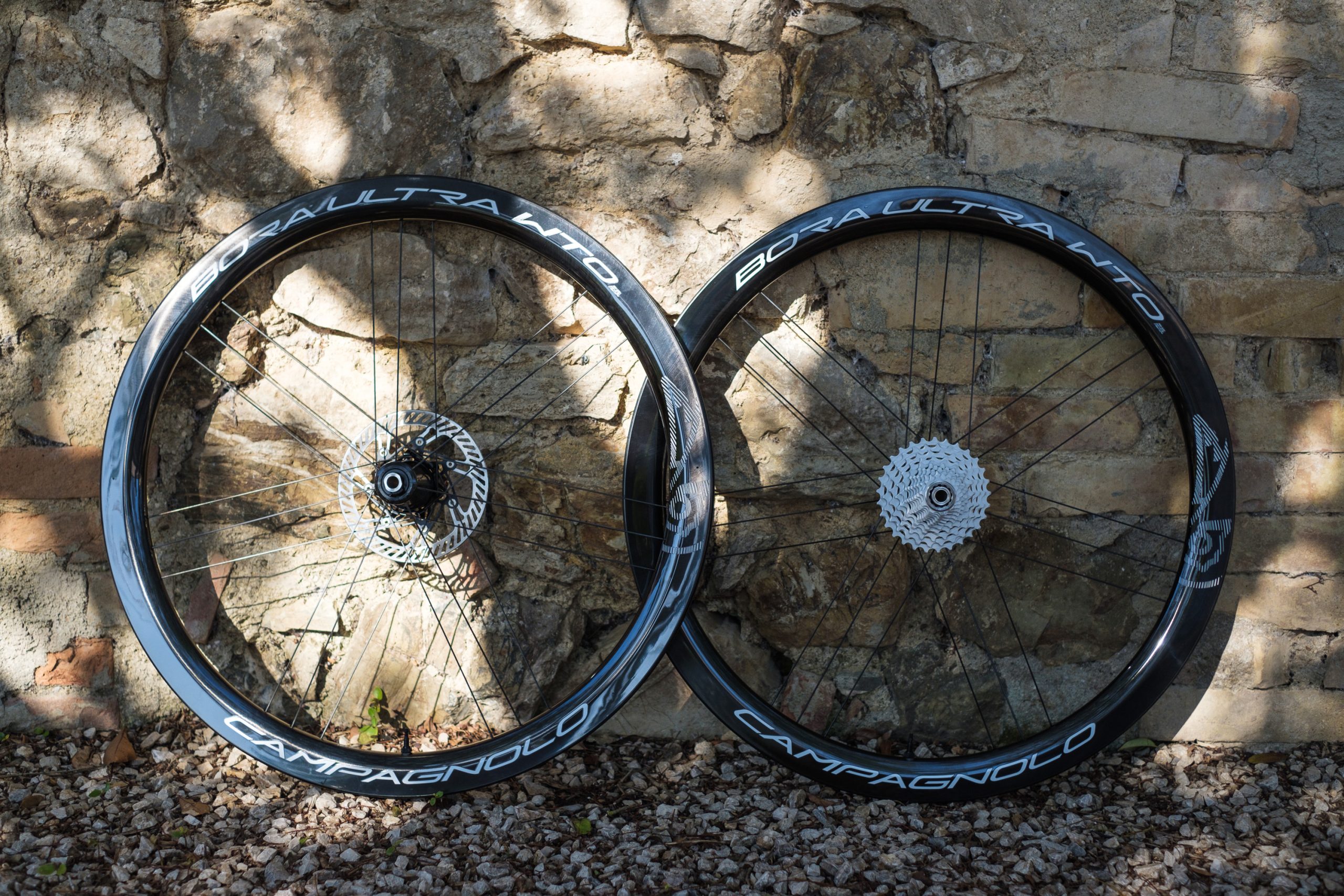
Campagnolo Bora Ultra WTO Team Edition wheels
Want your Bora wheels to be more ‘pro’? Campagnolo has the answer. Simon von Bromley / Our Media

If Campagnolo’s standard Bora Ultra WTO wheels weren’t bling enough for you, Campagnolo has announced it is releasing a ‘Team Edition’ version with the same high-profile graphics as provided to the Cofidis WorldTour team.

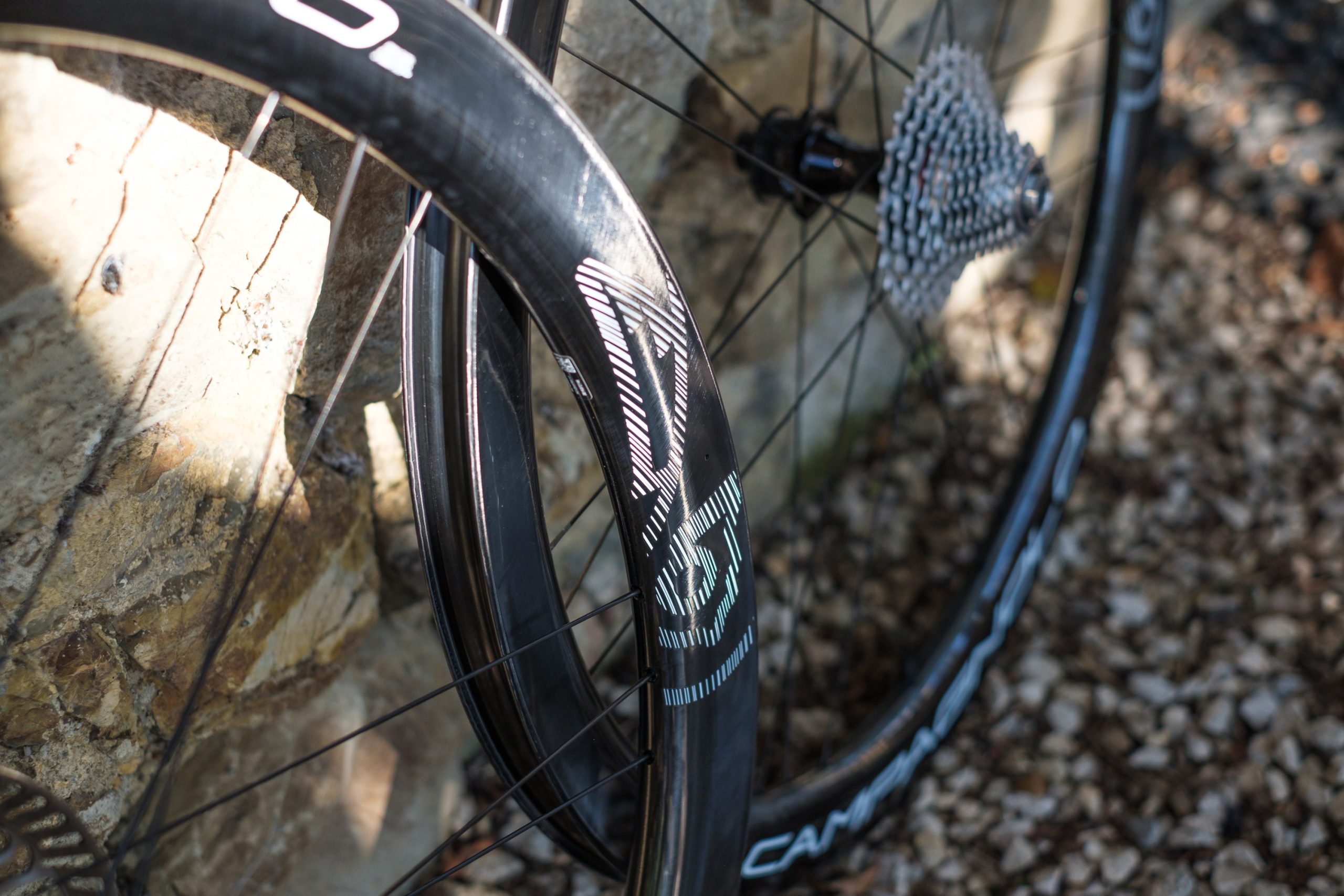
On regular Bora wheels, the Campagnolo branding and graphics are subtle, but the bright white graphics (which contrast against the black carbon rims) on these are clearly designed to stand out in television footage or race photographs.

Campagnolo Bora Ultra WTO Team Edition wheels
The Team Edition wheels feature the same spec as standard Bora Ultra WTO wheels, but with limited-edition graphics. Simon von Bromley / Our Media

Graphics aside, the specs of the Team Edition wheelsets are otherwise identical to the standard Bora Ultra WTO wheels, with 45 and 60mm rim depths and 23mm internal widths.

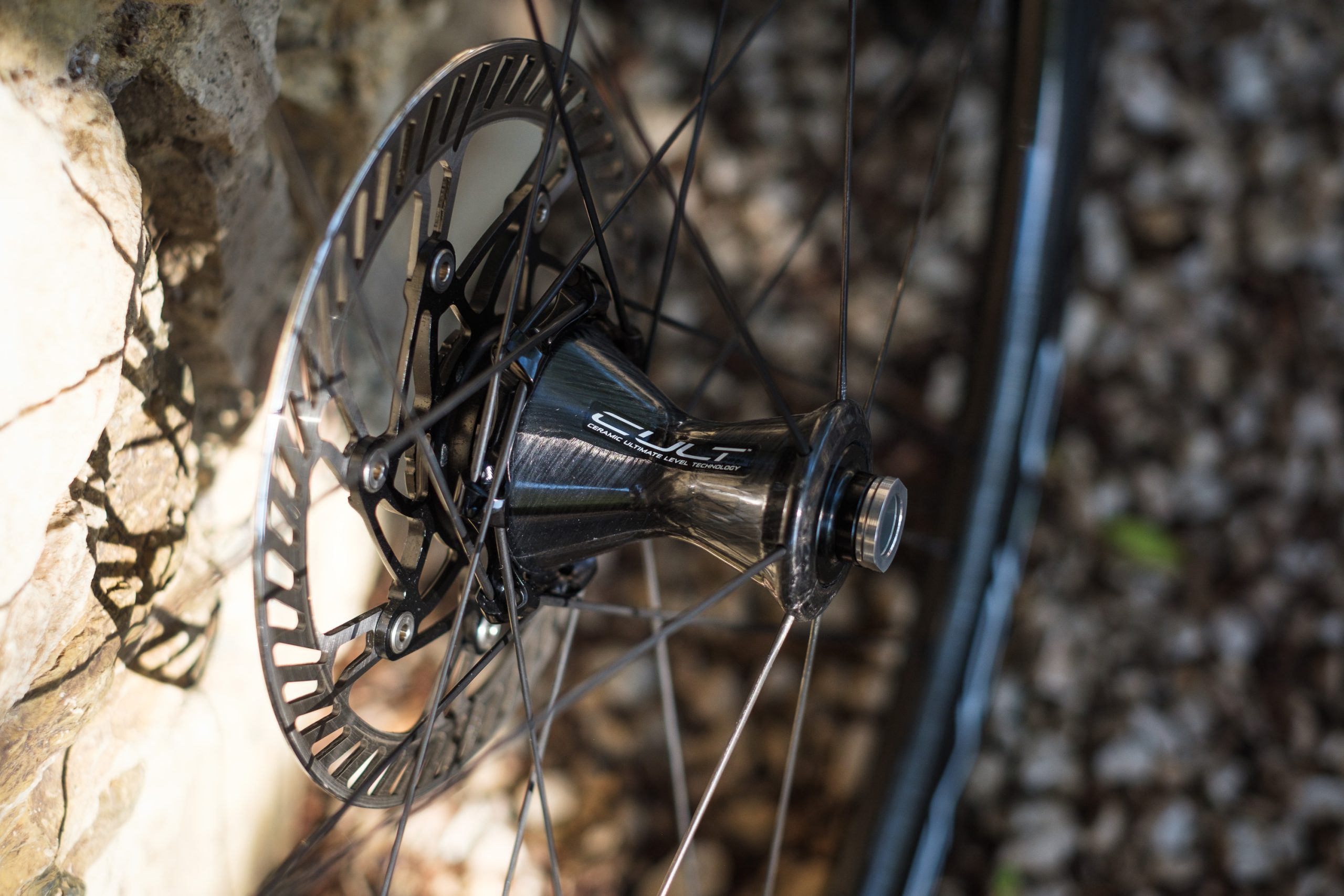
The wheels also use Campagnolo’s carbon fibre hub shells and signature G3 lacing pattern, which the brand claims “improves load bearing, minimises weight and reduces vibrations and rim deformations”.

The hubs also roll on Campagnolo’s own CULT ceramic bearings.

Campagnolo Bora Ultra WTO Team Edition wheels
Carbon hub shells house ceramic bearings. Simon von Bromley / Our Media

Both wheelsets are priced at £3,300, which is practically identical to the £3,293.99 / $4,090 / €3,690 the standard versions cost.

The only question, then, is how badly do you want everyone to know you’ve got a set of Campagnolo Bora Ultra WTO wheels?

Assos Equipe R road cycling kit

Assos Equipe R road cycling kit
The Assos Equipe R cycling kit features simplified yet elegant designs. Bike Connection Agency / Rupert Fowler

Having invented Lycra cycling shorts in the late 70s, Assos holds a special place in the history of the sport.

Over the years, Assos has impressed us with its high-performing products, but it’s fair to say the Swiss brand’s kit has remained steadfastly high-end – putting it out of reach of many riders.

Assos Equipe R road cycling kit
The Equipe R kit is designed primarily for road cycling, but is equally at home on a gravel ride. Bike Connection Agency / Rupert Fowler

To address this, the brand’s latest Equipe R range of road cycling kit takes inspiration from its premium ranges, but distills this into simpler and slightly more wallet-friendly packages.

At £130 / €150, the Assos Equipe R bib shorts are still an expensive proposition, but they are substantially more affordable than its high-end Equipe RS Schtradivari Bib Shorts S11 (£215 / €250) and its flagship Equipe RSR Bib Shorts S11 (£305 / €350).

Assos Equipe R road cycling kit
The Equipe R collection brings Assos kit to more accessible prices.

Likewise, the Equipe R Jersey S11 costs £130 / €150, saving a similar amount compared to higher-end options in the brand’s range.

Adding to the value equation, Assos says its kit is backed by its ‘gear to last a lifetime’ philosophy – which sees all of its products backed by a two-year warranty and a repair policy for crash-damaged kit.

Gmail is Making It Easier For Businesses To Send Encrypted Emails To Anyone

Google is rolling out a new encryption model for Gmail that allows enterprise users to send encrypted messages without requiring recipients to use custom software or exchange encryption certificates. The feature, launching in beta today, initially supports encrypted emails within the same organization, with plans to expand to all Gmail inboxes “in the coming weeks” and third-party email providers “later this year.”

Unlike Gmail’s current S/MIME-based encryption, the new system lets users simply toggle “additional encryption” in the email draft window. Non-Gmail recipients will receive a link to access messages through a guest Google Workspace account, while Gmail users will see automatically decrypted emails in their inbox.


Read more of this story at Slashdot.

The History Of Our Names For Colors

This is a video of PBS Otherwords host Erica Brozovsky, Ph.D (previously: sailor jargon) discussing the origins of our words for different colors. Did you know humans can see more shades of green than any other color, but have fewer words to describe them? That was news to me. Not news I’m going to be able to apply to anything but party banter, but my dermatologist was able to identify my rash so I’m sure friends will be thrilled I have something else to talk about.

How Passwords Managers Work (and Why You Should Finally Start Using One)

Take a moment to list all the digital accounts you’ve signed up for, and it’s probably more than you realized: email, social media, banking, streaming services, cloud storage, music, gaming, and fitness…it adds up. But using the same login credentials for every service is a bad idea, and if you reuse passwords across accounts, let me summarize the simplest advice you should take away from this article: You shouldn’t. But, of course, it’s nearly impossible to remember as many unique usernames and secure passwords as you need for your various accounts. That’s where password managers come in.

Password managers hide your various login credentials behind one main username and password so that logging into the password manager gives you access to everything else. It’s a secure alternative to writing your passwords down or saving them in a spreadsheet, and more reliable than your memory. They can often store other data, too—think credit card numbers, PIN codes, and authenticator keys—and may also give you extra features like scanning data breaches for your credentials. If you’ve yet to switch to a password manager, consider this a sign to get started. It can be intimidating at first, but getting started may be easier than you think.

Some of the most important password manager features

Password managers are all slightly different, but you’ll find many of the same features across brands. First and foremost, they store your passwords—often popping up inside web browsers and on phones whenever you need to log into an account—and provide you with your login credentials with one click or tap. As sign-in technologies have evolved, though, so have password managers. Many can now also help with two-factor authentication codes and passkeys for websites or apps that need more than just a username and password. At the same time, these password managers are secured with a main username and password you need to remember—and often with biometric authentication, too.

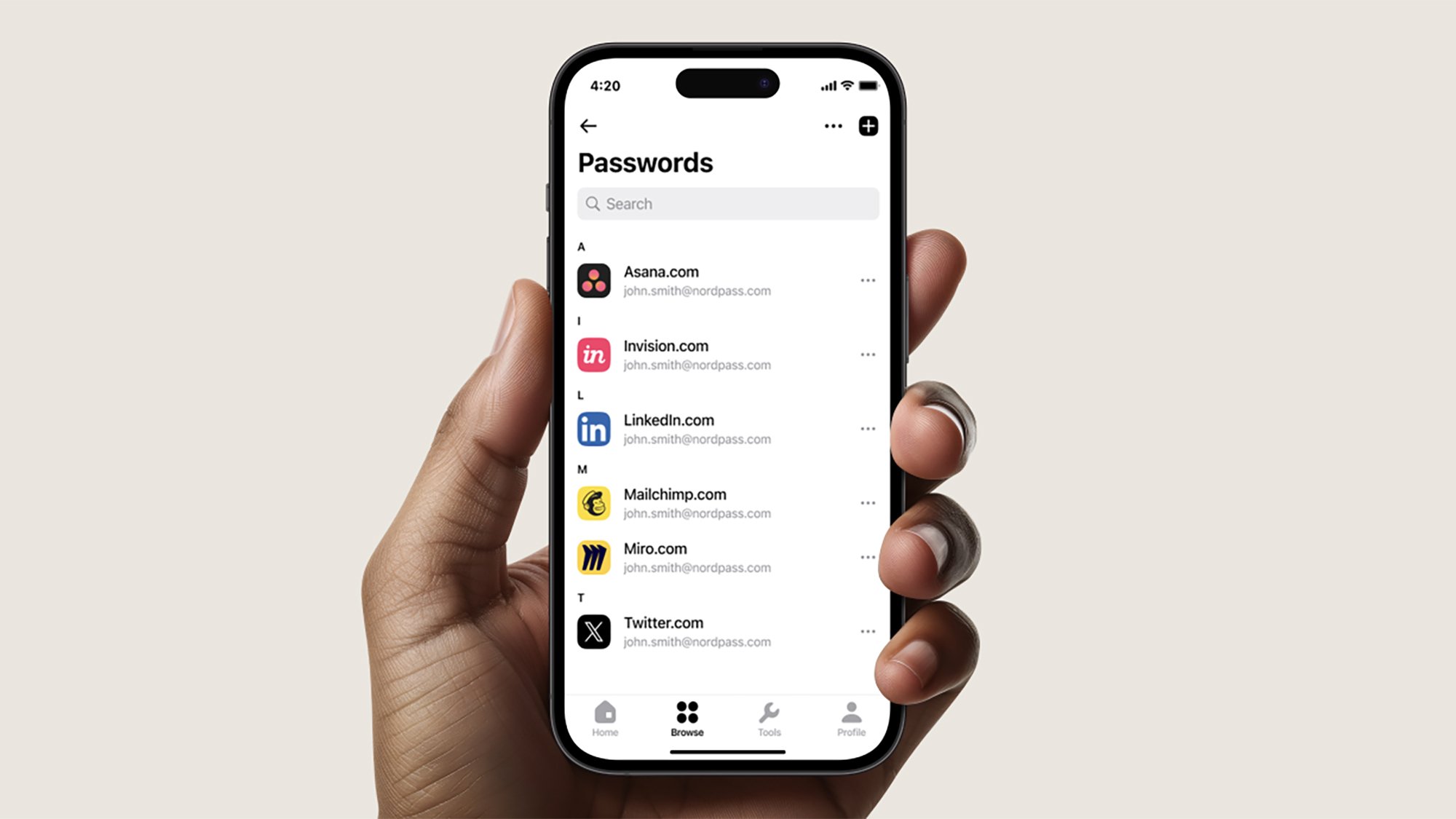
NordPass passwords
The best password managers work seamlessly across devices.
Credit: NordPass

Most password managers will also suggest strong passwords for new accounts: Passwords that mix up random special characters, letters, and numbers, so they’re extremely difficult to hack. With a password manager, you don’t actually need to know what your passwords are—the program handles everything. You’ll often see password managers offer additional security features as well, ranging from notifying you of duplicate passwords, to dark web monitoring for your email addresses, usernames, or passwords. If your login details appear in a data breach, you get an alert about it, and you can change them.

How password managers secure your data

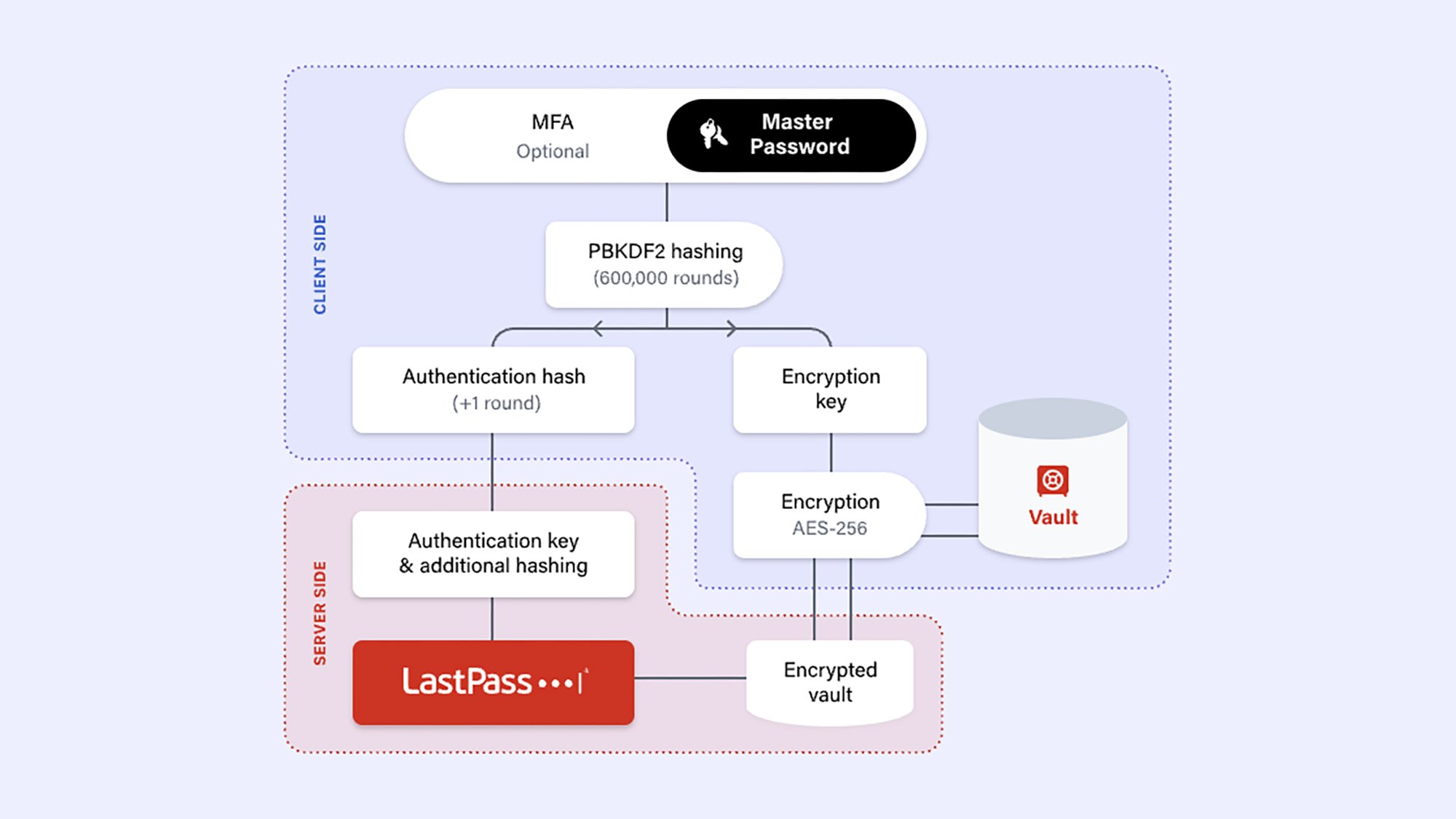
You might wonder how password managers make sure your passwords are securely and privately locked away. Details vary between software packages, but they’ll invariably use end-to-end encryption, with your main password as the decryption key, meaning that means no one else—from hackers to password manager developers to government agencies—can access your details without that password. Additional security measures are often implemented as well. Take 1Password as an example: It uses PBKDF2 (Password-Based Key Derivation Function 2) key strengthening, which, in simple terms, means that passwords are obscure enough that it would take decades to crack. It also gives users a secret key, known only to them, that works as an extra security layer on top of your password.

Password manager protection
A host of encryption and other security layers are applied to your password vault.
Credit: LastPass

In other words, you can’t just use your pet’s name as your password manager password. Extra security layers, including two-factor authentication and biometric scans, are often added too. Where your credentials need to be synced across multiple devices, strong encryption protocols are again deployed. Without your password, the data is useless, and only you know your password.

Most password managers now combine local and cloud storage options, because we all need our passwords on so many devices. However, it’s worth bearing in mind that the fewer places you have your password manager installed, the less chance there is of someone else gaining access to it—so some users just keep their password manager on their phone.

Why you should use a password manager

Simply put, using a password manager is a whole lot more secure than other options, like listing them in a Google Doc. Say, for example, that you left your laptop unlocked and someone sat down at it. With a Google Doc, that person would be more likely to access your password document than they would a password manager where they would need extra security clearance.

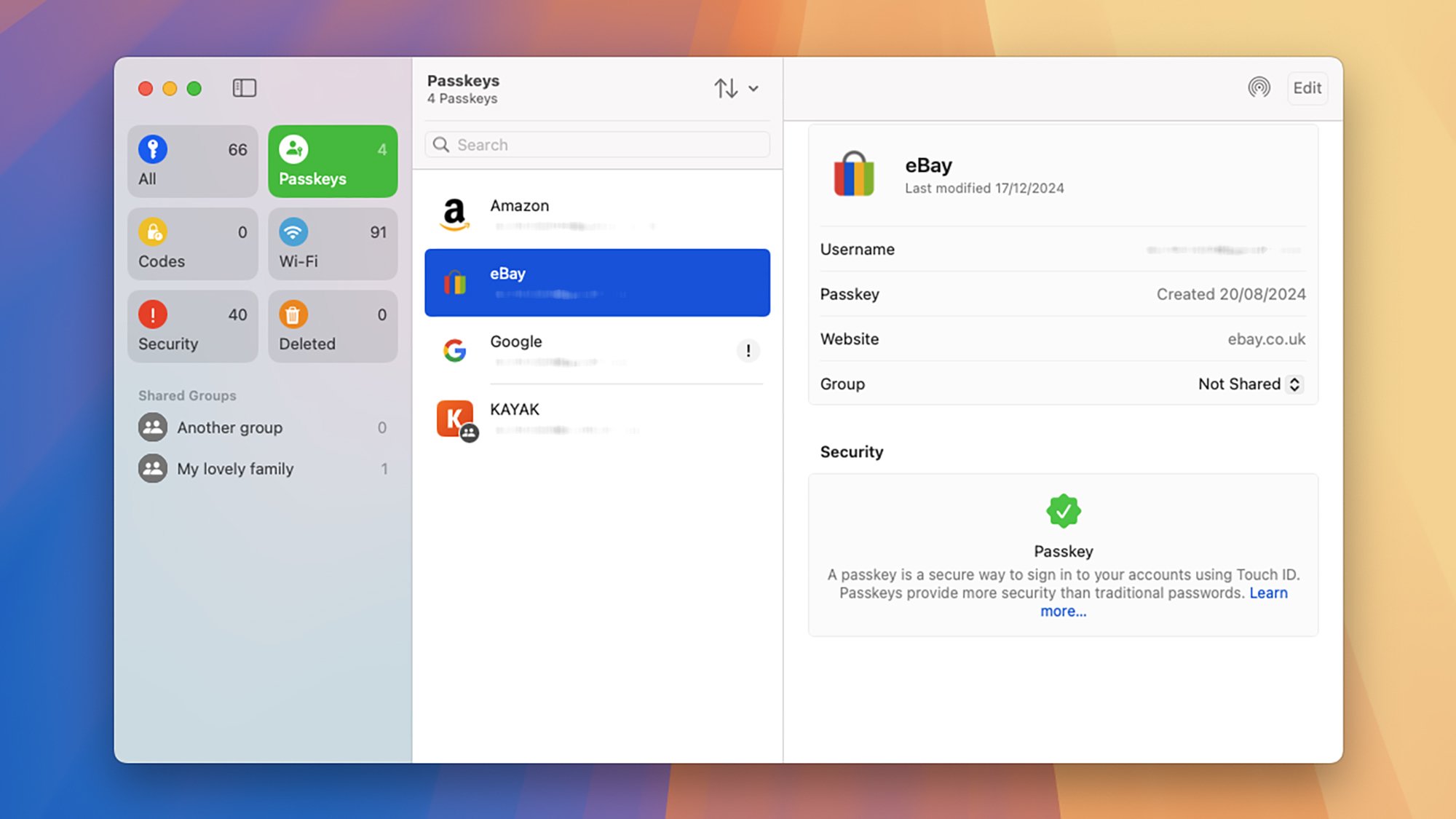
Apple Passwords
Apple and Google have their own password manager options.
Credit: Lifehacker

The free offerings from Google and Apple have improved significantly in recent years, but they still don’t quite offer the level of protection, breadth of features, and cross-platform support of the best dedicated password managers. One example: In the case of Google Password Manager, on-device encryption (meaning that you manage the decryption key locally, as with a password manager, rather than Google managing it) remains an optional extra that you have to enable, rather than enabled by default.

Given the protection and features that come with dedicated password managers, it’s typically worth most people investing in one. Some software packages offer a free tier, but they may be limited in terms of the features you get and the number of devices you can use them on. You can expect to pay a few bucks per month for most apps, but you can also look for bundled deals that include VPNs and adblockers, for instance. Whatever brand or package you choose, though, you should begin using a password manager. You get a private password vault, a host of protections to keep it safe, and added features like data breach monitoring and strong password generators. Plus, the best password managers sync seamlessly across all of your devices, ready when you need them.

Oura’s AI Advisor Is Ready To Give Personalized Health Advice To The Masses

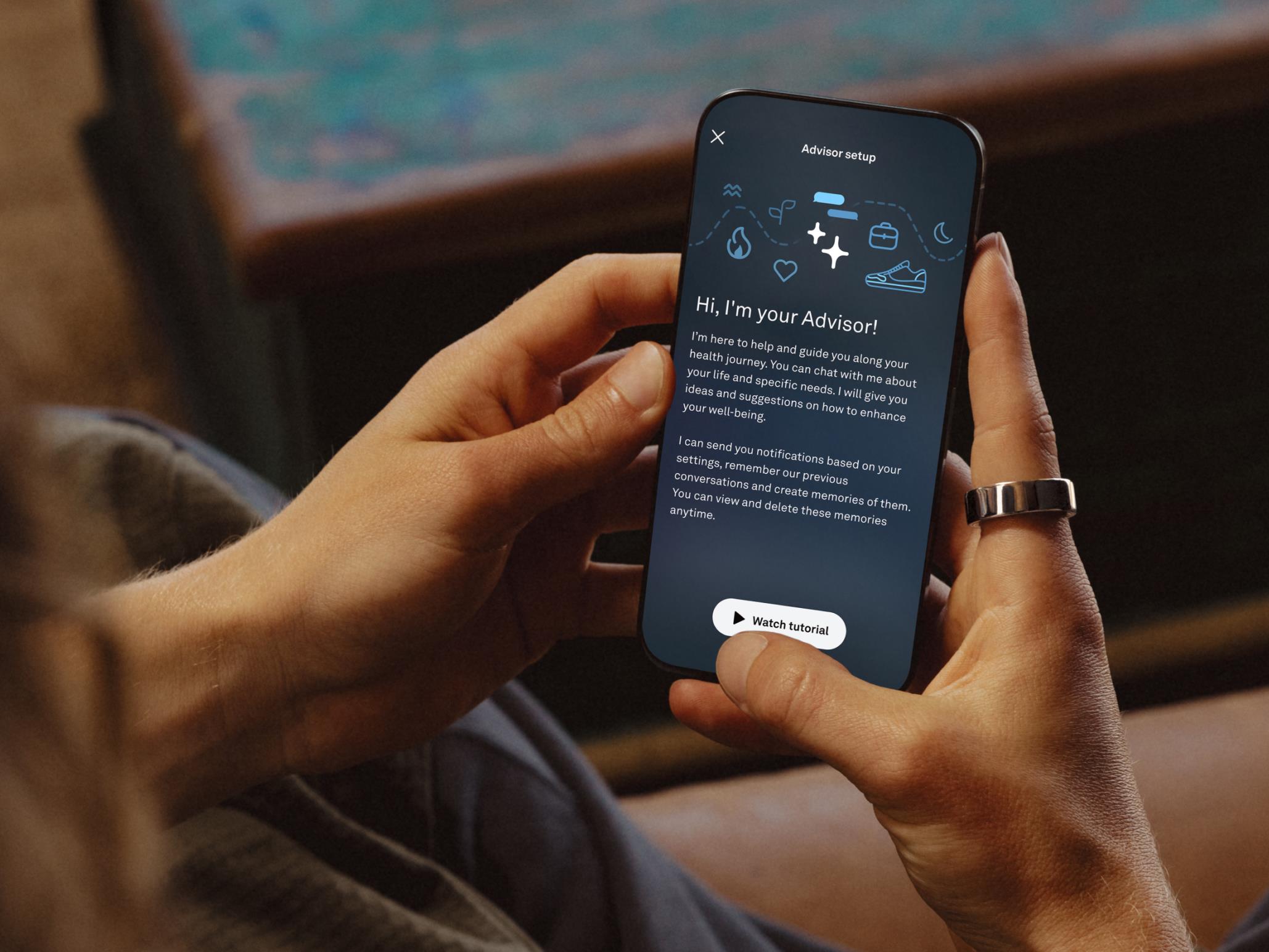
Oura's AI Advisor Is Ready To Give Personalized Health Advice To The Masses
Oura’s LLM-based AI Oura Advisor has exited beta and is now available to Oura subscribers, specifically owners of the Oura Ring Gen 3 and Oura Ring 4. By chatting with Oura Advisor, users will receive actionable and personalized guidance (within the wellness realm, of course). There are some limitations, but Oura plans to expand Advisor’s

‘Zombie Army’ Coming to All Major VR Headsets Next Month, Trailer Here

Rebellion announced it’s getting ready to release Zombie Army’s first VR game, bringing its co-op campaign to all major VR headsets next month.

Coming to Quest 2 and above, PSVR 2 and SteamVR headsets May 22nd, Zombie Army VR brings the franchise’s zombie-ganking madness, enlisting you among the Deadhunters, an elite squad fighting to end the apocalypse.

“Fight your way through undead hordes near the bombed-out city of Nuremberg to help Captain Hermann Wolff, the Deadhunter’s legendary leader, find his scattered family, and fight to free Europe from the zombie apocalypse,” Rebellion says.

Image courtesy Rebellion

Promising a “full-length, story-driven campaign,” playable solo or in two-player co-op, the game is again bringing an authentic loadout of World War II weaponry, such as sniper rifles, submachine guns, pistols—which you can dual-wield and manually rack.

You’ll also be able to earn XP to level up your Deadhunter and use Weapon Upgrade kits to modify the range, accuracy, scope, and capacity of your weapons.

And you’ll be up against more than just your standard Nazi walkers, boasting all of the franchise favorites: Armored Giants, Suiciders, Sniper Zombies, and more. What’s more, like Rebellion’s Sniper Elite VR (2021), the X-ray Kill Cam is making an appearance in Zombie Army VR, allowing you to relive long-range kills in slow motion.

You can now pre-order Zombie Army VR over on the Horizon Store for Quest 2 and above, the PlayStation Store for PSVR 2, and Steam for PC VR headsets, where it’s currently priced at 10% off its regular $30 price tag.

The post ‘Zombie Army’ Coming to All Major VR Headsets Next Month, Trailer Here appeared first on Road to VR.

Hands-On With Plex’s Overhauled Mobile Streaming App As A Big Price Hike Looms

Hands-On With Plex's Overhauled Mobile Streaming App As A Big Price Hike Looms
Plex is finally rolling out its new user experience on mobile devices after it went into the testing phase towards the end of last year. Although, the move to this new interface hasn’t gone as smoothly as most users would’ve liked. The company ended up having to cut a wildly popular feature as it made this app upgrade and was immediately hit

Pick up the Beats Pill speaker while it’s on sale for a record-low price

The Amazon Spring Sale might be over, but there are still lots of great deals to shop. For instance, there’s a 33 percent discount on one of our favorite portable Bluetooth speakers for 2025. The Beats Pill is down to $100 from $150 — a record-low price for the speaker.

Let’s be honest, that first glimpse of warm weather is here and it’s making us dream of sitting by the beach or picnics with friends. The Beats Pill is a solid option to provide the soundtrack to your summer. We gave it in 83 in our review thanks, in part, to its durability. The speaker has an IP67 waterproof rating, so you shouldn’t have to worry at all if it gets a bit wet. 

The Beats Pill also offers 24-hour battery life and improved sound quality from its predecessor. However, we have found that the audio does hurt a bit when at loud volumes and it can have an inconsistent bass tone. 

Follow @EngadgetDeals on X for the latest tech deals and buying advice.

This article originally appeared on Engadget at https://www.engadget.com/deals/pick-up-the-beats-pill-speaker-while-its-on-sale-for-a-record-low-price-140306981.html?src=rss

The Best Internet Browsers for Protecting Your Privacy (and the One Worst)

Web browsers collect a lot of data and share it with the sites we visit, so if you’re concerned about your privacy, it’s worth wondering which browsers are best for keeping our online habits to ourselves. Whether you’re an activist concerned about surveillance, someone doing research in a country where your topic can get you in trouble, or simply a person who doesn’t want spying eyes on their search history, using a more private browser can be one of the simplest steps you can take towards less worry. I spoke to William Budington, a Senior Staff Technologist on The Electronic Frontier Foundation’s (EFF) Public Interest Team, and Janet Vertesi, an Associate Professor of Sociology at Princeton University who publishes extensive work on human-computer interaction and online privacy. They had subtly different opinions on which browsers are best for your privacy, but they definitively agreed on one thing: It’s not Chrome.

“There is no perfect choice here in the array of browsers that protect your privacy, but certainly Chrome is not one of them,” Budington says.

Vertesi agrees: “If you’re on Chrome, you have to get off Chrome.”

It shouldn’t be surprising that the most private browser is not the one made by a company that generates the majority of its revenue by collecting data. But which browsers are more private?

Tor is the ultimate private browser, but it comes with trade-offs

The Tor browser, running on a Mac, opened to Lifehacker

Credit: Justin Pot

Tor is built with privacy in mind. The browser disables all cookies, masks fingerprinting, and routes all traffic through at least three different nodes. That level of privacy is unparalleled, but it comes at a price: a lot of websites simply don’t work.

“Because it’s aimed to be ephemeral, not leaving traces, and turning off cookies by default, it’s going to be the gold standard when it comes to privacy and anonymity,” Budington says, “but there’s a tradeoff in usability.” The problem, according to Budington, is that Tor’s privacy means it’s a common tool for distributed denial of service (DDoS) attacks, which in turn means many services block it.

“Tor is probably the safest in that it’s totally untraceable, but it’s not usable for everything,” Vertesi says. “You can’t use Tor exclusively.”

Both experts recommended using Tor for those moments when you really want to make sure no one is watching.

“If you’re someone who wants to look up a medical condition, use Tor because it won’t leak your browsing,” Budington adds. “You might want to use Tor browser in those specific situations, but there are browsers that do a pretty good job at protecting your privacy but will be much more usable.”

Brave is a good option for private browsing but also comes with caveats

The Brave browser, running on Mac, with Lifehacker open

Credit: Justin Pot

Brave is a Chromium-based browser made for privacy. It offers built-in ad and tracking blocking, fingerprint randomizing, and various other privacy features. Both experts acknowledged the various controversies about the company but still feel it’s a solid out-of-the-box option for private browsing.

“It’s clear that they are taking reasonable and good steps in order to protect users’ privacy,” according to Budington. He particularly emphasized the length Brave goes in order to randomize your browser’s fingerprint, which can protect against canvas fingerprinting in which sites render an unnecessary vector image to detect subtle differences in hardware configuration. The other browsers on this list don’t do that, which might be worth keeping in mind.

Brave is also built on the Chromium code base, meaning sites that break on Firefox and Tor generally open without problems. “Brave is an option if you need a Chrome compliant thing around,” according to Vertesi.

Firefox is still great with the right extensions

The Firefox browser, running on a Mac, with Lifehacker open.

Credit: Justin Pot

You already know about Firefox—once among the most popular browsers on the planet—and it’s still a solid option for security conscious users if you don’t mind a bit of setting up.

“With the right add-ons installed, Firefox can be just as private as Brave,” Budington says, recommending EFF’s own Privacy Badger alongside the ad-blocker uBlock Origin. “There’s no reason not to use these in combination,” he adds, mentioning there are also add-ons for randomizing fingerprinting.

And there’s more to discover if you dig around. “The thing I like about Firefox is you can really lock it down in the settings,” Vertesi says. She emphasized the fact that Firefox is built by a nonprofit instead of a commercial entity. “Their job is not to satisfy investors,” she notes. “That’s important, because it means that you’re not the product.” Both experts acknowledged that, like Brave, Firefox has its share of recent controversies that are worth keeping in mind, but they still recommend the browser.

Why you should use different browsers for different uses

Vertesi emphasized that a core part of her privacy strategy is to use multiple browsers. “Don’t just choose one best browser, use many,” she said. “It’s a way of cordoning off different parts of your life, so your browser doesn’t know about other accounts.” Vertesi, for example, generally has a single browser for occasionally browsing Facebook products and nothing else—that way Facebook can’t track her other browsing. She said there are many good options out there including Opera, Vivaldi, DuckDuckGo Browser, and even Apple’s Safari, which has a few privacy-specific features. Budington mentioned that because Apple devices are all so close in terms of hardware configuration, Safari has incidental fingerprint protection.

Ultimately, privacy isn’t something we can get by installing a particular browser—it’s more of a mindset, and it includes strategies that come with compromises to our convenience. Tor, Brave, and Firefox all strike a different balance in privacy and usability—along with smaller options like Opera, Vivaldi, and DuckDuckGo Browser. The right one will depend on how you’re balancing those factors at any given time.

But, again, if you care about your privacy, a good place to start is simply not using Chrome. “If you have an amazing VPN but you’re doing everything in Chrome…why bother?” Vertesi says.

Average Person Will Be 40% Poorer If World Warms By 4C, New Research Shows

Economic models have systematically underestimated how global heating will affect people’s wealth, according to a new study that finds 4C warming will make the average person 40% poorer — an almost four-fold increase on some estimates. The Guardian: The study by Australian scientists suggests average per person GDP across the globe will be reduced by 16% even if warming is kept to 2C above pre-industrial levels. This is a much greater reduction than previous estimates, which found the reduction would be 1.4%.

Scientists now estimate global temperatures will rise by 2.1C even if countries hit short-term and long-term climate targets. Criticisms have mounted in recent years that a set of economic tools known as integrated assessment models (IAM) — used to guide how much governments should invest in cutting greenhouse gas emissions — have failed to capture major risks from climate change, particularly extreme weather events. The new study, in the journal Environmental Research Letters, took one of the most popular economic models and enhanced it with climate change forecasts to capture the impacts of extreme weather events across global supply chains.


Read more of this story at Slashdot.

Future-proof your bike with the standard that won’t die | Paul releases new 100% Pure square-taper cranks

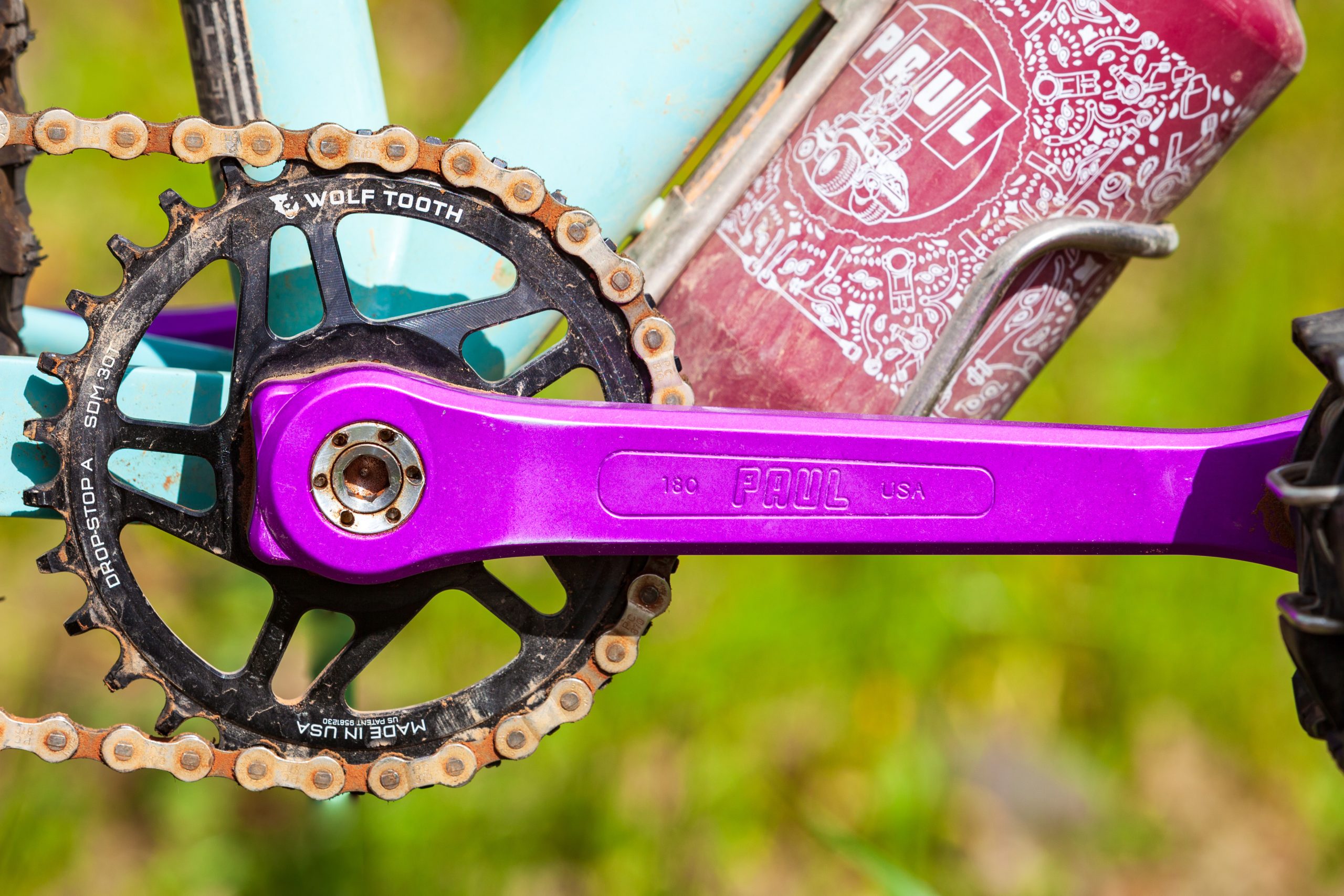
Paul Components has announced it is reviving its iconic 100% Pure Crank, with a square taper and self-extracting crank bolts.

The brand has assured us this isn’t an April Fool’s joke, opting for a square-taper design because it allows for fine-tuning of the Q-factor and chainstay clearance of the crankarms via the BB spindle length.

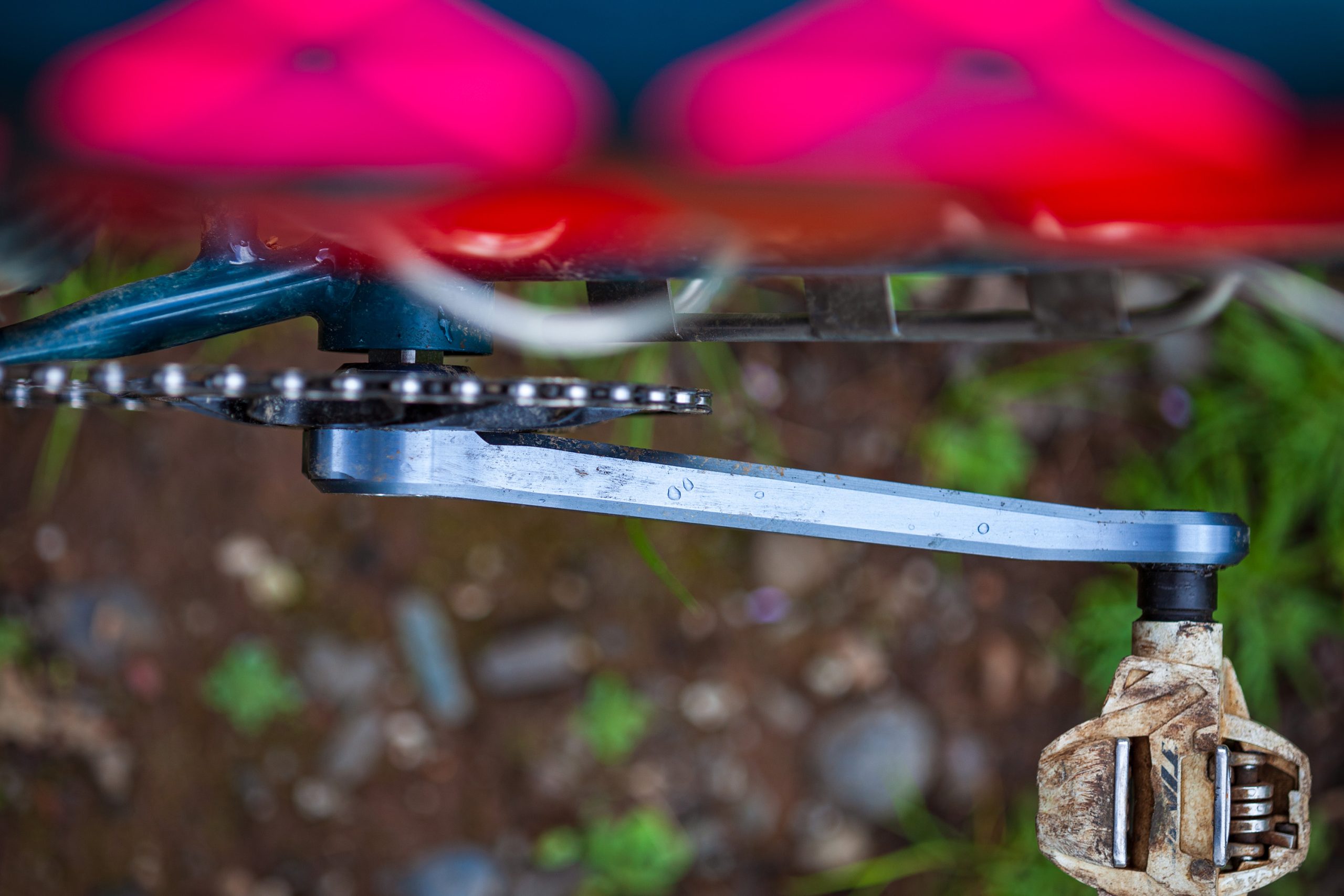
Most modern cranks use a fixed-spindle design, so seeing a brand using a square taper is quite unusual in 2025.

Paul Components says the design has enabled it to get the chainring close to the chainstay for a better chainline in the bigger rear cogs via chainring offset.

Paul Pure Crank
Paul offers the cranks in four colourways. Paul Components

The brand has decided to use the JIS (Japanese Industrial Standard) square taper, which is more common than the ISO and is slightly bigger, with both sharing the same 2-degree taper.

Paul has opted for SRAM’s 3-bolt direct-mount chainring spline, meaning it should be easy to find compatible chainrings.

Paul Pure Crank left hand
The cranks feature a machined construction with Paul logos etched into the arms. Paul Components

Self-extracting crank bolts also feature, essentially working as crank pullers on the crankset.

The cranks are made from American-milled 2024 aluminium using a CNC process that the brand says enables excess material to be removed for a lighter, stiffer and more elegant design.

You will need a square-taper bottom bracket to install the cranks, with this system offering impressive resilience to developing play over time when compared to threaded and press-fit bottom brackets.

Paul Pure Crank Pewter top side
The cranks look ready for gravel bike adventures. Paul Components

While Paul has made cranksets in the past, this marks a return for a brand associated with bijoux bicycle componentry.

Paul’s 100% Pure Crank is priced at $308 and available in Black, Purple, Silver and Pewter colourways.

Sizes available are 155, 160, 165, 170, 175 and 180mm, with the longest cranks weighing in at 516g, including chainring bolts, crank bolts and extractor caps.

iPhone 16 Pro longterm review: While Apple Intelligence underwhelms, Camera Control fits right in

When we reviewed the iPhone 16 Pro last year, Apple Intelligence was barely available. Since then, the iPhone 16 series has benefitted from several new features, apps and improvements. Some (or most) of them were Apple Intelligence features that were teased back at WWDC 2024, months before the iPhone 16 Pro launched.

AI features weren’t the only changes this time around, with the iPhone 16 getting an entirely new button. The so-called Camera Control wasn’t just a simple app shortcut, but an elaborate multifunction button that offered a haptic half-press and the ability to swipe across to adjust camera settings and options.

Managing Editor Cherlynn Low said we were still ”waiting on Apple Intelligence” in our initial review. Now, as we hit iOS 18.4, was it worth the wait?

iOS 18 and Apple Intelligence so far

iPhone 16 Pro long-term review
Mat Smith for Engadget

Apple Intelligence was late, arriving as part of iOS 18.1 back in October 2024. Initial generative AI features included writing tools like proofreading and rewriting, as well as text summaries and live transcription for phone calls and voice notes in the Notes app. A few months later, iOS 18.2 gave us the Apple Intelligence features that made most of the headlines when first announced at WWDC. That included ChatGPT integration, AI image generation in Image Playgrounds and Genmoji. 

Starting with iOS 18.1, one of the most controversial Apple Intelligence features is actually my favorite: Notification Summaries. It’s a good attempt at taming the wild west of countless group chats across multiple messaging apps, calendar reminders, Substack pings and everything else.

You don’t need to update every individual app for Notification Summaries to kick in. As soon as iOS 18.1 landed, my messy WhatsApp chats were streamlined. I thought it cute when my iPhone told me a friend had laughed at my comment, and suggested where we could meet and a date. That was distilled from a ten-message barrage they’d sent.

iPhone 16 Pro long-term review
Mat Smith for Engadget

It’s not perfect, though. Apple had to clarify that notification summaries are AI-generated, and make that clearer beyond a small Apple Intelligence icon. This was after the BBC complained about multiple summaries that twisted the content of some of its headlines. I’ve also had notification summaries that incorrectly guessed the subject of a sentence or entire topic of a thread, but on the whole, it’s a useful utilization of AI smarts.

There are more natural language hooks across most of iOS 18, too. You can now search for images in the Photos app with descriptions, dates, location and more. Those natural-language smarts take on a different function with writing tools, courtesy of Apple Intelligence. Even though I’m not a particularly clean writer (hey, Cher), these writing tools are not all that useful. I haven’t used them much beyond quick email responses to work requests and events, but the ability to proofread, rewrite or check tone may prove useful to some.

The writing tools also work inside the Voice Memos app, which can now transcribe conversations, meetings and more. Here, it helps make things more concise, with options to turn transcripts into summaries, key points, lists and even tables. If the recording is clear enough and they’re not too long, iOS 18 does well on these transcriptions. Several times, the iPhone 16 Pro straight-up declined to summarize a transcript. Why? All I got was a notification that the tools “aren’t designed to work with this type of content.”

Elsewhere, Apple struggles to catch up with AI innovations on rival devices. Like Google Pixel’s Magic Eraser (and all the other Android riffs), Clean Up now allows you to scrub out distracting elements and photo bombers from your pics. However, the results aren’t quite up to the standard of the competition. Sometimes, however, it nails it.

Some Apple Intelligence features have faded into the background after an initial buzz. Image Playground offers the ability to AI-generate your own images and had plenty of users itching to get off the beta waitlist to play around with the app. After a bit of testing, however, I haven’t used it in the months since it launched.

There might be a future for Playgrounds within iOS, though. For instance, Apple’s Invites app lets you embed Image Playground results within your events, which is helpful if you don’t have a photo to illustrate the invitation. As a standalone app, however, it doesn’t quite deliver enough to live on my home screen. It’s gone the way of GarageBand, Pages and Apple Maps on my iPhone.

Genmoji, on the other hand, is easier to use, and I use it often. With it, you can create your own emoji reactions with specific people, objects and backgrounds. I already have several established favorites, like me eating cereal and a chronically late friend with clocks in the background, and I’ll probably continue to make emoji as life demands it. For example, a passenger behind me on a flight to Barcelona last month had three cats with her. So, I made a cats-on-a-plane Genmoji. Exactly what Tim Cook intended.

iPhone 16 Pro long-term review
Mat Smith for Engadget

Some software features are also specific to the iPhone 16 Pro series (and the 15 Pro). Camera Control aside, the new button also offers access to Visual Intelligence with a long press. Visual Intelligence is Apple’s take on Google Lens, tapping visual AI smarts to analyze what your iPhone is pointing at. It can recognize text, like words on menus, and even translate for you. If you get lucky, it’ll even identify the outside of a restaurant and (with some ChatGPT power) tell you the opening hours and what kind of cuisine it offers. It’s particularly effective in identifying landmarks, but busy scenes can quickly derail it. Unfortunately, you can’t tap on a particular object in the frame to clarify specifics. However, the ability to create calendar events from a poster is pretty cool — even if I usually forget to use it.

That’s Apple Intelligence, for now. There are a lot of smart touches, but so far, it isn’t remarkable. I credit Apple’s attempts to make most of its AI features either processed on device, or connected to the company’s Private Cloud Compute, which uses larger server-based models. Apple has reiterated that your data is never stored during these requests. Even with ChatGPT integration, if you don’t use an account with OpenAI, only your request and attachments are sent to ChatGPT. Your Apple Account and IP address are not shared with OpenAI. Apple’s deal with OpenAI means the latter can’t use your request to improve or train its models, either.

The patchy arrival of iOS features, especially Apple Intelligence, isn’t a good look for the company. 

However, the rest of iOS 18 continues to deliver valuable new features and upgrades to the iPhone experience, like the aforementioned Invites app, additional content (and games) for News+ subscribers and my favorite feature since the AirPods introduced noise-cancellation, the ability to nod or shake your head to halt Siri announcements, Fitness prompts and even decline calls. I’m a busy guy!

Cameras and Camera Control

iPhone 16 Pro long-term review
Mat Smith for Engadget

With Camera Control, Apple has introduced its most intriguing interface change since the short-lived 3D Touch.” That tech, if you forgot, offered haptic feedback on your screen tapping during the iPhone 6 era. Camera Control acts like a proper manual camera button, even when I know it combines a physical button with elaborate touch sensors. This enables deeper controls by swiping across it or semi-pressing.

Instantly, it works as a basic camera app launcher, just like the iPhone’s Action button has done in recent years. Already, it’s better placed, though, lower on the right edge of the phone, ready for your thumb if held vertically, or index finger when held horizontally. It goes beyond being a launcher, though. Swiping across it lets you adjust zoom, exposure and even toggle the new Photographic Style options. Then, a half-press works as a way to confirm your settings.

Depending on how you use the iPhone’s camera, a lot of the settings might not deserve their place within the Camera Control’s menus. While I often tinkered with Exposure and Zoom, Photographic styles are easier to adjust from the iPhone in the normal touchscreen way. I’m also not going to meddle with simulated f-stops when taking candid shots of my friends and family.

Like Apple Intelligence, Camera Control launched incomplete. When the iPhone 16 Pro first went on sale, it lacked a half-press focus like ye olde traditional cameras, and it took till January 2025 for an AF-AE lock to arrive through iOS 18.3. The feature, however, remains buried in settings and has to be toggled on.

It works well though. You tap on an object you’d like the iPhone to focus on, hold the button halfway, and it’ll lock exposure and focus for as long as you keep your finger down – like a camera. It’s frustrating that we had to wait this long for what seems like a core function of Camera Control.

To be devil’s advocate – and it’s an argument regularly leveled at AI features, both Apple Intelligence and elsewhere – did you need Camera Control? Given how much I use my phone’s cameras, I’d argue that a camera launcher is worth factoring into the hardware. But the Action Button covered that.

Camera Control also seemed like a ‘pro’ iPhone feature, so it’s surprising to see it across the entire device lineup, barring the more recent iPhone 16e.

Another change worth noting is that the iPhone 16 Pro got camera parity with the larger Pro Max this year, with a 5x optical zoom I use most of the time. Of course, this isn’t a remarkable feature if you were already using an iPhone 15 Pro Max. But if you prefer the smaller of the two Pro options, aside from battery life, there’s no reason to stop you getting the cheaper iPhone 16 Pro.

Repairability and longevity

I haven’t had to repair my iPhone 16 Pro so far, and there are no pronounced scratches on the 6.3-inch screen or body. While I am also a case dweeb, I don’t use screen protectors — I haven’t needed to. The latest iPhones do come with even more repair-friendly hardware and policies if the worst were to happen. Anecdotally, according to my experience the titanium body and Apple’s Ceramic Shield treatment on the display do seem to make this generation of ‘pro’ iPhones tougher than its predecessors

Apple’s new Repair Assistant, designed to address parts pairing issues, lets both you and repair professionals configure new and used Apple parts directly on the device, with no need to contact Apple personnel on the phone to ensure iOS plays with new parts.

Another improvement, while not part of the 16 Pro, is battery removal. On both the iPhone 16 and 16 Plus, the battery can be released from its enclosure by running a low-voltage current through the iPhone’s battery adhesive. However, the iPhone 16 Pro’s battery is now encased in aluminum, making repairs less fraught, and protecting the battery more when exposed to repair tools. I haven’t had to put it to use yet, but the company’s increased willingness to embrace right-to-repair is headed in the right direction, especially after its sluggish response in the past.

Six months on, the 16 Pro’s slightly bigger battery is holding up, with the one I have still showing it’s at full health. I am a heavy phone user, and 256 charge cycles later, iOS says it’s still at 100 percent capacity, which I found impressive. If I need to replace the battery, I’m heartened that it’s easier than ever on an iPhone.

Wrap-up

iPhone 16 Pro long-term review
Mat Smith for Engadget

The iPhone 16 Pro is one of the best smartphones available. But if there’s a particular area where Apple’s phones are lacking compared to the flagship competition, it might be the messaging and the marketing. It took too long for Apple Intelligence to land on devices. If Apple Intelligence hadn’t been so key to Apple’s presentation both at WWDC and the iPhone 16 launch event, the delay wouldn’t look so bad.

Intriguingly, we’re at a time when the likes of the Galaxy and Pixel series have never felt more like iPhones. Or do iPhones feel like Android phones? I’m not sure anymore. Either way, we haven’t seen rival devices mimic the Camera Control button.

I appreciate that a lot of the new features and additions don’t seem to clog up the iPhone experience. Don’t care for camera filters? You’ll rarely see them. Want to swap the Camera Control button for another function? Go ahead. Want to prioritize Messages notifications, but not WhatsApp messages? Go wild.

With a light, strong titanium build, there’s still a tangible premium feel to the iPhone 16 Pro, compared to the aluminum iPhone 16. The same can be said about the cameras, with a 48-megapixel ultrawide sensor and 5x optical zoom, which the base iPhone cannot match. Functionality-twise, the base iPhone 16 now delivers the Dynamic Island and Camera Control, which makes a ‘pro’ iPhone a little harder to define. For the iPhone 16 series, it boils down to more premium materials and a powerful zoom camera.

This article originally appeared on Engadget at https://www.engadget.com/mobile/smartphones/iphone-16-pro-longterm-review-apple-intelligence-134517480.html?src=rss

This 10th Gen Kindle Oasis Is $130 Right Now

We may earn a commission from links on this page. Deal pricing and availability subject to change after time of publication.

If you’re someone who reads every night before bed and doesn’t mind a few scuffs, this refurbished 2019 Kindle Oasis deal might be worth a look. It’s going for $129.99 on Woot (for the next 30 days or until it sells out), which is a steal for the 32GB model—especially considering a refurbished 8GB model is going for $119.99 on Amazon (and brand-new ones usually push past $250). Just a heads-up, since this is a scratch and dent unit, it’s not going to look fresh out of the box (expect light scuffs and small dings). That said, it’s been tested and certified to work fine, and Woot throws in a 90-day Amazon warranty just in case. Additionally, this version is ad-supported, meaning you’ll see sponsored content on the lockscreen, but it won’t get in the way while you’re reading. Shipping’s free if you’ve got Prime, otherwise it’s $6, and it only ships within the lower 48 states.

What you’re getting, functionally, is still solid. The 7-inch, 300ppi display is crisp, sharp, and front-lit with 25 LEDs. It has an adjustable warm light setting, which makes late-night reading easier on the eyes. Unlike the cheaper Kindles, the Oasis still has those physical page-turn buttons on the side, which makes it easy to flip pages when you’re holding it one-handed. This model is also IPX8 waterproof rated, so you can dunk it in the tub or spill coffee on it without panicking. For what it’s worth, the screen is sharp and evenly lit—PCMag called it “the most luxurious Kindle,” and they weren’t wrong—but this model doesn’t support USB-C, so you’re stuck with micro-USB. That might be a dealbreaker if you’ve fully phased out the old cables in your house. And it doesn’t have wireless charging either, if that’s a priority.

DeepMind is holding back release of AI research to give Google an edge

Google’s artificial intelligence arm DeepMind has been holding back the release of its world-renowned research, as it seeks to retain a competitive edge in the race to dominate the burgeoning AI industry.

The group, led by Nobel Prize-winner Sir Demis Hassabis, has introduced a tougher vetting process and more bureaucracy that made it harder to publish studies about its work on AI, according to seven current and former research scientists at Google DeepMind.

Three former researchers said the group was most reluctant to share papers that reveal innovations that could be exploited by competitors, or cast Google’s own Gemini AI model in a negative light compared with others.

Read full article

Comments

Xbox Handheld Game Console Design Teased In ASUS ROG’s Sneak Peek Trailer

Xbox Handheld Game Console Design Teased In ASUS ROG's Sneak Peek Trailer
ASUS ROG has taken to X (formerly Twitter) to tease an upcoming Xbox-branded game console in a short 34-second animated/rendered trailer. The actual console only appears in a few seconds (see the screenshot above), but it’s enough to give us an idea of the design language. Assuming this is representative of the final design, we’re basically

You Can Get Microsoft Office Home & Business for Mac on Sale for $43 Right Now

We may earn a commission from links on this page. Deal pricing and availability subject to change after time of publication.

If you’re a Mac user who just wants the classic Microsoft Office experience without the whole subscription situation, this $42.99 deal on Microsoft Office Home & Business 2019 for Mac might be worth your attention. Normally priced at $229, it’s a one-time purchase that gives you lifetime access to Word, Excel, PowerPoint, Outlook, OneNote, and Teams Classic on just one Mac. That’s it—no monthly fees, renewals, or ongoing charges. You’ll get an instant email with your redemption code and download link, so you can be up and running within minutes.

This is Office 2019—not 365 or 2021. Microsoft has already ended support for Office 2019 on Mac, which means you won’t receive any more security updates or bug fixes. If you like staying fully up-to-date, this isn’t for you, but if your needs are simple—writing reports, sending email, managing budgets, making presentations—it still holds up just fine. It’s designed to work with macOS 13 through 15 and takes advantage of Mac features like Retina display support and full-screen mode. You’ll need at least 4GB of RAM and 10GB of hard disk space, so make sure your setup can handle it. Just one key step: once you install it, turn off auto-update. Otherwise, it might upgrade you to 2021, making this lifetime license pointless.

There are no frills here—just full access to the essential Office suite for a one-time price. This is a solid deal if you’re a student, freelancer, or small business owner who doesn’t need cloud syncing or the newest version every year. You won’t get ongoing support and can’t use it on multiple devices simultaneously, though you can switch devices (the license is tied to your Microsoft account, not your Mac). But for everyday productivity on a single Mac, it’s a straightforward, affordable solution—especially if you’re tired of renting your software.

SpaceX launches Fram2, the first crewed spaceflight to explore Earth’s polar regions

SpaceX has successfully launched the Fram2 private crewed mission on March 31 at 9:46 PM Eastern time on top of a Falcon 9 rocket. Fram2 is the first human spaceflight to explore the Earth’s polar regions, which are not visible to the astronauts aboard the International Space Station. The crew will observe the Earth’s poles through a panoramic cupola attachment from an altitude of 430 km (267 miles). SpaceX’s Crew Dragon capsule can fly from the North to the South Pole in around 46 minutes and Fram2 is a three-to-five day mission, so it’s expected to provide scientists with a healthy amount of footage capturing the polar regions. In fact, SpaceX has already released the mission’s first views of the Earth’s poles from space. 

First views of Earth’s polar regions from Dragon pic.twitter.com/3taP34zCeN

— SpaceX (@SpaceX) April 1, 2025

The crew will observe unusual light emissions resembling auroras in the regions, including STEVEs, which appear as purple and green light ribbons in the night sky. They will also conduct 22 experiments designed to better understand human health in space for the sake of long-duration missions in the future. The crew will capture the first human X-rays in space, study exercises meant to preserve muscle and bone mass, explore sleep and stress patterns using wearable tech, monitor their glucose and observe the female crew members’ hormonal health. They also won’t get the typical medical and mobility assistance upon landing to see how they re-acclimate to gravity on their own, and they will get an MRI immediately after they arrive. NASA called Fram2’s launch a “significant step” in humanity’s understanding of how our bodies will fare in outer space.

Chun Wang, a Chinese-born cryptocurrency investor who now lives in Norway, paid for the trip and is one of the astronauts currently on board. Jannicke Mikkelsen, a filmmaker working on technology for movies shot in remote and hazardous environments, serves as the mission’s vehicle commander. Rabea Rogge, a robotics researcher from Norway, is the pilot. Finally, Eric Philips, a professional polar adventurer and guide, is the mission’s medical officer. 

This article originally appeared on Engadget at https://www.engadget.com/science/space/spacex-launches-fram2-the-first-crewed-spaceflight-to-explore-earths-polar-regions-130006166.html?src=rss

What People Are Getting Wrong This Week: The Most Influential Hoax in American History

We may earn a commission from links on this page.

For April Fools’ Day, I thought I’d look into the fascinating story of a major source of one of the longest-lasting and widely believed conspiracy theories in American history. According to a 2023 YouGov poll, 54% of Americans believe that Lee Harvey Oswald did not act alone when he gunned down president John F. Kennedy in 1963—so most Americans are wrong about this, and they’re wrong about it partly due to a work of fiction published in the late 1960s.

The granddaddy of all modern conspiracy theories

Widespread disbelief in the “official story” of the Kennedy assassination has inspired a library of books, congressional hearings, major motion pictures, and most recently, the declassification of thousands of documents (none of which, by the way, support the idea of a conspiracy). But more importantly, Kennedy assassination conspiracies normalized and mainstreamed conspiracy theories in general, bolstering every piece of fake news that followed, from Obama’s birth certificate to vaccine skepticism—if the government could cover up a political assassination, the argument goes, they could be up to anything.

But what if the basis of the most widely accepted Kennedy conspiracy theory was a work of satirical fiction? That’s the premise behind Phil Tinline’s recent book Ghosts of Iron Mountain: The Hoax of the Century, Its Enduring Impact, and What It Reveals About America Today, an examination of the history and impact of Report from Iron Mountain, a 1967 work of fiction that started as left-wing satire but became one of the most influential texts in American history.

Oliver Stone’s JFK and the “CIA did it” conspiracy

While there are hundreds of theories about who was really behind Kennedy’s assassination and why they did it, probably the most widely accepted version of the story, the one you may believe, is the theory Oliver Stone went with in his 1991 film JFK: The CIA killed Kennedy because he was about to withdraw troops from Vietnam and end the Cold War.

Main character Jim Garrison lays it out like this in the film: “What took place on November 22, 1963 was a coup d’état … The war is the biggest business in America worth $80 billion a year. President Kennedy was murdered by a conspiracy that was planned and advanced at the highest levels of our government, and was carried out by fanatical and disciplined cold warriors in the Pentagon and CIA’s covert-operation apparatus.”

But where did Stone’s protagonist get this idea? As Tinline’s book details, the CIA theory is laid out in JFK by “X,” a character based on real-life former air-force colonel L. Fletcher Prouty. Prouty’s source is what he believed was a “suppressed think-tank paper” called Report from Iron Mountain: On the Possibility and Desirability of Peace. And Report from Iron Mountain is a literary hoax dreamed up by the editors of the short-lived, left-wing satirical journal The Monocle.

The birth of Report from Iron Mountain

Back in 1966, Victor Navasky, editor of The Monocle, read a news item about a dip in the stock market caused by a cutback in military spending; Wall Street called it a”peace scare.” This inspired Navasky to commission writer Leonard Lewin, with help from economist John Kenneth Galbraith and others, to write Report from Iron Mountain, supposedly the leaked findings of “Special Study Group” tasked by the Kennedy Administration to plan the transition from a wartime to a peacetime economy. Its conclusion: Peace would likely bring about the collapse of the USA.

Iron Mountain was edited by H.L. Mencken, and published as a work of non-fiction in 1967, but most reviewers and literary types recognized it as social commentary. Members of the general public were divided, however, so author Lewin dispelled all doubt by confirming Iron Mountain was a hoax in 1974. And that should have been the end of it. But it wasn’t.

The strange afterlife of Report from Iron Mountain

The real point of Iron Mountain was to highlight the absurdity of the Cold War through exaggeration and satire—the book tips its hand fairly heavily by suggesting UFO hoaxes, “blood games,” and bringing back slavery as possible replacement for war—but its ideas, shorn of their satirical context, spun outside the control of the literary types who dreamed it up. Iron Mountain started percolating in the poisonous coffee pot of fringe thinkers, combining and metastasizing with other seminal, fictional, conspiracy texts like Alternative 3 and The Protocols of the Brotherhood of Zion, until Iron Mountain became a foundational text for cranks, part of the ideological framework they can hang anything on.

It wasn’t just Oliver Stone’s source who mistook Report from Iron Mountain as truth. Much to the author’s dismay, the book was also rediscovered by the burgeoning-right wing militia movement of the 1980s, and reprinted as non-fiction by the anti-semitic Noontide Press. Milton William Cooper excerpted Iron Mountain in seminal conspiracy theory text Behold a Pale Horse, said to be a favorite of Oklahoma City Bomber Timothy McVeigh. From there, it’s a straight shot to “The Deep State,” Q-anon, Alex Jones, Covid cover-ups, and whatever else loonies are on about this week on X.