Nintendo Switch 2: Everything announced including a new Mario Kart game, new Switch features and more

After months of anticipation and years of speculation, Nintendo is finally spilling all the beans about the Switch 2. In a Nintendo Direct presentation, the company is filling in questions we’ve had about the console since it was first officially revealed in a short teaser this past January.

Switch 2 launch date and pricing

We finally know when the console will be available: June 5, 2025. It’ll cost $450 at launch, and pre-orders start on April 9.

Switch versus Switch 2

Switch 2 hardware

The Switch 2 console has the same thickness but has a much larger display — 7.9 inches at a 1080p resolution, versus the 6.2-inch 720p screen on the old console. And it runs at up to 120fps. It is an LCD display, rather than OLED, but it supports HDR at least. 

As expected, the new Joy-Con controllers attach magnetically and have much bigger SL and SR buttons for when you’re playing on a single Joy-Con controller. The sticks are also bigger, and each Joy-Con can be used as a mouse on compatible games. 

The built-in stand looks much better than the ones on older Switch systems, and there are two USB-C ports on the console as well. Nintendo also highlighted 3D audio when using compatible headphones, and the speakers on the console itself should be a lot better as well. The console has 256GB of storage, far surpassing the 32GB on the original model. The Switch 2 dock outputs at up to 4K with compatible games and the dock has a built-in fan to keep things cool when running at higher resolutions.

Switch 2 dock

Switch 2 is using similar game cards to the original Switch, but Nintendo notes that they’re faster; you’ll have to use microSD Express cards for extra storage this time though. Standard microSD ones won’t be compatible with the new hardware.

A new Nintendo Switch 2 Pro controller will also be available with the C button to activate GameChat, and it also has GL and GR buttons on the back that you can assign to any specific actions. There’s also a headphone jack, too.

Voice and video chat

The first new feature Nintendo highlighted on its updated Joy-Con controllers was the C button. The C button lets you enter the new GameChat features. You can voice chat while playing using a built-in microphone, even when the console is docked. It’s the first time that a Nintendo system has had voice chat, and you can also share your game screen with friends as you play as well. For example, in Mario Kart this gives you more of a feel like you’re all playing connected to a TV even though you’re remote, because you can see everything that your friends are doing as well. 

And the chat and screen-share features work even if you’re all playing different games, so you can just get a group together to hang out while playing different titles. There’s also a Switch 2 camera that enables video chat that’ll show you on screen while you’re playing. These features will require a Nintendo Switch Online subscription, but Nintendo will offer it for free to everyone until March 31, 2026.

Mario Kart World

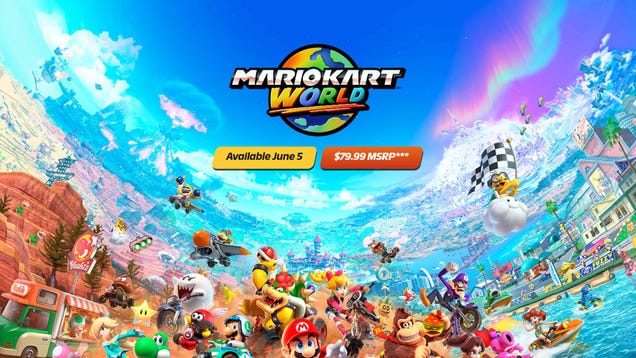
Mario Kart World

As expected, we’re finally getting a new entry in the venerable Mario Kart series, Mario Kart World. It looks looks familiar while also showing off some wild new tricks, like skateboard-style grinds on rails and wall jumps. The courses also look much larger and wider than any we’ve ever seen before. For the first time, it looks like there’s an open world connecting all the various courses, and weather and time of day will change.

Nintendo also says that you can go off-course and drive “virtually everywhere.” And fitting those huge tracks, the Grand Prix will have 24 competitors in one race. Overall, it’s a massive update which feels appropriate — the last Mario Kart game arrived way back in 2014 for the Wii U and was updated for the original Switch. It’ll be out the same day as the Switch 2, June 5.

Other games coming to Switch 2

Nintendo ran down a handful of other games coming to the Switch 2, including Eldin Ring: Tarnished Edition, a new title called Drag x Drive that uses the Switch 2 mouse controls in what looks like an extreme wheelchair sporting event, Hades II, Street Fighter 6, Split Fiction, Tony Hawk’s Pro Skater 3 +4, Hitman: World of Assassination and Daemon x Machina.

Nintendo is also working on Hyrule Warriors: Age of Imprisonment, which will be out this winter; it’s being developed in with Koei Techmo games and will have the same combat-focused vibes as other Dynasty Warrior-style titles.

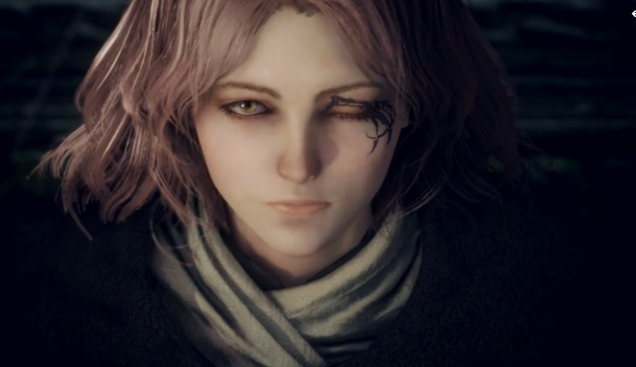
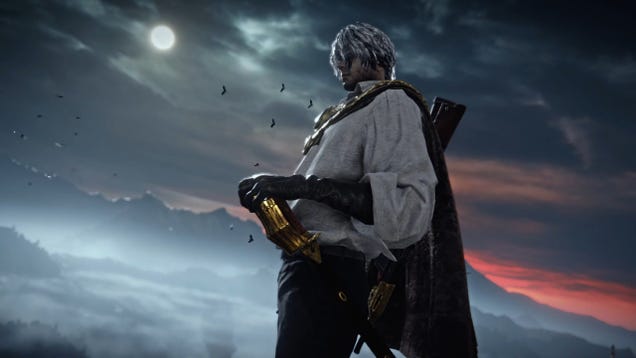
From Software is also releasing a new game exclusively for the Switch 2 called The Duskbloods in 2026. It feels a lot like Bloodbourne at first glance.

Perhaps the biggest first-party game to be revealed today besides Mario Kart World is a new 3D platformer starring Donkey Kong: Donkey Kong Bananza. It definitely has similar vibes to 3D Mario adventures, but in a totally new context.

There’s a laundry list of games that were mentioned today; Nintendo has helpfully pulled them together in this press release.

Finally, Nintendo has announced that the Switch Online service will host another classic console, the GameCube. The initial game library includes The Legend of Zelda: Wind Waker, F-Zero GX and SOULCALIBUR II. For the first time on Nintendo’s classic consoles through the Switch Online service, GameCube games will run at higher resolutions than the original titles.

Nintendo Switch 2 edition games

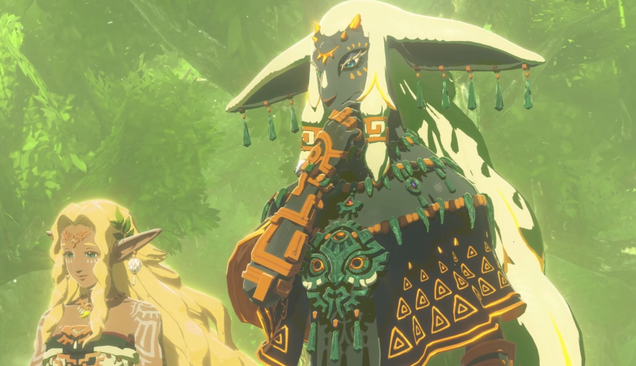
In addition to games expressly designed for the Switch 2, Nintendo will also be releasing a “Switch 2 edition” for selected titles, like The Legend of Zelda: Breath of the Wild and Tears of the Kingdom. Those titles will have improved resolutions and frame rates as well as new features that’ll show up in a companion smartphone app. Nintendo didn’t say how much these upgrades would cost yet.

Kirby and the Forgotten Land is also getting a Switch 2 edition that adds an additional world to explore, while Metroid Prime 4: Beyond will have both a Switch and Switch 2 edition; the Switch 2 edition can run in 4K at 60fps or up to 120fps at a lower resolution.

This article originally appeared on Engadget at https://www.engadget.com/gaming/nintendo/nintendo-switch-2-everything-announced-including-a-new-mario-kart-game-new-switch-features-and-more-133105264.html?src=rss

Lawmakers Propose Cap on Credit Card Interest Rates

Representatives Alexandria Ocasio-Cortez and Anna Paulina Luna introduced bipartisan legislation in March to cap credit card interest rates at 10% annually as Americans’ debt hits record levels. “Credit cards with high interest rates regularly trap working people in endless cycles of debt,” Ocasio-Cortez said in a statement.

Credit card debt has reached $1.2 trillion in Q4 2024, up from $720 billion in the same quarter of 2004, according to Federal Reserve Bank of New York data. Average annual percentage rates nearly doubled to 21% in 2024 from 12% in 2003. The Federal Reserve Bank of Philadelphia reported a record number of cardholders making only minimum payments in Q3 2024, “showing signs of consumer stress.”

Further reading: Study Reveals Why Credit Card Interest Rates Remain Stubbornly High.


Read more of this story at Slashdot.

Introducing Fedora Project Leader Jef Spaleta

Outgoing Fedora Project Leader (FPL) Matthew Miller has announced
his successor, Jef Spaleta.

Some of you may remember Jef’s passionate voice in the early Fedora
community. He got involved all the way back in the days of fedora.us,
before Red Hat got involved. Jef served on the Fedora Board from July
2007 through the end of 2008. This was the critical time after Fedora
Extras and Fedora Core merged into one Fedora Linux where, with the
launch of the “Features” process, Fedora became a truly community-led
project.

Spaleta will be joining Red Hat full time in May and Miller will be
formally handing off FPL duties at the Flock conference in
June.

‘Animal Company’ Tops 100K Reviews on Quest, Striving to Beat ‘Gorilla Tag’ as Most Popular Game

Animal Company, the free-to-play early access game on Quest, has been at the top of the platform’s highest-earning games multiple weeks in a row own, with long-time favorite Gorilla Tag sitting right behind it. And the Lethal Company-inspired game isn’t showing any signs of waning in popularity either.

Animal Company crossed a boundary only one other game has managed to do; Another Axiom’s Gorilla Tag was the first to garner over 100,000 user reviews on Quest, doing so last March—making it by far the most successful game on the platform, both in review numbers and revenue generated.

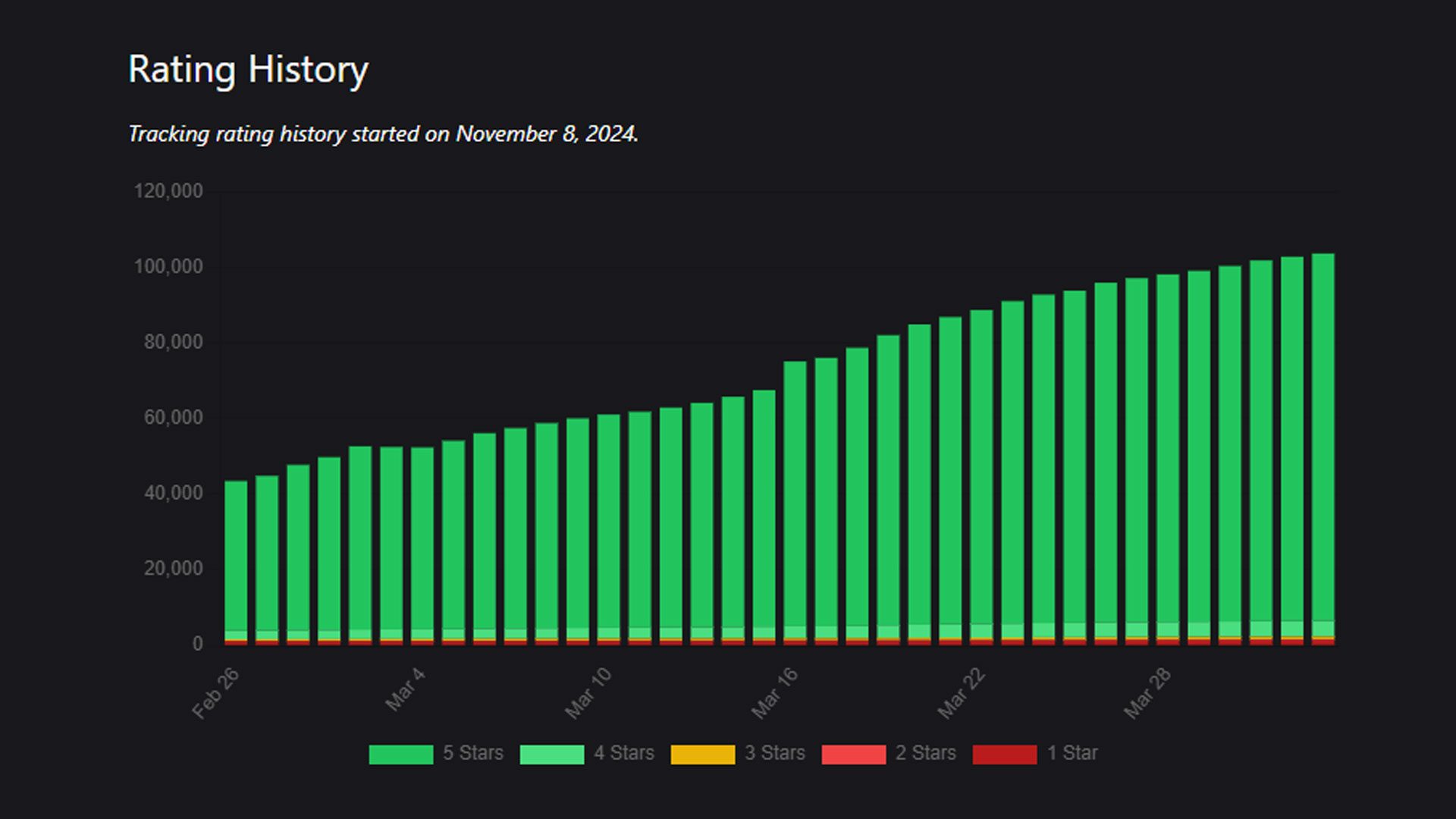
Now, Wooster Games’ Animal Company, which includes Gorilla Tag’s arm-based locomotion and action from hit survival game Lethal Company, has crossed the 100K user review mark, nearly doubling user reviews since the studio announced it had topped 1 million monthly active users (MAU) last month. And it’s done so remarkably fast.

This time last month, Animal Company was sitting around over 60,000 user reviews on the Horizon Store, while Gorilla Tag was just above 140,000. This past month alone, Animal Company has rocketed to over 108,000 user reviews, while Gorilla Tag has only tallied 6,000 more over the course of the month.

According to figures obtained by independent data aggregator VRDB, there was a big boost in user reviews starting in mid-March:

Image courtesy VRDB

Provided the game continues its current trajectory, Animal Company could conceivably unseat Gorilla Tag as Quest’s most popular game when it comes to user reviews, although there a few more metrics to account for.

Consistent daily active users (DAU) and MAU metrics are pretty important too, which is why Gorilla Tag is still the most popular game on Quest week-in and week-out—although Animal Company is now right behind it.

Ultimately, this ongoing explosion of users also needs to translate into growing revenue for the studio, something Wooster hasn’t shared since it first turned on microtransactions in September—meaning there’s no telling how that success has translated into real-world revenue.

Last month, Wooster Games did tell Road to VR however the launch of in-app purchases has left the studio in “a strong and healthy position.”

“Since launching monetization in September, our revenue has grown consistently month-over-month, more than doubling since December,” the studio told Road to VR in March. “The real standout stat, though, is our player base—Animal Company now has over 1 million MAU, a 4x increase since December.”

This comes as the Quest platform is seeing a growing demographic shift spurred on by the release of Quest 3S, Meta’s $300 mixed reality headset. Meta confirmed earlier this year that the rise F2P content and younger players is seeing a boom in revenue generated from in-app purchases—like the ones you’ll find in Animal Company or Gorilla Tag.

The key question now is whether this momentum will translate into sustained engagement and revenue growth over time. We’re eager to hear those revenue numbers, when and if Wooster Games ever releases word, which will give us a clearer picture of just how Quest’s top-earning titles are currently faring. If it’s anything like Gorilla Tag’s most recent figure released last June, it may already be in the millions.

The post ‘Animal Company’ Tops 100K Reviews on Quest, Striving to Beat ‘Gorilla Tag’ as Most Popular Game appeared first on Road to VR.

Tesla sales and production slumped heavily in Q1 2025

Tesla posted its production and sales numbers for the first quarter of 2025 this morning, and they continue the bad news streak for the electric automaker. Tesla produced 362,615 vehicles in total between January and the end of March, a 16.3 percent decrease from the same period in 2024.

The drop in sales was a little less bad; unlike this time last year, Tesla was able to more closely match production with demand. As a result, the company delivered 336,681 EVs in Q1, a drop of 12.9 percent compared to Q1 2024.

The Models 3 and Y make up the vast majority of Tesla’s business—it built 345,454 of them in Q1 2025, a 16.2 percent reduction compared to the same period last year. Despite a recent refresh for the Model Y, which comprised the majority of these two EVs, sales declined by 12.4 percent year-over-year, with just 323,800 being sold, compared to 386,810 for Q1 2024.

Read full article

Comments

PorteuX 2.0 released

Version
2.0
of PorteuX, a distribution based on Slackware Linux, has been
released. This release adds the ability to test experimental Wayland
sessions for the Cinnamon, LXQt, and Xfce desktops. PorteuX 2.0
updates the Linux kernel to 6.14 and includes many package updates and
bug fixes. Users have the choice of PorteuX stable or its rolling release
called current. See the install.txt
for instructions on installing PorteuX to disk.

Donkey Kong Bananza is a brand new 3D platformer for Switch 2

Nintendo just held a livestream to drop more details on the forthcoming Switch 2 console. At the very end, it revealed a brand-new 3D platformer starring Donkey Kong. This is the first game of its type since Donkey Kong 64 hit the Nintendo 64 all the way back in 1999. It’s called Donkey Kong Bananza and launches exclusively for the Switch 2 on July 17, which is just over a month after the console hits store shelves.

It looks cool! Much of the environment is destructible, so DK can get in there and break stuff. It also features sidescrolling segments, sort of like how modern Mario 3D platformers dip into their 2D roots every once in a while. 

The whole thing has a funky and cartoonish vibe one would expect from our favorite gorilla. However, I didn’t hear one lick of the famous Donkey Kong rap during the trailer but the equally iconic “ooh banana” sound effect from DK64 does make a brief cameo.

The trailer does show DK climbing up the sides of mountains (getting his BOTW-era Link on) and rollicking through several locations. These include a forest and an ice region, among others. The footage also shows the meanest looking Kong I’ve ever seen.

A mean Kong.
Nintendo

We don’t know too much about this game beyond what the trailer shows, but we don’t have that long to wait. Once again, Donkey Kong Bananza comes out on July 17.

This article originally appeared on Engadget at https://www.engadget.com/gaming/nintendo/donkey-kong-bananza-is-a-brand-new-3d-platformer-for-switch-2-143108835.html?src=rss

Why I Pay for Kagi, the Ad-Free Google Search Alternative

Google search has steadily been getting worse, but most of its free alternatives just aren’t as good at surfacing the things I’m looking for. Since Google makes money through advertising, its primary incentive is to boost revenue by showing you better ads. Of late, this has resulted in a noticeable decline in the quality of my search results. That brought me to the idea of using a paid search engine instead of Google. Enter Kagi.

What is Kagi?

Kagi is a paid search engine developed by the people behind the Orion browser. It lets you make 100 searches for free, but after that, you can pay between $5/month and $25/month for different tiers of its service. Thanks to search giants and AI companies, the idea of paying for web searches might seem absurd at first glance, but Kagi promises an ad-and tracker-free experience, which is tempting.

Is it worth it to pay for a search engine?

Kagi has lots of useful features (and no ads) that make it worth the price to me. After all, when the business model is to charge people for a service, the company is incentivized to create good products. I hope that Kagi is able to continue to do so in the long run. I’ve been using Kagi as my default search engine for the past few months and I’ve begun to really like it. Up until now, all my attempts to get away from Google search have failed, but with Kagi, I’ve finally found a good alternative to the search giant. Here are some of my favorite ways to use Kagi, all of which have convinced me that, sometimes, it’s worth it to pay for a search engine. 

See AI results only when you need to

I am so tired of AI being forced into everything, but Kagi’s approach to AI is refreshing. The search engine has kept it opt-in, which is great to see. If you use Kagi, you won’t encounter AI unless you manually trigger it. To do this, just add a question mark to your search query. This will show an AI answer above the search results.

Remove AI generated images from search results

Kagi allows you to block AI generated images from your search results. This is a hard feature to implement effectively because the internet is absolutely filled with low-effort AI slop nowadays, but Kagi does an acceptable job. Just go to Kagi settings by clicking the hamburger menu icon in the top-right corner of the homepage and selecting Settings. Now, go to Search > AI and enable Exclude AI generated images. Kagi says it blocks AI images on a “best-effort” basis, which means that there’s a chance that some may slip through the cracks. Kagi automatically labels AI generated images in its search results and, in addition to the settings option, provides search filters that let you show only AI images or remove them altogether. In my tests, it was able to identify about 50-60% of AI-generated images in the search results, and you can always block domains that serve up too many of these kinds of results to supplement the rest.

You can read more about how Kagi implements AI image filters in its documentation.

Try search filters to fine tune results

When you search for something on Kagi, you’ll see a list of suggested filters to help you fine tune your query right above the first result. While these buttons are displayed prominently, there’s also a drop down menu right next to them with more options. These filters allow you to look for results from a different region, sort results by relevance, or by the number of trackers on the website, or recency, plus filter results by time period. Plus, there’s an advanced search tab that lets you further refine results, if that’s not enough. 

Hide clickbait from videos

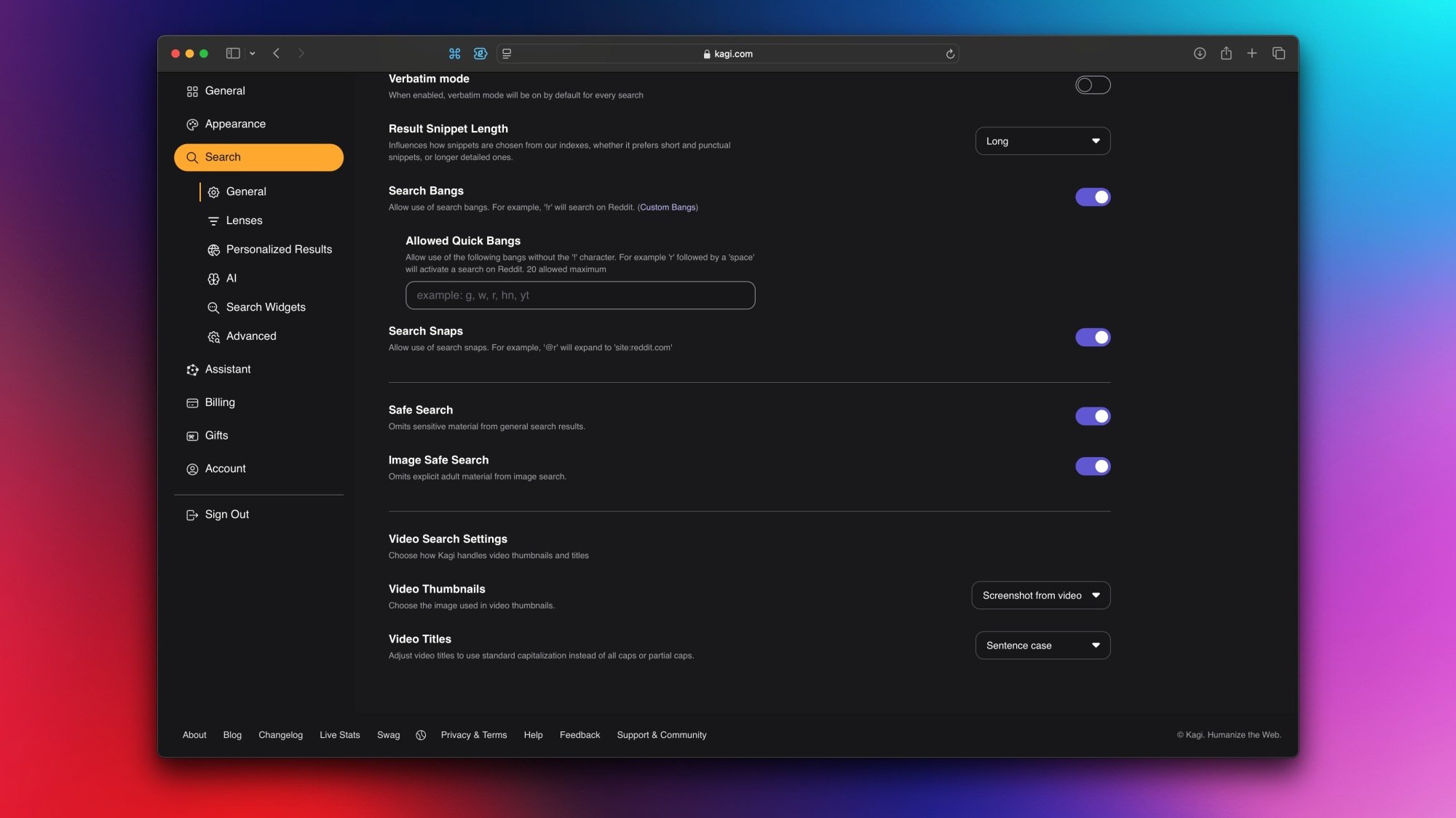
Kagi also lets you search for videos, and it has two interesting features to reduce clickbait. First, you can replace clickbait thumbnails with screenshots from the actual video. Second, you can change titles to lower case or sentence case. This removes awful thumbnails and those annoying all caps titles from your results, making it easier to find useful videos. To enable these features, go to Kagi Settings > Search > General. Scroll to the bottom of the page and you’ll see Video Search Settings. Click the drop-down menus next to the two options here and select what you need.

Create lenses to refine results

Kagi search settings on Mac.

Credit: Pranay Parab

If you want to limit your search results to a handful of trusted sites, try using Kagi’s “search lenses.” Each of these lenses lets you filter out unwanted results by focusing only on some sites. By default, Kagi has a few interesting lenses such as Small Web, which limits results to smaller websites, and Forums, which searches only forums. This allows you to surface some hidden gems that you may not otherwise find. You can also create your own lens by going to Kagi Settings > General > Lenses > Create New. I’ve created one to search for posts on websites that I write for and assigned a bang to it (!lh). Now I just need to append !lh to any search to look for results on these websites, which helps me find my own articles much faster.

Tweak results to your liking

You can raise or lower the rankings of various domains in Kagi’s search results (although only for your account). This feature also lets you see specific domains less, or block them entirely. To tweak this, simply go to Kagi Settings > Search > Personalized Results > Add Domains. You’re also free to view Kagi’s Domain Leaderboard to see which sites its users are raising, lowering, or blocking.

Learn all the keyboard shortcuts

Opening Kagi’s website and pressing the ? key will reveal a full list of all supported keyboard shortcuts. Learning a few of these can speed up your workflow significantly, and I highly recommend doing so. I really like using !bang operators, which allow you to perform searches faster. For instance, you can append !v to any search term to look for videos. Similarly, !i does an image search, !n does a news search, and so on. I use two other keyboard shortcuts regularly: Shift-~ (tilde) to open the Kagi Control Center, and / to quickly return to the search bar and type another query.

Open links in the same tab

It annoys me when websites open links in a new tab without asking me if I want to do the same. By default, Kagi is no different in that regard, because its default setting is to open links in a new tab. However, you can go to Kagi’s General Settings page (Settings > Search > General) and disable Open Links in a New Tab to change this preference.

Use redirects to reduce annoyances

Kagi has a useful Redirects feature that lets you replace certain URLs with preferred alternatives. You can use this to bypass Google AMP links and go directly to the source website, or to open old Reddit every time you click a Reddit link in Kagi. This feature is under Kagi Settings > Search > Advanced > Redirects. It’s worth going through Kagi’s Redirects support page to learn how to make the most of them.

Use the Privacy Pass for anonymity

If you want a more private Kagi search experience, you can use its Privacy Pass feature. Since Kagi requires you to be logged in to use the product, you can’t actually do anonymous searches on the service. To get around that limitation, you can try the Kagi Privacy Pass, which authenticates your account using a token system and keeps your searches anonymous. The install process varies by browser, and this feature isn’t supported in some browsers (such as Safari).

There are many more advanced features that you can try in Kagi, but these are the ones that I find the most helpful. But as a bonus before I go, I’ll also mention Kagi Translate, which is a good alternative to Google Translate. It displays alternative translations below each result, and if you hover over the translation, it explains what is different about it. This lets you pick the best variant of a sentence to share with others, or makes it easier to understand the context of a quote in another language.

FromSoftware’s The Duskbloods is a steampunk vampire adventure coming exclusively to Switch 2 in 2026

If you were hoping for Bloodborne 2, I have good and bad news. This isn’t that, because that’ Sony thing. However, FromSoftware’s new game, coming to the Switch 2, looks to borrow a lot of the gothic cues and style of Bloodborne.  

The Duskbloods leans into a slightly more Steampunk style too, with what appears to be steam-powered automatons. There are also vampire shenanigans, a man with an axe in a pyjama onesie, a dinosaur and a rune-covered rodent. In short, there’s lots of mystery, lots of violence and some magic, too. 

In today’s brief trailer, we saw one of the characters leap into a busy Victorian cityscape, toured some shady churches and got a glimpse of a huge beast that we’ll probably need to slay. We also got teases of several characters wielding different weapons and attack patterns.

For now, The Duskbloods doesn’t have a specific release date; it will land on Nintendo’s new console sometime in 2026.

This article originally appeared on Engadget at https://www.engadget.com/gaming/nintendo/fromsoftware-the-duskbloods-switch-2-2026-release-142025792.html?src=rss

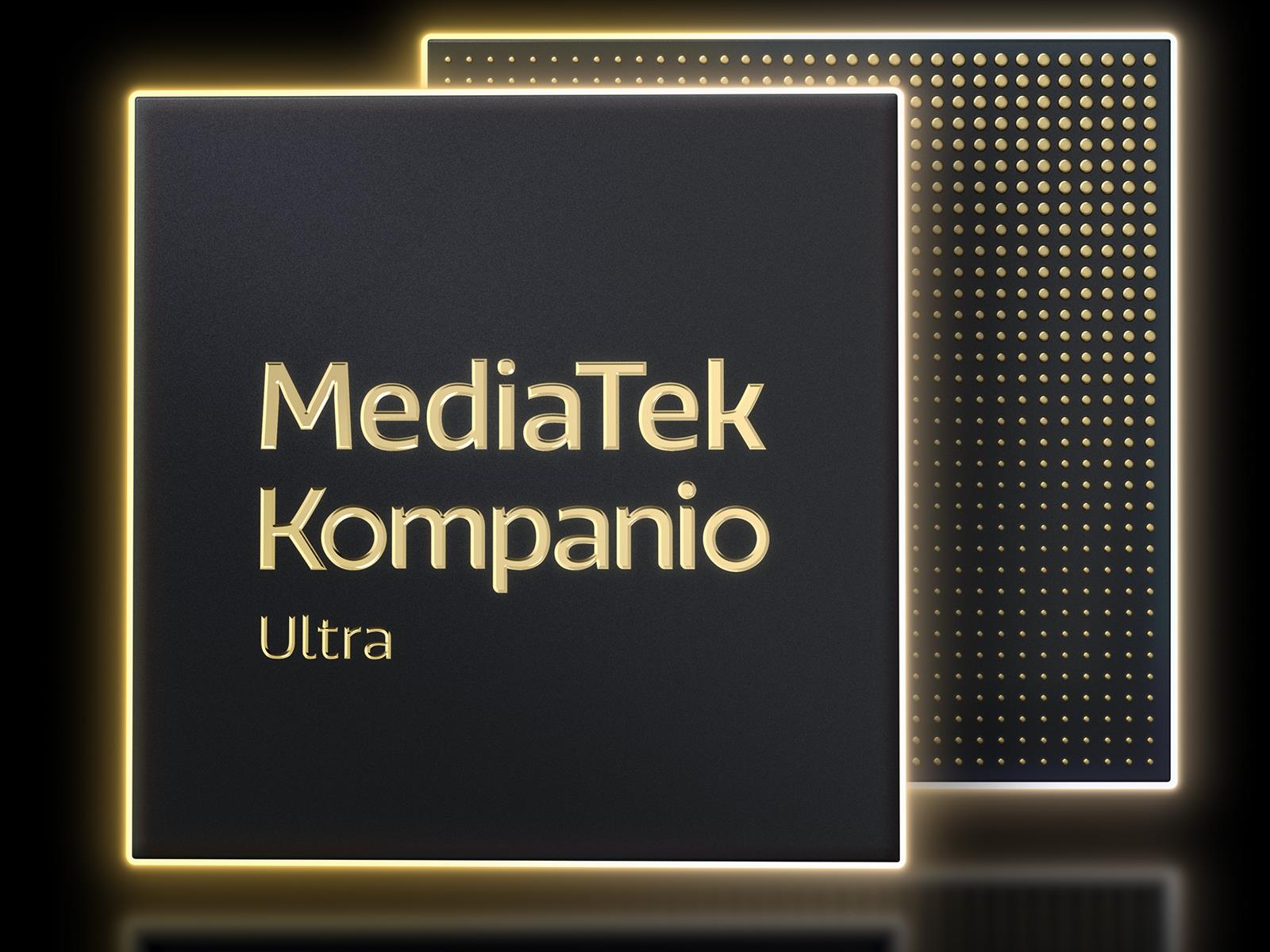
MediaTek Unveils Kompanio Ultra To Turbocharge Chromebooks With On-Device AI

MediaTek Unveils Kompanio Ultra To Turbocharge Chromebooks With On-Device AI
In case you somehow haven’t noticed it by now, there is an industry-wide effort to AI all the things. That includes Chromebooks (hello, Gemini), and to that end, MediaTek has unveiled a new Kompanio Ultra system-on-chip (SoC) to arm the platform with on-device AI capabilities. It’s MediaTek’s most powerful chip yet for Chromebooks, fueled

The Nintendo Switch 2 will play GameCube games

Nintendo Switch Online is getting a Switch 2-exclusive upgrade. On June 5, the same day the new console goes on sale, the service’s Expansion Pack service will begin including GameCube games. At launch, Nintendo will offer The Legend of Zelda: The Wind Waker, Soulcaliber II and F-Zero GX, with more games to come following the Switch 2’s release. 

Games that support multiplayer, including F-Zero GX, will offer online play, with support for up to four players. Additionally, the Switch 2 will render every GameCube game at a higher resolution for improved image quality. Nintendo will also release a new version of the GameCube’s classic controller that features a USB-C connection, wireless connectivity and a dedicated C button for GameChat functionality.        

This article originally appeared on Engadget at https://www.engadget.com/gaming/nintendo/the-nintendo-switch-2-will-play-gamecube-games-141025334.html?src=rss

Many KVM Updates Merged For Linux 6.15

This morning’s Intel TDX update reminded me that I still hadn’t gotten around to digging into the Kernel-based Virtual Machine (KVM) changes merged last week for the ongoing Linux 6.15 kernel merge window. Here is a look at the KVM changes this cycle that continue to be particularly heavy on Intel and AMD virtualization improvements…

Nintendo Switch 2 Arrives on June 5, Priced at $450

Nintendo’s Switch 2, priced at $450, launches June 5 with a 7.9-inch LCD screen offering 1080p resolution, HDR support, and 120Hz refresh capability. The device maintains the original Switch’s 13.99mm thickness while increasing internal storage to 256GB from the previous 32GB.

The console outputs at 4K/60fps when docked, with the dock featuring a built-in cooling fan. Two USB-C ports handle accessories and charging. The system supports microSD Express cards but not original Switch microSD cards. Joy-Con controllers now attach via magnets instead of sliding rails and feature mouse-like functionality with compatible games. Both Joy-Cons and the new Pro Controller include a “C” button that activates a chat menu for the new “Game Chat” feature.

Game cards for Switch 2 will be red rather than black. The system maintains backward compatibility with original Switch cartridges and introduces a “Game Share” feature for local game sharing between consoles.


Read more of this story at Slashdot.

PowerToys Now Converts Videos and Audio Too

Want to turn a video file into an MP3? Or any video into an MP4? If you have PowerToys installed on Windows, you don’t need a third-party application—a quick copy-and-paste will do the job.

We’ve talked about Powertoys, the longstanding Windows utility that offers all kinds of customizations to the operating system. One of the many tweaks added is the Advanced Paste feature, which can convert copied text into other formats. This is triggered by using the keyboard shortcut Windows-Shift-V to paste, instead of the usual Ctrl-V. A pop-up window asks which format you’d like to paste your text as—Markdown, HTML, and JSON are all offered. You can optionally set this up to use AI, useful if you want to convert text to a format not offered. It’s very useful for anyone who regularly needs to convert text from one format to another.

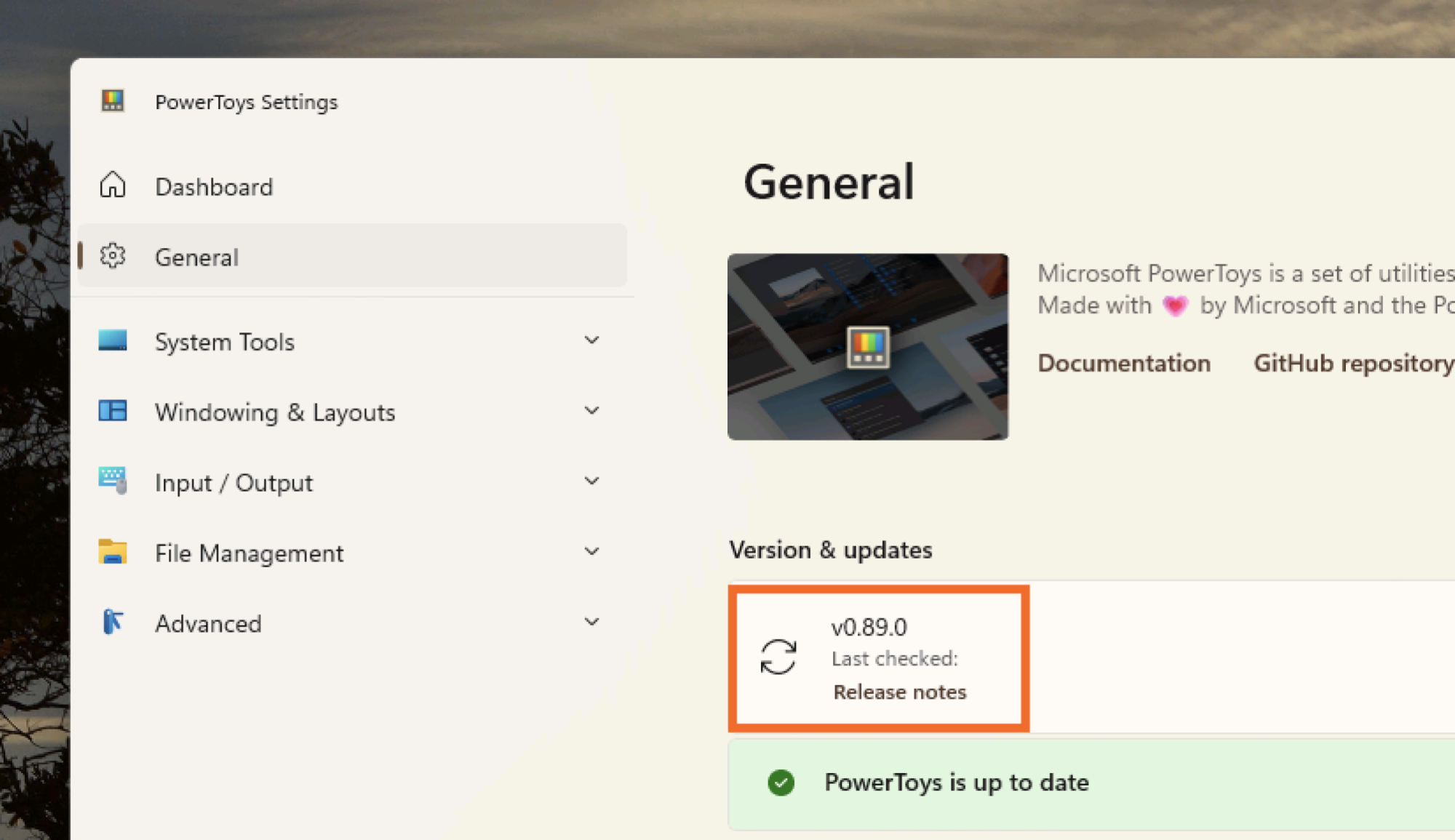
But now it can convert more than just text. A new feature means that Advanced Paste can turn any copied audio or video file into either an MP3 or an MP4 file. To use this feature, you need at least version v0.89.0 of PowerToys—open the application and check the General tab to make sure.

The PowerToys window confirming that the most recent version is installed

Credit: Justin Pot

If you have the feature, all you need to do is copy a video or audio file in File Explorer, then attempt to paste it using the keyboard shortcut Windows-Shift-V. Note that if you “Copy as Path,” the feature won’t be offered, as you haven’t copied the file itself.

There are two conversion options: “Transcode to MP3” and “Transcode to MP4.” The MP3 option will extract the audio of any media file, including a video, and save it as an MP3. The “Transcode to MP4” option converts the video to use the H.264 video codec and the AAC audio codec.

Now, there are use cases where this won’t work—if you want to create an AAC audio file, for example, or convert a video to some other format. In those cases, software like Handbrake is essential. But it’s nice to have a simple option built into PowerToys; give it a try next time you want to turn a video into an audio file.

Cyberpunk 2077 and Split Fiction are third-party launch titles for Nintendo Switch 2

Nintendo is today laying out the goodies for the Switch 2, which includes the third-party titles available at launch. The roster may be small, but it includes a number of notable titles from the current generation, trimmed and polished to work on the new hardware. That includes Cyberpunk: 2077, Elden Ring: Tarnished Edition, Street Fighter 6, Hitman: World of Assassination and Split Fiction. EA has also committed to putting whatever the hell we pretend to call FIFA these days EA Sports FC as well as this year’s Madden. There’s also a Bravely Default: Flying Fairy HD remaster and Yakuza 0: Director’s Cut plus a tweaked version of Hogwarts: Legacy. Fortnite will also be available on the console on release day.

The breadth and depth of titles available on day one is testament both to the fact there are plenty of good titles in the air right now, and that the Switch 2 must be fairly easy for developers to work with. 

This article originally appeared on Engadget at https://www.engadget.com/gaming/nintendo/cyberpunk-2077-and-split-fiction-are-third-party-launch-titles-for-nintendo-switch-2-135648661.html?src=rss