Hollywood Urges Trump To Not Let AI Companies ‘Exploit’ Copyrighted Works

An anonymous reader quotes a report from Variety: More than 400 Hollywood creative leaders signed an open letter to the Trump White House’s Office of Science and Technology Policy, urging the administration to not roll back copyright protections at the behest of AI companies. The filmmakers, writers, actors, musicians and others — which included Ben Stiller, Mark Ruffalo, Cynthia Erivo, Cate Blanchett, Cord Jefferson, Paul McCartney, Ron Howard and Taika Waititi — were submitting comments for the Trump administration’s U.S. AI Action Plan. The letter specifically was penned in response to recent submissions to the Office of Science and Technology Policy from OpenAI and Google, which asserted that U.S. copyright law allows (or should allow) allow AI companies to train their system on copyrighted works without obtaining permission from (or compensating) rights holders.

“We firmly believe that America’s global AI leadership must not come at the expense of our essential creative industries,” the letter says in part. The letter claims that “AI companies are asking to undermine this economic and cultural strength by weakening copyright protections for the films, television series, artworks, writing, music and voices used to train AI models at the core of multibillion-dollar corporate valuations.” […] The letter says Google and OpenAI “are arguing for a special government exemption so they can freely exploit America’s creative and knowledge industries, despite their substantial revenues and available funds. There is no reason to weaken or eliminate the copyright protections that have helped America flourish.” You can read the full statement and list of signatories here.

The letter was issued in response to recent submissions from OpenAI (PDF) and Google (PDF) claiming that U.S. law allows, or should allow, AI companies to train their programs on copyrighted works under the fair use legal doctrine.


Read more of this story at Slashdot.

BYD Unveils New Super-Charging EV Tech With Peak Speeds of 1,000 kW

fahrbot-bot shares a report from Reuters: BYD on Monday unveiled a new platform for electric vehicles (EVs) that it said could charge EVs as quickly as it takes to pump gas and announced for the first time that it would build a charging network across China. The so-called “super e-platform” will be capable of peak charging speeds of 1,000 kilowatts (kW), enabling cars that use it to travel 400 km (249 miles) on a 5-minute charge, founder Wang Chuanfu said at an event livestreamed from the company’s Shenzhen headquarters.

Charging speeds of 1,000 kW would be twice as fast as Tesla’s superchargers whose latest version offers up to 500 kw charging speeds. The new charging architecture will be initially available in two new EVs — Han L sedan and Tang L SUV priced from 270,000 yuan ($37,328.91) and BYD said it would build over 4,000 ultra-fast charging piles, or units, across China to match the new platform. “In order to completely solve our user’s charging anxiety, we have been pursuing a goal to make the charging time of electric vehicles as short as the refuelling time of petrol vehicles,” Wang said.

“This is the first time in the industry that the unit of megawatt (charge) has been achieved on charging power,” he said.


Read more of this story at Slashdot.

Google Is Switching Legacy G Suite Users To Pooled Workspace Storage

According to The Verge, legacy G Suite accounts will soon lose their individual storage allotment perks and be transitioned to pooled storage, which will be “shared across all users within your organization.” The changes will come into effect starting May 1st. From the report: G Suite was rebranded as Workspace in 2020. G Suite legacy free edition, which Google stopped offering in 2012, provides each user with 15GB of free allocated storage and was offered for personal use — making it ideal for families or groups that need to share a collective domain. Existing users have been permitted to access Workspace services at no additional charge, but Google says it’s now making this change because pooled storage provides a “simpler and more flexible way to manage storage.” “Google Workspace customers have had the benefit of pooled storage for years, and now we’re rolling it out to users with this legacy offering,” Google spokesperson Jenny Thomson told The Verge.

No action is required for the switch according to Google, and users cannot opt out of the pooled storage transition. The total amount of storage allocated to the entire G Suite account won’t be reduced, but if more storage is required then it can be purchased “at a discount” starting at increments of 100GB, which typically costs $15. Google hasn’t specified how large this discount will be. Storage limitations can still be set for each user within the G Suite account after the transition to prevent the collective storage pool from being hogged by individual users. These limits will have to be manually assigned by an account admin, however.


Read more of this story at Slashdot.

Roku Tests Autoplaying Ads Loading Before the Home Screen

Roku is testing autoplaying video ads that play before users can access the home screen. While Roku claims this is just an experiment, users are threatening to abandon the platform if the change becomes permanent. Ars Technica reports: Reports of Roku customers seeing video ads automatically play before they could view the OS’ home screen started appearing online this week. A Reddit user, for example, posted yesterday: “I just turned on my Roku and got an unskippable ad for a movie, before I got to the regular Roku home screen.” Multiple apparent users reported seeing an ad for the movie Moana 2. When reached for comment, a Roku spokesperson shared a company statement that confirms that the autoplaying ads are expected behavior but not a permanent part of Roku OS currently. Instead, Roku claimed, it was just trying the ad capability out.

Roku’s representative said that Roku’s business “has and will always require continuous testing and innovation across design, navigation, content, and our first-rate advertising products,” adding: “Our recent test is just the latest example, as we explore new ways to showcase brands and programming while still providing a delightful and simple user experience.”


Read more of this story at Slashdot.

This OneAir Flight- and Hotel-Finder Subscription Is Just $70 Right Now for Life

We may earn a commission from links on this page. Deal pricing and availability subject to change after time of publication.

Travel deals can be hit or miss as prices jump around and deals disappear before you can check your schedule. The OneAir Elite Lifetime Subscription is designed to do the heavy lifting for you. A members-only deal-alert service, it tracks flight prices using AI, scans for mistake fares, and alerts you when there’s a significant drop—and currently, it’s on StackSocial for $99.99 (originally $790), but apply the promo code FLY30 and you can get it for just $70. The sale runs until March 30.

OneAir’s coverage is broad, spanning 60+ countries and multiple fare classes, including premium economy and business. That’s useful if you’re flexible with your routes and don’t mind hopping on an unexpected deal. It even includes hidden city fares, which can sometimes cut costs significantly. The biggest advantage here is that OneAir does the searching for you, so that you’re not spending hours checking flights manually. However, travelers with strict schedules or those who only fly specific airlines may not always get the most value. Some of the best deals require booking fast, so it works best for those ready to jump on an opportunity.

At $70 for lifetime access, it’s cheaper than most annual flight deal subscriptions, and if you book even one discounted flight using its alerts, it could pay for itself in one trip. That said, it won’t magically make every flight cheaper—deals depend on availability and timing. If you like tracking flights yourself or only travel occasionally, free services like Google Flights or Skyscanner alerts might be enough. But if you want to save money without the hassle, this could be a solid tool to have.

Top Broadband Official Exits Commerce Department With Warning About Starlink

An anonymous reader quotes a report from Politico: A top Commerce Department official sent a blistering email to his former colleagues on his way out the door Sunday warning that the Trump administration is poised to unduly enrich Elon Musk’s satellite internet company with money for rural broadband. The technology offered by Starlink … is inferior, wrote Evan Feinman, who had directed the $42.5 billion broadband program for the past three years. “Stranding all or part of rural America with worse internet so that we can make the world’s richest man even richer is yet another in a long line of betrayals by Washington,” Feinman said.

Feinman’s lengthy email, totaling more than 1,100 words and shared with POLITICO, is a sign of deep discomfort about the changes underway that will likely transform the Broadband Equity, Access and Deployment Program. Commerce Secretary Howard Lutnick recently pledged a vigorous review of BEAD, with an aim to rip out what he sees as extraneous requirements and remove any preference for particular broadband technologies like fiber. The program, created in the 2021 infrastructure law program, became a source of partisan fighting last year on the campaign trail as Republicans attacked the Biden administration for its slow pace. No internet expansion projects have begun using BEAD money, although some states were close at the beginning of this year. Feinman’s critique: In his email, Feinman notes Friday was his last day leading BEAD and that he’s “disappointed not to be able to see this project through.”

Feinman’s email warns the Trump administration could undermine BEAD and he encourages people to fight to retain its best aspects. Feinman said the administration should “NOT change it to benefit technology that delivers slower speeds at higher costs to the household paying the bill,” adding that this isn’t what rural America, congressional Republicans or Democrats, the states or the telecom industry wants. “Reach out to your congressional delegation and reach out to the Trump Administration and tell them to strip out the needless requirements, but not to strip away from states the flexibility to get the best connections for their people,” Feinman wrote. He said he’s not worried about the Trump administration nixing requirements around climate resiliency, labor and middle class affordability, saying those issues “were inserted by the prior administration for messaging/political purposes, and were never central to the mission of the program.” Feinman warns that changes to the BEAD program under the Trump administration could stall state-level broadband progress, with Louisiana, Delaware, and Nevada already stuck in review.

Meanwhile, no specific guidance or timeline for these changes has been provided, and Arielle Roth’s confirmation as NTIA head is still pending in the Senate.


Read more of this story at Slashdot.

Federal funding for mRNA vaccine research in jeopardy under RFK Jr.

Federal support for mRNA vaccine research appears in jeopardy after KFF Health News reported Sunday that officials at the National Institutes of Health have directed scientists to remove all references to the lifesaving technology from their grant applications. All such research is now under direct scrutiny from health secretary and long-time anti-vaccine advocate Robert F. Kennedy Jr.

A senior official at the NIH’s National Cancer Institute confirmed to KFF that NIH acting Director Matthew Memoli “sent an email across the NIH instructing that any grants, contracts, or collaborations involving mRNA vaccines be reported up the chain to Health and Human Services Secretary Robert F. Kennedy Jr.’s office and the White House.”

Further, two independent scientists told the outlet that they were informed by NIH officials that any mention of mRNA vaccines needed to be removed from their grant applications. One, a biomedical researcher in Philadelphia, said that the NIH had “flagged our pending grant as having an mRNA vaccine component.” The other, a researcher in New York who works on vaccines but not mRNA vaccines, was told that background mentions of mRNA vaccine efficacy in their previous grant applications needed to be removed from future applications.

Read full article

Comments

Alphabet Back In Talks To Buy Wiz For $30 Billion

Google’s parent company Alphabet is reportedly in talks to acquire cybersecurity startup Wiz for approximately $30 billion. Last July, negotiations had advanced on a $23 billion deal, but the talks were put on hold to prioritize Wiz’s IPO. Around the same time, Alphabet also walked away from a potential acquisition of online marketing software company HubSpot. Reuters reports: The startup provides cloud-based cybersecurity solutions powered by artificial intelligence that help companies identify and remove critical risks on cloud platforms. A buyout of this size will most likely face regulatory scrutiny as tech giants are kept under close watch for possible monopolistic practices.

If the deal goes through, it could help Alphabet tap into the cybersecurity industry and expand its booming cloud infrastructure segment, which generated more than $43 billion in revenue last year. Wiz was last valued at $12 billion in a private funding round in May 2024.


Read more of this story at Slashdot.

These Sonos Speakers Are on Sale for Their Lowest Prices Ever

We may earn a commission from links on this page. Deal pricing and availability subject to change after time of publication.

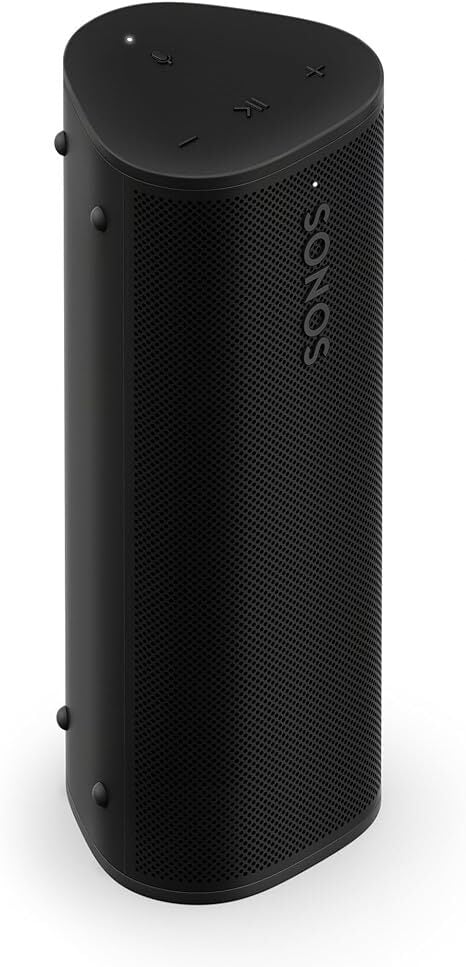
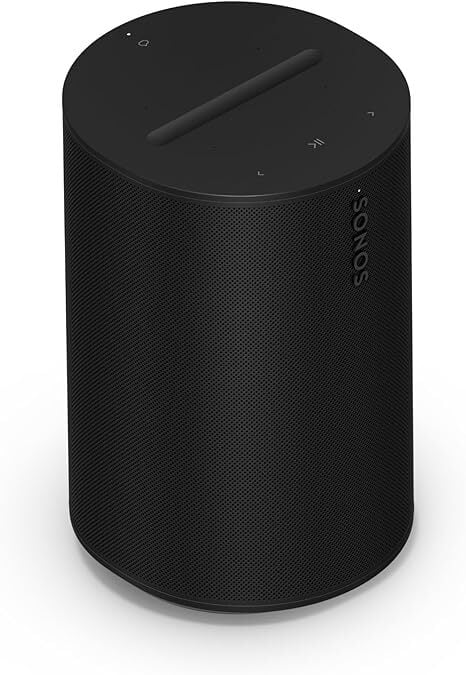
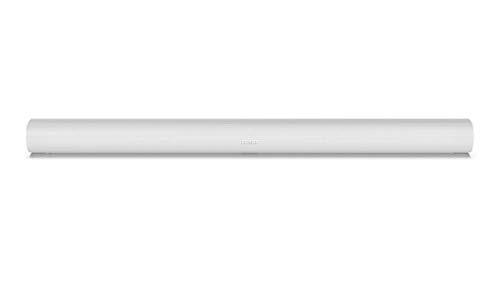
Sonos takes their user-friendliness seriously. When people complained about an update on their companion app that got rid of many cool features, Sonos listened and put them back. That’s the kind of commitment to their customers you can expect from Sonos, and why they’ve been so popular in the audio market. So when there’s a Sonos sale with actual good discounts, take advantage of it. Right now you can get the Roam 2 for $139 (originally $179), the Sonos Era 100 for $199 (originally $249), Sonos Sub Mini for $343 (originally $429), and the Sonos Arc for $629 (originally $899). All of these speakers are at their lowest price, according to price-tracking tools.

The Roam 2 is their version of a portable, and like most Sonos speakers, they integrate seamlessly into the ecosystem to play multi-room media. It has a speakerphone feature, in-app EQ, wireless charging, is water resistant, and has Alexa and Sonos voice assistant, according to PCMag’s review. At $139 (originally $179), the Roam 2 is the cheapest way to try a Sonos speaker.

The Sonos Era 100 is a smart speaker that can work as stereo with a pair or as rear speakers in a Sonos surround sound system. It is an updated version of the Sonos One smart speaker, offering better bass and other improvements. It has an “excellent” review from PCMag for its ability to play stereo with a single device (it has a dual tweeter setup), its balanced audio, and the well-developed companion app that allows you to adjust the EQ.

The Sonos Sub Mini is a smaller and more affordable version of the Sonos Sub, perfect for a small apartment or room where you want a soundbar and subwoofer combo. You can read the CNET review here.

And if you’re looking for a top-notch soundbar, consider the Sonos Arc. This smart soundbar came out in 2020 and received an “excellent” review from PCMag for its Dolby Atmos compatibility, ease of expansion, support for Amazon Alexa and Google Assistant, and its wide sound field and powerful bass (even without a subwoofer). Its current $629 price is the cheapest it has ever been (although it’s shipped and sold by a third-party Amazon store).

Researchers engineer bacteria to produce plastics

Plastics are great, except when it comes to making or disposing of them. Production generally requires the use of chemicals derived from fossil fuels, and so helps to continue our reliance on them. And the final products are generally not biodegradable, so they tend to stick around despite breaking down into ever smaller fragments.

Biology might ultimately provide a solution, however. Researchers have identified bacteria that evolved the ability to digest some plastics. And improvements in our ability to design proteins have allowed us to make new enzymes that can chew up plastics.

This week brings some progress on the other side of the equation, with a team of Korean researchers describing how they’ve engineered a bacterial strain that can make a useful polymer starting with nothing but glucose as fuel. The system they developed is based on an enzyme that the bacteria use when they’re facing unusual nutritional conditions, and it can be tweaked to make a wide range of polymers.

Read full article

Comments

You Can Get Microsoft Office 2021 for Mac for Just $80 Right Now

We may earn a commission from links on this page. Deal pricing and availability subject to change after time of publication.

If you’re tired of subscription fees stacking up, this Microsoft Office Home & Business 2021 for Mac deal at StackSocial might be worth a look. It’s a one-time purchase (of $79.95, 63% off its usual $220) that works with macOS Ventura (version 13) or later, and once activated, you’re set for the long haul with access to the full suite—Word, Excel, PowerPoint, Outlook, and OneNote (covering all the essentials for work or personal use)—without worrying about monthly or annual renewals. The deal is set for a limited time and ends March 30.

You can download it to one Mac, but the license is tied to your Microsoft account, not your device, so you can reinstall it if needed, provided your Mac runs one of the three latest MacOS versions (currently, Ventura, Sonoma, and Sequoia). You’ll need at least 4GB of RAM and 10GB of free storage, but once set up, it runs smoothly without requiring an internet connection. Just a heads up: you’ll need to redeem your code within seven days of purchase, so don’t sit on it too long.

The functionality is solid if you don’t need the cloud-based extras of Microsoft 365. Word is great for handling documents, Excel supports advanced formulas, and PowerPoint is reliable for presentations. There’s also the basic version of Microsoft Teams for collaboration and the free version of OneNote for note-taking. Outlook is included, but since Apple Mail or third-party email apps cover most needs, it may not be a must-have.

While these apps get the job done, keep in mind that this version lacks AI-powered features like Copilot and doesn’t include OneDrive cloud storage. If you’re someone who relies heavily on cloud syncing and AI-assisted work, this might not be the best fit. There are also no feature updates beyond security fixes, but if you prefer stability over new bells and whistles, this version will do the trick while saving you money.

Apple To Launch Thinner iPhone 17 ‘Air’ as Step Toward Port-Free Design

Apple will introduce a slimmer iPhone 17 “Air” this fall, marking a strategic shift toward potentially port-free devices in future product lines, according to a Bloomberg report.

The new model will feature a 6.6-inch display with ProMotion scrolling, Dynamic Island interface, and a Camera Control button while measuring approximately 2 millimeters thinner than current models — roughly a 20% reduction in depth, the report said.

Despite its slimmer profile, the device will maintain battery life comparable to existing iPhones through redesigned display and silicon components. It will incorporate Apple’s power-efficient C1 in-house modem chip but will retain USB-C connectivity, despite earlier internal discussions about eliminating ports entirely.


Read more of this story at Slashdot.

You Can Try Notepad’s New AI Summarizer in Windows 11 Now (If You Pay)

Microsoft is adding new AI features to Notepad and Snipping Tool in Windows 11, but there’s a catch: Some of these are locked behind a paywall. The company is rolling out an AI feature for Notepad that can summarize articles for you, while the Snipping Tool will let you draw shapes with ease. All of these updates are available via the Windows Insider program for those who want to try beta software to test new features before they’re released to the general public.

Notepad’s new AI feature

Following other upgrades in Windows 11, Notepad now lets testers quickly summarize text in the app. You can paste text in Notepad and use the Copilot menu to try the Summarize feature, or press Ctrl-M after selecting text, and the summary will appear in a popover. However, you may not be able to use the summarize feature, as you’ll need a Microsoft 365 subscription and Copilot Pro AI credits to access it. Separately, PCWorld reports that Windows will lock all Notepad AI features behind the Microsoft 365 subscription.

With this same update, Microsoft said it’s also introducing the ability to view recent files to Notepad. This is, in my opinion, a bare minimum feature for an app like Notepad, so it makes sense that Microsoft says it’s a much-requested feature. If you’re on the right Windows 11 beta, you can go to File > Recent in Notepad to access recently opened files. You can select the Clear list option in the same menu to remove recent files from this menu. You can try all these Notepad features in the app’s 11.2501.29.0 version.

Snipping Tool gets better shape creation

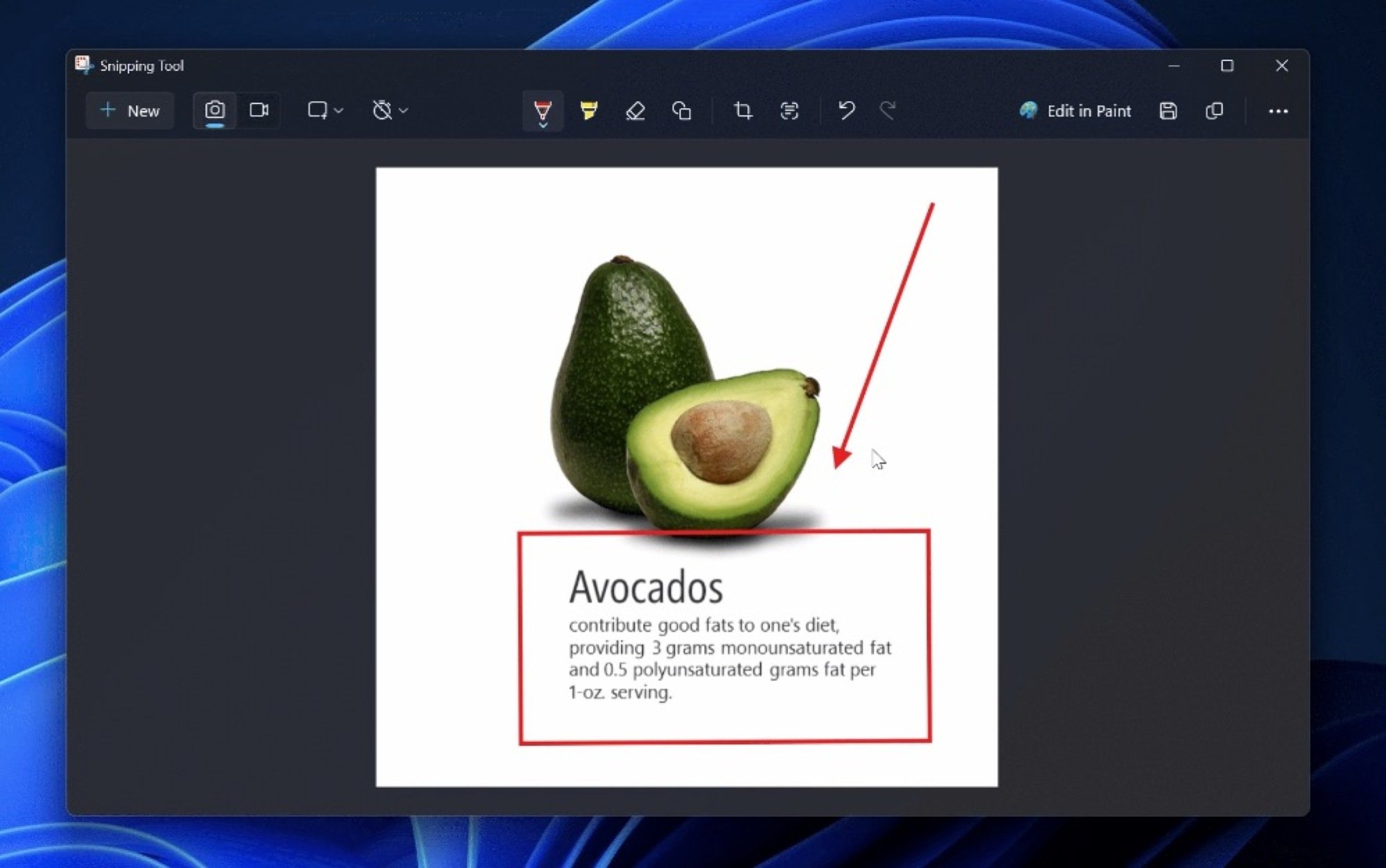
An avocado's picture open in the Windows Snipping Tool app. An arrow points to the text below it, which is surrounded by a red rectangle. The text mentions the nutritional benefits of an avocado.

Credit: Microsoft

The Snipping Tool is Windows 11’s built-in screenshot app, with a built-in tool for annotating these images. With the newest beta, it’s now much easier to draw shapes on your screenshots. If you draw something that looks roughly like an arrow, Snipping Tool will automatically turn it into a straight line with a pointer at one end. While the app has always offered users the ability to draw various shapes on a screenshot, this new tool should save some time by eliminating the need to select the right shape. Simply start drawing the shape you need and Snipping Tool should take care of the rest. This update is available with Snipping Tool version 11.2502.18.0.

How to access the newest Windows 11 features

If you want to try these new features, you’ll need to join the Windows Insider program. If you choose to do so, you’ll be running unstable builds of Windows 11 on your PC, so be sure to take a full backup of your machine, and be ready for crashes, the occasional system freeze, and compatibility issues while using your computer. Go to the Microsoft website on your Windows 11 PC, and click the Register button to sign up for Windows Insider. Then, go to Settings > Windows Update > Windows Insider Program on your PC and follow the on-screen prompts to join the program. You need to be on the Dev or Canary channels of the Windows 11 Insider program to receive the updates mentioned in this article.