That email claimed it was happening because Move “relies on legacy technology, which limits our ability to introduce new innovations for Quest users”, and that the discontinuation would allow them “to deliver more advanced features to enhance the Quest experience”. But now, Meta’s CTO Andrew Bosworth is giving a different reasoning.
During his latest Instagram “ask me anything” session, Bosworth said that while Move has “a small but loyal crowd” of users, this crowd isn’t big enough to “justify the expense of continuing to maintain and keep it going”.
“We’ve done this a couple of times recently, and every time we do it, obviously it tremendously affects people in the community who relied on it, who are using it, and that sucks, so I am sorry about that”, Bosworth says.
0:00
/0:25
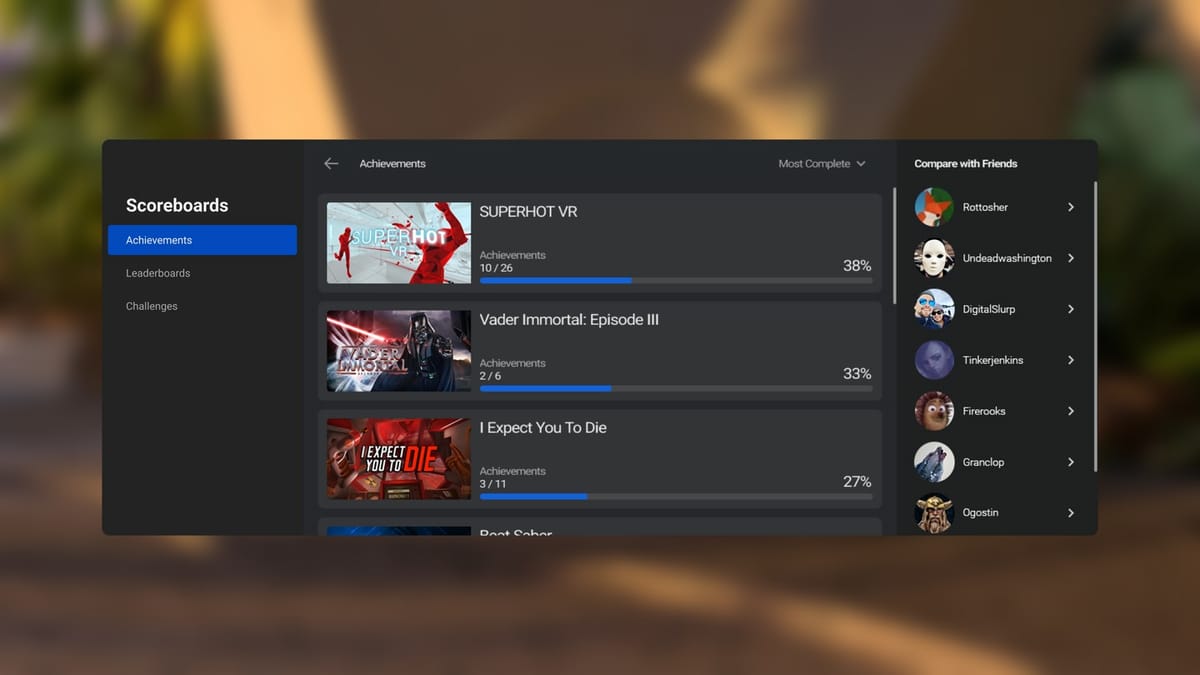
Bosworth’s mention of doing this in the past is likely referencing the recent removal of the Scoreboards app on Quest, which let users view their Achievements on the platform, with him giving the same justification for that.
This removal of core system features is now a trend, suggesting shifting priorities at Meta as it slowly begins to transition its VR/MR business towards eventual profitability.
This is a clip of a future knee replacement candidate racing down the 999-step ‘Stairway To Heaven, located in Tianmen Mountain National Forest Park in Zhangjiajie, China. The stairs have been modded with additional parkour obstacles, and I can feel my ankles snapping just watching. Could I win the race? I suppose that depends if I still have to be alive at the bottom to claim the trophy.
Meta’s open AI model family Llama has reached 1 billion downloads, CEO Mark Zuckerberg announced on Tuesday, marking a 53% increase from the 650 million reported in early December. Llama, which powers Meta’s AI assistant across Facebook, Instagram and WhatsApp, operates under a proprietary license that some developers consider commercially restrictive despite its free availability. Major corporations including Spotify, AT&T and DoorDash currently deploy Llama models in production environments.
Certain watches can stay just as they are and people will keep buying them. The Casio F-91W, the most-sold watch in the world, keeps the time on a readable display and offers a single daily alarm slot (unless you board-swap it). The Timex Weekender may last as long as mechanical watches exist.
What about the Pebble? Is there still room on people’s wrists for the most exciting Kickstarter-backed tech of 2012–2016?
Eric Migicovsky, founder of the firm that was perhaps a bit too early to the smartwatch market, has made good on his pledge to find out and has made new Pebble watches available for preorder. The Core 2 Duo, “almost exactly a Pebble 2” with modernized chips, 30 days battery life, and a black-and-white e-paper screen, is $150 at preorder and is scheduled to ship in July. The Core Time 2, Migicovsky’s “dream watch,” is bigger, color, and metal and goes for $225 right now. Its release is slated for December.
It’s been clear for some time that the Gemini AI app would be replacing Google Assistant, once it had learned all the necessary tricks and been granted all the required hooks into other apps. Now, Google is in the process of actively dismantling the features available in Google Assistant ahead of its retirement.
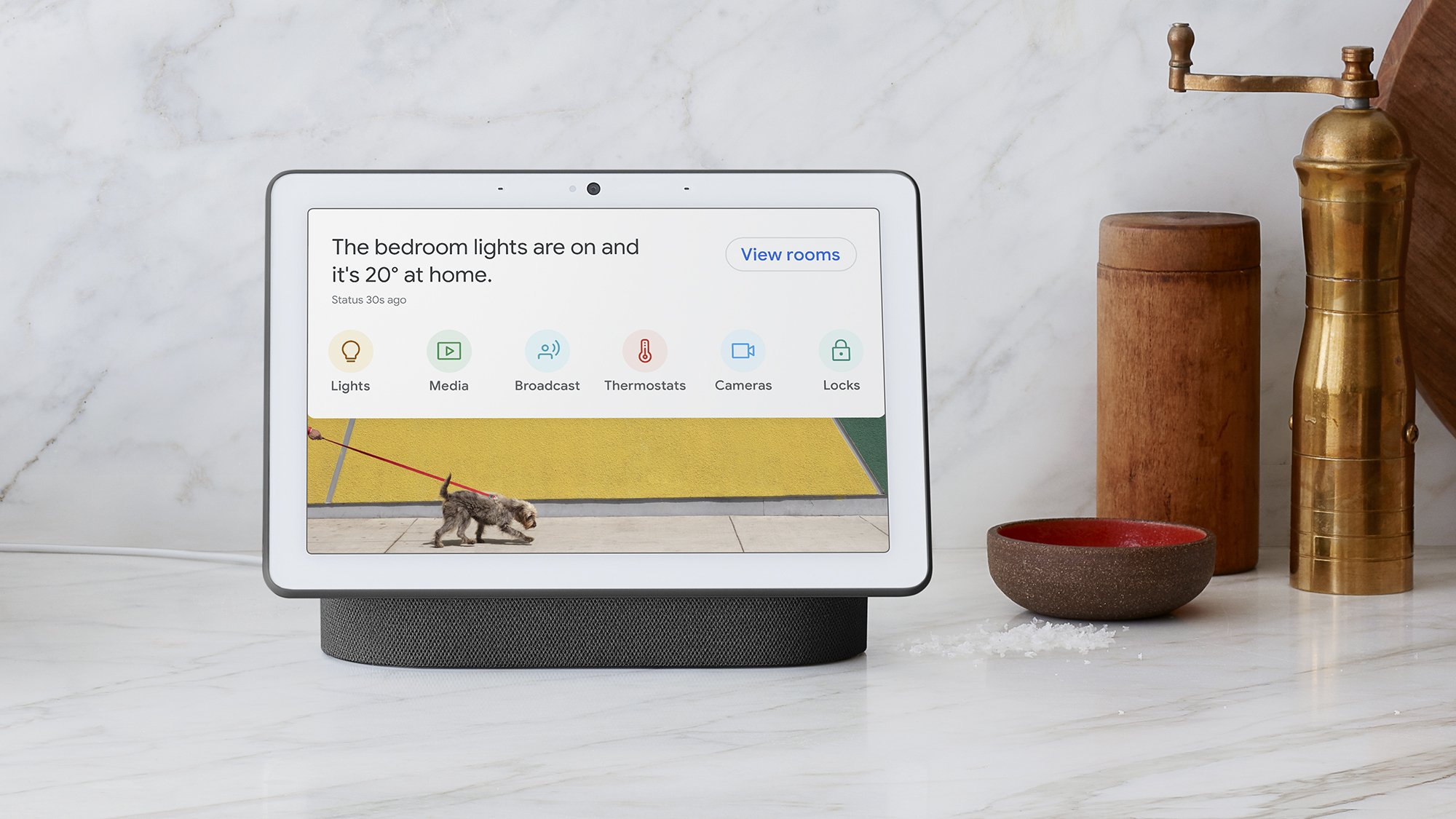
As per Google’s official support document (as spotted by 9to5Google), seven more Google Assistant features have recently been pulled across Android devices and Nest smart speakers and displays. These deactivated features add to a bunch of other capabilities that were taken away last year.
On smart displays, you can no longer use your voice and Google Assistant to favorite, share, or ask where and when your photos were taken, or to access photo frame settings. You’ll now need to delve into Google Photos or the options panel on your smart display to get at this information.
Google Assistant remains integral to Google’s smart speakers and displays. Credit: Google
Another Google Assistant capability that’s going away across devices is interpreter mode, where you can have a conversation translated in real time. It’s still available in the Google Translate app, though you can’t yet do this with Gemini.
When it comes to Google Assistant Routines, you can no longer get birthday reminders as part of a Routine. Google is also taking away daily updates and Family Bell announcements from Google Assistant, pointing users towards Routines instead. And finally, Google Assistant is being pulled from car accessories that work via Bluetooth or an AUX plug.
Google says this is all part of “prioritizing the experiences you love and investing in the underlying technology to make them even better” while retiring “underutilized features”—but considering we just received an official announcement that Google Assistant is going to be replaced by Gemini on phones before the end of 2025, there’s not going to be much investing in the older AI app from this point on.
Google Gemini is the new default on Pixel phones. Credit: Google
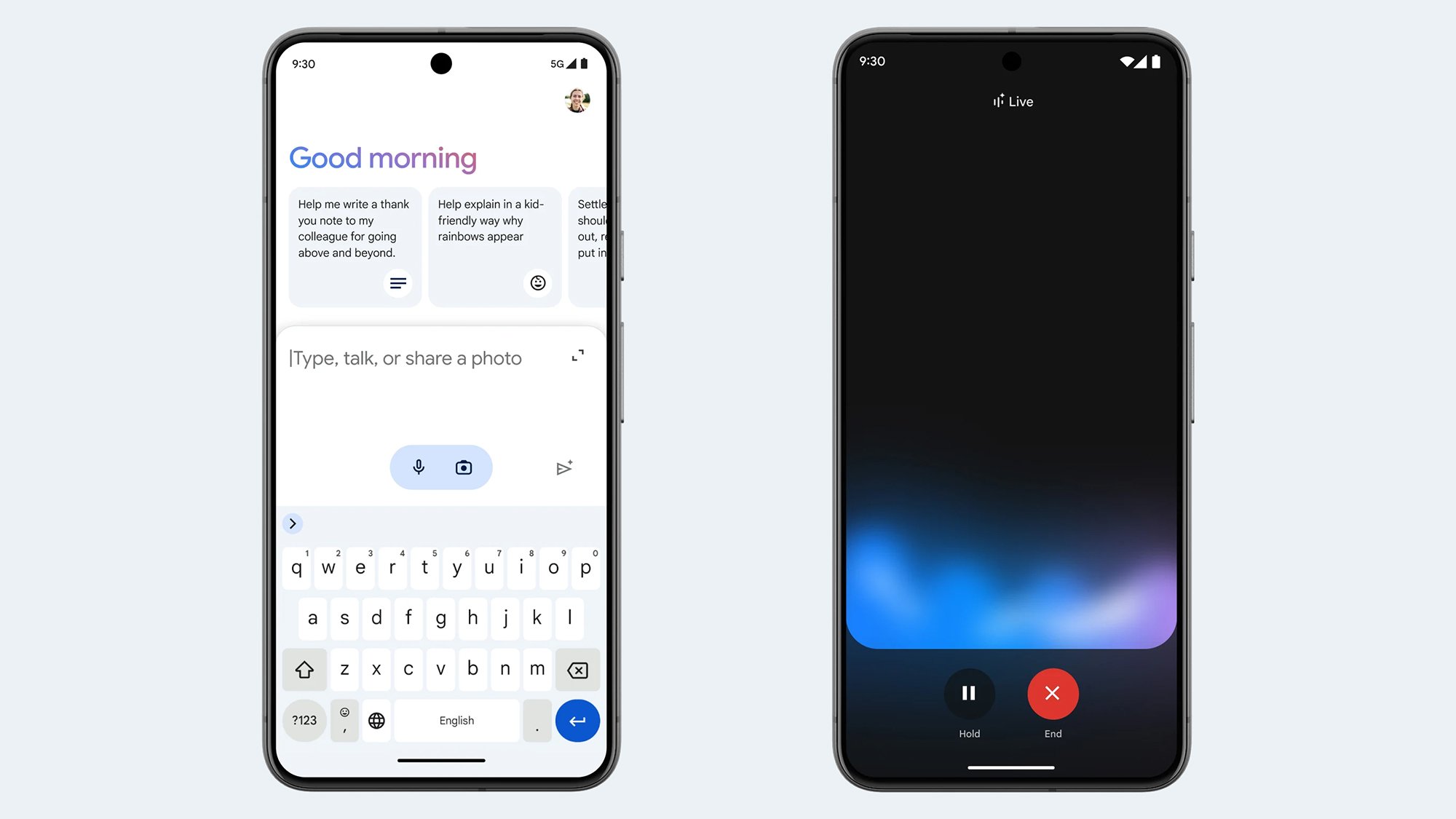
As long as your phone meets the minimum requirements of 2GB of RAM and Android 10 or later, Google Assistant will be switched off in the coming months, and you’ll be pointed toward Google Gemini instead (which has already replaced Google Assistant on newer phones such as the Google Pixel 9).
Google also says new Gemini-powered experiences are coming to other devices, including smart speakers and TVs, in the “next few months.” The switchover on these other gadgets may take longer, but it’ll happen eventually—and it probably makes sense to start using Gemini as much as possible, where you can.
There’s still a lot of maintenance work for Google to do here: Routines, for example, let you group a bunch of actions with a single Google Assistant voice command, and there’s no sign yet of the functionality appearing in Gemini. However, I wouldn’t be surprised to see more Google Assistant features deactivated in the coming months.
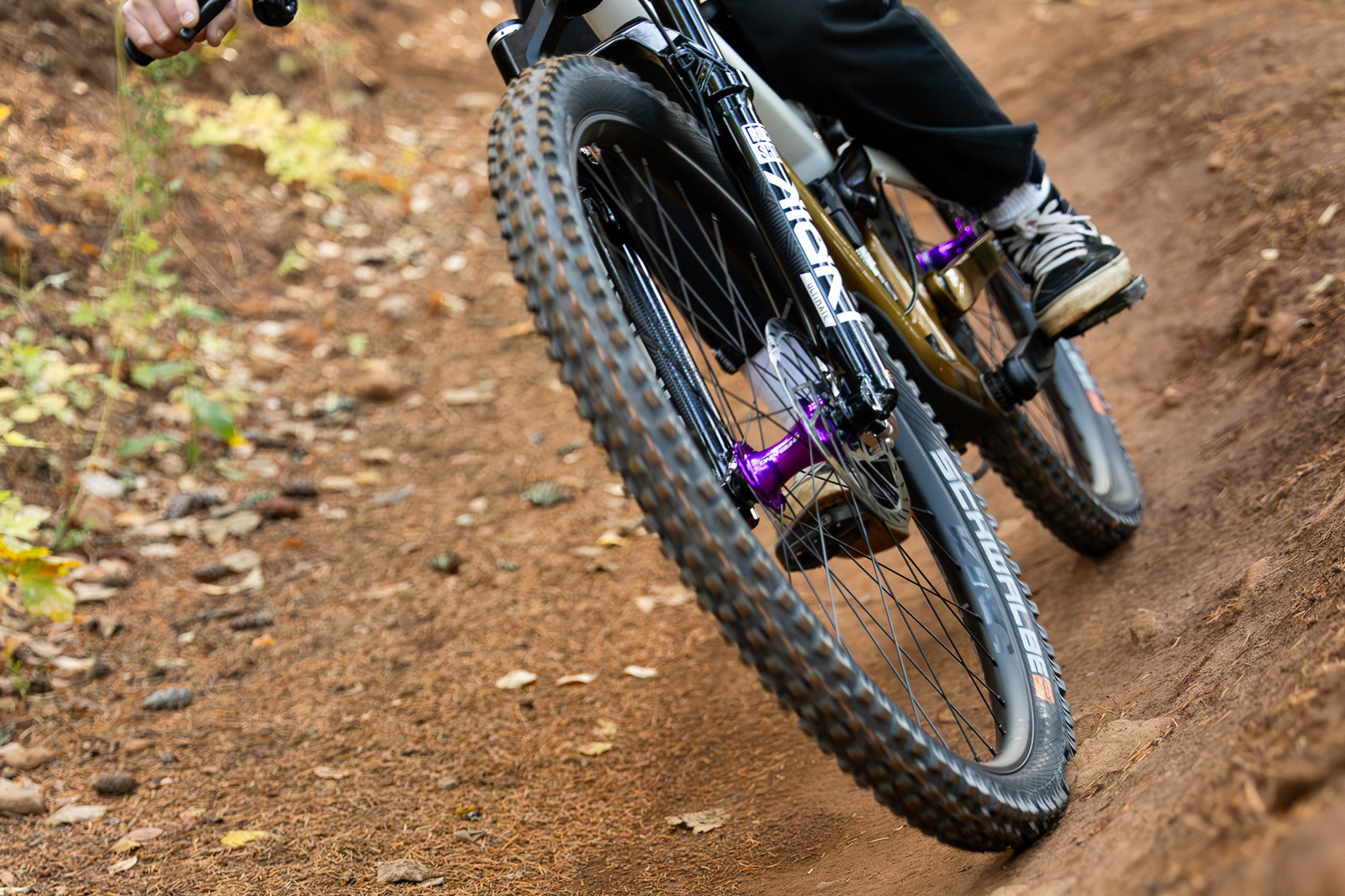
The new Chris King MTN30 AL wheelset pairs the American brand’s famous hubs with aluminium rims to create a budget-friendly mountain bike wheelset.
This will likely come as welcome news to riders who want quality hubs and professionally built wheels, but can’t justify the cost of carbon rims.
In fact, Chris King claims its new trail and all-mountain wheelset will have a ride quality that’s reminiscent of its carbon mountain bike wheels, despite costing around $1,000 less.
As a result, Chris King says the MTN30 AL offers reliability and serviceability, alongside responsible manufacturing processes.
Christ King learned ride quality and durability were the most important features for shops and riders. Chris King
When designing the MTN30 AL, Chris King says it consulted bike shops and riders about what they wanted from an aluminium mountain bike wheelset.
Chris King’s wheel product manager, Greg Hudson, says: “We learned that ride quality and durability were the most important features.”
With hubs that are renowned for their quality, and backed by a lifetime warranty, Hudson says Chris King knows “how to make durable bike products”, so achieving durability didn’t feel like a problem.
“However, it took a lot of comparative ride testing in the field and impact testing in the lab to create a wheel that both meets our durability standards and delivers the premium ride quality we were after,” he says.
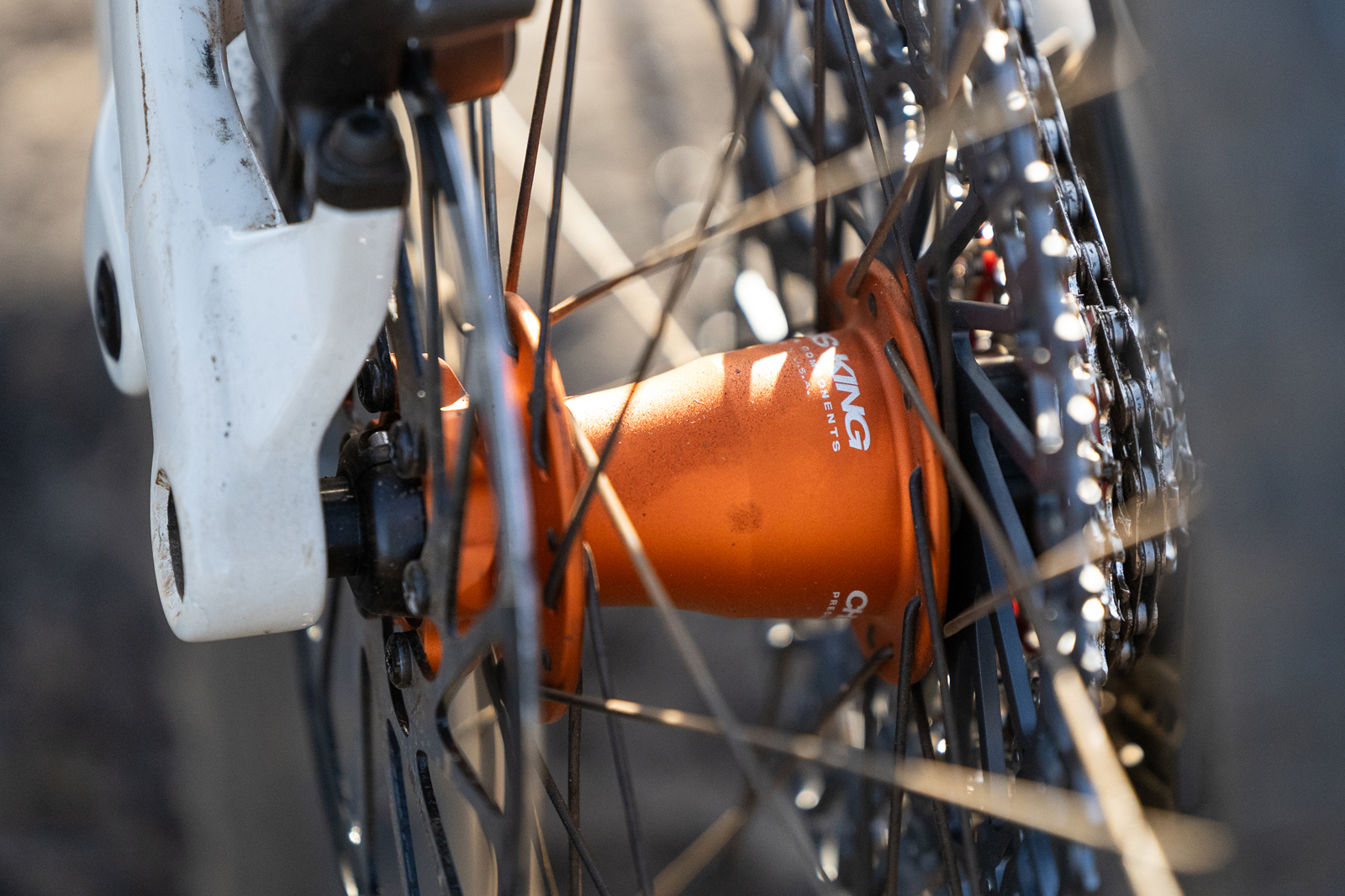
The wheels come with Chris King’s famous hubs. Chris King
Hudson adds that Chris King was happy with its MTN30 carbon wheels, which it launched in 2022, and tried to bring as many design cues as possible to the alloy wheels.
“They’re highly responsive and give the rider the right amount of trail feedback. We really hit that sweet spot between muted and too harsh. The ride feels very smooth but also connected to the terrain,” Hudson says.
Chris King MTN30 AL specs and details
The MTN30 AL wheels are built at Chris King’s Portland, OR factory in a range of configurations. Chris King
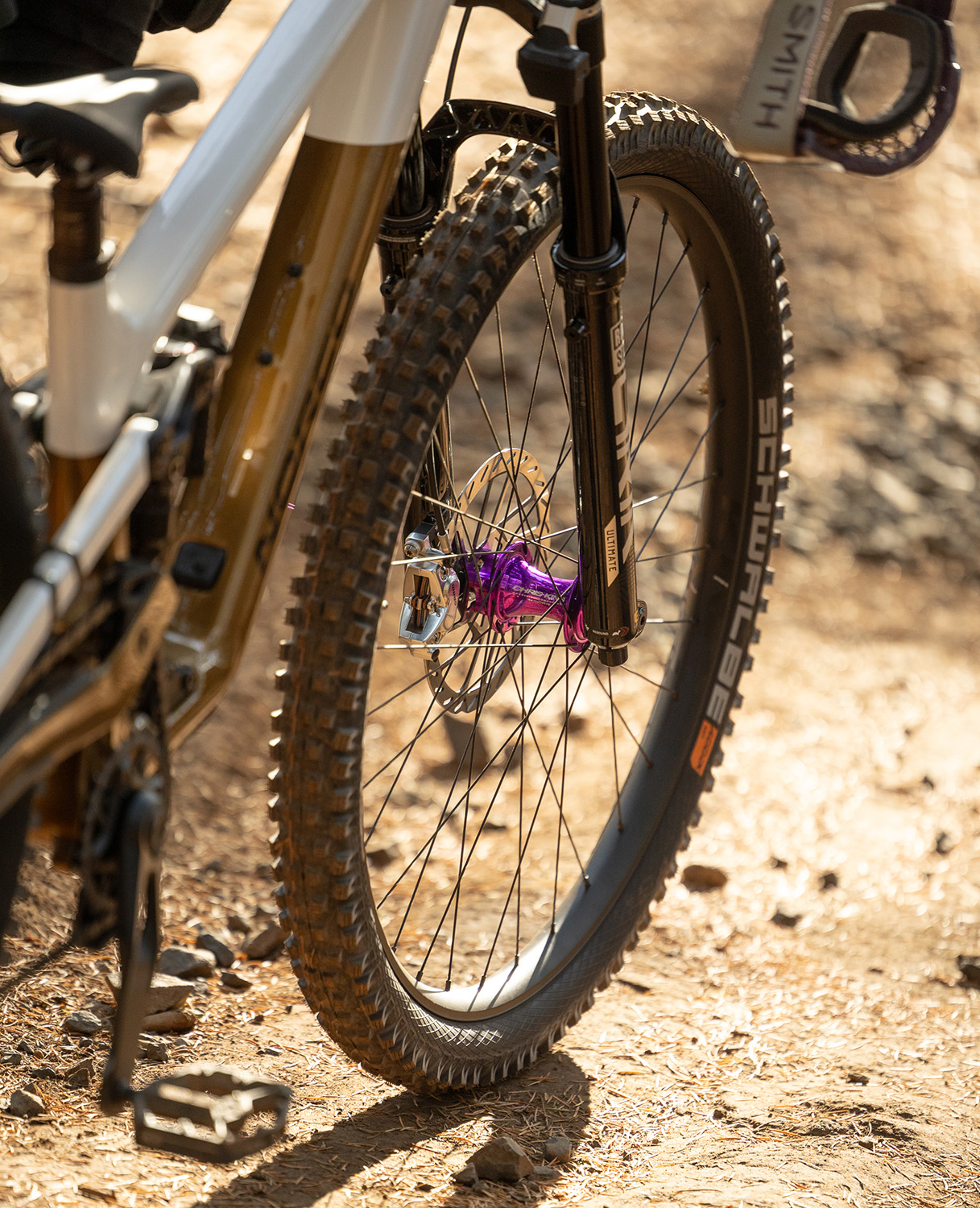
The MTN30 AL is built in-house at the Chris King factory in Portland, Oregon, using Sapim Race spokes and Chris King Boost Centerlock, Boost six-bolt, or Super Boost hubs.
The hubs will be available in all the usual Chris King colours.
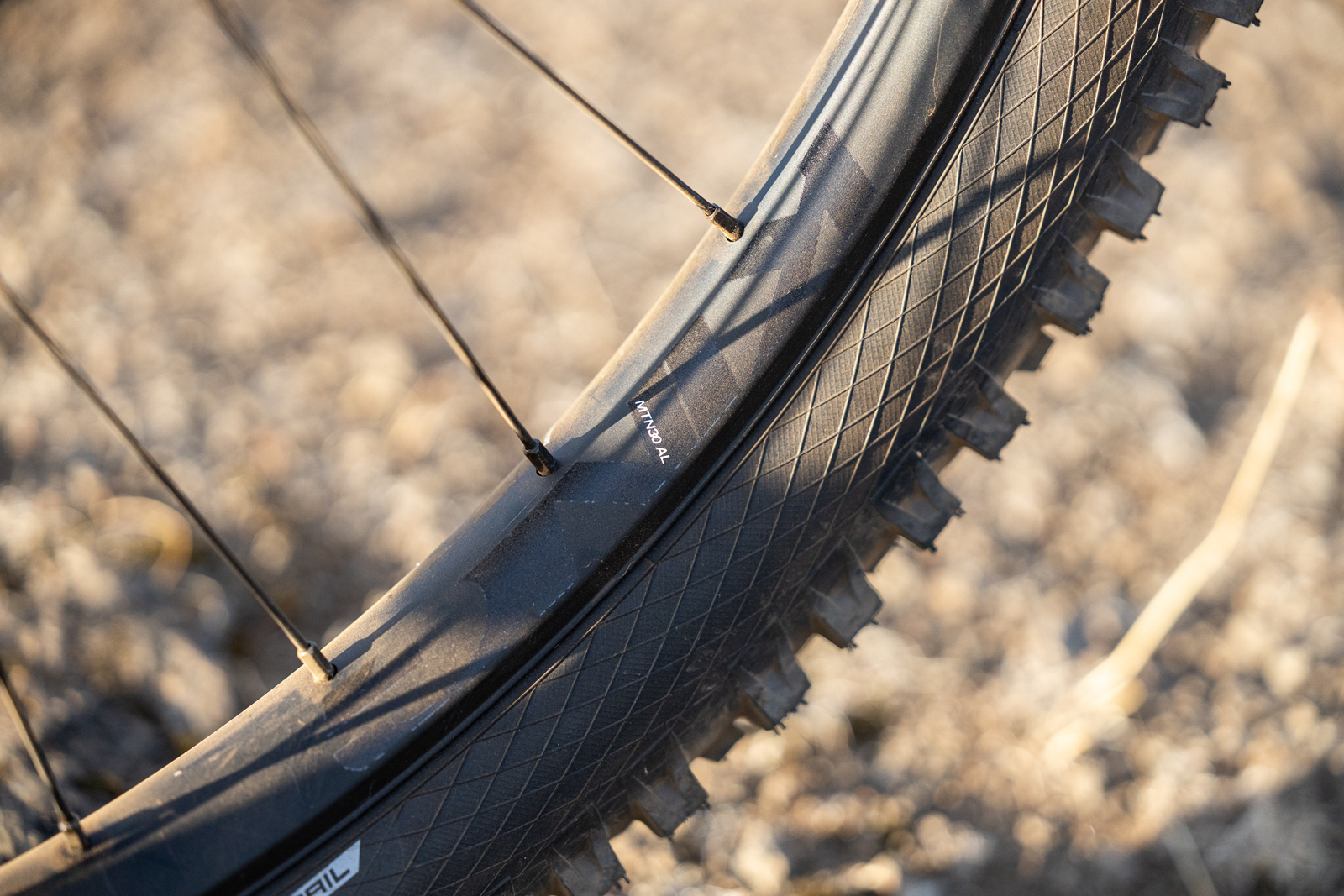
Chris King says the aluminium rims are made in the USA. They have 32 spoke holes, an internal rim width of 30mm and the tubeless-compatible, hookless rim bead is said to increase sidewall protection.
The rim and decals have a subtle matt finish, letting the hub colour set the tone for your bike’s aesthetics.
The rims are backed with a two-year warranty on defects. The wheels also come with an affordable lifetime crash replacement programme for the original purchaser.
The wheels will be available in 29in or 27.5in sizes, or in a mullet configuration – which is a first for Chris King.
Lower cost, increased weight
The 29in aluminium rim weighs a claimed 595g. Chris King
The MTN30 AL costs from $1,250, which is roughly $1,000 less than Chris King’s MTN30 carbon wheelset.
Unsurprisingly, the MTN30 AL weighs more than Chris King’s carbon mountain bike wheels.
Chris King claims the 29in rims weigh 595g, which is 104g more than its 29in carbon mountain rim.
It says the complete wheel weight starts at 2,080g for a mullet configuration, which is just over 300g more than its 29in MTN30 carbon wheels.
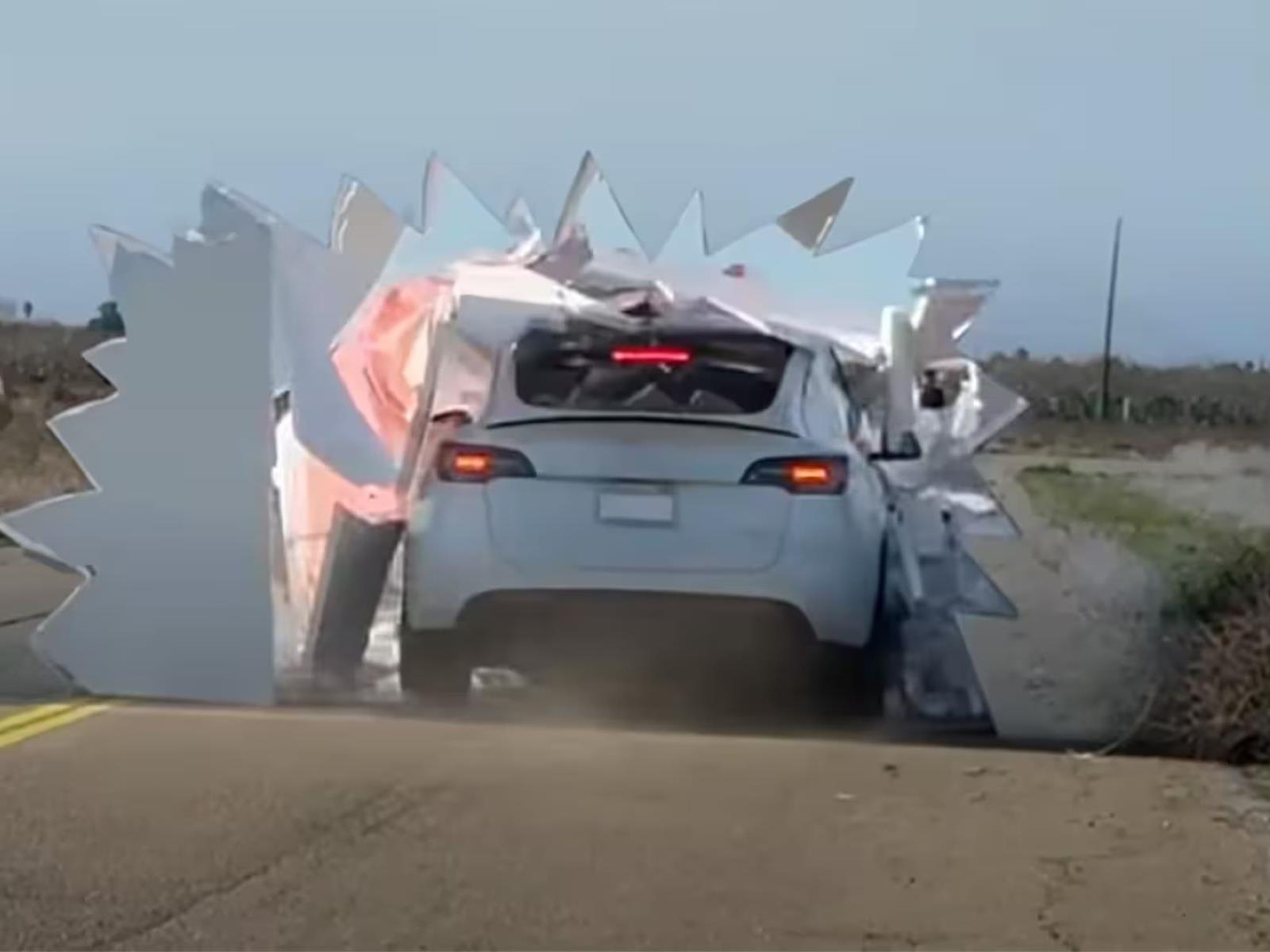
If you need more evidence that camera-based image processing isn’t at all a good idea for fully autonomous driving, go no further than this fun exposé comparing self-driving tech between a Tesla versus a LiDAR-equipped system in a Lexus. The multi-stage experiment culminates with both cars being driven towards a wall with a painted road to
This week, Zwift’s much-anticipated Bike Upgrades feature goes live, allowing Zwifters to trade Drops and accumulated riding for performance upgrades.
But how does it work? What sort of performance improvements can we expect? And what exactly is a “Halo Bike”? Dive in and find out!
Table of Contents
Bike Upgrade: the Basics
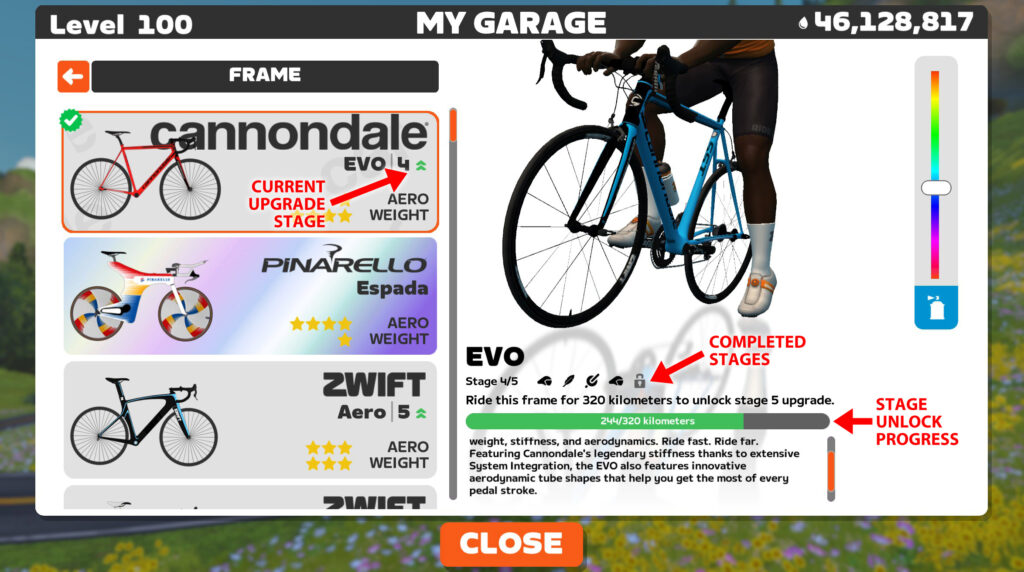
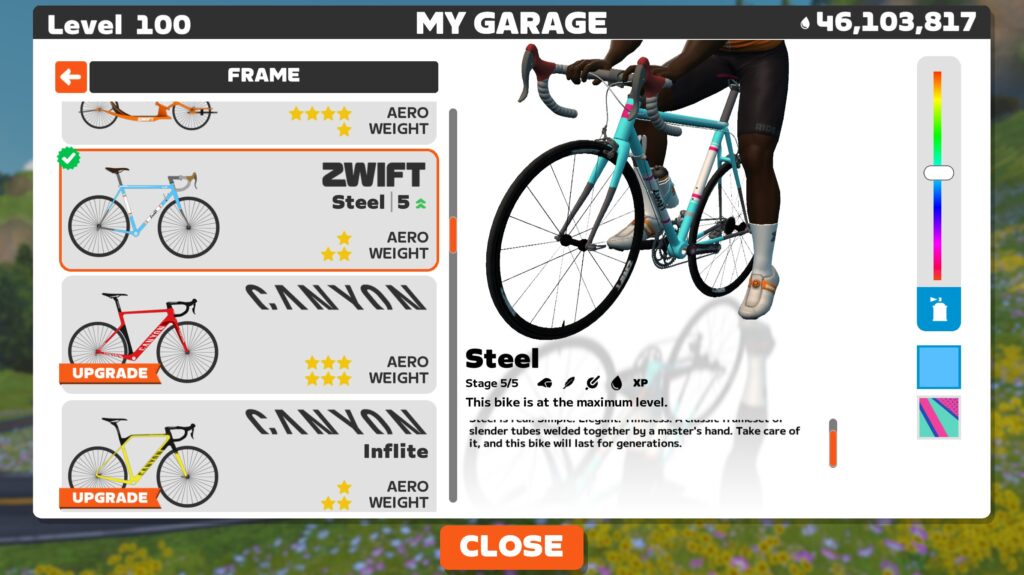
Every bike frame in Zwift now has 5 “stages” of upgrades available. As you ride a particular frame, you work your way toward completing the current stage. Completion progress is visible in your garage:
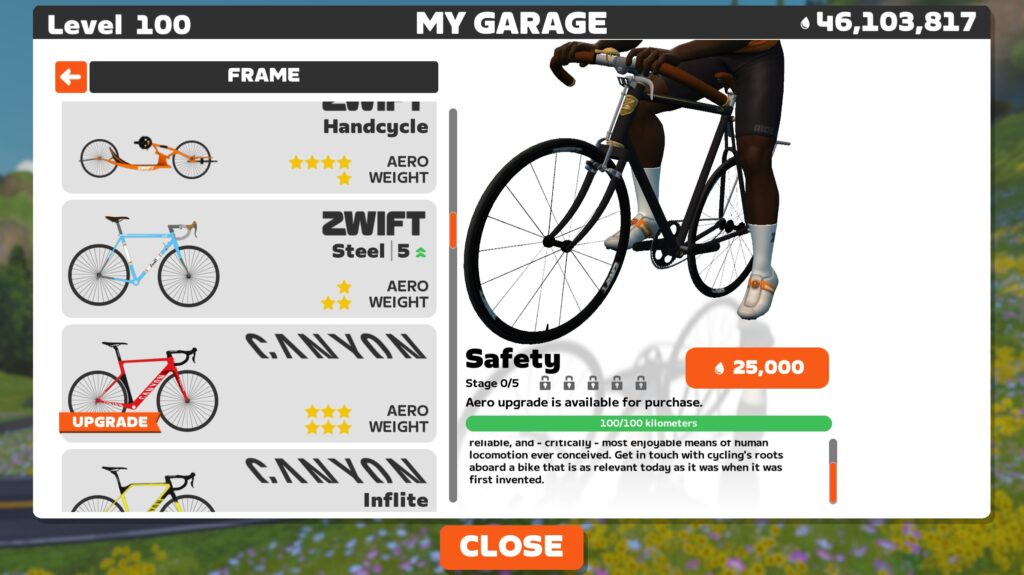
Completing the work required unlocks the ability to purchase that upgrade for your bike:
There are five types of bike upgrades:
CDA (aero) improvements
Weight reduction
Crr (rolling resistance) decreases
Drops earning increase (5%)
XP earning increase (5%)
Why Upgrades?
It seems that, with every new feature Zwift releases, there are people who comment, “Why did Zwift put the development resources into building this feature? I won’t be using this. Etc, etc…”
Bike Upgrades add another carrot to the game – a fresh incentive to get on your bike and put in the work. Will that carrot be attractive to all Zwifters? Of course not. No feature is. But Zwift is betting it will appeal to many.
Additionally, most experience Zwifters have millions of Drops saved, with nothing to spend them on (I’ve currently got 81 million.) Bike Upgrades give Zwifters a place to spend our Drops.
Lastly, Bike Upgrades add a strategic element for racers who may want to put some thought into which bike(s) to upgrade and when, for maximum in-game performance.
While every bike in Zwift now has 5 stages of upgrades, it’s not the same upgrades for every bike. The upgrades available for a particular frame are based on two factors:
Bike Type: climbing bikes get more weight reductions, TT bikes get more aero upgrades, and all other bikes get a more even mix of upgrades. Example: a maxed out TT frame compared to its un-upgraded version is about 45 seconds faster over an hour on flat roads, and 26 seconds faster on an hour of climbing. By contrast, a maxed out S-Works Aethos is about 21 seconds faster over an hour on flat roads, and 58 seconds faster on an hour of climbing, compared to its un-upgraded version.
Bike Price: entry-level bikes get bigger performance increases in the early upgrade stages, while latter stages unlock Drops or XP bonuses. Higher-level bikes don’t unlock Drops or XP bonuses, but rather spread the performance increase upgrades across all 5 stages so you really have to put in the work to max out a top-level frame.
Additionally, the type of workyou must do to unlock upgrades, the amount of work you must do to unlock an upgrade, and the cost of each upgrade vary between bikes based on three factors:
Bike Type: climbing bikes require accumulated elevation, TT bikes require accumulated time, and all other bikes require accumulated distance. Example: to unlock upgrade stage 1, the S-Works Aethos (climbing frame) requires 2000 meters of climbing while the Cadex Tri TT requires 6 hours of use and the Felt AR 200km of distance.
Upgrade Stage: each stage requires more effort to unlock than the stage before. Example, the S-Works Venge requires 200km of riding to unlock stage 1, but 440km for stage 5.
Bike Price: just like outdoors, higher-end bikes cost more to upgrade. Example: in the climbing bike category, the S-Works Aethos requires 4000 meters of climbing and 750,000 Drops for its stage 5 upgrade, while the more entry-level Trek Emonda SL requires just 2000 meters of climbing and 200,000 Drops for its stage 5 upgrade.
Upgrades vary widely in price. A basic bike’s stage 1 upgrade only costs 25,000, while a Halo Bike’s stage 5 upgrade costs an astronomical 5 million Drops!
Performance Improvements
The big question on everyone’s mind is: just how much faster will upgraded bikes be?
While we can’t tell you exactly what each stage’s upgrade will trim off of your time (not yet, anyway), we can share overall time improvements for a “stage 0” (completely un-upgraded) frame vs its maxed out “stage 5” version. Here is the time savings you can expect across an hour of riding at 4 W/kg:
Bike Type
Flat Roads (Stage 0 vs Stage 5)
Climbs (Stage 0 vs Stage 5)
Climbing
-21s
-58s
TT
-45s
-26s
All Others
-28s
-36s
Note that the 1-hour time savings above is estimated based on test results with our bot (75kg, 183cm tall, at 300W). Flat tests are done on Tempus Fugit, while the climb test is done on Alpe du Zwift.
Halo Bikes
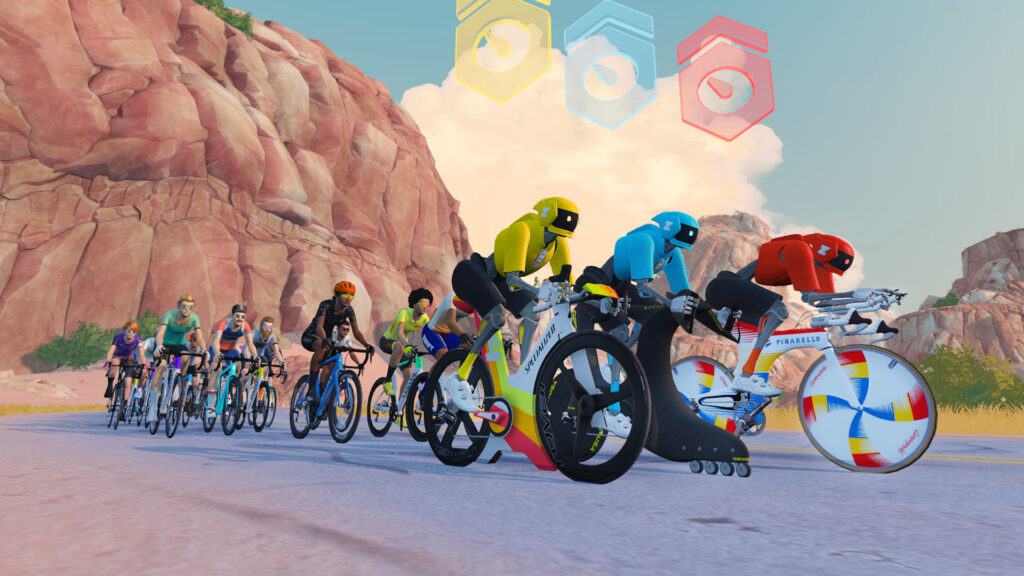
This update from Zwift also adds a new, highly prestigious set of bikes to Zwift: Halo Bikes! These are fast and unique bikes that take a lot of work to unlock, a ton of Drops to purchase, and oodles of work and Drops to fully upgrade.
There are four available today:
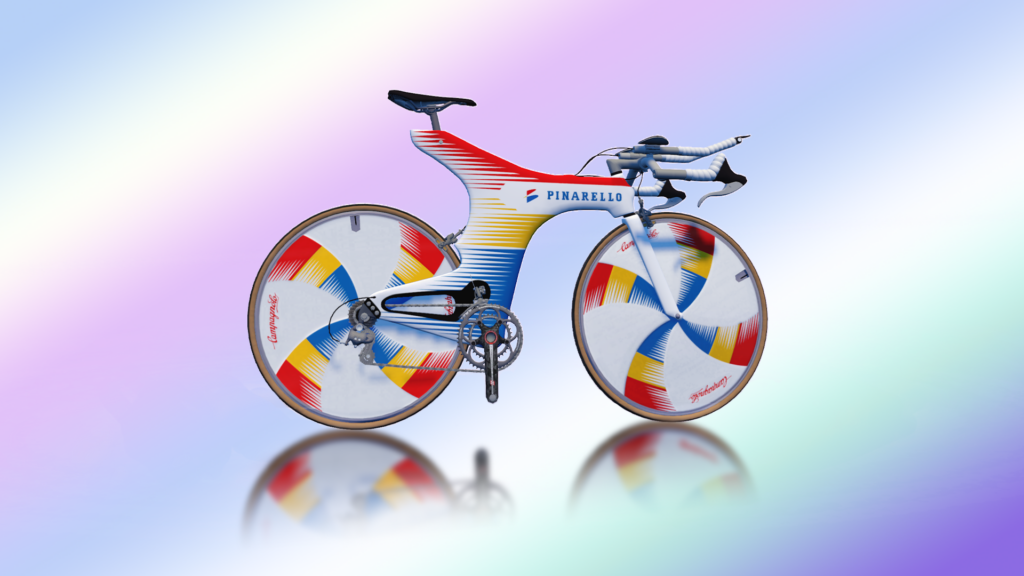
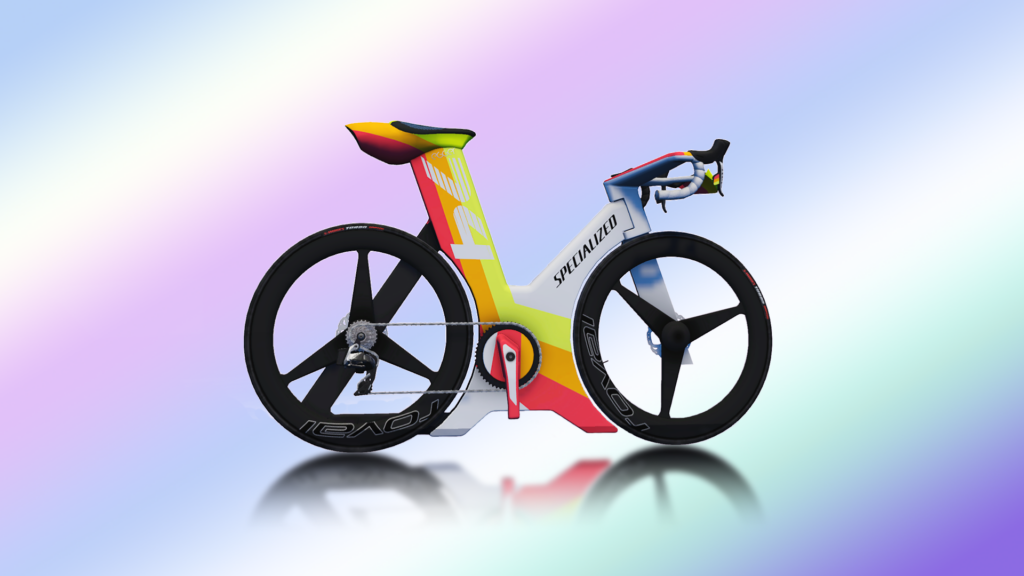
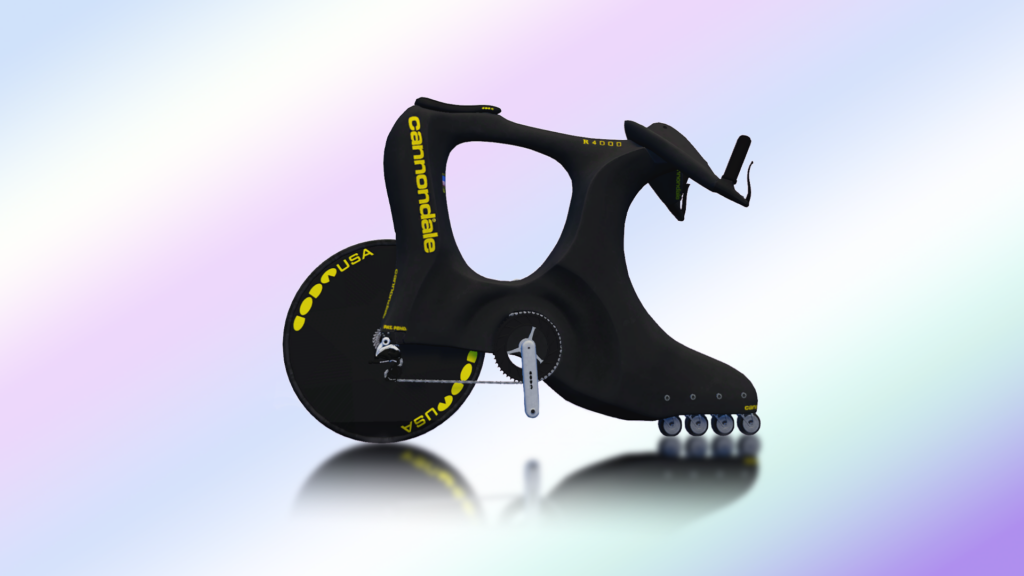
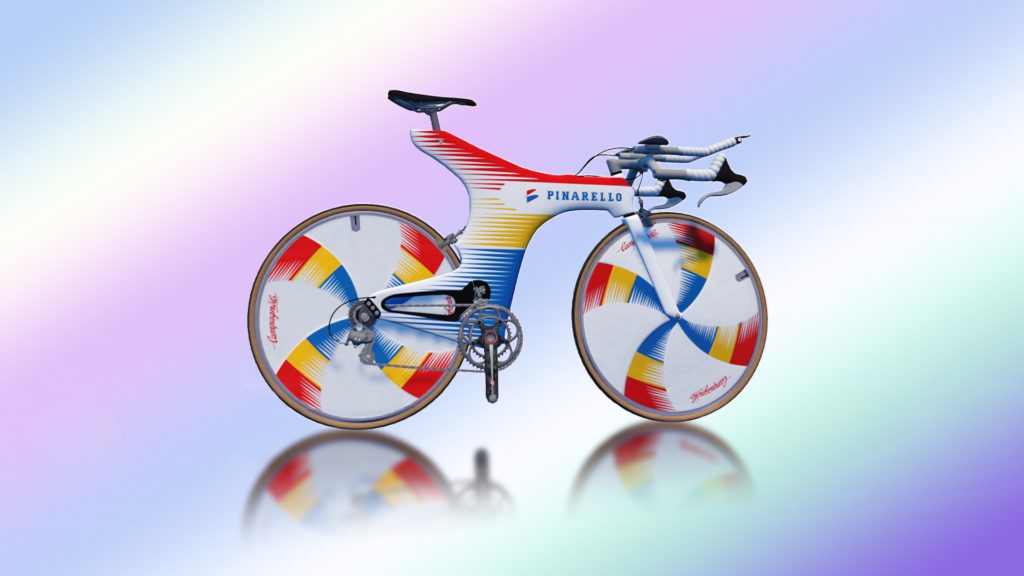
Pinarello Espada
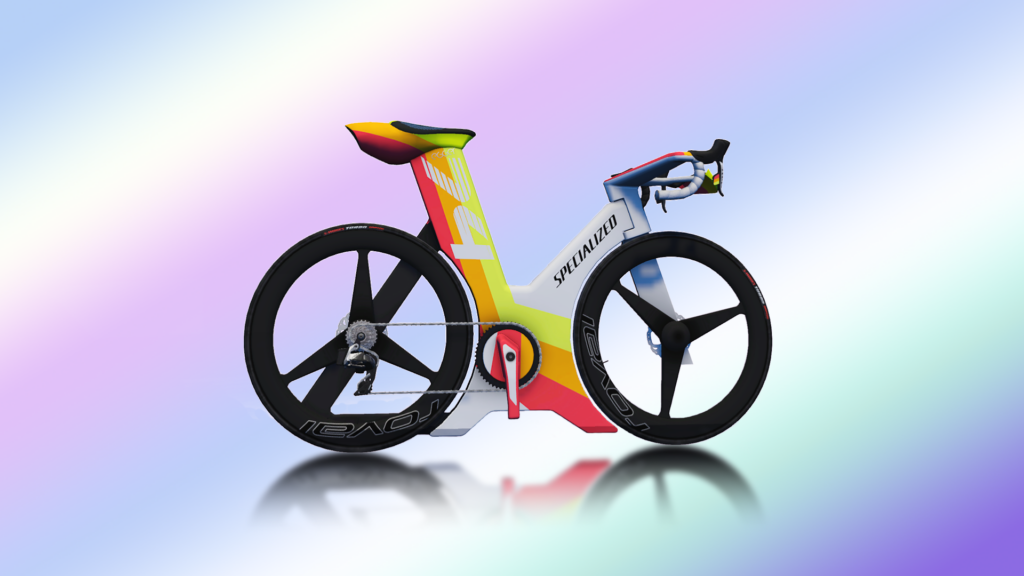
Specialized Project ’74
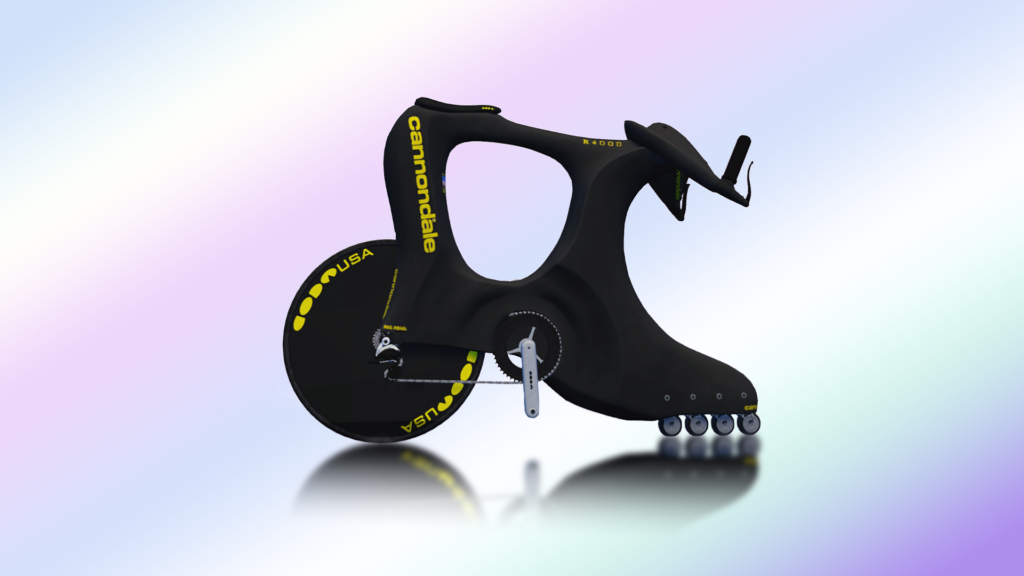
Cannondale R4000 Roller Blade
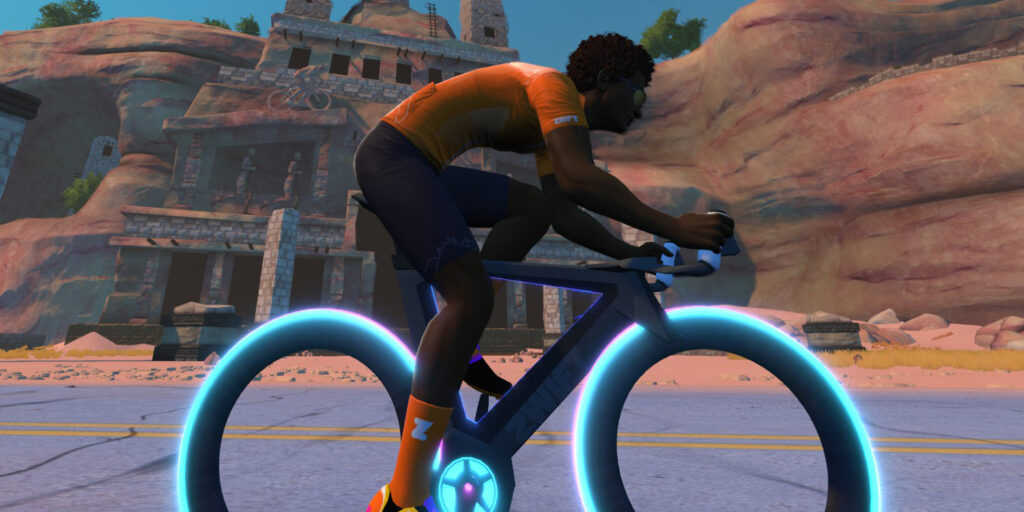
Concept Z1*
* the Concept Z1 (Tron bike) is unique on this list, because many Zwifters already own it after completing the Climb Mt Everest Challenge. This is still the only way to unlock it, but if you want to upgrade your Tron bike, you have to fully upgrade 3 Zwift frames first.
Halo Bikes can be seen as brand loyalty rewards, because unlocking a brand’s Halo Bike requires you to first fully upgrade three frames from that brand. Simply unlocking a Halo Bike doesn’t mean you own it, though. You still have to purchase the bike, at a hefty price of 10 million Drops. Yes, you read that right: 10. Million. Drops.
Once you own it, a Halo Bike can be upgraded in 5 stages, just like every other bike in Zwift. But the work and cost of each upgrade is around 5x more than even the best non-Halo Bikes! So while Halo Bikes will be somewhat rare, fully-upgraded Halo Bikes will be rarer still.
Watch this space! We’ll be publishing a dedicated post all about Halo Bikes in the coming days, sharing performance details and more. Until then, catch the Halo Bikes in action from March 18-April 7 in Watopia with Robopacers Big Mig, Jacques, and Coco.
Upgrading Tips
Zwifters – especially racers and riders who collect unique in-game bikes – will probably be asking two questions:
Question #1: Which bike should I upgrade first?
If you’re a racer, it’s probably smart to upgrade the bike you race the most. Maxing out high-end race bikes like the S-Works Venge or Pinarello Dogma F 2024 requires 1600km of riding and 1.9 million Drops. That’s no small ask, but it is also doable in 3-5 weeks for many experienced riders.
If you just want a particular Halo Bike, and aren’t concerned with race performance, you’ll get there quickest by upgrading three lower-end bikes, because lower-end bikes can be upgraded to stage 5 much quicker than higher-end bikes.
Question #2: Are there ways to speed up the upgrade process?
The simple answer is “yes,” but a full explanation could be an article in itself. As explained above, depending on which type of frame you’re riding, upgrades will be unlocked based on accumulated elevation, distance, or time on the bike.
Shortening your upgrade time, then, means figuring out how to accumulate more elevation, distance, or time on the bike. A few ideas:
To gain elevation faster, do your structured workouts on climbs like Alpe du Zwift or Ventoux. The workout won’t feel any different, but you’ll be gaining more altitude than you would riding on a flat route.
To gain distance faster, ride in groups. Robopacers are an obvious choice, but group rides or races are also a good option.
To get more time on the bike, try adding another long, slow zone 2 endurance ride to your week. These sorts of rides do wonders for your riding, delivering increased mitochondrial density, improved lactate clearance, and new muscle capillaries, among other things.
One last tip for upgrading as quickly as possible: once you’ve done the work to unlock an upgrade, spend the Drops to buy it! Because until you purchase it, your work on the bike won’t go toward unlocking the next step.
Your Thoughts
Got questions or comments about bike upgrades? What bike are you going to upgrade first, and why? Comment below!
The Find My Device app for Android is getting an update: The new Find My Device app is now split up into two tabs, one for Devices, and one for People. With it, you can easily coordinate meet-ups with friends or check that your kids have safely arrived home.
You’ll find the app preinstalled on Pixels, and it’s a free download for other Android devices. It’s also available on the web, but there’s no iPhone app. Despite that, you can still keep tabs on the real time locations of your contacts if they have iPhones—more on that in a moment.
The new People tab in Find My Device. Credit: Lifehacker
This is the same Find My Device tool that received a pretty major upgrade last year. While it’s existed in some form for a long time, showing you Android phones and other gadgets on a map if they were ever lost and stolen, the new and improved version added a bunch of features to make it more useful.
Whereas before you would need your phone to be on and connected to wifi to be able to find it, the 2024 improvements mean you can now enlist the help of all the other millions of Android gadgets out there to (securely and anonymously) track down missing devices (Apple’s Find My Network works in the same way).
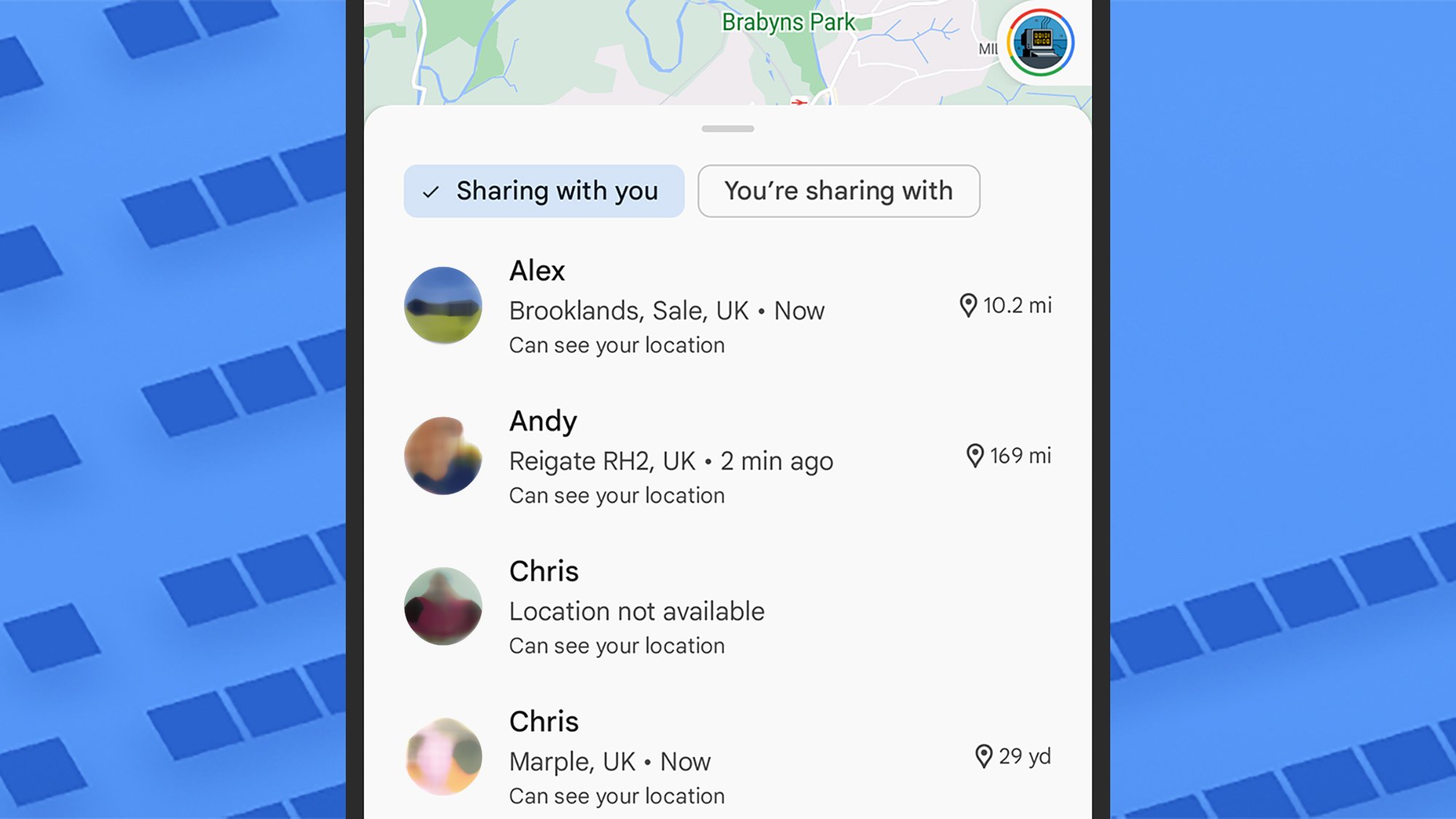
The same location sharing list is available in Google Maps. Credit: Lifehacker
There’s also now support for third-party Bluetooth trackers, and recent Pixels can even be located when they’re powered off. Phones and tablets you track down with the app can be made to play a sound to help you find them, plus you have the option to lock them or even wipe them remotely to keep your data safe.
All those upgrades were already in place, and now people finding is the latest one to arrive: Contacts who trust you can let you see where they are on a map, and you can opt to share your own location with them in return. If you’re thinking that sounds a lot like the functionality that was already built into Google Maps, that’s because it is—it’s just that now you’ve got another screen to access it from.
Use Find My Device to find people
Open Find My Device on your phone and you’ll see the People tab has a little Beta label next to it, indicating that this feature is a work in progress. There’s also a sticker on the map, showing you that the location sharing feature is powered by Google Maps, even though you’re accessing it through Find My Device.
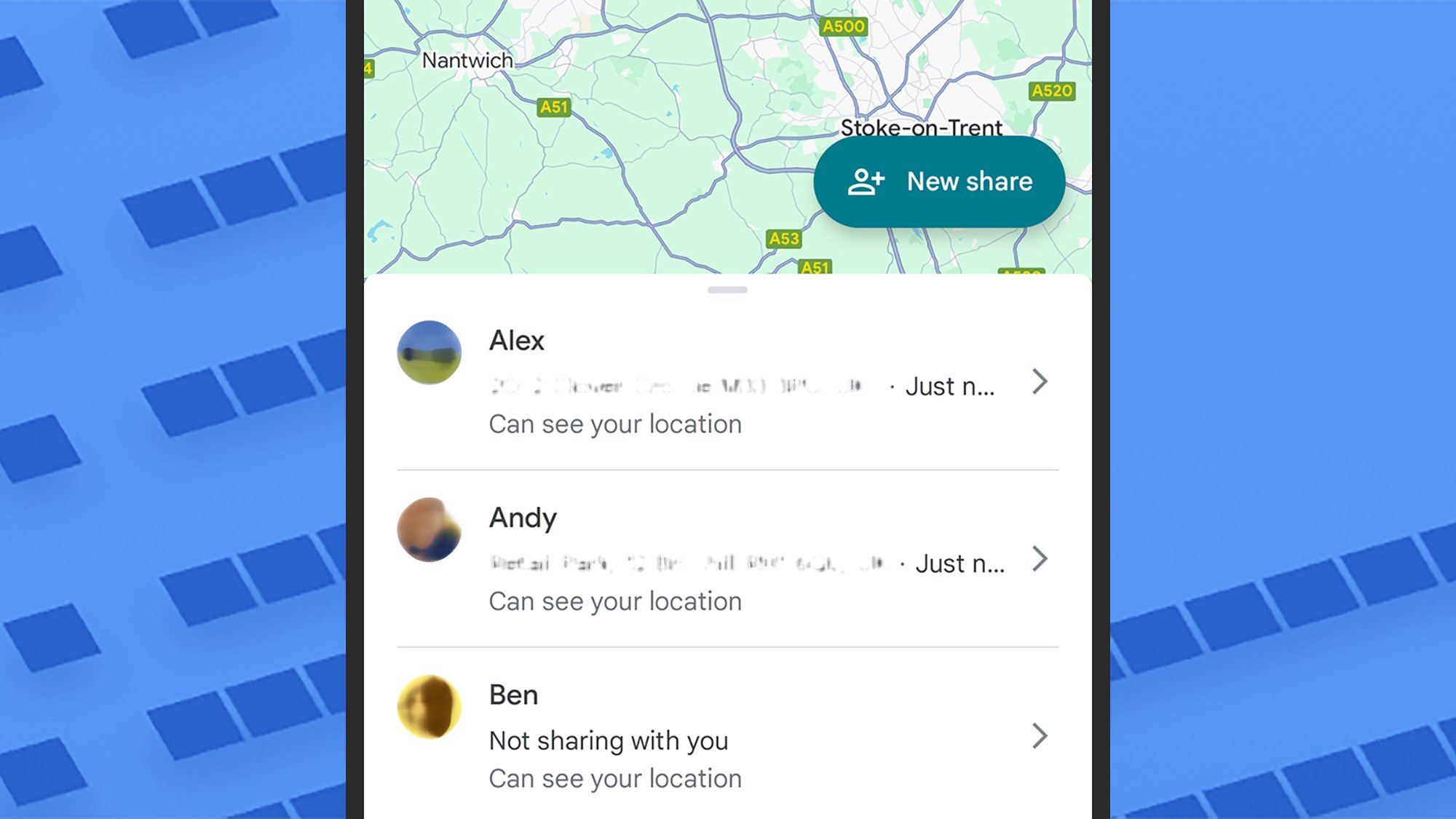
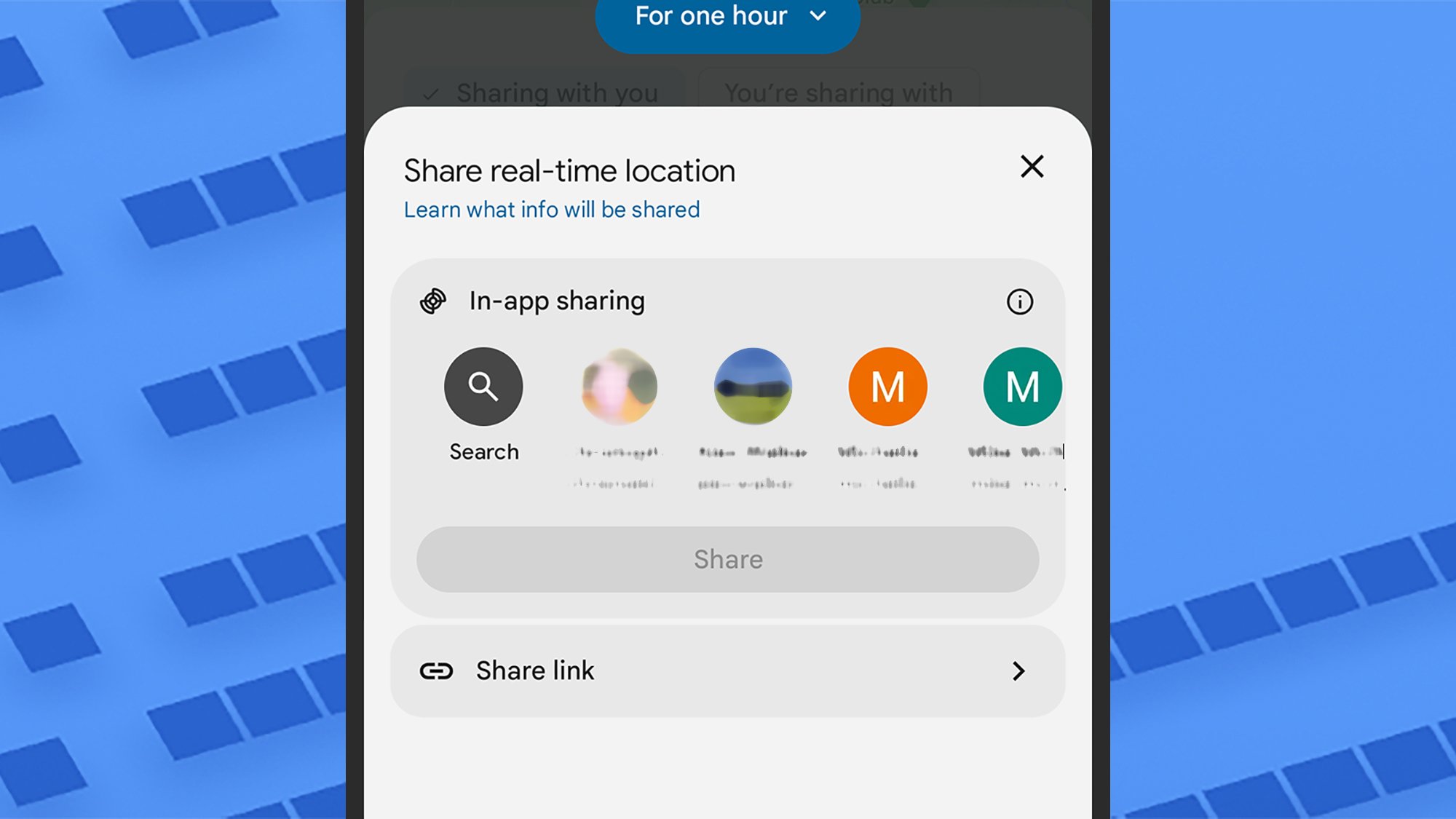
If you’ve already set up sharing through Google Maps, you’ll see your contacts listed and their current locations shown on the map. Tap the + (plus) button to share your location with someone new: The default option is to share your whereabouts for an hour, but you can tap this to change it to Today only, Until you turn this off, and Custom duration.
You can choose how long you save your location for. Credit: Lifehacker
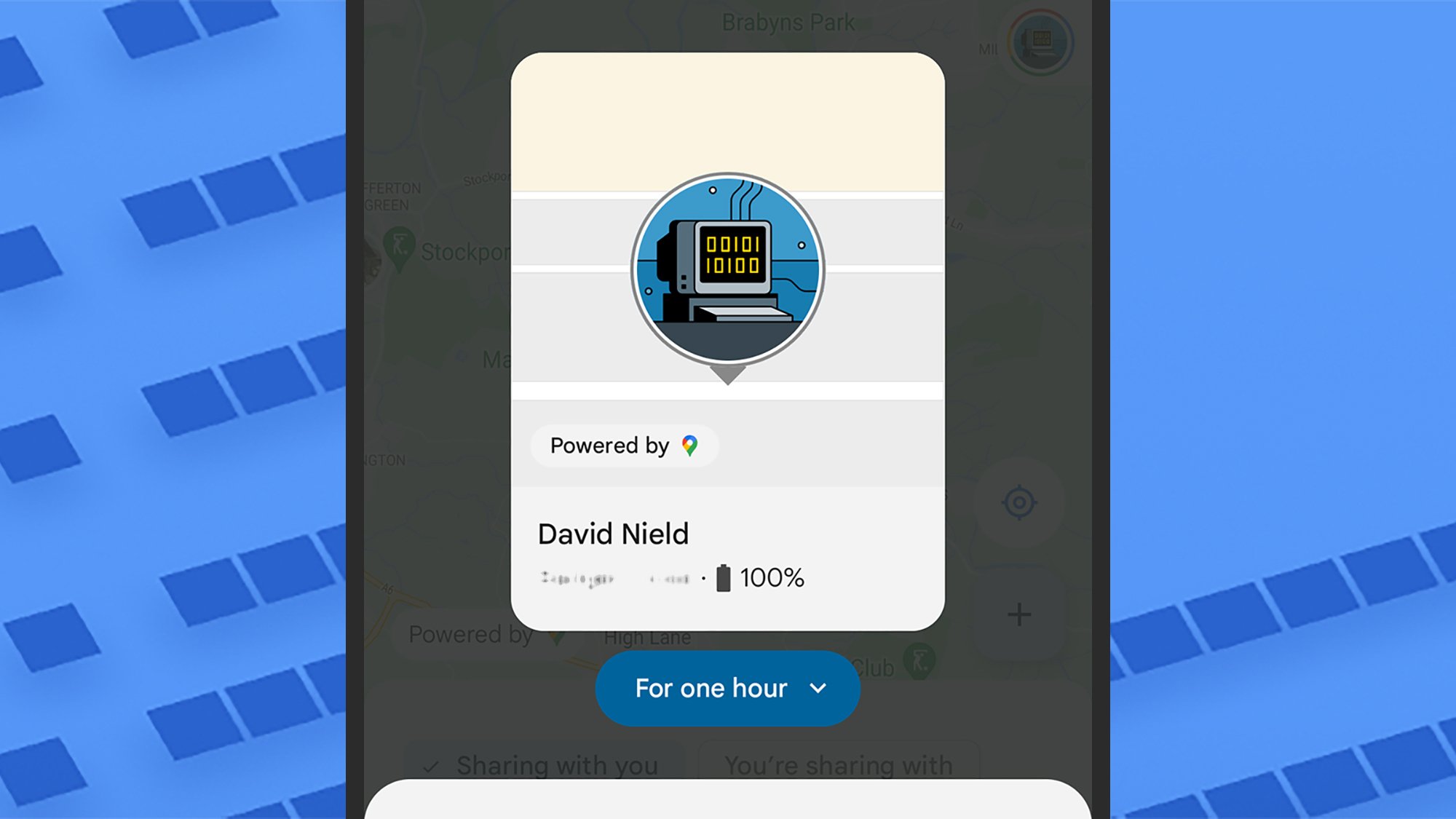
You can then pick a contact from the panel below, or generate a link to send to someone in an app of your choice. They’ll be able to see the location of your phone for the time you’ve specified, as well as the battery level of the device, and they’ll get the opportunity to share their location in return—though they don’t have to.
This is functionality that’s been in Google Maps for some time: If you’ve never used it, you can find it in the Google Maps app by tapping your profile picture (top right) then Location sharing. As it works through Google Maps, contacts with iPhones can be added as well, and see your location—as long as they’ve got Google Maps installed.
You can share your location with anyone who uses Google Maps. Credit: Lifehacker
Back in Find My Device, tap on any contact in your list to see where they are on the map. The next screen enables you to get directions to their current location (via Google Maps, of course), and to stop sharing your location with them. Tap the three dots next to a name to hide them from the map, if you only want to check up on them occasionally.
Head to Find My Device on the web, and you get the same Devices and People tabs, though you can’t add new contacts in the web app. You’re always in control when it comes to who can see where you are and for how long, and given the tight integration with Android, you might find it preferable to location sharing tools in apps such as WhatsApp.
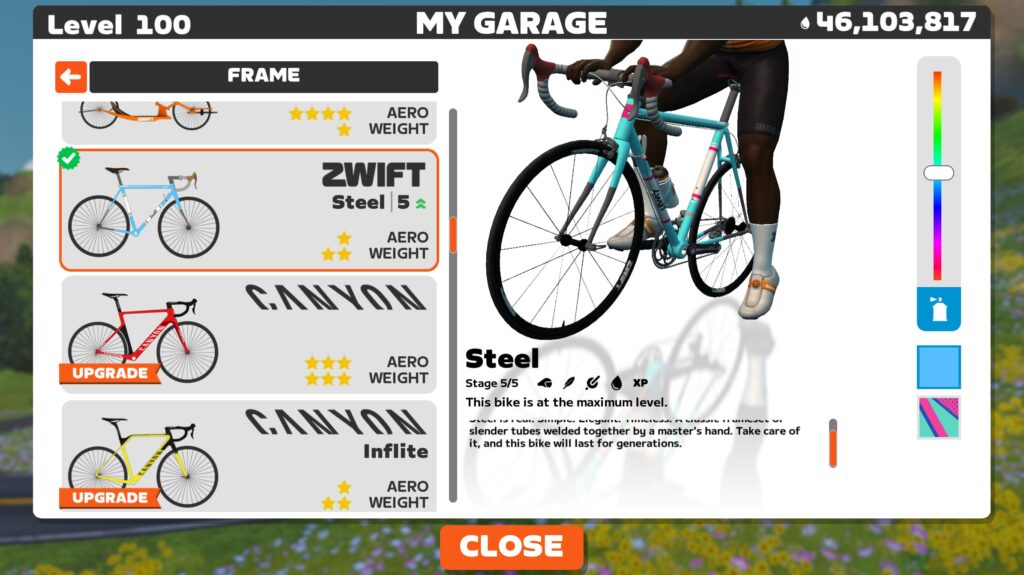
Zwift version 1.86 begins its phased rollout today. This is a major release – Zwift’s largest so far this year – delivering major changes to the Drop Shop and Garage including new bikes, frame/wheel performance modifications, and the much-anticipated Bike Upgrades system. Read on for details…
Bike Upgrades
Zwift’s release notes say, “the Zwift Garage now features a Bike Upgrade system that lets Zwifters upgrade any bike and hand cycle to five (5) upgrade stages for increased performance.”
It’s the long-awaited “Garage Upgrades” functionality announced back in September 2024, and it adds lots of new carrots for Zwifters to chase. It also gives us a reason to spend Drops and think strategically about which bikes to upgrade and when!
This is a big update, so we’ve put together a detailed post all about it.
To support the Bike Upgrades system and increase in-game realism, this week’s update includes performance tweaks to nearly all bikes and wheelsets in game. Again, there’s way too much detail to share here, but the good news is we published a post last week detailing the new performance characteristics of all the road frames and wheels:
There’s much more to talk about in this space, including performance changes to the Tron (Concept Z1) bike as well as TT, MTB, and Gravel frames. Watch Zwift Insider for more info soon.
7 New Bikes
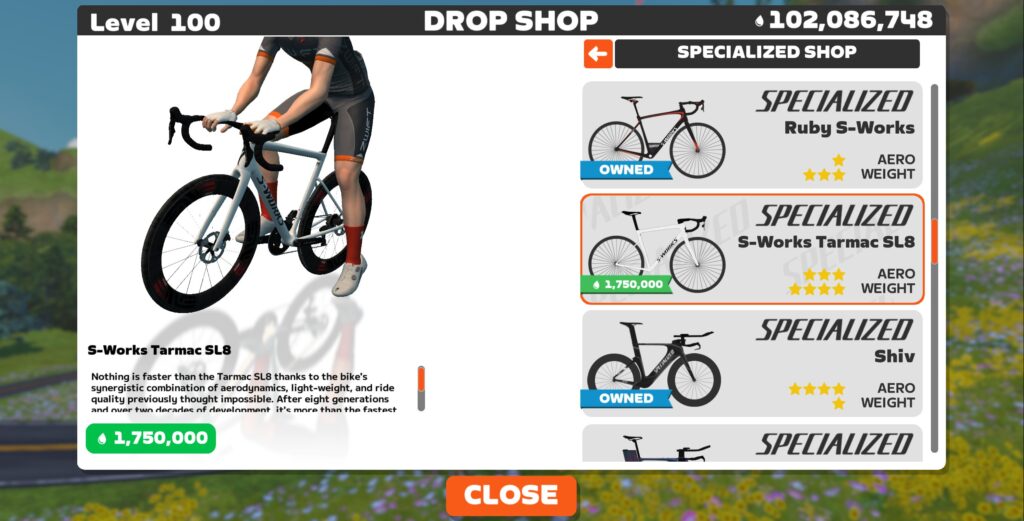
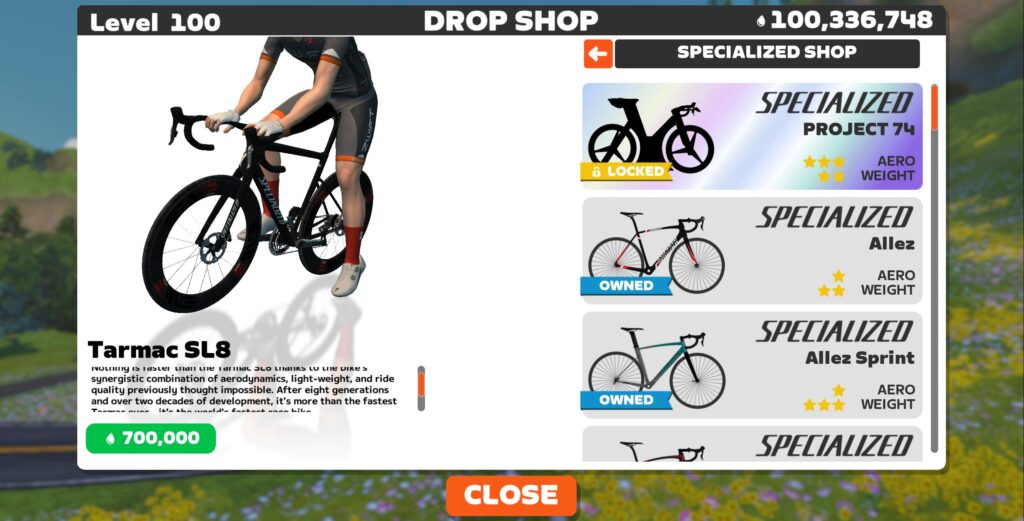
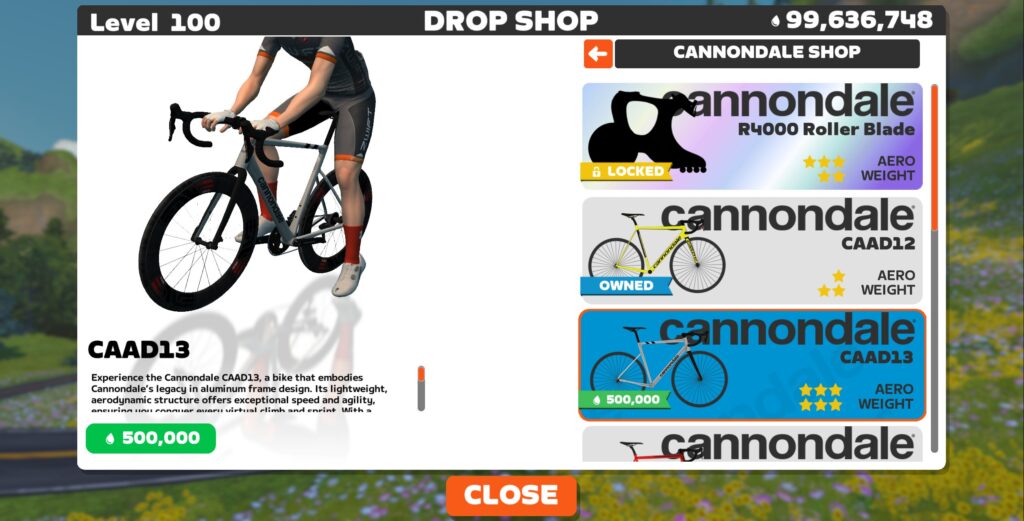
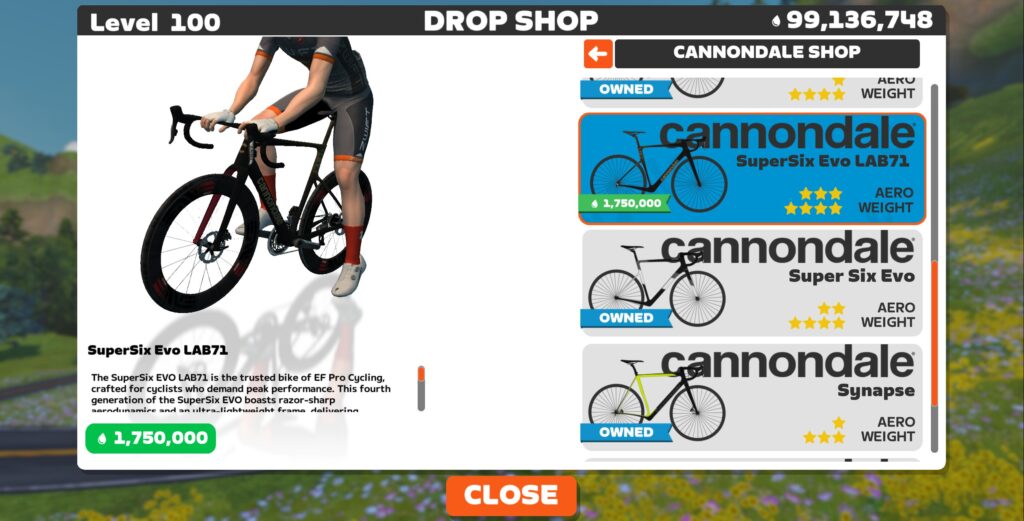
Everyone loves new bike day! Four new “production” road bikes have been added to the Drop Shop: the S-Works Tarmac SL8, Tarmac SL8, Cannondale CAAD13, and Cannondale Super Six EVO LAB71:
We are now running speed tests on these bikes. They are fast. We will publish results as soon as possible.
Additionally, three new “Halo Bikes” are now “available” in the Drop Shop: the Specialized Project 74, Pinarello Espada, and Cannondale R4000 Roller Blade:
We say “available” for the Halo Bikes because Zwifters will have to put in a lot of work and spend a pile of Drops before they even have the opportunity to unlock a Halo Bike. Read our Bike Upgrades post for more info.
Drop Shop Price Changes
The Pinarello Dogma F 2024 has slightly increased in price, from 1,400,000 to 1,750,000. That is the only frame with a new price. Wheels, on the other hand, have (almost) all increased in price:
Wheelset
Old Price
New Price
Bontrager Aeolus5
67,700
150,000
CADEX 36
223,900
375,000
CADEX 42
119,500
425,000
CADEX 65
216,900
450,000
Campy 35
250,000
350,000
Campy 50
150,000
450,000
DTSwiss 62
400,000
500,000
DTSwiss DISC
655,000
750,000
Enve SES 2.2
174,300
400,000
Enve SES 3.4
200,000
525,000
Enve SES 6.7
150,000
525,000
Enve SES 7.8
278,900
550,000
Enve SES 8.9
250,000
550,000
FFWD RYOT55
136,100
200,000
Giant SLR 0
165,100
450,000
HED Vanquish RC6 Pro
120,000
175,000
Mavic Comete Pro
38,400
200,000
Mavic Cosmic CXR60c
39,800
150,000
Mavic Cosmic Ultimate
38,400
525,000
Novatec R4
37,900
150,000
Roval Alpinist CLX
634,300
550,000
Roval CLX64
150,000
525,000
Roval Rapide CLX
200,000
500,000
Shimano C40
85,300
300,000
Shimano C50
165,000
250,000
Shimano C60
187,000
325,000
Zipp 202
135,200
350,000
Zipp 353 NSW
168,800
600,000
Zipp 404
115,600
425,000
Zipp 454
204,300
600,000
Zipp 808
200,000
425,000
Zipp 808/Super9
450,000
650,000
Zipp 858
300,000
600,000
Zipp 858/Super9
550,000
750,000
Zwift 32mm Carbon
32,000
100,000
Additionally, four wheelsets have had their unlock levels changed:
HED Vanquish RC6 Pro: 17 to 10
Shimano C60: 10 to 17
FFWD RYOT55: 18 to 6
Mavic Cosmic Ultimate: 6 to 18
New Routes
Three new routes (and route badges) arrived in this update. Two are now available to free ride, while the third (Hilltop Hustle) is event-only at this time.
This wasn’t mentioned in the release notes, but Zwift has “retired” many older bike models in today’s release by removing them from the Drop Shop. (This is the first mass bike retirement in Zwift’s history.)
Here’s the full list of bikes retired in this release:
Specialized
2015 Shiv
2019 Tarmac Pro
2015 Tarmac
2015 Roubaix
2015 Amira
2016 S-Works Amira
2019 Ruby
2015 S-Works Ruby
Specialized Allez 2015
Cannondale
CAAD12
Pinarello
2019 Dogma F10
2015 Dogma 65.1
Canyon
2015 Ultimate
2015 Speedmax
Cervelo
2015 S3D
2015 S5
Scott
Scott Foil 2015
If you already own one of these bikes, it will remain in your garage. But you won’t be able to purchase these bikes once you’ve installed version 1.86.
Release Notes
Zwift provided notes on additional tweaks and bug fixes in this update:
Improved the reliability of The Zwift Big Spin reward spinner.
Improved the navigation and appearance of the tabs shown on top of the Home screen.
Fixed an issue that caused Running progress to incorrectly count towards the Factory Tour challenge.
Fixed an issue that could cause the Shift Style and Gear Range settings to appear for trainers that do not support virtual shifting.
Windows: For Windows devices that are compatible with Video Screenshots, Video Screenshots is now disabled by default for devices that have less than 8 GB of RAM or fewer than 4 CPU cores. Video Screenshots can be re-enabled at any time for these devices under Settings → Video Screenshots.
iOS: Fixed an issue that could cause Bluetooth devices to not automatically reconnect if Zwift was open for an extended period of time.
Android: Fixed an issue that could prevent Bluetooth devices from automatically reconnecting after a disconnection.
Discuss this update in Zwift’s forum > (link coming soon)
Questions or Comments?
What do you think of this big update? Have you spotted any other changes or bugs in this release? Share below!
An anonymous reader shares a report: Apple lost an appeal on Tuesday against a regulatory assessment that opens the iPhone maker up to stricter controls in Germany, the Federal Court of Justice ruled on Tuesday, following years of debate over the company’s market position. Federal judges backed the German cartel office’s 2023 designation of Apple as a “company of paramount cross-market significance for competition”.
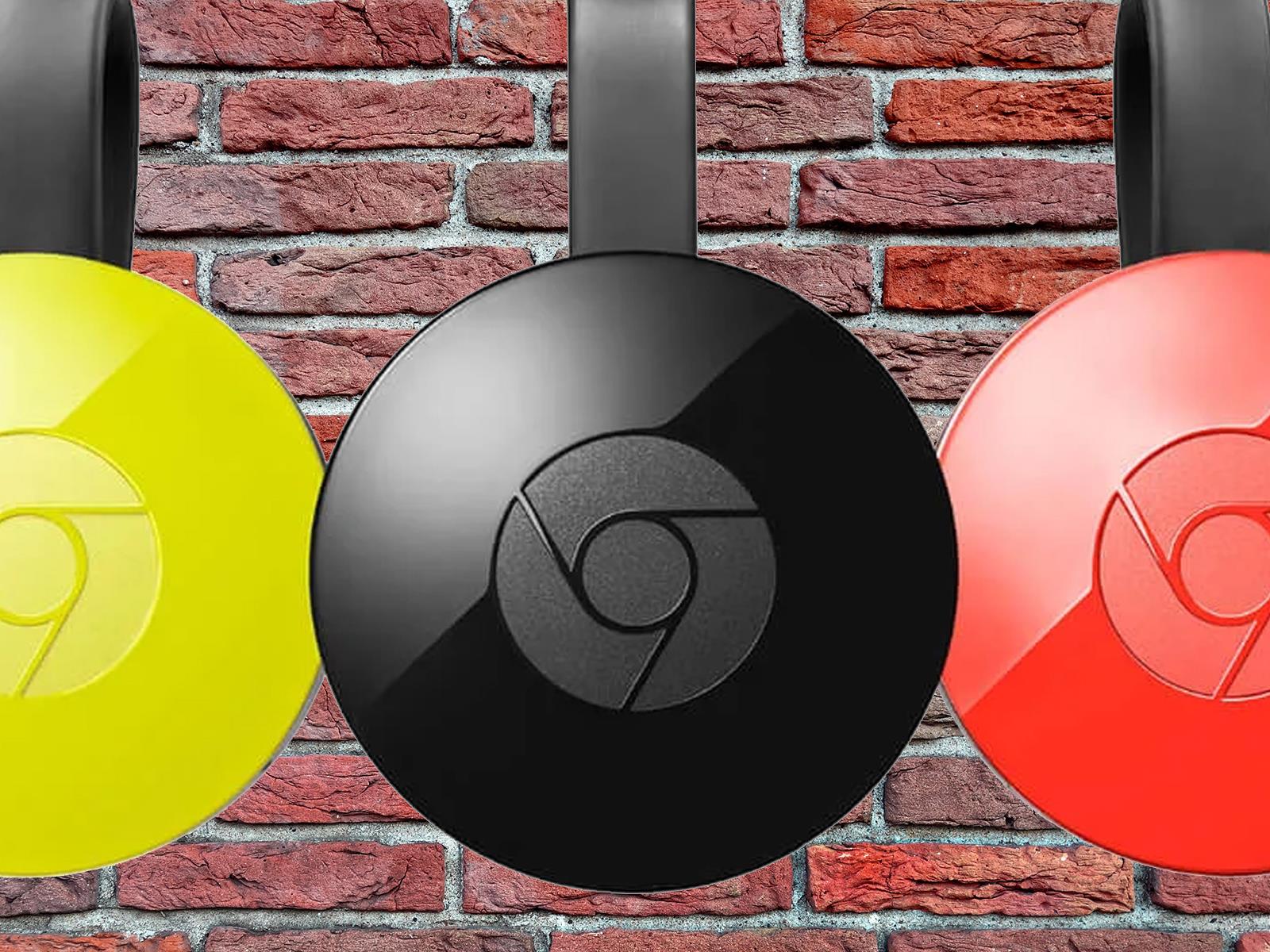
It took several days, but it looks like Google has figured out how to resolve a recent issue that borked older Chromecast (version 2) and Chromecast Audio streaming dongles, which was preventing them from functioning. An initial fix actually arrived late last week, save for users who had performed a factory reset. Now, however, even those
We may earn a commission from links on this page. Deal pricing and availability subject to change after time of publication.
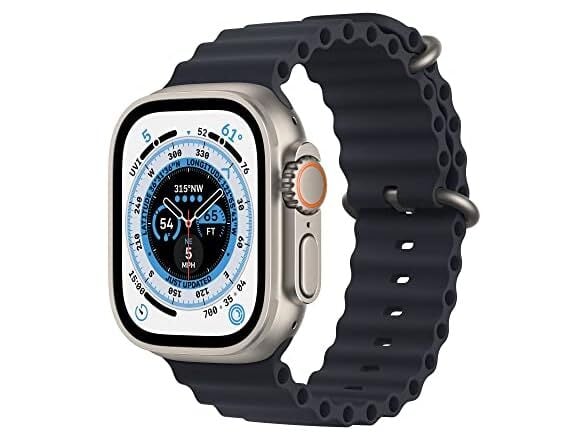
This deal on the refurbished Apple Watch Ultra (GPS + Cellular) for $359.99 on Woot (for the next six days or until it sells out) is tempting—especially considering that it’s going for over $445 on Amazon. That’s a solid price cut, but the catch is, this is a refurbished unit. That means some level of wear and tear is expected, but it has been tested to be fully functional with at least 80% battery capacity, and Woot backs it with a two-year limited warranty. If you’re OK with a few cosmetic imperfections in exchange for savings, this might be worth grabbing—just note that it’s only available for shipping within the contiguous U.S. Prime members also get free shipping, while non-members will have to pay $6.
As for the Apple Watch Ultra itself, this thing is built tough. Designed for extreme conditions, its MIL-STD 810H certification means it can handle freezing temps, high altitudes, sandstorms, and general rough treatment. Apple says it’ll keep working between -4 and 130 degrees Fahrenheit, which is overkill for most people but great if you’re into extreme sports or outdoor adventures. The GPS + Cellular connectivity of this model is a big advantage, too, letting you take calls, stream music, or use maps even when you’re away from your phone—a huge plus for runners, hikers, and anyone who hates being tied to their iPhones. Also, its 1.9-inch OLED Retina screen is ridiculously bright at 2,000 nits, making it super easy to read in direct sunlight.
The Apple Watch Ultra runs on watchOS 9, packing features like heart rate zone data, sleep stage tracking, advanced running metrics, and more. It also includes Apple’s safety and health tools like car crash detection and overnight body temperature tracking. Battery life holds up well, lasting 55 to 57 hours with normal use, even with the always-on display enabled, notes this PCMag review.
If you want one of the most rugged Apple Watch ever made at a lower price (and don’t mind some cosmetic flaws), this Woot deal is worth considering before it sells out. But if you’d rather have a newer model without the Ultra’s bulk, the Series 10 ($359, down from $429) is the best iPhone-compatible smartwatch for most users, while the Watch SE ($249) is the best budget-friendly option, according to this PCMag “Best Smartwatches for 2025” roundup.

 UploadVRDavid Heaney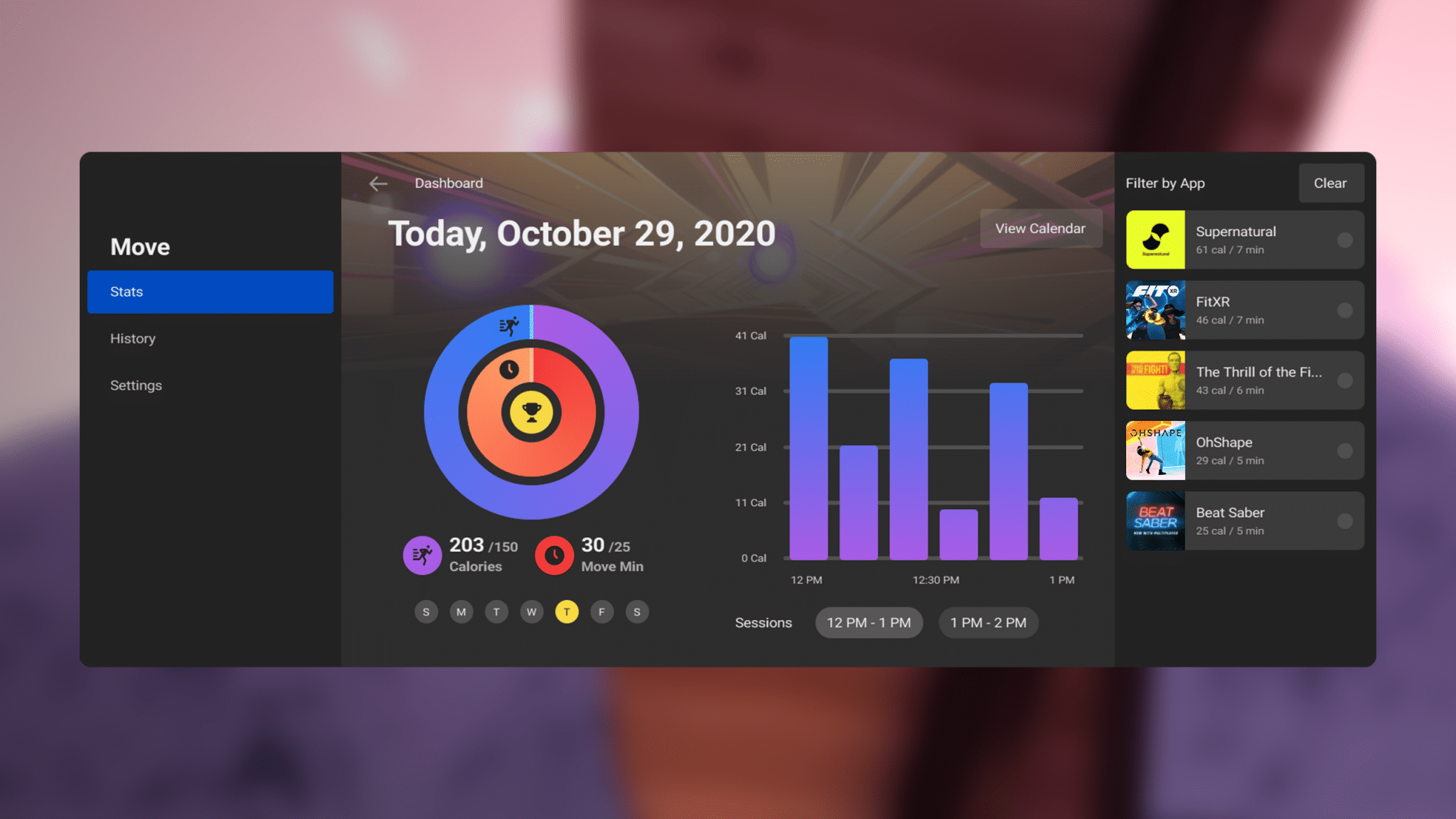
 UploadVRDavid Heaney