Seven Tricks the Car Dealership Finance Guy Might Try to Pull on You

Buying a car is a hellish experience. Aside from the cost (nearly $50,000 for an average new car these days!) there’s the exhausting battle of wills you must engage in. No matter how well you prepare, walking into a dealership sometimes feels like walking into a battle, because everyone there is trying to take advantage of you—even if you know exactly what car you want.

Unless you’re paying cash, the trickiest part of the car-buying experience isn’t dealing with the salesperson. It’s dealing with the finance people. The finance manager at your typical car dealership is often the highest-paid person there—and for good reason. They’re the ones who really work the angles to ensure the dealer gets as much money out of you as possible. They have a long list of subtle tricks they use to get you to sign a contract that might not be the best deal you could get—or even the deal you thought you were getting. Here are the tricks you should look out for after the salesperson hands you over to the finance people.

Drawing your attention to the wrong number

Car salespeople are forever trying to do one basic thing when you’re financing a new car: Focus on the wrong number. The number they typically want you to pay attention to is the monthly payment. They’ll ask you what your budget is, then feel you out to see how high you can actually go, then work backward from there to come up with a deal that hits that monthly number but gets them the most profit over the long term. Common tricks include the infamous Four Square, where the salesperson jots down numbers, talks fast, crosses stuff out, and guides you to see that monthly payment and nothing else.

Even if you defeat the Four Square and negotiate an out-the-door price on the car and a financing deal you can live with, that monthly number can still haunt you. One trick to watch out for is a monthly number that’s just slightly off what you expected—it’s close to what you negotiated, but not exactly right. That means it’s time to go through that contract with a fine-toothed comb, because something’s been altered. They may have added fees or something else into the total price, and when it’s amortized over several years the extra payment is small and they simply hope you won’t notice.

Messing with the trade-in value

If you’re trading in a vehicle as part of your transaction, the salesperson might proudly inform you that they’re going to value that trade-in at the same amount you owe on it. Which is great—as long as it’s true. What the finance guy might do is value the trade-in at a lower amount, then roll the extra money owed into the overall principle of the loan—and since they get incentives to write loans, the bigger the better (for them). This is probably illegal in your area, but that doesn’t stop them from making an “honest mistake” sometimes.

Add-ons that increase the price unexpectedly

You’ve negotiated your deal and you feel pretty good about the price you got for the car and the terms you’re getting for the financing. Then you sit down with the finance person and suddenly the price and payments are higher—because a long list of features and options you assumed were included in the price were not, actually, included. Now you have to choose between paying more for the car you thought you were getting, or starting the process over to get less car than you want.

Interest rate markups

If you finance your car purchase through the dealership, you should still look for financing elsewhere, if only to know what the available rates are. Because dealerships often mark up their interest rates to make the deal better for themselves. They call their lender and get a rate of, say, 6% for your car deal. But when they present the financing numbers the rate is 8% because the finance folks have marked up the rate—the dealer gets to keep that extra 2% charged on the loan. Always ask if the rate in the contract is the dealer’s “buy rate” or if they’re packed on some extra points without telling you.

“Yo-yo-ing”

This is a lot less fun than it sounds. It works like this: You negotiate the deal and buy the car. You take the car home. You love the car. Then a few days later the dealer calls and tells you that your financing was denied, so you have to come back in and re-negotiate the deal. Often, if you inspect the paperwork the finance people handed you, you’ll find fine print that states the sale isn’t final and that the dealer has the right to cancel the sale if they need to. They’re banking on a version of the sunk-costs fallacy to drive you to negotiate against yourself and pay more for the car.

All you can do to defend against this is to get outside financing and read your paperwork carefully. Look for language that allows the dealer to cancel the sale—keywords like “conditional” or “not final” are often hints about this. If you see anything you’re not certain about, ask directly—and if you don’t like the answer, walk away.

Bundling multiple negotiations into one

Buying a new car isn’t one simple transaction—you’re probably doing two or three separate things in parallel. You’re trading in a car—essentially negotiating a sale price for your old vehicle; you’re negotiating a price on a new vehicle; and you’re negotiating financing terms.

What finance people at dealerships love to do is bundle those negotiations into one huge, messy deal. This way, if you push back on one aspect of the deal they can just make up for it in another. For example, let’s say you decide you’re not getting enough value for your trade-in and you push to get $500 more for it. The dealer reluctantly agrees—and adjusts your financing terms to claw back that $500. The more confusing and interconnected the bundle is, the harder it is for you to figure out if you’re getting what you actually want. The only real defense is to insist on separating these negotiations so you can see clearly what each one looks like.

Adding “standard” things without asking

Sometimes you sit down with the finance folks and suddenly the price you negotiated is higher in the paperwork—because they’ve gone ahead and added “standard” stuff like gap insurance (covering the value of your car if you total the car and your insurance doesn’t cover the remaining debt on the loan) or extended warranties. They’ll often argue that the price you negotiated is still in effect—it’s the cost of the car, not the extra services. They’ll also often imply that these are required fees of some sort instead of add-ons.

Gap insurance and warranties might be a good idea—but you should be aware of their costs before you’re presented with a contract. And dealers will sometimes add these in even if you already have your own insurance—which is almost certainly going to be a better deal for you overall.

EU Orders Apple To Open Ecosystem To Rivals

EU antitrust regulators ordered Apple on Wednesday to open its closed ecosystem to competitors, detailing how the company must comply with the bloc’s Digital Markets Act or face potential fines. The European Commission’s decision comes six months after initiating proceedings against the tech giant.

The first order requires Apple to grant rival smartphone, headphone and VR headset manufacturers access to its technology for seamless connectivity with Apple devices. A second order establishes specific processes for responding to app developers’ interoperability requests. Apple criticized the decision, saying: “Today’s decisions wrap us in red tape, slowing down Apple’s ability to innovate for users in Europe.” EU antitrust chief Teresa Ribera countered: “We are simply implementing the law.” Non-compliance could trigger investigations resulting in fines up to 10% of Apple’s global annual sales.


Read more of this story at Slashdot.

PCI Express 7.0 Draft Finalized, Massive Bandwidth Boost Incoming

PCI Express 7.0 Draft Finalized, Massive Bandwidth Boost Incoming
Imagine, for a moment, that you had a brand-new M.2 SSD rated for sequential transfers of over 15 GB/second. Obviously, it’s the latest design, using four lanes of PCI Express 5.0 to achieve this immense throughput. Alternatively, it could be an x1 design—using PCIe 7.0. That’s right kids: PCIe 7.0 offers per-pin transfer rates of 128 GT/s,

Plex ups its price for first time in a decade, changes remote-streaming access

Plex is a bit hard to explain these days. Even if you don’t know its roots as an outgrowth of a Mac port of the Xbox Media Center project, Plex is not your typical “streaming” service, given how most people use it. So as Plex announces its first price increase to its Plex Pass subscription in more than 10 years, it has its work cut out explaining why, what’s included, and what is changing.

Starting April 29, the cost of a Plex Pass rises from $5 to $7 monthly, from $40 to $70 annually, and a lifetime pass now costs $250, previously $120. In a blog post, Plex cites rising costs and its commitment to an independent service that supports “personal media.”

“We are all in on the continued success of Plex Pass and personal media,” the post states. “This price increase will ensure that we can keep investing dedicated resources in developing new features, while supporting and growing your favorites.” The post cites a roadmap that contains an integration with Common Sense Media, a new “bespoke server management app” for managing server users, and “an open and documented API for server integrations,” including custom metadata agents.

Read full article

Comments

Google’s Latest Gemini Image Editor Can Remove Watermarks From Photos

The speedy progress of AI development continues to dominate headlines, but the latest story to hit the news cycle is more bad press than good press: It turns out that Google’s latest Gemini 2.0 Flash image editor is rather adept at automatically removing watermarks from images.

Google pushed out the experimental native image generation capabilities a few days ago, promoting its capabilities in terms of combining images and text, editing images through conversational prompts, and improving its “world understanding” to give users AI-generated pictures that are more realistic overall.

As TechCrunch reports, the newly upgraded tool was quickly put to one specific and rather nefarious use: Removing watermarks from proprietary images. You can find evidence of it on Reddit and X; while the watermark removal isn’t perfect—the AI is only imagining the pixels that replace what’s covered by the watermark, after all—it definitely leaves you with a usable image, one free of any copyright or authorship labels.

It isn’t exactly ironic that an AI tool should wind up being so capable at circumventing basic copyright protections. Gemini and other generative AI models have been trained on vast amounts of copyrighted text, images, and video, often without permission or recompense—something the AI companies are reluctant to talk about, unless it’s to argue that this qualifies as fair use.


This Tweet is currently unavailable. It might be loading or has been removed.

Though the idea of using an AI trained on scraped copyrighted works to steal an image someone else owns is galling, there are a few caveats worth mentioning. For a start, these new Gemini tools are only available to developers for the time being, and are still labeled as experimental—no doubt Google is going to make tweaks before general users get their hands on them. It’s also worth noting that other shady watermark removal tools are already all over the web, even if none of them is not quite as smart as this and other advanced AI-powered versions would likely be.

Still, it highlights the nefarious ways AI tools can be deployed, even as they’re being relentlessly pushed out to businesses and consumers, and underlines the need for stringent guardrails. ChatGPT and Claude AI models are two that will refuse explicit requests to remove watermarks, and no doubt Google will add the same blocks to Gemini after all the negative coverage.

The limits of AI image editing

As noted above, the watermark removal capabilities of Gemini can currently only be accessed through developer-facing tools, including AI Studio and the Gemini API. However, I also wanted to give it a go using the latest models available through the Gemini Advanced tools available to anyone paying $20 a month.

I took screenshots of several copyrighted and watermarked images from Shutterstock (after first sifting through all the AI-generated results the site offered me), opened and resaved it in Photoshop (after dismissing all the pop-ups asking me to try Photoshop’s latest AI tools), and then let Gemini get to work.

Rocket ship
Gemini gave me a pretty good approximation of the original image.
Credit: Shutterstock / Gemini

Most of the time, Gemini refused to get involved with watermark removal at all—telling me it wasn’t capable of editing images, or explaining that it’s “essential to respect copyright laws”—but it was happy to produce variations on the originals, watermark-free, and based on its training on copyrighted material.

While these variations often weren’t all that much like the originals, in one case it gave me a very close copy of a composite rocket ship photo, and in another it directed me to some watermark removal tools on the web—thanks, Gemini! Of course, you can also start from scratch and just describe a watermarked image you’re hoping to emulate.

Forest cabin
ChatGPT didn’t really understand the watermark removal assignment.
Credit: Shutterstock / ChatGPT

ChatGPT, meanwhile, did accept requests to remove watermarks, but then produced something completely different (and rather odd). Image editing is already available to ChatGPT Plus subscribers, but as I’ve noted before, it’s definitely not yet up to the level of a human Photoshop expert.

The debate over copyright, fair use, and AI safety guardrails will continue, even as upgrade after upgrade makes these AI tools more advanced (even if they’re not particularly useful). One issue the likes of Google and OpenAI may need to start worrying about is where they’ll get fresh training data for their models, once they put all the flesh-and-blood creatives out of business.

Plex raises subscription prices for the first time in a decade

Streaming service Plex is raising its prices for the first time in ten years. The company just announced an increase for its premium subscription service Plex Pass, which offers a number of additional features like offline access and themes. The standard service is still free, if you’re looking to set up a simple media server to stream some movies or shows.

Plex Pass will soon cost $7 per month, which is an increase of $2 per month. A yearly subscription will come in at $70, a fairly substantial lift from $40. Finally, the coveted lifetime pass is shooting up to $250 from $120. These are some serious upticks, but I guess that’s what happens when you don’t raise prices for a decade.

The changes go into effect on April 29, so the Plex-curious still have more than a month to pick up a lifetime pass at the original $120 asking price. The monthly and yearly price impacts both new and pre-existing customers. The company says it’s doing this to keep up with rising industry costs. Remote streaming is also set to fall under a subscription, albeit a cheaper one at $2 per month. 

“These changes weren’t made lightly, and we’ve spent a lot of time weighing the best path forward to ensure we can continue to balance value with a best-in-class personal media experience for years to come,” a blog post from the company says. 

However, there are some new tools coming to accompany these price increases. It’s integrating with Common Sense Media to bring ratings and reviews aimed at parents to Plex Pass holders. It’s also working on a new server management app that will launch in the near(ish) future. The primary playback is also getting a much-needed refresh.

The platform is eliminating the mobile unlock fee, which is a one-time activation fee that was required to remove the one-minute playback limitation when streaming content from a media server to a mobile device. Recently, Plex added public reviews and profiles.

The Plex Pass price increase comes as the entire streaming industry begins tightening its belt. Just about every platform has gotten more expensive in the last couple of years.

This article originally appeared on Engadget at https://www.engadget.com/entertainment/streaming/plex-raises-subscription-prices-for-the-first-time-in-a-decade-182622032.html?src=rss

Analogue Delays 4K Nintendo 64 3D Retro Gaming Console Preorders, Offers Refunds

Analogue Delays 4K Nintendo 64 3D Retro Gaming Console Preorders, Offers Refunds
Retro gamers are eating good these days: classic games are getting remakes that make them more accessible to 2025 gamers, and older hardware is being brought back to life with FPGA-based machines. However, the effort by the retro gaming experts at Analogue to create the ultimate Nintendo 64 has hit a snag, with fans having to wait a bit longer

Use This App to Send Someone a File Without Using Any Cloud Storage

Quick: Send me a large file. Even today, decades after a famous comic about this exact problem, it’s not necessarily simple. Messaging services don’t allow truly huge files; neither do most email providers. You could stick the file in a cloud storage space, sure, but only if you’re paying for enough storage space and not using that space for anything else at the moment.

Isn’t there some way to send a file directly, without using up any cloud space? There is. File.pizza is a web service that allows you to directly share a file from your computer with another device—no cloud storage or app needed.

FilePizza isn’t the only application like this. There’s p2pfileshare.com and sharedrop.io, to name a couple. FilePizza stands out because of the simplicity—just share a file and copy the URL—and because it has a unique URL. The name of the application, while silly, has a crucial advantage: It’s easy to remember.

You can, on any computer, open a browser and type the url “file.pizza” to start sharing a file. Just drag the file onto the browser window, set a password if you want, then click Start.

Me sharing a file named "Dumb Monster Movie.mp4".

Credit: Justin Pot

You now have a bunch of ways to share the file. There’s a QR code, which is handy if you’re trying to get a file onto a mobile device. There are also links you can copy and paste into a text.

A QR code and download links for the file

Credit: Justin Pot

You might have noticed that I haven’t blurred the QR code or the link above. There’s a reason for that: These links only work as long as the computer is on and the browser window offering the file is open. Without a cloud service, it’s on your device to share the file with whoever might download it. Close the tab, and the file is gone. That has downsides, obviously, but the upside is that you don’t have to worry about the file being shared in the long term. This is a tool for one-time transfers.

The person who opens the link will see the name of a file and a button to download it. When they click the button a direct connection is established.

The download button, as seen by the person you're sending the file to.

Credit: Justin Pot

The speed of the download, obviously, is going to depend on your internet connection. If you’ve got a decent upload speed, though, this won’t be an issue. And it works extremely well if you’re on the same wifi network. Give it a shot the next time you need to send a file directly.

Confirmed: 2027 Tour de France to start in the UK with tri-nation Grand Départ

The Tour de France will return to the UK in 2027, with Scotland, England and Wales to host stages, and Edinburgh confirmed as the start city for the men’s race.

The 2027 Grand Départ will mark the first time both the Tour de France and Tour de France Femmes have started in the same country, outside France.

While Edinburgh has been announced as the host city for the men’s race, with Tour de France stages also confirmed to take place across Scotland, England and Wales, the start venue for the women’s race has not been revealed.

Six stages will take place on UK soil across both races, although whether the women’s race traverses all three of Scotland, England and Wales is also unconfirmed. The full routes will be announced this autumn.

“Britain has always welcomed the Tour with enthusiasm and pride, and this collaboration across England, Scotland and Wales promises to make the event even more special,” said Christian Prudhomme, general director of the Tour de France.

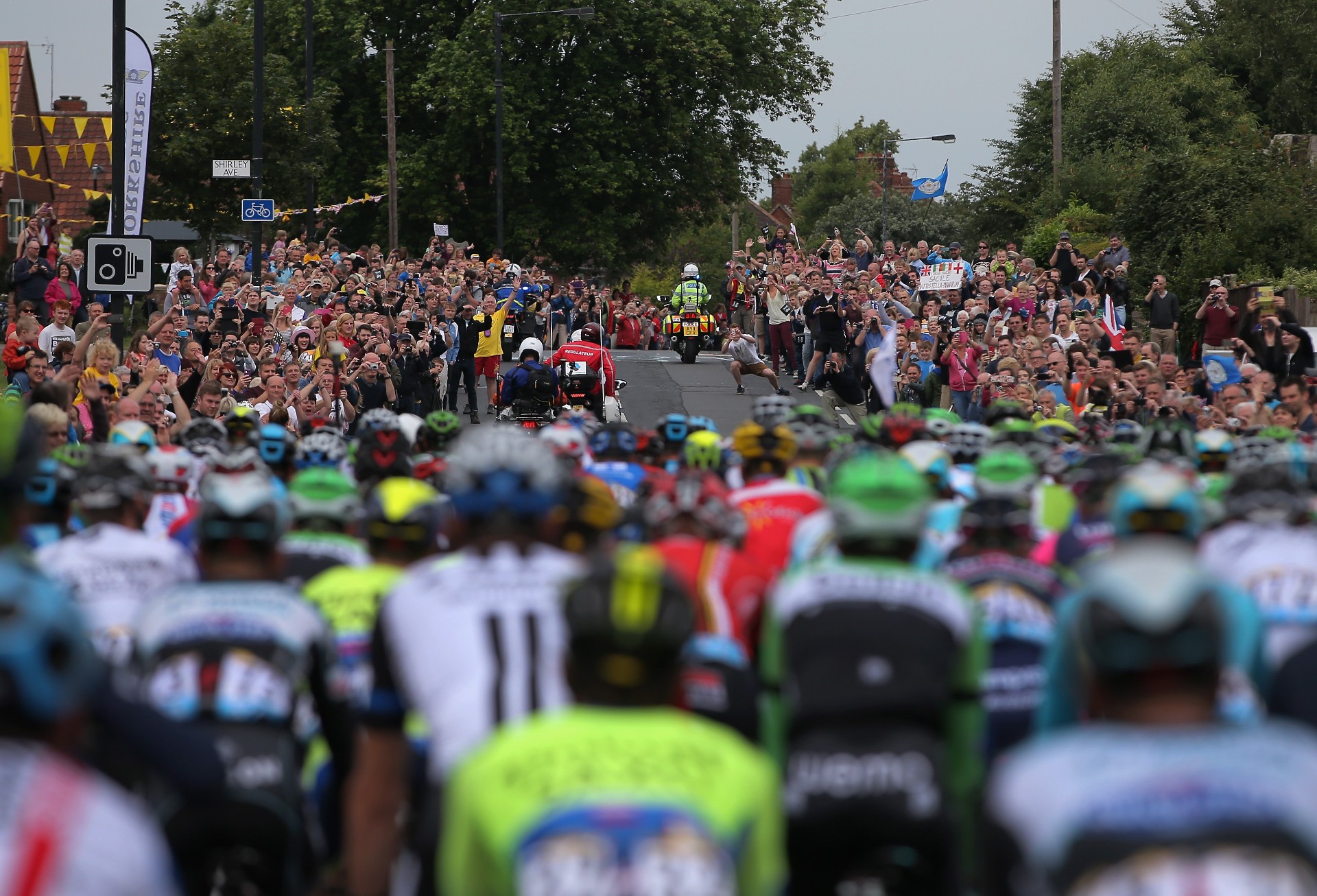
The Tour de France last touched British shores in 2014, when the race started with two stages in Yorkshire, before a third stage from Essex to London. Previously, London hosted the Grand Départ in 2007.

“I will always remember the riders applauding the spectators, crossing London Bridge in 2007,” said Prudhomme, at a press conference confirming Edinburgh as the start city of the 2027 Grand Départ.

“It was impossible for them to hear anything for three days because there were huge crowds everywhere.”

Crowds at the roadside for the three stages of the 2024 Grand Départ were reported to total 4.8 million, generating £131 million in revenue.

2014 Tour de France in Yorkshire
Millions of spectators lined the streets for the 2014 Grand Départ, with two stages in Yorkshire and a third finishing in London.

A British start for the Tour de France Femmes

The Tour de France Femmes first ran in 2022 and the 2027 event will see the race arrive in Britain for the first time. Prudhomme confirmed that the women’s race will continue to run separately from the men’s race, as is the current format, rather than combining with the men’s race into a single, concurrent event.

Prudhomme also suggested the Grand Départ will be broadcast on free-to-air television in the UK, despite 2025 being ITV 4’s final year showing the race, after Warner Bros. Discovery signed an exclusive deal with ASO.

“There will be discussions, of course, but I do hope the stages in the UK will be live and free-to-air,” said Prudhomme. “We are optimistic.”

The tri-nation 2027 Grand Départ has been described as ‘the largest free sporting event in British history’, and is said to represent a ‘strategic win’ between British Cycling, UK Sport, the UK Government, and the Scottish and Welsh Governments, to ‘drive lasting benefits for the sport and everyone who rides a bike’, according to organisers.

“The opportunity to host the Grand Départs of both the men’s and women’s Tour de France will cement Britain’s reputation as a destination for major international sporting events,” added culture secretary Lisa Nandy.

“This will stimulate growth, attract new visitors and leave a lasting legacy for athletes and fans alike.

“Staging the Tour de France Femmes in Britain for the first time will also be a historic occasion and inspire the next generation of female cyclists while supporting our mission of breaking down barriers for women and girls to get more involved in sport.”

2024 Tour de France Femmes
The Tour de France Femmes is coming to the UK for the first time. Getty Images

An international affair

The Grand Départ of the Tour de France has become an increasingly international affair, with six of the past ten editions of the men’s race starting outside of France. Last year, the race started in Florence, Italy, taking the Grand Départ to the home of the Giro d’Italia for the first time, while next year’s edition will start in Barcelona, Spain.

The Tour de France Femmes, however, has started in France for three of its four editions to date, with only the 2024 race starting outside of its home country, kicking off in the Netherlands.

In 2021, the British government attempted to bring the Tour back for the 2026 edition, but that bid was abandoned. Scottish Cycling was then reported to be interested in tabling a bid having got a taste for things by hosting the 2023 UCI World Cycling Championships.

That dream has now become a reality and the 2027 Grand Départ will come alongside a ‘landmark social impact programme’, according to organisers, with the aim of delivering ‘long-lasting benefits for thousands of people across the country by tackling inactivity, improving mental wellbeing, boosting economic growth and supporting communities to thrive’.

Jon Dutton, CEO of British Cycling, said: “The return of the Tour de France Grand Départ to Britain is an exciting moment for cycling in the UK. 

“Hosting both the men’s and women’s races together will be a first, and we believe it has the potential to inspire more people to discover the joy and benefits of cycling. 

“This is not just about the race – it’s about creating a national moment that encourages healthier lifestyles, supports cycle tourism and brings communities together.”

All About Halo Bikes in Zwift

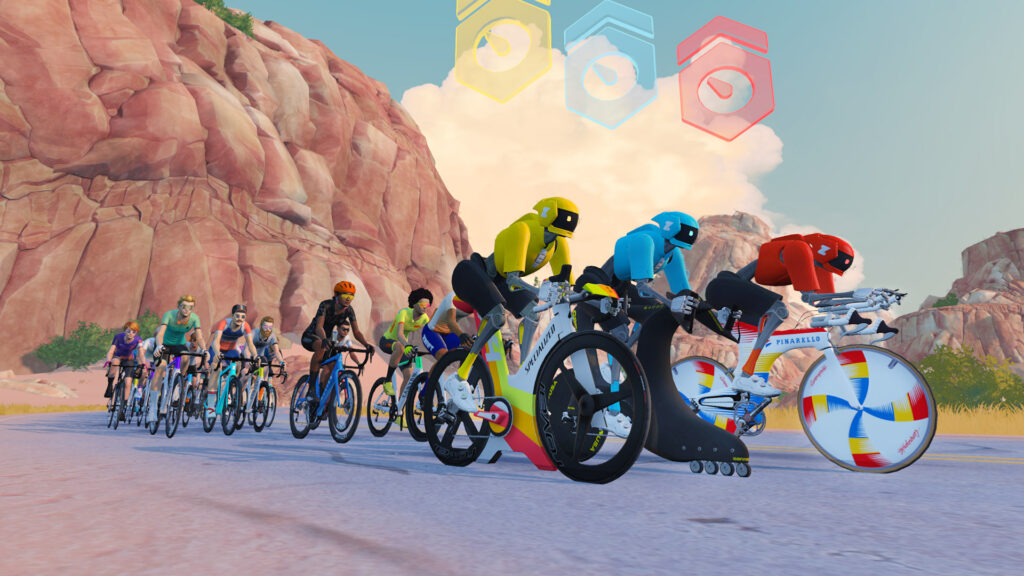
This week’s big Zwift update adds a new, highly prestigious type of bike to Zwift: the Halo Bike! These super unique bikes take a lot of work to unlock, a ton of Drops to purchase, and oodles more work and Drops to fully upgrade.

There are currently four available:

  • Pinarello Espada
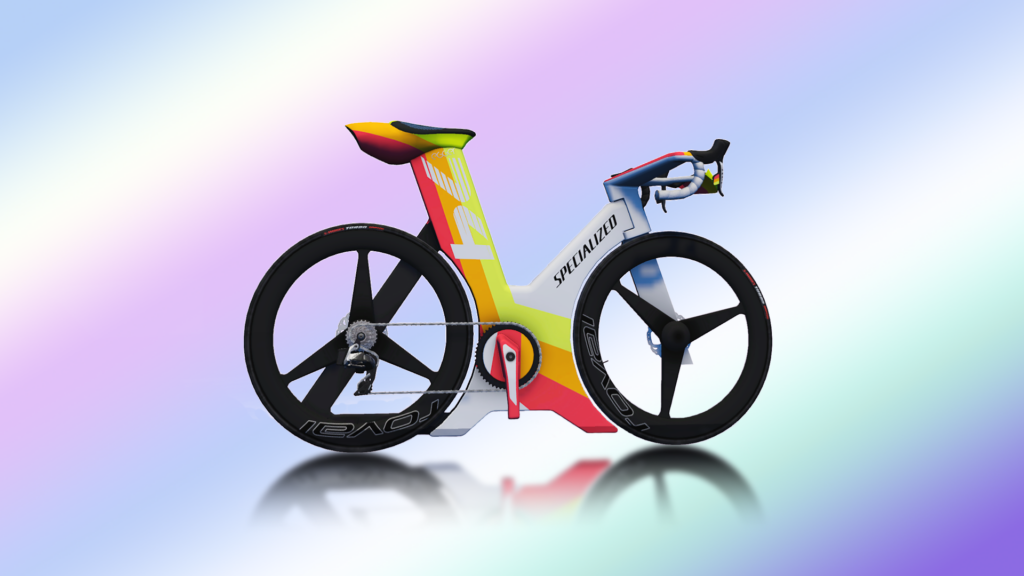
  • Specialized Project ’74
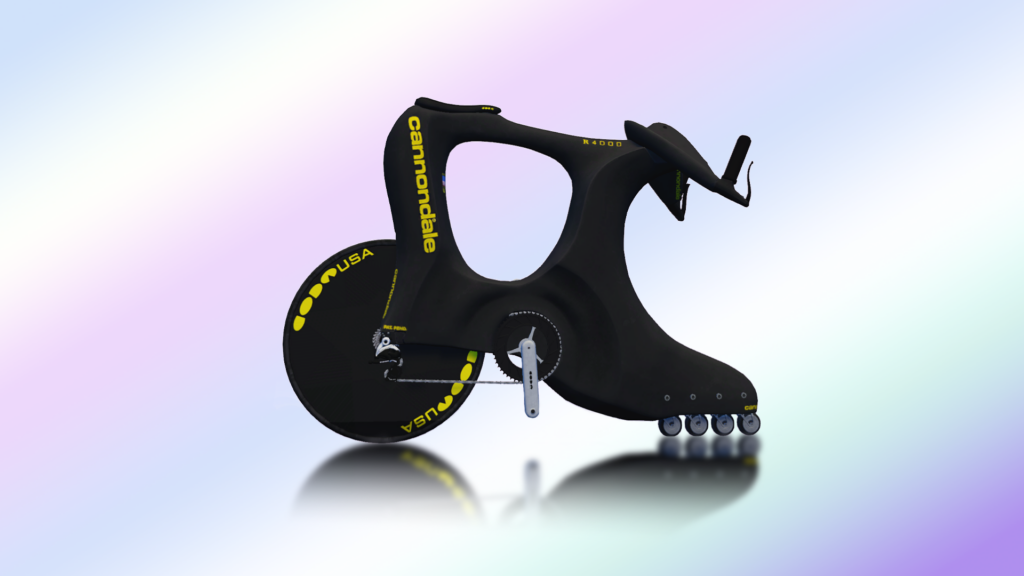
  • Cannondale R4000 Roller Blade
  • Zwift Concept Z1

Let’s dive into some details about how Halo Bikes work, then look at what makes each of these bikes special, including the results of our performance tests.

Unlocking Halo Bikes

Halo Bikes can be seen as brand loyalty rewards, because unlocking a brand’s Halo Bike requires you to fully upgrade three frames from that brand.

Example: fully upgrade (all 5 stages) the Pinarello Dogma F 2024, Pinarello Bolide TT, and Pinarello Dogma F10 to unlock the ability to purchase the Pinarello Espada.

Simply unlocking a Halo Bike doesn’t mean you own it, though. You still have to purchase the bike (which includes a wheelset that cannot be changed), at a hefty price of 10 million Drops. Yes, you read that right: 10. Million. Drops.

Upgrading Halo Bikes

Halo Bikes can be upgraded in 5 stages, just like every other bike in Zwift. But the work required to unlock each upgrade, and the Drops cost to purchase those upgrades, is around 5x more than even the best non-Halo Bikes. Wow!

That means it will cost you another 10 million Drops to fully upgrade a Halo Bike, on top of all the riding just to unlock each upgrade stage.

When it comes to performance at each upgrade stage, bikes of the same type will basically gain the same performance increases at each stage. (You can see this by comparing the pattern of dots on the scatterplots of the Project 74, R4000, and Concept Z1 below.) So, for example, a stage 3 Pinarello Dogma F 2024 frame will have gained the same boosts as a stage 4 Specialized Project 74 Halo Bike, since both are classified as road racing frames.

Below, we’ve listed the details of each upgrade stage for each bike.

Pinarello Espada Details

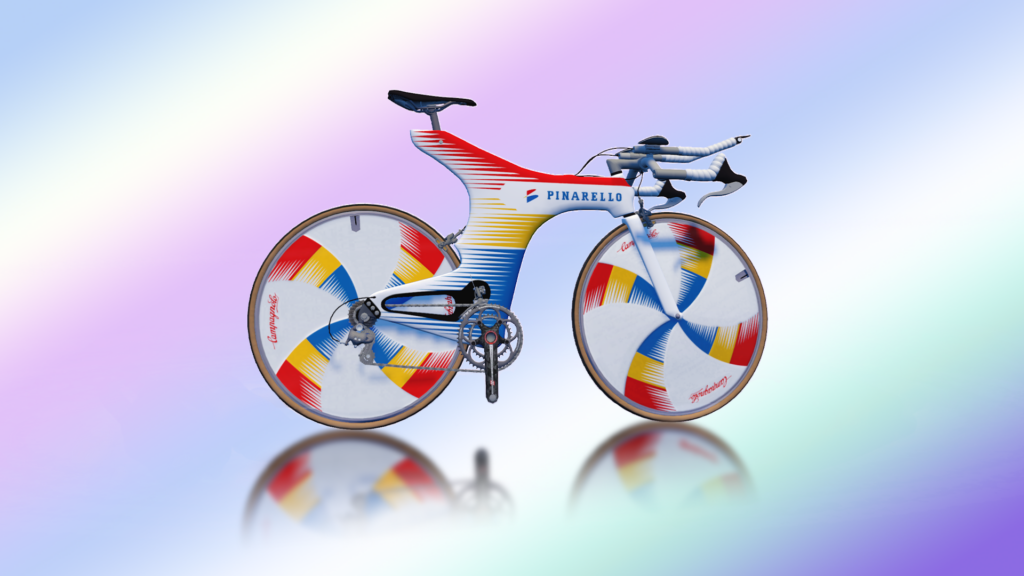
In 1994, Miguel “Big Mig” Induráin set a new hour record, breaking the 53-kilometer mark for the first time in history with a distance of 53.040 kilometers in Bourdeaux. And he did it atop the Pinarello Espada, a bike which quickly became legendary itself!

This bike was introduced to the game in April 2024 for the Pinarello Espada Challenge, and it has the distinction of being the only Halo Bike classified as a TT frame.

Designed by Fausto Beroglio, the carbon-framed, Campagnolo-equipped bike weighed in at 7.5 kilograms and was custom-molded to fit Big Mig. Only four versions of the bike were ever created, and Induráin won both of the long time trials at the 1995 Tour de France on a version modified to allow shifting.

Performance by Upgrade Stage

Like all frames in Zwift, the Pinarello Espada can be upgraded in five stages, with each upgrade resulting in a performance improvement. The Espada’s upgrade stages are as follows:

  1. Ride for 20 hours, pay 400,000 Drops for an aero upgrade
  2. Ride for 30 hours, pay 800,000 Drops for a weight reduction
  3. Ride for 40 hours, pay 1,200,000 Drops for a drivetrain efficiency improvement
  4. Ride for 50 hours, pay 2,600,000 Drops for a weight reduction
  5. Ride for 60 hours, pay 5,000,0000 Drops for an aero upgrade

If you’re wondering precisely how each upgrade stage impacts the bike’s performance, here is a chart showing speed test results at each upgrade stage (using our standard 75kg/183cm bot riding at 300W):

The Espada, it could be said, performs like a top-quality TT frame from the 1990’s. It loses ~26 seconds to the fastest TT frame in game (the Cadex Tri) across an hour, so you won’t want to use this for TT racing.

It’s also a heavy bike. It loses to nearly every TT frame when it comes to climbing, even at 4 W/kg, where its stellar aero performance still factors in significantly. It loses over 30 seconds in an hour of climbing compared to the best TT climbing frames (Scott Plasma RC Ultimate and Felt IA 2.0).

Specialized Project ’74 Details

The Project 74 bike from Specialized was conceived by Robert Egger to honor the founding of Specialized in 1974. Forged by the desire to “Innovate or Die”, this bike was Egger’s answer to the challenge of thinking outside the UCI box and beyond the double triangle.

Performance by Upgrade Stage

Like all frames in Zwift, the Specialized Project 74 can be upgraded in five stages, with each upgrade resulting in a performance improvement. The Project 74’s upgrade stages are as follows:

  1. Ride 550km, pay 400,000 Drops for an aero upgrade
  2. Ride 1050km, pay 800,000 Drops for a weight reduction
  3. Ride 1600km, pay 1,200,000 Drops for a drivetrain efficiency improvement
  4. Ride 2150km, pay 2,600,000 Drops for an aero upgrade
  5. Ride 2650km, pay 5,000,000 Drops for a weight reduction

If you’re wondering precisely how each upgrade stage impacts the bike’s performance, here is a chart showing speed test results at each upgrade stage (using our standard 75kg/183cm bot riding at 300W):

On flat roads, the Project 74 outperforms the best aero road setups in game, beating even the Tron bike by ~10 seconds across an hour. It’s the most aero road bike available in Zwift today. Take that, UCI!

On climbs, though, it’s a different story! This bike is actually the worst climber of the non-TT Halo Bikes, losing ~75 seconds to the best climbing bikes over an hour.

Cannondale R4000 Roller Blade Details

The Cannondale R4000 Roller Blade is a visionary concept bike from the mid 1990s featuring four inline skate wheels instead of a regular front wheel.

Performance by Upgrade Stage

Like all frames in Zwift, the Cannondale R4000 Roller Blade can be upgraded in five stages, with each upgrade resulting in a performance improvement. The R4000’s upgrade stages are as follows:

  1. Ride 550km, pay 400,000 Drops for an aero upgrade
  2. Ride 1050km, pay 800,000 Drops for a weight reduction
  3. Ride 1600km, pay 1,200,000 Drops for a drivetrain efficiency improvement
  4. Ride 2150km, pay 2,600,000 Drops for an aero upgrade
  5. Ride 2650km, pay 5,000,000 Drops for a weight reduction

If you’re wondering precisely how each upgrade stage impacts the bike’s performance, here is a chart showing speed test results at each upgrade stage (using our standard 75kg/183cm bot riding at 300W):

The R4000 is faster than the Concept Z1 on flat ground, but just a few seconds behind the Project 74. It beats the Tron bike by ~6 seconds across an hour, which means it beats all of the best “production” bike/wheel combos in game when it comes to flat performance.

On climbs, the R4000 is, like the Project 74, not a great performer (but anyone looking at this bike would assume this). It outclimbs the Project 74 by several seconds, but is handily beat by production climbing bikes, losing ~67 seconds over an hour to the best climbers.

Zwift Concept Z1 Details

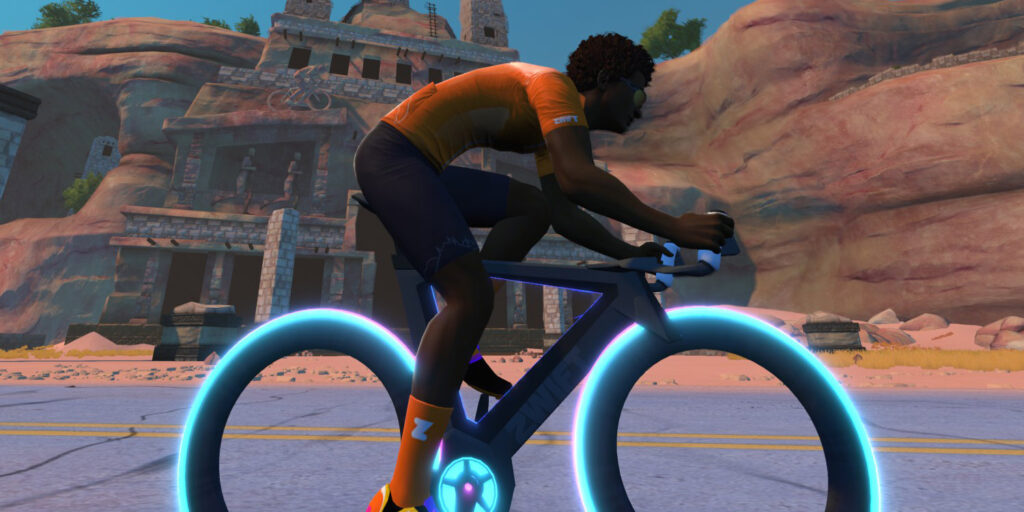
Zwift’s Concept Z1, aka “The Tron Bike”, has been in game since early days, and as such was the first “Halo Bike” in Zwift. Unlike the other bikes above, the only way to get the Tron is to finish the Climb Mt. Everest Challenge (including the extra bit).

This bike has some unique features, including rider posture idiosyncrasies and wheels that light up differently based on power output. (Dial in your slider just right and you’ll find some cool dual-tone lights!)

Performance by Upgrade Stage

Like all frames in Zwift, the Concept Z1 can be upgraded in five stages, with each upgrade resulting in a performance improvement. The Concept Z1’s upgrade stages are as follows:

  1. Ride 550km, pay 400,000 Drops for an aero upgrade
  2. Ride 1050km, pay 800,000 Drops for a weight reduction
  3. Ride 1600km, pay 1,200,000 Drops for a drivetrain efficiency improvement
  4. Ride 2150km, pay 2,600,000 Drops for an aero upgrade
  5. Ride 2650km, pay 5,000,000 Drops for a weight reduction

If you’re wondering precisely how each upgrade stage impacts the bike’s performance, here is a chart showing speed test results at each upgrade stage (using our standard 75kg/183cm bot riding at 300W):

The Concept Z1 is the fastest aero performer you can get with a reasonable amount of work in game, since the Project 74 and R4000 bikes will take significantly more time and effort! That said, the Concept Z1 just barely edges out the top aero performers, gaining ~1 second across an hour of flat riding.

Those top aero performers, though, handily beat the Concept Z1 on climbs, which means you may not want to use the Concept Z1 in a race that has any significant hills. Learn more about how the Concept Z1 compares to other top performer road frame+wheel combos by checking out our “Speed Tests: Concept Z1 (Tron) Bike vs Top Performers” post.

Questions or Comments?

What do you think of Zwift’s new Halo Bike concept? Which one are you working to unlock first, and why? Share below!


The Ninja Crispi Is Changing How I Make Party Dips

We may earn a commission from links on this page.

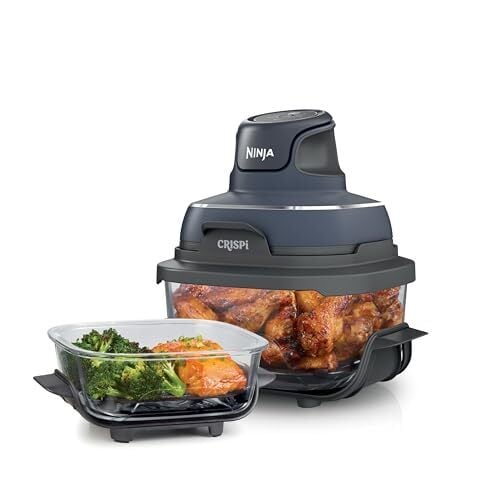
I’m no stranger to the crisping prowess of the air fryer. (Here are some of my favorite models.) The powerful convection heating mechanism reheats leftovers, blisters veggies, and roasts meats quickly and with a sizzling finish reminiscent of an actual deep fryer—sans the vat of oil. But after using the Ninja Crispi—an air fryer that comes apart for easy storage—my interest in crispy crusts has changed to something totally unexpected: dips.

Making dip in an air fryer is not normal. Dips have always been a stove top thing—you cook the ingredients in a pot or pan, then you pour it all into a casserole dish. Maybe at the end you move it to the oven for a broiled cheesy crust. But things have changed for me: Now I can make a heaping container of spicy buffalo chicken dip, broil it, serve it, and store the leftovers, all in the same vessel.

Why dip works in the Ninja Crispi

All this can be done because the Ninja Crispi is designed to come apart. The PowerPod (Ninja’s name for the handheld convection engine) lifts on and off the cooking chamber. That container is made of clear tempered glass. It’s pretty enough to be used as a serving dish, and small enough to fit in the fridge with your other containers. The Crispi cooking system comes with two containers (one large and one small), so you can still cook in one while you have something stored in the other. Plus, both containers come with lids. Here’s my full Ninja Crispi review. 

Making dip in an air fryer might seem unhinged, but there are benefits to this style of cooking. It has the minimal clean-up of one-pot cooking, but it’s cooking from the top-down instead of the bottom-up. You cook ingredients directly in the air fryer container, stopping to lift off the Ninja Crispi PowerPod to stir when needed. When the necessary ingredients are cooked, simply mix in spices and the creamiest ingredients—sour cream, yogurt, or mayonnaise. Then top with cheese and put the PowerPod back on to melt it until browned and bubbly. Your air fryer has just become a quick, efficient broiler. No need to empty the dip into a new dish—simply serve it as-is.

Here are my favorite dips to make in the Crispi right now. 

Buffalo Chicken Dip Recipe

This dip is quick to make and almost too easy to eat. The right buffalo sauce is key, so make sure you love the one you’re using.

Buffalo chicken dip next to crisp breads.

Credit: Allie Chanthorn Reinmann

Ingredients:

  • 8 ounces butterflied chicken breast

  • ¼ teaspoon salt

  • Pinch MSG

  • ½ cup plain Greek yogurt

  • 2 ounces cream cheese

  • 2 to 4 tablespoons buffalo hot sauce (I use Hot Ones buffalo hot sauce)

  • ⅓ cup shredded cheddar, plus more for topping

  • 1 to 3 sliced scallion, white ends and greens separated

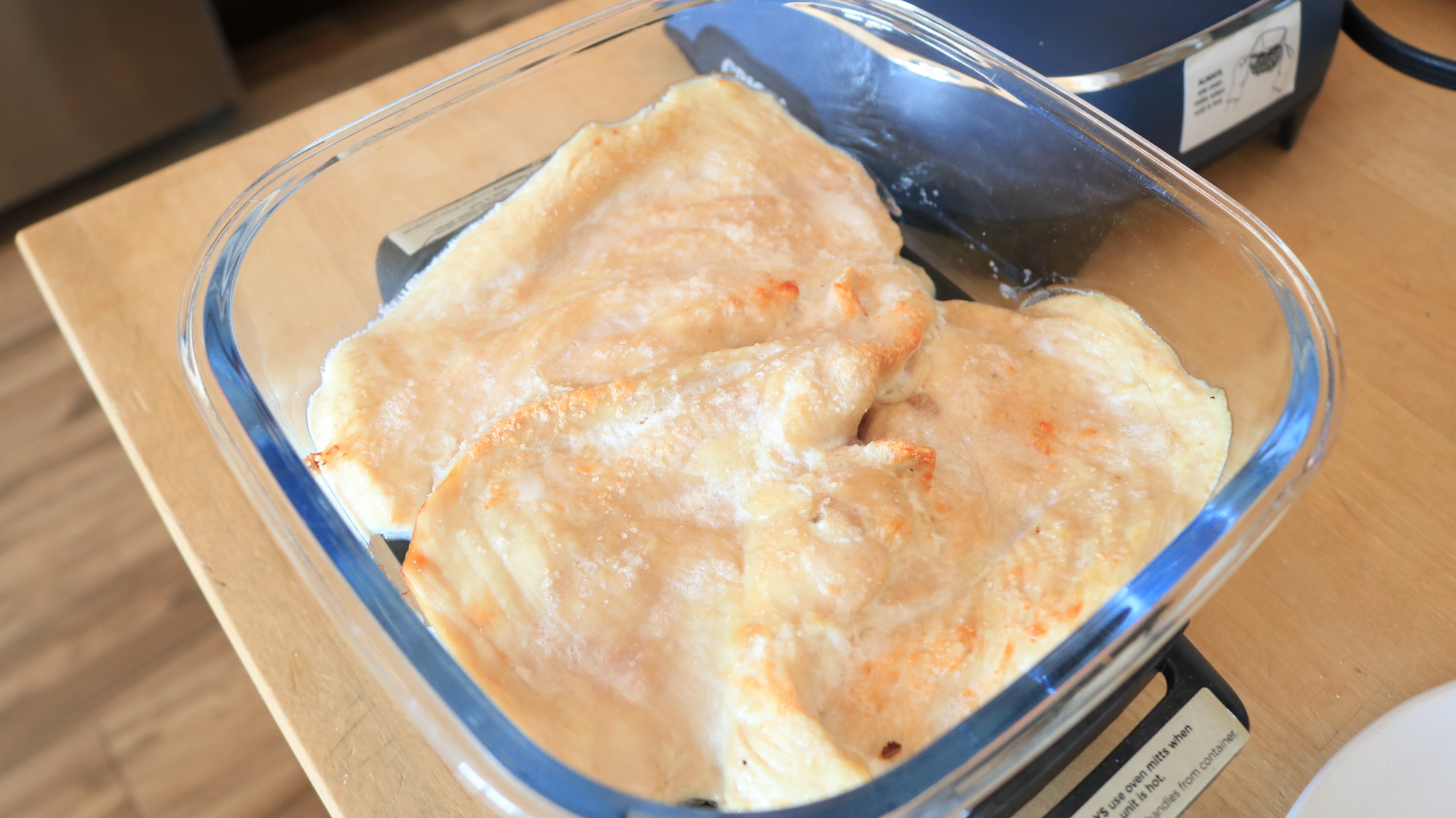
1. Lay the thinly sliced chicken breast onto the grate of the Ninja Crispi, sprinkle with salt and MSG. Cook the chicken on bake mode for 10 minutes, or until cooked through but not too browned.

Cooked chicken breast slices in the Ninja Crispi.

Credit: Allie Chanthorn Reinmann

2. Slide the grate out from under the chicken, and remove it. Shred the chicken with two forks directly in the Ninja Crispi container. 

3. Add the yogurt, cream cheese, two tablespoons of buffalo sauce, cheddar, and the white and light green parts of the scallion. Cook it for another five minutes on bake mode.

Cheese, yogurt, hot sauce, and chicken in the Ninja Crispi.

Credit: Allie Chanthorn Reinmann

4. The cheeses and yogurt should be super soft. Mix everything together thoroughly and taste to see if you want more hot sauce. Spread the dip out flat and top the dip with a little more shredded cheese. Cook it for another three to five minutes on bake mode. Sprinkle the green scallion slices over the top and serve. 

Buffalo chicken dip with a chip scooping a serving out.

Credit: Allie Chanthorn Reinmann

French Onion Dip Recipe

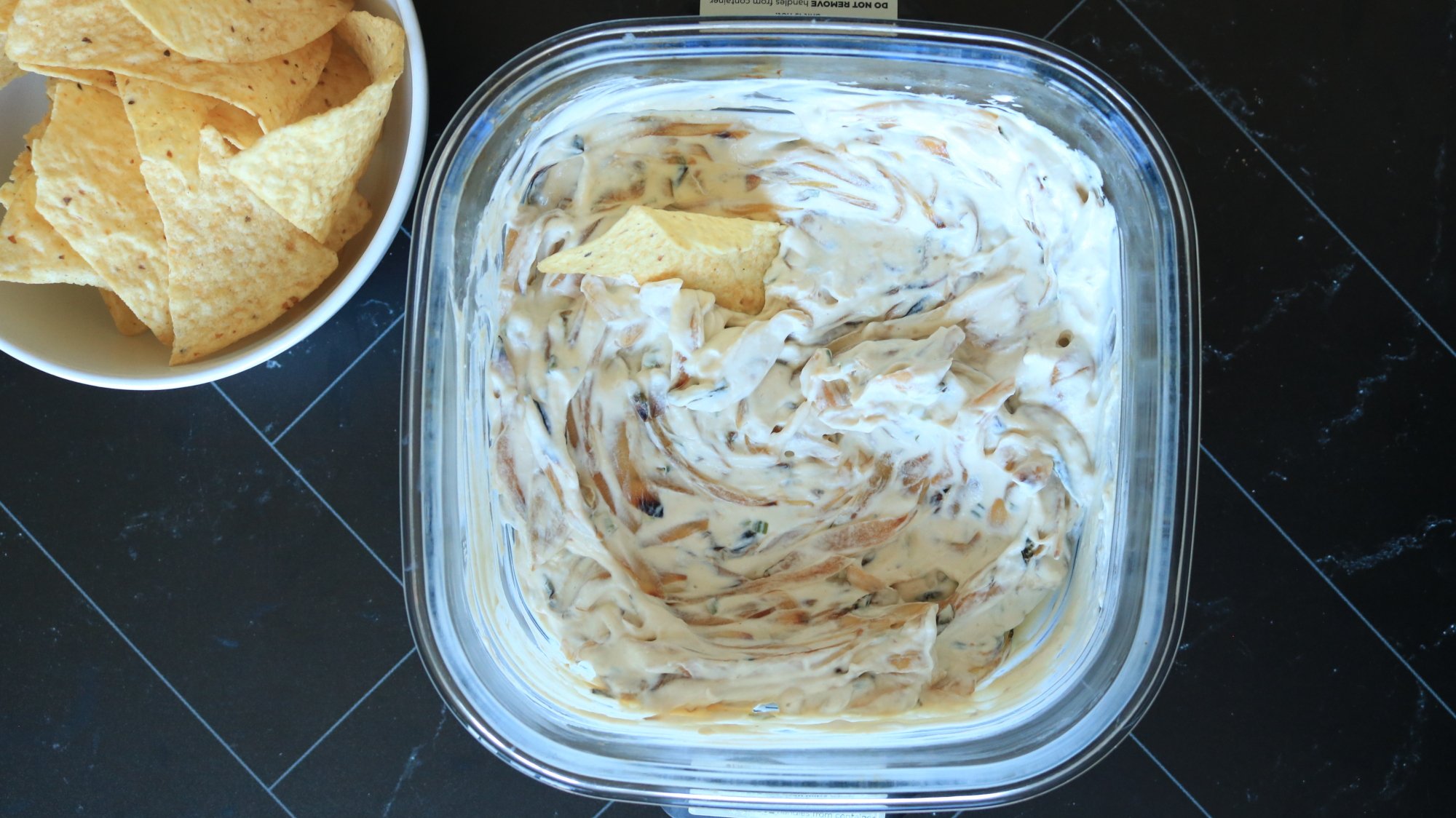
I never imagined being able to caramelize onions in an air fryer before, but it works in the Crispi. Don’t skip the MSG and Worcestershire sauce—they bring in the hearty umami boost that we all look for in French onion dip.

French onion dip next to a bowl of tortilla chips.

Credit: Allie Chanthorn Reinmann

Ingredients:

  • 2 medium onions (about 14 ounces), sliced

  • 2 teaspoons neutral oil

  • 1 tablespoon butter

  • ¼ teaspoon salt

  • 4 ounces full-fat sour cream

  • 3 ounces plain Greek yogurt

  • ¼ teaspoon onion powder

  • 1 teaspoon Worcestershire sauce

  • Pinch MSG

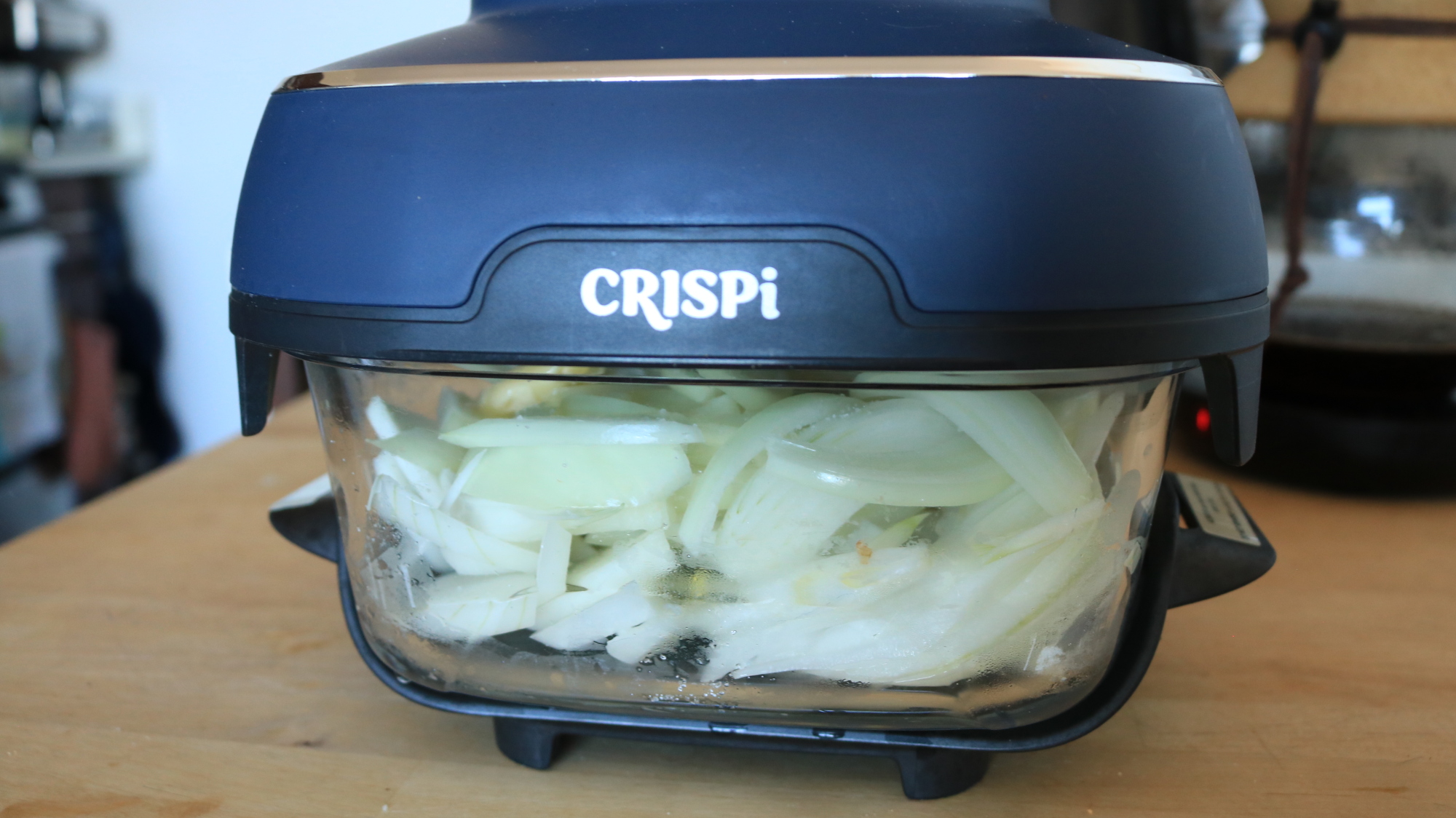
1. Spread out the onion slices into the small Ninja Crispi container. (Do not use the grate.) Drizzle the oil over the top along with the salt. Toss the onions a little to get them in contact with the oil, but you don’t have to be too precise about it. Break the butter up into chunks over the onions. 

Onion slices cooking in the Ninja Crispi container.

Credit: Allie Chanthorn Reinmann

2. Cook the onions for about 30 minutes on bake mode, stirring every three to five minutes. (Caramelizing onions takes time no matter how you do it.) Stir often. This step is important so the onions cook evenly. Some of the ends will still burn and that’s totally OK. It’s actually a good thing.

Caramelized onions in the Ninja Crispi container.

Credit: Allie Chanthorn Reinmann

3. Once the onions are softened and evenly browned, remove the PowerPod and let the caramelized onions cool for about 15 minutes. Stir in the sour cream, yogurt, onion powder, Worcestershire sauce, and MSG. Serve at room temperature or cover it with the Ninja Crispi lid and put it in the fridge until chilled.

Extra-Meaty Seven-Layer Dip Recipe

This dip is great for a party. If you’re a guest, stop at Step 5, pack up the container with the NinjaCrispi lid, and throw the PowerPod in the car. Plug in the Pod and broil the cheese just before serving.

A chip dipping into a seven-layer dip.

Credit: Allie Chanthorn Reinmann

Ingredients:

  • 1 pound ground turkey (or other ground meat)

  • ½ teaspoon baking soda

  • ½ teaspoon salt

  • 1 packet taco seasoning (or any another spice mix of choice)

  • Sliced olives (I used jalepeño stuffed green olives)

  • ½ can refried beans

  • ½ cup sour cream (or plain greek yogurt)

  • 2 to 3 tablespoons salsa

  • Sliced green onions

  • ½ cup shredded cheddar

1. I sprinkle the baking soda over the surface of the ground turkey and, with a gloved hand, mix it into the meat. This will help brown the meat and keep it tender. 

2. Put the meat into the container of the Ninja Crispi without the grate. Note: In the picture I’m using the small container, but the dip almost didn’t fit by the end. I’m considering the large container for next time. 

On bake mode, cook the meat for 25 to 30 minutes, stirring and flipping the meat every five minutes or so. It’ll look somewhat gross at first with the top browning and raw meat lurking underneath, just keep cooking it. The air fryer cooks from the top down, so flipping as you break up the meat morsels is the best way to cook it evenly. 

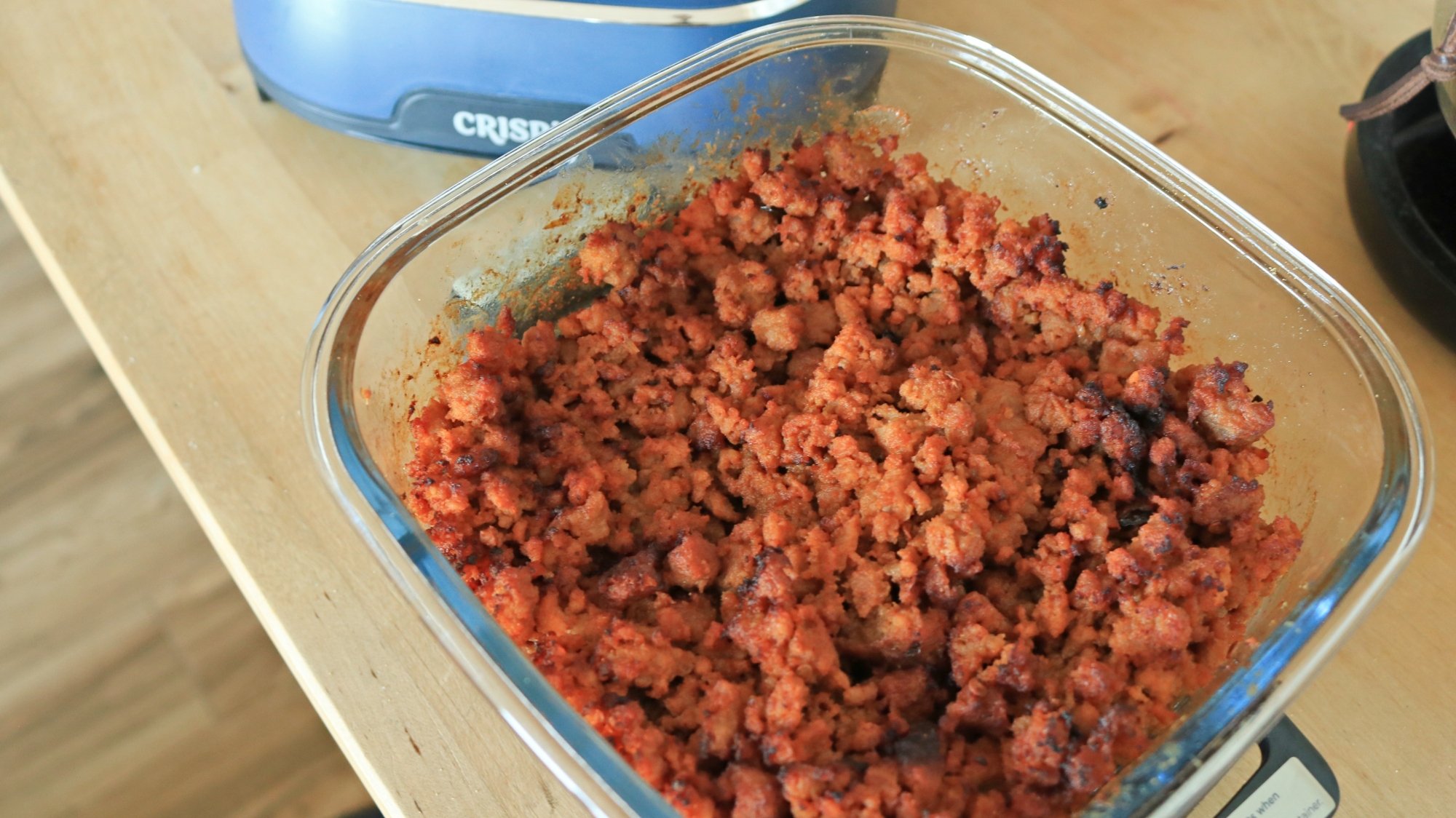
3. When the meat looks mostly browned and nearly finished cooking through, stir in the salt and seasoning packet. Finish cooking the meat completely. 

Seasoned ground turkey in the Ninja Crispi container.

Credit: Allie Chanthorn Reinmann

4. Stir some olives into the meat. Then top the meat with more olives. Spread the refried beans over the top of the meat. Layer the sour cream on top of that, followed by a thin layer of salsa, green onions, and top it all with shredded cheddar. If using the small container, gently press the dip down so it’s below the rim of the dish. You don’t want the cheese to touch the PowerPod. 

5. Cook the dip for another minute or two on the bake setting to melt the cheese, and serve with chips, crisp breads, or between two hamburger buns for a fancy sloppy joe. Why not?