
If you’ve been keeping up with the latest IT security news, you may have noticed the increase in the number of attacks on network security within Linux systems. Cloud Snooper, EvilGnome, HiddenWasp, QNAPCrypt, GonnaCry, FBOT, and Tycoon have become prime malware variants to be aware of as a Linux admin.
Monthly Archives: March 2025
Gboard for Android Finally Gets Undo, Redo Buttons
Gboard, the default keyboard on many Android phones, is finally getting a proper undo button. Up until now, you had to use a Japanese keyboard to access the undo button, but Google has finally addressed that gap. With Gboard 15 for Android, you’ll be able to use the undo button that, thankfully, works with all languages.
How to set up the undo and redo buttons in Gboard
First up, go to Google Play store and update Gboard to the latest version. After that, open any app where you can see the keyboard, such as Messages or Chrome. Fire up the keyboard and tap the four squares icon in the top-left corner of the keyboard. This will show you all the shortcuts that you can add to the suggestions row up top. Undo should be one of the shortcuts. You can drag it to the suggestions row at the top of the keyboard to make it easy to access.
The redo button appears in the suggestions row, once you try to undo something using Gboard.
How undo and redo work in Gboard
Once you type something using Gboard, you can easily use undo and redo to, well, undo or redo things! The trick is to get the button to show up in the suggestions row, which may not happen immediately if you also have autocorrect enabled, since autocorrect suggestions populate here, too. So, to use Gboard’s undo button, you can type something first, then tap the four squares button in the top-left corner. This will replace all the autocorrect suggestions with the undo button. Tap undo once, and you’ll also see the redo button appear right next to it.
Gboard’s undo is the equivalent of hitting the delete button on the keyboard once. You can’t press and hold undo to erase a bunch of words quickly, but you can press it to remove the previous thing you typed. If you regret pressing undo or if you pressed it one time too many, you can use the redo button to restore one character at a time. The good thing is that the undo/redo feature works even if you switch to another app and return to the original one. Unfortunately, if you end up force quitting an app, then your undo history is wiped and you have to start afresh. This means that after force quitting an app and opening it again, pressing undo won’t do anything until you type some more words.
This new Specialized shoe is faster, more comfortable… and will cost you nearly £500
Specialized has launched the S-Works Ares 2 road shoe, claiming it offers the “most positive, locked-in feel without sacrificing comfort”.
Central to this is a new last design, which offers significantly more space for toe splay. This combines with a series of structured supports to reduce pressure, while promoting a secure fit.
The S-Works Ares 2 is available from today, costing £479 / $600 / €549 – over £100 more than the brand’s premium S-Works Torch and previous Ares shoe.
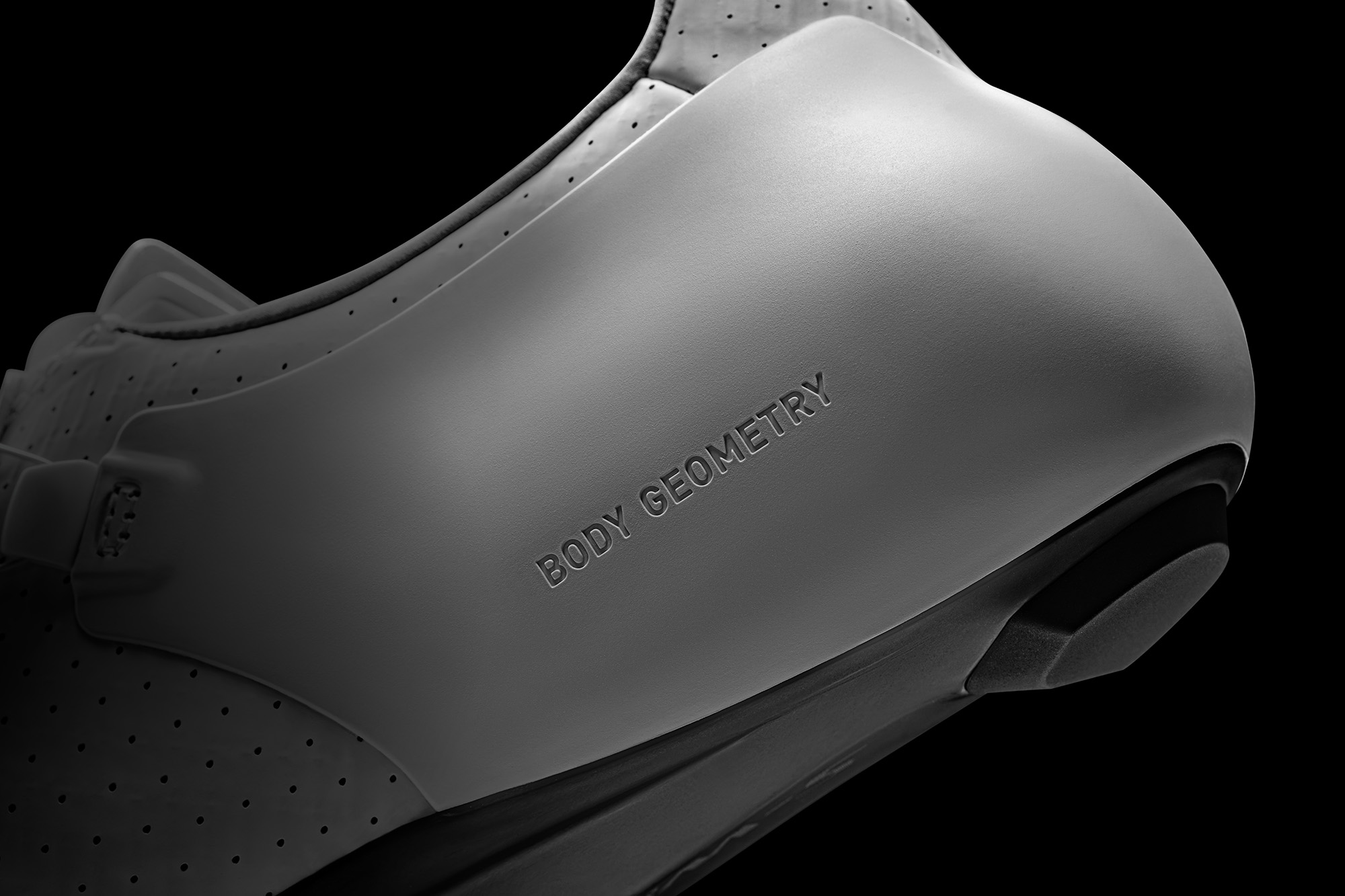
New Body Geometry last
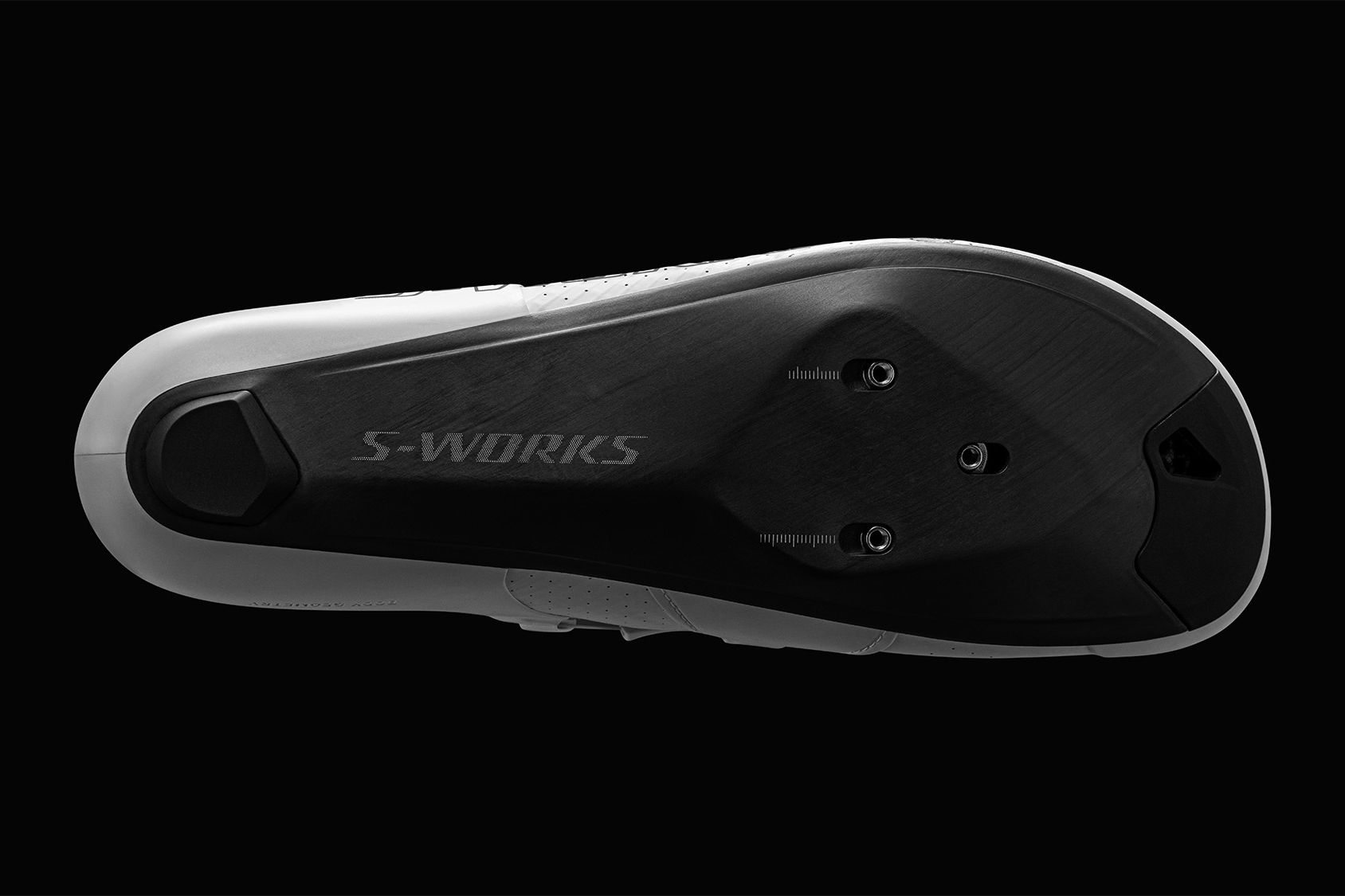
Specialized says its new, wider last design is the key to promoting a comfortable fit, dovetailing with other improvements (versus the old Ares shoe) for a secure fit.
As a reminder, the last is the internal base of the shoe, which your foot is in contact with.
Specialized says that thanks to analysing 100,000 Retul foot scans, it has concluded that the lasts in road cycling shoes are too narrow and don’t support an average foot’s natural shape.
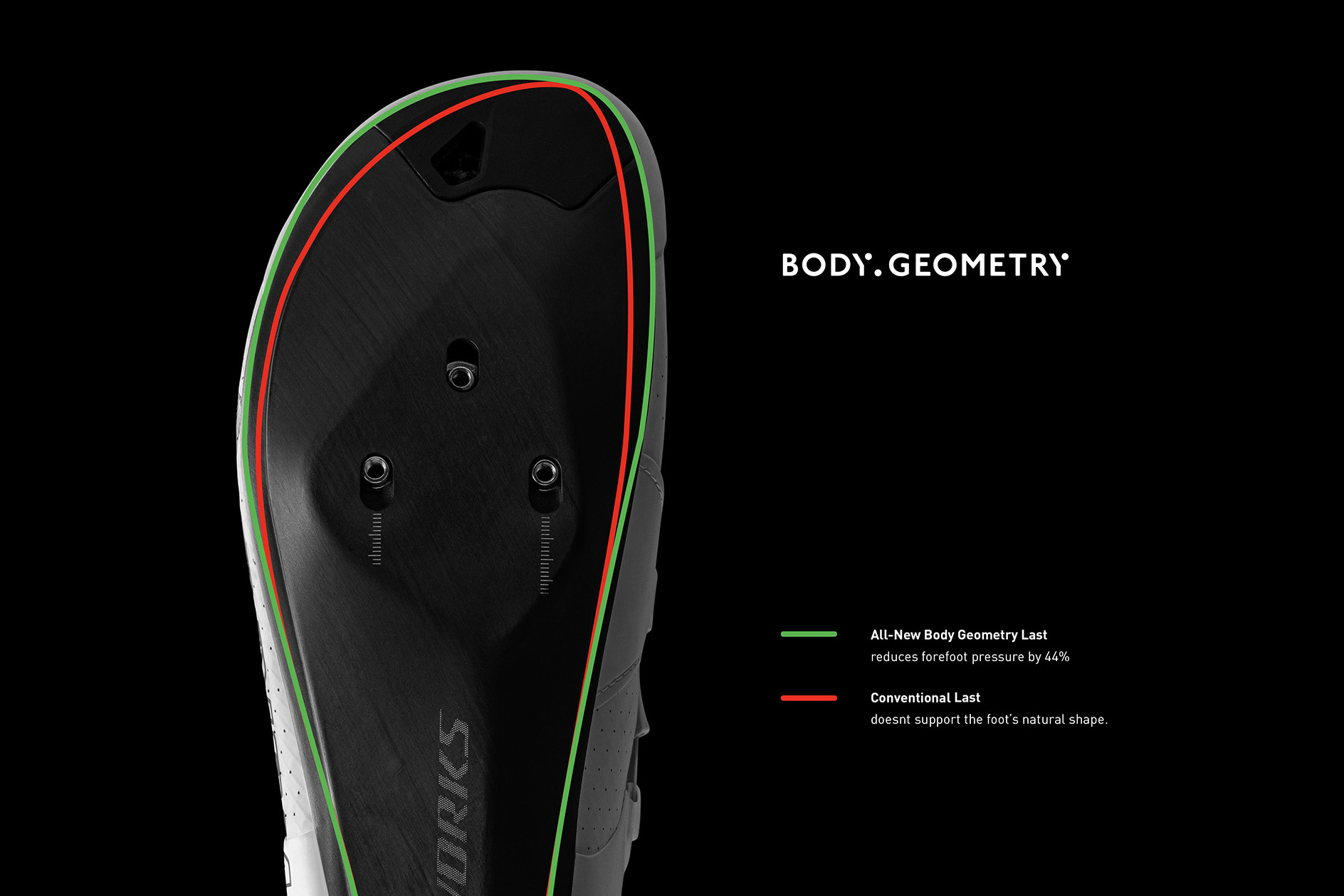
Specifically, it has widened the toebox area of its latest last to allow for greater toe splay and 20% more contact area, as opposed to forcing the feet to conform to a more limited area.
This dovetails with a 1.5mm Varus Wedge support, which tilts the inner foot upward for improved foot, knee and hip alignment. Specialized suggests this can help reduce the chances of the knee collapsing inwards, plus delay maximal effort exhaustion by an average of 10 seconds.
A Metatarsal Button – a support under the centre of the foot – is used to help lift the foot from underneath. In so doing, Specialized claims the metatarsal bones are allowed to spread more, while the closure system isn’t required to clamp down onto the foot so tightly to achieve the same secure fit.
In turn, this is said to reduce the chances of nerve impingement and improve circulation.
The shoe’s outsole also features arch supports which, when used with the brand’s customisable Body Geometry insoles, are said to improve power transfer and prevent arch collapse.
However, these insoles aren’t supplied as standard with the Ares 2 shoes – they need to be purchased in addition to the very tall asking price.
All in, these features combine for a 44% reduction in forefoot pressure and a 7% watt increase in lactate threshold performance according to Specialized. The latter claim assumes the use of the Body Geometry insoles.
Specialized S-Works Ares 2 availability and prices
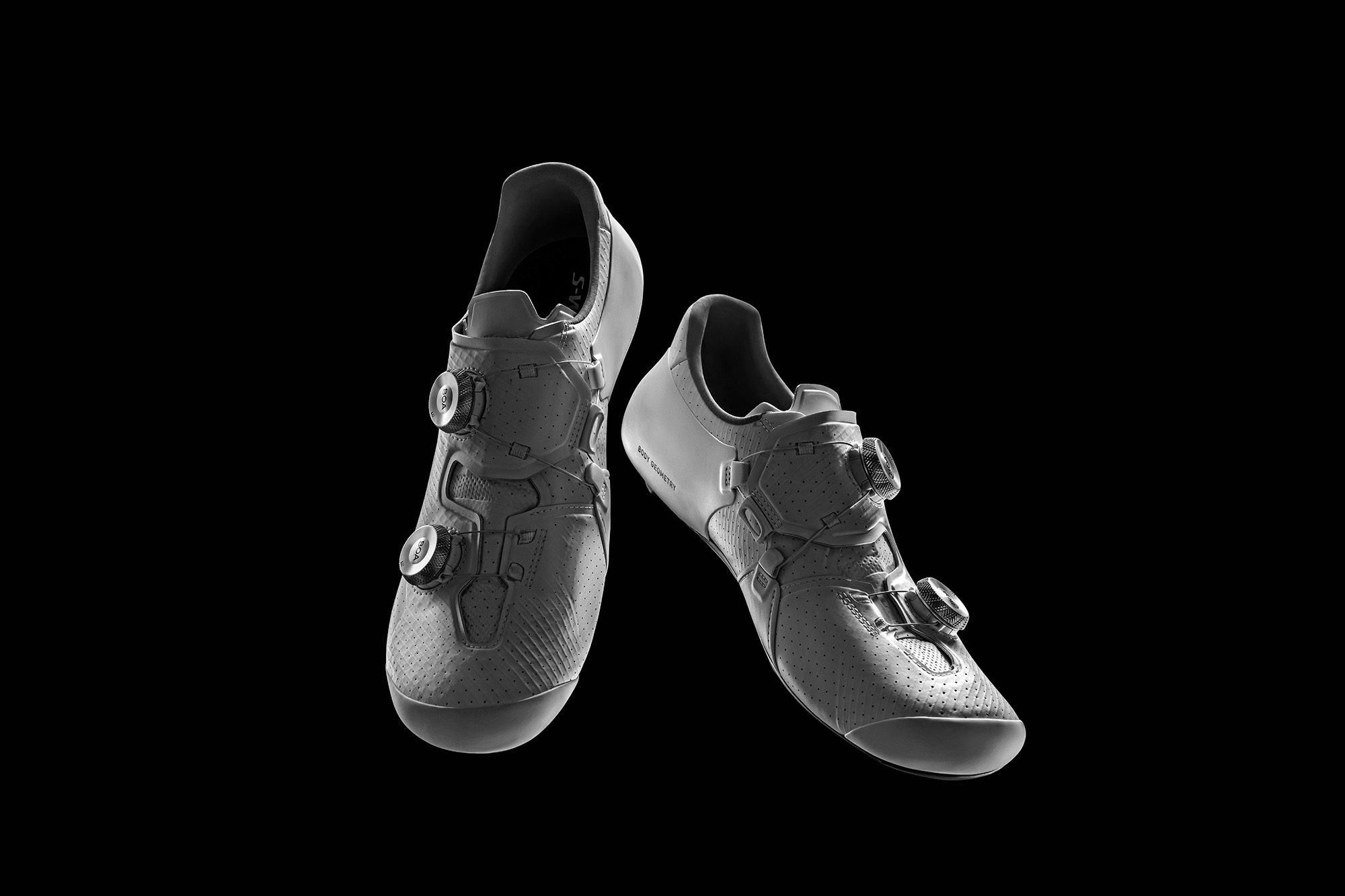
The S-Works Ares 2 shoes cost an eye-watering £479 / $600 / €549 – significantly more than the S-Works Torch and old Ares shoes.
If you have deep enough pockets, they’re available from today in size EU36-49, with half sizes from EU38.5-46.5.
Four colour options are on offer – black, white, white with Specialized ‘team’ branding and a striking ‘Green Gecko’ colourway.
How To Exploit Wounds In Monster Hunter Wilds

Monster Hunter Wilds changes up some of the series’ regular mechanics, but perhaps the most important is the introduction of the new Wounds system.
Mesa 25.0.2 Changes Range From Fixing Soft FP64 For Old AMD GPUs To RX 9070 Fixes
Even amid the ongoing FreeDesktop.org GitLab cloud/server migration, Eric Engestrom has managed to release Mesa 25.0.2 on schedule as the newest stable release for these open-source OpenGL and Vulkan drivers for Linux systems…
YouTube Responds To Complaints Of Blurry Videos On iPhone, Fix Incoming

More than ten-thousand users have complained to YouTube about an irritating problem where YouTube videos play in poor quality. Perhaps you’re an iPhone user and are facing this issue yourself. Maybe you’ve adjusted your internet settings repeatedly or tried other troubleshooting methods, but the issue remains unresolved. Well, don’t waste
All The Game And Anime Announcements At Digimon Con 2025
Bandai and Toei held a lengthy Digimon Con 2025 livestream this morning, March 20, to showcase upcoming projects in the long-running virtual pet and monster-taming franchise. As previously teased, we saw an upcoming mobile card game, but we also got new looks at the future of Digimon video games and anime in between…
AMD Zen 6 APU Driver Tips Graphics Architecture And It’s Not RDNA 4

AMD’s just launched its Strix Halo high-end mobile APUs, but progress marches ever forward, and so it goes that we are now looking at leaks concerning the Strix successor, supposedly known as Medusa Point. Based on the Zen 6 “Morpheus” CPU core, Medusa Point has been said to sport a twelve-core CPU CCD as well as an eight-WGP GPU based on
Is XC ready for 130mm travel? Fox thinks so with new 34SL fork
Fox has released its new 34SL cross-country mountain bike fork, with the brand betting big on bumps in XC travel by offering a 130mm variant and increasing air-spring volume.
Unlike the 34SC it replaces, the new 34SL uses a full-width 34 chassis for increased stiffness, which Fox says has resulted in a minimal weight increase over the Step-Cast variant. The new fork is only 3.2 per cent heavier at 1,475g compared to 1,422g, according to Fox.
The new fork looks to be shaped for the ever-increasing technical requirements of World Cup XC racing, with courses now including features that wouldn’t be out of place in a bike park.
With the next generation of cross-country bikes expected to spec the new 34SL fork, it seems likely that we’ll see a general boost in travel across brands.
Whether 130mm rear-suspension travel will follow is unknown, although many bikes, including Specialized’s Epic World Cup, use a mixed-travel setup.
For riders looking to stay in more traditional travel ranges, the new fork also comes in 110mm and 120mm variants.
The new fork is priced at £1,259 / $1,099 / €1,469 / AU$1,899 for the Factory 34SL, £1,119 for the Performance Elite 34SL and £749 / $649 / €869 / AU$1,149 for the Performance.
Ai arch
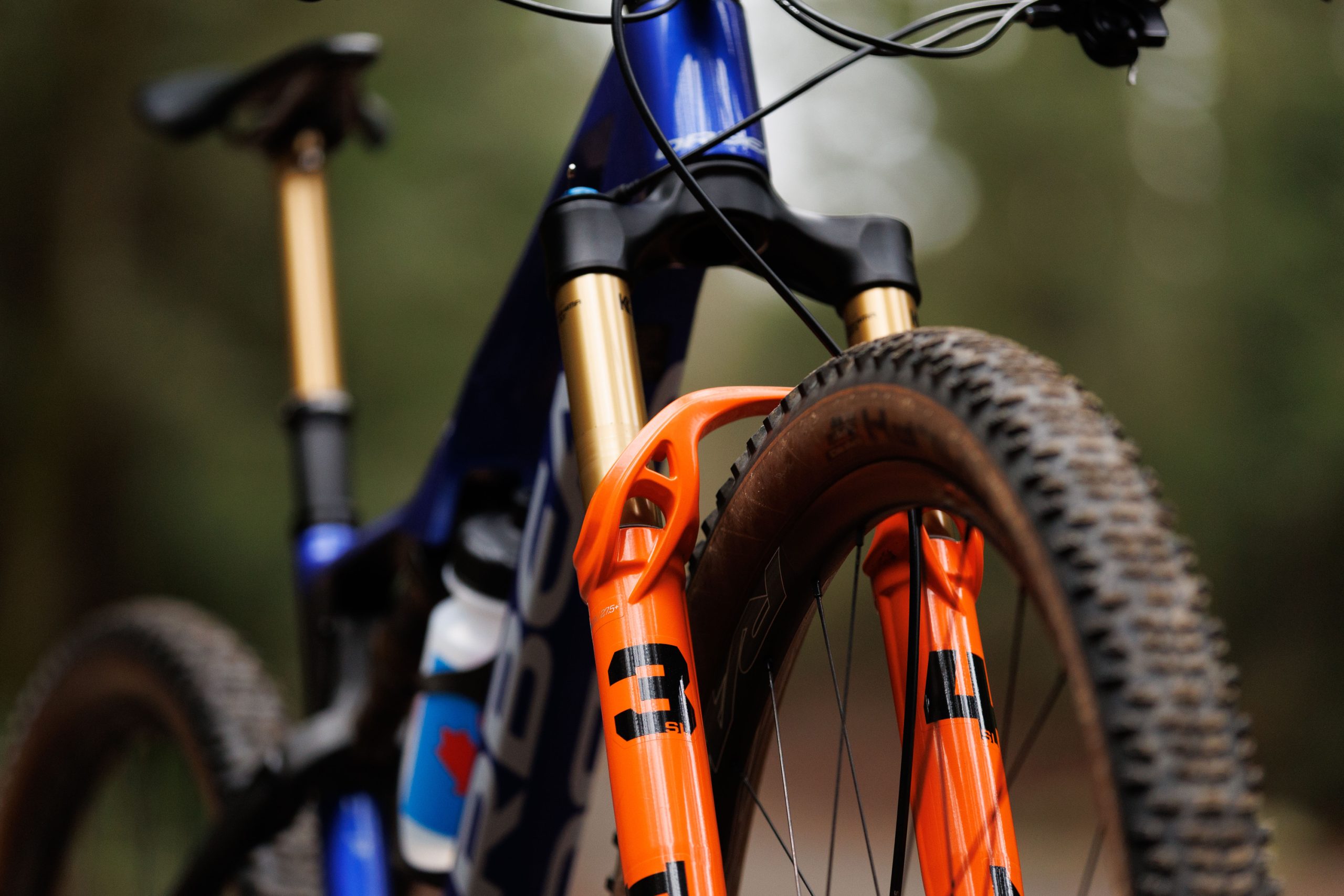
The new Fox 34SL uses an optimised generatively designed fork arch that wraps around the lower legs to increase torsional stiffness.
Cut-outs have been made in strategic places to minimise weight.
We’ve seen this on the 32SC released last year, although this time Fox has placed the arch on the front of the fork.
Unlike the 32SC, the new fork uses a generatively designed crown made from 7000 series aluminium with larger internal lightning bores and a black anodised finish.
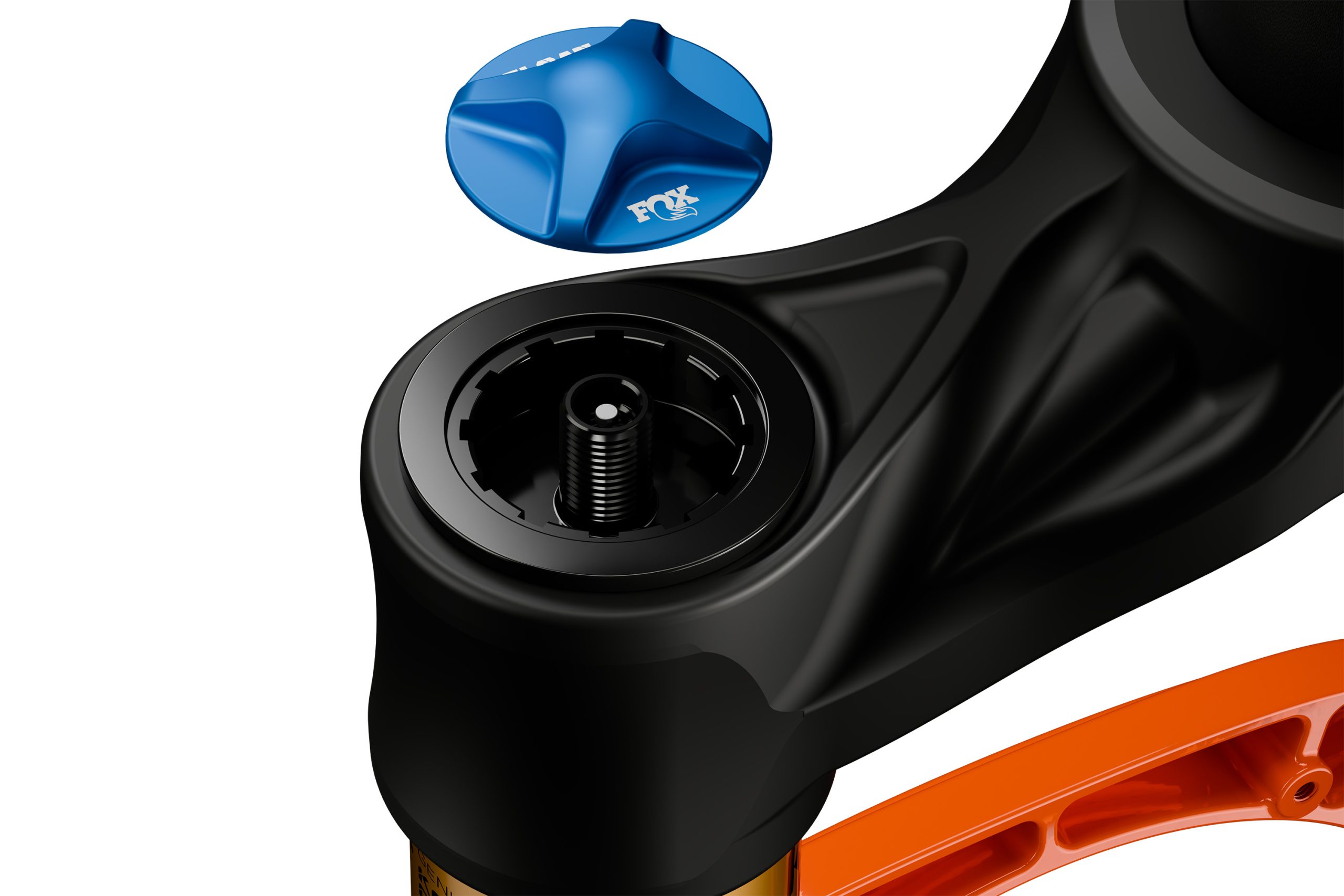
In a win for mechanics worldwide, the damper can now be removed using a Shimano cassette tool.
The crown looks similar to the skeletal design seen on the RockShox SID Ultimate.
Combined with the full-width chassis and a Kabolt axle, the 34SL is said to be 17 per cent stiffer than the 34SC.
With the chassis being wider, the new fork also has room for 2.5in tyres.
We’ve seen a trend in riders picking wider tyres on the World Cup circuit, with many racers deciding better grip and higher volume is a worthwhile trade-off compared to the minimal increase in rolling resistance.
There is also room for 203mm rotors, which wasn’t possible on the Step-Cast design.
Better bushing overlap

The new 34SL sees an increased bushing overlap of 20mm, which Fox says has made the fork much more supple.
Bushings sit between the interface of the lower legs and stanchions of the fork, with most mountain bike forks featuring two on each leg.
The distance between the upper and lower bushings is called the ‘overlap’.

When a side load is applied to the fork, the bending force is translated from the lower leg to the stanchion via the bushing.
Increasing the overlap reduces friction, leading to a smoother compression throughout the stroke.
Fox says riders should notice increased suppleness at higher speeds when the bending forces are greater.
GRIP SL damper
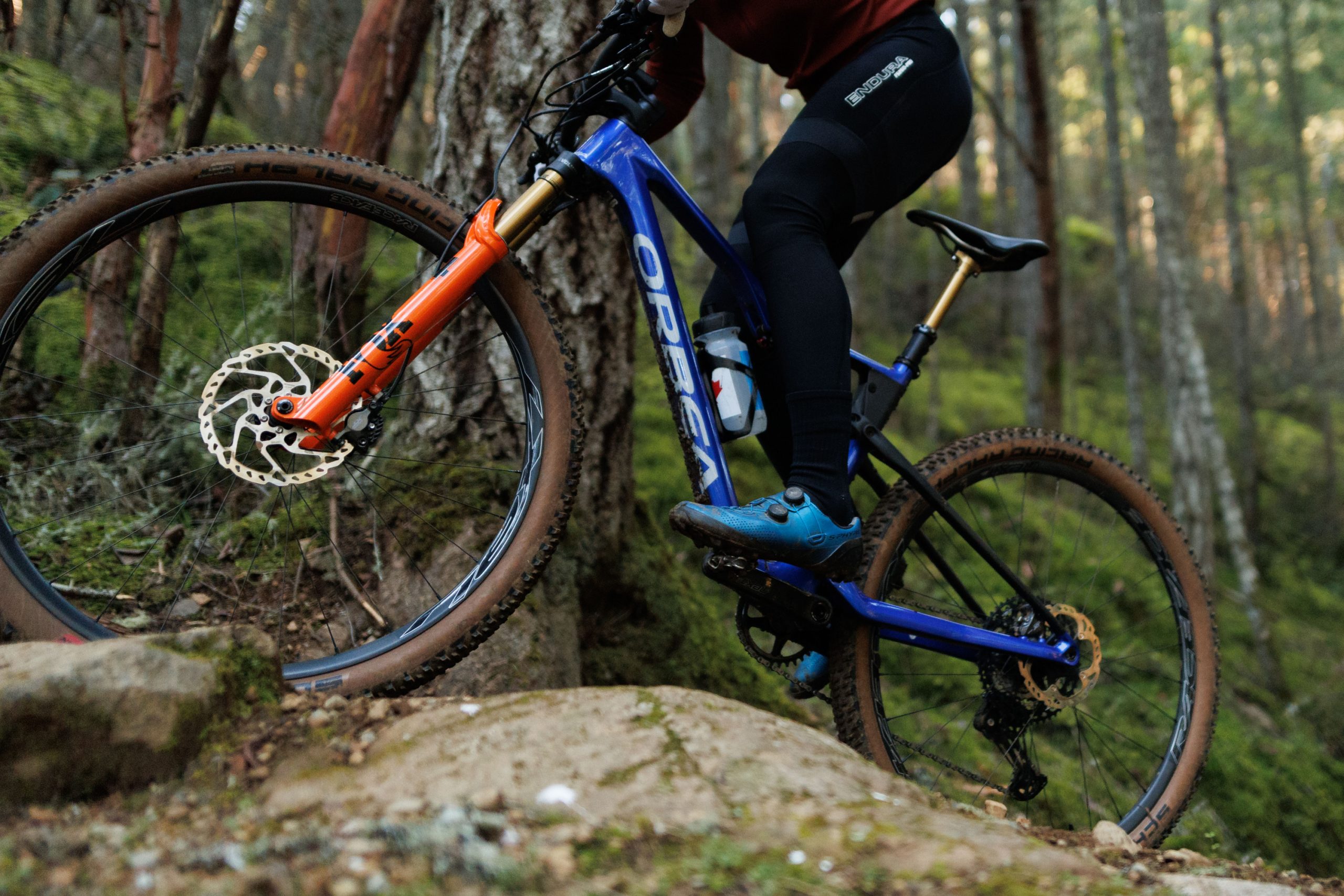
Fox’s GRIP SL damper features inside the fork, with the short-travel specific damper reducing weight, while still being up to the task of World Cup XCO and XCM races.
The brand says the damper has optimised pedal-to-bump efficiency, while remaining one of the lightest on the market.
Inboard bypass channels

The fork features a new architecture that sees the bypass channels run on the inside of the legs.
Bypass channels reduce pressure ramping for increased small-bump sensitivity, while recirculating bath oil to lubricate the bushings and seals.
Fox says relocating the bypass channels to the inboard side reduces the dynamic friction by keeping them away from the fore-aft load path through the fork’s travel.
Weight savings
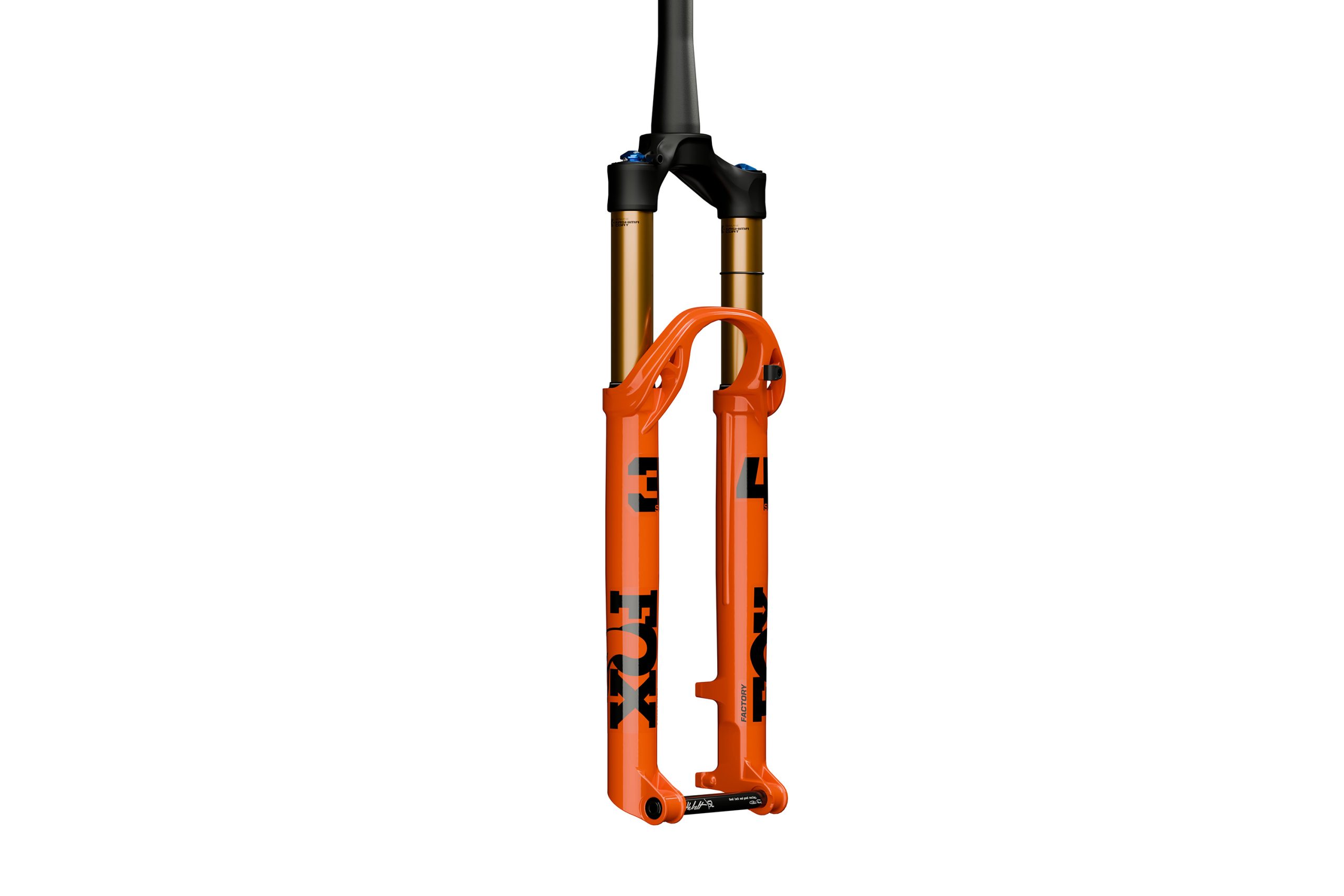
Fox has shaved grams in many areas to get the full-width chassis down to a competitive weight, with the Factory and Performance series forks both using the Kabolt SL axle, which saves 12g over the standard Kabolt axle.
The brand has also used double-butted stanchion tubes on the damper side, saving another 9g.
Twin Stick Lever
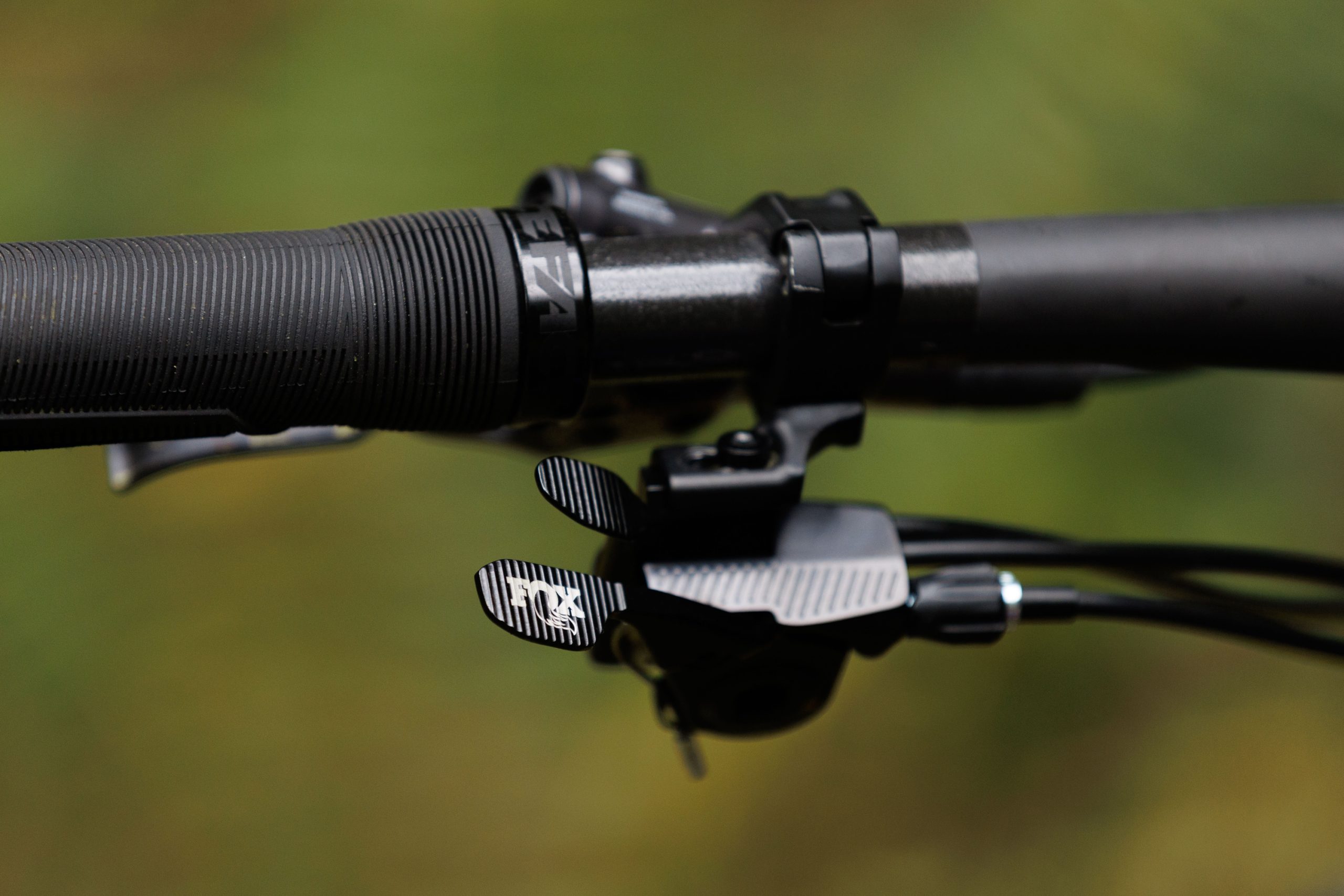
Alongside the new 34SL, Fox has released an updated bar-mounted lockout lever.
The new Twin Stick Lever combines a cable dropper post actuation and cable suspension lockout into the design – similar to Scott’s TwinLoc and Orbea’s Squidlock systems.
The lever uses ramps and catches to operate smoothly, with Fox saying very little lever force is required to operate both functions.
Twin Stick is compatible with both two- and three-position suspension-lockout systems and can be set up for fork-only should you be a hardtail hero.
The lever weighs 66g, or 76g with the clamp.
Fox says this helps to make its Super Light XC ecosystem the lightest on the market.
The Twin Stick Lever is priced at £184.95 / $149 / €199.
Popular Doom 2 Mod gets VR treatment: Total Chaos is coming this July
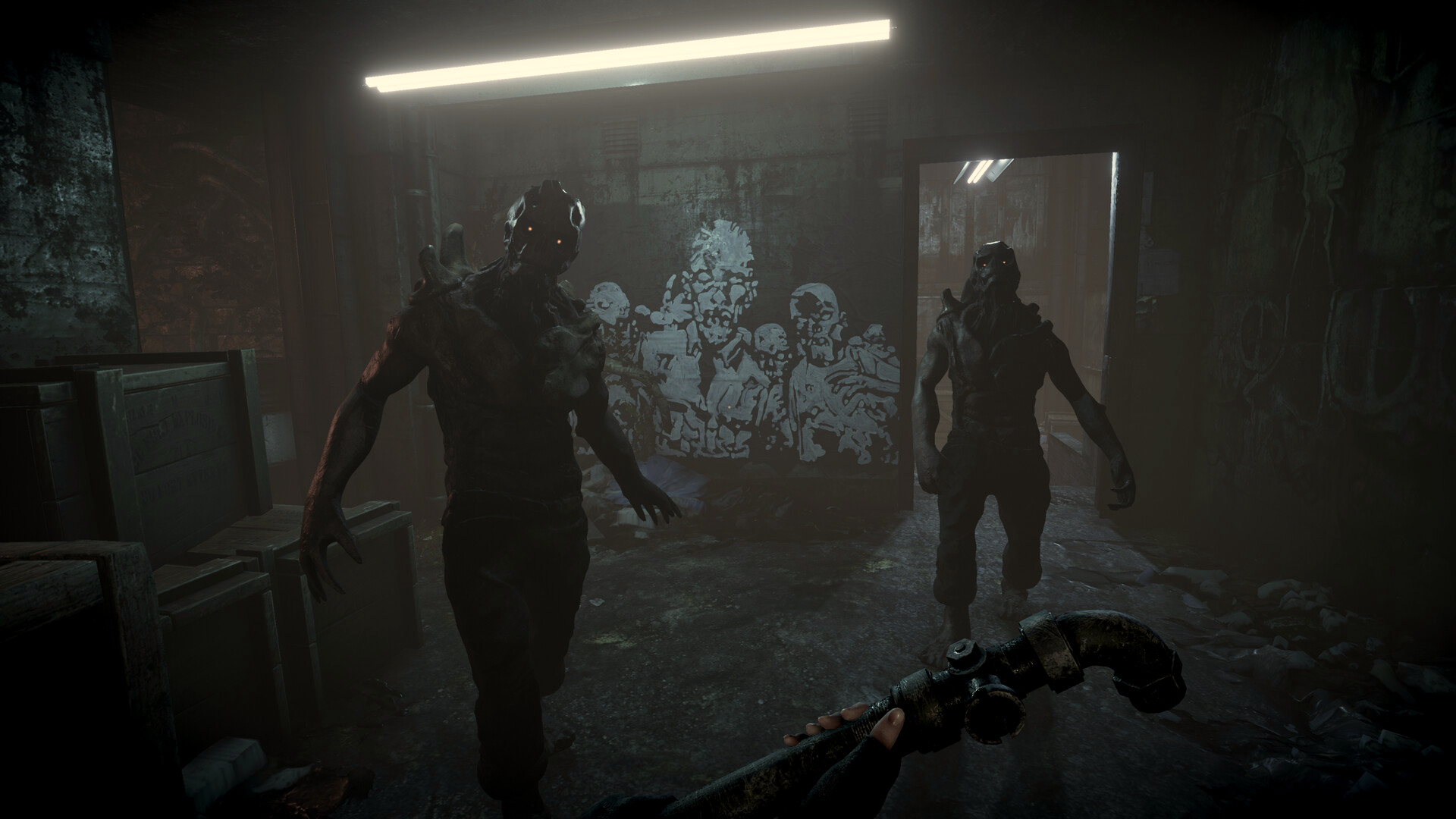
A beloved Doom mod is getting new life, as Apogee Entertainment have announced their reimagining of Total Chaos with VR support.
The post Popular Doom 2 Mod gets VR treatment: Total Chaos is coming this July appeared first on MIXED Reality News.
It’s 2025 And There’s A Fight Over The Future Of The Nintendo 64 Brewing
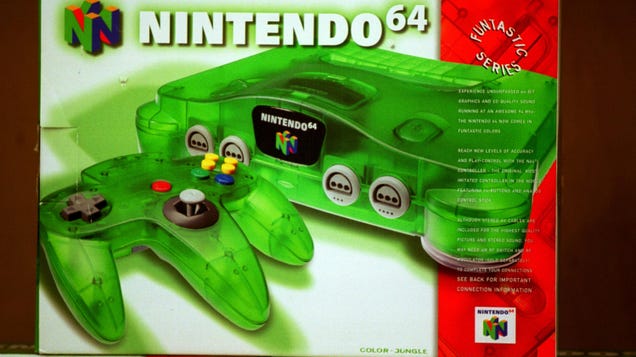
We’re in the midst of a retro console revolution. Between emulation handhelds pouring out of China and more affordable FPGA consoles popping up all the time, there have never been more options to choose from for playing classic games from the ‘80s, ‘90s, and 2000s. The Nintendo 64 is one of the platforms getting…
Hands-On HP Omen Max 16: First Arrow Lake HX Gaming Laptop With RTX 5090
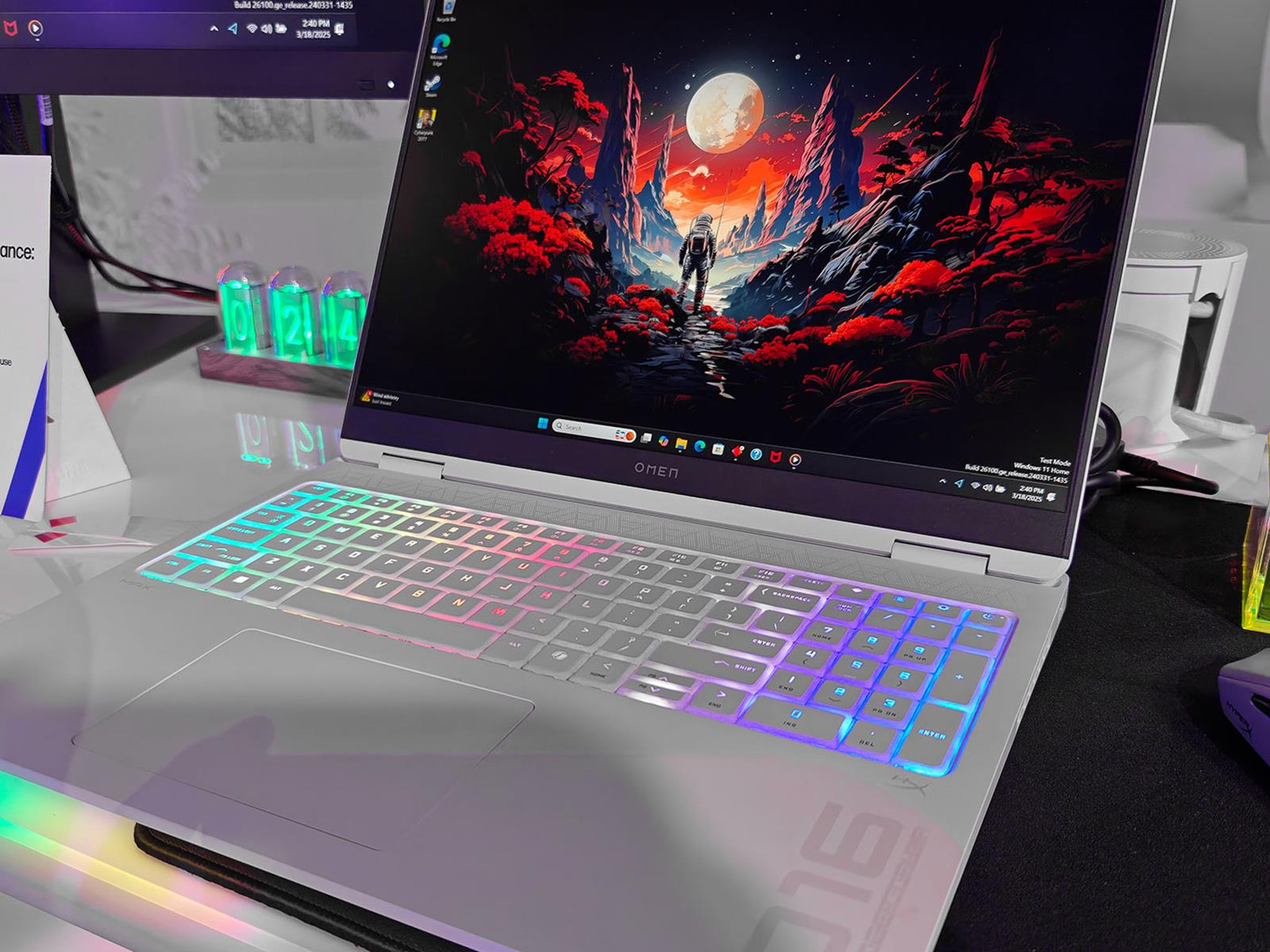
We made the trek out to HP Amplify this week (as well as NVIDIA’s GTC conference), and while there, we got to to go hands-on with a beastly laptop configuration that is available to preorder. It’s the HP Omen Max 16, and as configured it pairs an Intel Core Ultra 9 275HX processor based on Arrow Lake-HX with a mobile GeForce RTX 5090 GPU.
In
Difference Between Su, Sudo Su, Sudo -i, and Sudo -s
There are tons of reasons to switch to another user’s or the root user’s account, however there are multiple ways to do so, which we are going to learn today.
Three ways to help students learn about the impact of technology
As adults, it’s easy for us to see the impact technology has had on society and on our lives. Yet when I tell pupils that, within my lifetime, it wasn’t always illegal to hold your mobile phone to your ear and have a call while driving, they are horrified. They are living in the now and don’t yet have the perspective to allow them to see the change that has happened.

With the greater understanding we now have of technology and its impact, we can better learn from previous mistakes, make decisions around ethical behaviour (such as whether to use a phone while driving), and critically engage in real-world issues.
As teachers, allocating some time to this topic throughout the year can seem challenging, but by implementing a few small changes, the benefits might be more than you imagine. Here are three ways you can help your students explore the impact of technology.
1. Change the format of your lessons by stepping away from devices
As teachers know, some computing lessons work best when students don’t use devices, whether it’s a matter of students designing programs before starting to code them, drawing maps of their school network, or discussing the implications of bias in AI training models. It’s important that learners recognise that computers are tools — sometimes they allow us to do and achieve great things, but sometimes there are other approaches that are more suitable.

Spending time discussing the impact of technology can help learners decide for themselves when technology is an asset, and when it is a burden. Another advantage of changing the format of your computing lessons away from device usage is that they may appeal to a wider range of students. While some students may not be interested in using technology, they may enjoy debating ethics, discussing world events, or finding solutions to real-world problems — all of which can take centre stage in a more discussion-focused computing lesson.
This approach can also demonstrate to your class that lots of different skill sets are needed in the computing industry, and inspire your learners to consider career paths they might have otherwise dismissed. In addition, open, discussion-based lessons can give your learners food for thought, encouraging them to approach tasks in subsequent lessons with a greater appreciation of broader issues — whether they’re designing a program, deciding what features to build into a website, or how to structure a database.
2. Connect your lessons to real-world events
Young people exist in an interesting space when it comes to world events. Even if they’re not engaged in current affairs, they’ll probably still encounter a lot of content about what’s happening in the world. They may see snippets of news footage on television, hear adults talking about a big event, or — with so much of their lives now happening online — stumble across trending stories and associated opinions while using social media, apps, and websites.
Young people will often try to make sense of all these bits of information, filling in the blanks. The problem is that if we don’t talk to young people about what they’re hearing, they may fill in the blanks incorrectly. Before you know it, they might be anxious that artificial intelligence will take over the world, or that adults hate TikTok for no reason.
It’s important to equip young people with the skills to think about real-world events — and developments related to technology — critically and calmly.
Headlines such as “Why the USA is banning TikTok” or self-help articles with titles like “Why muting people on social media will change your life” could make brilliant focus points for a lesson or activity about the impact of technology. Discussing these kinds of headlines and articles can help your learners consider their own opinions, apply what they know about how technology works, and gain a sense of grounding in our often turbulent world.
By encouraging your learners to articulate what they know and apply it to real-world situations, you’ll enrich their computing education while also nurturing responsible digital citizens.
3. Encourage students to have difficult conversations
The role of a computing teacher is often broad. Beyond curriculum and teaching responsibilities, it will usually involve providing tech support (changing ink in printers, for instance) and dealing with safeguarding incidents that have happened between pupils at the weekend.
Safeguarding is a key part of teaching. Effective safeguarding should include teaching your learners about what to do in difficult scenarios, like when a WhatsApp group goes awry, when an image is shared on social media when it shouldn’t have been, or when a game becomes popular that your learners aren’t old enough to play.

Each of these scenarios is an example of technology’s impact on our lives. It’s important that your learners know how to deal with these scenarios and can have different opinions while talking and listening to each other. Also, if your learners can do these things, it will make things easier in the future if you need to talk to a particular learner about something inappropriate they’ve done.
By encouraging your learners to have difficult conversations, you’ll practise how to navigate the tension between legality, rules from home, and best-practice advice from external sources. You’ll also have lessons that you can refer back to: “Remember when we were discussing the TikTok ban? How might some of those conversations relate to this situation? What about when we discussed when to block people on games or on social media? Would that be appropriate here?”
Raising awareness that the impact of technology can enrich lessons
Technology is going to continue to impact the lives of the pupils we work with, whether they can recognise that or not. Increasing their awareness of the impact technology is having, in both positive and negative ways, will enrich your lessons, show that content is relevant to your learners, and help protect them when they have to make their own critical decisions.
There are suggestions in this article to use with learners of all ages, but if you want more support on how to teach the topic with older learners, we have an online course for educators (helloworld.cc/impactoftech) and a unit of work for 14-year-olds (helloworld.cc/ks4impact).
A version of this article also appears in Hello World issue 24.
The post Three ways to help students learn about the impact of technology appeared first on Raspberry Pi Foundation.
Bigscreen Beyond 2 Hands-On: Refining A Vision For VR Enthusiasts Without Apple Or Meta
When Bigscreen founder Darshan Shankar told us he was bringing the sequel to his Beyond SteamVR headset to GDC 2025, I booked a flight from New York to San Francisco and back with less than 24-hour turnaround.
The reason I made the trip is because the latest design includes a new feature absent in the original which made it exceptionally hard for me to fully review. Namely, the new Bigscreen Beyond 2 adds independent adjustment of lens placement directly in front of each eye.
Bigscreen Beyond 2 Has Clearer, Wider, Adjustable Lenses And Optional Eye Tracking
Bigscreen Beyond 2 starts shipping next month with significantly upgraded & adjustable lenses, and Beyond 2e is coming in May with eye tracking too.
 UploadVRDavid Heaney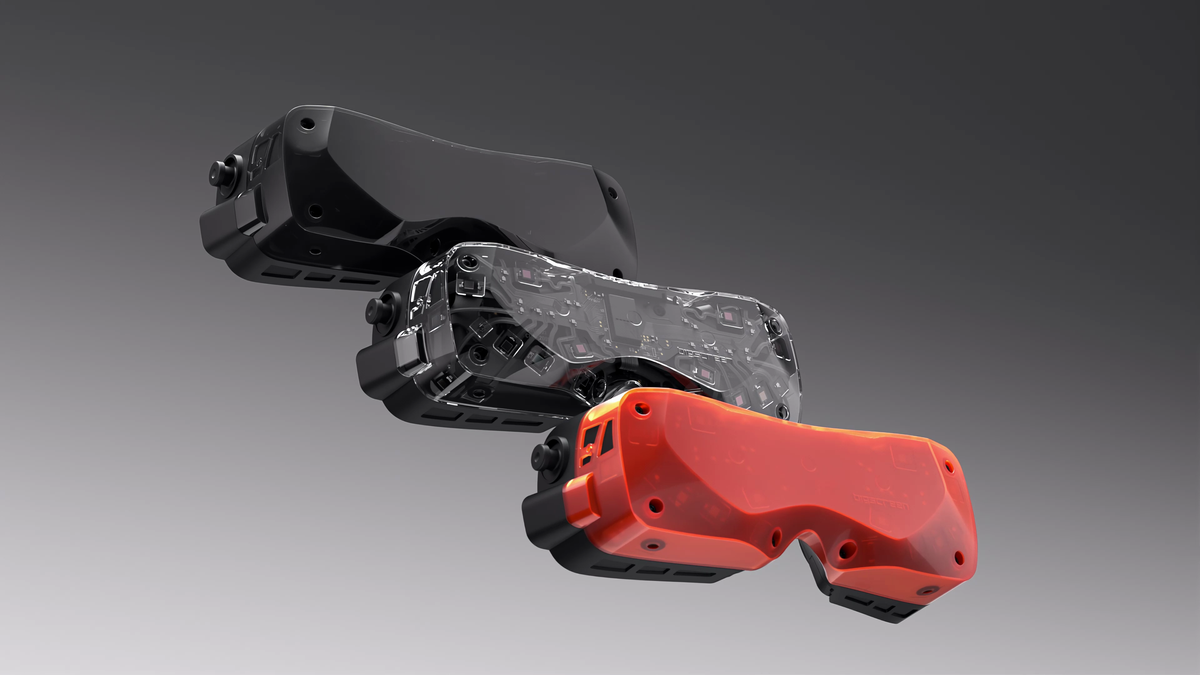
“Independent monocular IPD was made for your eyes Ian,” Shankar wrote over email. “It’s not a common need, but we remembered your desire for it.”
After criss-crossing the United States to test the new hardware, and after talking to Shankar for a couple hours, I can write the following sentence about Bigscreen Beyond 2:
I’ve never seen anything like it.
0:00
/1:39
Video by Don Hopper
Bigscreen’s elegant solution to lens placement involves the use of what they call an IPD Tool for manually adjusting each lens position. Apple’s $3500 headset automatically moves each lens into individualized placement in front of each pupil, but Bigscreen’s solution is cheaper and lighter.
The lightweight solution in Beyond 2, meanwhile, also makes the headset shareable with others with a quick change that also ensures accidental adjustments don’t occur when handling the device, because there’s no button or wheel to hit as is present on some other headsets.
And really, this is just cool.
This is what genuine innovation in VR hardware looks like. The tiny hex tool slips inside a small hole on either side of the Beyond 2’s outer shell, and then you just twist. I asked Shankar to show me where the holes on my headset were. He handed off the tool to me as I screwed each display into place.
Yes, that’s weird to write. Yes, it’s weird to experience. It’s also wildly cool.
I imagine this is how Robocop feels during a tuneup.
0:00
/2:31
Wearing Bigscreen Beyond 2 for the first time and adjusting the distance of each lens.
Bigscreen Beyond 2: Better Optics For Enthusiastic VR Use
Bigscreen Beyond 2’s design actually sheds weight compared to the first version, which was already the world’s lightest fully featured VR headset, albeit one that relies on external compute, power, and tracking for all of its functionality.
While Meta, Apple and even Google steer toward ideas like mixed reality and spatial computing relying on passthrough views, Bigscreen Beyond 2 doubles down on the core premise of its own predecessor.
Virtual reality takes people to places they want to go and, when it comes to weight on your face for a transportation device, “every gram matters.” I went to a great place immediately with Beyond 2 in one of Bigscreen’s many movie theaters.
“I think it’s just really valuable to deliver an incredible theater in your home for <$2k. That’s long been the focus, and continues to be what we chip away at,” Shankar wrote to me.
I saw fewer distracting internal reflections and, overall, the area of clarity is huge. Bigscreen claims “total edge-to-edge clarity”, and the lenses did seem very clear to the edges. The biggest distraction for me was some kind of tracking jitter I usually associate with SteamVR base stations. This was a pre-production unit I wore, the base stations weren’t in the best position and there were plenty of reflective surfaces in the area that could have caused issues. Still, it was a minor distraction during a short demo, and we’ll need to see how a shipping headset holds up over many hours of wear to make a review recommendation.
The more important thing to convey is to those of you who are just learning about Bigscreen for the first time. This device is built by genuine VR enthusiasts building VR headsets for people who want to spend hours at incredible places. For those who haven’t experienced VR yet, yes, there’s a full theater-sized screen inside that tiny headset, and it could have just as easily been Half-Life: Alyx I was playing in there.
Bigscreen says it weighs just 107 grams, down from 127 grams in the first version. With Beyond 2, this company of less than 40 employees puts the critique that VR headsets are heavy in the past. You’d think it was an FPV viewer but, no, this really is a PC-powered VR headset you can share with family and friends.
Beyond 2 is slated to start shipping in April starting at $1019 with an eye-tracking model to follow for $1219. Bigscreen recommends an RTX 2070 or higher graphics card to drive the headset with a PC.
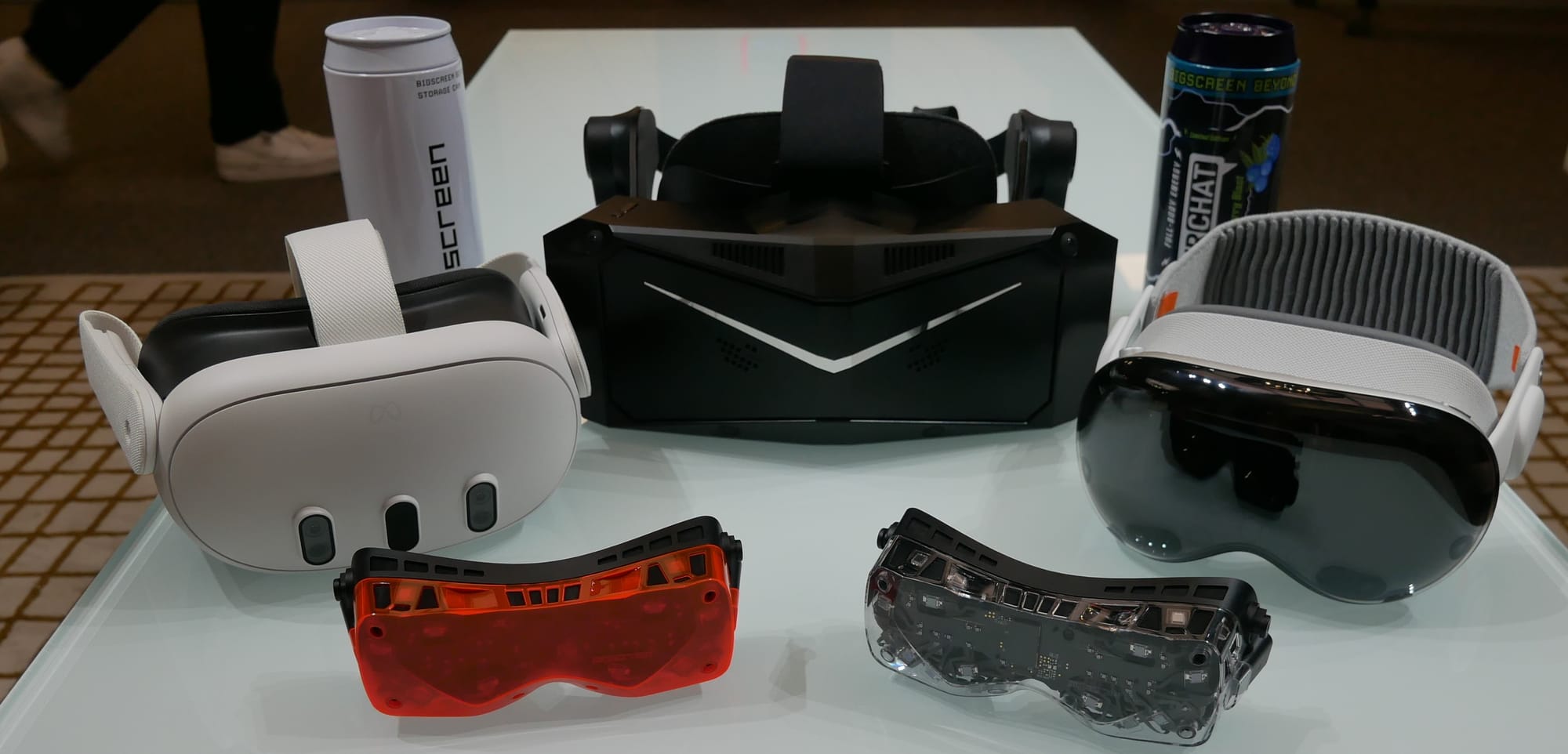
When you strip down “spatial computers” and “mixed reality” to the basics, you’ll find a lightweight VR headset like Beyond driving a lot of time for people visiting places like VRChat, Resonite, and long trips in high-end PC simulation titles.
If the Oculus Rift VR headset had gotten smaller each subsequent generation from 2016 to now it might have looked something like a Beyond 2. You can go get a Quest or Vision Pro and wear the weight of the Apple or Meta platforms, quite literally, upon your brow.
Or go Beyond.
Tesla Recalls Nearly Every Cybertruck Over Dangerous Detaching Panel Issue

The National Highway Traffic Safety Administration (NHTSA) has issued another Tesla recall. This time, it involves nearly every Cybertruck on the road over a poorly attached cant panel. The panel has been found to detach and/or completely fly off at speed due to dried out structural adhesives. Unlike most other recalls involving Tesla vehicles,
Bigscreen Beyond 2 Has Clearer, Wider, Adjustable Lenses And Optional Eye Tracking
Bigscreen Beyond 2 starts shipping next month with significantly upgraded & adjustable lenses, and Beyond 2e is coming in May with eye tracking.
Like the original Beyond, Bigscreen Beyond 2 and 2e are tethered PC VR headsets that use SteamVR Tracking, so you’ll need a PC with a powerful graphics card and at least one (ideally at least two) tracking base stations from Valve or HTC. You also need to provide your own input, such as Valve Index controllers or a steering wheel or HOTAS setup.
Also like Beyond 1, you’ll need to provide a face scan using your iPhone for the custom-fit face pad. But when the upcoming Bigscreen Beyond 2 Halo Mount accessory launches later this year (see below) that will no longer be required.
Bigscreen Beyond 2 and Beyond 2e fully replace Beyond 1, and Beyond 1 was secretly withdrawn from the market a few weeks ago. People who ordered Beyond 1 in recent weeks will be offered a Beyond 2 instead.
Bigscreen Beyond 2 Hands-On: Refining A Vision For VR Enthusiasts
When Bigscreen’s founder told us he was bringing the sequel to the Beyond PC VR headset to GDC 2025, we booked a flight immediately to try it.
 UploadVRIan Hamilton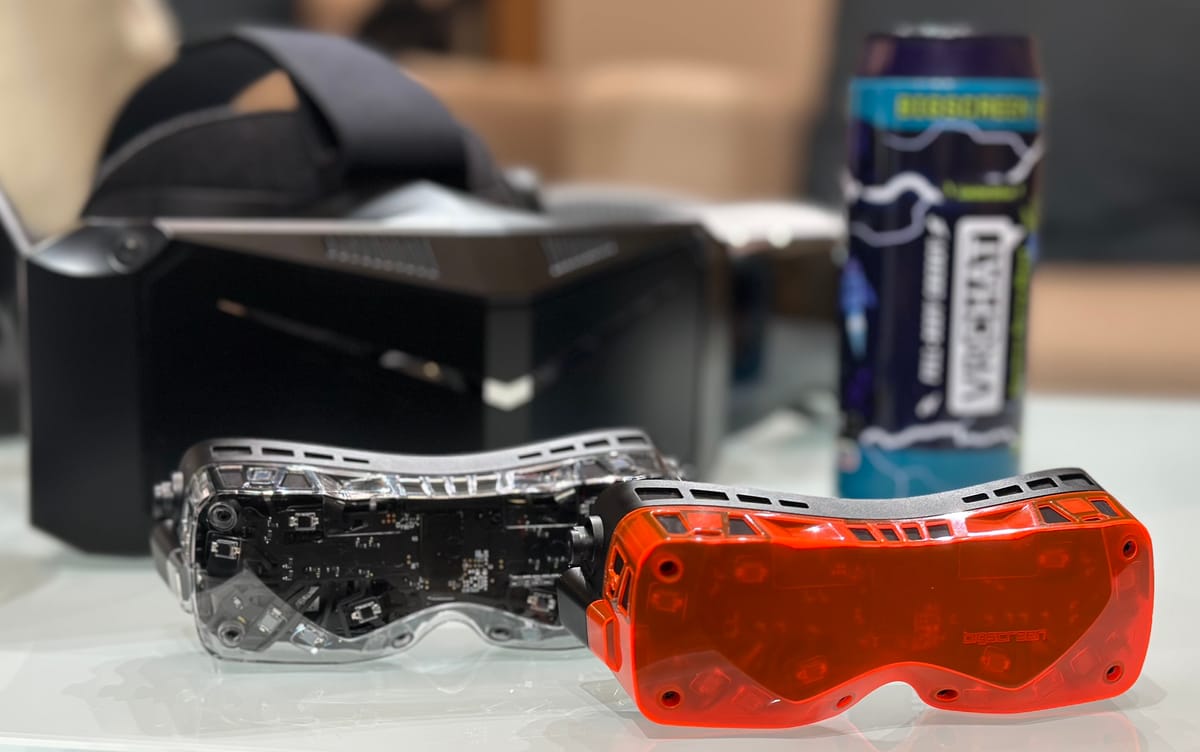
UploadVR’s Ian Hamilton went hands-on with Bigscreen Beyond 2 at GDC 2025 this week, and you can read his impressions here.
Per-Eye IPD Adjustment
The original Bigscreen Beyond from 2023 broke records as the smallest and lightest VR headset you can buy. Part of the given explanation for this was that it was made in 18 different fixed lens separation sizes, with the one sent to you matching the distance between your eyes, your interpupillary distance (IPD).
But with Beyond 2, Bigscreen has managed to deliver adjustable IPD in the same form factor, while also reducing the headset’s weight to 107 grams (without straps or face pad), down from 127 grams.
For comparison, Quest 3 by the same metric (though with strap arms that include speakers) weighs 397g, and Apple Vision Pro 478g. Of course, those are standalone computing devices with tracking and mixed reality, while Beyond 2 is a VR-only PC peripheral that relies on base stations.
0:00
/0:05
Beyond 2 lets you adjust the horizontal position of each lens independently, by using an insertable tool on each side. This is a more involved process than the scroll-wheel of headsets like Quest 3 and PlayStation VR2, but adds less weight and better supports people who have an asymmetric IPD.
One quirk with Beyond 2 is that you need to manually enter the IPD in the PC software tool, since the headset doesn’t have a sensor to report the lens separations to SteamVR.
Wider FoV & Clearer Optics
Arguably the single biggest upgrade of Beyond 2 is the new lenses, which have “dramatic improvements” over Beyond 1. In fact, Bigscreen claims they are “the world’s best pancake optics”.
Bigscreen says Beyond 2’s lenses have wider field of view, “total” edge-to-edge clarity, a very large sweet spot, and “massively” reduced glare.
0:00
/0:04
UploadVR’s Ian Hamilton found these claims to be mostly true in his hands-on impressions, describing the lenses as clear to the edges with “fewer distracting internal reflections”.
Though Ian didn’t have time to measure the field of view, Bigscreen says it’s now 108° horizontal and 96° vertical, measured “at minimum eye relief and default access”. By the same measurement, it found Meta Quest 3 to be 108°×99°, and Valve Index to be 110°×110°.
| Horizontal Field Of View |
Vertical Field Of View |
Lens Type |
|
| Bigscreen Beyond 2 |
108° | 96° | Pancake |
| Meta Quest 3 |
108° | 99° | Pancake |
| Valve Index |
110° | 110° | Fresnel |
That would mean Beyond 2 has essentially the same field of view as Quest 3 despite being a fraction of the size – a remarkable achievement.
Halo Mount Accessory Coming
While an iPhone scan will be required for Beyond 2 at launch, as with Beyond 1, so that you can be sent a custom-fit face pad, Bigscreen plans to remove this requirement by launching a Beyond 2 Halo Mount accessory later this year.
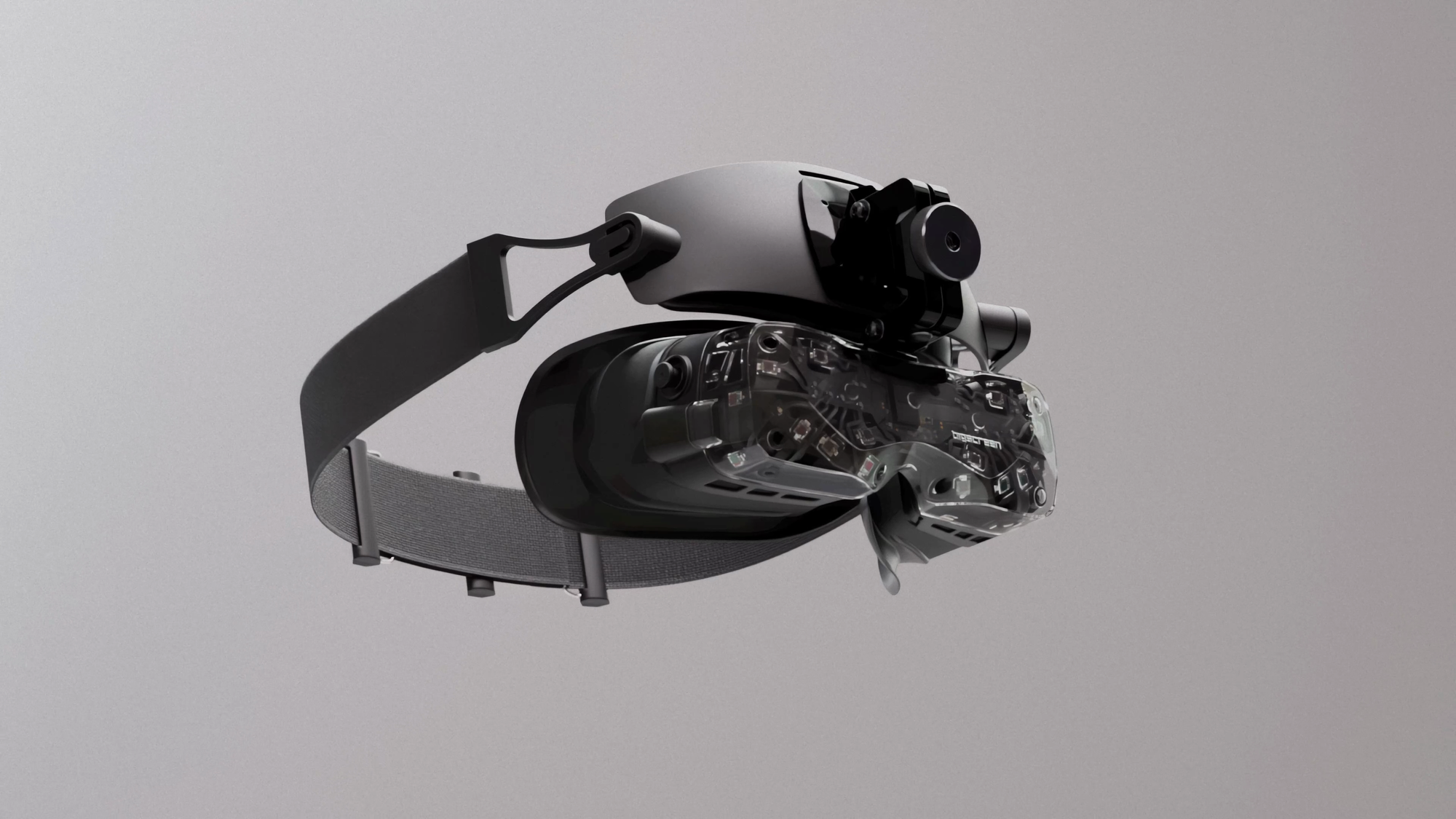
The Halo Mount will support either the included soft strap or the $130 Audio Strap, and can be worn in three different ways: with the custom-fit face pad, with a new Halo Mount exclusive universal face pad, or with no face pad at all for an open view of your periphery.
Eye Tracking In Beyond 2e
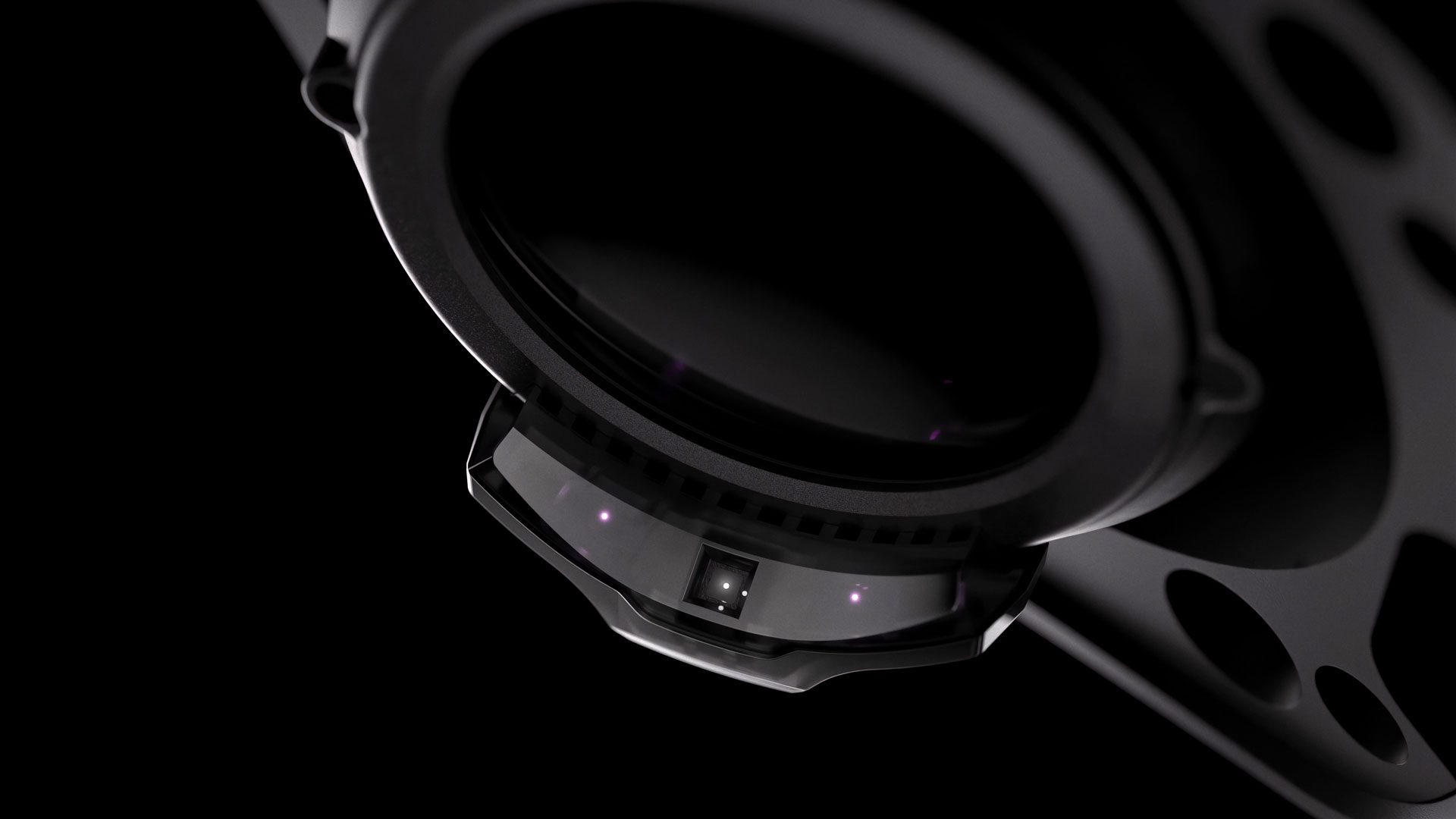
Beyond 2e also adds eye tracking, via what the company says is “the world’s smallest eyetracking suite” with sensors the size of a grain of sand. Further, Bigscreen says its model runs efficiently on your GPU, in contrast to other PC VR eye tracking solutions which tax your CPU.
0:00
/0:16
Initially, the primary use for eye tracking will be for driving your avatar’s eyes in VRChat. Eye tracked foveated rendering won’t be supported at launch, but it’s on Bigscreen’s roadmap for “later this year with continued software development”, and the company says it’s working with Valve and Nvidia on this.
Bigscreen is also exploring measuring your IPD using eye tracking, which in future could make it easier to know what position to set the lenses to.
Upscaling Still Used For 90Hz
Beyond 1 faced some controversy for its use of upscaling in 90Hz mode. Unfortunately for those who were bothered by this, this hasn’t changed in Beyond 2.
| Input Resolution |
Display Type |
|
| Bigscreen Beyond 1 & 2 |
2560×2560 (75Hz) 1920×1920 |
Micro-OLED (RGB) |
| PlayStation VR2 |
2000×2040 (120Hz) |
OLED (PenTile) |
| Pimax Crystal Light |
2880×2880 (120Hz) |
LCD (RGB) |
| Shiftall MeganeX superlight |
3552×3840 (90Hz) |
Micro-OLED (RGB) |
Like Beyond 1, Beyond 2 can run at either 75Hz or 90Hz refresh rate. At 75Hz your PC sends a full 2560×2560 image to each display in the headset. But at 90Hz, this drops to 1920×1920, and the headset upscales this image back to 2560×2560.
Bigscreen acknowledges that this results in a “slight reduction in sharpness”, particularly noticeable in small text and other fine details.


Bigscreen Beyond at 90Hz vs 75Hz.
“75Hz mode is best for watching movies or reading text, and the 90Hz higher refresh rate is best for gaming”, Bigscreen explains.
Colors & Pricing
Bigscreen Beyond 2 is priced at $1019 and starts shipping next month, while Bigscreen Beyond 2e is $1219 and ships in May.
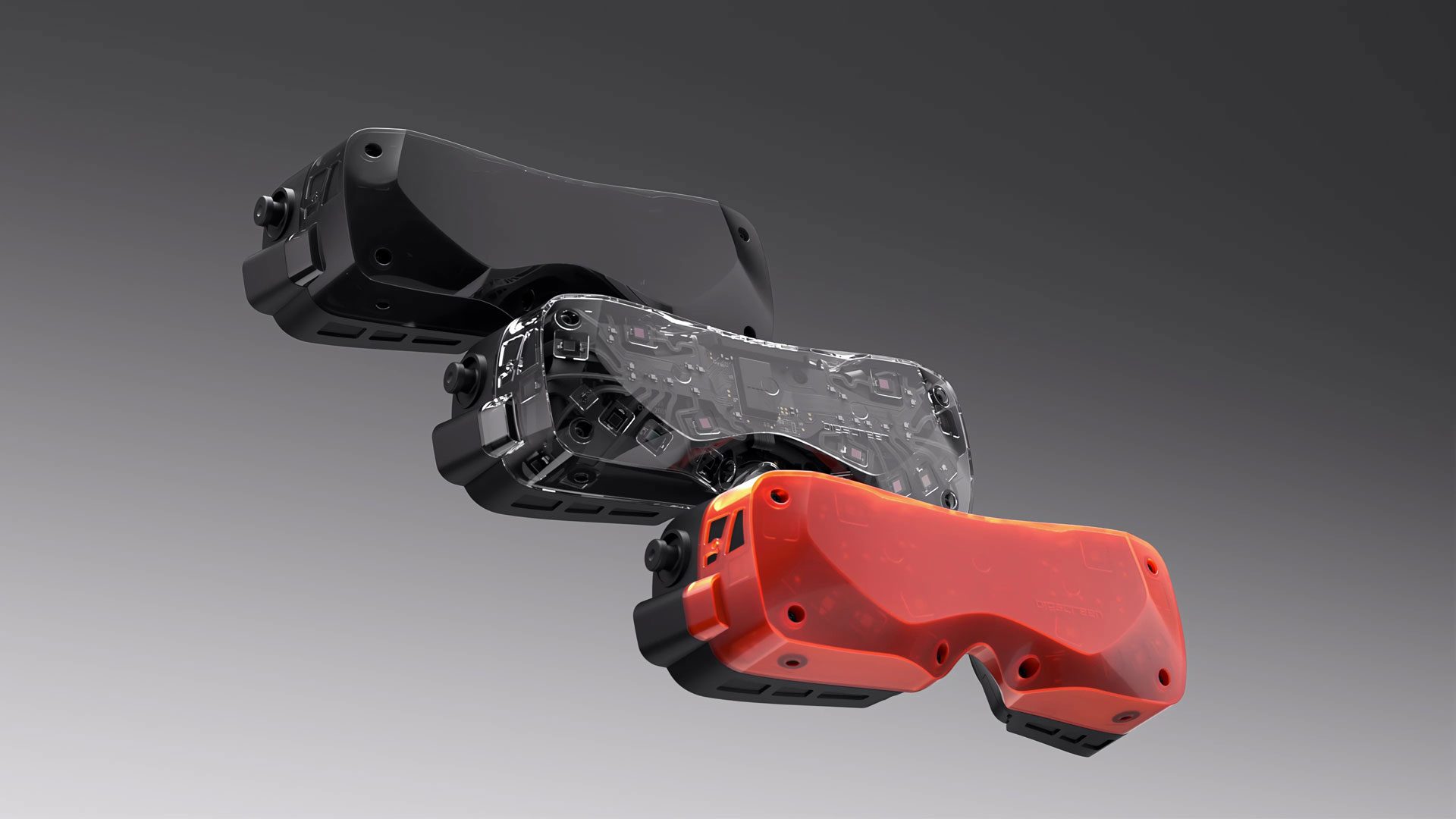
While Beyond 1 only came in black, Beyond 2 and 2e are also available in Crystal Clear and Nuclear Orange.
0:00
/0:05
Beyond 1 owners can get a $200 discount on Beyond 2 or Beyond 2e “for a limited time”, and they can reuse all their existing accessories such as their face pad and the Audio Strap, which are forwards-compatible.
25 Assassin’s Creed Shadows Tips To Check Out Before Playing

Assassin’s Creed Shadows, out now, is a very good entry in Ubisoft’s long-running franchise. But it’s also a big, complicated game with a lot of different mechanics, systems, features, and options. And Shadows doesn’t always do a great job of explaining how all of this stuff works.
Simon Rides On
They’re the four words you never, ever want to hear. “I’m sorry. It’s terminal”, said the oncologist.
It was a shock, but not a surprise, which sounds peculiar, so let me explain. Prostate cancer has waxed and waned in my life the past seven years.
My first diagnosis, in 2017, permitted, even encouraged, optimism. It was “treatable”. Nine out of ten men with the flavour I then had get blasted with radiotherapy, undergo surgery or more rarely other forms of treatment, and cross the threshold of the oncologist’s office only to be signed off as cured, or at least in remission indefinitely.
That was me, until it wasn’t; until I became That Guy, the one in ten, where it comes back, but worse. So in September 2024 I heard Those Four Words.
Deep down, I knew they were coming. I’d seen the worrying test results, I’d done the reading. So yeah, shocked, but not surprised.
Family, friends – they’re the first to know, of course. Then colleagues. And the upshot of that was an abrupt and largely unexplained vanishing act from the newly-rebooted Zwiftcast. Long-time listeners will recall that I’d always planned to hand over to a new team. But like this? No, not like this.
This was all, oddly, contemporaneous with Sir Chris Hoy’s similar bombshell announcement, and like the great Olympian, I too started a brutal, gruelling six rounds of chemotherapy. Friends, it was hellish.
I was left hollowed out, weak as a kitten and felt like I’d never, ever get back on a bike again.
But then on the way to the hospital for another session, we drove past an artistic landmark in my home-town of Leeds in Yorkshire, England.
It’s a line from the great Chumbawumba anthem, Tubthumping, from 1997:
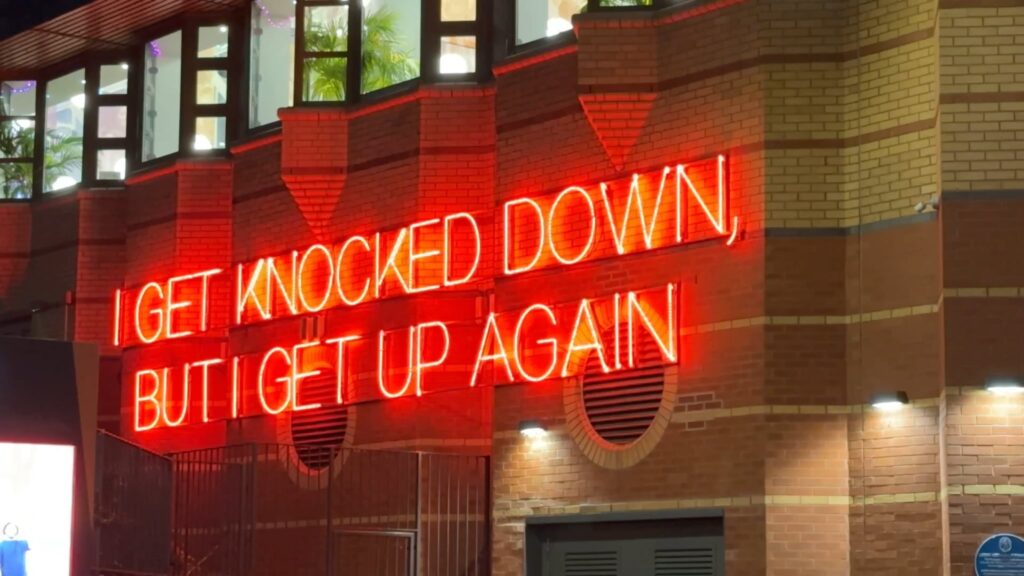
It resonated. It spoke to me. Let’s be frank, I won’t beat cancer. That’s not how it works. But I can Get Up Again and get back on a bike.
Plans were hatched. Strategies devised. And they included a YouTube channel. It would
document my ascent from the nadir of chemo to the moment I got back in the saddle. And beyond – it would follow my progress as I attempted to get back to something like the cyclist I was before Those Four Words.
The name? Well, it could only be Simon Rides On… a nod to my long, long association with Zwift and a forward-looking thought to spur me on. And much of the reasoning behind the channel is about that – accountability. It would be easy to give up, to accept my riding days are over, to focus on other things in the remaining time.
But I love riding a bike. Exercise, I strongly believe, is a panacea. I’ll get stronger, rid my body of the toxins of chemo and restore some kind of normality after a tumultuous few months. And committing to that on the internet, well, I gotta do it then haven’t I?
I know what you’re thinking – and no, I don’t know either. My oncologist doesn’t know. It could be two years, maybe five, possibly ten or more. However long it is, I’m determined to spend a portion of that time doing the thing that has brought me great joy, fantastic friendships and been a huge part of my life.
Do you want to join the ride? I’d love to have you along.
Simon Rides On launched on YouTube this week. Find the channel at youtube.com/@SimonRidesOn.
PC VR Headset Bigscreen Beyond 2 Promises Big Boost to Field-of-view & Clarity, Launching Next Month
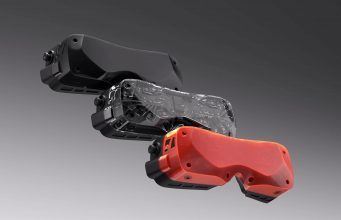
Bigscreen today announced its next-gen Beyond PC VR headset, promising a big boost in field-of-view (FOV) and clarity thanks to the inclusion of new pancake lenses. Bigscreen is also making the slim and light headset more attractive to at-home and enterprise users too thanks to its new adjustable interpupillary distance (IPD) and optional universal Lightseal facial interface.
Bigscreen is releasing two versions of its next headset—Beyond 2 and Beyond 2e. Unlike the ‘e’ naming scheme seen in Apple’s recent iPhone 16e, the ‘e’ in Beyond 2e denotes the inclusion of eye-tracking.
Beyond 2e contains everything Beyond 2 does, albeit with a very small eye-tracking suite, which is said to feature AI-powered computer vision for low-latency, privacy-focused tracking, and integrated with SteamVR, OpenXR, and platforms like VRChat, with a beta program launching in Summer 2025.
The headsets are priced at $1,019 (Beyond 2) and $1,219 (Beyond 2e), although Bigscreen is discounting that for previous owners of the original Beyond, bringing them to $849 and $1049 respectively.
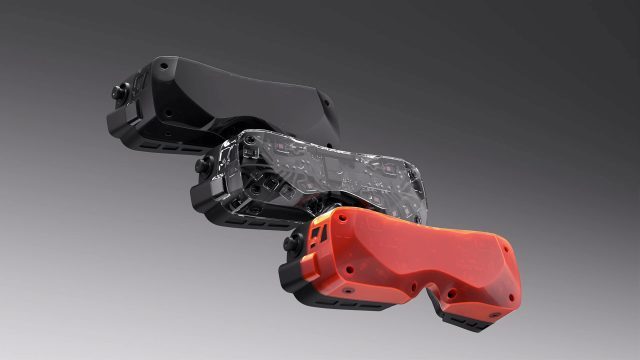
The company says the first batches are slated to launch in April, with an optional halo-style strap mount targeting a Q3 2025 release. Both Beyond 2 models will be available in three colorways: Carbon Black, Crystal Clear, and Nuclear Orange.
Like Beyond 1, the slim and light PC VR headset uses the SteamVR tracking standard, which includes support for SteamVR 1.0 and 2.0 base stations, as well as the usual cadre of SteamVR accessories, such as body trackers, and controller like Valve’s Index controllers (aka ‘Knuckles’).
Of course, you’ll need a VR-ready PC to use Bigscreen Beyond 2 and the required base stations. Click here to find out if your PC is ready.
While we’re not getting a resolution bump with Beyond 2, since they contain the same dual 1-inch 2,560 × 2,560 micro-OLED displays as the original Beyond (2023), Beyond 2’s biggest improvement is undoubtedly the inclusion of new pancake lenses. The new lens design is said to boost FOV to a reported 116-degree diagonal over the original’s 102-degree diagonal FOV.
It’s also lighter too, weighing 16% less than the original Beyond, now at only 107 grams—notably lighter than standalone headsets like Meta Quest 3 (515g) or Apple Vision Pro (650g), as well as other PC VR headsets in the slim and light category, such as the upcoming MaganeX superlight 8K (179g).
Unchanged displays notwithstanding, Bigscreen says Beyond 2 has improved brightness and reduced glare by a good margin; the new pancake lens design features “dramatic improvements over Beyond 1 with total edge-to-edge clarity and a very large sweet spot,” the company says.
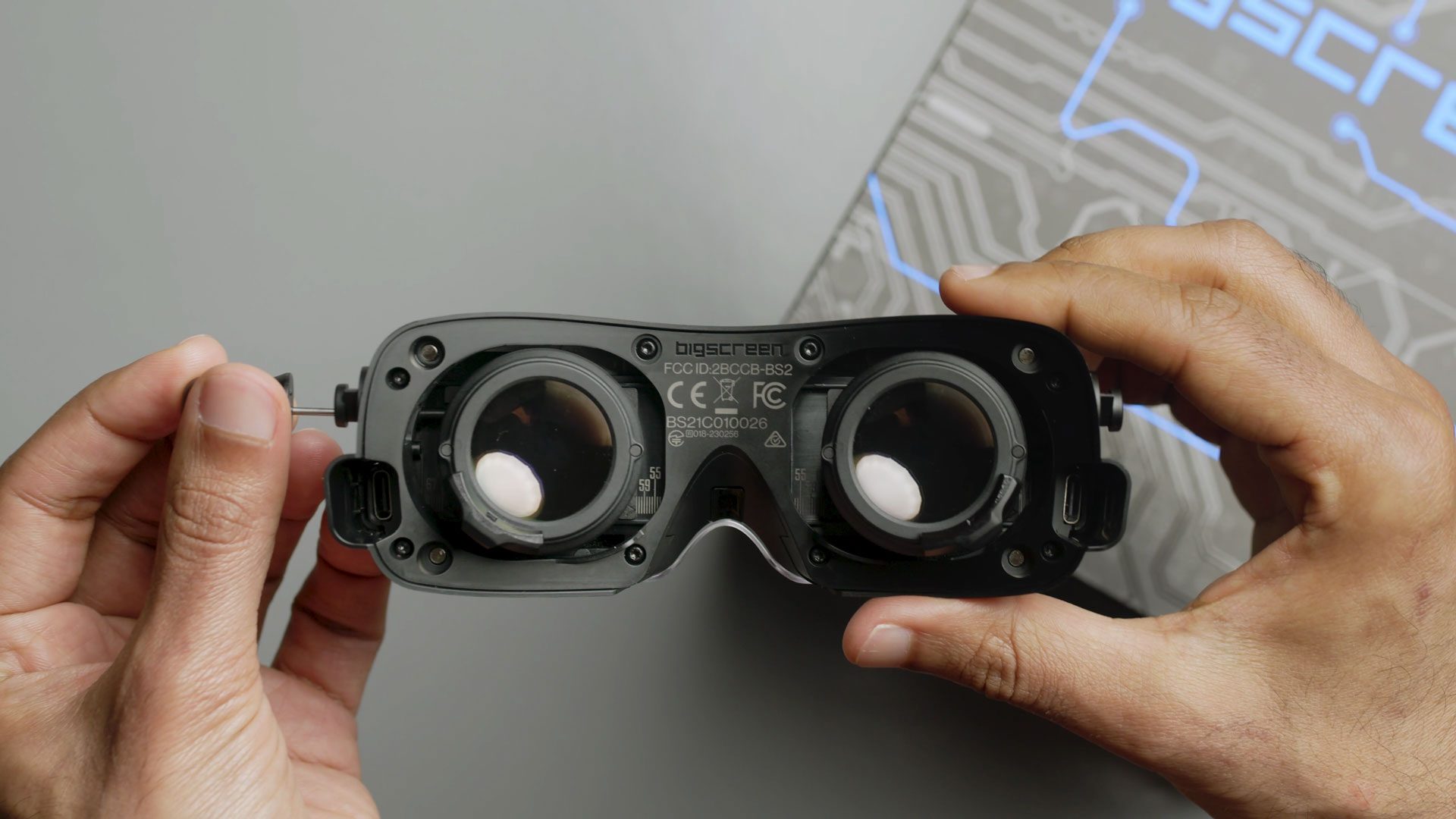
And for the first time, Beyond 2 is introducing an adjustable IPD mechanism, which can be modified with an included tool. Visible markings on the inside of the headset show the current IPD setting in millimeters for both lenses, so users can dial in each lens independently for the best viewing clarity.
The company calls the new IPD mechanism “a major improvement” over Beyond 1’s fixed IPD system, which required selecting from 18 different sizes, and required users to scan their faces with an iPhone for the required custom facial interface.
And what about accessories? While Beyond 2 supports the same custom-fit cushions as Beyond 1, the halo mount (seen below) is shipping with a universal-fit Lightseal interface, all of which ostensibly makes Beyond 2 more attractive to at-home users looking for better shareability as well as enterprise users.
To boot, many of the original Beyond’s accessories are said to work with Beyond 2, including its five-meter fiver optic cable, link box, Audio Strap, and soft stap. Notably, prescription lens inserts manufactured before 2025 for Beyond 1 will work with Beyond 2, however they won’t fit Beyond 2e. Prescription lens inserts manufactured in 2025 and onwards are compatible with Beyond 1, 2, and 2e, Bigscreen says.
The headset ships with an included soft strap, however Bigscreen is also launching a newly announced halo-style mount, shipping in Q3 2025, which the company says was inspired by night vision goggles.
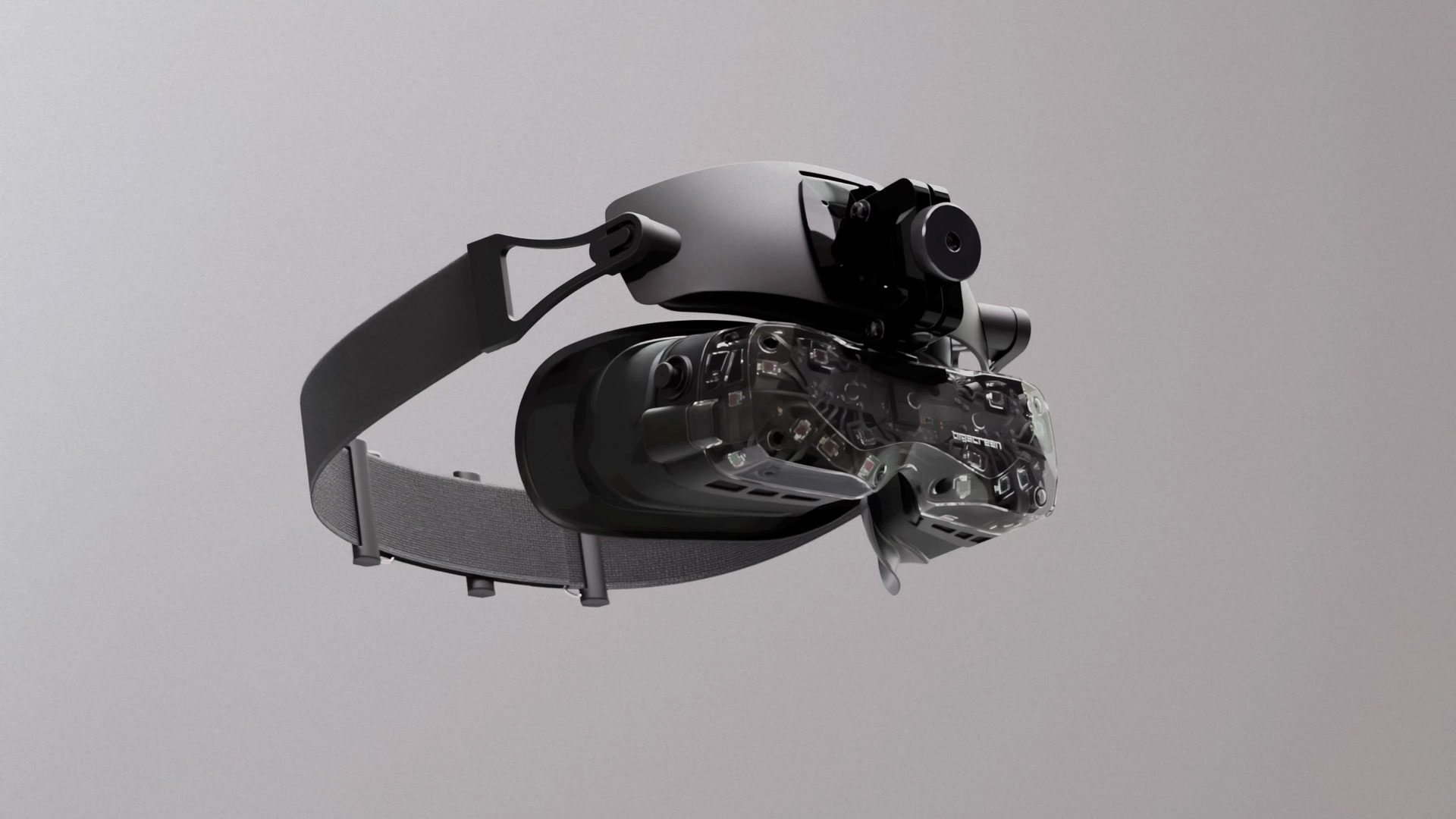
The halo mount features fine-tuned controls for tilt and eye relief and supports multiple configurations, including with the halo mounts’s bundled lightseal, Beyond’s original custom facial interfaces, or none at all.
As a mount, and not a whole strap unit as such, the accessory is compatible with various strap solutions, including the included soft strap, Bigscreen’s Audio Strap, as well as third-party options. There’s no pricing yet, although we’re sure to learn more closer to its Q3 2025 launch.
Bigscreen Beyond 2 will be taking orders over on its website, which will ship from its Los Angeles, California factory to customers in the US, Canada, Japan, UK, Europe, New Zealand, and Australia. The company says it’s also planning to expand to countries such as South Korea, Mexico, Israel, and UAE sometime later this year.
Specifications
- Field of View: 116° diagonal
- Weight: 107 grams
- IPD: Adjustable, 48mm to 75mm (55mm to 70mm physically)
- Resolution: 2,560 × 2,560 per-eye
- Refresh Rate: 90Hz, 75Hz
- 6DOF Tracking: SteamVR tracking
- Tracking Requirements: SteamVR 1.0 and 2.0 Base Stations (not included)
- Eye Tracking: Yes, on Beyond 2e
- Full-body Tracking: Compatible with SteamVR trackers such as HTC Vive Trackers, Tundra Trackers (not included)
- Controllers: Compatible with SteamVR controllers such as Valve Index Controllers (not included)
PC Requirements
- Audio Input: Dual microphone array
- Audio Output: Built-in on-ear speakers with the Audio Strap (not included)
- Accessory Ports: 1 × USB-C
- Cable: 5-meter fiber optic cable
- GPU: Nvidia RTX 2070 or AMD RX 5700 XT or newer (DisplayPort 1.4 and DSC required)
- CPU: Quad-core Intel or AMD
- Ports: 1 × DisplayPort 1.4, 2 × USB 3.0 ports
- OS: Windows 10 or Windows 11
The post PC VR Headset Bigscreen Beyond 2 Promises Big Boost to Field-of-view & Clarity, Launching Next Month appeared first on Road to VR.