At least one major laptop maker is getting ready to raise prices in response to US President Donald Trump’s 10% tariffs on Chinese imports. According to Acer’s Chief Executive Officer and Chairman, Jason Chen, the upcoming price hikes will be “very straightforward,” with plans to raise the cost 10% next month to offset the tariffs.
Indie studio Chipo y Juan announced their Minority Report-inspired mixed reality game Detective VR is set to release on Quest next week.
Coming to Quest 3 and 3S on February 27th, Detective VR is a narrative-based MR game that lets you control time, collect clues and interview witnesses in Passthrough mode— bringing the investigation to your living room.
Promising a gameplay mix of Return of the Obra Dinn (2018), Immortality (2022) and Minority Report (2002), the studio says investigations won’t always be so straightforward, as testimonies prove unreliable, requiring you to confront suspects as you dip in and out of mixed and virtual reality.
The game, which is coming exclusively to the Quest platform, promises to deliver five hours of story-driven gameplay. With the ability to rewind, pause and play scenes to find hidden clues in the timeline, you’ll interact with six motion-captured and voiced characters.
You may even recognize the cast too, who have worked on TV series such as The Crown, Succession, and Doctor Who, which includes Luke Mably, Angus Wright, Melissa Bright, Hannah Wright, David Clark, Bryony Byrne.
The Marseille, France-based studio has also developed a number of VR projects in the past, including narrative experience VORTEX VR (2023)for Quest as well as a host of experiences for various art exhibitions.
You can pre-order Detective VR on the Horizon Store for Quest 3 and 3S today, priced at $24 as a pre-order discount of the full $30 price.
VKD3D 1.15 is out today as the newest version of this upstream Wine project for implementing the Microsoft Direct3D 12 APIs atop the Vulkan API for better Windows gaming on Linux and other D3D12 workloads on Linux or macOS when paired with MoltenVK…
The debate over the Linux kernel’s Rust programming language policy continues… While some kernel maintainers are against it, Linus Torvalds has reportedly said he would override maintainers that may be against honoring Rust code. Linux’s second-in-command Greg Kroah-Hartman has also been a big proponent of Rust kernel code. He’s crafted another Linux kernel mailing list post today outlining the benefits of Rust and encouraging new kernel code/drivers to be in Rust rather than C…
To get Nixon, “Deep Throat” advised Woodward and Bernstein to “follow the money.” To “get” this article, written by the latest addition to the FOSS Force team, we suggest that you follow the links. You’ll be glad you did.
Meta announced its annual Connect developer conference is returning this year on September 17th-18th. While it’s probably still too early to speculate, there are a few things we’re hoping to hear about.
Meta typically fills out its speaker schedule closer to Connect, which may give us a better idea of what to expect come September. There’s also the long trail of leaks that inevitably crop up ahead of the event. So far, the company hasn’t provided any clues beyond the usual boilerplate:
“As in years past, we’ll share the latest and greatest in Meta Horizon updates, peel back the curtain on tomorrow’s tech, and give XR devs the tools they need to help build for the next computing platform today,” Meta says in the blogpost announce.
Still, Connect is typically the company’s premier event for its biggest announcements, and we’re already looking forward to a few.
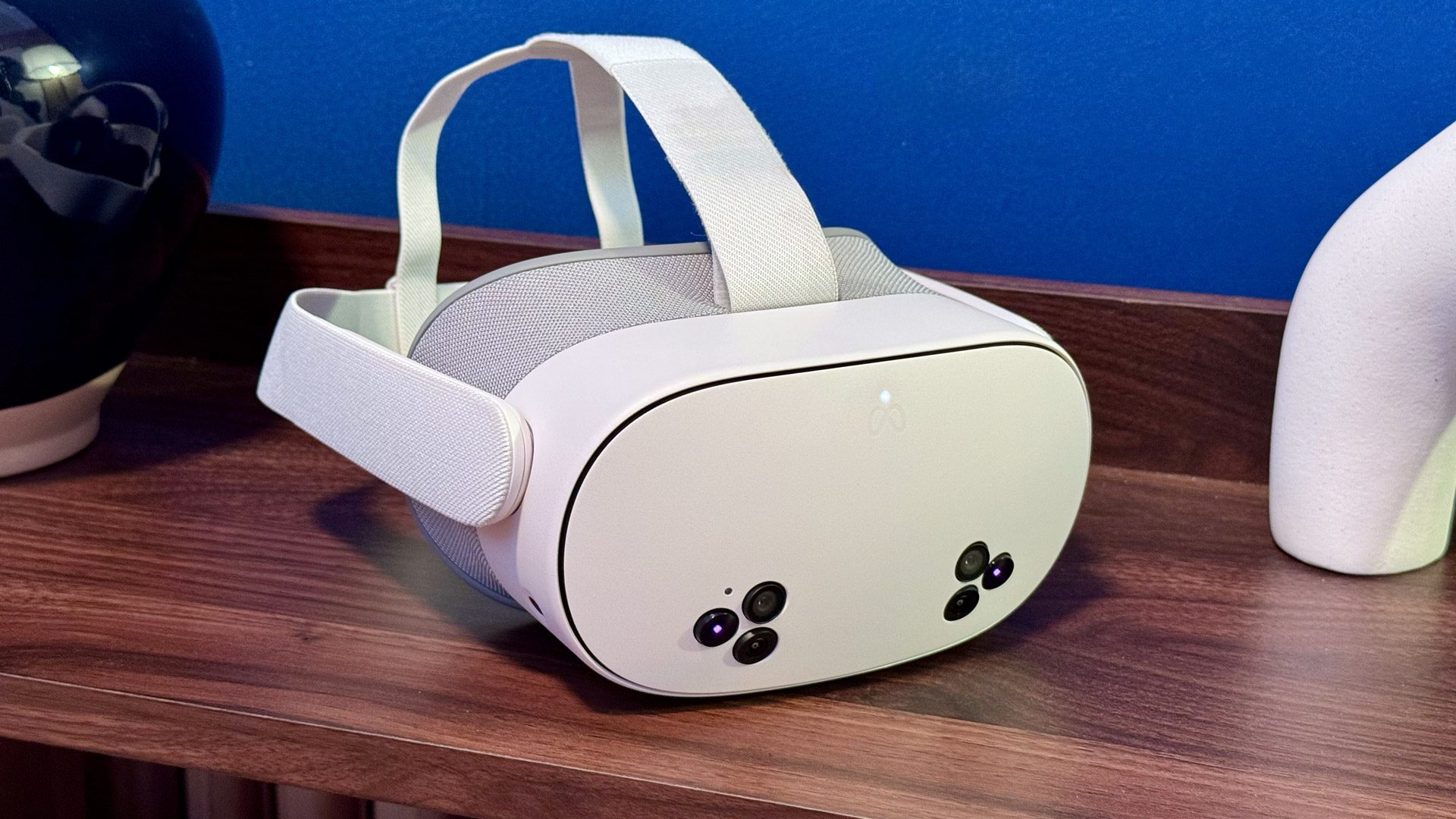
Quest 3S | Photo by Road to VR
At last year’s Connect, Meta revealed the October launch date of Quest 3S, the company’s latest mixed reality headset starting at $300. While we’re not expecting another Quest headset to launch this year, one thing we didn’t hear about at Connect 2024 was just when the rash of third-party headsets running Horizon OS will release, slated to arrive from Asus and Lenovo, in addition to an Xbox-flavored version of Quest.
Granted, it’s a seven-month wait until Connect 2025 kicks off, so it’s possible we could hear about those headsets sooner rather than later. Still, it’s a good bet Meta will put Horizon OS in the spotlight as it seeks to compete with Google’s forthcoming Android XR.
To boot, in January serial leaker ‘Luna‘ reported Asus may be the first out of the gate with a Horizon OS headset, which is reported to include eye-tracking, face-tracking, and displays which could either be quantum dot LCD with local dimming or micro-OLED, Luna reports.
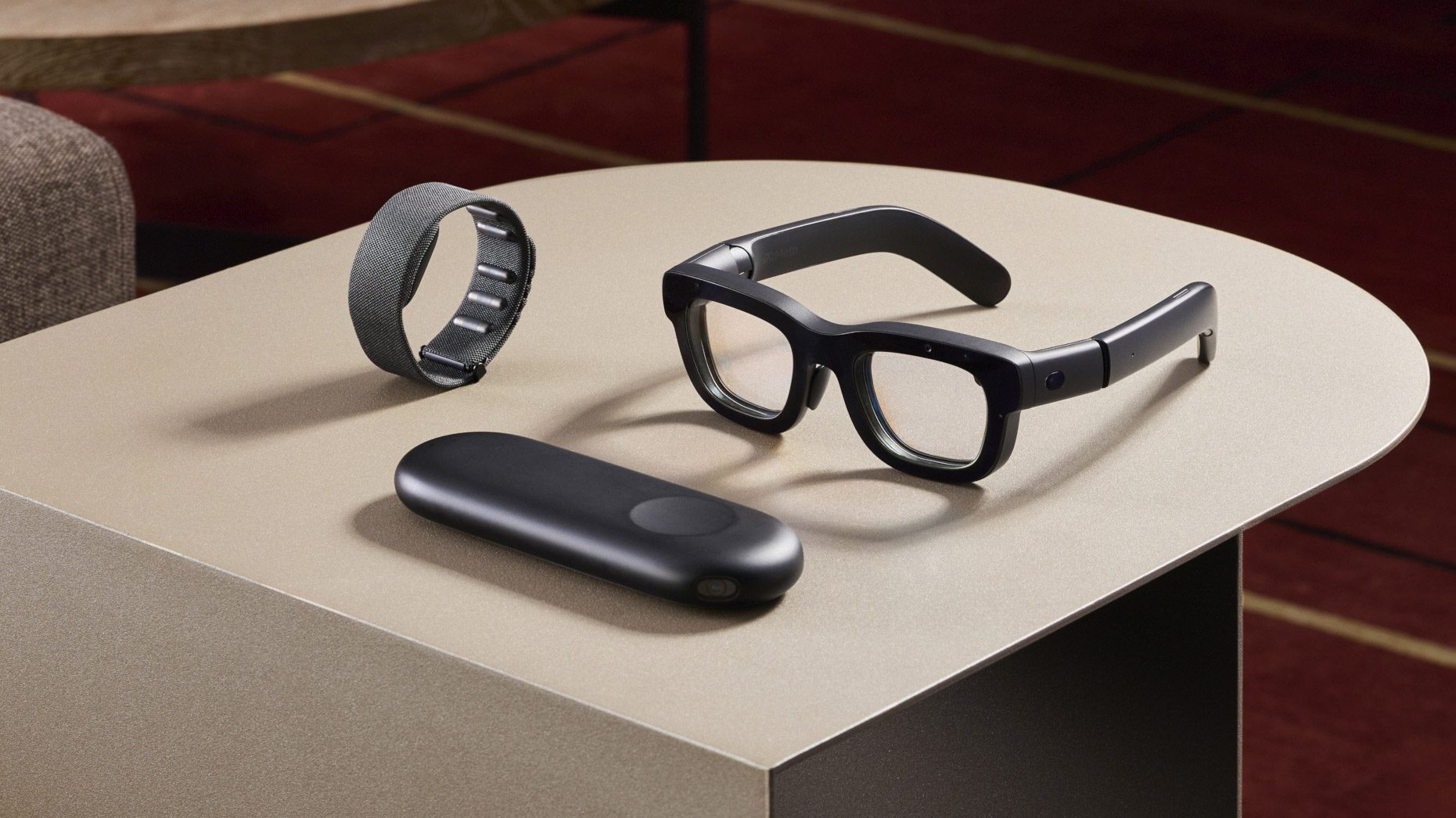
Meta’s Orion AR Glasses Prototype | Image courtesy Meta
At Connect 2024, Meta also unveiled Orion, an internal AR glasses prototype that packs a laundry list of features, which notably may not make their way to a consumer pair of Meta AR glasses for some time—coming at least before 2030, Meta CTO Andrew Bosworth says. As the race to release an all-day pair of AR glasses heats up, we’re of course hoping to hear more at Connect 2025.
Ray-Ban Meta smart glasses are also another area of growing interest. Last year the company brought AI tools for reminders and the ability to scan QR codes and phone numbers using voice commands. The gen 2 version of Ray-Ban Meta released in October 2023, so it stands to reason the companies are looking to launch a new generation to capitalize on the thus far successful segment.
Notably, a recent Bloomberg report maintained we may see an expansion this year. Essilor Luxottica is reportedly working with Meta to create a sportier model in addition to a high-end model with a built-in display.
And although you might expect Connect to be all about AI this year, the company seems to be offloading this to a separate developer conference, called LlamaCon, kicking off on April 29th, which will be dedicated to its family of generative AI models.
That said, it’s a long leadup to Connect 2025. Meta typically confirms the actual dates in the summer, making this the earliest the company has ever announced the dev conference. Maybe there’s something bigger on the horizon? Whatever the case, we’ll be keeping our eyes on the Meta developer blog and the Meta Connect website to glean what’s next.
One of the most logical paths forward for the Servo web browser engine is making it compelling for embedding within applications as an alternative to the Chromium Embedded Framework (CEF), WebKitGTK, and other browser engines. Servo developers recently realized though it’s around 200 lines of Rust code to embed Servo compared to around 50 lines of C code if targeting WebKitGTK… So improvements are being made to the Servo embedding API…
Code Club is more than just a place to learn coding — it’s a thriving global community where young minds discover, create, and grow with technology. With a refreshed look and ambitious goals for 2025, Code Club is set to connect an even larger network of mentors and reach millions more young people worldwide.
Code Club at RPF HQ, Cambridge
Since it was founded in the UK in 2012, Code Club has grown into a global movement, inspiring over two million young people to build apps, games, animations, websites, and more. Supported by the Raspberry Pi Foundation, Code Club provides free training and resources to mentors, ensuring creators achieve meaningful and lasting skills. Our vision for the next decade? To empower ten million more young people to have confidence in their coding.
A proven impact
A recent independent evaluation by the Durham University Evidence Centre for Education (DECE) confirmed what we’ve always believed: Code Club makes a real difference. Young people who attend gain valuable coding skills, grow in confidence, develop a strong interest in technology, and find a sense of belonging in the digital world.
Mentor Rajan at his Code Club in India
The power of mentorship
At the heart of Code Club are passionate volunteers who bring coding to life. Whether it’s the thrill of overcoming a challenge or the excitement of seeing an idea come to life on screen, mentors make a lasting impact while learning coding skills alongside their club’s creators.
Bob Bilsland, a dedicated volunteer since 2012, runs one of the world’s longest-running Code Clubs at Malvern CofE Primary School, Worcestershire, England. His motivation?
“What brings me back week after week is the sharing of what I enjoy doing. It’s so much fun to help others explore this space themselves, to see what they can personally create. I see that giving others the opportunity to explore and familiarise themselves with computing as something that could open up a world of possibilities for them in the future.”
For Yang, a mentor at the EY office clubs, representation in tech is key:
“If there are some female role models, I think for a little girl growing up, that means so much. Because if they can see somebody thrive in this industry, they will see themselves there one day. And that’s the inspiration.”
Mentor Yang at her Code Club in London
Across the world, volunteers like Nadia in Iraq and Solomon in The Gambia are using Code Club to bridge the digital divide, create opportunities, and empower communities.
“[Code Club] added to my skills. And at the same time, I was able to share my expertise with the young children and to learn from them as well.” – Nadia Al-Aboody, Iraq.
“We strongly believe in the transformative power of digital skills and their potential to create opportunities for young people. Witnessing the lack of access to computer knowledge among high school graduates in The Gambia and other sub-Saharan African countries inspired us to take action. By bridging the digital skills gap, we aim to empower young individuals to thrive in the 21st century.” – Solomon, Gambia
A community that inspires
Code Club isn’t just loved by mentors; it’s so important to the young people who participate.
Eoghan, a young creator from Ireland, values the collaboration and support he receives:
“It’s really fun to meet and talk about ideas with other creators, and the mentors are very helpful in fixing any coding problems.”
Mentor Jayantika at her Code Club in Pune, India
Jayantika, a 15-year-old from rural Pune, India, started as a creator and is now a peer mentor. For her, Code Club is about giving back:
“I believe coding opens doors and helps young children express their creativity. By mentoring, I hope to prepare them for a future that is increasingly driven by AI and technology.”
Join the movement
Along with the incredible community, Code Club is supported by sponsors and funders who share our mission. We would like to extend a thank you to Cognizant, who have committed their support to the Code Club mission in the UK and Ireland for 2025.
Mentors gathering at Clubs Con 2024
Code Club is more than just learning to code; it’s about creating opportunities, encouraging confidence, and building a global network of digital creators. Whether you’re a mentor, educator, or young digital maker, there’s a place for you in our community. Start your Code Club journey today and join a global community of digital creators.
Yesterday a number of Windows reviews began appearing for the AMD Ryzen AI Max+ PRO 395 “Strix Halo” with the debut of the ASUS ROG Flow Z13 as the first laptop to ship this SoC with 16 cores / 32 threads, 64 MB L3 cache, and 40 graphics cores with the Radeon 8060S Graphics. As expected, AMD Strix Halo is a beast with its very capable CPU performance and very compelling integrated graphics, at least under Windows 11…
Intel software engineers on Tuesday released oneDNN 3.7 as the newest version of this oneAPI Deep Neural Network Library that is in turn used by software like ONNX, MATLAB, PaddlePaddle, Apache MXNet, and others as part of the building blocks for deep learning software…
Germany’s Sovereign Tech Agency (née Sovereign Tech Fund) announced they have begun investing into the Eclipse Foundation and the work they are doing on open-source integrated development environment (IDE) software…
Our first look at the default desktop for Fedora 42 and Ubuntu ‘Plucky Puffin’. The next version of the default desktop for most of the big Linux distros is in beta. Here’s what to expect next month, or soon thereafter.
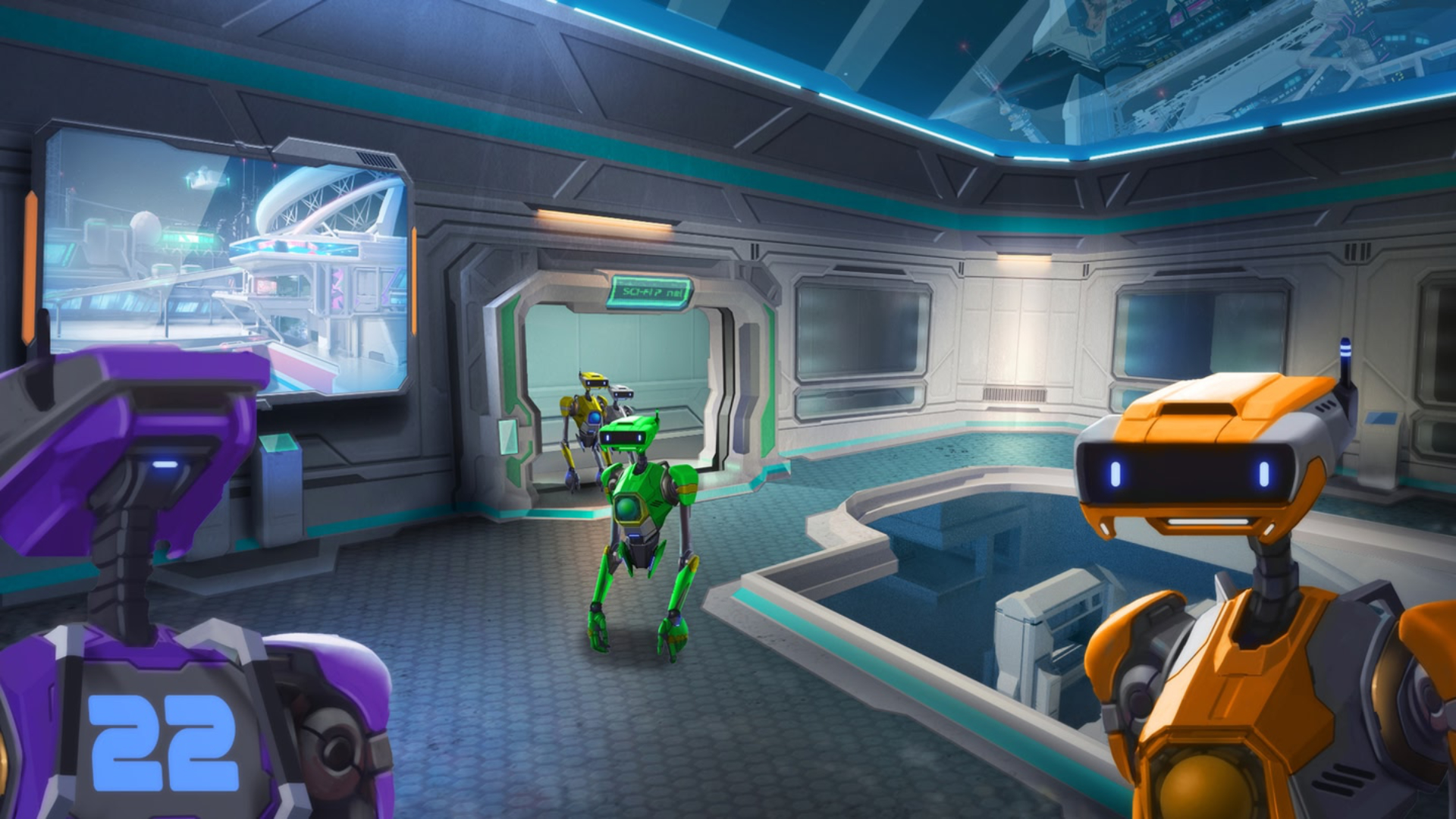
Another Axiom announced that Orion Drift, its follow-up to hit VR game Gorilla Tag, is set to launch in early access next week, coming to Quest 2 and above.
Orion Drift has been in closed early access since late last year, letting up to 200 players take on an activity-packed social VR space while blasting around and playing various mini-games with its Gorilla Tag-style immersive movement mechanic.
The star of the show is undoubtedly ‘Drift Ball’, which feels a bit like a low-gravity version of handball, albiet played in a massive multi-level arena chock-full of energy boosts and action inspired by now-defunct sports game Echo VR.
Beyond Drift Ball, Orion Drift‘s massive space station also features various districts, including a parkour district for some Gorilla Tag-style climbing, a number of practice arenas to hone your Drift Ball skills, mini-games inspired by golf and basketball, and lounges to watch ongoing matches across multiple arenas.
And best of all: like its breakout hit Gorilla Tag, Orion Drift is free, or rather, it will be free to all owners of Quest 2 and above when open early access comes on February 25th.
You can already grab Orion Drift on the Horizon Store, although servers will remain in closed beta until February 23rd. Before opening its doors to everyone, Orion Drift will also be hosting an invitational tournament, taking place on February 24th.
The biggest question on our minds is whether Orion Drift will be able to live up to the hype of Gorilla Tag, which managed to generate over $100 million in revenue. Another interesting stat: 1 in 3 Quest owners have downloaded Gorilla Tag, making it far and away the most successful to date on standalone VR headsets.
If you’re still relying on your laptop’s built-in webcam, or your desktop PC doesn’t have one, it might be time for an upgrade. Whether you’re a remote worker hopping on video calls, a content creator who needs crisp footage or a gamer looking to upgrade your streaming setup, the right webcam can make all the difference. A good webcam doesn’t just improve image quality — it can also offer better low-light performance and smoother frame rates, while some even have built-in microphones or AI-powered features to keep you looking sharp. We’ve rounded up the best webcams for every type of user, whether you need a professional setup for Zoom calls or a high-resolution camera for streaming on Twitch.
While some newer computers have 1080p webcams, most built-in cameras have a resolution of 720p, so you’ll want to look for an external webcam that has a higher resolution. FHD webcams will give you better video quality; ideally, you’re looking for something that can handle 1080p at 60fps or 30fps. If you’re considering a cheap 720p webcam, make sure to get one that supports at least 30fps (most will) or, even better, 60fps. However, if your primary concern is better picture quality during video calls, 1080p is the way to go.
Some webcams can shoot in 4K, but that’s overkill for most people. Not to mention most video conferencing services like Zoom, Google Meet and Skype don’t even support 4K video. When it comes to streaming, Twitch maxes out at 1080p video, but YouTube added 4K live streaming back in 2016. Ultimately, with 4K webcam shots having such limited use, most people can get by with a solid 1080p camera.
Field of view (FOV) controls how much can fit in the frame when you’re recording. Most webcams I tested had a default field of view of around 78 degrees, which captured me and enough of my background to prove that I really need to organize my home office. On cheaper webcams you’ll usually see narrower fields of view (around 60 degrees), and those aren’t necessarily bad. They won’t show as much of your background, but that also means you won’t be able to squeeze as many friends or family members into frame when you’re having Zoom birthday parties. On the flip side, more expensive webcams may let you adjust the field of view to be even wider than average, and some even offer features like digital zoom.
Autofocus and other “auto” features
Webcams with autofocus will keep the image quality sharp without much work on your part. You should be able to move around, step back and forth, and remain in focus the whole time. Some standalone webcam models let you manually adjust focus, too, if you have specific needs. Devices with fixed focus are less convenient, but they tend to be more affordable.
In the same vein is auto framing, a feature that some high-end webcams now offer. Similarly to Apple’s Center Stage feature, the camera automatically adjusts to keep you in the center of the frame even as you move around. This used to be a feature only available on the most premium webcams, but now you can find it on sub-$200 devices.
You’ll also see other “auto” features listed in webcam specs, most notably auto light correction. This will adjust the camera’s settings to make up for a dimly lit room. If you don’t have bright lights, or often take calls in places where you can’t control the lighting, this feature will be valuable. Alternatively, you might consider using your mirrorless camera as a high-quality webcam solution, taking all of the benefits and features with you (albeit in a cumbersome package).
Microphones
Most webcams have built-in microphones that, depending on your setup, might end up being closer to you than your computer’s own mics. Check to see if the model you’re considering has mono or stereo mics, as the latter is better. Some even use noise-reduction technology to keep your voice loud and clear. While audiophiles and streamers will want to invest in a standalone microphone, most others can get by using a webcam’s built-in mic.
Design
There aren’t a ton of fascinating breakthroughs when it comes to external webcam design. Most are round or rectangular devices that clip onto a monitor or your laptop screen. Some have the ability to swivel or screw onto a tripod stand and others can simply sit on your desk beside your computer. But unless you really like having people stare up your nose, the latter isn’t ideal. We recommend clipping your webcam to your monitor and ensuring that it’s at or slightly above eye level.
A few webcams go above and beyond by adding hardware extras like built-in lights and lens covers, too. The former can help you stand out in a dark room, while the latter makes it so hackers can’t view you through your webcam without your knowledge.
Price
Most external webcams that are just good enough to be a step up from your computer’s built-in camera cost between $60 and $150. If the webcam has the same resolution as the internal one on your laptop, you should look out for other specs like auto light correction, a wider field of view or an extra-long connecting cable that can provide a step-up in quality or ease of use.
Spending $150 or more means you might get advanced features that tend to be present in a pro webcam like 4K resolution, vertical and horizontal recording options, stereo mics, customizable video settings and more. But unless you’re spending hours on video calls each day or streaming multiple times each week, you can settle on a budget webcam and safely skip most of those high-end options.
How we test webcams
We primarily test webcams by putting them through as much real-world use as possible. We examine their design, how flexible they are and how easy they are to reposition, and make note of how heavy they are and if that affects their ability to stay put while sitting on top of a screen. We use each webcam for at least a week straight as our primary camera for all video chats, and we make sure to use the device in different lighting environments to test low-light performance. We also use any built-in microphones as our primary audio inputs on video calls as well. Finally, although most of these webcams are plug-and-play, we test out any proprietary software that’s intended to work with each webcam, tweaking things like field of view, video resolution and effects, and using any special features like Show Mode on Logitech webcams.
Others webcams we tested
Logitech C920s Pro HD
Our previous top pick, the Logitech C920s Pro HD webcam remains a solid option for those with less than $100 to spend and really only need a basic 1080p camera to upgrade their setup, or something affordable to make them look better on those inevitable Zoom calls. It has a 78-degree field of view, decent microphones and handy privacy shutter built in. The Brio 500 took the top spot away from this model thanks to its advanced light correction, auto-framing and Show Mode.
This article originally appeared on Engadget at https://www.engadget.com/computing/accessories/best-webcams-123047068.html?src=rss
Microsoft is reminding IT administrators that WSUS driver synchronization will be deprecated on April 18, 2025, urging them to transition to cloud-based update solutions like Windows Autopatch, Azure Update Manager, and Microsoft Intune. “For on-premises contexts, drivers will be available on the Microsoft Update catalog, but you won’t be able to import them into WSUS,” the company said in a Windows message center update on Tuesday. “You’ll need to use any of the available alternative solutions, such as Device Driver Packages, or transition to cloud-based driver services for your organization, such as Microsoft Intune and Windows Autopatch.” BleepingComputer reports: This reminder follows two other warnings issued since June 2024, announcing the deprecation of WSUS driver synchronization and encouraging customers to adopt Redmond’s newer cloud-based driver services. The company also revealed in September 2024 that WSUS had been deprecated, but Microsoft added that it plans to keep publishing updates through the channel and maintain all existing capabilities. This announcement came after WSUS was listed on August 13 as one of the “features removed or no longer developed starting with Windows Server 2025.”
“Specifically, this means that we are no longer investing in new capabilities, nor are we accepting new feature requests for WSUS,” Microsoft’s Nir Froimovici said at the time. “However, we are preserving current functionality and will continue to publish updates through the WSUS channel. We will also support any content already published through the WSUS channel.”