Chegg sues Google, explores sale after AI search summaries hit revenues

Chegg is suing Google parent Alphabet over claims the search engine’s artificial intelligence summary tool has hit its revenues, leading the US-listed educational technology group to weigh up a sale of the business.

California-based Chegg, which provides study tools for students, filed the complaint on Monday claiming that Google AI Overviews, which presents users with summary answers to their queries, serves to keep users on Google’s own site.

Chief executive Nathan Schultz said the search giant’s AI search changes had “unjustly retained traffic that has historically come to Chegg, impacting our acquisitions, revenue and employees.”

Read full article

Comments

Indonesia might lift its iPhone ban for $1 billion

The iPhone 16 might just finally be coming to Indonesia. The island nation has reached an agreement with Apple to lift the country’s ban on iPhone 16 sales, Bloomberg reports, citing familiar sources. Apple must invest $1 billion in Indonesia and train locals in the company’s research and development to create their own products.

Indonesia banned the iPhone 16 in October, following Apple’s failure to meet its 1.71 trillion rupiah ($109 million) local infrastructure investment by about $15 million. Since then, Apple has pledged more and more money to overturn it. First, the company offered $10 million, before raising it to $100 million. By December, Indonesia’s investment minister, Rosan Roeslani, reported Apple had increased that number to the current sum of $1 billion. 

Yet, the government continued to push, rejecting the $1 billion and pushing for further benefits, such as the addition of R&D training. Apple would also create a plant on Batam to make AirTags, eventually equating to 20 percent of the world’s production. Indonesia’s industry minister, Agus Gumiwang Kartasasmita, also recently announced that Apple paid a $10 million debt it owed for violations between 2020 to 2023.

Despite the reported agreement, nothing is certain until the phones start being sold. However, Indonesia has made an impressive push from a payment deficit to an extra $1 billion and training. 

This article originally appeared on Engadget at https://www.engadget.com/big-tech/indonesia-might-lift-its-iphone-ban-for-1-billion-150050471.html?src=rss

Seven Clever Ways You Should Be Using Your Smart Lights

We may earn a commission from links on this page.

Smart lights were there at the beginning of the smart home tech revolution, and over the years, these clever bulbs and LED strips have gradually evolved to offer more by way of both features and form factors—so much so that you might not be aware of everything you can do with smart lights, even if you’ve been using them for years.

If your own smart light setup is mostly limited to switching your bedside lamp off with a voice command, controlling them remotely from your phone, or perhaps changing up the colors or adding an automation or two, then you’re not taking advantage of everything these lights can do for you. These are some of the best smart light tricks you can try.

Sync your lights with your TV

Having your smart lights change color and flash in time to action happening on your television can really add to the experience of watching movies and shows—and a number of smart light manufacturers now offer the necessary kit and apps to easily make this happen.

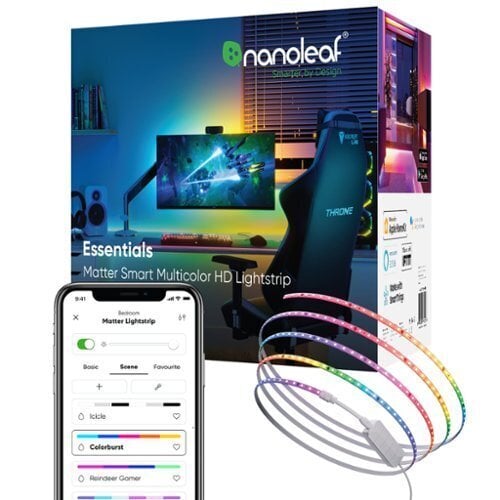
For Philips Hue lights, for example, you need either a syncing box or a native app, depending on your TV model. It’s also something you can do with Nanoleaf lights, via a system called Screen Mirror that uses a small camera to see what’s on your television.

Set up random schedules

One of the ways that smart lights can be useful when you’re away from home is giving potential robbers the idea that you haven’t gone away at all. You can almost always control your smart lights remotely, as long as your home wifi is still running.

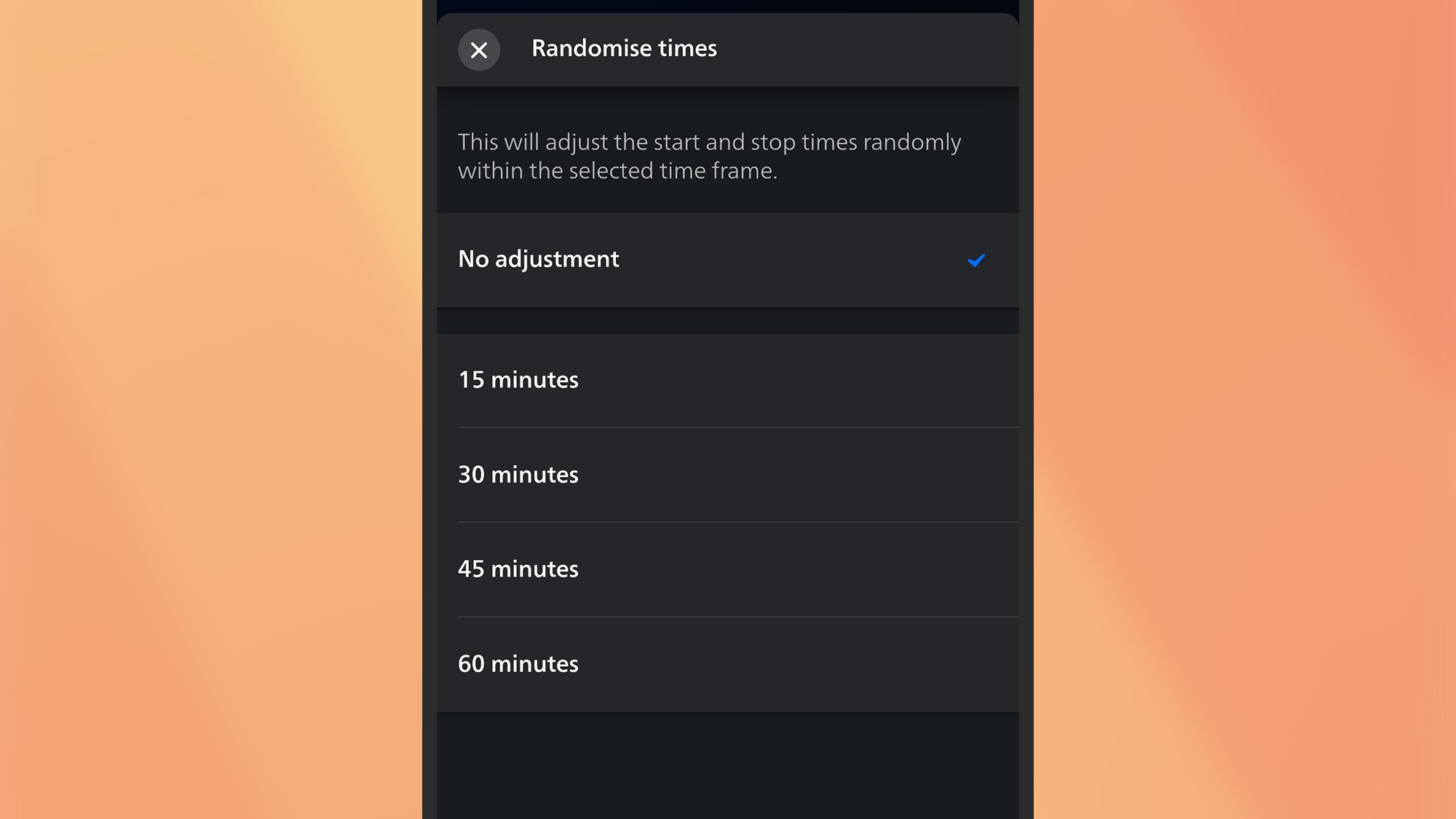
If you don’t want to have to remember to turn your lights on at home every evening while you’re at the beach or in the mountains, Philips Hue has a randomize timings setting available when you set up an automation, which will automatically vary when the lights turn on each day.

Philips Hue app
You can randomize timings in the Philips Hue app.
Credit: Lifehacker

Get notifications via your lights

Add some third-party services to the mix and the list of possibilities grows even more. IFTTT (If This Then That), for example, can set up routines based on specific triggers that lead to specific actions—and smart light brands including Philips Hue and Lifx support the protocol.

Because IFTTT can plug into a variety of social media, mobile, and app systems, you can have events on these platforms trigger a flash or a change in color for your lights. One idea would be to turn a desk lamp blue when the weather forecast is predicting rain.

Group your lights into scenes

You can do even more with your smart lights by grouping them together and setting specific scenes you can switch between. Most platforms let you do this fairly easily, so all the lights in a certain room can be managed together, and changed over time.

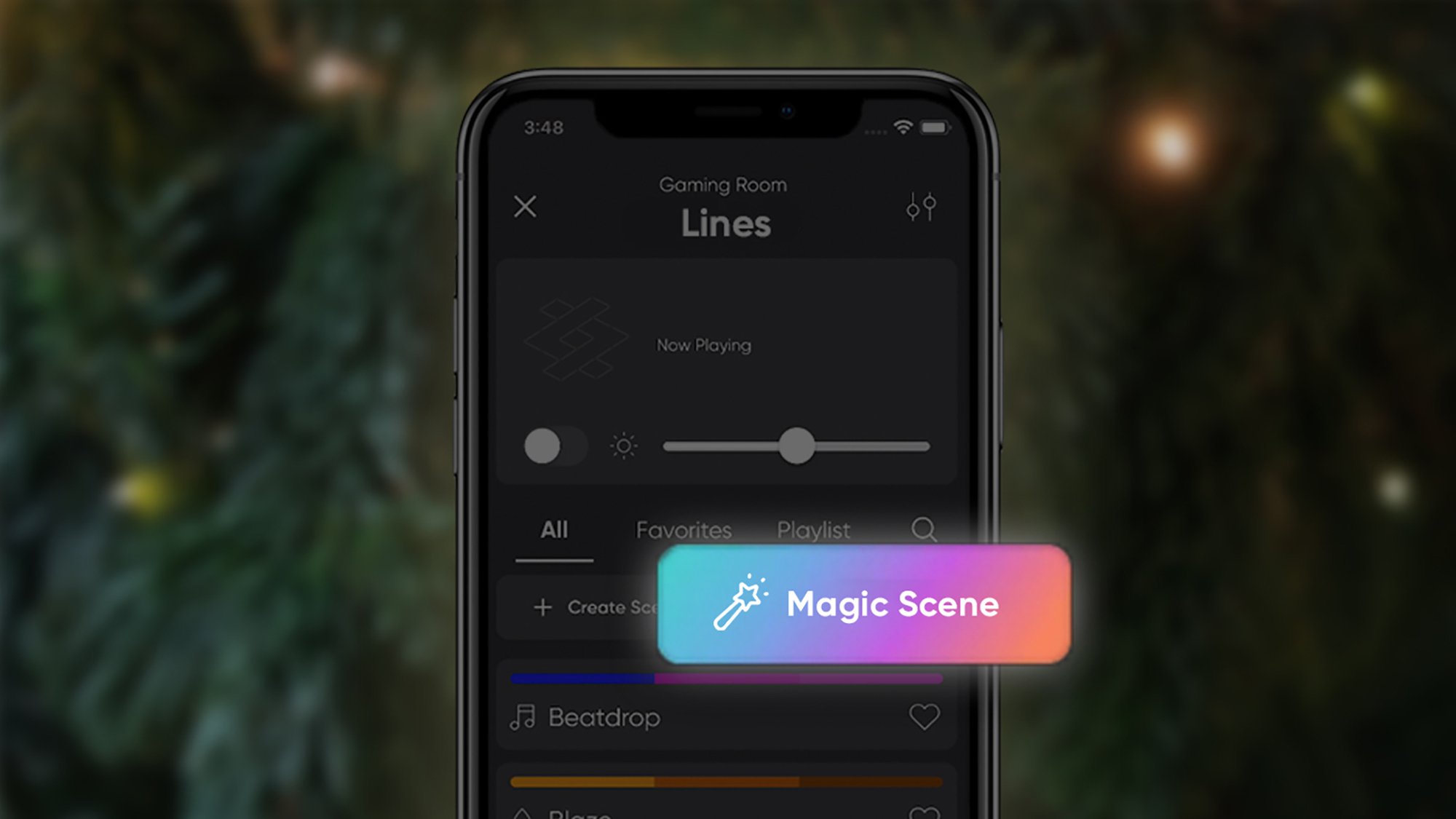
You could set up scenes for early morning or late at night, for example, or for movie nights or for studying—the Nanoleaf app can even creates scenes for you based on a keyword or two. Check inside your smart light companion app to see what you’ve got available, or explore your customization options.

Wake up with a “sunrise”

Ease yourself more gently into the day by having your smart lights turn on gradually in the mornings, mimicking an actual sunrise. You could even use this trick to replace your alarm clock.

This works for a wide variety of smart lights, and some can even sync the feature to your local sunrise times. You can use this with any smart light connected to Google Home, for example, by saying “hey Google, wake my lights at…” and adding a time to Google Assistant.

Nanoleaf Magic Scenes
The Nanoleaf app can create Magic Scenes for you.
Credit: Nanoleaf

Add a motion sensor

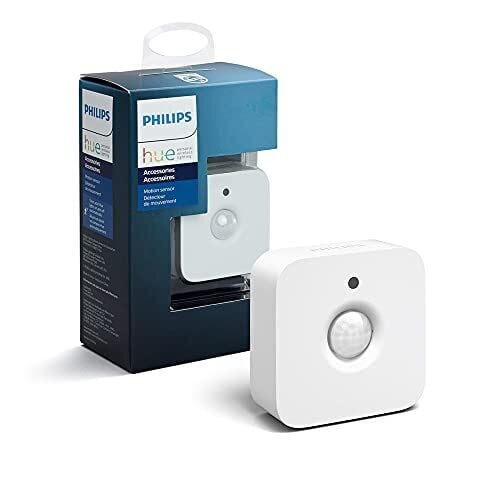
Combine a compatible smart motion sensor with your smart lights and you don’t even need to go to the trouble of tapping on your phone or speaking out a voice command to activate your smart lights—they’ll come on as soon as there’s movement in a room.

A few smart light platforms offer this functionality, including Philips Hue. You’re able to set the brightness of the lights—so you’re not suddenly dazzled as you stumble to the bathroom, for example—and you can have the lights turn off after a certain time as well.

Set up automated routines

Your smart lights are even more useful when you combine them with other devices. For example, you can set the lights to dim as a chill out mix begins to play on your smart speaker at a certain time of night. Or you can set your lights and smart thermostat to all turn off together when you leave the house.

These tricks are known as routines or automations, and you can set them up in Google Home (via the Automations tab), in the Amazon Alexa app (via More > Routines), and in other smart home hub platforms (including Samsung SmartThings and Apple Homekit).

US employee screening firm DISA hit with data breach affecting over 3.3 million people

US-based employee screening services provider DISA Global Solutions said it was breached by hackers, putting the personally identifiable information of 3.3 million people at risk.

While DISA informed Maine’s attorney general of the data breach yesterday (thanks, TechCrunch) and reported the hack to Massachusetts’s Office of Consumer Affairs and Business Regulation earlier on February 22, the attack began over a year ago, on February 9, 2024. The unidentified hacker accessed DISA’s network for two months before the company noticed on April 22, 2024. However, there’s allegedly “no evidence of actual or attempted misuse” of personal information.

In a sample notification letter sent to those affected by the hack, DISA claimed it “could not definitively conclude the specific data procured” even after an investigation with third-party assistance. However, the Massachusetts filing listed what the attackers accessed: Social Security numbers, financial accounts, driver’s licenses and credit and debit numbers. DISA didn’t share other details on the attack.

DISA serves over 55,000 customers, including 30 percent of Fortune 500 companies. The company offers drug, alcohol and background checks. This allows it to collect sensitive information, making it a prime target for cybercriminals.

It’s unknown why DISA took almost a year to notify anyone, especially when employee screening is a highly sensitive industry. Those affected can enroll for 12 months of credit monitoring and identity restoration services, a common act of apology companies often take after a cybersecurity incident.

This article originally appeared on Engadget at https://www.engadget.com/cybersecurity/us-employee-screening-firm-disa-hit-with-data-breach-affecting-over-33-million-people-145658681.html?src=rss

Gigabyte Radeon RX 9070 XT Spotted Easily Boosting To 3.25GHz Ahead Of Launch

Gigabyte Radeon RX 9070 XT Spotted Easily Boosting To 3.25GHz Ahead Of Launch
AMD’s Radeon RX 9070 XT is going to be officially announced on February 28th at 8 a.m EST time. It is slated for a release in early March, and we’re starting to see some more potential leaks as to what to expect with its first consumer-facing RDNA 4 hardware. According to X user @GawroskiT, a custom Gigabyte Radeon RX 9070 XT Gaming OC is

Beats Powerbeats Pro 2 Review: Feature-Rich For iPhone, Not Android

Beats Powerbeats Pro 2 Review: Feature-Rich For iPhone, Not Android
Beats Powerbeats Pro 2: MSRP $249 Beats has made the Powerbeats Pro 2 much more competitive with current high-end wireless earbuds, but there are some serious caveats.. Clean and balanced sound Solid ANC and Transparency modes Better fit and comfort over originals Hands-free access with both Siri and Google Assistant Built-in heart rate…

Apple Executive Voiced Concerns Over App Store External Payment Fees

Apple Fellow Phil Schiller testified in court Monday that he initially objected to the company’s plan to charge a 27% commission on purchases made outside the App Store, court documents showed. Schiller, who oversees the App Store, warned the fee would create an “antagonistic relationship” with developers and transform Apple into “some kind of a collection agency” that might need to audit developers for nonpayment.

“I had great concerns about the collections of funds from developers,” Schiller said, worrying about “how all of those things change the relationship between Apple and developers in a way I thought would be detrimental.” Despite these objections, a pricing committee including CEO Tim Cook ultimately approved the commission structure. The 27% fee resulted from the 2021 Epic Games ruling that required Apple to allow developers to link to external payment options, slightly lower than the standard 30% in-app purchase commission. Internal documents revealed Apple analyzed how a “less seamless experience” of web-based payments would affect transaction completion rates.

Read more of this story at Slashdot.

Apple’s Massive $500 Billion US Investment Includes A Texas AI Chip Plant

Apple's Massive $500 Billion US Investment Includes A Texas AI Chip Plant
Apple has announced plans to spend and invest more than $500 billion in the United States over the next four years, a commitment that came days after President Trump said the company was going to “build here because they don’t want to pay tariffs.” Part of Apple’s massive investment includes a new 250,000 square-foot manufacturing facility

DoorDash to settle New York lawsuit over misleading tipping practices by paying $17 million

DoorDash has reached an agreement with the New York Attorney General over an old practice wherein the company used customers’ tips to subsidize its drivers’ pay. As the office of New York AG Letitia James explained, its investigation had revealed that DoorDash wasn’t giving its drivers the tips customers sent them through the app from May 2017 through September 2019. Now, the company will pay $16.75 million in restitution that will be divided between 63,000 drivers. The Attorney General told The New York Times that a lot of drivers will receive payments in the low thousands, but some will get as much as $14,000. 

Within the two-year period mentioned above, the service promised Dashers a guaranteed pay for each delivery. When customers checked out an order, they saw a message that said: “Dashers will always receive 100 percent of the tip.” Most customers reading that would take it as their driver will get what they were tipping them on top of their payment. Instead, the service used their tips to cover the drivers’ guaranteed pay. If a customer tipped $6 for an order with a guaranteed payment of $10, for instance, DoorDash would only pay $4 out of its own pocket. That means the driver would still only get $10 instead of $16.

“DoorDash misled customers who generously tipped and deceived Dashers who deserved to be paid in full. This settlement returns millions to the pockets of hardworking Dashers and ensures transparency in DoorDash’s payment practices going forward,” James said in a statement. In 2020, DoorDash also settled a similar lawsuit in Washington, DC for $2.5 million. It settled another lawsuit of the same nature in Illinois last year for $11.25 million. 

The company ended its unfair tipping practices in 2019. In New York, app-based delivery companies are now required to pay their drivers a minimum wage that’s currently set to $19.56 per hour, not including the tips they get from customers. 

This article originally appeared on Engadget at https://www.engadget.com/apps/doordash-to-settle-new-york-lawsuit-over-misleading-tipping-practices-by-paying-17-million-143018965.html?src=rss

The Brane X Is a Portable (but Pricey) Smart Speaker With Incredible Bass

We may earn a commission from links on this page.

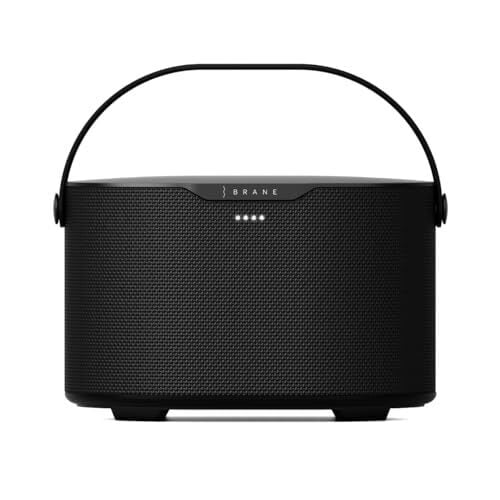
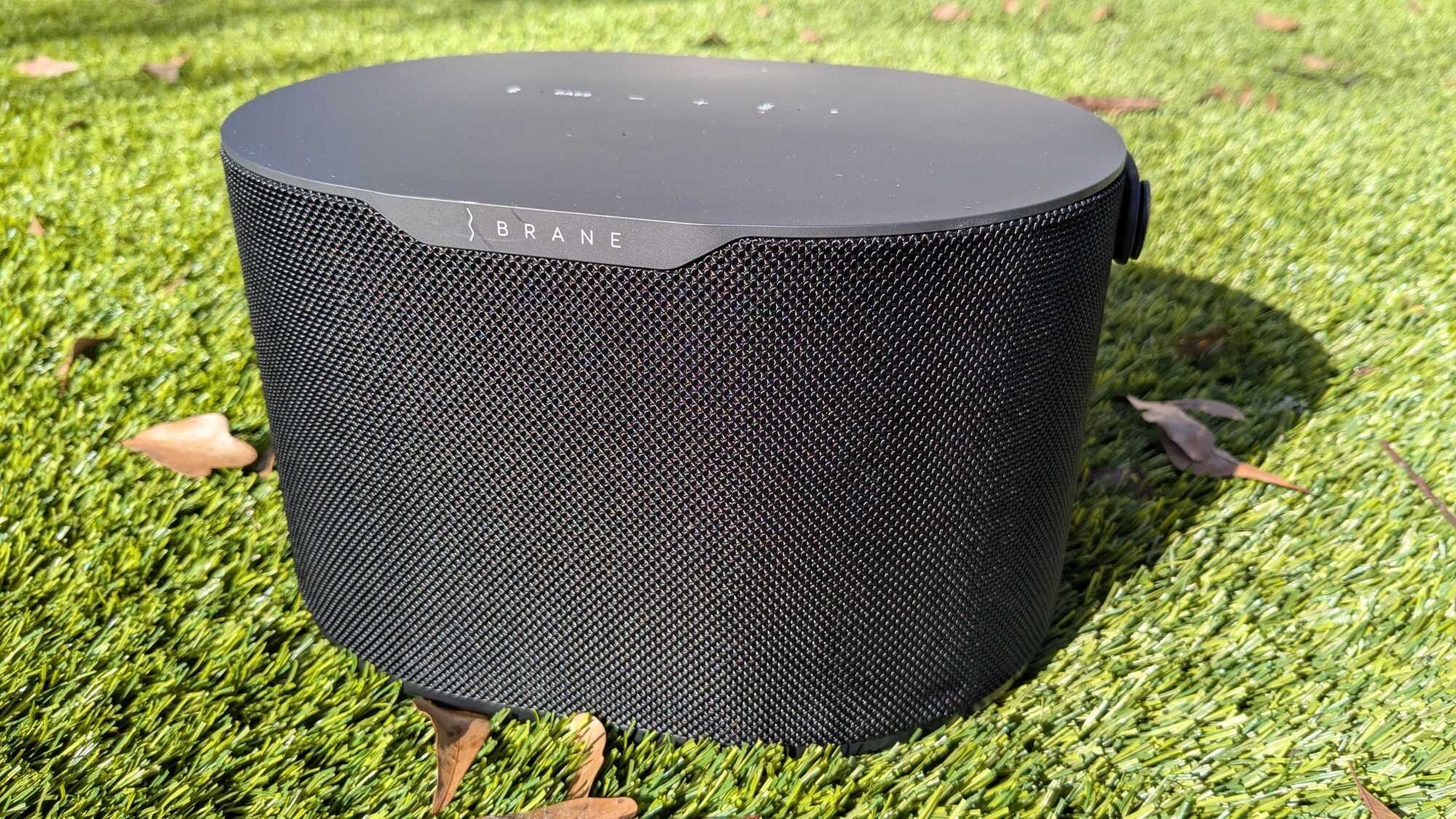
Before this review, I had never heard of Brane, but now, it’s all I want to hear when I play my music. The Brane X is many things, but cheap isn’t one of them. But for $499, you get a multi-use premium speaker that can handle itself underwater, has Alexa voice assistant, connects through wifi for better audio, has the best bass of any wifi speaker, and can be used as a soundbar and subwoofer combo. The Brane X is a great wifi speaker for someone who values bass, would like to take their speaker outdoors, and needs a soundbar and subwoofer combo for their home theater. However, it isn’t perfect and at its price, it competes with the best. The Sonos Move 2 is slightly cheaper, offers a replaceable battery with 24 hours of juice, and better treble and mids (but nowhere near the same range or bass power fo the Brane X).

Brane reached out to me to review the Brane X and sent me the speaker for my honest thoughts, which is exactly what you’ll get in this review.

Brane X speaker pros, cons, and specs

Pros

  • Best-in-class bass and sub-bass for smart speakers

  • Wifi streaming over Spotify and AirPlay 2

  • Compact and portable

  • Powerful 98dB stereo speaker

  • IP57 dust and waterproof

  • Doubles as a soundbar and subwoofer combo in one with an AUX connection

  • Companion app with EQ

Cons

  • Expensive

  • Upper registers sound compressed at max volume when using Bluetooth

  • No Chromecast support

  • No speakerphone function

  • Some features make a whirring noise

  • No USB-C charging (only DC)

Specs

  • Battery Life: About six hours of battery at a moderately high volume (about 12 hours at a moderate level, according to Brane).

  • Connectivity: Wifi supports 802.11a/b/g/n/ac standards, Bluetooth version 5.1, streaming services compatible with AirPlay 2, Spotify Connect, and Amazon Alexa.

  • Inputs: Auxiliary input 3.5 mm jack for wired connections.

  • App: Brane companion app for fine-tuning bass, customizing EQ settings, managing speaker groups, and adjusting various settings.

  • Drivers: One 6.5″ by 9″ Repel-Attract-Driver (RAD) subwoofer, two 2.5″ midrange drivers, two 0.75″ dome tweeters.

  • Power Output: Four Class-D digital amplifiers delivering a combined output of over 200 watts (98dB).

  • Water Resistance: Rated IP57, making it fully waterproof and dust-protected.

  • Size: 6.1 inches x 9.3 inches x 7 inches (H × W × D)

  • Weight: 7.7 lbs

First impressions of the Brane X speaker

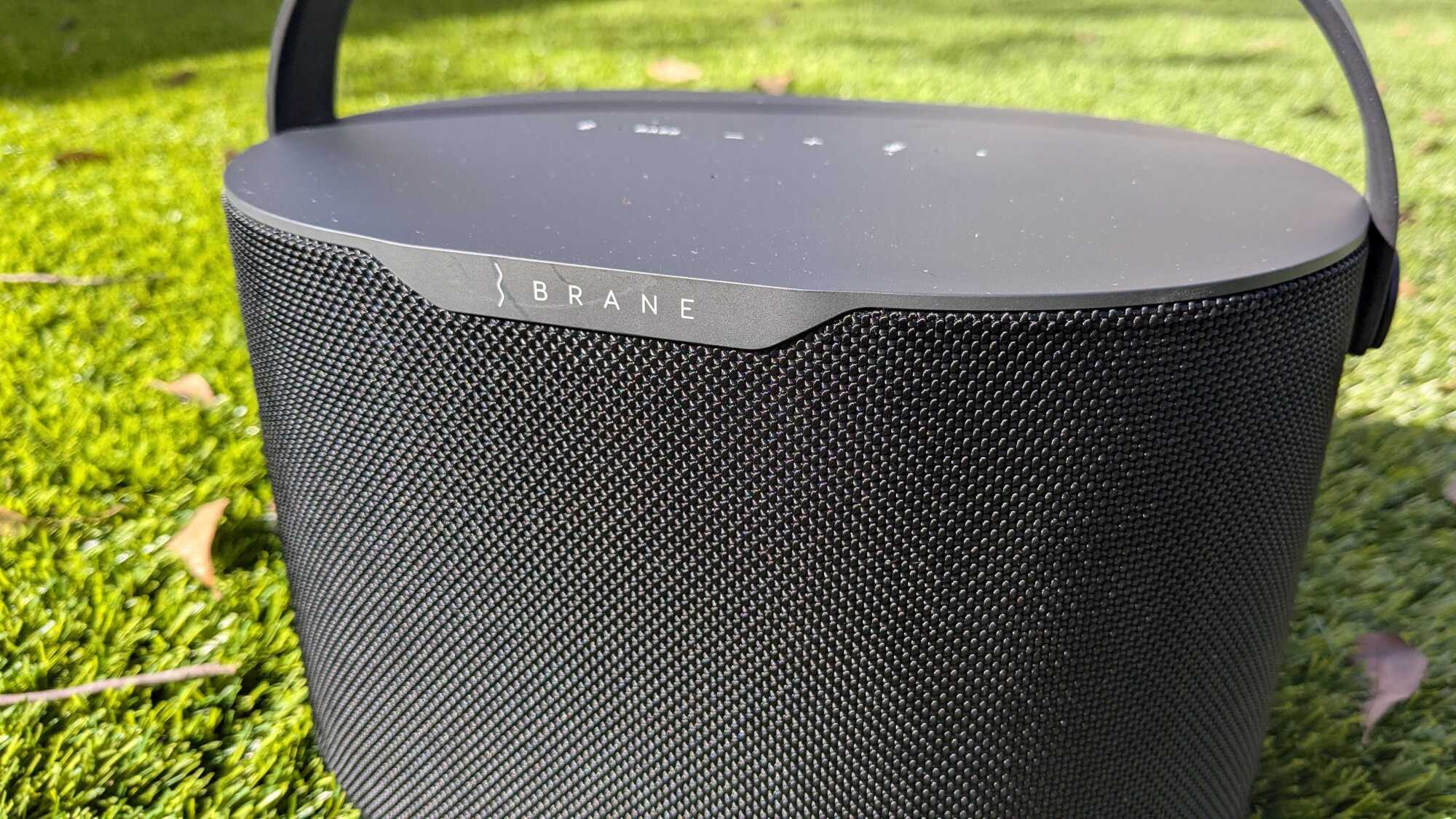
A close up of the Brane X.

Credit: Daniel Oropeza

I have to be honest: First impressions of the Brane X weren’t good. Turning it on wasn’t intuitive, since the power button doesn’t provide any feedback that I pressed it properly. The same can be said about the media controls on top, but I’ll get more into those details later. There is also a weird whirring sound that the speaker makes once you turn it on that made me think my speaker was defective (it goes away after a few seconds). The sound is actually an air pump equalizing the air pressure inside the speaker, which is a patent technology that Brane called Repel-Attract-Driver (RAD). RAD is what makes this speaker unique, giving it the best bass range output I’ve heard on any speaker. Try this frequency range test on your wifi or Bluetooth speaker and see how it performs. The Brane X didn’t just play through the whole range but vibrated my entire office with its powerful bass. And because of that, I’m willing to put up with the humming sound it makes when it’s turned on.

Design

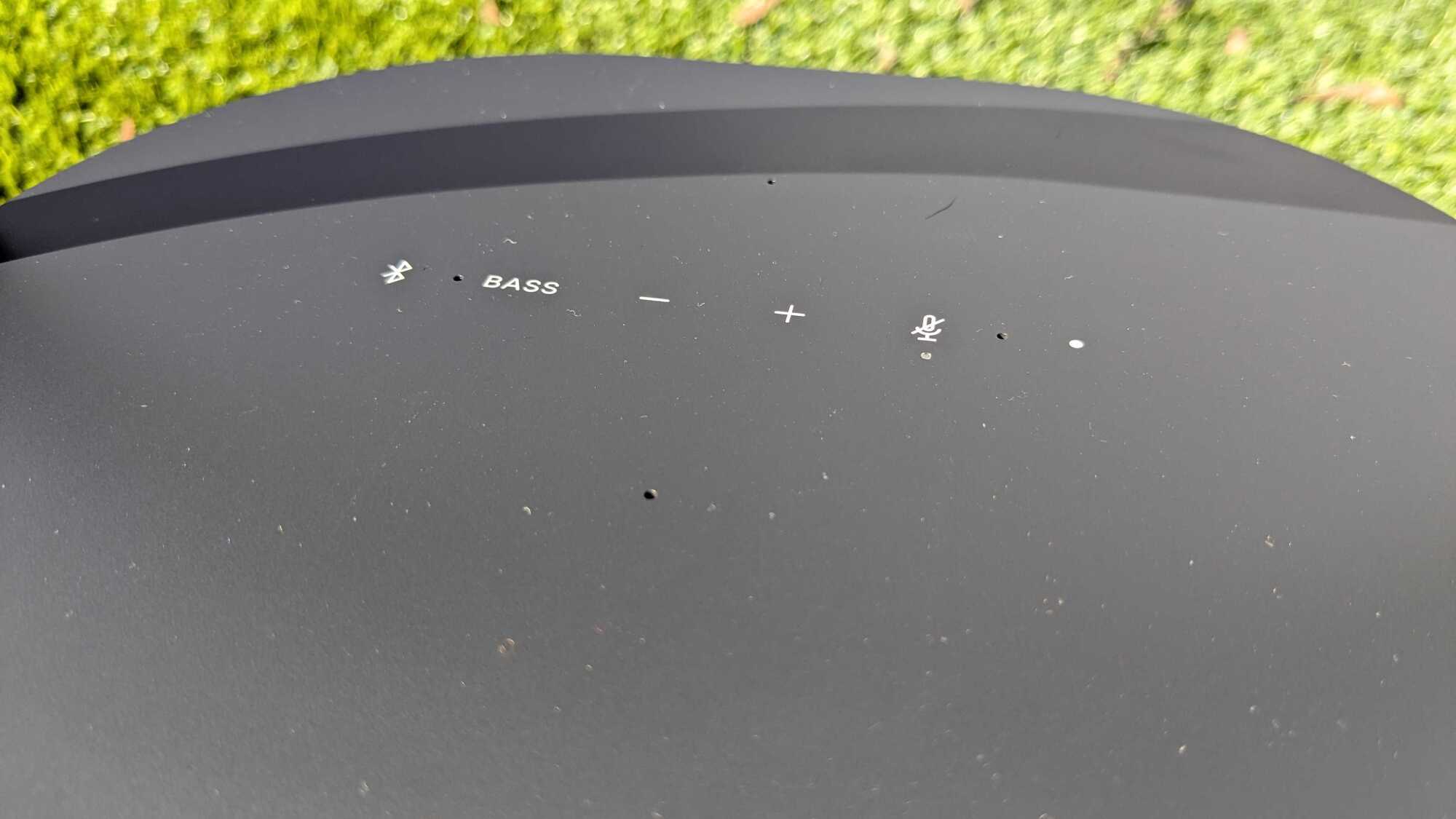
The touch controls on top of the Brane X.
The Brane X uses touch controls for media.
Credit: Daniel Oropeza

The design is, well, boring. All black is a safe option and with no color variations, it leaves me wanting to fill it with stickers to give it some personality. But that leads to my next issue: touch controls. To control the speaker you have a few options on top of the speaker, none of which provide haptic feedback. And since their touch controls, you don’t really know if your command when though unless you hear the speaker. There is also no play/pause button, so I can only control it with my phone (or Alexa if using it to play music).

Considering this is also an outdoor speaker with an IP57 rating that can be completely submerged underwater, physical buttons could’ve come in handy. The handle on the top is useful considering the speaker almost weighs eight pounds.

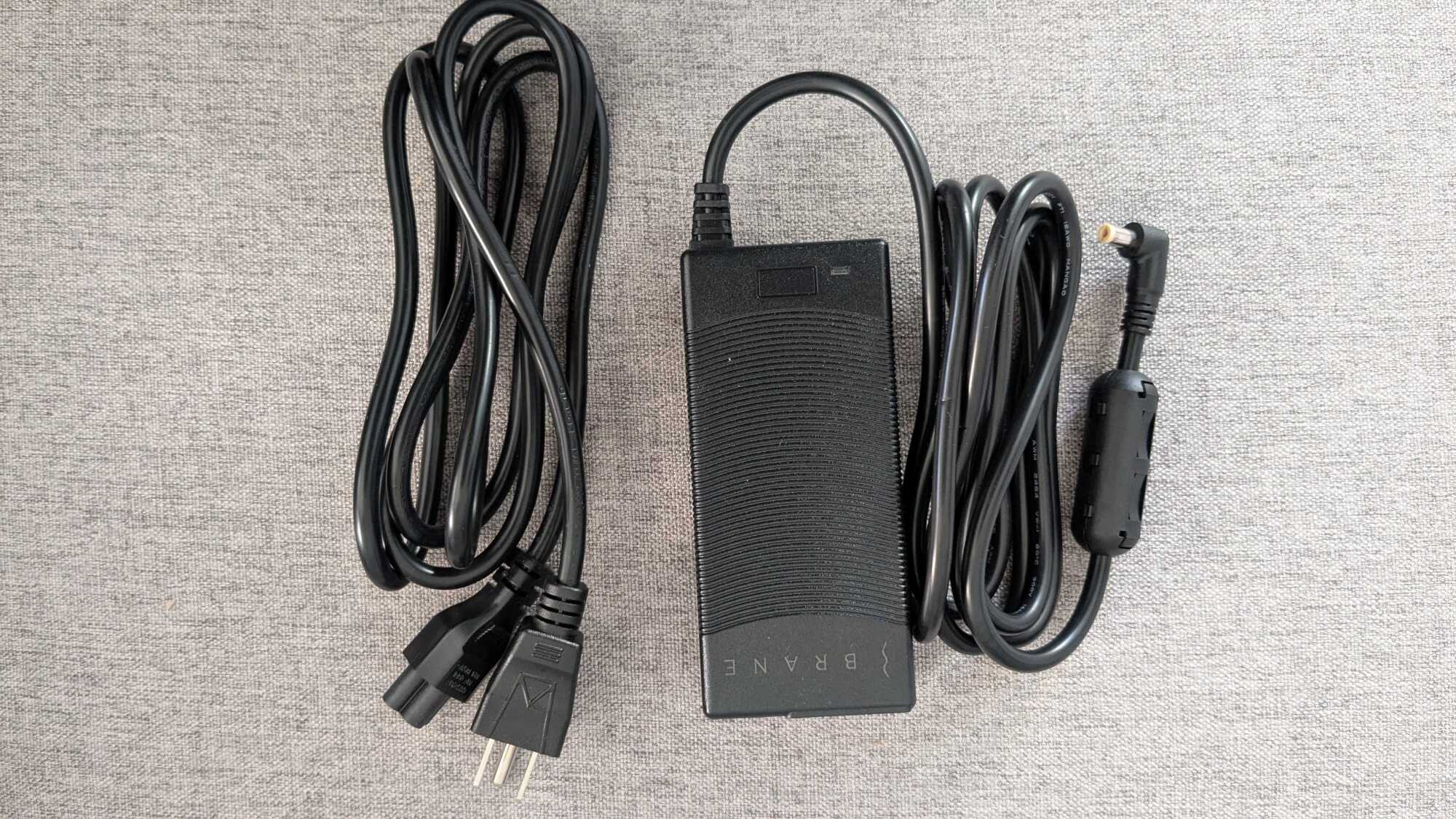
The Brane X charger.
The Brane X charger is DC, so no USB-C.
Credit: Daniel Oropeza

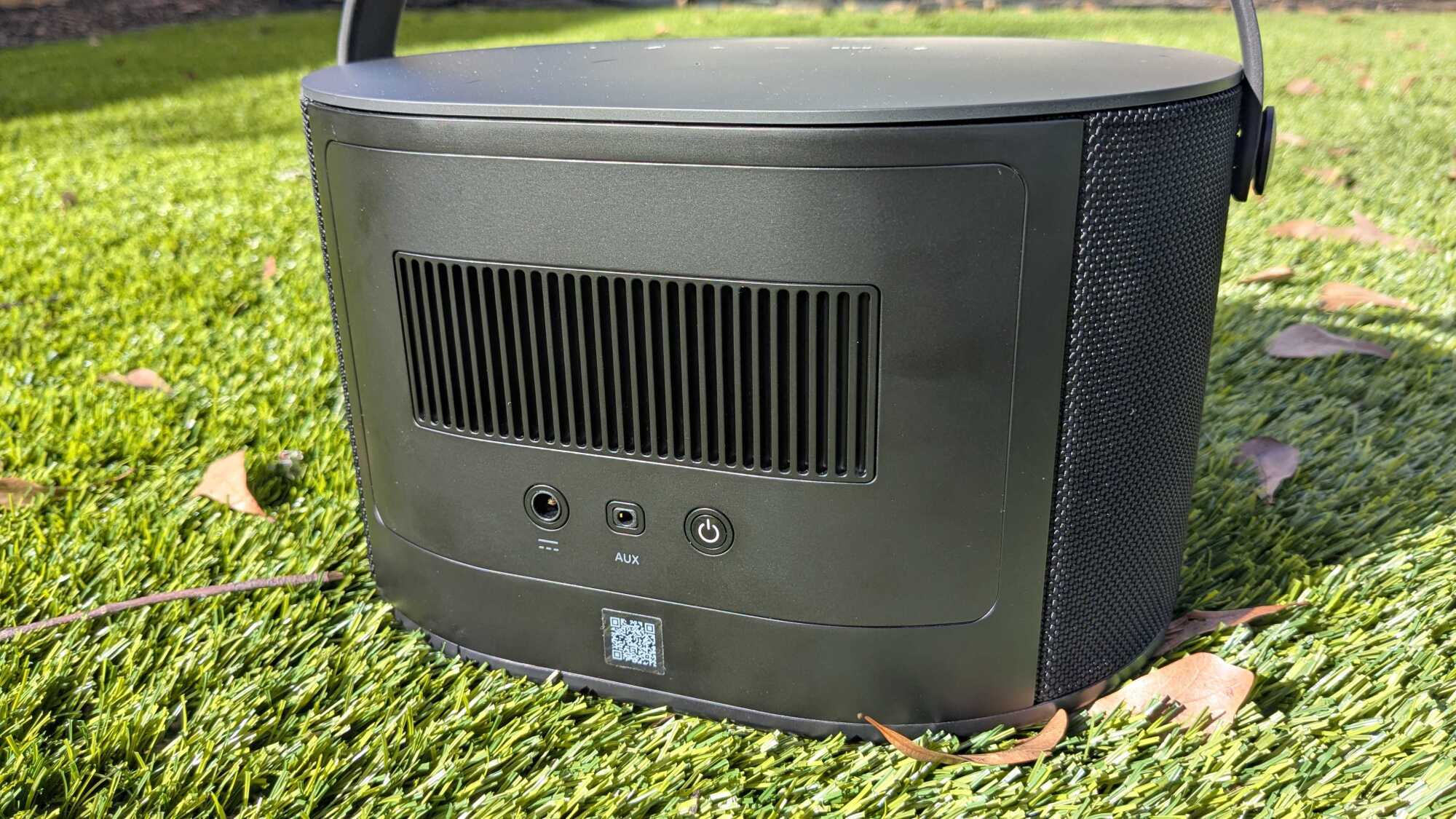
The charger is DC, so no USB-C for fast universal charging, unfortunately. The battery is marketed as 20 hours of battery life at a moderate volume, but I only got around six hours of juice at around 75% volume (which to be fair, is very loud indoors unless you’re having a house party). It’ll take about three hours to fully charge it once it is drained.

Sound

How the Brane X looks from the bottom.

Credit: Daniel Oropeza

The sound is where the Brane X blows away the competition and really shines, especially if you love bass (and I do). As I explained earlier, the RAD technology really pumps out incredible power out of this small speaker. Considering this is less than 10% the size of JBL’s PartyBox Stage 320 (my favorite party speaker), it’s impressive that it nearly matches its 240 W of output power (the Brane X gets to 200 W), only about a 2dB difference in volume to my favorite party speaker. I will caveat that this isn’t a party speaker, and you can really hear it struggle on upper registers when getting it to its max volume.

Unless I’m blasting the Brane X, though, the sound quality is pristine. Because the frequency range of the bass is so wide, you can really hear and feel the lower registers, giving it a full sound without needing to get too loud. It makes for a fun sound that is distinctive to the Brane X. I listened to MONACO by Bad Bunny and could hear the sub-bass parts of the bass clearly. The sensation of feeling the bass at this level usually means blasting the music on regular speakers or headphones, but the Brane X manages to provide that feeling without scaring my neighbors.

Features of the Brane X speaker

How the Brane X looks from the back.

Credit: Daniel Oropeza

The Brane X is a wifi speaker first, meaning it performs better than Bluetooth speakers in terms of connectivity with a wider range, better sound quality by streaming higher bitrate audio, and other features. Instead of connecting to the speaker over Bluetooth, you can play music directly into it through Spotify Connect, so you’ll get a better connection and sound quality. You can also connect via AirPlay 2 and Amazon Alexa. The Amazon smart assistant performs as well as any Alexa device.

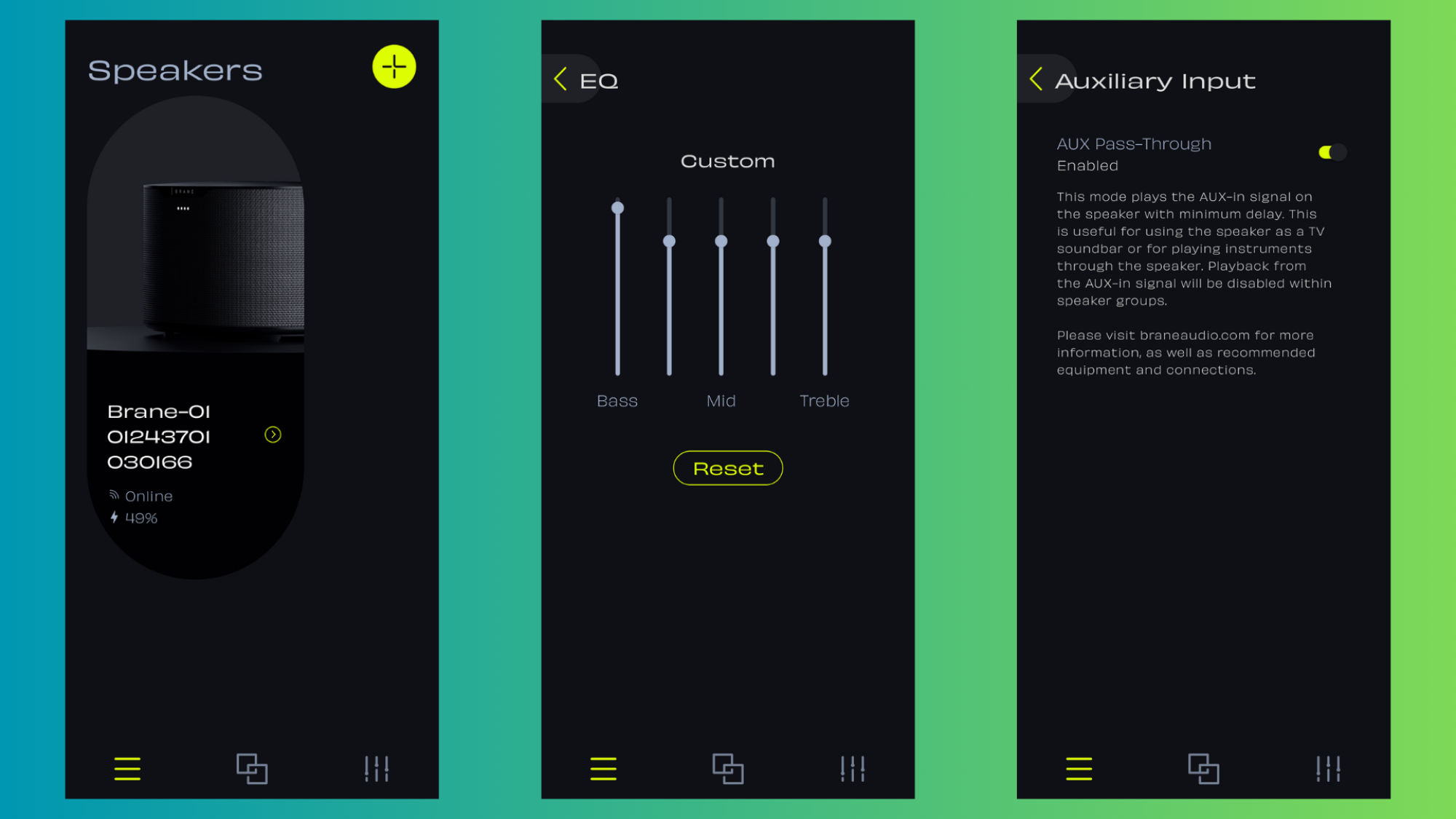
The Brane app

Three screenshots of the Brane app.
Left: Main screen. Middle: EQ. Right: The AUX Pass-Through feature to minimize delay with the TV.
Credit: Daniel Oropeza

My experience with the companion app was like most speaker apps: It does its simple job well, but it can disconnect on occasion and can be slow at times. The main things I used the app were to check the battery life, mess with the EQ (you get a five-band equalizer) which adjusts your changes in real time, and setting the AUX Pass-Through feature when setting it up as a soundbar. The app gives you the option to link up groups if you have more than one Brane X speaker. As I only have one speaker, I wasn’t able to try this feature.

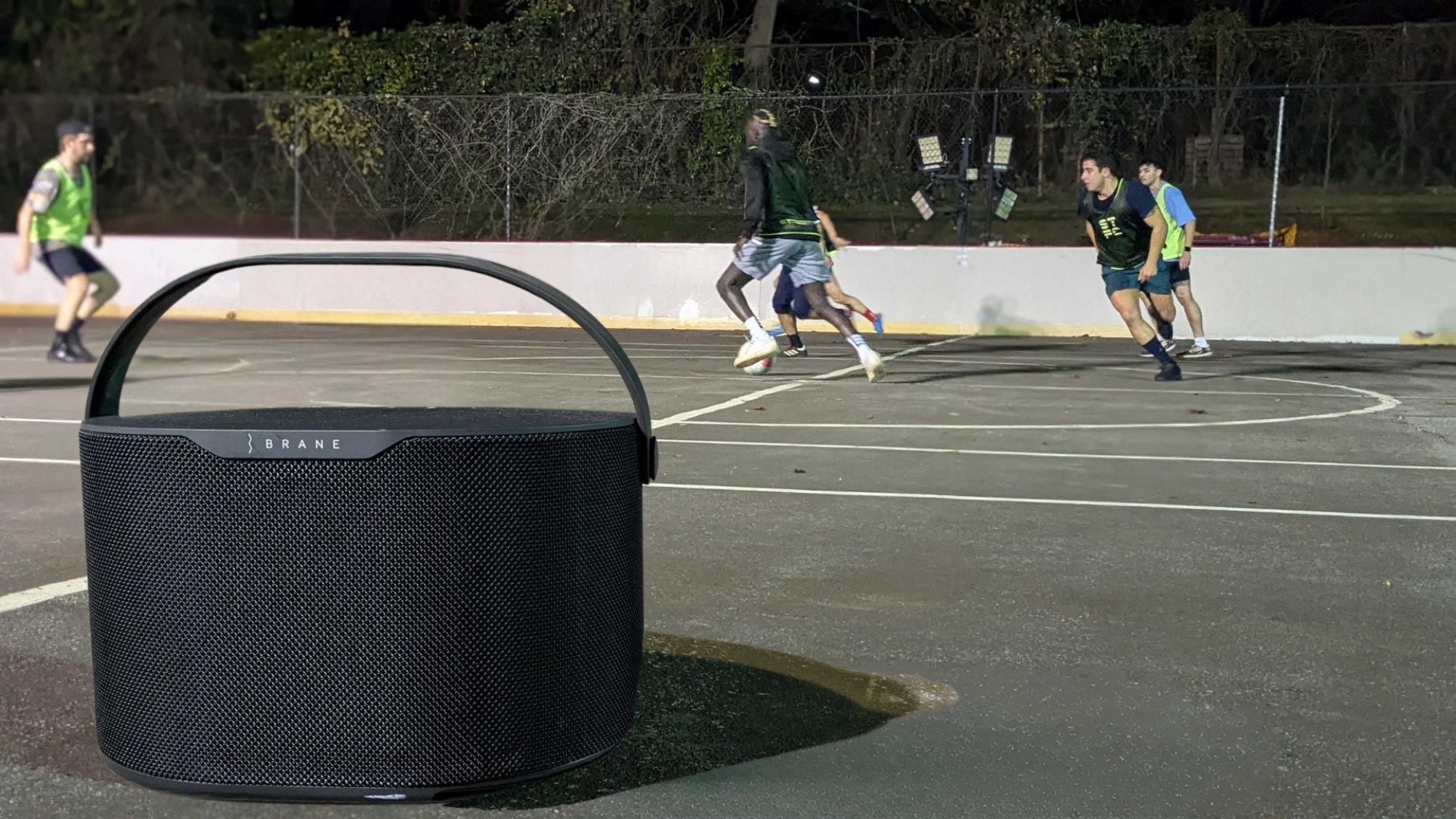
The Brane X as an outdoor speaker

The Brane X outdoors on a soccer court.

Credit: Daniel Oropeza

As I do with all of my outdoor speakers, I took it out to the court while hosting my Street FC soccer games. We played five on five on a hockey rink with walls, so the sound bounces off to give it a “surround” feel. Even then, the Brane X struggles to fill the court completely. This is by far the smallest speaker I’ve ever taken to my games, however, and I’m comparing the sound decibels to party speakers, which is an unfair comparison. The fact that the Brane X is even a contender here speaks volumes to its versatility. With that said, the audio did sound compressed at maximum volumes sometimes. Since it’s a Bluetooth connection outdoors instead of wifi, the compression sound is more noticeable at max volume (it’ll sound better indoors with a wifi connection). The Brane X comes with an IP57 rating, making it fully waterproof and dust-protected—great for an outdoor speaker.

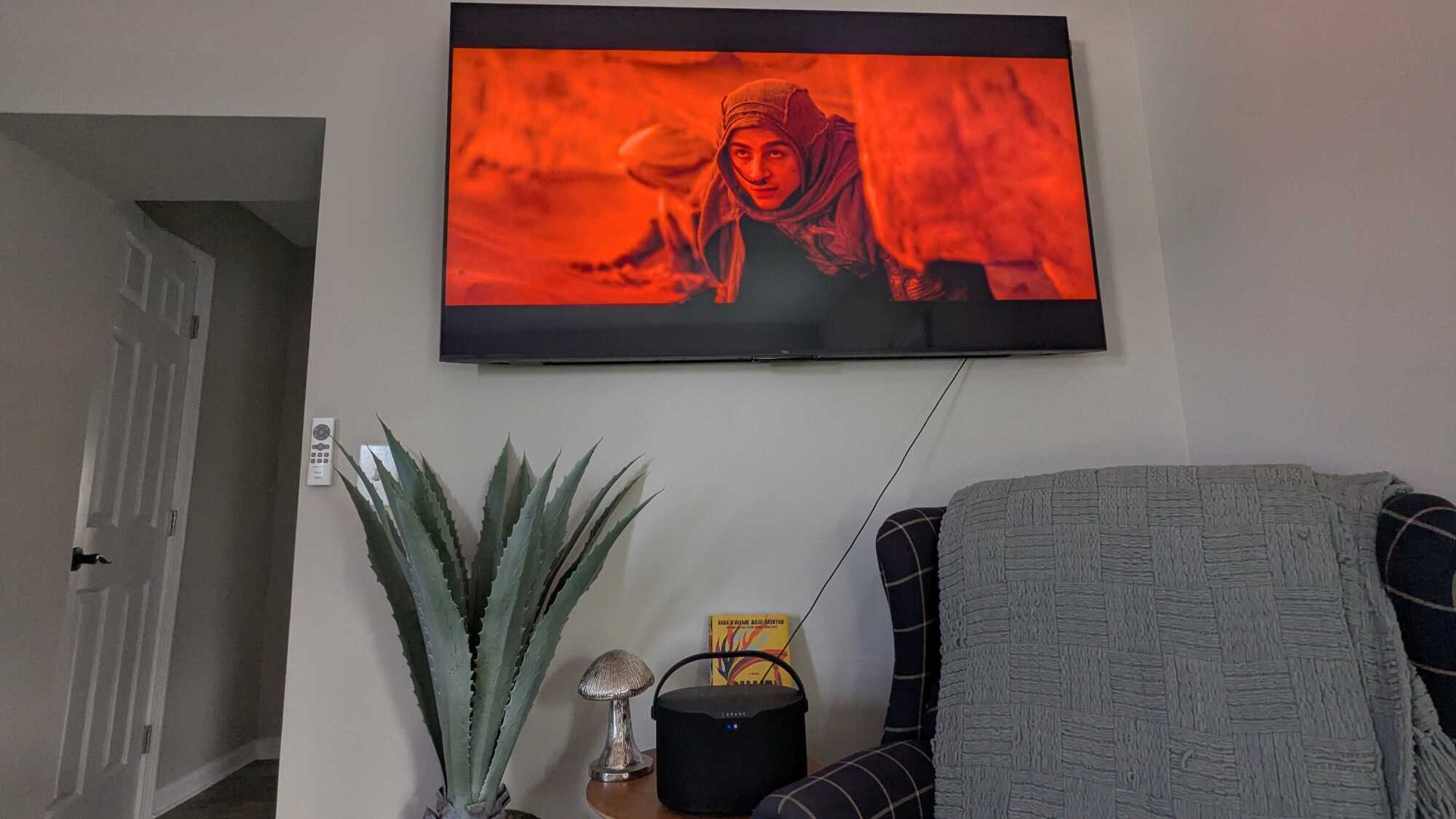
The Brane X as a soundbar

The Brane X as a sub woofer and soundbar.
The Brane X doubles as a soundbar and sub woofer combo with an AUX cable.
Credit: Daniel Oropeza

If you want to use the speaker as a soundbar, you’ll need an AUX cable (at least the end that connects to the speaker needs to be AUX). I wish the Brane X had Google Chromecast support so it could connect wirelessly to my smart TV, but you can’t have everything in life. You can still connect it with Bluetooth, but you won’t be able to use the AUX Pass-Though feature on the app to get rid of the sound delay (the delay is not bad, but sticklers will notice it). You won’t get eARC sound quality, but the speaker itself has a subwoofer, so the sound is surprisingly good as a soundbar and subwoofer combo.

I decided to re-watch Dune to hear how well the Brane X performed as a soundbar and subwoofer combo and compared it to the speaker system on my TCL QM7 TV, which has a subwoofer speaker on the back. The Brane X really brought Dune to life compared to the television speakers. I could feel every thud of the thumpers as they hit the sand when calling the worms. The soundtrack and vibrations of the explosions really put the excellent broad frequency range the Brane X has to use. The speaker is able to handle the dynamic audio you want from a soundbar, hearing whispers and feeling explosions.

Bottom line

The Brane X on my backyard with the handle down.

Credit: Daniel Oropeza

The Brane X is a powerful wifi speaker with a subwoofer that gives it an incredible range in the sub-bass frequencies. It’s the best wifi and smart speaker for bass lovers. With Spotify and AirPlay 2, most people’s needs for music will be met. Its small compact size also makes it a great portable and outdoor speaker, with a waterproof IP57 rating and up to 12 hours of battery life. It can get very loud with a maximum of 98 dBs, and it doubles as a soundbar and subwoofer combo, making it great for watching movies. However, all that versatility comes at a high price of $499. If you’re looking to blast the Brane X at max volume, know that playing over Bluetooth will lead to some compression being noticeable. There is no speakerphone option despite its many microphones, and you’ll need to depend on the DC charger, which isn’t ideal for portable speakers.

The Brane X is ideal for someone looking for a wifi speaker that can do a bit of everything. A one-stop speaker that you can take to the beach, use as a soundbar, fill your living room for a party, or take on a whim to your next adventure. It definitely rivals the Sonos Move 2, and would recommend it to anyone who isn’t in the Sonos ecosystem already and/or loves to feel bass in their life.

Panasonic takes on Canon with the full-frame, 45-megapixel S1R II mirrorless camera

Panasonic’s mirrorless cameras are best known for their video powers, but with its latest model, the company is finally getting serious about photography as well. The $3,300 full-frame Lumix S1R II is not only the company’s first camera capable of 8K video but can fire off 40 fps bursts of high-resolution (45 megapixel) RAW photos. It also offers a more advanced autofocus system, putting it squarely into the conversation with Sony, Canon and Nikon.

I’ve had a pre-production unit for several days now and so far, I’m impressed. The original S1R was a chunky 2.24 pound monster, but the S1R II is much lighter at 1.75 pounds and considerably smaller in size. That makes it less burdensome than before — though still a bit bigger than the Nikon Z8 and Canon R5 II. It also has one of the fattest grips I’ve ever seen that gave me a firm, secure hold on the camera.

Panasonic made other substantial changes to the body, removing the top display and shifting the mode dial from top left to top right. In the latter’s place a dedicated burst mode dial and photo/video/S&Q switch was introduced, while a new autofocus dial was placed at the back. Handling is now near the top among high-end full-frame cameras in my book, matching or even beating my favorite, the Sony A1 II.

Panasonic takes on Canon with the full-frame, 45-megapixel S5R II mirrorless camera
Panasonic

The rear 1.8-million-dot display was also overhauled and not only flips out for content creators but also tilts up and down for photographers — putting it on par with the excellent screen on Sony’s A1 II. The electronic viewfinder has the same 5.76-million-dot resolution and 120Hz refresh rate as before, but now offers a more natural 100 percent magnification.

The S1R II supports both SD UHS II and fast CFexpress Type B cards (rather than XQD as before) with a slot for each, while also allowing SSD recording via the USB-C port like the S5 IIX and GH7. Other inputs include mic, headphone and a full-size HDMI slot, along with a 10Gbps USB-C port. The battery is the same as the one on the GH7 and G9 III but delivers just 350 shots max on a charge, unless you buy the optional DMW-BLK22 battery grip. The S1R II will also offer full-float 32-bit audio recording, but only with the optional DMW-XLR2 audio accessory. 

Panasonic takes on Canon with the full-frame, 45-megapixel S5R II mirrorless camera
Steve Dent for Engadget

Shooting performance is dramatically better with up to 40 fps (RAW 12-bit) burst speeds with continuous autofocus enabled, compared to a rather pitiful 6 fps on the previous model. It can also hit 10 fps speeds in mechanical mode or 9 fps with 14-bit RAW output. That matches the lower-resolution Canon R1 (though that model does it in 14-bit RAW mode) and is only below Sony’s A9 III that can hit a mind-boggling 120 fps burst speeds in RAW mode.

Panasonic also overhauled the phase-detect autofocus system to add more speed and AI smarts. It can now lock onto a subject’s face and eyes quicker and follow their movements more smoothly, but also detect and automatically switch between humans, animals, cars, motorcycles, bikes, trains and airplanes. From my observations so far, it’s not quite up to the speed and fluidity of Sony and Canon’s latest models, but Panasonic is nearly there.

Panasonic takes on Canon with the full-frame, 45-megapixel S5R II mirrorless camera
Panasonic

When it comes to image quality, JPEG photos look natural with realistic colors, though I wasn’t able to open RAW files on this pre-production camera. One big improvement is at high ISOs in low light thanks to the dual ISO sensor that keeps noise under control all the way up to about ISO 12800. 

On the video side, the S1R II now supports internal ProRes RAW and 8K video capture, but not both at the same time. ProRes RAW captured to CFexpress or USB-C is limited to 5.8K but uses the full width of the sensor, so it’s a good solution for 4K productions. 8K, meanwhile, can only be captured in 4:2:0 LongGOP MP4 formats at 30 fps (4K tops out at 120 fps in Slow & Quick mode). 

That compares to 60 fps max on the Canon EOS R5 II and Nikon Z8, and both of those cameras can do that format in RAW. Sony’s A1 II, by contrast, can also do 8K 30 fps video but doesn’t support RAW recording at all. And of course, the S1R II supports V-Log recording and promises up to 14 stops of dynamic range, slightly less than the S1R. It’ll also allow for external ProRes RAW recording at up to 8K to Atomos recorders via a firmware update coming after the initial launch. 

Panasonic takes on Canon with the full-frame, 45-megapixel S5R II mirrorless camera
Panasonic

Panasonic’s updated stabilization system promises up to 8 stops of shake reduction, but there are a few significant updates. It reduces edge distortion for video without cropping, though there’s a small amount of vignetting if you do that. As before, it supports e-stabilization at regular and high strengths, and now offers the high-strength mode for anamorphic lenses.

That raises the issue of rolling shutter, since the S1R II doesn’t use a stacked sensor like its main competitors, the Nikon Z8 and Canon R5 II. Distortion is definitely more prominent than on those models, but readout speeds are relatively quick so it’s not offensive except when doing whip pans or filming very fast moving subjects.

At $3,300, the S1R II is priced well below the $4,300 Canon R5 II but nearly on par with the Nikon Z8, which can currently be found at $3,400. It’s set to start shipping at the end of March 2025.

This article originally appeared on Engadget at https://www.engadget.com/cameras/panasonic-takes-on-canon-with-the-full-frame-45-megapixel-s1r-ii-mirrorless-camera-140048286.html?src=rss

Microsoft is testing a ‘free with ads’ version of Office

A free version of Microsoft Office for Windows might be on its way. Microsoft has been silently testing an ad-supported version of Office reported Beebom. Free versions are currently only available on the web. 

The update would allow users to access PowerPoint, Word, Excel and more for free. There appears to be a few conditions for the fee-free option. It appears to include an ever-present banner on the righthand side and 15-second videos that play every few hours. Any documents must also be stored in One Drive rather than in local files. 

Each system also comes with limitations. For example, Word wouldn’t have drawing and design tools or dictation. Excel foregoes conditional formatting, recommended charts and more. PowerPoint loses all draw, animation and record tools, among other features. 

“Microsoft has been conducting some limited testing,” a representative for the company told PC Mag in an email. “Currently, there are no plans to launch a free, ad-supported version of Microsoft Office desktop apps.” 

This article originally appeared on Engadget at https://www.engadget.com/big-tech/microsoft-is-testing-a-free-with-ads-version-of-office-140030345.html?src=rss