How Much Running Gear Costs, Depending on the Type of Runner You Are

We may earn a commission from links on this page.

I’m Lifehacker’s resident marathon runner and senior finance writer. And now, I’m merging my two worlds. Running is often touted as one of the most accessible sports—just lace up and go, right? But as many runners discover, what starts as a “free” activity can quickly transform into a significant investment.

After a decade of “casually” running, I looked around at my room one day and saw dollar signs: sneakers, my second pair that year, at least $100. Medals from races, some costing $250 to register. A box of energy gels for long runs, around $30. A fancy hand-held water bottle, anti-chafing sticks, high-tech cold-weather leggings—what happened to my “lace up and go” mentality?

Here’s a glimpse at the true financial impact of running gear, from the bare essentials to premium options for those with deeper pockets.

What a minimalist approach to running would cost

Pun intended, of course. For those wanting to keep costs at an absolute minimum, running can indeed be approached with remarkable frugality. Here’s what you truly need:

Essential gear

  • Running shoes: $60-100 (entry-level models on sale)

  • Moisture-wicking shirts: $10-15 (basic athletic tees from discount retailers)

  • Running shorts/pants: $15-20 (simple options from general sporting goods stores)

  • Socks: $5-10 (multi-pack athletic socks)

Weather necessities

  • Winter: Layer existing clothes (that cotton sweatshirt works—it’s just not optimal).

  • Rain: A basic baseball cap ($10) and quick-drying clothes

  • Summer: Stick to early morning or evening runs to avoid expensive cooling gear.

Hydration & nutrition

  • Water bottle: $5-10 (basic reusable bottle)

  • Nutrition: Homemade options (banana, toast with honey, etc.)

Annual cost for the minimalist runner: $150-250

If you’re a casual runner who’ll only use one pair of shoes per year, this sport shouldn’t break the bank. The minimalist approach is entirely valid—countless runners have logged thousands of miles with just the basics. I know I’ve been stubbornly minimalist through the years. In fact, this past marathon training season is the first time I really invested in some higher tech gear.

That said, I must begrudgingly report there’s often a noticeable difference in comfort and performance when you invest in purpose-built equipment.

How much a practical enthusiast might spend on running

For runners with some flexibility in their budget, strategic investments in key pieces can significantly enhance the experience without breaking the bank.

Quality essentials

  • Running shoes: $120-160 (mid-tier models replaced every 300-500 miles)

  • Technical shirts: $30-45 each (two to three quality moisture-wicking options)

  • Running-specific shorts/tights: $40-60 each

  • Performance socks: $12-18 per pair (three to four pairs)

  • Sports bras (if applicable): $40-60 each (two to three quality options)

Weather-specific gear

For anyone training for a spring race, you quickly learn that weather-specific gear are true essentials.

Accessories

Hydration & nutrition

  • Handheld water bottle: $20-30 (running-specific)

  • Nutrition: $30-40 monthly (basic gels, chews, electrolyte powders)

Annual cost for the practical enthusiast: $600-1,000

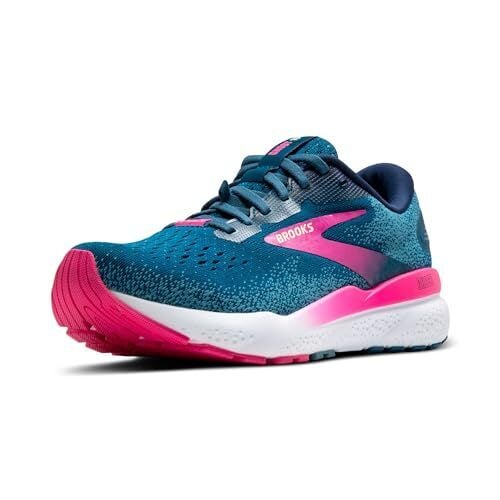
This time, I assume you replace your shoes once a year and need seasonal gear additions. After all, at this level, you’re investing in gear that genuinely enhances performance and comfort. The right technical fabric in cold weather isn’t just more comfortable; it actually enables more consistent training through the seasons. And instead of the cheapest shoes available, I now swear by Brooks Ghost 16 GTX.

How much a dedicated runner might spend

For devoted runners who prioritize performance, recovery, and optimization, running becomes a more significant financial commitment. Here’s a look at just how expensive this sport can get, if you’re willing to invest.

Performance gear

  • Multiple specialized shoes: $140-250 each (training, racing, trail options)

  • Premium apparel: Complete seasonal wardrobes ($500-1,000+ annually)

  • Compression gear: $80-150 (tights, sleeves, socks)

  • High-end rain/cold protection: $150-300 (insulation jackets, premium thermal layers)

Technology & analytics

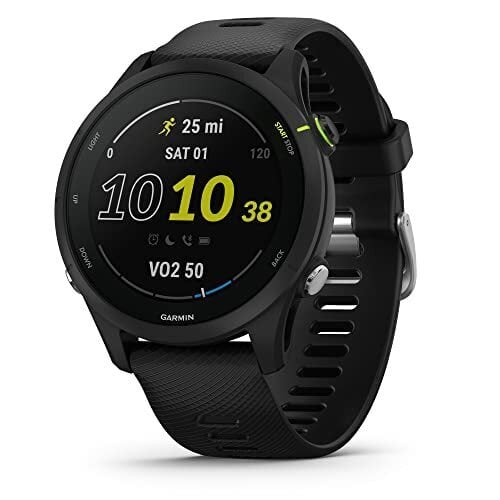
  • Advanced GPS watch: $300-700 (Garmin Forerunner, COROS, etc.)

  • Additional sensors: $50-100 (heart rate straps, foot pods)

  • Training platforms: $60-120 annually (Strava premium, TrainingPeaks)

  • Recovery tools: $200-500 (massage gun, compression boots, etc.)
Nutrition & hydration systems

  • Hydration vests/packs: $80-150

  • Specialized nutrition: $50-100 monthly (premium gels, recovery drinks, supplements)

  • Water filtration for trail running: $40-100

Professional coaching

  • Gait analysis: $75-150

  • Custom insoles: $200-300

  • Coaching: $100-300+ monthly

Annual cost for dedicated runner: $2,000-5,000+

Depending on race schedule and gear replacement frequency, running can transform from a simple exercise into a lifestyle with its own ecosystem of products and services. The investment can be substantial, but for those deeply committed to the sport, each element serves a purpose in enhancing performance, preventing injury, and/or improving the overall experience. If you’re spending this much on running, I hope you’re getting some sponsorships and brand deals in return.

Finding your balance

The beauty of running is that you can participate meaningfully at any of these investment levels. Sometimes, a strategic upgrade in one area can make a disproportionate difference in your running experience. I find I take something of a hybrid approach. Invest in truly essential items, like good shoes and proper socks, but skip unnecessary “innovations”—not every gadget improves your running!

Another cost-saving trick: Always look for last season’s models. Unless you’re a serious racer, there’s rarely a reason to splurge on the newest, hottest watch or shoes. At the end of the day, the “right” amount to spend on running gear is highly personal. By understanding where quality truly matters versus where you can economize, you can build a running kit that supports your goals without unnecessary expense.

Stay tuned for my upcoming articles diving deeper into the specific costs of running shoes and race participation, so you can see how much it really costs to be a runner.

PlayStation VR2’s Price Is Being Cut To $400

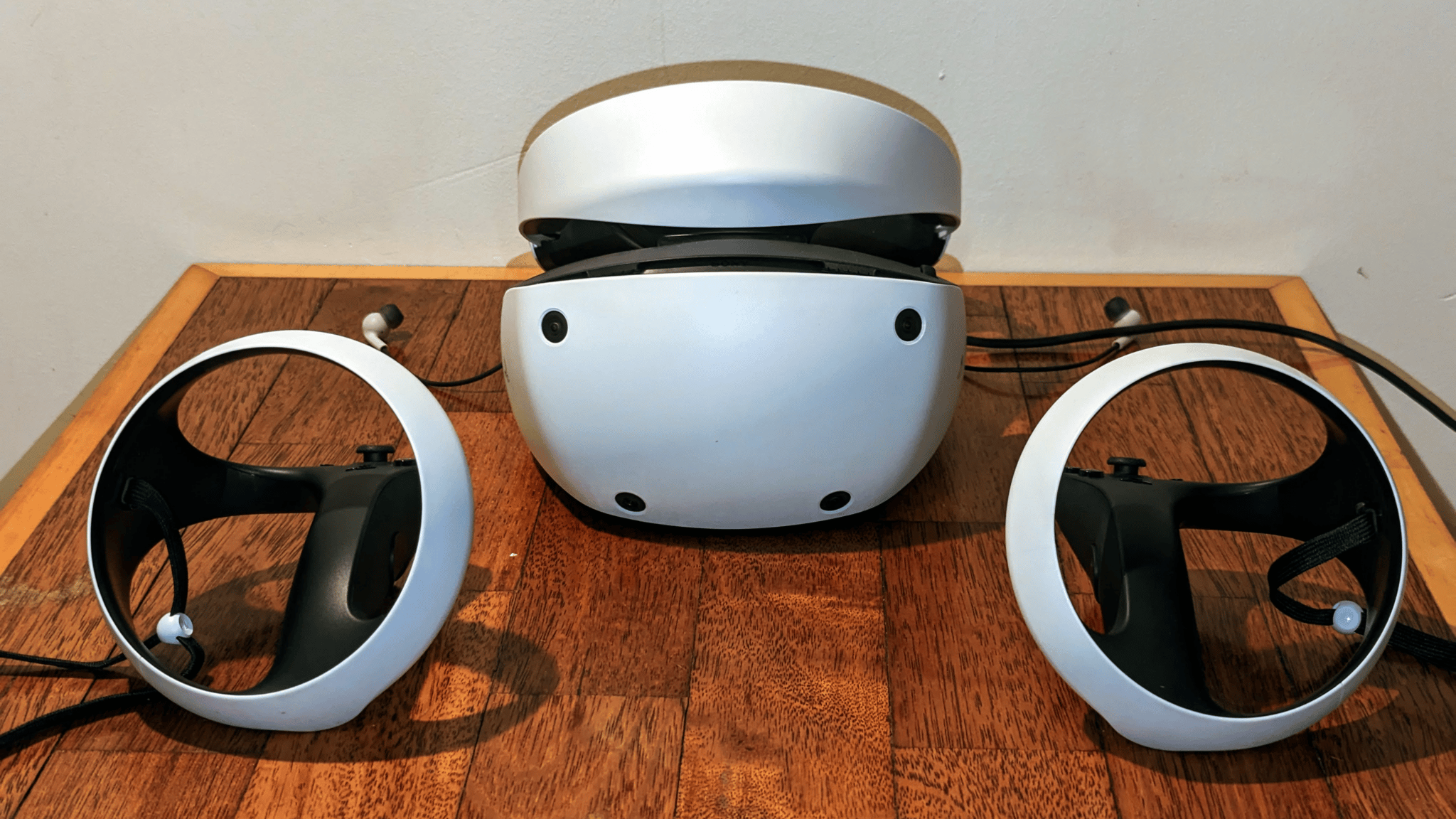
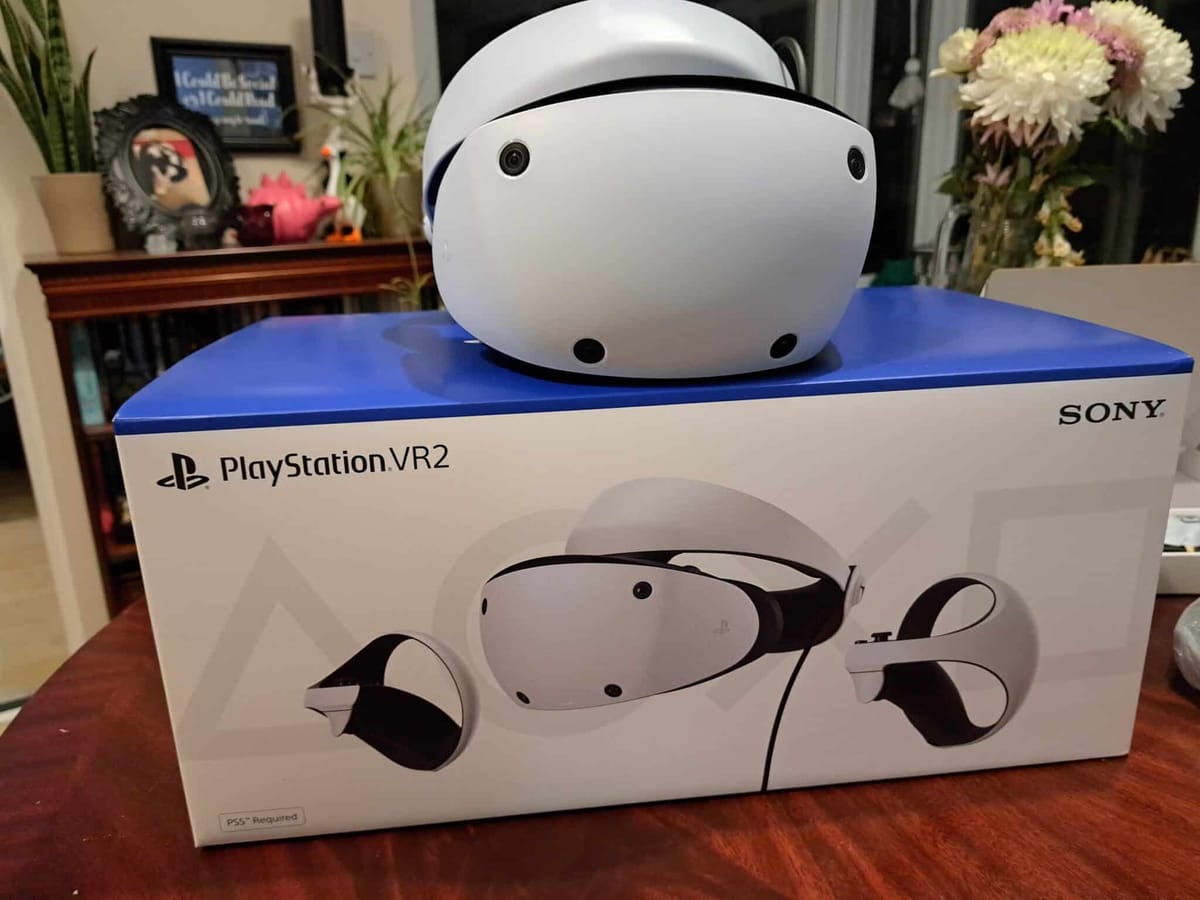
Sony is cutting the price of PlayStation VR2 to $400, starting in March.

The news of the price cut comes five days after the headset’s two-year anniversary. In the UK the new price will be £400, in the EU it will be €450, and in Japan it will be ¥66,980.

The new price will apply to both the regular package and the bundle that includes Horizon Call of the Mountain, so you should always grab the latter if it’s available.

Originally, since the headset launched in February 2023, these were priced at $550 and $600 respectively. For a week in summer the headset was on sale for $350, and for six weeks over the holidays the bundle with Horizon Call of the Mountain was on sale for $350.

With the new price, you could get a PS5 and PlayStation VR2 together for $800, or a PS5 Pro with it for $1100.

PlayStation VR2 Review: Next-Generation VR Gaming For PS5
PlayStation VR2 heralds the next-generation of console-based VR on PS5. We’ve had the chance to put Sony’s new headset through its paces over the past week, so how does it hold up? Here’s our PSVR 2 review. After years of waiting, PSVR 2 is finally here and

At the original $550 price, we had been recommending against buying a PlayStation VR2 for use with a PS5 at full price, as Sony’s content commitment to the platform is questionable at best.

While Sony delivered strong launch content with AAA titles like Horizon Call of the Mountain, Gran Turismo 7, and Resident Evil Village, the company has failed to deliver anything like this since. Two years in, the only new first-party game Sony released was Firewall Ultra, which was received so poorly it led to the studio’s closure.

Still, the platform has seen a steady stream of the top indie VR titles ported from Quest and SteamVR, and this season benefited from the launch of AAA cross-platform VR titles, including Metro Awakening, Alien: Rogue Incursion and Skydance’s Behemoth.

Also, since summer PlayStation VR2 is no longer confined to PS5. If you have a gaming PC, you can pick up the PC adapter for around $60 and access a plethora of new content on SteamVR.

PSVR 2 Specs & Technical Analysis: Displays, Lenses, Reprojection, And More
PlayStation VR2 ships today. Here’s our technical analysis of it as VR hardware. PSVR 2 offers major upgrades over the original 2016 product. PSVR 1 required an array of cables connected to a breakout box and a PlayStation Camera, while PSVR 2 connects via a single USB-C cable and

At $400, whether it be for use on PS5 or on PC, PlayStation VR2 will be a significantly more attractive proposition than it was before.

Other Browsers Need to Steal Opera’s Multitasking Sidebar

I’m a full-screen apps guy on my Mac. I love sending each app to its own workspace and swiping between them to use the one I need. When I’m writing, it helps me focus on the task at hand, and it’s not hard to use three and four-finger swipes on my trackpad get to my other productivity apps as I need them. However, messenger apps like WhatsApp and Slack are an exception. I need to be able to check these out at a moment’s notice, like when I’m using my browser in full-screen. Luckily, that’s where the Opera sidebar comes in. This handy tool is home to social media apps, messengers, and even some streaming services, keeping them from getting lost in separate tabs and letting me easily glance at them when I’m working on something else. It’s a lifesaver, and other browsers desperately need to adopt it.

What is the Opera sidebar?

You can think of the Opera sidebar as a way to bookmark crucial services to your Opera browser’s left pane. By default, it’ll just show icons, but clicking one will open the bookmarked tool in a small popover tab. This is ideal for tasks you want to work on without losing focus on your currently active tab. While I would normally go to a secondary tab to search the web or switch to a different app to reply to texts, this sidebar lets me stay on the current tab, attend to other tasks quickly, and then get right back to work.

How to set up Opera’s sidebar

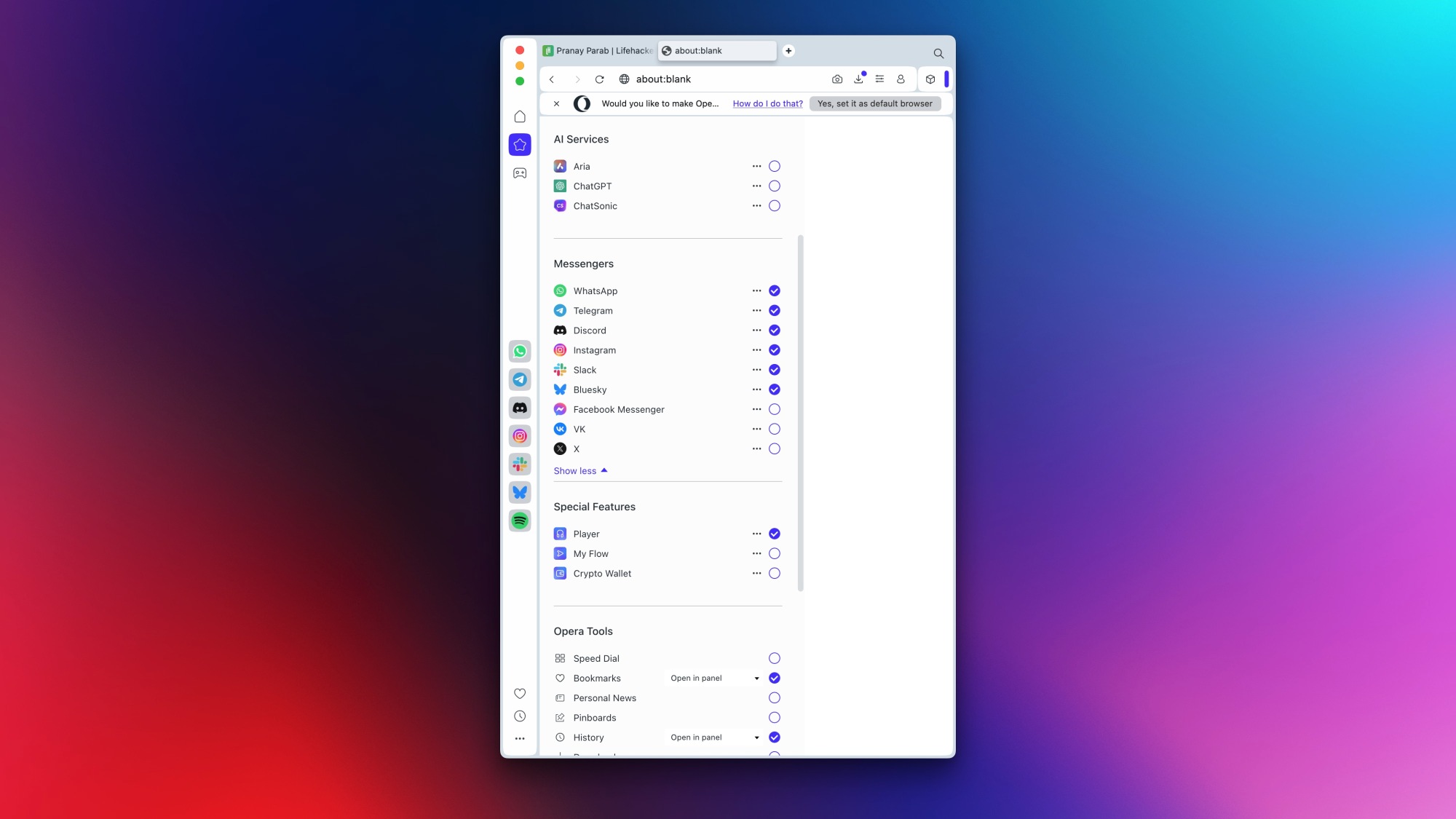
Sidebar settings in Opera.

Credit: Pranay Parab

The sidebar is enabled by default, but you should take a moment to tweak it so that your favorite services show up on it. Just click the three-dots button in the bottom-left corner of the Opera window and the sidebar settings pane will open up. Go through the sections for AI services, messengers, and special features. Just click the check box next to the services you wish to use and disable the ones you don’t need. After this, your selections will show up in the left pane and you can click them to use them in the sidebar.

You can’t add any random app to the sidebar, unfortunately, but there is a reasonably well-populated list for you to choose from. You can pick AI services such as ChatGPT, messengers (WhatsApp, Slack, etc.), or social media sites (Instagram, Bluesky, etc.). The most recent additions are Bluesky, Discord, and Slack, so at least Opera is always adding more options. The sidebar also supports music streaming services such as Apple Music, Spotify, and YouTube Music.

Why I prefer the Opera Sidebar over tabs

I’ll admit it: I have a problem of opening too many tabs and then losing track of them. I’ve been guilty of opening the same website in multiple tabs or sometimes even running the same search query in more than one tab. With the sidebar, I’ve found a solution to these problems. When I need to reply to a message, I can open the messenger app from the sidebar and dismiss it the moment I’m done. And if I need to access it for longer, I can pin the app, which puts it in a neat split-screen view. This lets me work faster than when I have multiple open tabs, or when I need to switch between apps. 

While a Mac does let you easily place two apps side-by-side, the browser sidebar feature lets me quickly swap new apps in as I need them. This is a level of flexibility that’s otherwise hard to find. It’s also worth noting that Opera is not the only browser to offer a sidebar, but it is one of the few that runs your browser extensions within the sidebar. If my preferred browsers—Safari and Firefox—were to adopt this feature, I’d even be compelled to delete the official apps for some of these services.

I don’t see myself using Opera as my primary browser because I’m attached to the unique privacy benefits in Safari and Firefox, but the company has been doing a few interesting things as of late. It’s built a browser that can break your doomscrolling habit and its Aria AI is actually quite useful. Other companies would do well to keep up.

Electronic Devices Used For Car Thefts Set To Be Banned in England

Sophisticated electronic devices used by criminals to steal cars are set to be banned under new laws in England and Wales. From a report: More than 700,000 vehicles were broken into last year — often with the help of high-tech electronic devices, including so-called signal jammers, which are thought to play a part in four out of 10 vehicle thefts nationwide.

Until now, police could only bring a prosecution if they could prove a device had been used to commit a specific offence, but under new laws in the Crime and Policing Bill the onus will be on someone in possession of a device to show they had it for a legitimate purpose. Making or selling a signal jammer could lead to up to five years in prison or an unlimited fine.

Read more of this story at Slashdot.

ASUS ROG Astral GeForce RTX 5090 Boosts Blackwell To Set Six OC Records

ASUS ROG Astral GeForce RTX 5090 Boosts Blackwell To Set Six OC Records
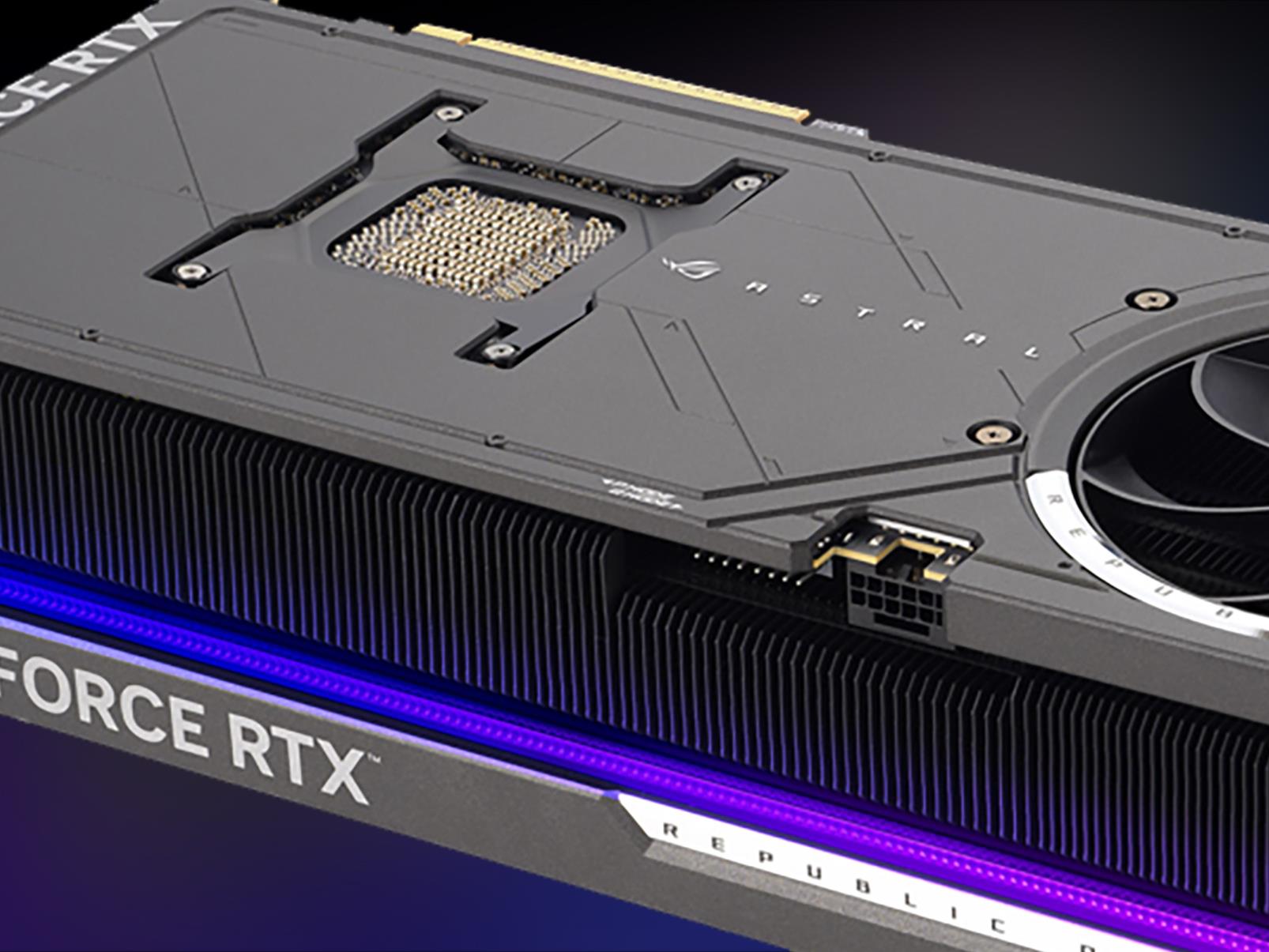
Forget for a moment that it’s almost impossible to find a GeForce RTX 5090 in stock or that pricing on some of custom models is way above NVIDIA’s baseline MSRP for its Founders Edition variant. All that aside, ASUS is touting a rash of world overclocking records achieved with one of its more pricier models, the ROG Astral GeForce RTX 5090

The Moon’s next robotic visitor is lining up for landing this weekend

CEDAR PARK, Texas—Early Sunday morning, while most of America is sleeping, a couple dozen engineers in Central Texas will have their eyes glued to monitors watching data stream in from a quarter-million miles away.

These ground controllers at Firefly Aerospace hope that their robotic spacecraft, named Blue Ghost, will become the second commercial mission to complete a soft landing on the Moon, following the landing of a spacecraft by Intuitive Machines last year. This is the first lunar mission for Firefly Aerospace, a company established in 2014 to develop a small satellite launcher.

Since then, Firefly has undergone changes in ownership, a bankruptcy, and a renaming. Recognizing that the company had to diversify to survive, Firefly executives began pursuing other business opportunities—spacecraft manufacturing, lunar missions, and a medium-class rocket—to go alongside its small Alpha launch vehicle.

Read full article

Comments

Save $100 Off OnePlus 13 And Score A Free Bonus, Plus More Great Deals

Save $100 Off OnePlus 13 And Score A Free Bonus, Plus More Great Deals
It’s almost springtime but you don’t have to wait around to spring into some nifty savings on various OnePlus smartphones and other devices. That’s because OnePlus is running promotions on several of its products, including trade-in discounts (any device, any condition), coupon codes, and free bonus offers, depending on which gadget you’re

x86 32-bit Changes Look To Be Ready For Linux 6.15 – Drops Support For More Than 4GB RAM

Over the past few months there’s been an in-progress patch series by Arnd Bergmann for cleaning up the x86 32-bit kernel support for running on x86_64 CPUs. After the third iteration of the patches were posted this week, these x86 32-bit CPU clean-ups were shuffled into the tip/tip.git “x86/cpu” Git branch ahead of the upcoming Linux 6.15 merge window…

Amazon Unveils Its First Quantum Computing Chip

Amazon has introduced its first-ever quantum processor, dubbed Ocelot, designed specifically to reduce quantum error correction costs by up to 90% compared to existing approaches. The prototype chip uses “cat qubits” — named after Schrodinger’s cat thought experiment — which intrinsically suppress certain types of quantum errors.

Unlike conventional approaches that add error correction after designing the architecture, AWS built Ocelot with quantum error correction as the primary requirement. The chip consists of two stacked 1cm2 silicon microchips containing 14 core components: five data qubits, five buffer circuits for stabilization, and four qubits dedicated to error detection.

Quantum computers are notoriously sensitive to environmental noise — including vibrations, heat, and electromagnetic interference — which disturbs qubits and generates computational errors. These errors multiply as quantum systems scale up, creating a significant barrier to practical quantum computing. Ocelot’s high-quality oscillators, made from a thin film of superconducting Tantalum processed using specialized techniques developed by AWS material scientists, generate the repetitive electrical signals that maintain quantum states.

“We’re just getting started and we believe we have several more stages of scaling to go through,” said Oskar Painter, AWS director of Quantum Hardware, whose team published their findings in Nature. Industry analyst Heather West of IDC was more measured, categorizing Ocelot as “much more of an advancement and less of a breakthrough,” noting that superconducting qubits designed to resist certain error types aren’t completely novel.

Read more of this story at Slashdot.

Experience AI: The story so far

In April 2023, we launched our first Experience AI resources, developed in partnership with Google DeepMind to support educators to engage their students in learning about the topic of AI. Since then, the Experience AI programme has grown rapidly, reaching thousands of educators all over the world. Read on to find out more about the impact of our resources, and what we are learning.

The Experience AI resources

The Experience AI resources are designed to help educators introduce AI and AI safety to 11- to 14-year-olds. They consist of:

  • Foundations of AI: a comprehensive unit of six lessons including lesson plans, slide decks, activities, videos, and more to support educators to introduce AI and machine learning to young people
  • Two standalone lessons:
    • Large language models (LLMs): a lesson designed to help young people discover how large language models work, their benefits, and why their outputs are not always reliable
    • Ecosystems and AI — Biology: a lesson providing an opportunity for young people to explore how AI applications are supporting animal conservation
  • AI safety: a set of resources with a flexible design to support educators in a range of settings to equip young people with the knowledge and skills to responsibly and safely navigate the challenges associated with AI

We also offer a free online course, Understanding AI for educators, to help educators prepare to teach about AI.

International expansion

The launch of Experience AI came at an important time: AI technologies are playing an ever-growing role in our everyday lives, so it is crucial for young people to gain the understanding and skills they need to critically engage with these technologies. While the resources were initially designed for use by educators in the UK, they immediately attracted interest from educators across the world, as well as individuals wanting to learn about AI. The resources have now been downloaded over 325,000 times by people from over 160 countries. This includes downloads from over 7000 educators worldwide, who will collectively reach an estimated 1.2 million young people.

Photo of an educator teaching an Experience AI lesson.

Thanks to funding from Google DeepMind and Google.org, we have also been working with partners from across the globe to localise and translate the resources for learners and educators in their countries, and provide training to support local educators to deliver the lessons. The educational resources are now available in up to 15 languages, and to date, we have trained over 100 representatives from 20 international partner organisations, who will go on to train local educators. Five of these organisations have begun onward training already, collectively training over 1500 local educators so far.

The impact of Experience AI

The Experience AI resources have been well received by students and educators. Based on responses to our follow-up surveys, in countries where we have partners: 

  • 95% of educators agreed that the Experience AI sessions have increased their students’ knowledge of AI concepts 
  • 90% of young people (including young people in formal and non-formal education settings and learning independently) indicated that they better understand what AI and machine learning are
Photo of a young person learning about AI on a laptop.

This is backed up by qualitative feedback from surveys and interviews.

“Students’ perception and understanding of AI has improved and corrected. They realised they can contribute and be a part of the [development], instead of only users.” – Noorlaila, educator, SMK Cyberjaya, Malaysia

“[Students] found it interesting in the sense that it’s relevant information and they didn’t know what information was used for training models.” – Teacher, Liceul Tehnologic “Crisan” Criscior, Romania

“Based on my knowledge and learning about AI, I now appreciate the definition of AI as well as its implementation.” – Student, Changamwe JSS, Kenya

Photo of a group of educators participating in an Experience AI teacher training event in Kenya.

The training and resources also support educators to feel more confident to teach about AI:

  • 93% of international partner representatives who participated in our training agreed that the training increased their knowledge of AI concepts
  • 88% of educators receiving onward training by our international partners agreed that the training increased their confidence to teach AI concepts
  • 87% of educator respondents from our ‘Understanding AI for educators’ online course agreed that the course was useful for supporting young people

“It was a wonderful experience for me to join this workshop. Truly I was able to learn a lot about AI and I feel more confident now to teach the kids back at school about this new knowledge.” – Nur, educator, SMK Bandar Tasek Mutiara, trained by our partner Penang Science Cluster, Malaysia

“This was one of the best information sessions I’ve been to! So, so helpful!” – Meagan, educator, University of Alberta, trained by our partner Digital Moment, Canada

“The layout of the course in terms of content structuring is amazing. I love the discussion forum and the insightful yet empathetic responses by the course moderators on the discussion board. Honestly, I am really glad I started my AI in education journey with you.” – Priyanka, head teacher (primary level), United Arab Emirates, online course participant

What are we learning?

We are committed to continually improving our resources based on feedback from users. A recent review of feedback from educators highlighted key aspects of the resources that educators value most, as well as some challenges educators are facing and possible areas for improvement. For example, educators particularly like the interactive aspects, the clear structure and explanations, and the videos featuring professionals from the AI industry. We are continuing to look for ways we can better support educators to adapt the content and language to better support students in their context, fit Experience AI into their school timetables, and overcome technical barriers. 

We value feedback on our resources and will continue to highlight the importance of AI education in schools and work with partners across the globe to adapt our resources for different contexts.

Get involved

If you would like to try out our Experience AI resources, head to experience-ai.org, where you can find our free resources and online course, as well as information about local partners in your area.

The post Experience AI: The story so far appeared first on Raspberry Pi Foundation.

The best SSDs in 2025

If your computer is starting to feel a little sluggish, or you’re tired of waiting for games and apps to load, upgrading to one of the best SSD options out there can be a game-changer. Solid-state drives (SSDs) are much faster than traditional hard drives, helping your system boot up in seconds, load large files instantly and make everyday tasks feel snappier. Whether you’re upgrading a laptop, building a gaming PC or just want extra storage for work or creative projects, the right SSD can seriously improve performance.

But with so many specs to consider — PCIe Gen 4, Gen 5, SATA, NVMe — it’s easy to get lost in the jargon. That’s where we come in! We’ve rounded up the best SSD options to help you find the right balance of speed, capacity and price, so you can get the upgrade you need without overpaying for features you won’t use.

I’ve either tested or personally use daily every SSD recommended on this list. Out of our top picks, I bought four with my own money after doing about a dozen hours of research. Separately, Engadget Senior Reporter Jeff Dunn has also tested a handful of our recommendations, including the Crucial X9 Pro listed above.

The most affordable way to add fast storage space to a computer is with a 2.5-inch SATA drive. It’s also one of the easiest if you don’t want to worry about compatibility since almost every computer made in the last two decades will include a motherboard with Serial ATA connections. For that reason, the best SATA SSDs are an excellent choice if you want to extend the life of an older PC build. Installation is straightforward, too. Once you’ve secured the internal SSD in a drive cage, all you need to do is to connect it to your motherboard and power supply.

The one downside of SATA drives is that, in terms of responsiveness, they’re slower than their high-performance NVMe counterparts, with SATA III limiting data transfers to 600MB/s. But even the slowest SSD will be significantly faster than the best mechanical drives. And with high-capacity, 1TB SATA SSDs costing about $100, they’re a good bulk-storage option.

If your PC is newer, there’s a good chance it includes space for one or more M.2 SSDs. The form factor represents your ticket to the fastest SSDs on the market, but the tricky part is navigating all the different standards and specs involved.

M.2 drives can feature either a SATA or PCIe connection. SSDs with the latter are known as Non-Volatile Memory or NVMe drives and are significantly faster than their SATA counterparts, with Gen3 models offering sequential write speeds of up to 3,000MB/s. These drives rely on NVMe NAND technology for their superior performance and durability. You can get twice the performance with a Gen4 SSD, but you’ll need a motherboard and processor that supports the standard.

If you’re running an AMD system, that means at least a Ryzen 3000 or 5000 CPU and an X570 or B550 motherboard. With Intel, meanwhile, you’ll need at least an 11th or 12th Gen processor and a Z490, Z590 or Z690 motherboard. Keep in mind that Gen4 SSDs typically cost more than their Gen3 counterparts as well.

More expensive still are the latest Gen5 models, which offer sequential read speeds of up to 16,000MB/s. However, even if your computer supports the standard, you’re better off buying a more affordable Gen4 or Gen3 drive. At the moment, very few games and applications can take advantage of Gen3 NVMe speeds, let alone Gen4 and Gen5 speeds. What’s more, Gen5 NVMe drives can run hot, which can lead to performance and longevity issues. Your money is better spent on other components, like upgrading your GPU, for now.

As for why you would buy an M.2 SATA drive over a similarly specced 2.5-inch drive, it comes down to ease of installation. You add M.2 storage to your computer by installing the SSD directly onto the motherboard. That may sound intimidating, but in practice the process involves a single screw that you first remove to connect the drive to your computer and then retighten to secure the SSD in place. As an added bonus, there aren’t any wires involved, making cable management easier.

Note that you can install a SATA M.2 SSD into an M.2 slot with a PCIe connection, but you can’t insert an NVMe M.2 SSD into a M.2 slot with a SATA connection. Unless you want to continue using an old M.2 drive, there’s little reason to take advantage of that feature. Speaking of backward compatibility, it’s also possible to use a Gen4 drive through a PCIe 3 connection, but you won’t get any of the speed benefits of the faster NVMe.

One last thing to consider is that M.2 drives come in different physical sizes. From shortest to longest, the common options are 2230, 2242, 2260, 2280 and 22110. (The first two numbers represent width in millimeters and the latter denote the length.) For the most part, you don’t have to worry about that since 2280 is the default for many motherboards and manufacturers. Some boards can accommodate more than one size of NVMe SSD thanks to multiple standoffs. That said, check your computer’s documentation before buying a drive to ensure you’re picking up a compatible size.

If you’re buying a replacement SSD for the Steam Deck or Steam Deck OLED, things are less complicated. For Valve’s handheld, you will need a 2230 size NVMe. Simple. If you don’t want to open your Steam Deck, it’s also possible to expand its storage by installing a microSD card. Engadget has a separate guide dedicated to SD card storage, so check that out for additional buying advice.

I alluded to this earlier, but the best buying advice I can offer is don’t get too caught up about being on the bleeding edge of storage tech. The sequential read and write speeds you see manufacturers list on their drives are theoretical and real-world performance benchmark tests vary less than you think.

If your budget forces you to choose between a 1TB Gen3 NVMe and a 512GB Gen4 model, go for the higher-capacity one. From a practical standpoint, the worst thing you can do is buy a type of SSD that’s too small for needs. Drives can slow dramatically as they approach capacity, and you will probably end up purchasing one with a larger storage capacity in the future.

Portable SSDs are a somewhat different beast to their internal siblings. While read and write speeds are important, they are almost secondary to how an external drive connects to your PC. You won’t get the most out of a model like the SanDisk Extreme Pro V2 without a USB 3.2 Gen 2 x 2 connection. Even among newer PCs, that’s something of a premium feature. For that reason, most people are best off buying a portable drive with a USB 3.2 Gen 2 or Thunderbolt connection. The former offers transfer speeds of up to 10Gbps. The best external hard drives also allow you to transfer data from your Windows PC to a Mac, or other device, if compatible. Be sure to consider this beforehand if you plan to use your portable drive across multiple devices.

Additionally, if you plan to take your drive on trips and commutes, it’s worthwhile to buy a model with IP-certified water and dust proofing. Some companies like Samsung offer rugged versions of their most popular drives with a high endurance rating. For additional peace of mind, 256-bit AES hardware encryption will help prevent someone from accessing your data if you ever lose or misplace your external SSD.

Some of the same features contribute to a great thumbstick drive. Our favorite picks for best budget external SSD models feature USB 3.0 connections and some form of hardware encryption.

Seagate Storage Expansion
Seagate

If PC gaming isn’t your thing and you own an Xbox Series X|S or PS5, outfitting your fancy new console with the fastest possible storage is far more straightforward than doing the same on PC. With a Series X or Series S, your options are limited to options from Seagate and Western Digital. The former offers 512GB, 1TB and 2TB models, with the most affordable starting at a not-so-trivial $90. Western Digital’s Expansion Cards are less expensive, with pricing starting at $80 for the 512GB model. The good news is that both options are frequently on sale. Your best bet is to set an alert for the model you want by using a price tracker like CamelCamelCamel.

With Sony’s PlayStation 5, upgrading the console’s internal storage is slightly more involved. Instead of employing a proprietary solution, the PS5 uses NVMe storage. Thankfully, there aren’t as many potential configurations as you would find on a PC. Engadget maintains a comprehensive guide to the best SSDs for PS5; in short, your best bet is a high-capacity Gen4 drive with a built-in heatsink. Check out that guide for a full list of gaming SSD recommendations, but for a quick go-to, consider the Corsair MP600 Pro LPX I recommend above. It meets all the memory specifications for Sony’s latest console and you won’t run into any clearance issues with the heatsink. Corsair offers 500GB, 1TB, 2TB, 4TB and 8TB versions of the drive. Expect to pay about $110 for the 1TB variant and about $200 for 2TB.

For those still playing on a previous generation console, you can get slightly faster game load times from a PlayStation 4 by swapping the included hard drive to a 2.5-inch SSD, but going out of your way to do so probably isn’t worth it at this point and you’re better off saving your money for one of the new consoles.

There is no one size fits all rule for SSDs, but we generally recommend getting at least a 1TB SSD if you’re looking to upgrade PC or game console storage, or looking to add an external drive to your toolkit. A 1TB drive will be plenty for most people who need extra storage space for photos, documents and programs. If you’re a hardcore gamer, you may want to invest in even more storage considering many high-profile titles today can take up a ton of space.

The short answer is that it depends on what you need your drive for. In general, SSDs are faster and more efficient than HDDs, but HDDs are usually cheaper. We recommend springing for an SSD for most use cases today — upgrading a PC, saving important photos and documents, storing games long term, etc. But if you’re focused on getting the most amount of extra space possible (and sticking to a budget), an HDD could be a good option for you.

Getting a bigger SSD doesn’t always translate into a faster drive overall. A bigger SSD will provide a higher storage capacity, which means more space for storing digital files and programs. To understand how fast an SSD will be, you’ll want to look at its read/write speeds: read speeds measure how fast a drive can access information, while write speeds measure how fast the drive can save information. Most SSDs list their approximate read/write speeds in their specs, so be sure to check out those numbers before you make a purchase.

This article originally appeared on Engadget at https://www.engadget.com/computing/accessories/best-ssds-140014262.html?src=rss

Jensen Huang: AI Has To Do ‘100 Times More’ Computation Now Than When ChatGPT Was Released

In an interview with CNBC’s Jon Fortt on Wednesday, Nvidia CEO Jensen Huang said next-gen AI will need 100 times more compute than older models as a result of new reasoning approaches that think “about how best to answer” questions step by step. From a report: “The amount of computation necessary to do that reasoning process is 100 times more than what we used to do,” Huang told CNBC’s Jon Fortt in an interview on Wednesday following the chipmaker’s fourth-quarter earnings report. He cited models including DeepSeek’s R1, OpenAI’s GPT-4 and xAI’s Grok 3 as models that use a reasoning process.

Huang pushed back on that idea in the interview on Wednesday, saying DeepSeek popularized reasoning models that will need more chips. “DeepSeek was fantastic,” Huang said. “It was fantastic because it open sourced a reasoning model that’s absolutely world class.” Huang said that company’s percentage of revenue in China has fallen by about half due to the export restrictions, adding that there are other competitive pressures in the country, including from Huawei.

Developers will likely search for ways around export controls through software, whether it be for a supercomputer, a personal computer, a phone or a game console, Huang said. “Ultimately, software finds a way,” he said. “You ultimately make that software work on whatever system that you’re targeting, and you create great software.” Huang said that Nvidia’s GB200, which is sold in the United States, can generate AI content 60 times faster than the versions of the company’s chips that it sells to China under export controls.

Read more of this story at Slashdot.