Scientists Propose ‘Bodyoids’ To Address Medical Research and Organ Shortage Challenges

Stanford University researchers have proposed creating “bodyoids” — ethically sourced human bodies grown from stem cells without neural components for consciousness or pain sensation — to revolutionize medical research and address organ shortages. In a new opinion piece published in MIT Technology Review, scientists Carsten T. Charlesworth, Henry T. Greely, and Hiromitsu Nakauchi argue that recent advances in biotechnology make this concept increasingly plausible. The approach would combine pluripotent stem cells, artificial uterus technology, and genetic techniques to inhibit brain development.

The researchers point to persistent shortages of human biological materials as a major bottleneck in medical progress. More than 100,000 patients currently await solid organ transplants in the US alone, while less than 15% of drugs entering clinical trials receive regulatory approval. These lab-grown bodies could potentially generate patient-specific organs that are perfect immunological matches, eliminate the need for lifelong immunosuppression, and provide personalized drug screening models.


Read more of this story at Slashdot.

Oracle has reportedly suffered 2 separate breaches exposing thousands of customers‘ PII

Oracle isn’t commenting on recent reports that it has experienced two separate data breaches that have exposed sensitive personal information belonging to thousands of its customers.

The most recent data breach report, published Friday by Bleeping Computer, said that Oracle Health—a health care software-as-a-service business the company acquired in 2022—had learned in February that a threat actor accessed one of its servers and made off with patient data from US hospitals. Bleeping Computer said Oracle Health customers have received breach notifications that were printed on plain paper rather than official Oracle letterhead and were signed by Seema Verma, the executive vice president & GM of Oracle Health.

The other report of a data breach occurred eight days ago, when an anonymous person using the handle rose87168 published a sampling of what they said were 6 million records of authentication data belonging to Oracle Cloud customers. Rose87168 told Bleeping Computer that they had acquired the data a little more than a month earlier after exploiting a vulnerability that gave access to an Oracle Cloud server.

Read full article

Comments

Google discontinues Nest Protect smoke alarm and Nest x Yale lock

Google acquired Nest in 2014 for a whopping $3.4 billion but seems increasingly uninterested in making smart home hardware. The company has just announced two of its home gadgets will be discontinued, one of which is quite popular. The Nest Protect smoke and carbon monoxide detector is a common fixture in homes, but Google says it has stopped manufacturing it. The less popular Nest x Yale smart lock is also getting the ax. There are replacements coming, but Google won’t be making them.

Nest launched the 2nd gen Protect a year before it became part of Google. Like all smoke detectors, the Nest Protect comes with an expiration date. You’re supposed to swap them out every 10 years, so some Nest users are already there. You will have to hurry if you want a new Protect. While they’re in stock for the moment, Google won’t manufacture any more. It’s on sale for $119 on the Google Store for the time being.


The Nest x Yale lock.
Credit:
Google

Likewise, Google is done with the Nest x Yale smart lock, which it launched in 2018 to complement the Nest Secure home security system. This device requires a Thread-enabled hub, a role the Nest Secure served quite well. Now, you need a $70 Nest Connect to control this lock remotely. If you still want to grab the Nest x Yale smart lock, it’s on sale for $229 while supplies last.

Read full article

Comments

Again and Again, NSO Group’s Customers Keep Getting Their Spyware Operations Caught

An anonymous reader shares a report: Amnesty International published a new report this week detailing attempted hacks against two Serbian journalists, allegedly carried out with NSO Group’s spyware Pegasus. The two journalists, who work for the Serbia-based Balkan Investigative Reporting Network (BIRN), received suspicious text messages including a link — basically a phishing attack, according to the nonprofit. In one case, Amnesty said its researchers were able to click on the link in a safe environment and see that it led to a domain that they had previously identified as belonging to NSO Group’s infrastructure.

“Amnesty International has spent years tracking NSO Group Pegasus spyware and how it has been used to target activists and journalists,” Donncha O Cearbhaill, the head of Amnesty’s Security Lab, told TechCrunch. “This technical research has allowed Amnesty to identify malicious websites used to deliver the Pegasus spyware, including the specific Pegasus domain used in this campaign.”

To his point, security researchers like O Cearbhaill who have been keeping tabs on NSO’s activities for years are now so good at spotting signs of the company’s spyware that sometimes all researchers have to do is quickly look at a domain involved in an attack. In other words, NSO Group and its customers are losing their battle to stay in the shadows. “NSO has a basic problem: They are not as good at hiding as their customers think,” John Scott-Railton, a senior researcher at The Citizen Lab, a human rights organization that has investigated spyware abuses since 2012, told TechCrunch.


Read more of this story at Slashdot.

The Best Fitness Watches for Every Kind of Runner

We may earn a commission from links on this page.

This post is part of Find Your Fit Tech, Lifehacker’s fitness wearables buying guide. I’m asking the tough questions about whether wearables can really improve your health, how to find the right one for you, and how to make the most of the data wearables can offer.

Runners were some of the first people to embrace smartwatches. I remember back when a “running watch” was a brick-like GPS device strapped to your wrist, and it was a game-changer when those bricks started tracking heart rate as well.

These days, every smartwatch can track your heart rate, not to mention your location and potentially a half-dozen other things. For a running watch to be special, it needs tons of extra fitness-centric features—and some critical small details, like physical buttons. Read on for my picks.

What to look for in a running watch

It’s easy to get lost in spec sheets and marketing claims, but at the end of the day, what matters in a watch is whether it can do what you want a watch to do. Think of it like hiring an employee: you don’t want the person who can do the most things, you want the person who can do the job that you need done. 

So here are some things to think about when crafting the “job description” for your running watch. Some might be critical to you; some might be irrelevant. 

Does it have physical buttons? 

For most everyday functions, it may not matter if you’re clicking a physical button or booping an icon on a screen. But when you’re running laps at the track, your shaky, sweaty fingers are going to have a hard time with a touchscreen. For that reason, runners often prefer a watch with real buttons. All of my picks below have physical buttons. 

How good is the GPS? 

All running smartwatches track your location with GPS—that’s the main reason they exist. (To be pedantic about it, GPS is just one type of global navigation satellite system, or GNSS, which is what we really mean when we talk about location tracking.)

But some location systems are more accurate than others. The least accurate watches are the ones that rely on your phone’s GPS rather than having their own built in. (Whoop and some Fitbits, for example.) The most accurate smartwatches use multiple bands of GPS, plus other location systems like GLONASS and Galileo. Pay attention to which systems a watch uses and whether there are settings to know about. Most watches allow you to switch between higher accuracy modes that use more battery and lower accuracy modes that save battery life.

All of my picks below use multiple satellite systems (with one obvious exception, as you’ll see). It’s worth noting that GNSS keeps getting better over the years, so newer models outperform older ones as a general rule.

What is the battery life? 

While phone-based smartwatches like the Apple Watch usually need to be charged every day, running and fitness watches typically have a battery life that will last at least a few days between charges. Many will last a week or more, and some Garmins can make it a whole month.

But if you do very long runs—you’re training for a marathon, perhaps—you’ll also want to know how long you can run. Playing music and tracking your location use more power than just wearing a watch in its regular timekeeping mode, so check how many hours of active use the watch provides. I’ll note battery life for my picks below.

Does it help you navigate, or just track where you’ve been? 

Some running watches contain a full navigation system, with pre-loaded maps and turn-by-turn directions. Others can lay a trail of digital breadcrumbs for you, letting you see the path you’ve taken and retrace your steps, but without any extra information or help about where exactly you are in the world. All running watches can track your route in a way that lets you see a map when you get home. I’ll note which watches include maps.

Does it tell you what to do, or just track what you’ve done?

Fancier running watches can track your fatigue and readiness, suggest workouts for you, and even guide you along a customized training plan. Meanwhile, the more basic watches will trust that you’re planning your own training; their job is just to be a tool to track what you’ve done.

Do you want a running watch, or a general purpose smartwatch? 

Before we get into the specs of the best running watches, an important question to ask yourself is whether you want a running-specific watch with general features, or a general watch that you can bring on a run. 

The models below are for running first, everyday life second. Check out my guide on trackers for general health and fitness if you want something that’s more of a “smartwatch I can run with.”

With those features in mind, I have picks for a variety of budgets and needs. 

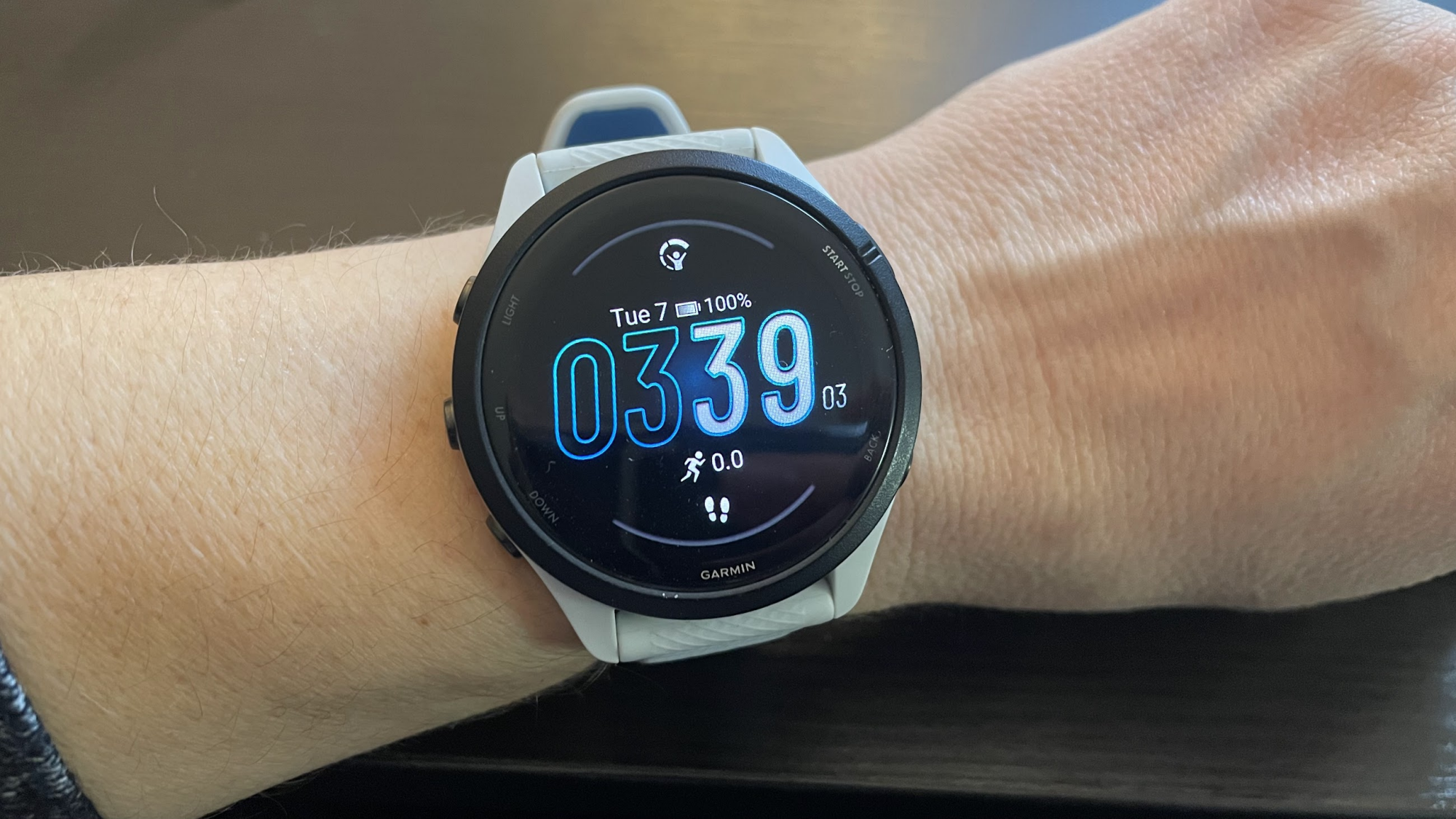
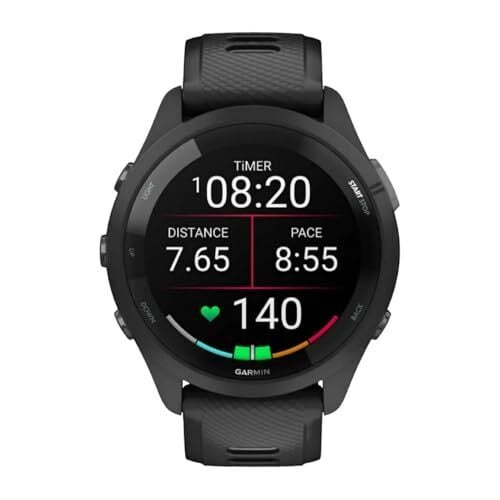
The sweet spot: Garmin Forerunner 265

Garmin Forerunner 265

Credit: Beth Skwarecki

The 2xx line of Forerunner has been the most popular for years. Strava’s end-of-year reports have consistently found four- and five-year-old Forerunners among the most popular devices for serious runners. I personally run with a Forerunner 265S, and I’ve written here about why this is my favorite running watch out there. I don’t need maps, so I didn’t opt for the fancier 965; but I do appreciate the training status and upgraded GPS that the 265 series has and the 165 doesn’t. The “S” at the end indicates that it’s the smaller size; I also have a breakdown here of every difference between the 265 and 265S. (Bottom line: pick the one that fits you better.)

The 265 has a bright, sharp AMOLED screen, where previous generations like the 255 had a MIP screen. I have a breakdown of the differences here; I prefer AMOLED, but MIP also has its die-hard fans. You can often catch a good sale on the older Forerunner 255, so it’s worth considering if you want a good watch on a budget.

Why the Forerunner 265S? 

  • Battery life: 13 to 14 days in smartwatch mode, 16 hours of running with GNSS, and 6 hours with GNSS and music.

  • Provides suggested workouts and Garmin Coach training plans.

  • Has a variety of training and recovery metrics, including VO2max, Body Battery, training load, recovery time, and intensity minutes.

  • Location tracking: includes multi-band GPS, GLONASS, and Galileo.

The best budget pick: Garmin Forerunner 165

I previously called the Forerunner 55 my budget pick, but I’m changing my mind. This past Christmas, I bought a Forerunner 55 for my husband, since he said he wanted a lower-end watch. After spending a week with its low-resolution screen and clunky features, which looked positively archaic next to my 265, I asked him if he might be happier with a 165. We ended up returning the 55 and getting a 165 instead, and he’s so much happier. That said, the 55 is fine. Don’t let me talk you out of it, especially if you’re able to get one on sale. (It’s an aging model, so the price will likely continue to drop). The Forerunner 55 can track your runs just fine and provide some extras like sleep tracking.

But the 165 has a nicer screen, better GPS, an altimeter, compass, Garmin Share (one of the best hidden features, in my opinion), HRV status, more workout modes, more ways to set your heart rate targets—just so much more good stuff, for only $50 more.

Honestly, it may be best to think of the Forerunner 165 as a pared-down version of the 265. For $200 less than my favorite watch, you get most of the same features. It’s only really missing multi-band GPS and a few analytics like training readiness and training status. Do note that it comes in Music and non-Music versions, charging a premium if you want to be able to play music directly from the watch.

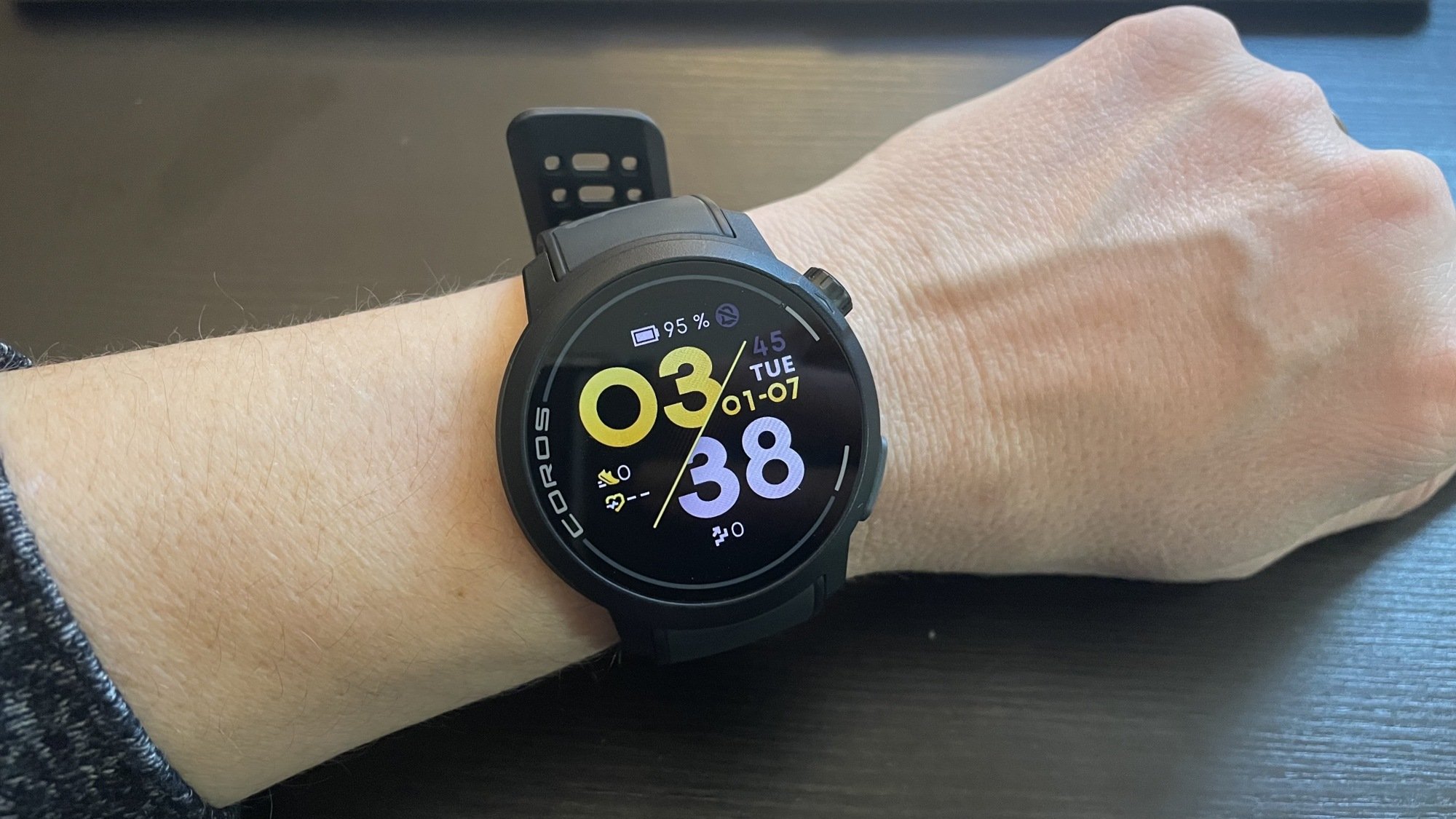
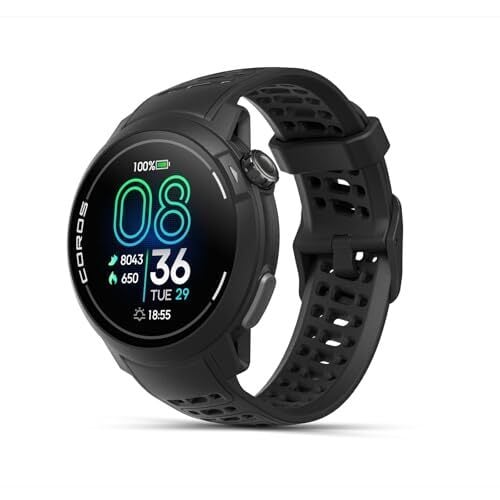
The best-kept secret: Coros Pace Pro

Coros Pace Pro

Credit: Beth Skwarecki

Garmin has long been the unquestionable leader in the running watch biz, but I’m seeing more and more runners move to Coros watches. They may not be as common, but their owners love them, citing the lower price for similar features compared to a Garmin. The Pace 3 model is a lightweight MIP screen device that I found couldn’t quite beat out the Garmin on features, but put up a heck of a fight in my head-to-head comparison.

The watch I’d like to spotlight here, though, is the newer Coros Pace Pro. It has an AMOLED screen and features onboard maps, making it pretty comparable to a Forerunner 965 for hundreds of dollars less. When it comes to personal favorites, I still prefer the Garmin ecosystem and the smaller sizes that are available in Garmin watches (the Pace Pro is only available in a 46 millimeter size). But I can’t deny that, when it comes to features and price, the Coros Pace Pro outperforms the Garmin Forerunner 265.

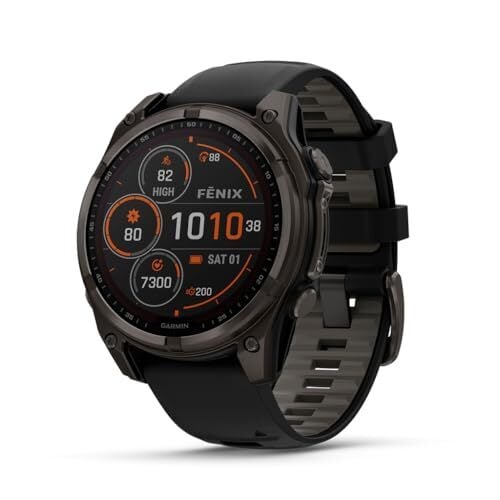
The fancy watch for fancy runners: Garmin Fenix 8 Solar Sapphire

If you’ve got a generous budget for a running watch and you want the best one out there, it’s hard to go wrong with the Fenix line. This one comes in three sizes and several different feature sets, but I’d like to highlight this one. It has a sapphire screen, meaning it’s literally made of sapphire mineral for scratch resistance. It also features solar charging, so you can extend your battery life outdoors without needing to stop to charge on long outings.

Garmin also introduced an AMOLED screen on the Fenix 8, but AMOLED and solar charging don’t go together, so you’ll have to choose one or the other.

Fenix watches, generally, have all of Garmin’s best bells and whistles, with an incredible battery life. In smartwatch mode you’re looking at a couple of weeks, not days (four weeks with solar charging is the official estimate), and the watch will last 13 hours of active use with all-systems GPS and music playing.

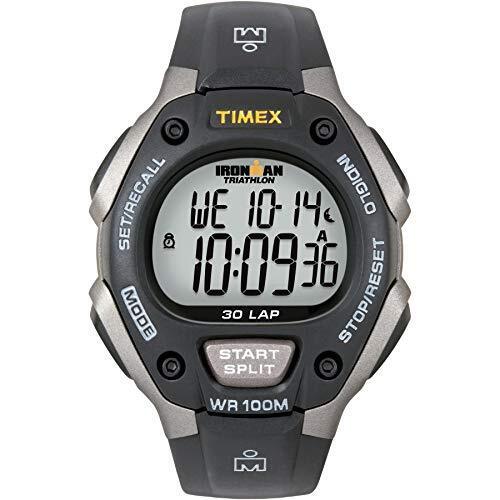
The barebones option that elite runners use: Timex Ironman

Yes, this is a “dumb” watch. No, I’m not including it as a joke. A lot of runners—including, and I might say, especially the pros—find the fancy features of smartwatches to be more of a distraction than a help. 

The Timex Ironman is a watch with physical buttons, a stopwatch, and a backlight that you can turn on when needed, and it retails for $60. It can remember your split times for a whole workout, and your average and best splits for past workouts. 

Latest Webb telescope image shows a cosmic phenomenon called an ‘Einstein ring’

The latest image from NASA’s James Webb Space Telescope, pictured above, also happens to be a stunning illustration of Einstein’s theory of general relativity. So much so that the cosmic phenomenon is called an “Einstein ring.” 

Einstein rings happen when light from one distant object is bent around the mass of another, slightly closer and even larger object. The effect is normally too subtle to observe up close on a local level, “but it sometimes becomes clearly observable when dealing with curvatures of light on enormous, astronomical scales,” NASA writes. In the case of this image, when the light from one distant galaxy is warped around the mass of another.

This “gravitational lensing,” as it’s technically called, is Einstein’s general relativity in practice. Spacetime (the fusion of space and time that makes up the fabric of the universe) curving around an object’s mass, with the curve itself being gravity. Objects like the ones pictured in the image — an elliptical galaxy wrapped in a spiral galaxy — are “the ideal laboratory in which to research galaxies too faint and distant to otherwise see.”

This Einstein ring was captured by the “Strong Lensing and Cluster Evolution (SLICE) survey” conducted at the University of Liège in Belgium. The survey is led by a team of astronomers looking “to trace eight billion years of galaxy cluster evolution,” according to NASA.

This article originally appeared on Engadget at https://www.engadget.com/science/space/latest-webb-telescope-image-shows-a-cosmic-phenomenon-called-an-einstein-ring-185911553.html?src=rss

Ex-FCC chairs from both parties say CBS news distortion investigation is bogus

The Federal Communications Commission’s news distortion investigation into CBS drew a public rebuke from a bipartisan group of five former FCC commissioners, including two former chairmen.

The group criticizing current Chairman Brendan Carr includes Republican Alfred Sikes, the FCC chair from 1989 to 1993, and Democrat Tom Wheeler, the FCC chair from 2013 to 2017. They were joined by Republican Rachelle Chong, Democrat Ervin Duggan, and Democrat Gloria Tristani, all former commissioners.

“These comments are submitted to emphasize the unprecedented nature of this news distortion proceeding, and to express our strong concern that the Federal Communications Commission may be seeking to censor the news media in a manner antithetical to the First Amendment,” the former chairs and commissioners told the FCC in a filing this week.

Read full article

Comments

NASA to put Starliner’s thrusters through an extensive workout before next launch

More than half a year after an empty Starliner spacecraft safely landed in a New Mexico desert, NASA and Boeing still have not decided whether the vehicle’s next flight will carry any astronauts.

In an update this week, the US space agency said it is still working through the process to certify Starliner for human missions. Whether it carries cargo or humans, Starliner’s next flight will not occur until late this year or, more likely, sometime in 2026.

Two things stand out in the new information provided by NASA. First, there remains a lot of work left to do this year before Starliner will fly again, including extensive testing of the vehicle’s propulsion system. And secondly, it is becoming clear that Starliner will only ever fly a handful of missions to the space station, if that, before the orbiting laboratory is retired.

Read full article

Comments

UK Govt Data People Not Technical, Says Ex-Downing St Data Science Head

An anonymous reader shares a report: A former director of data science at the UK prime minister’s office has told MPs that people working with data in government are not typically technical and would be unlikely to get a similar job in the private sector.

In a hearing designed to illuminate the challenges facing the Department for Science, Innovation and Technology (DSIT) as it strives to become the digital centre for government, MPs quizzed Laura Gilbert, head of AI for Government, at the Ellison Institute and former director of data science at 10 Downing Street, the prime ministers’ office.

Members of the House of Common’s Science, Innovation and Technology Committee wanted to know about the performance of the Government Digital Service, which in January was moved from the Cabinet Office to DSIT and merged with Central Digital and Data Office (CDDO), the Incubator for AI (i.AI). Gilbert, a particle physicist who has worked in a number of tech industry roles, said one of the challenges was understanding the level of tech skills in the civil service in central government.


Read more of this story at Slashdot.

Metroid Prime 4: Beyond Trailer Teases New Suit And Psychic Abilities For Samus

Metroid Prime 4: Beyond Trailer Teases New Suit And Psychic Abilities For Samus
Nintendo is nearing its big event to usher in the Switch 2 era, but the company wanted to host one final Direct showcase for the original Switch. As expected, most of the games shown off were smaller experiences because the company wants to hold off on any big reveals until the Switch 2’s Direct event. However, Nintendo still brought a new

Amazon’s Biggest Kindle Is $75 Off Right Now

We may earn a commission from links on this page. Deal pricing and availability subject to change after time of publication.

I love my (admittedly last-gen) Kindle Paperwhite, but even though I know its 6.8-inch screen isn’t actually that much smaller than most paperback pages, I still sometimes feel like I have to squint to read it. Maybe it’s my fault for seeing it as more of a tablet than an out-and-out digital book, but I do sometimes feel tempted to read on my iPad instead and just put up with the glare. Luckily, Amazon does make a bigger Kindle, and now it’s on sale.

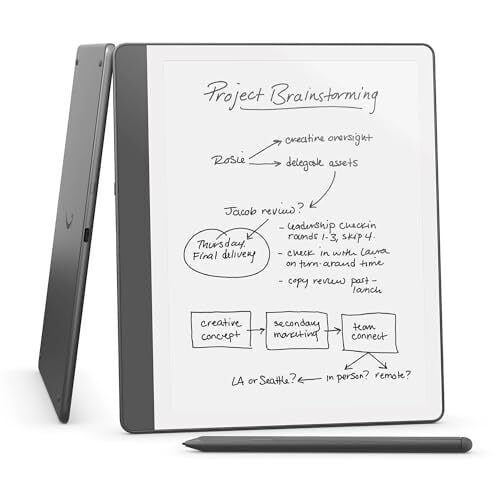
The Kindle Scribe is Amazon’s only e-note, meaning it’s intended more for writing on than reading with, but it will work for both. It can access your entire Kindle library, and thanks to its 10.3-inch screen, text and images do feel like they have more room to breathe on it. This can be especially good for comics (although, the black-and-white screen might make you want to stick to manga) and articles, and I’ve been tempted to upgrade for that reason alone before.

The problem was the price, which is normally a little steep at $400. Starting at $325 with this sale, though, it’s suddenly a much more attractive prospect.

And that goes double when you take into account the Kindle Scribe’s intended use case. It comes with a stylus that lets you mark up PDFs and jot down notes in either your own documents or in dedicated boxes in existing books, and Amazon says it’s retuned this model to have a more paper-like feel when writing on it. Yes, there is AI here too, although it’s fairly unobtrusive—when you’re done handwriting a note, you can have the Scribe quickly summarize it, “refine” it, or reconfigure it into a digital font, if you like.

There are arguments to be made for other e-notes despite all this functionality—my colleague, Joel Cunningham, recently reviewed a similar device, the Boox Note Air 4C, that has a color screen and can run Android—but if you’re already in the Kindle ecosystem, this Scribe sale could make for a handy little upgrade.


Shopping for tech? Lifehacker can help you make the right decision. Browse our tech reviews and head-to-head comparisons for everything from laptops and smartwatches to e-bikes and home gyms. Subscribe to our deals newsletter, Add to Cart, for the best sales sent to your inbox, or browse our best-of lists directly on Amazon, including:

Google Play will offer user choice billing in the UK

Score another one for regulatory scrutiny. Following a 2022 Competition and Markets Authority (CMA) investigation, Google said on Friday that it’s adding the UK to the list of countries where it supports user choice billing. This lets Android developers in the nation allow users to pay for in-app purchases using alternative billing systems.

Google says the UK will get user choice billing beginning on March 29. It will start with non-gaming apps, which aligns with how Google has handled these rollouts in other regions. Areas where alternate billing is already available include the US, Japan, Brazil, Australia, Indonesia, South Africa and European Economic Area (EEA) markets.

Developers who enroll in the program can only offer alternative payments in addition to — not in place of — Google Play billing. They’ll receive a four percent discount from Google’s service fees.

The move is closely tied to the nation’s regulations. In 2023, the company floated user choice billing as a concession to help settle a UK CMA antitrust investigation that began the previous year.

Although Google acknowledged the CMA’s influence on its decision in its announcement, the company framed the move in a blog post as giving the people (in this case, developers) may want. “While over 90% of our developers are ‘satisfied’ or ‘very satisfied’ with Google Play’s billing, which provides a secure way for people to buy subscriptions and digital goods in apps, we recognise that some developers may want more choice in how they process payments,” Google Competition Counsel Myrto Tagara wrote.

This article originally appeared on Engadget at https://www.engadget.com/big-tech/google-play-will-offer-user-choice-billing-in-the-uk-180145121.html?src=rss

Inside YouTube’s Weird World Of Fake Movie Trailers

Fake movie trailers created with AI are proliferating across YouTube, with some garnering more views than official studio releases — and Hollywood studios are quietly profiting from the phenomenon rather than shutting it down. Instead of enforcing copyright on these unauthorized videos, Warner Bros. Discovery, Sony Pictures, and Paramount are claiming monetization rights, directing ad revenue from fake trailers for films like “Superman” and “Gladiator II” into studio coffers, according to a Deadline investigation published Friday.

YouTube channels like Screen Culture, which has amassed 1.4 billion views, merge official footage with AI-generated imagery to create convincing trailer mockups that frequently rank higher in search results than legitimate studio releases. “Monetizing unauthorized, unwanted, and subpar uses of human-centered IP is a race to the bottom,” SAG-AFTRA told Deadline, condemning studios for profiting from content that exploits performers without permission.


Read more of this story at Slashdot.

The Sleep Earbuds I Use Every Night Are $30 Off Right Now

We may earn a commission from links on this page. Deal pricing and availability subject to change after time of publication.

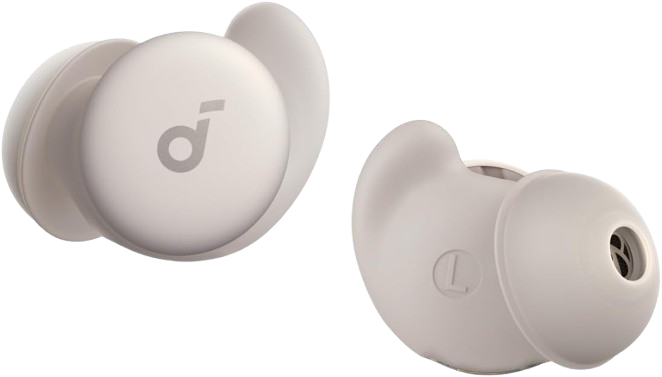
I’ve used earbuds to help me sleep for a while now, but I never expected a company to actually make earbuds specifically for sleeping. Anker’s Soundcore Sleep A20 are exactly that: earbuds designed to block out excess noise without pressing uncomfortably against your ear. I’ve been using them for a year and can’t recommend them enough.

Right now, these sleep earbuds are on sale for $119.99 (originally $149.99) during Amazon’s Big Spring sale—that’s the lowest price they’ve been, according to price tracking tools.

The Sleep A20 are not active noise canceling earbuds, which is how they’re able to have such a small, unobtrusive form factor. Instead, they use the in-ear seal to create a natural noise blocker, which, in my opinion, works well enough to block out sounds. They fit very comfortably and don’t press against your ear when you sleep on your side. Very rarely do I wake up with one of them lost in the covers after falling off during the night, but it does happen occasionally.

The battery life is 14 hours on sleep mode, which includes sounds from the Soundcore app (think like white noise or relaxing sounds). If you have it in Bluetooth mode, where you can listen to Spotify or whatever you want, it’s eight hours, but the charging case gives it a total life of up to 80 hours between plug-ins.

The companion app is great, with many useful features for sleeping. You can turn your earbuds off after a set amount of time, have a sleep tracker that records your sleep data, a smart volume feature that increases or decreases in volume depending on the sound in your room, full EQ, and other features.

Shopping for tech? Lifehacker can help you make the right decision. Browse our tech reviews and head-to-head comparisons for everything from laptops and smartwatches to e-bikes and home gyms. Subscribe to our deals newsletter, Add to Cart, for the best sales sent to your inbox, or browse our best-of lists directly on Amazon, including:

Common Side Effects has been renewed for a second season by Adult Swim

Mushroom fans rejoice. Adult Swim has ordered a second season of its animated hit Common Side Effects. This is happening just ahead of the finale of the first season, which airs this weekend.

For the uninitiated, Common Side Effects is something of an odd duck. It’s a cartoon, but it’s more of a thriller than a comedy. Mike Judge (Silicon Valley, King of the Hill) and Greg Daniels (The Office, Parks and Recreation) are onboard as executive producers, so there are some jokes. I guess it could be called a dramedy, but comedic thriller seems more apt.

The plot follows two former high school lab partners who discover a mystical mushroom that can cure just about every disease. This forces them to go on the run from the DEA, big pharma and shadowy business entities. The animation style is certainly unique, and may not be for everyone, but the show really comes into its own after a few episodes.

The voice cast includes Mike Judge, who played both Beavis and Butt-Head, and Martha Kelly, who starred in the animated Carol & the End of the World. She’s also fantastic in Baskets and absolutely terrifying in the second season of Euphoria. The remaining cast includes Joseph Lee Anderson, Dave King and Emily Pendergast.

Along with the renewal announcement, Adult Swim president Michael Ouweleen called the show a “boundary-pushing and genre-defining piece of television.” He also praised fans for “lighting up socials to spread the word.”

Common Side Effects was created by Steve Hely, who wrote for American Dad and 30 Rock, and Joe Bennett, who made the criminally underrated (and now cancelled) Scavenger’s Reign. The pair said their goal for the show is “to transform planet Earth and restore the human spirit” but that they’ll “settle for a second season.”

This article originally appeared on Engadget at https://www.engadget.com/entertainment/tv-movies/common-side-effects-has-been-renewed-for-a-second-season-by-adult-swim-173256630.html?src=rss

You Can Finally Turn the Page on Some Kindles Without Tapping the Screen

When I reviewed the Kindle Colorsoft, one of my biggest points of criticism was how simple the tablet itself is. There’s no stylus support or page turn buttons, even though Amazon previously had buttons on the now discontinued Kindle Oasis, and competitors like the Kobo Libra Colour and Boox Go Color 7 are still using them. Until now, that meant that turning the page required you to physically touch the screen, potentially leaving behind a distracting fingerprint.

Personally, that’s not a major issue to me—I just tap the margins. But it’s a major distraction to my husband, who’s taken to reading all of his books on his Kobo instead. With its most recent Kindle update, though, Amazon has now introduced an alternative way to turn your page, albeit with some limitations.

As part of the 5.18.1 Kindle Software update, the Kindle Colorsoft and the 12th Generation Kindle Paperwhite Signature Edition now let you turn the page by double-tapping pretty much anywhere on the device itself, whether that’s the sides or the back. After updating, you’ll get a brief intro screen, and then you’re free to open a book and try it out. And don’t worry—tapping once on the screen instead still works.

It can be a bit tricky to get the timing down at first, but keeping the window for a double tap short also helps prevent accidental skips forward. It only took me a couple of minutes to land on a cadence that works every time, and I wouldn’t say double tapping requires too much force or is too uncomfortable. That said, I mostly tested it out on a novel. If you advance your pages more frequently than once every minute or so, I could see the gesture getting tiresome.

As for the downsides, double tapping only lets you move your page forward. There’s no double tapping to go back, which is a bit of a bummer. My guess is that the Kindle just doesn’t have the tech to differentiate between taps on the left side of the device vs. taps on the right side, so Amazon opted to map all double taps to moving forward a page instead. Still, you might have to retrain your muscle memory a little bit—using your left hand for this won’t suddenly make you start rewinding.

If you’re on your Kindle’s home screen, the double tap gesture will also scroll down slightly, which is a nice touch.

The 5.18.1 software update is available now, and you can theoretically access it under Settings > Device Options > Software updates. That said, my Kindle didn’t show it as an over-the-air update option, instead saying I was “on the latest software” when I was clearly still on version 5.18.0.01. If this happens to you, you can instead manually download the update to a computer through Amazon’s website, then transfer it to your Kindle using the instructions below.

  1. Download the 5.18.1 software update for your device using the above link.

  2. Turn on your Kindle.

  3. Connect your Kindle to your computer (Amazon suggests using the included charging cable, but this wasn’t necessary for me).

  4. Using your computer’s file manager app, drag and drop the software update to your Kindle. Note that, if you’re on Mac, you might need a separate app to actually see your device.

  5. Tap “Disconnect” on your Kindle (or eject it from your computer) and unplug it from your cable.

  6. Navigate to Settings > Device Options and tap Software Updates. Your Kindle will restart and apply the update.

With that, you should be all set. Your Kindle will show the double tap tutorial and automatically enable the feature. That said, if you do find yourself accidentally double tapping a little too much, you can toggle it off under Settings > Device Options > Double tap.

Guinness World Record For Most Tennis Balls Held In Dog’s Mouth

This is a video highlighting the ball-loving life of golden retriever Finley Molloy, who holds the Guinness World Record for most tennis balls held in a dog’s mouth, with a very respectable six. For reference, that’s six more than I can hold, and I’ve tried. Just getting one past my teeth is difficult, then when I do I immediately start to panic I won’t be able to get it back out. My parents have since hidden all the sports balls in the house, but I know they’re in the attic. I’m just not going up there because of the ghosts. They’re not the friendly kind like Casper, they want to inhabit my vessel!

These Dutch Ovens Are Less Than $70 Right Now (Including My Favorite One)

We may earn a commission from links on this page.

Dutch ovens are heavy duty cast iron behemoths ready to take on your next cooking challenge whether it’s steamed, braised, boiled, or fried. But usually with that much power comes (you guessed it) a ridiculous price tag. It’s important to note, while Staub and Le Creuset can retail for $200 to $500, other brands are just as effective. Here are three good options—well below $100—on sale right now for Amazon’s Big Spring Sale.

For a smaller Dutch oven

I’m a fan of Lodge—I’ve had a 12-inch cast iron skillet that’s been a fabulous helper for nearly a decade—and their 3-quart Dutch oven has been deeply discounted. Normally this petite Lodge Dutch oven retails for over $100, but you can get it for $55.17. (Note that some of the different colors might come up at $60.)

While a 3-quart pot isn’t very large, you can still cook three to four servings of side dishes, stews, and soups in this size pot. Here are some of my favorite things to cook in my Dutch oven. This size is great for smaller storage situations, and considerably lighter if you’re not interested in hoisting a 15-pound hunk of metal onto your stove. This heavy duty piece of cookware can last a generation if you take care of it, and look snazzy while doing it.

Larger options 

Overmont. While I’m not familiar with Overmont, this Dutch oven is a good option if you’re looking for a larger pot. This highly rated Dutch oven is a 5.5-quart pot, which is better for baking loaves of bread or making six to eight servings of soups and stews. It’s also good for braising roasts or thick cuts of meat, and can withstand temperatures up to 500°F, moving seamlessly from stove top to oven for braising, or high-temperature bread baking. It’s $59.49 with a $5 coupon right now. 

Lodge. If there’s a Lodge option for a bigger pot then I’m going to find it—and I have. This is their 6-quart Dutch oven on sale for $67.49. Granted, it’s a few bucks more expensive than the 3-quart above, but with that extra space you can do a whole lot more. 


The Best Amazon Spring Sale Deals You Can Get Now


Apple AirPods Pro 2 Wireless Earbuds


—
$169.99

(List Price $249.00)


Ecobee Smart Thermostat Enhanced


—
$169.00

(List Price $189.99)


Blink Mini 2 (White, 2-Pack)


—
$37.99

(List Price $69.99)


Sonos Era 100 Wireless Speaker – White


—
$199.00

(List Price $249.00)

Deals are selected by our commerce team

Facebook’s New Friends-Only Feed Lets You Scroll Like It’s 2008

Facebook wants to be your friend again, by showing you what your real friends are up to. In an attempt to save itself from the AI slop and clickbaity images that are all over its algorithmic feed, Facebook is now updating its mobile app’s dedicated Friends tab to be a whole feed, showing you updates only from the real people that you actually care about. That’s a pretty big change, since before, all the Friends tab did was show you friend requests and people you may know.

According to Facebook, the new Friends tab is one of “several ‘OG’ Facebook experiences” that are set to be released throughout the year, so this is just the beginning. That said, while the new feature started rolling out yesterday in the US and Canada, there’s no timeline for a global rollout yet.

How does the new Friends feed work?

Friends tab facebook

Credit: Meta

In addition to having buttons up top for viewing friend requests, birthdays, and suggestions for people to follow, the Friends tab will now let you scroll down to see your friend’s stories, reels, and posts, just like in the good old days. It still doesn’t seem entirely chronological—Facebook hasn’t been clear about how posts on this tab are organized—but hey, it’s a start.

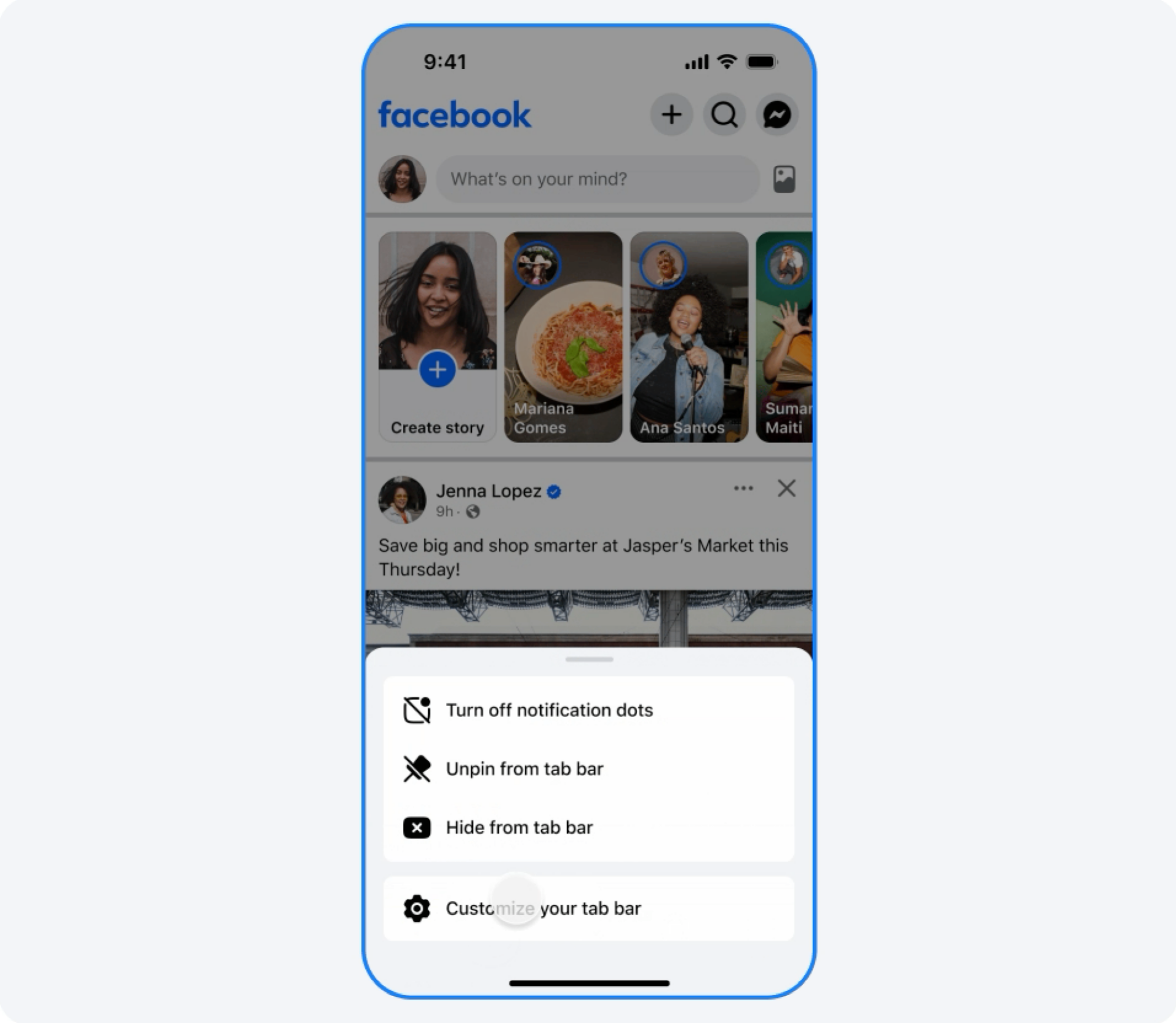
How to pin the Friends feed to the tab bar

By default, the new Friends feed is quite hidden. Don’t expect to see it front and center simply because you updated the Facebook app. You should find it in your home feed’s navigation bar on the very bottom of your screen, hidden behind an icon depicting one person standing in front of another. But if you don’t see it, you can also pin it your navigation bar manually. To do that, click your Profile picture and go to Settings & Privacy > Settings > Tab Bar. Here, click the button next to Friends and choose the Pin option.

Bookmark tabs on Facebook

Credit: Meta

Now, the Friends feed will be available in the tab bar. You can press and hold the Friends tab to unpin it if you don’t want to use this feature down the line.

Hey, you can’t turn off Meta AI, but getting to see your friend’s life updates is at least something.

Want To Go To College? Pay the College Board

The College Board, described as a $2 billion nonprofit, functions as the primary gatekeeper for academic success within American higher education, according to an analysis by Bloomberg. The organization significantly shapes university admissions by controlling not only who gains entry to college but also influencing what students know upon arrival.

This central role in managing and defining higher education admissions positions the Board uniquely. The story adds: The College Board writes the curriculum for 40 AP courses, administers and grades the exams, oversees the PSAT and SAT, and offers a variety of free and paid resources to help prepare for the courses and tests. Many students will wind up paying the company north of $1,000 over the course of their high school career. “If the same people can create the content and create the tests, that’s a really great business model where you’ve got the whole public secondary education system wrapped up in one little company,” says Jon Boeckenstedt, the vice provost of enrollment management at Oregon State University and a prominent critic of the College Board.

Housing so many parts of the high school experience under one roof has made the New York-based organization immensely wealthy, with more than $1 billion in annual revenue — on which it pays no taxes as a 501(c)(3) nonprofit. But mere money isn’t the biggest source of the College Board’s might. Twelve decades after its creation, it’s now the closest thing the fragmented American educational system has to a central governing body, with a huge amount of authority over what students are expected to know when they get to college. Higher education is arguably the most important driver of social mobility, as well as the most powerful force in selecting which members of the next generation will set the political and cultural agenda. By controlling who gets in and what they know when they get there, the College Board has become the chief gatekeeper of academic success in America.


Read more of this story at Slashdot.