Gemini 2.5 Pro Is Google’s Most Powerful AI Model Yet, and It’s Already Free

Google has pushed out a shiny new AI model in the form of Gemini 2.5 Pro, albeit with an experimental label next to it—and it’s available for free, so you don’t need to subscribe to Gemini Advanced to get it. As with many recent AI model releases, the “reasoning” capabilities of the model are said to be the biggest upgrade here.

In artificial intelligence terms, reasoning means answers that are more thoroughly worked through. That should produce fewer mistakes, more logical responses, and a better appreciation of “context and nuance” according to Google. This capability for extra “thought” will now come as standard in future Google models.

The Pro (Experimental) release is the first variant of Gemini 2.5 to show up, and while the original blog post didn’t mention free users, less than a week later we’ve got an update saying it’s available for everyone—with rate limits applied if you’re not a Gemini Advanced subscriber (Google hasn’t specified what those rate limits are). The new model is available now through the desktop app, and coming soon to mobile.
Google Gemini benchmarks
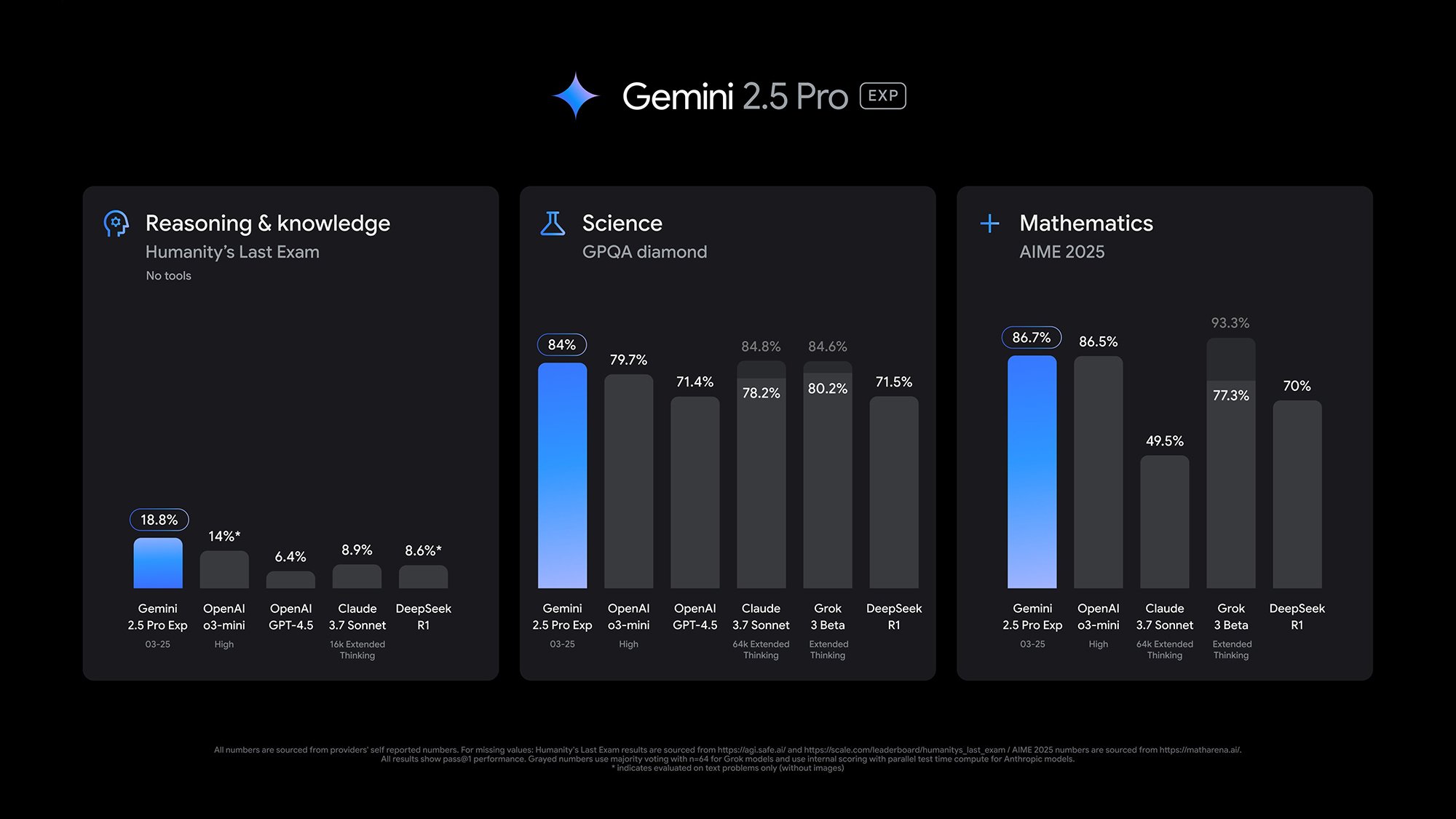
Gemini 2.5 Pro hits new levels in a variety of AI benchmarks.
Credit: Google

Google points to several benchmark tests that show the prowess of Gemini 2.5 Pro. At the time of writing it tops the LMArena leaderboard, where users give ratings on responses from dozens of AI chatbots. It also scores 18.8 percent on the Humanity’s Last Exam test—which measures human knowledge and reasoning—narrowly edging out rival models from OpenAI and Anthropic.

Also of note: the large context window. In simple terms, this is an indicator of how much data the AI model can churn through in one go, and Gemini 2.5 Pro has a context window of one million tokens, with two million “coming soon” according to Google. That compares to a context window of, for example, 200,000 tokens for ChatGPT’s o3-mini reasoning model.

As tends to be the norm with these AI announcements, there’s no mention of copyright infringement as far as training data goes, or increasing energy use. According to MIT researchers, modern-day AI models use a “staggering” amount of electricity and water, and have put us on an “unsustainable path” that needs to change direction quickly.

Putting Gemini 2.5 Pro to the test

It can be tricky to quantify improvements from one AI model to the next, which is why benchmarks like LMArena are useful. I lack the expert scientific or programming knowledge needed to really put Gemini 2.5 Pro to the test—though as with the previous model, I was able to create some simple web apps (like an online timer) in minutes.

I do know a bit about Charles Dickens’ Bleak House, so I set Gemini 2.5 Pro to work on the text. It gave me an accurate summary of the plot, and a clever assessment of the different narrative devices used (which would’ve really helped me in my study days). It also converted the book into a reasonably well done three-act structure for a movie—evidence of it holding a lot in its “mind” at once.

The older Gemini 2.0 Flash was able to answer the same Bleak House prompts accurately too, but the responses from Gemini 2.5 Pro were longer, more detailed, less generic, and smarter—evidence of that extra “reasoning” being put to work. The Gemini 2.0 Flash model also had to split the movie adaptation into three responses, perhaps due to the sheer amount of text it was trying to process.

Google has provided its own example of the capabilities of Gemini 2.5 Pro, showing how a simple endless runner game can be produced from a single prompt. While the demo video showing the code output is sped up, the game does appear to work and be pretty well-designed, which is an impressive end result from a single natural language prompt. There’s also a neat web demo of digital fish swimming around.

Elsewhere on the web, the new AI model is being extensively tested. Software engineer and independent AI researcher Simon Willison ran several tests covering image creation, audio transcription, and code generation, and came away very much liking what Gemini 2.5 Pro had been able to come up with.

The frenetic pace of AI development shows no signs of slowing down anytime soon, and we can expect more Gemini 2.5 models to appear in the near future. “As always, we welcome feedback so we can continue to improve Gemini’s impressive new abilities at a rapid pace, all with the goal of making our AI more helpful,” says Koray Kavukcuoglu, from Google’s DeepMind AI lab.

Gemini is an increasingly good chatbot, but it’s still a bad assistant

Google announced its intention to unify its generative AI efforts under the Gemini brand at the tail end of 2023, and it has been full steam ahead ever since. In 2025, Google Assistant is being phased out and replaced with Gemini. As Google, Amazon, and others move toward a world in which all virtual assistants are based on generative AI, it’s reasonable to consider if this is actually a good idea. Despite promises of “smarter” AI and ever-increasing token limits, these robots still have a fundamental flaw that may make them bad assistants: They lie.

They don’t set out to lie, of course, because they don’t know what a “lie” is. These systems attempt to generate the most plausible next token to build an output. Because of this, generative AI is non-deterministic—you can’t predict the output, and even running the same prompt multiple times will offer varying responses.

This can look impressively like thinking sometimes, but it also leads to frequent hallucinations. That’s why the iPhone said Luigi Mangione was dead and Google told people to put glue on pizza. GenAI proponents like Google and Apple have been trying to curb the chaos of confabulations, but this may always be a problem because of the nature of the underlying technology.

Read full article

Comments

TikTok’s ban deadline is coming. What happens next?

TikTok’s deadline to sell off or cede its US operations is once again approaching. The 75-day extension delaying the enforcement of a nationwide TikTok ban is set to run out Saturday, April 5, unless the company finally reaches an agreement to find a new owner. Who might buy it, and what happens if no deal is reached? Here’s the shape of things right now:

Potential buyers

President Donald Trump has suggested that “a deal” is imminent and could be reached before that deadline. What such an agreement will look like is still extremely unclear. A number of interested buyers have come forward, including YouTuber MrBeast, Reddit cofounder Alexis Ohanian and Perplexity AI. Oracle, which almost bought TikTok in 2020 and was a key part of TikTok’s earlier negotiations to address national security concerns, is also in the running.

Depending on which bid wins out, TikTok could end up looking very different. ByteDance, TikTok’s Chinese owner, won’t allow another company to take control of the app’s coveted recommendation algorithm. That means a new owner would have to rebuild TikTok’s central feature. Perplexity AI, for example, has said it would take on this task of reverse-engineering the app’s “For You” feed, making it open source and implementing some kind of Community Notes-style fact checking feature. Reddit cofounder Alexis Ohanian, who joined a group of investors known as “Project Liberty,” has hinted at a vision for TikTok that somehow ties in with blockchain technology.

Option 2

There’s also another, potentially less disruptive option on the table. The White House is also considering a deal that would allow TikTok’s existing US investors to “roll over their stakes into a new independent global TikTok company,” according to The New York Times. Under this arrangement, Oracle could also end up overseeing TikTok’s US data while ByteDance hangs onto its algorithm, as the Financial Times reported in March.

This would likely be a smoother transition than a full-on sale that would require a new owner to rebuild a significant part of the app. Aspects of it are also very similar to terms TikTok already agreed to under a previous agreement with Oracle known as Project Texas. However, this sort of deal may also not be entirely legal, as Politico recently pointed out. The Protecting Americans from Foreign Adversary Controlled Applications Act, the law passed by Congress and signed by former President Joe Biden last year, calls for a divestment of TikTok and its algorithm.

It’s also not clear whether Chinese officials would be willing to sign off on such an arrangement, though Trump has suggested he could use the threat of tariffs as negotiating leverage. “We’re dealing with China also on it because they may have something to do with it. And we’ll see how that goes,” Trump told reporters over the weekend.

No deal

So what happens if Trump’s “deal” isn’t finalized by Saturday? The answer, it seems, is… probably nothing. Trump has said he would likely extend the deadline again if the clock runs out on the current extension. (Once again, it’s not entirely clear if another extension is legal, but CNN reports that a second extension might be an uphill battle if challenged in court.) In the meantime, TikTok is unlikely to go dark like it (briefly) did in January when the ban law first went into effect.

This article originally appeared on Engadget at https://www.engadget.com/social-media/tiktoks-ban-deadline-is-coming-what-happens-next-162420478.html?src=rss

Four private astronauts launch on first human mission to fly over the poles

Four adventurers suited up and embarked on a first-of-a-kind trip to space Monday night, becoming the first humans to fly in polar orbit aboard a SpaceX crew capsule chartered by a Chinese-born cryptocurrency billionaire.

The private astronauts rocketed into orbit atop a Falcon 9 booster from NASA’s Kennedy Space Center in Florida at 9:46 pm EDT Monday (01:46 UTC Tuesday). Instead of heading to the northeast in pursuit of the International Space Station, the Falcon 9 and Dragon spacecraft departed Launch Complex 39A and arced to the southeast, then turned south on a flight path hugging Florida’s east coast.

The unusual trajectory aligned the Falcon 9 with a perfectly polar orbit at an inclination of 90 degrees to the equator, bringing the four-person crew directly over the North or South Pole every 45 minutes.

Read full article

Comments

‘Dopamine’, An Insane Entirely Beatboxed Track

Note: If time is money and you don’t have any, skip to 0:50 for the drop at 0:55 and prepare to have your mind blown �

This is a video of South Korean beatboxing champion Wing performing his single ‘Dopamine’, a song that’s entirely beatboxed and hard to believe doesn’t have any electronic wizardry behind it. Those sounds he makes aren’t human. The sound a dog makes in the middle of the night when it’s about to throw up on your comforter? Also not human, but completely different.

Study Reveals Why Credit Card Interest Rates Remain Stubbornly High

Credit card interest rates, which averaged 23% in 2023, are significantly higher than any other major loan product primarily due to non-diversifiable default risk and banks’ market power, according to research published by the Federal Reserve Bank of New York.

The comprehensive study, which analyzed 330 million monthly credit card accounts, found that while high default losses contribute to elevated rates, they explain only part of the picture. Even high-FICO borrowers pay spreads exceeding 7% above the federal funds rate. Researchers determined that credit card banks have substantial pricing power, achieved through exceptionally high operating expenses — about 4-5% of dollar balances annually — with marketing costs ten times higher than those at other banks.

“Credit card charge-off rates are highly correlated with default rates on banks’ other loans as well as on corporate bonds,” the researchers said, noting that default risk cannot be diversified away across lending markets, particularly during economic downturns. The study estimated that exposure to aggregate default risk carries a premium of 5.3% per year, which fully explains the relationship between return on assets and credit scores.

Credit cards are ubiquitous in American finance, with 74% of adults owning at least one card, and the payment method accounting for 70% of retail spending. According to the research, 60% of accounts carry balances month-to-month.


Read more of this story at Slashdot.

What You Gain (and Lose) by Using Ad Blockers

The average website seems to have more ads than content. There’s the banner at the top, the square in the sidebar, and in most cases, a few auto-playing video ads thrown in for good measure. Ad blockers can help clean things up, but experts say that installing an ad blocker does more than make the internet less cluttered: They can also help you stay safe online.

Ad blockers can protect you from scams

In a perfect world, outright scammers and cybercriminals would not be able to buy ads from massively profitable search engines. However, we do not live in a perfect world.

“Criminals have started buying ad space,” said Kim Key, senior security analyst for our sister site PCMag who has written an extensively researched list of the best ad blockers. “That means that some ads may infect your device with malware when you interact with them, or may contain links to malicious websites.”

A version of this is ads designed to mimic legitimate companies in search results, a problem common enough that in 2022, the FBI put out a statement recommending the use of ad blockers.

“Cyber criminals purchase advertisements that appear within internet search results using a domain that is similar to an actual business or service,” the statement said. “When a user searches for that business or service, these advertisements appear at the very top of search results with minimum distinction between an advertisement and an actual search result.”

The report mentions that not all ads are scams (good?) but that installing an ad blocker is one way to protect yourself from being sucked into these scams in the first place.

(Some) ad blockers can protect your privacy

I don’t think I need to tell you that online advertising is invasive—we’ve all noticed ads following us around the internet. Spend time researching shoes on Amazon and ads about the shoes you’ve looked at will pop up everywhere you go. It can feel creepy.

Ad blockers can protect you from this, but there’s a caveat: Some ad blockers prevent you from seeing ads without blocking the tracking. “If your ad blocker doesn’t block trackers, but just blocks ads, it doesn’t protect your privacy,” said William Budington, a senior staff technologist on the Electronic Frontier Foundation’s (EFF) Public Interest Team.

Janet Vertesi, associate professor of sociology at Princeton University who publishes extensive work on human computer interaction, told me this is a reason she herself doesn’t use an ad blocker. “Some ad blockers make you think you have privacy because you’re not seeing ads, but you don’t know if the sites are taking your data,” she said.

Having said that, there are options out there specifically built to block tracking. Privacy Badger, built by the EFF, wasn’t made to block ads—only tracking—but Budington told me it ends up blocking most ads anyway. “The reason why there’s such conflation of ad blockers and tracker blockers is that the vast majority of ads online are also trackers,” he said.

Vertesi told me that this distinction—blocking tracking versus blocking ads—might be behind Google’s recent ad blocker changes in Chrome.

“What made uBlock Origin such a great ad blocker is it was blocking both coming out and going in,” she said. “Chrome is a Google Product. Google is in the data-gathering business. Of course they don’t want you to use uBlock Origin.”

Which is all to say: Ad blockers can protect your privacy, but only if you’re using the right one.

Drawbacks to using ad blockers

Having said all that, there are reasons you might not want to use an ad blocker. Supporting the things you read, for one thing.

“Some content creators rely on ads for revenue, so as a supporter, you may not always want to block all of the ads,” Key said. “I recommend trying an extension like Adblock Plus in this instance, because it allows you to allow some ads while blocking others.”

And some ad blockers themselves introduce privacy problems.

“I recommend reading the ad-blocking extension’s privacy policy before installing it,” Key said. “Make sure you know what types of data the ad blocker collects from your browser, and how the company plans to store and use your personal information.”

There’s also an argument to be made that using an ad blocker makes it hard to notice when you’re being tracked.

“I don’t use an ad blocker because I am monitoring what they think they know about me,” Vertesi said. “They’re like the canary in the coal mine. I want to see those shoes following me around the internet—I need to know if my guard was let down.”

What Is a Browser Cache, Anyway?

When you use the internet on your laptop, tablet, or phone, your browser stores information about the sites you visit and how you engage with them to improve loading speed and personalize your browsing. Caching is one of these processes. Here’s how it works and why you should consider clearing it regularly.

What exactly is a browser cache?

Your browser cache is a temporary storage area for elements of websites you visit, like images, fonts, and code. When you first visit a website, your browser downloads and stores that data locally to load the next time you navigate back to that site. When you come back, your browser first checks the cache for an existing page version, but if the website has been updated since your last visit, it will download and cache whatever new information it discovers as missing or outdated. Websites can also set expiration dates for cached files, forcing your browser to download the latest version and update the cache. The primary benefit of caching is faster loading, as your browser won’t have to wait for page data to be found and re-downloaded each time you open it.

Caching differs from cookies, which are small bits of information created by sites you visit that your browser saves to personalize your experience, such as your logins, site preferences, or shopping cart items. The cache is also different from your browser history, which is simply a record of all the sites you’ve visited and when you visited them. All of this data is stored locally on your device, though.

Why you should clear your browser cache (and when to do it)

Caching enhances your overall browsing experience, as you don’t have to wait for every page element to be retrieved and downloaded each time you open a site you visit often. That said, occasionally clearing your cache can be useful for fixing loading or formatting errors that occur when old files remain stored. Of course, browsing speed may slow down temporarily, though, as your cache has to save new information for each site.

Browser caching also comes with a handful of privacy and security considerations. Hackers can use cached data to spread malware or direct users to fake websites—attacks known as cache poisoning and DNS spoofing. Your cache can also expose your browsing information to anyone accessing your device, whether a household member or someone who steals or confiscates your computer or phone.

Jacob Hoffman-Andrews, a senior staff technologist at the Electronic Frontier Foundation, recommends that users concerned about keeping their browsing data private should use device encryption so anyone with physical access to their device can’t get in. You can also clear cache if you’ve been browsing sensitive material or utilize Incognito Mode, which prevents your browser from saving information (including cookies and history) in the first place, at least on your device.

“Deleting browsing data only affects what’s on your device,” Hoffman-Andrews says. “Your ISP or government may be keeping records of what sites you visit. The sites themselves may be keeping records of which specific pages you visited.”

Most browsers let you clear cache, cookies, and browser history altogether. Still, if you want a more private browser that protects against snoops tracking your data and internet history, your best place to start is by reevaluating what browser you use.

London Mayor Axes Cyber Crime Victim Support Line

London’s mayor has axed a cyber crime helpline for the victims of online abuse, triggering a backlash from campaigners who argue that women and girls will be left struggling to access vital support. From a report: The service, which was shut down on Tuesday, assisted victims of fraud, revenge porn and cyberstalking to protect their digital identity. During its 18-months of operation it led to 2,060 cases being opened. The helpline was launched in 2023 as a one-year pilot scheme with $220,000 in funding from the Mayor’s Office for Policing and Crime (Mopac), and was later extended by six months.

Conservative London Assembly member Emma Best said an informal evaluation showed the helpline “was working” and was going to be extended for another year. However, Sadiq Khan said that the scheme would be closed. “It was a pilot and pilots are what they say on the tinâ… we will receive an end of project report, we have collected the data and the results of that report will inform our future work,” he said, speaking at Mayor’s Question Time.


Read more of this story at Slashdot.

Amazfit Bib 6 Smartwatch Launches With Big Upgrades At A Wonderfully Low Price

Amazfit Bib 6 Smartwatch Launches With Big Upgrades At A Wonderfully Low Price
Leading wearable manufacturer Amazfit has launched the Amazfit 6 smartwatch. The latest iteration of the Bip lineup features a rich 1.97-inch AMOLED, two week battery life, a suite of health, sleep, and heart rate monitoring capabilities, an AI-powered fitness coach, and even offline maps for navigation off the beaten path. These all come

Apple’s Find My has finally launched in South Korea

Apple’s Find My feature has finally been enabled in South Korea, according to a company announcement translated by Apple Insider. This comes after years of public demand in which the finding network tool was absent from the country. The omission was especially odd when you consider that Apple sold AirTags throughout the region. Without Find My, they are basically just puck-shaped paperweights.

The company never explicitly stated why it limited access to Find My in South Korea, but it appeared to be related to local laws that could have allowed the government access to the location data. The service first appeared during a beta test of iOS 18.4, but the official software update makes it available to everyone in the country. Find My has long been functional in South Korea’s outlying territories like Baengnyeongdo and Ulleungdo.

“Find My is an important tool that allows users to grasp the location of the most precious things to them, such as friends, family and personal items, and I am very happy to be able to introduce this function to Korea,” said David Dorn, senior director of Apple’s service products, in a statement on the company’s local website.

The modern iteration of Find My launched in the US in 2019 as part of iOS 13. However, the tool actually dates back to a service called Find My iPhone that started in 2010. Apple recently expanded functionality to let users share the location of a lost item with other people on the network. This is helpful when negotiating the return of a lost item with a stranger.

This article originally appeared on Engadget at https://www.engadget.com/mobile/apples-find-my-has-finally-launched-in-south-korea-151437244.html?src=rss

Microsoft Expands Snapdragon’s Exclusive Copilot+ Features To AMD And Intel PCs

Microsoft Expands Snapdragon's Exclusive Copilot+ Features To AMD And Intel PCs
It took a minute (and not a New York minute), but Microsoft is taking the leash off of most of its Copilot+ features that were tethered exclusively to Snapdragon X series laptops, and letting them roam free on Copilot+ PCs powered by AMD Ryzen AI 300 series and Intel Core Ultra 200V processors. The only exceptions are a new set of Voice Access

Amazon’s new cinema plan is perfect… for the ‘80s

If you ever needed a definitive example of how money doesn’t necessarily buy you success or taste, take a look at Amazon’s studio arm. The mega-retailer’s production division, now known as Amazon-MGM, has been making movies for more than a decade. Very few of the entries in its lineup have been world-beaters, but that hasn’t deterred the outfit from persisting. The New York Times is today reporting that under its new head, Courtney Valenti, Amazon’s movie division has plans to own the in-person cinema experience.

Amazon is apparently gearing up to release “up to 14 big, broad commercial films a year to theaters nationwide and around the world.” Each film would spend 45 days in the theaters before heading to pay-per-view and then to Prime Video at some point after. The move comes in the face of shrinking box office receipts and fewer people heading to the cinema in general. Not to mention it’s also planning to produce an equal number of films that’ll go direct to Prime, which seems counter-intuitive given the desire to push people toward theaters.

That doesn’t recognize the shift in viewing habits, especially among younger people, who’d much rather sit and watch YouTube for hours at a time. Or that the box office took a hit because of COVID-19 that it never really bounced back from. Or that a lot of people would rather wait for a film to become available “for free” on a service they already pay for.

It also doesn’t take into account the fact cinemas are becoming increasingly unaffordable, and not that nice a place to sit for multiple hours. Last year, the cinema industry said it would spend $2.2 billion renovating their facilities to lure wary customers back. The planned additions included renovations for chairs and carpets, as well as the construction of ziplines and pickleball courts. Nowhere on the list was mentioned “make cinema tickets cheaper” or “don’t make viewers sit through half an hour of TV adverts before the trailers.”

At the risk of sounding obvious, that’s one hell of a lot of material for one company to put out in a year. Especially when so many competitors with better track records are putting out far fewer films and seeing success. On paper, 14 movies a year feels like the sort of strategy you could last get away with in the 1980s. After all, people had fewer options, cinemas were busier and studios could rely on the triple-whammy of the box office, rental and VHS markets.

It doesn’t help Amazon isn’t pledging to make quality movies, just lots of them, which suggests a mindset that doesn’t value scarcity. After all, there are many instances of things made and sold in small, limited quantities that garner far more attention than something mass-produced. Think about how hard it is for one of those latter-day Marvel movies to stick in the consciousness when you know there’ll be another one along in a month or two.

It calls to mind Amazon’s battles with the Broccolis, until recently the custodians of the James Bond franchise. Let’s not overthink this, they are just silly spy movies — but ones made with a level of craft and attention rarely seen in the modern era. The fact there can be a multi year gap between entries in the series means each film gets far more attention. That was in conflict with Amazon’s apparent desire to use the Bond name to push out a thousand different streaming series, game shows and movies on a regular basis.

And, at the risk of sounding uncharitable, it’s not as if Amazon’s movie slate has been a hit parade thus far. Many of the studios’ buzzier hits were picked up at film festivals rather than coming from inside, while its homegrown fare has floundered. That’s not to say its rivals are doing any better on this front — just read the reviews of The Electric State to show you how badly Netflix is throwing mad money at C+-tier projects.

I often wonder if people look at the success of Disney’s big Marvel tentpoles and assume that it’s easy to replicate. A film like Avengers: Endgame was the payoff to a decade-long plan built from the ground-up on the backs of less successful films. Across 2024, Disney put 15 films into cinemas, but even a mega-behemoth like Disney does it across its seven or eight different divisions.

In terms of attractive pitches, 14 films a year from the people who spent more than $200 million on Red One isn’t particularly compelling. Amazon’s going to have to give people a reason to get out to the theaters, but that’s going to be a challenge if the emphasis is on putting more raw material into the pipeline rather than making anything halfway considered or compelling.

This article originally appeared on Engadget at https://www.engadget.com/entertainment/amazons-new-cinema-plan-is-perfect-for-the-80s-150653674.html?src=rss

What VPNs Can Do (and What They Can’t)

When venturing out into the wilds of the modern web, many people now make use of a VPN, or a Virtual Private Network. These software packages have been around for decades as ways of securely connecting to private networks remotely, but the term is now more commonly used to refer to third-party VPN services that act as intermediaries between your devices and the internet at large.

The idea behind VPNs is they keep you and your data safer while you’re browsing, with a trade-off in terms of speed (though the best VPNs will aim to minimize the hit on download and upload transfer rates). If you’re wondering what exactly a VPN is, how these services work, and whether or not you should be signed up for one, you’ll find all of these questions and more answered below.

Why use a VPN?

Using a VPN is beneficial in terms of both security and privacy. VPNs create an encrypted tunnel between you and dedicated servers run by the VPN company. Your traffic is then sent down that tunnel, and your VPN service of choice then sends it on to websites or other servers. Traffic going in the other direction travels back in the same way.

This tunnel offers several protections. It means it’s a lot harder for people on the same wifi network as you at the local coffee shop or the hotel you’re staying in to see what you’re up to—so VPNs are often deployed by users when they’re traveling and connecting to numerous public wifi networks.

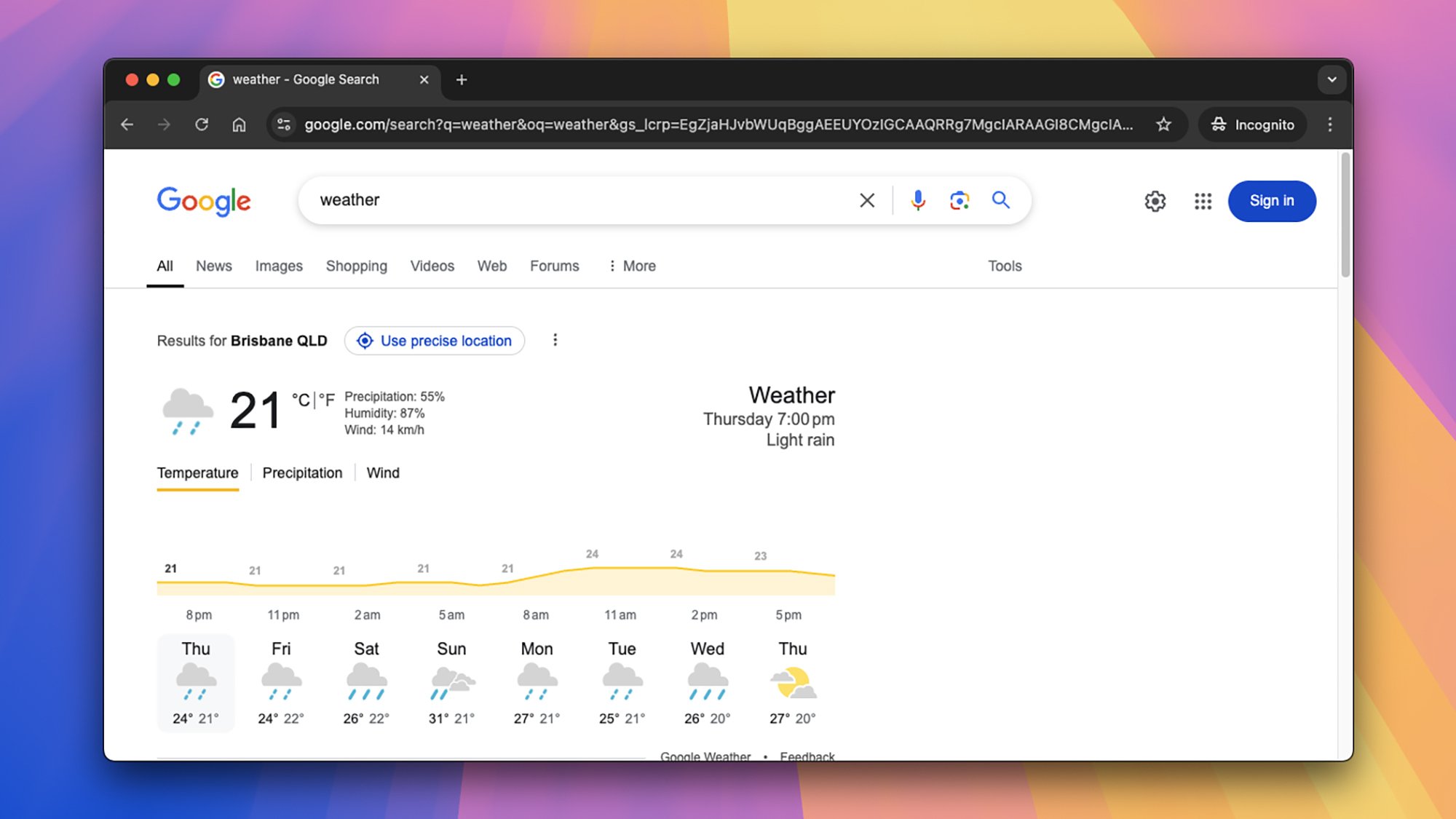
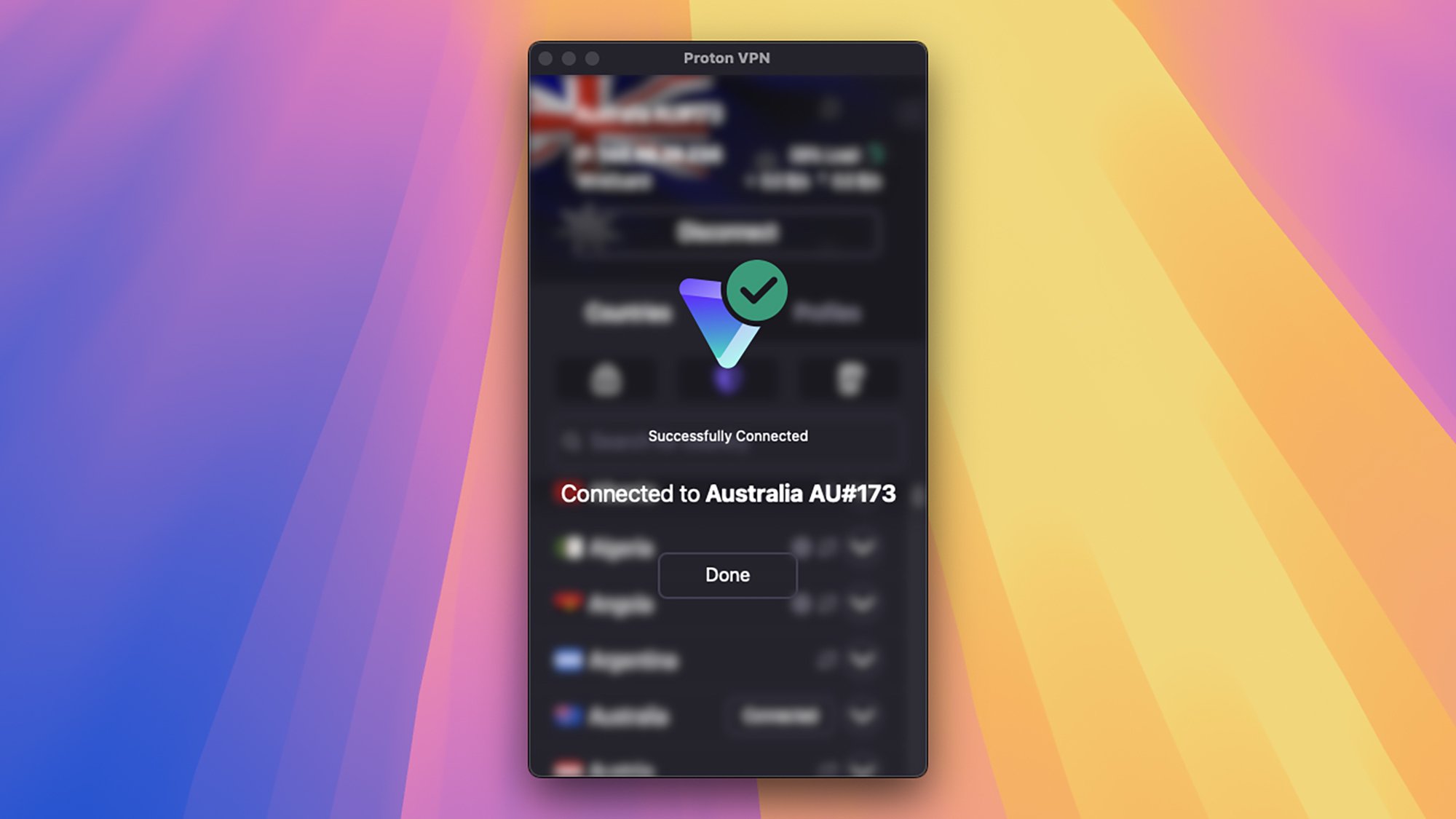
VPN weather
VPNs can let you pretend you’re in places you’re not.
Credit: Lifehacker

Connecting to a VPN also means your traffic is hidden from your internet service provider, or ISP. Your ISP can see you’re connecting to the VPN, but nothing beyond that—so it’s impossible for your ISP or any of its staff to snoop on you or keep logs. It also means ISPs are more limited in terms of what they can tell government agencies and law enforcement.

Another reason for using VPNs is to conceal or spoof your location: Websites can only see the location of the VPN server you’re using, not your actual location. That means they can’t track your whereabouts as easily, and in the case of streaming services, might serve up different libraries of content depending on where your VPN server is (though streaming services are pretty wise to VPNs now, so this doesn’t always work).

How VPNs work—and their limitations

That idea of an encrypted tunnel covers the basics of how VPNs work: You connect to a VPN server, then it connects to the web for you. When data comes back, it first goes to the VPN server, and then to your device. VPN providers will tell you how many servers they have and in how many countries—each time you connect to the VPN, you can typically choose which server to connect to, or have one assigned automatically.

If you want to stay safe on a public wifi network, it’s best to connect to a server in your country—it’ll be faster. If you want to pretend you’re in another country, or would like to stop websites and apps from knowing where you are, you can pick a server somewhere else. Some VPNs let you double-up servers for extra security.

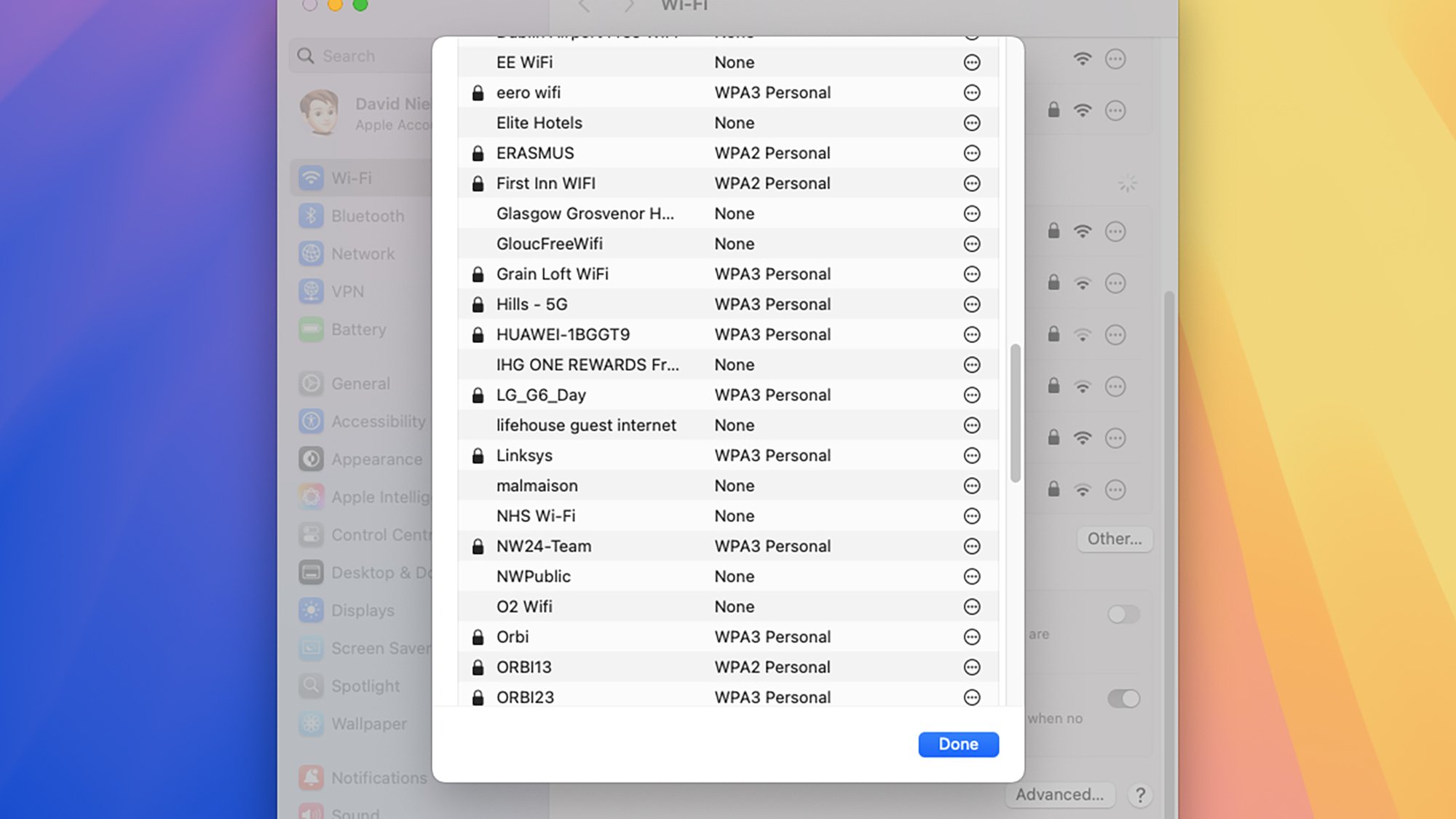
Wi-Fi networks
If you connect to a lot of wifi networks, VPNs can help keep you safe.
Credit: Lifehacker

It’s important to recognize the limitations of how VPNs work, too. Your location aside, they aren’t going to stop a lot of the tracking tech you’ll find on the web, such as cookies—and of course if you log into your Amazon account, Amazon will know it’s you. VPNs don’t offer anonymity cloaks.

In addition, you’re essentially transferring your trust from your ISP to a VPN provider: Your ISP provider can’t see your traffic, but your VPN service potentially can. What’s more, VPNs are under the same legal obligations as ISPs when it comes to giving data to government and law enforcement agencies. With that in mind, it’s important to pick a VPN you trust.

How to choose a VPN

As noted above, VPNs aren’t above the law, and can see the traffic they’re ferrying for you. With that in mind, it’s important to look for a VPN with an independently audited “no logs” policy—meaning none of your data is kept permanently. That means there’s less information that can be exposed or handed over to the authorities, if they come knocking.

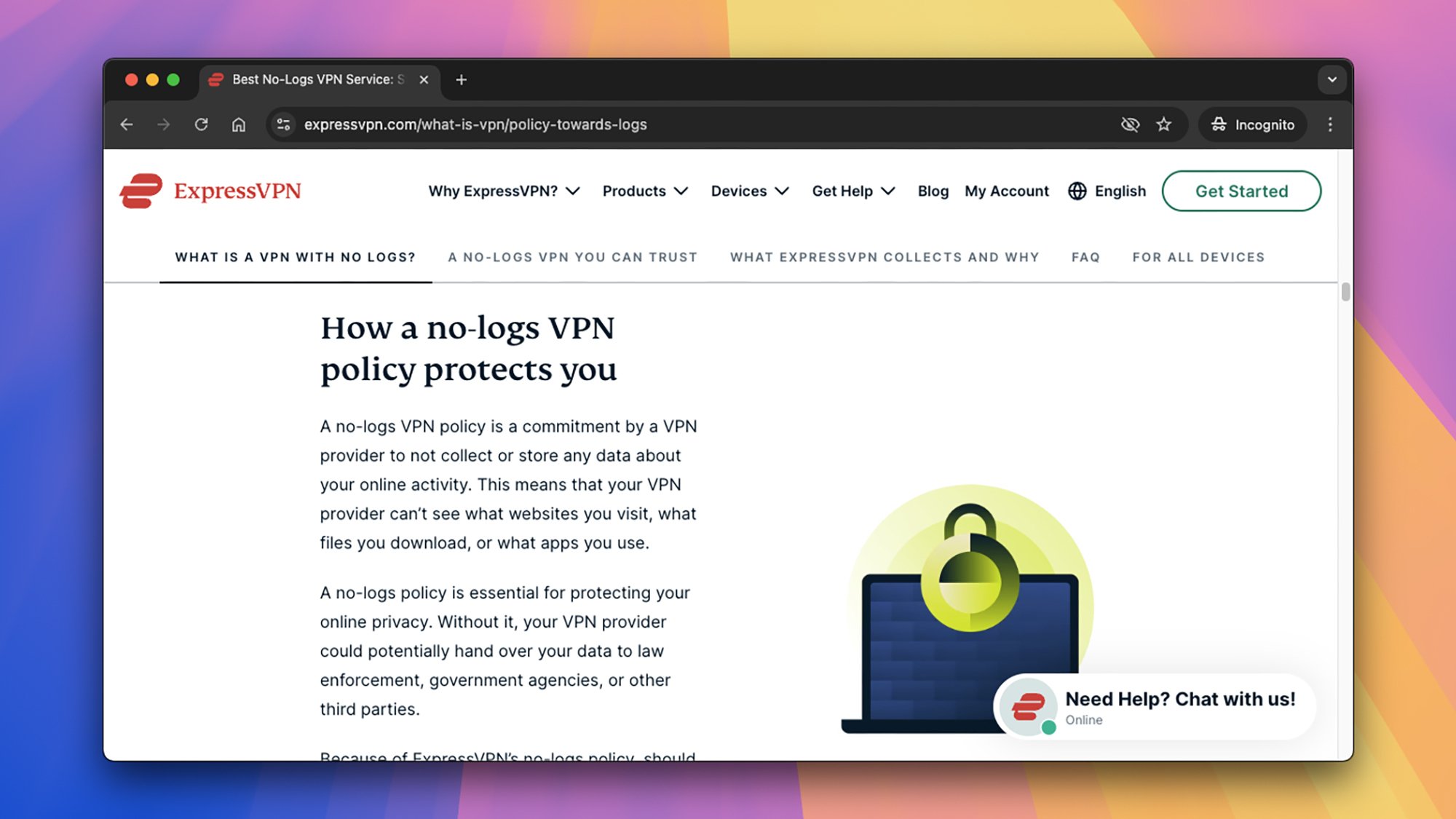
It’s a crucial part of choosing a VPN, so VPN providers will usually promote “no logs” policies quite prominently. Read the policies for ExpressVPN and NordVPN, for example: You’ll see mention of independent auditors, technologies that scrub data automatically, and operations that are based in countries where data retention laws are less strict (which means VPNs aren’t legally obliged to keep records on their users).

ExpressVPN logs
See what VPN providers say about their data retention policies.
Credit: Lifehacker

There are lots of other criteria to use when weighing which VPN provider to go for. As previously mentioned, you can look for how many servers a provider offers, and where they’re based. You can also check up on the promised speeds, as well as the basics of how much you’re going to have to pay and what else you get included (maybe dark-web monitoring for data breaches, for example, or a bundled password manager).

Make sure you check how many devices you can connect to the VPN service at any one time, as this will vary—and some VPNs may not even have apps for every platform. You can also look at what you get in terms of customer service and support if something goes wrong. And don’t forget to consult reviews from trustworthy tech publications, too.

How much VPNs cost

As with most digital subscription decisions, cost is likely to be a big factor in your choice. Free VPNs are available, though they’ll usually be cut-down versions of paid-for packages, with limitations on how many connections you can make and the speeds you’re going to get in terms of uploads and downloads.

Considering how important VPNs are, in terms of trusting them with your data, it’s a good idea to avoid free ones if you can—at least if it’s not clear how they’re making their money. There are trustworthy free VPN packages around, and we’ve listed some of them here, but make sure you go for a well-known name with a long history.

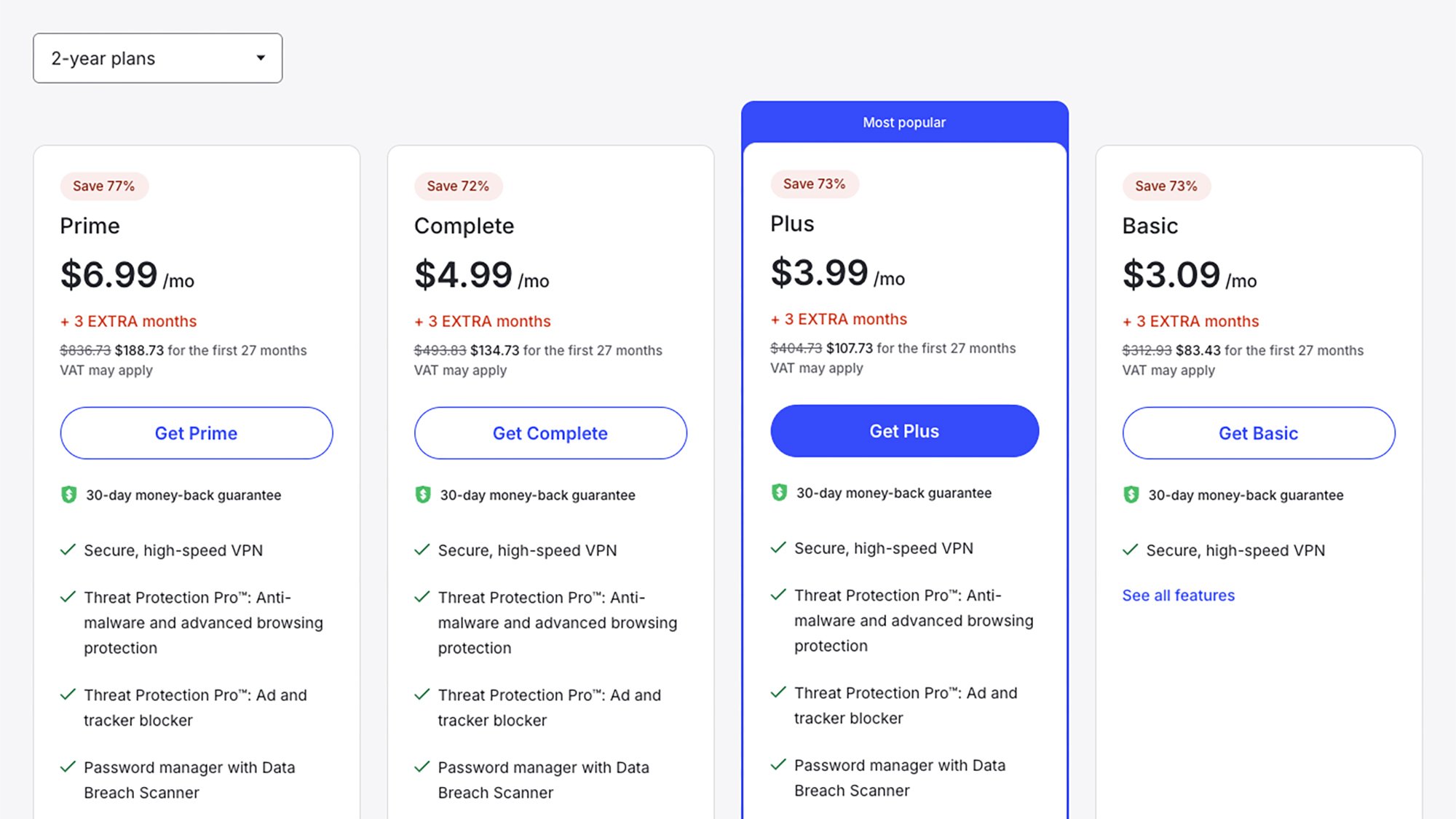
NordVPN pricing
Check the deal length and bundled features when comparing VPN prices.
Credit: Lifehacker

If you are able to pay for a VPN, make sure you weigh everything you get with your subscription: the number of available servers, the number of compatible devices, the length of the deal you have to sign up for, the customer support on offer, the bonus software included. Comparing prices is tricky because each VPN provider offers different packages for your money.

While subscription tiers and pricing are changing all the time—look out for introductory deals if you’re just signing up—here are a few offers available at the time of writing to give you a general idea: ExpressVPN is $12.95 a month, NordVPN is $12.99 a month, ProtonVPN is $9.99 a month, and TunnelBear is $9.99 a month. As usual, you can get lower monthly pricing by signing up for a year or two, and varying tiers with varying features are available on these services.

Should you use a VPN?

There’s no doubt that using a VPN on your phone or your laptop means your data is more secure and more private: The question is whether it’s worth paying for another subscription. It certainly gives you extra peace of mind if you’re on the go a lot, and often bouncing between different public wifi networks. For secure travel, and accessing services from abroad, VPNs are definitely appealing.

Then there’s the ISP issue: These big internet companies keep much more detailed records than most VPNs do. If you’d rather as little of your browsing activity was logged as possible, then a VPN might be the way to go (though again, this applies to activity logged by ISPs, and not necessarily advertising companies or websites).

Proton VPN
VPNs can offer extra peace of mind.
Credit: Lifehacker

You’ve also got the built-in protection for your location—your IP address—and the ability to spoof locations to some extent, which can be helpful if you’re in a place with tightly regulated internet, or where your usual streaming services aren’t available. Bear in mind, though, that as soon as you log into Google or Netflix, they know who you are and which country you live in anyway.

VPN providers are usually falling over themselves to offer free trials or introductory offers, so there’s no harm in signing up for a package and seeing how it suits you—and how much you actually use it. You could even sign up for a couple at a time and compare them in terms of online speeds and the quality of their apps.

Gmail is Making It Easier For Businesses To Send Encrypted Emails To Anyone

Google is rolling out a new encryption model for Gmail that allows enterprise users to send encrypted messages without requiring recipients to use custom software or exchange encryption certificates. The feature, launching in beta today, initially supports encrypted emails within the same organization, with plans to expand to all Gmail inboxes “in the coming weeks” and third-party email providers “later this year.”

Unlike Gmail’s current S/MIME-based encryption, the new system lets users simply toggle “additional encryption” in the email draft window. Non-Gmail recipients will receive a link to access messages through a guest Google Workspace account, while Gmail users will see automatically decrypted emails in their inbox.


Read more of this story at Slashdot.

The History Of Our Names For Colors

This is a video of PBS Otherwords host Erica Brozovsky, Ph.D (previously: sailor jargon) discussing the origins of our words for different colors. Did you know humans can see more shades of green than any other color, but have fewer words to describe them? That was news to me. Not news I’m going to be able to apply to anything but party banter, but my dermatologist was able to identify my rash so I’m sure friends will be thrilled I have something else to talk about.

How Passwords Managers Work (and Why You Should Finally Start Using One)

Take a moment to list all the digital accounts you’ve signed up for, and it’s probably more than you realized: email, social media, banking, streaming services, cloud storage, music, gaming, and fitness…it adds up. But using the same login credentials for every service is a bad idea, and if you reuse passwords across accounts, let me summarize the simplest advice you should take away from this article: You shouldn’t. But, of course, it’s nearly impossible to remember as many unique usernames and secure passwords as you need for your various accounts. That’s where password managers come in.

Password managers hide your various login credentials behind one main username and password so that logging into the password manager gives you access to everything else. It’s a secure alternative to writing your passwords down or saving them in a spreadsheet, and more reliable than your memory. They can often store other data, too—think credit card numbers, PIN codes, and authenticator keys—and may also give you extra features like scanning data breaches for your credentials. If you’ve yet to switch to a password manager, consider this a sign to get started. It can be intimidating at first, but getting started may be easier than you think.

Some of the most important password manager features

Password managers are all slightly different, but you’ll find many of the same features across brands. First and foremost, they store your passwords—often popping up inside web browsers and on phones whenever you need to log into an account—and provide you with your login credentials with one click or tap. As sign-in technologies have evolved, though, so have password managers. Many can now also help with two-factor authentication codes and passkeys for websites or apps that need more than just a username and password. At the same time, these password managers are secured with a main username and password you need to remember—and often with biometric authentication, too.

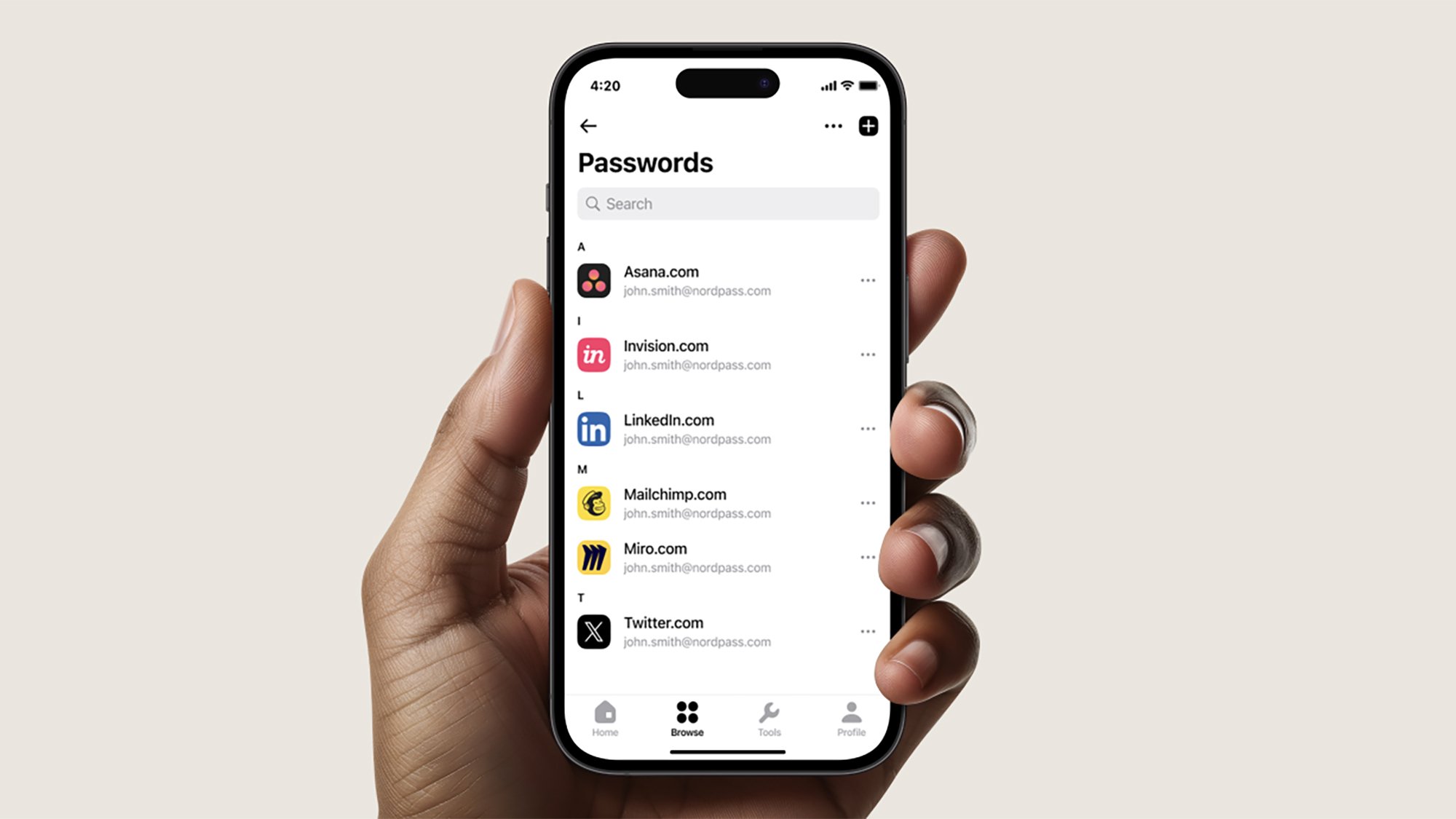
NordPass passwords
The best password managers work seamlessly across devices.
Credit: NordPass

Most password managers will also suggest strong passwords for new accounts: Passwords that mix up random special characters, letters, and numbers, so they’re extremely difficult to hack. With a password manager, you don’t actually need to know what your passwords are—the program handles everything. You’ll often see password managers offer additional security features as well, ranging from notifying you of duplicate passwords, to dark web monitoring for your email addresses, usernames, or passwords. If your login details appear in a data breach, you get an alert about it, and you can change them.

How password managers secure your data

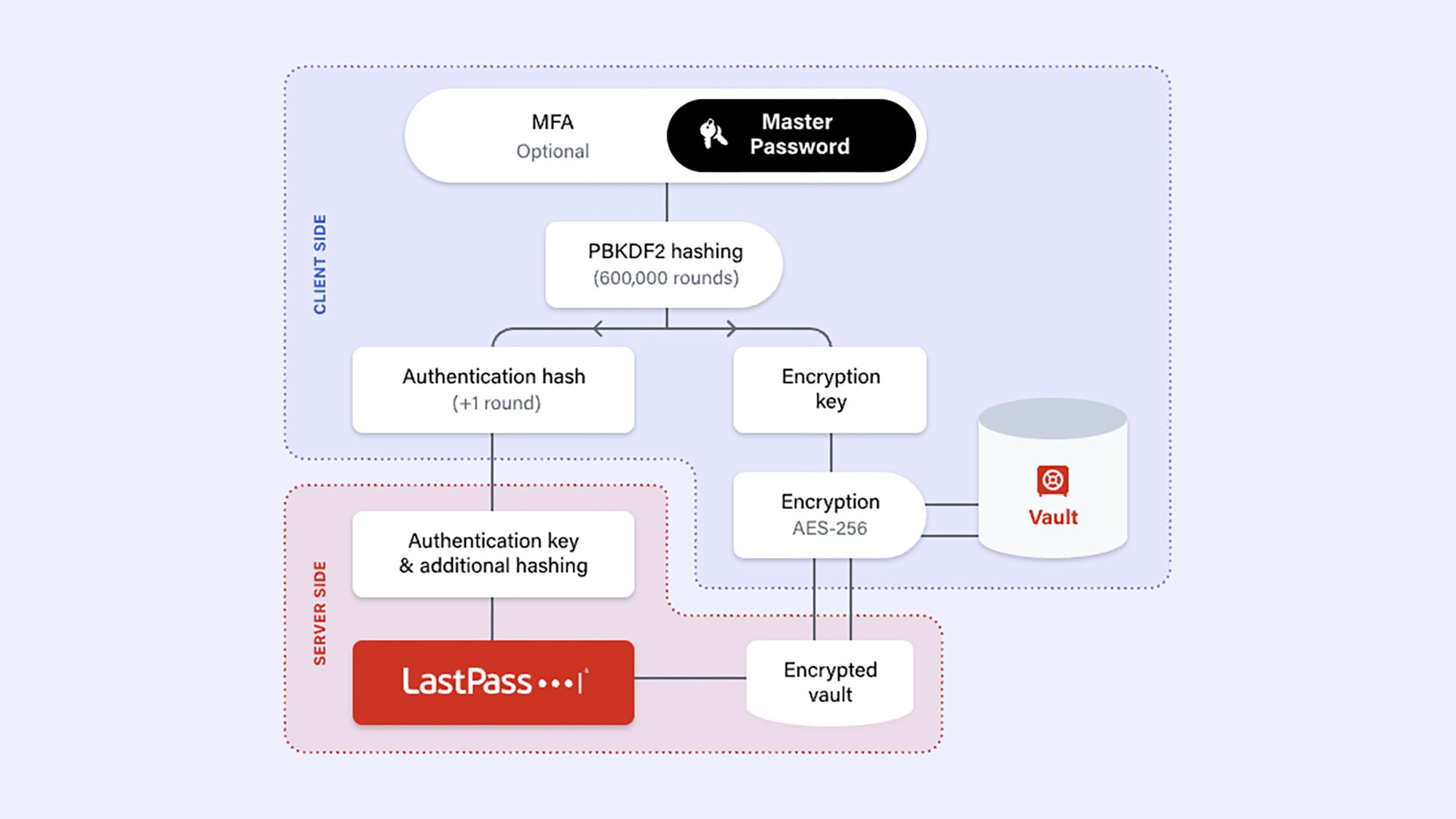
You might wonder how password managers make sure your passwords are securely and privately locked away. Details vary between software packages, but they’ll invariably use end-to-end encryption, with your main password as the decryption key, meaning that means no one else—from hackers to password manager developers to government agencies—can access your details without that password. Additional security measures are often implemented as well. Take 1Password as an example: It uses PBKDF2 (Password-Based Key Derivation Function 2) key strengthening, which, in simple terms, means that passwords are obscure enough that it would take decades to crack. It also gives users a secret key, known only to them, that works as an extra security layer on top of your password.

Password manager protection
A host of encryption and other security layers are applied to your password vault.
Credit: LastPass

In other words, you can’t just use your pet’s name as your password manager password. Extra security layers, including two-factor authentication and biometric scans, are often added too. Where your credentials need to be synced across multiple devices, strong encryption protocols are again deployed. Without your password, the data is useless, and only you know your password.

Most password managers now combine local and cloud storage options, because we all need our passwords on so many devices. However, it’s worth bearing in mind that the fewer places you have your password manager installed, the less chance there is of someone else gaining access to it—so some users just keep their password manager on their phone.

Why you should use a password manager

Simply put, using a password manager is a whole lot more secure than other options, like listing them in a Google Doc. Say, for example, that you left your laptop unlocked and someone sat down at it. With a Google Doc, that person would be more likely to access your password document than they would a password manager where they would need extra security clearance.

Apple Passwords
Apple and Google have their own password manager options.
Credit: Lifehacker

The free offerings from Google and Apple have improved significantly in recent years, but they still don’t quite offer the level of protection, breadth of features, and cross-platform support of the best dedicated password managers. One example: In the case of Google Password Manager, on-device encryption (meaning that you manage the decryption key locally, as with a password manager, rather than Google managing it) remains an optional extra that you have to enable, rather than enabled by default.

Given the protection and features that come with dedicated password managers, it’s typically worth most people investing in one. Some software packages offer a free tier, but they may be limited in terms of the features you get and the number of devices you can use them on. You can expect to pay a few bucks per month for most apps, but you can also look for bundled deals that include VPNs and adblockers, for instance. Whatever brand or package you choose, though, you should begin using a password manager. You get a private password vault, a host of protections to keep it safe, and added features like data breach monitoring and strong password generators. Plus, the best password managers sync seamlessly across all of your devices, ready when you need them.

Oura’s AI Advisor Is Ready To Give Personalized Health Advice To The Masses

Oura's AI Advisor Is Ready To Give Personalized Health Advice To The Masses
Oura’s LLM-based AI Oura Advisor has exited beta and is now available to Oura subscribers, specifically owners of the Oura Ring Gen 3 and Oura Ring 4. By chatting with Oura Advisor, users will receive actionable and personalized guidance (within the wellness realm, of course). There are some limitations, but Oura plans to expand Advisor’s

Hands-On With Plex’s Overhauled Mobile Streaming App As A Big Price Hike Looms

Hands-On With Plex's Overhauled Mobile Streaming App As A Big Price Hike Looms
Plex is finally rolling out its new user experience on mobile devices after it went into the testing phase towards the end of last year. Although, the move to this new interface hasn’t gone as smoothly as most users would’ve liked. The company ended up having to cut a wildly popular feature as it made this app upgrade and was immediately hit