These Bose Ultra Open Earbuds Are $179 Right Now

We may earn a commission from links on this page. Deal pricing and availability subject to change after time of publication.

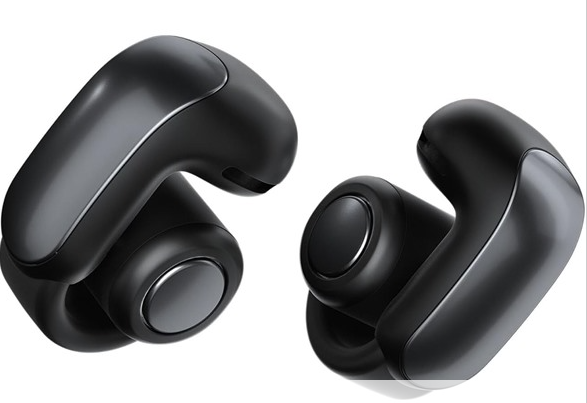
If you’ve ever wanted to wear earbuds that don’t actually go in your ears, the Bose Ultra Open Earbuds might be the oddball pick you’ve been looking for. These open-style earbuds clip on and hook around your ear instead of sitting inside it, letting ambient noise in by design. That makes them great for runs, walks, or commuting—basically, situations where you want to hear your music but also that car barreling around the corner. And for the next six days or until it sells out, Woot’s offering refurbished models of these earbuds, in black, moonstone blue, and white smoke for $179—much cheaper than Amazon’s current $261.99 price.

Since these are refurbished, they might show a bit of wear, but they’ve been tested and cleared to function properly. You also get a 90-day Woot limited warranty, which is shorter than Bose’s standard, but fair for the price cut, and if you’re an Amazon Prime member, shipping is free (otherwise it’s $6). Just a heads-up: Woot ships only within the 48 contiguous states.

Bose doesn’t skimp on audio quality here: Despite the open design, they deliver solid sound with real punch and clarity. The bass won’t rumble like in-ear buds, but you still get that signature Bose balance. They also have Immersive Audio support, which adds spatial depth—though it’s a little inconsistent depending on what you’re listening to and can feel gimmicky, according to this PCMag review. They also support Snapdragon Sound with aptX Adaptive and work especially well with podcasts and mellow playlists. That said, the biggest downside is that they don’t have any noise cancellation, which, again, is kind of the point, but still worth noting if you’re used to ANC earbuds. Battery life clocks in around 7.5 hours on a single charge (with Immersive Audio off), and the charging case gives you almost two full charges, which is decent enough. If you’re someone who prioritizes awareness and comfort over total sound isolation—and doesn’t mind a pre-loved gadget—this deal makes a pretty compelling case. If you’re more of a noise-canceling, zone-out-on-the-plane kind of listener, these probably won’t cut it for you.

Amazon’s Top-Selling CPUs: AMD Ryzen Dominates Intel But There Are Caveats

Amazon's Top-Selling CPUs: AMD Ryzen Dominates Intel But There Are Caveats
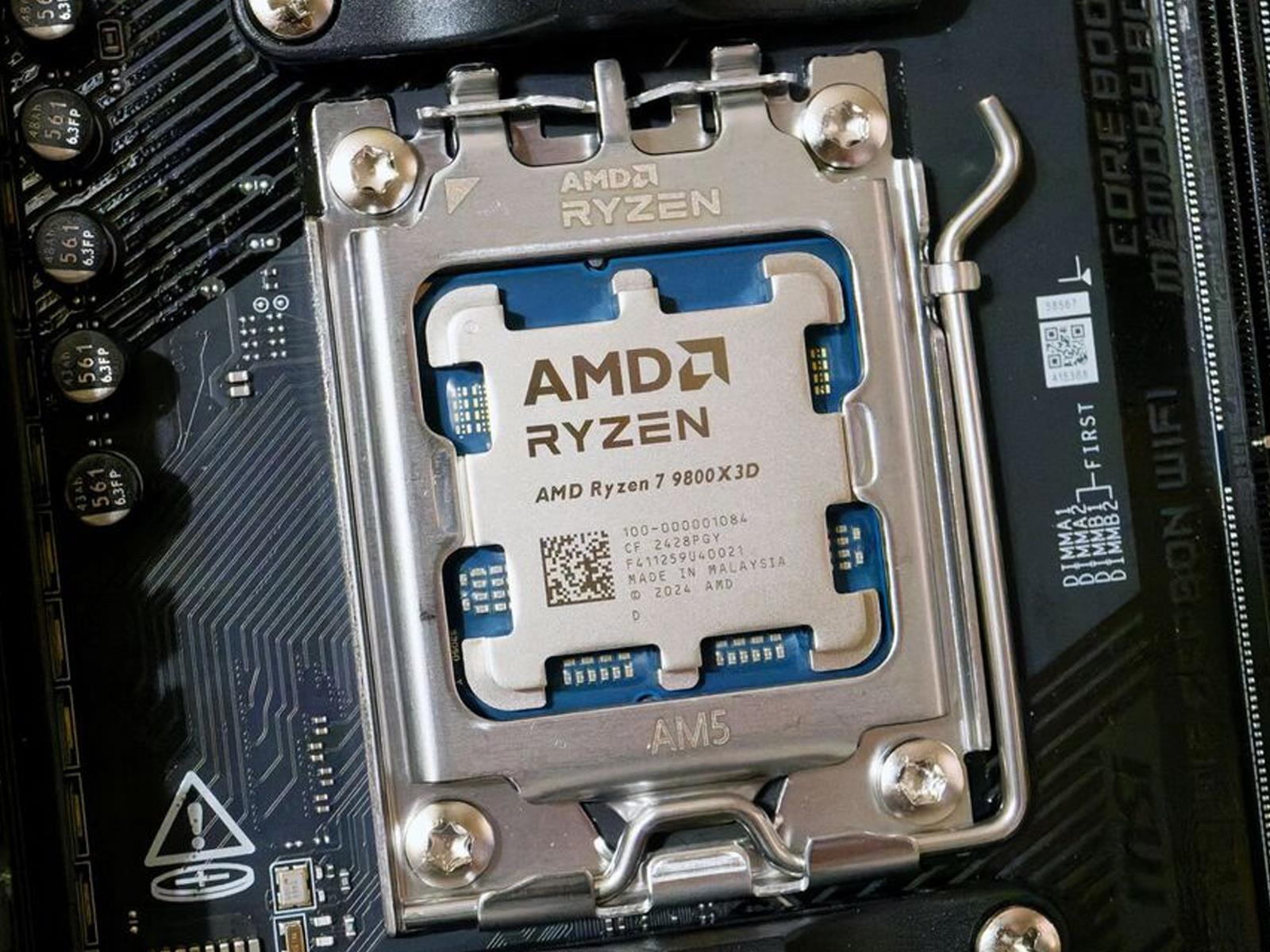
It should come as no surprise that the best-selling CPU on Amazon is AMD’s Ryzen 7 9800X3D, a fantastic chip for gaming and one that managed to earn our Editor’s Choice award when we reviewed it last November. And maybe you wouldn’t be shocked to discover that the Ryzen 7 7800X3D—another Editor’s Choice recipient, which we don’t hand out lightly—is

Schrodinger’s Economics

databasecowgirl writes: Commenting in The Times on the absurdity of Meta’s copyright infringement claims, Caitlin Moran defines Schrodinger’s economics: where a company is both [one of] the most valuable on the planet yet also too poor to pay for the materials it profits from.

Ultimately “move fast and break things” means breaking other people’s things. Or, possibly worse, going full ‘The Talented Mr Ripley’: slowly feeling so entitled to the things you are enamored of that you end up clubbing out the brains of your beloved in a boat.


Read more of this story at Slashdot.

A bonus from the shingles vaccine: Dementia protection?

A study released on Wednesday finds that a live-virus vaccine that limits shingles symptoms was associated with a drop in the risk for dementia when it was introduced. The work took advantage of the fact that the National Health Service Wales made the vaccine available with a very specific age limit, essentially creating two populations, vaccinated and unvaccinated, separated by a single date. And these populations showed a sharp divide in how often they were diagnosed with dementia, despite having little in the way of other differences in health issues or treatments.

What a day

This study didn’t come out of nowhere. There have been a number of hints recently that members of the herpesvirus family that can infect nerve cells are associated with dementia. That group includes Varicella zoster, the virus that causes both chicken pox and—potentially many years after— shingles, an extremely painful rash. And over the past couple of years, observational studies have suggested that the vaccine against shingles may have a protective effect.

But it’s extremely difficult to do a clinical trial given that the onset of dementia may happen decades after most people first receive the shingles vaccine. That’s why the use of NHS Wales data was critical. When the first attenuated virus vaccine for shingles became available, it was offered to a subset of the Welsh population. Those who were born on or after September 2, 1933, were eligible to receive the vaccine. Anyone older than that was permanently ineligible.

Read full article

Comments

All the Gardening Tasks to Tackle in April

The vernal equinox, marking the first day of spring, occurs in late March every year. Sometime around then, most planting zones encounter what is known as the last frost date, which is the experts’ best guess, based on averages, of when your last hard freeze will be. The cherry, plum, and peach blossoms are exploding on trees all around us and tulips are popping up from the ground. There are all kinds of markers that gardening season has arrived, but the most prominent one is the return of people to working on their front yards on sunny days, which should be happening now with some regularity. It is finally full steam ahead for this year, and there are tons of things you can be doing outside.

Cherry blossoms
Cherry blossoms
Credit: Amanda Blum

Document the spring bloom

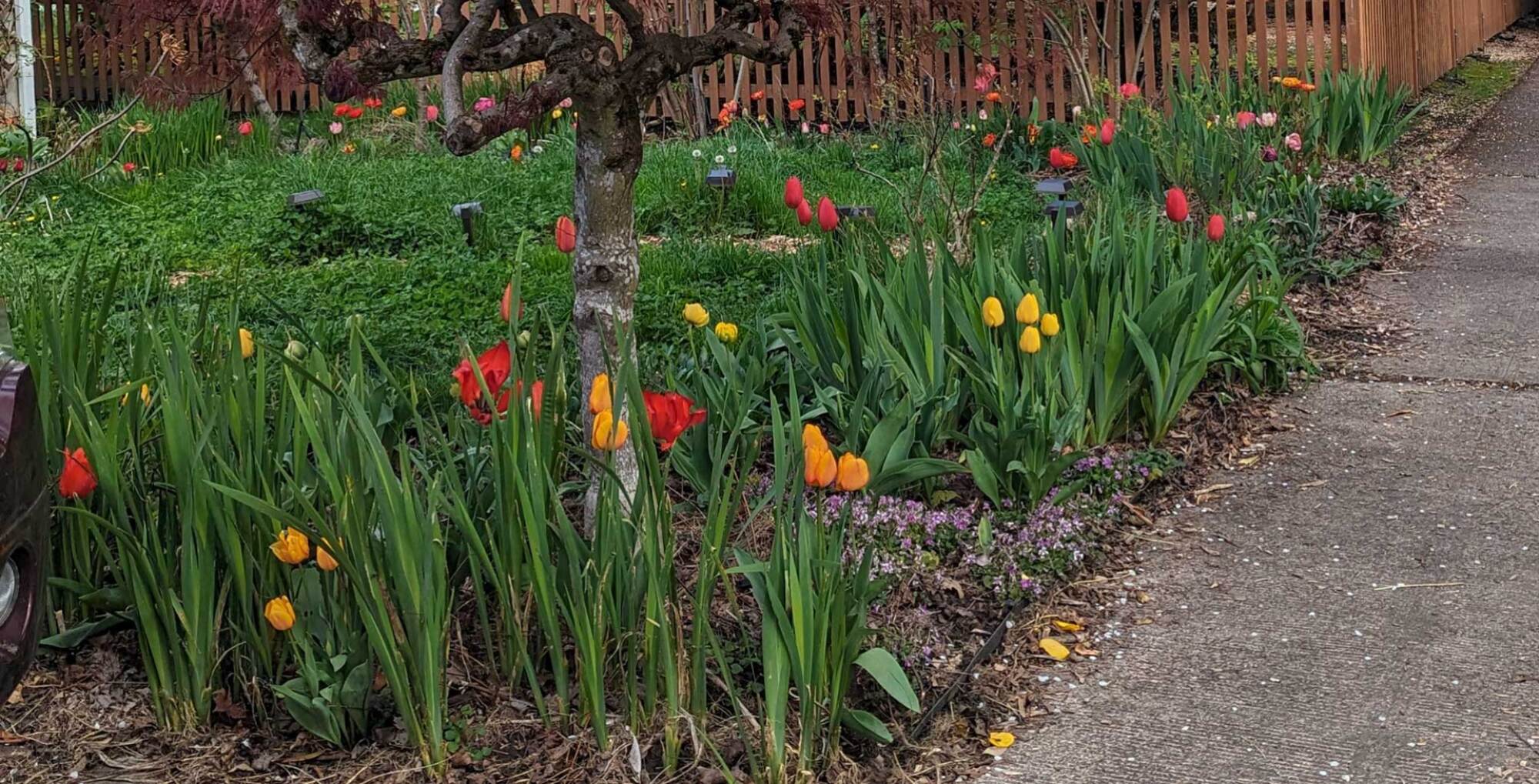
There’s an order to the way plants bloom in early spring: the crocus, the daffodils, then the tulips, the irises, and the peonies. Each year I try to take pictures every few days from the same angles in the yard so I can document where I might need more bulbs. You’ll forget by the time fall rolls around and it’s time to plant more. This pictorial documentation can help you visualize any bulb losses you have year to year, as well.

My tulips in bloom
Tulips in bloom
Credit: Amanda Blum

Get your trellises clean and ready

Based on the plans I made for the garden over the winter, I now know where I’ll need plant supports for my tomatoes, peppers, beans, and cucumbers. I begin getting those trellises I have out of storage and sterilizing them, and I make plans to build or order any new trellises I’ll need.

Weed and dress with compost

With the nighttime temperatures starting to remain over 40 degrees, it’s time to clean out your beds and get them ready for planting. This means doing a thorough weeding, as best you can, and then top with compost. Clean away debris in the paths and beds, because that is slug food and an invitation for disease and pests. Check in on your own compost bins; they could probably use a good turn.

Check in on your flower perennials

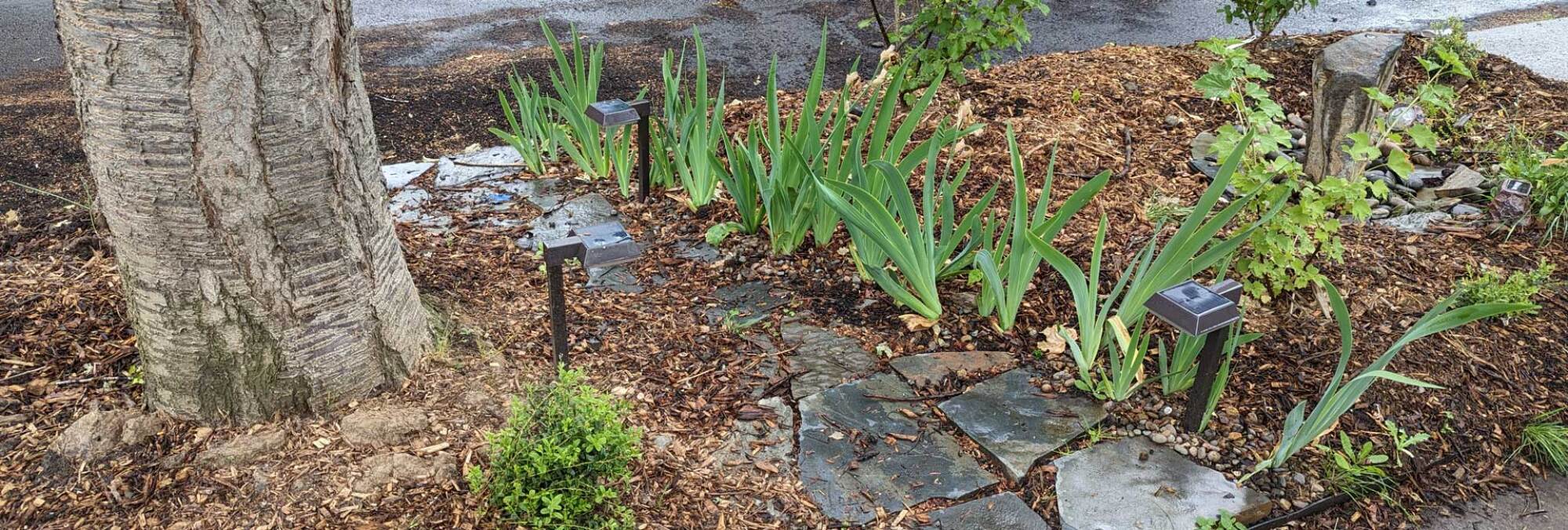
Irises that need dividing
Credit: Amanda Blum

First, take an inventory of the perennials you have, and see if any need dividing. Plants grow into the space around them, but if they’ve run out of space, you can break them up, and either relocate these new plants or trade them for others. Irises and daylilies are an excellent example; hostas are another. This is also how you’ll take inventory of what did not survive this year. With the weather becoming more extreme year to year, even perennials can succumb to weather events.

Perennials have started to come out of hibernation in the greenhouses at your local nursery, so you can begin to replace any that will need it. Buying now, when plants are still small, will help save money.

Grab some early flowering annuals

It’s still early for most varieties of flowers, but pansies love the cold. At this point, begin checking the nurseries for snapdragons, sweet peas, petunias, and other early flowering plants. It’s a good time to get your hanging baskets and window boxes filled, too, so they’ll be in full bloom come May. In fact, many groceries and nurseries will help you fill your planters if you bring them in; some even plan events around doing so. 

Don’t forget edibles

Peas coming up from seed
Credit: Amanda Blum

If you’ve not yet planted peas, it’s go time. They can be direct sown outside and need to be grown against some support. This time of year, I grow shelling pea and sugar snaps on tall vines that climb arches in my yard. I also take stock of my strawberry plants, thinning them so they’re spaced at least six inches apart. Give away extras, or ask your neighbors for their extras if you need them.

I look for my perennial edibles to make sure they’ve survived the winter. The horseradish has been staking it’s claim, poking up leaves from its usual plot. I’ve already replaced a few artichokes that didn’t make it through the last ice storm. The first tiny stalks of asparagus made an appearance this week, which means in a few weeks we’ll be drowning in spears. Now is the time to plant more asparagus crowns, too. I try to add a few crowns each year—they’re usually a dollar or two at the nursery, and in this way, you can establish them in more places. I’ve been waiting with bated breath to see if all the rhubarb I planted last year will return, since last year I lost my fifteen-year-old specimen, but I saw the first leaves begin to poke out of the ground this week. If you need to replace yours, you’ll find rhubarb at your nursery.

Fiddleheads and ramps (which, as a reminder, you can grow at home) should be emerging. It’s also the time to plant your summer potatoes: Your nursery has potato starts, but if you’ve got grocery store potatoes that have sprouted at home, those can go right into the ground.

Spring vegetables planted
carrots, radishes, beets and lettuce planted two weeks ago
Credit: Amanda Blum

I’ve already planted a few rounds of radishes, beets, carrots, and lettuce in the garden, and will continue doing so every few weeks through summer. The spring rain is excellent for helping these seeds I direct sow to germinate.

You can continue to plant spring edibles like spinach, kale, chard, and mustard greens, but if you don’t get broccoli and cauliflower early in the month, you’ll miss your window. These are short crops, but you want them to finish and harvest before you need the room for summer crops like tomatoes. 

You also want to get three long crops in now, starting with parsnips, which need 180 days to grow. Plant them from seed now, and you’ll have enough of this root vegetable to cook all fall. Brussels sprouts also need that long summer to grow if they’re going to be ready for Thanksgiving. Finally, your nursery will have all your onion sets to get into the ground. Keeper onions and leeks need the season to be ready for harvest in late summer or early fall.

Inspect your systems

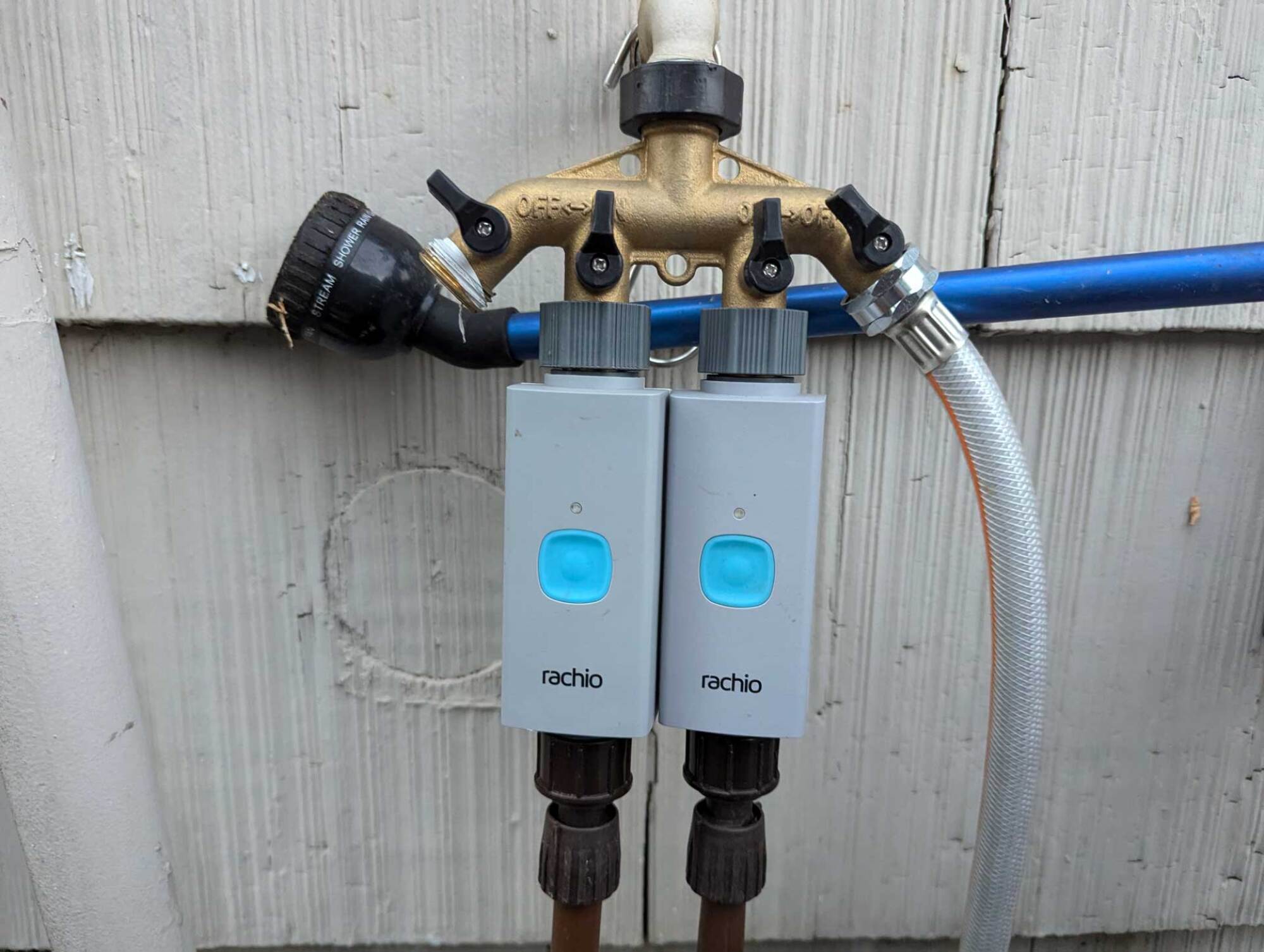
Irrigation system
Check your water systems
Credit: Amanda Blum

It’s also time to turn the irrigation and sprinkler systems back on for the year, so schedule any inspections like backflow testing. Once the water is on, test your controller and look for signs of any leaks in the lines. You can safely reconnect hoses, and put out manual timers if you use them. Be sure to give all your tools a good spray down with vinegar or bleach to sterilize them, and remember to keep a spray bottle with the same on hand for your pruning shears as you move about the garden. Spray them between plants so you are not transferring disease.

Microsoft Pulls Back on Data Centers From Chicago To Jakarta

Microsoft has pulled back on data center projects around the world, suggesting the company is taking a harder look at its plans to build the server farms powering artificial intelligence and the cloud. From a report: The software company has recently halted talks for, or delayed development of, sites in Indonesia, the UK, Australia, Illinois, North Dakota and Wisconsin, according to people familiar with the situation. Microsoft is widely seen as a leader in commercializing AI services, largely thanks to its close partnership with OpenAI. Investors closely track Microsoft’s spending plans to get a sense of long-term customer demand for cloud and AI services.

It’s hard to know how much of the company’s data center pullback reflects expectations of diminished demand versus temporary construction challenges, such as shortages of power and building materials. Some investors have interpreted signs of retrenchment as an indication that projected purchases of AI services don’t justify Microsoft’s massive outlays on server farms. Those concerns have weighed on global tech stocks in recent weeks, particularly chipmakers like Nvidia which suck up a significant share of data center budgets.


Read more of this story at Slashdot.

Explaining MicroSD Express cards and why you should care about them

Among the changes mentioned in yesterday’s Nintendo Switch 2 presentation was a note that the new console doesn’t just support MicroSD Express cards for augmenting the device’s 256GB of internal storage, but it requires MicroSD Express. Whatever plentiful, cheap microSD card you’re using in your current Switch, including Sandisk’s Nintendo-branded ones, can’t migrate over to your Switch 2 alongside all your Switch 1 games.

MicroSD Express, explained

Why is regular-old MicroSD no longer good enough? It all comes down to speed.

Most run-of-the-mill SD and microSD cards you can buy today are using some version of the Ultra High Speed (UHS) standard. Designed to augment the default speed (12.5MB/s) and high speed (25MB/s) from the earliest versions of the SD card standard, the three UHS versions enable data transfers of up to 624MB/s.

Read full article

Comments

These Are The Biggest Skywatching Events in April

Like the first few months of the year, April is a relatively quiet month for sky watching, but it does bring one of the oldest meteor showers and a micromoon.

April 13: Pink Moon

April’s full moon is known as the Pink Moon, so named for the color of ground phlox, a wildflower that blooms during the month—though the moon itself doesn’t actually appear pink in the sky. The Pink Moon is also a micromoon, meaning it occurs at that furthest point from Earth. The opposite of a supermoon, it will look about 5% smaller in diameter than usual.

April 21: Lyrid meteor shower peak

The main event in April is the Lyrid meteor shower. It starts mid-month (around April 17) and will peak late on the evening of April 21 and into the early morning hours of April 22. The Lyrids are the result of debris from the Comet Thatcher, which was first observed in 1861. Typically, viewers can expect to see around 18 meteors per hour, though the shower can bring up to 100, according to NASA.

This year, the moon will be about 40% full, which may interfere with visibility. The Lyrids are best seen in the Northern Hemisphere after the moon sets but before dawn—and as always, areas with minimal light pollution are best for viewing.

Planetary events in April

Mars, Jupiter, and Uranus will be visible in the evening sky in April; Saturn, Mercury, Venus, and Neptune will appear in the morning. The timing and placement varies slightly between the Northern and Southern hemispheres. The best Mercury viewing of the year will be possible on April 21, according to Starwalk, especially for those in the Southern hemisphere.

And on April 25, the crescent moon will align with Venus and Saturn just before sunrise to create a triangle that looks like a smile.

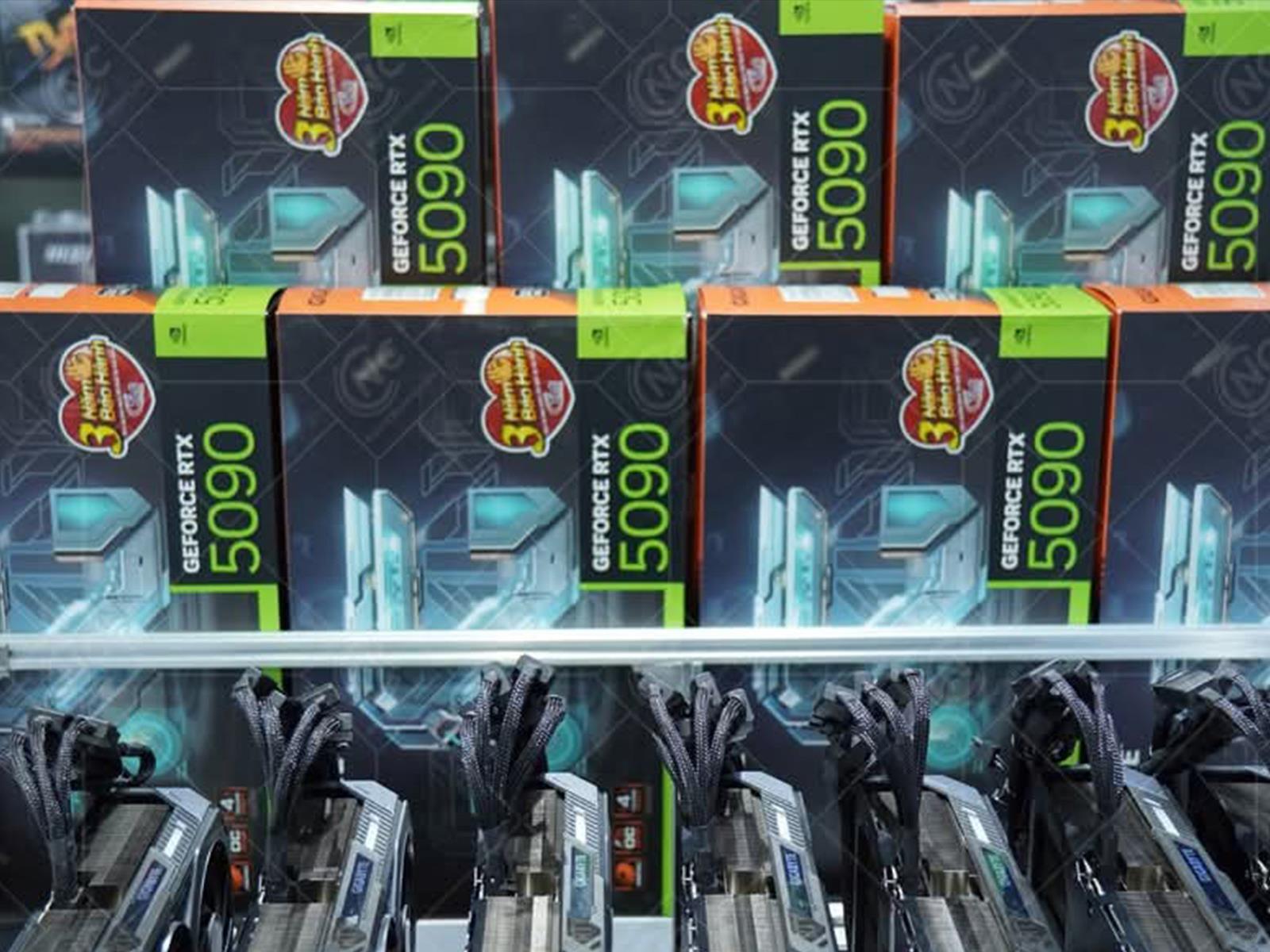
Warning: These Photos Of An AI Farm Powered By RTX 5090 GPUs Are Triggering

Warning: These Photos Of An AI Farm Powered By RTX 5090 GPUs Are Triggering
The NVIDIA GeForce RTX 5090 has become rare and difficult to get, but certainly not for everyone as an AI farm in Vietnam shows us. With a staggering amount of this rarified flagship GPU on display, you”ll be immediately transported back in time to when we used to see crypto mining farms during a similar GPU shortage years ago. This time,

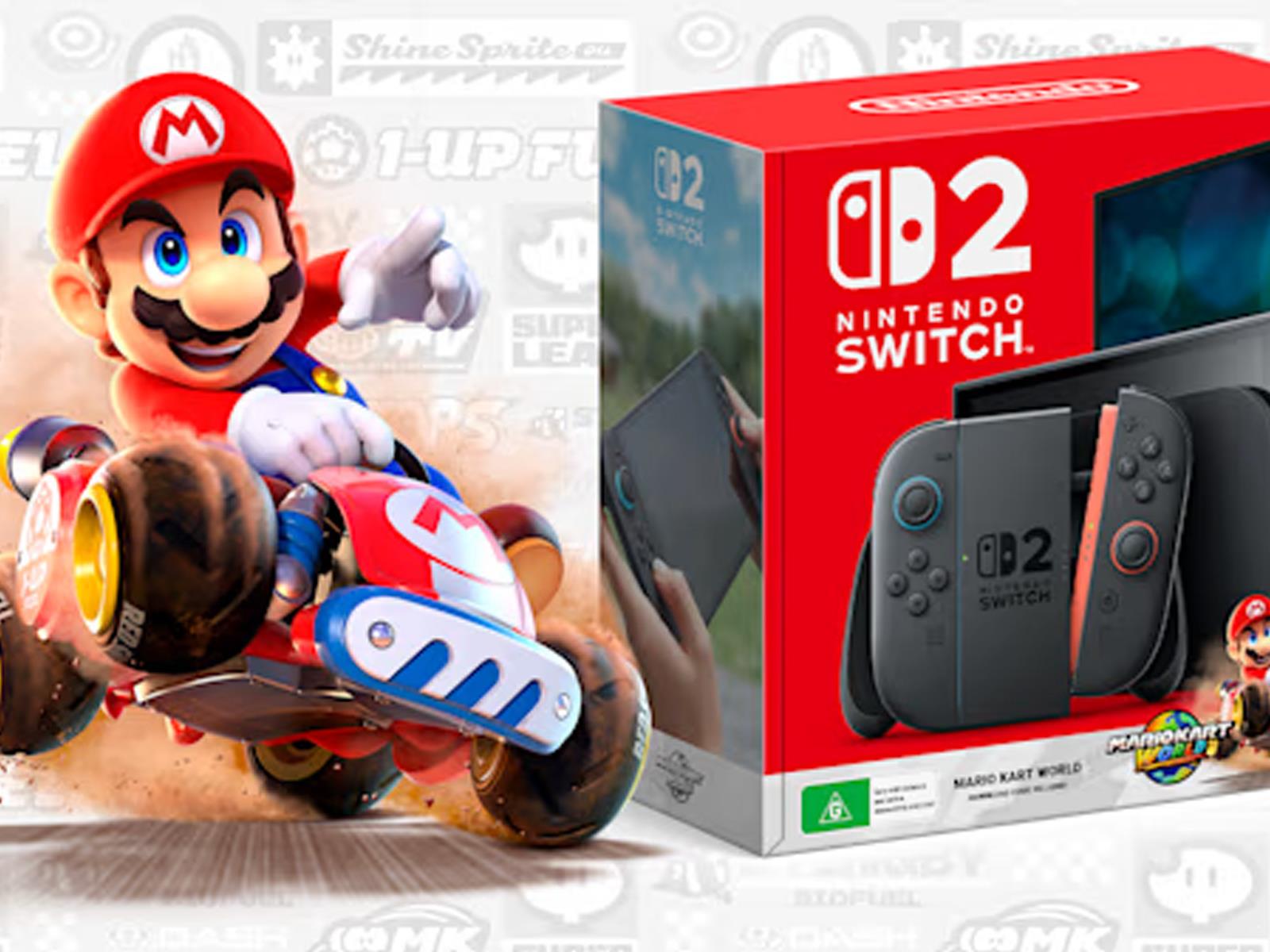
Nintendo Switch 2 Preorder Guide: Best Strategies For Beating Scalpers And Bots

Nintendo Switch 2 Preorder Guide: Best Strategies For Beating Scalpers And Bots
Nintendo gave its upcoming Switch 2 handheld console a proper reveal yesterday during a special Nintendo Direct event, and we’ve already covered several of the hardware highlights and extensive catalog of games that are coming to the next-gen game system. It also revealed preorder and launch date details, but will you actually be able to snag

‘Yassou’ Makes Veggie-Forward Greek Cooking Accessible

We may earn a commission from links on this page.

Welcome to “Cookbook of the Week.” This is a series where I highlight cookbooks that are unique, easy to use, or just special to me. While finding a particular recipe online serves a quick purpose, flipping through a truly excellent cookbook has a magic all its own. 

Every time I see a newly budding tree or a daffodil leaping out of a scruffy patch of grass, it brings me a fresh moment of cheer. Spring is coming to New York. That means sun and spring fashion, but mostly I’m excited for the variety of veggies that’ll be available. I’m choosing to celebrate Spring’s approach with an appropriately veggie-forward Cookbook of the Week: Yassou.

About the book

Yassou is a Mediterranean cookbook, specifically focusing on Greek dishes, written by Shaily Lipa. This cookbook is brand new; just published in March. Lipa gives the reader a teeny history lesson on how Greek cuisine developed and other cultures that influenced it, and then quickly jumps into recipes.

Woven with beautiful photography, you’ll get lost flipping through sections like Mezes and Starters, Stuffed Vegetables, and (my favorite section) Patties and Savory Pastries. This cookbook has classic recipes you’ve probably tried at restaurants, like moussaka or stuffed grape leaves, and new ones you’ve never heard of but are incredibly tempting, like kolokithokeftedes (fried zucchini and feta balls).  

I don’t usually enjoy historical interludes in cookbooks (I’m very recipe focused) but Lipa includes brief informational sections that focus on specific ingredients that are indispensable to Greek cooking, like The Cheeses of Greece, and The Path of the Olive. These sections give welcome insight into the culture, and whets your palate for the recipes to come.

A great cookbook for veggie enthusiasts who don’t mind branching out

You like vegetables. You’re interested in eating them often. However, you still like to have fun. (You know what I mean—raw kale salad isn’t fun. I’ll eat it, but “fun” is not an emotion I experience when eating it.) Melitzanosalata, aka Eggplant Spread, drizzled with olive oil and served with pita bread is fun! 

If you want a cookbook with lots of delicious, vegetable-centric options but you don’t want to feel like you live off of salad alone, Yassou is for you. Sure, it’s a Mediterranean diet, but there is no fear of bread, sugar, oil, or pastry. There are fresh salads for sure, but they’re not the only venue for vegetables. There are numerous styles of cooking with produce, putting them in the background, foreground, and slightly off-stage. Zucchinis are shredded and shaped into fritters; crushed tomatoes create a simmering blanket for shrimp; onion and peppers chargrill on a skewer with juicy hunks of lamb. 

Many of the recipes rely on plants, but you don’t have to commit. Some days you just want bread and cheese and there are recipes for those moments in Yassou too. There are pasta dishes, fish dishes, bread recipes, and oh, the cheese. I have truly enjoyed a free pass this week to eat all the feta I want. 

The dishes I made this week

One thing I appreciate about Yassou is that you can jump into these recipes with whatever cooking skill level you exist at. It’s written simply, and the instructions are clear and easy to follow. There is no preamble about specialty cookware or how to replace ingredients you can’t find. Most of the ingredients are things that are common to the Western grocery store. I didn’t have to sift for very long to find recipes I was able to do because I didn’t have to consider making any special trips or ordering unusual ingredients.

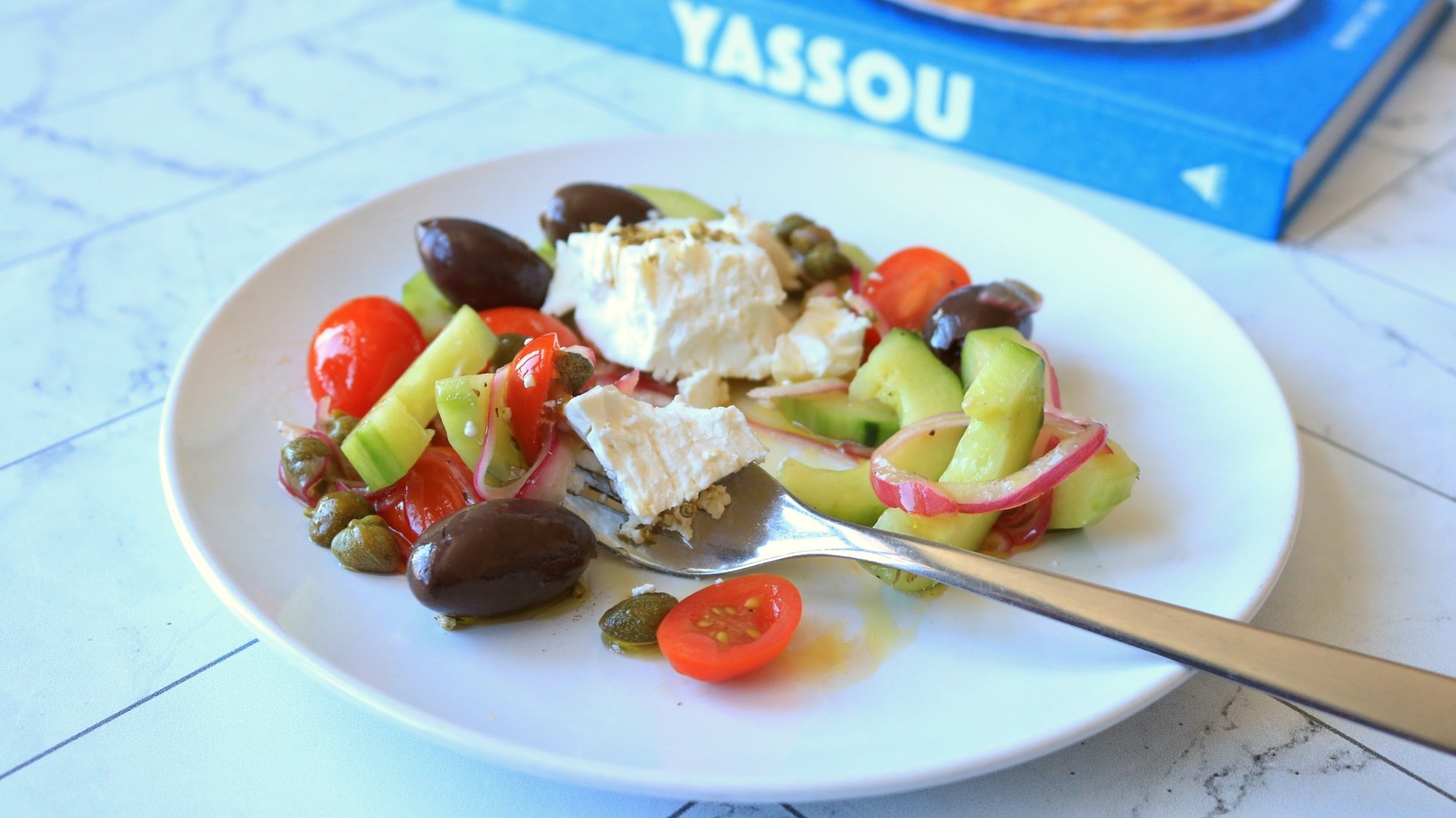
A Greek salad on a counter top.

Credit: Allie Chanthorn Reinmann

I decided to make Kassiopita (Greek flatbread) and Horiatiki Salata (Greek Salad). Yes, I essentially made Greek Olive Garden unlimited salad and breadsticks, but I don’t care what you think. It’s always been a great deal. Plus, these recipes made for a fabulous lunch.

On the surface, Horiatiki Salata looks like any Greek salad you might have had before—kalamata olives, cucumbers, and feta among other ingredients with a simple dressing. But there are good and bad versions of this salad being made, often in New Jersey diners and pizzerias. This version is perfectly crunchy, briny, and herbaceous with as much creamy, salty feta as you please. I knew I could count on this salad recipe as soon as I saw that the first move was thinly slicing the red onion and pickling it in the oil and vinegar dressing. This should be the treatment of all freshly sliced onions in salad. 

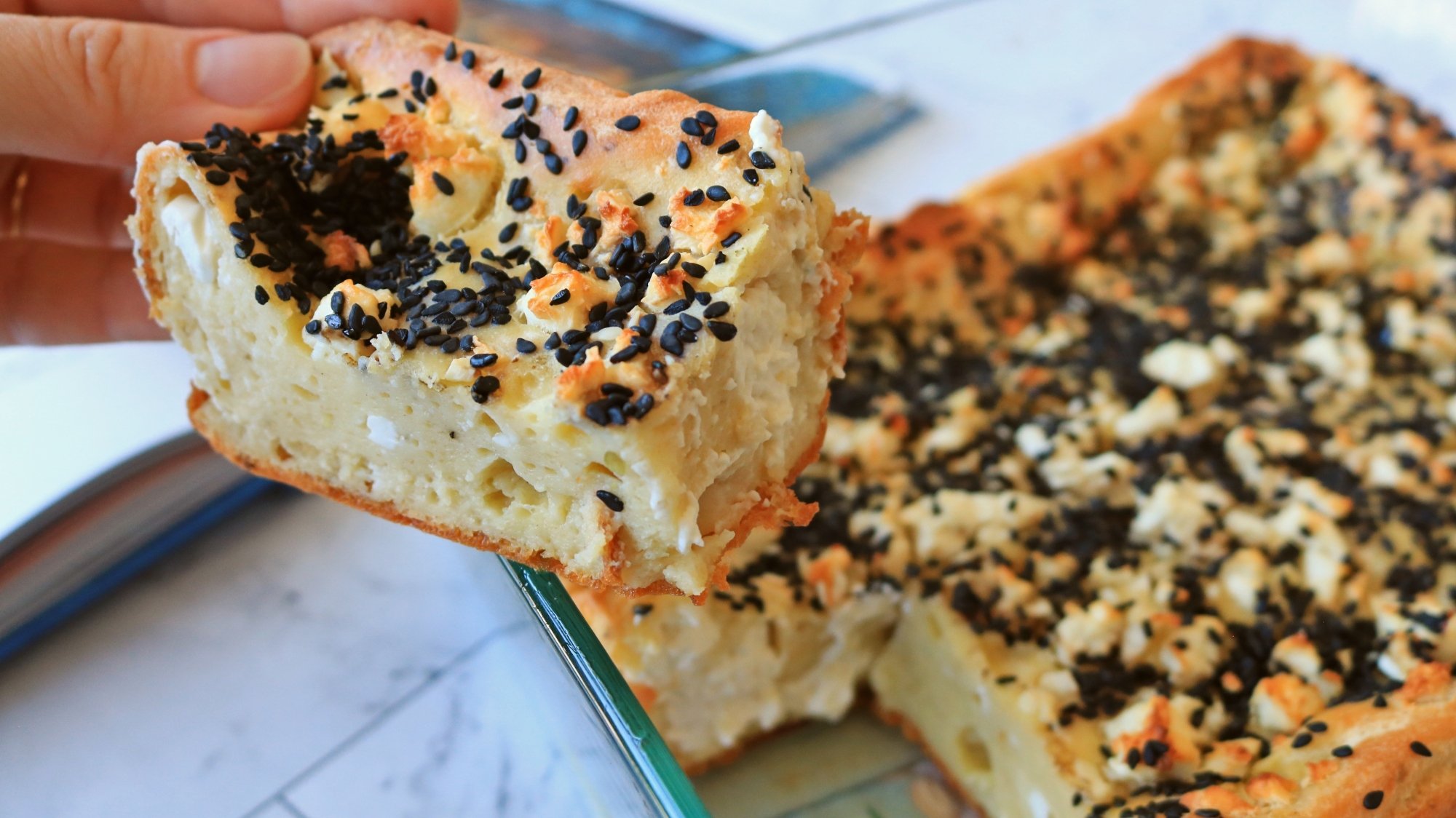
A hand holding a slice of Greek flatbread.

Credit: Allie Chanthorn Reinmann

The Kassiopita, entitled Greek Flatbread in the cookbook, might become something I make quite often. It’s easy to make, loaded with feta, and cooks up quite dramatically in the oven. The batter is made with a blend of yogurt, egg, and flour, so it has the texture of a giant popover, or Dutch Baby. It’s seasoned lightly and then you mix crumbled creamy feta into the batter. The mixture cooks in a casserole dish with a quarter-cup of olive oil in it.

I watched the bread bubble and fry as it puffed up in the oven, and broiled it for the last minute and a half to lightly brown the surface. I ate a piece while it was still warm (too hot actually, but I can’t be stopped), and the crumbled feta made decadent melty, tart pockets of cheese dispersed in the eggy bread. Eat it with salad or eat it solo—I can vouch for both. I made the bread in the instructed size dish, but if you wanted the bread to be thinner then you could easily use a larger pan and reduce the cooking time.

How to buy it

Yassou is available as a hardcover, or as an e-book for a reasonable price. I highly suggest taking a jaunt to your nearest big box book shops or local independent bookstores to see if they have it on their new or featured cookbook displays. And if it’s not on their shelves, ask if they can order it to their location (sometimes for no shipping fee). 

Samsung turns to China to boost its ailing semiconductor division

Samsung has turned to Chinese technology groups to prop up its ailing semiconductor division, as it struggles to secure big US customers despite investing tens of billions of dollars in its American manufacturing facilities.

The South Korean electronics group revealed last month that the value of its exports to China jumped 54 percent between 2023 and 2024, as Chinese companies rush to secure stockpiles of advanced artificial intelligence chips in the face of increasingly restrictive US export controls.

In one previously unreported deal, Samsung last year sold more than three years’ supply of logic dies—a key component in manufacturing AI chips—to Kunlun, the semiconductor design subsidiary of Chinese tech group Baidu, according to people familiar with the matter.

Read full article

Comments

Bang & Olufsen’s new Beosound Balance speaker model comes with a marble plinth

What do modern speakers need? Good sound quality? As little distortion as possible? Longevity? Well, yes. Plus, according to Bang & Olufsen, marble plinths. Bang & Olufsen is debuting a partnership with Italian marble and granite company Antolini at Milan Design Week. The Beosound Balance Natura speaker features a sculptural base from Antolini that the audio company says elevates the device to its optimal height. Apparently, the plinth isn’t just there for aesthetic — it’s a functional audio element.

Let’s face it, though: You wouldn’t buy a speaker with a marble stand unless you wanted that marble pedestal. And that is why they’re making the model available with various Antolini stones. You can get it with natural quartz, as well as with petrified wood and fossilized wood, if you’re looking for something with earthy colors. The options have different translucency and color depth, but one common feature is the anodized aluminum ring that serves as the transition between the plinth and the bottom of the speaker. 

In addition to the Natura version of the Beosound Balance speaker, Bang & Olufsen is also presenting a Beovision Theatre 55-inch TV and a pair of Beolab 28 speakers customized with Antolini’s Amazon quartite at Milan Design Week. All the products it’s showcasing during the event are made to order with prices available upon request, which says all you need to know about its price range, especially since the basic Beosound Balance isn’t cheap to begin with and will set you back $3,300.

This article originally appeared on Engadget at https://www.engadget.com/audio/speakers/bang–olufsens-new-beosound-balance-speaker-model-comes-with-a-marble-plinth-131555070.html?src=rss

Nintendo Switch 2 hands-on: No OLED, no problem

The original Switch started a revolution when it combined the portability of handhelds with the ability to play games on your TV at home like a traditional console. But with the Switch 2, even though it’s physically bigger, it feels like a sleeker, faster and more refined take on its predecessor — to the point that Nintendo should have called it the Super Switch (which apparently almost happened). And after getting a chance to try it out, I’m sold on its abilities, even with its significantly higher starting price of $450.

Design and display: No OLED, no problem

The Switch 2 has the same basic shape and layout as the original, including its signature detachable Joy-Con. But it looks more polished all around, thanks to tapered edges and slimmer bezels. Nintendo also increased the size of its joystick caps and the face buttons on the left controller, though the latter still doesn’t feel quite like a traditional D-pad.

Here is how the size of the Switch 2 compares to the original model.
Sam Rutherford for Engadget

That said, the biggest upgrade is its larger 7.9-inch 1080p LCD display, which now supports a 120Hz refresh rate with VRR and high dynamic range. Frankly, it’s super bright and very colorful to the point where I don’t really miss having an OLED screen. Now there’s a fair bit of grumbling that Nintendo, despite the existence of the OLED Switch, didn’t opt for a similar panel type on the Switch 2. But if you remember, that model didn’t support HDR, so it’s not like we’re looking at a downgrade in display quality, though the super deep blacks you get from OLED screens would have been nice.

Also, the Switch 2 feels like it defies its dimensions because even though its display is larger than the 6.2-inch version on the base Switch, it doesn’t feel that much bigger. It’s only half an inch taller (4.5 inches) and a little over an inch wider (9.4 vs 10.7 inches). And while its weight has also increased to 1.18 pounds with its Joy-Con attached (up from 0.88 pounds), it never felt too heavy.

The bottom of the Switch features a USB-C port with video out, but there's another one on top for charging and accessories.
Sam Rutherford for Engadget

Elsewhere, there are a ton of quality-of-life upgrades, including a second USB-C port (though the one on the bottom is the only one that can do video out), a built-in mic and support for microSD Express cards. That last one is a big deal, because even though the cards are more expensive, they’re also significantly faster than your standard fare and they should be a major boon to download speeds and load times. I admit the lack of analog shoulder buttons is a small downer, though Nintendo says it made that choice because analog buttons would introduce a tiny bit of input lag and it wanted to go with the more responsive solution.

Joy-Con features: Expanded detachables

During its livestream, Nintendo spent a lot of time talking about the C button on the right Joy-Con, which feels like a first-party solution that looks to recreate everything people like about Discord. But at Nintendo’s hands-on experience, there weren’t any chances to test out the console’s new social features, so I wasn’t able to dive deeper into that.

The new Joy-Con for the Nintendo Switch 2
Sam Rutherford for Engadget

That’s ok, though, because I think the Joy-Con’s new magnetic mounting system is the hidden star. Not only is there a larger button around back for popping them off, they now detach simply when you pull them left or right. There’s no need to slide anything up or down first. Granted, this sounds like a small change, but it makes the whole process so much simpler and the Joy-con seem to be more securely attached as well.

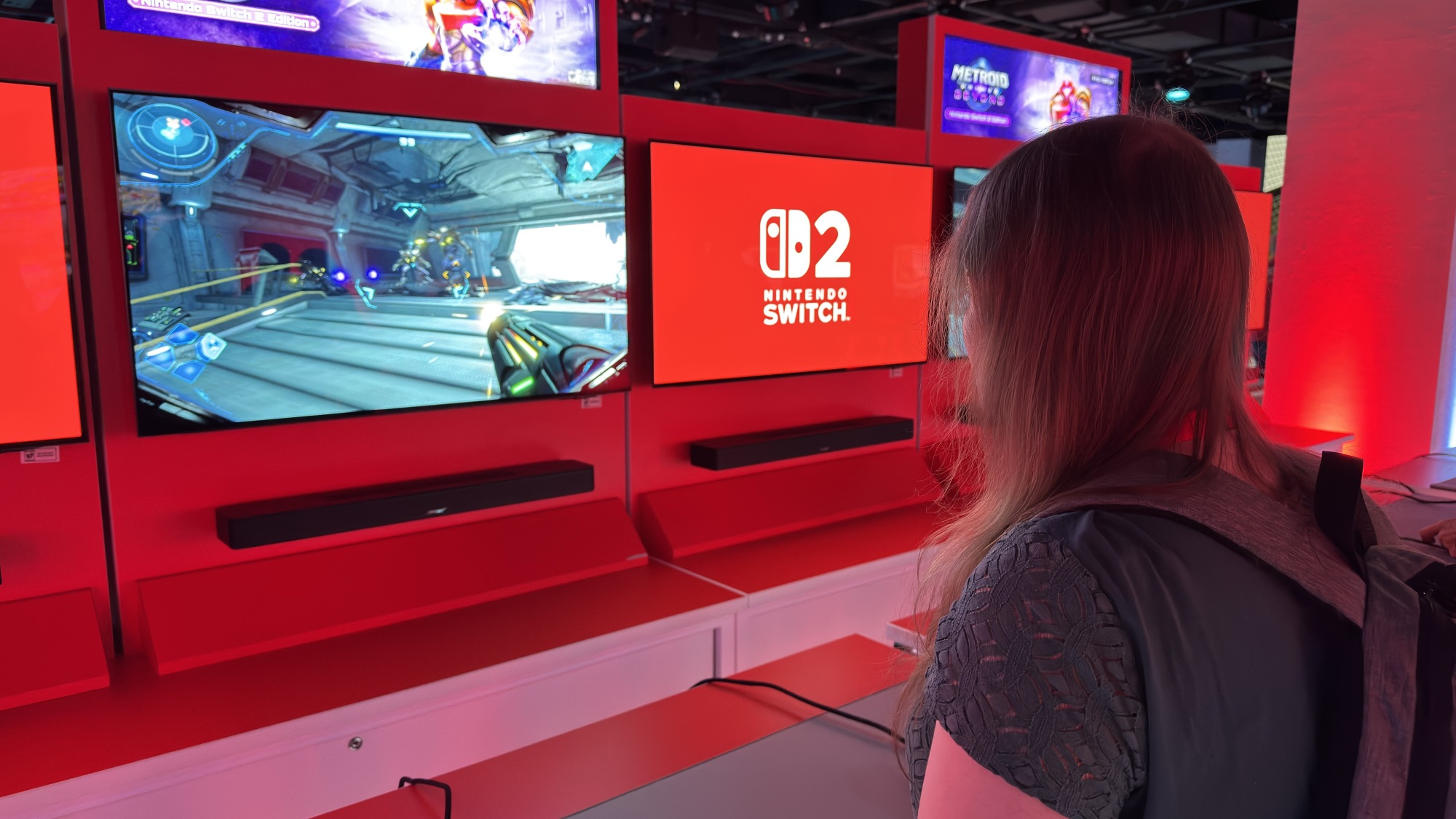
Then there’s the Joy-Con’s ability to function as a mouse (for both the left and right controllers). I thought it was pretty gimmicky, until I played Metroid Prime 4: Beyond where I suddenly found myself favoring the mouse mode over standard gamepad controls. Everything feels a bit more precise and if you’re a fan of shooters on PC, it’s definitely worth trying out. The obvious limitation is that while you can use the Joy-Con on your leg, you really ought to have some sort of flat surface like a table, which may not be an option if your favorite place to game is on the couch.

Performance: Nintendo’s move to next-gen tech

Street Fighter 6 is one of a handful of third-party games slated to come out for the Switch 2.
Sam Rutherford for Engadget

Nintendo has kept relatively quiet regarding the Switch 2’s processor and memory. But the company has said the system does support DLSS and hardware-based ray tracing. Now those features might not get used in every game, but it does seem to make it way easier for third-party developers to port their titles over to the company’s upcoming console. When I played the new Switch 2 versions of Street Fighter 6, Cyberpunk 2077 and Civilization 7, they all ran really smooth. And without doing a straight-up side-by-side comparison next to a proper gaming PC, it was really hard to tell if the Switch 2 was cutting corners graphically, if it was even doing it at all. The only hiccup I noticed was rather long loading times in Civ, which isn’t exactly uncommon for a Sid Meier game.

The flipside to this is if you told me that some of Nintendo’s new first-party games like Donkey Kong Bananza and Mario Kart World were actually being run on an original Switch, I wouldn’t have blinked. In some ways, Nintendo’s ability to wring every last bit of performance out of its hardware and its habit of eschewing hyperrealism in favor of more stylized graphics has almost put a ceiling on the company’s ability to really show off its chops. But when you pay attention, you’ll really appreciate how delightfully satiny Mario Kart looks when it’s running at 120 fps.

I still have questions about what’s going on inside the Switch 2’s new dock and how it’s leveraging its increased performance to deliver 4K resolutions when connected to a TV. I also think it’s a travesty that Nintendo is charging money for the Switch 2 Welcome Tour. It’s barely a game, but it is a genuinely useful way to introduce the console’s features to new owners and it really should be pre-installed on every system for free. It also remains to be seen how the Switch 2’s battery life holds up. Nintendo says it has a larger power pack than the original Switch, but it also has increased performance and a larger screen, while the company claims runtimes may vary between two and six and half hours depending on the title. 

But all told, the Switch 2 is exactly what you want from a successor to Nintendo’s legendary hybrid console. Aside from the price, that is, because in addition to the console starting at $450, almost all of its standard accessories cost more than before, too. From the Pro Controller, which now goes for $80 ($10 more than for the original Switch) or additional pairs of Joy-Con that cost $90 (another $10 hike). And that’s before you factor in the cost of games like Mario Kart World and Donkey Kong Bananza that start at $80 and $70 as digital downloads (or $90 and $80 if you want physical carts).

This article originally appeared on Engadget at https://www.engadget.com/gaming/nintendo/nintendo-switch-2-hands-on-no-oled-no-problem-130002712.html?src=rss

Hands-on with the Switch 2: It’s the Switch, too

The Nintendo Switch 2 could be considered the most direct “sequel” to a Nintendo console that the company has ever made. The lineage is right there in the name, with Nintendo simply appending the number “2” onto the name of its incredibly successful previous console for the first time in its history.

Nintendo’s previous consoles have all differed from their predecessors in novel ways that were reflected in somewhat new naming conventions. The Switch 2’s name, on the other hand, suggests that it is content to primarily be “more Switch.” And after spending the better part of the day playing around with the Switch 2 hardware and checking out some short game demos on Wednesday, I indeed came away with the impression that this console is “more Switch” in pretty much every way that matters, for better or worse.

Bigger is better

We’ve deduced from previous trailers just how much bigger the Switch 2 would be than the original Switch. Even with that preparation, though, the expanded Switch 2 makes a very good first impression in person.

Read full article

Comments

Mario Kart World hands-on: The perfect launch game for the Switch 2

Mario Kart 8 and its Deluxe update have been around so long it’s easy to forget that the game actually predates the Switch and can trace its origins way back to the Wii U. But every good run must come to an end, and with the forthcoming arrival of the Switch 2 on June 5, Mario Kart World is looking like the ideal launch partner.

Now there hasn’t really ever been a bad Mario Kart game, but World feels like Nintendo has jammed nitrous into every corner and crevice. Even during my demo session where not all the characters were unlocked, I got the sense that its roster is massive. All the big names are there like Peach and Yoshi, but you also have baby versions of many of them alongside Toadette, Pauline, Nabbit and so much more. This feeling extends to a range of vehicles too, which includes standard karts in addition to stuff like jet skis and scooters.

Vehicles including a jet ski and a scooter are available to drive in Mario Kart World 2 for the Nintendo Switch 2.
Sam Rutherford for Engadget

But more importantly, the world feels huge. Not only can you freely roam around tracks as they seamlessly connect from one to another, there are also little details like weather effects and day/night shifts that make things feel more alive. And there’s also a seemingly huge range of tracks to choose from, organized into several Grand Prix circuits.

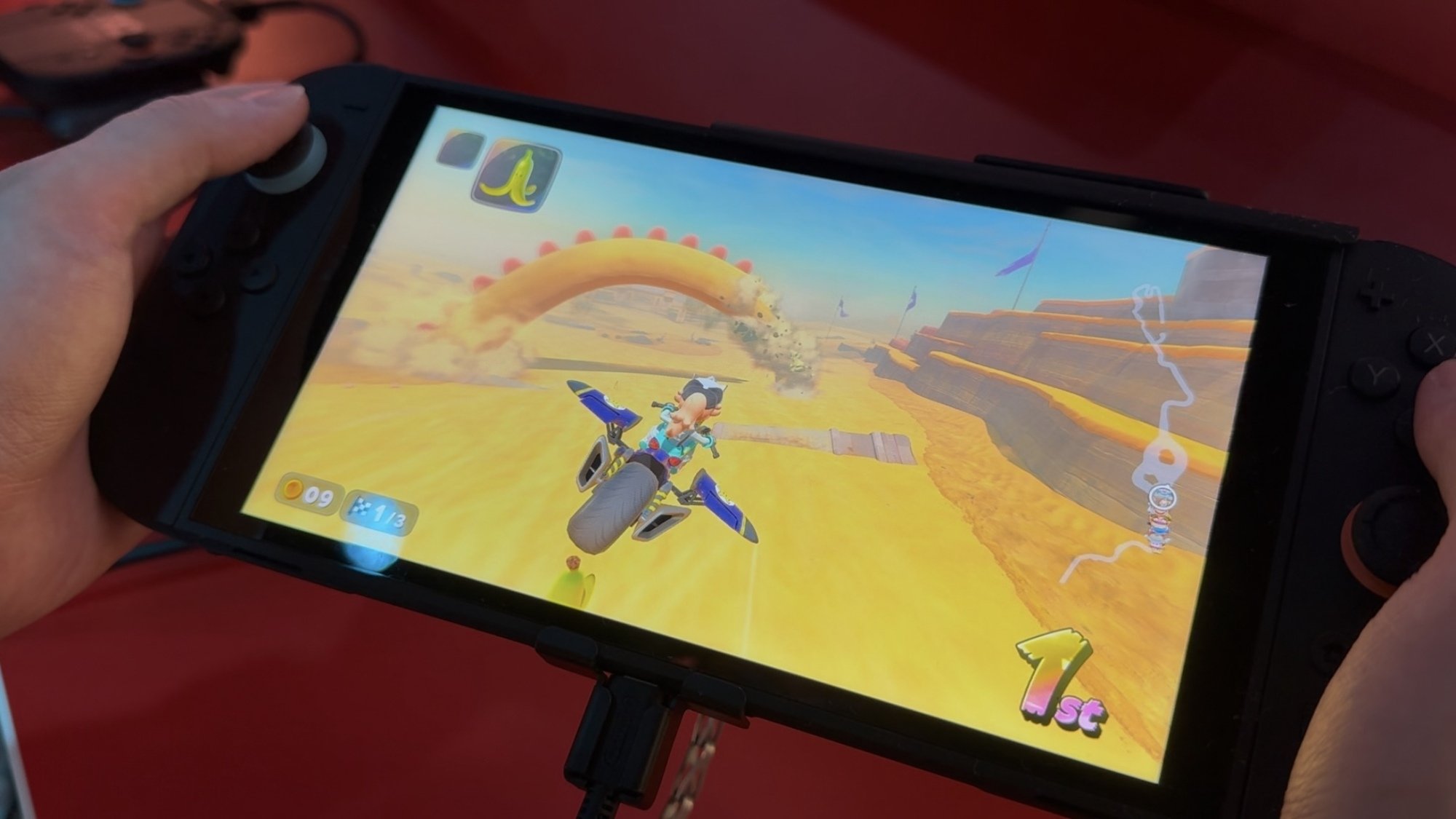
The most fun I had, though, was when I got a chance to play the Knockout Tour mode, which is like Mario Kart meets F-Zero 99. In this setting, you have 24 people in a single race that progresses across multiple tracks. Every few laps, the last four places get eliminated, so it’s your job to dodge shells and use every last mushroom boost, shortcut and power slide to stay at the front of the pack. It’s a non-stop frenzy that just keeps going and, though I don’t have the same reaction speed I did when I was younger, this old-head still got first place. And even after a win, I just wanted more. (For the record, Nintendo’s photography policy required me to have a person in the frame, so a friendly staff member stood in my place, but here’s my receipt.)

Engadget Senior Reporter Sam Rutherford placed first in a Knockout Tour demo of Mario Kart World at Nintendo's Switch 2 hands-on demo.
Sam Rutherford for Engadget

I also need to call out that Mario Kart World has a 120 fps mode and it’s damn good. Racing has never looked this smooth on any Nintendo console and this game might be the best first-party showcase of the Switch 2’s upgraded display and performance.

That said, the best part is that I’m sure I missed some features because I didn’t even have a chance to try out the outfit customization Nintendo teased in World‘s trailer. And I was so focused on winning that I didn’t fully explore the expanded list of tricks like grinding on rails and hopping off vertical walls.

Granted, it’s a bummer that Nintendo has raised the price of many Switch 2 games, particularly with Mario Kart World coming in at $80 for a digital copy or $90 for a physical cart. But that can be largely avoided by purchasing the Switch 2 bundle that comes with the game, which effectively brings its price back down to $50. So if you are planning on getting a Switch 2 at launch, opting for this combo feels like a no-brainer.

This article originally appeared on Engadget at https://www.engadget.com/gaming/nintendo/mario-kart-world-hands-on-the-perfect-launch-game-for-the-switch-2-130003924.html?src=rss

Microsoft, Amazon Execs Call Out Washington’s Low-Performing 9-Year-Olds In Tax Pushback

Longtime Slashdot reader theodp writes: A coalition of Washington state business leaders — which includes Microsoft President Brad Smith and Amazon Chief Legal Officer David Zapolsky — released a letter Wednesday urging state lawmakers to reconsider recently proposed tax and budget measures. “I actually think it’s an almost unprecedented outpouring of support from across the business community,” said Microsoft’s Smith in an interview. In their letter, which reads in part like it could have been penned by a GenAI Marie Antoinette, the WA business leaders question whether any more spending is warranted given how poorly Washington’s 4th and 8th graders compare to children in the rest of the nation on test scores. The letter also laments the increase in WA’s homeless population as it celebrates WA Governor Bob Ferguson’s announcement that he would not sign a proposed wealth tax.

From the letter: “We have long partnered with you in many areas, including education funding. Despite more than doubling K-12 spending and increasing teacher salaries to some of the highest rates in the nation, 4th and 8th grade assessment scores in reading and math are among the worst in the country. Similarly, we have collaborated with you to address housing and homelessness. Despite historic investments in affordable housing and homelessness prevention since 2013, Washington’s homeless population has grown by 71 percent, making it the third largest in the nation after California and New York, according to HUD. These outcomes beg the question of whether more investment is needed or whether we need different policies instead.”

Back in 2010, Smith teamed with then-Microsoft CEO Steve Ballmer and then-Amazon CEO Jeff Bezos to fund an effort to defeat an initiative for a WA state income that was pushed for by Bill Gates Sr. In 2023, Bezos moved out of WA state before being subjected to a 7% tax on gains of more than $250,000 from the sale of stocks and bonds, a move that reportedly saved him $1.2 billion in WA taxes on his 2024 Amazon stock sales.


Read more of this story at Slashdot.

The Nintendo Switch 2 Is Boring, and That’s OK

The Nintendo Switch 2 is the first Nintendo console to be a direct successor to a predecessor, number and all. Sure, everyone knew what “Super Nintendo” meant, but now more than ever, Nintendo is looking to competitors like Sony for cues, aiming for a simpler and more straightforward next-gen upgrade this time around. It makes sense—the Switch was its most successful home console yet, and when Nintendo tried to follow up the Wii with the more out-of-left-field Wii U, it flopped. So why mess with success?

But that strategy does leave the Switch 2 in a precarious position, especially given its hefty $450 price point. Is there really enough new here to justify an upgrade? After going hands-on, I’d say yes, but with a disappointing caveat.

The Switch 2 is a lot like the Switch 1

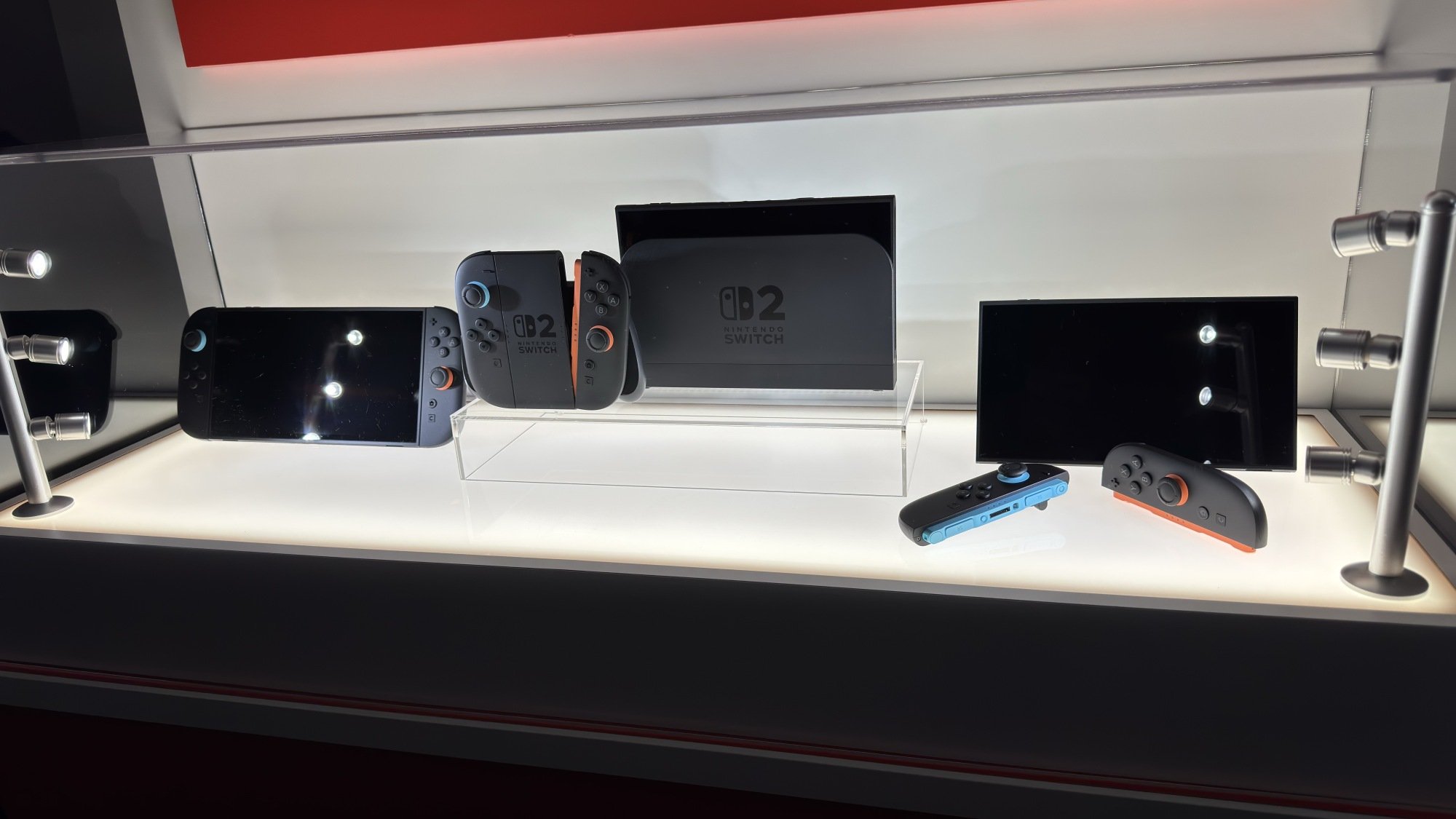
Nintendo Switch 2 console and accessories
The Nintendo Switch 2 console and a few selected accessories.
Credit: Michelle Ehrhardt

Unlike how the Wii or Nintendo DS changed how we played games, if you already have a Nintendo Switch, then you are mostly already familiar with the core experience of using the Switch 2. 

It’s still, essentially, a tablet with removable controllers that can optionally hook up to your TV to display on the big screen. There are a few new bells and whistles, but Nintendo hasn’t strayed far from that vision here.

It’s a good vision, but sticking to it means that listing the improvements here involves relying more on specs than the new experiences I’m used to with Nintendo products, and the results don’t exactly work out in Nintendo’s favor.

Once again, the company is using old hardware. Nintendo hasn’t been upfront about the chip the Switch 2 uses (although there are rumors that it’s already five years old), but to cut it short, there’s nothing here you haven’t already seen in competitors like the Steam Deck or, more charitably, the Lenovo Legion Go.

Starting with the good: The screen is now 1080p instead of 720p, and a roomy 7.9-inches—an increase from both the 6.2-inches on the original model and 7-inches on the OLED model. It can also support up to 120 fps, and when plugged into a dock, is theoretically capable of playing 4K games at 60 fps or lower-resolution games at 120 fps (this will vary based on the title, which I’ll get to later). There’s even ray-tracing, according to a roundtable I attended with the hardware designers, although I wasn’t able to confirm whether I saw it in action while I played.

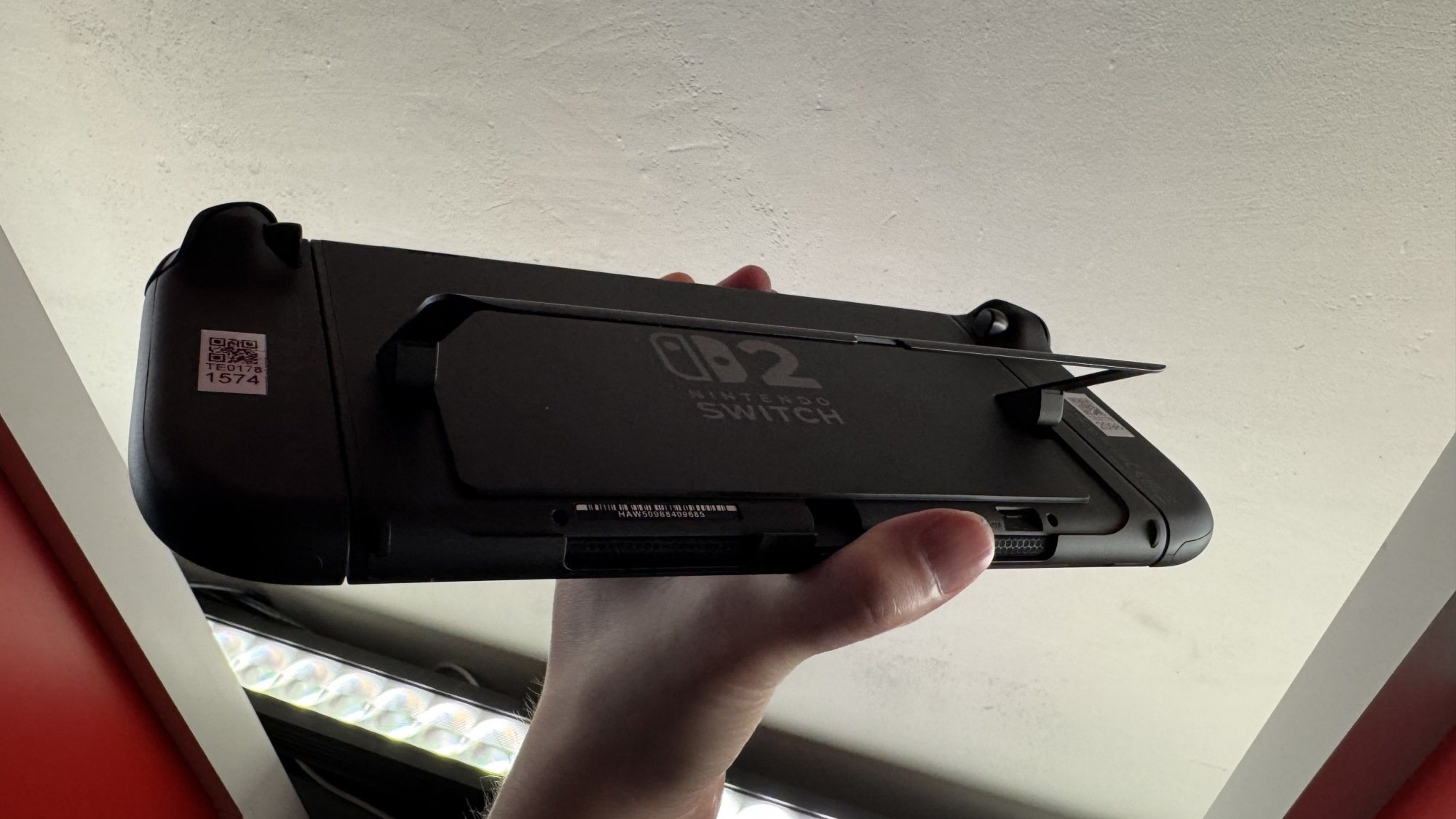
Nintendo Switch 2 kickstand
The Nintendo Switch 2 boasts an improved kickstand.
Credit: Michelle Ehrhardt

There’s an extra USB-C port up top, too, which is convenient, plus a built-in microphone for the GameChat feature (which I didn’t get to demo, just like the GameShare feature). The kickstand has also been redesigned to be sturdier and allow more angles, and the dock has a fan that cools your console to help keep performance stable over long sessions. (I wasn’t able to hear it in person, which is good, but the event where I got to play the Switch was pretty loud.)

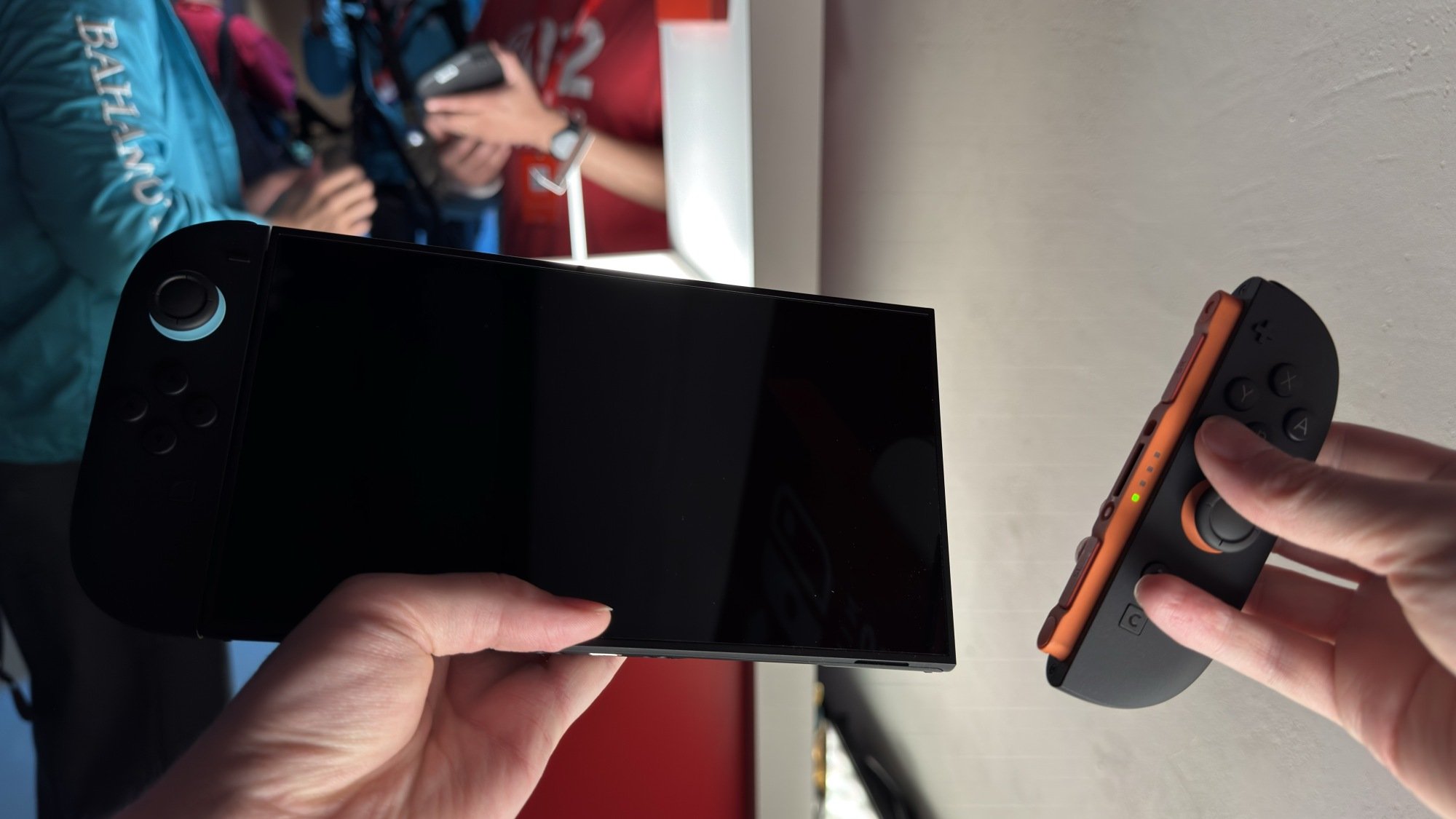
Perhaps the best improvements, though, are to the Joy-Cons. They now connect magnetically and feature larger thumbsticks and trigger buttons, plus more prominent SL and SR buttons, all of which makes them far more comfortable to use. I considered the original Switch Joy-Cons pretty much unusable, but with these, I actually wouldn’t feel much pressure to buy a Pro controller. Plus, they have a couple of new secrets, which I’ll discuss a little bit later.

Nintendo Switch 2 magnetic controllers
The Nintendo Switch 2 has magnetic controllers.
Credit: Michelle Ehrhardt

As for the negatives, the Switch 2 is a little bigger and a little heavier than the Switch 1, although I wouldn’t have really noticed without putting the spec sheets side by side. The screen is also an LCD, which means owners of the Switch OLED might actually notice a bit of a downgrade here. It’s a tradeoff for cost and the increased size and frame rate, but it’s worth keeping in mind. Honestly, as much as I love OLED, I don’t actually mind this too much. The screen’s still plenty bright and colorful, and it’s small enough that I’m willing to accept the balancing act Nintendo is playing here. The company will almost certainly release an OLED version down the line, anyway.

Really, the device itself is plenty sleek, but it definitely reads as “more Switch” rather than “new Switch.” Just looking at the improvements on paper, I’m not sure there’s much reason to upgrade just for the new tech alone, which is concerning given that it’s the only real change that doesn’t rely on future developer support. Even if you’re a hardware nerd, the differences here aren’t as stark as they were between, say, the PS4 and the PS5. Rather, they more so just bring Nintendo in line with the competition, although perhaps still remaining a few years behind.

That means that, more than ever, it’s up to the games to sell the Switch 2.

But first, mouse controls!

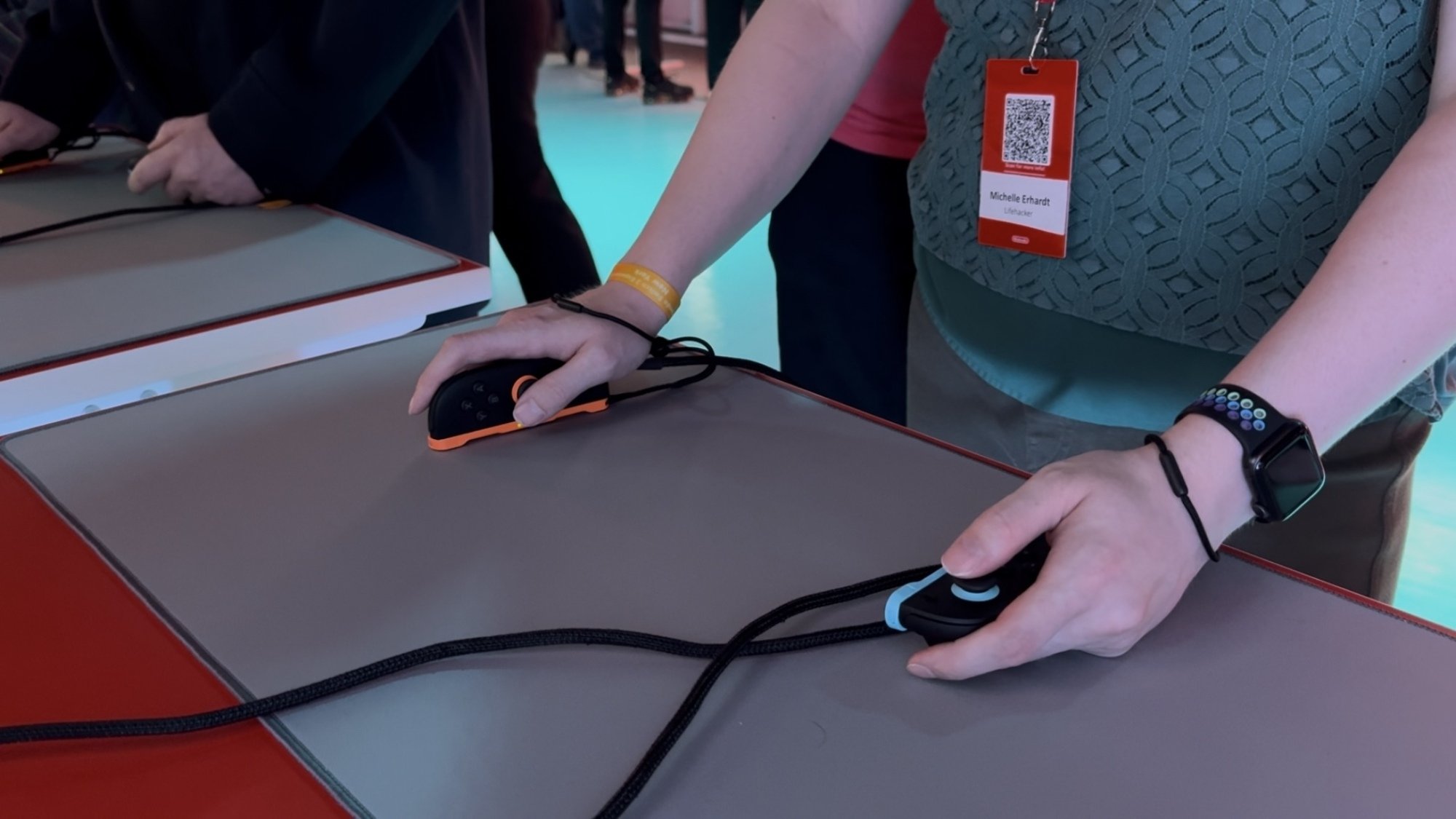
Mouse controls on the Nintendo Switch 2
You can play the Nintendo Switch 2 while using the Joy-Con 2 like a mouse.
Credit: Michelle Ehrhardt

But before I talk about those games, I do have to address the one big new feature here. While it’s not as flashy as motion controls on the Wii or the gamepad on the Wii U, the Switch 2 does have one new standout feature that other consoles don’t—mouse controls.

In theory, I love these. By simply turning a Joy-Con 2 on its side, you can suddenly slide it around and use it like a mouse. A cursor will show up in your game if it’s compatible, and suddenly, it’ll be like playing on a PC.

There are a few tradeoffs. The grip needed here is a bit more claw-like than I’m used to, and pressing the face buttons while the Joy-Con 2 is on its side can be pretty uncomfortable. But when I tested mouse controls in Civilization VII and, yes, Metroid Prime 4, they immediately felt like the natural way to play. I simply can’t go back.

This gives the Switch 2 a lot of potential, but it’s really up to developers to capitalize on it. It could become the de facto way to release shooters, RTS, or MOBA games on console going forward, which is a bit funny as those games tend to be more associated with older gamers and the Xbox. But it could also easily fall by the wayside as a tech demo, like in Drag X Drive, a game I tried that has you using both Joy-Con 2 as mice simultaneously to control a wheelchair. I’ll leave it to people who actually use wheelchairs to comment on the accuracy here, but it certainly was novel—and very tiring after just about five minutes.

The potential here has me excited, perhaps more than anything about this system. Competitive shooter players could potentially play out of their living room here. Heck, you could easily use this to enable more accurate DS or Wii U backwards compatibility. But with actually implementing these being left up to individual developers, I am still a bit skeptical for now. How many games actually used Wii MotionPlus, anyway?

Metroid Prime 4 makes the case for Switch 2

Metroid Prime 4 gameplay
Metroid Prime 4 is improved for the Nintendo Switch 2
Credit: Michelle Ehrhardt

Easily, the game that sold me most on the Switch 2 was Metroid Prime 4, and I’m not even much of a Metroid Prime person. (I liked the first game well enough, but generally prefer the 2D titles.)

The game, however, was gorgeous, and played like a dream. Sitting down with it was one of the few moments where I thought “this wasn’t possible on Switch 1.” Funny, because the game is technically cross-gen.

Still, Nintendo made a point of saying that Metroid Prime 4 runs at 1080p/120 fps on the Switch 2, and while that’s fairly modest compared to what I’ve gotten used to on the console’s contemporaries, dang if it didn’t feel great to see that level of technical polish and fidelity combined with Nintendo’s trademark “show, don’t tell” design. And the fidelity actually serves a gameplay purpose here, too, as the increased frame rate makes keeping up with the action much easier.

And that’s without getting to the controls, which are certainly not possible on any other console. I’ve played prior Metroid Prime games with just a controller, and with the motion controls in their rereleases, but mouse controls are easily the best way to move Samus in 3D. Aiming for weak points on bosses is immediate and snappy, and being able to quickly jerk your mouse to a vantage point makes taking in the scenery, whether for scanning or just eye candy, a breeze.

All this does come with a bit of a risk, as a less skilled developer could easily lean too far into these improvements, and turn Metroid into what is essentially a Halo clone. But even in the brief demo I played, I noticed the same thoughtful level and encounter design I’d come to expect from the rest of the series (not to diss Master Chief too much).

If the Switch 2 needs a lawyer, Metroid Prime 4 should be it, because it makes a convincing case for the console, even if it’s still representing its older sibling too.

Mario Kart World and Donkey Kong Bananza feel like more of the same

Mario Kart World
Gliding is back in Mario Kart World
Credit: Michelle Ehrhardt

If Metroid Prime 4 feels like a game that needs the Switch 2, then the console’s other big first-party titles, or at least the ones I’ve played so far, land in more dangerous waters.

Put simply, Mario Kart World and Donkey Kong Bananza feel like games that could have released for the Switch 1. They’re both pretty, don’t get me wrong, but there’s nothing so novel about the gameplay here that requires a new console to power it. They use art styles that are pleasant, but so similar to what you’d find on the Switch 1 that I’m not sure the average person could pick them out from Mario Kart 8 or Super Mario Odyssey if you put them in a lineup.

Of these two games, Mario Kart World suffers more from this. Playing it was just like playing Mario Kart 8, for better and worse. The good: Mario Kart 8 is a good game! The bad: Mario Kart 8 is a good game.

Frankly, it feels like Mario Kart World has little reason to exist, and little reason to be exclusive to the Switch 2, except to sell the console. Its few new additions, being grinding, wall jumping, and a battle royale style multiplayer mode, are all things that could have been achieved without forcing players to spend at least $500 to get them, and are pretty easy to not even notice during play. Again, it’s “Mario Kart 8, but more,” and players would be just fine not swapping over to it.

Granted, there’s one elephant in the room with all of this, in that I didn’t get to try out the Forza Horizon style free roam mode much. This, I could have seen struggling on the original Switch. But I’m also skeptical how necessary it is. This could either be a full-blown map worthy of sinking hours into so you can find every detail, or a glorified lobby to drive around in while waiting for online matchmaking. But as for the core Mario Kart experience, it’s still strong but not a system seller, and not an appreciable improvement over what came before beyond some only very slightly better visuals.

Donkey Kong Bananza
Is it me, or does this Donkey Kong design look more like he did in the movie?
Credit: Michelle Ehrhardt

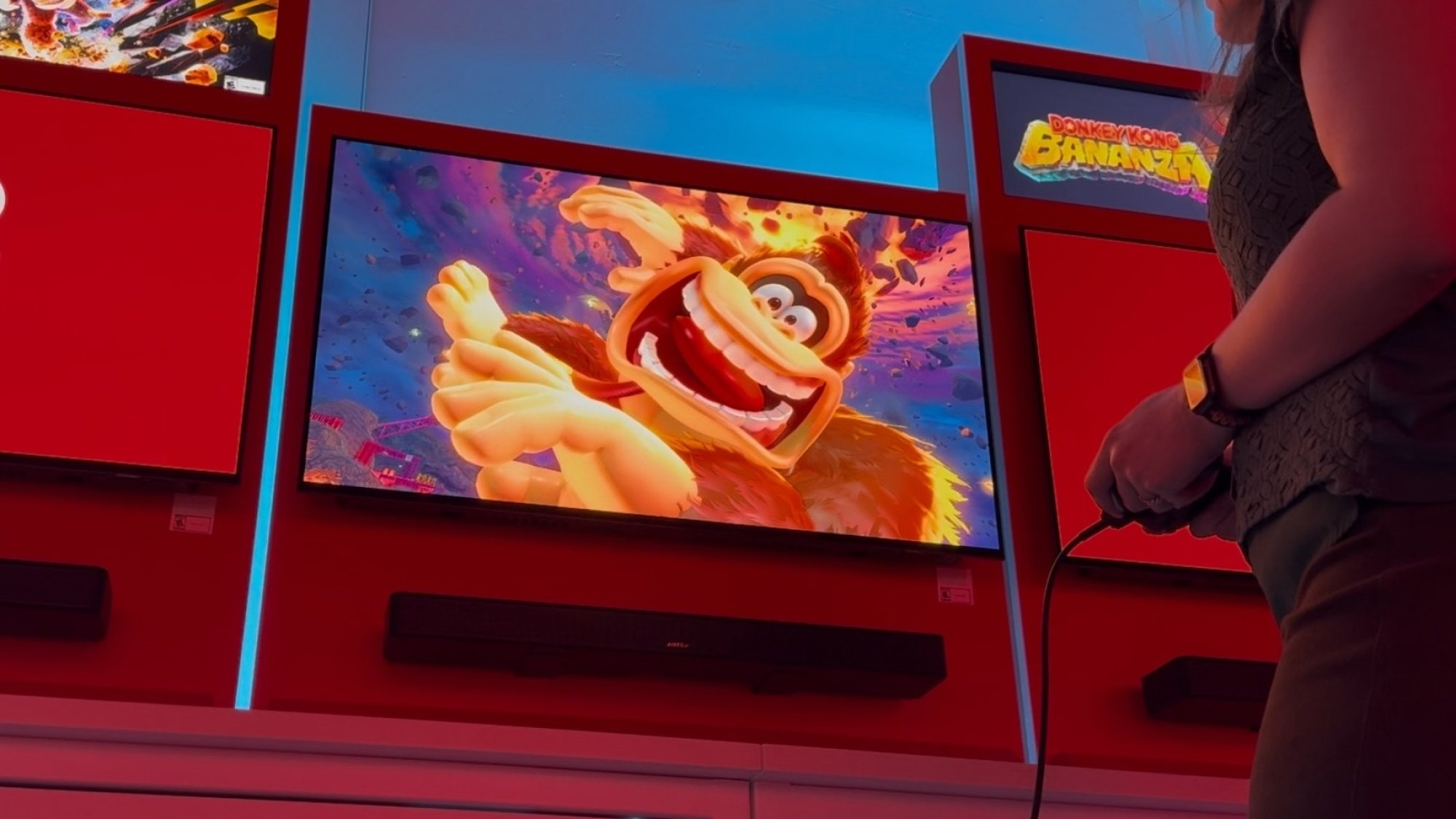
Donkey Kong Bananza, meanwhile, is the big 3D platformer holding up the Switch 2’s launch window (it’ll be available about a month after the console itself). Again, a lot of what I said about Mario Kart World holds true here. It looks good, but doesn’t exactly stand out from a good looking Switch 1 game. Mechanically, it’s also mostly something that doesn’t require the upgrade, so it could have been a Switch 1 game if Nintendo really wanted.

That is, except for the destructible environments. Donkey Kong is recast as a bit of a miner in this game, and you can pretty much tear the whole map apart, polygon by polygon, with debris flying everywhere. I’m convinced that if you made enough compromises to the visuals, this could have worked on Switch 1, but still, it is noteworthy that Bananza is both very pretty and never chugged while I was playing.

Still, and this hurts to say as a fan of Donkey Kong, Bananza is kind of a chore to play. Maybe it’ll get better further into the game, but Donkey Kong’s first 3D platformer since the Nintendo 64 weirdly falls into the same trap that game did: too many collectibles.

Because you can tear the whole map apart polygon by polygon, and because almost every one of those polygons reveals a reward, it makes maintaining the same kind of flow state that Super Mario Odyssey, a game the Bananza is taking clear influence from, so heavily encouraged near impossible. Rather than focusing on fluid movement through an obstacle course, you’re instead incentivized to smash and destroy nearly every part of the map, making worlds a bit of a slog to actually get through as you slowly pick them apart.

Or you could accept that you don’t have to get absolutely everything, if you don’t suffer from the same kind of optimization sickness I do. It is fun to simply play as Donkey Kong, but even in that case, I feel the game could be better designed to support this, since the courses here do seem to be laid out more for Mario than DK. A less linear design might support the penchant to go ape more, but to be fair, I only saw the first world.

Third party games are a mixed bag

Nintendo has a few more first party Switch 2 games announced for later on, although I didn’t get to play tantalizing titles like Kirby Air Riders yet. Instead my pre-release experience with the Switch 2 was rounded out by third-party developers.

The games I tried were, sadly, the biggest reason I remain skeptical of the Switch 2. From Cyberpunk 2077 to Street Fighter 6, it was a grab bag of quality. Given how old most of these games are, and that they all run well on devices like the Steam Deck, that really shouldn’t be the case.

Case in point: Cyberpunk is just flat out ugly on the Switch 2. It’s pixelated, the frame rate dips constantly, and I found myself frequently disoriented in combat. It’s clearly an example of the Switch 2 reaching above it means, which goes to show that while the system is prettier than its predecessor, it’s not the fix for the typical Nintendo performance issues some were hoping for.

To be fair to Cyberpunk, the build I played was only seven weeks old, and I didn’t seem able to swap out of quality mode and into performance mode despite trying, but it puts a pretty clear cap on this system’s performance at about the PS4 level. That is impressive for a handheld, but it’s also something we previously saw with the cheaper and older Steam Deck. If the Switch 2 sticks around for as long as the Switch 1 did, it could also start to feel long-in-the-tooth pretty quick, as other companies are already on the verge of leaving that era behind.

Civilization VII also chugged a little bit, although this was less of an issue given its turn-based nature. But on the plus side, Street Fighter 6 and Yakuza 0 Director’s Cut ran without hiccups and at high-enough resolutions. The latter should be expected given that game’s age, but as for the former, it’s nice to know that Capcom knows how to work with Nintendo’s hardware. Even so, Street Fighter was still noticeably pixelated at times, so it’s not like the Switch 2 is the best way to play Street Fighter 6. It’s the best way to play it without compromises if you don’t own any other modern gaming machines.

That’s an improvement on the Switch 1, and might be enough for now. But given Cyberpunk’s performance, even knowing how demanding that game famously was at launch, I do worry that it won’t be long until the Switch 2 falls into the same trap as its predecessor: Third party developers will either skip the console entirely (I was hoping Monster Hunter Wilds would be here, given that series’ history with Nintendo platforms, but it’s MIA for now), or their games will be more and more compromised here as time moves on.

The best games on the Switch 2 are Switch 1 (and GameCube) games

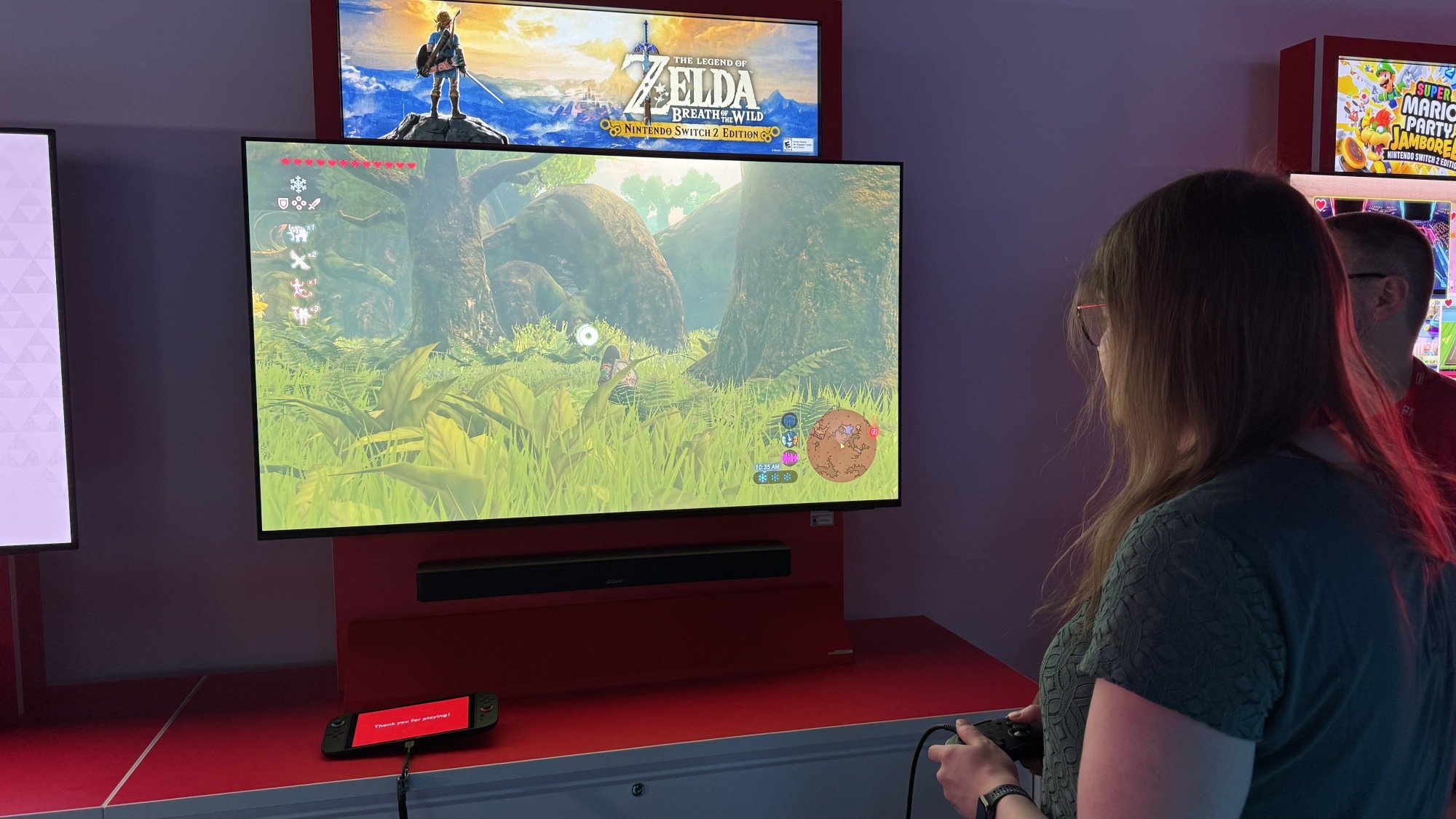
Breath of the Wild for Switch 2
Breath of the Wild’s Switch 2 Edition is buttery smooth
Credit: Michelle Ehrhardt

Which brings me to maybe my saddest realization of my time with the Switch 2. The games I enjoyed playing most on Nintendo’s new console are all games for the Switch 1.

Breath of the Wild. Kirby and the Forgotten Land. Metroid Prime 4. Even Mario Party Jamboree. All of these run flawlessly on the Switch 2, at high resolutions and even higher frame rates. It’s really such a breath of fresh air, especially given that some of Nintendo’s more ambitious Switch 1 games didn’t always perform the best on that system. (I didn’t get to play Tears of the Kingdom, but it is planned for a Switch 2 upgrade, and it sorely needs it.)

In a vacuum, this is eye-opening. One of Nintendo’s strongest game libraries, now with no technical chains around its ankles. But it also comes with three of the Switch 2’s strongest downsides.

The first, and most obvious, is that a Switch 1 game does not make for a good Switch 2 killer app. Even Metroid Prime 4, the game I praised as being the best reason to get a Switch 2, will still technically be playable on the Switch 1. And that means that thrifty gamers are plenty likely to just live with not having mouse controls, or with occasional frame drops, since they can still get the same core experience without spending hundreds of dollars for it.

The second, and most obnoxious, is that you have to pay to get these improvements. Even if you already own Kirby and the Forgotten Land for Switch, and you buy a Switch 2 for $450, you’ll need to pay once again for the Nintendo Switch 2 Enhanced Edition version of the game to play it using the power the Switch 2 already has. Otherwise, you’re going to get a similar experience as you would on the Switch 1, barring some potential slight improvements like marginally faster loading times. To Nintendo’s credit, you can upgrade your existing Switch 1 library for a smaller fee than you’d have buying the new version outright, but it’s still a hard pill to swallow. “It plays your existing Switch games, but better” would have been a reason to buy here, especially if the launch lineup doesn’t do anything for you, but alas.

Third, it’s not guaranteed that the Switch 2 will play your existing Switch games at all. According to Nintendo’s hardware developers, the new console does not contain any Switch 1 components in it, which means that it plays the non-enhanced versions of Switch 1 games using emulation. This isn’t an immediate killing blow, and Microsoft is in fact fairly well respected for how it handles a similar approach on the Xbox. But it does mean that Nintendo has found issues with running over 120 games on the Switch 2, some of which have difficulty even starting up. Out the gate, the Switch 2 is going to take some time to be an appropriate Switch 1 replacement, as Nintendo goes through all 10,000+ Switch titles “one by one” to ensure they work on the new console. Don’t throw away your old Switch quite yet.

GameCube controller for Switch 2
The GameCube controller for the Nintendo Switch 2
Credit: Michelle Ehrhardt

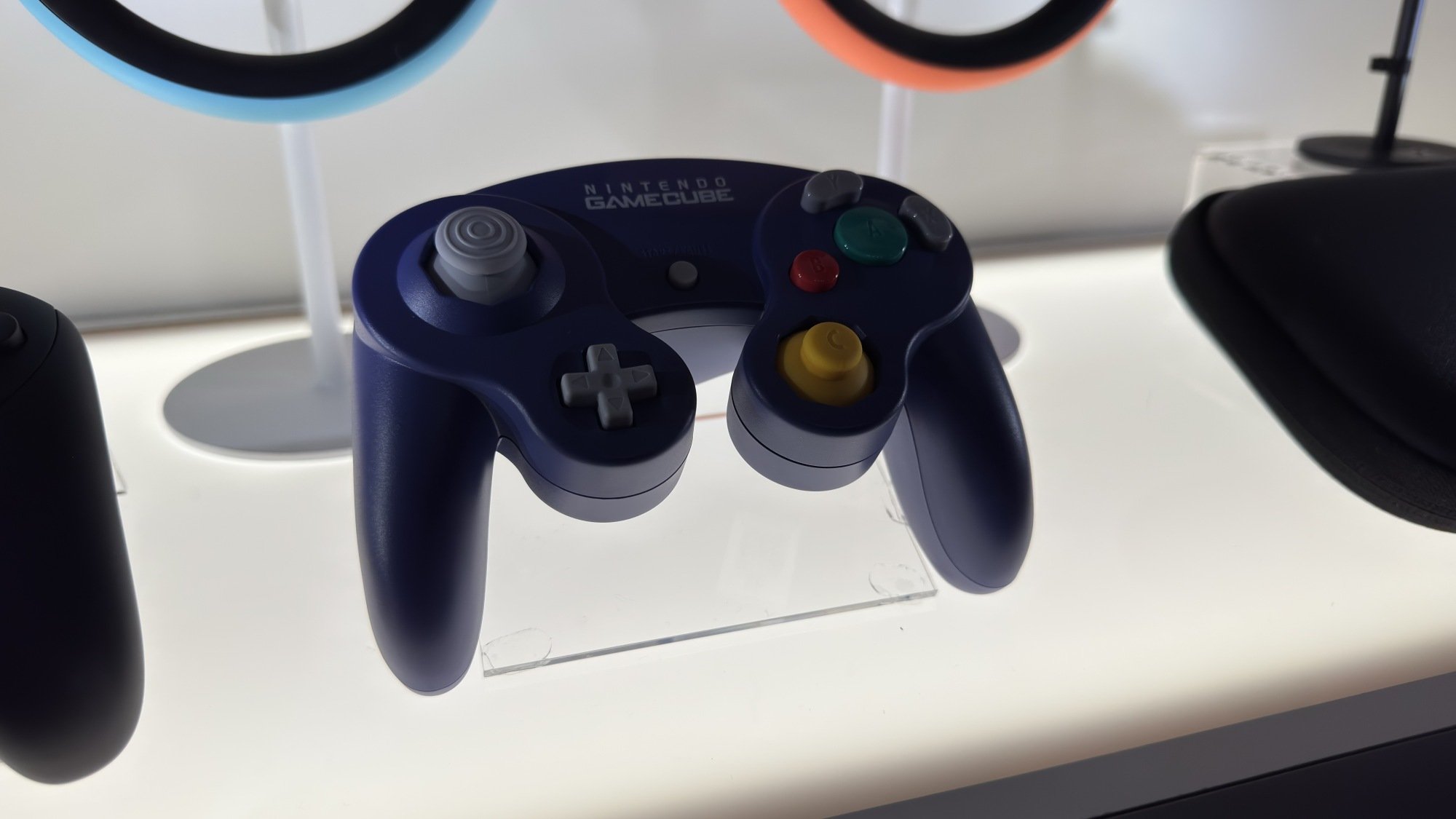
There is one bright spot to Switch 2 emulation, though: GameCube support. Starting with The Legend of Zelda: The Wind Waker, F-Zero GX, and Soul Calibur II, Nintendo is going to start adding GameCube games to the Nintendo Switch Online + Expansion Pack plan, exclusively playable on Switch 2 (and compatible with an optional GameCube style controller, sold separately exclusive to Switch Online members). Wind Waker was flawless for me in my hands-on, and suspending and resuming was instant. $50 a year is a lot to pay for such a small selection of titles, especially when there are, ahem, other ways to get them, but it is convenient. And hey, as a bonus, the Expansion Pack membership does at least include the Switch 2 Edition upgrades for Breath of the Wild and Tears of the Kingdom.

The Switch 2 is boring, and that’s OK

So where does all this leave the Switch 2? Well, truthfully, it’s not as grim as I’ve made it sound.

At its core, the Switch 2 is a polished piece of hardware with a good deal of quality-of-life improvements and one new control gimmick (one I really like, but am unsure of whether it’ll catch on). It doesn’t push the hardware envelope, and like the GameCube or Wii U (eventually), it relies on its games to sell it. And before I learned that it was $450 (why didn’t we say that during the Direct, Nintendo?), this article was originally much kinder to it.

But with that price point, which is $150 higher than the original Switch’s price at launch, higher than a Steam Deck, and on par with Sony’s entry-level PS5, I have no choice but to get a bit choosier. It isn’t necessarily a problem, but it means I have to give this the same boring advice I would give almost any console launch, rather than the advice I would have normally given for a prior Nintendo launch.

Unless your banana hoard is overflowing, or if you absolutely need the new Mario Kart on day one, or if you can’t accept any compromise when you don Samus Aran’s helmet, you should wait to buy the Nintendo Switch 2. There simply aren’t enough compelling reasons to upgrade right now, and given that Switch 1 support is either paid or prone to glitching, I doubt there will be for a good while. Wait for a sale (or at least until the exclusive FromSoft game comes out).

That’s fine. That’s what I’ll probably say for the PS6, and it was probably the right move for Nintendo. The Wii U famously failed for throwing aside the strengths of its predecessor, so it makes sense for the Switch 2 to aim for “Switch but more,” and the only way to do that while staying anywhere in a family console’s budget in the age of tariffs is to do roughly the same thing again, but with some slight improvements.

But it is still a slight disappointment. For something like the original Switch, I actually would have been fine recommending buying it at launch. It was novel and it was affordable, so you didn’t lose out on much by going for it right away. Now, though, it seems even the Nintendo can’t avoid the homogenization stomping all over the rest of the tech industry. Every phone is a candy bar now, and increasingly, every gaming console is just a featureless black box.

The Switch 2’s Mouse Controls Are Nintendo at Its Most Playful

Yesterday, Nintendo finally announced its successor to the Nintendo Switch, fittingly named the Switch 2. I already wrote about my general experiences with the console, where I talked about how it’s mostly boring, but probably the right move on Nintendo’s part. Still, I wanted to take a moment to call out one part of the console that definitely isn’t boring: the mouse controls.

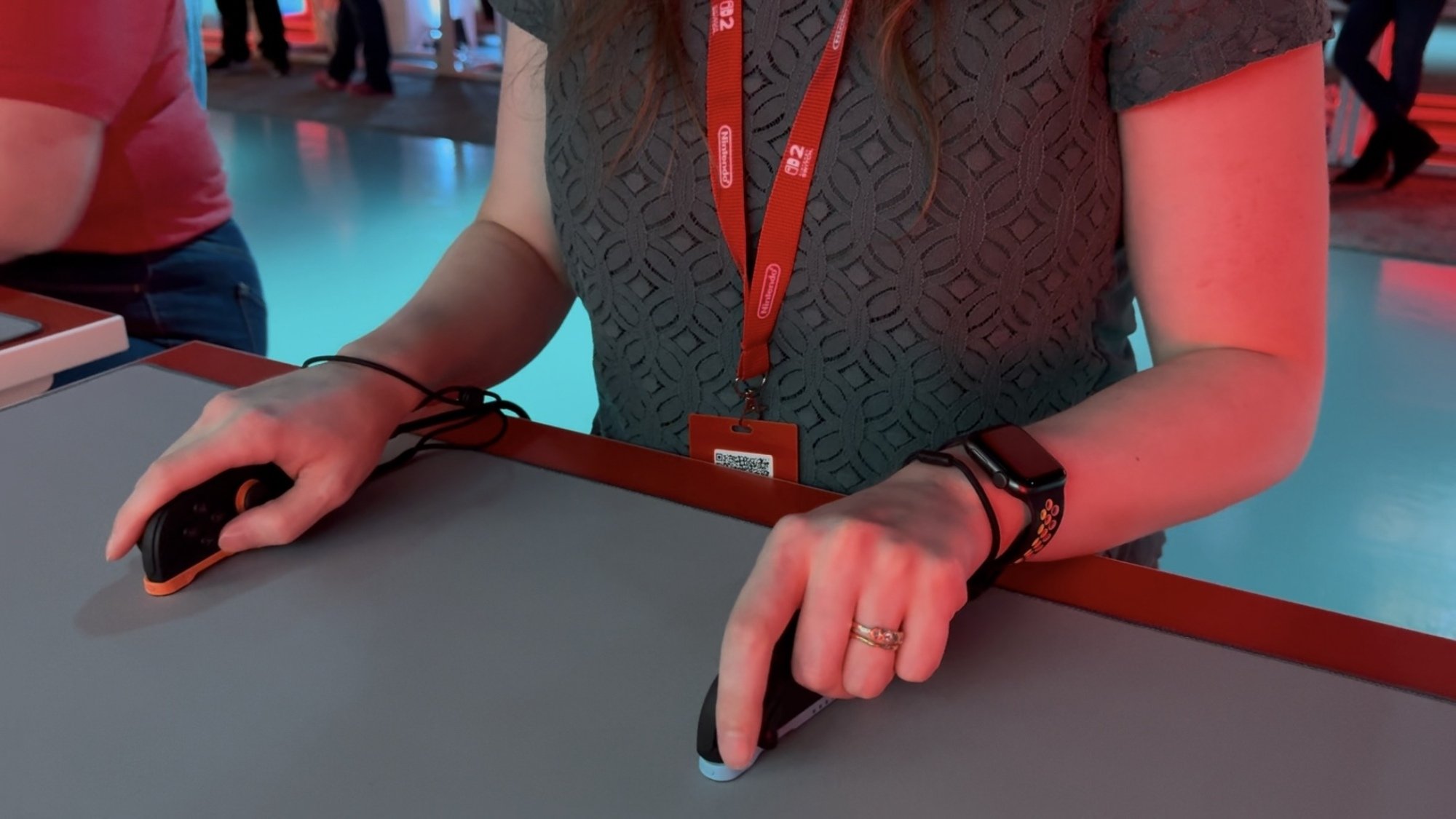
When you take one of the Switch 2’s controllers, the Joy-Con 2, off the console and put it on its side, it becomes a mouse—simple as that. If you’re playing a compatible game, you’ll instantly see a cursor pop up on screen, and right away, you’ll be playing as if you were on PC. Rotate the controller to be upright again, and you’ll be back to a more traditional setup.

This is akin to a magic trick. Despite consoles generally being easier to set up than PCs, and more often played from more comfortable positions like the living room, certain genres have eluded them for a while. These include shooters, strategy games, and other titles that benefit from quick and precise pointer movement. There have been attempts to fix that before, like with motion controls, but having gone hands-on with the Switch 2’s mouse mode, it’s easily my favorite so far.

Suddenly, the comfort of consoles and precision control of PCs don’t need to be at odds anymore. There are a few drawbacks, which I’ll get into in a moment, but I was surprised how well it worked overall.

Take Metroid Prime 4. This series started off on the GameCube, with shooting almost entirely relegated to an archaic lock-on system. Then, it re-released on the Wii and later the original Switch with improved motion controls, but those could get tiring after a bit. Now, with Metroid Prime 4, it plays just like any other shooter (OK, the lock-on is still there if you want it, but you get my point).

That’s huge. Granted, an exploration-based series like Metroid doesn’t necessarily need to cross that threshold, but it worked nearly perfectly in my time with it, and represents so many possibilities for the Switch 2. Now, the Nintendo port of Call of Duty or similar titles might not be some compromised alternative when you don’t have any other systems; it could be the best way to play, barring the PC. And this goes double for genres like strategy games, which often skip consoles altogether. Civilization VIII on the Switch 2 felt exactly like controlling it at my desk.

But even if those more traditional use cases elude you, the mouse controls are the one place in the Switch 2’s design where you can see Nintendo’s classic playfulness at work. About a month after the console’s launch, the company is set to re-release its latest Mario Party game with an enhanced port for the Switch 2, and as I saw first-hand, it took the opportunity to go all-in on the mouse.

In a pre-release hands-on with the Switch 2 version of the game, I got to use mouse controls to play a convincing substitute for air hockey, a classic mouse avoider game, plus two mini-games that actually do things you can’t do on a normal mouse.

The first had me spray painting objects with the Joy-Con, then quickly shaking it to refill my paint canister. It wasn’t the most robust experience, but it did show off one benefit to just tossing mouse functionality on an existing controller—you can use the controller’s other functions, like motion controls, in tandem with it.

This was more noticeable in a stacking mini-game I played, where I had to use the mouse pointer in combination with the Joy-Con’s gyro to make a taller block tower than my competitors without knocking it over. Throw in some oddball shapes, like a Yoshi stuffed animal, and it was great fun.

Drag X Drive

Credit: Michelle Ehrhardt

But perhaps the most noticeable example of Nintendo doing something new with the mouse was in Drag X Drive, a basketball game that sees you controlling a player in a wheelchair. With its crude graphics and mocap-feeling animation, it definitely had tech-demo vibes, and I’ll leave it to others more versed in the topic than me to talk to the representation of disabled athletes. But I will say that it might be the only game I’ve seen played with two mice at once.

In the game, you place both Joy-Con 2 controllers in mouse mode, then use your left hand to control your left wheel, and your right hand to control your right wheel. Honestly, it got tiring pretty fast, but it did feel shockingly accurate to the few experiences where I’ve been in a wheelchair (although, again, I’ll leave the real judgment there to experts).

It’s also another good example of the mouse controls combining with another Joy-Con feature, in this case vibration. The controllers did a great job of simulating my wheels’ drag on the ground as I turned them, which helped me know what needed moving where, and made controlling my character fluid enough that, yes, I was able to dunk.

All this said, this playfulness has me equal parts excited and worried. As much as I’m excited to see that new play experiences aren’t entirely dead on the Switch 2, mouse controls will only thrive as long as developers use them. Given Nintendo’s past history with accessories like the Wii MotionPlus, I worry that they’ll quickly fall by the wayside following a few of its own first party releases. 

There’s also some physical discomfort to acknowledge here. The Joy-Con 2 technically have capabilities normal mice don’t, yes, but they also lose out on ergonomics. They’re much thinner, so I have to grip them with a very tight claw style that’s not natural to me, and pressing the face buttons on them while using them as mice can be a bit of a challenge at first. I’d love to see the ability to map the right stick to face buttons instead, but we shall see.

Still, this is one feature I can’t be mad about—if only because I’m still holding out hope that it may eventually lead to Nintendo DS and Wii U emulation in Switch Online. Playing games made for these consoles on other devices has always been a bit difficult because of their unique touch controls, even on mobile. But with a big screen TV and a mouse pointer taking the place of a stylus, we may finally have the perfect answer to this longstanding problem. I’m beaming, as I’m sure the dozen other The World Ends With You fans are.