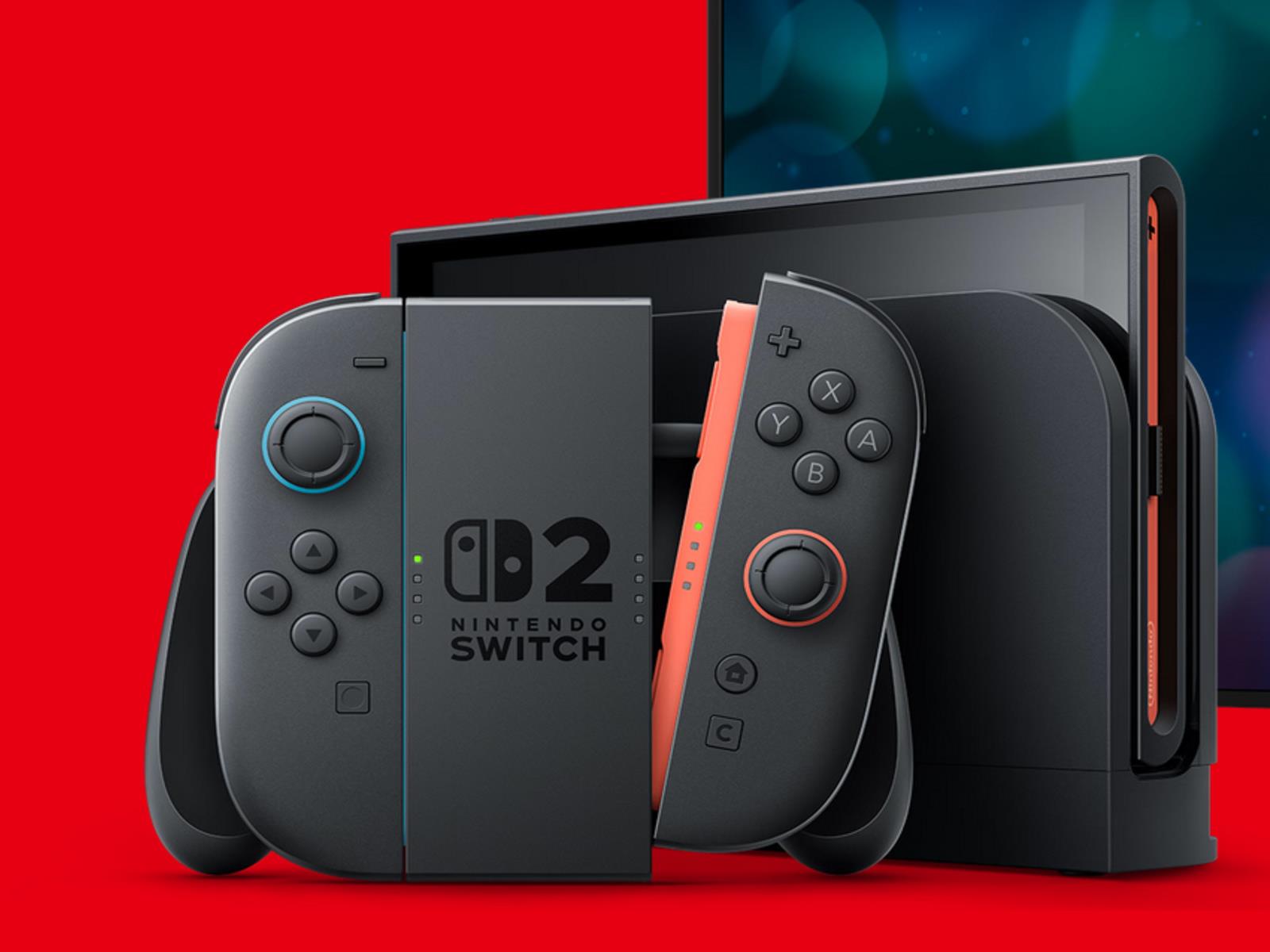
Not just Switch 2: ESA warns Trump’s tariffs will hurt the entire game industry

This morning’s announcement that Nintendo is delaying US preorders for the Switch 2 immediately increased the salience of President Trump’s proposed wide-reaching import tariffs for millions of American Nintendo fans. Additionally, the Entertainment Software Association—a lobbying group that represents the game industry’s interests in Washington—is warning that the effects of Trump’s tariffs on the gaming world won’t stop with Nintendo.

“There are so many devices we play video games on,” ESA senior vice president Aubrey Quinn said in an interview with IGN just as Nintendo’s preorder delay news broke. “There are other consoles… VR headsets, our smartphones, people who love PC games; if we think it’s just the Switch, then we aren’t taking it seriously.

“This is company-agnostic, this is an entire industry,” she continued. “There’s going to be an impact on the entire industry.”

Read full article

Comments

How to Disable ACR to Stop Your TV From Tracking What You Watch

If I told you that your TV watches everything you do in the name of data collection and advertising, it likely wouldn’t shock you. It’s 2025, after all; we’re used to a general lack of privacy. Still, it’s not cool, and it turns out you can stop it (even if your TV manufacturer has opted you into it).

So, how do you stop your smart TV from tracking what you watch, so you can go back to the days of watching Netflix or playing video games in peace? You need to turn off ACR.

How does your TV track what you watch?

Meet ACR: This technology, short for automatic content recognition, allows your smart TV to watch what you watch, identify what you watch, and use that information to both recommend new content and serve you more relevant ads. Your TV observes moments in a show or movie (sometimes including audio), and will send that information to a database to match it against a library of content.

ACR does this by literally taking screenshots of what is happening on your screen, roughly two per second. That enables tracking on everything, whether you use your smart TV apps, a Blu-ray player, a device like an Apple TV, or a PlayStation—whatever you display on your TV, ACR can watch and report.

Most major TV manufacturers put ACR tracking in their devices. After Vizio got into hot water for not properly disclosing how much data they were stealing from customers, TV manufacturers started baking these settings into initial setup agreements. If you’re like me, you accidentally agreed to this tracking without realizing it, because you were too focused on getting your TV set up to care about, you know, reading a legal document.

If you have a smart TV, it likely has ACR tracking you can disable. However, all TV manufacturers call this option something different. I’ll run through some of the top brands, what they each call their ACR settings, and where to find them. Even still, these brands change their settings menus and settings names all the time, so even if you have a TV from a company listed here, you might not find my instructions relevant.

Your best bet, if these instructions don’t help, is to Google your specific TV model and where to find its ACR settings. You should be able to find a guide from the manufacturer, or a walkthrough from someone with access to your TV who knows where to find the setting. But if you have an LG, Samsung, Sony, Hisense, or TCL, follow along below, with a hat tip to our sister-site ZDNet:

How to disable ACR on your smart TV

LG TVs

If you have an LG smart TV (like me), then your ACR settings are going to be under Live Plus. The setting sounds innocent enough, but it’s likely meant to so that you keep it enabled. You’ll find this option in Settings > General > System > Additional Settings > Live Plus. While you’re here, you might as well enable “Limit Ad Tracking” under Advertisement.

Samsung TVs

Let’s take a look at another popular TV brand, Samsung. You’ll find your ACR options in the sidebar menu under Privacy Choices > Terms & Conditions, Privacy Policy. Just make sure to disable “Viewing Information Services.”

Sony TVs

Sony keeps their ACR options under Settings > Initial Setup > Samba Interactive TV. From here, disable Samba Interactive TV. In addition, you might find ad tracking features under About > Ads > Ads Personalization.

Hisense TVs

Hisense keeps its ACR under Settings > System > Privacy. Its name will depend on your particular model, but it might be called “Smart TV Experience” or “Viewing Information Services.” TCL keeps its settings under Settings > Privacy > Smart TV Experience. Here, disable “Use Info from TV Inputs.”

Meta is entering its post-truth era on Monday

Early this year, Mark Zuckerberg announced that Meta would be ditching its long-running fact checking program, claiming that it has enabled too much “censorship” on the company’s apps. Now, Meta has set an end date for fact-checking on Facebook, Instagram and Threads (at least for its US users). 

“By Monday afternoon, our fact-checking program in the US will be officially over,” Meta’s recently elevated policy chief Joel Kaplan announced in a post on X. “That means no new fact checks and no fact checkers.”

Instead, Meta has been slowly ramping up Community Notes. Meta began allowing potential contributors to sign up in February. It began testing the system, which will initially be powered by the same algorithm as Community Notes on X, earlier this month. But the crowdsourced fact checks have yet to appear publicly on posts. It sounds like that’s also about to change with the official end of Meta’s existing fact checking partners. “The first Community Notes will start appearing gradually across Facebook, Threads & Instagram, with no penalties attached,” Kaplan said.

Though Meta has said it wants to eventually end fact checking entirely, the company has said relatively little about its plans for Community Notes outside of the US. That may be because officials in other countries, like Brazil and the European Union, have already expressed concern about how the change could affect the flow of disinformation around the world.

Meta’s push to end fact checking in the US came early this year alongside several other policy changes that marked a notable rightward shift for the social network just as President Donals Trump took office. The company also ended corporate DEI programs, rolled back hate speech protections on its services and added a close Trump ally to its board.

This article originally appeared on Engadget at https://www.engadget.com/social-media/meta-is-entering-its-post-truth-era-on-monday-202858791.html?src=rss

AI Avatar Tries To Argue Case Before a New York Court

An anonymous reader quotes a report from the Associated Press: It took only seconds for the judges on a New York appeals court to realize that the man addressing them from a video screen — a person about to present an argument in a lawsuit — not only had no law degree, but didn’t exist at all. The latest bizarre chapter in the awkward arrival of artificial intelligence in the legal world unfolded March 26 under the stained-glass dome of New York State Supreme Court Appellate Division’s First Judicial Department, where a panel of judges was set to hear from Jerome Dewald, a plaintiff in an employment dispute. “The appellant has submitted a video for his argument,” said Justice Sallie Manzanet-Daniels. “Ok. We will hear that video now.”

On the video screen appeared a smiling, youthful-looking man with a sculpted hairdo, button-down shirt and sweater. “May it please the court,” the man began. “I come here today a humble pro se before a panel of five distinguished justices.” “Ok, hold on,” Manzanet-Daniels said. “Is that counsel for the case?” “I generated that. That’s not a real person,” Dewald answered. It was, in fact, an avatar generated by artificial intelligence. The judge was not pleased. “It would have been nice to know that when you made your application. You did not tell me that sir,” Manzanet-Daniels said before yelling across the room for the video to be shut off. “I don’t appreciate being misled,” she said before letting Dewald continue with his argument.

Dewald later penned an apology to the court, saying he hadn’t intended any harm. He didn’t have a lawyer representing him in the lawsuit, so he had to present his legal arguments himself. And he felt the avatar would be able to deliver the presentation without his own usual mumbling, stumbling and tripping over words. In an interview with The Associated Press, Dewald said he applied to the court for permission to play a prerecorded video, then used a product created by a San Francisco tech company to create the avatar. Originally, he tried to generate a digital replica that looked like him, but he was unable to accomplish that before the hearing. “The court was really upset about it,” Dewald conceded. “They chewed me up pretty good.” […] As for Dewald’s case, it was still pending before the appeals court as of Thursday.


Read more of this story at Slashdot.

The Windows Taskbar Is Getting A Much-Needed Upgrade And It’s About Time

The Windows Taskbar Is Getting A Much-Needed Upgrade And It's About Time
Yesterday, Microsoft released Windows 11 Insider Preview Build 26120.3671 (KB5055622), which contains a new feature that allows users to select how their taskbars will display app icons.

This new feature shrinks down incons when multiple apps are open to accomodate more apps on the taskbar. However, this option is not compulsory for every

NSA warns “fast flux” threatens national security. What is fast flux anyway?

A technique that hostile nation-states and financially motivated ransomware groups are using to hide their operations poses a threat to critical infrastructure and national security, the National Security Agency has warned.

The technique is known as fast flux. It allows decentralized networks operated by threat actors to hide their infrastructure and survive takedown attempts that would otherwise succeed. Fast flux works by cycling through a range of IP addresses and domain names that these botnets use to connect to the Internet. In some cases, IPs and domain names change every day or two; in other cases, they change almost hourly. The constant flux complicates the task of isolating the true origin of the infrastructure. It also provides redundancy. By the time defenders block one address or domain, new ones have already been assigned.

A significant threat

“This technique poses a significant threat to national security, enabling malicious cyber actors to consistently evade detection,” the NSA, FBI, and their counterparts from Canada, Australia, and New Zealand warned Thursday. “Malicious cyber actors, including cybercriminals and nation-state actors, use fast flux to obfuscate the locations of malicious servers by rapidly changing Domain Name System (DNS) records. Additionally, they can create resilient, highly available command and control (C2) infrastructure, concealing their subsequent malicious operations.”

Read full article

Comments

Microsoft turns 50 today, and it made me think about MS-DOS 5.0

On this day in 1975, Bill Gates and Paul Allen founded a company called Micro-Soft in Albuquerque, New Mexico.

The two men had worked together before, as members of the Lakeside Programming group in the early 70s and as co-founders of a road traffic analysis company called Traf-O-Data. But Micro-Soft, later renamed to drop the hyphen and relocated to its current headquarters in Redmond, Washington, would be the company that would transform personal computing over the next five decades.

I’m not here to do a history of Microsoft, because Wikipedia already exists and because the company has already put together a gauzy 50th-anniversary retrospective site with some retro-themed wallpapers. But the anniversary did make me try to remember which Microsoft product I consciously used for the first time, the one that made me aware of the company and the work it was doing.

Read full article

Comments

Gemini “coming together in really awesome ways,” Googler says after 2.5 Pro release

Google was caught flat-footed by the sudden skyrocketing interest in generative AI despite its role in developing the underlying technology. This prompted the company to refocus its considerable resources on catching up to OpenAI. Since then, we’ve seen the detail-flubbing Bard and numerous versions of the multimodal Gemini models. While Gemini has struggled to make progress in benchmarks and user experience, that could be changing with the new 2.5 Pro (Experimental) release. With big gains in benchmarks and vibes, this might be the first Google model that can make a dent in ChatGPT’s dominance.

We recently spoke to Google’s Tulsee Doshi, director of product management for Gemini, to talk about the process of releasing Gemini 2.5, as well as where Google’s AI models are going in the future.

Welcome to the vibes era

Google may have had a slow start in building generative AI products, but the Gemini team has picked up the pace in recent months. The company released Gemini 2.0 in December, showing a modest improvement over the 1.5 branch. It only took three months to reach 2.5, meaning Gemini 2.0 Pro wasn’t even out of the experimental stage yet. To hear Doshi tell it, this was the result of Google’s long-term investments in Gemini.

Read full article

Comments

Trump Just Delayed the TikTok Ban (Again)

Good news for TikTok fans: the ban won’t be banned on Saturday.

On Friday, President Trump announced on Truth Social his intentions to sign an executive order to “keep TikTok up and running for an additional 75 days.” That gives the government and TikTok until June 18 to find a buyer, or else kick the can down the rode another time.

This is the second time Trump has delayed the effects of the so-called TikTok ban—officially known as the Protecting Americans from Foreign Adversary Controlled Applications Act. That act required TikTok’s parent company, ByteDance, to find a United States-based buyer, or else face a ban in the country entirely. ByteDance did not sell, and, as such, the app went dark in the U.S. shortly before the deadline. TikTok brought its services back online the next day, following assurances from Trump that the company would not face repercussions for doing so.

In fact, Trump signed an executive order on the first day of his second term to delay the ban for 75 days. Since then, various companies, including Amazon, Oracle, and even Mr. Beast, have discussed buying TikTok in accordance with the law. But as no company has made an official deal with ByteDance, the company faced an April 5 deadline—without Trump’s extension, it would have been banned again.

To be clear, it’s not evident that Trump even has the legal authority to delay the ban. The act was passed by Congress, signed into law by President Biden, then affirmed by the Supreme Court. Presidents typically cannot defy the other branches of government and ignore laws they do not like. However, Trump’s Justice Department is not enforcing the law, so here we are.

In his announcement, Trump said his administration was working with China (where TikTok’s parent company ByteDance is located) in good faith, acknowledging the country is not happy with Trump’s “reciprocal tariffs.” The Trump administration’s unexpectedly extreme tariffs have sent shockwaves through the global economy, triggering reciprocal tariffs from countries around the world—including China. It isn’t clear how the current tariff situation will affect TikTok negotiations down the line.

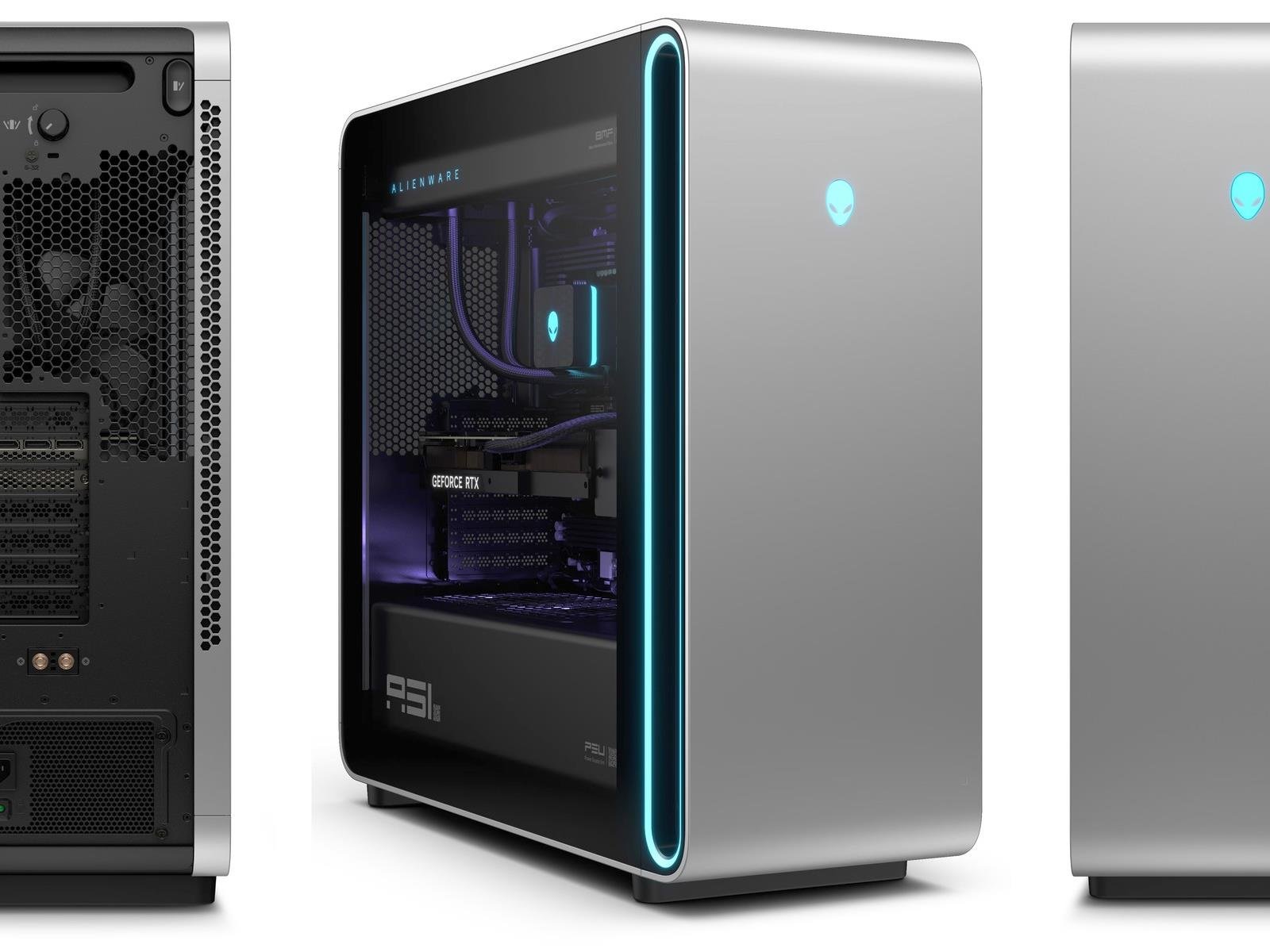
Dell’s AlienFX Kit Solves Alienware Area-51 Motherboard Swap Issue And It’s Cheap

Dell's AlienFX Kit Solves Alienware Area-51 Motherboard Swap Issue And It's Cheap
One of the key complaints that PC gaming enthusiasts have leveled against Dell’s Alienware gaming machines in recent years is their continued use of proprietary components. Things have improved in that regard with the latest generation of Alienware hardware, but you’re still going to need adapters for some of the Dell-style connectors and

Microsoft Employee Disrupts 50th Anniversary and Calls AI Boss ‘War Profiteer’

An anonymous reader shares a report: A Microsoft employee disrupted the company’s 50th anniversary event to protest its use of AI. “Shame on you,” said Microsoft employee Ibtihal Aboussad, speaking directly to Microsoft AI CEO Mustafa Suleyman. “You are a war profiteer. Stop using AI for genocide. Stop using AI for genocide in our region. You have blood on your hands. All of Microsoft has blood on its hands. How dare you all celebrate when Microsoft is killing children. Shame on you all.”


Read more of this story at Slashdot.

EU may “make an example of X” by issuing $1 billion fine to Musk’s social network

European Union regulators are preparing major penalties against X, including a fine that could exceed $1 billion, according to a New York Times report yesterday.

The European Commission determined last year that Elon Musk’s social network violated the Digital Services Act. Regulators are now in the process of determining what punishment to impose.

“The penalties are set to include a fine and demands for product changes,” the NYT report said, attributing the information to “four people with knowledge of the plans.” The penalty is expected to be issued this summer and would be the first one under the new EU law.

Read full article

Comments

The Best Fitness Trackers for Sleep and Recovery

We may earn a commission from links on this page.

This post is part of Find Your Fit Tech, Lifehacker’s fitness wearables buying guide. I’m asking the tough questions about whether wearables can really improve your health, how to find the right one for you, and how to make the most of the data wearables can offer.

A fitness tracker’s job isn’t done when you finish your workout, or even when you take your last steps of the day. There are devices that excel at tracking how long and how well you slept, and devices that attempt to tell you when you’re well-recovered and ready for your next challenge. Here are my picks for the best of this category. 

What to look for in a sleep/recovery tracker

Where our other buyers’ guides are almost entirely about which smartwatch to pick, the recovery-oriented devices are different. Some come in the form of a watch, but the two standouts in this category—the Oura ring and the Whoop band—aren’t watches at all. Neither has a screen for you to look at. They merely gather data and present their conclusions in a smartphone app. They also aren’t (necessarily) worn on the wrist. That’s great news for people who want something minimalist and distraction-free. But that’s not everyone. Here are the questions to ask yourself when you’re shopping around.

Do you want a sleep tracker, or a smartwatch that can track sleep? 

Before you start looking at sleep-specific devices, it’s important to ask yourself whether you want sleep tracking as a feature of a device that does other stuff, or if you truly want a device that’s dedicated to sleep and recovery tracking. 

Most general-purpose smartwatches can do adequate sleep tracking. They’ll give you a decent idea of how late you went to bed, how many hours of sleep you tend to get, and they’ll often report some recovery metrics as well, like your resting heart rate. Here are a few smartwatches and fitness watches that can track your sleep well:

If you want sleep tracking in addition to other features, check out our other guides for health tracking and for running. You may find the watch you really want in one of those categories.

Are you OK with paying for a subscription? 

My two top picks both require a subscription to make the most of your data. Whoop sells the subscription as its primary product, with the band as a thing thrown in to go with it. Oura, meanwhile, will sell you a ring and give you sleep and recovery scores for free; but to get the detailed information you probably came for, you’ll need to pay up. 

Do you need accurate activity tracking? 

All of these wearables say they can track your heart rate during exercise, but that doesn’t mean they do it well. 

Oura’s niche use as a sleep tracker evolved from the fact that it’s really hard to get accurate heart rate data from a ring while you’re moving. (Longtime readers will recall that I reviewed the Motiv ring in 2018, and found that it was useless for exercise, but great as a sleep tracker.) Oura turned its ring’s weakness into a strength: Since it needs you to be very still and quiet to take readings, it’s now positioned as a sleep tracker, which needs to do that exact thing really well. 

But that means that when it added activity tracking later on…well, it’s not great. It’s better than I would have expected, to be sure. But it would definitely not be my choice for tracking exercise. I wear an Oura ring every day, but I’ll actually strap on a watch when it’s time to go for a run. 

Whoop does a better job than Oura, but it still has its issues. I’ve found it can easily get confused about my actual heart rate; the numbers will seem low, and then I’ll wiggle the band, and suddenly I’m seeing a 160 heart rate instead of 140. That’s a pretty big margin of error. Many people find that the Whoop is good enough, most of the time, but if you need really accurate exercise metrics you’ll probably be happier with a more traditional fitness tracker instead.  

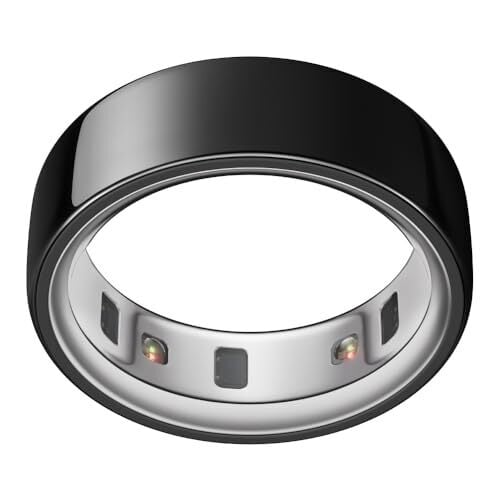
Best for minimalists: the Oura ring

This one is my personal favorite; I fell in love with the Oura ring when I reviewed it years ago. If you hate wearing wristwatches and don’t really care about activity tracking, this is the device for you. (You can also read my four-year retrospective on what I’ve learned using it daily over the years.)

The Oura gives accurate resting heart rate (RHR) and heart rate variability (HRV), two metrics that come more or less directly from its sensors, with minimal layers of interpretation. Both can tell you something about your stress and fatigue levels. Generally, if you’re well-rested and not under too much stress, your RHR will be low and your HRV will be high. I routinely see an elevated RHR if I’m sick, if I’ve been drinking or staying up late, or if my weightlifting training has been putting a lot of stress on me. On the flip side, RHR can lower over time as you improve your cardio fitness. 

Oura’s app then uses those metrics, and other data it’s collected about you, to give you sleep scores, readiness scores, and gentle recommendations for supporting your health. The sleep score gives you an idea of how long and how well you slept. The readiness score is highest when you’re under the least stress (low RHR, high HRV). But I find these scores less useful than the raw data they’re built on. An Oura ring without a subscription only provides these scores in the app, without the raw data. The hardware alone is not worth it. 

Oura is supposed to be the best wearable for tracking sleep stages, and that may be true, but no wearable is actually tracking your sleep stages accurately. Pay more attention to your total sleep time, which it’s relatively good at detecting, not the time in each stage or the overall sleep quality.

One more, important note about activity tracking: you will not want to wear this during workouts where you’re lifting weights or hanging from a pull-up bar. The ring is chunky enough to interfere with your grip and dig into your skin. You won’t be able to do your best lifts while you’re wearing it. And if you care about the ring’s appearance, lifting weights will definitely scratch it up. I lift a lot, so I leave my ring on the charger when I head to the gym.

So if you can’t lift in it, and it’s not great at activity tracking or sleep staging, why wear one? Honestly, because I can forget that it exists and still get all the benefits of knowing what my RHR and HRV have been, pretty much every night, for the last three and a half years. (I never stick with a wearable that long.) The metrics help me to understand whether I’m recovering well enough from my daily training, and remind me to pay a little extra attention to my sleep and stress when training gets tough.

Two generations of the Oura ring are currently being sold. The newer gen 4 ring has a wider range of sizes, a more comfortable fit, and a more accurate sensor setup. The older gen 3 has all the same core features, but is available at a significant discount. I have a comparison of the gen 3 and gen 4 rings here, if you’d like to consider your options.

Oura rings start at $199 (gen 3) or $349 (gen 4), plus a $5.99/month subscription.

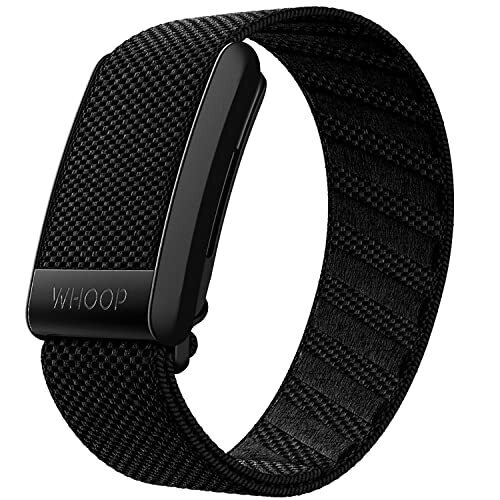
Best for athletes: Whoop band

If you want something that can track activities, but works with an app that is recovery-focused rather than exercise-focused, you probably want a Whoop band. 

If you’re happy to strap a gadget to your wrist, great—that’s the easiest way to wear a Whoop. It will look like a watch, except with no screen (the fabric band covers the spot where the screen would be). If you don’t want a wristband, the Whoop device can also be strapped to your arm, between your deltoid and bicep (they call it a “bicep band”). This was my favorite way to wear it, since it doesn’t interfere with wrist wraps while I’m lifting. You can also buy clothing, including sports bras and branded boxer shorts, that have a little pocket to hold the device against your skin without a strap.

One of Whoop’s characteristic features is that you can wear it 24/7. Instead of plugging it in to charge, there is a little detachable battery that you plug in. Then, for an hour or so every couple of days, you slide this battery onto your Whoop band like a tiny backpack. When it’s fully charged, the indicator light will change colors and you can slide it off. 

Besides tracking your sleep, the Whoop can also track activity—although, as I noted above, it’s not as accurate as some of the more traditional gadgets. (If you really want the most accurate heart rate, you’ll want to get a chest strap anyway.) 

The app models sleep and activity—which it calls Strain—as two sides of the same coin. If you did a long or hard workout, your Strain will be high, and the app will recommend an amount of sleep that will help you to recover. In the morning, it will tell you where your Recovery stands and recommend an appropriate amount of Strain for the day’s workouts. As I’ve written before, I don’t think it’s very smart to adjust your long-term training plan based on short-term fluctuations in recovery, but how you use the data is up to you. The Whoop app also has some really excellent features for tracking your “sleep debt” and planning when to go to bed and wake up for various levels of restedness.

Whoop doesn’t sell the band as a product, exactly; it sells a subscription that runs $30/month or $239/year, and you get the device with a plain black wristband for free. Other colors and styles cost extra, and you get free hardware upgrades when a new model comes out.

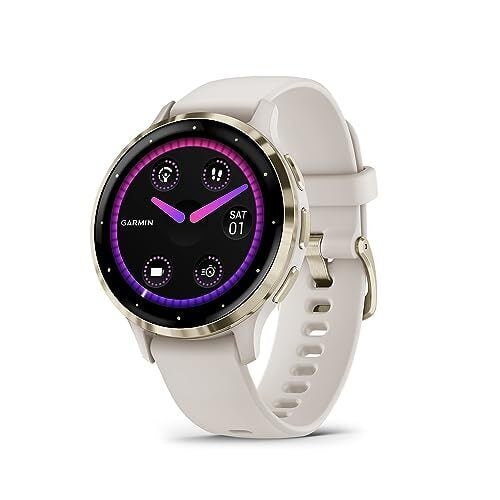
Best smartwatch option: Garmin Venu 3

All of Garmin’s running watches include recovery metrics, including my fave, the Forerunner 265. These include resting heart rate, HRV, training readiness, “body battery,” and calculated recovery times for each workout.

The non-athletes I know tend to love the Body Battery. Like Whoop’s approach, this sees exercise and sleep as sort of opposite forces. Your Body Battery will be closer to 100% if you’ve been sleeping well and haven’t done much strenuous exercise lately. It will drain as you exercise, or if you’re under a lot of stress. Sleeping fills it back up again. 

You can get some or all of these features on almost any Garmin watch. But if you’d like to buy a new smartwatch just for sleep tracking, I’d suggest the Garmin Venu 3. 

The Venu 3 has the Body Battery feature, as well as a Sleep Coach that will tell you how long you slept compared to how much you needed, and it will recommend how much you should try to sleep tonight. The recommendations are based mainly on your HRV (one of those recovery metrics it can read from its sensors) and your recent sleep and activity history. The Venu 3 also has nap detection, by the way, so you’ll still get credit for falling asleep watching a movie—but it also won’t confuse that with your regular night’s sleep.

I’m choosing the Venu 3 (or the 3S, which is the same thing in the smaller size) for a few reasons. It has the newest generation of Garmin’s Elevate heart rate sensor, making it potentially a smidge more accurate than other great watches like the Forerunner or Vivoactive lines. It also has skin temperature sensing, which not all Garmins do. But if you’d like a more budget-friendly watch that’s still great for tracking sleep, the new Vivoactive 6 ($299) has most of the same sleep-tracking features, and also has a smart wake alarm that aims to buzz you awake during a lighter stage of sleep.

Microsoft’s latest Copilot updates include a mobile version of the multimodal Vision tool

Microsoft just announced several updates to its Copilot AI assistant, and some sound downright useful. It’s bringing Copilot Vision to mobile, but with some new features. For the uninitiated, this software originally launched for the Edge web browser and gave Copilot the ability to “see” and comment on the contents of websites.

The company is upping its game for the mobile version, adding some multimodal functionality. It’ll be able to integrate with your phone’s camera to “enable an interactive experience with the real world.” Microsoft says it can analyze both real-time video from the camera and photos stored on the device

Microsoft gives an example of Copilot Vision analyzing a video of plants to determine if they are healthy or not and suggesting actions to take. We’ll see if it can actually perform that kind of nuanced reasoning. Modern AI companies love to promise the world and then, well, you know the rest. In any event, the mobile version of Vision is available today in the Copilot app for iOS and Android. The web version is also coming to Windows. 

Microsoft is bringing Copilot Search to Bing to “seamlessly blend the best of traditional and generative search together to help you find what you need.” The company is now calling Bing “your AI-powered search and answer engine.” Like most AI web search tools, this provides summaries to answer queries.

Microsoft says this can take the form of a simple paragraph, like Gemini AI for Google searches, but that it also can provide “images and data from your favorite publishers and content owners.” Copilot Search is rolling out today.

The company also introduced something called Copilot Memory. This is Microsoft’s attempt to bring more personalization to Copilot. After all, it’s tough to have a true AI companion when it doesn’t remember anything about you. With this addition, Copilot will be able to remember specific details about your life, like “your favorite food, the types of films you enjoy and your nephew’s birthday and his interests.”

The company touts that the software will recommend actions based on what it remembers. To that end, Microsoft says Copilot will be able to do stuff like buy tickets to events, order flowers and make dinner reservations. It says the service will “work with most websites across the web.” We’ll see how that works out.

The update brings some other tools to the table, like the ability to auto-generate podcasts based on specific topics and offer shopping advice based on sales history across the web. These updates begin rolling out today, but it may not hit every user for a bit. Microsoft says availability will expand in the coming weeks and months.

This article originally appeared on Engadget at https://www.engadget.com/ai/microsofts-latest-copilot-updates-include-a-mobile-version-of-the-multimodal-vision-tool-182752162.html?src=rss

Is Nintendo Switch 2’s Price Hike On Games A Prelude To GTA 6 Costing $100?

Is Nintendo Switch 2's Price Hike On Games A Prelude To GTA 6 Costing $100?
Nintendo unveiled its upcoming Switch 2 during its Direct event earlier this week. There were a lot of pleasant surprises, with the console being capable of delivering 4K gaming thanks to the inclusion of NVIDIA technologies such as DLSS among them. The Switch 2 and game pricing, however, left a lot to be desired.

Gamers were ecstatic to

NJ teen wins fight to put nudify app users in prison, impose fines up to $30K

When Francesca Mani was 14 years old, boys at her New Jersey high school used nudify apps to target her and other girls. At the time, adults did not seem to take the harassment seriously, telling her to move on after she demanded more severe consequences than just a single boy’s one or two-day suspension.

Mani refused to take adults’ advice, going over their heads to lawmakers who were more sensitive to her demands. And now, she’s won her fight to criminalize deepfakes. On Wednesday, New Jersey Governor Phil Murphy signed a law that he said would help victims “take a stand against deceptive and dangerous deepfakes” by making it a crime to create or share fake AI nudes of minors or non-consenting adults—as well as deepfakes seeking to meddle with elections or damage any individuals’ or corporations’ reputations.

Under the law, victims targeted by nudify apps like Mani can sue bad actors, collecting up to $1,000 per harmful image created either knowingly or recklessly. New Jersey hopes these “more severe consequences” will deter kids and adults from creating harmful images, as well as emphasize to schools—whose lax response to fake nudes has been heavily criticized—that AI-generated nude images depicting minors are illegal and must be taken seriously and reported to police. It imposes a maximum fine of $30,000 on anyone creating or sharing deepfakes for malicious purposes, as well as possible punitive damages if a victim can prove that images were created in willful defiance of the law.

Read full article

Comments

Trump is extending the deadline for a TikTok deal by another 75 days

TikTok is going to get more time to figure out a plan to stay in the US. President Donald Trump is signing another executive order effectively extending the deadline for the company to find US buyers by another 75 days. The president signaled he intended to give the deal more time via a Truth Social post.

“My Administration has been working very hard on a Deal to SAVE TIKTOK, and we have made tremendous progress,” Trump wrote. “The Deal requires more work to ensure all necessary approvals are signed, which is why I am signing an Executive Order to keep TikTok up and running for an additional 75 days.” 

Trump’s post suggests that the recently introduced suite of tariffs against US trade partners like China will somehow help close the deal. As part of the TikTok ban signed in to law by former President Biden in April 2024, TikTok’s parent company ByteDance is forced to sell TikTok to a US buyer or get kicked out of US app stores and web hosting platforms. 

After a good bit of back and forth over the legality of the ban, the Supreme Court ultimately upheld it, and left the enforcement of the law to the incoming Trump administration. TikTok was briefly unavailable, but Trump ultimately signed an executive order that delayed the enforcement of the ban by 75 days to give TikTok more time to find a buyer and get the app back up and running.

Multiple companies and groups have expressed interest in outright buying or investing in TikTok — reportedly, even Amazon — but no one has come to a deal that satisfies ByteDance or the Chinese government. It’s not clear tariffs will change anyone’s motivations, but if everyone continues to accept Trump’s Justice Department just not enforcing the ban, than the whole ordeal seems like it could last as long as necessary.

This article originally appeared on Engadget at https://www.engadget.com/social-media/trump-is-extending-the-deadline-for-a-tiktok-deal-by-another-75-days-180526714.html?src=rss

College Students Can Get a Two-Month Free Trial of ChatGPT Plus

If you’re reading this, chances are you’ve used ChatGPT. But have you paid for ChatGPT? OpenAI offers a number of ways to do so, but the cheapest plan is $20 per month. It’s pretty steep, especially since the company continues to offer premium features for free users.

However, there are still plenty of features and perks exclusive to paying customers. If you’re interested in these options, and you happen to be a college student in the United States or Canada, good news: ChatGPT Plus is now free for you, for a very limited time.

Who is eligible?

You can only take advantage of this offer if you are a full or part-time student at a degree-granting school in either the U.S. or Canada. Don’t be dissuaded if you don’t see your school when attempting to sign up for the offer: OpenAI has a support link to help find or add your school to the list. This tool may also confirmed whether your school is ineligible. You need to be physically present in the U.S. (and its territories) or Canada to sign up for this offer, too—VPNs will not work, unless its a whitelisted educational VPN.

OpenAI says it’ll confirm your student credentials through a service called SheerID. If the service is unable to verify you through your school’s registrar office, or via your school’s single sign-on service, you may need to provide SheerID with extra documents to prove your eligibility. SheerID says it only uses this data to authenticate your eligibility for this promotion, and does not sell or share your data with third parties.

While you are eligible if you have an existing ChatGPT Pro account, you are not eligible if that account is through Google Play or Apple’s App Store. You’ll need to make a new account in order to get ChatGPT Plus for free. ChatGPT Pro users are also not eligible.

What do you get?

If you are indeed eligible for the promotion, you can claim ChatGPT Plus from now through May 31, 2025. Once you make your claim, you get two months of ChatGPT Plus for free. So, if you sign up on May 31, you’ll have free access through July 31. Once that period is up, OpenAI will charge you the typical $20 per month rate.

As said above, this applies to existing ChatGPT Plus subscribers, too. If you verify that you are a student, OpenAI will credit your account for the two month promotional period.

This promotion includes the full ChatGPT Plus service. That comes with all of the features of the free plan, including GPT-4o mini access, GPT-4o and o3-mini access, web search, file uploads, data analysis, image generation, and voice mode. In addition, Plus offers extended limits on things like messages, file uploads, analysis, and image creation, advanced voice mode with video and the ability to share your screen, deep research for more analytical queries, GPT-4.5 preview access, custom GPTs, tasks, and limited access to OpenAI’s Sora video generator.

How to get ChatGPT Plus for free

If you think you’re eligible, head to OpenAI’s official promotional site here. Once it loads, click either “Claim offer” button you see. Log into your account, then follow the on-screen instructions to verify your identity as an eligible student.

Trump tariffs terrify board game designers

Board game designer and entrepreneur Jamey Stegmaier has published hit games like Scythe and Wingspan—the latter a personal favorite of mine, with a delightfully gentle theme about birds—but this week found him in a gloomy mood.

“Last night I tried to work on a new game I’m brainstorming,” he wrote in a blog post yesterday, “but it’s really hard to create something for the future when that future looks so grim. I mostly just found myself staring blankly at the enormity of the newly announced 54 percent tariff on goods manufactured in China and imported to the US.”

Most US board games are made in China, though Germany (the home of modern hobby board gaming) also has manufacturing facilities. While printed content, such as card games, can be manufactured in the US, it’s far harder to find anyone who can make intricate board pieces like bespoke wooden bits and custom dice. And if you can, the price is often astronomical. “I recall getting quoted a cost of $10 for just a standard empty box from a company in the US that specializes in making boxes,” Stegmaier noted—though a complete game can be produced and boxed in China for that same amount.

Read full article

Comments

We have the first video of a plant cell wall being built

Plant cells are surrounded by an intricately structured protective coat called the cell wall. It’s built of cellulose microfibrils intertwined with polysaccharides like hemicellulose or pectin. We have known what plant cells look like without their walls, and we know what they look like when the walls are fully assembled, but we’ve never seen the wall-building process in action. “We knew the starting point and the finishing point, but had no idea what happens in between,” says Eric Lam, a plant biologist at Rutgers University. He’s a co-author of the study that caught wall-building plant cells in action for the first time. And once we saw how the cell wall building worked, it looked nothing like how we drew that in biology handbooks.

Camera-shy builders

Plant cells without walls, known as protoplasts, are very fragile, and it has been difficult to keep them alive under a microscope for the several hours needed for them to build walls. Plant cells are also very light-sensitive, and most microscopy techniques require pointing a strong light source at them to get good imagery.

Then there was the issue of tracking their progress. “Cellulose is not fluorescent, so you can’t see it with traditional microscopy,” says Shishir Chundawat, a biologist at Rutgers. “That was one of the biggest issues in the past.” The only way you can see it is if you attach a fluorescent marker to it. Unfortunately, the markers typically used to label cellulose were either bound to other compounds or were toxic to the plant cells. Given their fragility and light sensitivity, the cells simply couldn’t survive very long with toxic markers as well.

Read full article

Comments