Made In The USA: NVIDIA To Build First AI Supercomputers Domestically

Made In The USA: NVIDIA To Build First AI Supercomputers Domestically
NVIDIA has been at the forefront of the industry-wide (and very lucrative) artificial intelligent movement, with both hardware and software-based solutions driving a new era computing. Now it’s teaming up with key partners to design and build the first supercomputers produced entirely in the United States, including “tens of ‘gigawatt AI factories’

OneXPlayer X1 Pro Gaming Tablet Gets Upgraded With Lots Of RAM And Storage

OneXPlayer X1 Pro Gaming Tablet Gets Upgraded With Lots Of RAM And Storage
Remember the Intel Core Ultra 155H-powered One-Netbook OneXPlayer X1 gaming tablet from last year? After being updated to AMD Ryzen 7 8840U power a few months later, the device (rebadged as the X1 Pro) then gained a slightly more capable Ryzen AI 9 HX 370 processor and Radeon 890M GPU. If such a 3-in-1 gaming tablet wasn’t niche enough, One-Netbook

F1 in Bahrain: I dare you to call that race boring

What a difference a week makes. This past weekend, Formula 1 went back to Bahrain, the site of this year’s preseason test, for round four of the 2025 season. Last week’s race in Japan sent many to sleep, but that was definitely not the case on Sunday. The overtaking was frenetic, the sparks didn’t set anything on fire, and the title fight just got that little bit more complicated. It was a heck of a race.

V10s? Not any time soon

Before the racing got underway, the sport got some clarity on future powertrain rules. An ambitious new ruleset goes into effect next year, with an all-new small-capacity turbocharged V6 engine working together with an electric motor that powers the rear wheels. Just under half the total power comes from the hybrid system, much more than the two hybrid systems on current F1 cars, and developing them is no easy task. Nor is it cheap.

F1 is also moving to supposedly carbon-neutral synthetic fuels next year, and that has prompted some to wonder—increasingly loudly—if instead of the expensive hybrids lasting for four years, maybe they could be replaced with a cheaper non-hybrid engine instead, like a naturally aspirated V10.

Read full article

Comments

Facebook Sought To ‘Neutralize’ Competitive Threats, FTC Argues As Landmark Antitrust Trial Begins

An anonymous reader shares a report: An attorney for the Federal Trade Commission told a judge that Facebook, fearing the competitive threat of Instagram posted to their social media network, acquired both as a way to “neutralize” the rival. “They decided that competition was too hard,” the FTC’s attorney, Daniel Matheson, said in his opening statement in the government’s antitrust case against the Meta Platforms social media empire.

He argued that with Meta’s monopoly in social media, “consumers do not have reasonable alternatives they can turn to,” even as satisfaction has declined. At stake is the potential breakup of Facebook-parent Meta, as the government has zeroed in on the 2012 acquisition of Instagram and 2014 purchase of WhatsApp.


Read more of this story at Slashdot.

Live demos test effectiveness of Revolutionary War weapons

The colonial victory against the British in the American Revolutionary War was far from a predetermined outcome. In addition to good strategy and the timely appearance of key allies like the French, Continental soldiers relied on several key technological innovations in weaponry. But just how accurate is an 18th-century musket when it comes to hitting a target? Did the rifle really determine the outcome of the war? And just how much damage did cannon inflict? A team of military weapons experts and re-enactors set about testing some of those questions in a new NOVA documentary, Revolutionary War Weapons.

The documentary examines the firing range and accuracy of Brown Bess muskets and long rifles used by both the British and the Continental Army during the Battles of Lexington and Concord; the effectiveness of Native American tomahawks for close combat (no, they were usually not thrown as depicted in so many popular films, but there are modern throwing competitions today); and the effectiveness of cannons against the gabions and other defenses employed to protect the British fortress during the pivotal Siege of Yorktown. There is even a fascinating segment on the first military submarine, dubbed “the Turtle,” created by American inventor David Bushnell.

To capture all the high-speed ballistics action, director Stuart Powell relied upon a range of high-speed cameras called the Phantom Range. “It is like a supercomputer,” Powell told Ars. “It is a camera, but it doesn’t feel like a camera. You need to be really well-coordinated on the day when you’re using it because it bursts for, like, 10 seconds. It doesn’t record constantly because it’s taking so much data. Depending on what the frame rate is, you only get a certain amount of time. So you’re trying to coordinate that with someone trying to fire a 250-year-old piece of technology. If the gun doesn’t go off, if something goes wrong on set, you’ll miss it. Then it takes five minutes to reboot and get ready for the new shot. So a lot of the shoot revolves around the camera; that’s not normally the case.”

Read full article

Comments

Microsoft Warns Millions Of Windows Users To Never Delete This Empty Folder

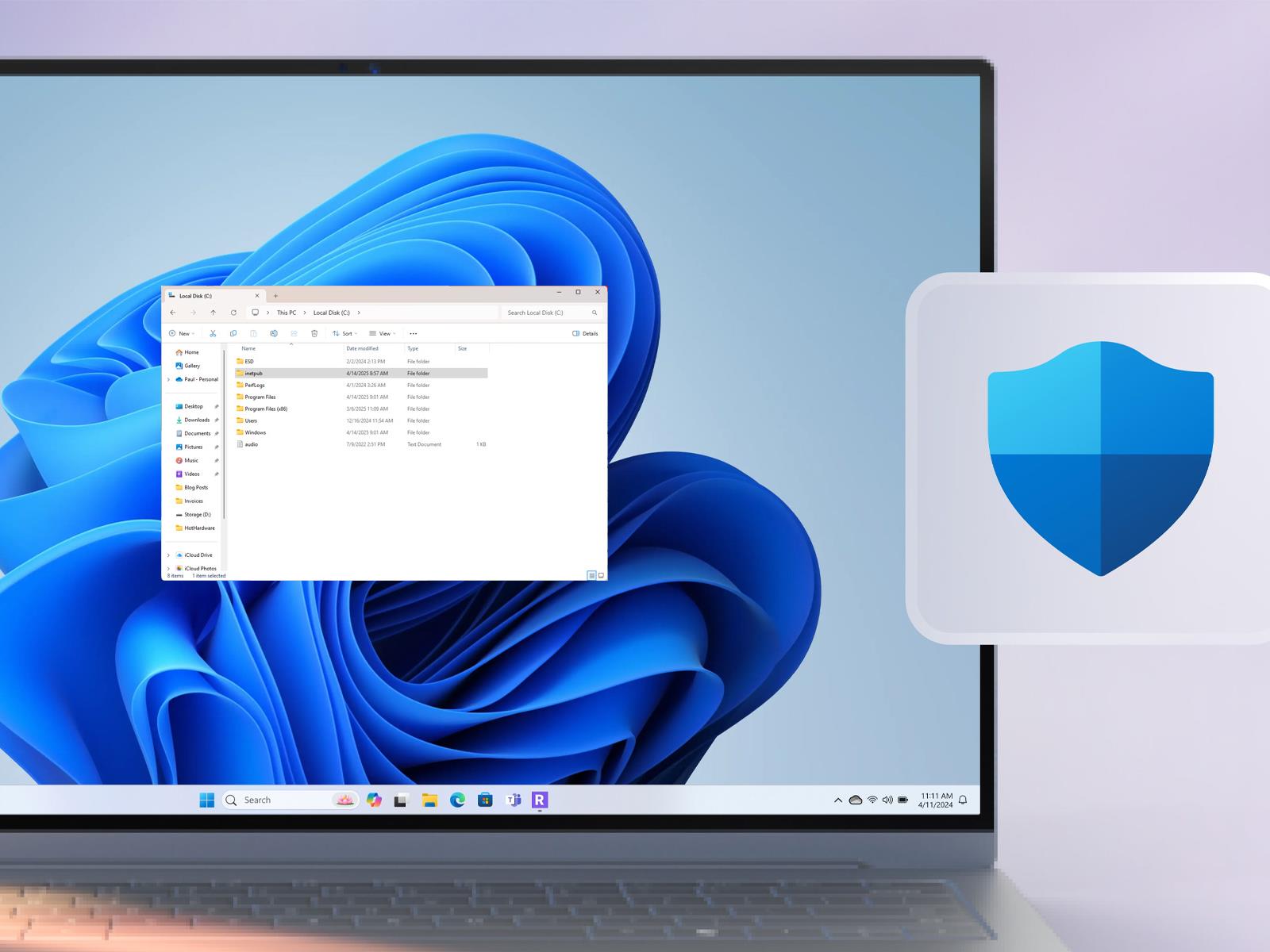
Microsoft Warns Millions Of Windows Users To Never Delete This Empty Folder
Another day means another Windows update, and this time it comes with a warning from Microsoft. You may have noticed a new folder in your root C: folder after applying the latest cumulative update for April 2025. Furthermore, you may have been tempted to delete it after discovering that it’s an empty folder. Word to the wise: leave it be

An Electric Racecar Drives Upside Down

Formula One cars, the world’s fastest racecars, need to grip the track for speed and safety on the curves — leading engineers to design cars that create downforce. And racing fans are even told that “a Formula 1 racecar generates enough downforce above a certain speed that it could theoretically drive upside down,” writes the automotive site Jalopnik.

“McMurtry Automotive turned this theory into reality after having its Spéirling hypercar complete the impressive feat…”

Admittedly, the Spéirling’s success can be solely attributed to its proprietary ‘Downforce-on-Demand’ fan system that produces 4,400 pounds of downforce at the push of a button… For those looking to do the math, Spéirling weighs 2,200 pounds. With the stopped car’s fan whirling at 23,000 rpm, the rig was rotated to invert the road deck… Then, the hypercar rolled forward a few feet before stopping while inverted. The rig rotated the road deck back down, and the Spéirling drove off like nothing happened.
The McMurtry Spéirling, as a 1,000-hp twin-motor electric hypercar, didn’t have to clear the other hurdles that an F1 car would have clear to drive upside down. Dry-sump combustion engines aren’t designed to run inverted and would eventually fail catastrophically. Oil wouldn’t be able to cycle through and keep the engine lubricated.
The car is “an electric monster purpose-built to destroy track records,” Jalopnik wrote in 2022 when the car shaved more than two seconds off a long-standing record. The “Downforce-on-Demand” feature gives it tremendous acceleration — in nine seconds it can go from 0 to 186.4 mph (300 km/h), according to Jalopnik.

“McMurtry is working towards finalizing a production version of its hypercar, called the Spéirling PURE. Only 100 will be produced.”


Read more of this story at Slashdot.

Nvidia To Make AI Supercomputers in US for First Time

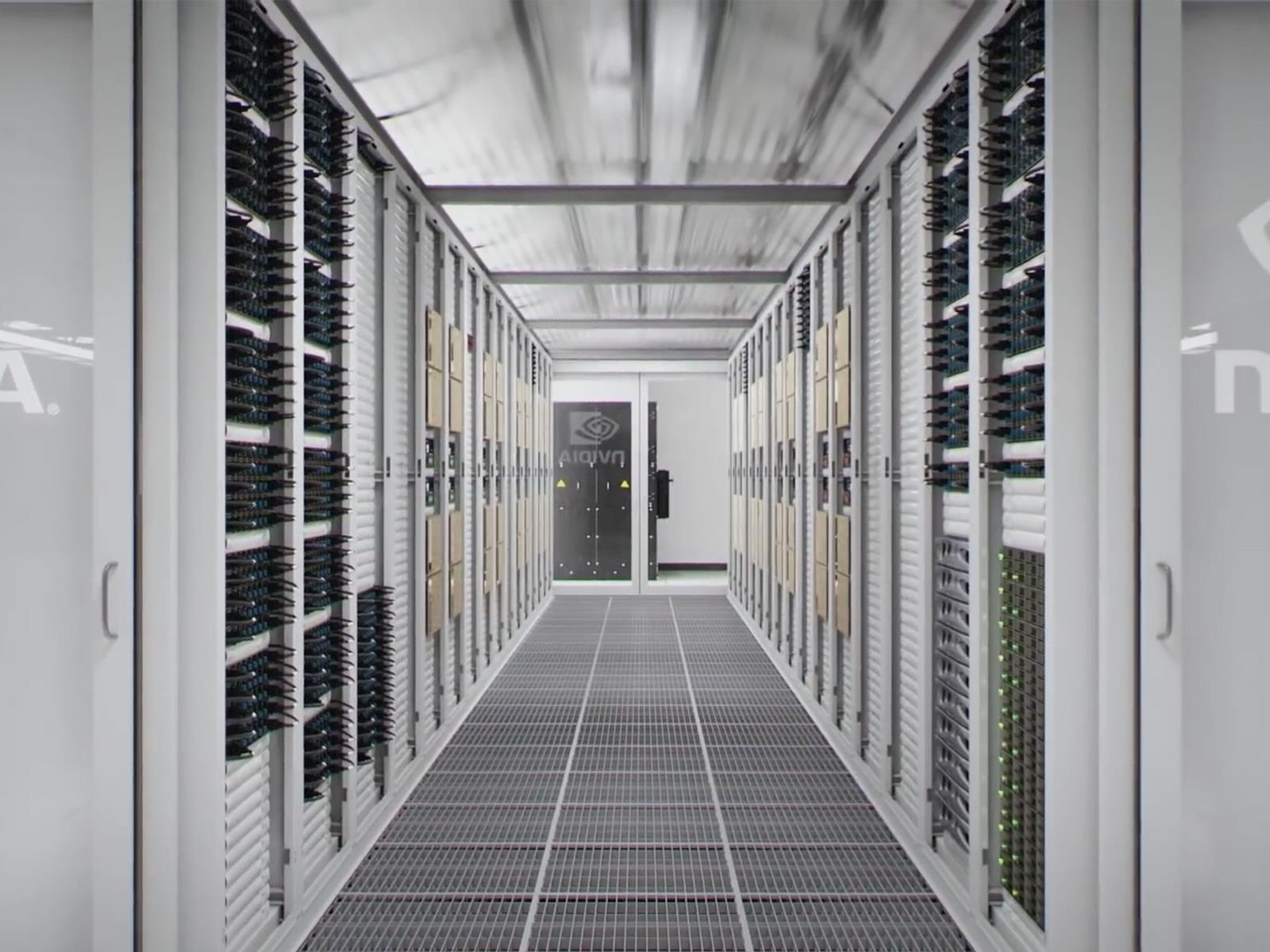
Nvidia has announced plans to manufacture AI supercomputers entirely within the United States, commissioning over 1 million square feet of manufacturing space across Arizona and Texas. Production of Blackwell chips has begun at TSMC’s Phoenix facilities, while supercomputer assembly will occur at new Foxconn and Wistron plants in Houston and Dallas respectively.

“The engines of the world’s AI infrastructure are being built in the United States for the first time,” said Jensen Huang, Nvidia’s founder and CEO. “Adding American manufacturing helps us better meet the incredible and growing demand for AI chips and supercomputers, strengthens our supply chain and boosts our resiliency.”

The company will deploy its own AI, robotics, and digital twin technologies in these facilities, using Nvidia Omniverse to create digital twins of factories and Isaac GR00T to build manufacturing automation robots. Nvidia projects an ambitious $500 billion in domestic AI infrastructure production over the next four years, with manufacturing expected to create hundreds of thousands of jobs.


Read more of this story at Slashdot.

The Apple Pencil Pro drops back down to $99

There are some great keyboard attachments for Apple’s iPad but, sometimes, you just want to physically write things down with a “pencil.” While the Apple Pencil lineup can be confusing (see our helpful guide here), there are two great options currently on sale. 

Take the 23 percent discount on the Apple Pencil Pro, for instance. The markdown drops its cost to $99 from $129, only $10 more than its all-time low price. Apple released this top-end model last year and it’s certainly the best of the bunch.

It offers features such as squeeze gesture to see menu options and a built-in gyroscope that improves the process of changing your pen’s orientation and brush tools. Plus, it works with Apple’s Find My network, so you can easily locate the tool at any time. However, it’s only compatible with select iPads, including the iPad Pro with an M4 chip, iPad Air with M2 or M3 chips and the iPad mini with A17 Pro.

If you don’t want to spend close to $100, the Apple Pencil with a USB-C port is also on sale. The 2023 model is available for $66, down from $79 — a 16 percent sale. The big benefit (other than the reduced price) is that it works with a lot more iPads than the Pencil Pro. The Apple Pencil with a USB-C port also has all the basics, like tilt sensitivity, magnetic attachment and supporting Apple Pencil hover when using an iPad Pro.

Follow @EngadgetDeals on X for the latest tech deals and buying advice.

This article originally appeared on Engadget at https://www.engadget.com/deals/the-apple-pencil-pro-drops-back-down-to-99-134027919.html?src=rss

NOAA scientists scrub toilets, rethink experiments after service contracts end

Federal scientists responsible for monitoring the health of West Coast fisheries are cleaning office bathrooms and reconsidering critical experiments after the Department of Commerce failed to renew their lab’s contracts for hazardous waste disposal, janitorial services, IT, and building maintenance.

Trash is piling up at the Northwest Fisheries Science Center, part of the National Oceanic and Atmospheric Administration, staffers told ProPublica. Ecologists, chemists, and biologists at Montlake Laboratory, the center’s headquarters in Seattle, are taking turns hauling garbage to the dumpster and discussing whether they should create a sign-up sheet to scrub toilets.

The scientists—who conduct genetic sampling of endangered salmon to check the species’ stock status and survival—routinely work with chemicals that can burn skin, erupt into flames, and cause cancer. At least one said they’d have to delay mission-critical research if hazardous waste removal isn’t restored.

Read full article

Comments

How to Use Your iPhone As a High-Resolution Webcam (for Free)

Access to a high-quality webcam isn’t always guaranteed: While decent options are now built into most laptops, they’re not all of an acceptable standard. Maybe you’ve got a monitor without a webcam attached; maybe you want a different angle—there are numerous reasons why you might need another webcam.

If you’ve got an iPhone, you’ve actually got a webcam, too. The process for setting up your iPhone as a webcam has gotten easier down the years, especially on macOS, though you can also use it as a connected camera on a Windows PC with a little more effort.

Use your iPhone as a webcam on macOS

Macs, iPhones, and other Apple gadgets all work fairly seamlessly together in a variety of ways now, from mirroring an iPhone on macOS to using your iPad as a second display. Included in this suite of cross-device tricks, under the name Continuity Camera, is the option to use your iPhone as a webcam for any app on your Mac.

There are some simple rules for getting this to work. Both your Apple computer and your iPhone need to have wifi and Bluetooth enabled, and need to be signed into the same Apple account. The two devices must be within 10 meters or 30 feet of each other and meet the minimum requirements (in short, an iPhone launched in 2018 or later and running iOS 16 or later, and a Mac running macOS 13 Ventura or later).

FaceTime on macOS
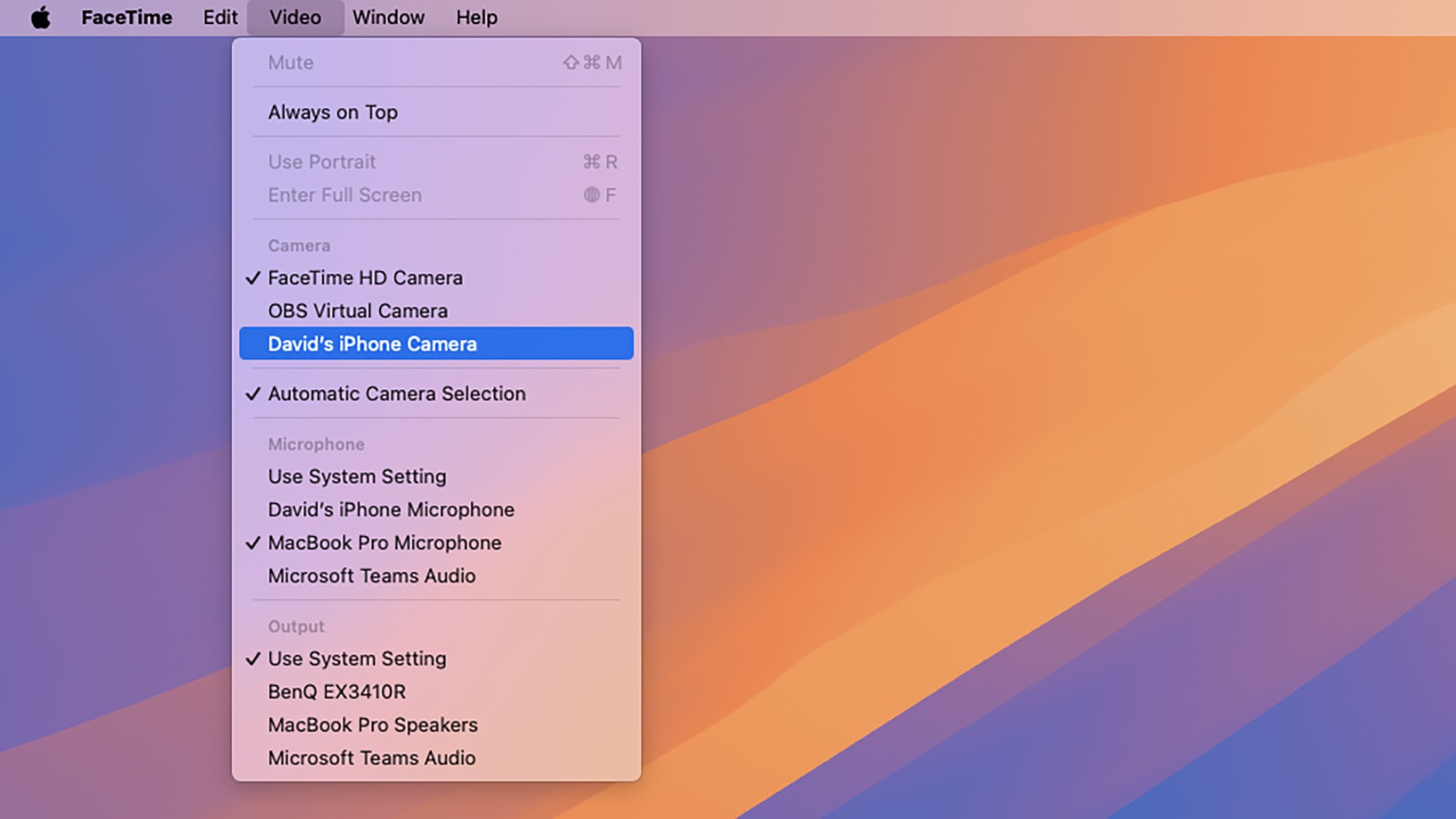
Choosing an iPhone as a camera in FaceTime.
Credit: Lifehacker

Assuming you’ve checked all those boxes, open up Settings on your iPhone, head to General > AirPlay & Continuity, and make sure Continuity Camera is enabled. You then need to get your iPhone in landscape orientation—you can change it around while you’re using it, but the initial connection needs to be in landscape mode.

Load up any webcam-using app on macOS, and you should then see your iPhone as an option for the video feed. With FaceTime, for example, open the Video menu and you should see it listed. You’re able to move the iPhone and change its angle while it’s in use, but you can’t switch between the front and rear cameras: You can only use the rear camera for your webcam.

This all works wirelessly over wifi and Bluetooth, but you can also connect your iPhone to your Mac via a USB cable too, if you want to—you might find you get a slightly more stable connection, and it also means you won’t be draining your phone’s battery while you’re using it as a webcam.

iPhone webcam connection
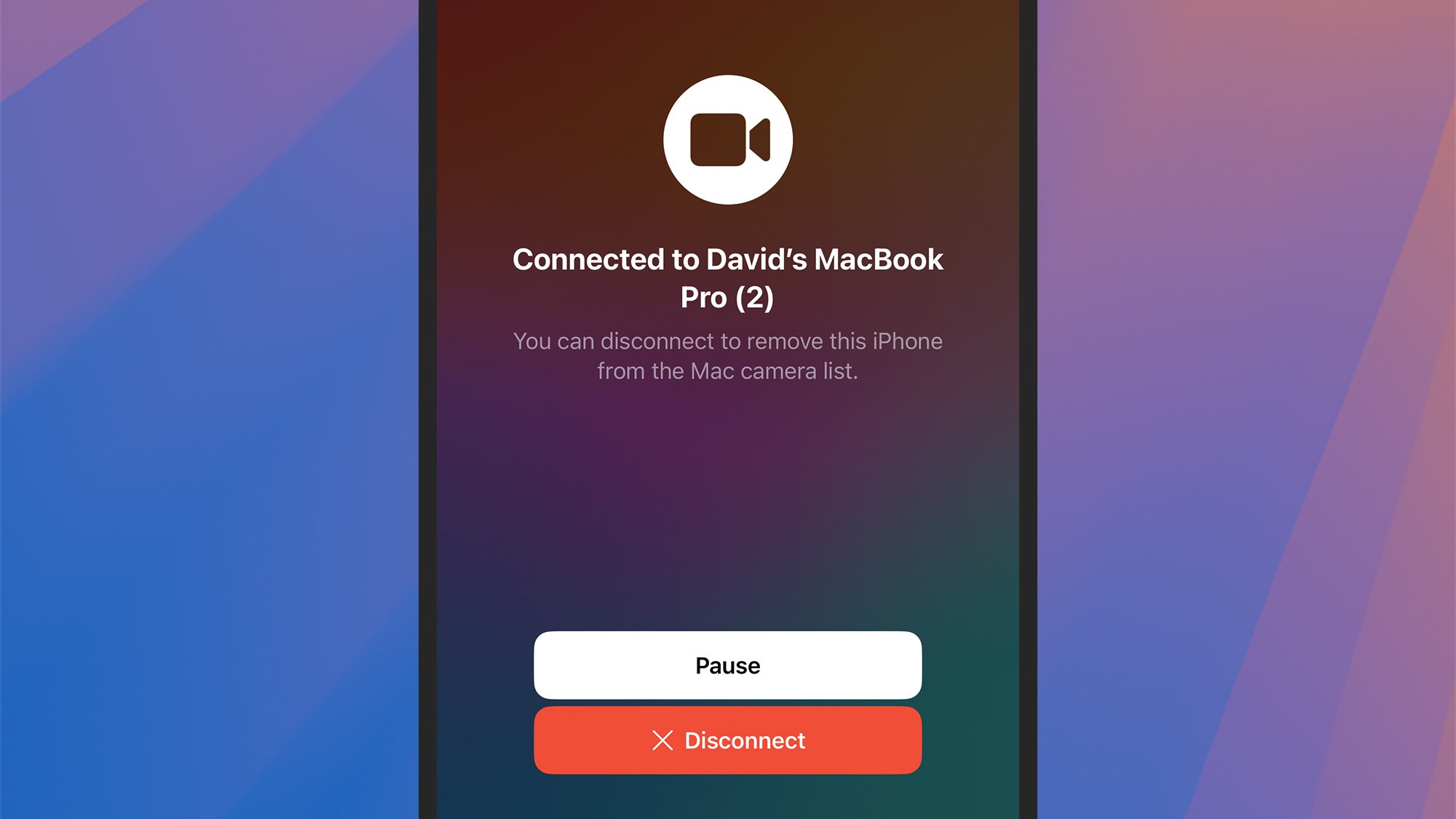
You can pause or disconnect from your iPhone screen.
Credit: Lifehacker

Click the video feed icon in the menu bar at the top of the macOS interface to access the various webcam features Apple now offers, including Portrait and Studio Light, though not all of them work on all iPhones: For keeping yourself in view via Center Stage, for example, you need an iPhone with an ultra-wide camera. You can also enable Desk View from this drop-down menu, which lets you create a top-down view of whatever’s on your desk (very handy for sharing documents).

While your iPhone is in use as a webcam, you’ll see a Pause button on the iPhone screen, which temporarily stops the live feed. A second button underneath, Disconnect, turns off webcam mode completely. You can also close down the video app you’re using or switch to a different webcam to exit out of webcam mode on your iPhone.

Use your iPhone as a webcam on Windows

Using your iPhone as a webcam on Windows is a little more involved, and you’re going to need the assistance of a third-party app to get everything working. However, there are plenty of apps to choose from for the job, and most of them are free or at least offer the basic webcam functionality for free.

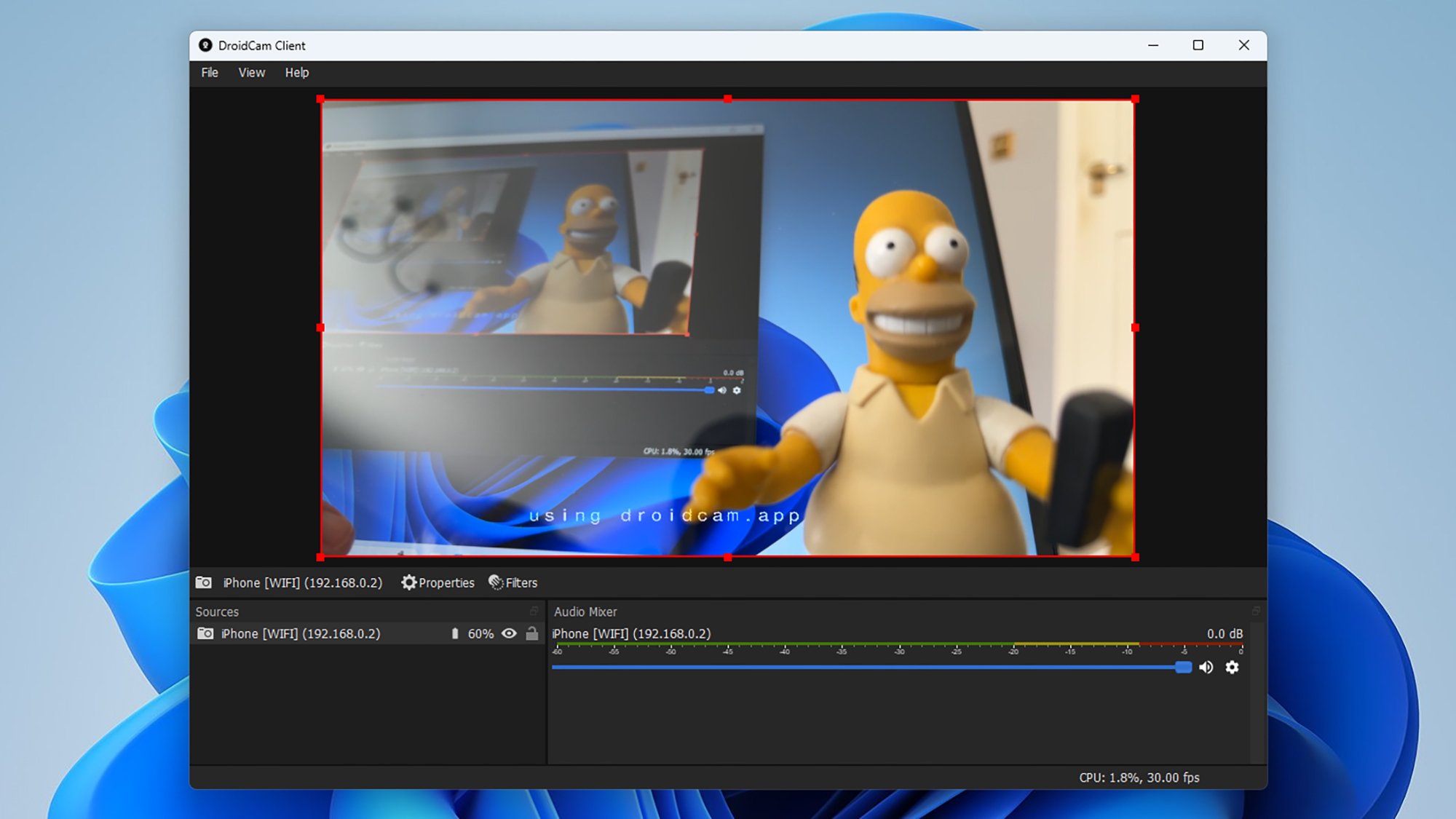
One app that’s been reliably serving users for a long time is DroidCam. You need to get both the Windows client installed on your computer, and the iOS app installed on your iPhone, and then all you need to do is launch them both—there’s no need to register an account, and everything works over your wifi network.

DroidCam on Windows
Using DroidCam on Windows with an iPhone.
Credit: Lifehacker

The application gives you a few settings and filters to play around with so you can get your feed looking exactly how you want it, and with DroidCam running, your iPhone is then available as a webcam option for any software running on your PC. It will simply show up as a webcam you can switch to.

You can use DroidCam free of charge, but if you pay $4.99 a year or a one-off fee of $14.99, you get access to resolutions above 1080p and can remove the DroidCam watermark on your webcam feed. Paying for the software also adds a few more controls on both the Windows and the iOS side.

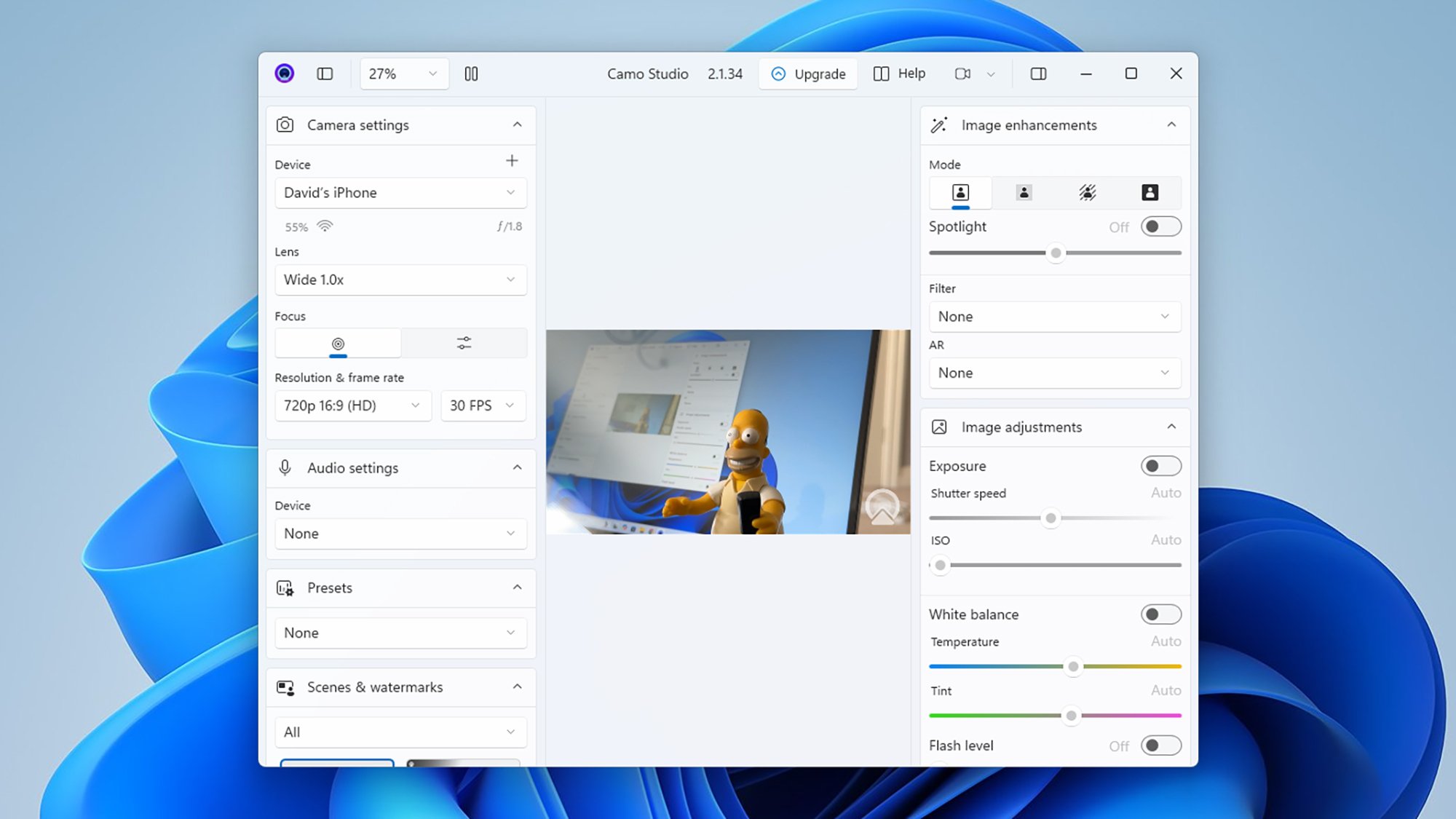
Another option that I’ve found straightforward and reliable is Camo. As with DroidCam, you need to get the software set up on Windows, and on your iPhone via the iOS app. It couldn’t be much simpler to set up, with no registration needed, and you can connect over wifi or by plugging your iPhone into your Windows computer with a USB cable.

Camo on Windows
Camo offers a range of video effects and filters.
Credit: Lifehacker

Camo is much more of a software suite, with a range of features you can use with any webcam you like: From exposure and white balance adjustments to clever background effects. Once you’ve got your iPhone configured as a webcam inside Camo, you can then use it to deliver a video feed in any other app on Windows.

Most of Camo’s features are available to use free of charge, but there is a Camo Pro subscription level that will set you back $4.99 a month. The key benefits are video resolutions up to 4K (rather than 720p), support for variable frame rates, and access to a smart zoom feature that uses some clever tricks to improve zoom levels without losing image quality.

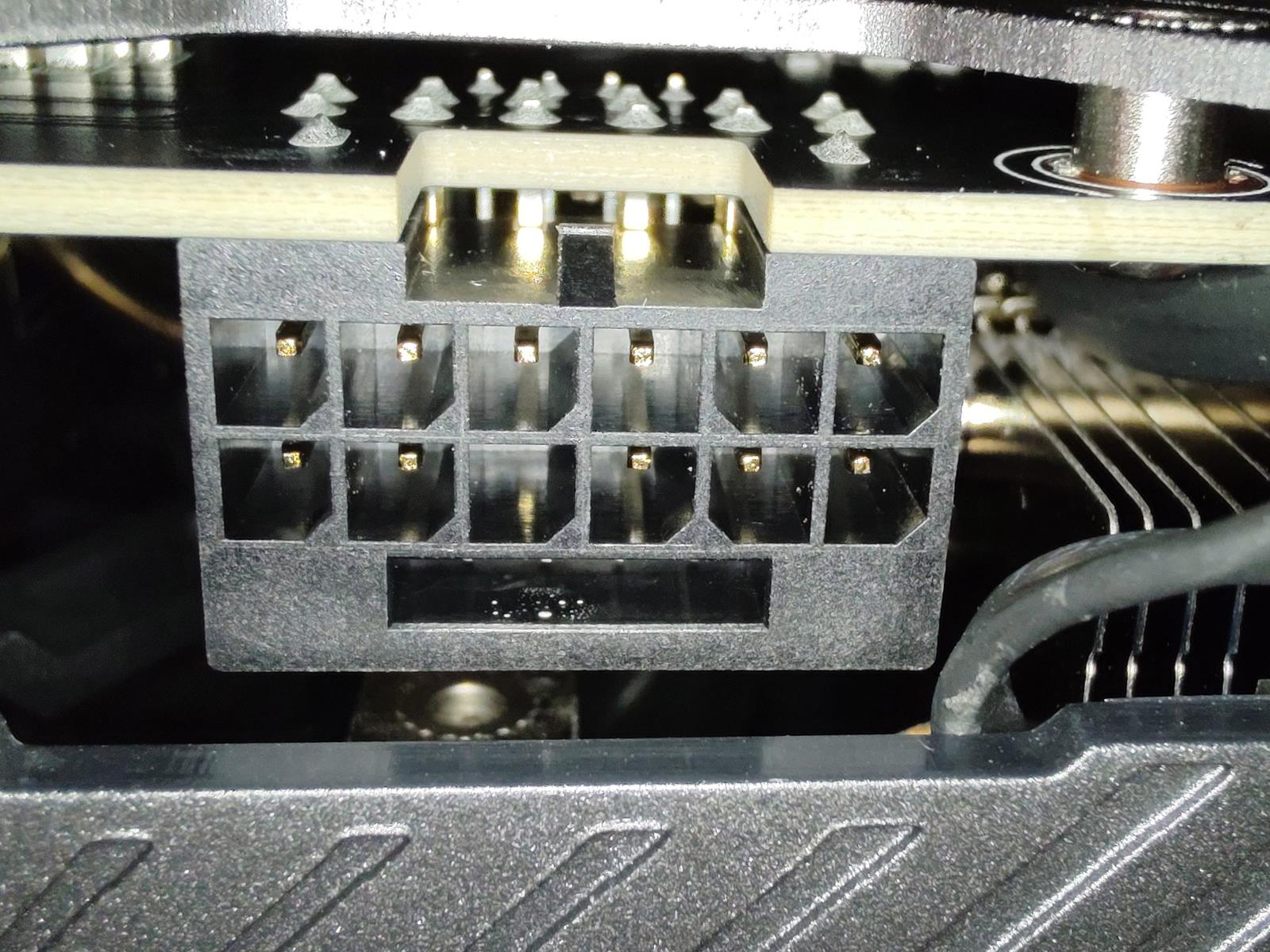
2025 ASUS ROG NUC Unveiled With Arrow Lake-HX And RTX 5080 Firepower

2025 ASUS ROG NUC Unveiled With Arrow Lake-HX And RTX 5080 Firepower
ASUS is rolling out a new high-powered ROG NUC for 2025. Unveiled during a special event in China—the same one in which ASUS teased a Super TN gaming monitor with a blistering 610Hz refresh rate—the newest ROG NUC pairs up to an Intel Core Ultra 9 processor based on Arrow Lake-HX with up to a mobile NVIDIA GeForce RTX 5080 GPU.

Now, it’s

Google created a new AI model for talking to dolphins

Dolphins are generally regarded as some of the smartest creatures on the planet. Research has shown they can cooperate, teach each other new skills, and even recognize themselves in a mirror. For decades, scientists have attempted to make sense of the complex collection of whistles and clicks dolphins use to communicate. Researchers might make a little headway on that front soon with the help of Google’s open AI model and some Pixel phones.

Google has been finding ways to work generative AI into everything else it does, so why not its collaboration with the Wild Dolphin Project (WDP)? This group has been studying dolphins since 1985 using a non-invasive approach to track a specific community of Atlantic spotted dolphins. The WDP creates video and audio recordings of dolphins, along with correlating notes on their behaviors.

One of the WDP’s main goals is to analyze the way dolphins vocalize and how that can affect their social interactions. With decades of underwater recordings, researchers have managed to connect some basic activities to specific sounds. For example, Atlantic spotted dolphins have signature whistles that appear to be used like names, allowing two specific individuals to find each other. They also consistently produce “squawk” sound patterns during fights.

Read full article

Comments

This Highly Rated Home Security Camera Is $25 Right Now

We may earn a commission from links on this page. Deal pricing and availability subject to change after time of publication.

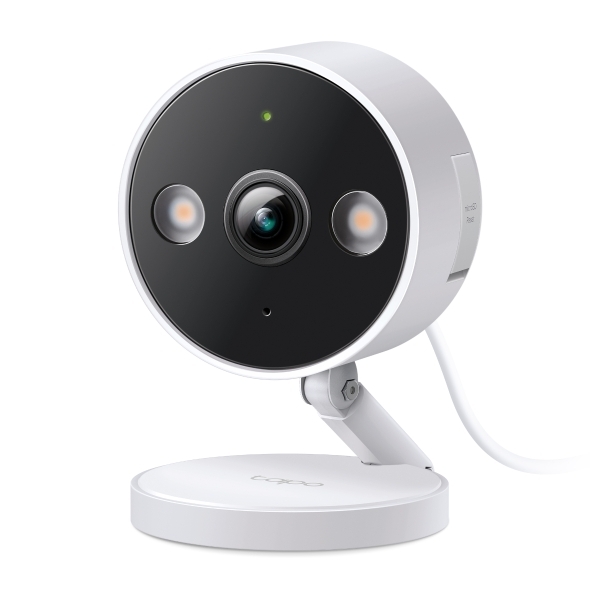
If you’re looking for a home security camera that doesn’t cost a fortune but still delivers sharp video and smart features, the TP-Link Tapo C120 might be worth a closer look. At $24.99 (down from $39.99), it undercuts a lot of competition while still offering 2K video, color night vision, and voice control via Alexa and Google Assistant.

It’s compact, just over two inches wide, with a clean design that fits just as easily on a bookshelf as it does on an outdoor wall. And thanks to its magnetic base and weatherproof IP66 rating, you can mount it indoors or out without stressing over the elements. That said, it plugs in with the included 10-foot USB-C cable, so it’s not battery-powered, but you won’t be dealing with frequent recharges either.

What the TP-Link Tapo C120 does well is core functionality. Its video feed is sharp thanks to its 4MP sensor (with a 120-degree field of view), and it gives you full-color night vision (using its Starlight sensor plus its built-in spotlights) when there’s ambient light—or even in complete darkness if you toggle the white LEDs. And if you don’t want to light things up, you can always switch to black-and-white infrared mode via the companion app. Motion detection is customizable—you can set it to notify you only for people or cars, for example, which keeps the spammy alerts in check. You get the option to store clips locally using your own microSD card (up to 512GB) or pay for cloud storage via Tapo Care. That subscription starts at $3.49/month and adds things like longer clip history and better filtering, but it’s optional if you’re okay with handling storage yourself.

That said, it doesn’t support Apple HomeKit or IFTTT, according to this PCMag review. Google Assistant and Alexa work fine, especially for viewing the feed on smart displays, but automation is limited beyond that. Two-way audio is there, too, but you have to hold a button on the app to talk, which can be annoying if you’re using it frequently. Still, the footage it captures—especially at night—is better than what you’d expect from a sub-$30 camera.

PS5 prices are increasing across Europe, UK and Australia

Potential PS5 buyers in Europe, the UK, Australia and more will now need to fork over up to 100 more AUD, EUR and other local currencies for a console. Sony has announced a series of price hikes for the PS5, blaming “a backdrop of a challenging economic environment, including high inflation and fluctuating exchange rates.” The company last raised PS5 prices across these markets in 2022. 

Only the PS5 Digital Edition’s cost changes in Europe and the UK. It will increase to €500 ($570) from €450 ($513) in Europe and to £430 ($567) from £390 ($514) in the UK. 

Prices for the Digital Edition and PS5 with disc drive are rising significantly across the board. The Digital Edition is increasing to AUD $750 (USD $475) from AUD $650 (USD $412) in Australia. Meanwhile, in New Zealand, the PS5 with disc drive is now NZD $950 (USD $558), up from NZD $900. Those new prices go into effect immediately, so hopefully, you did some shopping over the weekend if you wanted a new PS5.

In contrast, Sony is reducing the cost of purchasing the add-on disc drive. Buyers will pay €80 in Europe (down from €120) and £70 in the UK, down from £100.

This article originally appeared on Engadget at https://www.engadget.com/gaming/playstation/ps5-prices-are-increasing-across-europe-uk-and-australia-123025793.html?src=rss

Eight Basic Vehicle Maintenance Tasks You Probably Skip, but Really Shouldn’t

Most of us have a love-hate relationship with our cars. We love our vehicles because they represent freedom (and economic necessity, if you rely on one to get to work or do your grocery shopping), but we hate how much they cost—and the fact that you never actually stop paying for them. It costs an average of $1,452 every year just to keep your vehicle running, and the overall cost of owning a car is a whopping $6,684 annually.

As crucial as vehicle maintenance is in terms of making sure your car is reliable, people tend to skip an awful lot of it. If all you do every year is the basics—changing the oil and engine filters in a standard tune-up—you’re skipping a bunch of maintenance that only seems less important. Here are the vehicle maintenance steps you should definitely not skip.

Cleaning battery terminals

Your car’s battery is where the magic starts: When you turn the key or press the ignition button, a charged, fully-functioning battery sets everything in motion. Even if your battery is relatively new and still in good shape, corrosion can build up on the terminals. Anything that inhibits the connection between your battery and the systems it powers will impact your car’s performance and can damage your engine and electrical systems, so cleaning those terminals twice a year is a good idea. It’s a pretty simple process, actually.

Checking all the fluids

Sure, you change the oil according to a schedule—but your car runs on a lot of different fluids, and you should be checking and replacing them all regularly. This includes:

  • Transmission fluid. Just because it’s “sealed” or described as “lifetime” doesn’t mean it shouldn’t be checked and possibly changed out. Making sure levels haven’t dropped when you change the oil is a good idea, and even if your transmission fluid is holding up at 100,000 miles, you should change it out.

  • Brake fluid. Brake fluid can break down just like engine oil, so it’s a good idea to check it every time you change the oil, and change it out every few years, even if your brakes are working properly. You’re better off asking your mechanic to do this for you unless you’re very experienced, though, as brake fluid changes can be a bit more complicated than other fluids used in your car.

  • Differential fluid. The differential distributes power to your wheels, making turns smoother and giving your car more stability. You should check your car’s manual for specifics, but generally speaking you should have it changed when you hit 30,000 miles or so.

  • Coolant. If you haven’t checked your antifreeze recently, now would be the time. It’s incredibly easy to drain and replace your coolant, which you should do according to manufacturer recommendations or every few years.

  • Power steering. You like being able to steer your car without putting your back into it, don’t you? Then you should be checking your power steering fluid to make sure it doesn’t resemble mud. If it does, change it. If it doesn’t, look up the recommended replacement schedule for your car and change it then.

Change the wipers

The worst time to realize your windshield wipers have become a shell of their former selves is when you’re caught in a rainstorm and can’t see anything through the pour. Plus, there’s nothing less fun than changing your wipers in the midst of a storm. Your wipers will give you some warning that they’re wearing out, leaving streaks and making a lot of squeaky noises, so when you notice those signs, it’s time to pop off the old ones and pop on the new.

Check the lights

You rely on your car’s various lights—headlights, hazard lights, signal lights, and brake lights—for safe operation of the vehicle, so it’s amazing how many people don’t bother to check if they actually work. Take two minutes every year to turn on the lights and walk around the car to ensure they’re all working properly. Changing out a bulb here and there can spare you from being pulled over by a police officer—or worse.

Check tire pressure

Proper tire pressure affects just about every aspect of your driving experience—it can make braking harder, affect the stability of the car (if you’ve never felt a car shake because the tires were overinflated, you haven’t lived), and impact fuel efficiency. Check the tire pressure (this is literally printed on the tire itself) at least once a month and adjust as needed.

Even if you get your tires rotated regularly (as you should), you should also check your tires’ tread wear every now and then. Rapid or uneven wear on tire tread could indicate other problems with the car, and if your tires are starting to get a little bald it’s a very good idea to get them replaced before their lack of traction gets you into an accident.

Cleaning out the drains

You might not even be aware of the fact that your car has several drains that keep water from collecting in the engine—or in the cabin area. All of these drains should be inspected and cleaned out periodically—otherwise moisture will build up, rusting components and staining parts of the car. Typical drain locations include:

  • Sunroofs. If you have a sunroof, there are drains built into the car that carry rain and other water that gets through the seals. Your car’s manual will show you exactly where they are, but they’re generally located in the corners of your sunroof well.

  • Doors. Drains are often located at the bottom of your doors. Often the sunroof drains are connected to these as well.

  • Windshield. Look where the windshield meets the hood of the vehicle, and you’ll likely find drains at each end.

  • Trunk/bed. Drains are often included in the read of the vehicle as well.

All of these drains can get clogged with gunk, which can lead to water inside the car, or invisible rusting and corrosion that destroys the vehicle from the inside-out. They can usually be cleaned with just a garden hose—the water pressure alone should work to expel built-up debris. If you have a stubborn clog, a length of wire run down through the drain should help.

Change the cabin filter

You probably replace engine filters regularly, but have you ever inspected and replaced the cabin filter? These filters clean the air pumped into your vehicle’s interior via the A/C, heat, or ventilation system. It gets filthy just like any other filter, which leads to lower air quality in your vehicle’s cabin and extra stress on your systems. Look at your manual to find out where it’s hiding, then swap it out at least once a year—more often if you notice a drop in air quality, or if you regularly drive through some dusty areas.

Washing the exterior

You might think washing your car is a luxury, or a non-essential aspect of maintenance, but you would be wrong. Your car is bombarded with a ton of gross stuff—from dirt that scratches the finish, bugs that muck up your windshield, and corrosive stuff that can undermine your vehicle’s seals and other components. In other words, not washing your car on a regular basis will shorten its lifespan and increase your maintenance costs.

Samsung’s latest rugged devices are keeping old-school mobile traditions alive

For anyone who misses the way smartphones used to work, Samsung has announced two new “rugged” Galaxy devices, the Galaxy XCover 7 Pro and the Galaxy Tab Active 5 Pro, that feature removable backplates and user-replaceable batteries.

The Galaxy XCover 7 Pro is designed for enterprise customers, but it comes packed with some of the same Galaxy AI features Samsung has been pushing on its flagship smartphones, including Google’s Circle to Search and Object Eraser. The phone uses a Snapdragon 7s Gen 3 chip, has a brighter screen and comes with a 4,350mAh battery, but the reason to buy it are all the ways Samsung’s made it tougher and more customizable than the average phone. That includes IP68 water and dust resistance, MIL-STD-810H certification for drops, programmable buttons, built-in pogo pins as another charging option and a battery you can replace yourself just by popping off the back of the phone.

The back and front of the Galaxy XCover 7 Pro.
Samsung

The Galaxy Tab Active 5 Pro has a 10.1-inch screen and uses the same Snapdragon chip as the XCover 7 Pro, but the tablet offers even more options when it comes to charging. Samsung says the Galaxy Tab Active 5 Pro can be used without a battery inside if it’s connected to a dock and you can also hot-swap batteries on the tablet without turning it off. You’ll get to enjoy many of the same durability benefits as the XCover 7 Pro, and the IP68 water and dust resistance extends to the Galaxy Tab Active 5 Pro’s S-Pen stylus, too.

The Galaxy Tab Active 5 Pro with its rugged S Pen stylus.
Samsung

Neither of these devices are for normal people by any means, but they are good illustration of how formerly common-sense features like batteries you can replace yourself have become niche. We got lighter and sleeker flagship phones in the process, but one has to wonder whether XCover owners are the ones actually living the good life.

The Galaxy XCover 7 Pro will be available to order on May 8, 2025. The Galaxy Tab Active 5 Pro is schedule to be released in “early June,” according to Samsung.

This article originally appeared on Engadget at https://www.engadget.com/mobile/smartphones/samsungs-latest-rugged-devices-are-keeping-old-school-mobile-traditions-alive-120056640.html?src=rss

HBO’s The Last of Us is back for season 2, and so are we

New episodes of season 2 of The Last of Us are premiering on HBO every Sunday night, and Ars’ Kyle Orland (who’s played the games) and Andrew Cunningham (who hasn’t) will be talking about them here every Monday morning. While these recaps don’t delve into every single plot point of the episode, there are obviously heavy spoilers contained within, so go watch the episode first if you want to go in fresh.

Kyle: To start us off as we return to the world of The Last of Us, as a non-game player, maybe recap what you remember from the first season and what you’ve heard about the second.
Andrew: Going into the first season, I’d been aware of The Last of Us, the video game, as a story about an older guy and a kid trying to navigate a post-apocalyptic world. And the show was also mostly that: It’s Joel and Ellie against the world, and who knows, maybe this spunky young girl with an apparent immunity to the society-ravaging fungal infection could hold the key to a cure!

Things fell apart at the end of last season when the Fireflies (a group of survivalists/doctors/scientists/etc.) may or may not have been threatening to kill Ellie in order to research their cure, which made Joel go on a murder rampage, which he then lied to Ellie about. We fade to black as they make their way back toward the one semi-functioning human settlement they’d visited on their travels, where Joel’s brother and his family also happen to live.

Going into this season: I know nothing. I don’t really engage in TV show fandoms or keep up with casting announcements or plot speculation. And the only thing I know about the second game going into this is a vague sense that it wasn’t as well-received as the first. In short, I am as a newborn baby, ready to take in the second season of a show I kind of like with the freshest possible eyes.

Kyle: I may be to blame for that vague sense you have. I fell in love with the first game, especially the relationship between Joel and Ellie, and I thought the first season of the show captured that quite well. I thought the endings to both the game and season 1 of the show were just about perfect and that any continuation after that was gonna struggle to justify itself.

Without giving too much away, I think the second game misses a lot of what made the narrative of the first one special and gets sidetracked in a lot of frankly gratuitous directions. That said, this premiere episode of the second season drew me in more than I expected.

One jarring thing (in a good way) about both the second game and the second season is suddenly seeing Joel and Ellie just existing in a thriving community with electric lights, music, alcohol, decent food, laughter, etc., etc. After the near-constant precarity and danger they’ve faced in the recent past, it really throws you for a loop.

Andrew: Unfortunately but predictably, you see both of them struggling to adapt in different ways; these are two extremely individualistic, out-for-number-one people. Ellie (now a 19-year-old, after a five-year time jump) never met a rule she couldn’t break, even when it endangers her friends and other community members.

And while Joel will happily fix your circuit breaker or re-string your guitar, he emphatically rejected a needs-of-the-many-outweigh-the-needs-of-the-few approach at the end of last season. When stuff breaks bad (and I feel confident that it will, that’s the show that it is) these may not be the best people to have in your corner.

My only real Game Question for you at the outset is the big one: Is season 2 adapting The Last of Us Part II or is it doing its own thing or are we somewhere in between or is it too early to say?


“Oh, dang, is that Catherine O’Hara?”

Kyle: From what I have heard it will be adapting the first section of the second game (it’s a long game) and making some changes and digressions that expand on the game’s story (like the well-received Nick Offerman episode last season). Already, I can tell you that Joel’s therapy scene was created for the TV show, and I think it improves on a somewhat similar “Joel pours his heart out” scene from early in the game.

The debut episode is also already showing a willingness to move around scenes from the game to make them fit better in chronological order, which I’m already appreciating.

One thing I think the show is already doing well, too, is showing 19-year-old Ellie “acting like every 19-year-old ever” (as one character puts it) to father figure Joel. Even in a zombie apocalypse, it’s a relatable bit of character-building for anyone who’s been a teenager or raised a teenager.

Andrew: Joel’s therapist, played by the wonderful Catherine O’Hara. (See, that’s why you don’t follow casting announcements, so you can watch a show and be like, “Oh, dang, is that Catherine O’Hara?”)

I didn’t know if it was a direct adaptation, but I did notice that the show’s video gamey storytelling reflexes were still fully intact. We almost instantly end up in a ruined grocery store chock-full of environmental storytelling (Ellie notes a happy birthday banner and 2003’s Employee of the Year wall).

And like in any new game new season of a TV show, we quickly run into a whole new variant of mushroom monster that retains some of its strategic instincts and can take cover rather than blindly rushing at you. Some of the jump scares were so much like quick-time events that I almost grabbed my controller so I could press X and help Ellie out.

Can AI Help Manage Nuclear Reactors?

America’s Department of Energy launched a federally funded R&D center in 1946 called the Argonne National Laboratory, and its research became the basis for all of the world’s commercial nuclear reactors.

But it’s now developed an AI-based tool that can “help operators run nuclear plants,” reports the Wall Street Journal, citing comments from a senior nuclear engineer in the lab’s nuclear science and engineering division:
Argonne’s plan is to offer the Parameter-Free Reasoning Operator for Automated Identification and Diagnosis, or PRO-AID, to new, tech-forward nuclear builds, but it’s also eyeing the so-called dinosaurs, some of which are being resurrected by companies like Amazon and Microsoft to help power their AI data centers. The global push for AI is poised to fuel a sharp rise in electricity demand, with consumption from data centers expected to more than double by the end of the decade, the International Energy Agency said Thursday. The owners of roughly a third of U.S. nuclear plants are in talks with tech companies to provide electricity for those data centers, the Wall Street Journal has reported.

PRO-AID performs real-time monitoring and diagnostics using generative AI combined with large language models that notify and explain to staff when something seems amiss at a plant. It also uses a form of automated reasoning — which uses mathematical logic to encode knowledge in AI systems — to mimic the way a human operator asks questions and comes to understand how the plant is operating [according to Richard Vilim, a senior nuclear engineer within the lab’s nuclear science and engineering division].
The tool can also help improve the efficiency of the personnel needed to operate a nuclear plant, Vilim said. That’s especially important as older employees leave the workforce. “If we can hand off some of these lower-level capabilities to a machine, when someone retires, you don’t need to replace him or her,” he said… Part of the efficiency in updating technology will come from consolidating the monitoring staff at a utility’s nuclear plants at a single, centralized location — much as gas-powered plants already do.

It hasn’t found its way into a commercial nuclear plant yet, the article acknowledges. But the senior nuclear engineer points out that America’s newer gas-powered plants ended up being more automated with digital monitoring tools. Meanwhile the average age of America’s 94 operating nuclear reactors is 42 years old, and “nearly all” of them have had their licenses extended, according to the article. (Those nuclear plants still provide almost 20% of America’s electricity.)


Read more of this story at Slashdot.