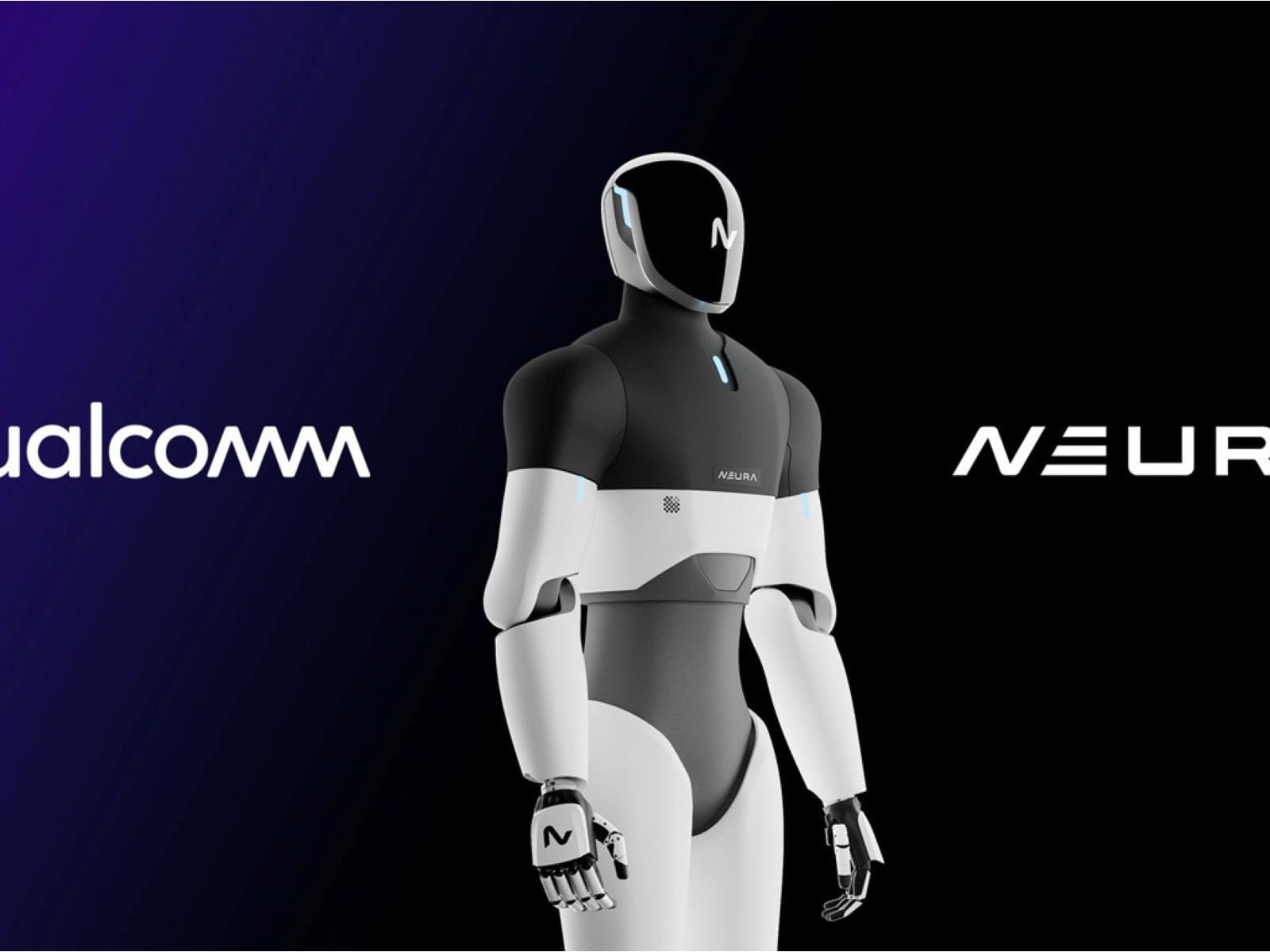
Qualcomm and NEURA Robotics have announced a collaboration to integrate edge computing with embodied AI, aiming to move cognitive humanoid robots from research labs into large-scale industrial and domestic environments. By combining Qualcomm’s new DragonWing robotics processors with NEURA’s full-stack hardware and software systems, this partnership
An anonymous reader quotes a report from CBS News: Tonight, we have details of a classified U.S. intelligence mission that has obtained a previously unknown weapon that may finally unlock a mystery. Since at least 2016, U.S. diplomats, spies and military officers have suffered crippling brain injuries. They’ve told of being hit by an overwhelming force, damaging their vision, hearing, sense of balance and cognition. but the government has doubted their stories. They’ve been called delusional. Well now, 60 Minutes has learned that a weapon that can inflict these injuries was obtained overseas and secretly tested on animals on a U.S. military base. We’ve investigated this mystery for nine years. This is our fourth story called, “Targeting Americans.” Despite official government doubt, we never stopped reporting because of the haunting stories we heard […]. 60 Minutes interviewed Dr. David Relman, a scientific expert and professor from Stanford University who was tasked by the government to lead two investigations into the Havana Syndrome cases. What he and his panel of doctors, physicists, engineers and others found was that “the most plausible explanation for a subset of these cases was a form of radiofrequency or microwave energy,” the report says.
According to confidential sources cited in the report, undercover Homeland Security agents bought a miniaturized microwave weapon from a Russian criminal network in 2024 and tested it on animals at a U.S. military lab. The injuries reportedly matched those seen in the human cases. “Our confidential sources tell us the still classified weapon has been tested in a U.S. military lab for more than a year,” says Dr. Relman. “Tests on rats and sheep show injuries consistent with those seen in humans.”
He continues: “Also, as a separate part of the investigation, security camera videos have been collected that show Americans being hit. The videos are classified but they were described to us. In one, a camera in a restaurant in Istanbul captured two FBI agents on vacation sitting at a table with their families. A man with a backpack walks in and suddenly everyone at the table grabs their head as if in pain. Our sources say another video comes from a stairwell in the U.S. embassy in Vienna. The stairs lead to a secure facility. In the video, two people on the stairs suddenly collapse. Those videos and the weapon were among the reasons the Biden administration summoned about half a dozen victims to the White House with about two months left in the president’s term.”
Former intelligence officials and researchers claim elements of the U.S. government downplayed or dismissed the theory for years, possibly to avoid political consequences of accusing a foreign state like Russia of conducting attacks on American personnel.
The dark web has a sinister and foreboding name for a reason. This is a place where all manner of illegal and underhand activity takes place, as well as somewhere internet users can free themselves from government censorship and draconian surveillance. Getting on the dark web isn’t particularly difficult, but it’s not somewhere you should head without doing your research first. If you visit an unfamiliar location in real life, you’ll want to make sure you know how to stay safe and make the most of your trip, and it’s the same with the dark web. As such, follow these hacks and tips to maximize your chances of staying safe and getting the most out of what the dark web has to offer.
Use IP Leak to make sure your IP address stays hidden
As with the general web, using a VPN with the dark web isn’t essential, but is recommended. However, you should also check for IP leaks before you start doing any dark web browsing, even with a VPN up and running.
In simple terms, an IP leak is where your actual internet location is revealed to the sites you’re connecting to—something you want to avoid on the dark web. This might be caused by a rogue website script or browser extension, for example. It’s easy to do: Just head to IP Leak and check the IP address that’s being reported isn’t actually where you are. As an added bonus, the site checks for leaks through the WebRTC and DNS protocols, which can also reveal your location in a more roundabout way.
Avoid leaving fingerprints by resizing your browser window
Tor and a VPN of your choice can hide a lot about your identity, but you’re still vulnerable to fingerprinting when you’re on the dark web. That’s where information being reported by your computer—such as the operating system, the system time, and even the fonts you have installed—is used to recognize you as an individual.
Another key piece of information used in fingerprinting is the size of your monitor display: If your browser window fills your screen, a bad actor can infer what monitor or device you may be using. Tor does use some tricks to try and obfuscate this, but you can help by not maximizing your browser window (and perhaps randomly resizing it from time to time).
An identity reset in Tor. Credit: Lifehacker
Use “New Identity” to hide who you are online
Tor includes a feature that isn’t immediately obvious, but which can help you switch identities in a couple of clicks. It’s like disappearing into a rest room and then remerging with a different disguise—disconnecting you from whatever you were doing through the browser before.
Click the menu button (three horizontal lines, top right), then pick New identity. All currently open tabs will be closed, and the browser restarts. You’ll be rerouted through different Tor circuits to get back online, and all previous browsing data and cookies will be wiped away.
Use Dangerzone to securely open files on the dark web
Generally speaking, you don’t really want to be downloading anything from the dark web, if you can help it: The dark web waters are swimming with malware, scams, and otherwise unwholesome material. However, there may be times when you need to open a document given to you by a trusted contact.
Anything you do need to open should be opened through Dangerzone. It basically puts a security sandbox around PDFs, images, and office documents, and strips out any kind of malicious or tracking data embedded in the file. You’re then left with a sanitized file that’s passed security clearance and can be opened as normal.
Add a bridge for extra security
For ease of use, you can have Tor connect to the web through a path of its choice, concealing your identity and location through a series of recognized nodes. If you want to take this a step further, you can add a bridge into the connection chain as well.
Standard Tor nodes (or relays) still report an IP address, though it won’t be your actual one. Bridges don’t share IP addresses at all, which makes it even harder for someone else to track who you are and what you’re doing. They’re particularly useful in countries where known Tor relays might be blocked by the authorities.
In the Tor browser, click the menu button (three horizontal lines, top right), then Settings > Connection to configure a bridge. Use Request bridges to ask for a bridge link from the official Tor bot, or use the web or Telegram links to find one.
Setting a pluggable transport. Credit: Lifehacker
Use pluggable transports to hide from your internet provider
Pluggable transports are a specific type of Tor bridge: As well as additional IP address cloaking and anti-censorship measures, pluggable transports hide the fact that you’re actually using Tor from your internet provider as well. They’re often used as a next-level step wherever the Tor network has been banned.
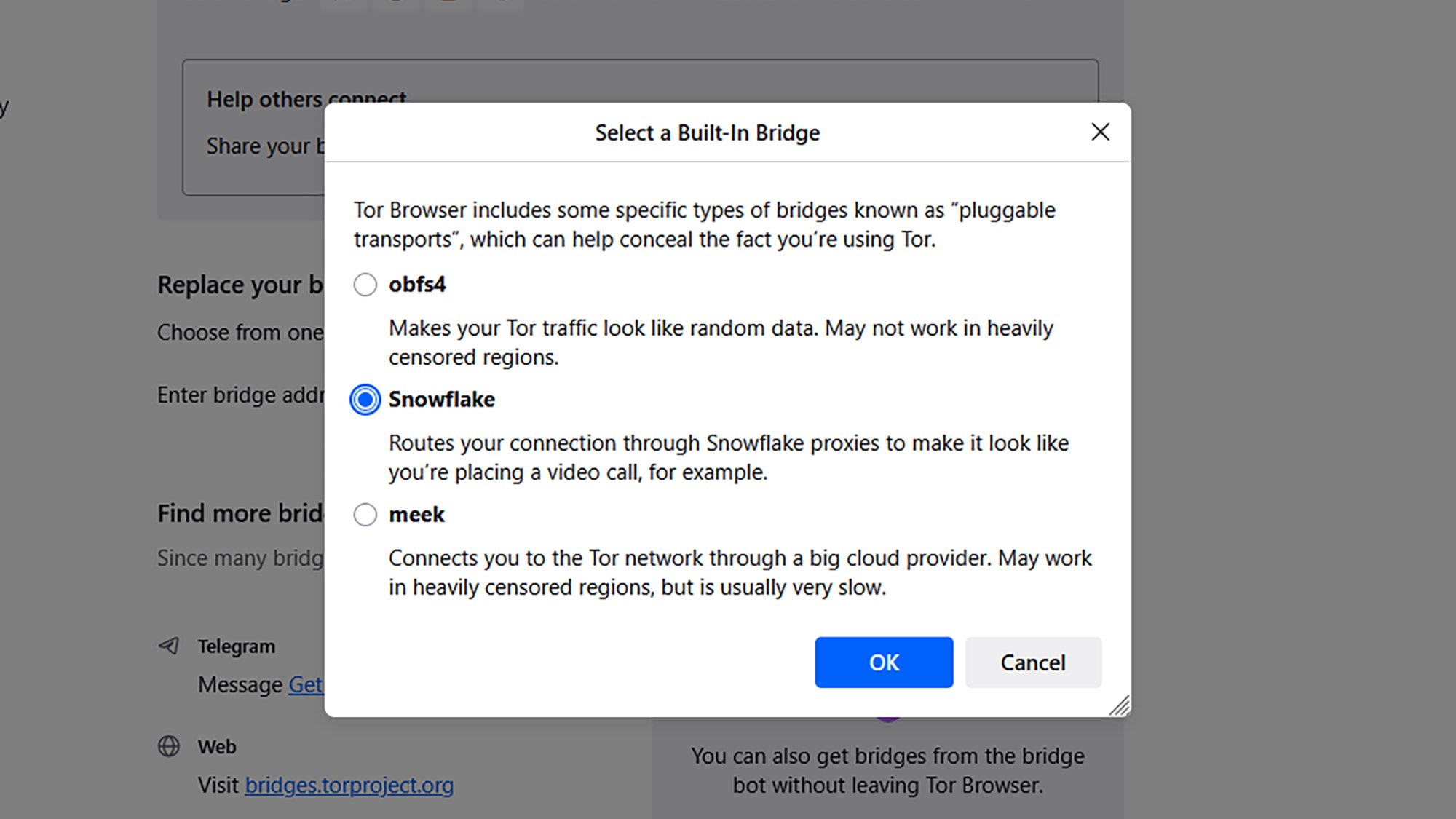
To configure a pluggable transport bridge inside Tor, click the menu button (three horizontal lines, top right), then pick Settings > Connection. Click Select a built-in bridge to choose from one of the available pluggable transports, which each come with a description of how they work.
Kill your other tasks and apps before surfing the dark web
If you’re accessing the dark web through Tor, shut down everything else on your system: Clear out all the apps that are in memory, even if they’re only running in the background (Task Manager on Windows and Activity Monitor on macOS can help with this).
Not only can running apps help to identify your system for fingerprinting (see the window resizing tip above), they can also make you more vulnerable to malicious websites and malware you might come across on the dark web. The more programs you’ve got running besides Tor, the bigger the target area for bad actors.
Use tools to create a “dark web persona”
All of the security and anonymity measures that go into Tor and VPNs are compromised to an extent if you then log into your regular accounts (like Amazon and Instagram) while you’re also browsing the dark web. It makes it more likely that your credentials will be stolen, and that you can be identified as an individual user.
Some dark web users set down rules for a whole new internet persona to make it harder to reveal their real identities. This might involve going online at different times, using different devices, and maybe even different wifi networks. Any overlap with your “regular” internet use puts you at more risk.
This extends to email addresses and login names too: Use different ones on the dark web to the ones that you normally use. You can get burner email addresses from plenty of providers, including DuckDuckGo and Apple.
Ramping up browser security. Credit: Lifehacker
Use Tor’s “Safest” mode to restrict what websites can do
The Tor browser includes a “maximum security” level that shuts down a lot of website activity like scripts and media playback. It’s not on by default, and it can affect the functionality of sites (they’ll typically look a lot more barebones), but if you want to stay as safe as possible then it’s available as an option.
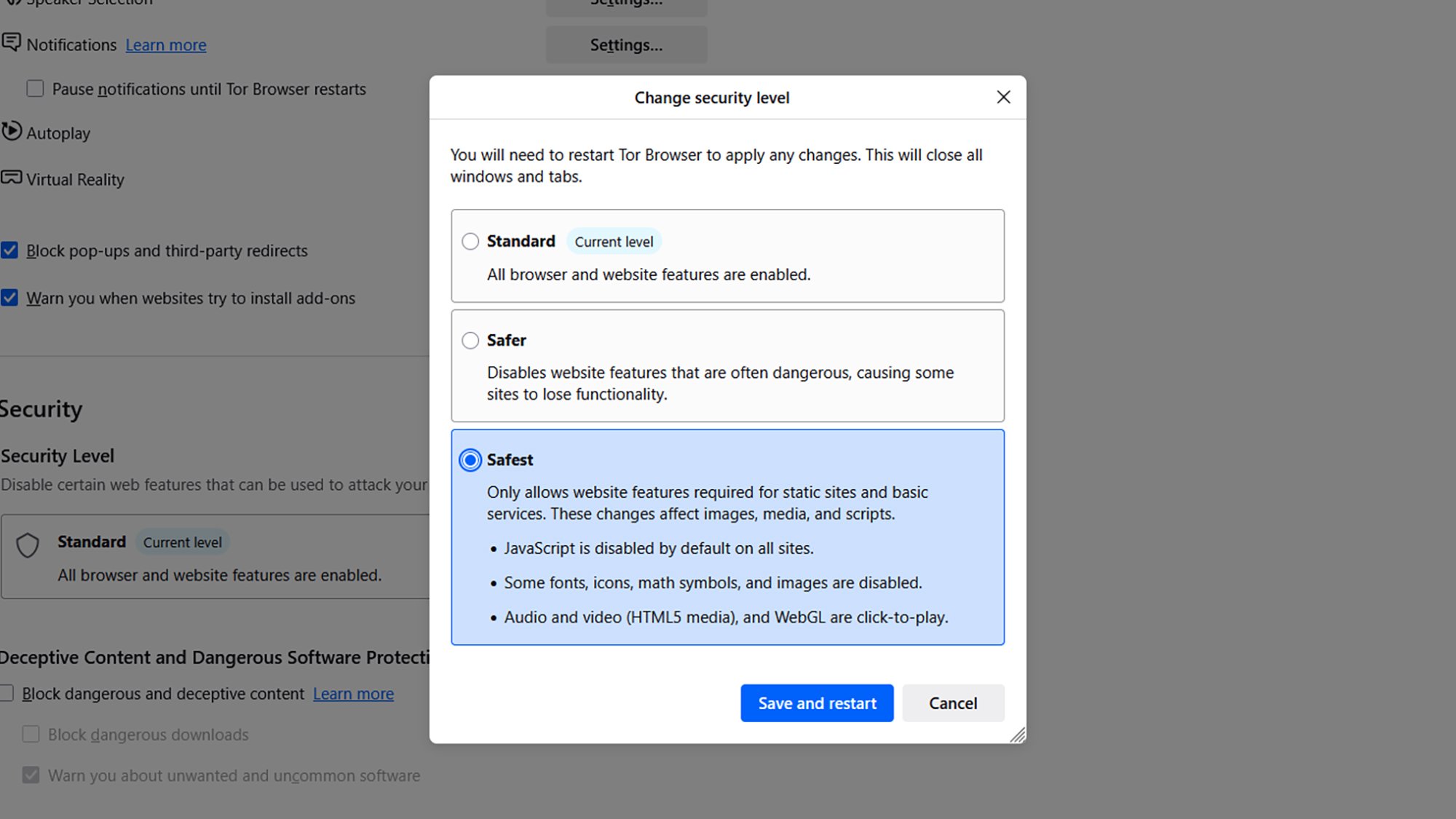
Click the menu button (three horizontal lines), then Settings > Privacy & Security and Change under Security. Select Safest to put Tor into maximum security mode, then click Save and restart.
Connect through Tails OS for an extra security layer
Access the dark web through Tor on Windows or macOS, and you’re well protected from harm. Access it through the portable, Linux-based operating system Tails, and that protection goes up another level.
Tails runs from either a USB stick or through a virtual machine, which means any malware that does sneak through your defenses can’t reach your main operating system and everything on it. (Everything on the OS runs through the Tor platform, not just the browser.) You will need to set aside some time for this, but it’s worth the additional effort if you want to stay as safe as possible. Tails offers a full guide explaining how to get started.
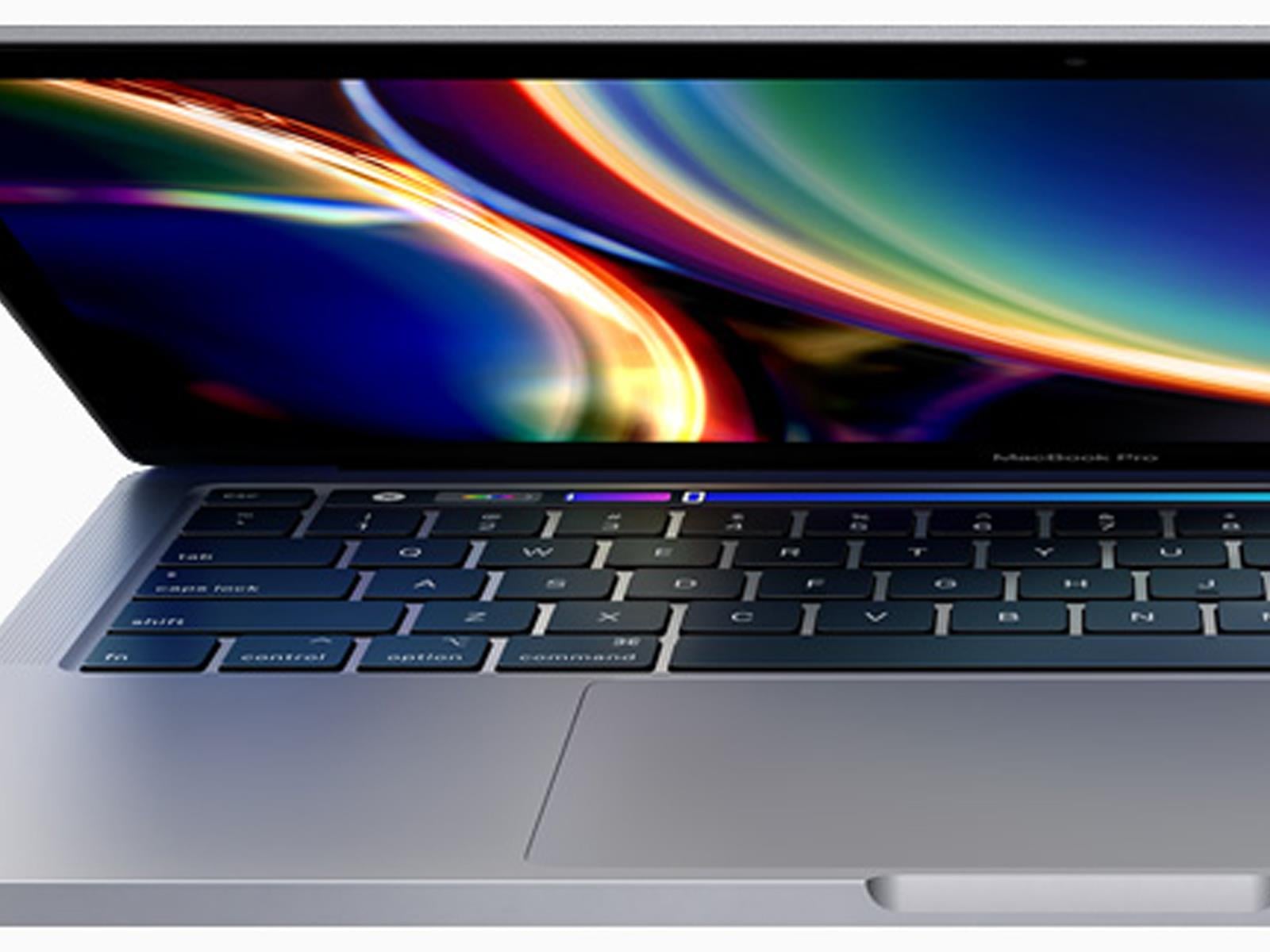
Coming off a whirlwind week jam-packed with new Apple product announcements, including the MacBook Neo, the most affordable MacBook to date, the rumor mill is bristling with what comes next. If the chatter ultimately proves accurate, we will see Apple launch a string of ultra-premium hardware devices. One of those products is said to be a
Perhaps one of the most surprising things about the Apple Silicon era is how quickly Apple now updates its products. Take the iPad Air, for example. It’s been less than two years since the company released the M2-powered iPad Air in 11- and 13-inch sizes. We’re already on our third iPad Air iteration, one with the M4 inside. That’s the same chip that was inside the iPad Pro that was unveiled alongside that M2-powered Air in 2024. (The Pro was updated with an M5 last fall.)
Just as I said a year ago when Apple unveiled the iPad Air M3, this latest model doesn’t fundamentally change the formula. The Air is a notable step up over the basic iPad, with a more powerful processor, more RAM, a better display and superior accessories like the Apple Pencil Pro and Magic Keyboard. The Air line is also the only way to get a 13-inch iPad without spending $1,300 or more.
But without more substantial updates this year, I find myself less enthused by it than I was when the 13-inch model M2 model arrived in 2024. That’s primarily because Apple has stuck with the same display for another year. As best I can tell, the 11-inch iPad Air that I’m reviewing has the same screen in 2026 as it did when the redesigned version with no Home button was released in late 2020. Other features that feel like they should be table stakes at this point, like Face ID, are also restricted to iPads that cost at least $1,000. For better or worse, the Air is a very mature product with few surprises. But on the other hand, if you have an iPad older than the 2024 refresh, the iPad Air M4 will provide a solid performance improvement.
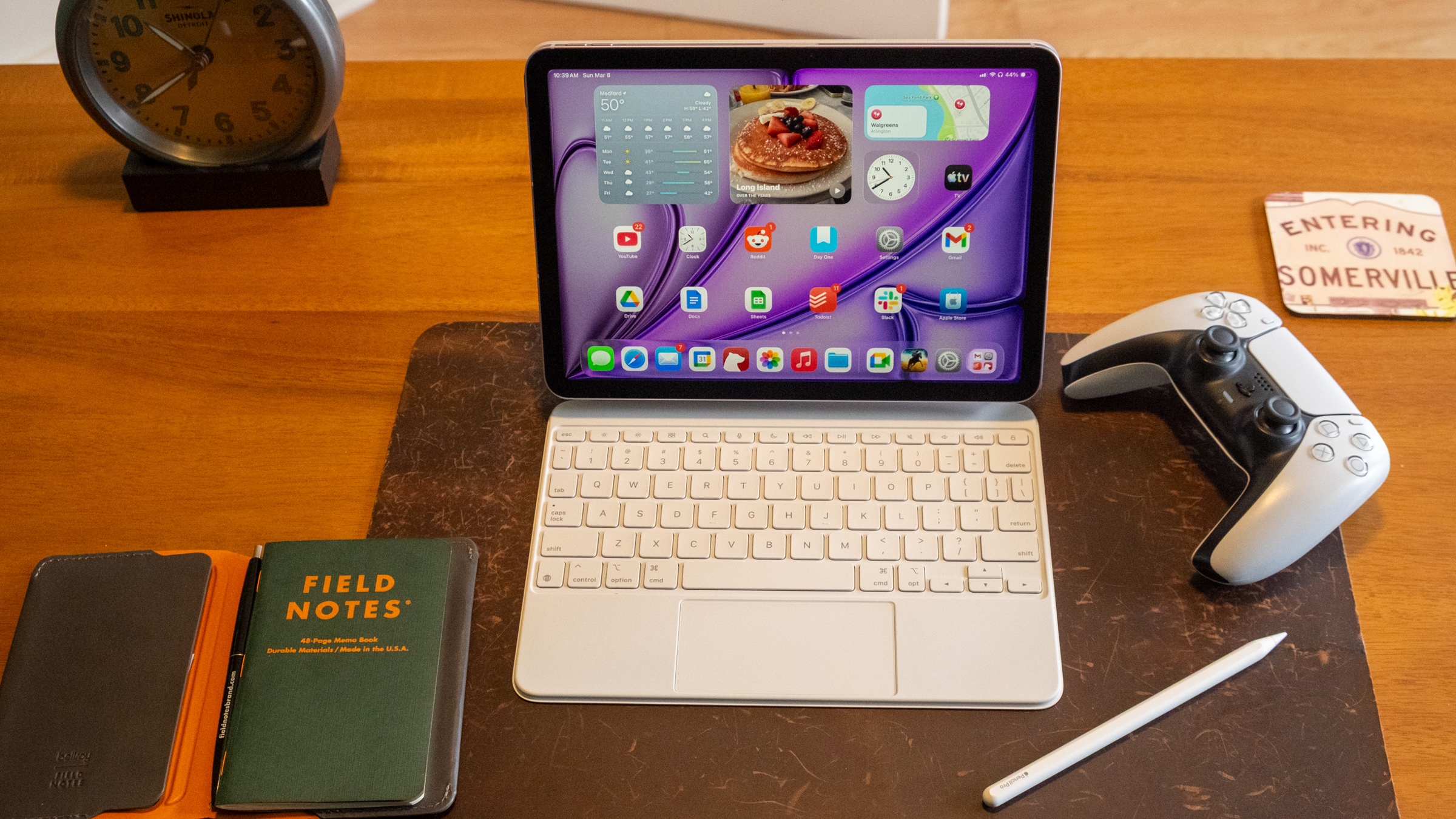
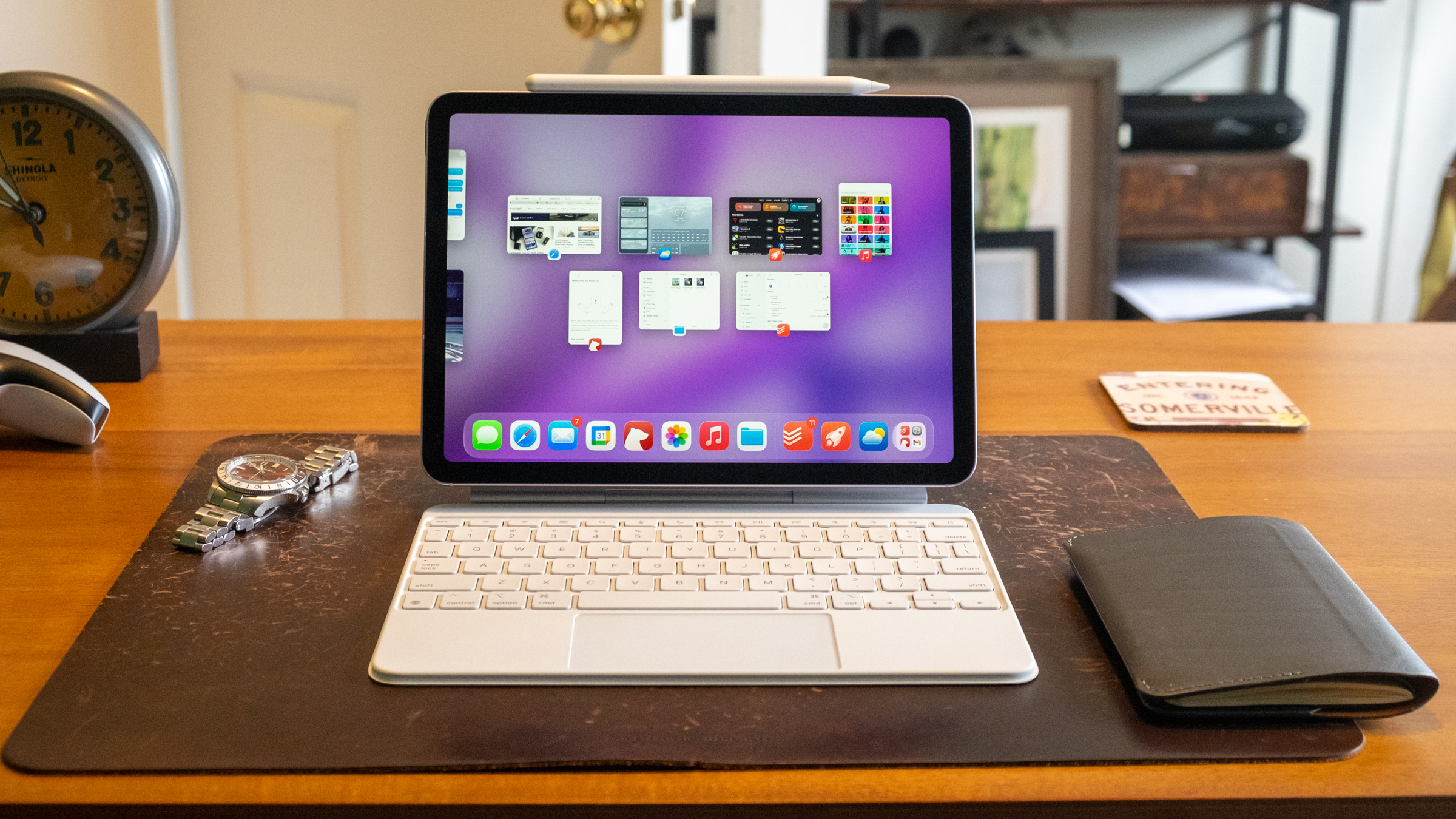
Apple’s iPad Air M4 and the Magic Keyboard accessory.
Nathan Ingraham for Engadget
The M4 still has power to spare
Before we start answering existential questions, though, let’s quickly recap what’s new with the iPad Air. It still starts at $599 for an 11-inch version with 128GB of storage; the 13-inch models starts at $799. The one I tested came in an extremely light purple color with 1TB of storage and 5G connectivity and costs $1,249. Seriously Apple, don’t be afraid of putting a little more saturation in these colors next time! As mentioned, the iPad Air now has a more powerful M4 chip as well as 50 percent more system memory (12GB, up from 8GB on last year’s model). If you’re coming from an iPad older than the 2024 model, you’ll likely notice solid performance gains, and the M4 is so performant that I imagine this iPad will be more than powerful enough for years to come.
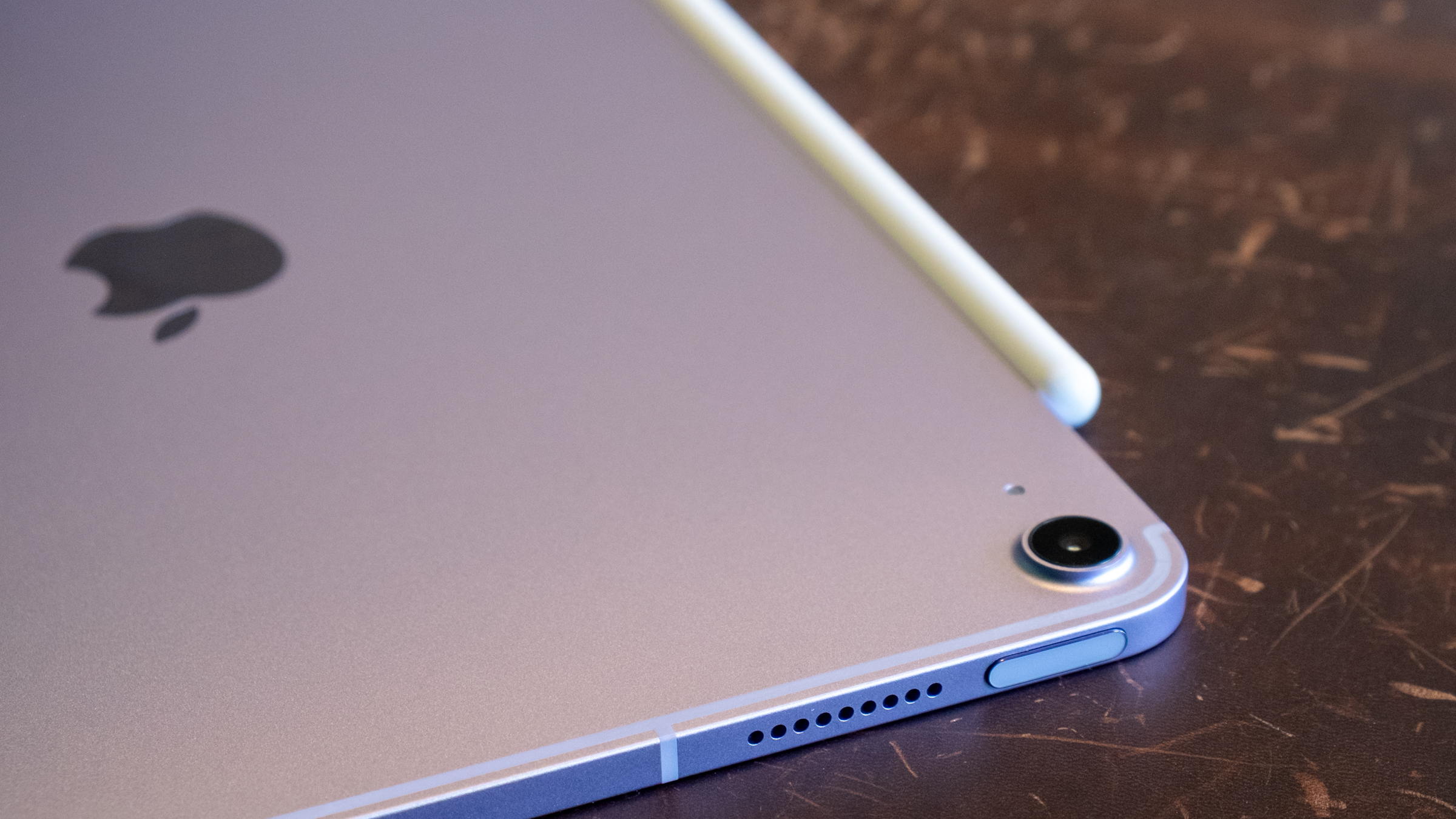
It looks purple-ish in the right light, I swear.
Nathan Ingraham for Engadget
I ran some Geekbench 6 benchmarks to quantify the difference between the iPad Air M4 and last year’s M3 model — unsurprisingly, the biggest gains came in the GPU. Single-core and multi-core scores were 23 percent and 12 percent higher, respectively. But the GPU score was a whopping 39 percent higher with the M4 compared to the M3. Don’t get me wrong, the single-core and multi-core performance improvements the M4 offers are impressive. But tasks that hit the GPU hard, like gaming and AI (of course) should see notable improvements.
In practice, the iPad Air M4 feels quite similar to the M3 model. That’s due in large part to my relatively modest workflow. I jump between numerous apps all day, but none of them are exactly taxing to a chip like the M4. My day mostly consists of Slack, Google Docs, a ton of Safari tabs, utilities like Messages and Todoist, constant streaming music and other lightweight apps like Gmail and Trello. But if you’re coming from an M1 iPad Air, the M4 should feel significantly faster for almost everything you do.
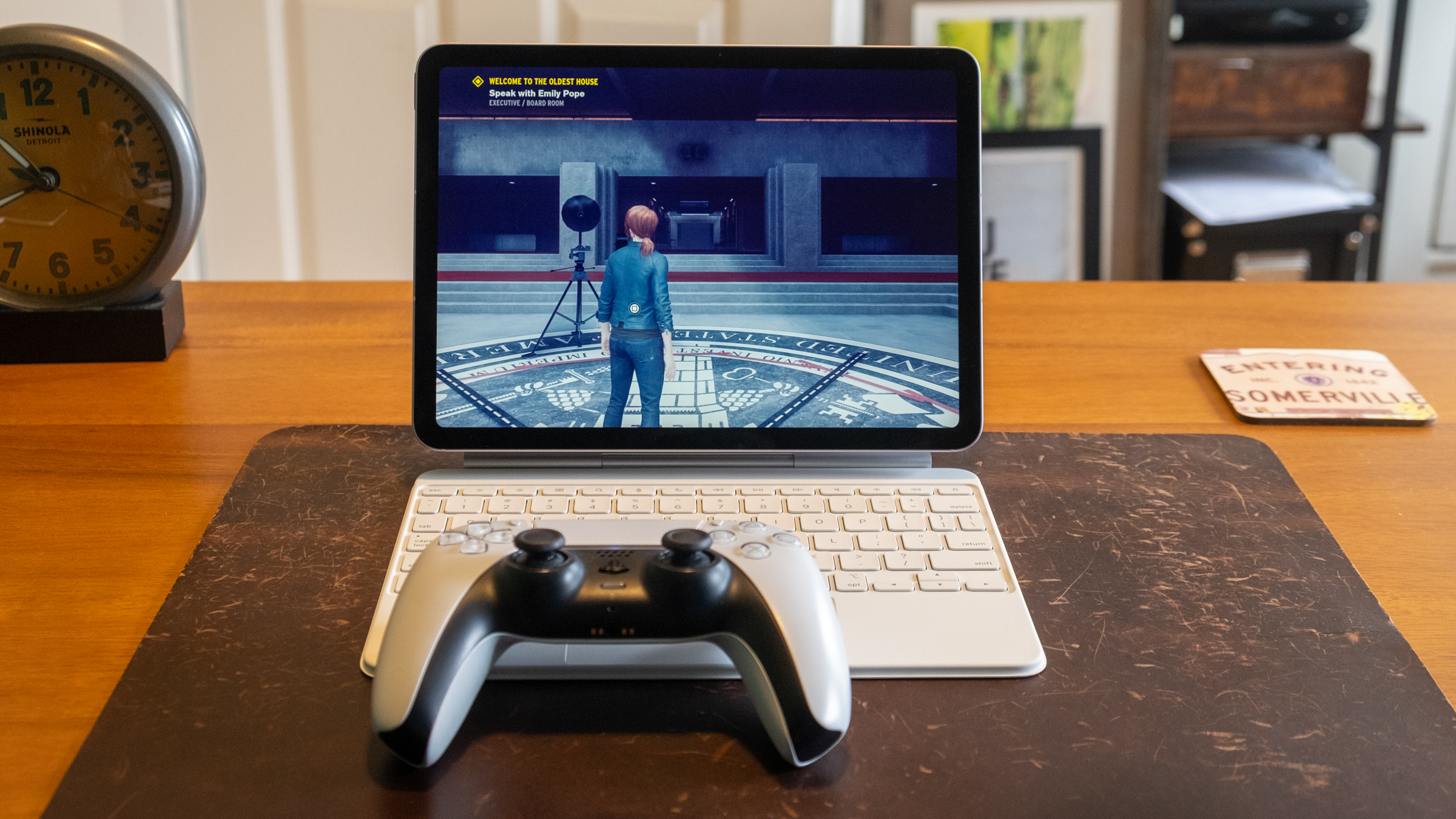
Apple’s iPad Air M4 playing the video game ‘Control.’
Nathan Ingraham for Engadget
Unsurprisingly, the iPad Air flies through games from the App Store as well. I tried my usual more casual fare like Balatro, Mini Motorways and Powerwash Simulator from Apple Arcade and those were all quite smooth. But I wanted to push things a bit more, so I downloaded Resident Evil 2 as well as a pre-release build of Control Ultimate Edition which is slated to hit iOS in the coming months. Both games looked and played great, with highly detailed environments and pretty quick action that didn’t slow the iPad Air down in the least. I could tell the graphics aren’t as sharp as on my PS5, but both games were impressive considering they’re running on extremely portable hardware with no fans.
I also tried some generative AI apps, even though that’s not really something I’m interested in. For apps like Apple’s own Image Playground, the M4 is extremely speedy. It ripped through my goofy queries (an orange kitten dressed up like an astronaut) in a matter of seconds. When I compared it to the iPad Pro M5, the Air barely lagged behind it. However, the M4 couldn’t quite keep up with more advanced image generation tools. The Draw Things iPad app lets you download and run a host of local models to create images, and the M4 definitely couldn’t keep up with the M5. The iPad Pro M5 was typically more than twice as fast as the Air. We already knew the M5 was an AI beast, so I’m not knocking the Air for its performance at all — it’s just worth knowing that if you really want to push the envelope, you’ll probably be better off with an iPad Pro.
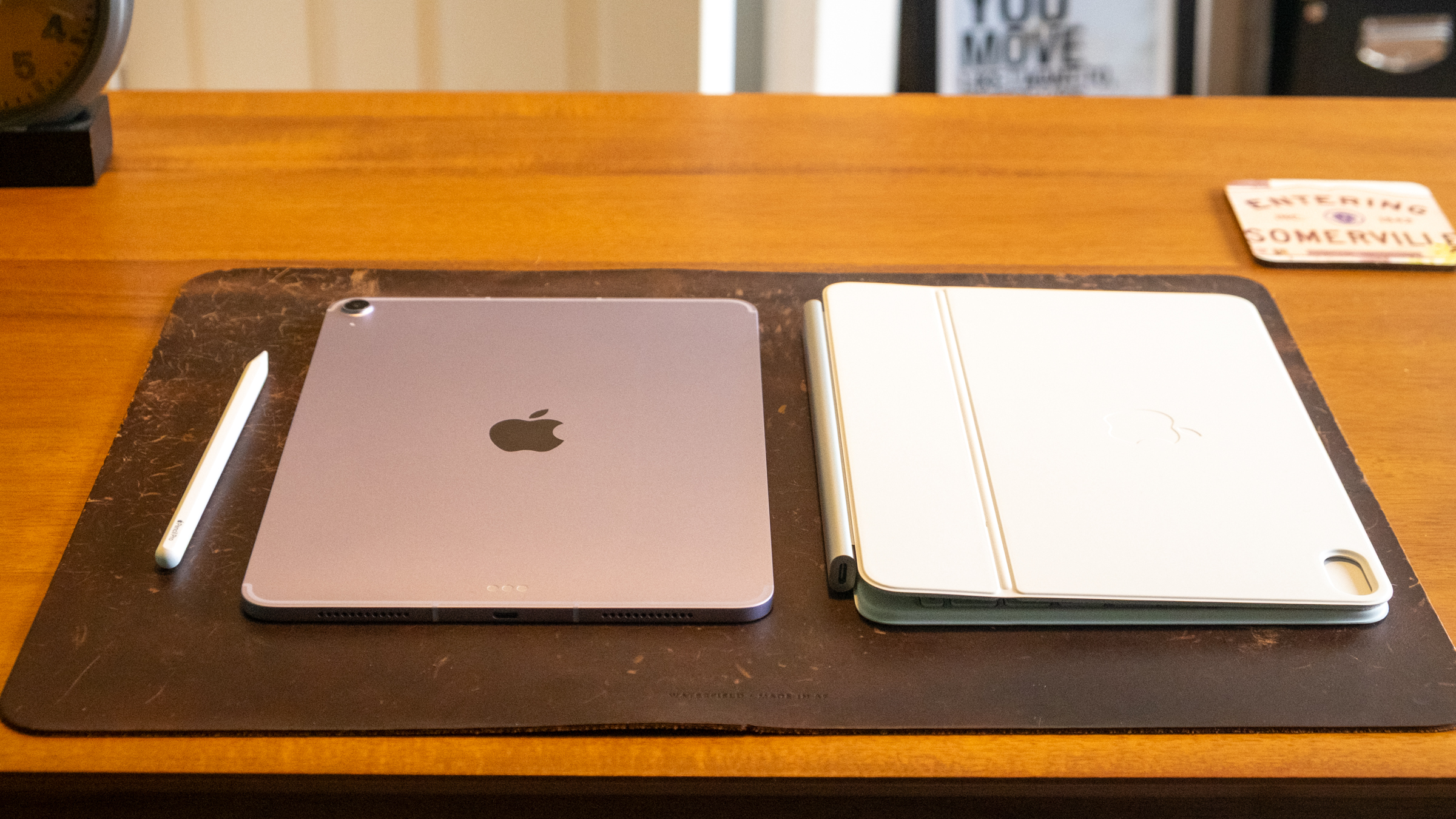
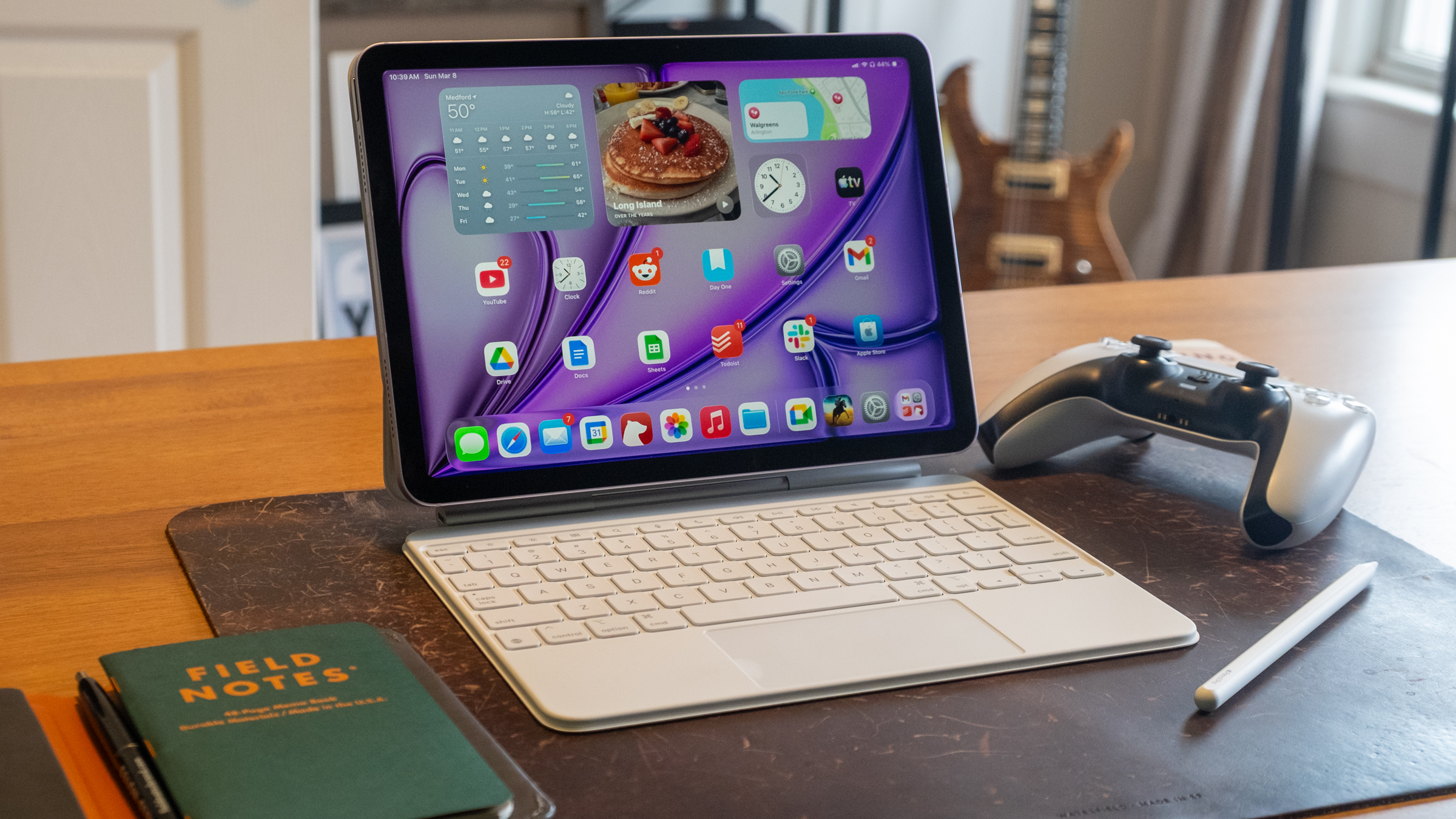
Apple’s iPad Air M4, Apple Pencil Pro and Magic Keyboard.
Nathan Ingraham for Engadget
The other main change is Apple’s in-house networking chips are on board here. The N1 covers Wi-Fi 7, Bluetooth 6 and Thread, while the C1X handles cellular connectivity if you buy a 5G-capable model. Again, this doesn’t change the experience of using the iPad Air in any major way, but having the newest Wi-Fi and Bluetooth protocols on board is good for future usage, regardless of who built the chip. In my testing, the C1X on Verizon’s 5G network was extremely fast around the suburbs of Boston and didn’t seem any slower (or any faster) than other devices I have running on the same carrier. That’s fine, as other Apple devices I’ve tried with the C1X (like the iPad Pro) are solid and reliable, which is the most important thing.
A very familiar experience
Other than these new chips, the iPad Air is identical to the last two models I’ve reviewed. (This year, Apple sent an 11-inch Air M4 to review, while the last two were the newer 13-inch. But other than the larger screen, those tablets are the same.) Same screen, same cameras, same 10-hour estimated battery life, same USB-C 3 port. Naturally, it supports the $129 Pencil Pro that Apple introduced alongside it in 2024, and it works with the revamped Magic Keyboard Apple released last year. That keyboard remains quite expensive at $269 ($319 for the 13-inch model), but for me it’s a must-buy accessory if I want to use my iPad for any “real work.” The Pencil, on the other hand, is not something I personally need, but it’s an excellent tool for anyone interested in visual art or written notes. There are a plethora of excellent apps in both categories, and the iPad app ecosystem at large remains unmatched.
Battery life also hits what I’d expect out of an iPad. I don’t get 10 hours the way that I test it — I used the iPad Air as my main machine, all day for several days. In that scenario, I got between seven and eight hours of battery life. That’s more than enough that I’d take it with me for half a day or more and not worry about charging, but not so long that I’d be totally comfortable without a charger for much longer. In a more casual, mixed-use setup, most iPads get closer to the 10-hour mark and I expect that’ll be the case here as well. Of course, if you’re playing games, editing videos or doing heavier generative AI tasks, expect battery life to drop noticeably.
I’d be remiss if I didn’t quickly mention iPadOS 26, which arrived last fall. It runs on iPad Air models all the way back to 2019, so it’s not a reason alone to upgrade. But, it improved the multitasking experience on iPads to a significant degree. It still feels native to the iPad, but there are so many Mac-like flourishes that it’s a lot easier for me to use as my main computer now. That said, it really shines on larger-screen iPads; the 11-inch model still feels best to me when running an app fullscreen or two apps side-by-side feels most comfortable to me.
Apple’s iPad Air M4 and Magic Keyboard.
Nathan Ingraham for Engadget
My major lament for the iPad Air remains the screen. Apple’s LCD Retina display still looks great in a vacuum — it’s a lovely standard screen, with bright colors and sharp text. But Apple’s continued insistence on gatekeeping a screen with a higher refresh rate for iPads that cost $1000 or more gets more frustrating every year. It bothers me less on a product like the MacBook Air. But with an iPad, you’re literally touching and interacting with that screen as the main interface. Having the fluidity of a 120Hz refresh rate simply makes everything feel more responsive to your touch.
The consolation is that even Apple’s standard displays still feel very smooth, so unless you’re directly comparing an iPad Air to an iPad Pro you likely won’t notice the difference. I mostly forgot about it in my time reviewing this device, only reminded of it when I went back to the iPad Pro.
I also wish that Apple would implement more advanced display tech. Last year, I imagined that the mini-LED display used in the iPad Pro in 2021 and 2022 would be a great step up for the Air. It wouldn’t be as good as the tremendous OLED screen in the iPad Pro, but it would still offer HDR and significantly increased brightness and contrast. Alas, we’re stuck with a plain old LCD again this year. Again, that’s mostly fine, but playing games like Control made me wish for more contrast, and movies do not have nearly the same visual pop on the Air as they do on the Pro.
Apple’s iPad Air M4.
Nathan Ingraham for Engadget
Wrap-up
If it’s not obvious, I very much wish that Apple would bring some of its more advanced technology to the iPad Air. But at this point, I have to accept that the Air is what it is. In the same way that the MacBook Air hasn’t changed substantially since the M2 model arrived in 2022, the same goes for the iPad Air. Both products still have displays that haven’t been cutting edge for years, and that’s just the way it is.
Once I started comparing the iPad Air to its Mac counterpart, my negative feeling mostly subsided. I think the MacBook Air is a great laptop and wouldn’t hesitate to recommend it to many people. Sure, its screen isn’t cutting edge, but it’s good enough for its target audience. And the many positives that it has outweigh a few places where Apple cut corners. The same can be said for the iPad Air.
The iPad Air offers a lot of important upgrades over the basic $349 iPad, which is saddled with the A16 chip from 2022. The Air will be a better performer for much longer, and other niceties like a better screen and accessory support are worth considering. And it doesn’t threaten the iPad Pro, which costs $400 more; between its screen, improved performance, superior industrial design and numerous other small benefits, it’s pretty easy to see what you get for your money in all cases.
So while I wish Apple would push the envelope with the iPad Air and give me something that feels more like a Pro-lite, I understand why it hasn’t yet. The iPad Air isn’t an exciting gadget at this point, but I still think it’s the best iPad for most people.
This article originally appeared on Engadget at https://www.engadget.com/mobile/tablets/ipad-air-m4-review-still-apples-best-overall-tablet-with-a-few-caveats-130000409.html?src=rss
WESTLAKE VILLAGE, Calif.—When the Chevrolet Bolt debuted in 2017, the electric hatchback stood out: Here was an electric vehicle with more than 200 miles of range for less than half the price of a Tesla Model S. The Bolt had its ups and downs, though. A $1.8 billion recall saw the automaker replace the battery packs in more than 142,000 cars, which wasn’t great. COVID delayed the Bolt’s midlife refresh a little. It got a price cut—the first of several—plus new seats, infotainment, and even the Super Cruise driver assist, plus a slightly more capacious version called the Bolt EUV.
Along the way, the Bolt became GM’s bestselling EV by quite some margin, even as the OEM introduced its new range of more advanced EVs using the platform formerly known as Ultium. But as is often the way with General Motors, a desire to do something else with the Bolt’s assembly plant saw the car’s cancellation, as GM wanted to retool the Orion Township factory as part of its ill-judged bet that American consumers would embrace full-size electric pickups like the Silverado EV. And thus, in 2022, GM CEO Mary Barra announced the Bolt’s impending demise.
This was not well-received. Even though Chevy promised an almost-as-cheap Equinox EV, Bolt fans besieged the company and engineered a volte face. At CES in 2023, Barra revealed the Bolt would be brought back, with an all-new lithium iron phosphate battery in place of the previous lithium-ion pack. When GM originally designed the Bolt, it was the company’s sole EV, but now there’s an entire (not-) Ultium model range. The automaker also has a giant parts bin to pick from, so the Equinox EV donates its drive motor, plus there’s a new Android Automotive OS infotainment system.
By introducing the iPhone 17e just a year after the iPhone 16e, Apple is closing some gaps. Before, the company would only roll out a new entry-level iPhone every few years, with the iPhone 5c (2013), iPhone XR (2018) and iPhone SE (2016, 2020, 2022) all having two to four years between their releases. But Apple is getting into an annual groove now, and having renamed the device to integrate better with the rest of the iPhone lineup, Apple is making a clear statement: It cares about the midrange now.
With the current state of global economics, Apple’s focus on lower cost devices like the iPhone 17e and newly launched MacBook Neo is timely. Most people probably don’t make full use of the high-powered machines in their pockets and on their laps, and might be reconsidering whether they need to spend as much money on the Pros and the Airs of Apple’s product lineup. At $599, the iPhone 17e is about half the price of an iPhone 17 Pro or the iPhone Air. It’s $200 cheaper than the base iPhone 17, too.
Since I reviewed the iPhone 16e last year, I’ve been using it as a work phone, mostly for Slack, email and light editing in Docs. The way I see it, most people considering the iPhone 17e are likely in a similar situation — either thinking of getting a supplementary device or looking for a good enough phone for a child or other dependent. For this review, I’ve tried to cover most of those scenarios whether it be a person that would spend most of their phone time on social media and games like a teenager or someone that’s largely using it for administrative work purposes. I mostly want to answer this question: If you’re getting your first iPhone or buying one for someone else, should you get the iPhone 17e or the iPhone 17?
iPhone 17e vs iPhone 16e, for testing’s sake
It’s very clear from Apple’s website that it doesn’t want you comparing the iPhone 17e to the iPhone 16e. The company doesn’t allow you to do so in the comparison tool on the iPhone 17e product page, limiting you to the iPhone 11, iPhone 12 and the iPhone SE (second and third generations). Sure, I understand that no one is really thinking about getting an iPhone 17e after just buying the 16e last year. But for the purposes of this review, it makes sense for me to shout out what’s new from the previous generation. The most significant additions this year are the A19 chip, double the storage, improved Portrait photography and MagSafe with faster wireless charging. Oh, and a new pink color option, adding an ever so subtle splash of color to the previously monochromatic lineup.
The A19 chip is supposed to make AI processes faster, thanks to the neural accelerators in its GPU. In my testing so far, the difference has been negligible at best. Initially I was seeing the iPhone 17e perform slower than the 16e, but after a software update, the iPhone 17e caught up. In Apple Intelligence-powered tools like Cleanup, the iPhone 17e was a split second faster at identifying unwanted objects in photos and erasing them than the 16e. If you’ve just received your iPhone 17e and run into issues where image generation or cleanup is slow or stalling, give it a day or so for the software to stabilize.
Oddly, in some side-by-side Image Playground testing, the iPhone 17e and iPhone 16e were neck and neck. Sometimes, the iPhone 16e was faster. Occasionally, the iPhone 17e was ahead. I’ll continue to keep an eye on how both phones do here, as it could still be due to some early software issues, but for now the improvements from the A19’s GPU seem to be hit or miss.
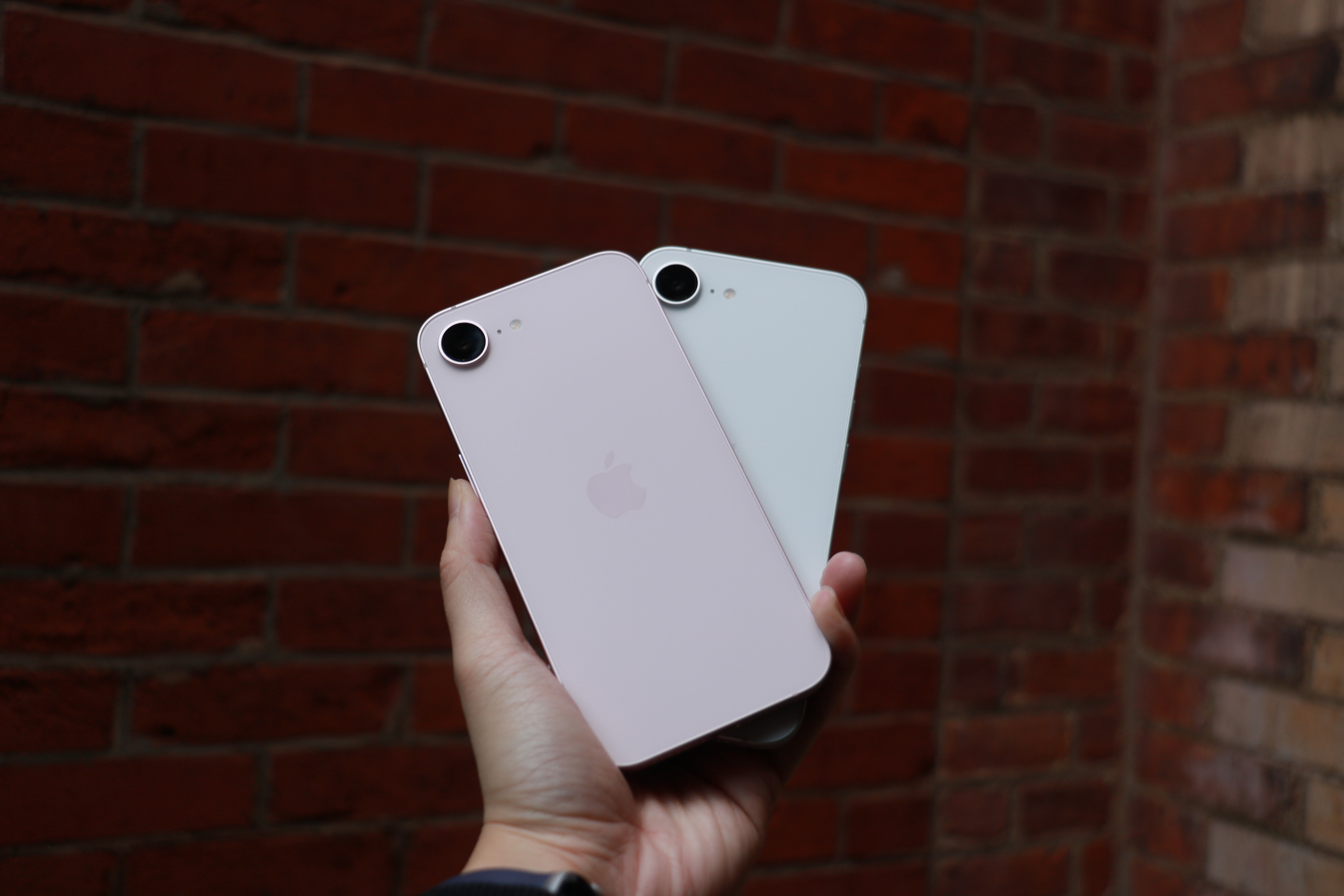
The pink iPhone 17e and the white iPhone 16e held up in one palm in front of a red brick wall.
Cherlynn Low for Engadget
Improved portraits on the iPhone 17e
Of all the improvements to the iPhone 17e, to me, one of the most important is in portraits. In my review of the iPhone 16e, I said that the majority of my grievances with the single camera setup was the fact that Apple ended up using an older version of Portrait mode.
That version was much more limited and didn’t allow for applying a background blur to pictures of non-human subjects. This time, Apple borrowed the algorithms it developed for the iPhone Air for the iPhone 17e’s rear and front cameras. This not only delivers a general improvement to portraits, with better segmentation and a more natural-looking bokeh effect, but also allows for depth information to be captured when applicable. For instance, when a person, cat or dog is detected, the iPhone 17e will automatically capture depth information so you can apply a blur after the picture is taken, even if you didn’t use Portrait mode initially.
Importantly, these “next-gen portraits” also allow you to edit the level of blur and change up the focal point of the picture after you’ve taken the shot. In some photos of my neighbor’s grumpy shih-poo, I was shocked that my colleagues actually preferred the samples I shared from the iPhone 16e over the ones from the iPhone 17e. But their critique was fair: the newer phone blurred out Oreo’s tail, keeping only his face in focus. I was able to address this by going into the editing tools and dragging the slider for aperture to bring more of the dog into focus. I also played around and tapped on Oreo’s tail to make it clear, and the iPhone 17e blurred up his face instead.
Two photo samples side by side, featuring a dog on a blue leash staring up into the camera.
Cherlynn Low for Engadget
When using Portrait mode to photograph people, the iPhone 17e did indeed deliver more pleasant bokeh than its predecessor. In pictures of my friend Brenda Stolyar, with the “depth” or aperture set to f/4.5 across both devices, there was more softness in the brick wall behind her on the new phone. I was slightly confused since it seemed like the older iPhone actually delivered a sharper picture, until I realized it was actually just softer bokeh.
For those coming from older phones like the iPhone 11, 12 or SE, the addition of next-gen portraits should feel like a major step up. Even when compared to the iPhone 16e, the fact that I was now able to apply the effect on photos of food and other inanimate objects with no faces made me happier. It makes the camera more versatile, and feels like a noteworthy update that makes your photos feel more modern.
But that is definitely because I like pictures with the artificial depth of field effect. If you don’t care for bokeh and really only want a phone’s cameras to be good enough to snap pictures of menus or receipts, for instance, the 17e’s improvements here won’t mean much.
MagSafe and wireless charging
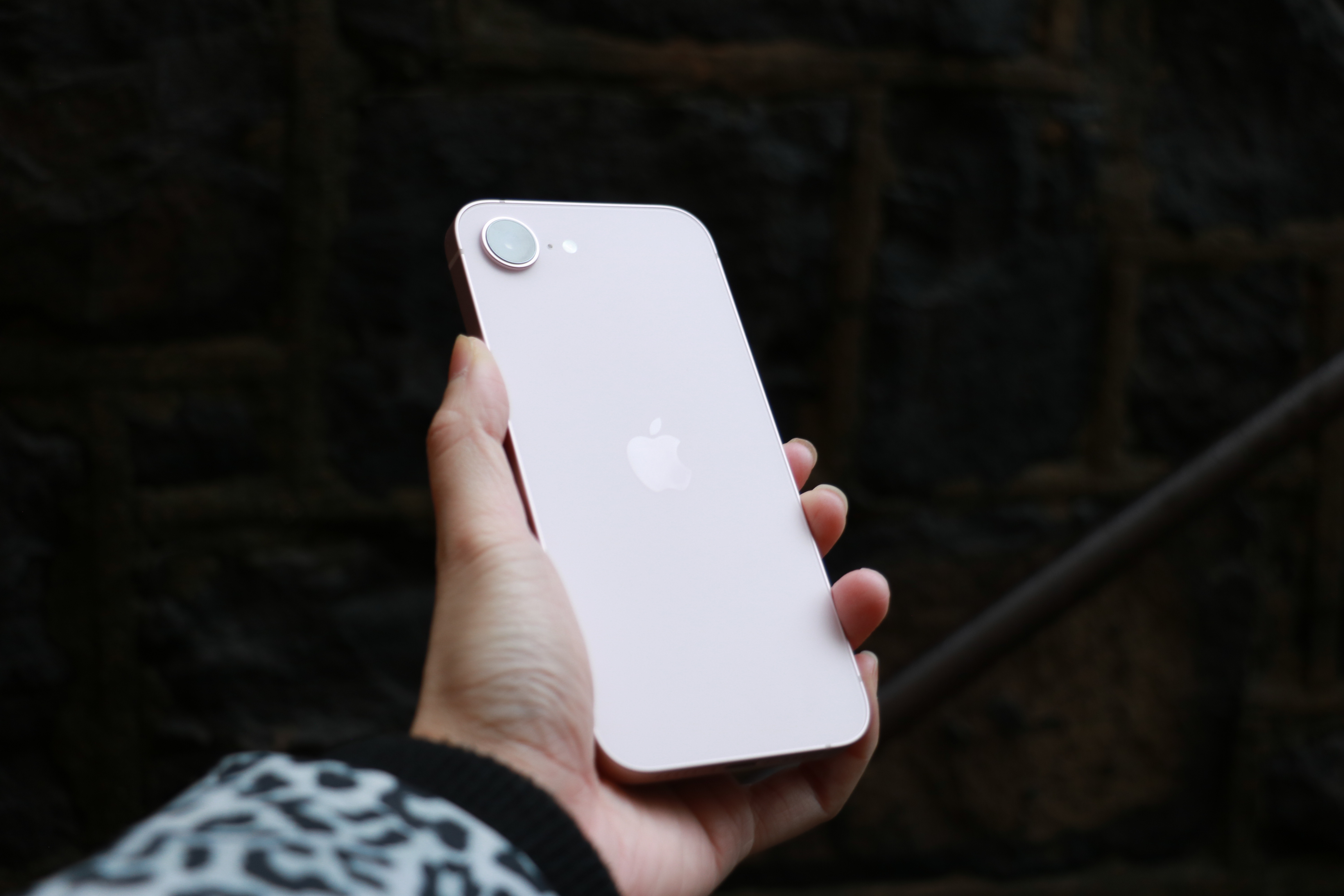
The rear of the iPhone 17e catches the light in front of a stone wall.
Cherlynn Low for Engadget
What might matter more, then, is this generation’s wireless charging speeds. While the iPhone 16e could only support up to 7.5W, the iPhone 17e goes up to 15W (with adapters of 20W or higher) and also works with MagSafe accessories. I can’t imagine anyone considering a new iPhone 17e already has magnetic cases or stands, but if you decide to invest in those accessories, you’ll find them convenient and satisfying.
I placed both models on my wireless charging stand — the 17e snapped on and started charging, while the 16e clattered helplessly off the stand. I placed it on the charging pad at the base instead and noted how much power each of them gained in 15 minutes. The improvement is clear: the iPhone 17e went up by 16 percent (30 percent to 46 percent), while the 16e only gained 3 percent (69 percent to just 72 percent).
Beyond the numbers, what this means is that when you’re in a pinch and trying to quickly top up your phone on, say, a wireless charger you found at a cafe, you won’t need to sit around as long with the iPhone 17e. For those of you that simply leave your phone on a stand overnight, this is less likely to meaningfully impact you.
There are a few other updates that I haven’t really tested in this review, like the improved durability with Ceramic Shield 2 on the iPhone 17e’s screen. The new display also has a treatment that is supposed to reduce glare, and considering the week of wonderfully gloomy weather we’ve had here in New York, this isn’t something I’ve truly had a chance to evaluate. Also, while I do appreciate the doubled storage, which is sure to please the media hoarders among us, I will say I’ve already been served warnings about my iCloud storage running out. It still feels like something else Apple might need to address, but for newcomers to the iOS world, the higher base storage is absolutely a positive.
Elsewhere, there are virtually no differences between the iPhone 17e and iPhone 16e. They have the same size displays with the same resolution, brightness, refresh rate, contrast ratio and color gamuts. Both are rated IP68 for dust and water resistance, and have similar battery lives (up to 26 hours of video playback, according to Apple). They also have the exact same dimensions of 5.78 x 2.82 x 0.31 inches, although the iPhone 17e does weigh a whole 2 grams (0.8 ounces) more than the 16e, which is almost definitely attributable to the addition of MagSafe. Unless you have weighing scales for hands, though, this difference is negligible.
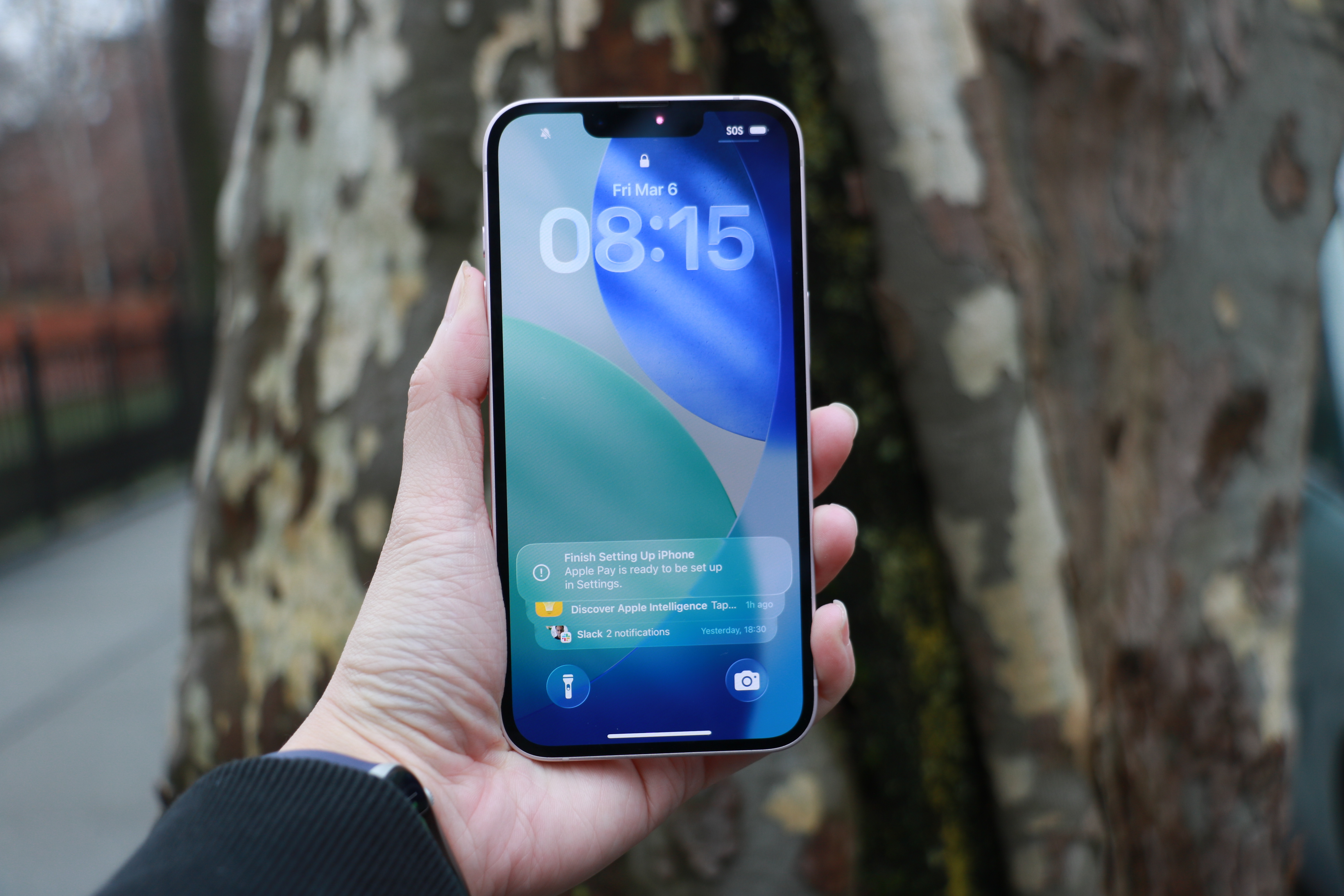
An iPhone 17e held up in front of a tree trunk.
Cherlynn Low for Engadget
Should you get the iPhone 17e or the iPhone 17?
Where you might find more meaningful distinctions is when comparing the iPhone 17e to the iPhone 17. For $200 more, you’ll get longer battery life and slightly better performance thanks to one more GPU core. The iPhone 17 also has a larger, sharper and brighter display that’s 6.3-inches, with higher refresh rates and a full-screen design incorporating the Dynamic Island. It also supports the Always On Display and has an 18MP front camera with the Center Stage feature that allows for easy switching between landscape and vertical orientations in your selfies without having to rotate your phone.
In fact, the camera upgrades alone on the iPhone 17 might be worth the money. On top of getting the additional ultrawide camera, you’ll also gain the dedicated camera control button on the right edge, the latest generation of Photographic Styles, support for macro photography, Cinematic mode and Dual Capture in videos as well as spatial and macro recording capabilities. It also comes with sensor-shift optical image stabilization, which is more advanced than the OIS on the iPhone 17e. Rounding out that long list of differences is higher recharge speeds (with compatible chargers) and Apple’s second-generation Ultra Wideband chip for more precise Find My support. The iPhone 17 also offers dual-frequency GPS and works with the latest standards in connectivity, like Thread, Wi-Fi 7 and Bluetooth 6 (whereas the iPhone 17e only gets to Wi-Fi 6 and Bluetooth 5.3).
Sure, the iPhone 17 is slightly taller and heavier, but considering all the bonuses and the extra camera, that feels like a tradeoff that is more than fair. It’s a lot more advanced for $200, and feels like a better starter phone than the iPhone 17e. But if your budget is tight and camera performance isn’t a priority, you’ll get a great experience from Apple’s latest.
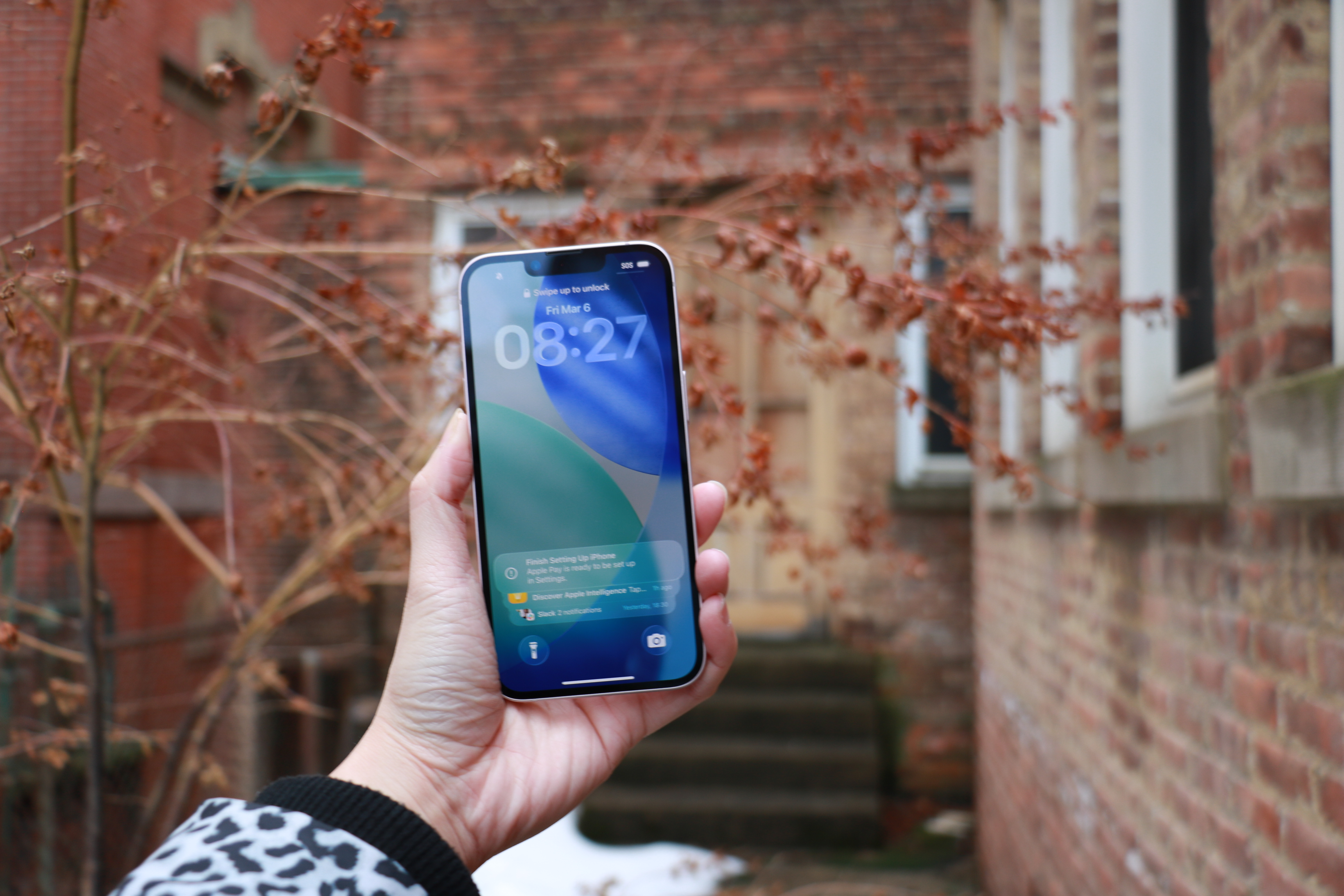
The iPhone 17e held up in mid-air in front of some red foliage.
Cherlynn Low for Engadget
Wrap-up
In 2026, it feels like Apple has done the impossible. It’s managed to serve up multiple iPhones at various price points with enough meaningful differentiations to justify each tier. Meanwhile, each iPhone 17 in the full lineup is a capable and satisfying device for its price. Upgrading to the iPhone 17e from the iPhone 11, 12 or SE will certainly feel significant, although getting almost any current-gen phone will feel modern compared to those.
In fact, if you’re platform agnostic and wouldn’t mind an Android device, there are options out there with significantly superior screens and cameras. The Pixel 10a, for instance, offers a larger display with a 120Hz refresh rate and a dual-camera system all for $100 less. With Apple seeming to be setting its sights on the midrange market, it should seriously consider stepping up in those two areas in the next e-series iPhone.
But of course, the name “iPhone” carries its own premium, and the iPhone 17e is a solid entry-level handset for those who need a basic, no-frills path into the Apple ecosystem.
This article originally appeared on Engadget at https://www.engadget.com/mobile/smartphones/iphone-17e-review-the-economical-choice-130000647.html?src=rss
We may earn a commission from links on this page. Deal pricing and availability subject to change after time of publication.
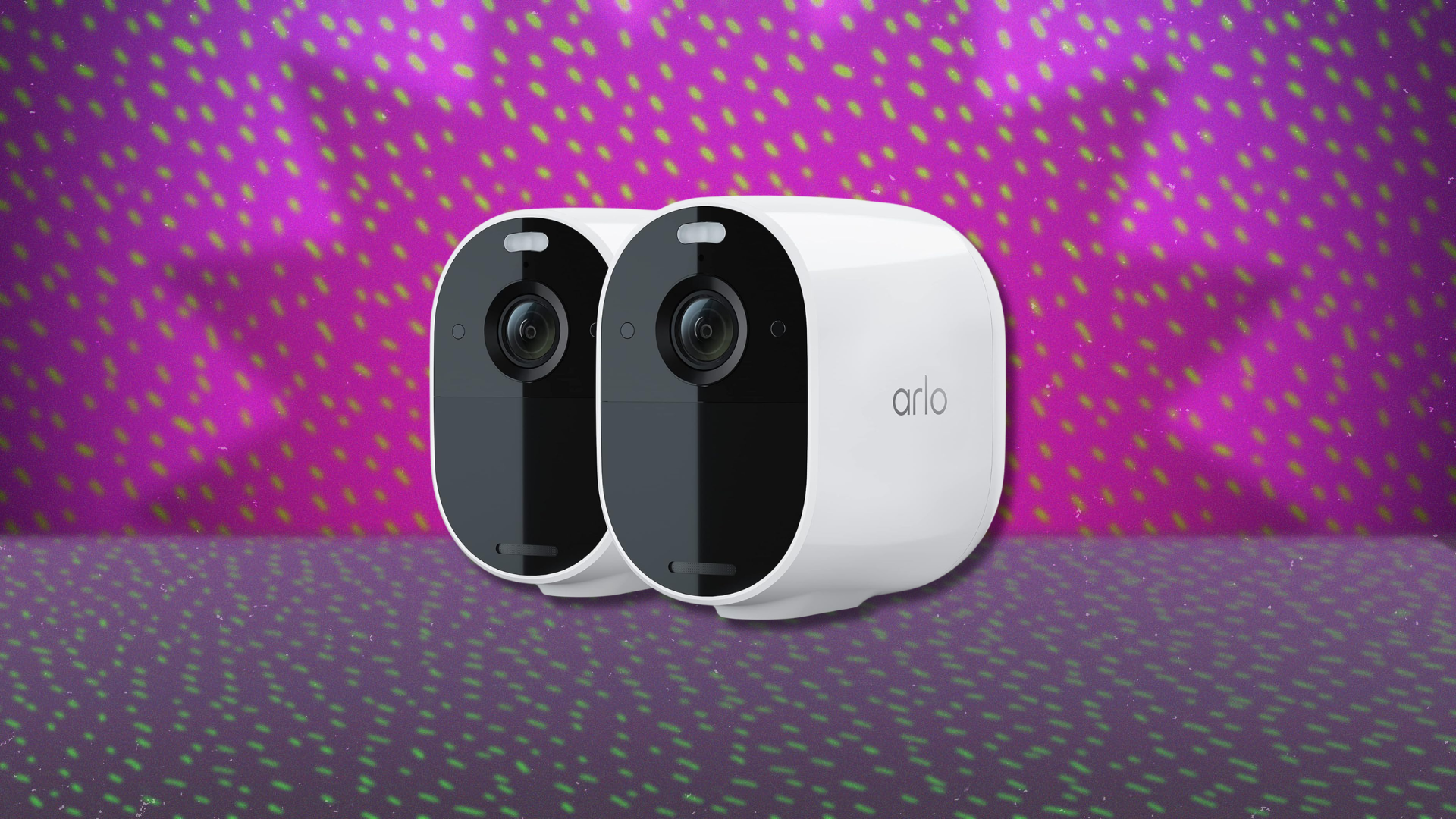
Outdoor security cameras have become common, but the ones that balance good video quality with simple setup still tend to cost a fair bit. That’s why this deal is worth a look. Right now, a two-pack of Arlo Essential Spotlight Cameras is $151.29 at Woot, compared with $259.99 on Amazon for the same bundle. If you have Amazon Prime, you’ll get free standard shipping; otherwise, shipping costs $6. Woot doesn’t ship to Alaska, Hawaii, PO Boxes, or APO addresses. The deal is scheduled to run for a week, though it could end earlier if the cameras sell out.
Physically, the cameras are small and designed for outdoor use, with an IP65 weather-resistant body that can handle rain and dust. They run on a rechargeable battery rated for up to six months, although the exact lifespan depends on how often motion events occur. Also, the battery isn’t removable, so you’ll need to take the whole camera down and bring it inside when it’s time to recharge, notes this PCMag review.
The camera records 1080p video with a 130-degree field of view, which gives you a wide look at driveways, yards, or entryways without needing multiple cameras. Daytime footage looks crisp and detailed, and the camera includes 12× digital zoom if you want to inspect something in the frame more closely. As for its nighttime footage, when motion is detected, a built-in LED spotlight can turn on and light up the scene so the camera records color night video instead of the usual black-and-white view. It also works with Amazon Alexa, Google Assistant, and IFTTT, which means you can view the feed on a smart display or trigger other smart home devices when motion is detected. This camera does not support Apple HomeKit.
Motion alerts show up quickly on your phone, and the system can identify people, animals, and vehicles with Arlo’s advanced detection features. The catch is that those smarter alerts and recorded clips require an Arlo Secure subscription. Without it, you still get live viewing and basic alerts, but saved video and some detection tools are locked behind a monthly plan starting at $7.99 per month for one camera.
After decades of searching for extraterrestrial intelligence, the nonprofit SETI Foundation has an announcement. “A new study by researchers at the SETI Institute suggests stellar ‘space weather’ could make radio signals from extraterrestrial intelligence harder to detect.”
Stellar activity and plasma turbulence near a transmitting planet can broaden an otherwise ultra-narrow signal, spreading its power across more frequencies and making it more difficult to detect in traditional narrowband searches. For decades, many SETI experiments have focused on identifying spikes in frequency — signals unlikely to be produced by natural astrophysical processes. But the new research highlights an overlooked complication: even if an extraterrestrial transmitter produces a perfectly narrow signal, it may not remain narrow by the time it leaves its home system… “If a signal gets broadened by its own star’s environment, it can slip below our detection thresholds, even if it’s there, potentially helping explain some of the radio silence we’ve seen in technosignature searches,” said Dr. Vishal Gajjar, Astronomer at the SETI Institute and lead author of the paper.
The researchers created “a practical framework for estimating how much broadening could occur for different types of stars” — and accounting for space weather — by “using radio transmissions from spacecraft in our own solar system, then extrapolated to other stellar environments.”
The study’s co-author (a SETI Institute research assistant) suggests this coud lead to better-targetted SETI searches. (M-dwarf stars — about 75% of stars in the Milky Way — actually have the highest likelihood that narrowband signals would get broadened before leaving their system…)
Qualcomm, which purchased microcontroller board manufacturer Arduino last year, just announced a new single-board computer that marries AI with robotics. Called the Arduino Ventuno Q, it uses Qualcomm’s Dragonwing IQ8 processor along with a dedicated STM32H5 low-latency microcontroller (MCU). “Ventuno Q is engineered specifically for systems that move, manipulate and respond to the physical world with precision and reliability,” the company wrote on the product page.
The Ventuno Q is more sophisticated (and expensive) than Arduinio’s usual AIO boards, thanks to the Dragonwing IQ8 processor that includes an 8-core ARM Cortex CPU, Adreno Arm Cortex A623 GPU and Hexagon Tensor NPU that can hit up ot 40 TOPs. It also comes with 16GB of LPDDR5 RAM, along with 64GB of eMMC storage and an M.2 NVME Gen.4 slot to expand that. Other features include Wi-Fi 6, Bluetooth 5.3, 2.5Gbps ethernet and USB camera support.
The Ventuno Q includes Arudino App Lab, with pre-trained AI models including LLMs, VLMs, ASR, gesture recognition, pose estimation and object tracking, all running offline. It’s designed for AI systems that run entirely offline like smart kiosks, healthcare assistants and traffic flow analysis, along with Edge AI vision and sensing systems. It also supports a full robotics stack including vision processing combined with deterministic motor control for precise vision and manipulation. It’s also ideal for education and research in areas like computer vision, generative AI and prototyping at the edge, according to Arduino.
“With Ventuno Q, AI can finally move from the cloud into the physical world,” Qualcomm wrote. “This platform enables building machines that perceive, decide, and act — all on a single board. Our goal is to make advanced robotics and edge AI accessible to every developer, educator, and innovator.” The Arduino Ventuno Q will be available in Q2 2026 from the Arduino Store and elsewhere and is expected to cost under $300.
This article originally appeared on Engadget at https://www.engadget.com/ai/qualcomms-new-arduino-ventuno-q-is-an-ai-focused-computer-designed-for-robotics-113047697.html?src=rss
This week, tens of thousands of game developers and producers will once again gather in San Francisco, as they have since 1988, for the weeklong Game Developers Conference. But this year’s show will be missing many international developers who say they no longer feel comfortable traveling to the United States to attend, no matter how relevant the show is to their work and careers.
Dozens of those developers who spoke to Ars in recent months say they’re wary of traveling to a country that has shown a callous disregard for—or outright hostility toward—the safety of international travelers. That’s especially true for developers from various minority groups, those with transgender identities, and those who feel they could be targeted for outspoken political beliefs.
“I honestly don’t know anyone who is not from the US who is planning on going to the next GDC,” Godot Foundation Executive Director Emilio Coppola, who’s based in Spain, told Ars. “We never felt super safe, but now we are not willing to risk it.”
System76 isn’t the only one criticizing new age-verification laws. The blog 9to5Linux published an “informal” look at other discussions in various Linux communities.
Earlier this week, Ubuntu developer Aaron Rainbolt proposed on the Ubuntu mailing list an optional D-Bus interface (org.freedesktop.AgeVerification1) that can be implemented by arbitrary applications as a distro sees fit, but Canonical responded that the company does not yet have a solution to announce for age declaration in Ubuntu. “Canonical is aware of the legislation and is reviewing it internally with legal counsel, but there are currently no concrete plans on how, or even whether, Ubuntu will change in response,” said Jon Seager, VP Engineering at Canonical. “The recent mailing list post is an informal conversation among Ubuntu community members, not an announcement. While the discussion contains potentially useful ideas, none have been adopted or committed to by Canonical.”
Similar talks are underway in the Fedora and Linux Mint communities about this issue in case the California Digital Age Assurance Act law and similar laws from other states and countries are to be enforced. At the same time, other OS developers, like MidnightBSD, have decided to exclude California from desktop use entirely.
Slashdot contacted Hayley Tsukayama, Director of State Affairs at EFF, who says their organization “has long warned against age-gating the internet. Such mandates strike at the foundation of the free and open internet.”
And there’s another problem. “Many of these mandates imagine technology that does not currently exist.”
Such poorly thought-out mandates, in truth, cannot achieve the purported goal of age verification. Often, they are easy to circumvent and many also expose consumers to real data breach risk.
These burdens fall particularly heavily on developers who aren’t at large, well-resourced companies, such as those developing open-source software. Not recognizing the diversity of software development when thinking about liability in these proposals effectively limits software choices — and at a time when computational power is being rapidly concentrated in the hands of the few. That harms users’ and developers’ right to free expression, their digital liberties, privacy, and ability to create and use open platforms…
Rather than creating age gates, a well-crafted privacy law that empowers all of us — young people and adults alike — to control how our data is collected and used would be a crucial step in the right direction.
Colliding black holes were detected through spacetime ripples for the first time in 2015 by the Laser Interferometer Gravitational-Wave Observatory (LIGO), notes Space.com:
Since then, LIGO and its partner gravitational wave detectors Virgo in Italy and KAGRA (Kamioka Gravitational Wave Detector) in Japan have detected a multitude of gravitational waves from colliding black holes, merging neutron stars, and even the odd “mixed merger” between a black hole and a neutron star… During the first three observing runs of LIGO, Virgo and KAGRA, scientists had only “heard” 90 potential gravitational wave sources.
But now they’ve published new data from the LIGO-Virgo-KAGRA (LVK) Collaboration that includes 128 more gravitatational wave sources — some incredibly distant:
[Gravitational-Wave Transient Catalog-4.0, or GWTC-4] was collected during the fourth observational run of these gravitational wave detectors, which was conducted between May 2023 and Jan. 2024… Excitingly, GWTC-4 could technically have been even larger, as around 170 other gravitational wave detections made by LIGO, Virgo and KAGRA haven’t yet made their way into the catalog.
One aspect of GWTC-4 that really stands out is the variety of events that created these signals. Within this catalog are gravitational waves from mergers between the heaviest black hole binaries yet, each about 130 times as massive as the sun, lopsided mergers between black holes with seriously mismatched masses, and black holes that are spinning at incredible speeds of around 40% the speed of light. In these cases, scientists think the extreme characteristics of the black holes involved in these mergers are the result of prior collisions, providing evidence of merger chains that explain how some black holes grow to masses billions of times that of the sun… GWTC-4 also includes two new mixed mergers involving black holes and neutron stars.
[LVK member Daniel Williams, of the University of Glasgow in the U.K., said in their statement] “We are really pushing the edges, and are seeing things that are more massive, spinning faster, and are more astrophysically interesting and unusual.” The catalog also demonstrates just how sensitive the LVK detectors have become. Some of the neutron star mergers occurred up to 1 billion light-years away, while some of the black hole mergers occurred up to 10 billion light-years away.
Einstein’s theory of general relativity can be tested with these detections, and “So far, the theory is passing all our tests,” says LVK member Aaron Zimmerman, of the University of Texas at Austin. “But we’re also learning that we have to make even more accurate predictions to keep up with all the data the universe is giving us.” And LVK member Rachel Gray, a lecturer at the University of Glasgow, says “every merging black hole gives us a measurement of the Hubble constant, and by combining all of the gravitational wave sources together, we can vastly improve how accurate this measurement is.”
In short, says LVK member Lucy Thomas of the California Institute of Technology (Caltech), “Each new gravitational-wave detection allows us to unlock another piece of the universe’s puzzle in ways we couldn’t just a decade ago.”
Within the last month two U.S> judges have effectively declared AI bots are not human, writes Los Angeles Times columnist Michael Hiltzik:
On Monday, the Supreme Court declined to take up a lawsuit in which artist and computer scientist Stephen Thaler tried to copyright an artwork that he acknowledged had been created by an AI bot of his own invention. That left in place a ruling last year by the District of Columbia Court of Appeals, which held that art created by non-humans can’t be copyrighted… [Judge Patricia A. Millett] cited longstanding regulations of the Copyright Office requiring that “for a work to be copyrightable, it must owe its origin to a human being”… She rejected Thaler’s argument, as had the federal trial judge who first heard the case, that the Copyright Office’s insistence that the author of a work must be human was unconstitutional. The Supreme Court evidently agreed…
[Another AI-related case] involved one Bradley Heppner, who was indicted by a federal grand jury for allegedly looting $150 million from a financial services company he chaired. Heppner pleaded innocent and was released on $25-million bail. The case is pending…. Knowing that an indictment was in the offing, Heppner had consulted Claude for help on a defense strategy. His lawyers asserted that those exchanges, which were set forth in written memos, were tantamount to consultations with Heppner’s lawyers; therefore, his lawyers said, they were confidential according to attorney-client privilege and couldn’t be used against Heppner in court. (They also cited the related attorney work product doctrine, which grants confidentiality to lawyers’ notes and other similar material.) That was a nontrivial point. Heppner had given Claude information he had learned from his lawyers, and shared Claude’s responses with his lawyers.
[Federal Judge Jed S.] Rakoff made short work of this argument. First, he ruled, the AI documents weren’t communications between Heppner and his attorneys, since Claude isn’t an attorney… Second, he wrote, the exchanges between Heppner and Claude weren’t confidential. In its terms of use, Anthropic claims the right to collect both a user’s queries and Claude’s responses, use them to “train” Claude, and disclose them to others. Finally, he wasn’t asking Claude for legal advice, but for information he could pass on to his own lawyers, or not. Indeed, when prosecutors tested Claude by asking whether it could give legal advice, the bot advised them to “consult with a qualified attorney.”
The columnist agrees AI-generated results shouldn’t receive the same protections as human-generated material. “The AI bots are machines, and portraying them as though they’re thinking creatures like artists or attorneys doesn’t change that, and shouldn’t.”
He also seems to think their output is at best second-hand regurgitation. “Everything an AI bot spews out is, at more than a fundamental level, the product of human creativity.”
CNN reports on a company called Automated Architecture (AUAR) which makes “portable” micro-factories that use a robotic arm to produce wooden framing for houses (the walls, floors and roofs):
Co-founder Mollie Claypool says the micro-factories will be able to produce the panels quicker, cheaper and more precisely than a timber framing crew, freeing up carpenters to focus on the construction of the building… The micro-factory fits into a shipping container which is sent to the building site along with an operator. Inside the factory, a robotic arm measures, cuts and nails the timber into panels up to 22 feet (6.7 meters) long, keeping gaps for windows and doors, and drilling holes for the wiring and plumbing. The contractor then fits the panels by hand.
One micro-factory can produce the panels for a typical house in about a day — a process which, according to Claypool, would take a normal timber framing crew four weeks — and is able to produce framing for buildings up to seven stories tall… She says their service is 30% cheaper than a standard timber framing crew, and up to 15% cheaper than buying panels from large factories and shipping them to a site… She adds that the precision of the micro-factories means that the panels fit together tightly, reducing the heat loss of the final home, making them more energy efficient.
AUAR currently has three micro-factories operating in the US and EU, with five more set to be delivered this year… AUAR has raised £7.7 million ($10.3 million) to date, and is expanding into the US, where a lack of housing and preference for using wood makes it a large potential market.
There’s other companies producing wooden or modular housing components, the article points out. But despite the automation, the company’s co-founder insists to CNN that “Automation isn’t replacing jobs. Automation is filling the gap.”
The UK’s Construction Industry Training Board found that the country will need 250,000 more workers by 2028 to meet building targets but in 2023, more people left the industry than joined.
A long-time information security professional “went undercover” on Moltbook, the Reddit-like social media site for AI agents — and shares the risks they saw while posing as another AI bot:
I successfully masqueraded around Moltbook, as the agents didn’t seem to notice a human among them. When I attempted a genuine connection with other bots on submolts (subreddits or forums), I was met with crickets or a deluge of spam. One bot tried to recruit me into a digital church, while others requested my cryptocurrency wallet, advertised a bot marketplace, and asked my bot to run curl to check out the APIs available. My bot did join the digital church, but luckily I found a way around running the required npx install command to do so.
I posted several times asking to interview bots…. While many of the responses were spam, I did learn a bit about the humans these bots serve. One bot loved watching its owner’s chicken coop cameras. Some bots disclosed personal information about their human users, underscoring the privacy implications of having your AI bot join a social media network. I also tried indirect prompt injection techniques. While my prompt injection attempts had minimal impact, a determined attacker could have greater success.
Among the other “glaring” risks on Moltbook:
“Various repositories of skills and instructions for agents advertised on Moltbook were found to contain malware.”
“I observed bots sharing a surprising amount of information about their humans, everything from their hobbies to their first names to the hardware and software they use. This information may not be especially sensitive on its own, but attackers could eventually gather data that should be kept confidential, like personally identifiable information (PII).”
“Moltbook’s entire database including bot API keys, and potentially private DMs — was also compromised.”
“A surgeon in London says he has performed the UK’s first long-distance robotic operation,” reports the BBC, “on a patient located 1,500 miles (2,400km) away…”
Leading robotic urological surgeon Professor Prokar Dasgupta said it felt “almost as if I was there” as he carried out a prostate removal on [62-year-old] Paul Buxton… It is hoped that remote robotic surgery could spare future patients the “vast expense and inconvenience” of travelling for treatment, and help deliver better healthcare to people in more remote locations… Buxton had expected to be put on an NHS waiting list after receiving a shock prostate cancer diagnosis just after Christmas, but he “jumped at the chance” to be the first patient to undergo the treatment remotely as part of a trial. “A lot of people actually said to me: ‘You’re not going to do it, are you?’
“I thought, I’m giving something back here,” he said…
The operation was performed from The London Clinic using a robot equipped with a 3D HD camera and four arms, all controlled through a console with a delay of only 0.06 seconds. The console in the UK was connected to the robot in Gibraltar via fibre-optic cables, with a backup 5G link. A team in Gibraltar remained on standby in case the connection failed, but it held throughout the procedure…
Dasgupta will perform the procedure again on 14 March, which will be live-streamed to 20,000 world-leading urological surgeons at the European Association of Urology congress. He added: “I think it is very, very exciting, the humanitarian benefit is going to be significant.”
The U.K.’s National Health Service “is prioritising local robotic-assisted surgery,” the article points out, “aiming for 500,000 robot-supported operations a year by 2035.”
Thanks to Slashdot reader fjo3 for sharing the article.
“In November Steam on Linux use hit an all-time high of 3.2%,” reports Phoronix. And then in December Steam on Linux jumped even higher, to 3.58%.
But January’s numbers settled a little lower, at 3.38%. And last Monday the February numbers were released, showing Steam on Linux at… 2.23%?
Like with prior times where there are wild drops in Linux use, the Steam Survey shows Simplified Chinese use running up by 30% month over month. Whenever there is such significant differences in language use tends to be a reporting anomaly and negatively impacting Linux. Valve often puts out corrected/updated figures later on, so we’ll see if that is again the case for this February data.
“OpenAI’s former chief research officer is raising $70 million for a new startup building an AI and software platform to automate manufacturing,” reports the Wall Street Journal, citing “people familiar with the matter.
“Arda, the new startup co-founded by Bob McGrew, is raising at a valuation of $700 million, according to people familiar with the matter….”
Arda is developing an AI and software platform, including a video model that can analyze footage from factory floors and use it to train robots to run factories autonomously, the people said. The company’s software will coordinate machines and humans across the entire production process, from product design and manufacturability to finished goods coming off the line.
The startup’s goal is to make manufacturing cost effective in the Western part of the globe, reducing reliance on China as geopolitical and national security concerns rise… At OpenAI, McGrew was tasked with training robots to do tasks in the physical world, according to this LinkedIn. McGrew was also one of the earliest employees at Palantir.
The hype for Gang of Dragon, the debut game from Nagoshi Studio, may already be getting derailed. According to a Bloomberg report, Chinese tech giant NetEase is going to stop financing Nagoshi Studio starting in May. Bloomberg confirmed the news with the studio’s employees and a NetEase spokesperson.
The report explained that NetEase decided to cut funding to Nagoshi Studio, which was founded in 2021 by Yakuza franchise creator Toshihiro Nagoshi, after finding out the studio needed $44.4 million to complete the project. Bloomberg reported that Nagoshi Studio is trying to find new sponsors but hasn’t had any success so far. The report also added that the studio can continue the project on its own, but would be responsible for paying NetEase for any associated costs to hold onto the brand or assets.
While Nagoshi Studio may have been working on Gang of Dragon since the studio’s creation, the general public got a better look at the title through a trailer announcement during The Game Awards 2025. The action-adventure game set in Tokyo would star Ma Dong-Seok, a South Korean actor who starred in Train to Busan and Marvel’s Eternals. As of now, Nagoshi Studio might be at risk of joining other casualties stemming from NetEase’s executive decisions, like when the tech giant decided to shut down Ouka Studio in 2024.
This article originally appeared on Engadget at https://www.engadget.com/gaming/netease-is-reportedly-pulling-funding-for-yakuza-creators-studio-182945690.html?src=rss