For the second time, Vinay Prasad is set to leave the Food and Drug Administration.
In a post on social media Friday, FDA Commissioner Marty Makary announced that Prasad will exit in April, adding that he got “a tremendous amount accomplished” during his year at the agency.
Prasad’s tenure was generally marked by controversy, but he is departing amid a cluster of self-destructive decisions. Those include a shocking rejection of an mRNA vaccine (which was over the objections of agency scientists and quickly reversed); a demand for an additional clinical trial on a gene therapy for Huntington’s disease, which was widely seen as moving the goalpost for the therapy; his startling choice to publicly attack the maker of that gene therapy, UniQure; and alleged abuse of FDA staff, who say he created a toxic work environment.
NASA’s inspector general released a new report on Tuesday that examines the space agency’s management of the Human Landing System development contracts signed with SpaceX and Blue Origin.
These landers are essential for NASA’s program to land humans on the Moon this decade and then establish a long-term settlement on the lunar surface. However, both NASA and the companies developing the landers have largely been silent about their efforts. For this reason the new report on Human Landing Systems (HLS) provides some interesting insights previously unknown to the public.
Overall, the report, signed by Office of Inspector General senior official Robert Steinau, finds that the fixed-price contracting approach has been beneficial for NASA as it seeks to broaden its utilization of the US commercial space industry.
Resident Evil Requiem, the ninth mainline installment in the franchise, has proven to be a hit for Capcom as it has become the fastest-selling game in the series. The publisher is hoping to keep the momentum and strong sales figures going by revealing that there are several updates in the pipeline. These include fixes for an improved experience
Google didn’t waste time integrating Gemini into its popular Workspace apps, but those AI features are now getting an overhaul. The company says its new Gemini features for Drive, Docs, Sheets, and Slides will save you from the tyranny of the blank page by doing the hard work for you. Gemini will be able to create and refine drafts, stylize slides, and gather context from across your Google account. At this rate, you’ll soon never have to use that squishy human brain of yours again, and won’t that be a relief?
If you go to create a new Google Doc right now, you’ll see an assortment of AI-powered tools at the top of the page. Google is refining and expanding these options under the new system. The new AI editing features will appear at the bottom of a fresh document with a text box similar to your typical chatbot interface. From there, you can describe the document you want and get a first draft in a snap. When generating a new document, you can rope in content from sources like Gmail, other documents, Google Chat, and the web.
This also comes with expanded AI editing capabilities. You can use further prompts to reformat and change the document or simply highlight specific sections and ask for changes. Docs will also support AI-assisted style matching, which might come in handy if you have multiple people editing the text. Google notes that all Gemini suggestions are private until you approve them for use.
One of the best headphones for music lovers who need premium active noise cancellation (ANC) is down to its lowest price ever right now. That would be Sony’s WH-1000XM6, the newest model in its popular WH-1000X series that released in May 2025, though don’t fret about a newer model being imminent. While possible, it’s unlikely.
In case you haven’t heard, this week is GDC, the Game Developers Conference, not to be confused with GTC, the Graphics Technology Conference—that one is next week. Naturally, NVIDIA’s present at GDC in a big way, and the company has some pretty significant announcements to make. We’re going to go over everything NVIDIA is launching and promising
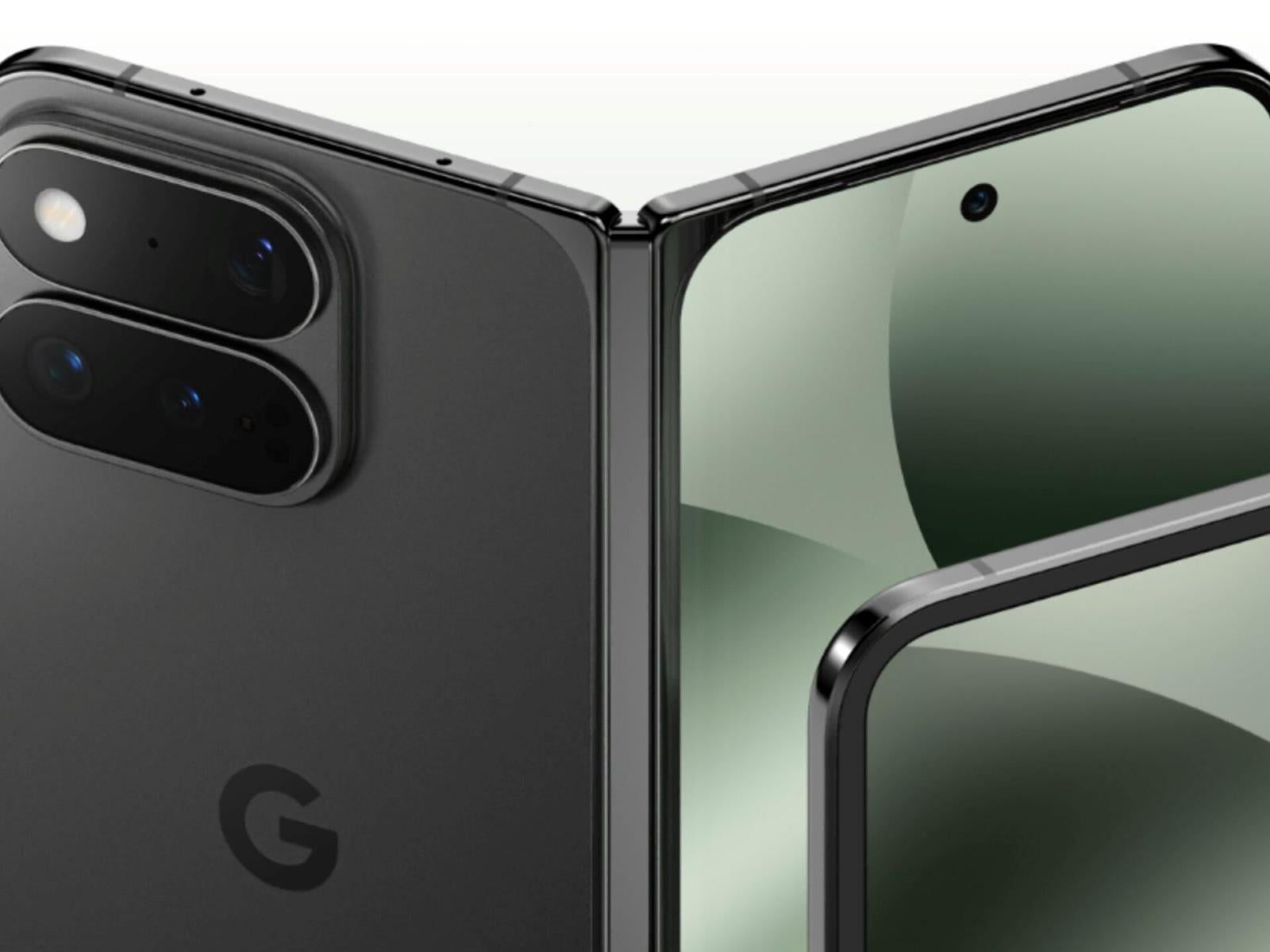
Initial CAD renders of the Google Pixel 11 Pro Fold have surfaced online, offering an early glimpse at a device that prioritizes subtle refinement over a radical hardware overhaul. In other words, unless there are drastic and meaningful changes that we don’t see, the next Google foldable looks to be a little bit muted as a design upgrade.
A carnival thrill-ride that manages to evoke America’s radical revolutionary history while referencing and responding to decades of cinematic rebellion, One Movie After Another is one of writer/director Paul Thomas Anderson’s richest films, and somehow maybe even his most fun. Its 13 Oscar nominations put it in line with the most-honored movies ever, alongside the likes of From Here to Eternity, Mary Poppins, Who’s Afraid of Virginia Woolf?, and The Fellowship of the Ring. Of course, One Battle has the slight misfortune to be running against Sinners, with its all-time high of 16 nominations. Still: not bad.
With a variety of tones and styles, these 10 other movies approach radical activism and the aftermath thereof from multiple perspectives. Some of them even directly inspired Anderson in the making of One Battle.
Running on Empty (1988)
I’m letting Paul Thomas Anderson himself do some of the work here, as he’s already suggested this one is a good match while serving as a guest programmer on TCM. No surprise, really, as this 1988 film also follows one-time members of a radical anti-war guerrilla group (played by Judd Hirsch and Christine Lahti) who’ve been on the run since the 1970s, sure that the past isn’t done with them. Having relocated to yet another new town and with new identities, their teenage son Danny (River Phoenix) is hoping to make a life for himself, particularly when he’s recognized for his musical talent by a teacher who wants to know more about him and his family. Though there’s none of the action and little of the satire of One Battle, the themes are definitely similar. Rent Running on Empty from Prime Video.
Turning a non-fiction work into an action-thriller, How to Blow Up a Pipeline follows eight individuals committed to bombing an oil pipeline in two separate locations. The movie, like the book it is based on, makes the case that property damage isn’t the worst thing in the face of environmental catastrophe; still, the level of commitment required to carry out such an act takes a deeply personal toll. Stream How to Blow Up a Pipeline on Hulu.
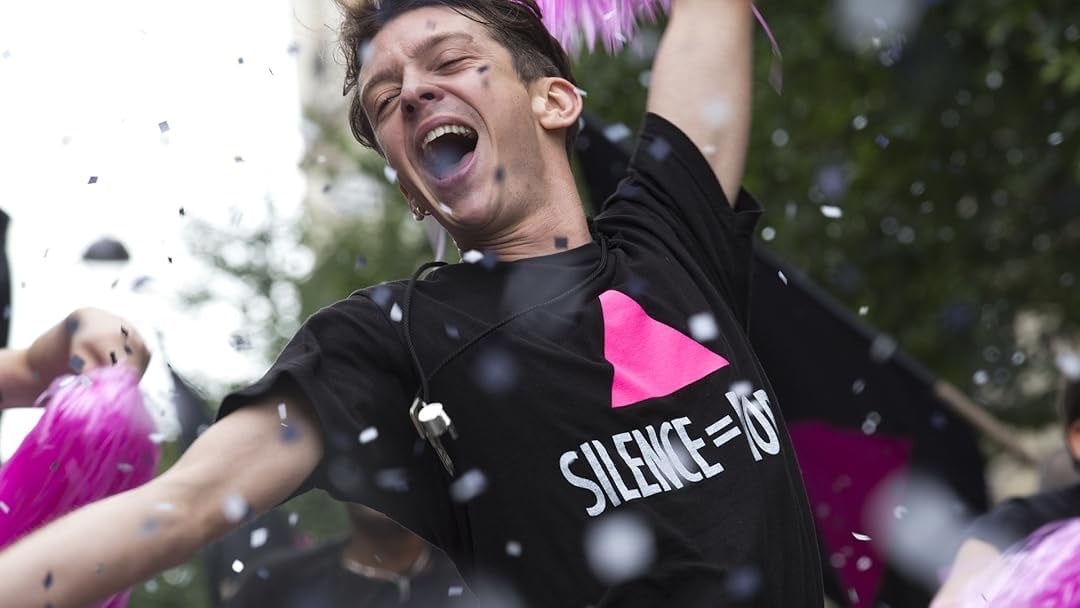
Set amidst the AIDS crisis in the early 1990s, BPM focuses, to some extent, on HIV-positive ACT UP activist Sean (Nahuel Pérez Biscayart) and his developing relationship with newcomer Nathan (Arnaud Valois), though the film is very much an ensemble piece in the aggregate, a fact that ties into its meaning and messaging. It explores the evolving nature of ACT UP’s activism and its messy internal battles over strategy, and the how-far-is-too-far considerations that are part and parcel of every movement. Writer-director Robin Campillo and co-writer Philippe Mangeot brought their own ACT UP experiences to the film, offering up a bit of verisimilitude to the more fictional activism of One Battle. Rent BPM from Prime Video.
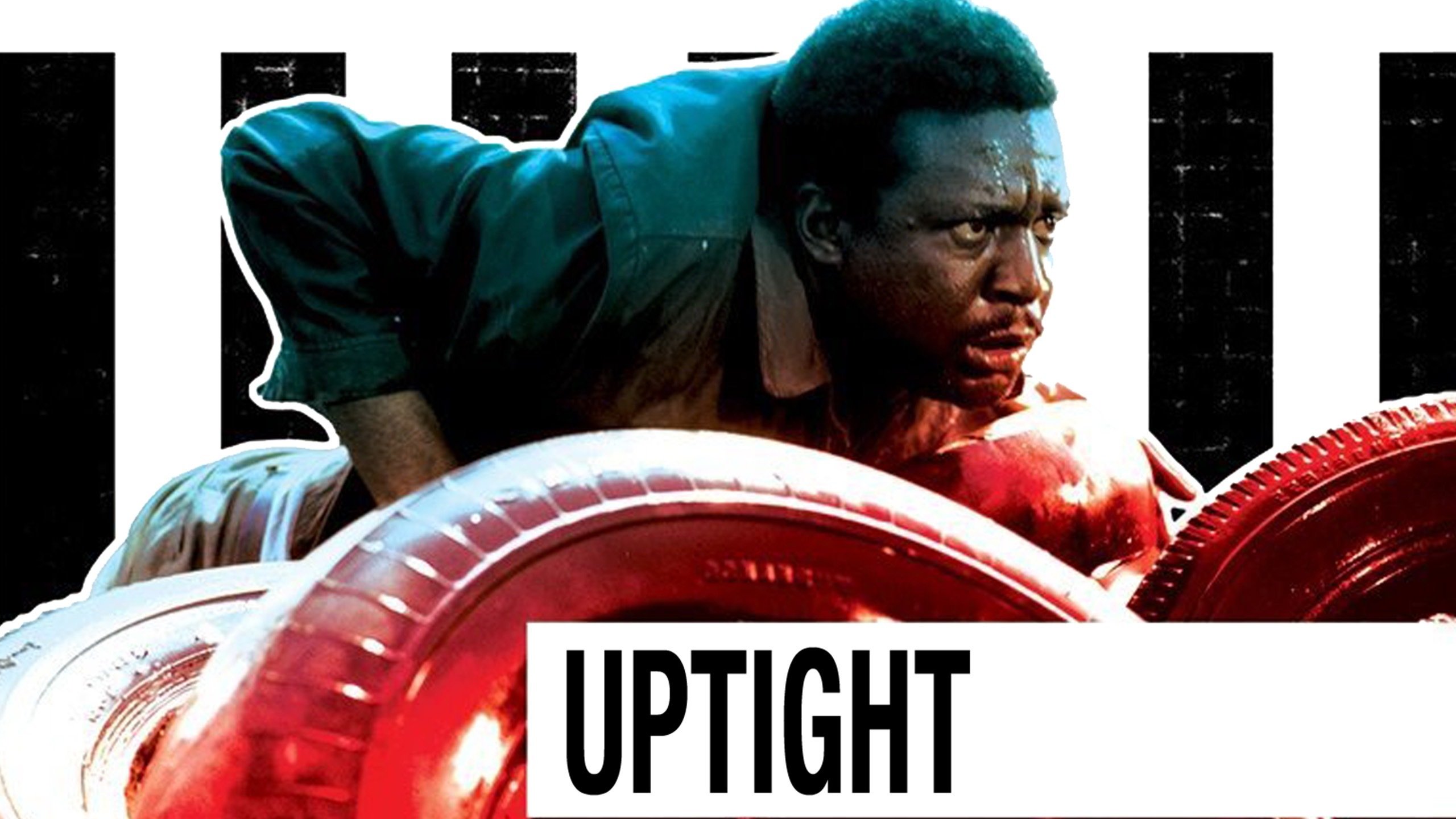
Stars Ruby Dee and Julian Mayfield co-wrote and starred in this film from blacklisted director Jules Dassin, adapting a 1925 novel about an informer in the wake of the Irish Civil War. The setting is Cleveland in the immediate aftermath of the assassination of Martin Luther King Jr. The narrative revolves around Tank (Mayfield), representing the complexities of Black political struggle in an era in which the non-violent Civil Rights Movement had both succeeded and failed spectacularly. Tank supported King’s movement but lost his job and went to prison for defending his Black co-workers. Now released, jobless, and rootless, he sees his friends questioning his commitment to the cause—in spite of his sacrifices, a more radical, revolutionary movement is in the offing. The distrust of Tank becomes a self-fulfilling prophecy in this appropriately angry thriller. Rent Up Tight from Prime Video.
Though its politics are more muddled than those in the Alan Moore/David Lloyd graphic novel it’s based on, V for Vendetta works as a superhero film with more going on under the hood than most (not for nothing that it popularized the Guy Fawkes mask as a kind of all-purpose anti-establishment symbol). Hugo Weaving gives a fine lead performance, despite mostly working from behind that iconic mask, as the terrorist and/or freedom fighter working against a fascist, totalitarian regime. As much as the British original was heavily influenced by Margaret Thatcher, this 2005 film speaks to the George W. Bush era, which we currently seem to be reliving. (Fun!) Natalie Portman co-stars as Evey Hammond, an ordinary citizen radicalized by an attempted sexual assault by the police. Stream V for Vendetta on HBO Max.
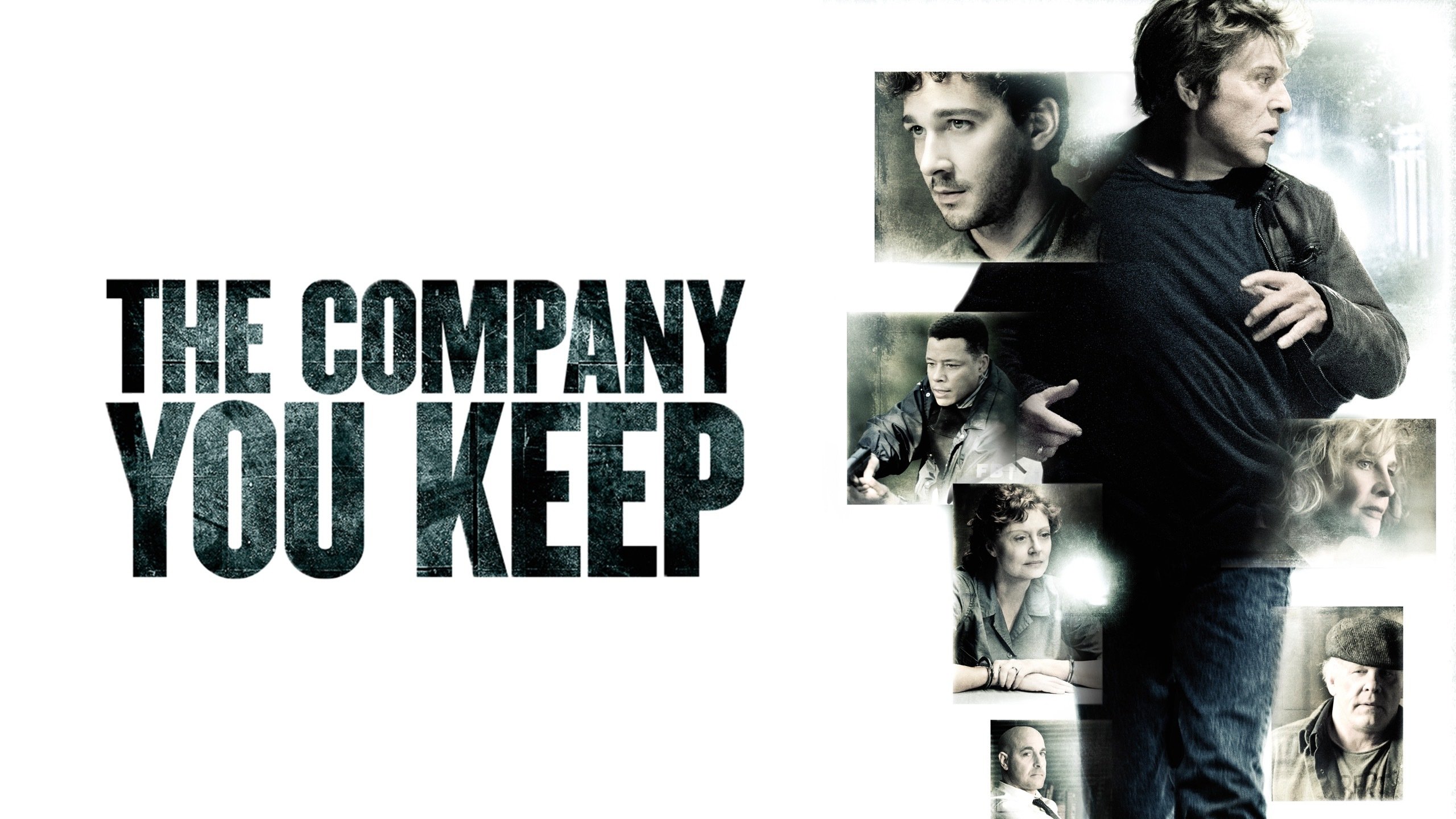
Late national treasure Robert Redford directs and stars (alongside the somewhat less-beloved Shia Shia LaBeouf) as a defense attorney with a past: for decades, “Jim Grant” has evaded the FBI for a bank robbery and murder that occurred while he was a Weather Underground militant. LaBeouf is Ben Shepard, a reporter anxious for a big story who’s very willing to blow up Jim’s life, but things get more complicated when he tracks down the original arresting officer (Brendan Gleeson), as well as another former Underground member (Julie Christie) who might be able to clear Jim’s name. This one’s about the persistence of our past choices, much like One Battle, but it also deals with the activism of the Vietnam generation, interrogating the extent to which that idealism has served any purpose. Rent The Company You Keep from Prime Video.
A shockingly relevant film about the tensions between Algerian nationalists and French forces in North Africa, a conflict that erupted into a three-year war, director Gillo Pontecorvo’s hyper-realistic film is thrilling on one level, but also deeply challenging. While the its morality leans slightly toward the Algerians trying to reclaim their home from the French, it’s also clear that the shocking acts of violence perpetrated by the guerrilla fighters render any discussion of heroes or villains ridiculous. (Bob is seen watching Battle of Algiers at one point during One Battle, so it works on a meta level, as well.) Stream The Battle of Algiers on HBO Max or rent it from Prime Video.
Al Pacino and the late, great John Cazale (who was never in a bad movie) play Sonny and Sal, first-time bank robbers is this crime thriller based on a true story. Sonny is desperate for money to pay for his trans partner’s gender-reassignment surgery, so he plans the heist with friend Sal. The result is a violent debacle that leads to a standoff with police. With an eye on queer liberation, the movie tackles the failures of the counterculture while gleefully thumbing its nose at the cops. It’s a fabulous heist movie, and one of the best movies of its era, period,. Notably, it doesn’t look down on its lead character’s bisexuality, nor his marriage to a trans woman—Sonny might not be a genius, but he’s a good guy. Stream Dog Day Afternoon on Tubi or rent it from Prime Video.
I’m going furthest afield suggesting this no-budget, radical feminist faux-documentary, but it works as a bit of counter-programming. One Battle finds Bob adrift in the wake of his period of radical activism, while Born in Flames imagines that socialist idealism of previous decades bore fruit—but that there are still plenty of battles to be fought. Adele Bertei plays Isabel, who runs the pirate radio collective Radio Ragazza in an alternate, socialist United States, while Honey (just “Honey”) plays Honey, the voice of the competing Phoenix Radio. In the face of increasing government oppression, the two women and the factions they represent come to see that liberation, ultimately, requires more than just talk. Stream Born in Flames on the Criterion Channel or rent it from Prime Video.
A Paul Thomas Anderson favorite, Repo Man matches One Battle a bit less in story terms than many of these others, but it might be the best match in terms of anarchic tone. A pitch-perfect Regan-era satire (timely, given that I’m not sure we’ve ever really left the Reagan era), Alex Cox’s film finds the great Harry Dean Stanton recruiting Emilio Estevez’s Otto Maddox into the unexpectedly wild world of automobile repossession in 1980s LA. Otto’s absconding with an unusual 1964 Chevrolet Malibu puts him on the run from pretty much everyone: the government has placed a $10,000 bounty on the car, which sends every repossessor in the city after him (the Feds have a very particular reason for wanting it, and it has to do aliens—but not the usual immigrant kind). A cult essential. Rent Repo Man from Prime Video.
A bright meteoric fireball streaked across the European sky this week, providing a rare and dramatic six-second-long display for onlookers with their phones and cameras. According to the European Space Agency (ESA), however, at least one German home was struck by smaller pieces of the meteorite.
Push-ups are a great exercise, and almost everyone can find a starting point to train them. But if you’re running into problems because of discomfort in your wrists, here are some things you can try. I’ll suggest quick fixes for positioning, drills that can make your wrists more comfortable, and stretches that can help you to have an easier time with this wrist position in the future.
For a quick fix: use push-up handles, or do push-ups on your knuckles
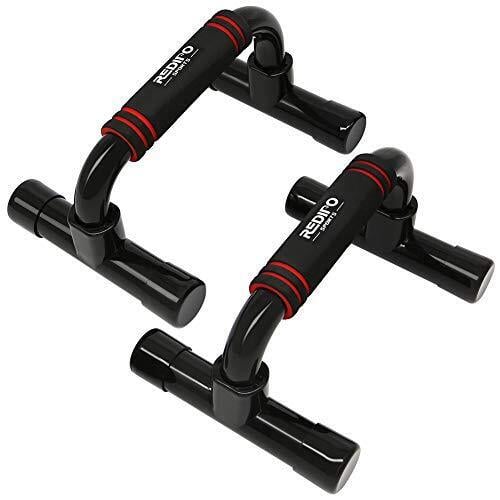
In a standard floor push-up, our hands are at a 90-degree angle to our forearms. This is a position that most of us will eventually be comfortable in, but it’s OK if you want a different way to do push-ups. Enter the push-up handle, which allows your wrist to be in a more neutral position.
Dumbbells or kettlebells can stand in for push-up handles in a pinch. (If you’re using kettlebells, pick heavy ones that won’t topple over.) Another option is to make a fist, and do the push-ups that way, so that your knuckles rather than your palms are on the floor. You may want some padding, like a folded towel or yoga mat, underneath.
Warm up with wrist CARs
Another quick fix, but this time using your own body, is the wrist CAR. A CAR is a controlled articular rotation, and it just means that you slowly move a joint through its full range of motion. There are shoulder CARs, hip CARs, and, of course, wrist CARs.
To do a wrist CAR, firmly grasp your wrist (let’s say your left) with your other (right) hand. Straighten out your hand with your fingers all pointing the same direction, and move your hand in circles at the wrist. After a few rotations, do the opposite direction.
This video should give you the idea. I like to do my wrist CARs with my forearm vertical, fingers pointed toward the ceiling, but this type with a horizontal forearm is fine, too. After doing the wrist CARs, you may find that your push-up problems have disappeared. If so, great! You’ve discovered a powerful tool to add to your warm-up on push-up days.
Adjust your positioning with towels
If you still have some discomfort and you think it’s because your wrists just can’t quite stretch to 90 degrees, grab a pair of small gym towels (or anything similar) and prop your palms up on them.
This works the same way as elevating your heels for squats. By changing the angle of your hands, you no longer need to bend your wrists as much, and so you can keep the heels of your palms on the ground (or towel) without stretching.
Anchor your hands into the ground
Another positioning tip that can help is to make sure your hands are directly below your forearms, and that you’re spreading your hand out to distribute the weight of your upper body. You don’t want to lean into the heels of your hand, but rather, to use your fingers, thumbs, and your whole palm to grab the ground and support your body. If you don’t feel like this is happening, think about holding jar lids in your palms, and screw them both outward (away from your body). This can help to get some supportive tension in your hands, which often relieves wrist pain.
Perform some gentle wrist stretches
Before or after your workout, do some gentle stretches to get your wrists used to operating in that more-stretched position. (Here’s one follow-along video that includes several great stretches.) This type of stretch shouldn’t hurt. Just apply pressure until you feel a gentle stretching sensation. That’s enough to do the job. If you want to be really thorough, four minutes of stretching in a given warmup, or ten minutes total per week, should be enough to see results.
The doom and gloom forecasts are ramping up as the memory and storage supply crunch continues to be analyzed, and today we get a two-for-one special courtesy of fresh reports by Omdia (formerly IHS Markit) and Trendforce. Together, they paint a pretty bleak picture of the PC landscape, with a modest decline in shipments expected as well as
Well, shiver me timbers, the pricing of Ford’s 2026 Mustang Dark Horse SC has just been announced and it’s not for the meek of heart. Starting at $108k, the new supercharged Mustang is roughly $15k more than the Shelby GT500 (adjusted for inflation). Additional packages and/or accessories can bump the final ticket north of $175k. Homina, homina.
Every year, we have a blast covering a fresh crop of winners of the Ig Nobel prizes. After 35 years in Boston, the annual prize ceremony will take place in Zurich, Switzerland, this year and will continue to be held in a European city for the foreseeable future. The reason: concerns about the safety of international travelers, who are increasingly reluctant to travel to the US to participate.
“During the past year, it has become unsafe for our guests to visit the country,” Marc Abrahams, master of ceremonies and editor of The Annals of Improbable Research magazine, told The Associated Press. “We cannot in good conscience ask the new winners, or the international journalists who cover the event, to travel to the US this year.”
Established in 1991, the Ig Nobels are a good-natured parody of the Nobel Prizes; they honor “achievements that first make people laugh and then make them think.” As the motto implies, the research being honored might seem ridiculous at first glance, but that doesn’t mean it’s devoid of scientific merit. The unapologetically campy awards ceremony features miniature operas, scientific demos, and the 24/7 lectures, in which experts must explain their work twice: once in 24 seconds and again in just seven words.
We may earn a commission from links on this page. Deal pricing and availability subject to change after time of publication.
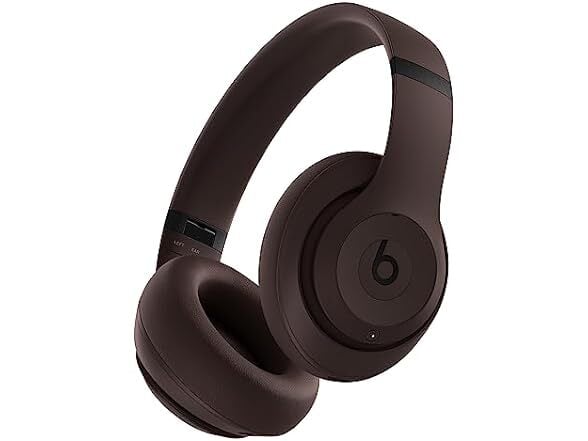
If you’re seeking the signature noise cancellation, sleek look, and premium sound of a pair of Beats Studio Pro over-ear headphones but don’t want to pay full price, today is your day: Right now, you can grab a “grade A” refurbished pair for $129.99 from Woot. That’s $220 off the original $349.99 price and $20 less than you’ll pay for a renewed pair on Amazon. These durable, comfortable headphones are a great choice is you’re an Apple user, as Apple owns Beats, but they work well with Android devices too. In any case, a pair of Studio Pros for under $150 is a pretty rare find.
PCMag’s review praises these headphones for their signature Beats audio quality, highlighting their “boosted low and sculpted highs.” They have three preset EQ modes, though there’s no manual EQ option, and those presets only work when connected via USB-C—not over Bluetooth. There are also some codec support limitations, which means Android users miss out on higher-quality options like AptX or LDAC. And while the ANC reliably blocks out low-frequency noise, it may not block out all sound in very noisy and crowded environments as well as competitors like Bose and Sony, with some faint hissing sounds happening in the background, according to PCMag.
Those tradeoffs aside, the headphones’ build is sturdy, with plenty of padding to keep them comfortable even after you’ve been wearing them for a few hours. Expect around 24 hours of battery life with noise-cancellation on, or up to 40 hours with it off.
Although these refurbished headphones may show minimal signs of wear and tear, they’re covered by a one-year eReplacements Limited Warranty. If you have Amazon Prime, you get free shipping; otherwise, these headphones will cost $6 to ship. If you want better audio customization and ANC, you may need to step up to a more premium brand, but if you’re an everyday listener (and especially if you’re in the Apple ecosystem), the Beats Studio Pro over-ear headphones are a solid choice at 63% off.
ASUS is expanding its sleek and stylish (in a business casual way) ExpertCenter desktop lineup with the launch of the ExpertCenter P700 Mini Tower (PM700MG) powered by AMD’s latest-generation Ryzen AI 400 series Gorgon Point processors revealed at CES. According to ASUS, the refreshed design extends past the core hardware, resulting in a “whisper-quiet”
An anonymous reader quotes a report from Ars Technica: This week, tens of thousands of game developers and producers will once again gather in San Francisco, as they have since 1988, for the weeklong Game Developers Conference. But this year’s show will be missing many international developers who say they no longer feel comfortable traveling to the United States to attend, no matter how relevant the show is to their work and careers. Dozens of those developers who spoke to Ars in recent months say they’re wary of traveling to a country that has shown a callous disregard for — or outright hostility toward — the safety of international travelers. That’s especially true for developers from various minority groups, those with transgender identities, and those who feel they could be targeted for outspoken political beliefs. “I honestly don’t know anyone who is not from the U.S. who is planning on going to the next GDC,” Godot Foundation Executive Director Emilio Coppola, who’s based in Spain, told Ars. “We never felt super safe, but now we are not willing to risk it.” “I honestly don’t know anyone who is not from the U.S. who is planning on going to the next GDC,” says Godot Foundation Executive Director Emilio Coppola, who’s based in Spain. “We never felt super safe, but now we are not willing to risk it.”
“Hearing European citizens getting arrested by border control over their views on the U.S. is not something I would like to test for myself,” adds Nazih Fares, a French-Lebanese citizen and creative director at indie studio Le Cabinet du Savoir..
Many of the developers who spoke to Ars cite the intrusive questioning, racial profiling, and other horror stories reported at the U.S. border. “I read a few long reads about how UK/German tourists ended up detained, and that was the final straw for me,” Austrian-based Cohop Game founder Eline Muijres said. “It doesn’t feel safe for me.”
Domini Gee, a Canadian game writer and narrative designer echoed that concern, adding: “There’s no shortage of stories… about the risk of detainment, deportation, phones being searched… the consequences if I’m not [OK] could be high.”
I really don’t know how Apple did it. The MacBook Neo is a $600 laptop that doesn’t feel like an afterthought, which is a curse that has befallen so many cheap Windows notebooks. Sure, it has a slower A-series processor and it’s limited to 8GB of RAM. But the MacBook Neo still feels as deeply considered as Apple’s most premium hardware. Its screen, trackpad and overall usability is so far ahead of the competition, every Windows PC maker, including Microsoft, should be ashamed.
I’ve argued that a cheap MacBook could be the best for Apple to peel away Windows users, and after spending almost a week with the Neo, I’m convinced it will do just that. It’s just fast enough to handle basic productivity work. It’s sturdy enough to be tortured by kids in classrooms. And you really can’t beat its $599 starting price. Once Windows users learn it’s not that hard to switch to macOS, Apple will likely have another hit on its hands.
What’s so Neo about this MacBook?
I’ll admit, I laughed at the MacBook Neo’s name at first. It really does feel like a desperately hip name ASUS or Acer would slap onto their machines (in fact, Acer is doing so right now), rather than something Apple would even consider. But the Neo name is more than just a dated reference to the Matrix — it’s also a clear signal that this is a new type of MacBook. It’s the first one Apple has ever been able to sell so cheaply. It’s the first one powered by a mobile A-series chip. And for many people, it will likely end up being their first Mac.
The MacBook Neo also marks the first time Apple has built a value-focused notebook under $1,000. The adorable handle-equipped iBook G3 looked like a system geared towards kids, but it launched at $1,599 in 1999. The original MacBook Air, which Steve Jobs revealed by pulling it out of a manilla envelope, sold for $1,799 in 2008. MacBooks only got semi-affordable when Apple dropped the Air’s entry price to $999 in 2014. (The starting price has bounced between $999 and $1,099 ever since.) It dabbled in the concept further by keeping the M1 MacBook Air around at Walmart stores for $699 in 2024 before eventually dropping its price down to $650 last year. If you were lucky, you could also find it for $499 during some holiday sales.
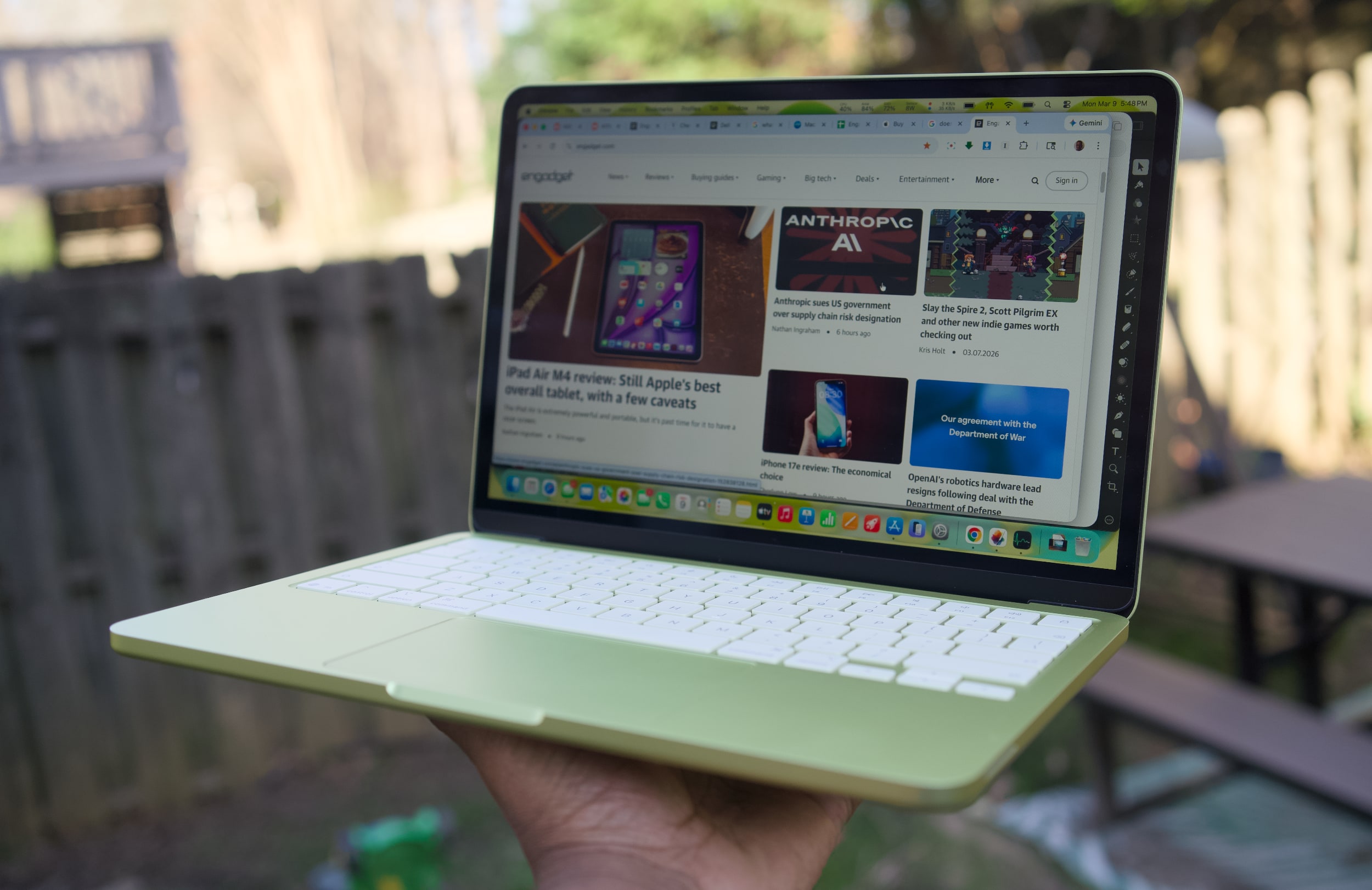
A citrus MacBook Neo being held up with one hand.
Devindra Hardawar for Engadget
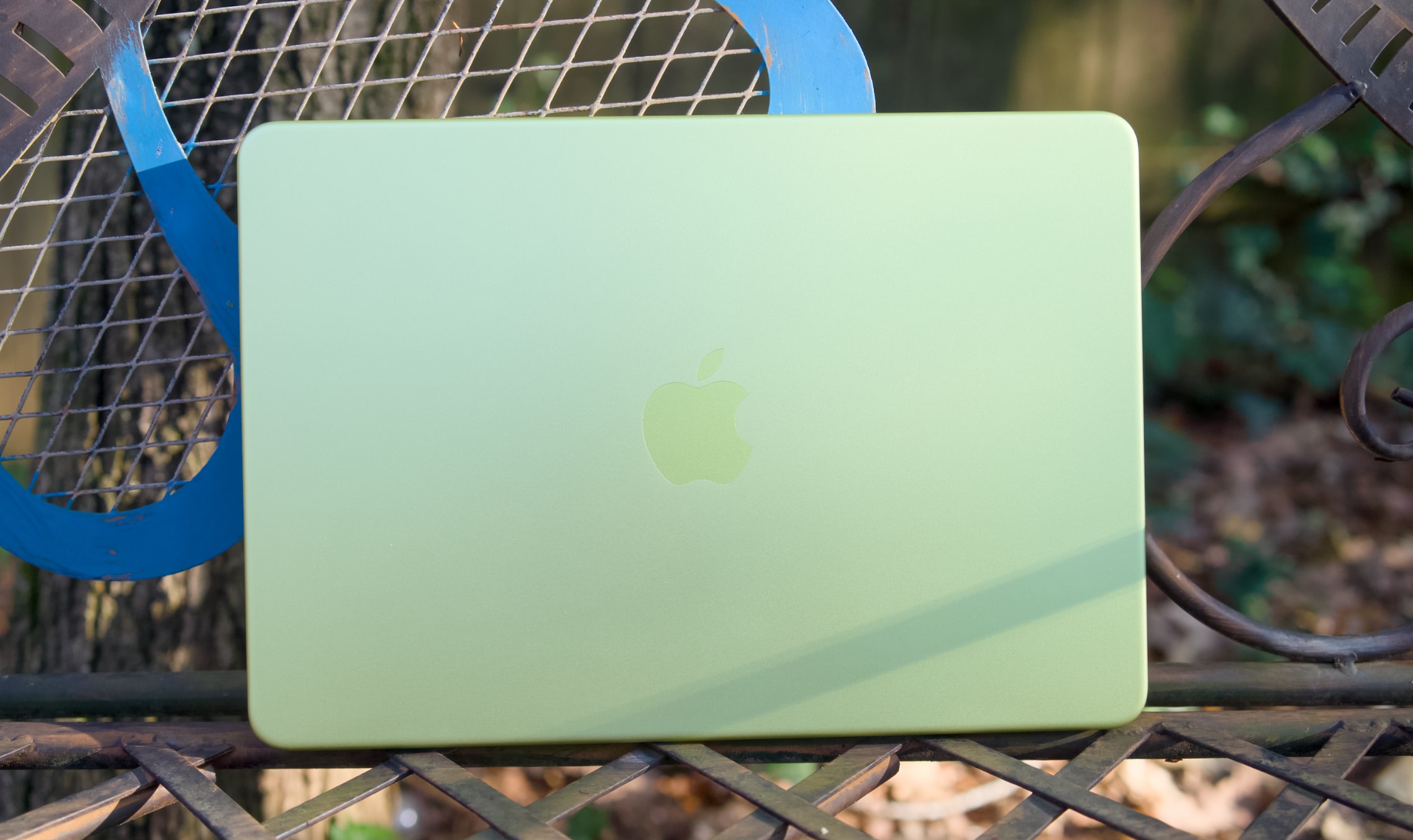
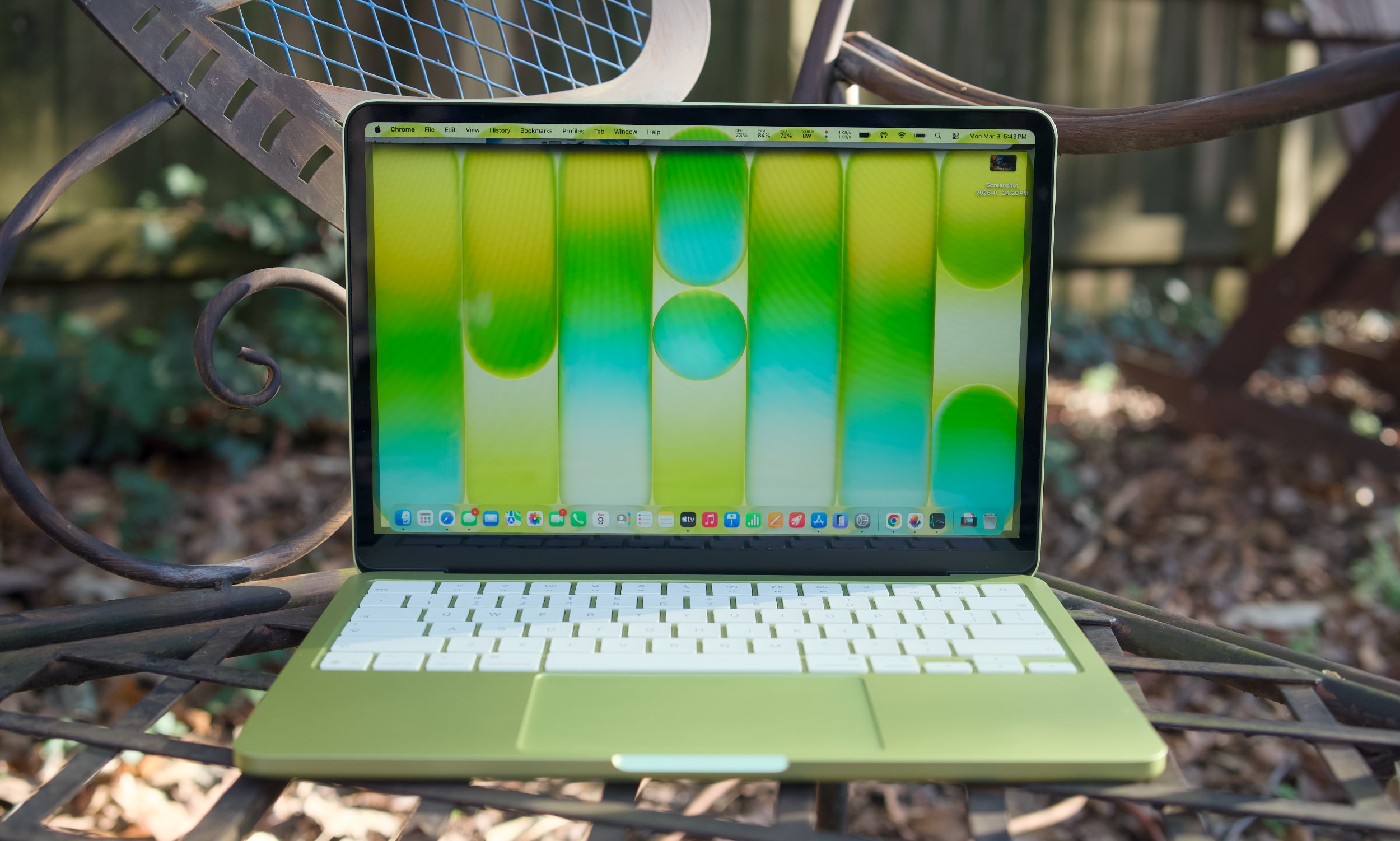
While the M1 MacBook Air was a great value over the last few years, its last-gen Apple design aged quickly. The Neo looks far more modern, with an all-aluminum case that resembles the current Air (it’s a bit smaller, but weighs the same 2.7 pounds). Color is the Neo’s biggest draw, with bolder options like the greenish citrus and pink blush, along with Apple’s typical dark and light case options. The citrus hue is the most unique, as we’ve seen rose gold MacBooks before. It would have been nice to see other strong colors too, like a brighter blue or something with a hint of purple. The people want personality, Apple!
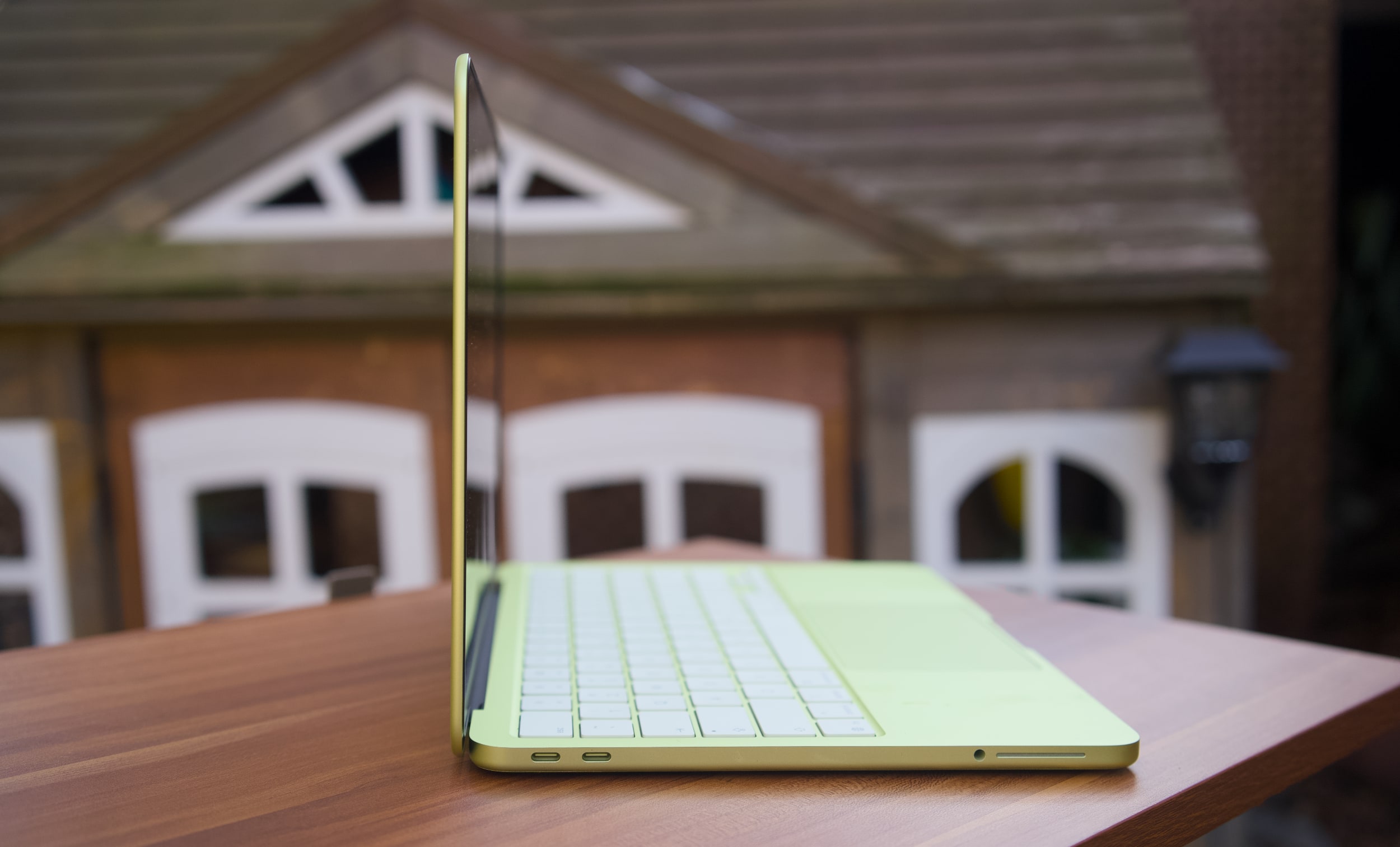
Under the hood, the MacBook Neo is a story of compromise, more so than any MacBook before it. Apple had to find a way to deliver its premium user experience while also cutting costs significantly to reach its $599 price. Relying on the A18 Pro, which powered last year’s iPhone 16 Pro, was likely far more cost effective instead of using an older M-series chip that isn’t being built anymore. That A18 Pro chip also means the MacBook Neo has to be fairly limited when it comes to ports: there are only two USB-C connections on board (one is USB 3.0, and the other is USB 2.0). There’s no MagSafe charging connection, which is a shame since the MacBook Neo will likely end up around trip-prone kids in schools and homes.
A citrus MacBook Neo’s USB-C ports.
Devindra Hardawar for Engadget
The biggest compromise lies in the MacBook Neo’s RAM and disk space. It starts with just 8GB of RAM and a 256GB SSD. You can shell out another $100 to get 512GB of storage and a Touch ID button, but there’s no way to add more RAM. Typically, my first piece of advice to any prospective computer buyer is to get at least 16GB of memory, as that’s the easiest way to see faster performance when juggling tons of tabs, apps and large files. That’s particularly true for Mac laptops, since Apple’s unified memory is baked into its A-series and M-series chips.
The MacBook Neo’s 8GB limitation shows the precise audiences Apple is targeting with the MacBook Neo: casual users. Those include people who need secondary machines for light workloads and schools relying on Chromebooks. I’m not reneging on my 16GB RAM recommendation — if the idea of less RAM in your main computer makes your skin crawl, the Neo isn’t for you. The MacBook Air is still around, and it can easily be equipped with tons of RAM and storage.
Apple also deserves credit for squeezing in an impressive 1080p webcam in the Neo, something I haven’t seen in any other $600 Windows notebook. And while the resolution is impressive, Apple’s image processing also manages to deliver sharp and vibrant image quality. It’s usually easy to tell the overall quality of someone’s computer on group video calls based on their video quality. The MacBook Neo will have people thinking you’re calling in from a pricier MacBook Air or MacBook Pro.
When I first demoed the MacBook Neo at Apple’s launch event, its keyboard felt a bit flimsier than those on the Air and Pro. But I may have just been distracted by the crowd and noise. My review unit’s keyboard feels just as accurate as the Air’s, allowing me to type at full speed (near 100 words per minute) without any issues. There’s none of the weird input problems I noticed on Dell’s far more expensive XPS 14.
The MacBook Neo’s trackpad is similarly responsive and accurate for swiping and gestures. That’s particularly surprising, since Apple isn’t using a haptic Force Touch trackpad like all of its laptops for the past decade. The Neo’s pad clicks down mechanically — and yet, it doesn’t feel as muddy as similar trackpads we see on budget PCs. It’s also notable that Apple was able to make the Neo’s trackpad completely clickable, whereas PC mechanical options often only click along their bottom half or third.
A citrus MacBook Neo on a table outside.
Devindra Hardawar for Engadget
Enough Mac for most
I didn’t expect much from the Neo’s A18 Pro processor and limited specs, and yet it still managed to surprise me. It easily handled having dozens of tabs open across multiple browsers, a show playing on the TV app, photo editing in Pixelmator Pro and running the new Apple Arcade title Oceanhorn 3 without any significant slowdown. There’s clearly some swift memory management going on, delivering just enough RAM for the task right in front of you.
The Neo’s RAM usage typically hovered between 80 and 85 percent when I was trying to stress it, but it never went beyond that range. And if you’re curious, the Neo typically used around 50 percent of its memory just to run macOS, even with no other apps running.
I’d bet most people wouldn’t see a major performance difference between the MacBook Neo and the Air for basic tasks. Even their screens look similar: The Neo’s LCD panel has only a slightly lower resolution than the Air’s, but its smaller 13-inch screen size gives it a similarly rich pixel density. The screen looks bold and colorful indoors, and it’s also bright enough to use in direct sunlight outside. That’s not something you usually see on $600 laptops.
Oceanhorn 3 on a MacBook Neo.
Devindra Hardawar for Engadget
During a demo at the Neo’s launch event, I saw its screen compared side-by-side to a $600 HP laptop. The difference was literally night and day — the HP’s display struggled to show the vibrancy of daylight photos, while the Neo’s made photos pop off the screen. Similarly, the Neo’s side-firing speakers sound significantly better than the tinny garbage HP stuffs into its discount machines. The Neo’s speakers are ideal for watching videos and streaming content, but they definitely lack the clarity and low-end bump from the Air and MacBook Pro’s upward firing speakers.
Geekbench 6 CPU
Geekbench 6 GPU
Cinebench 2024
Apple MacBook Neo (A18 Pro)
3,372 /8,406
19,511
107/324
Apple MacBook Air 13-inch (M4, 2025)
3,784/14,745
36,273
172/660 GPU: 3,465
Apple MacBook Air 13-inch (M3, 2024)
3,190/12,102
30,561
N/A
Microsoft Surface Pro 12-inch (2025, Qualcomm Snapdragon X Plus)
2,315/10,915
9,539
108/530
I was definitely trying to push the MacBook Neo harder than a typical user, but it simply kept delivering. In Geekbench 6’s CPU benchmark, the MacBook Neo sits between the M2 and M3 MacBook Air for single-core tests, and below the M2 for multi-threaded work. Apple’s hardware still manages to put Intel and AMD to shame, with single-threaded Geekbench 6 scores that are higher than the latest hardware from both companies. But of course, that’s just one benchmark — beefy CPUs with active cooling will still be more performant overall.
What’s most impressive about the MacBook Neo is that it manages to be a functional and well-rounded notebook at just $599. Microsoft’s “low-budget” $800 Surface Pro 12-inch was cute, but we found its performance incredibly underwhelming (and you still had to pay more for the keyboard). The 2.2-pound ZenBook A14 was impressively light, but again it was just too slow to be useful. Apple probably could have worked harder to make the MacBook Neo a tad lighter, but it’s still easy to hold and travel with. I’d much rather Apple kept it at the MacBook Air’s 2.7-pound weight, instead of making the Neo less powerful or more expensive.
The only time the MacBook Neo completely failed was when I tried to run complex games meant for Apple’s M-series chips. Lies of P installed just fine, but upon launch it just stopped as it tried to load shaders. Honestly, I’m surprised I was even able to install it in the first place. The most gaming you’ll do on the Neo are things built specifically for Apple Arcade and the company’s mobile chips, or cloud streaming options like GeForce Now or Xbox.
During our battery test, which involves looping a 4K video, the MacBook Neo lasted 12 hours and 15 minutes. That’s far below the 18 hours and 15 minutes I saw on the M4 MacBook Air, but it’s still enough to last you during a typical work or school day. Again, Apple also had to sacrifice plugging in a bigger battery to keep the Neo’s costs down.
A citrus MacBook Neo on a table outside.
Devindra Hardawar for Engadget
Should you buy the MacBook Neo?
It’s rare for Apple to genuinely surprise me these days, but the MacBook Neo did just that. It’s a $599 computer that can handle basic workloads just fine, all the while looking like one of the company’s more expensive notebooks. Most importantly, it delivers more speed, a brighter screen and an overall better user experience than any competing $600 Windows PC. It’s so good, I think it’ll make many people wonder why they’ve stuck with sub-par PCs for so long.
This article originally appeared on Engadget at https://www.engadget.com/computing/laptops/macbook-neo-review-apple-puts-every-600-windows-pc-to-shame-130000878.html?src=rss
Shark has been making some intriguing devices lately, and its newest offering is one I’m personally very excited about. The company has just announced the ChillPill — a gadget it’s describing as a “3-in-1 personal cooling system.” It’s a modular system that offers a fan, mister and cold plate in one portable accessory, and is available today (March 10) for $150. Just in time for the summer, I guess. I’ve had a ChillPill to test for a few days and while I think it’s a bit pricey, I’m impressed by the sophistication and versatility you get for the money.
The ChillPill looks kind of like a strange, modern pair of binoculars. It is made up of two tubes connected via an inch-long silver rotating hinge. Unlike a pair of binoculars, though, one of the halves of the ChillPill can swivel on its hinge to about 100 degrees in either direction, so you can twist it to your heart’s desire. The hinge clicks firmly into place, and feels solid, so it can hold steady in whatever position you’ve chosen.
The smaller of the two tubes is where the controls and the USB-C charging port sit. There is a switch near the bottom here that locks the controls so the ChillPill doesn’t accidentally turn on when it’s in your cluttered purse. This is important, since turning on the device and adjusting the intensity levels is a matter of pressing the other end of this tube and rotating the dial. There’s a screen that takes up the top surface and it’ll show your battery level and what speed or mode you’ve selected.
The matte, slightly larger tube is where the attachments go, and the other end of this is an air inlet. Shark calls the attachments “caps,” and like mentioned earlier, these are the “High-speed fan” cap, a “Dry Touch Mist” cap and the “InstaChill Cooling Plate.” The fan is basically an inch-thick disc, while the other two are a bit taller (or deeper), and the misting pod has a tank with a wick in it. You have to fill this with potable water (and the instruction manual repeatedly warns against using oils, fragrances or other additives) before turning the device on.
Swapping the caps out is a fairly easy affair thanks to the self-explanatory symbols on the edge. Twist the parts till the circle or lock icons are on top of the solid white dot on the other side, and you’re all set.
The Shark ChillPill in use in various scenarios.
Shark
Of the three attachments, I was most excited for the cold plate, but was pleasantly surprised by how much I liked the mister. I was initially skeptical when Shark’s reps told me it was a “dry mist,” and I assumed it was probably much wetter than they promised. But when I filled the container with cold tap water and turned the ChillPill on, I found the resulting cool air and mist very refreshing. And though my chin, which got the most of the water vapor, did get a bit wet, it all dried off very quickly. Plus, if I didn’t want to risk any moisture on my face at all, I could just hold the device a bit further away. I also think it would be thoroughly enjoyable when aimed at other areas, like my neck or back, for a quick cooldown.
Same goes for the cooling plate attachment. It uses basically the same technology as the under-eye plates on the Shark CryoGlow LED face mask and the Shark DePuffi device. The company’s InstaChill technology essentially gives you a super cold surface that you can press to your skin (or, in theory, any surface that needs to chill) to quickly cool things off. Not only can this be great after, say, a hot yoga session or running to the subway in the middle of summer, but it can also be quite calming. I set the plate to the lower of the two chill settings and rubbed it all over my face before a call with my boss. I can’t say I was completely relaxed during the chat, but I was certainly a lot less strung out than I might have been without the ChillPill.
Finally, though the fan is the least exciting, it does work as promised and gets so powerful at the top level of 10 that I was genuinely shocked. It was like a mini cyclone in my hand, and if all you want is for moving air (that doesn’t have to be cooled), the ChillPill offers plenty of oomph and a wide range of intensity options.
For the money, I wish that Shark included some ChillPill accessories like the wrist strap, clamp, belt clip, crossbody strap or travel case. I also would love for the company to find a way to keep all the attachments on the device so I don’t have to carry loose caps with my ChillPill or buy a carrying case. I also found the half of the device with the power button on it to be a bit prone to becoming slick or greasy, making it a bit slippery at times.
Ultimately, I really enjoyed using the ChillPill to keep me cool. I can see this being a popular device in a hot, humid country like Singapore (where I’m from), and you best believe I’ll be ordering a few as gifts for my family members. Well, maybe just one or two. I’m not rich, after all, and these aren’t that affordable.
Update, March 10 2026, 3:42 PM ET: This story has been updated to edit the degree at which the two tubes can rotate on the hinge.
This article originally appeared on Engadget at https://www.engadget.com/home/sharks-chillpill-puts-a-mister-fan-and-cold-plate-in-one-portable-package-123000848.html?src=rss
X has told UK’s MPs or Members of Parliament that it suspended 800 million accounts to combat state-backed campaigns on the website, according to The Guardian. Wifredo Fernández, X’s head of global government affairs, told the officials that the suspensions happened over a 12-month period in 2024 and that the accounts were suspended for violating X’s rules on platform manipulation and spam. Russia was allegedly behind most of the accounts that were flooding the website with spam, followed by state actors from China and Iran.
The Russian accounts were trying to “stoke division” and disseminate a “particular type of narrative” to manipulate the 2024 US Presidential Elections, he told MPs on the foreign affairs committee during a video call. Fernández also claimed that the attempts to manipulate discussions and spam on the service aren’t done yet. “There are efforts every single day to create inauthentic networks of accounts,” he said. Apparently, X suspended an additional “several hundred million accounts” last year as well, presumably also due to foreign state-backed manipulation campaigns.
To note, Statista estimates the number of users on X to be 429 million in early 2024. The Guardian also says the platform has approximately 300 million monthly users worldwide.
This article originally appeared on Engadget at https://www.engadget.com/apps/x-says-it-suspended-800-million-accounts-in-2024-over-spam-and-manipulation-123000201.html?src=rss
Shazam is now available within ChatGPT, if you don’t want to launch the music discovery app on your phone for, well, reasons. You will have to link the Shazam app with the chatbot first from its Apps page, after which you can summon it in-chat to identify whatever song is playing. To summon Shazam in-chat, you can use prompts like “Shazam, what’s playing?” or “Shazam, what is this song?”
A box will pop up that you can tap on to launch the music discovery service, which will then listen to the tune playing. ChatGPT will display the song’s name, artist and artwork, along with the option to save the song to Shazam. Take note that the feature will work within ChatGPT even if you don’t have the music discovery app downloaded on your device, which does make it useful if you’re using a phone with full memory. The Shazam integration has started rolling out globally within ChatGPT on iOS, Android and the web.
This article originally appeared on Engadget at https://www.engadget.com/apps/you-can-now-use-chatgpt-to-open-shazam-instead-of-just-opening-shazam-114000363.html?src=rss