TikTok just added an AI-powered image-to-video feature and it did some weird things to my cat

TikTok hasn’t shoved generative AI features into every corner of its app the way Meta has with Instagram, but the company has still experimented with the tech in some interesting — if slightly unsettling — ways. Now, TikTok is introducing a new AI-powered feature that feels even more meme-worthy. It’s called AI Alive and it allows users to create short, stylized video clips from a static image.

Right now, the feature only exists for TikTok’s Stories feature, so it’s meant for more ephemeral sharing than what you might typically post on the app. You start with a still image Stories post (accessed from the app’s inbox) and choose the new “AI Alive” option, which prompts you to “make this photo come alive.” TikTok will surface suggested prompts, but you can also come up with your own.

You can see the feature in action in the video below. In all three cases, I started with an image of my cat standing on a railing and used prompts suggested by TikTok. The first was “bring this to life as an anime,” the second was for him to walk “carefully” along the railing and the last was “style this like a retro game.”

As you can see in the clip, the results were somewhat mixed. The anime-esque effect came out a bit creepy and erased my cat’s tabby stripes, though I suppose it more or less aligned with the prompt. The second animation also looks a bit odd: there are numerous AI artifacts and my cat’s tail and paws look unnatural. The final “retro game” style clip, though, is downright baffling. Why did TikTok’s AI decide that my cat should hold up two comically huge wine glasses? Nothing about it evokes any video game I’ve ever played.

Still, like many generative AI features, it’s a fun novelty and I can see TikTok users having a lot of fun coming up with their own, probably bizarre, creations.

This article originally appeared on Engadget at https://www.engadget.com/social-media/tiktok-just-added-an-ai-powered-image-to-video-feature-and-it-did-some-weird-things-to-my-cat-184630740.html?src=rss

President Biden’s rule restricting US AI chip exports has been rescinded

President Donald Trump‘s administration has undone one of the last regulations set by his predecessor. Today, the Department of Commerce rescinded the AI Diffusion Rule implemented by former President Joe Biden, a policy that restricted the export of US-made AI chips to select international markets. The rule was introduced by Biden’s administration in January and slated to take effect on May 15. Trump had previously walked back the broader AI guidelines adopted by Biden in October 2023 as part of his initial wave of executive orders upon taking office.

Although the Department of Commerce is not enforcing the previous AI Diffusion Rule, the Bureau of Industry and Security said it will release a replacement policy at a later date. The press release included three additional actions from the BIS: 

  • “Issuing guidance that using Huawei Ascend chips anywhere in the world violates US export controls.

  • “Issuing guidance warning the public about the potential consequences of allowing US AI chips to be used for training and inference of Chinese AI models.

  • “Issuing guidance to US companies on how to protect supply chains against diversion tactics.”

This sector may become increasingly relevant to the US’s international affairs, including ongoing tariff negotiations with China and potential deals in the Middle East. NVIDIA may be the bellwether for the current administration’s approach to the exports of AI infrastructure. The company revealed last month that the federal government is requiring a license for the export its H20 chips to some regions, including China, Macau, Hong Kong and countries designated as D:5 under the US Arms Embargo.

This article originally appeared on Engadget at https://www.engadget.com/ai/president-bidens-rule-restricting-us-ai-chip-exports-has-been-rescinded-183935847.html?src=rss

Google Says Over 1 Billion RCS Messages Sent in the US Daily

An anonymous reader shares a report: During the Android Show leading up to Google I/O, Google on Tuesday offered a brief update on the adoption of the RCS (Rich Communication Services) protocol, an upgrade to SMS that offers high-resolution photos and videos, typing indicators, read receipts, improved group chat, and more. The company shared that the messaging standard now supports over a billion messages per day in the U.S.

This metric is based on an average of the last 28 days, Google noted. The stat is notable because Google fought for years to get Apple to adopt support for RCS on iOS, allowing for better communication between Android and Apple devices. Previously, iPhone users who received texts from friends on Android had to deal with blurry videos and images, and couldn’t as easily manage group chats when their green-bubbled friends joined. Unlike with iMessage, group chats with Android users couldn’t be renamed, nor could people be added or removed, and you couldn’t exit when you wanted. Emoji reactions also didn’t work properly, leading to annoying texts to let you know how an Android user reacted, instead of just displaying their emoji reaction directly.


Read more of this story at Slashdot.

The JBL Xtreme 4 Outdoor Speaker Is $130 Off

We may earn a commission from links on this page. Deal pricing and availability subject to change after time of publication.

The JBL Xtreme 4 is massive, right at the limit of what I would consider a portable speaker, with a powerful sound that can handle a large backyard barbecue party. Right now, it’s $130 off, bringing its price down to $249.95 (originally $379.95). That’s a record low price for this particular speaker, according to price tracking tools.

I’ve been using the JBL Xtreme 4 outdoor speaker for months, taking it with me to hang out in my backyard, in my office, and to host soccer games with Street FC. Since I have other JBL speakers, I am able to take full advantage of the Aurocast feature, which lets me connect it to other JBL speakers for a fuller sound. I also found the full EQ customization and presets useful.

The speaker is powerful, which makes sense for a speaker of this size. What stands out the most is its powerful bass, which is typical of JBL speakers. Since it is IP67 rated, it can be submerged underwater and resists dust, making it perfect for the beach. It also comes with a detachable carrying strap that makes carrying it much easier.

The battery can go up to about 27 hours, depending on your use, but I’ve managed to stretch it past that point by being conservative with the volume. Speaking of volume, it’s a directional speaker, meaning it’ll project to wherever it’s facing. In my backyard, I try to place it as far back as I can and pump up the volume, which has worked well for my gatherings of about 12 people.

Forget GTA VI, Next Rockstar Release Could Be A Grand Theft Auto Classic Remaster

Forget GTA VI, Next Rockstar Release Could Be A Grand Theft Auto Classic Remaster
Gamers were deeply disappointed to learn that Grand Theft Auto VI wouldn’t be ready until May of next year, but Rockstar softened the blow by releasing a new trailer that managed to get the hype train back on track. However, it seems as if GTA fans will have something even more substantial to sink their teeth into before GTA VI hits if this

Toyota hopes for a smoother start with its redesigned bZ all-electric SUV

In an increasingly competitive EV landscape, Toyota hopes its newly redesigned and renamed Toyota bZ can stand out. As brands from Subaru to Volkswagen continue to expand all-electric offerings, Toyota is placing its bets on a single EV model for the American market.

The change in name may be partly in hopes of distancing the new model in consumers’ minds from the original bZ4X, which began stateside sales in 2022, only to be met with recalls and buybacks.

Toyota, for its part, states in a press release that the branding change is just “simplifying the name for customers.” Toyota is hoping for a fresh start and has brought several key improvements to the table.

The new bZ will have an estimated range of 314 miles, up from just 252 in the previous model. There is also a significant horsepower boost for all-wheel drive models, reaching 338 hp, and a modest 20-hp boost for front-wheel drive models, measuring in at 221 hp.

This model will come equipped with the now-standardized North American Charging Standard (NACS) outlet, first developed by Tesla. This brings fast-charging capability to the new bZ, which Toyota says will allow it to charge from 10 percent to 80 percent in about 30 minutes.

Toyota has also brought a number of other improved creature comforts and new features to this second-gen model including an updated X‑MODE system with Grip‑Control for improved off‑road traction.

The bZ’s price at launch is set to be somewhere between $37,000 and $42,000, depending on the trim and configuration. This positions the model to compete with other smaller all-electric SUVs like the Tesla Model Y.

Toyota expects the new bZ to begin arriving at Toyota dealerships in the back half of 2025.

This article originally appeared on Engadget at https://www.engadget.com/transportation/evs/toyota-hopes-for-a-smoother-start-with-its-redesigned-bz-all-electric-suv-182426253.html?src=rss

FCC threatens EchoStar licenses for spectrum that SpaceX wants to use

Federal Communications Commission Chairman Brendan Carr has threatened to revoke EchoStar licenses for radio frequency bands coveted by rival firms including SpaceX, which alleges that EchoStar is underutilizing the spectrum.

“I have directed agency staff to begin a review of EchoStar’s compliance with its federal obligations to provide 5G service throughout the United States per the terms of its federal spectrum licenses,” Carr wrote in a May 9 letter to EchoStar Chairman Charles Ergen. EchoStar and its affiliates “hold a large number of FCC spectrum licenses that cover a significant amount of spectrum,” the letter said.

Ergen defended his company’s wireless deployment but informed investors that EchoStar “cannot predict with any degree of certainty the outcome” of the FCC proceedings. The letter from Carr and Ergen’s statement is included in a Securities and Exchange Commission filing submitted by EchoStar today. EchoStar’s stock price was down about 8 percent in trading today.

Read full article

Comments

The UK’s House of Lords kicks back bill that let AI train on copyrighted content

The UK’s House of Lords just voted to add an amendment to a data bill that mandates that tech companies disclose which copyright-protected works were used to train AI models, as reported by The Guardian. The amendment faced government opposition but resoundingly passed with 272 votes to 125.

The vote came just a few days after hundreds of artists and organizations joined together to urge the government not to “give our work away at the behest of a handful of powerful overseas tech companies.” The artists involved in this push included Paul McCartney, Elton John and Dua Lipa, among many others.

Yesterday, the Lords asked the government to think again on the #DataBill, voting through changes on processing personal data, AI models, and the collection of sex data.

⬇️ Find out more https://t.co/5T0A3BvCe6

— House of Lords (@UKHouseofLords) May 13, 2025

The government’s preferred position has been a provision that would force copyright holders to formally opt-out of being used to train AI models. Critics say this would be impractical and unworkable for many artists. The bill will now return to the House of Commons for another vote. If today’s amendment is removed, it will likely lead to another confrontation with the House of Lords.

“The House of Lords has once again taken the right decision by voting to establish vital transparency obligations for AI companies,” Sophie Jones, chief strategist for the British Phonographic Industry, told Billboard. “Transparency is crucial in ensuring that the creative industries can retain control over how their works are used.”

This isn’t the first time the House of Lords has demanded tech companies make clear whether they have used copyright-protected material when training AI models. Back in January, the body voted 145 to 126 in favor of adding amendments to the bill aimed at strengthening copyright protections.

“Creators do not deny the creative and economic value of AI, but we do deny the assertion that we should have to build AI for free with our work, and then rent it back from those who stole it,” Baroness Beeban Kidron of the House of Lords said during a debate before this week’s vote.

There are some signs that Prime Minister Starmer is backing off the proposed “opt-out” idea that would force creators to petition AI companies not to use their work. The government recently added its own amendments to the data bill that include a commitment to conduct an economic impact assessment and to publish reports on transparency with regard to licensing. Technology secretary Peter Kyle has been looking into a new proposal that would, instead, create a licensing system for copyright holders and AI developers, according to a report by The Telegraph.

This article originally appeared on Engadget at https://www.engadget.com/ai/the-uks-house-of-lords-kicks-back-bill-that-let-ai-train-on-copyrighted-content-181540558.html?src=rss

iOS 19 Will Make It Easier to Sign Into Public Wifi on Multiple Devices

It feels like a minor problem, I’ll admit it. But you know when you check into a hotel and have to spend the next fifteen minutes connecting all your Apple devices to the network? Starting from your iPhone, then moving to your iPad, and then your Mac? Well, it looks like Apple understands your pain. According to a new report from Bloomberg’s Mark Gurman, iOS 19 will include a new feature that will automatically connect multiple devices to the same public Wi-Fi network after you log in with just one of them.

That’s convenient for a couple of reasons. Beyond just keeping you from having to cycle through all your devices, it can also reduce the amount of paperwork you have to fill out. When signing into wifi at a location with public access, like a gym, café, hotel, or the airport, you’ll often be asked to fill out a web form. These will usually ask for some information, but can also include captchas, or even unique codes that limit how much data you can access on a per-device basis.

This new system means you’ll only have to fill out the form once. Once you get through a web form, the wifi login and details will sync automatically between all your connected Apple devices, just like they do right now for a regular wifi network.

Of course, this hasn’t been 100% confirmed yet, and there are still a few questions to answer. How will this work for wifi networks that limit that amount of devices you can connect to them, for instance? Still, Gurman has a credible track record of leaking software and hardware changes currently on Apple’s roadmap, so we’ll likely see more on this in due time. iOS 19 is expected to be announced at WWDC in June, and according to the rumors, will come with a pretty big redesign for iPhones, iPads, and Macs.

Everything Google announced at The Android Show

Google I/O 2025 is still a week out, but Google shared a taste of the updates coming to Android and the larger Android Ecosystem at a separate event today, dubbed The Android Show: I/O Edition.

Engadget followed along with the announcements as they happened in our liveblog, but for an overview, here are the changes Google has planned for Android, its visual design and Gemini.

Material 3 Expressive is making Android and Wear OS more fun

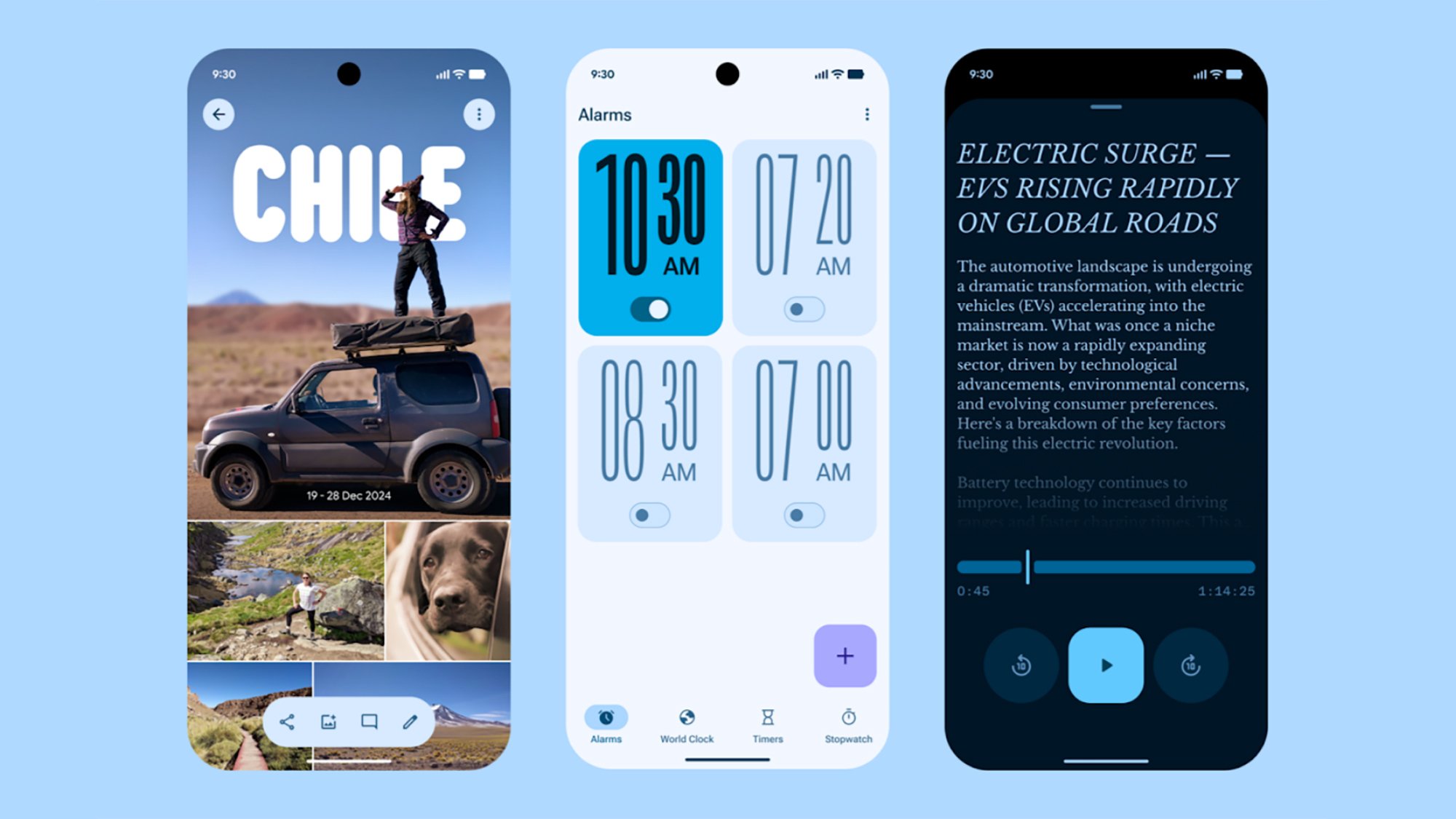
Google's new design language in a few of its most popular apps.
Google

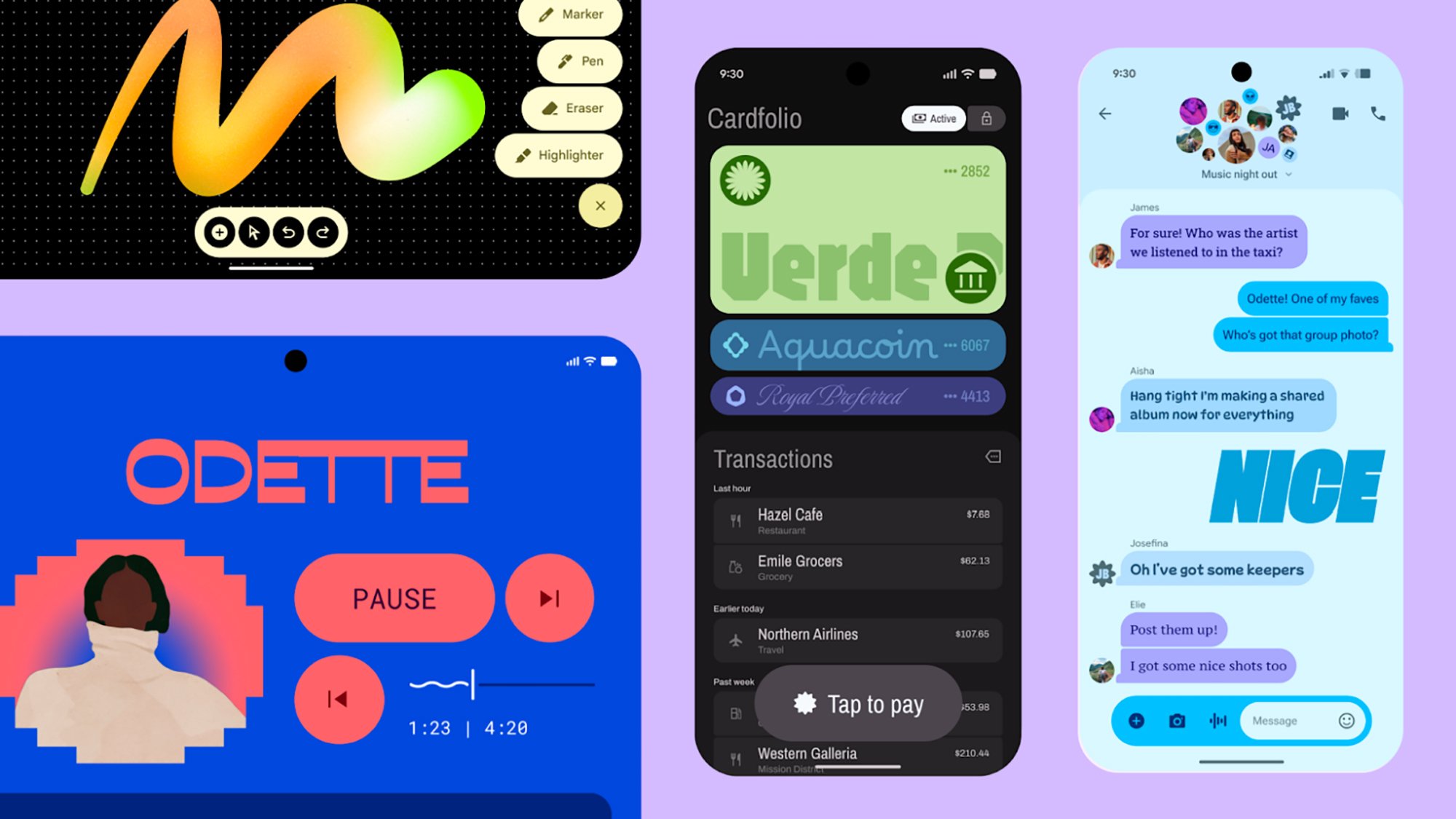
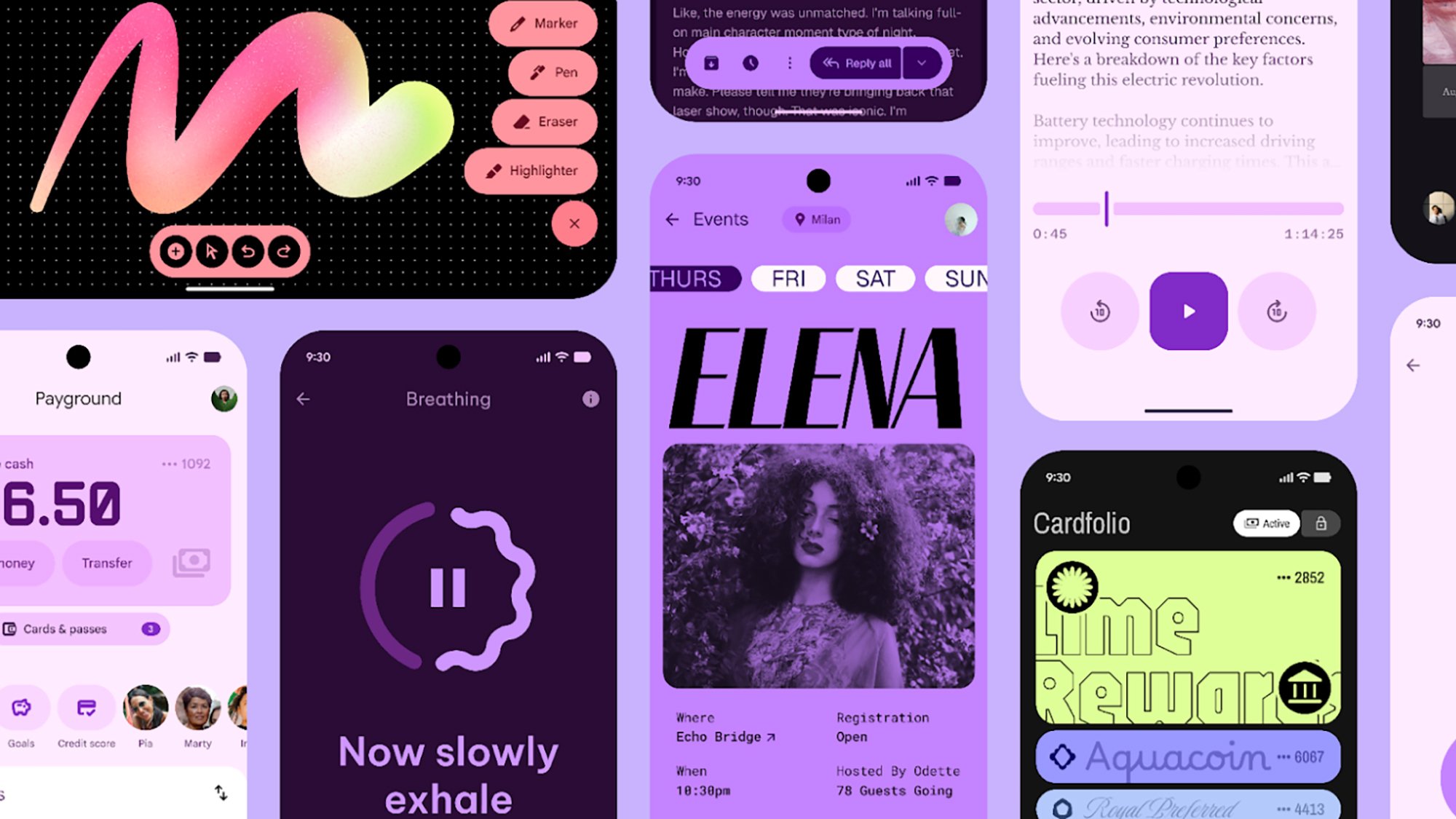
Material Design, Google’s design language for Android and Android apps, has been slowly evolving for years at this point, but Material 3 Expressive should be the biggest departure yet, adding new animations, typography and colors.

Google believes these changes make Android and apps easier to understand, while making them more appealing to young people. Based on the screenshots and clips Google shared, using Material 3 Expressive on Android 16 and Wear OS 6 has made the OSes look bouncier, more playful and fun. On Android, that also comes with the ability to add more tools to Quick Settings and apps and widgets to your home screen app grid. How much of a difference the new design language actually makes in your day-to-day life will depend on how quickly developers adopt the new style.

Gemini is coming to even more places

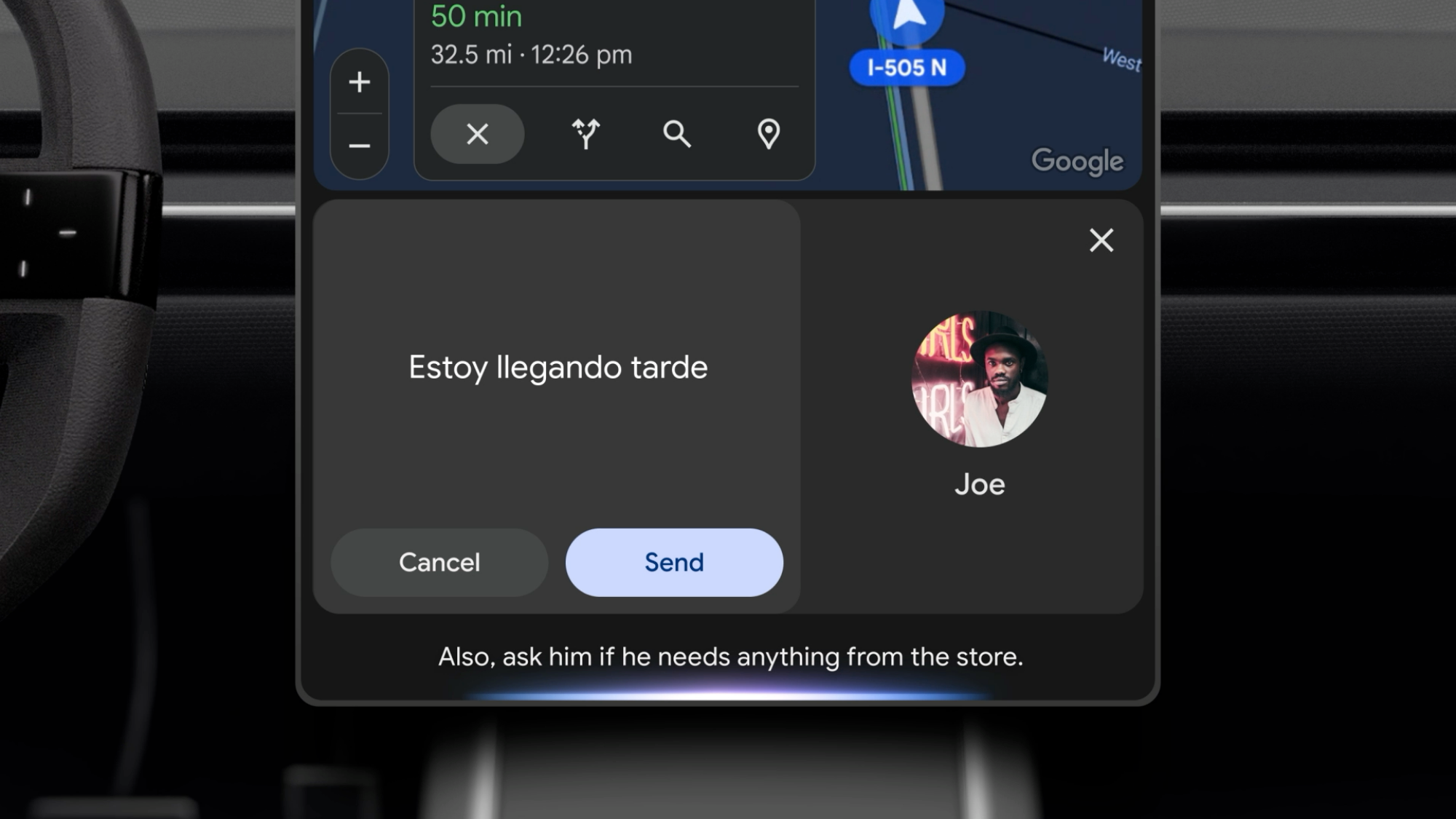
Gemini in Android Auto
Google

Google made Gemini the default assistant on Android and offered the multimodal generative AI’s smarts on the web and iOS. Now the assistant is making the jump to even more of the surfaces Google already controls, including Wear OS, the wearable operating system used by Samsung’s Galaxy Watches and Google’s Pixel Watches, Google TV and Android Auto.

Gemini will be able to do all of the things Google Assistant could do, like setting timers or creating reminders, but with much more flexible, natural language interactions. In Android Auto and cars with Google Built-in, you’ll also be able to use Gemini Live, Google’s tool for having live conversations with the AI about whatever topic you choose.

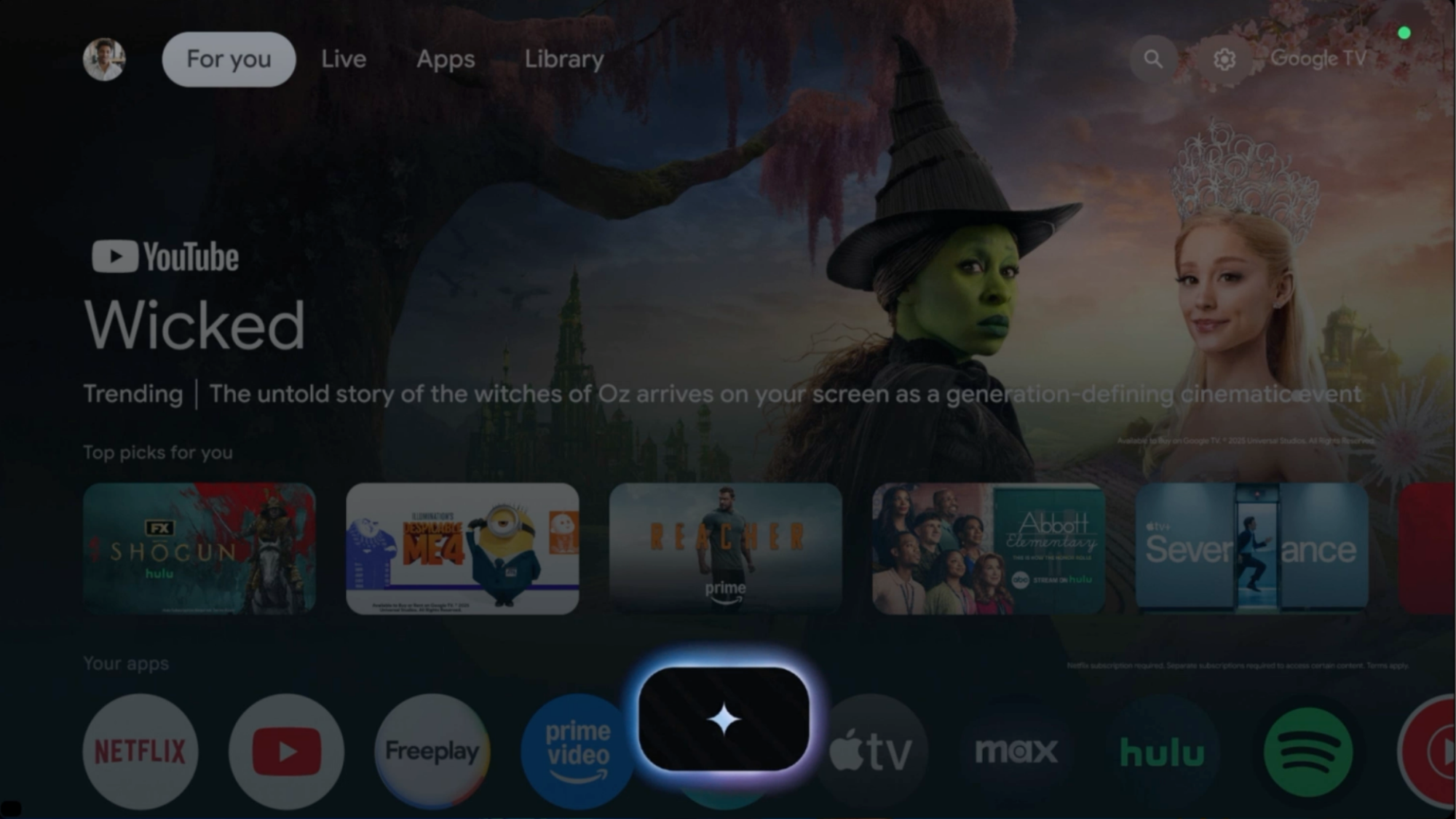
Google TV will leverage Gemini for TV and movie recommendations across your favorite genres, along with the AI assistant’s basic ability to answer questions. You could, for example, ask it for recommendations for kid shows and get information about your favorite actor.

Android is getting new security features and the Find Hub

The logo for the new Find Hub Google plans to use to track lost items.
Google

A major component of each new version of Android is improved security features, and Google has a few new features planned for Android 16. The company says it’s expanding its AI model for detecting spam texts and calls to account for new types of scams, like road toll scams.

The next version of Android will also make it possible to grant accessibility privileges on a call with an unknown contact, and a new Key Verifier tool makes it possible to swap encryption keys to verify the person you’re talking to is who they say they are.

On top of those changes, Google is expanding its Find My Device network into the new Find Hub, which can track your Android devices, compatible accessories and trackers, all in one location. Devices in Find Hub will also be able to use your phone’s satellite connectivity to make items findable even when you don’t have cell service.

This article originally appeared on Engadget at https://www.engadget.com/mobile/smartphones/everything-google-announced-at-the-android-show-174155773.html?src=rss

My Favorite Amazon Deal of the Day: Galaxy S25 Edge Preorders

We may earn a commission from links on this page. Deal pricing and availability subject to change after time of publication.

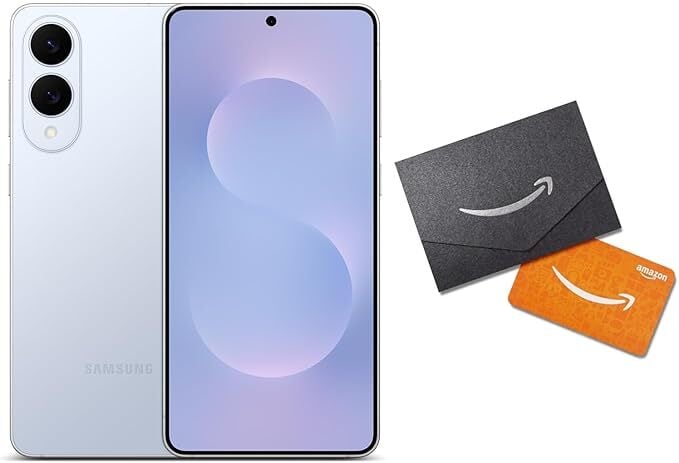
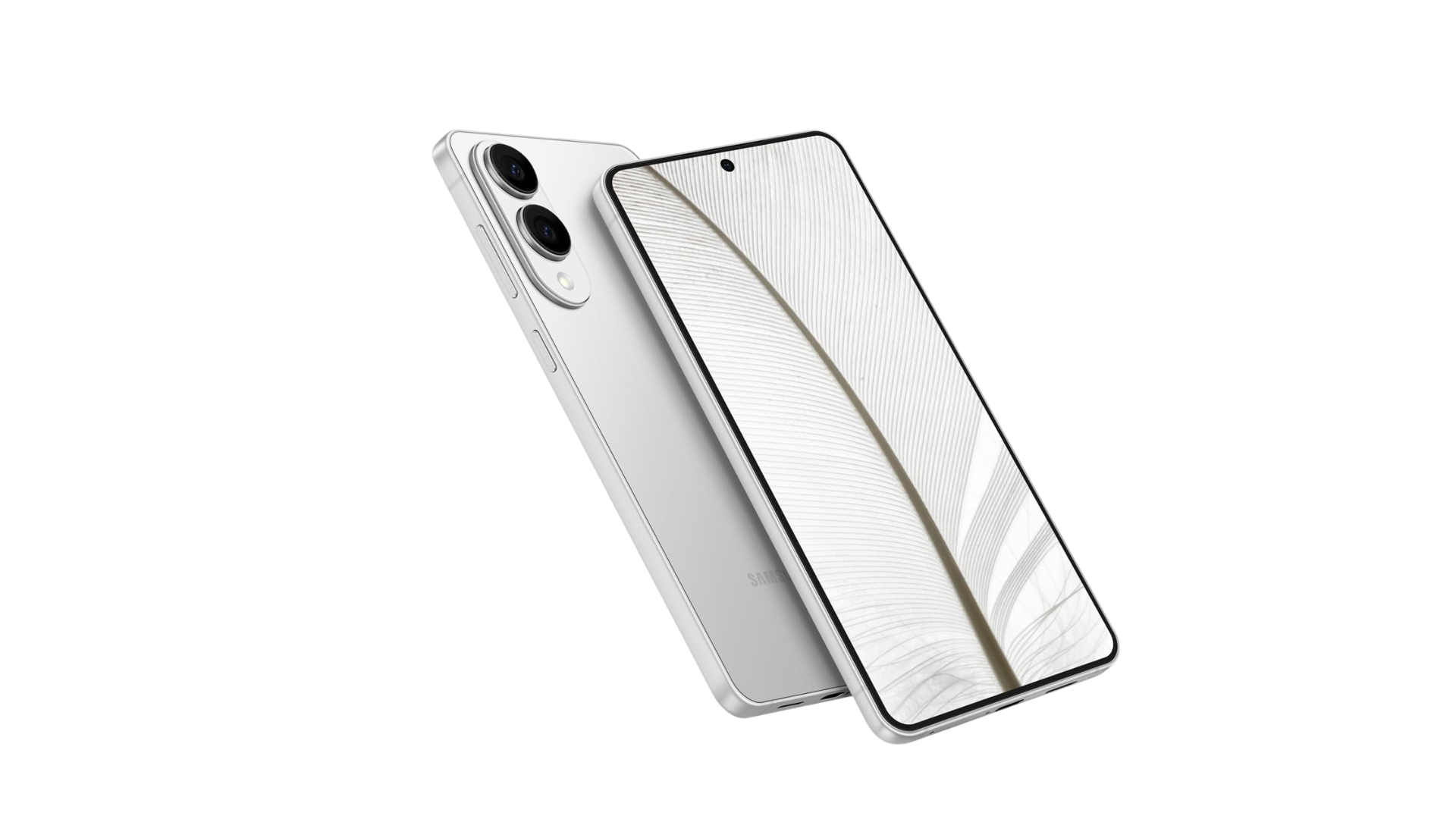
Samsung announced the new Galaxy S25 Series back in January, and later that same month teased a fourth, thinner phone, the Galaxy S25 Edge. It wasn’t until last week that we finally learned more about the new device Samsung is calling the “slimmest Galaxy S Series ever.”

Intrigued? You can already preorder it, and both Samsung and Amazon offering deals in the lead-up to the S25 Edge’s release on May 30.

The phone sounds like a winner: It is powered by the Qualcomm Snapdragon 8 Elite for Galaxy chip, comes with 12GB of RAM, and starts with 256GB of storage. It also has a dual camera setup with a 200 MP wide lens and 12 MP ultra-wide and front lenses. And it’s super thin at around 5.84mm.

It’s pretty sweet when retailers offer pre-order deals for flagship products. They don’t happen very often, and once the products are released, it’s rare to see a similar opportunity for at least a couple of months. Right now, both Samsung and Amazon are offering a free upgrade to 512GB from the basic 256GB option, allowing you to choose the unlocked version from among the same three colors.

But that’s where the similarities stop.

If you have a phone to trade in, go with Samsung’s offer

Samsung is offering up to $630 in trade-in credits when preordering the Samsung Galaxy S25 Edge. You can trade in more than one phone if you want as well. If you go with Samsung, you’ll also get their Samsung Care+ Theft and Loss program free for three months. Finally, if for some reason you want to upgrade again within 12 months, you’ll get at least 50% of the MSRP of the new phone.

If you don’t have a trade-in, Amazon is offering a $50 gift card

If you don’t have a trade-in or want to try your luck selling your older phone yourself, go with Amazon’s deal. You’ll get the same delivery timing and price, a one-year warranty, and a $50 Amazon gift card that Samsung doesn’t offer.

Office Apps on Windows 10 No Longer Tied To October 2025 End-of-Support Date

Microsoft has quietly extended support for Office applications running on Windows 10 well beyond the operating system’s October 14, 2025 end-of-support deadline. Microsoft 365 subscribers will now receive updates through October 2028, while perpetual license versions will follow their standard lifecycle policies — Office 2021 until October 2026 and Office 2024 until October 2029.

Windows Defender malware definitions will also continue “through at least October 2028” despite Windows 10’s imminent retirement. This reverses Microsoft’s previous stance that all Office applications would become unsupported when Windows 10 reaches end-of-life.


Read more of this story at Slashdot.

Google gives Android an animated makeover with Material 3 Expressive

Well, the leaks were right. Google is updating the look of Android and Wear OS to make its mobile and wearable operating systems more visually expressive and animated.

Google has dubbed its new design system Material 3 Expressive, and plans to introduce it when Android 16 and Wear OS 6 launch later this year. Material 3 Expressive builds on the Material You design changes Google made with the introduction of Android 12 by adding “more natural, springy animations,” a greater sense of depth, updated “dynamic color themes” and “emphasized typography.” If you’re familiar with Apple‘s approach to animation in iOS, Google seems to be using a similar philosophy here, making software elements more reactive to each other and your input, and layering in haptics so you can feel them react, too.

The new animations in Android 16 for working with notifications.
Google

The company specifically calls out the way other notifications bounce and jiggle when you pull one out of a stack in the notification shade and the haptics you feel dismissing apps in the recent apps menu, but new animations should be noticeable throughout Android 16. That’s along with what looks like an even more playful use of typography and color theming in Google’s stock apps, and a tasteful blur in the background of contextual menus. For even more personalization options, Google says the Quick Settings menu can now be customized to fit more actions, not unlike iOS 18’s Control Center. On the lock screen, apps will also have the option to display a live-updating notification, a feature Google calls “Live Updates” that is equivalent to Live Activities in iOS.

A gif showing the rounder and bouncier glances, app list and notifications from Wear OS 6.
Google

Given the smaller screen real estate, Material 3 Expressive comes across as less of a major change on Wear OS, but there are still visual changes that should be noticeable once you update. That includes new animations when you scroll through lists and glances, dynamic color-theming that matches the rest of your watch to your watch face and tweaks to notifications that make them easier to interact with. That’s on top of performance improvements that are supposed to give Wear OS 6 smartwatches up to 10 percent more battery life, according to Google.

Material 3 Expressive adds more of the quirky pizazz that has made the company’s software stand out in the last few years, but Google claims these changes are backed up by research, too. Material 3 Expressive is “the most researched update to Google’s design system, ever,” according to the company. There’s a blog digging into some of Google’s findings, but of particular note is the idea that Material 3 Expressive apps are attractive to young people — the company claims up to 87 percent of 18-to-24-year-olds prefer expressive design — while being easier to understand for people over the age of 45.

It remains to be seen whether developers take these changes in stride, but at the very least Android 16 and Wear OS 6 will be more visually exciting than anything Google’s released in years.

This article originally appeared on Engadget at https://www.engadget.com/mobile/google-gives-android-an-animated-makeover-with-material-3-expressive-170045667.html?src=rss

Android 16 adds new features for scam detection and device finding

Android 16's new Advanced Protection feature simplifies the task of managing your phone's security settings.
Android 16’s new Advanced Protection feature simplifies the task of managing your phone’s security settings.
Google

This summer’s Android 16 release will add several new and updated security measures that should make it more difficult for criminals to scam Android users or take advantage of stolen Android phones. After introducing AI features in March that detect fraudulent messages based on common language patterns, Google is working on teaching its models to recognize a wider range of text scams, such as those unpaid road toll scams you’ve probably seen this year. It’s also adding faster pattern analysis to Google Play Protect so it can unmask malicious apps more quickly.

Starting in Android 16, it will be impossible to grant certain accessibility privileges while on a call with an unknown contact. Meanwhile, the new Key Verifier feature prevents scammers from co-opting your known contacts, letting you and a trusted contact swap public encryption keys to confirm each other’s identities.

Android 16 also adds new ways to protect your phone against thieves. The Identity Check feature requires extra biometric verification to change sensitive settings outside user-designated safe locations. It launched on some Pixel and Galaxy devices in January, but Android 16 will widen the rollout. These upgrades should help protect against “shoulder surfing” device thefts and bank account breaches, in which thieves learn passcodes by watching targets unlock their phones, then steal and unlock the devices themselves. Such attacks have been vexing smartphone owners in bars and other crowded venues for years.

New anti-theft features include a security question for deactivating remote locks and more restrictions on what can be done to a device after a factory reset. If a phone running Android 16 is not unlocked or connected to Wi-Fi for a while, the lock screen will hide two-factor authentication codes received through texts.

Along with the new security features, Android 16 will centralize security under a single device-level feature called Advanced Protection. While the Advanced Protection switch is active, no feature under its umbrella can be turned off.

As a final complement to the Android 16 security updates, Google is expanding its Find My Device feature into Find Hub, a dashboard that can locate basically any object with smart capabilities or a bluetooth tag. Find Hub can use ultra-wide band (UWB) on compatible devices to narrow down more precise locations, and can also communicate via satellite so its features work outside cell range.

This article originally appeared on Engadget at https://www.engadget.com/cybersecurity/android-16-adds-new-features-for-scam-detection-and-device-finding-170037778.html?src=rss

Google is bringing Gemini to Wear OS, Android Auto and more

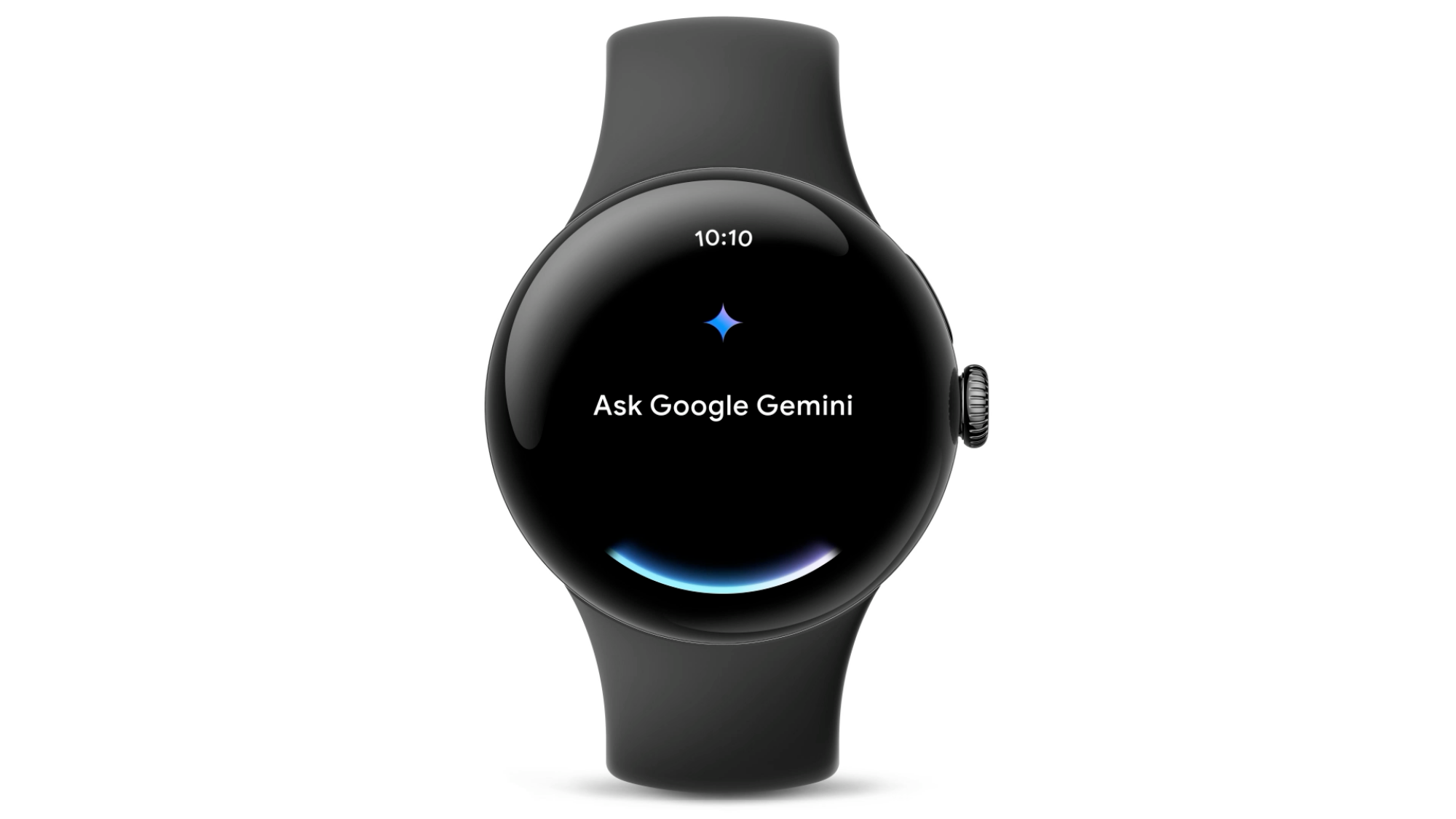
Google is bringing Gemini to more devices. During Tuesday’s airing of The Android Show: I/O Edition, the company said its family of AI models would soon power the conversational experiences on Android Auto, Wear OS, Google TV and beyond. I know what you’re thinking: don’t those platforms already come with Google Assistant? They do, but Google is promising Gemini will make every device it comes to more conversational.

For instance, once Gemini arrives on Wear OS, Google says you won’t need to get the wording of your request just right for the software to understand you. Instead, you can say something like “Remember I’m using locker 43 today,” and Gemini will know to set a reminder for you. Google is promising similar enhancements on Android Auto, where Google Assistant has been an important part of the experience for years.

“Soon, Gemini will upgrade that experience by understanding what you want while you’re driving, through natural conversations,” the company says. “So instead of focusing on the perfect prompt or tapping the right button, you can stay focused on the road ahead.” 

In practice, that means Gemini will be able to do things like summarize text messages for you and translate them into more than 40 languages. With its ability to “remember” things, you can do things like tell Gemini to always send messages to a specific friend in Spanish, even though you might not speak the language. Google will start rolling out Gemini to Android Auto in the coming months, with cars with Google built-in to follow later this year.

Elsewhere, Google is building Android XR from the ground up with Gemini built-in. “When the first headset from Samsung launches later this year, Gemini can help you do things like plan a vacation by surrounding you with videos, maps and local tips, creating an entire itinerary in minutes while providing a more realistic feel for the place you’re researching,” the company says.

In the coming months, Google will also bring Gemini to Google TV. As you can probably guess, here Gemini will augment recommendations. Specifically, you can expect better age-appropriate suggestions for your kids. The model will also give Google TV the capability to answer any questions your children might have about what they’re watching.

Last but not least, Google says Sony and Samsung will bring Gemini to some of the new earbuds the two companies plan to release this year and into the future. No details yet on what to expect there, but like on Wear OS and Android Auto, presumably the addition of Gemini will help make those earbuds better at understanding what you say to them.

This article originally appeared on Engadget at https://www.engadget.com/ai/google-is-bringing-gemini-to-wear-os-android-auto-and-more-170028033.html?src=rss

Google Is Expanding Its Use of AI to Protect You From Scams

Scammers and cyber attackers are always looking for new ways to steal your information, and even the most cautious among us can be at risk when using our mobile devices for everyday activities. Google is rolling out new security features for Android to help users protect against scams, fraud, and theft, and revealed a bunch of them during its mobile-focused event “The Android Show: I/O Edition,” leading up to this year’s Google I/O event starting May 20.

Here’s what’s coming soon to your Android device.

Expanded scam detection features

Google recently rolled out real-time, AI-powered scam detection that alerts users to possible fraud when suspicious conversational patterns are found in Google Messages and Phone by Google. The feature, available for Pixel devices, will now cover a wider net of scams, including package delivery scams, job seeking scams, toll road and billing fee scams, crypto scams, financial impersonation scams, gift card and prize scams, and tech support scams.

In-call scam protections are also expanding and will prevent users from taking actions that put their data at risk or open the door for malware. While on the phone with non-contacts, you won’t be able to disable Google Play Protect, sideload new apps from web browsers or messaging apps, or grant accessibility permissions. You’ll also get a notification to stop screen sharing at the end of a call. In-call protections for Google Play Protect are available for Android 6+, while sideloading and accessibility limits are available on Android 16.

Finally, Google is piloting in-call protections for banking apps. To protect against impersonation scams that compromise financial account information, your device will warn you if you launch a participating banking app while screen sharing with an unknown contact with a one-tap “End call” button. Android 11+ users in the UK will have first access to the feature in the coming weeks.

Improved theft protection features

In the last year, Google released a number of theft protection features to help secure your data if your device was lost or stolen. Remote Lock, which allows you to lock down your Android or wipe it remotely, will now have a security challenge question to prevent unauthorized access, and Factory Reset protections will be expanded.

Identity Check—originally rolled out to Pixel and Samsung One UI 7 device—will be available on more supported devices that upgrade to Android 16. This feature requires biometric authentication to access certain resources when you’re outside of trusted locations.

Finally, Android 16 will hide one-time passwords on your lock screen when your device is not connected to wifi and hasn’t been unlocked recently to prevent thieves from utilizing them to access your accounts.

Key Verifier for Google Messages

Google Messages is getting a new feature to help you confirm that you’re chatting with who you think you are (rather than a scammer impersonating someone you know). With Key Verifier, the person will have to confirm that your contact keys in the Google Contacts app match by scanning a QR code or comparing numbers, which will then mark them as verified.

If their number is compromised in some way, such as in a SIM swap attack, the verification will disappear, letting you know that your conversation may not be secure. Key Verifier will be available sometime this summer for devices running Android 10+.

Live threat detection for apps

Google Play Protect, which runs safety checks on apps before they’re installed on your device, is getting an upgrade. Live threat detection will run continuously on-device and in real time to quickly identify suspicious patterns or behavior that may indicate malware and alert you before apps are even installed. This update is available now for all Android users.

Device-level Advanced Protection

Google’s Advanced Protection program adds extra security for users who carry sensitive data or have greater privacy concerns, such as journalists, activists, and executives. When enrolled, you’re required to enter your passkey or security to access your account and may get more frequent alerts related to malware risks. Android 16 now has a device-level Advanced Protection security setting for anyone who prioritizes security in addition to account-level safeguards.

Google Is Putting Gemini AI Into Smartwatches, Cars, and TVs

Google’s Gemini AI is going beyond Android phones, the company officially announced today, prior to its Google I/O 2025 conference later this month. Specifically, Google says it will bring the AI assistant to smartwatches, cars, TVs, and even mixed reality headsets. This is a significant step forward for its Gemini push, as it’ll allow people to use the service on almost all devices in the Google ecosystem. 

Gemini on Wear OS devices

Google Gemini on smartwatch

Credit: Google

The goal of Gemini on your smartwatch is to ensure you’ve always got your AI assistant with you, so you can ask questions while you’re cooking, biking, or doing the chores as your phone charges. Google says you can use Gemini to set reminders, and it’ll be able to use contextual information such as your location to give you correct answers. The company adds that you can ask Gemini to remind you about a restaurant reservation mentioned in your email inbox, or to remember which locker you’re using at a gym, right from your Wear OS smartwatch. Gemini for smartwatches is planned to arrive “in the coming months.”

Gemini in your car

Gemini n Android Auto example

Credit: Google

Google Assistant for Android Auto has been among the most useful features for drivers who want to stay hands-free, and now the company is upgrading it to Gemini. This will be available to every car that supports Android Auto or has Google built-in. The company says this will help people by letting them use natural language to control their cars, reducing distractions. You won’t have to think of the right voice prompt to get the results you need, Google claims. 

As far as real-world use cases go, Google suggests that you could ask Gemini for a daily news rundown while excluding certain topics, or you could have Gemini summarize your text messages, then reply to them for you— even translating them to another language if you like. As for helping you with your trips, Google suggests you could ask the AI to help you find points of interest along your route, such as a charging station near a park.

Gemini is coming to Android Auto “in the coming months,” and it’ll be available for cars with Google Built-in after that. I’m curious how helpful this will really end up being, because in some use cases, Gemini has been a bit slower for me than non-AI control.

Gemini on TV and other devices

Gemini on Google TV

Credit: Google

Gemini is also coming to Google TV, where the company says it will help you find the right kind of content. For instance, you could ask it to find “action movies that are age-appropriate for kids,” and it’ll serve you up a list of AI-assisted recommendations. Alternatively, the bot could supposedly answer questions by sharing a few words, then linking to relevant YouTube videos. Sounds great, as long as the AI doesn’t hallucinate or accidentally send your kid down a misinformation rabbit hole.

Gemini is also planned for a few other devices, including eventual Android XR mixed reality headsets. The company said Samsung will launch the first Android XR headset later this year, and that it will ship with Gemini included. Some earbuds from Sony and Samsung will also get Gemini support, but the launch timeline is unclear for those devices.

Google Just Unveiled a New Look for Android

Google has unveiled a major update to its Material 3 design language, which guides the visual appearance of apps across Android and the web. Called Material 3 Expressive, the new look is intended to make software “more engaging and easier to use,” and is quite a departure from what’s gone before.

It’s not easy to sum up what Material 3 Expressive is, but you can see a few of Google’s example screenshots included in this article. Google says that expressive design is design that “makes you feel something” when you use it. “Expressive interfaces have an emotional impact, fostering connection by evoking a feeling or mood through visual design and interaction,” as per the official announcement blog post.

Material 3 Expressive
The new update covers colors, fonts, and shapes.
Credit: Google

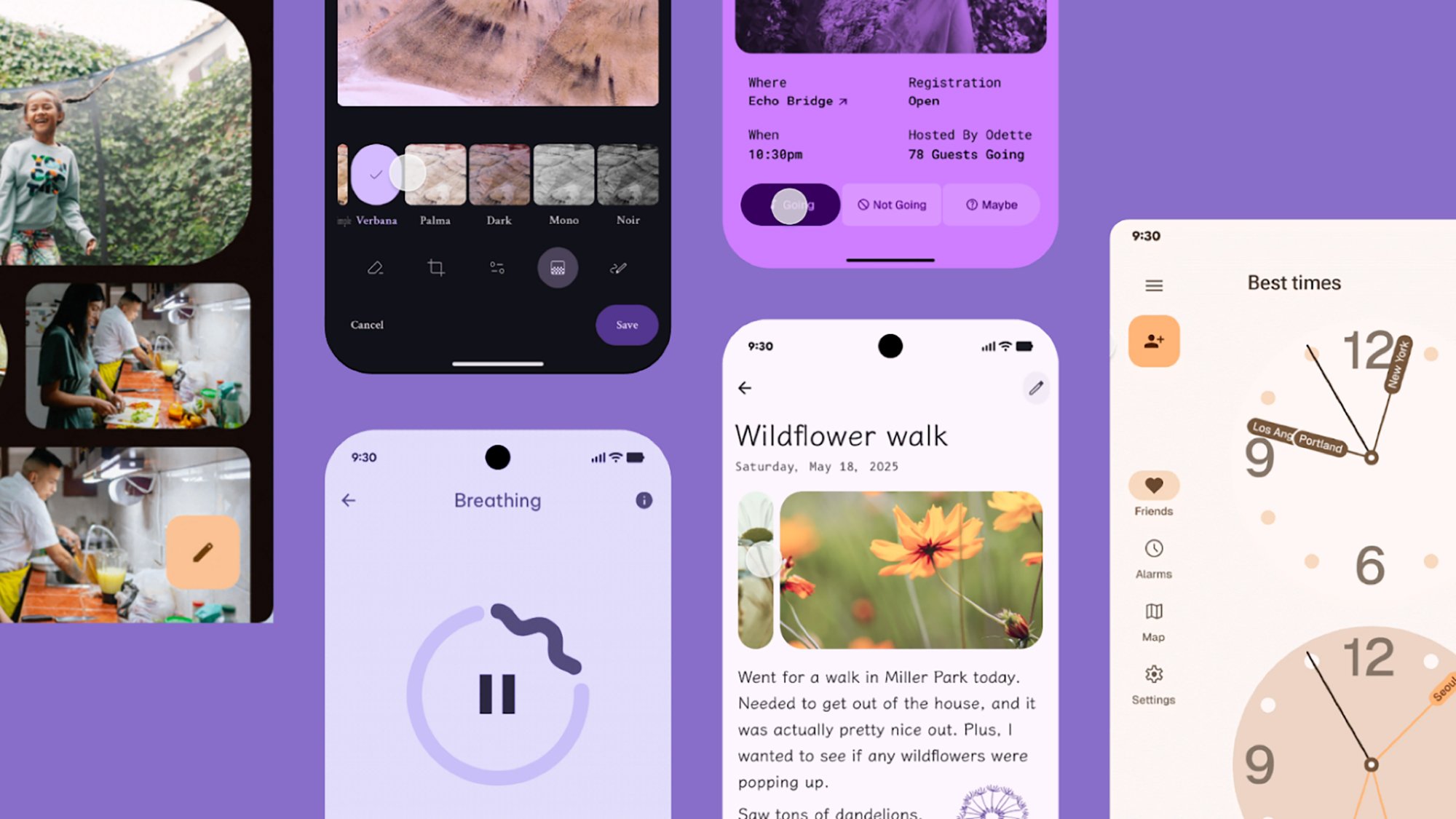
What that actually looks like is bolder colors, more creative use of typography, more flexibility in terms of shapes, and animations that are now more natural and fluid. You can expect to see Material 3 Expressive start showing up in Google’s own apps, and it’s encouraging app developers to adopt the look, too. We should also hear more about the update at Google I/O 2025, which gets underway on May 20.

As you can see from the attached pictures, a fresh batch of text styles have been introduced to help add flair to apps and draw your attention to important functions and features—whether that’s a recording button or an unread message. There are also dozens of new shapes, and new morphs for switching between them.

Material 3 Expressive
More Material 3 Expressive examples from Google.
Credit: Google

Animation effects, meanwhile, are intended to look more realistic and more logical than before. Colors have been updated to be richer and more dynamic, and as with the other improvements, the thinking with the new color schemes is that users are better able to find their way around apps and see where key features are.

Google is encouraging app developers to combine these colors, shapes, text styles, and animations to be more creative in their designs. “Makers have more flexibility with M3 than ever before, so we encourage you to play around with these elements and see what works for you,” says Google.

Backed by user research

The revamped Material 3 Expressive design covers most aspects of a software interface, including navigation bars, progress indicators, app controls, carousels, and floating action buttons (known as FABs). However, Google has specifically said this isn’t a generational leap to Material 4, but rather an evolution of the existing Material 3 aesthetic.

The initial spark behind Material 3 Expressive was apparently to “dial up the feeling” and make mobile and web apps less homogeneous. While there are quite a few guidelines to take in here for developers, Google is also keen to see more variety and more experimentation—including “hero moments” that “break from predictable or uniformly applied design ideas.”

Material 3 Expressive
The new look has scored highly in testing, Google says.
Credit: Google

And there’s plenty of research behind the new look. According to Google, Material 3 Expressive is based on 46 different studies covering more than 18,000 participants, who were asked to rate visuals in categories including playfulness, energy, creativity, friendliness, and modernity.

A combination of surveys, experiments, and even eye-tracking tests were deployed to get Material 3 Expressive looking the way it does. It’s also an update that’s been three years in the making, so the shapes, colors, and text you see here have been tweaked and refined over a long period of time—and no doubt will stay in place for several years, before we get the next overarching visual refresh.

Material 3 Expressive
Expect to see refreshes for your favorite apps soon.
Credit: Google

The new look has been a hit with users of all ages, according to Google. As per its research, the new design guidelines make interfaces easier to use, and result in apps that users are more likely to switch to as well. Key UI elements are apparently up to four times easier to spot in apps that follow the Material 3 Expressive templates.

Whether or not you’re a fan of the Material 3 Expressive look, it’s on the way to Google’s suite of apps across mobile and the web. Google has now released design kits for developers to start playing around with, too, so third-party apps should also start adopting the visual refresh in the near future.

ESPN’s streaming service will cost up to $30 per month and be called… ESPN

Disney isn’t quite ready to reveal exactly when you’ll be able to start using ESPN’s long-awaited standalone streaming service, but it has announced some key details. For one thing, the company isn’t rocking the boat in terms of branding. The service will simply be called ESPN.

That was the best and most obvious option, especially considering that the unlimited plan includes all of ESPN’s offerings, albeit via the internet instead of satellite or cable. “As we thought about the name, we kept returning to the fact that, across every generation, ESPN is the most trusted, loved and recognized name in sports, and that we should keep it simple and double down on the power of ESPN,” ESPN chairman Jimmy Pitaro said in a statement.

There are two plans that will be available through the revamped ESPN app: an unlimited subscription for $30 per month and a select plan for $12 per month. The former includes all of ESPN’s linear networks. You’ll be able to watch (deep breath) ESPN, ESPN2, ESPNU, SECN, ACCN, ESPNEWS and ESPN Deportes live, as well as ESPN on ABC, ESPN+, ESPN3, SECN+ and ACCNX. ESPN’s press release does not mention the inclusion of ESPN8 The Ocho, a free ad-supported streaming channel that features all kinds of strange and wonderful sports.

Along with studio shows and original programming like the 30 for 30 films, the unlimited plan offers access to 47,000 live events every year plus on-demand replays, ESPN says. That includes games from the big four North American sports leagues, along with the NWSL, PGA Tour, UFC, Big 12, the College Football Playoff, dozens of NCAA championships, major European soccer leagues, three of the tennis grand slam tournaments and much more. The select plan, meanwhile, is basically what ESPN+ is now.

There are other payment options available. An annual unlimited membership will run you $300. If you also use Disney+ and/or Hulu, though, a bundle will likely be the best way to go. Disney is trying to sweeten the deal for newcomers with a launch offer that includes Disney+, Hulu and ESPN unlimited for $30 per month for 12 months. That effectively gets you Disney+ and Hulu for free for a year, but it’ll be the ad-supported version of each. After that, the bundle will cost you $36 per month for a plan with ads on Disney+ and Hulu. To go ad-free on those services, you’ll pay $45 per month for the bundle.

As for the select plan, that’s $120 for an annual subscription. The bundle of Disney+, Hulu and ESPN select will be $17 per month with ads on Disney+ and Hulu, and $27 to go ad-free. Bundle subscribers will be able to access ESPN content from the Disney+ app.

Current ESPN+ subscribers will be moved over to the ESPN service on the select plan (but expect a lot of attempts to upsell you on the unlimited offering). If you have a bundle with Disney+, Hulu and ESPN+, you’ll soon find yourself with the ESPN select bundle.

The transition will happen when the ESPN streaming service debuts sometime in early fall. Disney will announce more details, including the date when the service goes live, later this summer as the cable-ization of streaming TV continues.

The standalone ESPN service had been in the works for years, but it’s not the only sports streaming platform Disney had been putting together. The company teamed up with Warner Bros. Discovery and Fox with the intention to start a joint offering called Venu Sports, but that plan vaporized earlier this year amid legal challenges from competitors. Still, Fubo agreed to drop its case against Venu Sports after it reached a deal with Disney on a joint venture that combines FuboTV with Hulu + Live TV.

This article originally appeared on Engadget at https://www.engadget.com/entertainment/streaming/espns-streaming-service-will-cost-up-to-30-per-month-and-be-called-espn-164532920.html?src=rss