Germany Drops Opposition To Nuclear Power

An anonymous reader shares a report: Germany has dropped its long-held opposition to nuclear power, in the first concrete sign of rapprochement with France by Berlin’s new government led by conservative Chancellor Friedrich Merz.

Berlin has signalled to Paris it will no longer block French efforts to ensure nuclear power is treated on par with renewable energy in EU legislation, according to French and German officials.

The move resolves a major dispute between the two countries that has delayed decisions on EU energy policy, including during the crisis that followed Russiaâ(TM)s full-scale invasion of Ukraine.


Read more of this story at Slashdot.

Removing the weakest link in electrified autonomous transport: Humans

Thanks to our new global tariff war, the wild world of importing and exporting has been thrust into the forefront. There’s a lot of logistics involved in keeping your local Walmart stocked and your Amazon Prime deliveries happening, and you might be surprised at how much of that world has already been automated.

While cars from autonomy providers like Waymo are still extremely rare in most stretches of the open road, the process of loading and unloading cargo has become almost entirely automated at some major ports around the world. Likewise, there’s an increasing shift to electrify the various vehicles involved along the way, eliminating a significant source of global emissions.

But there’s been one sticking point in this automated, electrified logistical dream: plugging in. The humble act of charging still happens via human hands, but that’s changing. At a testing facility in Sweden, a company called Rocsys has demonstrated an automated charger that works with self-driving electric trucks from Einride in a hands-free and emissions-free partnership that could save time, money, and even lives.

Read full article

Comments

Mozilla Just Patched Two Firefox Zero-Days Discovered at a Hacking Contest

If you’re a Firefox user, you need to update your browser. Mozilla has released a security patch for two zero-day vulnerabilities identified at the recent Pwn2Own hacker contest held in Berlin. Zero-days are critical security flaws that have been actively exploited or publicly disclosed before an official fix is available.

Browsers are targets for malware, and Firefox isn’t the only browser to discover zero-day exploits in recent days. Earlier this month, Google released an emergency patch for Chrome to address a high-severity vulnerability (CVE-2025-4664) that permitted full account takeover—CISA later confirmed that this flaw was being actively exploited in attacks. (If you’re using Chrome, you should consider other privacy-focused browser alternatives anyway.)

Zero-days discovered in Firefox

Both zero-day exploits discovered at Pwn2Own Berlin are out-of-bounds flaws that allow attackers to read or write data, potentially gaining access to sensitive information or permitting code execution. CVE-2025-4918 allows read or write on a JavaScript Promise object (a proxy value for a process that hasn’t been completed yet) while CVE-2025-4919 permits read or write on a JavaScript object (a collection of “properties,” which are associations between keys and values).

CVE-2025-4918 was discovered by Edouard Bochin and Tao Yan from Palo Alto Networks, while CVE-2025-4919 was reported by Manfred Paul—each won $50,000 for their hacks.

The following versions of Firefox are vulnerable to these flaws and should be updated:

  • Firefox before 138.0.4

  • Firefox Extended Support Release (ESR) before 128.10.1

  • Firefox ESR before 115.23.1

  • Firefox for Android

While Mozilla was quick to address these flaws, the company notes that neither broke out of Firefox’s “sandbox,” which would be required in order to take control of a target’s machine. That’s a good sign for Firefox’s overall security, as attackers at previous Pwn2Own competitions successfully broke out of the sandbox. Still, Mozilla recommends all users install the new patches as soon as possible.

How to update Firefox to the latest version

If you’re a Firefox user, make sure your browser is up to date. You can check which version you’re on by going to Firefox > About Firefox. Click the Restart to Update Firefox button if it appears.

Anno 117 Pax Romana hands-on: Gorgeous, deep, and tricky to learn

There aren’t any games quite like the Anno series, and based on some hands-on time at a recent press junket, I can say that the latest entry has the potential to be an appealing on-ramp for history buffs and strategy game fans who haven’t explored the franchise before—provided players approach it with a lot of patience.

The previous entry in the series, 2019’s Anno 1800, was seen as something of a return to form by longtime franchise fans, who weren’t as thrilled with the futuristic entries that preceded it. It reportedly reached 5 million players, which is quite a lot for a PC-focused strategy title, so 1800 was a popularization moment for the franchise, too.

Anno 117: Pax Romana, due later this year, aims to build on that momentum and turn the franchise into a crossover hit. While the Anno games have long been popular with a certain crowd (strategy gamers in Europe, and specifically Germany, where the games are developed), its addictive gameplay and top-tier presentation have the potential to appeal with even more people, provided publisher Ubisoft makes the right choices.

Read full article

Comments

A new Microsoft 365 Copilot app starts rolling out today

Surprising no one, Microsoft‘s Build 2025 conference is mostly centered around its Copilot AI. Today, the company announced that it has begun rolling out its “Wave 2 Spring release,” which includes a revamped Microsoft 365 Copilot app. It’s also unveiled Copilot Tuning, a “low-code” method of building AI models that work with your company’s specific data and processes. The goal, it seems, isn’t to just make consumers reliant on OpenAI‘s ChatGPT model, which powers Copilot. Instead, Microsoft is aiming to empower businesses to make tools for their own needs. (For a pricey $30 per seat subscription, on top of your existing MS 365 subscription, of course.)

Microsoft claims that Copilot Tuning, which arrives in June for members of an early adopter program, could let a law firm make AI agents that “reflect its unique voice and expertise” by drafting documents and arguments automatically without any coding. Copilot Studio, the company’s existing tool for developing AI agents, will also exchange be able to “exchange data, collaborate on tasks, and divide their work based on each agent’s expertise.” Conceivably, a company could have its HR and IT agents collaborating together, rather than being siloed off in their own domains. 

With the new Microsoft 365 Copilot app, Microsoft has centered chatting with its AI to accomplish specific tasks. The layout looks fairly simple, and it appears that you’ll also be able to tap into your existing agents and collaborative pages as well. As Microsoft announced in April, you’ll also be able to purchase new agents in a built-in store, as well as build up Copilot Notebooks to collect your digital scraps. Like an AI version of OneNote or Evernote, Notebooks could potentially help you surface thoughts across a variety of media, and it can also produce two-person podcasts to summarize your notes. (It’s unclear if they’ll actually sound good enough to be useful, though.)

This article originally appeared on Engadget at https://www.engadget.com/ai/a-new-microsoft-365-copilot-app-starts-rolling-out-today-160002322.html?src=rss

Cops pause use of flawed AI cameras secretly monitoring streets for suspects

New Orleans police have reportedly spent years scanning live feeds of city streets and secretly using facial recognition to identify suspects in real time—in seeming defiance of a city ordinance designed to prevent false arrests and protect citizens’ civil rights.

A Washington Post investigation uncovered the dodgy practice, which relied on a private network of more than 200 cameras to automatically ping cops’ phones when a possible match for a suspect was detected. Court records and public data suggest that these cameras “played a role in dozens of arrests,” the Post found, but most uses were never disclosed in police reports.

That seems like a problem, the Post reported, since a 2022 city council ordinance required much more oversight for the tech. Rather than instantly detaining supposed suspects the second they pop up on live feeds, cops were only supposed to use the tech to find “specific suspects in their investigations of violent crimes,” the Post reported. And in those limited cases, the cops were supposed to send images to a “fusion center,” where at least two examiners “trained in identifying faces” using AI software had to agree on alleged matches before cops approached suspects.

Read full article

Comments

Epic goes to court to force Fortnite back on US iOS

After last month’s bombshell legal ruling forcing Apple to allow the use of external payment processors for in-app purchases on iOS, Epic CEO and founder Tim Sweeney said Epic Games was “going to do everything we can to bring Fortnite back to the iOS App Store.” That “everything” now includes a legal motion in the District Court of California seeking to force Apple to “accept any compliant version of Fortnite onto the US storefront of the App Store.”

Apple removed Fortnite from the App Store and terminated Epic’s US App Store account in August 2020 after Epic snuck its famous Epic Direct Payments “hotfix” into the game (thereby setting off a yearslong legal battle). On May 9, though, Epic used an iOS account for its Swedish subsidiary—which was recently used to take advantage of Europe’s DMA policies—to submit a new version of Fortnite to the US App Store.

Apple formally rejected that submission on May 15, saying in a letter shared by Epic that it believes the recent court rulings “do not diminish Apple’s bases and legal right to have terminated Epic Games’ [iOS developer account].” Even under that new ruling, Apple notes, the 2020 “hotfix” allowing Epic Direct Payments inside the app rather than via an external storefront would still violate Apple’s current lawful restrictions on such practices.

Read full article

Comments

Some of My Favorite Smart Home Products Are Getting Smaller Models

We may earn a commission from links on this page.

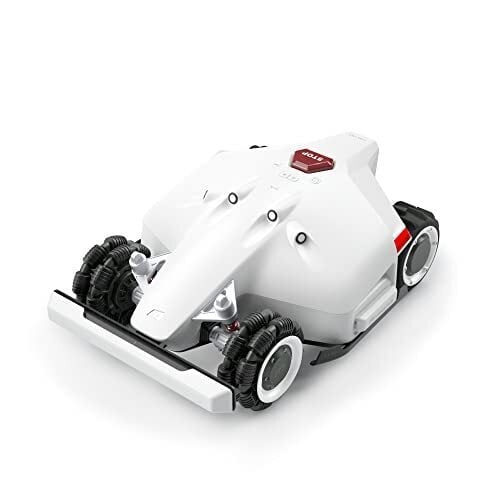
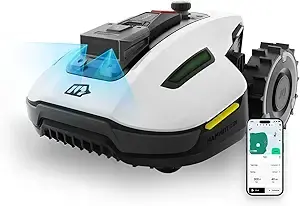
The only thing I didn’t love about the Mammotion Luba robot lawn mower I tested last summer was its size. It’s a hulking four-wheel-drive robot and I live in the city, where we don’t have huge lawns. Enter the Luba Mini, a halved version of the Luba meant for smaller lawns (and tighter budgets). In fact, if you paid attention this spring, miniaturized versions of some of my favorite technology were everywhere. These mini-me versions seem to be driven, according to the companies themselves, by two market needs. While smart home tech is incredible in terms of functionality and independence, it often comes at a steep cost. But it’s not just price driving the shrinking of our tech; many companies realized was that many folks wanted the automation even when they didn’t have an acre of lawn to mow or a wall of windows to clean. Here’s how a few of my favorite pieces of technology have shrunk themselves to become more accessible and affordable.

Mini lawn mowers

Yuka full size and mini
Yuka full size on the left and mini on the right
Credit: Amanda Blum

Mammotion released mini models of both the Luba (AWD) and Yuka (2WD) robot mowers, and I’ve been testing them for the last month. In terms of size, they’re perfect for most suburban and urban lawns under ¼ acre and have almost the same functionality as the larger models. That’s the point, according to Senior Product Manager David Cheng, who told me, “We weren’t just shrinking our existing models—we were filling a real gap in the market for homeowners seeking smart, perimeter wire-free lawn care that fits smaller outdoor spaces.”

Mammotion’s mowers require an RTK tower, which is a highly accurate GPS method that allows for triangulation between the mower, the tower and satellites. Using your phone as a remote control, you walk the robot around the perimeter of your lawn to set up zones, and create pathways between zones so the robot can navigate on its own. The minis have a new benefit, which is the ability for them to map spaces on their own, without you walking them around. If your yard has clear borders, I found it worked as well as mapping the area on your own.   

The larger Yuka comes with a hopper for grass clippings, which you can teach to dump the clippings anywhere you like—the mini doesn’t have that option. Still, I didn’t find the hopper very usable on the large version, so no loss there.  

I did find the minis had trouble, regardless of which version of mapping you used, getting to some edges of the yard. If there were overhanging shrubs casting a long shadow, the AI would interpret that as a no-go zone, avoiding it altogether. Still, that was the only degradation of features I found between the models. The mini has another benefit: It’s a lot less conspicuous parked at the dock, given the size. While you can install a 4g chip in your robot and set up notifications in case someone grabs it and goes, you just know where someone has absconded with it to.  

The models use the same app, and the minis mowed as well as the original models. At a dramatically lower price point, this gives you an excuse to invest in a robot mower if the thing holding you back was how large or expensive they are.

  Smaller smart grills

The original Brisk It Origin
Credit: Amanda Blum

Last summer I tested all the smart grills on the market, and my favorite was the Brisk It Origin. Through the fall, winter, and this spring, I have used it extensively because it turns smoking (a merciless task that involves a lot of overnight grill babysitting) into a flawless, hands-off experience. You tell the grill what you want to make, and AI kicks in to tell the grill how to make it, and it will notify you when it’s time to flip things over or add a baste; when it’s done, the grill turns itself off.

You can, of course, edit the smoking program, create one on the fly, or just use the smoker manually as a grill. I went from someone who never rarely smoked on the grill to someone who does so once a week. On my recommendation, a BBQ devotee up the block added a Brisk It to their three-smoker lineup and revealed to me that it has become their favorite. Still, the original Brisk It clocks in just under $600 so I was excited to test the Zelos, a smaller, less expensive Brisk It with all the functionality of the Origin, albeit with less real estate.

My experience isn’t that unique, according to Christopher Huang, CEO at Brisk It. “Over 70% of U.S. adults say they want to cook more at home, but cite time and effort as their biggest barriers…and while more than half of home cooks express interest in smart kitchen tech, only 15% actually use it regularly.”

The original Brisk it
the mini has about 80% of the space of the original, seen here. I fit a whole rack of ribs plus a tray of chicken, but couldn’t fit two racks of ribs.
Credit: Amanda Blum

Even as a highly enthusiastic home cook willing to put in the time, I cannot deny how much utility I get out of smart home automation in the kitchen. A smart grill is out of this world, since the notifications and temperature reporting of the grill and food means I don’t have to stand over the grill. Brisk It even helps control the stall that barbecued meats often experience.

Last month, I set up the Zelos (a thirty-minute affair) and invited neighbors over. I was worried about the smaller grill space (the Origin has 580 inches of grill space to the Zelos’ 450 inches). While I could fit more racks of ribs on the Origin, the Zelos accommodated a full rack, plus a whole tray of chicken thighs, and I used the upper rack to smoke an array of vegetables.

It didn’t escape my attention that because the smaller grill uses less fuel (both are powered by pellets, although the control unit requires electricity), I’d be more likely to use it more often.

Again, the app experience is the same on both models, and is highly functional and, dare I say, pretty fun. The AI the program uses is great for finding new recipes, a function I find underwhelming in practice on other products. At a reduced price, the Zelos makes an awfully appealing Father’s Day gift, since it will also free up Dad from watching the grill all day.

A smaller window-washing robot

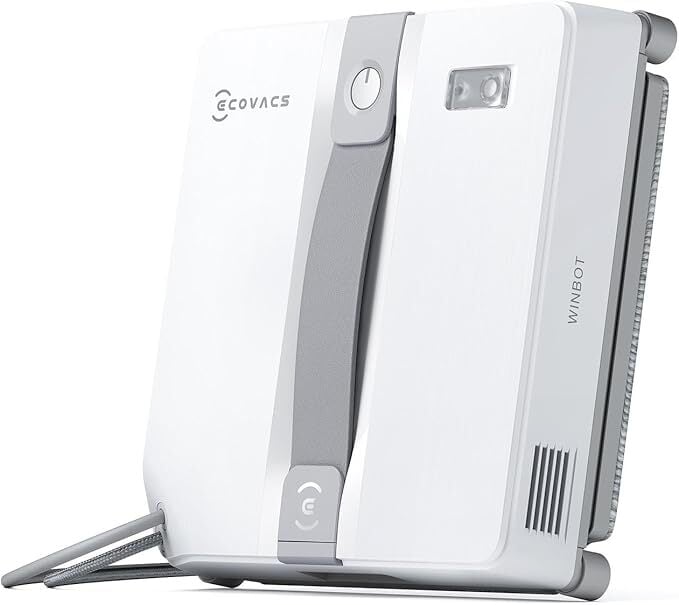
In full disclosure, the only reason I haven’t tested a Winbot, the window washing robot, is that I simply don’t have the window real estate. The Winbot is about 13 inches square, and works by suctioning itself to your window and then putting it through a four-step wash process. I know people with Winbots, and if you have large square or rectangular windows, particularly those where some portion of the window is out of reach, it seems worthwhile. If you’ve got arched windows, though, the Winbot struggles with shapes that don’t match the design of the robot itself, which has 90-degree angles. The Winbot also isn’t for curved glass. These may seem like a lot of limitations, but I spent the winter in Arizona looking at a lot of glass patio doors, patio rooms, and walls of dusty windows and thought, “Ah…this is what the Winbot is for.”

Except now, there’s a Winbot Mini, with an 8.5-inch square footprint. At that size, almost all my windows are fair game, so I’m excited to try it out. That was the point, according to Michelle Jones, U.S. spokesperson for ECOVACS, who said, “We saw an opportunity to bring the power of our larger window-cleaning robots to homeowners in the U.S. who have smaller or segmented window panes and don’t need a fixed cleaning station.”

But Ecovacs also points to a more specific problem that a lot of smart tech products suffer from, in my opinion: By the time the company has worked out the tech, the solution is often overly complicated. Ecovacs recognized that, as well, and simplified the offering in the Winbot Mini. The Mini ditches the rubber bumpers of the larger model, but that means better edge-to-edge cleaning. The mini also gains more portability by not having a heavy station like the full size model.

What the mini lost seems like a worthwhile tradeoff for the price: The large Winbot has twice as many cleaning programs and more safety features (12 to the Mini’s 9), but in both cases, what the Mini has seems sufficient. Priced around $250, the WinBot Mini feels like a luxurious piece of tech within reach for most folks.

[add to list https://www.amazon.com/ECOVACS-WINBOT-Window-Cleaning-Robot/dp/B0DR8W696Y]

The Shelfy Lite

Shelfy with vegetables and fruit
the original Shelfy
Credit: Amanda Blum

For the last six months, I’ve had a Shelfy installed in my fridge. A small, charegable device, the Shelfy uses a catalyst on a ceramic filter, activated by LED lights in the device to mimic chlorophyll photosynthesis. To simplify, it purifies the air in your fridge to remove ethylene gas that ripens vegetables, and it removes odors and prevents cross contamination.

I can confirm that it works to make your fridge smell better, and while I can’t confirm the additional twelve days of freshness in vegetables that Shelfy claims, it has definitely added some shelf life to my fruits and vegetables.

In particular, I notice the change in fruit. I buy strawberries and blueberries with some regularity year round, so I know traditionally how long they’d last before starting to form mold (two to four days). As long as I have Shelfy charged, I can get a full week out of strawberries and ten days out of blueberries. That’s a huge difference that creates savings in my food budget. The CEO of Shelfy, Paolo Ganis, put a number to the savings, explaining that “the average family throws away approximately $1,996 worth of food each year—money that could easily be saved with better food preservation.”

Shelfy isn’t large or particularly expensive (it’s just under $150) but Vitesy has just introduced a Kickstarter for the Shelfy Lite, which will only be $66 (the project is already funded). “Through a number of user surveys, we consistently heard that people loved the idea behind Shelfy but wanted a version that was more accessible: smaller, more affordable,” Ganis said.

The Lite adds multiple modes to the device, one for the general fridge, one for the crisper drawer and a power mode for when someone buys a particularly stinky cheese. The Lite improves on the battery charging and performance over the original model, and comes in some additional accent colors, if you care about that sort of thing. The Lite is only marginally smaller than the original Shelfy, but at less than half the price, that seems immaterial.

What I’ve enjoyed about the Shelfy is that there are no filters to replace; you simply wash and wet the ceramic filter when you recharge the device every few weeks. If you don’t recharge it, there are no annoying beeps or notifications—it’s been a quiet helper.

A smart home hub for less

Sometimes even I forget there are smart home hubs outside of Samsung, Amazon, Apple, and Google. But Homey, a hub that keeps all your connections local, has gained traction over the last few years since its introduction. Homey has a specific focus on automation through its “Flow” platform, which is a version of routines or automatons in any other platform. Homey fans claim Flow has far more flexibility, and although I’ve never found Alexa or Google Home difficult, Homey is noted for its appeal to beginner smart home fans. Still, at just under $400, the Homey Pro hub was an expensive way to dive into smart home tech, compared to other platforms.

Jasper Foppele, head of marketing at Homey, was transparent about their strategy, explaining that their usage data and feedback made clear they had to rethink their offering. Instead of trying to offer everything (the Homey Pro supports 60 apps), the Homey product team chose the core technology they saw being used in the U.S. market (Matter, Thread, Zigbee) and winnowed the app coverage to the most common 25. “This approach allowed us to significantly reduce cost and complexity,” Foppele said, “a privacy-first, locally running smart home hub priced at $199.”

The Homey Pro Mini still prioritizes local first connection, including backups, but it has an option for cloud backup. The Mini is on pre-order and will ship sometime this month.

Microsoft Is Allegedly Testing Steam Integration For Its MS Store, Is Xbox Next?

Microsoft Is Allegedly Testing Steam Integration For Its MS Store, Is Xbox Next?
Valve’s Steam marketplace is very popular, so it only makes sense that Microsoft may be looking to add it to its Microsoft Store and beyond. It makes sense to us too—if you ask any PC gamer, Steam is typically where they prefer to buy and play games. The Steam app offers a virtually effortless and organized experiences, together with the gamer

How Miami Schools Are Leading 100,000 Students Into the A.I. Future

Miami-Dade County Public Schools, the nation’s third-largest school district, is now deploying Google’s Gemini chatbots to more than 105,000 high school students — marking the largest U.S. school district AI deployment to date. This represents a dramatic reversal from just two years ago when the district blocked such tools over cheating and misinformation concerns.

The initiative follows President Trump’s recent executive order promoting AI integration “in all subject areas” from kindergarten through 12th grade. District officials spent months testing various chatbots for accuracy, privacy, and safety before selecting Google’s platform.


Read more of this story at Slashdot.

iPhone 17 Air Design Leak Reveals How It Compares To Samsung’s Svelte Galaxy S25 Edge

iPhone 17 Air Design Leak Reveals How It Compares To Samsung's Svelte Galaxy S25 Edge
As the quest for the slimmest smartphone continues to heat up this year between Apple and Samsung (at least initially), it’s quite apparent that Cupertino’s svelte iPhone 17 Air will be thinner than the new Galaxy S25 Edge by a nice margin—5.5 millimeters versus 5.8mm. Of course, with great thinness comes great compromises, such as smaller

Experts alarmed over Trump’s promotion of deep-sea mining in international waters

This article originally appeared on Inside Climate News, a nonprofit, non-partisan news organization that covers climate, energy and the environment. Sign up for their newsletter here.

In 2013, a deep-sea mining company named UK Seabed Resources contracted marine biologist Diva Amon and other scientists from the University of Hawaii at Manoa to survey a section of the seafloor in the Clarion-Clipperton Zone, a vast swath of international waters located in the Pacific Ocean that spans around 2 million square miles between Hawaii and Mexico.

The area is known to have an abundant supply of rocky deposits the size of potatoes called polymetallic nodules. They are rich in metals like nickel, cobalt, copper, and manganese, which have historically been used to make batteries and electric vehicles.

Read full article

Comments

These Craftsman Tools Are up to 60% Off on Amazon Right Now

We may earn a commission from links on this page. Deal pricing and availability subject to change after time of publication.

Building your DIY home maintenance or repair kit can get expensive quickly. If you have some big summer plans for home improvement projects, you might be looking for savings on tools and materials to bring your DIY dreams to life. Luckily, there are some deals on Craftsman tools on Amazon right now that you can check out to help you get your projects finished under budget.

Tools sets

If you’re building a new toolbox from scratch, Craftsman makes a few sets that are invaluable for DIY projects, and a few of them are on sale on Amazon right now:

  • The Craftsman 230-piece mechanics tool set is on sale for $99, 50% off its regular price. This set includes a ¼, ⅜, and ½ -inch standard American imperial ratchets and socket sets, a set of box wrenches, a hand-held screwdriver, and several specialty bits. This is a great start for any type of project where you might use wrenches, like DIY appliance repair.

  • The Craftsman 7-piece SAE wrench set is on sale for $14.98, 39% off its usual price. This set includes seven box wrenches in standard American imperial sizes. This is a good basic wrench set for any type of project where you might be using nuts and bolts, like installing heavy-duty shelving.

  • The Craftsman 14-piece ¼-inch SAE ratchet and socket set is on sale for $14.98, 44% off its typical price. This set comes with deep sockets that are good for any project where you might need a ratchet for tightening nuts and bolts.

Cordless driver

The Craftsman 20-volt, ¼ inch drive cordless impact driver is on sale for $49, 60% off its regular price. This impact driver comes with a 20-volt battery and charger, and can be used with impact drill bits to drill holes as well as drive screws and other fasteners. This is a good basic tool for beginner home maintenance because it comes with the necessary components to get you started, although you will need to buy bits separately.

Hand tools

Craftsman hand tools are known for being durable and well-made, making them a good investment for your DIY toolkit. Here are some deals on hand tools for your home maintenance tool kit.

  • The Craftsman ratcheting screwdriver is on sale for $14.99, 38% off its regular price. It comes with six double-ended bits in various sizes to fit most standard Phillips head, flat head, star drive, and square drive hardware. This is a great driver for small jobs around the house, like door hardware maintenance.

  • Craftsman folding SAE hex wrench is on sale for $4.98, 40% off its usual price. This set of hex wrenches is useful for DIY home maintenance like tightening the set screws on furniture and knobs.

Blades

An oscillating multitool is rapidly becoming the most essential tool for home DIY projects because of its versatility and speed. If you rushed out to get one, you might have gotten it home only to realize you don’t have the right blade for it. Here are some deals on Craftsman oscillating tool blades from Amazon to cover a variety of DIY applications.

  • The Craftsman wood and metal oscillating tool blade 3-pack is on sale for $16.99, 58% off its typical price. These blades are rated for cutting wood or metal and are perfect for trimming out parts of wood furniture that could have nails or screws in them, and can be used to trim the corners on circular saw cuts in the corners where a curved saw blade can’t make a clean cut.

  • The Craftsman 3-piece multipack of oscillating tool blades is on sale for $13.99, 57% off its regular price. The set comes with one wood and metal blade, one PVC blade, and one scraper blade. This set will cover you for a wide variety of projects from cutting PVC for a DIY drip irrigation system to trimming screw tips that poke through your fencing.

NVIDIA and Foxconn are building an ’AI factory supercomputer’ in Taiwan

NVIDIA and Foxconn have teamed up to build what they are calling an AI factory supercomputer in Taiwan. The project, which NVIDIA announced at Computex, will “deliver state-of-the-art NVIDIA Blackwell infrastructure to researchers, startups and industries,” according to the company. NVIDIA is building a new local headquarters in Taiwan as well.

The supercomputer will be powered by 10,000 NVIDIA Blackwell GPUs. NVIDIA says the project will greatly increase the availability of AI computing and bolster local researchers and businesses. As it happens, the Taiwan National Science and Technology Council is investing in the project. It will offer the supercomputer’s AI cloud computing resources to those in its tech ecosystem.

“Our plan is to create an AI-focused industrial ecosystem in southern Taiwan,” Minister Wu Cheng-Wen of the council said in a statement. “We are focused on investing in innovative research, developing a strong AI industry and encouraging the everyday use of AI tools. Our ultimate goal is to create a smart AI island filled with smart cities, and we look forward to collaborating with NVIDIA and [Foxconn] to make this vision a reality.”

Foxconn, which is providing the supercomputer’s AI infrastructure through its Big Innovation Company subsidiary, will also use the system to further its work in smart cities, electric vehicles and manufacturing. For instance, it aims to optimize connected transportation systems and other “civil resources” in smart cities, and develop advanced driver-assistance and safety systems.

TSMC is looking to benefit from the project as well. The company’s researchers will tap into the supercomputer’s power in the hope of accelerating their R&D work.

NVIDIA made the announcement on the same day that it released its GeForce RTX 5060 GPU. We gave the RTX 5060 Ti a score of 85 in our review.

This article originally appeared on Engadget at https://www.engadget.com/ai/nvidia-and-foxconn-are-building-an-ai-factory-supercomputer-in-taiwan-145535818.html?src=rss

New South Wales Education Department Caught Unaware After Microsoft Teams Began Collecting Students’ Biometric Data

New submitter optical_phiber writes: In March 2025, the New South Wales (NSW) Department of Education discovered that Microsoft Teams had begun collecting students’ voice and facial biometric data without their prior knowledge. This occurred after Microsoft enabled a Teams feature called ‘voice and face enrollment’ by default, which creates biometric profiles to enhance meeting experiences and transcriptions via its CoPilot AI tool.

The NSW department learned of the data collection a month after it began and promptly disabled the feature and deleted the data within 24 hours. However, the department did not disclose how many individuals were affected or whether they were notified. Despite Microsoft’s policy of retaining data only while the user is enrolled and deleting it within 90 days of account deletion, privacy experts have raised serious concerns. Rys Farthing of Reset Tech Australia criticized the unnecessary collection of children’s data, warning of the long-term risks and calling for stronger protections.


Read more of this story at Slashdot.

Apple’s USB-C Magic Mouse is on sale for $68 for Memorial Day

Against all snowy odds, we have almost made it to the unofficial start of summer, Memorial Day. While that brings lots of barbecues and swimming, it also means a bunch of deals. Included in this years Memorial Day sales is the Apple Magic Mouse with a USB-C port. 

Right now, you can pick up the Apple Magic Mouse for $68, down from $79 — a 14 percent discount. The deal brings it to only $5 more than it’s all-time low price. Notably, this deal is only for the white model with a USB-C port. 

The Apple Magic Mouse is a solid wireless and rechargeable option to go with any of your Macs. It should pair automatically with the computer. Plus, one charge should last about a month and you can recharge it with an included woven USB-C Charge Cable. 

Check out our coverage of the best Apple deals for more discounts, and follow @EngadgetDeals on X for the latest tech deals and buying advice.

This article originally appeared on Engadget at https://www.engadget.com/deals/apples-usb-c-magic-mouse-is-on-sale-for-68-for-memorial-day-143823038.html?src=rss

Xiaomi’s XRing O1 10-Core Chip Looks Promsing In First Geekbench Cameo

Xiaomi's XRing O1 10-Core Chip Looks Promsing In First Geekbench Cameo
Xiaomi’s newly unveiled XRing O1 chipset has demonstrated promising performance in a couple of early Geekbench scores (when paired with the upcoming Xiaomi 15S Pro). At its best, the XRing O1 is shown to perform just as well as the Mediatek Dimensity 9400 and Qualcomm Snapdragon 8 Elite, but other results have the Xiaomi processor slotting

Emojis and GIFs Are About to Get Easier to Use on Android

The Gboard interface can be a lot. In addition to the keyboard, there are so many features stuffed inside this little utility that there’s a whole customizable toolbar on top of the keyboard to help you navigate them. And this kind of maximalist interface applies to the Emoji keyboard as well… or at least, it used to. Now, Google is finally doing something about it.

Google has starting rolling out a new beta redesign to the Emoji menu that makes it simpler to use, with a more categorized layout. Gone is the old “All” screen that showed all of your recently used emojis, customized Emoji Kitchen stickers, and GIFs all in one long, confusing list. And, with a little bit of sign up, you can experience this new approach right now.

Old Emoji tab design.
The old Emoji screen in Gboard.
Credit: 9to5Google

How to try out the new Emoji layout

Google’s new Gboard layout is currently in beta, which anyone on Android can sign up for (unfortunately, there is no beta for the iOS version of the app). Just head over to this Gboard beta link and click Become a Tester. Once you’re signed up, open the Play Store on your Android phone and go to the Gboard app. You’ll now have access to beta updates. Update the app and, once it’s installed, you’re good to go. You’ll have the new Emoji layout and all the new features that Gboard is testing.

How to use the new Emoji layout

Now, instead of opening the All screen, tapping Gboard’s Emoji button directly opens the new Emoji tab, which is just one of many. You can easily switch to other tabs like GIF and Stickers by tapping on them. To go back to the keyboard, you can either use the Back icon or the “ABC” button in the tab bar.

Here’s what the tabs look like.

Tabs in Emoji screen in Gboard.

Credit: Khamosh Pathak

The Emoji tab, which is the default, integrates both your regular Emojis and your Emoji Kitchen. You can choose two emojis to see automatic Emoji Kitchen suggestions at the top. Tap the Arrow icon to view more suggestions.

Emoji Tabs screen.

Credit: Khamosh Pathak

Next, you’ll see the GIF tab. This tab shows suggested GIFs by default, but you can tap the Clock icon to view your recently used GIFs. You can also use the Search bar to search for any GIF.

GIFs tab in Gboard.

Credit: Khamosh Pathak

The next tab is dedicated to Stickers. This is where you can explore sticker packs, view stickers that you’ve installed, and access your recently used stickers.

Stickers tab in Gboard.

Credit: Khamosh Pathak

The last two tabs are reserved for Kaomoji and the Bitmoji app.

Kaomoji tab in Emojis screen in Gboard.

Credit: Khamosh Pathak

The Kaomoji tab shows you a list of text based, simplified emojis, which you can use as an alternative to stickers or emojis. The Bitmoji tab, meanwhile, will only work if you have the Bitmoji app installed and have configured your Bitmoji avatar.

Buying A Nintendo Switch 2? Expand Its Storage With These MicroSD Express Cards

Buying A Nintendo Switch 2? Expand Its Storage With These MicroSD Express Cards
First things first—congrats to any of you who managed to preorder a Nintendo Switch 2 console ahead of its imminent retail release. For anyone who missed out, you’ll get another chance on launch day, or even the night before with Best Buy hosting a late-night launch event. Whether you secured a preorder or hope to snatch one on launch day,

Towing Car On Highway With Nothing But A Chain Goes Horrible Wrong (Or, How You’d Expect)

These are a couple videos from Houston of a man who broke down in his Saab and called his girlfriend to help him tow the vehicle, and the two attempting the tow with nothing but a chain. This broke the Saab’s axle, causing the car with the man inside to swing wildly across multiple lanes of traffic and smack the wall while the woman driving the SUV, presumably unfamiliar with rearview mirrors, never looks back to see the car waving like a flag in a hurricane and her boyfriend screaming “HOLY SH!T I’M GONNA DIE WHAT THE F**K IS WRONG WITH YOU STOP STOP STOP I KNEW I SHOULD HAVE DRIVEN!” Shockingly (and I think we can all agree, wrongfully), no tickets were issues for the incident, but the man was arrested on an out-of-state warrant. A solid reminder to always consider your outstanding warrants before doing something this stupid.

Two videos below, the first filmed by another motorist, the second from the sky.