Oura has rolled out activity updates for Gen3 and Ring 4 users, including a new trend view for active minutes so that they can get a better look at how active they are for the day, the week or even the whole month. They’ll also be able to add their max heart rate to the activity setting, and Oura will adjust heart rate zones accordingly. Oura now allows users to add or edit activities for the past seven days manually, instead of just for that particular day, and it now displays heart rate data from activities imported from partner integrations via Apple HealthKit and Health Connect by Android. Its Automatic Activity Detection feature has also been updated to work all hours to track movements, even for activities between midnight and 4AM.
In addition to those new features, Oura has upgraded its system to be able to count steps more accurately. The company uses an advanced machine-learning model to determine whether a movement is an actual step, and it says the technology slashes average daily step count error by 61 percent. It has upgraded its Active Calorie burn feature to be more accurate by taking heart rate into account during exercise, as well. Oura can now also use your phone’s GPS data to show your runs and walks in more detail within its app. All these updates are now available on iOS, but the new fitness metrics and new trend view for active minutes won’t be out on Android until June.
Aside from announcing its upgraded features, Oura has revealed its new partnerships with third-party entities. Users can now link their smart ring with CorePower Yoga so that they can track their yoga activities, Sculpt Society, Technogym and Open, which uses a person’s biometrics to create personalized recovery rituals for them.
Update, May 21, 2025, 10:50AM ET: This story has been updated to clarify that the updates are available for Gen3 and Ring 4 users with Oura Membership.
This article originally appeared on Engadget at https://www.engadget.com/wearables/ouras-smart-ring-gets-better-at-tracking-your-activities-130012859.html?src=rss
Amazon customers are suddenly getting refunds for products they purchased and returned as far back as 2018, along with apologies from the online retailer after it discovered “unresolved” issues. From a report: The precise scope of the refunds issued isn’t clear but executives hinted it may be hundreds of millions of dollars. Chief Financial Officer Brian Olsavsky, speaking on a conference call after the company released earnings May 1, said Amazon took a one-time charge of approximately $1.1 billion in the first quarter related in part to “some historical customer returns” that were unresolved. The charge was also attributable to the cost of stockpiling inventory in anticipation of tariffs.
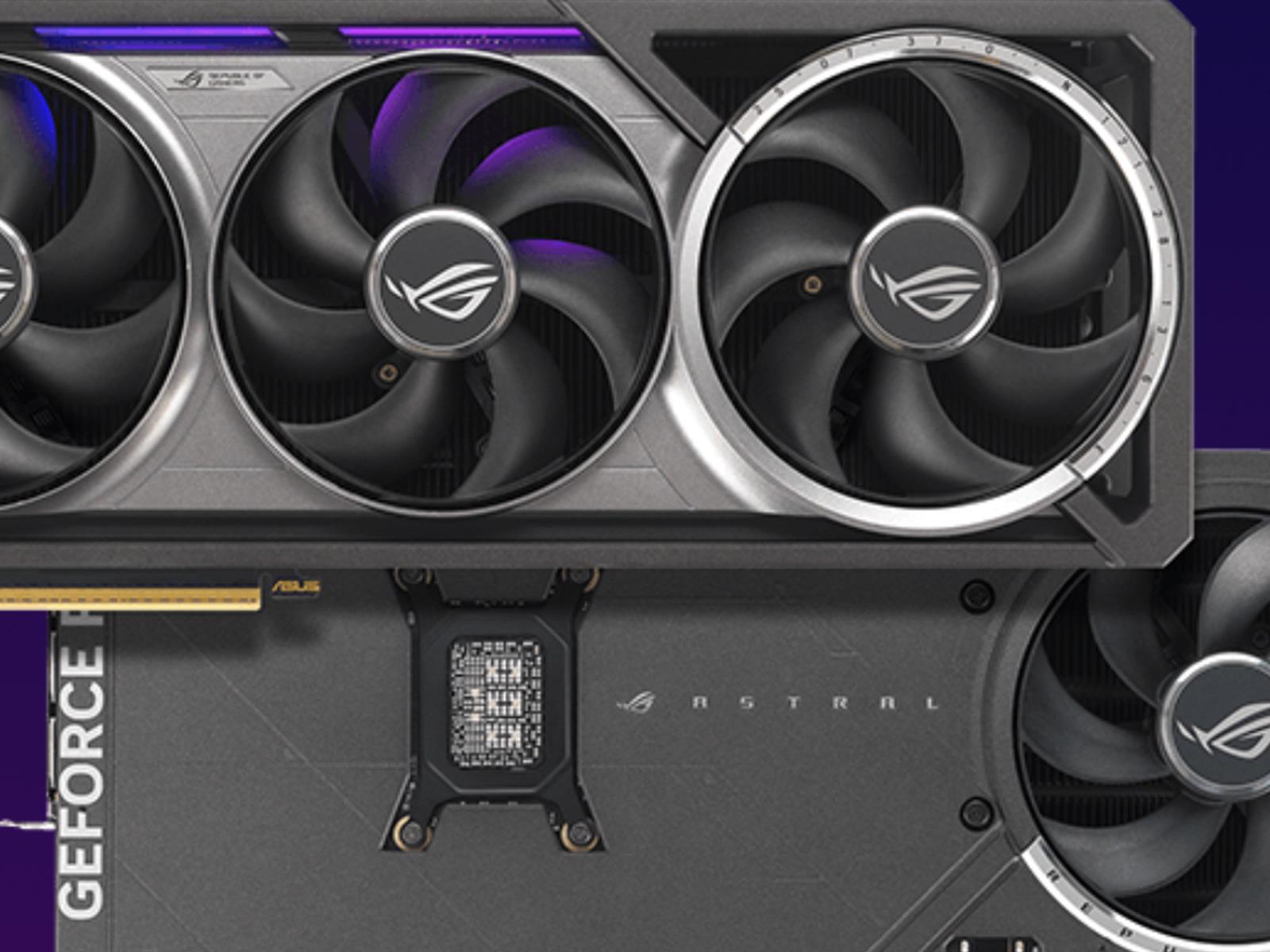
NVIDIA’s RTX 50 series GPUs released only a few short months ago, but rumors of a new RTX GeForce 5080 Super with 24GB of VRAM are already sprouting up. Known leaker on X, kopite7kimi, shared some potential specs for what would be the upcoming Super refresh.
Most interesting to note is that it would get a big VRAM upgrade to 24GB from the
SilverStone’s first ’80s throwback PC case started life as an April Fools’ joke, but the success of the FLP01 was apparently serious enough to merit a follow-up. The company brought another beige case to the Computex trade show this week, the vertically oriented FLP02 (via Tom’s Hardware).
If the original horizontally oriented FLP01 case called to mind a 386-era Compaq Deskpro, the FLP02 is a dead ringer for the kind of case you might have gotten for a generic 486 or early Pentium-era PC. That extends to having a Turbo button built into the front—on vintage PCs, this button could actually determine how fast the processor was allowed to run, though here, it’s actually a fan speed control instead. A lock on the front also locks the power switch in place to keep it from being flipped off accidentally, something else real vintage PCs actually did.
Despite its retro facade, the FLP02 is capable of fitting in even higher-end modern PC parts than the original FLP01. Front USB-A and USB-C ports are hidden behind a magnetic door on the front of the case, and its faux-5.25-inch floppy drives are just covers for drive bays that you could use for an optical drive or extra front I/O.
The pace of AI progress is showing no signs of slacking. Following ChatGPT’s big image upgrade a few weeks ago, it’s now Google’s turn to show off new models for generating videos and pictures from text prompts: We’ve got Veo 3 (for video) and Imagen 4 (for pictures), announced during Google I/O 2025, and they come with some significant improvements.
Starting with Veo 3, it’s the next step up from the Veo 2 model that was recently pushed out to paying Gemini subscribers last month. Google says Veo 3 brings with it notable improvements in real-world physics (something AI video often struggles with) and details such as lip-syncing. In short: Your clips should look more realistic than ever.
There’s another crucial upgrade here, and that’s sound. Previously, Veo-made clips came without any audio attached, but the AI is now smart enough to add in suitable ambient sounds, including traffic noise, wildlife sounds, and even dialog between characters.
Google has provided a few example videos to show off the new capabilities, as you would expect, including Old Sailor. Of course, it’s impressive that a clip like this can be produced from a text prompt, and it is up to a high standard in terms of realism—we’re no longer getting the six-fingered hands that we used to with AI.
Still, the usual hallmarks of artificial intelligence are evident: This is a generic sailor, on a generic sea, speaking generic dialogue about the ocean. It’s a mashing together and averaging out of every video of the sea and old sailors that Veo 3 has been trained on, and may or may not match the original prompt (which Google hasn’t given).
Veo 3 is only available to those brave enough to pay $250 a month for Google’s AI Ultra plan, but Veo 2 is also getting some upgrades for those of us paying a tenth of that for AI Pro. It’s now better at control and consistency, according to Google, with improved camera movements and outpainting (expanding the view of a frame). It can also have a go at adding and removing objects from clips now.
Moving on to images: We’ve got Imagen 4, the successor to Imagen 3. Here, we’re promised “remarkable clarity in fine details like intricate fabrics, water droplets, and animal fur,” plus support for higher resolutions (up to 2K) and more aspect ratios. You get top-tier results in both photorealistic and abstract styles, as per Google.
There are sheep as big as tractors in Google’s AI world. Credit: Google
Google has also tackled one of the major problems with AI image generation, which is typography. Imagen 4 is apparently much better than the models that came before it in terms of making characters and words look cohesive and accurate, without any weird spellings or letters than dissolve into unintelligible hieroglyphics.
Imagen 4 is available now to all users, inside the Gemini app. Google hasn’t mentioned any usage limits, though presumably if you don’t have a subscription you’ll hit these limits more quickly, as is the case with Imagen 3 (there’s no fixed quota for these limits, and it seems they depend on general demand on Google’s AI infrastructure).
The carefully curated samples Google has provided look good, without any obvious mistakes or inaccuracies—just the usual AI sheen. Imagen 4 is faster than Imagen 3 too, Google says, with more improvements on the way: A variant on the model that’s 10x faster than Imagen 3 is going to be launching soon.
There’s one more image and video tool to talk about: Flow. It’s an AI filmmaking tool from Google that pulls together its text, video, and image models to help you stitch together successive scenes that are consistent, featuring the same characters and locations. You can use Flow if you’re an AI Pro or AI Ultra subscriber, with higher usage limits and better models for those on the more expensive plan.
Following up on its recent white-themed refresh of various gaming and esports peripherals, SteelSeries has officially launched its highly anticipated Rival 3 Gen 2 and Rival 3 Wireless Gen 2 gaming mice. Building upon the legacy of the original Rival series, these new iterations promise to redefine the “affordable luxury” category for gamers,
Microsoft has officially cited Apple’s App Store policies as the roadblock preventing its Xbox mobile store launch promised for July 2024. In an amicus brief supporting Epic Games filed this week, Microsoft alleged that Apple’s “anti-steering policies” have “stymied” its mobile store ambitions despite a court injunction allowing developers to advertise alternative payment methods.
The brief challenges Apple’s attempt to overturn this crucial ruling, which enabled Fortnite’s App Store return with external payment links. Microsoft argues that launching its store under threat of Apple potentially winning a temporary stay creates significant business risk. The restrictions also impact Microsoft’s Xbox mobile app functionality.
We may earn a commission from links on this page. Deal pricing and availability subject to change after time of publication.
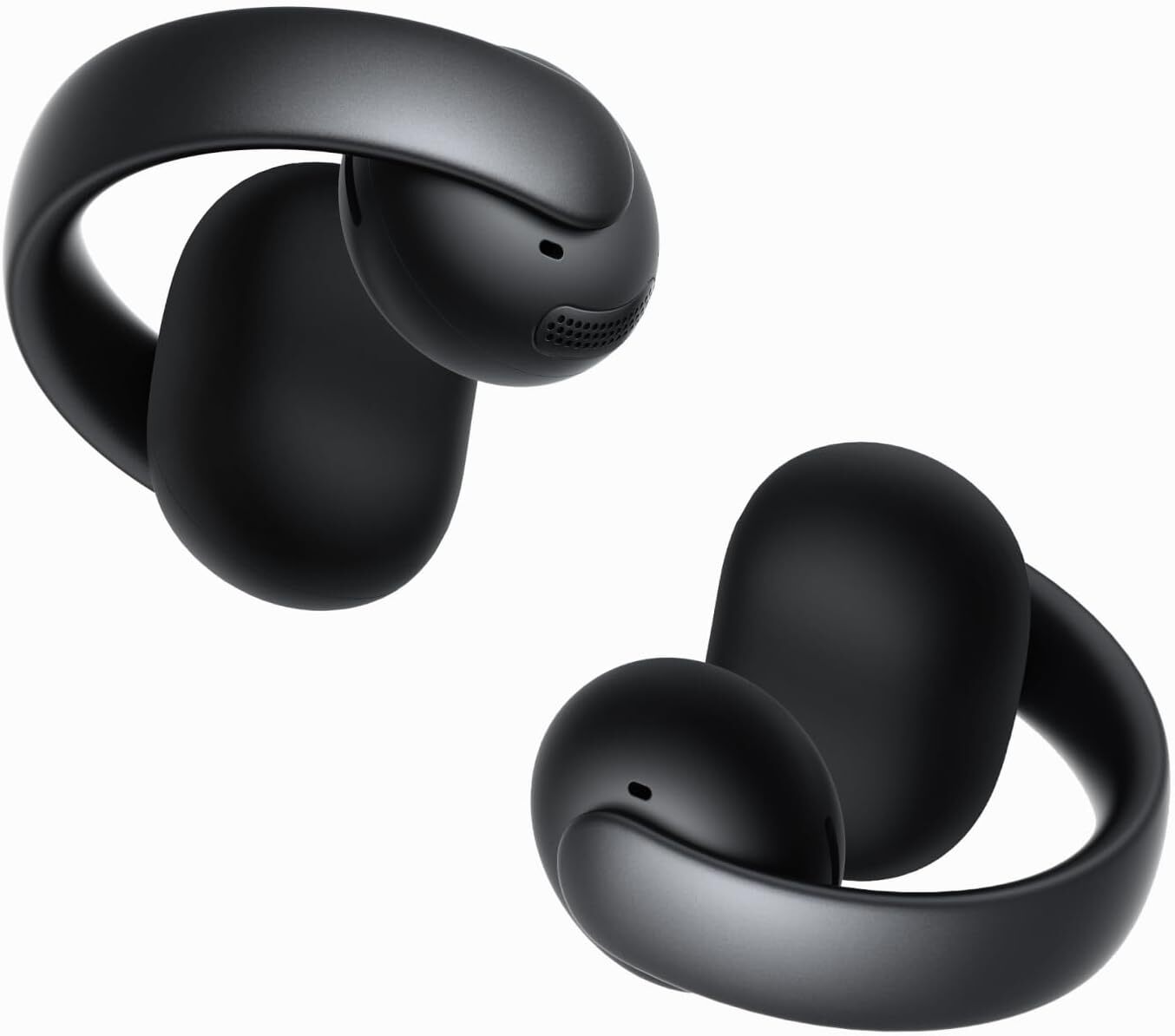
While Anker might be known best for its power banks, speakers, and smartphone accessories, the brand also has a track record for delivering high-quality audio products. Currently, Anker Soundcore AeroClip open-ear earbuds are available for the lowest price ever at $129.98, according to price-trackers. These earbuds are lightweight and flexible, yet stay in place due to their open-ring design.
The open-ring design of these clip-on headphones has become a popular choice for people seeking a comfortable audio experience while remaining aware of their surroundings, making them ideal for activities like running, cycling, or walking the dog. For those who make calls using their earbuds, the AI-driven noise reduction and four beam-forming microphones allow for crystal-clear calls, even in busy settings. While tap controls are available and touch control-enabled, controls are limited and don’t allow users to control volume or return to previous tracks.
With an advanced virtual bass technology and a 12mm titanium-coated driver for improved audio, reviewers report excellent sound quality and less static than similar products from other brands. However, while audio quality and bass receive high ratings across the board, some people say the volume doesn’t reach as loud as it should, even when set to the maximum.
In addition, some users report comfort issues and ear fatigue during extended wear, but since the adaptive design allows them to be fully adjusted on any part of the ear, finding the right spot to clip them on can reduce strain. Compared to more expensive open earbuds that are fully waterproof, these only have an IPX4 rating, making them resistant to sweat and light rain but not suitable for swimming or other water activities.
With an average of 4.4 stars on Amazon and three color options to choose from, these aren’t the cheapest open earbuds, but at 24% off, they’re more affordable than higher-end brands that deliver similar results.
The Mario Kart Band of Columbus, Ohio, performs live gigs where audience members compete in 4-player Mario Kart, and the band provides the track-specific music, along with some sound effects. That’s amazing and we should start planning a trip to Ohio. TRUE STORY: I have never won a Mario Kart race against my girlfriend. Apparently she played a lot growing up. I played a lot growing up too, but mostly in the sewers behind my house pretending to be a ninja turtle.
Keep going for some videos, the last of which has like 5 or 6 swipeable videos in one.
AI might be force-jammed into everything, but once you sift the slop, there are more than a handful of actually useful tools out there beyond chatbots that replace search engines. Google knows that, and along with unveiling a bunch of new AI services, it’s combined every consumer-facing one it has into the banner of Google AI Ultra, a collection
If you ask the man who has largely shaped how friends and family connect on social media over the past two decades about the future of social media, you may not get a straight answer.
At the Federal Trade Commission’s monopoly trial, Meta CEO Mark Zuckerberg attempted what seemed like an artful dodge to avoid criticism that his company allegedly bought out rivals Instagram and WhatsApp to lock users into Meta’s family of apps so they would never post about their personal lives anywhere else. He testified that people actually engage with social media less often these days to connect with loved ones, preferring instead to discover entertaining content on platforms to share in private messages with friends and family.
As Zuckerberg spins it, Meta no longer perceives much advantage in dominating the so-called personal social networking market where Facebook made its name and cemented what the FTC alleged is an illegal monopoly.
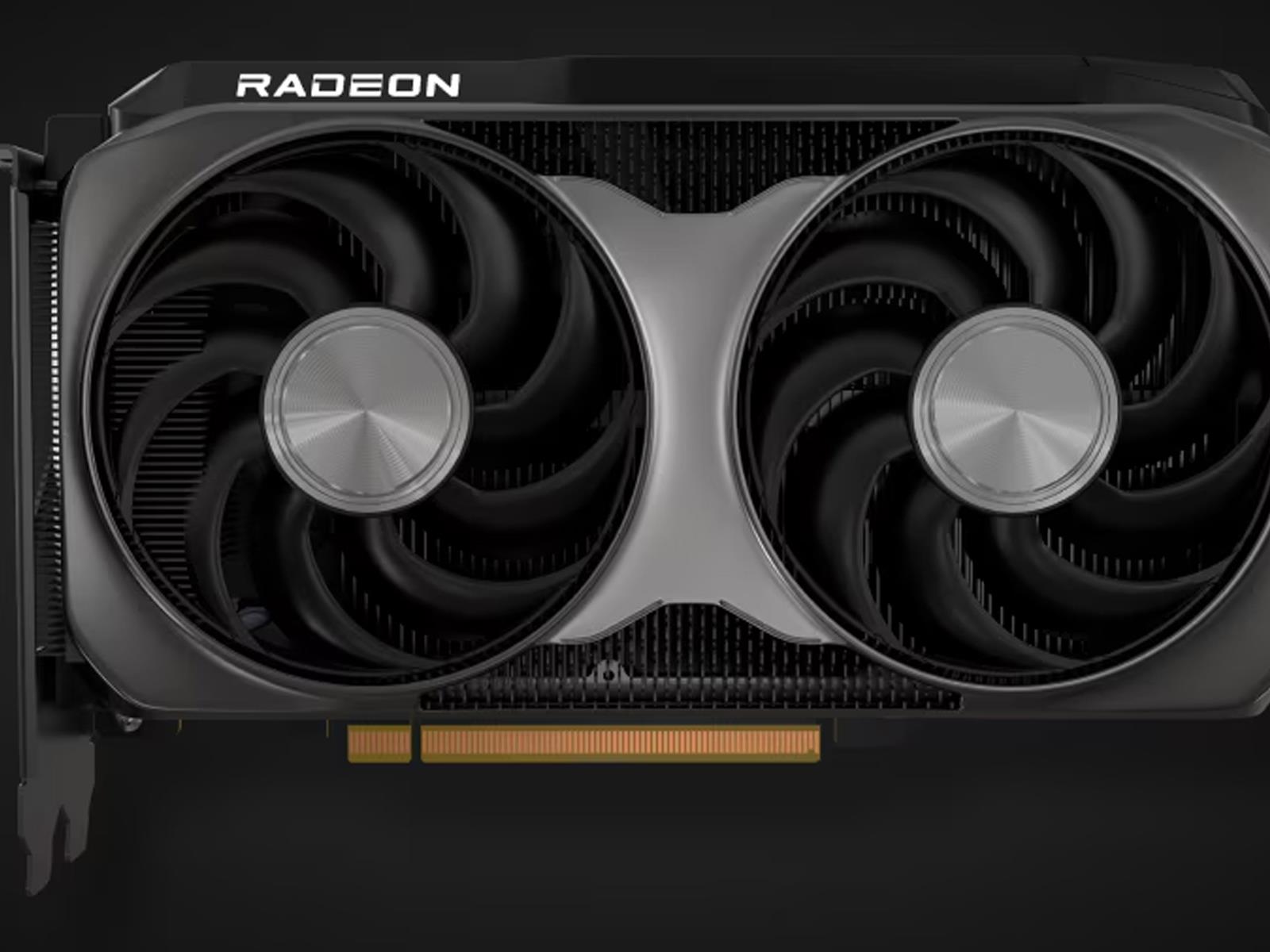
As promised several weeks ago, AMD made some key gaming product announcements during its 2025 Computex keynote, the highlight of which is the launch of its Radeon RX 9060 XT. As expected, it’s coming in two flavors—one with 16GB of GDDR6 memory and a second SKU with 8GB of GDDR6 memory. Let the mainstream GPU wars begin.
On paper, the idea of a PC gaming tablet doesn’t really make sense. Anything with a screen larger than eight to ten inches is generally too big to hold for longer sessions. Their thin chassis don’t leave much room for big batteries, ports or discrete graphics. But with the second-gen ROG Flow Z13, ASUS is turning that line of thought on its head with a surprisingly powerful system that can do more than just game — as long as you don’t mind paying a premium for some niche engineering.
Design and display: Not exactly stealthy
For better or worse, the Z Flow 13 looks like someone tweaked a Surface Pro to accommodate the stereotypical gamer aesthetic. It has cyberpunky graphics littered across its body along with a small window in the back that’s complete with RGB lighting.
Unlike a lot of tablets, ASUS gave the Z13 a thicker-than-normal body (0.6 inches), which left space for a surprising number of ports. Not only do you get two USB 4 Type-C ports, there’s also a regular USB-A jack, full-size HDMI 2.1, 3.5mm audio and even a microSD card reader. This instantly elevates the tablet from something strictly meant for playing games into something that can also pull double duty as a portable video editing station.
ASUS’ 13.4-inch 2.5 IPS display leans into that even more thanks to a 180Hz refresh rate, strong brightness (around 500 nits) and Pantone validation. Regardless of what you’re doing, colors will be both rich and accurate. Rounding out the package are some punchy speakers, so you don’t have to suffer from subpar sound. But there are limitations here, as deep bass is always tough to produce on smaller systems like this.
Sam Rutherford for Engadget
Finally, there are some pogo pins along the bottom of its display for connecting its folding keyboard. Sadly, this is one of the system’s weak points. Because the Z13 is heavier than a typical tablet PC, its keyboard has to carry a hefty load. On a table, it’s fine. But if you try to use this thing on your lap (or any uneven surface), I found that the keyboard can flex so much it can result in accidental mouse clicks. It’s a shame because the bounce and travel of the keys generally feels pretty good. Nothing is more of a bummer than playing a game while relaxing on the couch and then having to fight with the tablet to avoid errant clicks.
Performance
Instead of relying on discrete graphics, ASUS opted for AMD’s Ryzen AI Max 390 or Max+ 395 APUs, which feature up to 32 cores and a whopping 128GB of unified RAM. However, our review unit came with a more modest, but still ample, 32GB. Unsurprisingly, this makes mincemeat out of basic productivity tasks while having more than enough power to quickly edit videos on the go.
Sam Rutherford for Engadget
But without a proper graphics card, can it actually game? Yes, and rather well, I might add. In Cyberpunk 2077 at 1080p and Ultra settings, the Z13 hit an impressive 93 fps. And while numbers weren’t quite as high in Control at 1080p on Epic presets, 70 fps is still very playable. The one wrinkle is that when I tested Cyberpunk 2077 a second time on Ultra with ray tracing enabled, the Flow’s performance was cut in half to just 45 fps. Unless you’re playing a brand new AAA title that requires RT support (of which there are a growing number), the Z13 is a shockingly good portable gaming companion for frequent travelers.
You just have to be careful about how you configure its power settings. That’s because if you’re out in public or a quiet room, high performance (especially turbo) can result in a fair bit of fan noise, which may draw some unwanted attention. Or in my case, it got much harder to talk to someone sitting next to me on the couch.
Battery life
Sam Rutherford for Engadget
When it comes to longevity, you’ll get one of two outcomes. In normal use and on PCMark’s Modern Office productivity battery life test, the Z13 fared quite well, finishing with a time of six hours and 54 minutes. That’s not quite a full day’s worth of work untethered, but it’s good enough for most folks. You’ll just want to keep its chunky power adapter nearby.
However, if you plan on gaming without plugging this thing into the wall, just be prepared for the Z13 to conk out after two hours at best. When I played League of Legends’ Teamfight Tactics, I only made it through two games (about 30 to 40 minutes each) before its battery got dangerously low (around 10 percent). And suffice it to say, TFT isn’t a very demanding title.
Wrap-up
The right side of the ROG Flow Z13 features a customizable button that can be programmed to launch an app of your choice.
Sam Rutherford for Engadget
The Flow Z13 is a niche device that’s more of an all-rounder than it might seem at first glance. This system fills an interesting gap between ASUS’ gaming machines and more creatively-focused PCs from its ProArt family. In a lot of ways, slapping an ROG badge on it doesn’t really do this thing justice. It’s got more than enough performance to breeze through general productivity or video edits, and its built-in microSD card reader makes transferring footage to the tablet a breeze. Its screen is bright and vibrant, while also offering accurate colors and a decently high refresh rate. And even without a discrete GPU, the Z13 didn’t have much trouble rendering games with lots of graphical bells and whistles turned on.
However, this tablet’s issues boil down to a couple of major sticking points. Its detachable keyboard is simply too flimsy, to the point where if you use it anywhere besides a table or desk, you risk fighting with it just to ensure your mouse clicks are correct. But the bigger hurdle is price. Starting at $2,100 (or around $2,300 as tested), the Flow Z13 costs the same or more as a comparable ROG Zephyrus G14 with a proper RTX 5070. Not only does it have worse performance, it’s less stable too due to its tablet-style design. For people trying to get the most value out of their money, that proposition is a hard sell.
Sam Rutherford for Engadget
Deep down, I want to like the ROG Flow Z13. And I do, to a certain extent. It’s got a funky build and unapologetically aggressive styling. But unless you have a very particular set of requirements, it doesn’t fit neatly into most people’s lives as an equivalent laptop. And that’s before you consider how much it costs.
This article originally appeared on Engadget at https://www.engadget.com/gaming/pc/asus-rog-flow-z13-2025-review-when-a-traditional-gaming-laptop-just-wont-do-133510833.html?src=rss
We may earn a commission from links on this page. Deal pricing and availability subject to change after time of publication.
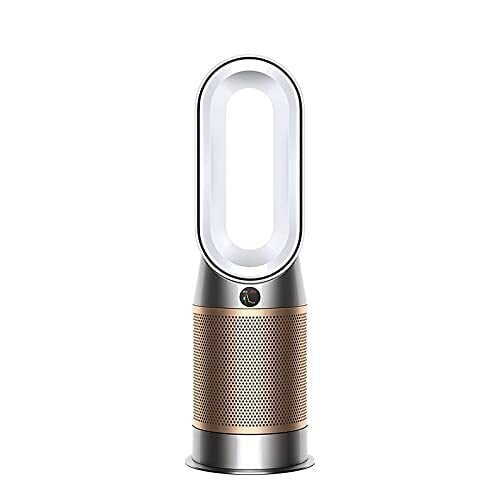
If you’ve ever wished your air purifier could do more than just purify, the Dyson Hot+Cool Formaldehyde HP09 steps up with some bold solutions. It’s currently available for $649 (down from $849.99), which is still a splurge, but not quite as painful as usual.
This machine is a purifier, yes—but also a fan and a space heater, all in one unit. Designed for rooms up to 800 square feet, it uses a blade-free oval tower (classic Dyson) to project clean, warm, or cool air with a 350-degree oscillation range. That’s wide enough to cover most living rooms, and the device is light enough (just over 12 pounds) to shift from room to room without much hassle.
One of the most useful things about the HP09 is how much it tells you about the air you’re breathing. It doesn’t only claim to clean—it shows you exactly what it’s removing. That includes everyday stuff floating around your home like dust, smoke, pollen, pet dander, fumes from cleaners and sprays, off-gassing from furniture or paint, and emissions from gas stoves or candles. It tracks all of this in real time, breaking it down into easy-to-read stats on the purifier’s LED screen or in the MyDyson app (which also pulls in outdoor AQI based on your location). You’ll see things like temperature, humidity, and overall air quality, plus specific readings for fine particles (PM2.5), larger particles (PM10), volatile organic compounds (VOCs), nitrogen dioxide (NO2), and formaldehyde (this being a big deal if your space has new furniture or paint).
The catalytic filter that breaks down formaldehyde doesn’t need replacing, but the HEPA and carbon filters that trap other pollutants are estimated to last up to a year (replacements run $79.99). You can control everything through the app or with your voice using Alexa, Siri, or Google Assistant. That said, it lacks Apple HomeKit support, and you’ll still need the included remote to activate heating for safety reasons. Also, according to this PCMag review, it gets loud when you push it to higher speeds.
For something simpler and cheaper, the $449.77 Dyson Purifier Cool TP07 (down from $649.99) skips the heater and formaldehyde filter but still keeps the air clean and your home connected.
An all-new version of Toyota’s best-selling RAV4 crossover debuted last night. For generation six, Toyota North America is going all-electrified, with hybrid and plug-in hybrid powertrains on offer. And while the RAV4 isn’t quite a software-defined vehicle as we understand the term, it features an all-new software platform tying everything together.
Toyota has grouped the various RAV4 configurations into three groups: core, rugged, and sport. And there are three different powertrain options: front-wheel drive hybrid, all-wheel drive hybrid, and all-wheel drive PHEV, although some trims are only available in certain configurations.
Front-wheel drive hybrid RAV4s feature a 226 hp (168 kW) 2.5 L engine, with all-wheel drive hybrid models offering a slight increase at 236 hp (176 kW). The PHEV generates a combined 320 hp (239 kW), and Toyota says it can go 50 miles (80 km) on a single charge.
An anonymous reader quotes a report from PCWorld: Microsoft famously brought its Copilot AI to the Edge browser in Windows. Now Google is doing the same with Chrome. In a list of announcements that spanned dozens of pages, Google allocated just a single line to the announcement: “Gemini is coming to Chrome, so you can ask questions while browsing the web.” Google later clarified what Gemini on Chrome can do: “This first version allows you to easily ask Gemini to clarify complex information on any webpage you’re reading or summarize information,” the company said in a blog post. “In the future, Gemini will be able to work across multiple tabs and navigate websites on your behalf.”
Other examples of what Gemini can do involves coming up with personal quizzes based on material in the Web page, or altering what the page suggests, like a recipe. In the future, Google plans to allow Gemini in Chrome to work on multiple tabs, navigate within Web sites, and automate tasks. Google said that you’ll be able to either talk or type commands to Gemini. To access it, you can use the Alt+G shortcut in Windows. […] You’ll see Gemini appear in Chrome as early as this week, Google executives said — on May 21, a representative clarified. However, you’ll need to be a Gemini subscriber to take advantage of its features, a requirement that Microsoft does not apply with Copilot for Edge. Otherwise, Google will let those who participate in the Google Chrome Beta, Dev, and Canary programs test it out.
The Oura ring is great at tracking sleep and keeping tabs on your healthy habits, but as I noted in my review of the Oura ring 4, it’s really not great at activity tracking. That may be changing with a rollout of new activity-tracking features that the company has announced today. These still aren’t enough to replace, say, a proper sports watch, but they do look like a significant improvement on Oura’s previous abilities.
I’m going to test these features over the coming days and weeks to let you know how much of an improvement they really are. Here’s what Oura says is included:
Step counting will use a new algorithm that is supposed to be more accurate.
Calorie burn for activities will take heart rate into account (allowing Oura to estimate how intense your workout was).
Split times will now be available for runs automatically tracked with Oura.
Heart rate data will be included when Oura pulls in workouts from other sources (for example, if you track a workout with your Apple Watch or Garmin).
You can add or edit activities from the past week, not just the current day. Past readiness scores will update accordingly.
Automatic activity detection will now work at any time of day or night, removing the previous limitation where activities would only be detected during the day.
There will be a new trend view for activities, showing your daily, weekly, and monthly active time.
You will finally be able to edit your max heart rate. This will change your zones and your heart rate trends accordingly.
Oura has also announced integrations with several apps that can pull in data like HRV from the Oura app, and use those to inform your workouts or analysis in those apps. The new integrations include CorePower Yoga, The Sculpt Society, Technogym, and meditation app Open.
The new features are rolling out to iOS users now, and Android users in June.
Here in Bend, Oregon, where the digital frontier meets the rugged individualism of the West, the annual tech showcases from the giants often provide a roadmap for the future. This year, Google I/O 2025 and Microsoft Build 2025 offered their respective glimpses into the AI-powered world to come. While both keynotes leaned into the promise of artificial intelligence heavily, the approaches, the emphasis and ultimately the resonance with the audience painted a distinctly different picture. Drawing parallels to the perceived missteps of Microsoft Build that we discussed previously, let’s delve into which tech titan appeared to have its finger more firmly on the pulse of the AI revolution.
AI on Stage: A Matter of Show, Don’t Just Tell
Comparing the two keynotes, Google I/O 2025 undeniably showcased a more pervasive and tangible integration of AI into its present and near-future offerings. The sheer volume of AI-powered features and products unveiled by Google was striking. From the enhanced reasoning of Gemini (“Deep Think”) and its efficiency boost (“Gemini 2.5 Flash“) to the AI-driven enhancements across core services like Search (“AI Mode“) and Gmail (with its increasingly prescient “Smart Replies” and “Inbox Cleanup”), Google made it clear that AI is not just a future aspiration but a current reality woven into the fabric of its ecosystem. The introduction of entirely new AI-centric tools like Veo 3 for AI video generation (complete with audio, no less!), Imagen 4 for image generation that borders on photorealism, and Flow for AI filmmaking demonstrated a commitment to democratizing powerful creative tools. Even the ambitious “Project Astra,” a universal AI assistant aiming for true contextual understanding, and “Project Mariner,” an agentic AI promising web-browsing and task automation, felt like concrete steps towards a future brimming with intelligent assistance. Furthermore, the very presentation style of Google I/O often felt infused with AI, with seamless transitions, dynamic visuals and a flow that suggested an intelligent hand behind the curtain.
Microsoft Build 2025, however, while also heavily focused on AI, particularly the burgeoning concept of “AI agents,” presented a more developer-centric vision. The emphasis on tools and platforms like Copilot Studio and Windows AI Foundry, while crucial for building the next generation of intelligent applications, lacked the immediate, end-user impact that permeated Google’s presentation. The focus on infrastructure and the means for developers to create AI agents, while forward-looking, didn’t showcase the readily available AI advancements in Microsoft’s own products with the same tangible enthusiasm as Google’s product-driven approach. The presentation itself, in contrast to Google’s slick, AI-infused delivery, often felt like a more traditional PowerPoint presentation, relying on static slides rather than dynamic, AI-generated content. It echoed the sentiment from our previous discussion: a lot of talk about the AI engine, but not enough showcasing of the cars it’s already powering.
Gazing into the Crystal Ball: Vision and Forward-Thinking
When it came to painting a picture of the future, Google’s I/O 2025 arguably offered a more immediately compelling and, dare I say, visionary outlook. Its exploration of “world models” with Gemini, aiming to create AI with a more human-like understanding of and interaction with the real world, felt like a significant leap toward more intuitive and capable AI. The unveiling of “Google Beam,” a 3D video conferencing platform hinting at a more immersive and perhaps less socially awkward future of remote communication done in partnership with HP, and the advancements in Android XR, envisioning smart glasses with integrated AI capabilities, provided tangible glimpses into near-future technologies that could reshape how we interact with the digital and physical realms.
While Microsoft’s emphasis on the “open agentic web” – a potentially transformative concept centered on interconnected AI agents – certainly held long-term promise, its immediate impact felt less pronounced. The focus on developer tools, while laying the groundwork for future innovation, didn’t quite capture the imagination in the same way as Google’s showcased AI applications poised for near-term integration into everyday life. Microsoft’s vision, while perhaps more foundational for the enterprise space, lacked the broad, consumer-centric appeal that made Google’s presentation feel more immediately forward-looking.
The Tone Test: Reading the Room (and the Internet) in the Age of AI Anxiety
In terms of “tone-deafness,” Google’s I/O 2025 appeared to navigate the complexities of the AI revolution with relative aplomb. The focus on tangible advancements, coupled with the democratization of powerful AI tools, seemed to align with industry trends and a general consumer curiosity and cautious optimism surrounding AI’s potential.
Microsoft Build 2025, however, faced a potentially significant “tone check” moment, amplifying the undercurrent of job security anxieties we discussed previously. The reported disruption of Satya Nadella’s keynote by a Microsoft employee protesting the company’s cloud and AI contracts with the Israeli government highlighted a potential disconnect between the company’s public messaging and the concerns of at least some within its own ranks. But the tonal missteps didn’t end there. Microsoft’s decision to feature Sam Altman, CEO of OpenAI, a company with its own share of ethical and leadership controversies, and Elon Musk, a figure whose relationship with the tech community and governments is increasingly fraught, on stage, while ostensibly promoting open source, felt jarring and out of touch. This contrasted sharply with Google’s keynote, which did not feature such polarizing figures. Microsoft’s featuring individuals whose companies and personas are often seen as antithetical to the collaborative and ethical ideals of open source created a significant credibility gap. It was a stark reminder of the “unholy trinity” discussed earlier, a baffling choice given the anxieties surrounding AI’s impact on employment and the need for responsible innovation. The absence of such potentially alienating figures on Google’s stage further highlighted Microsoft’s misreading of the room. Moreover, while Google’s presentation felt dynamically AI-driven, Microsoft’s reliance on a more traditional format underscored a potential irony: a tech giant pitching the future of AI with a presentation style that felt decidedly…pre-AI.
Wrapping Up: A Fork in the Road for the AI Narrative
In the battle for the AI horizon, Google I/O 2025 and Microsoft Build 2025 presented contrasting visions. Google appeared to lead with tangible, user-facing AI advancements and a more immediate glimpse into an AI-integrated future, delivered with a presentation style that hinted at the very technology being showcased. And the fact that Google used smartphones for many of the presentations rather than PCs looked more convenient and advanced.
Microsoft, while heavily invested in AI, focused more on the underlying tools and infrastructure for developers, with a potentially less immediately impactful vision for end-users, and a keynote that felt tonally disconnected from the anxieties of its audience and undermined by its choice of controversial guest speakers. As the AI revolution unfolds, the ability to not only innovate but also to connect with and address the real-world concerns of developers and the broader public with a consistent and authentic message will be crucial for long-term success and trust.
Watching both events reminded me of Microsoft and IBM in the early 90s when Microsoft was on the cutting edge and IBM seemed way out of touch. But Microsoft now appears more like IBM, stuck in the past and hampered by its platforms, while Google appears more like the old Microsoft, more forward looking and with a deeper understanding of the pivotal technology. Then it was PCs. Now it’s AI, and this doesn’t bode well for Microsoft. The two companies feel like they are in different centuries, Microsoft living in the 1900s while Google has advanced into the future of AI.
Following the announcement that Gemini is coming to cars, Volvo is using I/O 2025 to announce a new expanded partnership with Google. The companies’ new deal makes Volvo’s cars reference hardware for future Android Automotive OS development, and means Volvo drivers will be “among the first to benefit” when Gemini fully replaces Google Assistant in cars.
Volvo describes itself as Google’s “lead development partner for new features and updates,” making the company’s cars the first to receive new updates to the Android Automotive OS. Google offers Android Auto as its CarPlay-like solution for beaming a software interface from your phone to in-car displays, but its Automotive OS is more complete, running on your vehicle locally and connected to car controls for A/C and more. You can already experience Android Automotive OS in Volvo’s EX90, for example.
Google’s current vision for Android in cars is, perhaps unsurprisingly, focused on getting drivers to talk to Gemini. In a car with the assistant, you’ll be able to ask Gemini to send a message, pull up directions, or answer the more open-ended, natural language questions that Gemini Live is designed to handle. If it works as advertised, it seems better than pecking at a screen, and Volvo notes it could “help reduce your cognitive load so that you can stay focused on driving.”
There’s no release date for when you can expect Gemini to show up as your driving copilot, but at the very least this new partnership means it’ll be in Volvos first.
This article originally appeared on Engadget at https://www.engadget.com/transportation/volvo-expands-its-google-partnership-to-bring-new-features-like-gemini-to-cars-sooner-070020853.html?src=rss
A new study reveals that about 3.8 million years after the solar system’s first solids formed, Jupiter was twice its current size with a magnetic field 50 times stronger, profoundly influencing the structure of the early solar system. Phys.Org reports: [Konstantin Batygin, professor of planetary science at Caltech] and [Fred C. Adams, professor of physics and astronomy at the University of Michigan] approached this question by studying Jupiter’s tiny moons Amalthea and Thebe, which orbit even closer to Jupiter than Io, the smallest and nearest of the planet’s four large Galilean moons. Because Amalthea and Thebe have slightly tilted orbits, Batygin and Adams analyzed these small orbital discrepancies to calculate Jupiter’s original size: approximately twice its current radius, with a predicted volume that is the equivalent of over 2,000 Earths. The researchers also determined that Jupiter’s magnetic field at that time was approximately 50 times stronger than it is today.
Adams highlights the remarkable imprint the past has left on today’s solar system: “It’s astonishing that even after 4.5 billion years, enough clues remain to let us reconstruct Jupiter’s physical state at the dawn of its existence.” Importantly, these insights were achieved through independent constraints that bypass traditional uncertainties in planetary formation models — which often rely on assumptions about gas opacity, accretion rate, or the mass of the heavy element core. Instead, the team focused on the orbital dynamics of Jupiter’s moons and the conservation of the planet’s angular momentum — quantities that are directly measurable.
Their analysis establishes a clear snapshot of Jupiter at the moment the surrounding solar nebula evaporated, a pivotal transition point when the building materials for planet formation disappeared and the primordial architecture of the solar system was locked in. The results add crucial details to existing planet formation theories, which suggest that Jupiter and other giant planets around other stars formed via core accretion, a process by which a rocky and icy core rapidly gathers gas.
The findings have been published in the journal Nature Astronomy.