You Can Get This Budget Lenovo Chromebook for Just $55 Right Now

We may earn a commission from links on this page. Deal pricing and availability subject to change after time of publication.

At $54.99, you probably don’t expect much from a laptop, but this refurbished Lenovo 100e Chromebook (2nd Gen, 2019) might surprise you. It’s not fast, it’s not flashy, and it only has 16GB of eMMC storage, but it’s the kind of machine that can take a beating and still show up to work the next day. Built for classrooms and chaos, it has reinforced edges, spill-resistant keys, and rubber bumpers that make it more forgiving than most laptops you’ll find in this price range. It’s also listed in Grade “A” condition, so you’re getting a laptop that should look close to new.

Performance-wise, it’s basic. There’s a MediaTek processor inside with 4GB of RAM—enough for browsing, Google Docs, streaming, or online classes, but not much more. Don’t expect to run 20 tabs or multitask like a maniac. What you do get is a surprisingly solid 11.6-inch display with anti-glare coating, a webcam that’s fine for video calls, and a battery that lasts around 10 hours. Chrome OS is light and easy to use, especially if you’re already living in the Google ecosystem. And the machine itself is lightweight and compact, making it a decent travel companion or a starter laptop for kids.

Of course, there are trade-offs. Storage is tight—you’ll need to rely on Google Drive or plug in an SD card if you want to keep anything local. The charger uses USB-C, which is convenient, but there’s only one of those ports alongside a single USB-A and HDMI. No Ethernet, no touchscreen, no premium features. Still, for under $60 with free shipping, it’s hard to argue. Whether you need a backup device, something to toss in a backpack without worry, or a no-frills option for schoolwork and emails, this budget Lenovo Chromebook keeps things simple.

After Supreme Court loss, ISPs ask Trump admin to block state affordability laws

Broadband lobby groups asked the Trump administration to block state laws that require Internet service providers to offer cheap plans to people with low incomes. The biggest lobby groups for the cable, telecom, and mobile industries made the request in a filing with the US Department of Justice this week.

The groups want Trump’s Justice Department to sue states such as New York, which requires ISPs to offer broadband for $15 or $20 a month to people who meet income eligibility requirements. “The Antitrust Division should work with other components of the Department of Justice to consider bringing affirmative preemption litigation against the harmful state laws already on the books or soon enacted—particularly those that directly regulate broadband rates,” the lobby groups said.

The lobby groups also said the Justice Department should collaborate with the Federal Communications Commission “to thoroughly examine every possible tool in the federal government’s toolbox, including any and all ways in which the Commission can take regulatory action to preempt harmful state regulations.” The filing was submitted by CTIA-The Wireless Association, NCTA-The Internet & Television Association, and USTelecom-The Broadband Association.

Read full article

Comments

German Court Confirms Civil Liability for Corporate Climate Harms

An anonymous reader shares a report: In a landmark ruling advancing efforts to hold major polluters accountable for transnational climate-related harms, on May 28 a German court concluded that a corporation can be held liable under civil law for its proportional contribution to global climate change, Climate Rights International said today.

Filed in 2015, the case against German energy giant RWE AG challenged the corporation to pay for its proportional share of adaptation costs needed to protect the Andean city of Huaraz, Peru, from a flood from a glacial lake exacerbated by global warming. RWE AG, one of Europe’s largest emitters, is estimated to be responsible for approximately 0.47% of global historical global greenhouse gas emissions.

“This groundbreaking ruling confirms that corporate emitters can no longer hide behind borders, politics, or scale to escape responsibility,” said Lotte Leicht, Advocacy Director at Climate Rights International. “The court’s message is clear: major carbon polluters can be held legally responsible for their role in driving the climate crisis and the resulting human rights and economic harms. If the reasoning of this decision is adopted by other courts, it could lay the foundation for ending the era of impunity for fossil fuel giants and other big greenhouse gas emitters.”


Read more of this story at Slashdot.

Valorant is finally adding replays and upgrading to Unreal Engine 5

The hugely popular first-person shooter game Valorant is getting some long-awaited upgrades as the game approaches its 5-year anniversary. In the latest dev update, the Valorant team announced the long-anticipated replay feature. They’ll function about the same as replays in other online shooters like Counter-Strike 2, allowing players to revisit their previous matches and watch them from the perspective of any player in the game or from a free-roaming camera. Replays will initially launch on PC with patch 11.06 in September and will come to consoles later in the year.

After initially developing and updating the game in Unreal Engine 4 for more than ten years, the dev team announced a port to Unreal Engine 5 with patch 11.02 around the end of July. The Valorant devs say this will bring higher frame rates and faster future patch downloads without changing the current gameplay feel. In their video update, the team teased that moving to Unreal 5 will enable a whole host of possibilities in the future.

Competitive players will take particular note of new anti-smurfing initiatives. Smurfing is the practice of higher-ranked players using lower-ranked accounts to gain a competitive advantage by playing against players far below their skill level. In an attempt to further curb this behavior, Valorant will be asking suspicious accounts to complete multi-factor authentication and is exploring requiring it on all competitive accounts. These guardrails will launch later this year with more details to come. Additionally, users who wish to report other players for smurfing can now select a specific “Rank/Matchmaking Abuse” category to help the better identify those accounts.

The update also showcased some gameplay balancing measures involving character abilities, teased a new competitive map and highlighted the team’s vision for the future of Valorant in esports.

This article originally appeared on Engadget at https://www.engadget.com/gaming/pc/valorant-is-finally-adding-replays-and-upgrading-to-unreal-engine-5-173931808.html?src=rss

Red Dead Redemption’s John Marston Actor Plays Game For First Time

To celebrate the 15th anniversary of the original Red Dead Redemption release (where has the time gone?), this is a video of Rob Wiethoff, who portrayed protagonist John Marston, playing the game for the first time. After two hours of watching him accidentally pull his gun on innocent townfolk while trying to access his inventory, it’s clear he’s a much better actor than he is a gamer. Hey, we all have our strengths and weaknesses. I’m still trying to figure out my strengths, but I’ve made a world record list of weaknesses. *flipping through phone book of weaknesses* Honestly, there might not be anything left to be good at.

If You Have an Asus Router, You Need to Check If It’s Been Hacked

Asus’ routers and popular and well-reviewed. As such, there’s a good chance you have one of its devices powering your home wifi. If you do, you should probably check on it, since thousands of Asus’ routers are now compromised.

What happened?

Cybersecurity company GreyNoise published a blog post about this router attack on Wednesday. GreyNoise says attackers used brute-force login attempts (running millions of login attempts until the right match is found) and authentication bypasses (forcing your way in around traditional authentication protocols) to break into these routers. Notably, hackers used authentication bypass techniques that aren’t assigned CVEs (common vulnerabilities and exposures). CVEs are labels used to track publicly disclosed security vulnerabilities, which means the security vulnerabilities were either unknown or known only to a limited circle.

Once in, hackers exploited the Asus router’s CVE-2023-39780 vulnerability to run whatever commands they wanted. Hackers enabled SSH (secure shell) access through Asus’ settings, which let them connect to and control the devices. They then stored the configuration—or backdoor—in NVRAM, rather than the disk of the router. The hackers did not leave malware behind, and even disabled logging, which makes their attacks difficult to detect.

It’s not clear who is behind these attacks, but GreyNoise did say the following: “The tactics used in this campaign—stealthy initial access, use of built-in system features for persistence, and careful avoidance of detection—are consistent with those seen in advanced, long-term operations, including activity associated with advanced persistent threat (APT) actors and operational relay box (ORB) networks. While GreyNoise has made no attribution, the level of tradecraft suggests a well-resourced and highly capable adversary.”

How did GreyNoise find out?

Sift, GreyNoise’s AI technology, first detected an issue on March 17, noticing unusual traffic. GreyNoise uses fully emulated Asus profiles running factory firmware to test for issues like these, which let researchers observe the attackers’ full behavior, reproduce the attack, and discover how the backdoor was installed. Researchers at the company received Sift’s report the following day, and began researching, coordinating with “government and industry partners.”

GreyNoise reported that, as of May 27, nearly 9,000 routers were confirmed compromised. The company is pulling that data from Censys, which keeps tabs on internet-facing devices throughout the world. To make matters worse, the affected devices only continue to increase: As of this piece, there were 9,022 impacted routers listed on Censys’ site.

Luckily, GreyNoise reports that Asus patched the security vulnerability in a recent firmware update. However, if the router was compromised before the patch was installed, the backdoor hackers put into the router will not be removed. Even if this is the case, you can take action to protect your router.

If you have an Asus router, do this

First, confirm your router is actually made by Asus. If it is, log in to your router via your internet browser. Logging into your router varies by device, but according to Asus, you can head to www.asusrouter.com, or enter your router’s IP address into your address bar, then log in with your Asus router username and password. Asus says if this is the first time you’ve logged into the router, you’ll need to set up your account.

From here, identify the “Enable SSD” settings option. (You may find this under “Service” or “Administration,” according to PCMag.) You’ll know the router is compromised if you see that someone can log in via SSH over port 53828 with the following key: ssh-rsa AAAAB3NzaC1yc2EAAAABIwAAAQEAo41nBoVFfj4HlVMGV+YPsxMDrMlbdDZ (the rest of the key has been cut for length).

Now, disable the SSH entry and block these IP addresses:

  • 101.99.91.151

  • 101.99.94.173

  • 79.141.163.179

  • 111.90.146.237

From here, factory reset your router. Unfortunately, the patch alone won’t be enough, since the attack survives any update. A total reset is the only way to be sure your router is protected.

However, if you see your router was not affected here, install the latest firmware update ASAP. Unaffected routers that install the latest patch will be protected from this type of attack going forward.

Elden Ring Nightreign Dev Confirms Dropped FPS Issue, Shares Fix For Game Not Loading

Elden Ring Nightreign Dev Confirms Dropped FPS Issue, Shares Fix For Game Not Loading
Elden Ring Nightreign’s launch has been a bit of a mixed bag. While sales on Steam have been strong, with the game climbing towards the top of the charts, it hasn’t been a slam dunk with many players. The game is also experiencing technical problems that go beyond subjective disappointments with its gameplay, which developer FromSoftware is

My Favorite Amazon Deal of the Day: The Sonos Arc Ultra Soundbar

We may earn a commission from links on this page. Deal pricing and availability subject to change after time of publication.

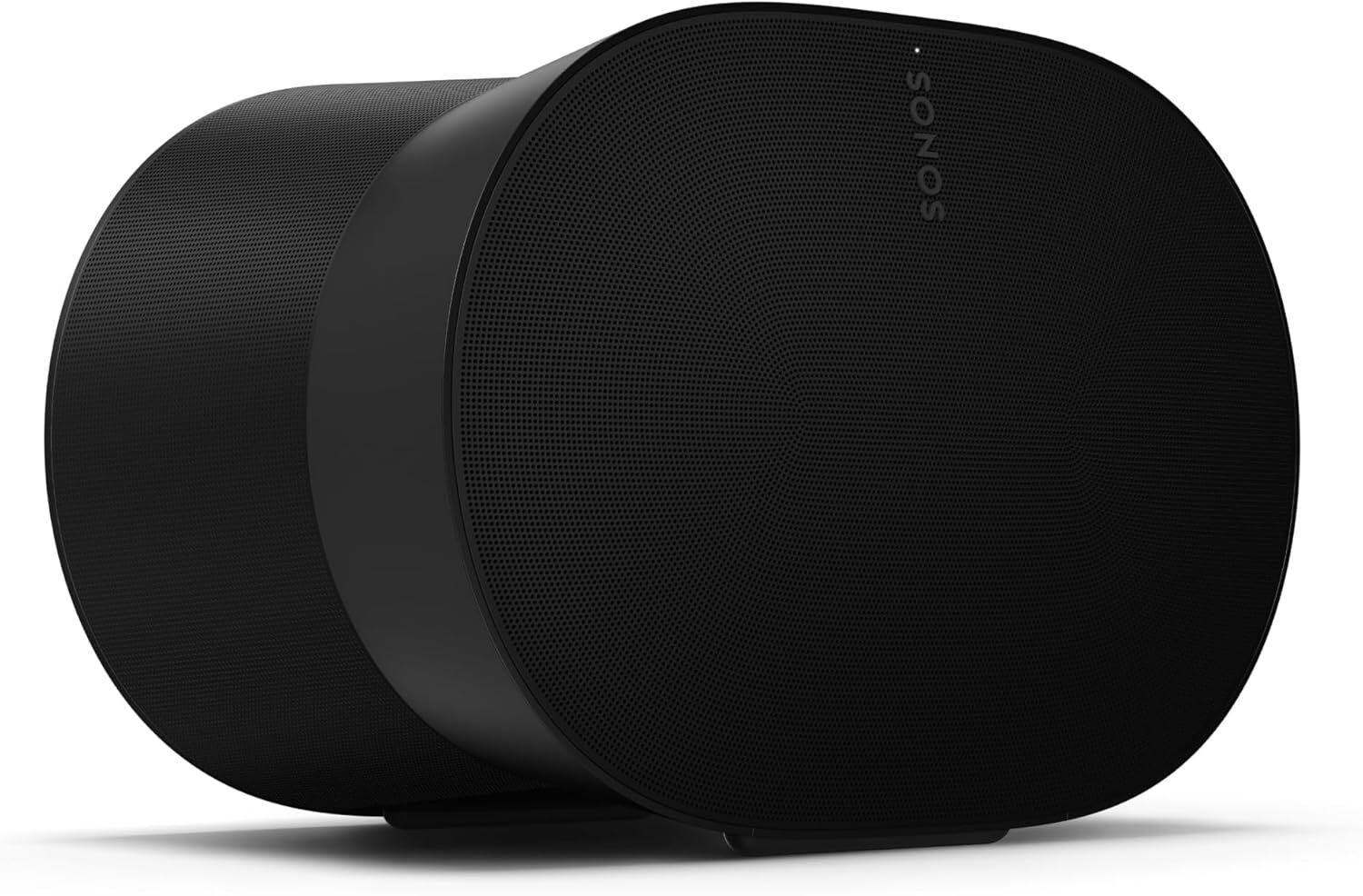
Sonos makes some of the best smart speakers, surround sound systems, and headphones available. It has a very similar business model to Apple: premium prices for minimalist design and impeccable quality, with discounts often hard to come by. But right now, you can get Sonos’ latest flagship soundbar, the Arc Ultra, for a record low price of $899 (originally $999) after a $100 discount—its lowest price, according to price tracking tools.

Both the Sonos Era 300 and the Sonos Sub 4 are also at their lowest prices, completing the trinity for Sonos surround sound. Yes, they’re all still expensive, but that’s the price you pay to get top-of-the-line stuff.

Getting a Sonos surround sound system will not be cheap, especially when you can get a great system from Samsung with the Samsung Q990C for about half the price. But Sonos offers better quality both in the hardware and software department, with an excellent app to go along with the speakers.

If you pick up this soundbar, you can add the Sonos 300 rear speakers and the Gen 4 subwoofer to go with it—they’re the latest Sonos has to offer, but you can choose Era 100 or a smaller subwoofer to lower the price tag.

The Arc Ultra succeeded the already excellent Arc Soundbar, but it added a Bluetooth and a more immersive audio experience with deeper bass and clearer dialogue, according to PCMag’s “outstanding” review. This is a very long soundbar, measuring 2.95 by 46.38 by 4.35 inches, so make sure you have the space for it.

If you already own other Sonos speakers, you can seamlessly connect them through the Sonos app to create a surround sound setup or a multi-room system. (Keep in mind, people have complained about the app lately because they got rid of many cool features, but Sonos has tried to rectify those problems.)

MAHA Report Found To Contain Citations To Nonexistent Studies

An anonymous reader shares a report: Some of the citations that underpin the science in the White House’s sweeping “MAHA Report” appear to have been generated using artificial intelligence [non-paywalled source], resulting in numerous garbled scientific references and invented studies, AI experts said Thursday. Of the 522 footnotes to scientific research in an initial version of the report sent to The Washington Post, at least 37 appear multiple times, according to a review of the report by The Post.

Other citations include the wrong author, and several studies cited by the extensive health report do not exist at all, a fact first reported by the online news outlet NOTUS on Thursday morning. Some references include “oaicite” attached to URLs — a definitive sign that the research was collected using artificial intelligence. The presence of “oaicite” is a marker indicating use of OpenAI, a U.S. artificial intelligence company. A common hallmark of AI chatbots, such as ChatGPT, is unusually repetitive content that does not sound human or is inaccurate — as well as the tendency to “hallucinate” studies or answers that appear to make sense but are not real.


Read more of this story at Slashdot.

Ford Recalls Over 1 Million Vehicles Over A Crash Risk, What You Need To Know

Ford Recalls Over 1 Million Vehicles Over A Crash Risk, What You Need To Know
Ford Motor Company has initiated another massive recall affecting over 1 million vehicles across a wide range of its popular models, including trucks, SUVs, and electric vehicles, due to a software glitch that can cause the rearview camera display to malfunction. The issue, which could see the camera image delay, freeze, or fail to appear

The Gmail app will now create AI summaries whether you want them or not

Using Google products in 2025 means using (or avoiding) AI features, which are becoming a core part of the experience across the board. Last year, Gmail gained the ability to summarize emails on demand. Now, Google says AI summaries will be generated and displayed automatically in the Gmail app for Android and iOS.

Before this latest change, you had to tap the “Summarize this email” chip at the top of the screen to generate an AI summary of the message contents. Google has decided to make this automatic for emails “where a summary is helpful.” That means messages that are longer or threads that contain multiple replies. The announcement is a bit vague about how much detail will trigger a summary, but it probably won’t take much, as Google wants people interacting with AI features as much as possible.

Gmail’s AI summaries use Gemini to generate a brief list of bullet points that break down the content of the thread. It appears at the top of the app, which may not be ideal. In the same way that AI Overviews appear at the top of search results and push the actual search results farther out of reach, Gmail’s AI summaries take up valuable real estate at the top of the screen.

Read full article

Comments

Six Tricks Companies Use to Hide the Impact of Tariffs

As the chaos and confusion surrounding America’s tariff policies continues to swirl, one truth remains a constant: A lot of things are going to get more expensive. No matter what happens to tariffs in the courts or as the result of trade deals with other countries, the prices of many products are going to increase due to tariff pressures, and they probably won’t be going down again any time soon.

Companies know their customers aren’t thrilled about price increases, and some will employ a bit of basic trickery to hide the increased costs of their items from you by keeping the sticker price relatively unchanged while compensating for tariff costs in other, less obvious ways. Here are six tricks to watch out for if you’re wondering whether an item you’re about to by has been affected by tariffs.

Shrinkflation

“Shrinkflation”—the practice of subtly reducing the amount of a product you get for the same price—isn’t new. Companies have been introducing “new” and “improved” versions of products that are just smaller versions in new packaging for years as a strategy to hide price increases. The strategy works because few consumers take the time to notice just how many ounces or items are contained in the package.

Companies will likely be leaning into shrinkflation strategies with a vengeance to hide tariff costs. By reducing the amount of product you get, they can keep the price nominally steady while shaving their costs to compensate for the tariffs they’ll be paying. Make a note of the size and quantities of the products you already have in your house and pay attention the next time you go shopping—you might find you’re getting a lot less for the same price.

Skimpflation

A subtle way to make up for added tariff costs? Use cheaper ingredients or components. Reducing the quality of what goes into a product reduces costs, which allows the price to stay the same. A recent real-world example involves Scott’s toilet paper, which advertises 1,000 sheets per roll. The number of sheets has remained the same, but the weight of a 4-pack has gone from a little over 2 pounds to just 1 pound, 7.6 ounces in recent years. Something changed—either the thickness of the sheets, or the components used in its production—and the result is a cheaper product being sold for the same price.

Skimpflation can be very difficult to spot unless you have older versions and product labels to compare new items against. There are a few more obvious signs:

  • Substitutions. Cardboard instead of plastic components and packaging—cardboard is a lot cheaper.

  • Ingredients. If the first ingredient listed is water, there’s a very good chance you’re looking at a skimpflated product. Water is a common substitution when other ingredients are reduced. Similarly, if a product once made with real sugar now sports high-fructose corn syrup, the product has been changed without telling you.

  • Performance. The proof is often in the performance. If a product you’ve used for a while suddenly isn’t as good or seems to break or wear out more easily, that’s a sign that the company has cheapened the ingredients or production process in some way.

Price creep

Compensating for tariff costs doesn’t always happen in one dramatic (very noticeable) price increase. Incremental price increases over a period of months can slip under the radar, and before you know it you’re paying 25% more for the same product and you didn’t even notice.

Companies sometimes obscure these incremental price hikes by introducing new packaging, which can subconsciously be viewed as a “new” product and visually disconnect the product from the old pricing, making it easier to miss.

Excluding stuff that used to be included

One subtle way to hide tariff costs is to include less stuff with a product. One easy way to reduce costs in gadgets, for example, is to simply stop providing batteries. Another way is to take printed, hardcopy manuals or instructions and make them digital—a QR code to download the manual instead of a printed booklet. If something you buy holds at the old pricing but suddenly doesn’t include everything you’re used to, that’s a sneaky way of hiding those tariffs.

One obvious way this comes into play is the packaging: If something that used to come in a box now shows up on shelves on a cardboard tray instead of a full box—or with no packaging at all, just a price tag—that’s another relatively low-impact way companies can deal with tariff costs without literally increasing prices.

Mysterious fees

A tried-and-true way of deceiving consumers about pricing is the sudden inclusion of mystery fees. This is most effective for digital and online products and services, where fees can be positioned (and named) in various ways. The core price of the product remains the same, and if you’re not watching closely you might not even realize that your overall costs have risen. If you do notice, framing the price increase as a “fee” implies a lack of responsibility on the part of the company—after all, they’re not raising prices, they’re just imposing a fee.

Assembly now required

Finally, if you suddenly find yourself needing a certification in flatpack assembly for just about everything, you might blame tariffs. Shipping items fully-assembled costs more, so engineering them so you can ship them as nested components allows companies to reduce both packaging and shipping costs, offloading the labor cost of assembly to you. So you’re paying the same price at the store, but then you have to pay a little more in sweat equity to actually use the product.

US Airlines Are Quietly Hitting Solo and Business Travelers With Higher Fares

The three largest U.S. airlines are charging solo travelers higher fares than passengers booking for two or more people on select domestic routes, a pricing strategy analysts believe targets business travelers, according to fare analysis by travel publication Thrifty Traveler.

American Airlines, United Airlines and Delta Air Lines implement the practice by opening different fare categories based on passenger count. United charges $269 for a solo traveler flying from Chicago O’Hare to Peoria, while two passengers pay $181 each for identical seats. American’s Charlotte-to-Fort Myers route costs solo travelers $422 versus $266 per person for pairs.

The airlines appear to be “segmenting” customers by charging business travelers paying with corporate cards more while offering better deals to families booking together. Solo travelers are more likely to be business flyers using employer funds and “less likely to care about paying another $80 or more,” according to the analysis.


Read more of this story at Slashdot.

I Trained My YouTube Algorithm, and You Should Too

If Nielsen stats are to be believed, we collectively spend more time in front of YouTube than any other streaming service—including Disney+ and Netflix. That’s a lot of watch hours, especially for an app that demands a great deal of trust when it comes to its algorithmic recommendations, which can easily steer you into strange, inflammatory, or downright dark directions. If you’d like a little more control over what you see, allow me to share with you the steps I took to finally tame my own YouTube algorithm.

Despite how much time we devote to watching YouTube, the app doesn’t behave quite like most other streamers. Rather than loading up the hub page for a show or movie you want to watch, you often have to hope that if there’s a new episode of a thing you like, YouTube will show it to you. (As someone who dabbles as a YouTube creator myself, I would love if the app offered show-specific landing pages, instead of a collection of playlists.)

And since the content on YouTube is so varied, it’s easy to get your algorithm off track. Maybe you’re in the habit habit of watching long-form content on YouTube, only to see that disrupted by one errant cat video—suddenly, YouTube seems to think you want to see only cat videos, and nothing more.

As YouTube has yet to answer my pleas for context-specific browsing profiles, I’ve had to make do with learning every trick I can to direct the algorithm myself.

The basics: Likes, Dislikes, Subscriptions, and the Bell

You can’t spend 20 minutes on the app without a YouTuber preaching the gospel of like, share, and subscribe. You know by now how those actions help your favorite creators, but how do they help you? Unfortunately, there’s no way to know exactly what effect your engagement has on the algorithm (even YouTube can’t know for sure), but there are a few useful things to keep in mind:

  • Use Likes and Dislikes to nudge your recommendations, not to express approval or disapproval. The thumbs up/down buttons are the most direct way to express your interest (or lack thereof) to YouTube. They’re also one of the most widely misunderstood tools. Don’t think of them as a way to communicate with the creator about the substance of their content. In general, it’s best to think of them as nudges for your personal recommendations. Likes are pretty strong indicators that you want to see more similar content, but Dislikes won’t necessarily block a particular creator or topic from appearing in your feeds.

  • Subscribing is good, but not a guarantee. You can think of subscribing to a channel as sort of a super-like for the channel as a whole. This tells YouTube you want to see what they make next (or see more of their backlog). The downside is, subscribing doesn’t guarantee you’ll see anything. YouTube tends to favor more recent subs in your recommendations. If you want to see everything all the people you subscribe to make, you actually need to seek out your Subscriptions tab.

  • Clicking the bell really is the best thing you can do. Creators often like to remind you to “click the bell,” and they do it for a reason: This will send you a push notification (assuming you allow notifications from your YouTube app) whenever one of your subs uploads a new video. Not only does that increase the likelihood you’ll see new videos you care about, but it gives those creators important metrics they can use to understand their audience.

These are all extremely basic tools for refining your suggestions, but it’s also important to understand them in context. YouTube doesn’t just look at what you say you want, it watches how you actually behave on the app. If you like a video, subscribe to the channel, and hit the bell, but then you never watch a video from that creator again, YouTube will eventually stop recommending them.

That’s neither a good nor bad thing on its own, and contrary to some paranoia among creators, it’s not even bad for the channels themselves. The YouTube algorithm’s goal is to put something in front of you that you’re likely to spend time watching. If the videos it suggests aren’t meeting that goal—no matter how much you’ve told the algorithm to show those videos to you—it will move on to something else. Understanding that gives us some context for moving on to some next-level algorithm taming.

Intermediate algorithm training: Refine your history and reject videos you don’t want to see

The "Remove from watch history" button next to YouTube watch history

Credit: Eric Ravenscraft

If likes, subscriptions, and the bell are all small nudges to the algorithm, are there big nudges you can use? I’m so glad you asked. Watch time is the most obvious, but that’s just using YouTube. And no, there’s not much benefit in trying to manipulate this. Just keep watching things you like and stop watching things you dislike, and YouTube will try to follow your patterns.

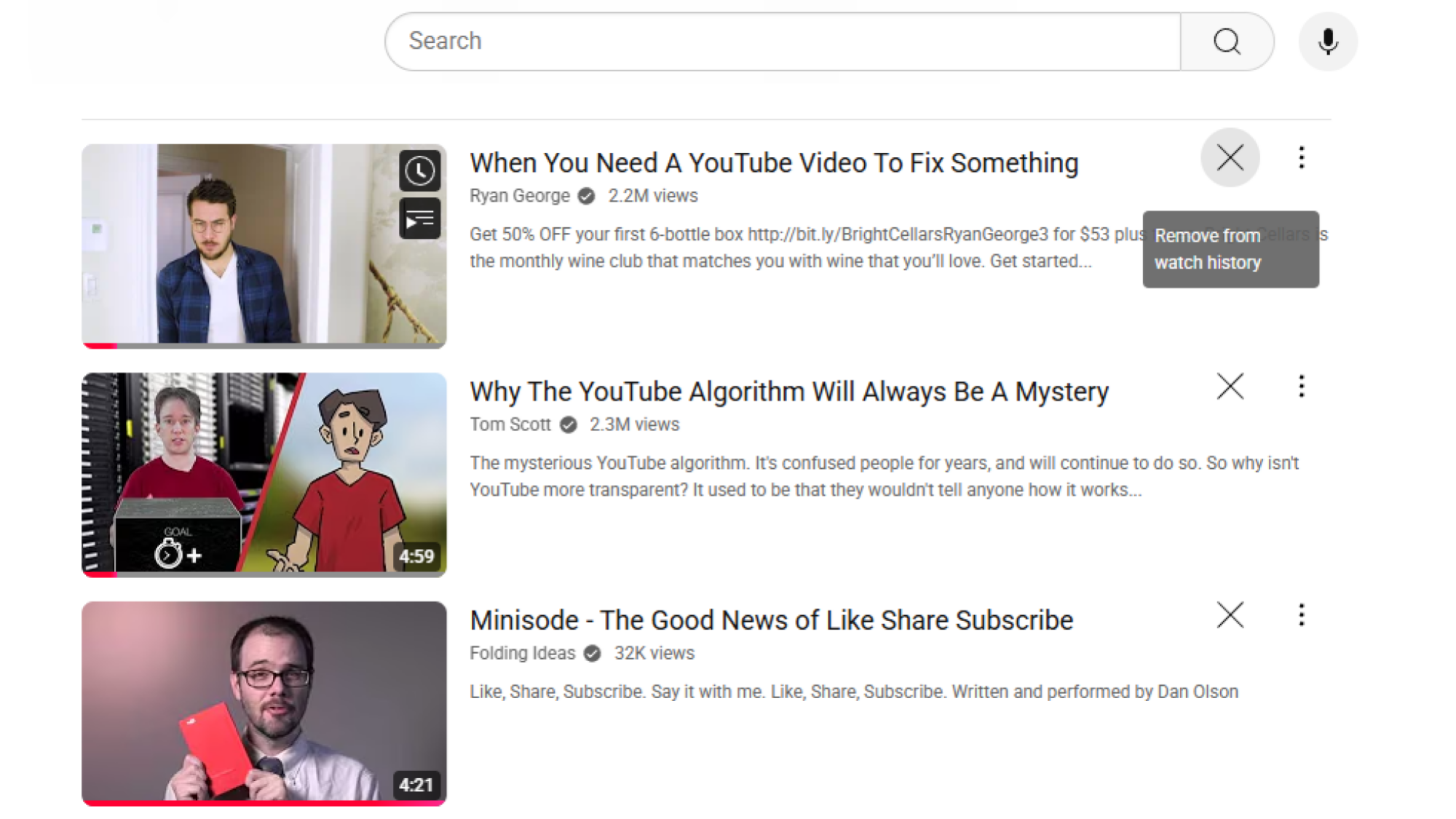
“Try to” being the operative word. Anyone who’s ever fixed a door knows that YouTube can be a bit over-eager to show you hours of content about something you spent five minutes watching. One quick way to fix this is to head to your History, find the video in question, and click “Remove from watch history.” In addition to not showing up in your previously-watched videos list, YouTube also won’t consider it something you spent time on when recommending new videos.

This trick only works for individual videos you’ve previously watched, though. If you’re getting recommendations based on broad topics you don’t like, you can ask not to see those recommendations before you even click on the video. Tap the menu button on a video’s thumbnail to find options labeled “Not interested” (good for indicating you don’t like this particular video suggestion) and “Don’t recommend channel,” which is the closest thing YouTube has to completely blocking a channel.

Frustratingly, if you allow YouTube to autoplay videos from the thumbnail before you ever click on a video—a feature you can and arguably should turn off—then that can count as a “view” in your watch history. I’ve lost track of how often I’ve set my phone down and accidentally “watched” a video for a few minutes. Even if you select “not interested” before clicking on a video, if it has autoplayed, you might need to remove it from your history as well.

Advanced algorithm mastery: Use playlists and multiple accounts to get recommendations silos

YouTube recommends more color grading tutorials from a playlist of color grading videos.

Credit: Eric Ravenscraft

I will die on the hill of my belief that YouTube should have a mode switcher. I want to be able to have a profile for watching in-depth video essays on niche topics and another profile for dumb cat videos. YouTube has come sort of close with the introduction of category tags. In some places, like YouTube on the web or certain views in apps, you’ll see a list of tags for things like “Gaming” or “News” that will filter suggestions. In my opinion these are useful, but inadequate.

I’d rather have something that lets me train my personal recommendations in different buckets directly. And over the years I’ve developed two main strategies for accomplishing this: playlists and account switching.

Playlists

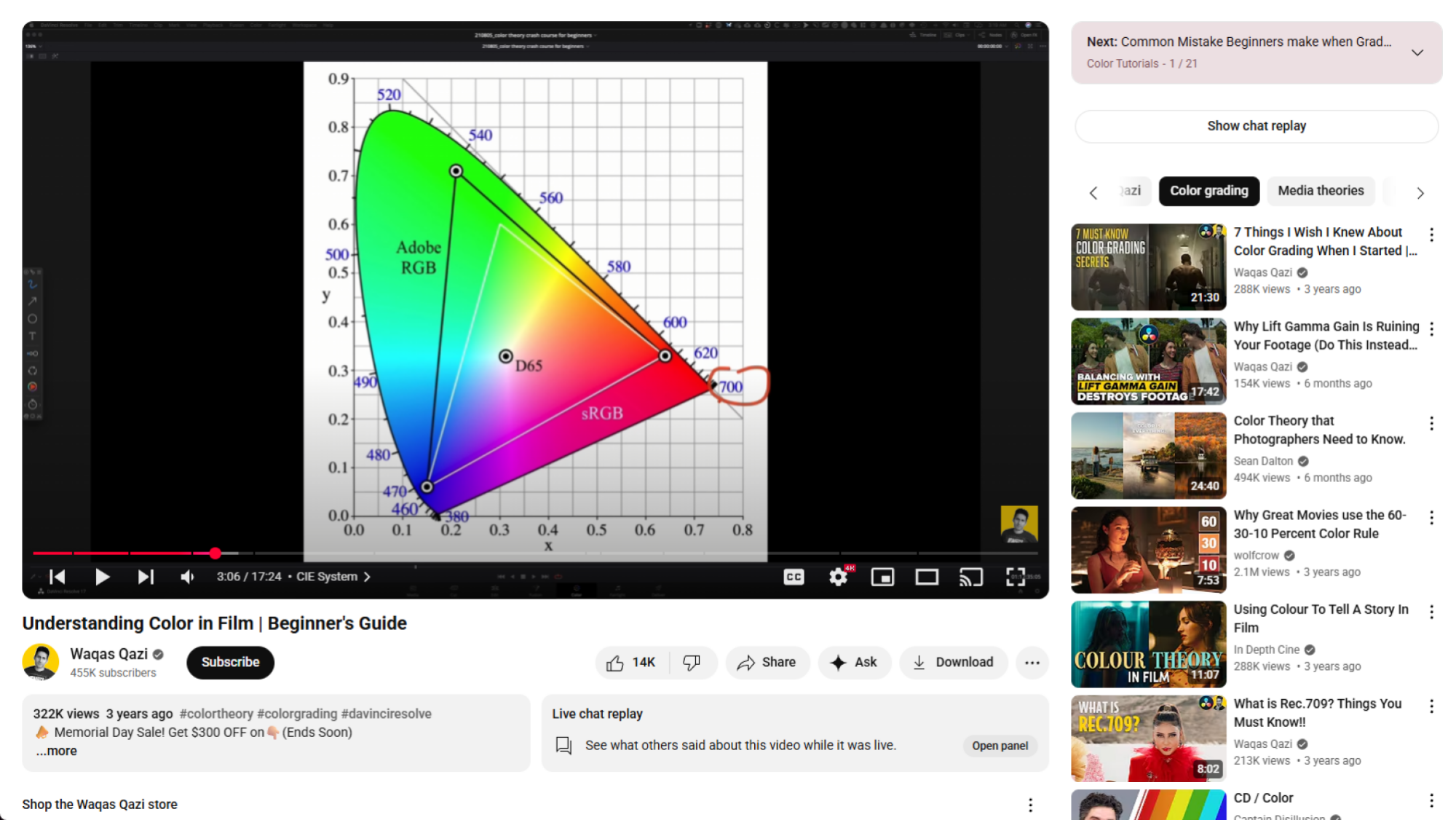
For the playlists approach, I save videos that I liked on a particular topic to a specific list. Then, if I want to see more videos on that topic, I’ll open up the playlist and look through the sidebar. This usually gives me more specific video recommendations to that topic (interspersed with the usual recommendation buckshot), as well as more specific genre filters for me to drill deeper. The only downside to this approach is that it all happens in the sidebar of another video. It’s a little nicer on mobile, but it can feel a little hacky at times.

Account switching

The account switching workaround feels more natural while browsing, but it’s a bit more cumbersome to change modes. YouTube has gotten much better at account switching, with a simple “Switch accounts” dropdown in most of its apps. Of course, each one requires an entire Google account, but there’s a decent chance you already have at least five of these by now, anyway.

There’s nothing special about filtering videos this way, but it gives you a few different blank slates to work from, instead of one giant one. For example, I have a Gmail account that I only use as a throwaway for junk where I don’t want to give my real email address. On YouTube, if I decide I want to indulge in junk video compilations, I’ll switch accounts first. That way, any garbage I watch won’t affect my primary account’s recommendations. (This is also helpful if you want to have guests over but don’t want them to poison your well with videos they pull up.) The only downside? If you use YouTube Premium to avoid ads, then that won’t carry over to all your other accounts.

All of this tinkering will result in a streaming experience that is still less ideal than how apps like Netflix and Disney+ work. On those services, you can set up multiple profiles within your a single account, and pretend it’s actually your aunt that’s watching all that garbage TV when she comes to visit. Until YouTube makes that an official feature, the tricks outlined above will hopefully help you get better suggestions.

We might not be getting that handheld Xbox for some time

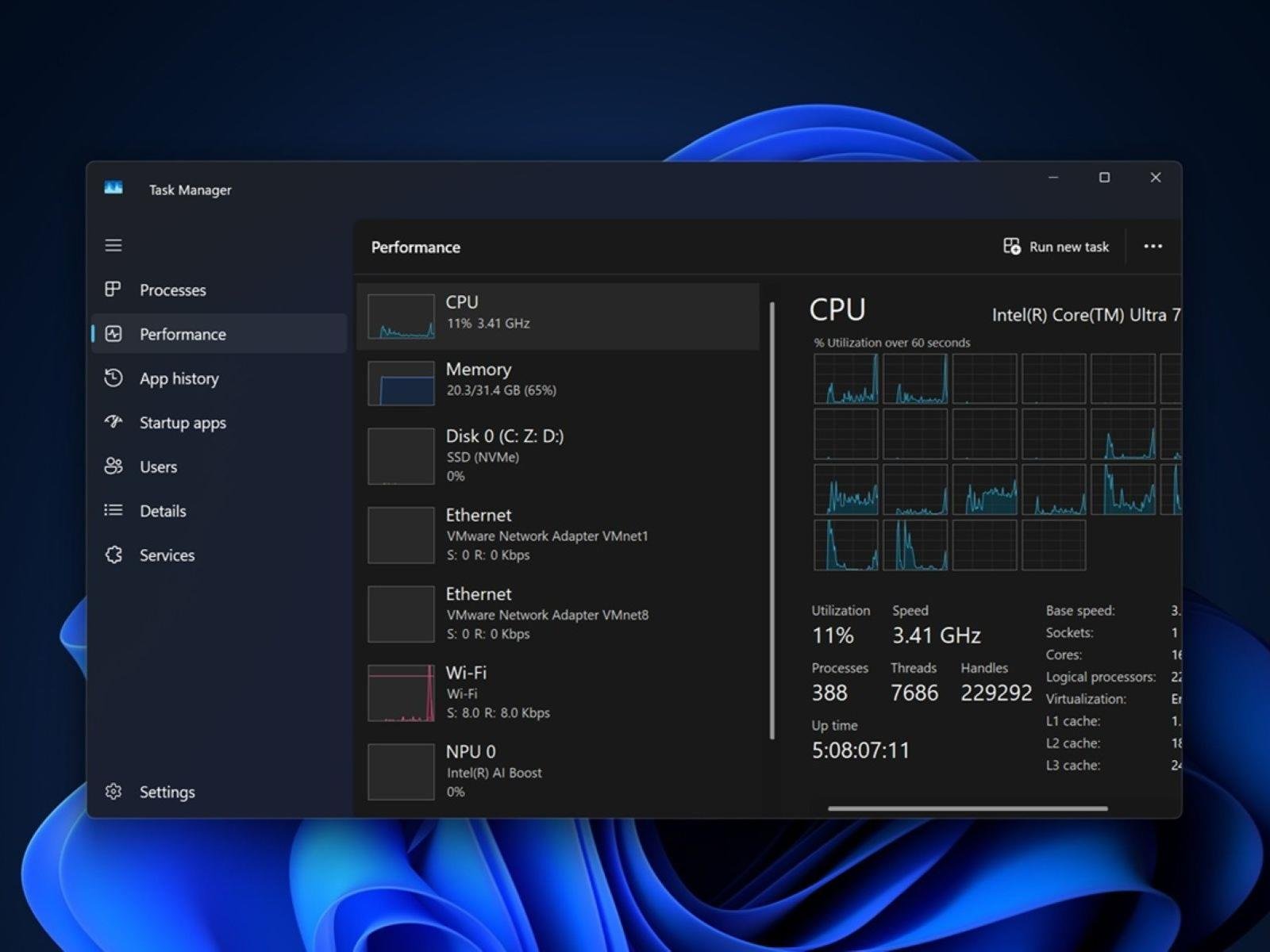
A lot of people (not least Engadget’s own Sam Rutherford) have been asking Microsoft to make an Xbox-branded handheld for a long time. And it looked for a while like we might be getting exactly that in the not-so distant future. But Microsoft’s priorities have reportedly shifted to improving the widely criticised performance of Windows 11 on existing third-party PC gaming handhelds.

In an exclusive report, Windows Central claims that a dedicated Xbox handheld system, which could have launched in 2027 alongside the successor to the Xbox Series X, isn’t the company’s main area of focus right now, even if it remains keen on the idea. An internally developed handheld, for which Windows Central’s Jez Corden says he has seen a number of different codenames, is not currently being worked on, and he adds that no layoffs have taken place as a result of the strategic shift.

While a native Xbox device might be some way off, the report makes clear that Microsoft is still very much active in the handheld market. A third-party console that it has been working on with ASUS, codenamed “Project Kennan”, is still targeting a 2025 launch. It’s likely this device, which could be equipped with AMD’s Z2 Extreme chip, will ship with an improved Windows 11 experience better suited to a controller interface.

The software’s awkward integration in early iterations of PC handhelds like the Lenovo Legion Go and ASUS ROG Ally has been a big problem, and it’s partly why people are so excited about the SteamOS experience no longer being exclusive to the Steam Deck. The Lenovo Legion Go S started shipping with SteamOS running out of the box this week, the first handheld not made by Valve to do so.

This article originally appeared on Engadget at https://www.engadget.com/gaming/xbox/we-might-not-be-getting-that-handheld-xbox-for-some-time-153844220.html?src=rss

Google Maps can’t explain why it falsely labeled German autobahns as closed

On Thursday, a Google Maps glitch accidentally made it appear that the most desirable routes on German autobahns and highways were shut down, The Guardian reported.

It remains unclear what unleashed a flood of stop signs on Google Maps in the area just ahead of a four-day holiday break when many drivers had travel plans. Maps of roadways in Belgium and the Netherlands were also affected.

In ganz Deutschland
Chaos bei Google Maps: Dienst zeigt unzählige falsche Sperrungenhttps://t.co/qEfIRrIHx3

— Peter Berger (@leosgeminix) May 29, 2025

If drivers had stopped to check alternative apps, they would have learned that traffic was flowing normally and may have avoided clogging traffic on alternative routes or wasting time speculating about what could have happened to close so many major roads. Apple Maps and Waze accurately charted traffic patterns, and only Google Maps appeared to be affected.

Read full article

Comments

You Can Get This iPhone 12 on Sale for $230 Right Now

We may earn a commission from links on this page. Deal pricing and availability subject to change after time of publication.

If you’re set on iOS but also don’t want to spend flagship money, this refurbished iPhone 12 is worth considering, on sale for $229.99 at StackSocial. Available in black, it’s a Grade “A” refurbished unit, meaning it shows little to no signs of wear—basically a solid used phone that doesn’t look like it went through a blender. It’s also unlocked, so you can add any SIM and get going, whether you’re on Verizon, AT&T, T-Mobile, or a smaller carrier.

The iPhone 12 runs on Apple’s A14 Bionic chip, which still performs well for day-to-day use. The 6.1-inch OLED display is sharp and bright, and the dual camera system (wide and ultra-wide) performs well in good lighting and doesn’t embarrass itself at night. You’re not getting cinematic mode or high-end zoom like the newer models, but it’s more than enough for social media, quick videos, and everyday use. Read this PCMag review to learn more about the iPhone 12.

That said, it’s not perfect. You’re limited to 64GB of storage, so if you shoot a lot of video or keep your entire photo library on-device, you’ll need to manage space or use cloud backups. Battery life is decent, though heavy users might need to recharge before the day’s over. And while it won’t match newer budget Androids spec-for-spec, it makes up for it with long-term software support, solid build quality, and a clean interface free of bloat. For someone looking to stay in the Apple ecosystem, this deal makes sense.

Almost 40% of World’s Glaciers Already Doomed Due To Climate Crisis

Almost 40% of glaciers in existence today are already doomed to melt due to climate-heating emissions from fossil fuels, a study has found. The Guardian: The loss will soar to 75% if global heating reaches the 2.7C rise for which the world is currently on track. The massive loss of glaciers would push up sea levels, endangering millions of people and driving mass migration, profoundly affecting the billions reliant on glaciers to regulate the water used to grow food, the researchers said.

However, slashing carbon emissions and limiting heating to the internationally agreed 1.5C target would save half of glacier ice. That goal is looking increasingly out of reach as emissions continue to rise, but the scientists said that every tenth-of-a-degree rise that was avoided would save 2.7tn tonnes of ice.


Read more of this story at Slashdot.

RFK Jr.‘s fluoride ban would ruin 25 million kids’ teeth, cost $9.8 billion

Once hailed as a triumph of public health, water fluoridation is now under intense attack in the US.

Despite decades of data proving its efficacy at protecting teeth from decay—particularly children’s teeth—two states have now banned the use of fluoride in public water, and communities around the country have followed suit or are considering doing the same. The current US health secretary, Robert F. Kennedy Jr., who is known for his anti-vaccine advocacy and for peddling conspiracy theories, has pledged to remove fluoride from US water.

Now, a pair of researchers at Harvard—Sung Eun Choi and Lisa Simon—have modeled exactly what will happen in the US if Kennedy follows through on his pledge: The number of cavities and decayed teeth in American children and teens (ages 0–19) will increase by an estimated 7.5 percentage points over the first five years. That means there will be 25.4 million more rotten teeth in the mouths of children and teenagers. The dental bills for the added decay will total at least $9.8 billion in that time. Other costs, such as loss of work among parents, were not included, making the financial estimate conservative. But children will also be more miserable, with an estimated loss of 2.9 million quality-adjusted life years.

Read full article

Comments