All the Gardening Tasks You Should Do in June

We may earn a commission from links on this page.

If you need a reminder that summer has finally landed, berries are here to remind you. Home gardens are spotted with tiny colored jewels of strawberries, currants, and oso berries. Cherries, raspberries and blueberries are beginning to blush with color as they ripen, just as the peonies and irises fade. Peas are popping off of tall vines, nasturtiums have begun to sprawl across garden beds, and spring-planted spinach and chard are sky high. This is your first chance to enjoy the spoils of your summer garden.

cherries, blueberries and raspberries
Cherries, blueberries, and raspberries about to ripen.
Credit: Amanda Blum

Pruning and trellising

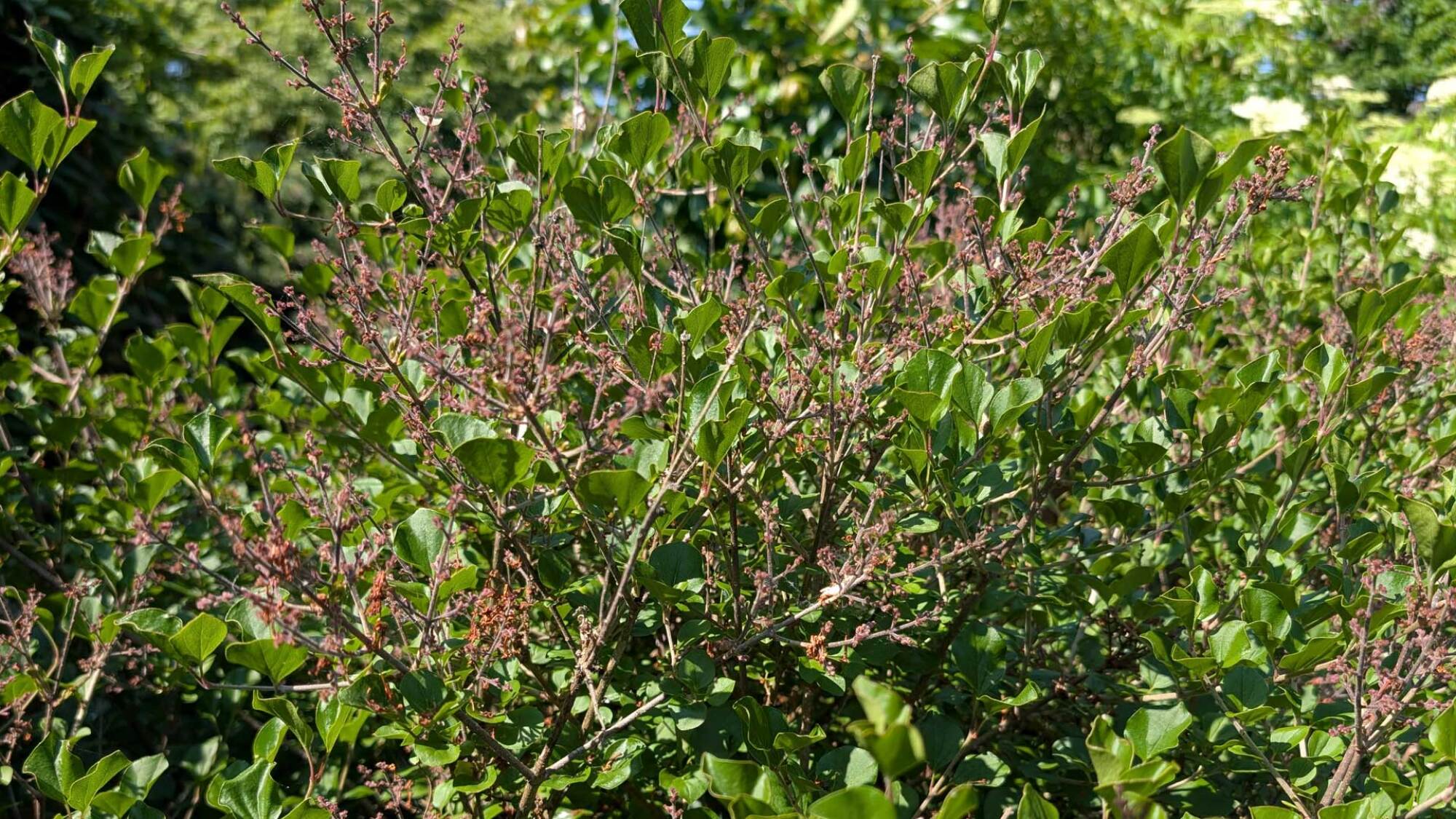
Within two weeks of your lilacs finishing blooming, you should consider pruning them back. This is when plants will determine blooms for the next season, and in some lucky cases, you can spur a second, fall bloom. You want to take as much as ⅓ of the plant’s stems, so you encourage new growth each year. This is the case for all your early summer blooming shrubs and trees, like azalea, forsythia, Japanese kerria, weigela, deutzia, mock orange, St. John’s wort, viburnums, and red or yellow dogwoods.
Lilac bushes
Lilac after blooming
Credit: Amanda Blum

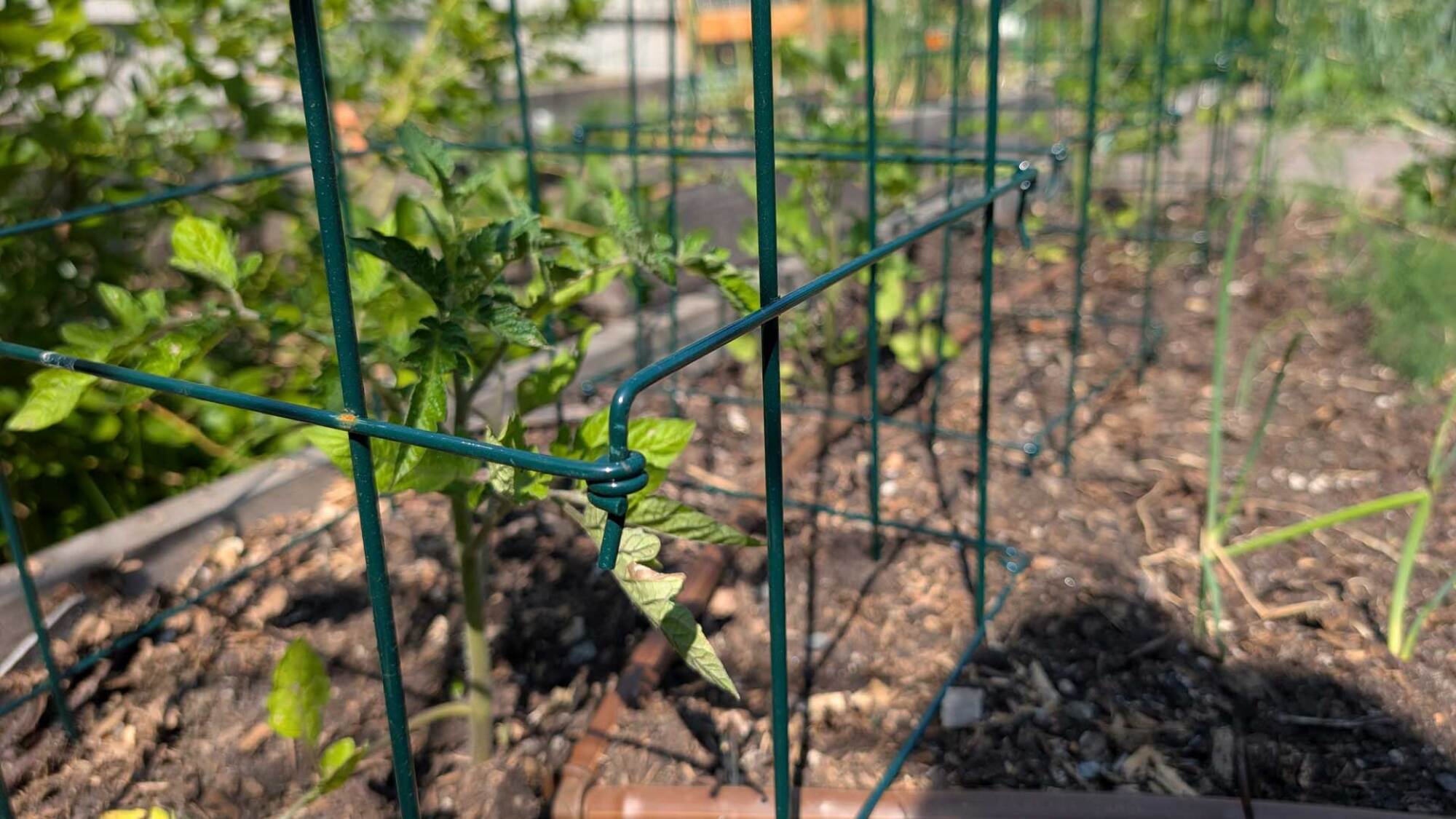
The pruning should extend to your tomatoes, now established in the ground. You’ll want to prune for suckers, depending on what kind of trellis system you have set up. If you’re allowing indeterminate tomatoes to only have one strong “leader” or stem, prune aggressively, but you’ll need tall trellises. Also be sure to cut away any diseased parts of the plant, but remember you only want to touch your tomatoes after the morning dew has dried, and with clean shears. Spray with Lysol or other disinfectant in between plants, so you are not spreading any disease. 
tomato plants growing in trellises
Tomato plants growing in trellises.
Credit: Amanda Blum

Once your strawberries are done fruiting, mow them back and mulch them, so they won’t continue to spend their energy growing runners, but will focus on root growth for next year.

Fruit-thinning
fruit drop from plums, and a thinned plum ripening on the branch
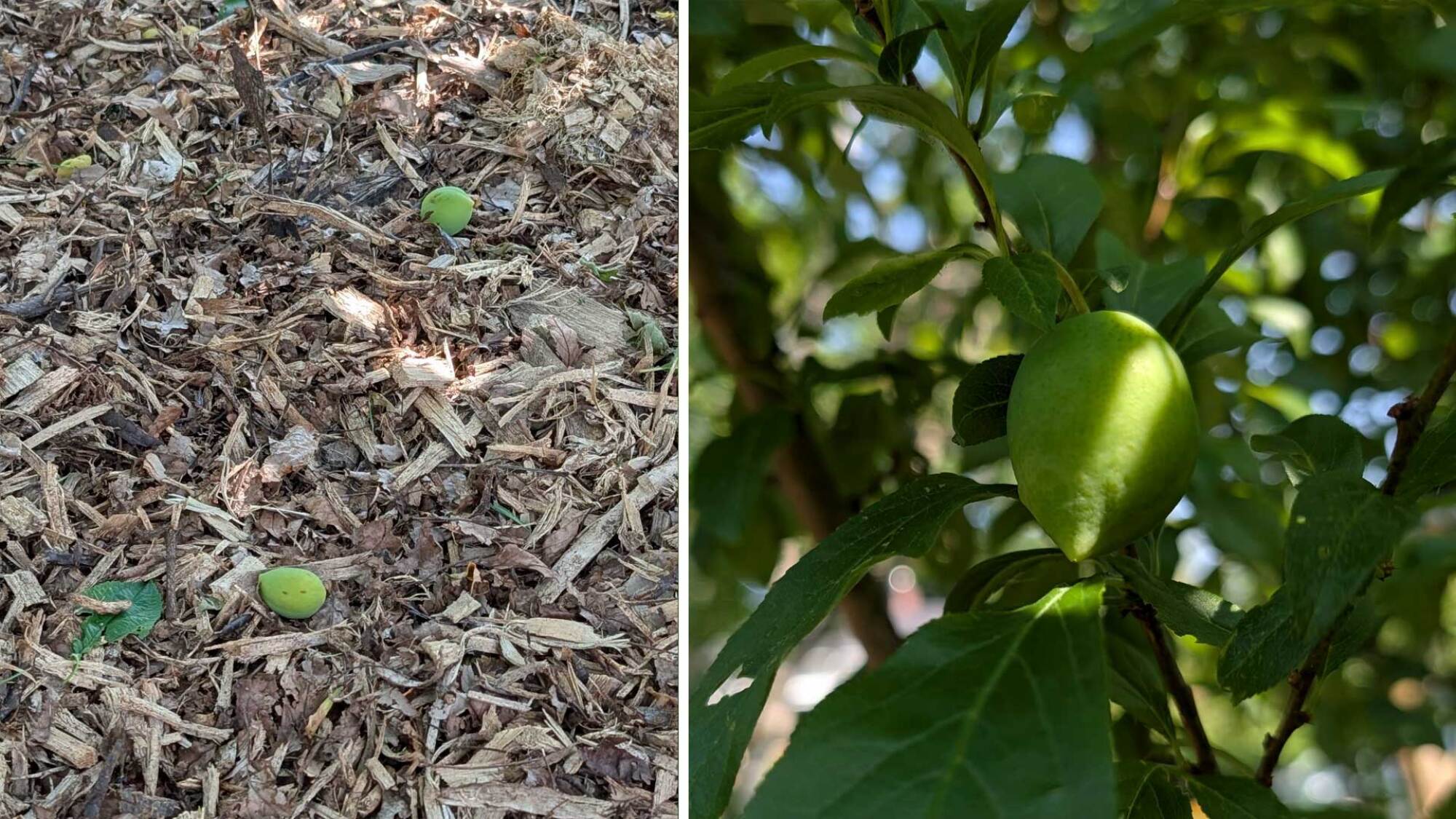
Fruit drop is when a tree drops fruit it cannot support (left). The remaining fruit, on the right, ripen.
Credit: Amanda Blum

Your pears, apples, stone fruit—like peaches, plums, cherries and nectarines—and even fig trees will have set fruit by now, and also gone through fruit drop, a normal phenomenon where the trees drop what they can’t handle. With the fruit still on the tree, you must decide on quantity or quality. Thinning the fruit on each branch will allow the tree to create larger, tastier fruit. You can also shroud the fruit at this point, covering the fruit with gauze bags, to protect it from invasive bugs or animals. The same is true of grapes. Your vines should be well flushed out at this point, which means you can harvest grape leaves to use fresh or preserve for use later, and then shroud all your growing grape bunches. This will make them much easier to harvest, and also protect them from birds, raccoons, and rats.
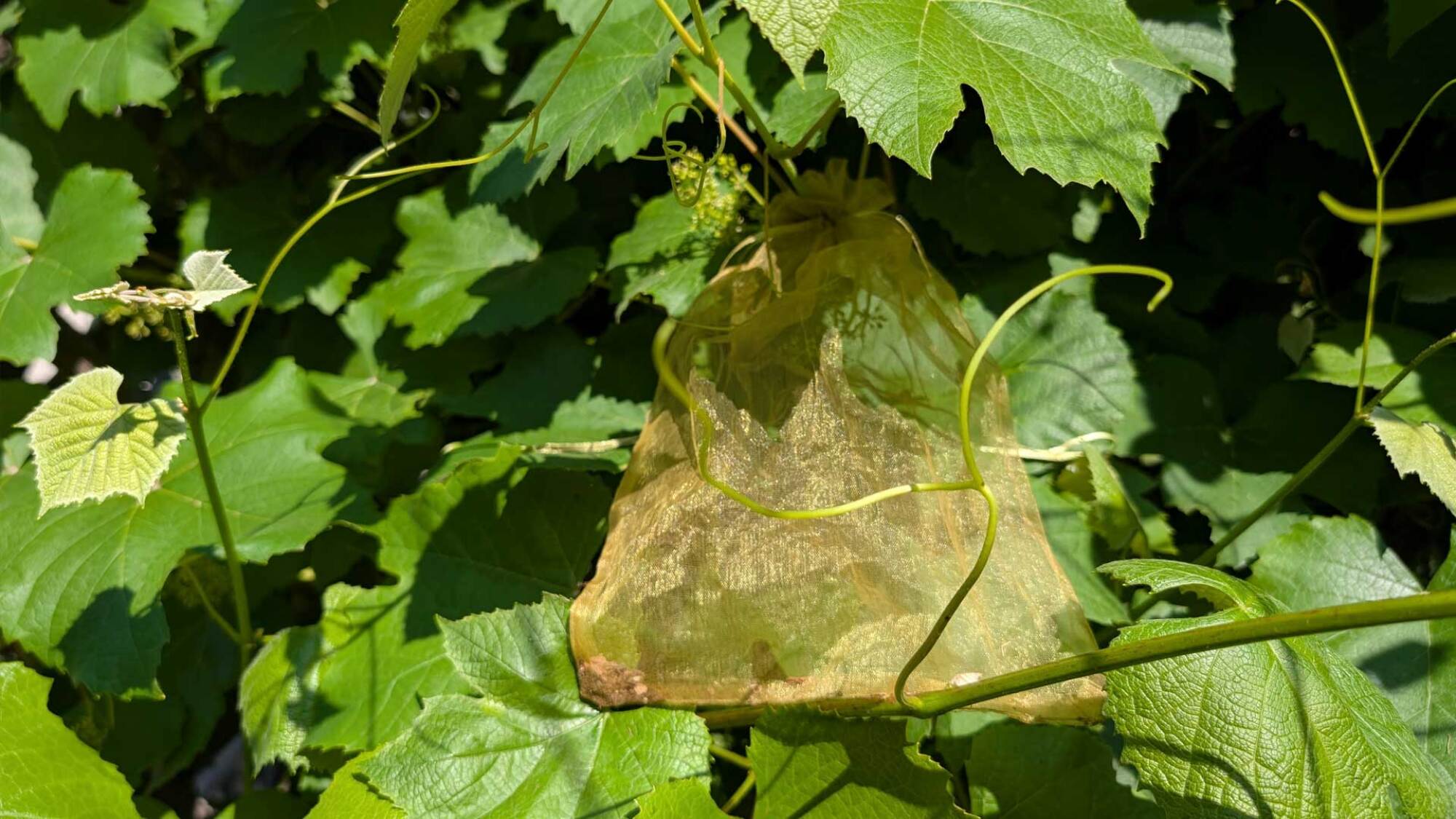
Grapes shrouded in gauze bags
Small grape clusters shrouded in gauze bags.
Credit: Amanda Blum

Fertilizing

It’s important to not simply water your vegetables in raised beds, but also feed them. In addition to plant -pecific fertilizer (tomato fertilizer, blueberry and azalea fertilizer, etc.), you should consider a weekly treatment of compost tea. If you don’t have a vermicomposter to make your own compost tea with, purchase compost tea bags and make some. Apply the tea with a sprayer folicularly (over the whole plant). Your tomatoes can also benefit from a treatment of Cal-Mag or Rot Stop, which will provide the plant more calcium to help prevent tomato blossom rot on forthcoming fruit. With most asparagus done harvesting by June, apply a nitrogen-heavy fertilizer for next year. 

Your lawn should get a low-nitrogen-based fertilizer in June. Your roses should get a phosphorus-based fertilizer treatment after their first bloom, which should be about now. All your trees and shrubs should get a summer fertilizer before July 4. Your garden center can help you find the right fertilizers, since not all plants should get the same one—and fertilizer is heavy, so you’d do well to buy it locally instead of have it shipped to you.

Preventing and eradicating pests

Cabbage moths
Cabbage moths.
Credit: Amanda Blum

Garden pests are absolute terrorists this time of year. Just this morning I noticed many bean seedlings peeking through the soil had been thwarted by slugs. Sprays won’t be the only solution at this point—you’ll need to manually remove the pests from your plants as well. Aphids may be sprayed off with water, but without a treatment like soapy water or a nearby trap plant like nasturtiums, they’ll be back. If you don’t have nasturtiums nearby, plant them now—the aphids will be more attracted to the nasturtiums and will choose them instead. You just leave the aphid-infested nasturtiums in place. Treatments like Sluggo can help reduce the slug population, but manual extraction is still necessary. Leave shallow lids of beer or yeasty bread starter around as a trap, and collect the slugs that run to it each day.

Each plant in your garden has a number of pests that are trying to feed off of it; a daily walk around your garden will help you notice what might be attacking your plants. Get a butterfly net, and use it to capture and kill the white cabbage moths flitting about the garden.

Dealing with sick plants
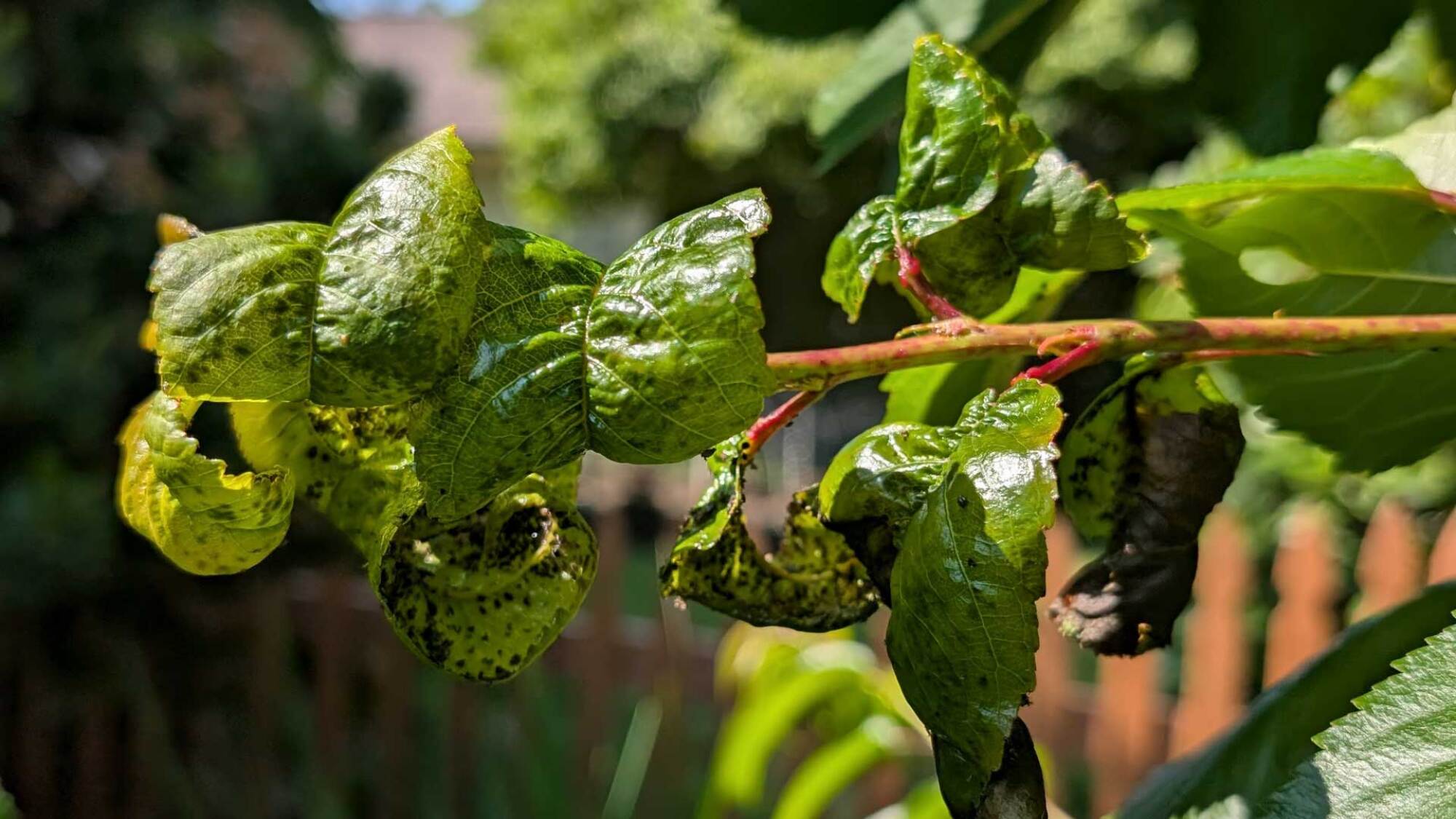
diseased leaves on a cherry tree
Diseased leaves on a cherry tree.
Credit: Amanda Blum

Gardens are highly susceptible to virus and fungus; one of the best ways to prevent them is to water at the root of plants, rather than overhead, which splashes onto the ground, causing water to spray back up onto plants. As you see blight or mosaic virus in your garden, you must cut it out quickly, dispose of those plants in the trash (not compost), and be sure you wash your hands and tools before moving onto the next plant. If you see powdery mildew on your plants, you can treat it with a diluted vinegar spray. Now is when you might catch sign of infections like leaf curl on your stone fruit trees, which can be treated if caught quite early with copper foliar sprays. Fungicides can go a long way to helping prevent problems like black spot on roses. You want to be very judicious when using fungicides and copper sprays: These are mostly preventative treatments, not reactive. If you’re questioning what you see in your garden, take a picture and head to the garden center. 

What to plant

The summer vegetables should all be in the ground by the end of June. Your tomatoes, eggplants, peppers, and tomatillos need to be planted in early June, and if the weather hasn’t met planting conditions yet, you need to consider putting mitigations like Agribon in place and planting anyway. The Agribon tenting will create the warm conditions you need, and you can remove it when temperatures get warm enough on their own. 

Beans, cucumbers, corn, edamame, eggplants, melons, okra, summer squash, and sweet potatoes should get planted this month. If it’s early enough, they can still be direct seeded, but by mid-June, you should plant starts instead.  
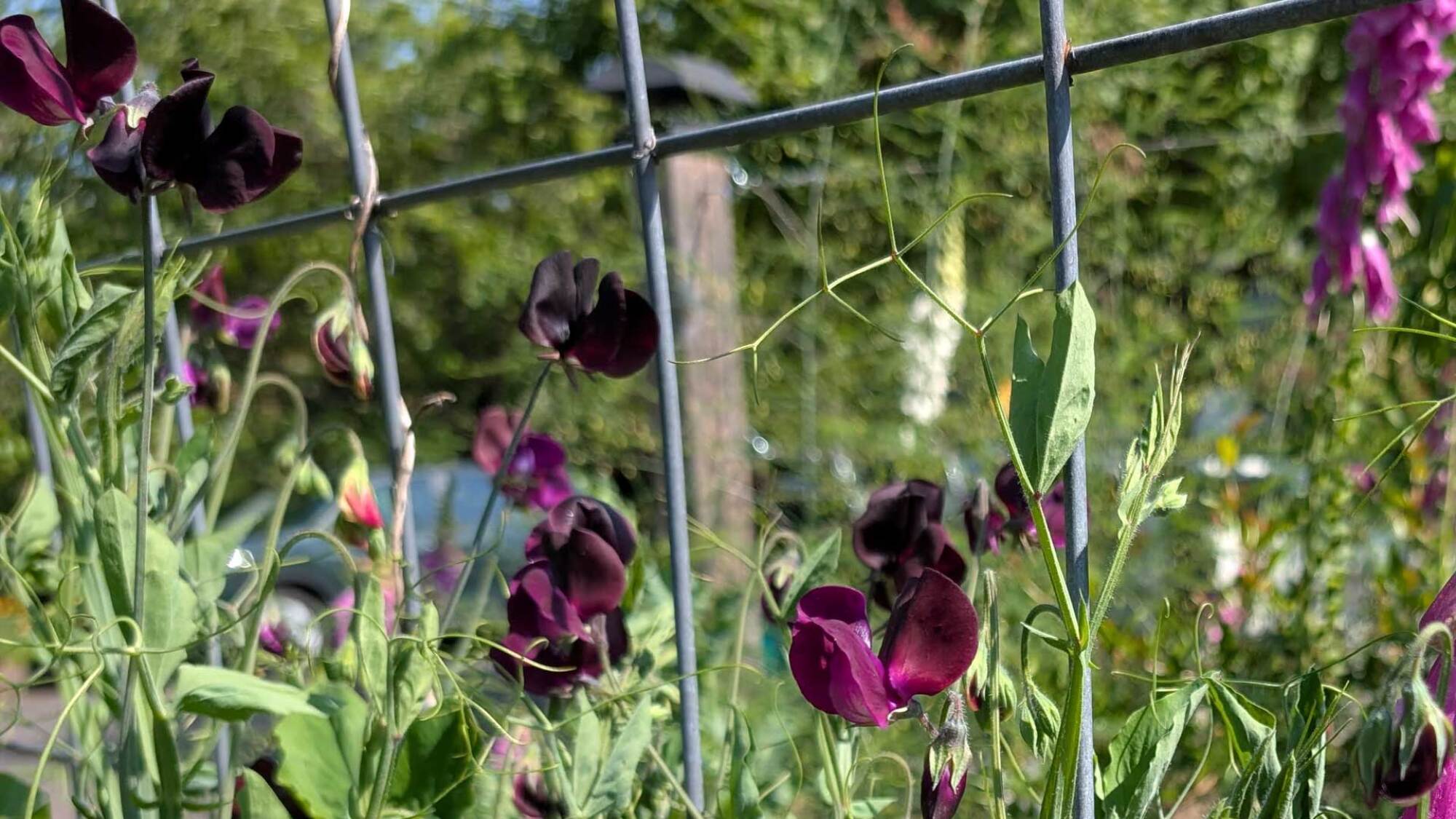
sweet peas
Sweet peas.
Credit: Amanda Blum

You can still plant almost all your summer annual flowers, including zinnias, cosmos, sunflowers, salvia, and celosia from seed or as starts. Planting them in waves ensures multiple successions of flowers later in the season. Remember when planting these flowers to check seed labels for heights, so you can vary them. 

Now that your spring flowers are wilting, deadhead them appropriately. Your tulips need to have just the heads cut off, but no lower—remember they need leaves to mulch in place to return next year. Iris stems may be cut to the ground, but in a chevron, to ensure good growth next year. If you commit to religious harvesting of your sweet peas, you can make them last well into the summer. Each day, cut fresh blooms at the base of the stem, and you’ll notice that the stems get shorter and shorter. Once the sweet peas go to seed and produce pods, it’s time to pull the flowers out of the ground and plant something else. Deadheading your snapdragons will encourage the plants to branch, creating more blooms, but as soon as the snaps go to seed (the flowers will look like skulls), they should be cut to the ground, in hopes they might return the next year.

Through June, the best course of action is to take a walk through the garden once a day, even if it’s a quick one. Each morning, I wander the garden, grabbing weeds as I find them. Harvest what you can, take note of action items like pests or pruning, and be sure to take pictures and write in your garden journal. It’s the reason you planted the garden: to enjoy it.

F1 in Spain: Now that was a lapse in judgment

Formula 1 held its annual Spanish Grand Prix this past weekend at the Catalunya circuit near Barcelona. It’s a good place to test a modern F1 car, as you need great aerodynamics to be fast around here, especially now that the awkward chicanes are gone. You also need good mechanical grip. Races used to be processional here, but the re-profiled turn 10 and the flat-out nature of the last turn have changed all that.

This was to be the weekend of new front wings, the result of a “technical directive” meant to stop excessive flexing as part of the sport’s ongoing antipathy toward creatively movable aerodynamics outside a tightly described domain. The competitive order would be reset, some hoped, as their rivals would be forced to give up unfair advantages. In fact, the new wings turned out to be a nothingburger. McLaren’s advantage remains, and that was clear on a circuit that tests every aspect of a racing car.

But there’s only one story that anyone really cares about after Spain, and it’s the one about Red Bull’s Max Verstappen. For much of the race, Verstappen held onto third place, behind the too-fast McLarens. This required using one more set of tires than they did, and for his last stint, all that was left for the Red Bull driver was a set of the too-hard compound, giving him little in the way of grip.

Read full article

Comments

The Apple Watch Series 10 is back on sale for $100 off

Summer is almost here for those of us in the northern hemisphere, which means that you might be getting more active outdoors. One way to keep track of all your workouts en plein air is with the Apple Watch Series 10. The smartwatch is back on sale for $299, which is $100 off the regular price. It also matches a record low. 

There are a few variants on sale for this price at Amazon, but they all have a 42mm case and are GPS models with no LTE connectivity. If you’d rather have the larger 46mm case, several Apple Watch Series 10 configurations with that are also $100 off at $329. 

Not only is the Apple Watch Series 10 a darn good fitness (and wellness) tracker, it’s our pick for the best smartwatch overall. Android wielders need not apply, unfortunately, since you need a paired iPhone to set up and use any Apple Watch. If you’re not looking for one for yourself, the Apple Watch Series 10 would also make for a great Father’s Day gift.

We gave this smartwatch a score of 90 in our review. It’s a fairly iterative update, so if you already have an Apple Watch Series 8 or 9 already, it might not be worth upgrading. At least in the US, the blood oxygen feature that was available in previous versions isn’t present in the Apple Watch Series 10 following a patent dispute. Some of the Apple Watch Series 10’s major features are found in other models too — the sleep apnea detection function is also available on the Series 9 and Apple Watch Ultra 2. 

However, if you’re looking for your first Apple Watch or upgrading from a Series 7 or earlier, the Series 10 is probably the best way to go. It has a larger screen than its predecessors, so it’ll be easier to see notifications and such. The thinner frame looks rather fetching too. 

Check out our coverage of the best Apple deals for more discounts, and follow @EngadgetDeals on X for the latest tech deals and buying advice.

This article originally appeared on Engadget at https://www.engadget.com/deals/the-apple-watch-series-10-is-back-on-sale-for-100-off-142236780.html?src=rss

Zuckerberg, Musk And Altman Say Smartphones Are Coming To An End

Zuckerberg, Musk And Altman Say Smartphones Are Coming To An End
Could a seismic shift within the tech world be underway, with some of the industry’s most influential figures proclaiming the imminent demise of the smartphone? Visionaries like Mark Zuckerberg, Elon Musk, and Sam Altman are spearheading a charge towards a post-smartphone future, one defined by immersive wearables, neural interfaces, and ambient

Going To an Office and Pretending To Work: A Business That’s Booming in China

A new business model has emerged across China’s major cities, El Pais reports, where companies charge unemployed individuals to rent desk space and pretend to work, responding to social pressure around joblessness amid rising youth unemployment rates. These services charge between 30 and 50 yuan ($4-7) daily for desks, Wi-Fi, coffee, and lunch in spaces designed to mimic traditional work environments.

Some operations assign fictitious tasks and organize supervisory rounds to enhance the illusion, while premium services allow clients to roleplay as managers or stage workplace conflicts for additional fees. The trend has gained significant traction on Xiaohongshu, China’s equivalent to Instagram, where advertisements for “pretend-to-work companies” accumulate millions of views. Youth unemployment reached 16.5% among 16-to-24-year-olds in March 2025, according to National Bureau of Statistics data, while overall urban unemployment stood at 5.3% in the first quarter.


Read more of this story at Slashdot.

The PlayStation 5 Pro Is at Its Lowest Price Ever Right Now

We may earn a commission from links on this page. Deal pricing and availability subject to change after time of publication.

The PlayStation 5 Pro just dropped to $649 from its original $699.99 on Amazon, and for anyone who’s been waiting on a price dip, this is the lowest it’s been so far (according to price trackers).

Sony didn’t reinvent the wheel with the Pro. The look is familiar, but inside it gets real upgrades: a more powerful GPU, faster memory, and a bigger 2TB SSD to hold more games without constant shuffling. Add in Wi-Fi 7 support, and you’re looking at better downloads and future-proofed networking—assuming your home wifi can keep up.

That said, that extra power mainly benefits games that have been optimized to take advantage of it, including Spider-Man 2, God of War Ragnarok, and Horizon Forbidden West. The good news is, even if a game isn’t optimized for the Pro, it’ll still play smoothly. And everything else that makes the PS5 great—fast loading, the clever DualSense controller, the huge game catalog—comes standard. PCMag gave the Pro an “Excellent” rating in their review, mostly for the power boost it brings over the regular PS5.

If you still buy physical games, there’s one thing to know—the PS5 Pro doesn’t come with a built-in disc drive. If you want to play your existing discs, you’ll need to spend another $79 on Sony’s external drive. For anyone already all-digital, this won’t be an issue. Overall, the Pro 5 is not a next-gen console (it’s more like a mid-cycle upgrade), but it’s designed for players who care about frame rates, visual upgrades, and faster loading times. And if you’re looking for extra power now instead of waiting around for a PlayStation 6, and you’re fine with downloading your games (or willing to add the drive later), this price drop makes the PS5 Pro a much easier choice.

Snapdragon X2 Elite Specs Leak Suggests A Big Upgrade With More Cores

Snapdragon X2 Elite Specs Leak Suggests A Big Upgrade With More Cores
Don’t expect Qualcomm to pump the brakes as it accelerates further into laptop and desktop form factors with its Snapdragon X silicon. Just the opposite, Qualcomm has stated time and again that it plans on expanding its Windows on Snapdragon initiative, and so it’s likely no coincidence that a reputable leaker has posted details about an upcoming

Apple’s M3 iPad Air drops to a record-low price

A couple months have passed since Apple released the iPad Air (M3) and our position remains the same: It’s the best iPad on the market for just about everyone. Now, it’s also a much more accessible option. 

A new Amazon sale sees Apple’s 11-inch iPad Air with an M3 chip drop to $499 from $599. The 17 percent discount is available on the 128GB model with Wi-Fi capabilities and no AppleCare+. We gave the new iPad Air (M3) an 89 in our review, thanks, in part, to that M3 chip. Its single- and multi-core scores came in 16 percent higher compared to its predecessor when tested with Geekbench.

The iPad Air M3 also has a much better screen and multitasking abilities this time around. Plus, it’s compatible with a much improved Magic Keyboard. The add-on is akin to the one you’d get with Apple’s iPad Pro M4 while also dropping by $30 from the previous model. But, it will still cost you $269 for the 11-inch model and $319 for the 13-inch one. 

Check out our coverage of the best Apple deals for more discounts, and follow @EngadgetDeals on X for the latest tech deals and buying advice.

This article originally appeared on Engadget at https://www.engadget.com/deals/apples-m3-ipad-air-drops-to-a-record-low-price-133932775.html?src=rss

This Dyson Cordless Vacuum Is Now $170 Off

We may earn a commission from links on this page. Deal pricing and availability subject to change after time of publication.

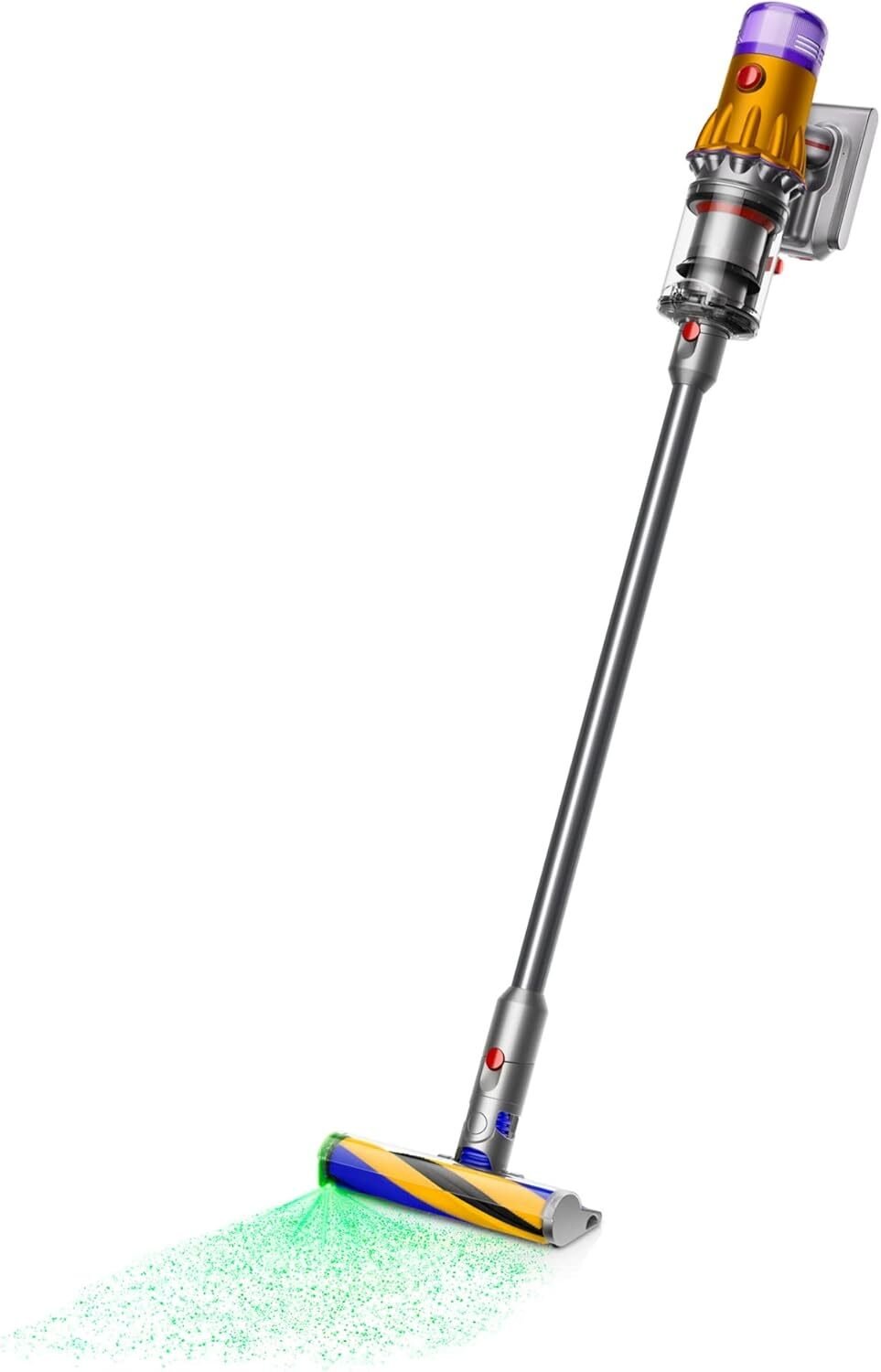
The Dyson V12 Detect Cordless Vacuum Cleaner shows homethat power doesn’t have to come at the cost of portability—and right now, it’s $170 off at Walmart. Compared to bulkier cordless vacuums (and the rest of the Dyson line), the 5.2-pound V12 is great for small spaces, making it easy to lift, store, and maneuver. It’s effective on hard flooring, but just as efficient on carpeting or pet bedding. Despite its compact size, it doesn’t skimp on performance, which is automatically adjusted based on the volume and size of debris it detects. 

One of its features is the built-in green laser light on the head, which illuminates hidden dust particles or reveals whether you’ve missed a spot.  This feature is optional and can be turned off at any time. Unlike other Dyson models, it features an on/off button rather than the usual trigger that requires pressure to be applied at all times. The slim shape also features a low profile, making it easier to vacuum beneath beds or couches.

Reviewers also note that the battery life is impressive (especially on the Auto setting rather than Boost), but may require an additional charge for larger homes. Additionally, a smaller vacuum means a smaller bin, which you may have to empty more frequently—a potential frustration if you have a larger space.

If you have wrist issues, back trouble, or just don’t want to lug around a heavier vacuum around your house, the Dyson V12 Detect Cordless Vacuum Cleaner might fit the bill. It still isn’t cheap, but at $170 off, it’s easier to justify the splurge for a vacuum that delivers on both power and convenience.

Nintendo Switch 2 Display Warning Issued: Avoid Doing This At All Costs

Nintendo Switch 2 Display Warning Issued: Avoid Doing This At All Costs
We’re having flashbacks of Samsung’s original Galaxy Fold released back in 2019. Why is that? The manual for Nintendo’s soon-to-be-released Switch 2 console explicitly warns against peeling off protected film that comes pre-applied to the handheld. It’s not clear if you could damage the handheld if attempting to remove the flim, but either

The Out-of-Touch Adults’ Guide to Kid Culture: What Is Fambushing?

If you’re a grown-ass person confused by the un-grown-ass among us, I hope this week’s trip down the rabbit hole of Gen Z and Gen Alpha culture brings you a step closer to enlightenment. Allow me to tell you why man-on-man phone calls are so popular and hilarious right now, the meaning of the word “fambush,” and why you’re seeing so many disturbing videos of Will Smith eating spaghetti.

Calling your friend and saying “goodnight” is a wholesome, hilarious prank somehow

A couple weeks ago, TikToker Miranda Faye posted this video of her boyfriend calling his friends to say “goodnight.” (I love the guy who answers, “What’s up, bitch boy?” immediately. So dude.)

Overall, it’s a poignant video that really says something about how men relate to one another. It’s also hilarious, and exactly the kind of thing that kicks off a trend. It didn’t take long for dudes all over to start calling their friends for no reason other than to say “good night” and/or “sweet dreams,” resulting in videos like this one:

I love the guy who responds, “The fuck are you talking about?” and how all of his friends seem ready to call the police; this is how unusual it is for men to call each other at bedtime to say “good night.”

Here’s my absolute favorite example:

The dude trying to keep from laughing, paired with his friends’ reactions, is gold. If you want to enjoy an endless stream of these videos, waste some time on the #goodnight hashtag.

A lot of commenters on TikTok connect this to the “male loneliness epidemic” or view friends calling friends as something men should do. But I think that’s looking into it too deeply. For the most part, the friends in these videos immediately ask the callers “are you ok?” with real concern—I’m not seeing a lot of male loneliness here. And there’s something great about the trait of not talking to your friends about personal things unless it’s really important. The real male loneliness sufferers are the many guys out there who don’t have any pals they can gently prank on video.

What is fambushing?

Since I’m covering wholesome trends this week, let’s talk about fambushing. The word combines “family” and “ambush” and refers to young people checking where their parents are on location-sharing apps so they can get some free food—you see mom at Chipotle, you’re gonna ask for a burrito. Starbucks too:

According to a rep from family-location-sharing app Life360, teenagers who use the app are more likely to check what their parents are doing than parents are to check their kids’ locations. This seems wholesome and encouraging at first, but if I project back to my own youth (long before cell phones) I’d probably be using to check where my parents were so I wouldn’t get caught doing whatever I was doing.

Forgotten Cher and Future collaboration disgusts nation

Sometimes Gens Z and A dig up a delightful piece of popular culture from the past to highlight how awesome it is. That is not the case with Cher and Future’s cover of Sly’s “Everyday People.” Nine years ago, these two very different artists collaborated with producer Zatoven on a Gap-sponsored ad featuring hilariously awkward chemistry, a total lack of effort from all involved, with an entirely cynical vibe. It’s so terrible that it quickly becomes fascinating. The more times you watch it, the more cringe details you notice, and before long you’ve fallen into a rabbit hole of awful from which you cannot escape.

Anyway, the video made no ripple when it was produced and quietly slept on YouTube for nearly a decade. But a few weeks ago, the kids noticed. And they started tearing it apart.

“I love the way future sings in lower case and she’s just yelling in his face,” posted TikToker Maliha Zahid. “Why does future sound dehydrated 😭” asks @jae._m1ll1y. “He looks like he’s listening to granny tell a story,” posted @vvs.lizvrd. Ouch.

The song so captured the imaginations of young people that they started re-enacting it in videos like this:

and this:

Even the Zaytoven’s son started clowning on it:

What does it mean? Nothing, really, but it reminds me of a show business saying: “Behind every bad movie there’s a good mortgage.”

The “Outfits I wore in high school” trend will make you feel even more ancient

There comes a time in people’s lives, usually around when they turn 30, when they stop noticing changes in fashion. Concerns like “I have to work all the time” and “is this mole cancer?” take over that brain-space. So for everyone who’s ever been advised by a clerk at the Gap (Cher and Future’s favorite store!) to “try a looser fit,” the “Outfits I Wore in High School” trend on TikTok will make you feel as old as the Cryptkeeper. Or even as old as Cher.

In these videos, twentysomethings reveal their younger, more misguided selves by showing pics of outfits that I (and probably you) find indistinguishable from what anyone is wearing today. It’s partly a symptom of the nostalgia cycle collapsing in on itself—kids are getting misty-eyed over the “good old days” of 2017—and partly the first blush of generational panic: “Wait… am I getting older too?”

It’s all very cute until you realize the joke is on you. Your fashion mistakes aren’t nostalgic, they’re prehistoric—not even worthy of parody. You’ve aged out of relevance. It’s comforting in a way.

Viral video of the week: Will smith eating spaghetti, revisited

Back in 2023, Reddit user u/chaindrop created an AI video made with Stable Diffusion featuring Will Smith eating spaghetti. It went viral for being a grotesque, surreal nightmare that frightened everyone who saw it. A year later, Will Smith himself posted an actual video of Will Smith eating spaghetti. A few weeks ago, Google released Veo 3, an AI video generation tool that creates realistic clips, complete with dialogue and sound. So of course it was used to make a video of Will Smith eating pasta. Check out how far AI has come:


This Tweet is currently unavailable. It might be loading or has been removed.

It’s not perfect visually—it still has traces of the unnatural sheen and rubberiness of AI videos—but it’s getting there. The audio, though, needs work. I’ve heard of pasta al dente, but AI Will Smith’s spaghetti is crunchy.

It sounds absurd that “Will Smith Eating Spaghetti” is the baseline test for AI video generation, but it’s actually a worthy challenge for artificial intelligence: humans eating and pasta are both hard things to “generalize” in an AI way. I also can’t deny that’s it’s technically amazing, but I’m not looking forward to the “we can’t tell real from fake” future that will probably be here in about six weeks.

Export Your Microsoft Authenticator Passwords Before They Get Deleted

If you use Microsoft Authenticator as your password manager, you need to find an alternative in the next few weeks. Microsoft is ending password storage and autofill in its Authenticator app, and users have until July to export saved data before it becomes unavailable. This comes amidst Microsoft’s transition to a “passwordless by default” approach to its own accounts.

Microsoft Authenticator is a mobile app that supports secure sign-on via various multi-factor authentication methods like time-based one-time passwords and biometrics, though users could also set it up as a password manager.

What’s happening to Microsoft Authenticator

As Bleeping Computer reports, Authenticator’s autofill feature is being deprecated, and Microsoft is now notifying users of the impending deadlines to transition either to Microsoft Edge or another password storage option. Starting in June, users will be unable to save passwords in Authenticator. Microsoft will shut down autofill in July, and saved passwords and stored payment information will no longer be accessible in the app in August.

Authenticator will continue to support passkeys.

According to a Microsoft support page detailing the change, saved passwords are synced to your Microsoft account and can be autofilled with Microsoft Edge, so users who have Edge enabled as their autofill provider on mobile will have easy access to their data.

To do this, you’ll have to download the Microsoft Edge browser on your device and then select it as the default autofill option (Settings > General > Autofill & Passwords > Autofill from > Edge on iOS or Settings > Autofill > Preferred Service > Change > Edge on Android). You can access passwords when you’re signed into Edge by tapping the three vertical lines to open Settings > Passwords.

How to export your passwords from Authenticator

If you don’t want to continue with Edge, you can export your data and transition it to a secure third-party password manager, such as Bitwarden or 1Password. Open Authenticator and go to Settings > Export Passwords (under the Autofill section) and select Export. Choose a folder and hit Save. This creates a CSV for upload into a different password management tool. Note that your data is no longer encrypted in this format, and you should delete the export file as soon as you’ve uploaded it elsewhere.

You can also copy and paste addresses by tapping and holding, but you cannot copy or export saved payment information—that will have to be recreated manually for security reasons.

Microsoft’s dates for each step of deprecation are vague, so your best bet is to export your passwords as soon as possible, and definitely by July 1.

How I Make Café-Worthy Almond Milk With the Vitamix Ascent X5

We may earn a commission from links on this page.

I stepped off the cow milk train ages ago and I haven’t looked back. I dabble in oat milk at cafés, but at home, I exclusively use almond milk. While I don’t make my own almond milk on a regular basis, the power of the Vitamix Ascent X5 (which I recently reviewed) and the ease of using the plant milk preset does encourage me to do so more often.

I’ve had great success cooking hot soups in my Vitamix Ascent, making peanut butter and walnut butter, and just recently I made an ice cream that rivaled the likes of any single-duty ice cream maker. It’s no surprise, then, that making almond, cashew, macadamia, and oat milk with this beast of a blender is pretty quick and easy.

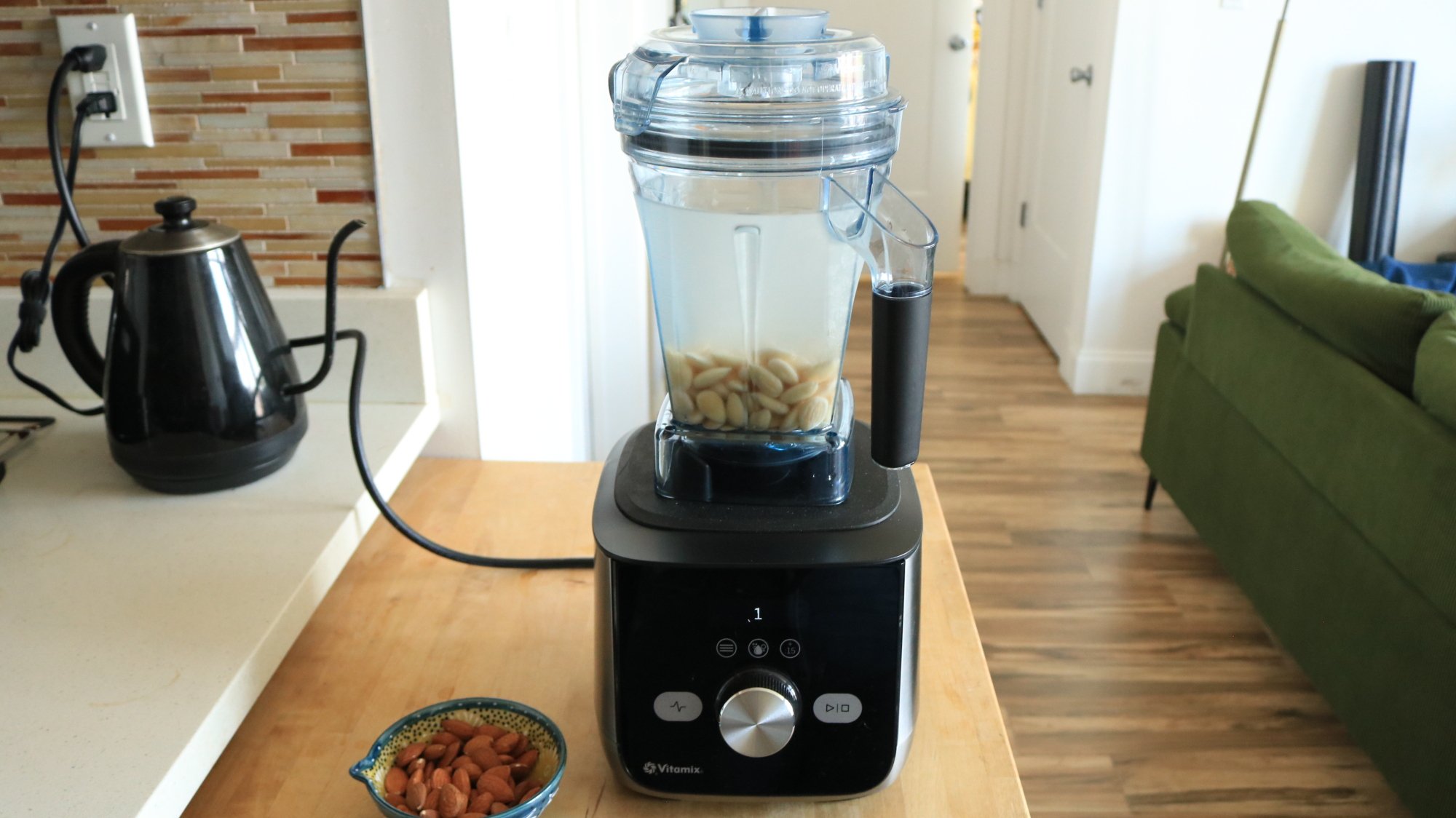
A Vitamix blender with nuts and water inside sitting on a countertop.

Credit: Allie Chanthorn Reinmann

How to use the plant milk function on the Vitamix Ascent X5

1. Soak the nuts or oats

The amount of time for soaking depends on what kind of milk you’re making. The goal is to soften the ingredient which allows it to blend easier and distribute its delicious plant qualities to the water in the blender. Oats don’t need to soften for very long but nuts do, for example. Most almond milk recipes ask you to soak the nuts in cold water overnight or for 24 hours. I cheated and steeped my almonds in just-boiled water for 15 minutes. You live your best life and I will live mine.

2. Fill the blender container

Once your ingredient is softened, drain and rinse it. You don’t want any of that dusty old soaking water in with your finished plant milk. (I’ve tried it, and it’s not good.) Add the nuts or oats to the Vitamix container. You don’t have to do this, but I pop the almond skins off before adding them to the container. It’s a little annoying but they release easily. I find that the flavor of the finished milk is more pure, and I save the remaining almond meal for baking. Taking the skins off is nice for that product too. 

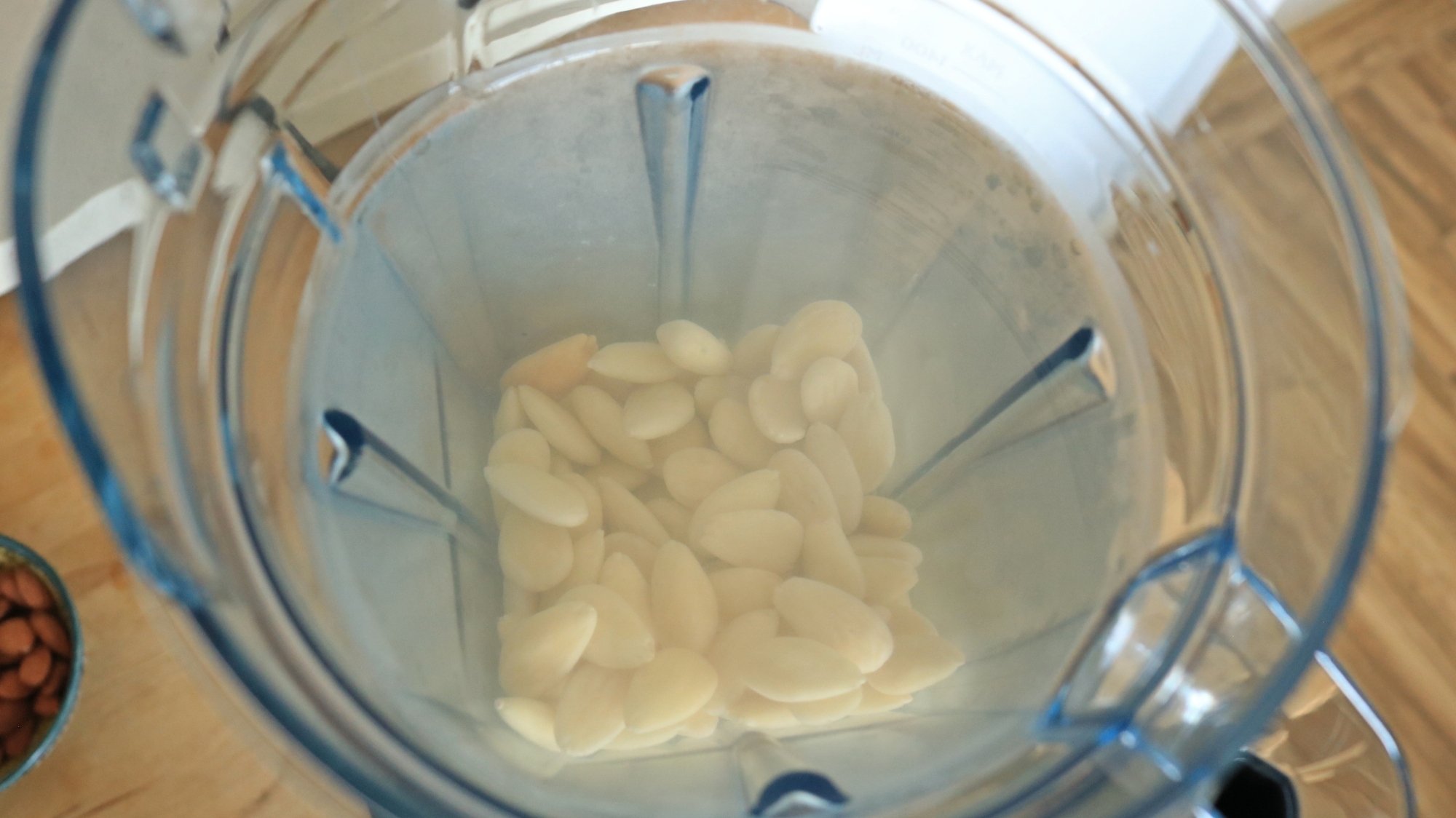
Almonds in a blender container with cold water.

Credit: Allie Chanthorn Reinmann

Add cold, filtered water to the container. I used one cup of almonds and I added three and a half cups of water to the container. If you like flavored milk, now is the time to experiment with additional ingredients. Add cocoa powder, cinnamon, vanilla extract, or sweetener if you like.

3. Select the correct Vitamix setting

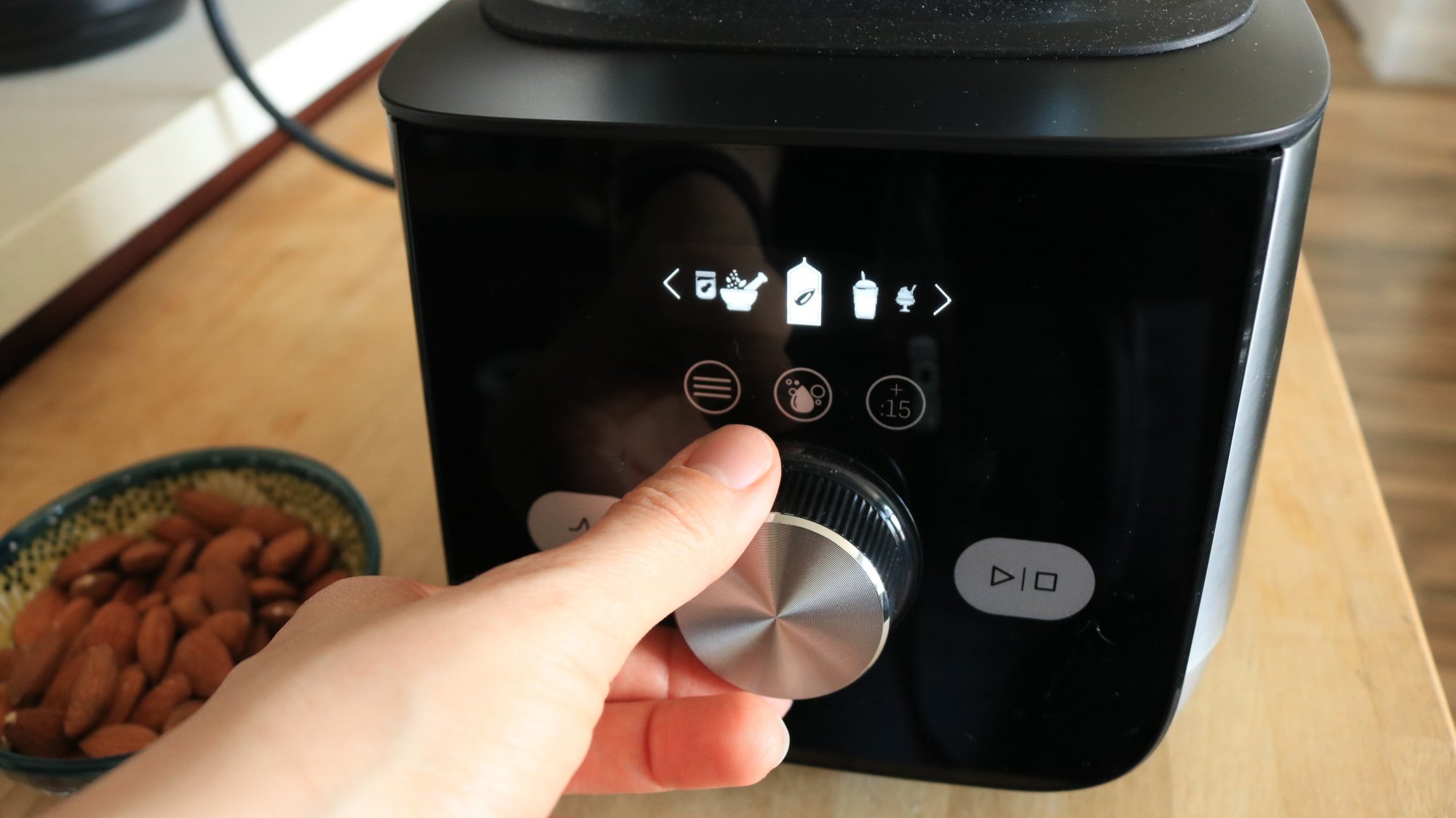
Plug in the blender and flip the power switch on. The digital display will show a number 1 as its default speed. Press the three-line “burger menu” button for the presets. Use the rotating knob to click over to the preset that looks like a carton with a little almond in the center. Once you’ve navigated to it, take one last glance to make sure the lid is on, then press the start button. 

A person's hand turning the knob of a Vitamix machine.

Credit: Allie Chanthorn Reinmann

This setting starts on a medium-low speed for a few seconds and then ramps up quickly to speed 10 for about 50 seconds. Et voilà. Plant milk in less than a minute. 

Models aside from the Ascent X5 may not have a preset for plant milks. Don’t worry, you can mimic the timing and speed. Start with the speed dial down on level two or three for about five seconds, then turn up the speed dial all the way to the highest speed and leave it there for about 50 seconds. The liquid should look opaque white and be a little frothy on top. There should not be any visible pieces of nuts or oats. Turn off the blender. 

4. Strain the milk

After the machine is off, set up your straining station. Many recipes mention using a mesh strainer or cheesecloth, but I think nut milk bags are absolutely superior. Other blenders might not do this, but the Vitamix will nearly powderize the almonds or oats you’re using. The other two straining options won’t catch the fine particles like a nut milk bag will. They’re really affordable and worth it if you’re making milks or even for cold brew. Here’s the one that I use.

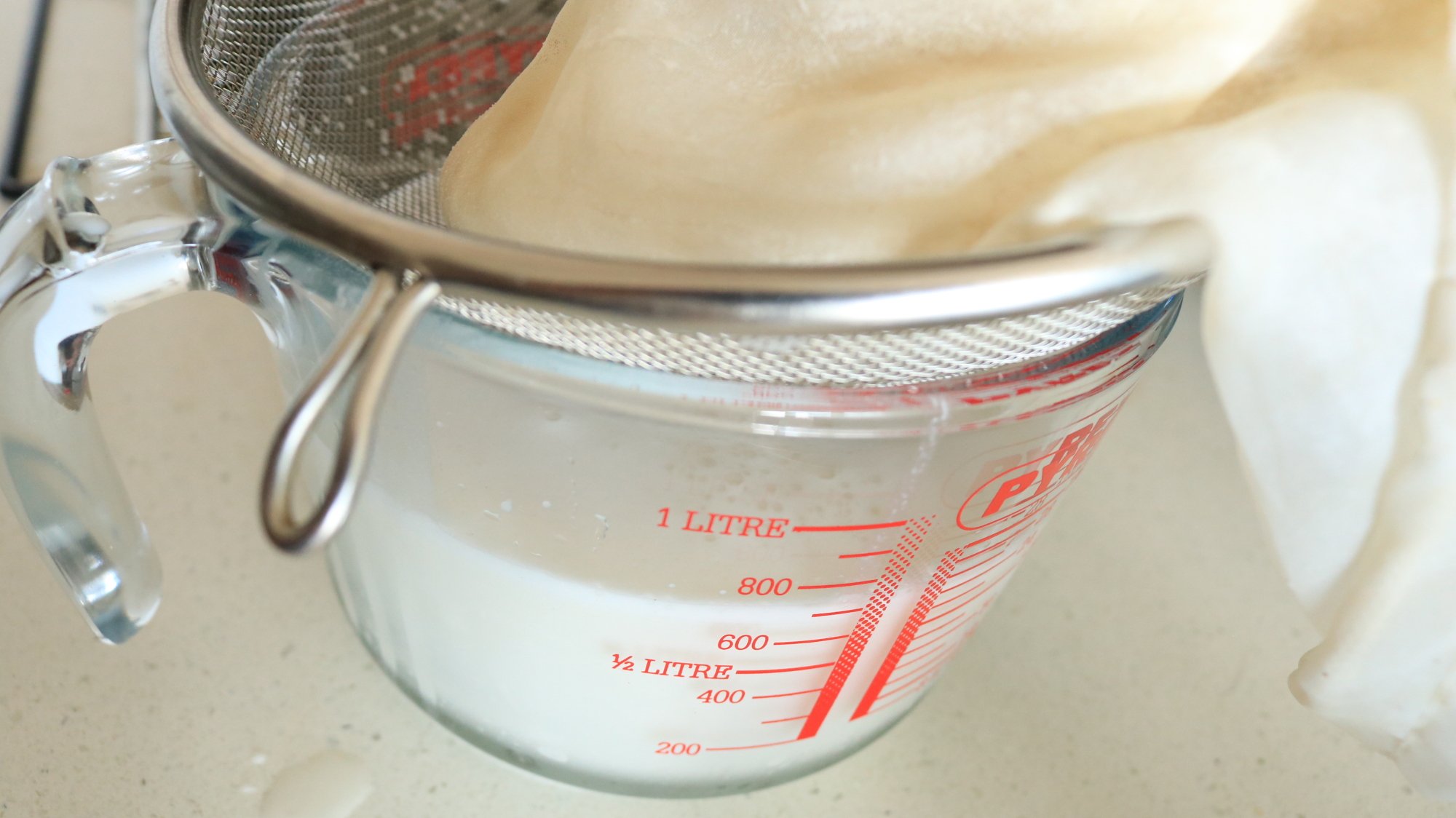
A nut milk bag in a strainer over a measuring cup.

Credit: Allie Chanthorn Reinmann

I set the nut milk bag into a wide mesh strainer (more for support than for straining) on top of a large measuring cup. Pour the liquid into the bag and let the liquid run through into the measuring cup. Squeeze the pulp in the bag to get all of the moisture out. You can discard the pulp or freeze it to use later in muffins, cakes, cookies, or biscuits. 

From here, pour the plant milk into a container that has a tight-fitting lid. I poured my almond milk into a mason jar, and I’ll use it in smoothies and coffee. Homemade almond milk should be kept in the fridge and used within five days, but I’ve heard that oat milk might be best used within three.

Explore adding different extracts and flavors for more interesting coffee, or an amazing batch of overnight oats.

AI’s Adoption and Growth Truly is ‘Unprecedented’

“If the adoption of AI feels different from any tech revolution you may have experienced before — mobile, social, cloud computing — it actually is,” writes TechCrunch. They cite a new 340-page report from venture capitalist Mary Meeker that details how AI adoption has outpaced any other tech in human history — and uses the word “unprecedented” on 51 pages:

ChatGPT reaching 800 million users in 17 months: unprecedented. The number of companies and the rate at which so many others are hitting high annual recurring revenue rates: also unprecedented. The speed at which costs of usage are dropping: unprecedented. While the costs of training a model (also unprecedented) is up to $1 billion, inference costs — for example, those paying to use the tech — has already dropped 99% over two years, when calculating cost per 1 million tokens, she writes, citing research from Stanford. The pace at which competitors are matching each other’s features, at a fraction of the cost, including open source options, particularly Chinese models: unprecedented…

Meanwhile, chips from Google, like its TPU (tensor processing unit), and Amazon’s Trainium, are being developed at scale for their clouds — that’s moving quickly, too. “These aren’t side projects — they’re foundational bets,” she writes.
“The one area where AI hasn’t outpaced every other tech revolution is in financial returns…” the article points out.

“[T]he jury is still out over which of the current crop of companies will become long-term, profitable, next-generation tech giants.”


Read more of this story at Slashdot.

‘Hubble Tension’ and the Nobel Prize Winner Who Wants to Replace Cosmology’s Standard Model

Adam Riess won a Nobel Prize in Physics for helping discover that the universe’s acceleration is expanding, remembers The Atlantic. But then theorists “proposed the existence of dark energy: a faint, repulsive force that pervades all of empty space… the final piece to what has since come to be called the ‘standard model of cosmology.'”
Riess thinks instead we should just replace the standard model:

When I visited Riess, back in January, he mentioned he was looking forward to a data release from the Dark Energy Spectroscopic Instrument, a new observatory on Kitt Peak, in Arizona’s portion of the Sonoran Desert. DESI has 5,000 robotically controlled optic fibers. Every 20 minutes, each of them locks onto a different galaxy in the deep sky. This process is scheduled to continue for a total of five years, until millions of galaxies have been observed, enough to map cosmic expansion across time… DESI’s first release, last year, gave some preliminary hints that dark energy was stronger in the early universe, and that its power then began to fade ever so slightly. On March 19, the team followed up with the larger set of data that Riess was awaiting. It was based on three years of observations, and the signal that it gave was stronger: Dark energy appeared to lose its kick several billion years ago.

This finding is not settled science, not even close. But if it holds up, a “wholesale revision” of the standard model would be required [says Colin Hill, a cosmologist at Columbia University. “The textbooks that I use in my class would need to be rewritten.” And not only the textbooks — the idea that our universe will end in heat death has escaped the dull, technical world of academic textbooks. It has become one of our dominant secular eschatologies, and perhaps the best-known end-times story for the cosmos. And yet it could be badly wrong. If dark energy weakens all the way to zero, the universe may, at some point, stop expanding. It could come to rest in some static configuration of galaxies. Life, especially intelligent life, could go on for a much longer time than previously expected.

If dark energy continues to fade, as the DESI results suggest is happening, it may indeed go all the way to zero, and then turn negative. Instead of repelling galaxies, a negative dark energy would bring them together into a hot, dense singularity, much like the one that existed during the Big Bang. This could perhaps be part of some larger eternal cycle of creation and re-creation. Or maybe not. The point is that the deep future of the universe is wide open…
“Many new observations will come, not just from DESI, but also from the new Vera Rubin Observatory in the Atacama Desert, and other new telescopes in space. On data-release days for years to come, the standard model’s champions and detractors will be feverishly refreshing their inboxes…” And Riess tells The Atlantic he’s disappointed when complacent theorists just tell him “Yeah, that’s a really hard problem.”
He adds, “Sometimes, I feel like I am providing clues and killing time while we wait for the next Einstein to come along.”


Read more of this story at Slashdot.

New Moderate Linux Flaw Allows Password Hash Theft Via Core Dumps in Ubuntu, RHEL, Fedora

An anonymous reader shared this report from The Hacker News:

Two information disclosure flaws have been identified in apport and systemd-coredump, the core dump handlers in Ubuntu, Red Hat Enterprise Linux, and Fedora, according to the Qualys Threat Research Unit (TRU).

Tracked as CVE-2025-5054 and CVE-2025-4598, both vulnerabilities are race condition bugs that could enable a local attacker to obtain access to access sensitive information. Tools like Apport and systemd-coredump are designed to handle crash reporting and core dumps in Linux systems. “These race conditions allow a local attacker to exploit a SUID program and gain read access to the resulting core dump,” Saeed Abbasi, manager of product at Qualys TRU, said…
Red Hat said CVE-2025-4598 has been rated Moderate in severity owing to the high complexity in pulling an exploit for the vulnerability, noting that the attacker has to first win the race condition and be in possession of an unprivileged local account… Qualys has also developed proof-of-concept code for both vulnerabilities, demonstrating how a local attacker can exploit the coredump of a crashed unix_chkpwd process, which is used to verify the validity of a user’s password, to obtain password hashes from the /etc/shadow file.
Advisories were also issued by Gentoo, Amazon Linux, and Debian, the article points out. (Though “It’s worth noting that Debian systems aren’t susceptible to CVE-2025-4598 by default, since they don’t include any core dump handler unless the systemd-coredump package is manually installed.”)

Canonical software security engineer Octavio Galland explains the issue on Canonical’s blog. “If a local attacker manages to induce a crash in a privileged process and quickly replaces it with another one with the same process ID that resides inside a mount and pid namespace, apport will attempt to forward the core dump (which might contain sensitive information belonging to the original, privileged process) into the namespace… In order to successfully carry out the exploit, an attacker must have permissions to create user, mount and pid namespaces with full capabilities.”

Canonical’s security team has released updates for the apport package for all affected Ubuntu releases… We recommend you upgrade all packages… The unattended-upgrades feature is enabled by default for Ubuntu 16.04 LTS onwards. This service:

– Applies new security updates every 24 hours automatically.
– If you have this enabled, the patches above will be automatically applied within 24 hours of being available.


Read more of this story at Slashdot.

‘Doctor Who’ Regenerates in Surprise Season Finale. But Will the Show Return?

“The Doctor is dead. Long live the Doctor!” writes Space.com. (Spoilers ahead…)

“The era of Ncuti Gatwa’s Fifteenth Doctor came to a surprise end on Saturday night, as the Time Lord regenerated at the end of “Doctor Who” season 2 finale… [T]he Doctor gradually realises that not everything is back to normal. Poppy, his daughter with Belinda Chandra in the “Wish World” fantasy, has been erased from history, so the Time Lord decides to sacrifice himself by firing a ton of regeneration energy into the time Vortex to “jolt it one degree” — and hopefully bring her back. It goes without saying that his madcap scheme saves Poppy, as we learn that, in this rewritten timeline, the little girl was always the reason Belinda had been desperate to get back home. But arguably the biggest talking point of the episode — and, indeed, the season — is saved until last, as the Doctor regenerates into a very familiar face…

Hint: They played the Doctor’s companion, Rose Tyler, “alongside Christopher Eccleston’s Ninth Doctor and David Tennant’s Tenth Doctor during the phenomenally successful first two seasons of the show’s 2005 reboot.”
Showrunner Russell T Davies called it “an honour and a hoot” to welcome back Billie Piper to the TARDIS, “but quite how and why and who is a story yet to be told. After 62 years, the Doctor’s adventures are only just beginning!”
Although the show’s post-regeneration credits have traditionally featured the line “And introducing [insert name] as the Doctor”, here it simply says “And introducing Billie Piper”. The omission of “as the Doctor” is unlikely to be accidental, suggesting that Davies is playing a very elaborate game with “Who” fandom…

Another mystery! The BBC and Disney+ are yet to confirm if and when “Doctor Who” will return for a third season of its current iteration.

“There’s no decision until after season two…” Davies told Radio Times in April (as spotted by the Independent). “That’s when the decision is — and the decision won’t even be made by the people we work with at Disney Plus, it’ll be made by someone in a big office somewhere. So literally nothing happening, no decision.”

“For a new series to be ready for 2026, production would need to get under way relatively soon,” writes the BBC. “So at the moment a new series or a special starring Billie Piper before 2027 looks unlikely.” The Guardian adds:

Concerns have been raised about falling viewing figures, which have struggled to rally since Russell T Davies’ return in 2023. Two episodes during this series, which aired in May, got less than 3 million viewers — the lowest since the modern era began airing in 2005.

The Independent has this statement from Piper:

“It’s no secret how much I love this show, and I have always said I would love to return to the Whoniverse as I have some of my best memories there, so to be given the opportunity to step back on that Tardis one more time was just something I couldn’t refuse, but who, how, why and when, you’ll just have to wait and see.”


Read more of this story at Slashdot.

How to watch the Green Games Showcase at Summer Game Fest 2025

This year’s Summer Game Fest will feature a new showcase for games that highlight environmental causes and make direct contributions to real-world sustainability efforts. The Green Games Showcase, led by the not-for-profit PlanetPlay, will be held on Saturday, June 7 at 4:00PM ET (1:00PM PT) and streamed live on YouTube.

PlanetPlay says the event will be “a celebration of game studios that have raised over $100,000 for certified environmental projects around the world.” Those projects so far include Abundant Village, a regenerative garden project in South Africa; the carbon forestry project WithOneSeed in Timor-Leste; The Hongera Clean Cookstove project in Kenya; and The Teeny Tiny Truth, which aims to reduce microplastics in New Zealand’s fresh water systems.

The Green Games Showcase is one of several streams that are set to take place between Summer Game Fest Live on Friday and the Xbox Games Showcase on Sunday. Be sure to also check out Day of the Devs, Devolver Direct, Wholesome Direct, the Women-Led Games Showcase, the Latin American Game Showcase and the Southeast Asian Games Showcase. It’ll all wrap up with a Death Stranding 2: On the Beach premiere event, where you can get an early look at the game ahead of its release on June 26.

This article originally appeared on Engadget at https://www.engadget.com/gaming/how-to-watch-the-green-games-showcase-at-summer-game-fest-2025-000057640.html?src=rss

Six More Humans Successfully Carried to the Edge of Space by Blue Origin

An anonymous reader shared this report from Space.com:

Three world travelers, two Space Camp alums and an aerospace executive whose last name aptly matched their shared adventure traveled into space and back Saturday, becoming the latest six people to fly with Blue Origin, the spaceflight company founded by billionaire Jeff Bezos.

Mark Rocket joined Jaime Alemán, Jesse Williams, Paul Jeris, Gretchen Green and Amy Medina Jorge on board the RSS First Step — Blue Origin’s first of two human-rated New Shepard capsules — for a trip above the Kármán Line, the 62-mile-high (100-kilometer) internationally recognized boundary between Earth and space…

Mark Rocket became the first New Zealander to reach space on the mission. His connection to aerospace goes beyond his apt name and today’s flight; he’s currently the CEO of Kea Aerospace and previously helped lead Rocket Lab, a competing space launch company to Blue Origin that sends most of its rockets up from New Zealand. Alemán, Williams and Jeris each traveled the world extensively before briefly leaving the planet today. An attorney from Panama, Alemán is now the first person to have visited all 193 countries recognized by the United Nations, traveled to the North and South Poles, and now, have been into space. For Williams, an entrepreneur from Canada, Saturday’s flight continued his record of achieving high altitudes; he has summitted Mt. Everest and five of the other six other highest mountains across the globe.
“For about three minutes, the six NS-32 crewmates experienced weightlessness,” the article points out, “and had an astronaut’s-eye view of the planet…”
On social media Blue Origin notes it’s their 12th human spaceflight, “and the 32nd flight of the New Shepard program.”


Read more of this story at Slashdot.

Amid Turmoil, Stack Overflow Asks About AI, Salary, Remote Work in 15th Annual Developer Survey

Stack Overflow remains in the midst of big changes to counter an AI-fueled drop in engagement. So “We’re wondering what kind of online communities Stack Overflow users continue to support in the age of AI,” writes their senior analyst, “and whether AI is becoming a closer companion than ever before.”

For their 15th year of their annual reader survey, this means “we’re not just collecting data; we’re reflecting on the last year of questions, answers, hallucinations, job changes, tech stacks, memory allocations, models, systems and agents — together…”

Is it an AI agent revolution yet? Are you building or utilizing AI agents? We want to know how these intelligent assistants are changing your daily workflow and if developers are really using them as much as these keynote speeches assume. We’re asking if you are using these tools and where humans are still needed for common developer tasks.
Career shifts: We’re keen to understand if you’ve considered a career change or transitioned roles and if AI is impacting your approach to learning or using existing tools. Did we make up the difference in salaries globally for tech workers…?

They’re also re-visiting “a key finding from recent surveys highlighted a significant statistic: 80% of developers reported being unhappy or complacent in their jobs.”
This raised questions about changing office (and return-to-office) culture and the pressures of the industry, along with whether there were any insights into what could help developers feel more satisfied at work. Prior research confirmed that flexibility at work used to contribute more than salary to job satisfaction, but 2024’s results show us that remote work is not more impactful than salary when it comes to overall satisfaction… [For some positions job satisfaction stayed consistent regardless of salary, though it increased with salary for other positions. And embedded developers said their happiness increased when they worked with top-quality hardware, while desktop developers cited “contributing to open source” and engineering managers were happier when “driving strategy”.]

In 2024, our data showed that many developers experienced a pay cut in various roles and programming specialties. In an industry often seen as highly lucrative, this was a notable shift of around 7% lower salaries across the top ten reporting countries for the same roles. This year, we’re interested in whether this trend has continued, reversed, or stabilized. Salary dynamics is an indicator for job satisfaction in recent surveys of Stack Overflow users and understanding trends for these roles can perhaps improve the process for finding the most useful factors contributing to role satisfaction outside of salary.
And of course they’re asking about AI — while noting last year’s survey uncovered this paradox. “While AI usage is growing (70% in 2023 vs. 76% in 2024 planning to or currently using AI tools), developer sentiment isn’t necessarily following suit, as 77% in of all respondents in 2023 are favorable or very favorable of AI tools for development compared to 72% of all respondents in 2024.”

Concerns about accuracy and misinformation were prevalent among some key groups. More developers learning to code are using or are interested in using AI tools than professional developers (84% vs. 77%)… Developers with 10 — 19 years experience were most likely (84%) to name “increase in productivity” as a benefit of AI tools, higher than developers with less experience (<80%)…

Is it an AI agent revolution yet? Are you building or utilizing AI agents? We want to know how these intelligent assistants are changing your daily workflow and if developers are really using them as much as these keynote speeches assume. We’re asking if you are using these tools and where humans are still needed for common developer tasks.


Read more of this story at Slashdot.