Customize Your Android With One of These Five Launchers

In recent years, iOS has caught up to Android to some extent when it comes to customization, but Android is still in the lead. That’s partly because it supports launchers, which take the place of the default software interface to completely revamp the look of home screens, menus, icons, and dialogs.

With a launcher, you can take pixel-by-pixel control over the visuals of Android. If that sounds like too much time and effort, you can take advantage of one of the many preset templates available to you as well. Here’s what you need to know about launchers, and some of the best ones you can currently install.

How Android launchers work

When you go “home” on Android—with a swipe up on the gesture bar or a tap on the actual home button—that’s when a third-party launcher springs into action. Rather than seeing the default look determined by the Google Pixel or the Samsung Galaxy software, you see whatever the launcher has put in place.

Typically, these launchers give you more customization controls than Google, Samsung, and the other Android phone makers do. Depending on the launcher, you might be able to cram more shortcuts on to the home screen, or apply the same color scheme to all the home screen icons, or hide elements (like the Google search bar) from view.
Launcher switcher
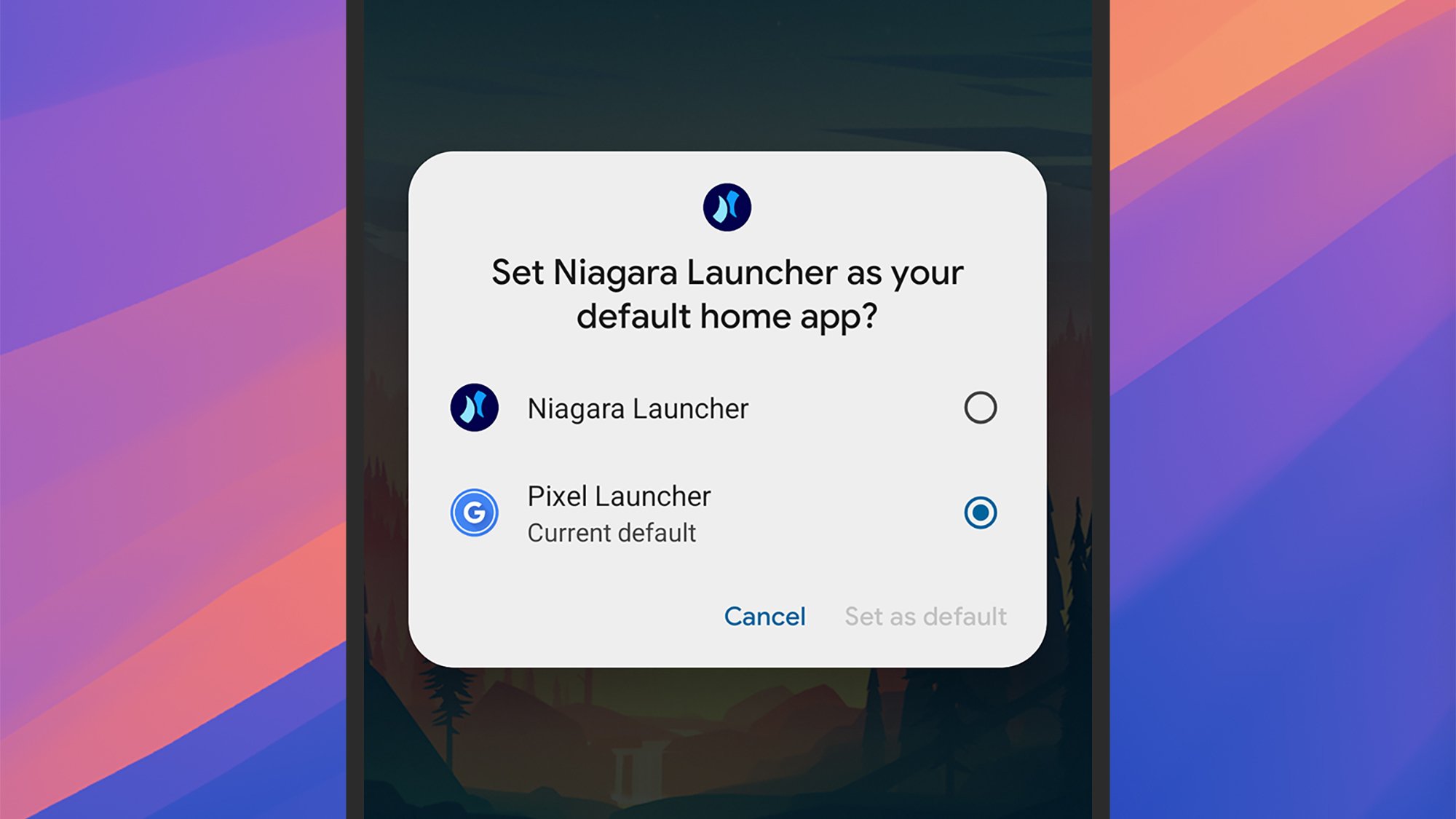
You can switch launchers with a couple of taps.
Credit: Lifehacker

Each launcher will come with a host of different configuration settings that determine how elements appear on screen—not just the home screen, lock screen, and the app shortcuts on them, but also notifications, quick settings panels, media players, and menus. They give you the opportunity to fully revamp the look of the software.

Launchers can be managed on Pixel phones by heading to Settings then choosing Apps > Default apps > Home app. On Samsung devices, it’s Settings then Apps > Choose default apps > Home app. You’re able to switch between different launchers, or cancel all of your changes and go back to the normal look, in seconds.

What you can do with Android launchers

The capabilities of these apps vary by launcher, but just about every kind of customization option is offered somewhere. If you want to give your Android software a light and airy touch, a dark and foreboding theme, or anything in between, you can. You’re able to go all-in with your sports team’s colors, or switch to a minimal monochrome look instead.

Speaking of minimalism, many launchers give you the opportunity to declutter the look of your smartphone. Launchers can get access to notifications and on-screen messages as well as everything else, if you give them the necessary permissions, and that means alerts can be pushed to the background. You can control what actually appears on screen, as well as how everything looks.
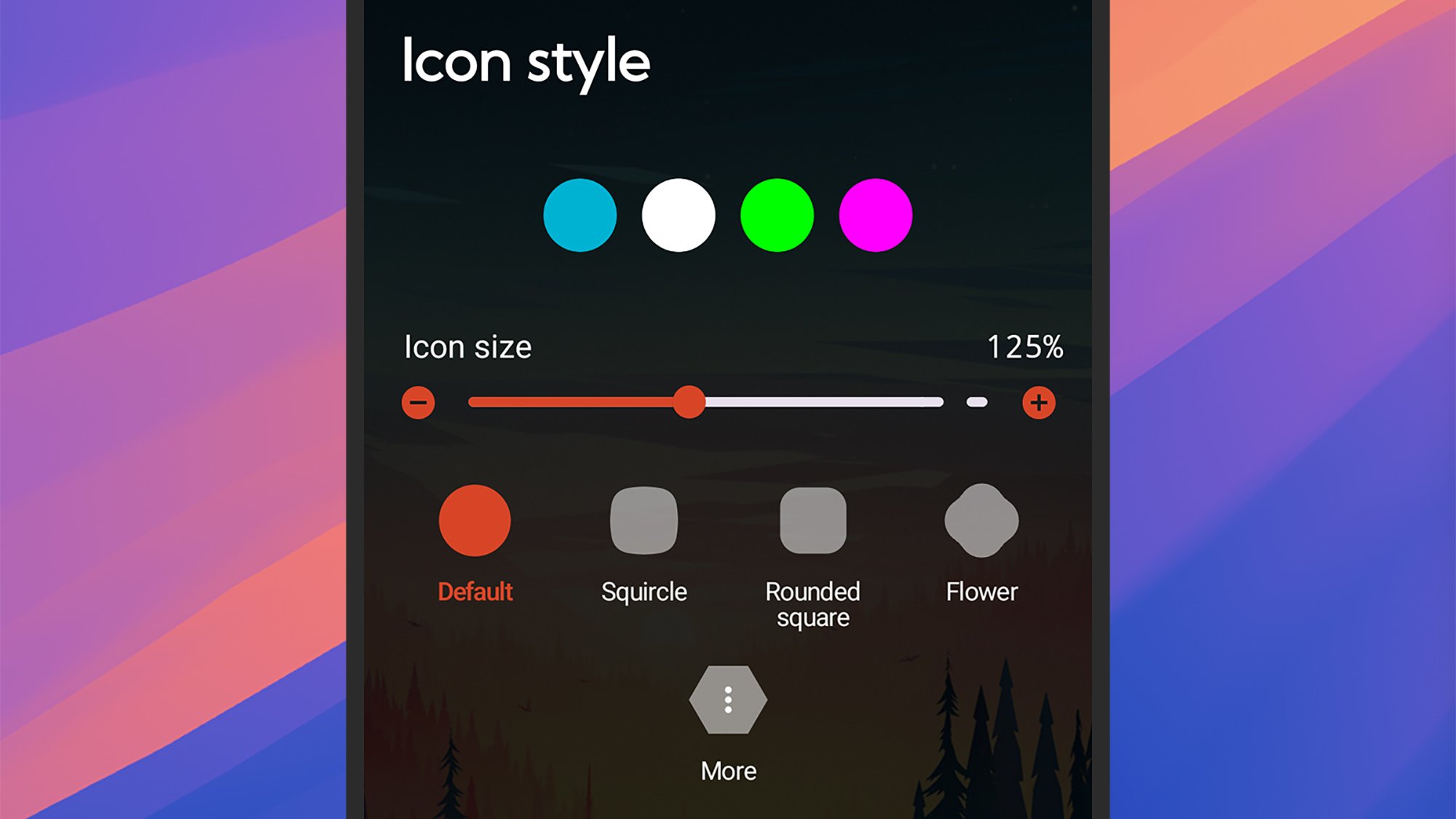
Launcher customization
Launchers offer plenty of customization options.
Credit: Lifehacker

Some launchers go even further, letting you customize the gestures and swipes that are used to get around Android. You can change the way apps are launched and switched between, for example, as well as tweak how Android search works—giving you easier access to the apps and files you need the most.

Nothing is affected in your actual apps by installing third-party launchers—these will still look and operate the same as they always have. What you might see are some differences in how home screen widgets for your apps are rendered, but as far as the apps themselves are concerned, nothing changes.

The best Android launchers

Niagara Launcher
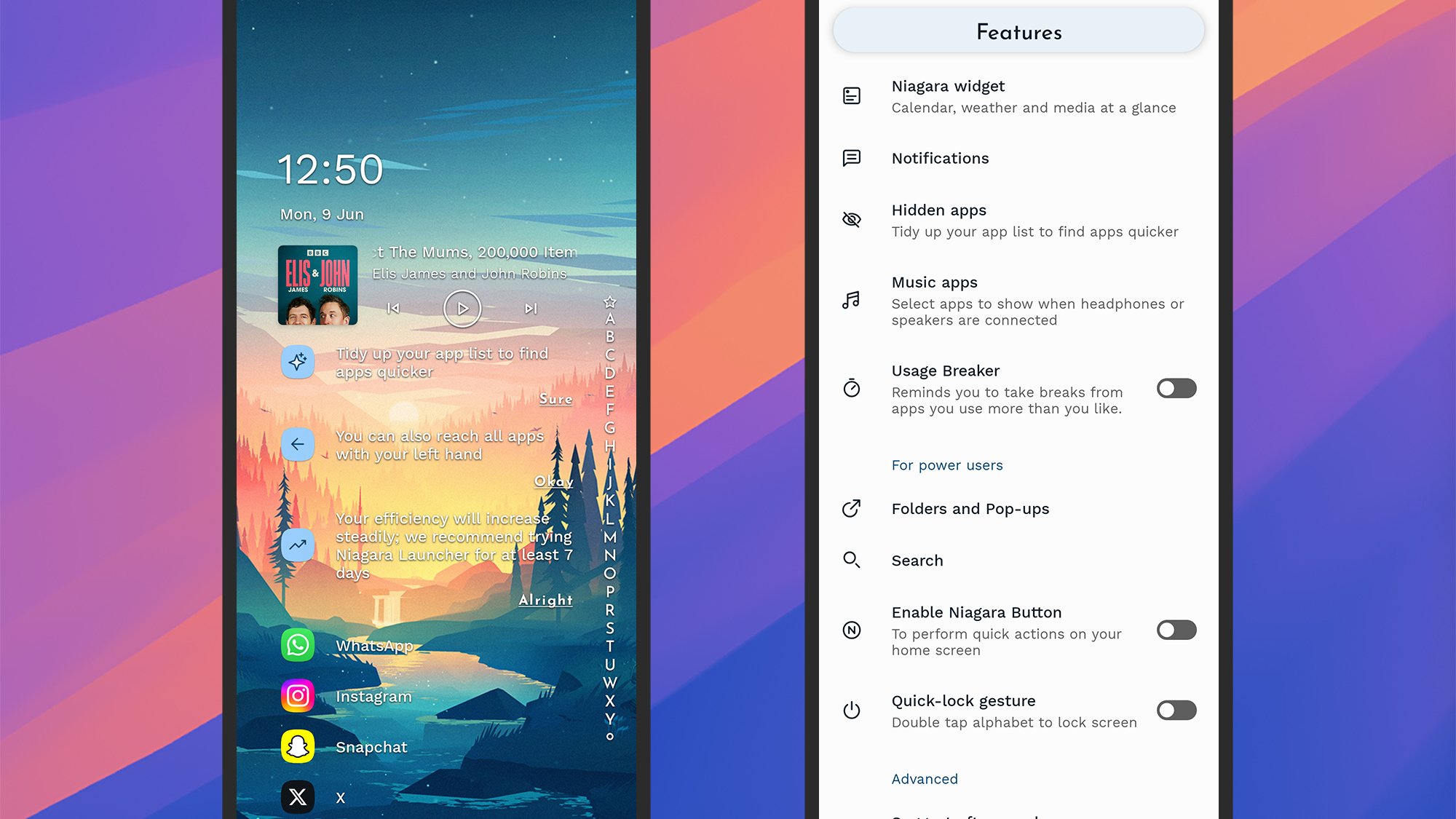
Niagara Launcher
Niagara Launcher brings with it a cleaner home screen.
Credit: Lifehacker

Niagara Launcher is one of those launchers that can totally transform the layout of the home screen, putting your apps, notifications, and media controls in an ordered, customized list on screen—so it can be as minimal or as busy as you want it to be.

The launcher can hide apps, remind you to take breaks at certain times, put apps into folders, suggest apps based on your usage, and tweak all kinds of colors and layout options. More customizations are available with a Pro subscription ($14 per year).

Smart Launcher
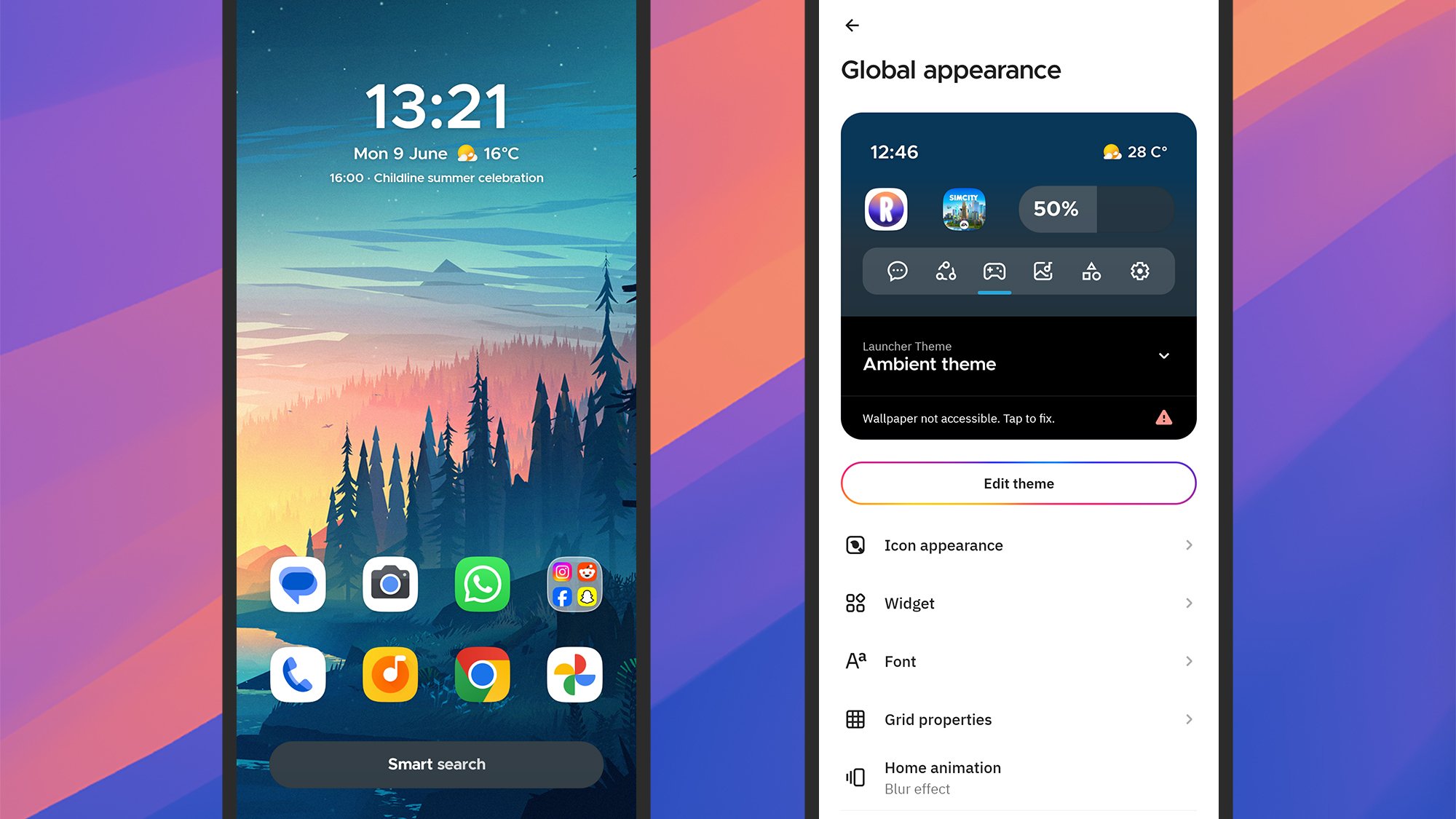
Smart Launcher
Smart Launcher is packed with features and settings.
Credit: Lifehacker

Smart Launcher is another choice you’ll often see atop best launcher lists, as it brings with it lots of intelligent features: auto app sorting based on usage, a useful one-handed mode, responsive widgets, a comprehensive search tool, and lots of customizations.

Those customizations run the full gamut from adaptive icon shapes, to gestures you can use to get around Android, to hidden apps. As usual, there’s a premium-level option you can subscribe to—from $2.50 a month—which adds on even more customization tweaks.

Nova Launcher
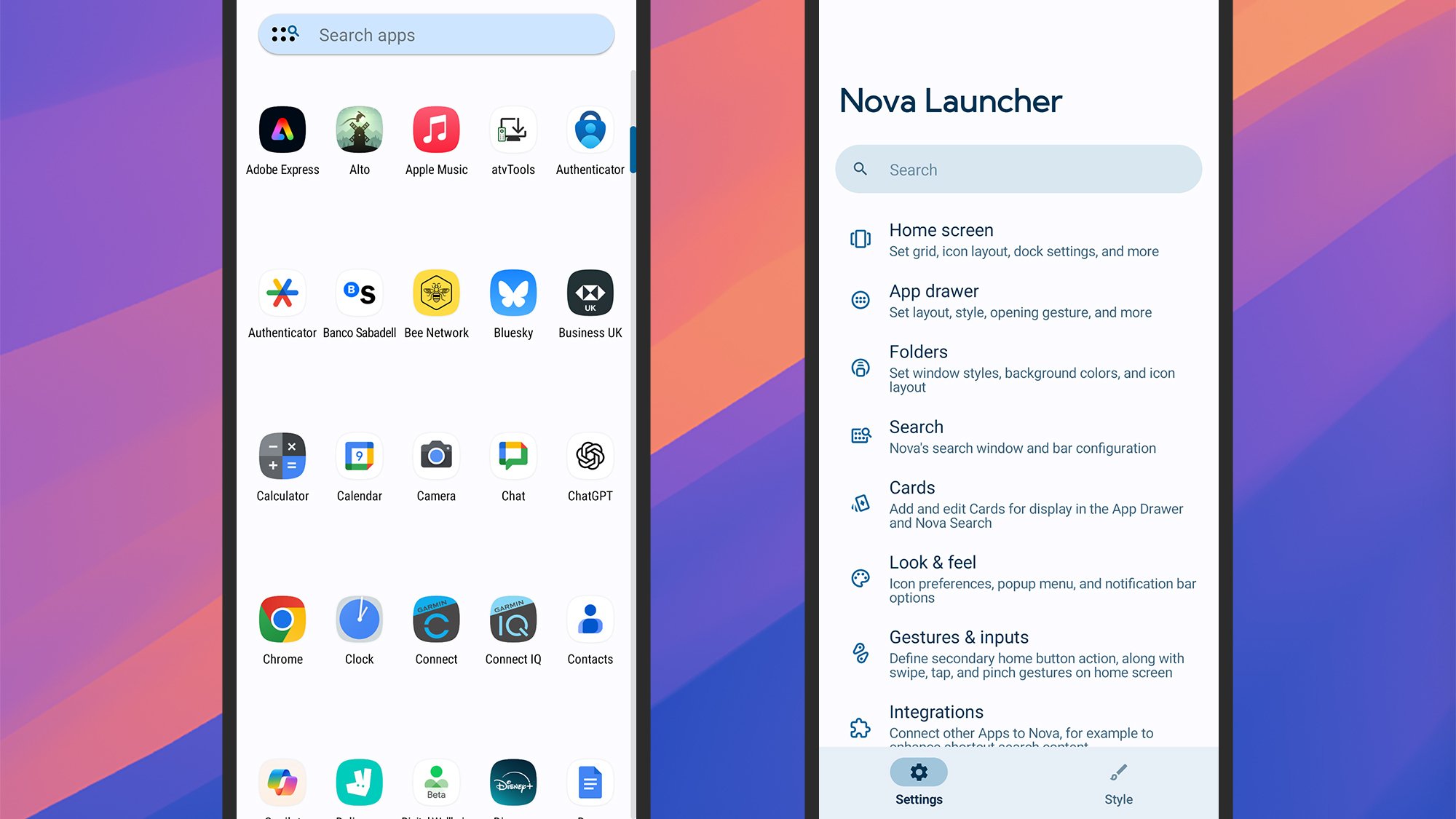
Nova Launcher
Nova Launcher is one of the most comprehensive in terms of customizations.
Credit: Lifehacker

Nova Launcher is one of the oldest and most comprehensive Android launchers there is, offering a host of different customizations for you to play around with. You’re able to adjust everything from the app drawer icon size to the transparency of the notification bar.

It’s an intelligent launcher, too—it can surface media controls when you need them, or a weather widget when the forecast is changing, or the apps you use most frequently. Pay a one-off fee of $5 for Nova Prime to get even more options, like notification badge control.

Square Home
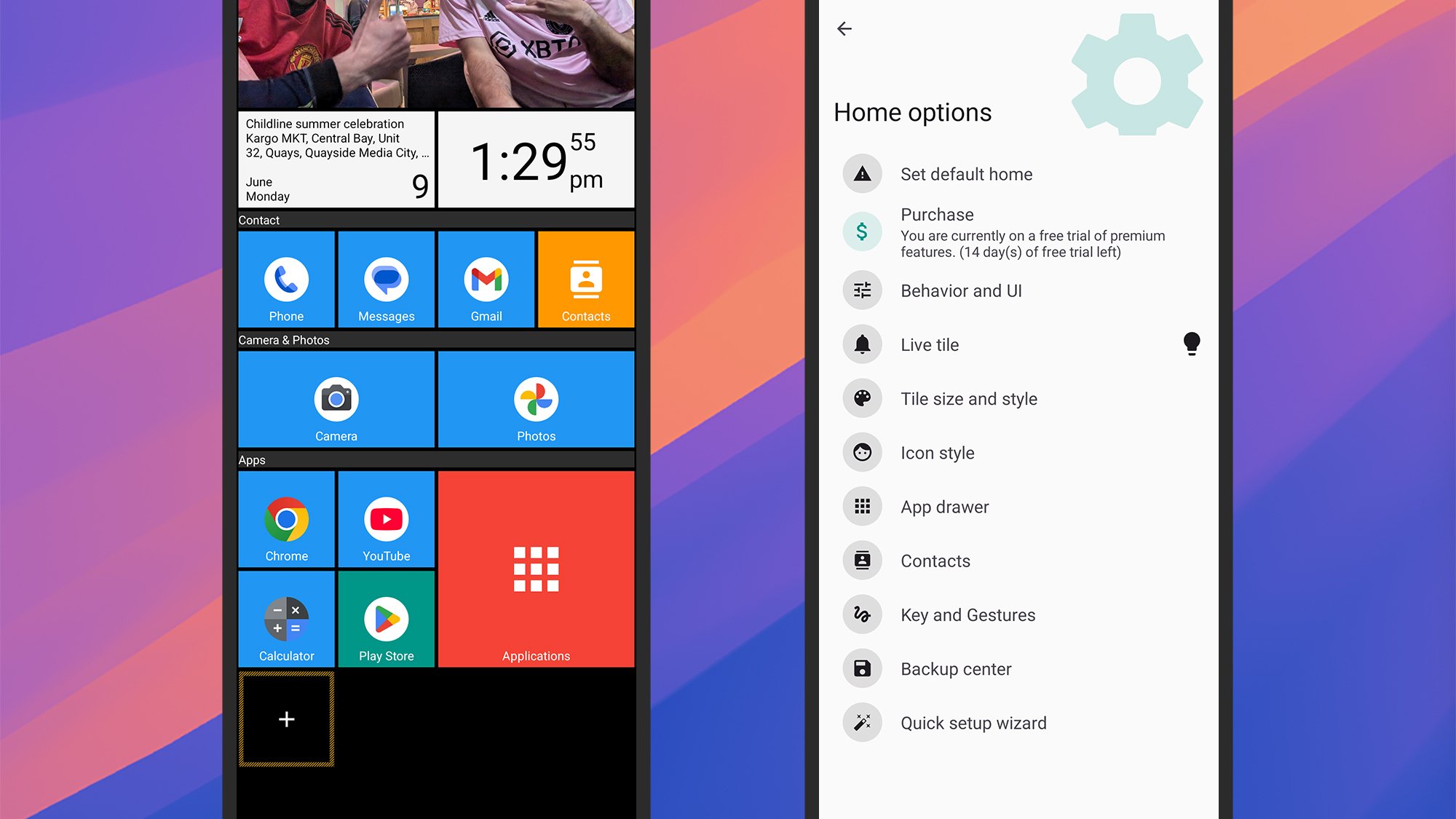
Square Launcher
Square Home builds up your home screen with tiles.
Credit: Lifehacker

Square Home is a great example of a launcher that can change the whole look of Android—in this case, into something that’s more like the old Windows Phone look, with your apps and widgets sorted into rectangular tiles that fill up your home screens.

While the layout may look fixed, there are many ways to tweak the look, from photo slideshows to notification badges. The quick start tutorial is a welcome way in, and while several features are available for free, you can unlock all of them for $2 per year.

AIO Launcher
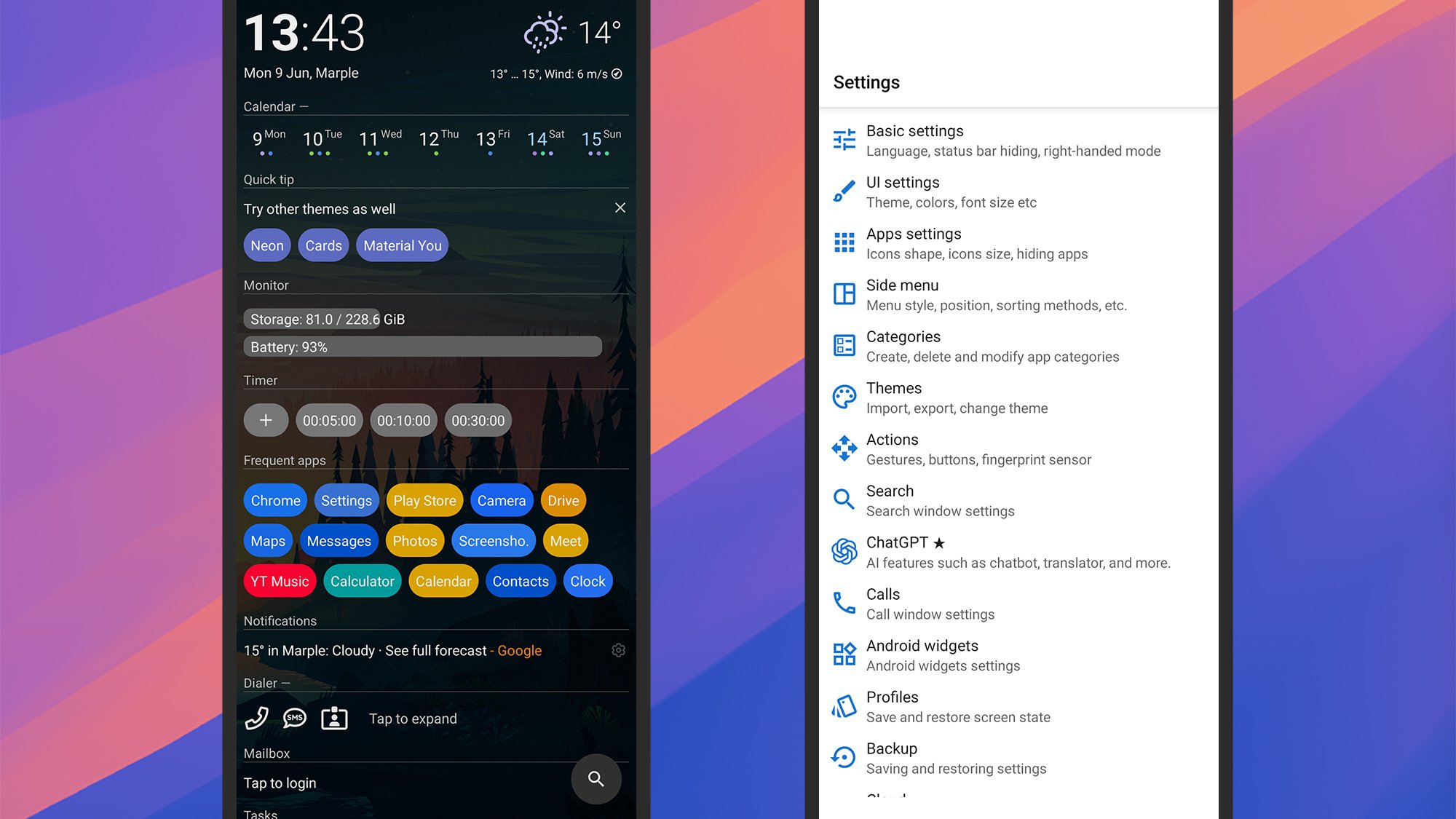
AIO Launcher
AIO Launcher packs a lot of info into the home screen.
Credit: Lifehacker

AIO Launcher goes in the opposite direction to the minimal launchers out there, choosing instead to cram in as much information on the home screen as possible—though you still get full control over what’s shown, including shortcuts, widgets, and real time information.

The app developer promises everything you need on one screen, and they certainly deliver, with over 30 excellent widgets to pick from (weather, stocks, messages, tasks, and so on). Various extra features can be picked up at various prices as in-app purchases.


Alienware And LEGO Want To Brick Your Gaming PC In The Best Way Possible

Alienware And LEGO Want To Brick Your Gaming PC In The Best Way Possible
Forget virtual worlds for a second, because Alienware is bringing its legendary Area-51 desktop to your desk in a brand new, tangible form! In a move that’s sure to excite PC gaming aficionados and brick-building enthusiasts alike, Alienware has announced the “Area-51 Brick Kit,” a NUC-sized replica of its iconic gaming rig, built with 318

Apple WWDC 2025 Live Blog: Updates for iOS, macOS, Apple Rumors, and More

It’s finally here! After months of rumors and speculation, WWDC 2025 is about to officially kick off. We’ll finally get to see which leaks were correct, and which were completely off-base when Apple takes the virtual stage in Cupertino. (The company no longer does live keynotes.)

Not only can you watch the presentation at home, but you can follow along here for live updates throughout the entire show. I’m going to be updating our live blog on this page all day, with each major announcement Apple makes. Check in throughout the day to see what new features and changes are coming to iOS, iPadOS, macOS, and more—and even how you can try out some of these updates yourself in the coming days.

Call Of Duty: Black Ops 7 Teases Mind-Bending Gameplay In First Trailer

Call Of Duty: Black Ops 7 Teases Mind-Bending Gameplay In First Trailer
When the original Call of Duty game released in 2003, little did we know it’d be one of the longest running game franchises in history. The latest iteration is Black Ops 6, which is now in its fourth season. However, Microsoft has just announced that Call of Duty: Black Ops 7 is releasing later in 2025, and that it takes place in the year

MasterClass subscriptions are up to half off right now for Father’s Day

Deciding what to get your dad for Father’s Day is tricky. There are the standbys like tools for the grill or a new history book, but there are also plenty of unique options out there. That includes digital options like a Nintendo Switch Online membership or a subscription to MasterClass.

A MasterClass subscription is one of our favorite gifts for teachers, but it’s also an especially good option right now as the site is running a Father’s Day sale. Currently, you can gift dad a one-year membership for up to 50 percent off. Take the MasterClass Plus subscription, which is down to $96 from $180 annually. It offers unlimited classes and access on two devices.

Then there’s the Premium tier, which allows unlimited access across six devices. The sale brings this option down to $120 from $240 for the year. The cheapest option is the Standard subscription, which offers one class every three months on one device. It has a 17 percent discount, bringing its cost down to $60 from $72 annually — still a bit of a savings. 

Follow @EngadgetDeals on X for the latest tech deals and buying advice.

This article originally appeared on Engadget at https://www.engadget.com/deals/masterclass-subscriptions-are-up-to-half-off-right-now-for-fathers-day-140300419.html?src=rss

Apple Researchers Challenge AI Reasoning Claims With Controlled Puzzle Tests

Apple researchers have found that state-of-the-art “reasoning” AI models like OpenAI’s o3-mini, Gemini (with thinking mode-enabled), Claude 3.7, DeepSeek-R1 face complete performance collapse [PDF] beyond certain complexity thresholds when tested on controllable puzzle environments. The finding raises questions about the true reasoning capabilities of large language models.

The study, which examined models using Tower of Hanoi, checker jumping, river crossing, and blocks world puzzles rather than standard mathematical benchmarks, found three distinct performance regimes that contradict conventional assumptions about AI reasoning progress.

At low complexity levels, standard language models surprisingly outperformed their reasoning-enhanced counterparts while using fewer computational resources. At medium complexity, reasoning models demonstrated advantages, but both model types experienced complete accuracy collapse at high complexity levels. Most striking was the counterintuitive finding that reasoning models actually reduced their computational effort as problems became more difficult, despite operating well below their token generation limits.

Even when researchers provided explicit solution algorithms, requiring only step-by-step execution rather than creative problem-solving, the models’ performance failed to improve significantly. The researchers noted fundamental inconsistencies in how models applied learned strategies across different problem scales, with some models successfully handling 100-move sequences in one puzzle type while failing after just five moves in simpler scenarios.


Read more of this story at Slashdot.

The Samsung Galaxy Watch 7 Is at Its Lowest Price Right Now

We may earn a commission from links on this page. Deal pricing and availability subject to change after time of publication.

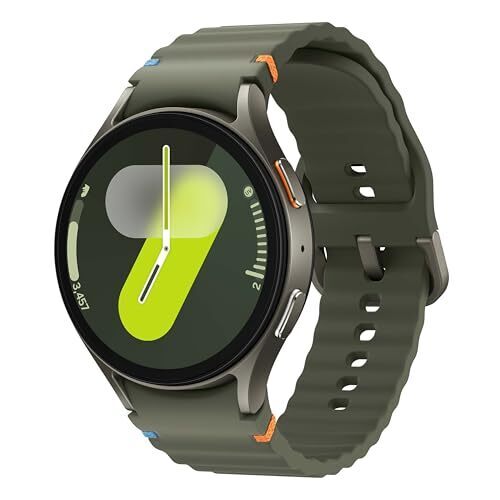
The Samsung Galaxy Watch 7 (44mm, Bluetooth) has dropped to $229.99, down from its usual price of $329.99—the lowest price so far, according to price trackers.

It holds an Excellent rating from PCMag, mostly for its health tracking and smooth performance. If you’re already in the Android universe and want a fitness-first smartwatch that also looks good on your wrist, this deal is worth considering. Just know upfront: As with many smartwatches, daily charging is part of the routine.

The Watch 7 is built to handle more than casual wear. It has an IP68 rating, is 5ATM water-resistant, and is tested against military standards for durability. The 1.5-inch Super AMOLED display is sharp and easy to read outdoors. Inside, Samsung upgraded the processor to the Exynos W1000, promising better speed and efficiency over the last generation. It runs on Wear OS 5 with Samsung’s One UI 6 layered in, which adds little things like better photo editing and widget controls. It also comes packed with 2GB RAM and 32GB storage, plus a dual-frequency GPS that holds a steady signal even in city streets or under tree cover.

Where it really tries to set itself apart is health tracking. There’s FDA-approved sleep apnea detection, body composition analysis, and a new Galaxy AI Energy Score that sums up all your sleep and fitness data into one easy number. You still get staples like heart rate monitoring, blood oxygen tracking, ECG, and automatic workout detection. That said, if you want the full experience—like snoring detection and some of the AI wellness insights—you’ll need a Samsung phone nearby. The main trade-off here is battery life. With moderate use, you’re looking at about 22 to 27 hours, depending on settings, which means overnight charging is going to be a thing. If you can live with that and already have an Android device (especially Samsung), the Galaxy Watch 7 packs a lot of health and fitness tools into a good-looking, durable frame, especially at this new low price.

ASUS ROG Xbox Ally Gaming Handhelds Revealed: Specs, Store Support And More

ASUS ROG Xbox Ally Gaming Handhelds Revealed: Specs, Store Support And More
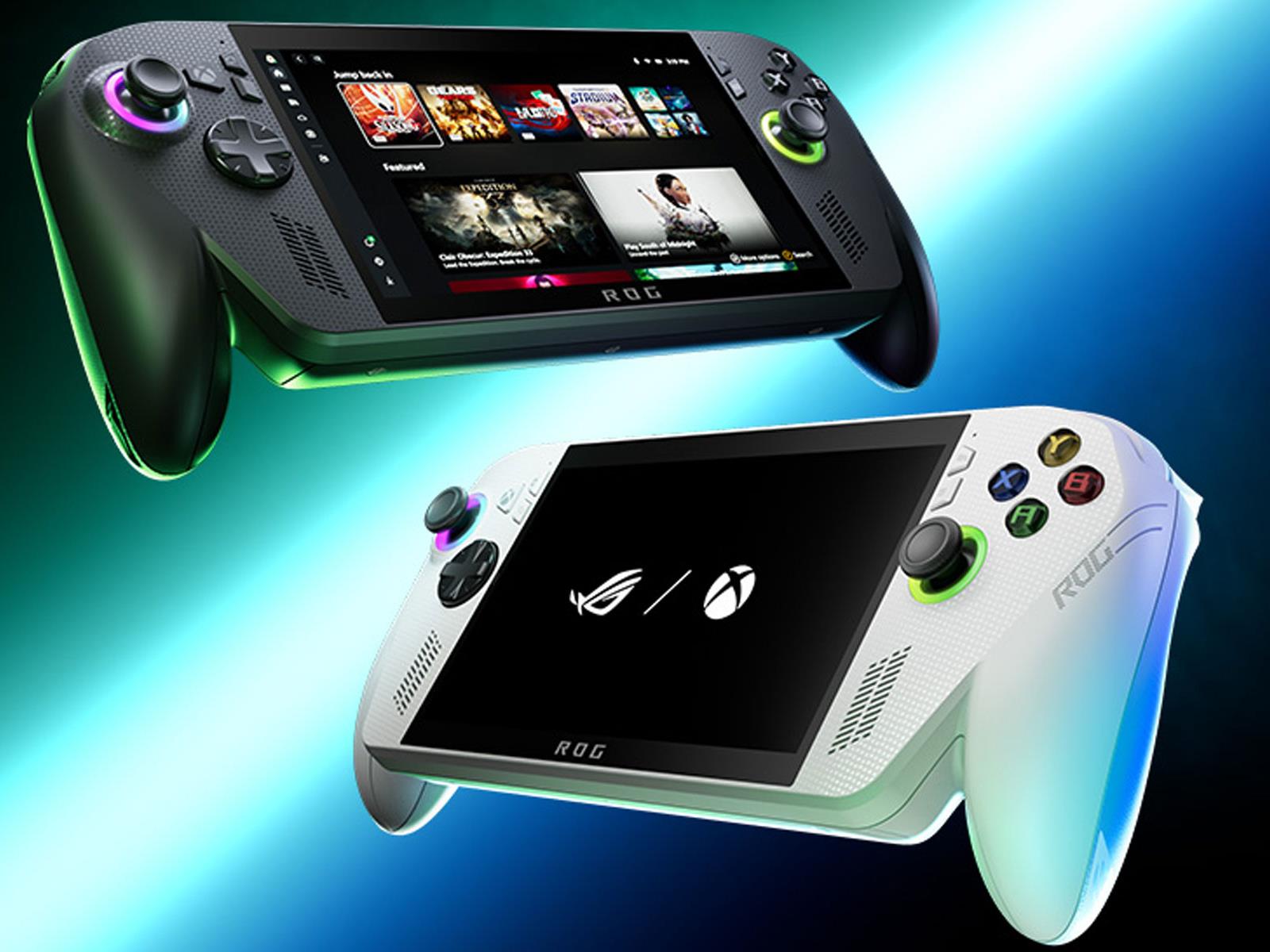
Following weeks of anticipation filled with leaks, rumors, and teasers, Microsoft and ASUS have jointly revealed the first official Xbox gaming handhelds called ROG Xbox Ally and ROG Xbox Ally X. At first glance, it may seem like these are simply re-badged ASUS ROG Ally / Ally X handhelds with Xbox branding, but there’s actually more to it

YouTube now allows more harmful misinformation on its platform

YouTube is following in the potentially dangerous steps of Meta and X (formerly Twitter) by relaxing its content moderation policies. New internal training materials viewed by The New York Times instruct moderators to leave videos live if up to half its content violates YouTube’s policies, an increase from a quarter of it. The platform introduced the new policy in mid-December, a month after President Trump was re-elected. 

The new guidelines reflect what YouTube deems as “public interest.” These areas include discussing or debating elections, movements, race, gender, immigration and more. “Recognizing that the definition of ‘public interest’ is always evolving, we update our guidance for these exceptions to reflect the new types of discussion we see on the platform today,” Nicole Bell, a YouTube spokesperson, told The New York Times. “Our goal remains the same: to protect free expression on YouTube while mitigating egregious harm.” 

The platform has reportedly removed 22 percent more videos due to hateful and abusive content than last year. It’s not clear how many videos were reported or would have been removed under the previous guidelines. 

YouTube reportedly told moderators to now value keeping content up if it’s a debate between freedom of expression and risk. For example, they were shown a video called “RFK Jr. Delivers SLEDGEHAMMER Blows to Gene-Altering JABS” which falsely stated that Covid vaccines can change people’s genes. However, YouTube told the moderators that public interest “outweighs the harm risk” and the video should stay up. It has since been removed, though the reason why is unclear.

Other videos allowed to remain online included one with a slur aimed at a transgender person and one in which a commentator discussed a graphic demise for former South Korean president Yoon Suk Yeol. 

Engadget has reached out to YouTube for comment.

This article originally appeared on Engadget at https://www.engadget.com/entertainment/youtube/youtube-now-allows-more-harmful-misinformation-on-its-platform-133002902.html?src=rss

The Out-of-Touch Adults’ Guide to Kid Culture: What Is ‘Sharking’?

It’s summer, when young people throw away their schoolbooks and go a little wild. For this generation, though, going wild has a different definition than it probably did for you. Instead of wine cooler-soaked beach parties, today’s kids are “sharking” on social media, breaking AI systems for fun, and emulating the styles of a previous generation. But hey, digital rebellion is still rebellion (kind of) and kids will always find a way to wring some life out of whatever nightmare they happened to have been born into.

What does “sharking all summer” mean?

If you hear a young person mention “sharking all summer” it has nothing to do with fishing for great whites. “Sharking” is slang for looking for people to hook up with. It’s generally used by young men in reference to women, but it’s not necessarily gender-dependent. Here’s the originator of the term explaining it:

Of course the term was parodied:

And dances were created:

But is the term “sharking” problematic? It’s undeniably objectifying and predatory, but my culture vibe-sense is telling me that those kinds of concerns are losing culture currency among younger people: Kids are either loosening up or devolving, depending on your point of view. Case in point: Jersey nails and Y2K nostalgia.

What (and why) are “Jersey Shore nails?”

Young gentlemen sharking this summer may be looking at young ladies wearing “Jersey Shore nails”: that is, gaudy, glittery and attention-getting nails like the kind they used to wear on MTV’s early 2000s reality show Jersey Shore. Think long acrylic nails with fluorescent animal prints, chrome tips, glitter, and any other bling you can imagine. Here are a few examples.

The infamous “duck nails”:

Actual Jersey Shore Jersey Shore nails:

Jersey Shore meets My Little Pony nails:

Jersey Shore nails are part of the larger trend of Y2K nostalgia. Something about the excesses and debauchery of turn-of-the-century popular culture appeals to young people. In response to the “sad beige and scolding” style of a lot of millennial culture, the pendulum is swinging toward the more outlandish and debaucherous style of the early 2000s, so lots of baby doll tees, mesh, low-rise jeans, and layers. So many layers.

As with all nostalgia trends, there’s another level. The younger people into the aesthetic generally didn’t live through the real thing, so their interpretation is way off, and it says as much about them as it does about the early 2000s. This video demonstrates the conflict between “TikTok Y2k” and “Real Y2K” perfectly:

What does “my 90 in a 30” mean?

“My 90 in a 30” (and variations like “My 90 in a 35,” and “My 100 in a 30”) is a way of describing a song that makes you want to speed in your car. Kids are making videos where they share a song with the text “my 90 in 30” in videos like these:

Glitching out ChatGPT goes viral

With the school year over, kids aren’t using ChatGPT to “help” with their homework any more; they’re making it say ridiculous things and glitching it out on purpose. The originator of the trend, ChatGPT Says Things, uses a text-to-speech version of ChatGPT to make videos like this

and this:

Before long, others piled on with their own variations, like these:

Like everything with AI, it’s hard to say exactly why ChatGPT blurts out random words and unrelated sounds instead of just doing what it’s told to. I’m sure there’s a terrifying explanation, but regardless, I like that younger people are using technology in ways its creators did not intend. It’s a little shot of rebellion, an injection of humanity into the digital hellverse where these children live. It also breaks the spell of AI. Artificial intelligence can seem eerily human, and it’s encouraging that kids are making and sharing videos about how AI is just a weird machine. It’s like taking a glimpse behind the curtain at the great and terrible Oz.

The rise of AI Bible stories

Everyone has to reckon with the information age—even God. Religiosity is down sharply in Generation Z, with 34% of them reporting themselves as religiously unaffiliated, compared to 18% of Baby Boomers. Enter the AI Bible Influencers.

A trend is growing online where folks are using AI to create videos that imagine what it would be like if Biblical figures were on TikTok. For example, here’s Moses parting the Red Sea:

And Mary documenting her famous pregnancy:

How about Eve having been freshly cast out of the garden of Eden?

Is there something sacrilegious about depicting Mary saying “Like, subscribe, and pray?” It feels like it. I enjoy these videos, though. It’s an interesting, thought-provoking use of AI, even if it’s jarring to my ex-Catholic sensibilities to hear Gen-A brainrot slang coming out of Jesus’s mouth. You could see these clips as commodification of the sacred, but on the other hand, if there is a God, he’s in AI and on TikTok too, and how else would He talk to young people except with their language? I asked God what He thinks of this kind of content but I haven’t heard back.

Viral video of the week: Girl sings Moana on a plane

The video below has been viewed over 34 million times since it was posted less than a week ago on TikTok. It documents a young girl serenading the passengers stuck on a Delta Airlines fight that was delayed for over two hours.

Whether this is a heartfelt moment of human connection in an alienated world or the worst travel nightmare imaginable depends on your point of view. I’m somewhere in the middle. It’s cute to watch a kid realize a dream, she doesn’t butcher the song, and what else would I have to do on a crowded flight anyway? But on the other hand, she sings for a long time. As TikToker Brody put it in the comments, “It does get to a point.” There’s a reason “leave ’em wanting more” is a show biz commandment.

The comment section might be more dramatic than the video. The consensus among viewers is “Oh my god. Please don’t let this ever happen to me,” but the poster of the video defends the impromptu performance tirelessly. I don’t know for sure, but it could be one of her parents.

Warner Bros. Discovery makes still more changes, will split streaming, TV business

Warner Bros. Discovery will split its business into two publicly traded companies, with one focused on its streaming and studios business and the other on its television network businesses, including CNN and Discovery.

The US media giant said the move would unlock value for shareholders as well as create opportunities for both businesses, breaking up a group created just three years ago from the merger of Warner Media and Discovery.

Warner Bros. Discovery last year revealed its intent to split its business in two, a plan first reported by the Financial Times in July last year. The company intends to complete the split by the middle of next year.

Read full article

Comments

A long-shot plan to mine the Moon comes a little closer to reality

Look, no one said building a large harvester to roam around the Moon and sift through hundreds of tons of regolith to retrieve small amounts of helium-3 would be easy. And that’s to say nothing of the enormous challenge of processing and then launching any of this material from the lunar surface before finally landing it safely on Earth.

If we’re being completely honest, doing all of this commercially is a pretty darn difficult row to hoe. Many commercial space experts dismiss it out of hand. So that’s why it’s gratifying to see that a company that is proposing to do this, Interlune, is taking some modest steps toward this goal.

Moreover, recent changes in the tides of space policy may also put some wind in the sails of Interlune and its considerable ambitions.

Read full article

Comments

To fix Apple Intelligence, Apple needs to be honest about its capabilities

At WWDC 2024, Apple failed its customers. When the company announced the new, more personal Siri last year, it showed a product that was nowhere near ready. You can point to many different places where Apple Intelligence failed to meet expectations, but with WWDC 2025 fast approaching, the company owes its users an explanation of how it intends to win back their trust.

If you didn’t watch last year’s conference, here’s a recap. At the heart of Apple’s promise of a better digital assistant was App Intents, a feature that would give Siri the ability to understand all the personal information stored on your iPhone. During the presentation’s most memorable moment, Apple demoed Siri responding to a request from Kelsey Peterson, the company’s director of machine learning and AI, for an update on her mom’s flight. The assistant not only understood the prompt, but provided real-time flight tracking information in the process.

In short, the demo promised – after years of neglect – that Siri would finally be useful.

It should have been obvious in hindsight that Apple was overselling its progress on Siri, and AI more broadly. At WWDC 2024, the company did not let press and other attendees try the new version of the assistant. There wasn’t even an opportunity to watch the company’s employees use Siri. In fact, according to reporting The Information later published, it’s probably more accurate to describe what Apple showed last June not as a demo but as an elaborate concept video.

If Apple had only faked the WWDC demo, that would have been bad enough, but the company did something worse. As you may recall, the tech giant began rolling out Apple Intelligence features piecemeal in September. Rather than a public statement explaining the lack of progress, the company only admitted it was delaying the upgrade to sometime “in the coming year” after Daring Fireball’s John Gruber sought answers. That same day, as if the company had only just realized its error, Apple pulled a TV commercial that showed The Last of Us star Bella Ramsey using the new Siri in the way it had demoed at WWDC 2024.

It’s going to take a lot for Apple to fix Apple Intelligence, but the best place the company can start is by being honest with its customers. Corporations, especially ones as big as Apple, rarely show humility, but in this case, an acknowledgement from the company that it promised the moon and missed the mark would go a long way towards righting some of the sins of WWDC 2024.

This applies to other aspects of Apple Intelligence just as much as it does with Siri. Look at the damage notification summaries did to Apple’s reputation. Apple Intelligence was so bad at aggregating the news, the company ended up pausing the notifications in the iOS 18.3 beta. When it released 18.3 to the public a couple of weeks later, it began labeling the alerts to give users a warning they may include errors.

As for other Apple Intelligence features like Image Playground and Genmoji, they’re forgettable because they offer little utility and see Apple following trends rather than offering something that truly enhances the usefulness of its devices. There too the company can tell its users it missed the mark and it plans to do better.

There’s no reason Apple can’t make Apple Intelligence great, but any effort to do so has to start with the company being honest: about what its roadmap of features can actually do, and to own up to when its promises can’t be fulfilled.

This article originally appeared on Engadget at https://www.engadget.com/ai/to-fix-apple-intelligence-apple-needs-to-be-honest-about-its-capabilities-130046256.html?src=rss

How to Change the Settings on a Buzz Drone E-bike

We may earn a commission from links on this page.

If you’ve purchased a Buzz Drone e-bike and decided to tweak the settings, you’ve probably been met with a confusing surprise: the settings menu is all but incomprehensible. I’ve put together this explainer to get you up to speed on how to change the settings on a Buzz Drone e-bike.

(Check out my full review of the Buzz Drone here.)

How to access the settings on Buzz Drone e-bike

Display Screen Buzz Drone E-bike

Credit: Stephen Johnson

To access the menus that control the Drone’s brain, hold down “+” and “-” on the controller for two seconds until the menu screen appears.

Once you’re in the settings menu, you can change settings with the “+ ” and “-” keys, and navigate from screen to screen by pressing the “i” button, which will also save the setting you entered. Here’s what each screen means:

Display screen Buzz Drone E-Bike

Credit: Stephen Johnson

  • tc: The first setting screen reads “TC-n.” this is the trip distance indicator. Change the “n” to “y” to clear the trip distance and start the mileage count at zero. Press “i” to save the setting and move to the next screen.

  • bl: The second setting screen should read “bl-1”. Bl stands for “backlight” or how bright your screen is. Use the “+” and “-” buttons to set it from 1 to 3. Press “i” to save the setting and move to the next screen.

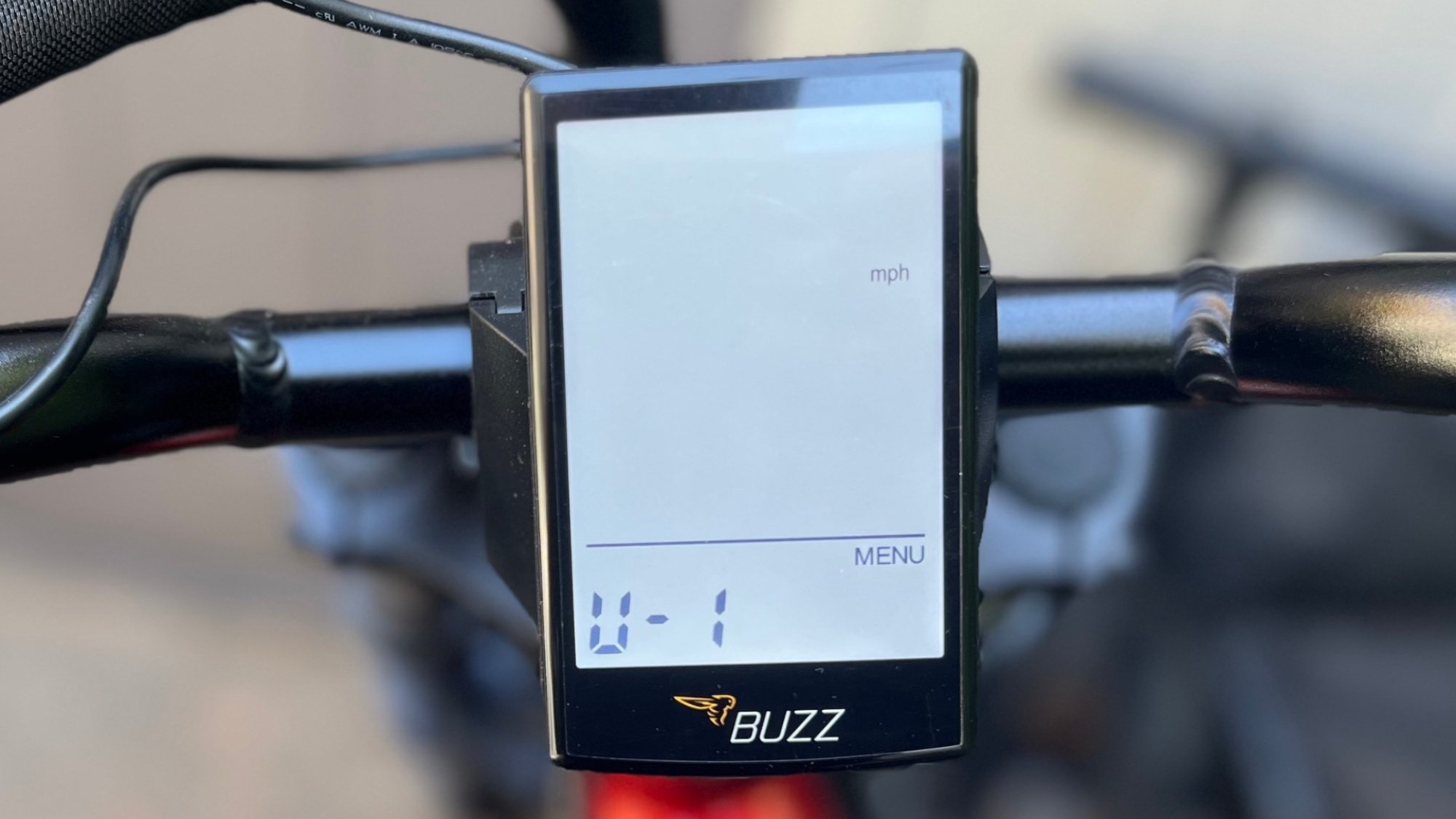
  • u: The next screen should read “u-1”. The “u” indicates the unit of measurement. The setting “u-1” will display speed and distance in miles. “u-2” will display kilometers.

At any point, you can long-press “i” (more than two seconds) to store all your settings and exit the settings menu to the main display.

Display Screen Buzz Drone e-bike

Credit: Stephen Johnson

Can you change the top speed on your Buzz Drone e-bike?

The above three settings represent all of the readily accessible user customization on this e-bike. According to Buzz, the speed limit and other settings have been “locked by the factory to ensure our e-bikes remain compliant with Class 2 standards.” Sorry, speed demons and e-bike customizers: this is one of those “what you see is what you get” bikes.

What do the error codes mean on a Buzz Drone e-bike?

If you receive any of these numerical error codes on your Buzz Drone, here’s the problem:

  • 21 & 01: Motor connection/Motor cable connection

  • 22 & 02: Throttle/Throttle cable connection

  • 23 & 03: Controller/LCD (this could be indicating bent pins on the connector)

  • 24 & 04: Low voltage (this could indicate you need to charge your battery)

  • 25 & 05: Motor phase short (Check/replace the cable.)

  • 26 & 06: Sensor issue

  • 27 & 07: “Unable to receive Display Data”

  • 30: Communication Fault

If there is a problem you can’t fix or diagnose with your Buzz Drone, it might be covered under the bike’s warranty. The electrical components are covered by warranty for two years, the components (fork, stem, handlebar, headset, seat post, etc.) for six months, and the frame for 10 years. You can contact Buzz’s customer service through the form at the bottom of this page, or call (877) 799-2899.

Google Pixel’s new VIP contacts lets your favorite people bypass do not disturb

Google is officially letting you prioritize certain people in your life. The company has launched Pixel VIPs, an update that allows Google Pixel owners to “stay connected to the people who matter most and never miss a moment from them.” It expands on Google’s existing favorite contacts option, 9To5Google reports. 

Pixel VIPs includes features such as placing your “VIPs” at the top of your contact list and letting them bypass your device’s do not disturb. If you click on a specific person then you can see their real-time location, weather and time. It also shows the last time you two connected. Plus, Google will suggest things for the two of you to do together based on your preferences. 

You also have the option of adding notes to their contact page. These tidbits might include their new dog’s name, when they’re traveling or a reminder of your plans together. 

The possibility that Google was working on this update first arose last summer under the name “besties,” rather than “VIP.” Reports from 9To5Google showed it replacing the favorite contacts option but didn’t reveal much else. 

This article originally appeared on Engadget at https://www.engadget.com/mobile/google-pixels-new-vip-contacts-lets-your-favorite-people-bypass-do-not-disturb-123053232.html?src=rss

Bill Atkinson, architect of the Mac’s graphical soul, dies at 74

On Thursday, pioneering computer engineer and Apple veteran William “Bill” Atkinson died of pancreatic cancer at his home in Portola Valley, California, surrounded by family. He was 74. “We regret to write that our beloved husband, father, and stepfather Bill Atkinson passed away,” his family wrote on Facebook. “He was a remarkable person, and the world will be forever different because he lived in it.”

As Apple employee number 51, Atkinson transformed abstract computer science into intuitive visual experiences that millions would use daily: His QuickDraw graphics engine made the Macintosh interface possible; he introduced the wider world to bitmap editing with MacPaint; and HyperCard presaged hyperlinked elements of the World Wide Web by years.

A screenshot of Bill Atkinson's MacPaint, released with the Macintosh in January 1984.
A screenshot of Bill Atkinson’s MacPaint, released with the Macintosh in January 1984.
Credit:
Benj Edwards / Apple

“I say this with no hyperbole: Bill Atkinson may well have been the best computer programmer who ever lived,” wrote veteran Apple analyst John Gruber on Daring Fireball in a tribute. “Without question, he’s on the short list. What a man, what a mind, what gifts to the world he left us.”

Read full article

Comments

Apple’s AI-driven Stem Splitter audio separation tech has hugely improved in a year

Imagine that you have a song file—drums, guitar, bass, vocals, piano—and you want to rebalance it, bringing the voice down just a touch in the mix.

Or you want to turn a Lyle Lovett country-rock jam into a slamming club banger, and all that’s standing between you and the booty-shaking masses is a clean copy of Lovett’s voice without all those instruments mucking things up.

Or you recorded a once-in-a-lifetime, Stevie Nicks-meets-Ann Wilson vocal performance into your voice notes app… but your dog was baying in the background, and your guitar was out of tune. Can you extract the magic and discard the rest?

Read full article

Comments

JBL refreshes its 2025 soundbars with a serious power up

JBL is reintroducing its immersive soundbar lineup with even more power, but thankfully, the convenient detachable side speakers aren’t going anywhere. JBL refreshed the entire Bar lineup, with the Bar 1000 MK2 leading the charge. The soundbar still features a 10-inch wireless subwoofer along with removable speakers on each end that let you continue playing your music or movies even if you wander away from the TV.

For the 2025 refresh, JBL kept the Bar 1000 MK2 on a 7.1.4 channel setup, but pumped up the max power output to 960W for an even louder and more immersive listening experience. The detachable speakers still have a max battery life of up to 10 hours, where you can reattach them to the soundbar to recharge. Like its predecessor, the Bar 1000 MK2 features true Dolby Atmos, thanks to four upfiring drivers, along with DTS:X 3D surround sound and MultiBeam 3.0. You won’t have to constantly adjust the volume when bouncing between dialogue scenes and loud action since the updated soundbar has PureVoice 2.0 that automatically optimizes the dialogue volume based on the scene’s ambient sound.

The Bar 1000 MK2 can still use Bluetooth or Wi-Fi to connect to a device, but is also compatible with AirPlay 2 and Spotify Connect. Besides the Bar 1000 MK2, JBL will debut the refreshed Bar 700 MK2 that comes with detachable speakers too, but can only virtualize Dolby Atmos. The updated Bar 500 MK2 and Bar 300 MK2 also don’t offer true Dolby Atmos, nor JBL’s Night Listening mode that automatically reduces loud noises. If you’re in need of a soundbar with a subwoofer, it’s worth noting that the new Bar 300 MK2 still doesn’t have one.

The Bar 1000 MK2 is due to hit the shelves first at $1,199 later this month. The release of the $899 Bar 700 MK2, the $649 Bar 500 MK2 and the $449 Bar 300 MK2 will follow shortly after. The most expensive of JBL’s Bar lineup, an 11.1.4-channel follow-up to the Bar 1300X, will release in the fall and start at $1,699. While it’s much more expensive, it will come with detachable speakers that have standalone Bluetooth capabilities.

This article originally appeared on Engadget at https://www.engadget.com/audio/speakers/jbl-refreshes-its-2025-soundbars-with-a-serious-power-up-120014177.html?src=rss

The Medical Revolutions That Prevented Millions of Cancer Deaths

Vox publishes a story about “the quiet revolutions that have prevented millions of cancer deaths….

“The age-adjusted death rate in the US for cancer has declined by about a third since 1991, meaning people of a given age have about a third lower risk of dying from cancer than people of the same age more than three decades ago… ”

The dramatic bend in the curve of cancer deaths didn’t happen by accident — it’s the compound interest of three revolutions. While anti-smoking policy has been the single biggest lifesaver, other interventions have helped reduce people’s cancer risk. One of the biggest successes is the HPV vaccine. A study last year found that death rates of cervical cancer — which can be caused by HPV infections — in US women ages 20-39 had dropped 62 percent from 2012 to 2021, thanks largely to the spread of the vaccine. Other cancers have been linked to infections, and there is strong research indicating that vaccination can have positive effects on reducing cancer incidence.
The next revolution is better and earlier screening. It’s generally true that the earlier cancer is caught, the better the chances of survival… According to one study, incidences of late-stage colorectal cancer in Americans over 50 declined by a third between 2000 and 2010 in large part because rates of colonoscopies almost tripled in that same time period. And newer screening methods, often employing AI or using blood-based tests, could make preliminary screening simpler, less invasive and therefore more readily available. If 20th-century screening was about finding physical evidence of something wrong — the lump in the breast — 21st-century screening aims to find cancer before symptoms even arise.

Most exciting of all are frontier developments in treating cancer… From drugs like lenalidomide and bortezomib in the 2000s, which helped double median myeloma survival, to the spread of monoclonal antibodies, real breakthroughs in treatments have meaningfully extended people’s lives — not just by months, but years. Perhaps the most promising development is CAR-T therapy, a form of immunotherapy. Rather than attempting to kill the cancer directly, immunotherapies turn a patient’s own T-cells into guided missiles. In a recent study of 97 patients with multiple myeloma, many of whom were facing hospice care, a third of those who received CAR-T therapy had no detectable cancer five years later. It was the kind of result that doctors rarely see.
The article begins with some recent quotes from Jon Gluck, who was told after a cancer diagnosis that he had as little as 18 months left to live — 22 years ago…


Read more of this story at Slashdot.

Ex-FCC Chair Ajit Pai is now a wireless lobbyist—and enemy of cable companies

Ajit Pai is back on the telecom policy scene as chief lobbyist for the mobile industry, and he has quickly managed to anger a coalition that includes both cable companies and consumer advocates.

Pai was the Federal Communications Commission chairman during President Trump’s first term and then spent several years at private equity firm Searchlight Capital. He changed jobs in April, becoming the president and CEO of wireless industry lobby group CTIA. Shortly after, he visited the White House to discuss wireless industry priorities and had a meeting with Brendan Carr, the current FCC chairman who was part of Pai’s Republican majority at the FCC from 2017 to 2021.

Pai’s new job isn’t surprising. He was once a lawyer for Verizon, and it’s not uncommon for FCC chairs and commissioners to be lobbyists before or after terms in government.

Read full article

Comments