AI’s Economic Boost Isn’t Showing Up in US GDP, Goldman Says

AI is transforming corporate America, yet the boom remains understated in government growth statistics, according to Goldman Sachs. From a report: Analysts at Goldman pointed to the scale of the boom in a Saturday note: “Revenue at US companies providing AI infrastructure has risen by $400 billion since 2022, which at first glance seems to suggest that AI has been a meaningful driver of economic growth recently.” But official numbers tell a different story.

AI technology has lifted real US economic activity by about $160 billion since 2022, or 0.7% of GDP, the analysts calculated. Yet only around $45 billion, or 0.2% of GDP, of AI-spurred growth has been recorded in official statistics. That leaves roughly $115 billion uncounted, according to the analysts. That gap highlights the difference between what companies report and what the government measures due to the Commerce Department’s Bureau of Economic Analysis method for calculating growth.


Read more of this story at Slashdot.

Apple’s Mac mini M4 is up to $110 off right now

The Apple Mac mini M4 desktop computer is on sale via Amazon right now. This brings the price of the entry-level version, with 16GB of RAM and 256GB of storage, down to $499. The model with 16GB of RAM and 512GB of storage is down to $689, which is a discount of $110. You can also pick up one with 24GB of RAM for $904.

This is the model that came out at the tail-end of 2024 and represented the first major redesign of the product in ten years. We reviewed a version of this computer and called it “shockingly small” and “incredibly powerful.” It truly is teensy, resembling an Apple TV streaming box more than a desktop computer. All told, it’s five-inches by five-inches across and two inches tall.

There are two front-facing USB-C ports, which is extremely handy. The back of the computer boasts even more ports, including Thunderbolt, HDMI and Ethernet. As indicated by the name, this thing features the speedy M4 chip. The processor can easily handle garden variety computing tasks, like watching content, but also excels with creative pursuits like making music and editing videos.

This desktop doesn’t include an SD card reader, which could be a dealbreaker for those looking for an easy way to add more storage. We also found that the fan got loud every once in a while when dealing with heavy workloads. Otherwise, this is a near-perfect (and adorable) computer.

Check out our coverage of the best Apple deals for more discounts, and follow @EngadgetDeals on X for the latest tech deals and buying advice.

This article originally appeared on Engadget at https://www.engadget.com/deals/apples-mac-mini-m4-is-up-to-110-off-right-now-163438417.html?src=rss

How to Undo Your iPhone’s New Look After iOS 26

Did you know you can customize Google to filter out garbage? Take these steps for better search results, including adding Lifehacker as a preferred source for tech news.


Apple’s iOS 26 comes out today, and with it, a new design language called Liquid Glass. While the iPhone home screen has looked more or less the same ever since Apple ditched skeuomorphism in 2013, when you open up your phone today, after downloading the company’s latest update, you might be in for a surprise. Apple’s new look for the iPhone prioritizes transparency, and not everyone’s a fan.

Luckily, if you don’t like Liquid Glass, there’s something you can do about it. You can’t get rid of it entirely, but here’s how to make your iPhone look as close as possible to how it used to look before, across both the homescreen and apps like Safari.

What is Liquid Glass?

First, know thine enemy. If you ever used Windows Vista back in the day, you have an idea of what you’re facing here. That operating system was famous for adding transparency effects to Windows that drastically affected performance, and while the iPhone seems to have saved itself from any performance issues with its own update, the goal seems to be the same: let you see what’s below your buttons and overlays by blurring and obscuring your background before letting it bleed through.

In theory, this adds a bit of depth to your display, and might make it easier to understand how your various screen elements exist in relation to each other. But in practice, some have complained about it being distracting, flooding your screen with irrelevant information you can’t do anything with.

Apple’s actually addressed these complaints a bit throughout the iOS 26 beta, specifically making the Control Center look less busy. But it’s still moving forward with the design changes overall.

How to “fix” Liquid Glass

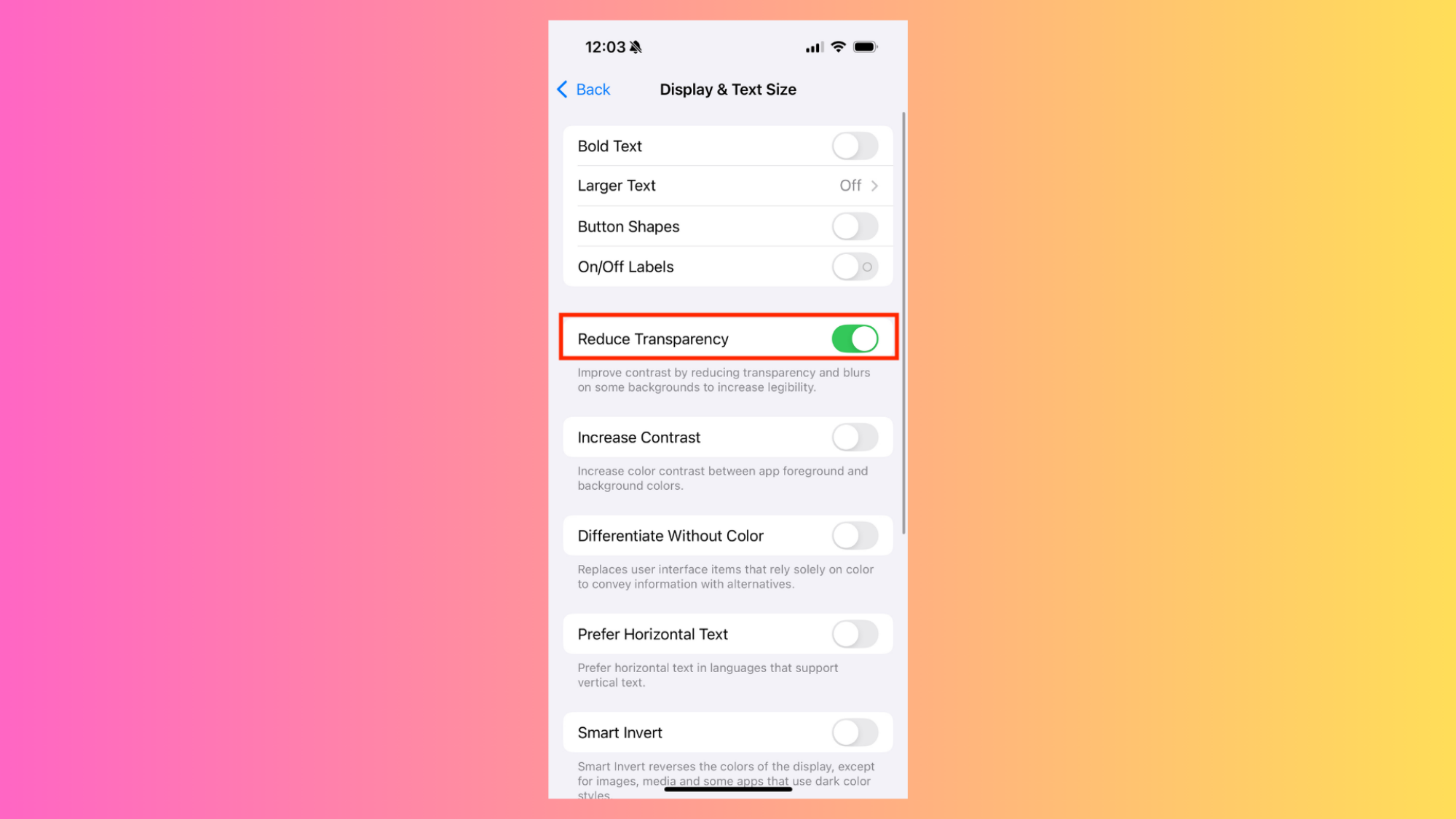
Reduce Transparency Control

Credit: Michelle Ehrhardt

If you’d rather Apple leave your iPhone’s design alone, though, you have options. During the beta, users discovered a pre-existing accessibility control within iOS that also, seemingly, neuters most of Liquid Glass’ changes. It won’t get rid of all of the updates—the new, wider toggle button is unaffected, for instance—but it goes a long way towards restoring your phone to how it looked before. 

Called Reduce Transparency, this control has been around for years, and was originally intended as a way to add a solid background to any pre-Liquid Glass elements that already had transparent or blurred backgrounds, like the Passcode entry screen. Now, though, it turns out it also affects Liquid Glass as a whole.

You can see the changes here. Notice how the play button on Apple Music no longer lets blurred album artwork bleed into it, allowing you to more clearly read the artist’s name?

While I haven’t gotten my hands on Liquid Glass yet, I think I’ll be turning this on right away. I like big, chunky buttons, and Reduce Transparency seems like the way to get just that, even as Apple insists transparency is the future. If that sounds like you, here’s where you can turn it on:

Settings > Accessibility > Display & Text Size.

And while it doesn’t necessarily have anything to do with Liquid Glass, while you’re in your accessibility controls, you might also want to turn on the Increase Contrast option, which will make your apps’ foreground elements pop from the background a bit more. After turning this on, you’ll see it right away on the Settings page’s toggles, which will take on a darker shade of gray when disabled. This is optional, but helps add to the chunky buttons look, and brings back a little bit of the depth Liquid Glass is going for, without making your screen busier.

Bring back the old Safari URL bar

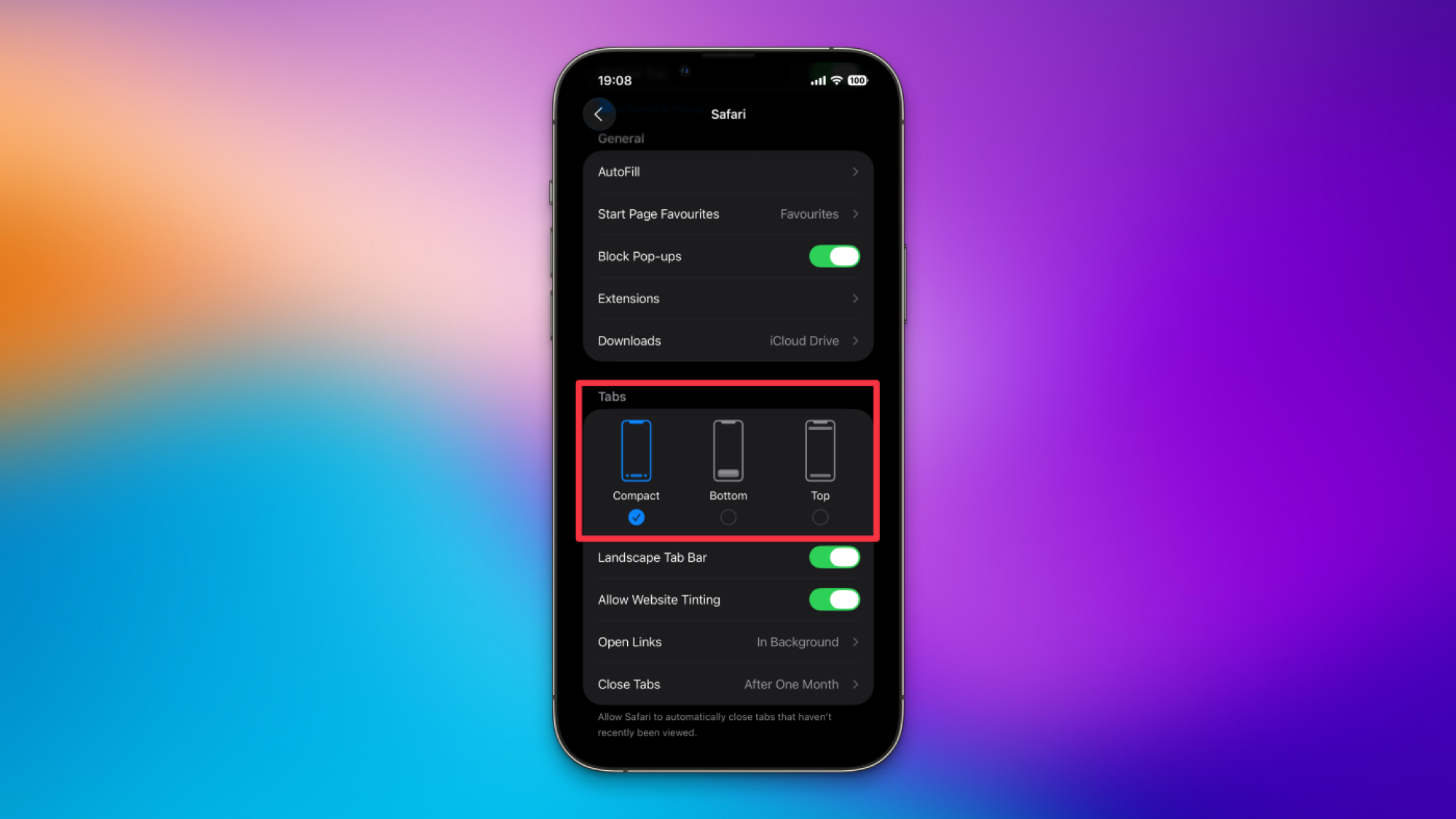
Safari layout options

Credit: Pranay Parab

For the most part, once you’ve enabled “Reduce Transparency,” you’ve gotten rid of Liquid Glass’ most extreme design decisions. Technically, the update does also allow you to make your icons clear or adjust your lock screen widgets, but those changes have to be opted into. However, one important app will look pretty drastically different by default: Safari.

When you open Safari after installing iOS 26, you’ll notice that the URL bar is now just a small pill at the bottom of the screen, next to a tiny back button and an even smaller refresh button. All your other old navigation features are instead hidden away in either the three-dots menu, or behind various swipes and long presses.

Personally, some of us at Lifehacker think the smaller address bar is worth it, but if you want to go back to the old URL bar, you can do that. Simply navigate to Settings > Apps > Safari. Under the Tabs section, you’ll see three layout options. Compact is the new default, but Bottom will bring back the old look, with full controls for back, forward, sharing, bookmarks, and tabs all laid out below the address. There’s also a new Top option, if you’d like, that moves the website address to the top of the screen but leaves navigation at the bottom.

Anthropic Finds Businesses Are Mainly Using AI To Automate Work

Businesses are overwhelmingly relying on Anthropic’s AI software to automate rather than collaborate on work, according to a new report from the OpenAI rival, adding to the risk that AI will upend livelihoods. From a report: More than three quarters (77%) of companies’ usage of Anthropic’s Claude AI software involved automation patterns, often including “full task delegation,” according to a research report the startup released on Monday. The finding was based on an analysis of traffic from Anthropic’s application programming interface, which is used by developers and businesses.

[…] On the whole, Anthropic found businesses primarily use Claude for administrative tasks and coding, the latter of which has been a key focus for the company and much of the AI industry. Anthropic, OpenAI and other AI developers have released more sophisticated AI tools that can write and debug code on a user’s behalf.


Read more of this story at Slashdot.

A TikTok deal may finally be happening

US Treasury Secretary Scott Bessent has said that the United States and China have reached a framework deal on TikTok. Speaking to reporters in Madrid after two days of talks with his Chinese counterparts, Bessent said, “It’s between two private parties, but the commercial terms have been agreed upon.” President Trump said in a Truth Social post that he will be speaking with Xi Jinping this Friday regarding the potential deal, among other things.

This breakthrough comes after the Trump administration extended the TikTok ban for a third time earlier this summer, giving the company until September 17 to undergo a sale or face a ban in the United States. The short-form video content app faced increasing scrutiny over national security concerns due to the Chinese ownership of its parent company, ByteDance.

President Trump issued an executive order in August 2020 banning the app in the United States unless it was divested from ByteDance, though courts halted enforcement of the order. In 2024 the United States Congress passed the Protecting Americans from Foreign Adversary Controlled Applications Act (PAFACA) which was signed into law by then-President Biden. The Trump administration has repeatedly delayed the enforcement of that law in hopes a deal could be made for a US-based acquisition, leaving the app online in the meantime.

As it stands, this appears to be a framework for how TikTok could come under some level of US control, and not a signed final deal. Companies from Oracle to Microsoft have expressed interest in acquiring TikTok, and the president is on record as saying he would be OK if a “very American company” buys it. It’s unclear if the September 17 deadline will be pushed once again, but US Trade Representative Jamieson Greer said on Monday that another delay may be needed in order to get the deal signed.

This article originally appeared on Engadget at https://www.engadget.com/general/a-tiktok-deal-may-finally-be-happening-160448732.html?src=rss

Strava’s New ‘Power Skills’ Feature Gives Cyclists Even More Training Insights

We may earn a commission from links on this page.

Did you know you can customize Google to filter out garbage? Take these steps for better search results, including adding Lifehacker as a preferred source for tech news.


Strava’s latest Power Skills feature is a nice addition for data-driven cyclists. Built on technology from The Breakaway (which Strava acquired earlier this year), this tool transforms your power meter data into actionable training insights. Here’s everything you need to know about using it to improve your riding.

How does Strava’s Power Skills work

Power Skills uses your cycling power meter data to identify your strengths and areas for improvement across different types of efforts. Think of it as a fitness report card that analyzes your cycling performance across multiple disciplines. You’ll see twelve specific Power Intervals that you can work on, each benchmarked against thresholds adjusted for age, gender, weight, and so on. Then, each skill is made up of different combinations of these Power Intervals.

From here, Power Skills breaks down cycling performance into three main categories, each targeting different aspects of cycling fitness. Here’s how Strava describes them:

  • Sprinting: Short bursts of extremely high output. Reflects your ability to generate explosive power. Power Intervals: 15 sec, 30 sec, and 1 minute.

  • Attacking: Balanced efforts that combine sprinting power with climbing endurance. Useful for short climbs or race breakaways. Power Intervals: 2 minutes, 3 minutes, 5 minutes, and 10 minutes.

  • Climbing: Long, sustained efforts on climbs, flats, or workouts requiring steady pacing and endurance. Power Intervals: 15 minutes, 20 minutes, 30 minutes, 45 minutes, and 60 minutes.

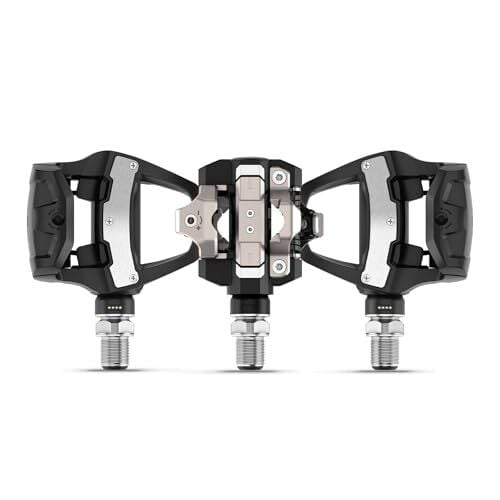
Before going any further, I should clarify that to use Strava’s Power Skills, you do need a Strava subscription and actual power meter data from your bicycle or indoor bike. If you’re interested in making this serious biking upgrade (which Strava historically recommends), Garmin offers trusted options here.

What makes this special?

For cyclists, power meters measure the actual watts of energy they’re producing while pedaling; it’s like having a direct measurement of your engine’s output. The tool breaks down a rider’s personal power records across those 12 intervals and highlights strengths and weaknesses, with the option to compare recent efforts against lifetime bests.

What’s particularly helpful is that it ranks your performances against a standard that adjusts for age and body weight, showing where they stand relative to “what’s possible” (your potential) across eight levels. This means a 50-year-old cyclist isn’t being compared to 20-year-old pros, which is huge for Strava’s famously competitive social media ecosystem.

Understanding your Power Skills profile

Power Skills compares your recent efforts against lifetime bests, so you can see if your training is moving you in the right direction across different intervals. Here’s what else to know to really make the most of it.

The visual breakdown

Your Power Skills profile shows a visual representation of your 12 key power intervals, from 5-second sprints to 60-minute efforts. Each interval is color-coded to show your relative strength in that area.

Skill rankings

Like I describe above, this system ranks your performance across eight levels, adjusting for age and weight. This means you’re being compared to realistic benchmarks for your demographic, not just elite riders. These rankings help you understand where you sit in the broader cycling population.

Strength and growth areas

The main point of Power Skills is to identify your natural strengths and highlights areas with the most room for improvement. This is crucial for targeted training. Instead of generic “ride more,” you get specific guidance on which energy systems need work.

Limitations to keep in mind

Elephant in the room: This feature only works for cyclists, not runners. So as a runner myself, I’m holding out hope that Strava finds a way to make this feature work even without a physical power meter on a bike. For now, Garmin seems to have figured it out.

Some other limitations to keep in mind are that this sort of feature requires consistent power meter data to be meaningful. Plus, it’s historical analysis only; it doesn’t prescribe specific workouts. It’s probably best used as one tool in a broader training approach, not the only metric you look toward for guidance. Still, Power Skills is a cool way to use data-driven insights to train smarter, not just harder.

Get into the cockpit as new crop of “Top Gun” pilots get their wings

The blockbuster success of the 1986 film Top Gun—chronicling the paths of young naval aviators as they go through the grueling US Navy’s Fighter Weapons School (aka the titular Top Gun)—spawned more than just a successful multimedia franchise. It has also been credited with inspiring future generations of fighter pilots. National Geographic takes viewers behind the scenes to see the process play out for real, with its new documentary series, Top Guns: The Next Generation.

Each episode focuses on a specific aspect of the training, following a handful of students from the Navy and Marines through the highs and lows of their training. That includes practicing dive bombs at break-neck speeds; successfully landing on an aircraft carrier by “catching the wire”; learning the most effective offensive and defensive maneuvers in dogfighting; and, finally, engaging in a freestyle dogfight against a seasoned instructor to complete the program and (hopefully) earn their golden wings. NatGeo was granted unprecedented access, even using in-cockpit cameras to capture the pulse-pounding action of being in the air, as well as capturing behind-the-scenes candid moments.

How does reality stack up against its famous Hollywood depiction? “I think there is a lot of similarity,” Capt. Juston “Poker” Kuch, who oversees all training and operations at NAS Meridian, told Ars. “The execution portion of the mission gets focused in the movie so it is all about the flight and the dogfighting and dropping the bombs. What they don’t see is the countless hours of preparation that go into the mission, all the years and years of training that it took to get there. You see the battle scenes in Top Gun and you’re inspired, but there’s a lot of time and effort that goes in to get an individual to that point. It doesn’t make for good movies, I guess.”

Read full article

Comments

Will TikTok go dark Wednesday? Trump claims deal with China avoids shutdown.

Once again, the Trump administration is hyping a deal that could see TikTok finally sold to US owners to avoid a nationwide ban that Congress successfully argued was otherwise necessary to protect national security.

On Monday, Treasury Secretary Scott Bessent confirmed that the US and China had ironed out a “framework” for the deal, but ultimately, Donald Trump will be responsible for closing the deal on a call this Friday with China’s president, Xi Jinping, CNBC reported. Critically, Bessent said that the framework pointed to a “switch to US-controlled ownership,” the South China Morning Post (SCMP) reported.

Presumably, TikTok won’t shut down ahead of Trump’s call with Xi, but TikTok risked going dark as soon as Wednesday. That’s the latest deadline for the forced sale after Trump extended the deadline three times as negotiations with China remained tense.

Read full article

Comments

China Accuses NVIDIA Of Violating Anti-Monopoly Law As Tensions With US Escalate

China Accuses NVIDIA Of Violating Anti-Monopoly Law As Tensions With US Escalate
China’s market regulators announced today a preliminary finding that U.S.-based chip giant NVIDIA has violated the country’s anti-monopoly law. The declaration from the State Administration for Market Regulation (SAMR) adds more sparks to the already tense trade and tech rivalry between the world’s two largest economies.

The investigation

‘USB-A Isn’t Going Anywhere, So Stop Removing the Port’

An anonymous reader shares a column: After nearly 30 years of USB-A connectivity, the market is now transitioning to the convenient USB-C standard, which makes sense given that it supports higher speeds, display data, and power delivery. The symmetrical connection is also smaller and more user-friendly, as it’s reversible and works with smartphones and tablets. I get that USB-C is inevitable, but tech brands should realize that the ubiquitous USB-A isn’t going anywhere soon and stop removing the ports we need to run our devices.

[…] It’s premature for brands to phase out USB-A when peripheral brands are still making compatible products in 2025. For example, Logitech’s current wireless pro gaming mice connect using a USB-A Lightspeed dongle, and most Seagate external drives still use USB-A as their connection method. The same can be said for other memory sticks, keyboards, wireless headsets, and other new devices that are still manufactured with a USB-A connection.

I have a gaming laptop with two USB-A and USB-C ports, and it’s a constant struggle to connect all my devices simultaneously without needing a hub. I use the two USB-A ports for my mouse and wireless headset dongles, while a phone charging cable and portable monitor take up the USB-Cs. This setup stresses me out because there’s no extra space to connect anything else without losing functionality.


Read more of this story at Slashdot.

Amazon may be announcing new Echo and Kindle devices on September 30

Amazon has a press event scheduled for September 30 at 10AM ET. Panos Panay, who leads the company’s Devices & Services team, will be on hand. This strongly suggests that Amazon will announce some new hardware.

We don’t exactly know what the company will reveal, but we do have a giant clue. The press invite also included a composite image of various Amazon devices. These appear to include a Kindle ereader, a Fire TV of some kind and an Echo speaker. Those are three of the company’s biggest product categories.

An invite.
Amazon

It’s been a while since we’ve gotten a new entry-level Kindle, though Amazon did recently refresh both the Scribe and the Colorsoft. It’s also possible the company will announce a refresh of the Paperwhite ereader.

It’s a similar story with Echo speakers. The company recently refreshed the Echo Dot and the Echo Pop, along with the Echo Show 8, but it’s been nearly five years since it redesigned the standard Echo speaker. It’s possible the company’s speakers will be getting some kind of new integration with the Alexa+ smart assistant.

It’s been a couple of years since we’ve gotten a big influx of new Fire TVs and related streaming sticks, so those could also be on the docket. However, that part of the invite image is a bit fuzzy and might be advertising an upcoming tablet and not new TVs. In any event, we only have a couple of weeks before finding out.

This article originally appeared on Engadget at https://www.engadget.com/audio/speakers/amazon-may-be-announcing-new-echo-and-kindle-devices-on-september-30-152044048.html?src=rss

Google Shifts Android Security Updates To Risk-Based Triage System

Google has restructured Android’s decade-old monthly security update process into a “Risk-Based Update System” that separates high-priority patches from routine fixes. Monthly bulletins now contain only vulnerabilities under active exploitation or in known exploit chains — explaining July 2025’s unprecedented zero-CVE bulletin — while most patches accumulate for quarterly releases.

The September 2025 bulletin contained 119 vulnerabilities compared to zero in July and six in August. The change reduces OEM workload for monthly updates but extends the private bulletin lead time from 30 days to several months for quarterly releases. The company no longer releases monthly security update source code, limiting custom ROM development to quarterly cycles.


Read more of this story at Slashdot.

Parts shortage is the latest problem to hit General Motors production

General Motors will temporarily lay off workers at its Wentzville assembly plant in Missouri. According to a letter sent to employees by the head of the plant and the head of the local union, a shortage of parts is the culprit, and as a result the factory will see “a temporary layoff from September 29-October 19.” The plant is about 45 minutes west of St Louis and employs more than 4,000 people to assemble midsize pickup trucks for Chevrolet and GMC, as well as full-size vans.

Not every employee will be laid off—”skilled trades, stamping, body shop, final process and those groups that support these departments” may still have work.

Government policies

Earlier this month, GM revealed plans to reduce the number of electric vehicles it builds, despite having a bumper month in August that saw it sell very nearly twice as many EVs as Ford. In that case, it blamed weak demand for electric vehicles, no doubt forecasting what the end of the IRS clean vehicle tax credit will do to the market.

Read full article

Comments

Astronomers Baffled, Universe Weirder Than Ever Imagined On Strange Red Dot Discovery

Astronomers Baffled, Universe Weirder Than Ever Imagined On Strange Red Dot Discovery
A team of Pennsylvania State University researchers has a unique take on mysterious red dots first observed by the James Webb Space Telescope. Initially thought to be tiny, crimson galaxies, the red dots are now proposed to be a new and exotic class of celestial object: a hybrid of a black hole and a star, which researchers have dubbed “black

These Are the Best Smart (and Dumb) Bathroom Scales

We may earn a commission from links on this page.

Keeping track of what you weigh is important (although there are reasonable arguments against keeping track of it too much). I am really into tracking all of all my health-related data and organizing it on my phone so I can monitor trends and changes, so weighing myself consistently is just part of that larger mission. For me, that involves using a smart scale, which syncs with all my other health apps and creates a full picture of how I’m doing, fitness-wise—but if you don’t want to get that tech-y with it, you have other options, too. Here are the best smart and dumb scales.

The best bathroom scales with cool features

These have additional or cool features like body fat measurement—though you should probably take those figures with a grain of salt—that go beyond just telling you your weight.

  • I have this iHealth Nexus Smart Scale ($35) and love it so much I bought another one for my boyfriend. We’ve been using them for about two years with no problems. I weigh myself every other morning or so and the batteries lasted about 18 months before needing to be replaced. The price is accessible, but it still comes with a ton of features. It connects to your phone via Bluetooth, then it assesses your weight, BMI, and even makes some estimates of things like muscle mass and bone mass, importing all of that information to your device, making it downloadable, and creating graphs of changes over time. Because it syncs so easily with your phone’s native health app, it also, technically, syncs with any other apps that are also tied in there. For instance, I use a nutrient-tracking app called Lifesum. My weight is automatically updated and inputted there when I weigh myself on the iHealth Nexus and Lifesum adjusts my calorie and nutrient suggestions for the day to keep me on track with my goals.

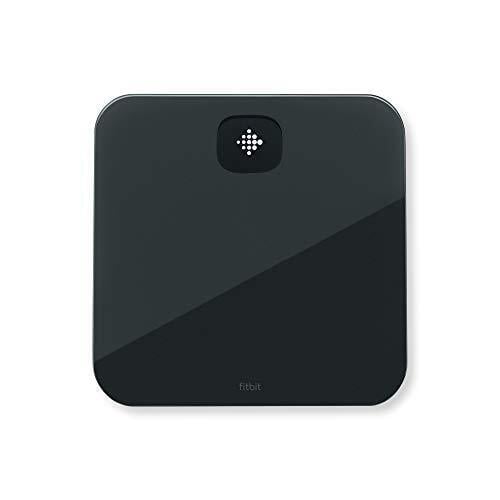
  • I’m an Apple Watch girl, so I’m a fan of my scale for its easy integration with Apple Health. Generally, if you’re using a specific product or suite of products, I think you should stay in the same family as much as you can. The easier tracking is, the more likely you are to do it and stick with it. If you’re a Fitbit user, grab the Fitbit Aria Air ($50), which syncs directly with your Fitbit dashboard, not Apple Health. It’s relatively simple, only showing your weight and BMI, but really, that might be all you need. It’s lightweight, “sleek,” and “minimalist,” according to reviewers, so it’s not a bulky addition to the bathroom, either.

  • The Shapa scale ($120) is an innovative smart scale that shows you colors, not numbers, so you don’t get too caught up monitoring your exact weight. I have a friend who is a big fan of this approach and this device. The colors refer to your average weight over time and if you see blue on your app, you’re losing weight. Teal means you’re starting to lose weight, green means you’re maintaining it, light gray means you’re starting to gain, and dark gray means you are gaining weight. That’s it. It’s popular on Reddit, too, where users praise it for helping them get over scale anxiety. It’s not helpful to use a device if it’s going to stress you out or, worse, demoralize you to the point that you stop using it. This simple, color-based approach helps you ignore numbers (which fluctuate over the course of an average day) and think more long-term.

  • This Renpho smart scale ($43) is cool because it lights up, either to remind you periodically to weigh yourself or to serve as a nightlight, depending on your preferences and needs. It’s a versatile option that’s great for small bathrooms. For its low price, it also packs quite a few punches: It syncs with Google Fit, Samsung Health, Fitbit, and MyFitnessPal, estimates metrics like body fat percentage and muscle mass, and even has baby- and pet-weighing modes, plus specialized modes for athletes.

The best cheap scales

Don’t need the bells and whistles? That’s fine. You can pick up an inexpensive one that just shows you your weight, easy peasy. You might still want to track this somewhere, like an Excel spreadsheet, so you can do half the work the smart scales do on your own, but if you’re someone who gets a little too into weighing yourself or number-crunching, you can also just use these on their own for periodic check-ins.

  • The basic scale I use when I’m not using my iNexus isn’t available on Amazon anymore, but this HomeBuds digital scale ($13) is very similar: There’s an easy-to-read, bright LED display and the machine turns on automatically when you step on it. There isn’t much else to say—and for a lot of people, that’s the point!

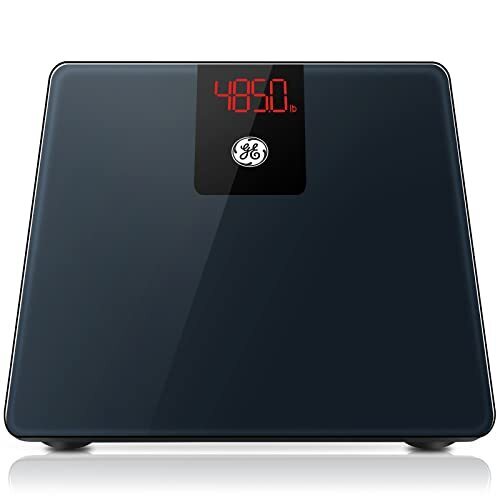
  • This GE digital scale ($30) displays your body weight and BMI. I’ll be real with you: This one has gone up in price (while the rest of the ones have gone down) over the past year, so now that it’s inching into the $30+ range, it might be worth considering spending an extra $10 on a smart scale, or at least doing so down the line. You can use this as a bridge between the classic way and the more modern way, as it comes from a trusted brand and displays more measurements than the standard scale without diving into phone-connected territory.

NASA closing its original repository for Columbia artifacts to tours

NASA is changing the way that its employees come in contact with, and remember, one of its worst tragedies.

In the wake of the 2003 loss of the space shuttle Columbia and its STS-107 crew, NASA created a program to use the orbiter’s debris for research and education at Kennedy Space Center in Florida. Agency employees were invited to see what remained of the space shuttle as a powerful reminder as to why they had to be diligent in their work. Access to the Columbia Research and Preservation Office, though, was limited as a result of its location and related logistics.

To address that and open up the experience to more of the workforce at Kennedy, the agency has quietly begun work to establish a new facility.

Read full article

Comments

Gearbox CEO Ignites Firestorm With Bold Rebuttal Of Borderlands 4 Performance Outrage

Gearbox CEO Ignites Firestorm With Bold Rebuttal Of Borderlands 4 Performance Outrage
With Borderlands 4 out in the wild, we’re already seeing some complaints about its performance. This has become a somewhat common trend with large releases during the last several years, independent of what platform it is on. Borderlands 4 is available across various performance-tiers of hardware, including the PC, Xbox, PS5, and Nintendo

Snapdragon 8 Elite Gen 5: What’s In The Name & What It Means For Flagship Phones

Snapdragon 8 Elite Gen 5: What’s In The Name & What It Means For Flagship Phones
Qualcomm revealed the name of its next flagship system-on-chip (SoC) for future Android devices, and it’s called Snapdragon 8 Elite Gen 5. At first glance, it may seem like Qualcomm skipped a few generations after releasing the Snapdragon 8 Elite last year. Qualcomm acknowledges this in a blog post explaining its new naming scheme, which it

Apple’s iPad Air M3 is back on sale for $150 off

If you’ve been on the fence about getting a new iPad then now might be the time to hop off it. Apple’s iPad Air M3 is down from $599 to the record-low price of $450. The 25 percent discount applies to the 11-inch Wi-Fi model. 

We gave the iPad Air M3 an 89 in our review, thanks, in part, to its new chip. The M3 chip gives this generation’s iPad Air a big boost over the M2 model — despite coming out less than a year apart. Plus, even without the discount, it’s a more affordable option across Apple’s iPad range. 

In fact, we named the iPad Air M3 as our choice for the best iPad for most people. Unless you plan to use your iPad as a substitute computer or really want a top notch screen, then you probably don’t need the iPad Pro. The iPad Air M3 strikes a great balance of features for a lot less money. 

Check out our coverage of the best Apple deals for more discounts, and follow @EngadgetDeals on X for the latest tech deals and buying advice.

This article originally appeared on Engadget at https://www.engadget.com/deals/apples-ipad-air-m3-is-back-on-sale-for-150-off-133334170.html?src=rss

China rules that Nvidia violated its antitrust laws

A Chinese regulator has found Nvidia violated the country’s antitrust law, in a preliminary finding against the world’s most valuable chipmaker.

Nvidia had failed to fully comply with provisions outlined when it acquired Mellanox Technologies, an Israeli-US supplier of networking products, China’s State Administration for Market Regulation (SAMR) said on Monday. Beijing conditionally approved the US chipmaker’s acquisition of Mellanox in 2020.

Monday’s statement came as US and Chinese officials prepared for more talks in Madrid over trade, with a tariff truce between the world’s two largest economies set to expire in November.

Read full article

Comments