The Best Smart Home Gear to Level Up Your Entertainment System

We may earn a commission from links on this page.

While tech companies might increasingly seem to think I want media created by AI for no specific purpose other than to fill time, all I really need is tech that automates the tedious parts of entertainment. Collecting and organizing the movies I actually want to watch, streaming music throughout the house, or creating the ambiance I need to immerse myself in a show. For actually useful home entertainment tech, here’s where smart home gear can be helpful for watching TV and movies, listening to music, or playing games.

Whatever your media of choice, the time you spend watching shows, listening to music, or playing games is a deeply human affair. And that means not every piece of tech that tries to automate your habits is necessarily going to be an improvement. Here, I’m less interested in how to shovel as many YouTube videos into your queue as possible, and more in how you can use tech to find and manage the media you want in the way you want it.

With that in mind, here are some of the smart home gadgets that I’ve found genuinely useful for my home entertainment needs.

Streaming boxes and sticks
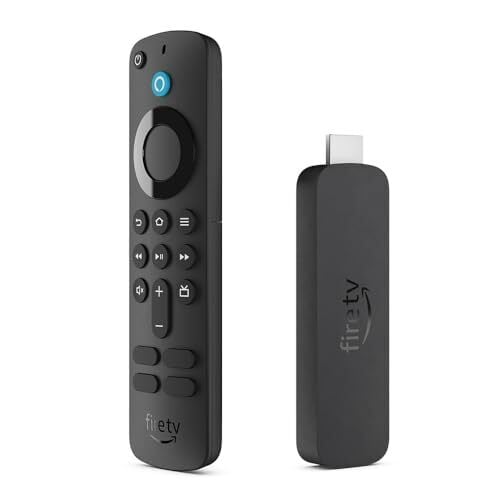
At this point, it’s hard to find a television that doesn’t have some kind of smart system on it, eager to serve up apps for your favorite streaming services. However, some of these platforms are more helpful than others. Even if your TV already has its own operating system, you can get a streaming stick or standalone box with a better platform.

  • Google TV: This one is a personal favorite of mine. The Google TV Streamer box adds a Google-powered interface that can search for shows and movies across all of your streaming services. You can even add items to your watch list from search results on your phone, which is easily one of the most convenient ways to keep up with that show your friend told you about that you can’t remember the name of. Now, just tap to add it to your watch list and it will show up on your TV at home.

  • Roku: If you’re looking for something more platform-agnostic, Roku’s streaming sticks and boxes offer the widest suite of streaming services in one box. Since it’s not owned by any company that also offers a video streaming platform (like, say, Amazon) you can find almost every streaming service. It lacks some of the more comprehensive search options you’ll find on Google TV, but Roku more than makes up for that with its excellent physical remotes and a range of devices at every price point.

  • Apple TV/Amazon Fire TV: Both Amazon and Apple offer their own streaming boxes that perform reasonably well, but they share a common downside: They both tend to overly privilege their own content stores. If you’re heavily invested in either the Apple or Amazon ecosystem, then these might be the best options for you to buy, rent, and discover movies and shows. However, if you’re a little more platform-agnostic, the other two options on this list might be a better fit.

On a tangential note, one last excellent tool for organizing your watchlists is Letterboxd. This app isn’t a streaming service or platform, but it’s one of the best ways to discover new shows, rate and review the ones you’ve seen, and connect with people who share your tastes.

Build ambience with smart lights

For a while, I thought the idea of putting lights behind my TV—much less syncing those lights to what’s on my screen—seemed like a needless extra. After trying it out, though, it’s a game-changer. Ambient lighting behind your TV can reduce eye strain, particularly when you’re watching in a dark room, making it extra immersive. 

In recent years, it’s gotten easier than ever to sync colorful backlighting to echo the edges of what appears on your screen. It’s great when watching movies, and even better when playing games, where your eyes are constantly trying to refocus as you move through virtual game worlds. Here are a couple of the most accessible systems for setting up lighting like this:

  • Philips Hue Sync: The Philips Hue system has a feature called Hue Sync that lets you connect your smart lights to what’s on your screen. The app can pair with Windows/Mac computers, some models of LG or Samsung TV, or you can use the separate Hue Play box to connect any HDMI source to your lights.

  • Govee: If you want to save a bit of cash, Govee has a more accessible light syncing system. It offers similar features to the Hue Play Box for $260, including the sync box as well as a light strip.

Even if you don’t want to go to the extra effort (and expense) to sync your lighting to your display, any ambient lighting can make your viewing experience a bit better. You can even use smart home automations to automatically turn on your ambient lighting when you turn off the overhead living room lights.

Upgrade your music with smart assistant-powered speakers
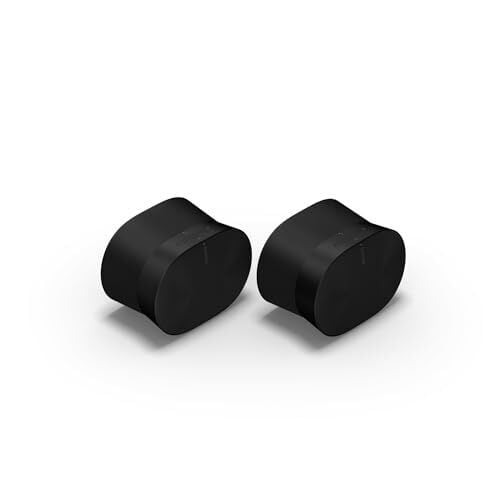
For everyday use, smart speakers are fine. They can recite recipes, set timers, or play podcasts and you probably won’t notice the difference much. But for listening to music, it can help to have something a bit higher quality in your home.

One of my favorites is the Sonos Era 300. This speaker can field wireless streaming from a wide variety of music apps, including Spotify, Apple Music, and Amazon, or you can pair your phone via Bluetooth. It also has a 3.5mm line-in for your more analog music devices.

In the past I’ve also used similar products from Bose, and it’s worth exploring your needs when picking an audio system. Sonos in particular is known for its robust system for enabling multi-room audio. If you want to set up speakers in your living room, kitchen, office, or bedrooms, and easily play music across all of them, or move music from one room to another, Sonos is a great choice.

Bose speakers offer some similar features, though its multi-room capabilities aren’t quite as strong as Sonos. However, Bose soundbars are great at creating room-filling audio, particularly for movies and shows. If you’re more interested in television, and only need to use your speakers solely for listening to music occasionally, the Bose ecosystem might be your better option.

Bring your record collection into the 21st century

The phrase “smart record player” might make analog purists wince, but hear me out. The Victrola Onyx is one of my favorite smart home devices, specifically because it threads the needle of bringing old-school analog collections into the modern smart home environment. 

This model uses a typical RCA output, so if you have an existing analog speaker system, you can connect to it and get that full warm, crunchy audio quality you’re used to from your existing record collection. However, it’s also equipped with Sonos streaming, so you can keep listening to your albums in another room. It gives you the option of streaming your audio, without forcing you to lose the tactile quality of vinyl.

Burnout and Elon Musk’s politics spark exodus from senior xAI, Tesla staff

Elon Musk’s business empire has been hit by a wave of senior departures over the past year, as the billionaire’s relentless demands and political activism accelerate turnover among his top ranks.

Key members of Tesla’s US sales team, battery and power-train operations, public affairs arm, and its chief information officer have all recently departed, as well as core members of the Optimus robot and AI teams on which Musk has bet the future of the company.

Churn has been even more rapid at xAI, Musk’s two-year-old artificial intelligence start-up, which he merged with his social network X in March. Its chief financial officer and general counsel recently departed after short stints, within a week of each other.

Read full article

Comments

You Can Make Your Home Smarter Without Buying All New Tech

We may earn a commission from links on this page.

In Lifehacker’s series, “A Guide to Automating Your Entire Home,” we’re highlighting all the ways you can power your home with autonomous technology, room by room. Whether you want to build a smart security system, turn a “dumb” device smart, or simply control your lights from your phone, this guide will help walk you through it.


If you’re starting out with smart home tech, you may feel overwhelmed by all the devices and protocols available to automate every part of your routine. But you don’t need to invest a lot of time and money up front to replace all of your electronics. Instead, consider adding wifi-enabled smart plugs around the house to turn your “dumb” devices smart.

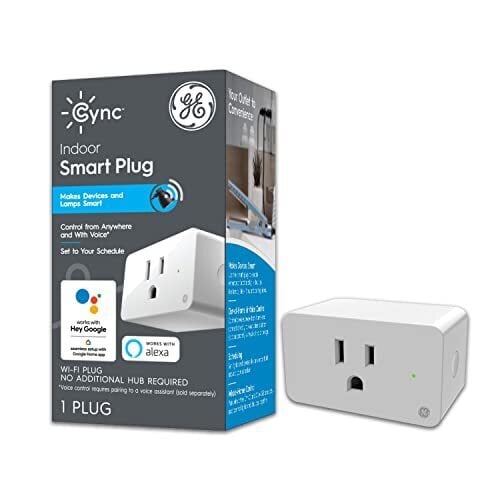
Smart plugs, which are available from well-known brands like Wyze, TP-Link, Amazon, and GE as well as many others, transform your regular outlets into smart alternatives that can be turned on and off remotely, set on schedules, and even controlled with voice commands. All you have to do is plug them in and connect them to an app, and your lights, small appliances, and other electronics become smart.

Some of the best smart plugs have useful features like timers, sunrise and sunset scheduling, energy monitoring, and away modes as well as compatibility with smart home platforms from Google, Amazon, and Apple.

Automate your daily routines

With smart plugs, you can put your morning routine on autoplay by setting various devices to activate at specified times. For example, schedule your bedroom lights to switch on to wake you up and have your coffee maker begin brewing simultaneously (don’t forget to set it up the night before). You could even use a smart plug in your bathroom to heat up your hair tools before you need to use them.

You can set up routines for each individual plug, or you could link them with a voice assistant—using an Alexa-enabled device, for example—to start the whole routine with a single command. The same concept could apply at bedtime, in reverse: Use smart plugs like sleep timers for your lights and your streaming devices or even for preheating an electric blanket or turning on a space heater in your bedroom.

Control indoor and outdoor lights

Smart plugs can be used to automate your lights even if you don’t have smart bulbs. You could set the lamps in your living room to turn off around bedtime and on in the morning—then off again when you leave for work and back on when you return. Or connect your outdoor string lights to a weather-resistant smart plug with a routine to automatically turn on in the evening around sunset and off after an hour or two. Smart plugs are also great for scheduling and automating Christmas lights and indoor grow lights. Aanything you want a timer for, you can do with a smart plug.

Using IFTTT capabilities—or as part of a larger smart home ecosystem if you have one—you could link smart plugs with motion sensors to have lights turn on for a set period of time when motion is detected. This could be useful at night in kitchens or common areas after the lights have been turned off as well as in garages and basements. Outdoor lights could be set to activate when a security camera picks up activity. Other uses of IFTTT include having a fan or heater turn on or off when your thermostat hits a specific temperature.

With smart plugs, there’s no need to flip switches or unplug from outlets, making light control much more convenient. As an added bonus, you can save energy (and reduce your power bill) by tweaking routines so lights aren’t on when they don’t need to be.

Because smart plugs can be automated and controlled remotely, you can also use them for security when you’re away: Set your lights to turn off and on at specified times so it looks like you’re home.

Command your home appliances

If you have devices you want to manage power to, whether you’re away from home or simply across the house, connect them to smart plugs—for example, you can put a water kettle or bottle warmer on a schedule, or at least hometurn them on remotely when you need them. Or set up timers for decorative elements like water fountains, aquarium lights, air fresheners, wax melts, and more.

Smart plugs are also useful for ensuring electronics are turned off, like the aforementioned hair tools and space heaters. If you can’t remember whether you flipped the switch before you left home, check the power consumption of the smart plugs they’re attached to and disable them if needed.

If you run your washer or dryer through a smart plug, you can get alerts to your phone when they finish their cycles.

Access hard-to-reach outlets

With a smart plug, you can control devices connected to outlets in hard-to-reach places—such as high on a wall or behind heavy furniture or in a far corner of your garage—without needing to climb on a ladder or move things out of the way. Plugging the device in initially is the hard part, but after that, you can simply toggle the power on and off via the app or voice command or set up an automation.

This can also be useful for controlling electronics in areas you don’t walk through often, such as water pumps and dehumidifiers in basements and fans in attics and garages.

Monitor energy usage

Smart plugs provide useful data about the energy draw of various appliances and electronics. When a device is plugged in, you can see its real-time energy usage as well as historical data. Use this to reduce standby or “vampire” power, manage battery strain, and identify inefficient, energy-hungry electronics so you can make more informed (and cost-conscious) decisions about your devices.

Prime Day laptop deals: Save on some of our favorite machines from Apple, Dell, Lenovo, HP and others

If your laptop simply isn’t cutting it anymore, October Prime Day might have arrived just in time. As has been the case for the past few years, laptop deals are abundant for Amazon’s Big Deal Days, bringing discounts to MacBooks, Windows laptops, Chromebooks and more. But we wouldn’t blame you if you didn’t know how to figure out if that laptop you’re eyeing actually has a good discount for Prime Day, or if the deal is stale.

That’s where Engadget can help. We’ve poured over the Prime Day laptop deals available this year to pick out the best ones you can get across all kinds of computers. If you’re super picky about the specs you want in a new laptop, we always recommend going straight to the manufacturer so you can configure the machine exactly to your needs. But if you’re willing to work with premade models, October Prime Day deals could help you save some cash on your next laptop.

Best Prime Day laptop deals: MacBooks

Apple’s latest laptops are the MacBook Air M4 and the MacBook Pro M4, and we recommend getting those if you want a device that’s as future-proof as possible at the moment. You’ll find decent MacBook deals on Amazon throughout the year, and most of them will be on the base configurations. In a welcomed update earlier this year, Apple recently made all base models of the MacBook Air M4 have 16GB of RAM by default (which is the same as you’ll find on the base-level Pros).

Best Prime day laptop deals: Windows laptops

You’ve got a lot of variety to choose from when it comes to Windows laptops, and that can be a blessing or a curse. We recommend looking for a laptop from a reputable brand (i.e. Microsoft, Dell, Acer, Lenovo and others like them), and one that can handle daily work or play pressures. That means at least 16GB of RAM and 245GB of SSD storage, plus the latest Intel or AMD CPUs. If you’re looking for a new gaming laptop, you’ll need a bit more power and a dedicated graphics card to boot.

Best Prime Day laptop deals: Chromebooks

Most Chromebooks are already pretty cheap, but that just means you can get them for even less during an event like Prime Day. However, there are a ton of premium Chromebooks available today that didn’t exist even three years ago, so now is a great time to look out for discounts on those models. In general, we recommend looking for at least 4 to 8GB of RAM and at least 128GB of SDD storage in a Chromebook that you plan on using as your daily driver.

This article originally appeared on Engadget at https://www.engadget.com/deals/prime-day-laptop-deals-save-on-some-of-our-favorite-machines-from-apple-dell-lenovo-hp-and-others-130507439.html?src=rss

Amazon’s Smart Plug is cheaper than ever for Prime Day

There are few things as simple yet exceedingly annoying as having to get up and turn off a light. Whether you’re already comfortable in bed or live with mobility limitations, smart plugs can be a great option — especially when they’re on sale.

Right now, you can pick up an Amazon Smart Plug for a record-low price of $13, down from $25. The 48 percent discount comes as part of early Amazon Prime Day sales, ahead of the main event next week. You can also pick up a two-pack of Amazon’s Smart Plugs for $24, down from $50 — a 52 percent discount. 

The Amazon Smart Plug is our pick for best smart plug if you have an Alexa-enabled home. You can tell Alexa to turn off the lights or control it with the Alexa app. It’s compatible with most plugged in devices, from lamps and fans to even kitchen appliances. You can also set it to turn on lights or devices at a certain time each day.

This article originally appeared on Engadget at https://www.engadget.com/deals/amazons-smart-plug-is-cheaper-than-ever-for-prime-day-130446173.html?src=rss

The most efficient Crosstrek ever? Subaru’s hybrid gets a bit rugged.

Even at a brief glance, the Subaru Crosstrek clearly prioritizes rugged design and personality over any semblance of aerodynamic efficiency. Subaru’s best-seller also comes only in all-wheel drive, to stay true to customer expectations of all-weather confidence and the appeal of an aspirational adventure lifestyle. And yet, the latest-generation Crosstrek’s new hybrid variant improves power and torque output significantly, while simultaneously resulting in the most efficient Crosstrek to date.

Any consideration of aerodynamic improvements for this generation can best be thought of as minor. And yet, the wheel well vents do reduce turbulence and pressure while more cleanly skirting air around the side panels. And some mild smoothing versus the previous generations include tiny elements like the forward-facing edge of the roof rail mounts. However, reduced plastic cladding on the hybrid Crosstreks that might seem intended to improve airflow counterintuitively came about only because Subaru builds the hybrids in Japan for all international markets, and only Americans prefer going overboard on tacky plastic trim pieces.

More importantly than aero, the Crosstrek now shares a hybrid powertrain with the Forester SUV. If a naturally aspirated 2.5 L horizontally opposed Boxer four-cylinder engine sounds familiar from Subarus over the past four decades, in reality, this hybrid system significantly works over the flat-four versus even current internal-combustion siblings. This year introduces a host of mechanical modifications to the cylinder head, block, camshaft, crank pulley, fuel system, intake, exhaust, cooling, and more. But more importantly, the engine now runs on an Atkinson cycle, which holds the intake valves open longer to reduce piston resistance during the expansion stroke, resulting in reduced power output but improved fuel efficiency.

Read full article

Comments

DoorDash introduces a cute delivery robot named Dot

At the Dash Forward keynote, DoorDash has unveiled a cute electric delivery robot named Dot that was designed specifically for quick neighborhood trips. Dot is around one-tenth the size of a car, can move up to 20 mph and can navigate not just roads, but also bike lanes and sidewalks. It’s small enough to fit through doorways and driveways and can help local businesses meet demand from people who prefer to shop from the comfort of their own homes. The robot was developed in-house by DoorDash Labs to integrate with the company’s new Autonomous Delivery Platform, an AI dispatcher that matches orders with the best delivery method. 

“You don’t always need a full-sized car to deliver a tube of toothpaste or pack of diapers,” said Stanley Tang, the head of DoorDash Labs. “That’s the insight behind Dot.” To start with, the company is launching an early access program for Dot in Tempe and Mesa, Arizona. DoorDash said it’s the beginning of Dot’s commercial deployment and that the robot will make its way to new markets in the future. 

The company has assured Dashers the Dot will not replace them. Human dashers will still handle the “vast majority” of its deliveries, and Dot is supposed to allow them to pick up the more high value ones while it fills in the gaps for local trips that don’t pay as much. DoorDash said that it needed to conjure up more “innovative ways to keep pace with demand” to support more local businesses and as it expands to new regions. It also previously teamed up with Coco Robotics to offer sidewalk robot deliveries in LA and Chicago, and it offers drone deliveries in Christiansburg, Virginia and Frisco, Texas.

This article originally appeared on Engadget at https://www.engadget.com/apps/doordash-introduces-a-cute-delivery-robot-named-dot-130036016.html?src=rss

Google’s AI Mode gets better at understanding visual prompts

Since it began rolling out AI Mode at the start of March, Google has been slowly adding features to its dedicated search chatbot. Today, the company is releasing an update it hopes will make the tool more useful for visual searches.

If you’ve tried to use AI Mode since Google made it available to everyone in the US, you may have noticed it responds to questions about images with a lot of text. Robby Stein, vice president of product for Google Search, admits it can be “silly” to see text in that context, and so the company has been working on applying AI Mode’s “query fan-out” technique to images. Now, when you prompt AI Mode to find you images of “moody but maximalist” bedrooms for instance, it’s better equipped to respond to that request, with an algorithm that will run multiple searches in the background to get a better understanding of exactly what it is you’re looking to find.

Google has built this feature to be multimodal, meaning you can start a conversation with an image or video. And as you can probably guess, Google believes these capabilities will be particularly useful in a shopping context. You could use AI Mode to shop before today, but Google argues the experience benefits greatly from the more visual responses the chatbot is able to generate. What’s more, it’s better able to make sense of tricky queries like “find me barrel jeans that aren’t too baggy.” Once AI Mode generates an initial response, you can ask follow-up questions to refine your search.

As with any Google update, it may take a few days for the company to roll out the updates it announced today to everyone. So be patient if you don’t see the new, more visual experience right away.

This article originally appeared on Engadget at https://www.engadget.com/ai/googles-ai-mode-gets-better-at-understanding-visual-prompts-130001201.html?src=rss

The Best Smart Gear to Cool and Heat Your Home

We may earn a commission from links on this page.

In Lifehacker’s series, “A Guide to Automating Your Entire Home,” we’re highlighting all the ways you can power your home with autonomous technology, room by room. Whether you want to build a smart security system, turn a “dumb” device smart, or simply control your lights from your phone, this guide will help walk you through it.


Temperature is crucial to your comfort at home, and smart tech can help you find that perfect balance—starting with smart thermostats, but extending to other devices and apps to help through the summer and winter months.

Not only does a smart tech overhaul like this mean more precise temperature control, it also helps cut down on energy bills, because you’re only heating and cooling when you need to. These systems can be operated remotely via apps, set to work on a schedule, and can sometimes even automatically adapt to the local weather conditions.

Smart thermostats

A smart thermostat is a good starting point for most people. They’re simple to set up in most cases, replacing the thermostat on your wall and connecting to the same internal wiring: Google, for example, has a complete guide to installing a Nest thermostat. Once you’ve disconnected the power, it’s typically a 20- to 30-minute job, although on older properties some more work and extra connections might be required.

You can then control the temperature in your home through the physical smart thermostat itself, and through the companion app on your phone. Many smart devices will hook up to a smart home platform (or two) as well, which gives you extras like voice control (through an AI assistant such as Alexa), and tighter integration with everything else in your smart home.

If you already have a home full of devices that work with Apple Home, Samsung SmartThings, or Google Home, then it makes sense to buy a smart thermostat to match. It means you’ll have more options for controlling your gadgets (through an Apple TV 4K box, for example, if you’re deep in the Apple ecosystem).

Once you’ve mastered the basics, you can move on to more advanced features. Smart thermostat features can vary depending on the model and manufacturer, but most offer a broadly similar set of functions: The ability to set up heating and cooling routines to work on a schedule, remote access when you’re away from home, and smart adjustments based on weather, time, or sensor readings from around your home.

You could, for example, have the smart thermostat automatically adjust to your current location (reported by your phone), so putting your HVAC system into a power-saving mode when you’re out at the office, then starting to heat up rooms again when you’re on the way back. Or maybe you can have the temperature automatically adjusted while you sleep, maintaining a consistent coolness based on sensor readings overnight.

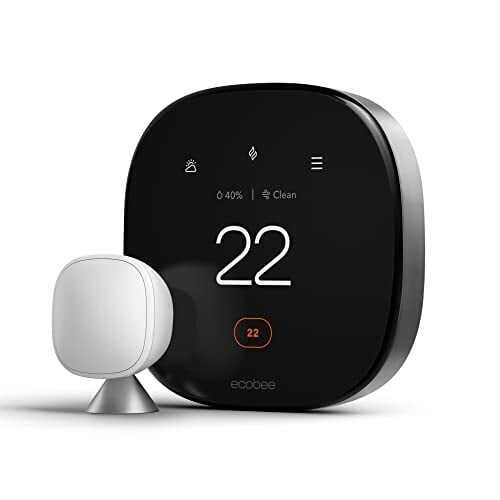
As well as the Google Nest Thermostat mentioned above, you’ve also got devices like the Ecobee Smart Thermostat Premium. Its capabilities include being able to adjust temperature in relation to humidity—via the bundled smart sensor—and timing its heating and cooling for periods when electricity is going to cost the least amount, as much as possible.

The Honeywell T5 Smart Thermostat is one of the most customizable devices of its type around, which extends to the information shown on its clear touchscreen panel, and you can schedule heating and cooling timings for up to a week in advance. The accompanying Resideo app means easy access to all the controls from a phone or tablet.

Smart thermostat accessories

Smart vents give you a little bit more control over how and when specific rooms are heated and cooled, whether this control is automated or handled manually. A Flair Smart Vent, for example, can be operated through a dedicated app or through a wider smart home system.

Then you’ve got smart ceiling fans—rather than having you switch these fans on or off manually, you can set them to operate on a schedule, or have them enabled or disabled depending on the temperature. They start up when needed, and you might not have to lift a finger.

With ceiling fans and some other devices (such as smart lights), you can opt to make the connected switch smart rather than the device itself. So, invest in a Lutron Caseta Smart Switch, and you can control a connected ceiling fan from your phone or tablet, or through the Amazon Alexa app and devices. It can be automated based on timings, temperature, and your location, like the other smart devices in your home.

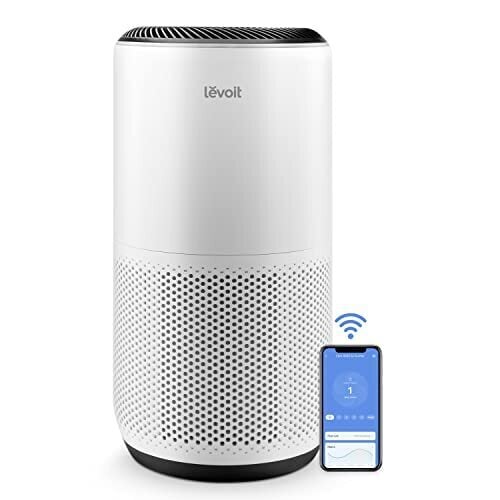
Air purity is something else that you might consider looking at, with devices like the Levoit Air Purifier available. It’s another device that plugs into the Alexa ecosystem, enabling control via apps and smart speakers, and it can scrub dust and pollen from the air across an area of up to 1,073 square feet.

There are also spot heating and cooling fans that work separately to a smart thermostat, giving you on-demand temperature control across a smaller space—you can move these from room to room as needed, and they often come with support for app control and at least some level of integration with your other smart home devices.

Another example here is the Dyson Purifier Hot+Cool HP1, which throws in air purification features as well. While the cooling isn’t active (it’s just blowing air around), the heating is, and it can come in useful all the year round—and again, it can be operated via an app in addition to a physical remote control and the buttons on the device itself.

One final option: Smart blinds. These are handy to have at night, but they also help you manage the temperatures in specific rooms. If there’s a room that’s a real sun trap, you can set a smart blind to block out the sunshine during the hottest part of the day, so it’s relatively cool whenever you decide to go into it.

Something like the Zstarr Motorized Smart Blind works well here. Via the remote control, you can set up timings for raising and lowering the blinds, and it can be plugged into Amazon Alexa and Google Home smart ecosystems as well if you need it to work with your other smart devices.

There are plenty of ways to approach this, and you can add devices as you need once you’ve got the essentials in place. Eventually, it’s possible to get the temperature of every room carefully calibrated using the right gadgets and apps—with the devices all working on a schedule of your choosing, and in combination with each other.

Swift To Build a Global Financial Blockchain

Camembert writes: In a move that is sure to make Ripple nervous, traditional financial network Swift announced yesterday that it is partnering with Consensys and more than 30 global banks to build a blockchain based network that will run in parallel with its traditional network. Interestingly, unlike XRP, there is no native coin, rather it aims for interoperability (probably using Chainlink with whom the company did case studies for a few years already). There is also a strong focus on regulatory compliance. There are several news articles and opinion pieces on this event; I linked the Reuters article.


Read more of this story at Slashdot.

Logitech MX Master 4 Mouse Brings Good Vibrations To Pros With Haptic Feedback

Logitech MX Master 4 Mouse Brings Good Vibrations To Pros With Haptic Feedback
Logitech has launched its first MX series mouse to feature a built-in motor for haptic vibrations. Called the MX Master 4, Logitech’s latest rodent takes direct aim at creatives, professionals, developers, and business users rather than gamers, with most of the features directed towards enhancing productivity chores, including an Action Rings

Your Smart Home Might Not Be As Secure As You Think

Smart home devices can streamline a lot of your day-to-day tasks: With an internet connection and some simple automations, you may never have to carry house keys, turn off the lights, or touch your thermostat. But all of this convenience comes at a potential cost, as smart tech is vulnerable to attack by cyber actors, leaving your personal data and your privacy at risk.

Here’s what you need to know to secure your smart home.

Is your smart home secure?

The short answer: not by default. Smart homes have vulnerabilities at multiple levels, from the devices themselves to your home network to the physical endpoints, like your phone, that have access to and control over your Internet of Things (IoT).

To start, IoT devices may have weak built-in security protocols or lack clear instructions to help users lock them down from factory settings, leaving them open to hackers, who have to exert very little effort to access your data or spy on you. Wifi routers and smart home devices often have default credentials that are publicly available and therefore easy to get past—and data show that the vast majority of users have never changed their router admin password or adjusted any factory settings. If your home network isn’t secure, nothing connected to it can be considered secure either.

Smart devices can also be integrated into botnets, allowing threat actors to conduct malicious activity like account takeovers and malware distribution using your home network. A recent instance of this was a campaign known as BADBOX 2.0, which targeted off-brand consumer electronics manufactured in China.

Bill Budington, a senior staff technologist at the Electronic Frontier Foundation (EFF), notes the digital divide may increase the risk for some consumers, who may seek out cheaper devices from low-cost manufacturers that have weaker security and far less to lose in terms of reputation if they are implicated in vulnerabilities compared to companies like Amazon.

Finally, security can be compromised if your physical devices fall into the wrong hands. For example, if you control your smart home using apps on your phone, a threat actor could gain access in the event said phone is lost, stolen, or hacked.

Smart homes can compromise privacy

Left unsecured, smart home devices can also put your privacy (and potentially your safety) at risk. Internet-connected cameras, from baby monitors to pet cams, are vulnerable to hacking, and threat actors can use them to surveil you and your home. This may include snooping on and tracking your movements, “shoulder surfing” to collect sensitive personal information, recording audio and video footage of your private activities, and sharing or selling live feeds on the dark web. (In a particularly alarming incident in 2018, a hacker reportedly issued verbal threats toward a four-month-old through a Nest-brand baby monitor.)

Your smart tech is likely collecting a lot of information about you in the course of its normal activities—all of which could be exploited. For example, your robot vacuum creates and utilizes a map of your physical layout to know where to go, and usage patterns from various automations can be used to track your movements and confirm when you’re away from home.

There’s also the possibility that your smart home devices are compromising your data in ways you aren’t aware of and haven’t actively consented to. A 2023 report from security experts—led by the nonprofit IMDEA Networks and Northeastern University—shows that IoT devices may inadvertently expose personal information that can be harvested and sold to companies involved in surveillance capitalism. Researchers found that spyware apps and advertisers abuse local network protocols to access sensitive data, making it easier to profile users.

No security standards for smart homes

There isn’t a single set of cybersecurity standards that smart home companies have to follow or an easy, centralized resource for users to research this information. Earlier this year—during the last few weeks of the Biden administration—the Federal Communications Commission launched the U.S. Cyber Trust Mark voluntary labeling program to incentivize device manufacturers to improve security and help consumers buy with confidence. However, the agency later launched an investigation into the program, delaying its rollout.

For now, consumers are left to do their own due diligence. In 2017, the nonprofit Mozilla Foundation created a resource called *Privacy Not Included, with reviews of products measured against “minimum security standards” and breakdowns of any privacy concerns. The site doesn’t appear to have been updated in the last year, but you can still find detailed information about the privacy and security history of well-known smart home manufacturers like Amazon, Google, Wyze, and Ecobee.

Otherwise, Budington suggests simply searching the device you’re considering (and the company that makes it) before buying to see if researchers or users have reported any concerns.

How to improve smart home security

Securing your smart home starts with securing your internet connection via your router. We’ve got a whole guide to protecting your home network, but at the very least, you should change any default router settings—admin usernames, passwords, and network names—to something unique and not personally identifiable and turn on encryption in your wireless security settings. Regularly check for updates, which provide patches for security flaws, and audit the devices connected to your network to identify anything suspicious and remove those you no longer use.

You can add another layer of security with a guest network set up specifically for your IoT devices. That way, if your smart devices are compromised, everything connected to your primary network (such as computers and phones with access to your personal and financial accounts) will be protected.

According to Budington, one way to further mitigate vulnerability is to reduce the number of devices with their own wireless connection, running them through a secure, centralized hub instead. Home Assistant is a self-hosted option that can be installed on a Raspberry Pi or a traditional PC or used with the plug-and-play Home Assistant Green. Hubitat also gives you local control over your device data and integrates with a variety of products, including those compatible with the Zigbee, Z-Wave, and Matter standards.

Once your network is secure, you’ll want to take similar steps with each of your IoT devices. Change default usernames and passwords to unique, secure alternatives and enable all available security features, such as two-factor authentication and encryption, in the device settings. Ensure your devices (and any apps used to control them) receive automatic firmware updates.

You should also check your device’s privacy settings, removing permissions that aren’t essential for it to function and disabling features you won’t use. For example, you could turn off location tracking on your smart thermostat and disable voice control for devices other than your voice assistant.

Finally, while we’ve focused mostly on digital threats, your smart home isn’t immune to physical compromise. Be aware of ways your devices can be accessed, such as those installed on the exterior of your house, and ensure phones and tablets and the apps on them that control IoT devices are secured with a PIN or biometric authentication.

Remember that, by nature, anything connected to the internet is at least somewhat vulnerable to attack. You’ll have to consider your own risk tolerance and weigh the convenience of having a smart device against the potential for it to be compromised—and your privacy along with it. You may find that there are some things that you simply don’t need to automate, and therefore you can stick with the “dumb” alternative.

Opera’s AI browser will cost you $20 a month

Would you pay $20 for an AI-powered browser? Opera is betting on it with the release of its $19.90 (per month) “next generation AI browser,” Opera Neon, meant for people who use AI every day. The Norwegian company first announced Neon in May and has now launched it to a limited number of users. 

According to Opera, “it’s a browser built to not only let you browse the web, but to also use agentic AI to act for you and with you as you browse and work on complex projects. Opera Neon moves beyond a simple AI chat to execute tasks, create code, and deliver outcomes directly within the browser experience.”  

Opera Neon includes features such as Tasks, which acts as your own workspaces to use AI for things like comparing and analyzing sources. There’s also Cards, which is made up of reusable AI prompts, versus having to rewrite the same prompt over and over again. You can make your own prompts or pull them from the community’s collection. 

Then there’s Neon Do, which works with a Task to navigate the web for checking sources, looking at information, completing forms and more. 

Opera is hoping that this “premium, subscription-based browser” will entice users enough to pay $19.90 per month, rather than use free options such as Google’s Gemini-powered Chrome features. You can join the waitlist to try it yourself, with Opera claiming more spots will become available soon. 

This article originally appeared on Engadget at https://www.engadget.com/ai/operas-ai-browser-will-cost-you-20-a-month-123022110.html?src=rss

Maingear Unveils Tricked-Out Apex Force & Rush PCs For Elite Gaming In Style

Maingear Unveils Tricked-Out Apex Force & Rush PCs For Elite Gaming In Style
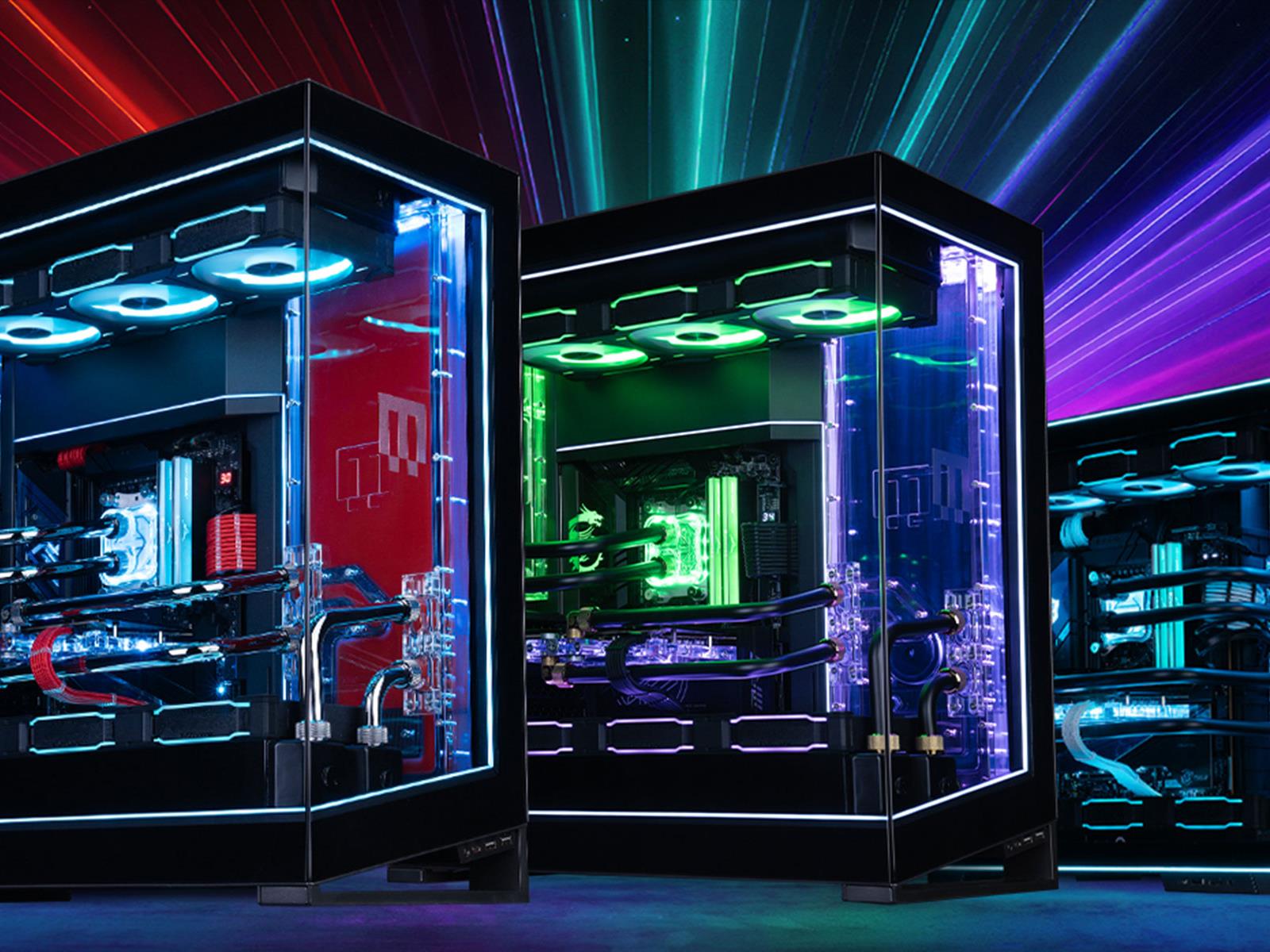
Maingear is rolling out a couple of no-compromise, jaw-dropping Apex desktops for gamers with healthy budgets, or who are willing to finance their dream machine. The systems include the Apex Force, a rig with a tagline that reads, “There’s no replacement for displacement,” and an upgraded Apex Rush for buyers looking to “make a statement.”
Maingear

All the Smart Gadgets You Need for a Self-Cleaning Home

Cleaning is one of those necessary chores that most of us don’t have much enthusiasm for. It’s often demanding and tedious work, and while you’re taking care of it, you do so with the knowledge that you’re going to have to do it all again next week.

There’s some good news, though, for the cleaning-averse: Modern day tech can handle a lot of these jobs on your behalf, as smart cleaning gadgets continue to get better and better. In recent years, they’ve become more reliable and more effective, and you’ve got a host of different models to choose from.

This introduction to smart cleaning technology will bring you up to date on the products that are available, and what they can do for you. Yes, you can have a home that’s neater and cleaner—with just a few button presses.

The pros and cons of cleaning tech

The big positive from investing in smart cleaning gadgets is, of course, that you won’t have to do these jobs yourself, so the hours you save can be put towards doing something you actually enjoy.

These gadgets don’t get tired, sick, or irritable, and will work at any time of the day or night—though you don’t necessarily want a robot vacuum humming away at 4 a.m.. In many cases they can be operated remotely and work autonomously, so they can be taking care of the chores while you’re out at work or on vacation.

Ecovacs Winbot W2 Pro Omni
You can get smart devices to wash your windows for you.
Credit: Ecovacs

You are going to have to make an initial investment in the technology, and, for some devices, a rather sizable one. The argument can be made that hiring someone to do your cleaning is a better option than getting robots to do it: They might do a more thorough job, depending on the person and the gadget you’re comparing them to, and you can give them more specific instructions. However, getting cleaners in does involve giving someone else access to your home, and finding a mutually convenient time. It will also be an ongoing expense.

There are a few more cons to consider. One is that a certain amount of tidying up and preparation work is often required before the robots can take over. You may have to pick up toys and clothes, for example, so the robot vacuum can vacuum. By the time you’ve done that, you might think it makes more sense to just do the whole job yourself.

Roomba app
Many smart devices can be controlled via an app.
Credit: iRobot

What’s more, these gadgets require a certain level of maintenance: Depending on the device, you need to empty them out, supply them with power, water, and cleaning products, and perhaps even clean parts of them yourself. Like any piece of hardware, they will experience wear and tear, and will eventually need to be replaced.

There’s one other consideration to think about, which is that manual cleaning is a great way to exercise. Studies have shown that domestic duties can give you enough of a workout to extend your lifespan and improve a host of different health markers, so you might want to use some of the time that these gadgets are saving you to head out for a run or for a session at the gym.

The best smart cleaning gadgets you can buy

If you’ve decided that you want to transform your home into one that cleans itself, you can automate a number of different processes using a number of different devices. There’s plenty of choice out there, so the usual rules apply: Take your time to research the various options and the features they’re offering versus their price, and find as many reviews as you can from people who’ve used them.

Robot vacuums and mops

This is the obvious place to start, as these are the gadgets that usually come to mind when you think of smart cleaning tech. You can find single-purpose devices that only vacuum or only mop, or devices that combine both functions.

While early models had their issues with reliability and cleaning power, the robot vacuums you can buy today are generally more impressive in terms of how clean they can get your carpets and floors. You’ll find features like LiDAR and camera-powered mapping and obstacle avoidance, self-emptying capabilities, and auto-adjustments depending on what surface is being cleaned.

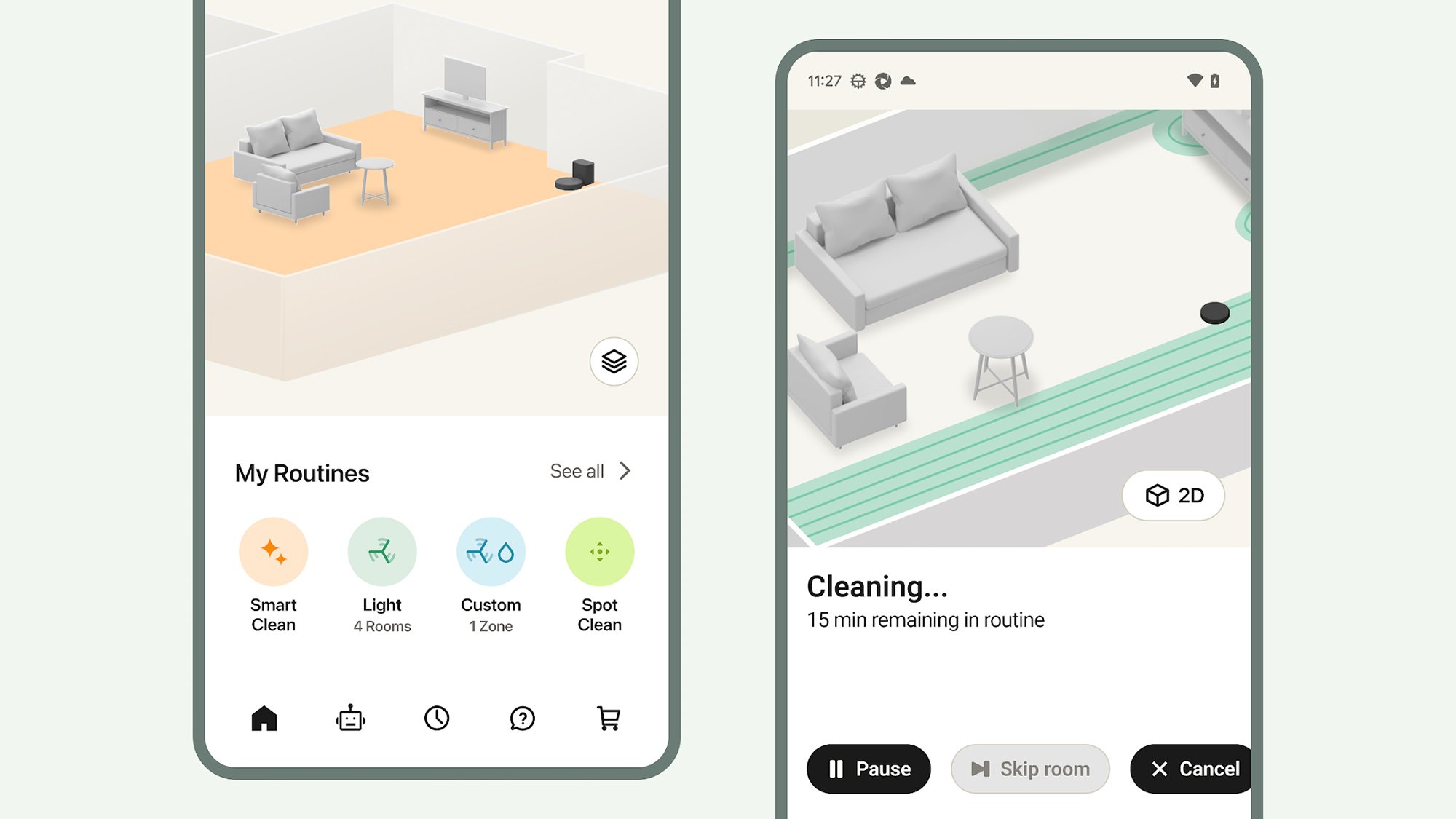
Often, everything these machines do can be organized through a companion app, so you can set the cleaners to work on a specific schedule, as well as set zones or rooms that are off limits. We’re even starting to see robot vacuums that can climb up the stairs, so they really can get your whole house vacuumed and mopped without an assist.

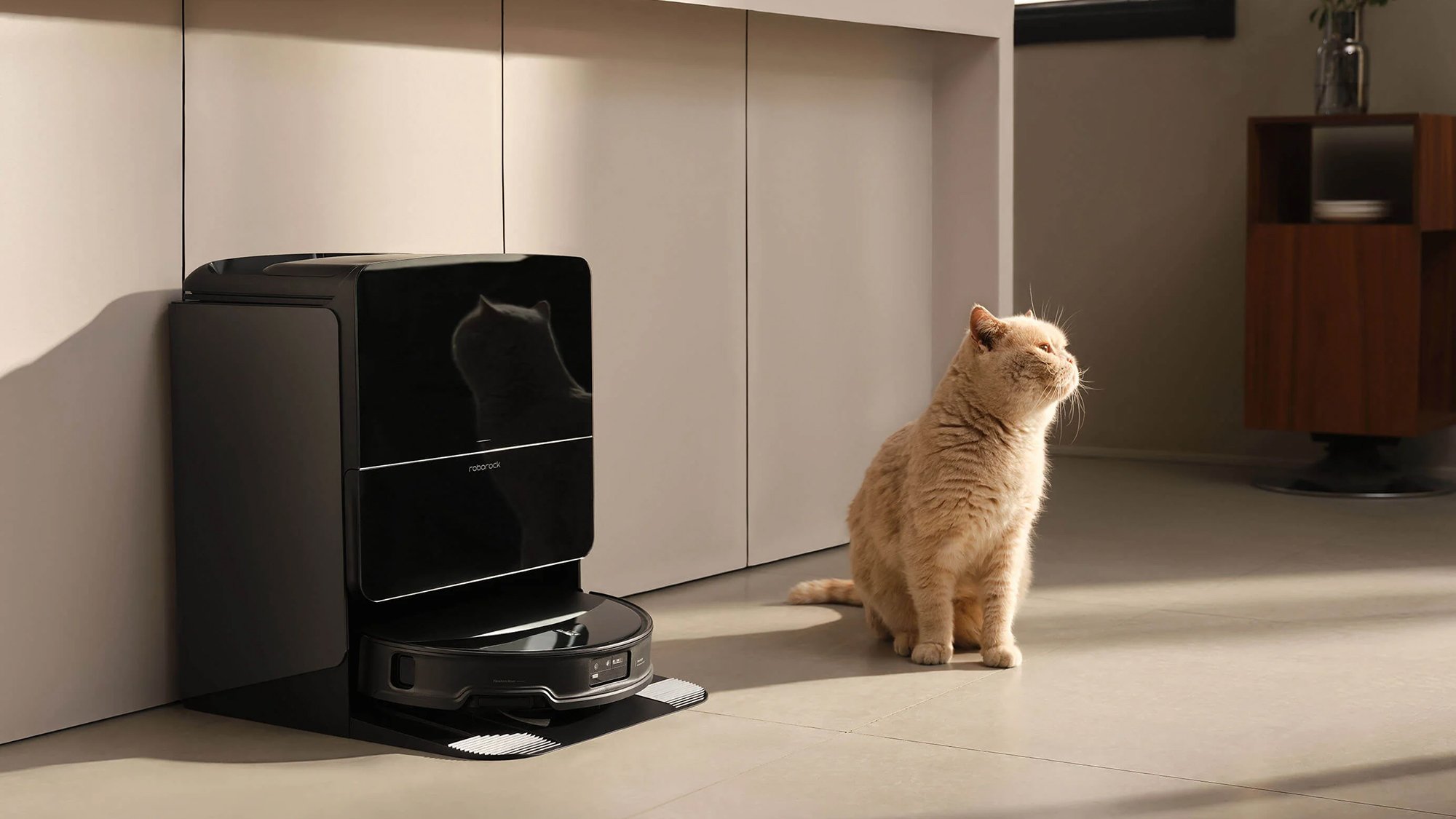
Roborock Saros 10R
The Roborock Saros 10R comes with its own docking station.
Credit: Roborock

These cleaners can be a significant investment. The Samsung Jet Bot+ costs $600 and brings with it automatic emptying, LiDAR-based navigation around your rooms, smart suction adjustments, and an advanced 5-layer HEPA filtration system for trapping dust. If you’ve got more to spend, the Roborock Saros 10R can be yours for $1,600, and offers top-tier suction, obstacle avoidance, corner and edge cleaning, and automatic emptying via the supplied dock.

Smart window washers

You can also put robots to work on your windows—although there are fewer models to choose from. Using suction to work their way across windows, cleaning and drying as they go, leaving you with window panes free of dust and grime. Again, these tools can be managed via an app, though a bit more manual setup is required to get them in position to start cleaning.

The Ecovacs Winbot series includes some of the best window cleaning options on the market at the moment. The Ecovacs Winbot W2 Pro Omni costs $450, and can work while plugged in or via its built-in battery. It has a triple-nozzle system is combined with a cleaning cloth for effective performance as it methodically travels across windows of almost any size or type.

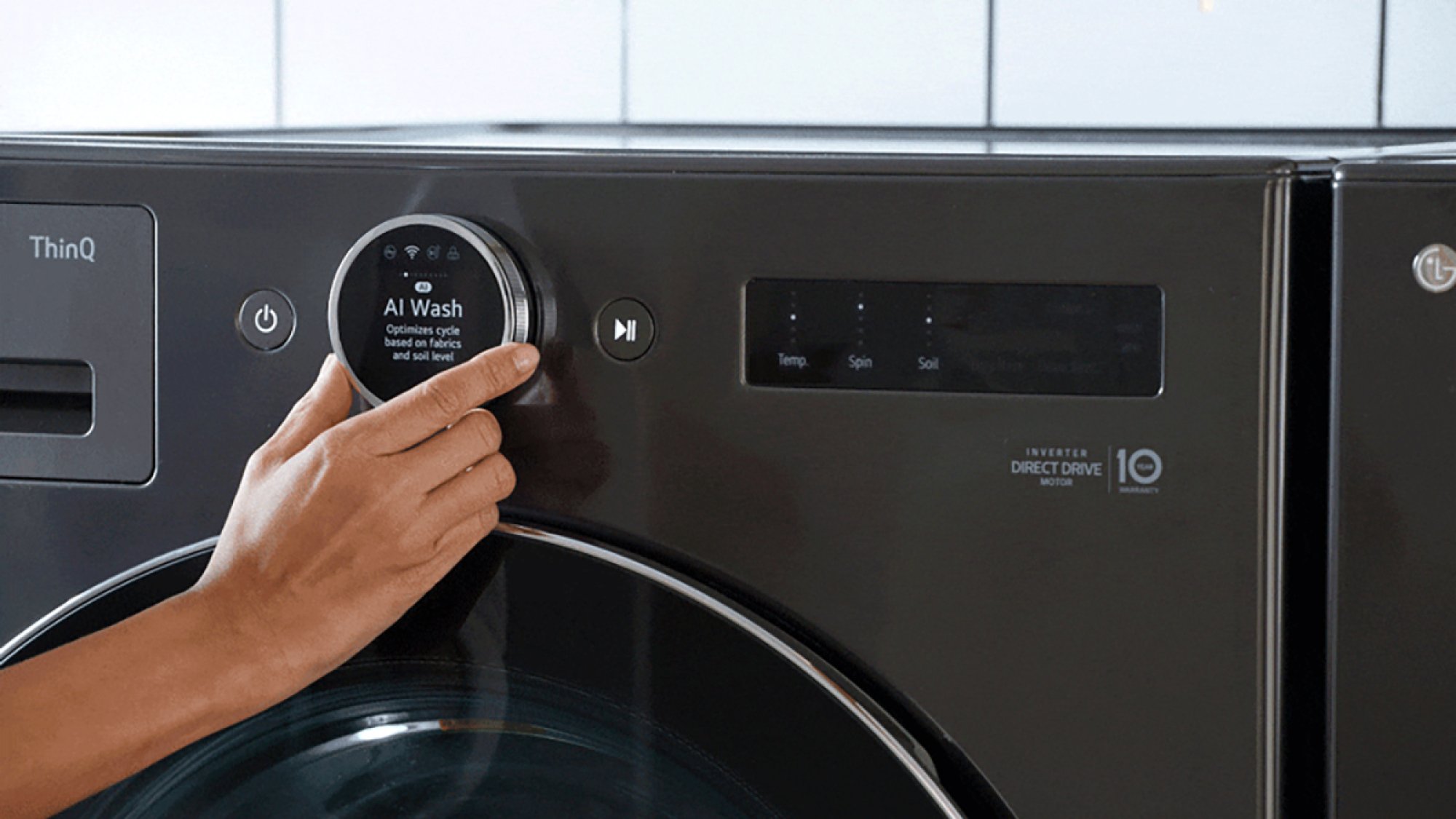
LG WM6700HBA
The LG WM6700HBA comes with AI settings.
Credit: LG

Smart washers and dryers

Then there are devices that add some extra smarts to existing appliances, such as smart washers and dryers. These pieces of hardware elevate clothes cleaning with a variety of useful and intelligent tricks, including the ability to adjust cleaning and drying cycles to the type and size of load, remote control via mobile apps, and a number of self-maintaining mechanisms.

A good example is the LG WM6700HBA, which will set you back $1,250. There’s on-board AI assistance to work out the best cycles for the clothes you’re washing, an automatic dispenser for just the right amount of detergent and fabric softener to cut down on waste, and remote operations and monitoring via the LG ThinQ app.

Smart dishwashers

Finally we have smart dishwashers, which use automated technology to give your crockery and cutlery a better clean than standard appliances might. The features are similar to those you’ll find on smart washers and dryers: Sensing technology for understanding what’s been loaded in and adjusting the cleaning accordingly, remote app control and smart home integration, and as much automated maintenance and self-cleaning as possible.

Take a look at the Bosch 500 Series, which is priced at $1,250 at the time of writing. It has intelligent sensors to check cleaning progress, an AutoAir feature that automatically pops the dishwasher door open when cleaning is finished to let air circulate, and the option of operating cleaning cycles and other dishwasher features from an app on your phone.

The Beginner’s Guide to Upgrading Your Home With Smart Lights

We may earn a commission from links on this page.

In Lifehacker’s series, “A Guide to Automating Your Entire Home,” we’re highlighting all the ways you can power your home with autonomous technology, room by room. Whether you want to build a smart security system, turn a “dumb” device smart, or simply control your lights from your phone, this guide will help walk you through it.


We might not live in a future where your home can cook your meals, do your dishes, and walk your pets—yet. But there’s one area where the smart home of the future became a normal reality while we were barely paying attention: your lights. I’ve been using smart lights for the better part of a decade and I can’t go back to typical lights.

There are several brands of smart lights from companies like Philips, GE, Wyze, and more that can turn any lamp or light fixture into smart home-controlled lighting. You can use your phone, smart speakers like Amazon’s Echo line, or Google’s Nest speakers.

The best smart light brands right now

Several major brands manufacture smart lights and, while it is technically possible to mix and match bulbs from different companies, it’s easier if you stick to one ecosystem. With that in mind, here are a few of the most established companies and the benefits of each:

  • The reigning champion: Philips Hue. These are the lights I personally use. Philips Hue is the most established competitor, with a massive array of bulbs, light strips, lamps and other lighting gear. Its software suite is also one of the most developed, with robust automation tools and colorful scene libraries. Historically, it’s also been the most expensive system, but the company recently announced a line of cheaper bulbs.

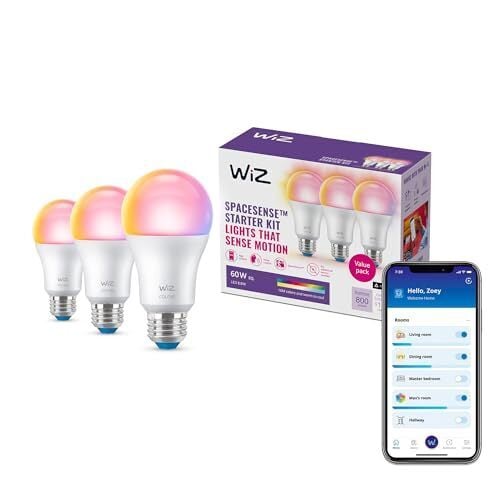
  • An inexpensive entry point: Wiz. If you don’t want to spend $50 per light bulb in your home—and who can blame you?—Wiz is an affordable alternative to Hue. The company offers full-color bulbs that start as low as around $12 per bulb, in a variety of form factors.

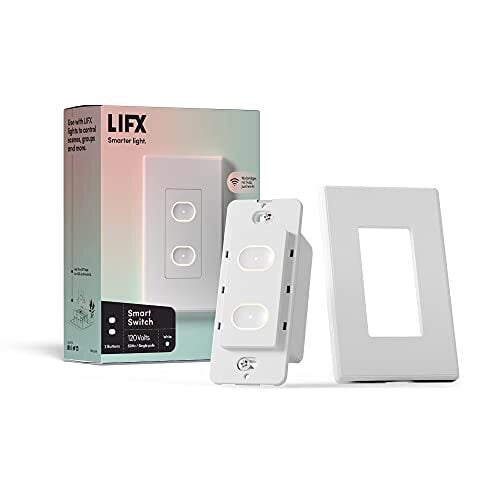
  • For stylistic flair: LIFX. Similar to Philips Hue, LIFX is a bit more expensive, but the company offers a wide variety of unique, stylish lights, like colorful tube bulbs, or flexible LED strips. 

  • For customizable lighting arrays: Nanoleaf. While Nanoleaf technically makes its own series of typical smart light bulbs, the company is best known for its modular lighting kits. These kits come in shapes like hexagons, lines, blocks, and more. Each piece can be individually controlled, and you can combine them to make your own designs for wall lighting. They’re not subtle, but they’re fun as heck.

These are just a few of the many companies out there producing smart lights. While a few like Philips Hue require dedicated hubs to make their lights work, most companies are now focused on making standalone bulbs that can connect directly to wifi.

The growing Matter standard is also (slowly) making it easier to integrate lights from multiple companies. While you’ll still likely need to refer to a company’s own app or hub to make some changes, Matter-compatible smart lights can usually replace the need to look for “Works With Google Home” or similar labels for your specific setup.

What you need to set up smart lights

In most cases, the only thing you’ll technically need to set up smart lights is the lights themselves. Most smart light manufacturers at least make bulbs compatible with A19 sockets (the kind in most of your lighting fixtures and lamps), and ecosystems like Wiz, LIFX, and GE’s Cync don’t require a dedicated hub. Philips Hue, notably, does. And if you’re getting into Hue now, you’re probably best off getting the Hue Bridge Pro, which supports syncing lights to your media, using your bulbs as motion sensors, and more new features.

While that’s technically all you need to set up smart lights, there are a few things you can get to make even better use of your new system:

  • A smart speaker. I cannot emphasize enough how great it feels to turn your bedroom lights off while tucked snugly under the covers. Voice-controlled speakers like Google Nest and Amazon Echo devices are excellent for this.

  • A smart display. The one downside to smart lights is that you can’t use switches on the walls the same way anymore (more on that later). But a smart display can be a huge improvement. Google Nest Hubs or Amazon Echo Show devices can put an array of controls for your smart lights in a prominent place so anyone in your home can not only turn lights on and off with a tap, but change lighting levels or color scenes.

  • Some smartphone widgets. While all of the above are convenient, more often than not, you’ll probably have your phone on you. Some smart light manufacturers build robust widgets for iPhone and Android devices, so you can tap a button on your home screen to turn your lights on and off. It’s worth checking to see which features a company supports before committing to an ecosystem.

The last things you’ll need to set up your smart lights are time and patience. While the process has gotten a lot simpler than it was even a few years ago, you might need to spend a bit of time fiddling with room names, syncing services, and testing out a few commands. Fortunately, you usually only need to do this once. I’ve even moved to a new home and kept my old setup largely intact.

What you can do with smart lights

“Okay, sure, smart lights are getting cheaper, but are they really worth the extra money over simple bulbs and a wall switch that’s worked for decades?” I hear you cry. And I’m here to tell you, absolutely, yes. I’ve used a lot of new tech over the years that’s fun at first, but annoying once the novelty wears off. But smart lights are one of the few areas where I never want to go back.

Here are a few of the ways I make use of smart lights on a regular basis:

  • Change lights with the sun. During the day, the bright, cool light coming in from your windows has a different quality than the warm, dimmer lights you’re used to from lamps. With smart lights, you can set your bulbs to automatically adjust based on a set schedule (or your local sunrise/sunset) to ease the lighting conditions in your home.

  • Set the mood for date night… Sometimes, all it takes to turn a regular Tuesday night into a romantic evening is a simple shift in mood lighting. I have a few scenes in my Philips Hue app saved for when I want to create some nice ambiance for my partner when we’re having a chill evening in.

  • …or for self-care. Similar to the above, one of my favorite Hue scenes is an animation that mimics the flickering of candlelight. Set the lights in your bathroom to this scene, draw a warm bath, toss in a bath bomb, and have the most relaxing night in.

  • Simulate activity while you’re away. One of the best ways to make a local burglar think twice about trying to enter your home is to convince them someone is there. With lighting schedules, you can set your home to turn lights on and off even while you’re away.

  • Turn lights on automatically for you. Ever trip over things in the dark while you’re bringing in groceries? No more. Most smart light ecosystems allow you to automatically turn on certain lights when you enter a geofenced area (like your home). Alternatively, some suites like Philips Hue have motion-sensing features so you can turn lights on when you enter a room, without relying on tools like GPS.

With automation services like IFTTT, you can even set up more complex controls—e.g., flashing lights when your doorbell rings, or blinking a light in your office when you get an email from your boss.

Smart light switches make it all even easier

When I first set up smart lights in my home, my loved ones were mostly on board, but there was one point of contention: the light switch. People are still generally used to flipping switches when they enter a room. With smart lights, they generally need to stay on all the time, and you even need to retrain your muscle memory a bit to not forget and accidentally turn them off manually.

There are two main ways to fix this in the smart home world, and which one you need can depend on how much effort you want to put in (and, frankly, whether you rent or own your home):

  • In-wall smart light switches. Some smart light switches, like this one from LIFX can be installed directly in place of your existing light switches. This one lets you turn a light on or off from the wall switch, without cutting off the ability to turn it back on from a voice command or smart phone app. Since it also replaces the old switch, there’s less need to adjust your muscle memory.

  • Remote control switches. If you don’t want to (or can’t) replace your in-wall light switches, companies like Philips Hue offer a handy alternative in the form of remote switches. These provide buttons you can use to turn on/off or dim lights from a battery-powered remote. This model in particular comes with a plate you can stick on your wall next to your regular switch, while the remote is removable so you can take it with you around the room. It uses sticky pads and magnets for mounting, so you can safely put it up in an apartment and take it with you when you move.

Strictly speaking, smart light switches are optional. That’s part of the appeal of smart lights, after all. But if you live in a home with multiple people, and if you have guests over who might not have access to your lighting controls, a physical switch can be a handy addition.

How to buy (and try) the Meta Ray-Ban Display glasses

Meta’s Ray-Ban Display glasses are now on sale, but actually buying a pair will be a bit more complicated than ordering a pair of Meta’s other smart glasses. That’s because Meta isn’t allowing online sales of its display glasses. Instead, they are only available by reservation at a handful of physical retail stores.

For now, the $799 Meta Ray-Ban Display glasses are available at select Ray-Ban, Sunglass Hut, LensCrafters and Best Buy locations in the United States. Verizon will also start carrying the glasses sometime “soon,” according to Meta. The company will also allow people to demo and buy a pair at its own Meta Lab locations. These include the Burlingame, California space that opened as the “Meta Store” in 2022, as well as pop-ups in Las Vegas, Los Angeles and New York opening in the coming weeks. 

In order to actually get your hands on a pair, though, you’ll need to book an appointment for a demo at one of these stores through Meta’s website. According to Meta, this is “to make sure customers get the glasses and band that’s perfect for them.” (In my own experience with both the Meta Ray-Ban Display glasses and the Orion prototype, the neural wristband requires a snug fit to function properly.) An appointment will also give shoppers the opportunity to order prescription lenses for the glasses. The glasses only support a prescription range of -4.00 to +4.00, though, so they won’t be compatible with all prescriptions.

The company recently said it’s seen “strong” demand for demos and it looks like most locations are already booked out for several weeks, judging by Meta’s scheduling website. It will also be difficult if you don’t live near a major city. For example, Sunglass Hut’s website currently lists just seven locations where demos will be available. 

The good news is that Meta does plan to eventually increase availability. The company has said the Meta Ray-Ban Display glasses will be available in Canada, France, Italy and the UK beginning in “early 2026” and that it expects buying options will “expand” the longer they’re on sale. 

Sales of the glasses, which are Meta’s first to incorporate a heads-up display, will be closely watched. At $799, the glasses are significantly more expensive than the rest of the frames in Meta’s expanding lineup of “AI glasses.” But, as I wrote after my recent demo at Meta Connect, the display also enables wearers to do much more than what’s currently possible with the existing Ray-Ban or Oakley models.

This article originally appeared on Engadget at https://www.engadget.com/how-to-buy-and-try-the-meta-ray-ban-display-glasses-121500138.html?src=rss

Early October Prime Day 2025 tech deals under $50: Save on gear from Apple, Anker, Ring, JBL and Roku

The event hasn’t officially begun, but we’ve already found some of the best Prime Day deals under $50. The October Prime Day sale, or Prime Big Deal Days as Amazon calls it, is a great time to stock up on smaller tech like bluetooth trackers, mini speakers, earbuds, mice, power banks, wall chargers, and more. Everything here is pulled from our own guides and reviews — products and brands we’ve tried ourselves and currently recommend. If you want to snap up a whole bunch of new tech without spending too much, this list of the best Prime Day deals under $50 is a great place to start.

Best Prime Day deals under $50

Amazon Fire TV Stick 4K Max for $40 ($20 off): Amazon’s most powerful streaming dongle supports 4K HDR content, Dolby Vision and Atmos and Wi-Fi 6E with double the storage of cheaper Fire TV sticks. It earned an honorable mention in our guide to streaming devices and also happens to make a good retro gaming emulator.

Ring Battery Doorbell for $50 ($50 off): At $49.99 this juuust qualifies as an under $50 tech deal. If you don’t have doorbell wires at your front entrance, you can still have a camera to capture all the package deliveries and neighborhood animal sightings with the Ring Battery Doorbell. It records video in HD with more vertical coverage than the last model, so you can see people from head to toe.

Blink Mini 2 security cameras (two-pack) for $35 ($35 off): This is the top budget pick in our guide to the best security cameras. The Mini 2 is a great option for indoor monitoring or you can put it outside with a weatherproof adapter, but since it needs to be plugged in, we like it for keeping an eye on your pets while you’re away and watching over entry ways from the inside.

Anker 622 5K magnetic power bank with stand for $34 ($14 off with Prime): This 0.5-inch thick power bank attaches magnetically to iPhones and won’t get in your way when you’re using your phone. It also has a built-in stand so you can watch videos, make FaceTime calls and more hands-free while your phone is powering up.

Amazon Smart Plug for $13 ($12 off): We named this the best smart plug for Alexa users because it hooks up painlessly and stays connected reliably. Use it to control lamps or your holiday lights using programs and schedules in the Alexa app, or just your voice by talking to your Echo Dot or other Alexa-enabled listener.

Levoit Mini Core-P air purifier for $40 ($10 off with Prime): This is the mini version of the top pick in our guide to air purifiers. It has a three-stage filter (pre, activated carbon and particle filters) though that particle filter is not a true HEPA filter. But it’s rated at 250 square feet and can help clear the air in your office or other small room.

Echo Pop smart speaker for $25 ($15 off): The half sphere Pop is the most affordable Echo speaker in Amazon’s lineup. The sound won’t be as full as its larger siblings, but will do a fine job of bringing Alexa’s help to smaller rooms. Just note that it went as low as $18 for Black Friday and October Prime Day last year.

Roku Streaming Stick Plus 2025 for $29 ($11 off): This is our top pick for the best streaming device for accessing free and live content. The dongle supports 4K video and HDR and doesn’t need to be plugged into the wall for power. It’s a great way to access any streaming service you could ask for: Netflix, Prime Video, Disney+, HBO Max and many more.

Leebein 2025 electric spin scrubber for $40 ($30 off with Prime): This is an updated version of the electric scrubber we love that makes shower cleaning easier than ever before. It comes with seven brush heads so you can use it to clean all kinds of surfaces, and its adjustable arm length makes it easier to clean hard-to-reach spots. It’s IPX7 waterproof and recharges via USB-C.

Jisulife Life7 handheld fan for $25 ($4 off with Prime): This handy little fan is a must-have if you live in a warm climate or have a tropical vacation planned anytime soon. It can be used as a table or handheld fan and even be worn around the neck so you don’t have to hold it at all. Its 5,000 mAh battery allows it to last hours on a single charge, and the small display in the middle of the fan’s blades shows its remaining battery level.

Anker Soundcore Select 4 Go speaker for $26 ($9 off with Prime): This is one of our top picks for Bluetooth speaker. It gets pretty loud for its size and has decent sound quality. You can pair two together for stereo sound as well, and its IP67-rated design will keep it protected against water and dust.

Amazon Echo Spot for $50 ($30 off): Amazon brought the Echo Spot smart alarm clock back from the dead last year with a new design and improved speakers. In addition to being able to control smart home devices and respond to voice commands, the Echo Spot can also act as a Wi-Fi extender for those that have Eero systems. It went as low as $45 for Black Friday last year.

Samsung EVO Select microSD card (256GB) for $23 ($4 off): This Samsung card has been one of our recommended models for a long time. It’s a no-frills microSD card that, while not the fastest, will be perfectly capable in most devices where you’re just looking for simple, expanded storage.

JBL Go 4 portable speaker for $40 (20 percent off): The Go 4 is a handy little Bluetooth speaker that you can take anywhere you go thanks to its small, IP67-rated design and built-in carrying loop. It’ll get seven hours of playtime on a single charge, and you can pair two together for stereo sound. The previous model, JBL Go 3 is on sale for $30.

Anker Soundcore Space A40 for $45 (44 percent off): Our top pick for the best budget wireless earbuds, the Space A40 have surprisingly good ANC, good sound quality, a comfortable fit and multi-device connectivity.

Blink Outdoor 4 security camera for $35 ($45 off): We named this the best choice for Alexa users in our guide to security cameras. It works seamlessly with Alexa devices like the Echo speakers and Show displays. Plus it can run for up to two years on a set of AA batteries and we found the motion detection to be spot on.

This article originally appeared on Engadget at https://www.engadget.com/deals/early-october-prime-day-2025-tech-deals-under-50-save-on-gear-from-apple-anker-ring-jbl-and-roku-120531892.html?src=rss

The SUV that saved Porsche goes electric, and the tech is interesting

LEIPZIG, Germany—Porsche is synonymous with sports cars in which the engine lives behind the driver. From the company’s first open-top 356/1—which it let us drive a couple of years ago—to the latest stupendously clever 911 variants, these are the machines most of us associate with the Stuttgart-based brand. And indeed, the company has sold more than a million 911s since the model’s introduction in 1963. But here’s the bald truth: It’s the SUVs that keep the lights on. Without their profit, there would be no money to develop the next T-Hybrid or GT3. The first Cayenne was introduced just 23 years ago; since then, Porsche has sold more than 1.5 million of them. And the next one will be electric.

Of course, this won’t be Porsche’s first electric SUV. That honor goes to the electric Macan, which is probably becoming a more common sight on the streets in more well-heeled neighborhoods. Like the Macan, the Cayenne Electric is based on Volkswagen Group’s Premium Platform Electric, but this is no mere scaled-up Macan.

“It’s not just a product update; it’s a complete new chapter in the story,” said Sajjad Khan, a member of Porsche’s management board in charge of car IT.

Read full article

Comments

Nothing spin-off CMF announces $100 Headphone Pro

Smartphone company Nothing now has quite the line of audio accessories and now counts a new adaptive ANC (active noise cancellation) over-the-ear headphone from its sub-brand CMF. The Headphone Pro offers remarkable specs for less than $100, with features like 40dB of noise cancellation, LDAC (Lossless Digital Audio Codec) and Hi-Res certification for both wired and wireless audio, along with an “Energy Slider” to adjust EQ.

The CMF Headphone Pro doesn’t at all resemble Nothing’s boxy over-the-ear Headphone 1 cans. While that design was rather eccentric and austere, CMF’s model has a softer, more conventional look with a rounded headband reminiscent of Sony’s WH-1000XM5s. Another prominent feature is the large, interchangeable ear cups that appear to have generous padding.

CMF’s new cans come with adaptive ANC that reduces outside sounds by 40dB or up to 99 percent and automatically adjust the level according to outside noise. Though battery life is a generous 100 hours with ANC disabled, it gets cut in half to 50 hours with ANC turned on. That’s still more than Sony’s new WH-1000XM6, even without ANC enabled. You can get an additional four hours of service with just a five minute charge, and the Headphone Pro can be directly charged by some smartphones via a USB-C cable. 

Control-wise, the Headphone Pro is nicely analog, with buttons instead of the touch controls found on other headphones. Those include Bluetooth/power button on one side and an action button on the other that’s customizable via Nothing’s X app. There’s a multifunction rocker for volume, playback and control of ANC/ambient sound. Then there’s the Energy Slider that lets you make treble and bass adjustments without the need to dive into the X app’s EQ settings. 

Nothing’s CMF sub-brand will soon spin off into its own budget brand, the company announced recently. That doesn’t seem to have happened yet, but you can now order the CMF Headphone Pro for just $84 in light grey, dark grey and light green, with shipping set for October 6. The company will soon offer interchangeable ear cushions as well in orange or light green for $25 a pair. 

This article originally appeared on Engadget at https://www.engadget.com/audio/headphones/nothing-spin-off-cmf-announces-100-headphone-pro-120002029.html?src=rss