When it comes to new Echo speakers, Amazon rarely shows something that will appeal to customers who crave premium sound quality. The last time it did, it debuted the Echo Studio, which could handle immersive Dolby Atmos and double as a home theater speaker. At its hardware event in NYC today, Amazon unveiled an updated Echo Studio with new drivers, a new chip and an all-new design.
Amazon says the new model offers “incredible high fidelity sound” thanks to three full-range drivers and an excursion woofer for maximum bass. Like the original Studio, this speaker is designed for Dolby Atmos content, which is available across both movies and music. There’s a new AZ23 Pro chip inside as well, silicon that’s built to power audio features and Alexa+ on the new Studio. Amazon says the component offers advanced speech and audio processing — as well as visual processing on the new Echo Show lineup.
The company also updated the Echo Studio design, ditching the large cylinder for the more spherical shape. The blueish light ring for Alexa is now on the front instead of the top. The controls are now on the front as well, where you’ll find buttons for volume and muting the microphones. Overall, the new Echo Studio is 40 percent smaller than the original and is now covered in a 3D knit fabric for acoustic transparency.
Amazon also announced Alexa Home Theater during its reveal of the Echo Studio. This feature allows you to connect up to five Echo Studio or Echo Dot Max devices to create a more immersive sound setup. The company promises that you’ll simply plug in the speakers and Alexa will handle the rest. The assistant will use OmniSense to automatically tune the speakers based on their position, the size of the room and the space’s acoustic characteristics. As you might expect, Amazon plans to sell these new speakers in Alexa Home Theater bundles so you don’t have to spend too much time shopping for a multi-speaker system.
The new Echo Studio is available for pre-order today for $220, and early adopters will get Alexa+ Early Access with the purchase. The new speaker will ship on October 29.
This article originally appeared on Engadget at https://www.engadget.com/audio/speakers/amazon-reveals-an-updated-echo-studio-speaker-with-a-new-chip-and-upgraded-drivers-150303898.html?src=rss
Amazon has seen the power and potential of Alexa+, its AI-powered smart assistant, and is now launching a raft of devices to support it. Today, at the company’s September 2025 devices event, the company unveiled several new Echo devices, with the Dot Max (pictured, right) leading the pack.
The Echo Dot Max is a $100 smart speaker designed to occupy every room in your home, complete with the usual smart home bonuses. The major changes inside and out are to ensure it’s better able to use Alexa+, which includes new custom silicon, sensors and better sound.
For instance, Dot Max features two drivers which, when combined, produces three times as much bass as the fifth-generation Echo Dot. The sound, which will adapt to the local space, is apparently so good that Amazon’s Daniel Rausch described it as the “most performant” smart speaker at this sort of price.
Similarly, new microphones are paired with a new, custom-made AZ3 chip for improved conversation detection and background noise filtering. AZ3 can also harness Amazon’s “Omnisense” platform that combines Wi-Fi Radar, audio and its accelerometer to monitor what’s going on in your home.
You’ll notice the hardware has been redesigned, with the light ring moved to a new control surface on the front of the sphere.
Amazon’s Echo Dot Max, along with the rest of its Echo devices, are available to pre-order today, with buyers getting early access to Alexa+ as part of the deal. Shipping is expected to commence on October 29 for both the Dot Max and its pricier and bigger sibling, the Echo Studio (pictured, left).
This article originally appeared on Engadget at https://www.engadget.com/home/smart-home/amazons-new-echo-dot-max-is-a-smart-speaker-for-alexa-150222265.html?src=rss
We may earn a commission from links on this page. Deal pricing and availability subject to change after time of publication.
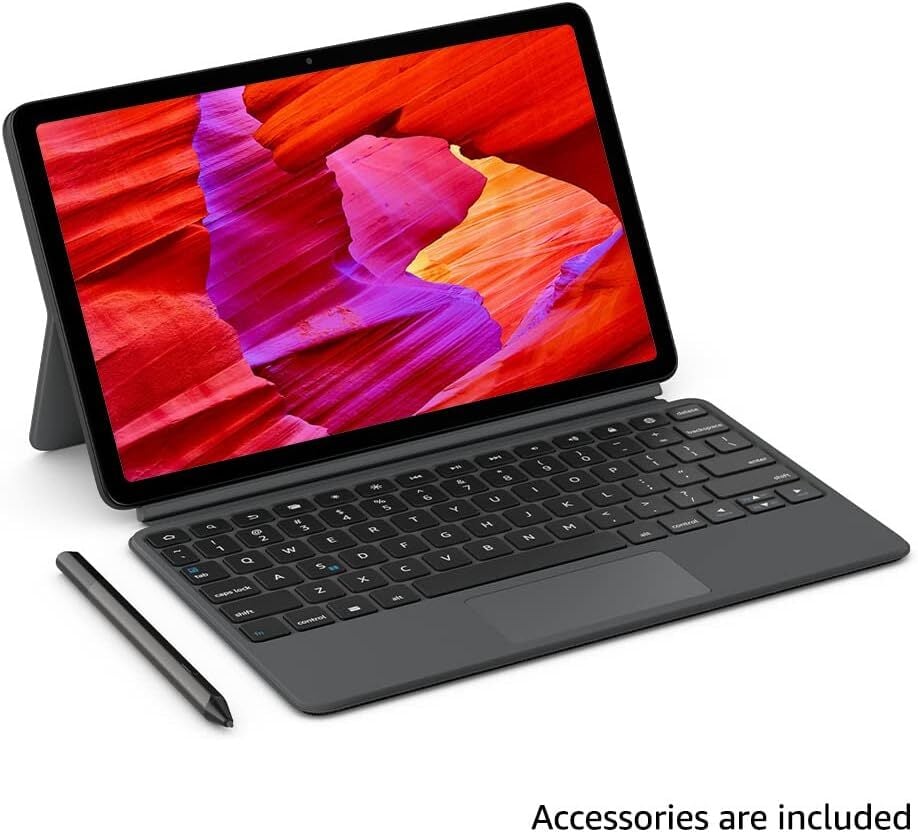
As far as tablets go, the Amazon Fire Max 11 is a well-designed crowd-pleaser with a large, vibrant display. Right now, you can get it for 38% off as part of the Amazon Fire Max 11 Productivity Bundle, which includes a keyboard case and stylus pen that transforms it into a fully functional laptop complete with essential accessories for design, studying, and everyday use.
The tablet features an 11-inch display certified for low blue light with a 2000 × 1200 pixel resolution and 410 nits of brightness, making it bright enough to use in sunny conditions. It has 4 GB of memory, dual-band Wi-Fi 6 (but not 6E), and 64 GB of storage. The octa-core processor is improved and more efficient than that of previous Fire tablets. The 7,500mAh battery lasts around 14 hours, but according to this PCMag review, it takes close to four hours to charge and lasts around eight hours with constant video streaming at maximum brightness.
According to the listing, the aluminum body is three times as durable as the iPad 10.9-inch (10th generation) as measured in tumble tests, and the design with slim, rounded corners makes it both sleek and ergonomic to hold. The Fire Max 11 can capture 1080p video, and the PCMag reviews mention that the 8 MP cameras (one on the front, and another on the back, which has auto-focus) are suitable for video calls and basic snapshots, but they can’t compete with smartphones.
While tablets like the iPad and Samsung Galaxy Tab might have stronger hardware and more mature app ecosystems (you don’t get Google Play), with the included keyboard and stylus, the Amazon Fire Max 11 Productivity Bundle delivers a total package at a comparatively low price point. Beyond included accessories, its strengths lie in the large LCD display, decent hardware for the price, respectable performance, and overall value—especially for those who are already in the Amazon ecosystem.
By the time you read this, the World Endurance Championship will be 100 races old. Once centered on the mega-expensive, mega-fast LMP1 hybrids, it’s all about the Hypercars now. These are purpose-built, closed-top race cars, with some of the most complex hybrid systems you’ll find outside of Formula 1, clad in bodywork that could give the Batmobile a run for its money. These Hypercars are designed to last the distance. During the 24 hours of Le Mans this year, the winning car covered 3,276 miles (5,273 km); for context, an F1 race is usually 190 miles (305 km), and at Monza this year, the race lasted little more than an hour. Here’s another difference with F1: When it comes to endurance racing, Ferrari has been winning a lot.
In fact, it’s taken victory at Le Mans for three years in a row, scoring a hat trick after 50 years away from this corner of the sport. This year has been even better: Ferrari leads the manufacturer’s championship and the driver’s championship with the #51 factory car. Its closest rival for the driver’s title is another 83 Ferrari, this one entered as a privateer car by the AF Corsa team. When the invite arrived to join the team for its race at the Circuit of the Americas in Texas, it seemed like a perfect opportunity to watch it in action and find out the key to that success.
“It has been an amazing challenge for us because after 50 years, it was not simple to restart in the pinnacle of motorsport,” said Antonello Coletta, head of Ferrari’s endurance racing program. Eighteen months after the car was greenlit, it was racing at Sebring in early 2023, a notoriously bumpy WWII bomber base in Florida that is as hard a test on a race car as any. Later that year, the 499P won Le Mans on its first try.
An anonymous reader shares a report: Boeing is planning a new single-aisle airplane that would succeed the 737 MAX, according to people familiar with the matter, a long-term bid to recover business lost to rival Airbus during its series of safety and quality problems. Earlier this year, Chief Executive Kelly Ortberg met with officials from Rolls-Royce in the U.K., two of the people said, where they discussed a new engine for the aircraft. Ortberg appointed a new senior product chief in Boeing’s commercial plane business, whose prior role was developing a new type of aircraft.
Boeing has also been designing the flight deck of a new narrow-body aircraft, according to a person familiar with the plans. This new aircraft is in early-stage development and plans are still taking shape, some of the people said. Boeing’s plans represent a shift for the company, which had put some new aircraft development work on the back burner while it navigated multiple challenges. They are also a sign that the company is betting that a cutting-edge plane design could power its business for the next few decades.
For the third generation of its Kindle Scribe line of reading-and-writing tablets, Amazon is giving the device a makeover and two new configurations. Since its introduction in 2022, the Scribe hasn’t changed much physically, with the sophomore model mostly getting a new color. This year, Amazon is launching three flavors of the Scribe. At the entry level is a model with a monochrome screen and no front light. Next is a version that has LED front lights but with a black-and-white display. Finally, at the top of the line is the Kindle Scribe Colorsoft — Amazon’s first writing tablet with a color display.
I was able to briefly check out the three new tablets ahead of the company’s launch event, and was quite impressed at the responsiveness and color saturation on the demo units I saw. Also, Amazon hasn’t given these devices a name that indicates what generation they are, simply calling them the “all-new Kindle Scribe lineup” and adding the Colorsoft label to the color model. To make things easier for this article, I’ll be occasionally referring to these as the Kindle Scribe 3.
The first thing I noticed was the Scribe 3’s shape. I’m used to the slightly thicker bezel along one long side of the display that, on the older Scribes, has been a handy place to grip the device without touching the screen. But it wasn’t just there for my thumb to hold onto. That area was also where Amazon placed many of the Kindle’s components like the processor and memory.
To reduce the size of the bezel, Amazon’s Kindle vice president Kevin Keith said “we had to engineer basically the electronics to fold behind the display.” The result is a symmetrical-looking device with a barely-there bezel that’s the same size along all sides of the 11-inch display (slightly bigger than its predecessor’s). It weighs 400 grams (or 0.88 pounds), which should make it easier to hold with one hand while taking notes. Keith also said that, at 5.4mm, the new Kindle Scribe is “thinner than the iPhone Air.” I should point out that a lot of tablets are similarly sleek. The 13-inch iPad Pro and Samsung’s Galaxy Tab S11 Ultra both have barely-there profiles of 5.1mm, while the 11-inch iPad Pro measures 5.3mm.
Cherlynn Low for Engadget
Another way Amazon was able to make the latest Scribe so thin and light was by reducing the number of layers in the display. It removed the anti-glare film on the device, using a glare-free display instead, as well as a textured glass that mimics the friction you’d get when putting pen to paper. The company also got rid of a touch layer that was on top of the display before, since it was able to use a screen with integrated touch input support. Keith said that Amazon also considered the size of the casing around the USB port to aid in shrinking the device further.
On models with front lights (all but the entry-level configuration), Amazon had to use miniaturized LED front lights since there was no longer a chunky bezel to contain them. In addition to making them smaller, the company also doubled the number of bulbs to ensure consistency of lighting across the page.
I couldn’t help reaching for the new Kindle Scribe when I saw it, mostly because it looks a lot different than its predecessor. I already found the original Scribe satisfyingly svelte and this latest model is similarly attractive. I do wonder if I might miss having something to grip onto that isn’t the screen, but that might not be a problem if Amazon’s palm rejection technology is effective.
I did notice a slight dullness in the model without the LED front lights, but it remained as easy to read as an older Kindle. The other two certainly looked a lot brighter, with the higher contrast making onscreen text and drawings look fresher and more vibrant. I’ll get to the Colorsoft model in a bit, but I appreciated how clear and saturated colors appeared on its screen.
One of my favorite updates this year is magnets. Specifically, the magnets holding Amazon’s stylus to the Scribe itself have gotten stronger. Keith said “we added more magnetic force so that it’s harder to fall off,” and when I tried pulling the pen off the tablet it required noticeably more effort than with previous models. It also snapped back on more easily. Considering this was one of my complaints about the older Scribes, I’m very encouraged to see this improvement.
The stylus itself has also been refined, with a slightly thicker, rounded silhouette that Keith said is “a little bit more ergonomic.” It still has a rubberized top that works as a digital eraser and when I used it on the new Scribe I felt the urge to brush off eraser dust, just like I did with the predecessors. The programmable action button remains present as well.
Inside the new Kindle Scribes sit a new custom chip and more memory so you can TK. Amazon also added the oxide display from its Paperwhite reader, and together with the new processor, that brings a “40 percent faster overall experience with page turning,” according to Keith. The response rate also makes a significant difference in writing, which on the new Kindle Scribe is now down to under 12 milliseconds. That enables a much smoother writing experience with barely noticeable delay between putting the nib on the screen and the digital ink appearing, and because of the changes to the display, any parallax effect is “virtually gone.”
During the few moments I had to scribble on the new Kindle Scribe, I found it hard to tell if there was a big improvement in fluidity or parallax effects compared to the previous models. It’s about as responsive as before, perhaps just a touch faster at showing what I’ve written. Without a side-by-side comparison, it’s not something I can evaluate right now.
I will say that I found the latest Scribe a lot easier to hold with one hand, even in spite of the thinner bezels. That is with the caveat, of course, that I have yet to spend more than a minute writing on it. I usually have a hard time writing on the Scribe without a surface on which to prop it up, so I’m curious to see if it’ll be easier to do so with the newest model.
The Kindle Scribe Colorsoft is surprisingly vivid
I was able to get a good idea of how the Kindle Scribe Colorsoft’s color rendering compares to some of its competition, though. Every morning, I write three pages of free-flowing thoughts by hand, and I currently do so on the reMarkable Paper Pro. All my entries include highlighting of the date and time, and my experience with the color rendering on that device has been underwhelming. Technically, I can choose from yellow, green, blue, pink, orange and gray, but honestly I can barely tell the difference between yellow and orange, while blue and gray are also very close. So instead of five usable highlighter shades, I really only have three (gray is barely a hint of a tint).
The Kindle Scribe Colorsoft not only renders colors more vividly, but hues are more distinct from each other. I’d say the reMarkable Paper Pro is like reading a faded newspaper’s comic strip while the Colorsoft looks more like a glossy graphic novel. It’s still a bit muted, but you can at least see variations in shades.
Part of what makes the Colorsoft look nice is the fact that the device itself comes in a nice purplish hue that Amazon calls “fig.” With the selection of colors on its screen, I got a very autumnal vibe and was reminded of berries, for some reason. (It’s also possible I was hungry.)
Like the Kindle Colorsoft that Amazon announced in 2023, the Scribe Colorsoft uses a color filter and LEDs. What’s slightly different is a new rendering engine that Amazon said “enhances the color and ensures writing is fast, fluid and totally natural.”
While the Kindle Scribe Colorsoft has the same dimensions and weight as its monochrome counterpart, it has a slightly slower response rate of 14ms. I have only written on the Colorsoft so far, and will wait till I can spend more time with both tablets to see if this different latency makes a big difference.
Cherlynn Low for Engadget
In addition to the new hardware, Amazon also updated the Scribe’s software. All Kindles will be getting a redesigned home page that better surfaces your recently added and edited content. Based on what I saw, instead of having rows of covers on the main screen, there is now a Search bar at the very top, followed by an area on the left half below that for “quick notes.” This is basically a notepad for you to continuously update whenever you need it, so you won’t need to create a new notebook every time you want to jot down a thought. To the right of this top half is the “Jump back into” section, which will show things you were recently working on.
Below those two portions is a row of titles called “Recently added,” where things you just downloaded into your library will appear. So if you have been reading, say, The Body Keeps the Score and just bought Katabasis, you’ll find the first one at the top right and the latter in the “Recently added” section.
The search bar at the top is now powered by AI, because there is no escaping that. Thankfully, Amazon has been fairly cautious about its approach, which is particularly important for a product like the Kindle Scribe where people go to read and produce original content. The new AI feature here is a smarter search that not only indexes all your handwritten notes, but understands and groups common topics so you can search for something like “What have I told Panos Panay before?” The Scribe will scan your notebooks, find all your relevant scribblings and present everything you’ve written down across all your files and summarize its findings for you.
I didn’t have time to try this out but I am intrigued at the potential here. I make so many different to-do lists for Engadget’s events coverage that it would be nice to be able to ask “What are the tasks I need to do by the end of October” and possibly get a neatly organized list. The usefulness of this feature depends almost entirely on how intelligent the AI is, so I’ll have to wait till I can review it more thoroughly to say anything more evaluative.
Amazon is also bringing support for Google Drive and OneDrive, so you can create a folder in either service, add documents to them and the system will download them onto your Kindle Scribe. This is just an easier way to get files onto your Kindle, in addition to sending an email to the associated address or finding a way to add them to your Amazon account. OneNote support is coming as well, and it’ll allow you to export your notes as an embedded image or as a converted text document.
A “Send to Alexa+” feature is coming early next year, so you can share your notes or documents from the Kindle Scribe to the assistant. It will be able to pull information from your pages and remember or refer to them in your conversations, so you can ask it about what’s next on your to-do list or what items are already on your shopping note.
One more update on the redesigned home page: Instead of the existing “Notebooks” tab, Amazon is rolling out the “Workspace” section. Keith described this as “essentially like a new folder system.” Functionally, it didn’t appear too different from the Notebooks setup, other than making it easier to group your related documents so you can access, say, all the lists you’ve written up for your wedding planning or writing projects.
The redesigned home page will be launching later this year, and older Kindle devices will be able to update to the new software. The latest generation of Kindle Scribe will be available later this year, with the entry-level model going for $429, the version with the front light costing $499 and the Scribe Colorsoft starting at $629.
This article originally appeared on Engadget at https://www.engadget.com/mobile/tablets/kindle-scribe-colorsoft-hands-on-vivid-and-responsive-145147981.html?src=rss
Amazon is making two additions to its lineup of writing tablets: the Kindle Scribe 3, and the Kindle Scribe Colorsoft. The company showed off the new ereaders at its fall hardware event in New York.
The Kindle Scribe Colorsoft is the first time Amazon has added a full-color display to its notebook-like ereader. According to the company, the full-color display is meant to look crisp but “subtle,” without the harsh brightness of a typical tablet.
Meanwhile,the new Scribe 3 has been redesigned to be significantly thinner and lighter than its predecessor. It’s also been revamped for a faster writing and page-turning experience, according to Amazon. During the event, the company said that writing latency “is down to under 12 milliseconds.”
Developing…
This article originally appeared on Engadget at https://www.engadget.com/mobile/tablets/amazon-adds-the-kindle-scribe-colorsoft-and-scribe-3-to-its-writing-tablet-lineup-145031938.html?src=rss
It’s hard to muster much excitement for Amazon’s Fire TV hardware these days — the company’s main goal has been to offer cheap TVs and set top boxes for mainstream consumers who haven’t been swayed by more compelling offerings from Roku, Apple and Google. Apparently, not much is changing this year, judging from everything announced during Amazon’s 2025 device launch event. There’s a new lineup of Fire TV sets, as well as the Fire TV Stick 4K Select, which the company describes as “the fastest streaming stick under $40.”
Developing…
This article originally appeared on Engadget at https://www.engadget.com/entertainment/streaming/amazon-unveils-a-new-fire-tv-lineup-including-the-40-fire-tv-stick-4k-select-144541988.html?src=rss
It’s not technically Techtober yet since we’re one day shy, but we’ve already had a bunch of fall hardware events from some of the bigger companies in the tech space. Today, it was Amazon’s turn to step up to the plate.
Going into its event, the company teased new Echo speakers and Kindle news. Rumors suggested Amazon was ready to ditch its long-standing Android-based OS on Fire TVs in favor of the Linux-based Vega OS it’s already using on the Echo Show 5, Echo Hub units and Echo Spot. Indeed, Echo, Kindle and Fire TV are all being featured at the event, along with Ring and Blink devices. Oh, and lots of Alexa+ updates, of course.
Amazon doesn’t usually livestream its product events and that remained the case here. However, we’ve got you covered with all the news and announcements with both our liveblog and this here rundown of everything Amazon announced at its fall hardware event:
Ring
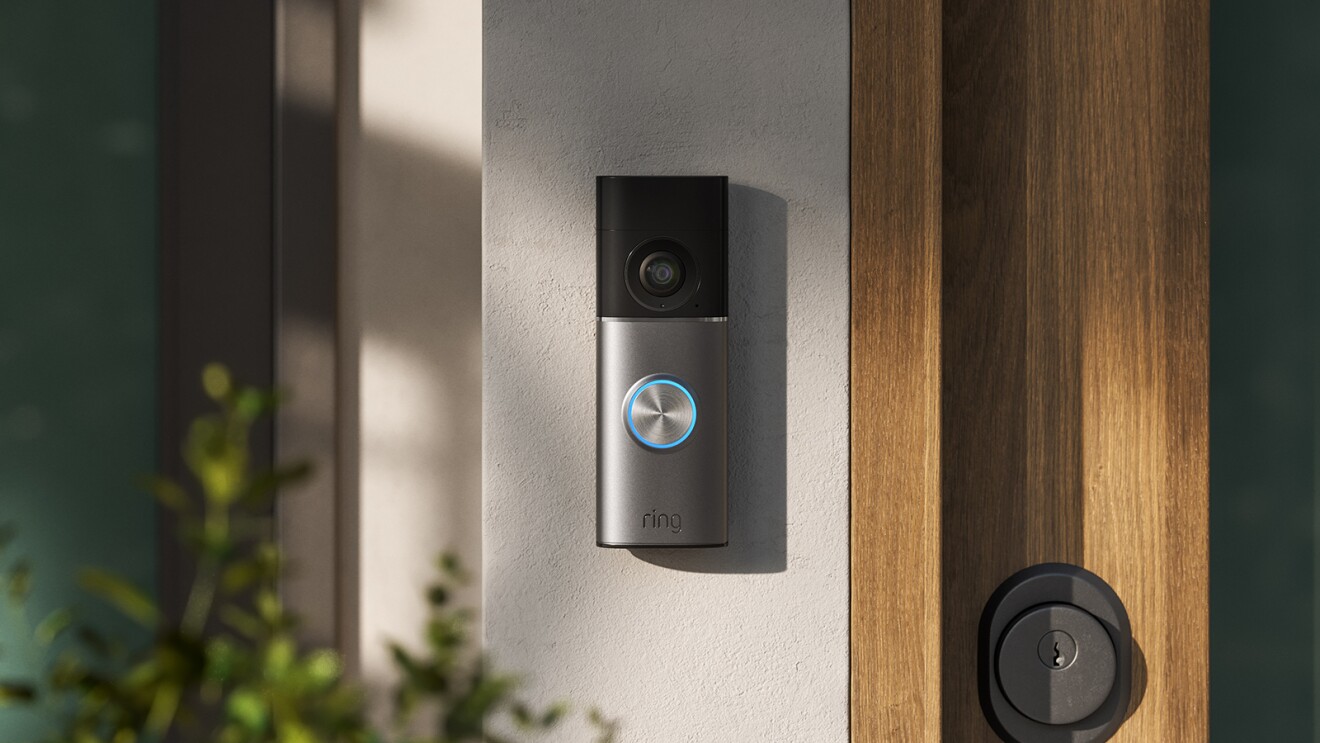
Ring Doorbell
Amazon
Retinal Vision is a concept that Ring has built its latest devices around (for what it’s worth, the name reminds me I’m probably due for an eye exam). The idea is to use AI to optimize image quality. It taps into back-side illumination sensors to deliver superior low-light performance, Amazon says.
An function called Retinal Tuning samples your Ring camera’s video quality several times per day for up to two weeks in a attempt to improve it. Large-aperture lenses in the new devices will help with all of that.
To that end, Amazon has announced a Wired Doorbell Plus with 2K visuals for $180 and the Indoor Plus Cam 2K for $60. There are 4K models too: Outdoor Cam Pro 4K ($200), Spotlight Cam Pro 4K ($250), Wired Doorbell Pro 4K ($250) and Floodlight Cam Pro 4K ($280). Pre-orders for all of them open today.
Of course, there are Alexa+ features embedded into the new cameras. Alexa+ Greetings is a function that will enable the AI to make “informed decisions about how to greet certain visitors.” Amazon will roll this out for the new cameras in December.
Familiar Faces, meanwhile, is a facial recognition feature. It identifies known faces, so Ring will be able to notify you when they’re at your door (or if someone unfamiliar is there). I’m suddenly even more annoyed about my neighbors having Ring doorbells that are impossible to avoid walking past.
There’s another new feature called Search Party, which Amazon says is about helping people find lost dogs. When a neighbor reports a missing pooch in the Ring app, a Search Party commences on nearby Ring cameras. These will keep a look out and notify camera owners if they spot what may be the missing dog. The camera owner will then see a photo of the pet alongside relevant camera footage, and can then choose whether to alert the dog’s owner. Search Party will roll out in November.
This story is developing; refresh for updates.
This article originally appeared on Engadget at https://www.engadget.com/home/everything-announced-at-amazons-fall-hardware-event-143557140.html?src=rss
Amazon just held a hardware event and introduced some new Blink security camera products. These include updates of the Blink Mini and Blink Outdoor. The Blink Mini 2K+ and the Blink Outdoor 2K+ are brand-new entries in the line-up that both capture 2K video, for added detail. The previous versions were locked at 1080p.
The Blink Outdoor 2K+ features 4x zoom, enhanced low-light performance, two-way talk with noise cancellation and a whole lot more. It can detect both people and vehicles, automatically sending smartphone notifications to Blink Plus subscribers. The battery life is on-point and it includes the company’s proprietary Weather Shield.
Amazon is calling the Blink Mini 2K+ its “most advanced plug-in compact camera yet.” It can handle 2K video and can also be used outdoors, if you purchase a weather-resistant power adapter.
Amazon
The company also announced something called the Blink Arc, which is another camera primarily intended for outdoor use. This one can capture a panoramic view of a yard with maximum coverage. The Arc is actually two cameras in one, with an AI-enhanced algorithm that fuses the footage together into a single 180-degree panorama.
All of this stuff is available to pre-order right now. The Blink Mini 2K+ costs $50 and the Outdoor 2K+ costs $90. The Blink Arc costs a cool $100.
This article originally appeared on Engadget at https://www.engadget.com/cameras/amazon-just-revealed-new-blink-security-cameras-including-the-outdoor-2k-144042562.html?src=rss
Today Amazon held its annual Devices and Services event, debuting its next generation of products. While Amazon isn’t live streaming the event, we’re on the floor sharing everything it announces in our live blog, including a slew of new Ring products and features.
Take Ring retinal vision, rolling out retinal vision across Retinol 2K and 4K doorbells and cameras. It uses back-side illumination sensors for clear vision even in low light. Ring pairs these sensors with custom large aperture lenses that it claims will capture more light and maintain sharpness throughout the frame.
This is a developing story…
This article originally appeared on Engadget at https://www.engadget.com/cameras/ring-announces-retinal-4k-vision-and-search-party-for-finding-pets-143314419.html?src=rss
Before it began slowly trickling out Alexa+ to users at the start of February, Amazon promised a smarter, more conversational assistant. It turned out the reality was more complicated, and, more than anything, Alexa+ in its current state is a showcase of the limitations of generative AI. Of course, that’s not stopping from iterating on the digital assistant. During its “Devices and Services” event on Tuesday, Amazon announced a host of Alexa+ updates, with many of them enabling new integrations alongside the company’s brand new devices.
One of those new features is Alexa+ Greetings, which will roll out to Ring’s new 2K and 4K devices this summer. With the help of Ring’s image recognition technology, Alexa+ will be able to make decisions about how to handle different visitors to your home. If it sees one of your friends or family members, it will know to greet them. When it comes to strangers, the digital assistant will ask questions of them to determine the purpose of their visit.
Developing…
This article originally appeared on Engadget at https://www.engadget.com/ai/alexa-at-amazons-2025-event-greetings-and-more-143211291.html?src=rss
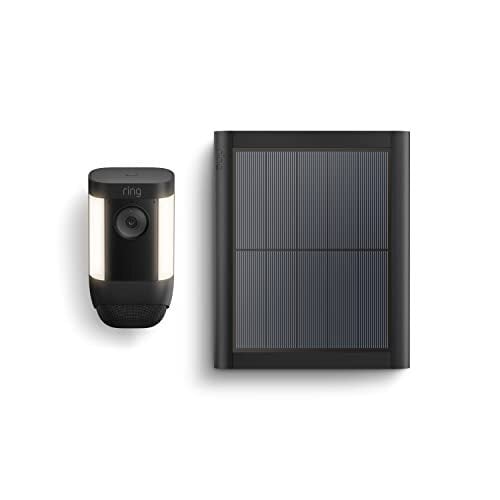
Battery-powered cameras are convenient until you realize how often they need recharging. That’s where the Ring Spotlight Cam Pro Solar Bundle, now $199.98 on Amazon (down from $289.98), makes sense. The included solar panel keeps the battery topped up, even through stretches of cloudy weather, so you don’t have to climb up a ladder every few weeks. At this price—the lowest it’s ever been, according to price trackers—you’re getting both the camera and the panel in one box, which covers power, monitoring, and lighting in a single package.
The camera itself is one of Ring’s more advanced models. It records sharp HDR video at 2K resolution with a wide field of view and offers color night vision when the spotlights kick on. Reviewers note the footage looks crisp, and two-way audio is clear enough for conversations. Ring also adds extras like 3D motion detection and Bird’s Eye View, which maps out the path of movement on your property. Combined with instant alerts, you can see not just that someone approached your yard but exactly where they walked. Bright built-in spotlights act as a deterrent and make night recordings more useful than standard infrared-only clips. The system integrates easily with Alexa and has a long list of IFTTT automations for third-party gear, but it doesn’t support Google Assistant or Apple HomeKit.
That said, there are caveats worth considering. Out of the box, you get live view and motion alerts, but most of the smarter features require a Ring Home subscription. The Basic Plan, at $4.99 per month, unlocks video history, person detection, and the ability to share or download clips. Without it, you’ll lose stored footage once the included 30-day free trial ends. The solar panel also isn’t the most subtle piece of hardware, so it may stand out if mounted in front of your house. And while setup is straightforward through the Ring app, the bundle’s price is still higher than many competing solar cameras. That said, if you want to minimize battery charging and prefer a system that’s easy to install and manage, this deal brings a premium package to its lowest cost yet.
If you’re looking to replace your old alarm clock with an Alexa-powered modern smart alternative then, well, you’re more overwhelmed with options than ever. But a $30 saving on last year’s updated Echo Spot might make your decision a bit easier.
The latest incarnation of the diminutive Spot was introduced in July 2024, and while it’s not quite available for its record low price of $45 right now, $50 is pretty close. For that you get a comfortably bedside-sized device with a sharper display than its predecessor, as well as superior sound. The front face is divided into two halves, with a speaker positioned below the hemispherical display.
What screen you do have is more than enough to display the time and weather information, plus it can show you the song or album title and accompanying artwork when you’re listening to music on those improved speakers. It can naturally be used to boss around your other connected smart devices, too.
Alexa might be baked in, but the Echo Spot is intended to be a fairly bare-bones smart alarm clock, so don’t expect as many features as you’ll find on something like the Echo Show 5. But a lot of people just want a modern alarm clock, and arguably the biggest selling point for the Echo Spot is its total lack of a camera. While that means it can do less than the original 2017 Echo Spot, which Amazon did put a camera in, the decision to remove it from a device that lives right next to your bed was probably for the best.
Amazon’s Prime Day sale returns on October 7, so you can expect a range of deals on its various Echo devices. For our guide to all of the best early deals, head here.
This article originally appeared on Engadget at https://www.engadget.com/deals/amazons-echo-spot-is-on-sale-for-50-ahead-of-prime-day-142550846.html?src=rss
A fossil skull from China that made headlines last week may or may not be a million years old, but it’s probably closely related to Denisovans.
The fossil skull, dubbed Yunxian 2, is one of three unearthed from a terrace alongside the Han River, in central China, in a layer of river sediment somewhere between 600,000 and 1 million years old. Archaeologists originally identified them as Homo erectus, but Hanjiang Normal University paleoanthropologist Xiaobo Feng and his colleagues’ recent digital reconstruction of Yunxian 2 suggests the skulls may actually have belonged to someone a lot more similar to us: a hominin group defined as a species called Homo longi or a Denisovan, depending on who’s doing the naming.
The recent paper adds fuel—and a new twist—to that debate. And the whole thing may hinge on a third skull from the same site, still waiting to be published.
The rise of AI has led to new phrases to describe the ways people work with it, including the popular term ‘vibe coding’. Now, Microsoft is looking to add a new phrase to the lexicon with ‘vibe working’ that will be the “the new pattern of work for human-agent collaboration.” To that end, Microsoft is integrating AI agents into various parts
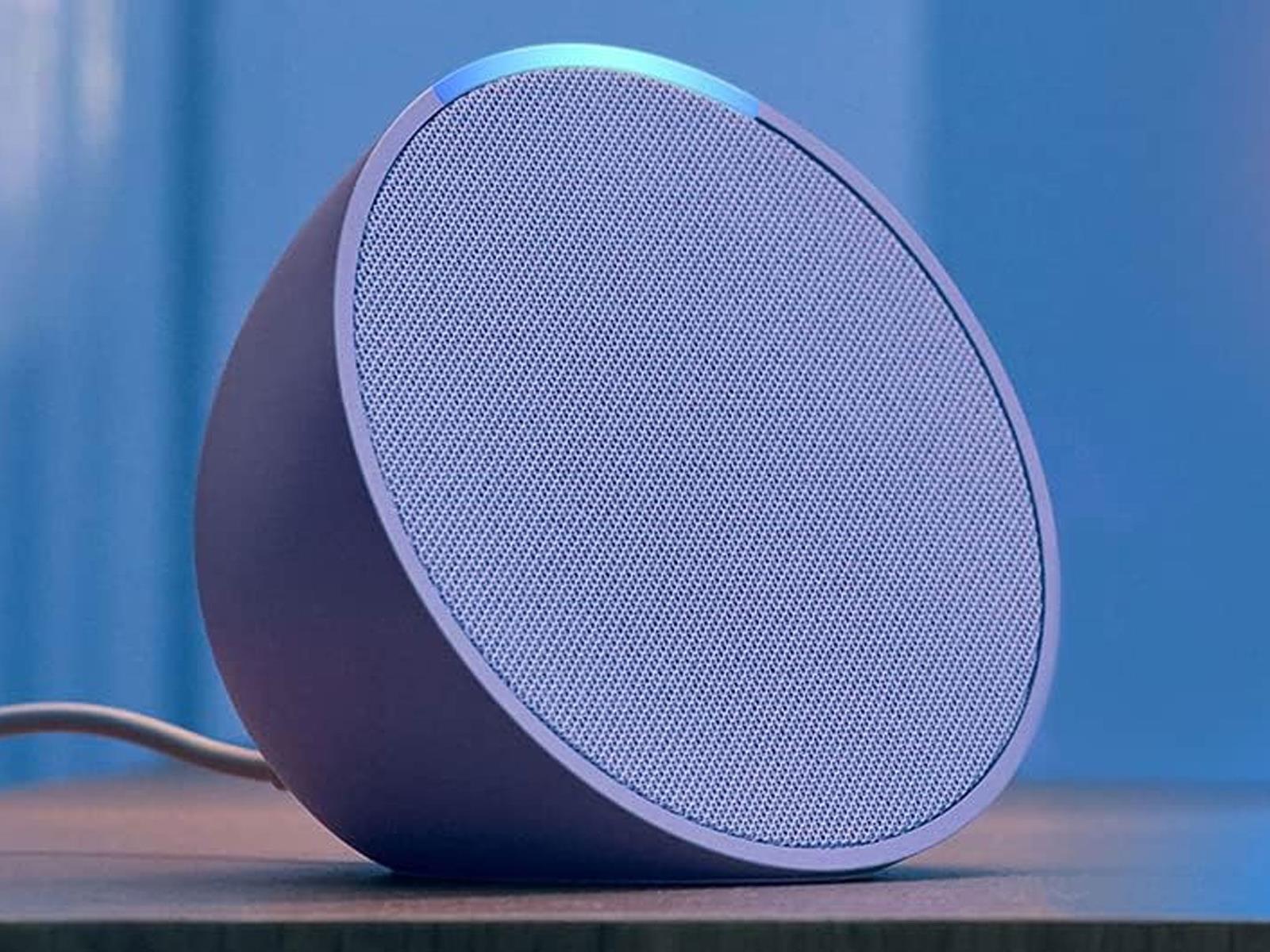
Amazon is getting a jump on its upcoming Prime Big Deal Days sales event with some early discounts on its Echo Pop, Echo Dot, Echo Spot, and Echo Show smart speakers and displays. The event kicks off Tuesday, October 7 at 12:01 a.m. PDT and runs through October 8, but deals on hardware and other products are arriving early, in case you don’t
Trust in America’s elite universities has declined sharply over the past decade [non-paywalled source]. A Manhattan Institute survey conducted in June 2025 found that only 42% of Americans have significant trust in higher education, down 15 percentage points from a decade earlier. Trust in Ivy League institutions stands at just 15%.
Harvard is considering building trade schools as part of a settlement with the Trump administration. The proposal comes as elite universities face criticism for shifting focus from academic excellence to shaping students’ political and moral values. Princeton changed its informal motto in 2016 to “In the Nation’s Service and the Service of Humanity.” Grade inflation has become prevalent at elite schools. A Bloomberg column argues universities should adopt more objective admissions criteria, reduce grade inflation, and make education their primary mission again rather than attempting to fix societal problems.
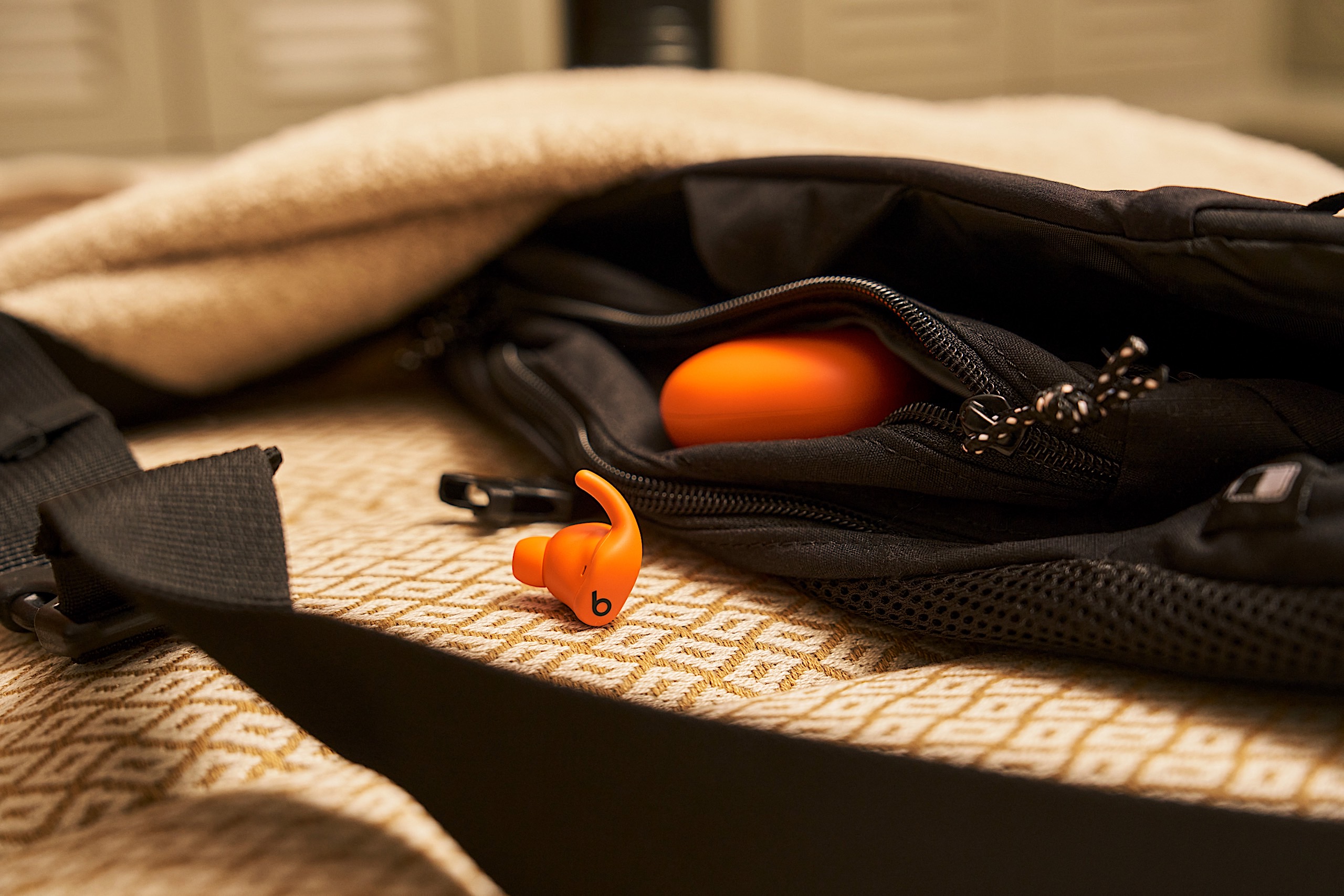
If you’re looking to a new set of Beats earbuds but aren’t a fan of the company’s over-the-ear hook, there’s another fresh option to consider. The Apple-owned company revealed its latest model, the Powerbeats Fit, which looks a lot like the Beats Fit Pro that debuted in 2021. That’s because this new set of earbuds is the direct successor to that four-year-old audio accessory.
Don’t expect a comprehensive overhaul though. In addition to the name change, Beats says it made the Powerbeats Fit more comfortable with a 20 percent more flexible wingtip. The whole package is also more compact thanks to a 17 percent smaller case. The price is staying the same as the previous model though, as the company kept that at $200.
Beats says that the updated wingtip makes the Powerbeats Fit sit as securely in your ears as the Powerbeats Pro’s hook design. The added flex means the earbuds are comfortable enough to be worn all day, according to the company, not just during workouts. The Powerbeats Fit still has an IPX4 rating for water resistance, so sweaty activities shouldn’t be a problem. And to further improve fit, Beats added an extra small ear tip to the three previous sizes (small, medium and large).
Beats’ Powerbeats Fit have a familiar design.
Beats
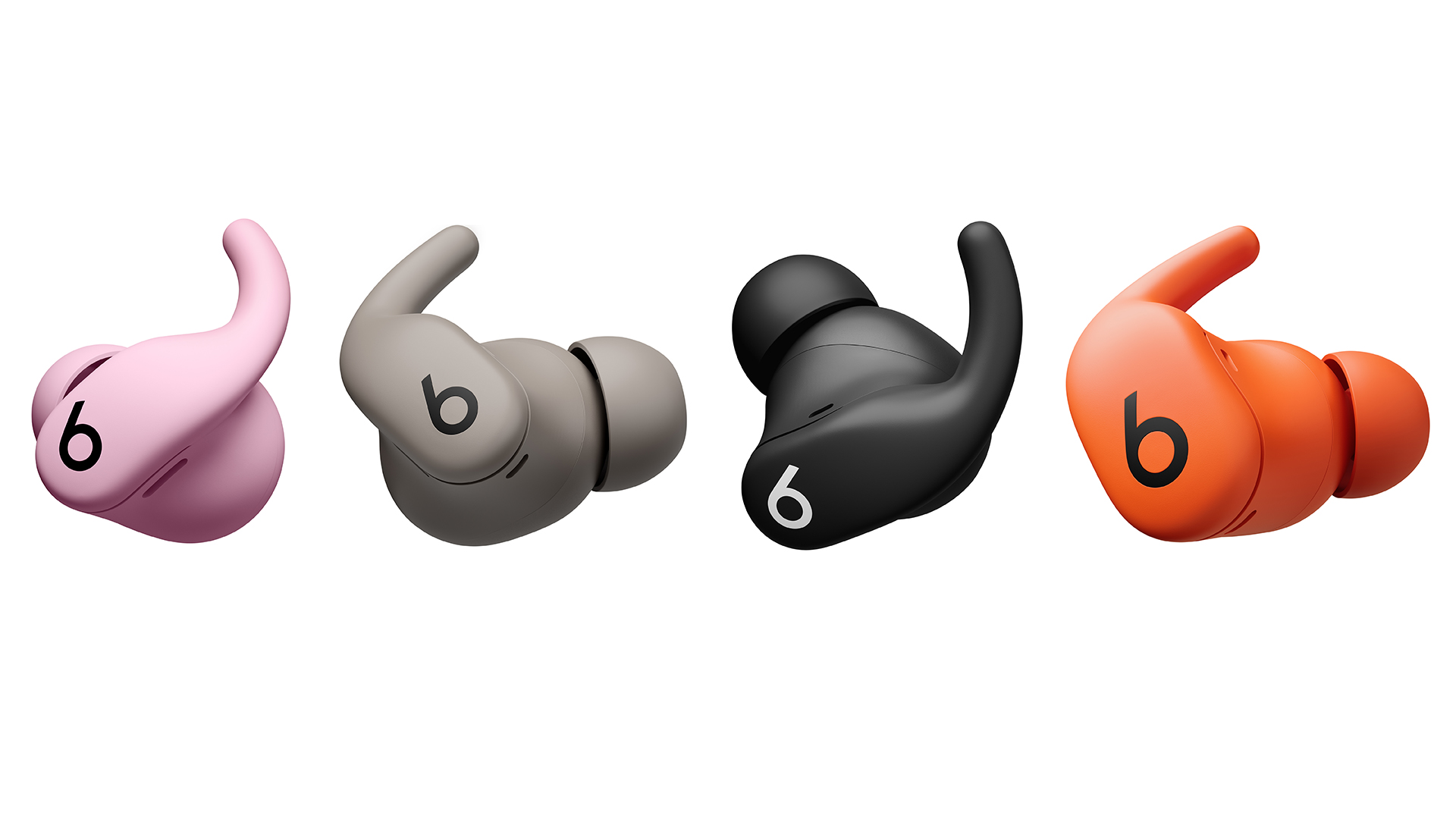
In addition to slightly slimming down the charging case, Beats also added IPX4 moisture protection there. It’s not the most robust coverage, but it’s certainly better than nothing, and it’s enough to withstand water splashes near the pool or in the locker room. There are also new colors for the Powerbeats Fit: orange and pink.
Alongside these modest upgrades, the Powerbeats Fit retains much of what made the Beats Fit Pro a popular choice for ANC (active noise canceling) earbuds. Apple’s H1 chip powers the features once again, including Personalized Spatial Audio with dynamic head tracking, Adaptive EQ, Audio Sharing, hands-free Siri and automatic switching between devices. You’ll also get transparency mode, Find My and FaceTime with Dolby Atmos spatial audio.
The Powerbeats Fit settings are baked into iOS, but Android users will use a dedicated app for customization like other recent Beats devices. Here, you can expect one-touch pairing, customizable controls, battery status, Locate My Beats and an ear tip fit test. All of that is available to iPhone users too, so neither group of OS loyalists will miss out.
New colors for the Powerbeats Fit include pink and orange.
Beats
Onboard controls offer quick access to playback changes, volume adjustments, listening modes, calls and voice assistants. These are still physical buttons, which can be an important consideration over the tappable, touch-based panels that some of the competition employs. Battery life is also consistent with the Beats Fit Pro: up to seven hours on the earbuds and up to 30 hours total with the charging case with ANC off. Turn noise cancellation on and you can expect six hours of use (24 hours with the case).
The Powerbeats Fit is available for preorder today in black, gray, orange and pink color options for $200. The earbuds will hit retail shelves on October 2.
This article originally appeared on Engadget at https://www.engadget.com/audio/headphones/beats-announces-the-powerbeats-fit-a-slightly-updated-successor-to-the-beats-fit-pro-140000905.html?src=rss
I’m a shut-in, which makes me the perfect candidate for a smart security system. I want to know exactly what’s going on outside at all times of day, even while I’m still tucked tightly in bed. You don’t have to be a serial introvert to benefit from a few cameras and connected devices in your home. If you’re frequently away, you may also want to keep a record of packages and people who have passed through while you’re out.
Smart security systems are not just about catching a neighborhood cat in the act. They help keep a watchful eye when you can’t, and they can be automated to trigger other devices as needed—such as a motion sensor turning on a smart light and recording a video clip, or a door opening to trigger a deafening alarm. The good news is that smart security systems are fully customizable to meet your specific needs. Some brands offer third-party monitoring as an added security measure, providing extra assistance when you’re away from home.
Setting up a smart security system is just as straightforward as setting up a smart home. You’ll want to choose your smart security ecosystem first, then decide if you want something that’s highly expandable later on. You can also keep it simple with a video doorbell that syncs with a smart display inside the home, especially if you’re renting and don’t have many customization options. Here’s how to get started.
Choosing a method of smart security
Smart security systems range from the expansive to the simplistic, just like the smart home does. You choose the ecosystem you want to live in and then build from there. But before you can select that, you need a device to function as the entry point. It could be a security camera, a video doorbell, or a smart lock. The idea is that whatever you use to enter your home is the first line of defense. Everything after that is an add-on.
Most people start with a security camera, with the most popular option being the video doorbell. The video doorbell offers it all: a window to the world, a clear indication that there’s an eye on the outside, and the ability to deliver instant notifications for sound and movement at your door. It also serves as a button that people can press to let you know they’ve arrived. Installation can vary from easily mountable to more involved, depending on whether you integrate an existing doorbell chime. (I’ve personally eschewed this way because the chime on my old house is broken and I have no intention of ever addressing it.) As long as you have smart displays or speakers inside the home, or a smartphone with connected accessories that blare notifications, you don’t need to connect it to a chime.
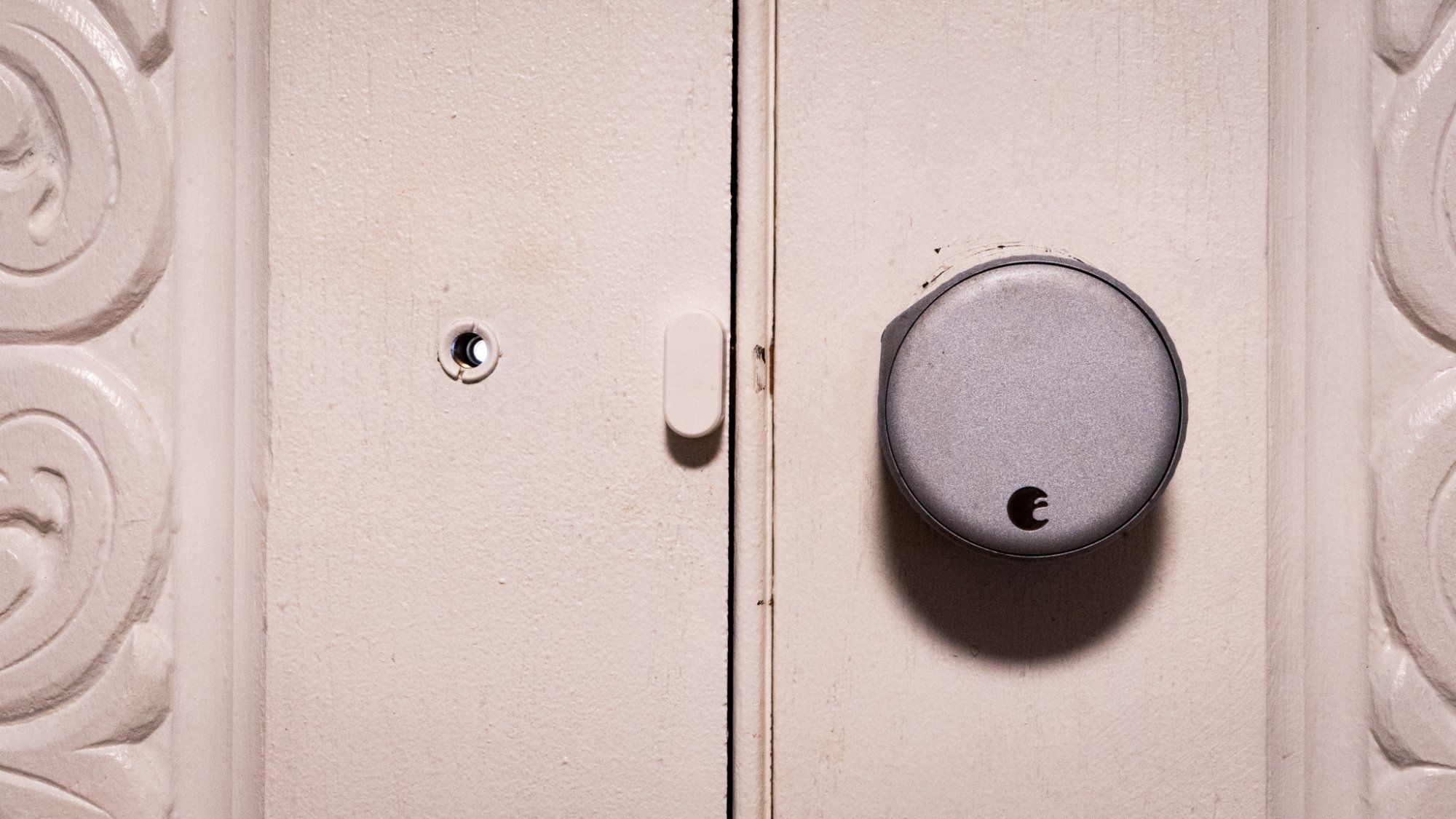
Not all smart locks take over the door! This August smart lock works over existing door hardware so you don’t have to swap out the deadbolt. Credit: Florence Ion/Lifehacker
Smart locks are another way to start a smart security system, though they are pricier and a bit more complicated to install, since there’s no one-size-fits-all turn-key solution for every front door. The installation process will vary depending on the type of door you have and whether you can easily swap out the lock. If you’re a renter or love your door, there are “retrofit” smart locks from brands like August that allow you to keep the original keys and hardware intact. Smart locks offer access logs that track who has entered and exited the home. Some also provide tamper alerts, conditional access codes, and lockouts for repeated incorrect access codes. And with most other smart locks, you won’t have to manage physical keys.
There are smart security systems that extend beyond cameras and door locks to include a base station with a siren, a centralized control panel, and motion and door/window sensors. This is the route to take if you need something particularly sophisticated, especially if you want home monitoring included in the package. It requires more setup beforehand, but you can effectively string together a security system without hiring a professional to do it. The security system can also integrate with an existing smart home. If you have smart bulbs, for instance, you can set them up to turn on when a sensor detects movement.
The major players in smart security
Smart security can be more overwhelming to start with than a smart home, due to the breadth of options available. But the only wrong route to take is the one that complicates the eventual goal of having a connected home you can monitor remotely.
Let’s start with the most straightforward entry points through the typical smart home tech players, where you might have already established yourself. Google’s smart security ecosystem, Nest, includes security cameras and smart locks. It offers the benefit of professional monitoring through ADT, and you can integrate third-party cameras and sensors from brands like TP-Link’s Kasa or Tapo accessories. However, brands outside of Nest may not be manageable through the Google Home app, meaning you won’t have access to video clips or previews from the main app feed (though you can still ask Google to stream them to a smart display).
For diehard iPhone users, there’s Apple’s ecosystem of HomeKit-compatible smart security hardware, including devices that have been vetted and approved by the company. You can choose cameras from Eufy, Logitech, Eve, and Aqara, all of which support Apple’s HomeKit Secure Video (HKSV) for encrypted video storage in iCloud. Professional monitoring is typically offered through a handful of third-party solutions that are HomeKit-compatible, such as ADT, Vivint, or Ring.
Amazon also has its own lineup of offerings, which I like to call “platform agnostic,” as they are designed to work on either Android- or iPhone-compatible smart homes. Amazon’s Alexa ecosystem comprises smart speakers and smart displays that deeply integrate with Ring and Blink’s various security cameras, as well as other compatible devices. Ring and Blink are established flagship brands in the Alexa ecosystem, and they work best if you stick to one or the other, with Blink being the “affordable” brand and Ring having more premium options.
If you’re particularly set on going with a brand that has its original bearings in home security, ADT can help you get set up with Google’s hardware and other compatible bits. Vivint also offers professional installation, along with options for building out the smart home beyond cameras and motion sensors. This route can be particularly pricey, since you’re paying a third-party to handle the installation for you, as well as a monthly or annual subscription price.
A more affordable route to take, and one that most people will likely find themselves drawn to, is the do-it-yourself approach with contract-free professional monitoring, allowing you to pay only for what you need, when you need it. Companies like SimpliSafe and Abode make it super easy to concoct your own network of smart security devices that work in tandem with one another. SimpliSafe offers month-to-month monitoring, while Abode offers on-demand, temporary professional monitoring by the day or week. SimpliSafe and Abode feature base stations, which are smart home hubs equipped with all the requisite connectivity hardware for automating devices, including cameras and motion sensors, as well as providing battery and cellular backup, and a loud alarm that blares in the event of an intruder or other emergency. This route can be cheaper, although it may also cost more if you want something particularly expansive.
If you build your own smart security system, you can choose to mix and match as you please. With the advent of Matter, the unifying connection protocol, it has become easier to link ecosystems. However, Matter does not yet fully support the ideal streaming bandwidth required for security cameras and video doorbells, so you won’t be able to trigger automations based on that criterion.
The do-it-yourself route is attainable for anyone who doesn’t mind a weekend of customizing and adjusting a new system. But if you have security cameras in your setup, I recommend sticking with the camera brand as the main “anchor” of the security system and building around that. If you have a Ring video doorbell, for instance, consider adding Abode or SimpliSafe as an option for third-party motion sensors and similar devices, especially if you’re not using the Ring base station. It is easier to manage if you stick with the full Ring security system, as you’ll only have to interface with one main app to check in on the home. But the option is there to mix in another provider.
Picking the right smart security system
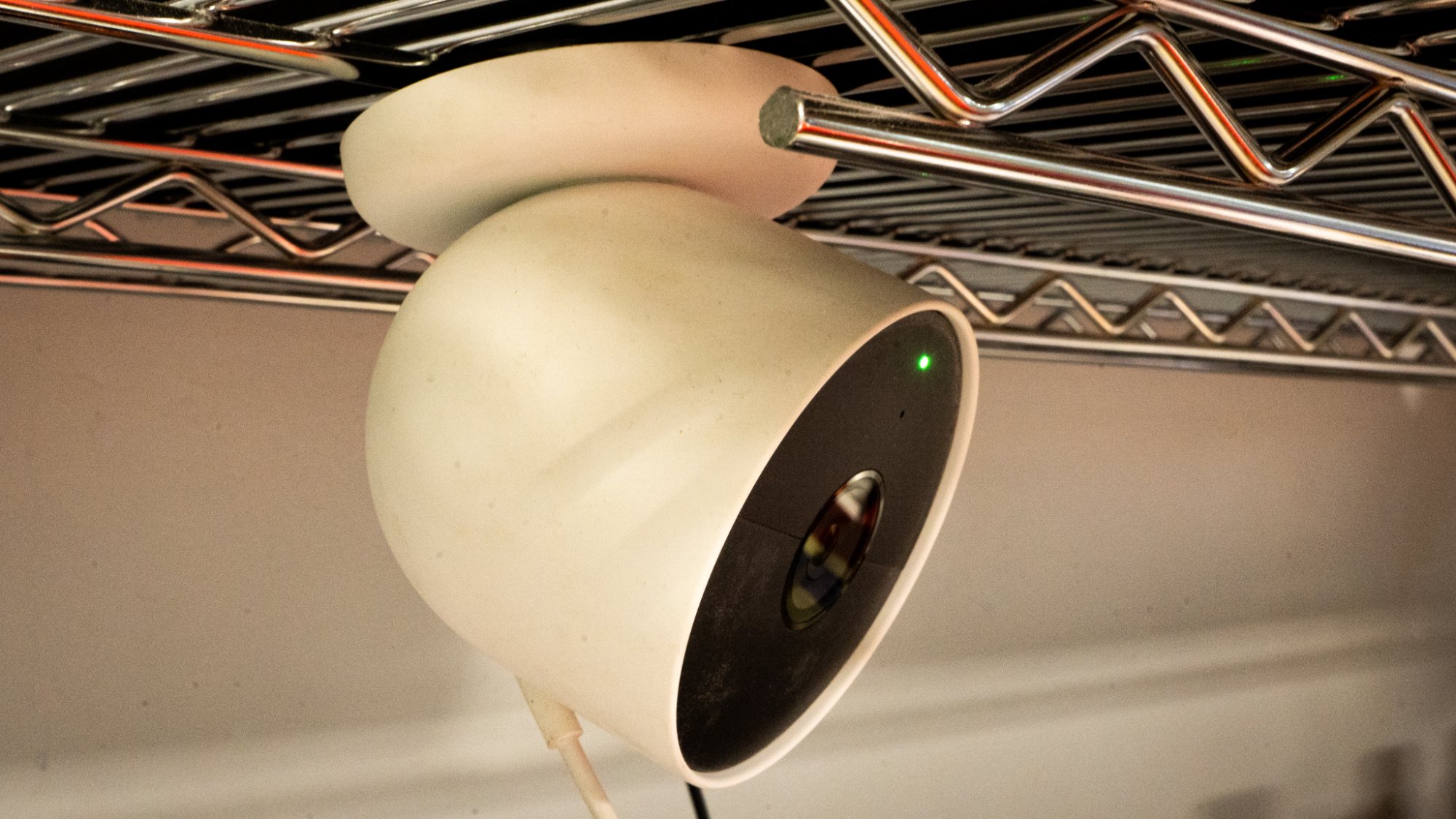
Some security cameras are so easy to install they magnetize to a metal rack. Credit: Florence Ion/Lifehacker
The best way to determine which system suits your specific needs is to consider the situation. If you’re already a tech enthusiast, consider one of the DIY routes and integrate a system like Abode with one of the three main digital assistants—Google, Apple, or Alexa—as your main controller. This offers the most combination of mixing and matching brands, plus the added benefit of on-demand professional monitoring as needed.
If you’re a renter, consider the less permanent option. SimpliSafe and Ring’s ecosystems were built around this flexibility, as it’s each brand’s bread and butter. They include everything you need right out of the box, like a base station that connects to a variety of renter-friendly accessories, stick-and-peel motion sensors, and rental-friendly camera mounting. Ring lets you pay for professional monitoring on a month-to-month basis, although it’s not required to use the hardware, whereas SimpliSafe accommodates self-monitored systems. Amazon’s Blink is also a viable option to consider for temporary or non-DIY living situations, especially if you prefer notifications via a smart display or speakers.
For first-time home owners, consider a hybrid approach that works right out of the box, but also allows you to add to it later. Google’s Nest products work particularly well in a household that’s all-in, from Nest security cameras to the Nest Thermostat, which also serves as a motion sensor in the connected home. If you want to add professional monitoring at a later time, you can integrate a SimpliSafe or Abode system into an existing setup without disrupting what you’ve put together, or have ADT take over on a month-to-month basis.
If you don’t have the patience for this kind of smart home maintenance, or you’d rather opt for a professional monitoring company to handle it all, there is no shame in choosing ADT or Vivint. It will cost you more, but both companies have had ample time to establish secure device partnerships. You can get the whole kit and kaboodle through either brand, from motion sensors to security cameras. This is also the route to take if protecting your property while you’re not there is key. Companies like ADT boast a massive network of monitoring centers across the continental U.S., and again, you don’t have to handle everything yourself.
A smart home with sirens
It can be overwhelming to start your journey into smart security. But once you set it up, you won’t be able to live without the constant reminders that everything is in perfect order in your house. Indeed, I use the cameras to check in with my home and make sure it’s still standing there. Sometimes that peace of mind is all it takes to allow yourself hard-earned time off.
Regardless of which route you choose for your smart home, don’t feel like you have to jump in all at once. I started my smart home security system with a doorbell camera and a connected thermostat. They weren’t even from the same ecosystem—the doorbell camera was Ring, and Nest handled the thermostat—but I learned how to use mobile apps to develop routines around each of them. Now I live with mostly Google’s Nest cameras, which take on the bulk of the surveillance work. I’ve incorporated a few budget-friendly brands, such as TP-Link’s Kasa, around the house for a little added extra help when I need it, and a smart lock that can be remotely managed to let me know when I’ve left the front door unlocked.