We may earn a commission from links on this page. Deal pricing and availability subject to change after time of publication.
Amazon Big Deal Days end tonight, Oct. 8, and until then, Lifehacker is sharing the best sales based on product reviews, comparisons, and price-tracking tools before it’s over.
Follow our live blog to stay up to date on the best sales we find.
Browse our editors’ picks for a curated list of our favorite sales on laptops, fitness tech, appliances, and more.
New to Prime Day? We have a primer on everything you need to know. Sales are accurate at the time of publication, but prices and inventory are always subject to change.
When I first started DIYing stuff in my house, I didn’t have a lot of power tools, and I thought buying them would be a waste of money. I knew they’d make the work easier, of course, but I didn’t think that convenience was worth paying for. I had two hands, after all. I could do everything like my ancestors did: The hard way.
It took sanding down the old stairs in my house to change my mind forever. The stairs were old but solid, and I had to strip layers of paint and roughed-up wood off the treads as part of the rescue project. And it was torture doing this by hand. Halfway through, I stood up and went directly to the hardware store to purchase an orbital sander. These sanders are great for stripping stuff down, because the random action of the sanding pad reduces the scuff marks, resulting in a nice, smooth finish. I finished the rest of the stairs pretty fast after that, and I’ve never looked back.
The DeWalt DCW210 is one of the best orbital sanders I’ve ever used, honestly—and you can get one right now for 30% off (note that this is the “bare tool,” without a battery or charger—if you need those you’re better off buying the kit, which is 34% off right now, too). It’s cordless, which is great when you’re working over a large area. It uses a standard 8-hole hook-and-loop attachment pad, so you can use whatever sanding pads are best for the project at hand without being tied to some strange proprietary system. And it’s very comfortable in your hand, though it does tend to feel a bit heavy after you use it for a while.
Battery life is good, typically in the hour range, though it can be shorter if you’re using heavy-duty grit or really working the sander hard. The battery also charges up fast, so a lot of times I can get hours of continuous use by charging a battery while I work and swapping as needed. If you’re still hand-sanding, or if your orbital sander has seen better days, grab this one at 30% off before Prime Day ends.
Looking for something else? Retailers like Walmart and Best Buy have Prime Day competition sales that are especially useful if you don’t have Amazon Prime.
Walmart’s Prime Day competition sale runs from Oct. 6 at 7 p.m. ET through Oct. 12 and includes deals up to 50% off. It’s an especially good option if you have Walmart+.
Best Buy’s Prime Day competition sale runs from Sept. 27 through Oct. 12, and has some of the best tech sales online. It’s an especially good option if you’re a My Best Buy “Plus” or “Total” member.
Target’s Prime Day competition sale runs from Oct. 5 through Oct. 11, and it has deals going up to 50% off. You can become a Circle member for free.
We may earn a commission from links on this page. Deal pricing and availability subject to change after time of publication.
Amazon Big Deal Days end tonight, Oct. 8, and until then, Lifehacker is sharing the best sales based on product reviews, comparisons, and price-tracking tools before it’s over.
Follow our live blog to stay up to date on the best sales we find.
Browse our editors’ picks for a curated list of our favorite sales on laptops, fitness tech, appliances, and more.
New to Prime Day? We have a primer on everything you need to know. Sales are accurate at the time of publication, but prices and inventory are always subject to change.
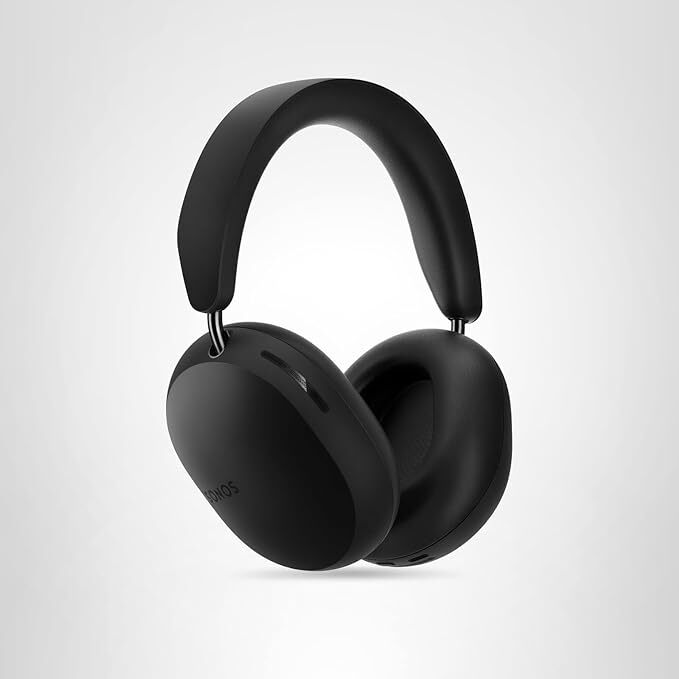
The second and last day of October Prime Day is upon us. Right now, Amazon is having a big sale on Sonos devices, with almost all of its products seeing good deals. The Sonos Beam Gen 2 is one of the best deals of the bunch currently down to the lowest price it has ever been—$369 (originally $499)—according to price-tracking tools. The Sonos Ace is also seeing its lowest price of $298.99 (originally $399) if you’re looking for some good quality headphones.
Sonos Beam Gen 2 5.0ch Smart Soundbar (Black)
$369.00 at Amazon
$499.00 Save $130.00
$369.00 at Amazon
$499.00 Save $130.00
Sonos Ace Headphones
$298.99 at Amazon
$399.00 Save $100.01
$298.99 at Amazon
$399.00 Save $100.01
As the name suggests, this isn’t the first generation of the Beam soundbar. That would be the Sonos Beam Gen 1, which came out in 2018. It was the first smart soundbar to support both Google and Alexa voice assistants, as well as AirPlay. The Sonos Beam Gen 2 then came out in 2021, adding Atmos compatibility, eARC connectivity, NFC connectivity, and a better processor from the features that were already in the Gen 1. The Sonos companion app also improved dramatically, making for a much better experience and extra features, like the Sonos TruePlay (only for Apple phones), which calibrates the speaker based on its environment.
The release of the bigger and more powerful Sonos Arc Ultra last year meant the Beam Gen 2 was no longer the flagship premium soundbar, which has helped bring the price down in sales like these.
Looking for something else? Retailers like Walmart and Best Buy have Prime Day competition sales that are especially useful if you don’t have Amazon Prime.
Walmart’s Prime Day competition sale runs from Oct. 6 at 7 p.m. ET through Oct. 12 and includes deals up to 50% off. It’s an especially good option if you have Walmart+.
Best Buy’s Prime Day competition sale runs from Sept. 27 through Oct. 12, and has some of the best tech sales online. It’s an especially good option if you’re a My Best Buy “Plus” or “Total” member.
Target’s Prime Day competition sale runs from Oct. 5 through Oct. 11, and it has deals going up to 50% off. You can become a Circle member for free.
Over a year after former Twitter executives sued Elon Musk for around $128 million in unpaid severance benefits, both parties have agreed to settle for an undisclosed amount. The settlement is dependent on “certain conditions” being met in the near term, according to a new filing in the Northern District Court of California, but will postpone existing deadlines in the case so Musk can fulfill his obligations.
Former Twitter CEO Parag Agrawal, CFO Ned Segal, chief legal officer Vijaya Gadde and general counsel Sean Edgett originally sued Musk for millions of dollars of unpaid severance benefits in 2024. The justification for their lawsuit was made clear in Walter Isaacson’s account of the Twitter acquisition: Musk closed the $44 billion deal early and fired the executives in an attempt to avoid paying out their severance and vested stock options. The executives naturally sued, and now appear to be receiving some amount of what they’re owed.
The whole lawsuit likely wouldn’t have happened if Musk hadn’t originally tried to back out of his acquisition of Twitter, which the company later forced to happen through an extended legal battle. The early days of Musk’s ownership of the social network were characterized by drastic cost saving measures as a result, including mass layoffs and the decision to just not pay rent for some of the company’s offices.
Finally settling this lawsuit closes the book on that original Twitter saga, with a dismissal of the lawsuit the only real missing milestone. If for whatever reason Musk and X are not able to meet the terms of the settlement, the case will continue on October 31.
This article originally appeared on Engadget at https://www.engadget.com/social-media/elon-musk-and-former-twitter-execs-agree-to-settle-128-million-lawsuit-181915972.html?src=rss
An anonymous reader shares a report: Universities in the UK reassured arms companies they would monitor students’ chat groups and social media accounts after firms raised concerns about campus protests, according to internal emails. One university said it would conduct “active monitoring of social media” for any evidence of plans to demonstrate against Rolls-Royce at a careers fair.
A second appeared to agree to a request from Raytheon UK, the British wing of a major US defence contractor, to “monitor university chat groups” before a campus visit. Another university responded to a defence company’s “security questionnaire” seeking information about social media posts suggestive of imminent protests over the firm’s alleged role in fuelling war, including in Gaza. The universities’ apparent compliance with the sensitivities of arms companies before careers fairs has emerged in emails obtained by the Guardian and Liberty Investigates after freedom of information (FoI) requests.
We may earn a commission from links on this page. Deal pricing and availability subject to change after time of publication.
Amazon Big Deal Days is coming October 7-8, and Lifehacker is sharing the best sales based on product reviews, comparisons, and price-tracking tools before it’s over.
Follow our live blog to stay up to date on the best sales we find.
New to Prime Day? We have a primer on everything you need to know. Sales are accurate at the time of publication, but prices and inventory are always subject to change.
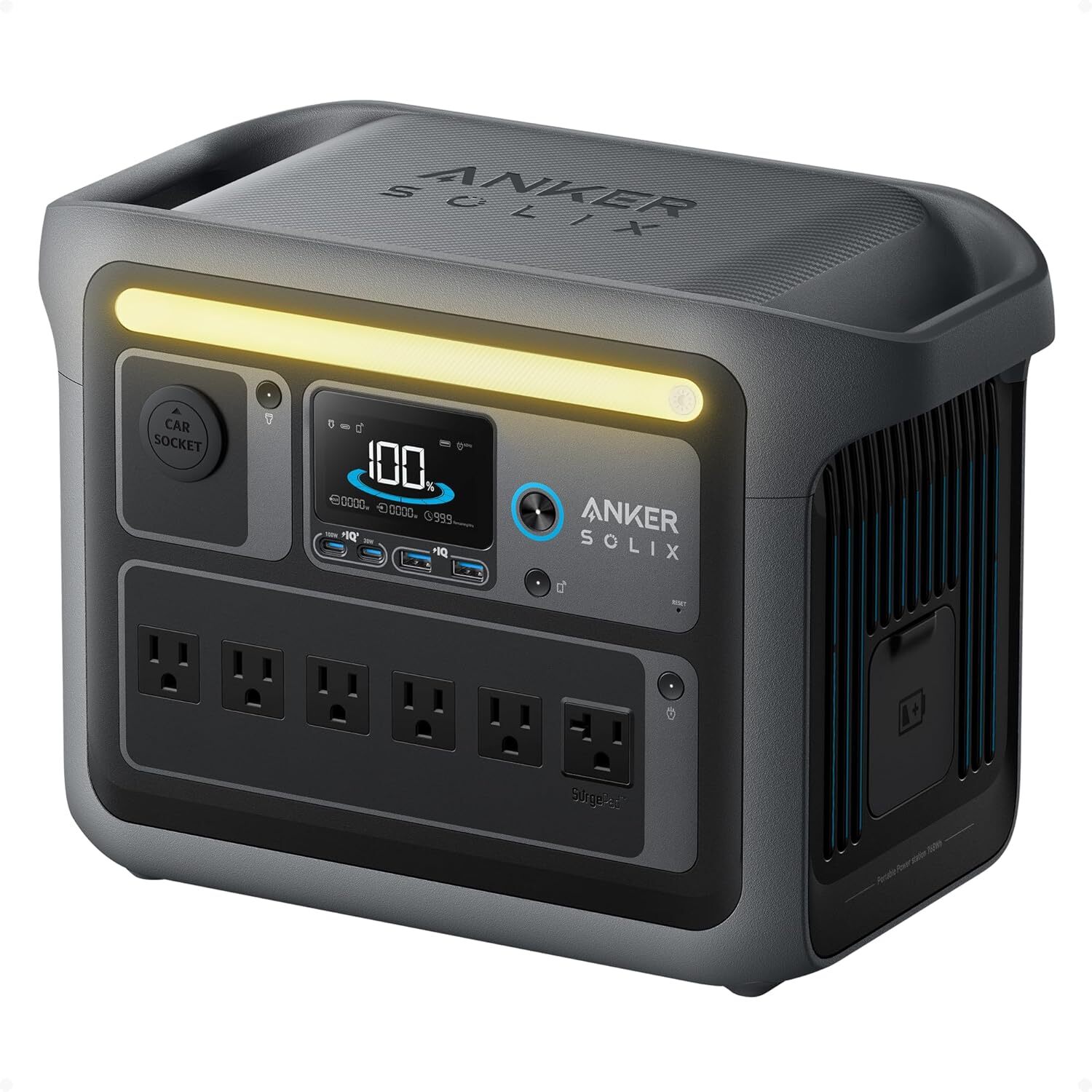
Whether you’re preparing for an emergency, planning a camping trip, or just want peace of mind during routine power outages, a portable power station is the answer. While they’re typically known for being pricey gadgets, this October Prime Day, you can pick up the Anker Solix C1000 Portable Power Stationfor 53% off, dropping the price to under $400. (You can also get the same generator bundled with a 200W solar panel at a similar discount.)
This versatile power station is part of the brand’s “camping series,” but it works equally well at home in a pinch—it can power up a fridge for 14 hours and a CPAP for over 18 hours. (If you want a longterm whole-home power, solution you’ll want to upgrade to the F3800 Plus, mentioned in this CNET roundup.) According to this “Mashable Choice” review, it has plenty of charging ports and 1,056Wh capacity, and recharges quickly via grid power, solar, or your car, going from 0 to 80% in under 45 minutes on a wall outlet. It’s also easy to monitor and manage with Anker’s companion app.
At 28.4 pounds, it’s lightweight given the power it delivers, and has a durable exterior. Its built-in LED light strip keeps things visible when the lights go out during a power outage. The USB-C power output maxes out at 100W, and it only supports one expansion battery, for 2,112Wh total. While it’s designed for camping, it’s also reliable for home use, powering up a fridge for 14 hours and a CPAP for over 18 hours.
If you’re looking for a portable power station with a wide range of features, high capacity, quick recharging, and multiple port options, the Anker Solix C1000 Portable Power Stationis a small powerhouse that offers excellent value, especially at 53% off during Prime Day.
Looking for something else? Retailers like Walmart and Best Buy have Prime Day competition sales that are especially useful if you don’t have Amazon Prime.
Walmart’s Prime Day competition sale runs from Oct. 6 at 7 p.m. ET through Oct. 12 and includes deals up to 50% off. It’s an especially good option if you have Walmart+.
Best Buy’s Prime Day competition sale runs from Sept. 27 through Oct. 12, and has some of the best tech sales online. It’s an especially good option if you’re a My Best Buy “Plus” or “Total” member.
Target’s Prime Day competition sale runs from Oct. 5 through Oct. 11, and it has deals going up to 50% off. You can become a Circle member for free.
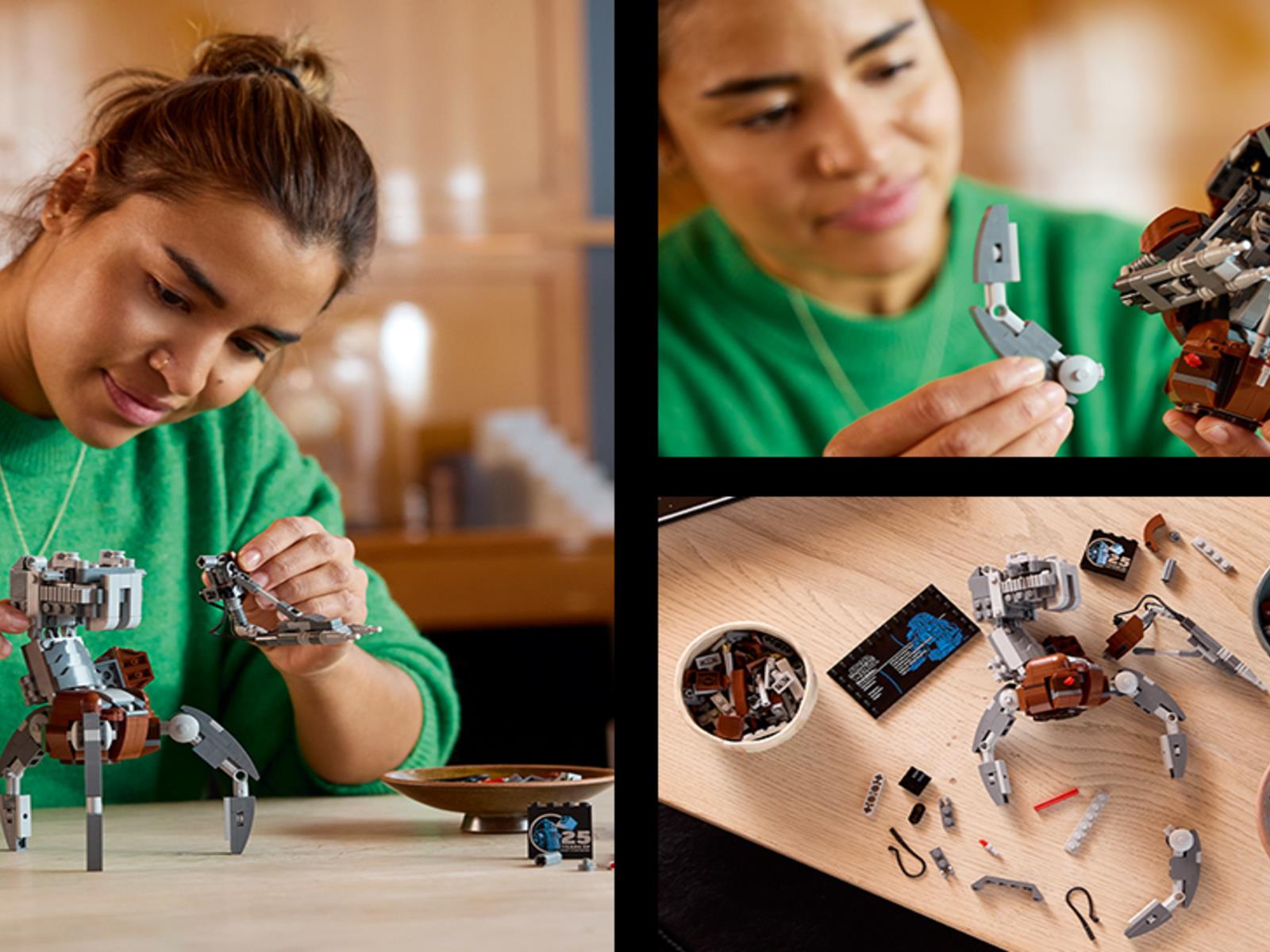
Working on a LEGO set can be a fun and relaxing way to spend an afternoon, but some of the crossover sets that tap into popular IP—such as Star Wars can be on the pricey side. Thankfully, several sets are currently included in Amazon’s Big Prime Day deals event, featuring discounts as high as 44% off retail price. Here are some of the coolest
New to Prime Day? We have a primer on everything you need to know. Sales are accurate at the time of publication, but prices and inventory are always subject to change.
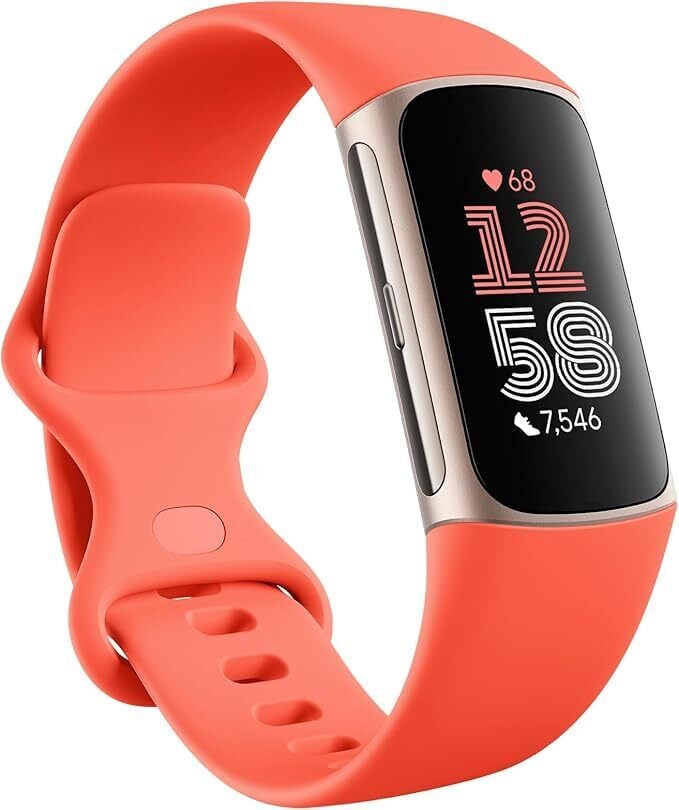
Deals on smartwatches are only getting better and better during Amazon’s Big Deal Days. You don’t need to be a fitness enthusiast to appreciate everything a good Apple Watch has to offer. Right now the Fitbit Charge 6 is available for $104.45 for this October Prime Day, a 35% discount off its list price of $159.95.
This Fitbit is a solid choice for anyone looking for with a simple device that can do the basics. This means steps, sleep, and activities, all without navigating through a ton of menus and accoutrements. If you’re looking for a Fitbit that goes beyond the basics, the Versa 4 is currently $132.95, down from $199.95.
On the flip side, for an even budget-friendlier option, check out the Inspire 3. It’s currently 20% off on Amazon, bringing the price down to $79.95. It doesn’t have its own GPS, and the screen is smaller, but if all you need is a barebones fitness tracker, it’s a solid option.
Looking for something else? Retailers like Walmart and Best Buy have Prime Day competition sales that are especially useful if you don’t have Amazon Prime.
Walmart’s Prime Day competition sale runs from Oct. 6 at 7 p.m. ET through Oct. 12 and includes deals up to 50% off. It’s an especially good option if you have Walmart+.
Best Buy’s Prime Day competition sale runs from Sept. 27 through Oct. 12, and has some of the best tech sales online. It’s an especially good option if you’re a My Best Buy “Plus” or “Total” member.
Target’s Prime Day competition sale runs from Oct. 5 through Oct. 11, and it has deals going up to 50% off. You can become a Circle member for free.
We may earn a commission from links on this page. Deal pricing and availability subject to change after time of publication.
Amazon Big Deal Days end tonight, Oct. 8, and until then, Lifehacker is sharing the best sales based on product reviews, comparisons, and price-tracking tools before it’s over.
Follow our live blog to stay up to date on the best sales we find.
Browseour editors’ picks for a curated list of our favorite sales on laptops, fitness tech, appliances, and more.
New to Prime Day? We have a primer on everything you need to know. Sales are accurate at the time of publication, but prices and inventory are always subject to change.
When I reviewed the Suunto Run earlier this year, I really enjoyed it. It’s lightweight, with a bright display and excellent GPS and heart rate accuracy. In other words, all the things you’d expect from a mid-range fitness watch, but at a more affordable price. And today it’s even more affordable, dropping to $199 in a Prime Day deal, compared to $249 normally.
It offers at least a week’s battery life (I got about seven days, while the company says it’s good for “up to 12” days) and was a delightful companion on my runs. On the trails, when I was following a downloaded route, it showed the direction I needed to go more clearly than similar Garmin and Coros watches. It also has dual-band GPS where its closest Garmin competitor (the Forerunner 165) does not. So if you’ve been looking for a good running watch at a good price, this is a perfect one to pick up.
That said, the Suunto Run is one of the lower end watches in Suunto’s lineup, though it definitely holds its own. If you’re looking for something a bit fancier, the Suunto Race is also on sale today: $319 down from $399. The Suunto Race has sapphire glass, a 26-day battery life, and access to the Suunto Plus store where you can download apps for the watch.
Looking for something else? Retailers like Walmart and Best Buy have Prime Day competition sales that are especially useful if you don’t have Amazon Prime.
Walmart’s Prime Day competition sale runs from Oct. 6 at 7 p.m. ET through Oct. 12 and includes deals up to 50% off. It’s an especially good option if you have Walmart+.
Best Buy’s Prime Day competition sale runs from Sept. 27 through Oct. 12, and has some of the best tech sales online. It’s an especially good option if you’re a My Best Buy “Plus” or “Total” member.
Target’s Prime Day competition sale runs from Oct. 5 through Oct. 11, and it has deals going up to 50% off. You can become a Circle member for free.
After cramming dozens more games into the service and announcing a 50 percent price increase for the Ultimate tier, Microsoft has revealed the rest of the Game Pass additions for October. They include some games that were previously confirmed to join Game Pass Ultimate and PC Game Pass on their release day, including Ball x Pit (October 15), Keeper (October 17) and Ninja Gaiden 4 (October 21).
Starting today, Game Pass subscribers on the Ultimate, Premium and PC plans can try out a store management game called Supermarket Simulator. Baldur’s Gate 3 fans who have been meaning to check out the first two main entries in the series can hop into the enhanced editions on PC via the Ultimate, Premium and PC variants of Game Pass starting on October 9.
On October 14, folks on those three Game Pass plans can get a pre-Halloween horror fix with The Casting of Frank Stone. This is a Dead by Daylight spinoff from Supermassive Games that taps into the kind of narrative-heavy gameplay the studio used in the likes of Until Dawn and The Quarry.
The other remaining Game Pass additions for October are:
The Grinch: Christmas Adventures – October 15 (Game Pass Ultimate, Game Pass Premium and PC Game Pass)
Eternal Strands — October 15 (Game Pass Premium, already on Ultimate and PC Game Pass)
He Is Coming (Game Preview on PC only) — October 15 (Game Pass Premium, already on Ultimate and PC Game Pass)
Ninja Gaiden 2 Black – October 15 (Game Pass Premium, already on Ultimate and PC Game Pass)
Pax Dei (PC) – October 16 (Game Pass Ultimate, Game Pass Premium and PC Game Pass)
Evil West – October 21 (Game Pass Ultimate, Game Pass Premium and PC Game Pass)
I played some of Eternal Strands earlier this year and dug it quite a bit. It’s an action-adventure game that lets you do some really neat things with elemental abilities. I enjoyed what I played of The Casting of Frank Stone too. That said, Ball x Pit (I got hooked on the demo this summer) and Keeper are the picks of this bunch for me.
This article originally appeared on Engadget at https://www.engadget.com/gaming/xbox/xboxs-remaining-game-pass-additions-for-october-include-baldurs-gate-1-and-2-and-the-casting-of-frank-stone-172448097.html?src=rss
Synology has released an update to its Disk Station Manager software that removes verified drive requirements from its 2025 model-year Plus, Value and J-series DiskStation network-attached storage devices. The change allows users to install non-validated third-party drives and create storage pools without restrictions.
The company had expanded its verified drive policy to the entire Plus line a few months earlier. Synology-branded drives carried substantial price premiums over commodity hardware. The HAT5310 enterprise SATA drive costs $299 for 8TB compared to $220 for an identically sized Seagate Exos disk. Users who installed non-verified drives in affected models faced reduced functionality and persistent warning messages in the DSM interface.
Synology said today it is collaborating with third-party drive manufacturers to accelerate testing and verification of additional storage drives. Pool and cache creation on M.2 disks still requires drives from the hardware compatibility list. Synology did not clarify whether the policy change applies to previous-generation products.
Everyone uses smartwatches differently. There are the people who wear them all day, those who only wear them when they’re outside, those who only use them while working out and even those who only wear them to bed. In 2025, most smartwatches can do it all and satisfy your needs regardless of how you use them. They perform a lot of basic activity and sleep tracking while serving as excellent passive data gatherers. Google’s latest, the Pixel Watch 4, stands strong against rivals like the Apple Watch Series 11 and Samsung’s Galaxy Watch 8, and if you look just at those model numbers, it’s impressive how far Google has come in just four generations.
The Galaxy Watch 8 is probably the Pixel Watch 4’s closest competitor, considering they’re both compatible with Android while the Apple Watch only works with iPhones. Comparing them can feel a bit futile, since it’s most likely you’ll buy the watch that works best with your brand of phone (i.e. Pixel watch for a Pixel phone, Samsung for Samsung). But it’s still worthwhile to see how they fare against each other. If you know what a Samsung watch can do, it helps contextualize what should be considered acceptable on, say, your Pixel or Apple watch.
It bodes well that for the Pixel Watch 4, I’m no longer questioning its fundamental functionality or complaining about its battery life. Rather, I found myself pondering its adaptability and consistency, as well as its strengths over the competition. Unsurprisingly, thanks to its Google and Fitbit heritage, those strengths lie in AI and health tracking. But the Pixel Watch 4 has a surprising advantage that I never saw coming: charging speed.
What’s new on the Pixel Watch 4
Before I get into that though, let’s quickly go over what’s changed on the Pixel Watch 4. It now has a curved display under its domed glass covering, which makes it look even livelier than before. It’s surrounded by bezels that Google says are 16 percent smaller than the last model’s, allowing its screen to be about 10 percent roomier. The display is also brighter by about 50 percent, now going up to 3,000 nits. That’s the same as Samsung’s Galaxy Watch 8, but higher than the Apple Watch Series 11’s 2,000 nits of peak brightness.
Altogether, the physical changes make Pixel Watch 4 look eye-catching and attractive, and I kept getting compliments from people outside my usual tech-savvy circles. Other hardware upgrades include the new dual-frequency GPS, custom haptics engine and speaker, as well as updated processors and a revamped, faster charging system that places the contact points on the watch’s edge instead of the back. Importantly, though I didn’t test it for this review, the Pixel Watch 4 is more repairable, since you can unscrew its case to replace its display and battery if needed.
Like many non-Apple smartwatches, the Pixel Watch 4 runs Google’s Wear OS, but with some new features like a wrist-raise gesture to trigger the Gemini assistant. The company also improved its algorithms for activity- and sleep-tracking, brought its Material 3 Expressive design languages and new watch faces to the OS and overhauled the Fitbit app to center around an AI coach. However, the redesigned Fitbit app wasn’t available for testing during this review, so you won’t see any evaluations of it here.
One more thing I didn’t try on the Pixel Watch 4: Emergency SOS via Satellite. Google’s smartwatch was the first mainstream wearable to be announced to have satellite communications built in, though Apple released the Watch Ultra 3 with similar capabilities shortly after. Because the setup would result in a call or message being sent to emergency services, I decided against testing the satellite feature for this review.
If you’re new to smartwatches or considering your first one, check out our smartwatch buying guide for details on what to expect of a device in 2025. By and large, though, this review won’t cover the basics of what a smartwatch does and what apps or features are typically available.
Sam Rutherford for Engadget
Fast-charging is so good that I no longer worry
I never thought I’d be such a fan of short charge times, but Google’s latest wearable is so fast at refueling that I’ve actually changed my behavior around it. I typically place my smartwatch (usually just the most recent Apple Watch I’ve tested) on my kitchen island so that I see it when I grab my pre-bedtime cup of water and remember to put it on the charger overnight.
With the Pixel Watch 4, I’ve started to just drop it on the charger when I wake up, and by the time I’m done brushing my teeth, washing my face and changing into my gym clothes, it’ll have plenty of power for about half a day. I can’t say the same for the Apple Watch, though the Series 11 has respectable charging speeds that allow me to get enough for a morning walk and a workout after about 10 minutes of being plugged in.
For the actual numbers, you can read my colleague Sam Rutherford’s story where he meticulously charted the charge time of the larger 45mm model of the Pixel Watch 4 he’s been using. It jives with my experience, where, after just six minutes, my device went from 37 percent to 62 percent.
I was also impressed when I saw an alert on the watch’s face that told me the charger wasn’t actually plugged into an outlet. I’ve been burned in the past when I placed other smartwatches on their charging pucks, only to come back an hour later and realize it hadn’t actually been charging because I didn’t connect the cable to a socket. This feature felt like a particularly thoughtful touch on Google’s part.
The Pixel Watch 4’s battery life
With such quick recharging, it can feel like a long-lasting battery isn’t as important. But the Pixel Watch 4 still manages to deliver respectable runtimes.
In general, I preferred to let the Pixel Watch 4 get a full charge, because I noticed its battery doesn’t get me through a whole day after just a few minutes on the dock. But when I took it off the charger at 3:35PM one Friday afternoon, it managed to last all through Saturday night, going from 100 percent to 22 percent by 9PM the next day. That’s after a full day of passive activity tracking, where the watch noted that I had burned about 3,000 calories, hiked 6.73 miles and climbed the equivalent of 128 floors.
The Pixel Watch 4 typically lasts about as long as the Apple Watch Series 11. Both devices clock about a day and a half, depending on how frequently I use features like Gemini or the remote control view for the phone’s camera. That runtime also seems similar to the Samsung Galaxy Watch 8, which my colleague Amy Skorheim reviewed.
Considering Google rates the 41mm version of the Watch 4 to last about 30 hours on a charge, the experience I had mostly surpasses that estimate. Of course, battery performance usually deteriorates over time, so my brand new review unit will likely get a little less long-lasting after a while.
Fitbit / Engadget
Sleep tracking: A tale of insomnia and naps
I wouldn’t usually dwell on a feature that has been around for generations of a device, but Google did update its sleep-tracking algorithms for the Pixel Watch 4, calling it “our most accurate sleep-tracking.” Plus, as Apple only just introduced Sleep Score on the Series 11, I thought it was a good opportunity to compare the two.
Both companies thoughtfully limit the brightness of their watches’ displays when you’re in bed, and tuned their software in response to your usual bedtimes so you won’t be awoken by endless notifications while sleeping. They all deliver sleep scores and readouts of the zones you cycled through while you rested, too, to help you get better insight on your slumber.
While I prefer Apple’s presentation of the sleep score in a ring with three segments to indicate areas of potential improvement, I find Google’s charts more readable and specific data easier to find. I’m not going to spend too much time complaining about an app’s layout, though, since it largely has to do with getting used to the way a company organizes its info. What’s more important is how their devices count your sleep, and whether they do so accurately.
In anticipation of a long day that would start at about 4:45AM, I went to bed at about 10PM, only to wake up at 1:57AM, unable to fall back asleep. I counted sheep, told myself to fall asleep, got angry at myself for not being able to sleep and peeked at my phone, which showed me that it had been an hour since I woke up. I finally drifted off after some time, waking up when the Pixel Watch 4 dragged me out of a dream by buzzing relentlessly on my wrist. In my half-awake state, I actually thought the vibration was part of the dream and almost went back to sleep, until I remembered it was the silent alarm I had set for 4:45AM.
Color me shocked when I saw my sleep score was 81 — deemed “Good” by the Pixel Watch 4 due in part to my accumulating six hours and 24 minutes of rest. I immediately dug into the sleep chart to see if my hour awake had been misattributed to sleep. It had been. The device did pick up many moments of restlessness, saying that movement was detected during 9 percent of my sleep. But it couldn’t tell that despite my lying fairly still, I had been, sadly, wide awake.
I can’t penalize Google or Fitbit too heavily for that. Most sleep trackers can’t tell between periods of sleep and complete stillness either. Google said lying awake but very still in bed before you sleep can sometimes be tracked as sleep, and that it’s a known limitation of the algorithm that it’s working on improving for future iterations.
Another area for improvement: napping. On the way home to New York from Lake Placid, I passed out for about an hour at 9PM. Since that was late enough to count as bedtime for some people, I hoped that the Apple Watch and Pixel Watch would both take those minutes into consideration. But neither did.
With the Pixel Watch 4, I found out later that naps during the day would be counted, they just had to last at least two hours. Two-hour naps? In this economy?? I don’t know who else has the time but a quick hourlong lie-down is big for me.
Like I said at the start of this review, sleep-tracking isn’t a major reason I use smartwatches. For those, like Sam, who do, the Pixel Watch 4 will be quite satisfying. Sam noted that the device was mostly accurate in his experience, and detected when he had to get up to feed his baby at night. Plus, it’s light and comfortable enough to wear to bed (when paired with the right strap), and its battery will last all night. Add the fast charging we’ve already raved about and it seems like there’s almost no reason to not have the Pixel Watch 4 on your wrist at all times.
A word on alarms, timers and stopwatches
I also like that on the Pixel Watch, I was able to set an alarm to wake me with just vibration and no sound, so I could get up earlier than my partner before we left for our five-hour drive to Lake Placid. I could not find this on the Apple Watch — though I did have the option to allow the alarm to break through silent mode. It’s just another way the two companies differ, and I imagine they’ll both copy each other and add the respective missing features soon enough.
Google / Apple / Engadget
One thing I do wish Apple would change: the icons for the Stopwatch, Timer and Alarm apps on watchOS. All three of them are represented by orange circles in the app drawer, with slightly different versions of circles with clock hands in them. They’re not labeled, either, so if you’re not in the List view you’ll have to guess which of these three orange orbs is the time-related app you want, and go back and forth until you find the right one.
Google is only slightly better at this, since it uses an hourglass to represent the Timer and the Alarm and Stopwatch icons are a bit more distinct from each other. Plus, Alarm sits at the top of the Pixel Watch’s drawer, whereas the Stopwatch and Timer are closer together near the bottom. They’re clearly organized alphabetically, since other options near the top are Contacts, Calendar and Camera while Recorder, Settings and Spotify are at the end with Stopwatch and Timer.
Meanwhile, all of Apple’s first-party apps are at the top of the watchOS app drawer and if you throw in the other orange circle that is the World Clock, you’ll have four cheesy orbs sitting in close proximity to each other like Ritz crackers.
Gestures and Gemini — convenience with some caveats
Samsung’s Galaxy Watch 8 was the first smartwatch to have Google’s Gemini onboard, but when the Pixel Watch 4 launched, it brought the “raise to talk to Gemini” feature with it. This allows for convenient hands-free communication with the AI, so long as you have an internet connection, anyway.
When I left my Pixel 10 Pro in a locker and went for a quick riverside walk, I wasn’t able to get the assistant to set a timer so I knew when to start heading back. This isn’t just about the wrist-raising gesture — Gemini simply won’t work on the Pixel Watch 4 if it’s not online, whether that be via a tethered phone or its own cellular connection. In contrast, while I did have to long-press the Apple Watch’s knob or say “Hey Siri,” I was at least able to get it to set that alarm, even when I put it (and the iPhone it was linked to) on Airplane mode.
This isn’t a dealbreaker, but it’s frustrating if you don’t have an LTE version of the watch and decide to leave your phone at home. Sure, you can touch the screen and use the app to set that timer, but I don’t want to have to stop, lift up my wrist and select the number of minutes my countdown should run.
Cherlynn Low for Engadget
There are a few caveats to note when specifically talking about the wrist-raise gestures, too. For one, you’ll have to make sure the Always On Display is enabled, since the system relies on the screen being on to detect changes in movement and state. You’ll also have to be fairly deliberate with the gesture, bringing your wrist to your mouth from about waist-level.
For the most part the Pixel Watch 4 responded as expected, with the onscreen indicator telling me Gemini was listening when I brought my hand to my mouth. But every now and then, especially when I was sitting down, it would fail to react. There are few situations more embarrassing than sitting in a cafe, repeatedly jerking your wrist up to your face while holding a phone up to get a video of the feature working. I could only hope the other people at the coffee shop where I was writing this review didn’t think I was doing something worse.
Sometimes, the little glowing animation would appear to show that my action was successful, but if I even moved my wrist slightly after that, it would disappear. Also, if you lift your wrist from any screen other than the home page, you won’t see the indicator. But if you confidently speak your request into the ether anyway, you’ll realize Gemini was actually awoken by your gesture.
With the apps drawer open, I lifted my wrist and asked what the weather was like, and promptly got a response. There was also a light vibration to let me know the watch had heard me. When I raised my hand again and asked “how about tomorrow,” Gemini was quick to tell me it would be rainy in my area. I was impressed by the speedy responses and the fact that I could keep bringing my hand up to my mouth to ask follow-up questions or interrupt an overly wordy response, but I do have to acknowledge that there is a certain finesse that is required to get the gesture right each time.
I was a little perturbed that the action needs to be somewhat deliberate, right up until the one time it accidentally triggered when I flipped my wrist during a call. Out of nowhere, the assistant was responding to my conversation with my therapist. This only happened once during my 10 or so days with the Pixel Watch 4, so the rate of false positives is fairly low. The jerkiness of raise-to-talk to Gemini is a tradeoff I’m willing to make in exchange for fewer accidental triggers.
Plus, Google has said this is an initial foray into gesture-based interaction with the Pixel Watch, and it appears to continue to tweak its algorithms for greater accuracy and sensitivity. The Watch 4 may not currently support the double tap and wrist flick gestures that Apple does (or Samsung’s pinch-based actions). But I’ve been in the industry long enough to remember when Android Wear watches allowed you to flip your wrist to scroll through long notifications. It seems Wear OS still supports that, along with a limited set of gesture-based navigation actions. I was able to dismiss notifications and return to the home page by rotating my wrist on the Pixel Watch 4 thanks to the existing “ungaze” gesture that’s designed to close an alerting notification.
Cherlynn Low for Engadget
Auto workout detection is different, but still here
Over the years, Google has gone back and forth on its auto-workout-detection system. With the original Pixel Watch, the device didn’t bother to tell you if it noticed you had gone on a walk. You’d have to go into the Fitbit app a few hours later to see that session. That changed with the Pixel Watch 2, which brought reminders to start a workout for seven types of activities including running, walking, rowing and outdoor biking. The Watch 3 improved upon that by being quick on the uptake, suggesting I had been active as soon as I had been moving for 10 minutes.
On the Watch 4, Google changed its approach (again). At first, it no longer appeared to automatically track my daily 20-minute walks to and from my gym. But because I remembered my experience with the original model, I went to the Fitbit app on my phone and was relieved to see a suggested workout logged there.
Subsequently, I discovered that the Watch 4 would prompt me to confirm detected periods of activity, but only 30 minutes after I was done. The idea is that the prompt to record a walk or impromptu run might interrupt your flow, and while I can understand that rationale, I wish there was an option for me to just set it how I prefer it.
The good news is that in my time with the Pixel Watch 4, I never felt shortchanged. As long as they lasted at least 15 minutes, pretty much all my extended walks were accurately logged (minus the location information, which makes sense from a privacy perspective). I also wore a Galaxy Ring during my review, since in my experience that’s the most accurate at tracking every little walk I take, and the two devices usually matched up. The Apple Watch, meanwhile, barely ever registered any of my walks, and I always needed to remember to manually start an Outdoor Walk workout.
With its new dual-frequency GPS, the Pixel Watch 4 is better at mapping out my routes than its predecessors, especially in building-dense cities like the one I live in. I never noticed a significant delay in the watch latching onto a signal, even as I walked out of a small tunnel into the skyscraper-rich Newport area of New Jersey.
Fitbit / Engadget
Stress-detection, messaging and more
Each of this year’s new smartwatches has some unique features. Samsung has its antioxidant index test, Apple has hypertension notifications and Google has had loss of pulse detection and body response alerts. That latter basically notices changes in your electrodermal activity and prompts you to note if you’re feeling particularly stressed or excited. It’s been around since the Pixel Watch 2, and isn’t enabled on the fourth-generation device by default so you won’t have to worry about it pinging you too much. I had it activated and was buzzed several times most days to think about my mood, and each evening I’d have a nice log of how many times I was agitated.
There are quite a few new features on the Pixel Watch 4 that I won’t spend too much time evaluating. The real-time streaming of your bike workout stats to your connected phone is one example. Like Apple’s version of this feature, it works and makes it easy to see your stats safely on a mounted handset during your ride.
Google also introduced something called “notification cooldown” which minimizes interruptions after several of them come through in rapid succession. If your group chat is getting particularly fiery, for example, this can help reduce the amount of vibrations and alerts being sent to your wrist after some time. I made my friend Julian Chokkattu at Wired test this out with me and we sent each other single-word messages nonstop for minutes at a time and both of us found notification cooldown kicked in after a few alerts.
Speaking of, the Pixel Watch 4 also features AI-generated suggested replies to messages that support the Wear OS quick reply protocol. Google said this is a first-of-its-kind small language model designed for use on a watch. Because it’s on-device, it won’t require an internet connection to work, though if you’re receiving messages I have to imagine you’re at least connected to cellular. When it did work, it was nice to see the smart reply suggestions instead of the generic canned ones before. But most of the apps I use, like Telegram and Instagram messages, don’t support quick reply. Google also says smart replies won’t work on Workspace or select WhatsApp messaging.
The interface you’re most likely to interact with on any smartwatch is your main watch face, and in general the new watch faces on the Pixel Watch 4 are rich with information and shortcuts. While I wish Google would move away from the cartoonish, rounded fonts in favor of something cleaner and sharper, I like that all its layouts offer plenty of customization options with lots of room for convenient complications. I chose to put my most important stats on my home screen, as well as a shortcut to launch Spotify. I do wish Google would make nicer faces like Apple’s Photos one that has a dynamic clock to better highlight your pictures, instead of the current option on the Pixel Watch that sticks the text in the bottom and calls it a day.
Cherlynn Low for Engadget
Wrap-up
When I reviewed the Pixel Watch 3, it felt like the first time Google’s smartwatch was on par with the likes of Apple’s and Samsung’s offerings. With the Pixel Watch 4, not only is Google closing the gap even further than it did last year, but it’s also bringing unique tools you won’t find elsewhere. This year’s model differentiates itself with a repairable design, super fast charging and, though it’s no longer the only one on the market to offer this, satellite communications. The first two alone feel like game changers, and even with its limitations, raising your wrist to talk to Gemini is a convenient gesture when it works.
Beyond the new features sit the comprehensive suite of health-related tools that make the Pixel Watch 4 a formidable smartwatch and excellent companion for your smartphone. Wear OS and Material 3 Expressive make for a vibrant, easy-to-navigate interface for a system that can do almost anything your phone can, just on a smaller screen.
At $350, the Pixel Watch 4 is $20 more than the Galaxy Watch 8 (and $50 less than the Apple Watch Series 11). It’s hard to justify that exact price difference and tell you which is a worthier purchase. My recommendation remains the same as ever: Get the watch that’s from the same company as your phone. It’ll be better for you.
This article originally appeared on Engadget at https://www.engadget.com/wearables/pixel-watch-4-review-a-well-rounded-smartwatch-with-a-surprising-advantage-170059851.html?src=rss
The Pixel Buds Pro 2 have been the best earbuds for Pixel phone owners since they arrived last fall. With the Pixel Buds 2a ($129) though, there’s no longer a clear-cut buying decision. This more affordable model finally has active noise cancellation (ANC) as just one of its many updates. It makes sense, then, that the Pixel Buds 2a are more expensive than their predecessors, the Pixel Buds A-Series. Still, there are sacrifices to be made if you decide to save $60 by choosing them over the Pro 2.
What’s new on the Pixel Buds 2a?
The biggest upgrade on the Pixel Buds 2a is the addition of active noise cancellation. On the previous A-Series earbuds, Google opted to retain any ANC abilities for the pricier Pixel Buds Pro line. While the company continues to reserve its best ANC performance for that model, the Pixel Buds 2a will still deliver some level of relief. It’s nowhere near what the best noise canceling earbuds can muster, but in most circumstances, it’s better than nothing.
Another major change is the updated design. Google decided to keep its earbud aesthetic consistent, so the 2a mirrors the Pixel Buds Pro 2 with a tiny stature and the “twist-to-adjust stabilizer” instead of a “stabilizer arc.” The new version of the stabilizer is more of a hump than anything else, but it’s just enough to hold the earbuds in place. Overall, the combination of size and the stabilizer offer a comfortable fit, with balanced weight that never feels like you’re hauling something on the sides of your head.
What’s good about the Pixel Buds 2a?
In addition to the improved comfort, Google bolstered the sound quality on the Pixel Buds 2a as well. You still get spatial audio, albeit without head tracking, but these earbuds do well with non-immersive content too. Through a range of genres from metal to jazz, the 2a offered crisp, detailed sound while much of the competition in this price range struggles with clarity. Oftentimes a set of $130 earbuds will come off muffled, like in Turnstile’s “I CARE,” but the Pixel Buds 2a keep the kick drum punchy and the vocals clear.
Bass performance is another area where midrange earbuds tend to struggle, but the 2a holds its own with respectable performance here. Throughout Deftones’ private music, it maintained the low-end growl of Stephen Carpenter’s 7- and 8-string guitars. The tuning wasn’t just relegated to handling Abe Cunningham’s bass drum. And it’s not just raucous genres either: there’s plenty of deep tone in Ruston Kelly’s acoustic guitar on Pale, through the Window.
Another perk of the Pixel Buds 2a is their Hearing Wellness updates that help you maintain healthy listening habits. In the Pixel Buds app, you’ll see both current listening and exposure levels, as well as comparisons for the last 24 hours and seven days. You can also opt to receive volume level notifications so you’ll be aware when you exceed the exposure limit. The hearing health tools on the Pixel Buds Pro 2 are more comprehensive, but it’s nice to see level tracking on a set of mid-range earbuds. It’s certainly better than nothing.
Potential dealbreakers on the Pixel Buds 2a
Billy Steele for Engadget
Besides more robust ANC performance, there are several differences between the Pixel Buds 2a and the Pixel Buds Pro 2. Those are almost entirely the advanced features the pricier model offers, despite both sets having the same Tensor A1 chip. Of those, there are three major tools the 2a doesn’t have: Adaptive Audio, Loud Noise Protection and Conversation Detection. The first two are new additions to the Pixel Buds Pro 2 in recent weeks, but they provide automatic adjustments that either maintain audio performance or assist with hearing health.
You also won’t be able to use head gestures to answer calls or reply to texts like you can on the Pixel Buds Pro 2. And for Gemini users, the ability to converse with Google’s AI in noisy environments isn’t available on the 2a either. You can still talk to Gemini Live on these cheaper earbuds, but you’ll need to be mindful of ambient noise levels when doing so.
Another key difference between the 2a and Pro 2 is related to battery and charging. The biggest issue here is the Pixel Buds 2a’s case doesn’t support wireless charging. Battery life on the Pro model is eight hours with ANC off or 12 hours with it on. On the 2a, that’s seven hours and 10 hours respectively. During my tests with the Pixel Buds 2a, I easily got a full workday out of the earbuds with a mix of ANC and transparency mode. That’s what I’d consider “normal” use with the former setting for focus time and the latter for calls and keeping tabs on my mischievous cocker spaniel.
While the Pixel Buds 2a are equipped with what Google calls “AI-powered Clear Calling,” they don’t have the same beamforming microphones and voice accelerometer as the Pro 2. As a result, voice performance suffers on the more affordable model. It’s perfectly fine for casual conversations and last-minute work chats, but you’ll want something better for situations when you’re recording audio or leading the discussion.
Lastly, the Pixel Buds 2a don’t have onboard volume controls. This is the biggest dealbreaker for me. In the year 2025, it’s infuriating to have to reach for my phone or keyboard to adjust the volume of my music or podcasts (looking at you, AirPods 4). I understand Google had to sacrifice some features to sell the 2a for $129, but this is a basic one I really wish it had kept.
Wrap-up
You can certainly use the Pixel Buds 2a with an iPhone or Galaxy device, but like the Pixel Buds Pro, you’re going to get the best out of these if you have a Pixel phone. Like Google’s previous models, these were built to be a conduit to Gemini Live and you’ll sacrifice some of the main features if you use the 2a with a non-Pixel device.
If you do have a Pixel handset, there’s a lot to like here, including punchy sound, a comfy fit and respectable battery life. The limited hearing health tools are still handy and the addition of ANC is a welcome change. The best Google has to offer on Pixel Buds is still exclusive to the Pro 2, but the 2a is a perfectly capable audio companion for most Pixel phone owners.
This article originally appeared on Engadget at https://www.engadget.com/audio/headphones/google-pixel-buds-2a-review-affordable-earbuds-that-are-better-with-anc-170052705.html?src=rss
The Pixel Watch 4 is arguably the best looking smartwatch on the market. When you consider that the biggest design changes on the new model are a curvier glass dome, a larger display and slimmer bezels, you could’ve said the same thing about its predecessor. And while the Pixel Watch 4 also features improved health and fitness tracking and a more lively UI, the best thing about Google’s latest wearable isn’t even the watch itself. On the Pixel Watch 4, the charger is by far the biggest upgrade.
The original Pixel Watch came with a wireless charging puck, which was super convenient and easy to use. I also appreciated that even though it didn’t officially support the Qi wireless standard, you could reverse charge it with your phone just as long as you positioned it just right. That meant for short trips like a weekend getaway, you could simply leave the charger at home and travel super light while relying on your phone to pull double duty. The issue was that even in ideal conditions, the watch charged slowly, and when combined with lackluster battery life, you often ended up with a device that ran out of juice at inopportune times.
This is the little devil that made charging the Pixel Watch 2 and 3 more annoying than it should have been.
Sam Rutherford for Engadget
For the Pixel Watch 2, Google sought to address this by switching to a charging cradle with pins that offered a higher power output. This is where my frustrations began. Because the pins on the charger needed to be aligned precisely, you could only mount the watch one way (i.e., the crown had to point the same direction as the charger’s wire). This might not sound like a big deal, but it made keeping the watch topped off harder than it should have been and often felt just as finicky as the “unsupported” phone-based reverse wireless charging available on its predecessor.
The really annoying part is that the connection between the watch and the charger was so particular that I lost count of the number of times I thought I connected the watch to the puck before going about my normal morning routine, only to come back 45 minutes later to a still dead wristpiece. So not only did Google trade convenience for marginally faster charging (which still wasn’t speedy enough imo), the company made the whole process more unreliable. And much to my dismay, the Pixel Watch 3 used the same charger as the Watch 2.
Not only is the Pixel Watch 4’s charging cradle much easier to use, it’s design means there’s no confusion about how to properly position the watch.
Sam Rutherford for Engadget
But on the Pixel Watch 4, Google provides a new cradle that makes almost everything so much better. Instead of charging pins, there are just two little contacts that touch the side of the watch. The added benefit of this is that now the screen is positioned vertically instead of lying flat on the table, which allows the watch’s display to also double as a little clock while it’s recharging. Cute and useful! Also, due to the charger’s design, there’s no confusion about which way you need to place the watch — there’s a dial in the way on the “wrong” side. No amount of fiddling will make the watch sit right if you place it incorrectly. I just wish the charger had a USB-C port instead of a captured cable, so if anything happens to the cord, you could simply swap in another instead of potentially having to replace the entire thing.
Of course, the biggest benefit is significantly improved charging speeds. To best illustrate the difference, I took the Pixel Watch 3 and Pixel Watch 4, connected them to their respective chargers and recorded their battery percentage every 10 minutes for an hour. And just to make things as fair as possible, I used Google’s new 67-watt dual-port fast charger as the power adapter for both.
Compared to the Pixel Watch 3, the Pixel Watch 4 charges nearly twice as fast and all you really need is 30 minutes to get two full days of use compared to over an hour for its predecessor.
Sam Rutherford for Engadget
After just 30 minutes, the Pixel Watch 4 was basically done as it hit 94 percent. At that point, the Pixel Watch 3 was way behind at 58 percent. In fact, I had to give the Pixel Watch 3 an extension, because even after an hour, it only had an 85 percent charge. It took an extra 20 minutes after that just to crack 90 percent. So not only does the Pixel Watch 4 power up faster, it has a much better charging curve that effectively cuts your daily recharging time in half.
Google has finally turned the Pixel Watch’s battery life into a non-issue, thanks to faster charging and improved longevity. I get two and a half days easily, even with its always-on display enabled. Though in a perfect world, I would love it if smartwatches only had to be charged once a week. Regardless, the process of keeping the Pixel Watch 4 running isn’t a chore like it was for previous models. I can simply drop it on the cradle while I wrangle the kids and grab some caffeine after waking up, and I know that it’ll be ready to go as soon as I am.
Thanks to tweaks like a larger, curved glass screen with smaller bezels, I’d argue that the Pixel Watch 4 is the best looking smartwatch on sale today.
Sam Rutherford for Engadget
Admittedly, this isn’t a groundbreaking development, and in some ways, I feel like Google should have figured this out a generation or two ago. But sometimes small upgrades can have a big impact, especially on a device that looks this good and now functions even better than before.
This article originally appeared on Engadget at https://www.engadget.com/wearables/the-best-thing-about-the-pixel-watch-4-is-googles-new-charger-170052942.html?src=rss
Every good device builds upon the generation that came before it. In the seven years or so that foldable phones have been around, we’ve seen some incredible breakthroughs. For all its flaws, the original Galaxy Fold was a magical creation that proved there was merit to Samsung’s sci-fi aspirations. Then the Galaxy Z Fold 3 added water resistance to a foldable for the first time plus built-in stylus support. More recently, Google simplified flexible phone design with the Pixel 9 Pro Fold, proving manufacturers didn’t need to mess around with funky aspect ratios before Samsung achieved unprecedented levels of thinness with the Galaxy Z Fold 7 earlier this summer.
However, there’s one thing that has become a standard feature on standard high-end smartphones that hasn’t been available on foldables until now: top-tier dust resistance. That changes now thanks to the IP68 rating on the Pixel 10 Pro Fold. Not only does this solve one of the biggest shortcomings of foldables overall, but it gives you additional protection against one of life’s everyday foibles. So while Google’s latest flexible phone isn’t nearly as slim or sleek as the Z Fold 7, it is the best option for folks who prefer a tankier device.
Design: A new level of durability
While the Pixel 10 Pro Fold (P10PF from here on out) might look like a carbon copy of last year’s phone, there are a handful of subtle changes throughout. Google shrunk its hinge and made it more durable. It also shaved down parts of its aluminum frame — specifically the border to the left of its outside screen. As for the displays themselves, they’re even brighter than before at 3,000 nits (up from 2,700 nits) while the size of P10PF’s exterior panel has increased slightly to 6.4 inches (0.1 inches larger) by reclaiming some space that used to be bezel. And I still love the P10PF’s 8-inch main screen for watching movies and reading comics, even with the cutout for its interior selfie cam in the top right corner. That said, if the presence of a rounded corner encapsulated by a right angle messes with your OCD tendencies, Google still hasn’t found a fix for that.
The biggest shortcoming of the Pixel 10 Pro Fold may be its thickness, because at 10.8mm compared to just 8.9mm for the Galaxy Z Fold 7, it’s significantly heavier and bulkier to carry around.
Sam Rutherford for Engadget
As for the P10PF’s IP68 rating, which denotes the phone’s ability to withstand intrusion from dust and immersion in water, this upgrade might not sound like a huge deal. But as someone whose daily driver was a Pixel 9 Pro Fold last year, I was sure to toss it in a waterproof bag when I went to the beach. That’s because even though I had no intentions of actually swimming with it, I wanted to make sure sand wouldn’t find its way inside. The sound of dust, dirt or other particles grinding in a foldable’s hinge is deeply unpleasant and should be avoided at all costs. And thanks to the addition of a proper IP rating, you don’t need to treat the P10PF like the Bubble Boy every time you want to enjoy a day at the shore.
After Google debuted an all-new design on last year’s phone, it’s probably a bit much to ask for a full revamp 12 months later. Sadly, this means its size and weight haven’t changed much, with the P10PF coming in at 9.1 ounces (258 grams) and 10.8mm thick when closed. If this phone had come out back in the spring, that might not have been an issue. However, with the arrival of the Galaxy Z Fold 7 and its wonderfully thin and light design (7.6 ounces and 8.9mm when closed), it’s hard to go back once you’ve experienced a foldable phone that doesn’t have any of that excess heft. While I appreciate the added durability and tankiness we’re getting now, here’s hoping Google can put all of this in a leaner chassis next fall. Lastly, while the rest of the Pixel 10 family is going full eSIM for this generation, I appreciate that the P10PF still comes with a physical SIM card tray.
Performance and software: Fast but not great for gaming
Don’t mess with Teemo or else he will throw a mushroom at you.
Sam Rutherford for Engadget
Like its pro siblings, the P10PF comes with a Tensor G5 chip, 16GB of RAM and up to 1TB of storage. In everyday use, that’s more than enough oomph to make everything feel swift and snappy. Meanwhile, the arrival of Google’s Material 3 Expressive UI update makes the whole phone feel even more lively, which makes even simple things like flipping between apps or customizing your homescreen that much more enjoyable.
However, in terms of graphics performance, Google’s Tensor G5 still can’t quite keep up with flagship silicon from Qualcomm and its Snapdragon 8 Elite processor. That’s because the Pixel 10 Pro Fold just isn’t the best choice for hardcore gaming despite improved loading speeds. Unfortunately, a number of our regular tests like Geekbench 6 aren’t available (as we’re reviewing the phone prior to its official release), which makes getting concrete numbers a bit tricky. When running those apps on the Pixel 10 Pro XL (which features the same chip and memory), the Tensor G5 produced a multi-core score of 6,091 on Geekbench’s Compute test. That’s more than 30 percent lower than what we got from the Galaxy Z Fold 7 (9,271).
Sam Rutherford for Engadget
I wouldn’t necessarily mark this down as a dealbreaker, as the P10PF’s less prodigious performance isn’t something you’ll notice all the time. But if you do a lot of mobile video editing or hardcore gaming, that does make Google’s latest foldable harder to recommend compared to the Z Fold 7.
On the bright side, Google has added some enhanced multitasking features, most notably a new split-screen UI that lets you choose exactly how big you want two apps to be when opened in split-screen mode. Furthermore, you can leave one app open in a tiny sliver on either side and tap to quickly switch between the two, sort of like the card-based UI OnePlus created for the Open. It’s very handy and makes it easy to flip back and forth between things like emails and messages or your calendar, though I really wish Google would give us the ability to permanently pin the P10PF’s taskbar to the bottom of the screen like you can on Samsung’s handset.
The new UI for the Pixel 10 Pro Fold’s camera app makes much better use of the phone’s big flexible screen.
Sam Rutherford for Engadget
Elsewhere, there’s a new layout in the camera app that better utilizes the phone’s main screen by putting the camera’s viewfinder on the right while your photo roll appears on the left. This gives you an instant, big-picture view of every photo as soon as you take it without stopping you from setting up for the next shot. And for people who need extra help getting a good reaction from kids while posing for a shot, Google has also added some fresh animations to its Made You Look feature.
Cameras: Still the best among foldables
The Pixel 10 Pro Fold has the same rear cameras as its predecessor: a 48MP main cam, a 10.5MP ultra-wide and a 10.8MP telephoto cam with a 5x optical zoom.
Sam Rutherford for Engadget
While the cameras on the P10PF are the same as the ones in its predecessor, it’s still the best way to capture sharp, colorful and detailed pics with a foldable phone. During the day, the P10PF consistently captured more accurate hues and tones than the Galaxy Z Fold 7 (which has a tendency to exaggerate rich colors). And in low light, Google’s Night Sight mode remains unmatched.
In a tricky shot of a money cat taken in very low light, the P10PF’s photo was noticeably brighter and more detailed, while a pic of some spooky skeletons was sharper and featured richer colors. On top of that, the Z Fold 7 tops out with a 3x telephoto zoom, but the Pro Fold sports a 5x optical lens that gives you more reach for long-distance images.
If that wasn’t enough, Google also gave the P10PF the ability to edit images solely using your voice, which is not only a time saver but a fantastic option for anyone who doesn’t want to fiddle around with toggles and sliders to enhance their photos. Sadly, the coolest new feature from the Pixel 10 Pro line — Pro Res Zoom — isn’t available on the Pro Fold, so you have to settle for a max zoom range of 20x instead of 100x.
Battery life: A bigger cell and PixelSnap
Packing a 5,015mAh cell, the Pixel 10 Pro Fold’s battery is nearly 10 percent larger than last year’s model, which resulted in notable gains on our local video rundown test. When using its exterior display, it lasted just over 27 hours (27:02), almost an hour longer than what we got from the Galaxy Z Fold 7 (26:22). Naturally, the P10PF doesn’t last nearly as long when using its larger interior display. However, with a time of 21:20, that still leaves a lot of room for activities.
Even if you don’t use it for charging, being able to slap magnetic accessories on the back of the Pixel 10 Pro Fold is super useful.
Sam Rutherford for Engadget
When it comes to recharging, the Fold has gotten some upgrades there too. Wired speeds have risen slightly to 30 watts (up from 21 watts), while wireless rate has doubled to 15 watts. This comes thanks in large part to Google’s newfound support of the Qi2 standard, which also brings compatibility for magnetic accessories. That means now you can use the kind of accessories iPhone owners have enjoyed for years (Google calls this feature PixelSnap on its phones) and alongside its new IP68 rating, this might be one of the biggest upgrades to the phone’s general usability.
Wrap-up
The addition of proper dust and water resistance on the Pixel 10 Pro Fold has removed one of the last two shortcomings of modern foldables, which is no mean feat. However, at $1,799, the price barrier is still hard to overcome for most folks. On top of that, when compared to its biggest rival, it’d be a mistake for anyone interested in big and expensive flexible phones to ignore the Galaxy Z Fold 7. Its super sleek design simply cannot be denied. Plus, higher performance, more freedom to open additional windowed apps and the option for a permanently pinned taskbar make Samsung’s rival the preferred pick for gamers and power users.
Sam Rutherford for Engadget
When it comes to the category as a whole, the P10PF offers the best photo toolkit around. There’s also Google’s excellent (and ever-growing) stable of handy AI-powered features and my preferred skin for Android 16. Factor in longer battery life, improved multitasking and true Qi2 wireless support for the first time on any foldable, and you have a recipe for a versatile and surprisingly rugged flexible phone.
This article originally appeared on Engadget at https://www.engadget.com/mobile/smartphones/google-pixel-10-pro-fold-review-the-tankiest-foldable-170051471.html?src=rss
When the first foldable phones came along, they seemed like a cool evolution of the traditional smartphone form factor and, if they got smaller and cheaper, like something people might actually want. After more than five years of foldable phones, we can probably give up on the latter. Google’s new Pixel 10 Pro Fold retains the $1,800 price tag of last year’s model, and while it’s improved in several key ways, spending almost two grand on any phone remains hard to justify.
For those whose phones are a primary computing device or who simply love gadgets, the Pixel 10 Pro Fold is still appealing. It offers the same refined Android experience as the rest of the Pixel 10 lineup, with much more screen real estate on which to enjoy it. Google also improved the hinge for better durability, shaved off some bezel, and boosted both charging speed and battery capacity. However, the form factor hasn’t taken the same quantum leap as Samsung’s latest foldable.
An iterative (but good) design
The Pixel 10 Pro Fold doesn’t reinvent the wheel—it looks and feels almost exactly like last year’s foldable, with a few minor tweaks centered around a new “gearless” hinge. Dropping the internal gears allegedly helps make the mechanism twice as durable. Google claims the Pixel 10 Pro Fold’s hinge will last for more than 10 years of folding and unfolding.
We may earn a commission from links on this page. Deal pricing and availability subject to change after time of publication.
Amazon Big Deal Days end tonight, Oct. 8, and until then, Lifehacker is sharing the best sales based on product reviews, comparisons, and price-tracking tools before it’s over.
Follow our live blog to stay up to date on the best sales we find.
Browseour editors’ picks for a curated list of our favorite sales on laptops, fitness tech, appliances, and more.
New to Prime Day? We have a primer on everything you need to know. Sales are accurate at the time of publication, but prices and inventory are always subject to change.
You never need to pay full retail price for a TV. There are just too many sale events during any given year, and Amazon’s Big Deal Days—the fall version of Prime Day—is one of the biggest. Below, I’ve collected the best deals on TVs from Samsung, LG, TCL, and more that you can still get before the sale ends tonight.
The best Prime Day deals on high-end TVs
If you’re looking to get the best picture quality for your money, this 65″ LG OLED C5 model is an excellent choice, and is now down to $1,497. The OLED panel offers top-notch black levels and super sharp contrast. It also supports Dolby Vision HDR, and includes 4K upscaling to reduce some of the choppiness when playing older content.
For a little bit less money, you can get a lot more TV. Samsung’s 75″ Neo QLED TV uses quantum dot tech and mini LEDs to get sharp contrast and bright images (though not quite as perfect black levels as OLEDs). At $1,396, it’s a bit cheaper than LG’s C5, but if you want a bigger TV and are willing to sacrifice a tiny bit on picture quality, this is a great pick.
The best Prime Day deals on TVs under $1,000
If you’d like to stay out of the four-figures range, the Sony 65″ X90L Bravia TV is a great option. It uses full array LED backlighting to get better contrast and comes with Google TV software built in. It supports Dolby Vision HDR and clocks in at $898, which is a solid price for that list of capabilities.
For those who would rather pay rent this month, TCL makes some of the best, budget-friendly TVs, like this TCL 55″ QD-Mini LED TV for $570. It uses mini LEDs for better local dimming and has a 144Hz refresh rate—though gamers can swap to lower resolutions with higher frame rates if they want even smoother gameplay.
In the under-$500 category, the Hisense 55″ Cinema Series is down to $260. It uses QLED lighting for better color accuracy, and supports Dolby Vision HDR. It also comes with Amazon’s Fire TV software built in, so you don’t need to pick up a streaming stick (unless you want a different platform).
Speaking of other platforms, Roku’s own 50″ 4K TV is down to just $258. The main attractions here are Roku’s stellar smart TV platform, with a robust app library and well-designed voice remote; decent picture quality for the money; and, of course, the price.
The best Prime Day deals on TVs for gaming
While many of our top picks will also be solid TVs for gaming, there are a few that stand out as worth a little extra expense. Sony’s Bravia XR A95L ($1,998), for example, supports 4K at up to 120fps, for extra smooth fast-paced gaming. Its QD-OLED panel gets perfect black levels as well, so your games should come out crystal clear.
LG’s 65″ OLED G5 is one of the pricier options at $2,477, but it pulls its weight with a beautiful OLED panel, 4K/120fps, and support for both Nvidia G-Sync and AMD FreeSync for smooth, tear-free gaming.
Looking for something else? Retailers like Walmart and Best Buy have Prime Day competition sales that are especially useful if you don’t have Amazon Prime.
Walmart’s Prime Day competition sale runs from Oct. 6 at 7 p.m. ET through Oct. 12 and includes deals up to 50% off. It’s an especially good option if you have Walmart+.
Best Buy’s Prime Day competition sale runs from Sept. 27 through Oct. 12, and has some of the best tech sales online. It’s an especially good option if you’re a My Best Buy “Plus” or “Total” member.
Target’s Prime Day competition sale runs from Oct. 5 through Oct. 11, and it has deals going up to 50% off. You can become a Circle member for free.
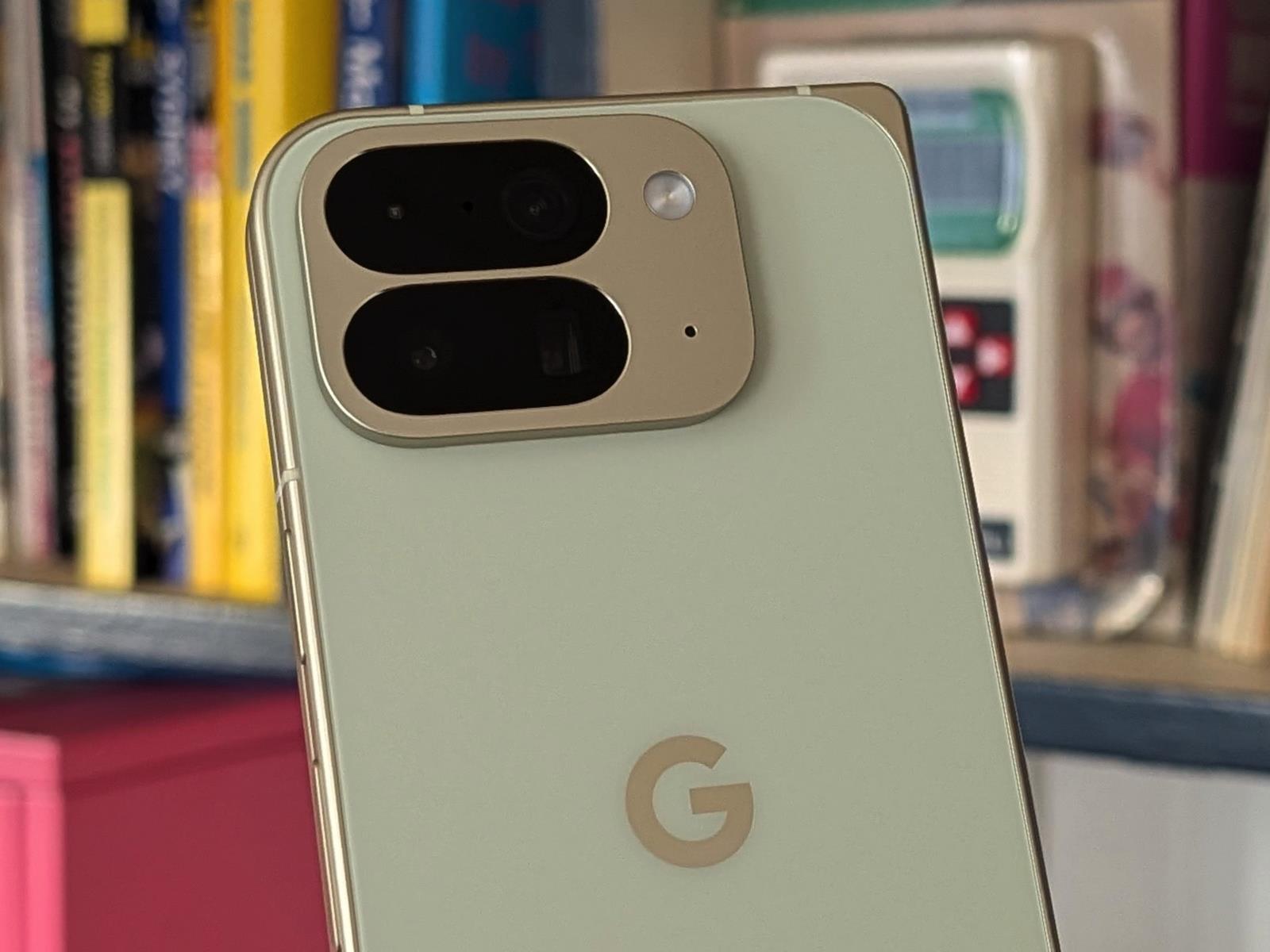
Google Pixel 10 Pro Fold – MSRP $1,799 Google’s Pixel 10 Pro Fold delivers small but meaningful updates yet remains largely identical to last year’s Pixel 9 Pro Fold, making it significantly less competitive than its predecessor in today’s folding phone landscape. Brighter displays Excellent cameras More efficient SoC…
Google recently started letting you try on clothes from the comfort of your home by uploading a photo and letting AI take care of the rest — and if you’re in the US, you can now do the same thing with shoes. Fortunately, the process isn’t nearly as creepy as Google needing a close-up of your bare feet. Rather, when you’re browsing shoes, you tap the pair you want to try on and upload a full-length photo of yourself in any old outfit.
Google will then swap out whatever shoes you’re wearing in the original photo for the ones you’re interested in buying, so you can see how they look with a particular outfit. For the best results, it advises that you stick to solo photos in which you’re standing upright, with good lighting and a background that isn’t too busy. Your clothing shouldn’t be too baggy either. And naturally, Google warns to only use photos of yourself or those you have permission to use from someone else. It won’t accept photos of children, either.
Google points out that the image it generates is designed to help you see how an item might look, but doesn’t guarantee that it’ll actually fit you in real life. It’s an approximation, then, rather than an image that perfectly takes into account your body shape and personal features. This is probably more of a catch when you’re for clothes than shoes, though. Just don’t walk into a store and blame Google when the sneakers you tried on virtually aren’t manufactured in your real-world size.
Google says that no biometric data from the photo you upload is collected or stored, nor will it use the image for training purposes. It won’t share it with other Google apps or third parties either, but you can delete both the original photo and any generated images if you’d rather not let it hang onto them.
Google has been gradually improving the capabilities of its AI as a virtual shopping assistant. When you use AI Mode to help you find a particular item now, such as a pair of jeans, you can make more specific queries about their style and ask follow-up questions to the chatbot to narrow down the visual results further.
This article originally appeared on Engadget at https://www.engadget.com/ai/google-wants-to-see-your-feet-for-virtual-shopping-purposes-165446054.html?src=rss
If you were considering the purchase of a Synology NAS but were leery of the unreasonably high cost of populating it with special Synology-branded hard disk drives, you can breathe a little easier today. In a press release dated October 8, Synology noted that with the release of its latest Disk Station Manager (DSM) update, some of its 2025 model-year products—specifically, the Plus, Value, and J-series DiskStation NAS devices—would “support the installation and storage pool creation of non-validated third-party drives.”
This unexpected move comes just a few months after Synology aggressively expanded its “verified drive” policy down-market to the entire Plus line of DiskStations. Prior to today, the network-attached storage vendor had shown no signs of swerving from the decision, painting it as a pro-consumer move intended to enhance reliability. “Extensive internal testing has shown that drives that follow a rigorous validation process when paired with Synology systems are at less risk of drive failure and ongoing compatibility issues,” Synology previously claimed in an email to Ars.
What is a “verified” or “validated” drive?
Synology first released its own brand of hard disk drives back in 2021 and began requiring their use in a small but soon-to-increase number of its higher-end NAS products. Although the drives were rebadged offerings from other manufacturers—there are very few hard disk drive OEMs, and Synology isn’t one of them—the company claimed that its branded disks underwent significant additional validation and testing that, when coupled with customized firmware, yielded reliability and performance improvements over off-the-shelf components.
We may earn a commission from links on this page. Deal pricing and availability subject to change after time of publication.
Amazon Big Deal Days end tonight, Oct. 8, and until then, Lifehacker is sharing the best sales based on product reviews, comparisons, and price-tracking tools before it’s over.
Follow our live blog to stay up to date on the best sales we find.
Browseour editors’ picks for a curated list of our favorite sales on laptops, fitness tech, appliances, and more.
New to Prime Day? We have a primer on everything you need to know. Sales are accurate at the time of publication, but prices and inventory are always subject to change.
Once you start trying to handle your own home maintenance and repairs, one thing you quickly learn is that you need way more tools than you think. When you’re renting, you can scrape by on a basic hammer and screwdriver, but the moment you own a home and attempt your first DIY project, it will truly dawn on you how many different kinds of tools exist, and how many of them you’ll need to use.
Buying tools individually is shockingly expensive and research-heavy, however, especially if you’re starting off with zero tool knowledge. That makes a tool set an ideal first purchase: you can get a relatively comprehensive set of hand tools for a reasonable amount of money.
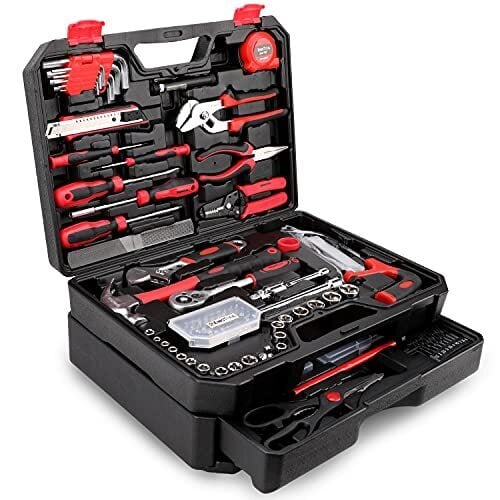
If that sounds like a plan, jump on this Prime Day deal from KingTool: A 325-piece tool set that comes in its own storage case, for less than $90—a 24% discount. This kit has everything a DIYer or homeowner might need, from hex keys to a hammer, an adjustable wrench to needle nose pliers, screwdrivers, and a socket set. There’s even a small hacksaw.
This also makes a terrific gift if you know someone who’s just bought a house, or who has expressed interest in DIY projects but doesn’t have the necessary tools. Compared to smaller tool sets, the comprehensive nature of the KingTool set means you’ll be prepared for a wider range of projects, saving you a lot of future trips to the hardware store.
Looking for something else? Retailers like Walmart and Best Buy have Prime Day competition sales that are especially useful if you don’t have Amazon Prime.
Walmart’s Prime Day competition sale runs from Oct. 6 at 7 p.m. ET through Oct. 12 and includes deals up to 50% off. It’s an especially good option if you have Walmart+.
Best Buy’s Prime Day competition sale runs from Sept. 27 through Oct. 12, and has some of the best tech sales online. It’s an especially good option if you’re a My Best Buy “Plus” or “Total” member.
Target’s Prime Day competition sale runs from Oct. 5 through Oct. 11, and it has deals going up to 50% off. You can become a Circle member for free.