X experiments with showing more information about profiles to fight inauthentic engagement

X has long been a hotbed for fake accounts, bots and other scammy behavior. Many of those dynamics have been exacerbated by the rise of paid verification, which boosts the visibility of anyone who pays for a subscription. Now, the company is running a small experiment that could help users better identify potentially suspicious accounts.

The service is starting to test a new “about this account” feature that will provide details about when an account joined the platform, where the person running it is based, how many times the username has been changed and how the account is connected to X. The feature is a lot like the “page transparency” information on Facebook, which provides similar details about when a given page was created and where the people running it are based. 

“When you read content on X, you should be able to verify its authenticity,” X’s head of product, Nikita Bier, shared in a post about the change. “This is critical to getting a pulse on important issues happening in the world.” 

If fully rolled out, this type of feature could help people on X understand a lot of common scams and other deceptive behavior on the platform. For example, scammers often change the handle of a recently compromised account in order to trick an account’s existing followers. And understanding the location of an account could help users root out people lying about their identity. 

However, it sounds like it could be some time before the feature is implemented in a way that could be broadly useful. Bier said that initially X will show this info on “a handful of profiles of X team members” — most of whom already have an official “X” badge on their profiles — in order to get feedback on the change.

This article originally appeared on Engadget at https://www.engadget.com/social-media/x-experiments-with-showing-more-information-about-profiles-to-fight-inauthentic-engagement-172500501.html?src=rss

California Cracks Down on ‘Predatory’ Early Cancellation Fees

California has enacted new legislation that aims to limit companies from charging consumers “exorbitant” fees to cancel fixed-term contracts. From a report: Assembly Bill 483 was signed into law by California Gov. Gavin Newsom on Friday, placing transparency requirements and fee limits on early terminations for installment contracts — plans that allow consumers to make recurring payments for goods and services over a specified duration.

This includes services that lure consumers into signing annual contracts by allowing them to pay in installments that appear similar to rolling monthly subscriptions, but with hefty cancellation fees for not locking in for the full year. The bill bans companies from hiding early termination fee disclosures within fine print or obscured hyperlinks, and limits the total fee amount to a maximum of 30 percent of the total contract cost. The goal is to make it easier for Californians to take these fees into account when comparing between services, and lessen the financial burden if they need to end their contract early.


Read more of this story at Slashdot.

SteelSeries’ updated Nova 7 gaming headset offers much better battery life

SteelSeries just released a refresh of its popular Arctis Nova 7 midrange gaming headset. The Nova 7 Gen 2 offers significantly improved battery life, with an increase of around 40 percent when compared to the original version. This translates to 54 hours of use per charge, which is a mighty fine metric. There’s quick-charging that can provide six more hours of use in 15 minutes at the outlet. 

It charges via USB-C and can simultaneously play audio from both a 2.4GHz wireless connection and Bluetooth audio. This means that users can mix and match audio sources, which comes in handy when gaming. The headset connects wirelessly to all major gaming consoles, in addition to PCs and phones.

The Arctis Nova 7 Gen 2 integrates with the company’s mobile app. This offers more than 200 presets for specific games, all of which adjust the EQ to match what’s being played. On PC, the presets will automatically adjust depending on the game.

These are headphones intended for gaming, so they also include a noise-cancelling microphone. This little boom mic can be hidden within the headset and disabled when using a standalone microphone.

As for aesthetics, the Nova 7 looks a lot like the company’s high-end headsets. It’s available in three colors, including black, white and magenta. The headset is available to purchase right now and costs $200. It does lack a few features included with its higher-priced cousins, like the swappable battery system and active noise cancellation.

This article originally appeared on Engadget at https://www.engadget.com/audio/headphones/steelseries-updated-nova-7-gaming-headset-offers-much-better-battery-life-171435527.html?src=rss

OpenAI unveils “wellness” council; suicide prevention expert not included

Ever since a lawsuit accused ChatGPT of becoming a teen’s “suicide coach,” OpenAI has been scrambling to make its chatbot safer. Today, the AI firm unveiled the experts it hired to help make ChatGPT a healthier option for all users.

In a press release, OpenAI explained its Expert Council on Wellness and AI started taking form after OpenAI began informally consulting with experts on parental controls earlier this year. Now it’s been formalized, bringing together eight “leading researchers and experts with decades of experience studying how technology affects our emotions, motivation, and mental health” to help steer ChatGPT updates.

One priority was finding “several council members with backgrounds in understanding how to build technology that supports healthy youth development,” OpenAI said, “because teens use ChatGPT differently than adults.”

Read full article

Comments

How to Fix Randomly Crashing Apps on Your Pixel 10

If you’ve been experiencing random crashes on your Pixel 10 smartphone, you’re not alone. Over the weekend, multiple Reddit users complained that their Pixel 10 phones, which only just hit the market in August, were already facing severe slowdowns and frequent crashes while trying to load apps. Worse yet, the problem seemed to persist across all apps and models of the phone, leaving users with little they could actually do on their new devices.

“If an app does open and load it won’t let me touch anything and it crashes,” user cdriese said, with a number of others sharing a similar sentiment.

The unfortunate news took me as a bit of a surprise, since I experienced no such issues while reviewing the Pixel 10 and Pixel 10 Pro at launch, both of which I quite liked. But the problem, it seems, only popped up recently.

Multiple users across Reddit pointed to October 10’s Google Play Services update as the culprit here, with some saying that uninstalling the update fixed the problem for them. “My running theory is that the October play services update is clashing with the September Android OS update in some way,” said user PuzzleHeadedSquid, adding that they have had no crashes since uninstalling the Play Services update. Sure enough, when I loaded my phone with both the September Android OS update and the initial October play services updates installed, I also started to have issues.

In a way, though, that’s still a relief. Your new hardware isn’t broken already—but uninstalling the new Play Services update introduces its own headaches. Luckily, as of this morning, there’s another solution, and it’s pretty simple.

If you’re experiencing crashing apps on your Pixel 10, here’s what you can do.

The official fix

Random Reddit users weren’t the only folks experiencing this problem. Android Police founder Artem Russakovskii also called out the problem in an October 12 X post, saying his Pixel 10 Pro XL had been “kneecapped” by it.


This Tweet is currently unavailable. It might be loading or has been removed.

Luckily, as a member of the press, he had a bit more resources at his disposal for fixing this bug than the average Redditor. Over the course of the weekend, Russakovskii quickly got in touch with his contacts at Google, who he says scrambled multiple teams to address the issue and has since issued a server-side fix.

Theoretically, that means a simple restart should bring your phone back to normal, although if the problem persists, you’ll also want to make sure you’re running the most recent Google Play services build (which you can check under Settings > Apps > Google Play services > App details), then do another restart.

It’s a pretty quick turnaround on a fix, and doesn’t require much on your part, but if you’ve temporarily shelved your Pixel, it’s worth booting it back up again to see if you’re still having issues.

The unofficial fix

That said, it’s possible Google’s engineers still might have missed something. If you still find yourself having issues loading apps, you can use the community method of uninstalling the October Play Services update instead. This will log you out of your Google accounts, however, and won’t include Google’s official fix, so I’d only recommend it in an emergency.

That said, if you’re at the point of pulling your hair out, you can navigate to Settings > Apps > Google Play services > App details and tap “Remove updates” to start the process. Just be sure to have your Google passwords (or passkeys!) memorized first.

First, though, try hitting the “Update” button next to it instead, then restarting your phone. That’s what I did, after initially running my testing without this morning’s update, and my apps are now as snappy as ever.

Nvidia sells tiny new computer that puts big AI on your desktop

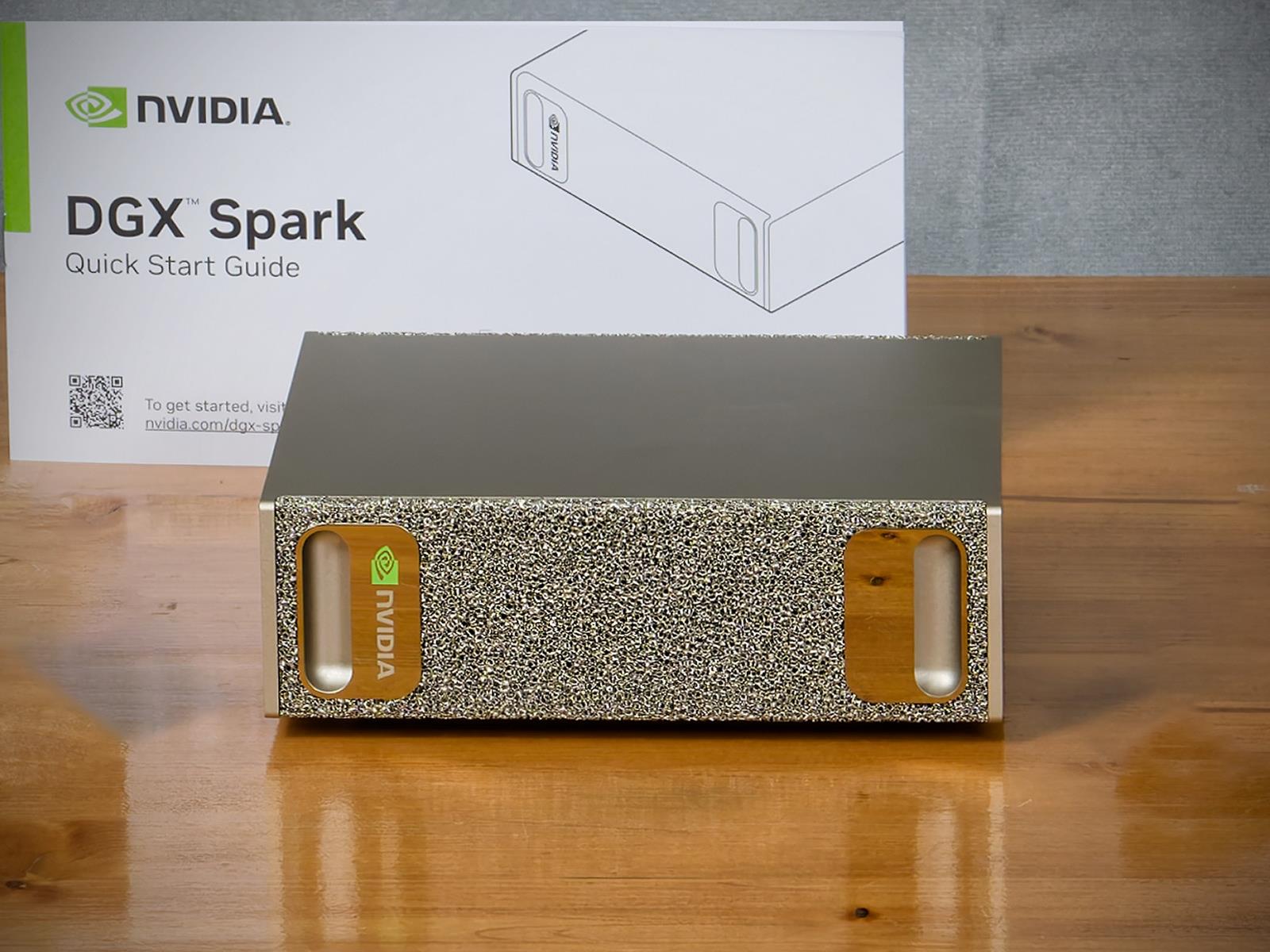
On Tuesday, Nvidia announced it will begin taking orders for the DGX Spark, a $4,000 desktop AI computer that wraps one petaflop of computing performance and 128GB of unified memory into a form factor small enough to sit on a desk. Its biggest selling point is likely its large integrated memory that can run larger AI models than consumer GPUs.

Nvidia will begin taking orders for the DGX Spark on Wednesday, October 15, through its website, with systems also available from manufacturing partners and select US retail stores.

The DGX Spark, which Nvidia previewed as “Project DIGITS” in January and formally named in May, represents Nvidia’s attempt to create a new category of desktop computer workstation specifically for AI development.

Read full article

Comments

Satellites Are Leaking the World’s Secrets: Calls, Texts, Military and Corporate Data

Researchers at UC San Diego and the University of Maryland have found that roughly half of geostationary satellite signals transmit sensitive data without encryption. The team spent three years using an $800 satellite receiver on a university rooftop in San Diego to intercept communications from satellites visible from their location. They collected phone calls and text messages from more than 2,700 T-Mobile users in just nine hours of recording.

The researchers also obtained data from airline passengers using in-flight Wi-Fi, communications from electric utilities and offshore oil and gas platforms, and US and Mexican military communications that revealed personnel locations and equipment details. The exposed data resulted from telecommunications companies using satellites to relay signals from remote cell towers to their core networks.

The researchers examined only about 15% of global satellite transponder communications and presented their findings at an Association for Computing Machinery conference in Taiwan this week. Most companies warned by the researchers have encrypted their satellite transmissions, but some US critical infrastructure owners have not yet added encryption.


Read more of this story at Slashdot.

The Right Way to Video Your Lifts at the Gym

We may earn a commission from links on this page.

I used to feel awkward and self conscious pointing a camera at myself at the gym. My thoughts went something like: I’m no selfie-obsessed influencer. What are people thinking of me? But I’ve had a change of heart: I now whip out my pocket-sized tripod to video myself at least once every workout, and my lifts are better for it.

If you lift at a gym, you’ve probably noticed people are filming their lifts more often these days. While some of them may be obnoxious TikTokers (and we’ll talk about etiquette below), there are lots of good reasons to want to document what you’re doing on video. You can evaluate your effort and technique, share the videos with a coach, or use the videos as a way of sharing your training with friends and internet gym buddies.

The benefits of taking video of your lifts

Before we get into how, let’s talk about why. There are very good reasons to film yourself lifting.

Checking your form

If I’m working out alone, I video because I’m seeking some of the feedback I would otherwise get from an in-person coach. But even when my coach is right there, I still take video of my heaviest or most important lifts of the day. I can match the feedback he gives me (good or bad) to what I see in the video. I also have a record of the day’s lifts that I’ll be able to look back on later.

Better feedback than a mirror

It’s also good to learn to use video for technique adjustments rather than looking in a mirror. While a mirror is fine for, say, bicep curls or lateral raises, you’ll want to learn to lift without one if you have any interest in powerlifting, weightlifting, or crossfit (and those gyms almost never have mirrors.) Twisting your head to look at yourself can mess up your body position, and paying attention to how you look in the mirror can interrupt your focus. Not to mention, your perspective in a mirror changes as your body moves. You’re not actually getting an accurate view of your squat depth with a mirror, but a good video will tell you the truth.

Gauging effort

A video also helps you gauge how you’re really feeling. Time slows down when you’re struggling: if a pullup takes more than a split second, it feels like hours. I pull, I struggle, I move barely a millimeter. Sometimes I’ll give up, or nearly give up, because it feels like I just can’t possibly complete the move. But then I’ll look at the video and see that my perceived hours of struggle were just a momentary slowdown on a rep that ends up being totally solid.

Even for something as subjective as RPE (rating your “perceived exertion”), video helps. I remember, years ago, getting feedback from my online coaches that my “RPE 8” deadlifts looked too easy. So I looked at other people’s RPE 8 deadlifts, and there was a clear difference in effort. Comparing my videos to theirs helped me dial in the effort level I was really going for.

How to take a good lifting video

Whether the videos are for you, for your coach, or just to show off for the ’gram, they’ll be most useful if you can get a good view of yourself.

Use a tripod

Leaning your phone against something on the floor may work in a pinch, but you can’t actually see much from a badly distorted video taken from a worm’s-eye view. (If there’s a bench or chair available, put your water bottle on the bench and lean your phone against it.) I’ll say more about equipment below, but a selfie stick tripod like this one is an easy option. It extends to about waist height and can stand by itself on the gym floor. It also collapses small enough to fit in your gym bag or even your sweatshirt pocket.

And, yes, you do want to put your phone on on some kind of object (tripod or otherwise) rather than having a friend hold the phone. Hand-held videos tend to be harder to watch. If the person walks around you or adjusts the zoom while you’re lifting, that’s incredibly distracting and often cuts off important information. Even if they just stand still, there’s often still enough movement to be a problem.

Shoot at a 3/4 angle

It’s tempting to take video from the side or from directly in front of you, but crucial information will be missing. A side view of your squat might show whether your thighs go parallel to the floor, but it won’t show whether your knees are caving in. For most lifts, a 3/4 view—not exactly from the side or the front, but somewhere in between—will give the most useful information.

For similar reasons, you’ll want to get your entire body in the frame. Especially if you’re showing your video to a coach or friend for a form check, they’ll want to see everything that might affect your lift—including, for example, your feet.

Check the lighting and position before you start

I use the forward-facing camera so that as soon as I step into frame, I can glance over and see that I’ve set everything up correctly. If there’s a window behind you and you’re backlit, or if you’re halfway off camera, fix it before you start your lift.

But once you begin, ignore the camera. Do your lift as you normally would—look in the mirror only if that’s what you always do—and then don’t look at the camera again until after you complete the lift.

Trim your dang videos

Nobody wants to watch 30 seconds of you adjusting the camera and psyching yourself up for your lift. Even if the video is just for yourself, you probably don’t want to watch that either.

You need to take a few minutes’ rest between sets anyway, so use that time to trim your videos. On iPhone, just begin watching the video, hit pause, and then hit Edit. You can trim the start and end of the video right from that screen, and then choose whether to overwrite the original file or save the trimmed version as its own copy. (Choose the new file if you think you might want to refer to your setup later; otherwise, trimming the original is fine.)

My favorite tripods and equipment

As I mentioned above, a selfie stick tripod is super convenient at the gym. It fits in your bag or pocket, and you can easily fold it up when you’re not using it. The one at that link is the kind I’ve used most commonly over the years. I usually get a year or two of use out of one of those before something breaks, usually the mechanism that holds the phone.

That’s why I’ve recently switched to tripods that have a MagSafe style mount, like this one. If your phone has this type of magnet in the back, your life gets so much easier. Just snap your phone onto the magnet and it stays—no adjusting for the width or thickness of the phone.

I have not used a water bottle with a magnetic mount, even though every time I see them advertised I think “oh, that’s clever.” If I have a water bottle, I can lean my phone against it, no special device needed. A water bottle still needs something to bring it up to an appropriate height (like a chair or bench) so it’s not really a replacement for a floor tripod.

I do have a phone holder that can magnet onto a nearby machine or squat rack, but I have mixed feelings about it. If you can find a squat rack that’s positioned the perfect distance away from where you’re working out, and nobody is using it, great. (Make sure the phone holder is one you can angle toward you, not just a flat magnet.) But usually there’s nothing in quite the right place, and you’re left with a worse angle than if you were using the bench-and-water-bottle trick. I use mine in my home gym, where I have a metal post in a convenient spot. I don’t find it useful when I go to a commercial gym.

Gym etiquette when taking video

To answer the questions I know you have in mind: Yes, it is OK to film your lifts in a gym (unless the gym has a rule specifically forbidding it, of course). And no, people won’t think you’re weird—as long as you make sure to do so politely and respectfully. Here’s how.

Keep others out of frame

As much as possible, position your camera so that other people aren’t in the video (or at least not their faces). You definitely shouldn’t post a video publicly with other people in it, but even if the video is for your private use, people may notice that they’re on camera and feel weird about it.

Stay out of the way

Don’t place your tripod in a busy walkway, or anywhere else you’d be getting in others’ way. If you want to use an unoccupied bench to prop up your phone, that’s OK—for a moment. Don’t leave it there for your whole workout. And consider, again, using a tripod: A phone on the ground is a lot easier to miss, and accidentally trip over, than a tripod that’s pretty obviously in somebody’s walking path.

Using the gym takes precedence over filming

We’ve all seen those TikToks where somebody gets mad at a passer-by for walking into the frame. I’m convinced that most of those videos are faked (outrage gets engagement), but obviously you do not want to be that person. Working out in a space takes precedence over using your camera there. That said, if the place is busy, just communicate like a normal human being. I train at a gym where people commonly film themselves, and everybody is very friendly about making space for each other. Someone might even offer to share their tripod.

Beijing Issues Documents Without Word Format Amid US Tensions

An anonymous reader shares a report: China’s expansion of its rare earth export controls appeared to mark another escalation in the US-China trade war last week. But the announcements were also significant in another way: unusually, the documents could not be opened using American word processing software.

For the first time, China’s Ministry of Commerce issued a slew of documents that could be directly accessed only through WPS Office — China’s answer to Microsoft Office — as Beijing continues its tech self-reliance drive. Developed by the Beijing-based software company Kingsoft, WPS Office uses a different coding structure to Microsoft Office, meaning WPS text files cannot be opened directly in Word without conversion. Previously, the ministry primarily released text documents in Microsoft Word format.


Read more of this story at Slashdot.

What to Do Now That Microsoft No Longer Supports Windows 10

Did you know you can customize Google to filter out garbage? Take these steps for better search results, including adding my work at Lifehacker as a preferred source.


It’s official: As of Tuesday, Oct. 14, Microsoft no longer supports Windows 10. That said, if you powered on your Windows 10 PC this morning, only to read headlines suggesting the end of Windows 10, you might be a bit confused. Your computer still works, after all. So what’s really going on here?

What Windows 10 end of life really means

As it might now be evident, Microsoft ending support for Windows 10 doesn’t mean the company has shut down the OS for good. Any devices still running Windows 10 will continue to run—and, in fact, much in the same way as they previously have. You probably won’t notice any difference between Windows 10 on Oct. 14 vs. Oct. 13.

The issue isn’t that Windows 10 won’t work going forward; rather, it’s that Microsoft will no longer issue security updates to Windows 10 users by default. That means the next time someone discovers a security vulnerability with this OS—no matter how big or small it may be—Microsoft will not send a patch to most Windows 10 users.

The risk of using Windows 10 going forward starts small, and escalates quickly. It’s only day one of Windows 10’s end of life, which means there’s little risk in using the OS today. However, over time, more and more security vulnerabilities will surface. Soon enough, there will be a real danger in using a Windows 10 PC that is connected to the internet. All it takes is clicking one malicious link in a spam email, or downloading malware disguised as legitimate software, for hackers to strike.

Windows 10 extended security updates

Here’s the thing, though: Between users who can’t or don’t want to update to Windows 11, as well as organizations that rely on Windows 10 to run specific programs and services, there are still a lot of Windows 10 machines out there. If you’re running Windows 10, you aren’t alone—some estimates put the OS’ market share at 40.5% of all Windows machines. Sure, there are more PCs out there running Windows 11, but there could be roughly half a billion users that just lost official support from Microsoft.

Microsoft knows this, which is why this “end of life” isn’t really the end for Windows 10. The company offers Windows 10 users the option of enrolling in Extended Security Updates, or ESU. Under the ESU program, you’ll still receive critical security patches, even when using Windows 10. It does feel like Microsoft is soft launching Windows 10’s demise, but at least all Windows 10 users have an option to continue using the OS securely.

However, you can’t just expect Microsoft to automatically enroll your PC in the ESU program. You have one of three options here, two of which are free:

  1. Pay a one-time $30 fee.

  2. Opt into Windows Backup to sync your PC to the cloud.

  3. Redeem 1,000 Microsoft Rewards points.

You’ll find these options your PC after updating to the latest possible version. From here, head to Settings > Windows Update, and look out for the “Windows 10 support ends in October 2025” and “Enroll in Extended Security Updates to help keep your device secure” options.

Be warned, however, that Microsoft does not see this as a long-term solution. This is still part of the Windows 10 end of life plan, after all. The ESU program only lasts from Oct. 15 of this year through Oct. 13, 2026. After that date, Microsoft will stop issuing Windows 10 security updates for good. In addition, you will only receive security patches: no features, design changes, or tech support.

Updating to Windows 11

Whether it’s today or Oct. 13 of next year, it won’t be safe to run Windows 10 on an internet-connected PC without these security patches. As such, your only option for using Windows in the future is by upgrading to an OS Microsoft actively supports. At this time, that means Windows 11.

That doesn’t necessarily mean buying a new PC though, as Windows 11 might be compatible with your current machine. Here’s are the minimum hardware requirements, as noted by Microsoft:

  • Processor: 1 GHz or faster with at least two cores on a 64-bit chip

  • Memory: 4GB or more

  • Storage: 64GB or more

  • Graphics card: Compatible with DirectX 12 or later, with a WDDM 2.0 driver

  • TPM: Trusted Platform Module version 2.0

  • Display: 720p or higher, nine inches or larger, with 8 bits per color channel

Your Windows 10 PC must also be running Windows 10 version 2004 or later, and you’ll need to at least be running the Sept. 14, 2021 security update.

While many of these requirements seem pretty basic, the one that trips up many otherwise capable machines is TPM 2.0. This is a security standard that can help prevent modern cyberattacks on Windows, so it’s great to have. However, if you have a PC older than 2016, it might not have TPM 2.0. Your computer might very well be capable of running Windows 11, but Microsoft won’t endorse it if you don’t have this security hardware in place.

Even still, you can go around Microsoft to install Windows 11 on an unsupported PC. Just note Microsoft does not approve of this, and may even stop supporting your PC if you choose this route—defeating the purpose of upgrading from Windows 10 in the process.

Spotify’s managed accounts will help keep your kids from wrecking your music taste profile

Spotify has introduced a new “managed accounts” feature aimed at younger listeners. Initially piloted last year and launching in seven new markets, including the US, today, it allows parents and guardians with a Spotify Premium Family plan to allocate their children a dedicated profile with their own personalized recommendations and custom playlists.

The idea is that the adults can filter out explicit content, limit the playback of certain artists and hide video playback features, including Canvas, should they want to. Users on this profile can’t use interactivity features like Messages either. 

Perhaps most importantly of all for some, a managed account also ensures that your personal Wrapped results at the end of the year aren’t dominated by whatever TikTok-viral songs the kids have been obsessively playing on repeat for months — and they won’t mess with your Discover Weekly algorithm either. Spotify’s ‘Exclude from your Taste Profile’ feature already offers a way of keeping the nonsense your kids might be listening to away from your own recommended content, but this feels like a cleaner option for families.

Standard Spotify Premium features like daylist and the aforementioned Discover Weekly remain available to someone using a managed account, making it a better option for kids becoming interested in music (they may even have gotten hooked on a band you’ve been listening to in the car) than the Spotify Kids app, which is very much designed for the ‘Baby Shark‘ devotees. It’s probably helpful to think of a managed account as a bridge between that and an unrestricted Premium account where all the music in the world is at your fingertips.

To set up a managed account, the plan owner has to go into their account settings within the Spotify app and select “Add a Member,” followed by selecting “Add a listener aged under 13.” The app will provide further instructions from there. As a reminder, a Spotify Premium Family plan is required to set up a managed account. This currently costs $20 per month.

This article originally appeared on Engadget at https://www.engadget.com/entertainment/music/spotifys-managed-accounts-will-help-keep-your-kids-from-wrecking-your-music-taste-profile-154406843.html?src=rss

Android Pixnapping Flaw Affecting Billions Of Devices Can Steal Your Data & 2FA Codes

Android Pixnapping Flaw Affecting Billions Of Devices Can Steal Your Data & 2FA Codes
Android users beware—a new form of Android malware dubbed Pixnapping has been revealed to the public, and in theory, all current Android devices running Android 13 or newer are vulnerable since “the core mechanisms enabling the attack are typically available in all Android devices.” The attack can be leveraged from any running Android app,

GitHub Will Prioritize Migrating To Azure Over Feature Development

An anonymous reader shares a report: After acquiring GitHub in 2018, Microsoft mostly let the developer platform run autonomously. But in recent months, that’s changed. With GitHub CEO Thomas Dohmke leaving the company this August, and GitHub being folded more deeply into Microsoft’s organizational structure, GitHub lost that independence. Now, according to internal GitHub documents The New Stack has seen, the next step of this deeper integration into the Microsoft structure is moving all of GitHub’s infrastructure to Azure, even at the cost of delaying work on new features.

[…] While GitHub had previously started work on migrating parts of its service to Azure, our understanding is that these migrations have been halting and sometimes failed. There are some projects, like its data residency initiative (internally referred to as Project Proxima) that will allow GitHub’s enterprise users to store all of their code in Europe, that already solely use Azure’s local cloud regions.


Read more of this story at Slashdot.

GM’s EV push will cost it $1.6 billion in Q3 with end of the tax credit

The prospects of continued electric vehicle adoption in the US are in an odd place. As promised, the Trump administration and its congressional Republican allies killed off as many of the clean energy and EV incentives as they could after taking power in January. Ironically, though, the end of the clean vehicle tax credit on September 30 actually spurred the sales of EVs, as customers rushed to dealerships to take advantage of the soon-to-disappear $7,500 credit.

Predictions for EV sales going forward aren’t so rosy, and automakers are reacting by adjusting their product portfolio plans. Today, General Motors revealed that will result in a $1.6 billion hit to its balance sheet when it reports its Q3 results late this month, according to its 8-K.

Q3 was a decent one for GM, with sales up 8 percent year on year and up 10 percent for the year to date. GM EV sales look even better: up 104 percent for the year to date compared to the first nine months of 2024, with nearly 145,000 electric Cadillacs, Chevrolets, and GMCs finding homes.

Read full article

Comments

NVIDIA DGX Spark Review: A GB10-Infused Mini AI Development Powerhouse

NVIDIA DGX Spark Review: A GB10-Infused Mini AI Development Powerhouse
NVIDIA DGX Spark – $3,999 NVIDIA’s diminutive DGX Spark development companion moves away from the robotics focus of its forebears and into the office with general AI development in its sights. Grace Blackwell GB10 is purpose-built for AI 128 GB of fast memory is more than any consumer GPU NVIDIA’s Playbooks are easy to follow Sync app makes…

The At-Home Nasal Flu Vaccine Is Now Available for Delivery

I love being able to go to the pharmacy for my own (or my kids’) flu shots. Pop in, get the shot, then go about my day. That process has now gotten even easier: Last year, the FDA approved the first flu vaccine that you can administer yourself, or that parents can administer to their children, and it’s now available for at-home ordering. I just placed my order. And best of all: It’s a nasal spray, so no needles.

How can you get the at-home flu vaccine? 

The nasal spray vaccine, called FluMist, still needs to be prescribed by a medical provider. But since nearly everyone aged two through 49 is eligible, FluMist’s maker (AstraZeneca) has a telehealth website that bundles the provider’s approval with an order to an online pharmacy. The process takes about five minutes on average, they say, and I found that to be accurate.

I’ve already had my flu shot this year, but my kids haven’t gotten it yet. (I also know my daughter strongly prefers the nasal to the injection when possible.) The website allowed me to add multiple people to the same order, so I filled out the questionnaire for each child, giving their names, ages, allergies, and so on.

The website then reached into some big data cloud out there and told me it already knew their insurance information (existentially frightening, yet convenient!) and presented me with my bill: an $8.99 fee, which included $2.50 for physician evaluation and $6.49 for shipping and processing. Insurance covers the cost of the vaccine itself.

Who can use the at-home flu vaccine? 

The at-home vaccine is the same as regular FluMist, which is approved for ages two through 49. That means babies and older adults will still need to visit a provider for the regular, injectable flu vaccine. Children can get flu shots starting at the age of six months.

FluMist uses a live, weakened virus. It can’t give you the actual flu, but it can cause some respiratory symptoms in people with weakened immune systems. So it’s not recommended for people who are pregnant, have certain medical conditions, or are immunocompromised or have close contact with an immunocompromised person. If that’s you, talk to a provider about your best options. You may be advised to get the regular injectable type, which doesn’t include any live virus.

How do you give yourself the at-home flu vaccine? 

Mine hasn’t arrived yet, but the instructions say that a package containing the vaccine will arrive at my door on the day I selected. It will be packed in an insulated container with cold packs, and should be put in the refrigerator upon arrival. There’s also a tag I can scan to make sure the vaccine stayed at the proper temperature during the shipping process.

Assuming that all goes well, you follow the instructions to spray the vaccine up your nose. (If you’ve gotten a FluMist at a pharmacy, it’s the same idea.) Adults can administer it to themselves, and children will need an adult to do it for them. Instructions are, of course, provided. After you administer the vaccine, there is a prepaid envelope you can use to return the sprayers for disposal.

Windows 10 support “ends” today, but it’s just the first of many deaths

Today is the official end-of-support date for Microsoft’s Windows 10. That doesn’t mean these PCs will suddenly stop working, but if you don’t take action, it does mean your PC has received its last regular security patches and that Microsoft is washing its hands of technical support.

This end-of-support date comes about a decade after the initial release of Windows 10, which is typical for most Windows versions. But it comes just four years after Windows 10 was replaced by Windows 11, a version with stricter system requirements that left many older-but-still-functional PCs with no officially supported upgrade path. As a result, Windows 10 still runs on roughly 40 percent of the world’s Windows PCs (or around a third of US-based PCs), according to StatCounter data.

But this end-of-support date also isn’t set in stone. Home users with Windows 10 PCs can enroll in Microsoft’s Extended Security Updates (ESU) program, which extends the support timeline by another year. We’ve published directions for how to do this here—while you do need one of the Microsoft accounts that the company is always pushing, it’s relatively trivial to enroll in the ESU program for free.

Read full article

Comments

Top Affordable Windows 11 Laptop Deals Under $800 To Keep Getting Microsoft Updates

Top Affordable Windows 11 Laptop Deals Under $800 To Keep Getting Microsoft Updates
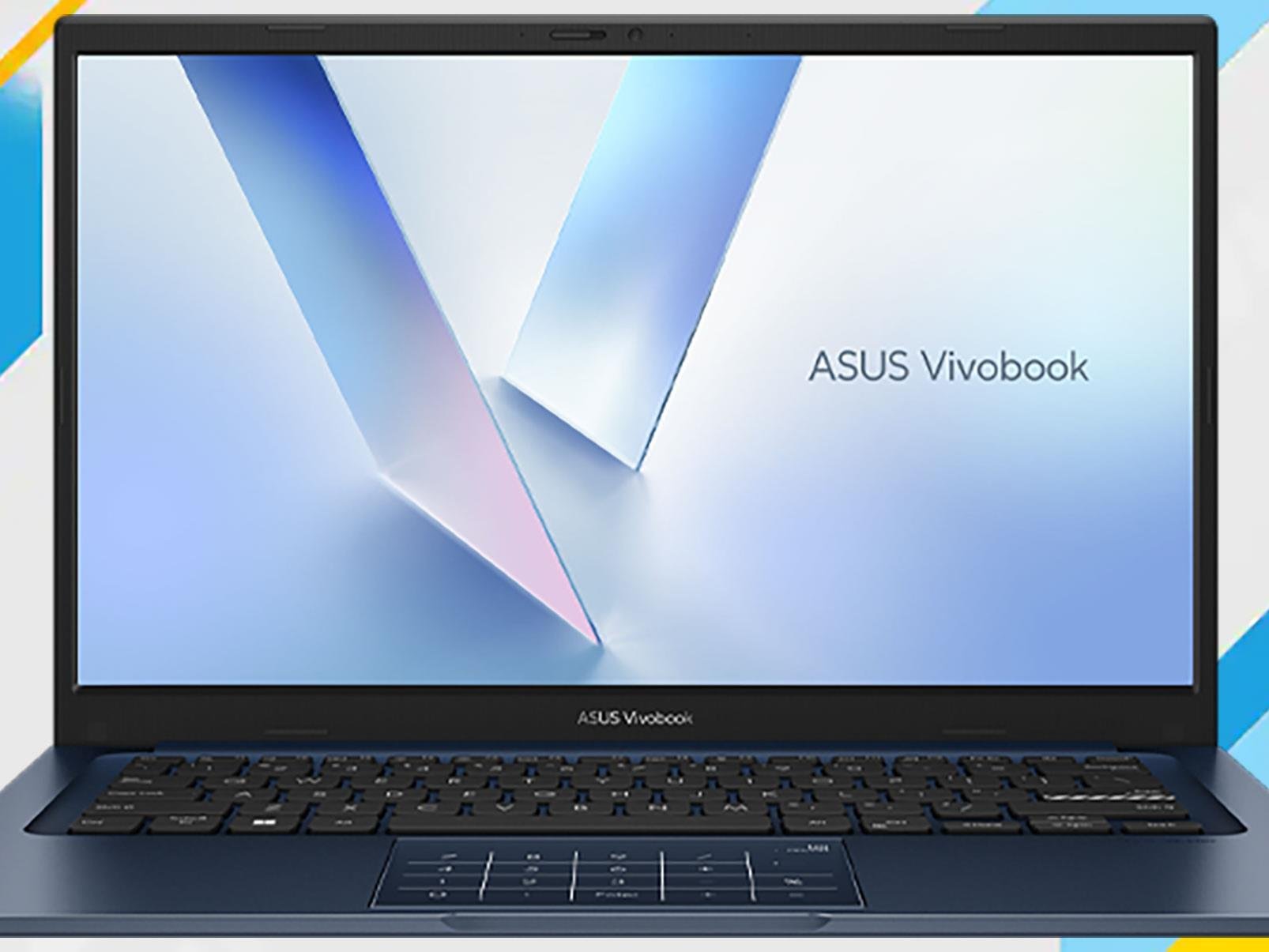
Looking for a new laptop now that Microsoft has officially declared end of life (EOL) status for Windows 10? Before you do, note there are ways to extend support for free, such as syncing backups to OneDrive or redeeming 1,000 Microsoft Rewards points. Or you could pony up $30, though if you need a new PC anyway, we have you covered with a

The Great Software Quality Collapse

Engineer Denis Stetskov, writing in a blog: The Apple Calculator leaked 32GB of RAM. Not used. Not allocated. Leaked. A basic calculator app is hemorrhaging more memory than most computers had a decade ago. Twenty years ago, this would have triggered emergency patches and post-mortems. Today, it’s just another bug report in the queue. We’ve normalized software catastrophes to the point where a Calculator leaking 32GB of RAM barely makes the news. This isn’t about AI. The quality crisis started years before ChatGPT existed. AI just weaponized existing incompetence.

[…] Here’s what engineering leaders don’t want to acknowledge: software has physical constraints, and we’re hitting all of them simultaneously. Modern software is built on towers of abstractions, each one making development “easier” while adding overhead: Today’s real chain: React > Electron > Chromium > Docker > Kubernetes > VM > managed DB > API gateways. Each layer adds “only 20-30%.” Compound a handful and you’re at 2-6x overhead for the same behavior. That’s how a Calculator ends up leaking 32GB. Not because someone wanted it to — but because nobody noticed the cumulative cost until users started complaining.

[…] We’re living through the greatest software quality crisis in computing history. A Calculator leaks 32GB of RAM. AI assistants delete production databases. Companies spend $364 billion to avoid fixing fundamental problems. This isn’t sustainable. Physics doesn’t negotiate. Energy is finite. Hardware has limits. The companies that survive won’t be those who can outspend the crisis. There’ll be those who remember how to engineer.


Read more of this story at Slashdot.

These Beats Fit Pro Earbuds Are Less Than Half Their Original Price Right Now

We may earn a commission from links on this page. Deal pricing and availability subject to change after time of publication.

There’s no shortage of wireless earbuds out there, but if you want noise cancellation, full iOS compatibility, and a fit that won’t budge during a workout, you should consider the Beats Fit Pro. Right now, you can buy them on sale for $99.99 at StackSocial (reg. $199.99). The sale includes all four color options—white, black, gray, and purple.

They’re “open box” models, meaning that they’ve likely been handled but not used, and they’ve been inspected to make sure they’re still in new condition. They’re rated IPX4 for water resistance, so sweat and light rain aren’t a problem, though the case itself isn’t protected and doesn’t support wireless charging. Battery life is around six hours with ANC on and another 18 to 23 hours from the case, depending on how you use them.

Sound-wise, these lean hard into bass, which some folks will love and others might find a bit much. The low end hits especially well at high volumes without distortion, which makes them great for hip-hop, pop, or EDM, notes this PCMag review. The noise cancellation holds up pretty well for sounds like plane rumbles and low-frequency distractions, but don’t expect total silence in a noisy café (higher-pitched noises still leak through). There’s also a decent Transparency Mode that lets in just enough outside sound for you to cross the street or chat with someone without pulling out an earbud. Android users do have access to most core features through the Beats app, but some perks, such as automatic switching, hands-free Siri, and Spatial Audio, are still iOS-only. Getting all that for over half off isn’t a bad deal at all.