
Built by Jelle’s Marble Runs, Marblopolis is a marble run amusement park featuring 30 different attractions, all connected via almost 1/4 mile of track. The park can accommodate up to 400 fun-loving marbles at a time, and, I think I speak for everyone here when I ask, what happens if a 401st visitor shows up? Do all the rides break? If that marble were me, it would probably ride something spinny then puke funnel cake on another marble, who would then puke on another marble, and on and on. Like a domino maze, but a puking marble run.
Category Archives: Technology
Nvidia CEO Says He’s ‘Empathetic’ To DLSS 5 Concerns
Nvidia CEO Jensen Huang says he understands the concerns about “AI slop” with DLSS 5 but insists the feature preserves a game’s underlying geometry and artistic intent. “I think their perspective makes sense, ” said Huang during a recent appearance on the Lex Fridman podcast. “And I could see where they’re coming from because I don’t love AI slop myself. You know, all of the AI-generated content increasingly looks similar, and they’re all beautiful… so I’m empathic toward what they’re thinking. That’s just not what DLSS 5 is trying to do.” Tom’s Hardware reports: Although Huang is striking a more conciliatory tone, much of his response is similar to what we heard at GTC [where Huang said gamers were “completely wrong.”] The artist determines the geometry, we are completely truthful to the geometry… so every single frame, it enhances, but it doesn’t change anything.” There was some confusion about how DLSS 5 worked when it was first announced, and although the inner workings of it still aren’t clear on a technical level, Huang has said that it isn’t a general-purpose generative AI model. He describes it as “content-controlled generative AI.” On the other end of the spectrum, Huang also said that it isn’t a post-processing filter. The technical details of DLSS 5 live somewhere between that space, and we likely won’t know them until later this year when the feature is set to release.
“The question about enhancing, DLSS 5… in the future, you could even prompt it. You know, I want it to be a toon shader. I want it to look like this, kind of. You could even give it an example and it would generate in the style of that, all consistent with the artistry, the style, the intent of the artist,” Huang continued. “All of that is done for the artist so they can create something that is more beautiful but still in the style that they want.” Although the talking points about DLSS 5 remain unchanged, it seems that Huang has at least heard the criticism. “I think that they got the impression that the games are going to come out the way the games are… and then we’re going to post-process it. That’s not what DLSS is intended to do.”
Huang also made assertions that DLSS is “integrated” with the artist, and suggested that it would put the power of generative AI in the hands of artists working in game development […]. Although DLSS 5 looks like it’s doing a lot, Huang said that it’s just another tool, not an essential feature. “The gamers might also appreciate that, in the last couple of years, we introduced skin shaders to game developers, and many of those games have skin shaders that include sub-surface scattering that makes skin look more skin-like… [DLSS 5] is just one more tool. They can decide what to use,” Huang ended the conversation about DLSS 5. Immediately after, without missing a beat, he said 1993’s Doom was the most influential video game ever made.


Read more of this story at Slashdot.
A mission NASA might kill is still returning fascinating science from Jupiter
Jupiter’s colossal storms generate lightning flashes at least 100 times more powerful than those on Earth, according to scientists analyzing data from NASA’s Juno spacecraft.
The findings were published March 20 in the journal AGU Advances. Researchers used data recorded by Juno in 2021 and 2022, after NASA granted an extension to the spacecraft’s operations upon completing a five-year science campaign at Jupiter. Juno remains in good health, but NASA officials have not said if they will approve another extension for the mission. The issue is money.
Questions about the future of Juno and more than a dozen other robotic science missions began swirling nearly a year ago, when the Trump administration asked mission leaders to submit “closeout” plans for how to turn off their spacecraft. Ars first reported the news soon after the White House released a budget request that called for slashing NASA’s science budget by nearly half.
The US bans all new foreign-made network routers
The Federal Communications Commission has released a notice today designating any consumer routers manufactured outside the US as a security risk. The rule states that new foreign-made product models for network routers will land on the Covered List, a set of communications equipment seen as having an unacceptable risk to national security. Previously purchased routers can still be used and retailers can still sell models that were approved by the prior FCC policies. In an exception to the usual rule, routers included on the Covered List can continue to receive updates at least through March 1, 2027, although the date could potentially be extended.
The move stems from a goal in the White House’s 2025 national security strategy that reads: “the United States must never be dependent on any outside power for core components—from raw materials to parts to finished products—necessary to the nation’s defense or economy.” The notice from the FCC states that companies can apply for conditional approval for new products from the Department of War or the Department of Homeland Security. However, that requires the businesses to provide a plan for shifting at least some of their manufacturing to the US in order to receive that conditional approval.
Few, if any, brands known for consumer-grade routers currently build products stateside. It seems likely this sweeping provision could face legal challenges from and cause confusion for the many companies that have production facilities overseas. In addition to Chinese tech giants like TP-Link, US companies will also be affected. NetGear, Eero and Google Nest are all headquartered domestically but have manufacturing in Asia. At least some of that manufacturing activity happens in regions like Taiwan that have historically been on good terms with the US. Until the sector sorts out this new restriction, don’t expect to see any new router models on store shelves.
This article originally appeared on Engadget at https://www.engadget.com/big-tech/the-us-bans-all-new-foreign-made-network-routers-223622966.html?src=rss
Microsoft Is Removing ‘Unnecessary’ Copilot Features in Windows
After years of integrating (read: shoving) Copilot into as many Windows apps as possible, Microsoft seems to have made a shocking discovery: users don’t want Copilot crammed into as many Windows apps as possible. On Friday, Pavan Davuluri, Microsoft’s President of Windows & Devices, published a post on the official Windows Blog, walking readers through changes the company was making to Windows in response to user feedback. While Davuluri stopped short of saying the words “all this AI was a mistake,” he did say, “What came through [from user feedback] was the voice of people who care deeply about Windows and want it to be better.” So, now, we have a bunch of changes that, hopefully, make Windows better.
Copilot is taking a step back in future versions of Windows 11
Chief among those changes is an AI regression. In a bullet point titled “Integrating AI where it’s most meaningful, with craft and focus,” Davuluri says that Microsoft is going to be “more intentional” about where and how it puts Copilot throughout the operating system. The goal going forward will be on experiences that are “genuinely useful and well-crafted.” Notably, Microsoft is now “reducing unnecessary Copilot entry points.” While more changes could come in the future, the omissions start with Snipping Tool, Photos, Widgets, and Notepad. Davuluri doesn’t say how much Microsoft is pulling back Copilot from these apps, but with any luck, the company will at least make AI features a bit less prominent.
This first round of changes might not be perfect, but it does seem to address the core complaints users have had about Copilot in Windows 11. Take a look at Windows and technology forums like Reddit, and you’ll see plenty of criticisms here. This thread, for example, is full of them: One user posts “I hate the process by which they are cramming it into every single tool, changing it on an almost daily basis and leaving most of the features on by default,” while another says “This reminds me of Windows 8, but on steroids.” One even tried to use it in a technical way, to no avail: “I [set up] a Copilot agent as a supplemental training resource and it has a mind of its own. I give it instructions to not do something and it just does the opposite.”
While I’m sure there are Copilot features that some users find useful, the fact is that most of these functions just aren’t necessary to do the things people want to do with their machines. If they were, Microsoft probably wouldn’t need to cram Copilot into as many different corners of the OS as possible, to prove to the world (or investors) that it was taking AI seriously. The company made a dedicated Copilot key for PCs, and even went to extreme lengths to trick people into using Copilot. If you have to trick customers into using your product, that product probably isn’t worth using.
Other changes coming to Windows 11
Too much Copilot isn’t the only complaint that users have about Windows 11. In fact, people have been complaining about Windows 11 since its launch, well before the generative AI boon that kicked off in late 2022. As such, Davuluri’s post is full of plans for improving Windows 11 for the better, supposedly in direct response to user feedback.
That includes changes to taskbar customization, including the ability to move the taskbar to the top or to the sides of your screen. File Explorer will also launch faster, with reduced flicker and smoother navigation. Widgets will also be “quieter” by default, with new controls for when they appear. Updates are another major Windows 11 pain point which are getting addressed this year. Soon, you’ll be able to skip updates when setting up a new device so you can start using it faster. You’ll also be able to restart or shut down your PC without having to update, and you can pause updates for longer, if you don’t feel like installing the latest software version.
Windows Insiders will also note some changes: Davuluri says that Microsoft will make it easier to navigate the program, with clearer descriptions for each channel (so you know what you’re signing up to test), easier access to new features (the thing most Insiders are there to test), higher quality updates, and more transparency into how user feedback impacts future Windows builds. To that point, the general Feedback Hub is getting redesigned, so Insiders can share their feedback (and see other users’ feedback) easier.
You can read Davuluri’s full post to see all the details on Microsoft’s plans for Windows 11, but, in my view, this is all a good sign. Microsoft seems to understand that its current OS is too busy and in your face, whether that involves its AI or its other features. By toning down the design across the board, Windows could be an OS that gives users more control over how it works and responds—which is really what it should have been all along.
Amazon Big Spring Sale 2026 Live Blog: The Early Deals Are Rolling In
We may earn a commission from links on this page. Deal pricing and availability subject to change after time of publication.
The deals from Amazon’s Big Spring Sale have been surprisingly good so far, even though the sale is not supposed to start until this Wednesday, March 25. As is the case with other big Amazon sales, I’m going to make your life a little easier and highlight all the deals as our team covers them. All of our recommended deals have been vetted using price-tracking tools, so you can trust that the sales we’re talking about are actually good deals, and not just hype designed to fool you.
You can read more details about the spring sale here, like what to expect, how long it’ll last, and some tips to make your experience better. You can also just browse what’s on sale here. We’ll continue highlighting new deals as we find them, but you can scroll through to see earlier deals that may still be active.
Bipartisan Bill Seeks To Ban Sports Betting On Prediction Market Platforms
An anonymous reader quotes a report from TechCrunch: Senators Adam Schiff (D-CA) and John Curtis (R-UT) introduced (PDF) a bill on Monday that could prevent prediction market platforms Kalshi and Polymarket from allowing users to wager money on sports events or play casino-style games. This bipartisan bill would not apply to FanDuel and DraftKings, which are subject to state-by-state gambling laws, rather than federal ones. “Sports prediction contracts are sports bets — just with a different name. And yet, these contracts are currently offered in all fifty states in clear violation of state and federal law,” Schiff said in a statement.
Prediction markets like Kalshi and Polymarket are regulated under the Commodity Futures Trading Commission (CFTC), which is why Schiff and Curtis are able to address them under federal jurisdiction, rather than leaving them to state-regulated sportsbooks. But these senators argue that there isn’t much of a difference in practice between betting on sports via federally or state-regulated apps. Kalshi’s Super Bowl trading volume, for instance, reached over $1 billion this year — a 2700% increase year-over-year. “Too many young people in Utah are getting exposed to addictive sports betting and casino-style gaming contracts that belong under state control, not under federal regulators,” Curtis said in a statement. The report notes that Kalshi is temporarily banned in Nevada and is facing criminal charges in Arizona. “Kalshi may brand itself as a ‘prediction market,’ but what it’s actually doing is running an illegal gambling operation and taking bets on Arizona elections, both of which violate Arizona law,” Arizona Attorney General Kris Mayes said in a statement last week.


Read more of this story at Slashdot.
10 Hacks Every Ring User Should Know
When setting up any new internet-connected device, don’t stick with the default settings. Doing so introduces security risks, and it’s also a less-than-optimal way to use the features available to you. If you have a Ring camera or doorbell, there are a whole host of changes you can make to minimize annoyance and maximize privacy.
Snooze Motion Alerts when you’re outside
Motion alerts are among the most useful features of any security camera, but you don’t need a notification to your phone when you are the one moving around your property. You can snooze alerts in certain situations, such as when you’re outside doing yard work or hosting a party. Global Snooze pauses alerts for all cameras and doorbells for a set duration, while Alerts Snooze allows you to pause notifications from a specific device. When Snooze is enabled, you’ll still get Doorbell Rings and Priority Alerts.
In the Ring app, tap the motion icon, choose the snooze duration, and tap Start Snooze. For a single device, tap the More icon on the camera you want to snooze and tap the bell icon to turn Alerts Snooze on or off.
If you have monitoring via Virtual Security Guard, you can turn on Motion Snooze for enrolled devices to temporarily pause that service.
Optimize Motion Zones to exclude certain areas
Another way to curate motion alerts is to customize your Ring camera’s Motion Zones—for example, to exclude busy streets with lots of cars driving by as well as private, low-traffic areas you don’t need to monitor. You can add up to three motion zones per device under your camera’s Settings > Motion Settings > Camera Motion Zones. Tap Add Zone, drag the edges of the zone boundaries within your camera’s view, and hit Save.
Set up Smart Alerts to reduce unnecessary notifications
In addition to narrowing motion zones, you can choose whether you receive motion alerts and/or recordings specifically for people, vehicles, and packages while minimizing notifications from other sources of movement. (Not all Ring devices are compatible with all three Smart Alert categories, and you’ll need a Ring subscription to use these features.) To enable Smart Alerts, go to your device’s Settings > Motion Settings > Smart Alerts, then tap Enable Feature > Continue and choose your preferred alerts.
Customize your Neighborhood Area for relevant alerts
Neighbors is an online community through which Ring users can share footage and receive updates for their area. It is the broad umbrella for controversial features like Community Requests and Search Party (which I’ll get into below), but it could be useful for keeping abreast of issues in your neighborhood—like fire or other safety alerts—even if you don’t make your camera’s content public. You can customize your area so you’re only getting relevant alerts, especially if your neighborhood is more active on the app. Go to Menu > Neighbors > Settings > Customize Neighborhood to adjust the boundaries of your area.
Turn off Community Requests from law enforcement
Community Requests is a Neighbors feature through which law enforcement can ask users to share video from their Ring devices. While Ring says that footage isn’t shared automatically, and law enforcement doesn’t have access to live feeds, many users still have privacy concerns related to this type of collaboration. (Note that Ring also had a short-lived partnership with Flock Safety, which would have made it easier for law enforcement agencies to request Ring camera footage using Flock’s software.)
You can simply ignore Community Requests in your Neighbors feed, or you can turn these requests off entirely under Neighborhood Settings > Feed Settings. Deselect Community Requests and hit Apply.
Opt out of Search Party’s surveillance
Ring launched its Search Party feature in a Super Bowl ad earlier this year, ostensibly to help users find lost dogs in their neighborhood. Search Party uses AI to identify pets in your Ring’s field of vision and pools the footage with other cameras. Obviously, this functionality comes with significant privacy concerns, not least of which is whether and how your footage could be shared with law enforcement to surveil people rather than pets. You can disable Search Party entirely under Control Center > Search Party. Choose the blue Pet icon next to each camera.
Disconnect from Amazon Sidewalk’s wireless network
Amazon Sidewalk uses your Ring device—and others in your neighborhood—to create a mesh network so said devices stay connected to the internet even if your wifi is weak or goes down. Amazon says that this feature provides security (because you’ll still get important alerts) and extends the range for other devices like smart lights, smart locks, and pet locators. But you may not want to use your bandwidth for this purpose nor introduce potential privacy concerns to your home network. You can disable Amazon Sidewalk in the Control Center on your Ring app.
Disable third-party provider sharing
Like many apps and services, Ring shares certain information with third parties for purposes like personalized ads. While the company says it does not sell users’ personal data, in 2020, researchers at the Electronic Frontier Foundation found that the Ring app was packed with third-party trackers that were sending personally identifiable information to analytics and marketing firms.
In response, Ring added an opt-out feature, so you can adjust your settings to keep this information private from third-party providers. In the Ring app, go to Menu > Control Center > Cookies and Third Party Service Providers and turn off Third-Party Web and App Analytics Cookies and Personalized Advertising.
Enable end-to-end encryption to protect your Ring footage
If you want maximum privacy for your Ring footage, consider enabling end-to-end encryption (E2EE), which prevents anyone except you from accessing your recordings. This adds an extra layer of protection against hackers as well as Ring itself (including compliance with law enforcement requests), as videos are hidden behind a passphrase and can be viewed only on your enrolled mobile device. You’ll also need a (paid) Ring Protect subscription. The major downside is that you lose access to a pretty sizeable list of features, including 24/7 video recording and Person Detection. To set up E2EE, go to your Control Center > Video Encryption > End-to-End Encryption.
Set up local storage for more space and better privacy
With a Ring Protect subscription, Ring will store your videos in the cloud for 180 days, which you can shorten to as little as one day if you are concerned about someone gaining access to your footage (and E2EE isn’t enabled). Unfortunately, without a Ring Protect subscription, there’s no easy option to store videos from your camera, and you will probably want to save recordings for at least some period of time. You can set up local storage to a MicroSD card through Ring Edge, though you’ll need to invest in a Ring Alarm Pro Base Station. This gives you more control, more space, and more privacy. Of course, another alternative is to look for a camera that offers local storage to begin with.
Trump’s MAHA pick for surgeon general flounders amid GOP doubts
President Trump’s pick for surgeon general, Casey Means, is in jeopardy, as at least four Republican senators have expressed misgivings over her medical qualifications, views on vaccines, and some dubious advice she’s given as a wellness influencer, according to reporting from The Washington Post.
Senators Bill Cassidy (R-Louisiana), Susan Collins (R-Maine), Lisa Murkowski (R-Alaska), and Thom Tillis (R-North Carolina) all expressed concern about her potential role in a confirmation hearing last month and appear to remain doubtful. Just one of those senators may be enough to block her nomination from advancing beyond the Senate Health committee.
Means, who was nominated more than 10 months ago, is known as a prominent wellness influencer within the Make America Health Again movement and a close ally of anti-vaccine Health Secretary Robert F. Kennedy Jr., who started it. In the hearing, senators pressed Means on her views on vaccines, including shots against the flu and measles and a dose of hepatitis B vaccine for newborns. She largely dodged the questions, refusing to explicitly recommend the life-saving shots and avoided overtly contradicting Kennedy’s anti-vaccine views and misinformation.
Nvidia CEO tries to explain why DLSS 5 isn’t just “AI slop”
Last week, Nvidia’s public reveal of DLSS 5—and its “generative AI” enhanced glow-ups of gaming scenes—drew widespread condemnation from the gaming community. In a podcast published Monday, though, Nvidia CEO Jensen Huang tried to differentiate the technology’s optional, artist-guided graphical enhancements from the “AI slop” that Huang says he’s not a fan of.
As part of a nearly two-hour-long interview with the Lex Fridman Podcast, Huang was asked to explain the “drama” around DLSS 5 and “the gamers online [that] were concerned that it makes games look like AI slop.” Huang responded that he “could see where they’re coming from, because I don’t love AI slop myself… all of the AI-generated content increasingly looks similar and they’re all beautiful, so… I’m empathetic towards what they’re thinking.”
At the same time, Huang said DLSS 5 is decidedly separate that kind of “slop,” because it “is 3D conditioned, 3D guided.” The artists behind a game are still the ones creating the in-game structural geometry and textures that form the “ground truth structure” that DLSS 5 works from, Huang said. “And so every single frame, it enhances but it doesn’t change anything,” he said.
This 2-in-1 Samsung Laptop/Tablet Is $500 Off Ahead of Amazon’s Big Spring Sale
We may earn a commission from links on this page. Deal pricing and availability subject to change after time of publication.
Amazon’s Big Spring Sale is a few days away, but the early deals are already popping off, making it a good time to score discounts on big-ticket items like laptops and tablets. Can’t decide between the two? Got both in one—and one of your best options is the Samsung 16” Galaxy Book5 Pro 360, a highly portable laptop/tablet combo with a screen that flips back 360 degrees. Ahead of the Amazon Big Spring Sale, it’s down to $1,199.99, $500 off the original $1,699.99 and its lowest price ever, according to price trackers.

An upgrade from the original Galaxy Book Pro 360, the Galaxy Book5 Pro 360 is designed to be more efficient, longer-lasting, and better at multitasking. It has an Intel Core Ultra 7 Processor, 1 TB of storage, 18 GB of RAM, and a 16-inch 3K AMOLED touchscreen with a 120Hz refresh rate and a peak brightness of 500 nits. Despite its large footprint, it’s surprisingly slim at 12.8 mm, making it a solid option if you want more screen real estate without a lot of bulk.
One of the best selling points in the battery life—you’ll get up to 25 hours. It can be used in laptop, tent, and tablet modes, and comes with an S-Pen to help out with creative work, editing, and note-taking. Compared to cheaper combo devices, it has a good port selection, including Thunderbolt 4, HDMI, USB-A, and microSD. On the performance side, it’s best for everyday use and light gaming, as more demanding multitasking or intensive video editing might slow it down.
All in all, the sturdy Samsung 16” Galaxy Book5 Pro 360 was already a great premium 2-in-1 laptop/tablet option, and at $500 off ahead of Amazon’s Big Spring Sale, it’s a much easier sell.
Our Best Editor-Vetted Amazon Big Spring Sale Deals Right Now
Deals are selected by our commerce team
After hackers hit an Iowa company, cars around the country failed to start
Driving after a DUI conviction can be a dicey experience. Many states require drivers, if they want to keep using their cars, to install ignition interlock devices that measure alcohol levels before allowing the vehicle to start.
One of the most common is from Des Moines, Iowa-based Intoxalock, which takes the form of a small box with a plastic tube into which the driver blows. The box then measures the level of alcohol in the breath. You must be below your state’s legal limit to start the vehicle. (In some states, the system will also log your location using GPS and/or take a photo of you every time you blow in the tube.)
The interlock device can only be leased, and it costs around $70–$120 per month.
The Best Books, Movies, Video Games and Podcasts to Check Out After Watching ‘Euphoria’
We may earn a commission from links on this page.
Euphoria might be the messiest show in existence—not only are its teenage characters dealing with epic levels of drama, trauma, and variously illegal activities, but the show’s production has been off the rails (season three was announced four years ago) even as the cast is beefing. Add in a chaotic approach to storytelling, and you have a show that seems to have been designed for our very online times.
Season three finally arrives on April 12, and if that seems like a miracle to you, you might wonder how you’ll get your Euphoria fix after you’ve run out of new episodes. We’ve already suggested a bunch of streamalike shows with the same vibes, but Euphoria‘s dramatic, inebriated, way-too-much aesthetic of the show can be found in other media, too—books, video games, movies, and even podcasts. Stream Euphoria on HBO Max.
The best books like ‘Euphoria’
There’s a novelistic aspect to Rue’s narration—you could totally see the series as the adaptation of a postmodern novel series. If you’re feeling bookish and you want to get the same jittery fix offered by the show, here are some books that are perfect for you.
Heroine, by Mindy McGinnis
$5.49
at Amazon
$15.99
Save $10.50
Save $10.50

$5.49
at Amazon
$15.99
Save $10.50
Save $10.50
Fuccboi, by Sean Thor Conroe
$16.06
at Amazon
$17.99
Save $1.93
Save $1.93

$16.06
at Amazon
$17.99
Save $1.93
Save $1.93
Hello Girls, by Brittany Cavallaro & Emily Henry
$10.99
at Amazon
$15.99
Save $5.00
Save $5.00

$10.99
at Amazon
$15.99
Save $5.00
Save $5.00
The Revolution of Birdie Randolph, by Brandy Colbert
$7.00
at Amazon
$16.99
Save $9.99
Save $9.99

$7.00
at Amazon
$16.99
Save $9.99
Save $9.99
More Happy Than Not, by Adam Silvera
$8.99
at Amazon
$12.99
Save $4.00
Save $4.00

$8.99
at Amazon
$12.99
Save $4.00
Save $4.00
Heroine, by Mindy McGinnis
If you love Rue’s story above all else, Heroine is the book for you. When high school softball star Mickey suffers an injury, she relies on the painkillers she’s prescribed to stay in the game—and you probably know exactly where this is going. It’s a powerful look at teenage addiction and mental health.
Fuccboi, by Sean Thor Conroe
Drugs, emotional devastation, social stagnation—Fuccboi’s searing story at a feckless young man who is slowly realizing that his poor decisions and general cowardice have put him in a cycle of misery is a perfect fit for fans of Rue, Cassie, and Jules.
Hello Girls, by Brittany Cavallaro & Emily Henry
If Rue and Jules’ doomed relationship was the fuel that powered you through the first two seasons of Euphoria, pick up Hello Girls. Winona and Lucille do the one thing Rue and Jules couldn’t: They run away together to escape their suffocating lives and terrible families.
The Revolution of Birdie Randolph, by Brandy Colbert
If Euphoria‘s depiction the invisible pressure that kids live under in the modern age felt way too real to you, The Revolution of Birdie Randolph is a good chaser. Dove “Birdie” Randolph is working tirelessly to be the perfect daughter her parents want—until a beautiful boy who’s obviously a bad idea and a reckless relative conspire to derail her controlled existence.
More Happy Than Not, by Adam Silvera
Do you feel all the emotions when watching Euphoria? Dive into Silvera’s emotional rollercoaster of a book. In More Happy Than Not, Aaron Soto is navigating life after his father’s suicide. But as life gets more and more confusing and he has fewer people he can trust to talk about it, he considers an experimental procedure that might bring him peace—at the cost of everything else.
The best movies like Euphoria
If you want a deeper dive into the frenetic, dramatic experience that Euphoria offers, these films will scratch the itch.
Thirteen (2003)
Thirteen is a film that speaks the same language as Euphoria. Straight-laced honor student Tracy (Evan Rachel Wood) meets new girl Evie (Nikki Reed), who shows her a world of drugs, sex, and really terrible decisions that is initially exciting, with a range of realistically bleak consequences. Rent Thirteen from Prime Video.

Kids (1995)
Less stylized and a lot more upsetting, Kids is what unsupervised teens with access to drugs and each other’s bodies look like without flashy editing or actors who look like Zendaya. Following a gang of young teens in New York as they drink, smoke, and have unprotected sex, it’s a car crash you can’t look away from—and so controversial, it’s long been tough to see (it’s not streaming anywhere, but you can buy it on Blu-ray). Buy Kids on Blu-ray from Amazon.

The Rules of Attraction (2002)
If you’ve ever wondered what the kids of Euphoria will face when they get to college, The Rules of Attraction is the movie for you—in fact, Euphoria was very likely influenced by this film (and the Bret Easton Ellis novel on which it is based). The main character is Sean Bateman, younger brother of American Psycho’s Patrick Bateman, and his antics are based on Ellis’ own drug-soaked experiences at Bennington College in Vermont. It’s a delirious spiral into drugs, sex, and madness that fans of HBO’s show will love. Stream The Rules of Attraction on Prime Video.

Assassination Nation (2018)
Sam Levinson is the driving creative force behind Euphoria, and his 2018 film Assassination Nation is basically a dry run for the series. This tale of high school kids exploring their gender identities, sexual orientation, and taste in illegal substances (while a social media bomb detonates into pure chaos in their small town) isn’t as grounded as Euphoria, but it adopts the same neon and glitter sensibility as it explores similar themes in a much more heightened manner. Stream Assassination Nation on Paramount+ or rent it from Prime Video.

Beautiful Boy (2018)
At its core, Euphoria is about relationships tested by mental health issues, substance abuse issues, and emotional betrayals. Beautiful Boy is the story of a father and son navigating the son’s addiction to meth, and is based on a true story. It doesn’t shy away from depicting the brutal impact addiction can have on even the most loving and well-intentioned relationship. Stream Beautiful Boy on Prime Video.

The best video games like Euphoria
Video games offer a more immersive experience and a sense of involvement in the story that a TV show can’t match. Here are some games that swim in the same space as Euphoria.
Life is Strange
If you find yourself yelling at the screen when characters make terrible decisions on Euphoria, Life is Strange will be cathartic. Dealing with issues like bullying and mental health, the game’s mechanic offers the ability to rewind time in order to change the course of events as you navigate teenage social hierarchies and the dark mysteries hidden under the surface of your hometown.
Platforms: PlayStation, Xbox, PC, macOS, Nintendo Switch, Steam

The Quarry
Although it’s a horror game where you control nine teenagers so they can survive a night filled with monsters and murderous humans, the depth of the character development and relationships makes The Quarry a perfect play-along for Euphoria. Every decision you make for the kids impacts the story (there are close to 200 distinct possible endings), offering a richly-detailed universe that will remind you of the HBO show’s vibe.
Platforms: PlayStation, Xbox, PC, Steam

Tell Me Why
This emotionally rich game examines how we lie to ourselves, and how our memories trick us. Tell Me Why follows two telepathic siblings when they return to their home in Alaska to deal with their mother’s death and her messy legacy, the game deals with gender, sexuality, trauma, and an intense personal relationship tying it all together.
Platforms: Xbox, GeForce Now, PC, Steam

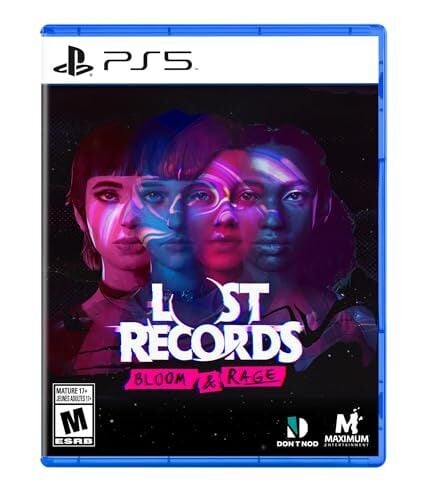
Lost Records: Bloom and Rage
Perfect for Euphoria fans, Lost Records: Bloom and Rage follows four high school friends who record their summer vacation on a camcorder in the 1990s, then reunite 27 years later to deal with the secret that drove them apart. With realistic interactions with the characters that react to your actions (or inactions), it replicates and enhances Euphoria’s ensemble experience with all the drama.
Platforms: PlayStation, Xbox, PC, GeForce Now, Steam
The best podcasts to listen to after watching Euphoria
The long gap between seasons two and three means that a lot of Euphoria-centric podcasts have either moved on or given up, but with the show roaring back into the zeitgeist, there are some key podcasts planning to produce new episodes.
The Watch (The Ringer)
Hosts Chris Ryan and Andy Greenwald will be recapping and commenting on season three of Euphoria at The Watch—they’ve already devoted a whole episode to thinking way too hard about the trailer, so you know it’s going to be a fun deep dive.
That’s So Euphoric
This was one of the more energized and interesting podcasts about the show, so it seems hopeful that hosts Paige Blaser and Alex Miller will start it up again for season three.
Previously On with Jillian Bonanne
Previously On has been re-watching the first two seasons of the show in preparation for its return, so this is a perfect way to remind yourself why you fell for these messy kids in the first place.
Claude Code and Cowork can now use your computer
Anthropic announced today that its Claude Code and Claude Cowork tools are being updated to accomplish tasks using your computer. The latest update will see these AI resources become capable of opening files, using the browser and running dev tools.
When enabled, the Claude AI chatbot will first prioritize connectors to supported services such as the Google workplace suite or Slack, but if a connector isn’t available, it will be able to still execute an assigned task. Claude should ask for permission before taking these actions, but Anthropic still recommended not using this feature to handle sensitive information as a precaution.
Claude computer use will initially be available to Claude Pro and Claude Max subscribers on macOS. This feature is still in a research preview, so will continue to be adjusted based on Anthropic’s user feedback. It will also support use with Anthropic’s Dispatch feature, which allows a person to message the chatbot in a single continuous conversation across phone and desktop.
Claude Cowork was introduced in January. It’s an iteration of the Claude Code AI agent for programmers that is designed for more casual users.
This article originally appeared on Engadget at https://www.engadget.com/ai/claude-code-and-cowork-can-now-use-your-computer-210000126.html?src=rss
Google Is Using AI to Mess With Headlines (Again)
Back in December, news outlets spotted Google messing with headlines on articles that appeared in Discover. As it happens, this was Google experimenting with AI-generated headlines; rather than show readers the headlines the outlets wrote themselves, Google’s AI would take it upon itself to rewrite them. Why? According to Google, it was a “small UI experiment for a subset of Discover users” that “changes the placement of existing headlines to make topic details easier to digest.” While those of us that actually write headlines would argue such an experiment isn’t really necessary, Google apparently disagrees, as the experiment is now a feature.
Articles in Google Search may be impacted by AI
The thing is, Google isn’t content with keeping AI-generated headlines exclusive to Discover. As spotted by The Verge, the company is now expanding its AI rewrites to Google Search as well. That means if you click an article on a Google Search page, it might have had a headline that the publication had no input on. Of course, when you click through to the actual article, you’ll see the real headline. Once again, Google says this is an experiment—a “small” and “narrow” one at that, and that, in its current state, the feature isn’t ready for a full rollout. But The Verge says it has spotted multiple examples of Google taking its articles and changing the headlines for Search.
For example, the AI turned the headline “I used the ‘cheat on everything’ AI tool and it didn’t help me cheat on anything” into “‘Cheat on everything’ AI tool.” Sure, the article is about the “Chat on everything” tool, but the AI version leaves out some serious context: The Verge isn’t just spotlighting this tool, or, worse yet, endorsing it; it’s heavily criticizing it—something the original headline was designed to advertise to readers. In another example, “You can’t replace the battery in Lego’s Smart Bricks — and many of its sensors aren’t active yet” was changed to “You can’t replace the battery in Lego’s Smart Bricks.” At least this one doesn’t reframe the story, but it does leave out part of the story entirely. Finally, there’s “I met Olaf — the Frozen robot who might be the future of Disney Parks,” which Google’s AI awkwardly truncated to “the Frozen robot who might be the future of Disney Parks.” Yes, the “the” is lowercase in Search, for some reason.
Why is Google doing this?
The Verge acknowledges that Google has changed far fewer headlines in Search than it has in Discover, which means the chances are much lower that you’ll encounter an AI headline in a Google Search than scrolling through the Discover feed. But if the feature’s journey in Discover is any indication, Google will only ramp up AI-generated headlines in Search in the near future.
Google told The Verge that the goal is to “identify content on a page that would be a useful and relevant title to a users’ query,” and apply “better matching titles to users’ queries and facilitating engagement with web content.” This experiment is apparently not specific to news articles, and that, if Google were to launch such a feature, it wouldn’t use generative AI to rewrite the headlines. So, why use generative AI to rewrite the headlines in the experiment? To that point, The Verge says that sometimes, Google’s AI uses its headline, but the wrong version. Outlets like The Verge will sometimes produce two versions of a headline: one for the website, and one that appears on Search. Google’s AI will reportedly swap the headlines, choosing the site headline for Search when The Verge wrote an entire headline designed for Search.
Google Search belongs to Google, of course, and we’re all at the company’s mercy when it comes to what appears in those results. But it seems a bit beyond the pale to change a website’s headline when ranking it in Search, whether that be cutting off half the angle, or changing the angle entirely. If readers click through thinking they’re getting one thing, and find another, who’s that good for? I guess Google thinks it’s good for them, but, like many of the changes the company has made in recent years, it isn’t really good for anyone else.
LG Display starts mass-producing LTPO-like 1 Hz LCD displays for laptops
LG Display is mass-producing laptop screens that automatically change their refresh rate from 1 Hz to up to 120 Hz, based on what’s on-screen, it announced this week. The display supplier said that it’s the first company to mass-produce these 1–120 Hz screens, which are supposed to boost battery life.
According to LG’s announcement, the LCD screens, which it’s calling Oxide 1Hz, will automatically use a 1 Hz refresh rate when detecting a static image on-screen and switch to up to 120 Hz when needed. Without providing more detail, LG said it created proprietary “circuit algorithms and panel design technology” and discovered “new materials and [applies] the oxide with the lowest power leakage during low-refresh-rate mode to the display’s thin-film transistor.”
In its announcement this week, LG said that “when performing tasks involving primarily still images—such as checking emails or reading e-books and research papers—the panel operates at the lowest refresh rate of 1 Hz. Conversely, it runs in high-refresh-rate mode at up to 120 Hz when streaming content such as movies or sports as well as playing games with frequent screen changes.
Apple Prepares To Add Search Ads To Apple Maps
Apple is reportedly preparing to add search ads to Apple Maps, “and it could start to roll out to users by the summer,” reports AppleInsider, citing sources from Bloomberg (paywalled). From the report: Apple will make an announcement as soon as March. This will bring ads to search queries within the navigation app, which will operate similar to Google’s advertising system. Retailers and brands will be able to bid for ad spots located against search queries for specific terms, such as types of food or services. The winning bid will be able to show an ad at the top of the results, pointing to a related location for that business. Apple also announced in January that it would add more ads within the App Store, starting March in the UK and Japan.


Read more of this story at Slashdot.
EA is nuking Battlefield Hardline on consoles
EA has put another game on the chopping block, or at least the console versions of it. The company says it will delist the PS4 and Xbox One versions of Battlefield Hardline from digital storefronts on May 22, and shut down the online services on June 22. The single-player campaign will remain playable for those who own the game. The PC version of Battlefield Hardline isn’t affected by these changes.
In its announcement on X, EA didn’t explain exactly why it’s ceasing support for the game on PS4 and Xbox One. It pointed readers to a FAQ on its website that lays out some of the typical reasons why it ends online support for its games. These include factors like declining player bases.
Battlefield Hardline, which was released in 2015, will still be available on Steam as well as EA’s own PC app. The Steam version has a peak concurrent player count of 41 so far this year.
It’s hardly uncommon for a publisher to end online services for games with declining player bases, but it’s an issue that’s come into greater focus over the last few years thanks in part to the Stop Killing Games movement. EA alone has sunsetted dozens of games. Its website has a full accounting of these, spread across three webpages.
This article originally appeared on Engadget at https://www.engadget.com/gaming/ea-is-nuking-battlefield-hardline-on-consoles-193321551.html?src=rss
US to pay TotalEnergies $1 billion to stop developing offshore wind in US
On Monday, the Trump administration announced its newest approach to its goal of blocking the development of offshore wind: pay companies to walk away from lease sites they had paid for under the Biden administration. The Department of the Interior, which arranges leases of coastal sites for the development of wind farms, would end up returning about $1 billion to France’s TotalEnergies, which has promised both to invest that money in US-based fossil fuel projects and to not do any further offshore wind development in the US.
Rumors of the deal had begun circulating last week. The deal comes in the wake of the administration’s repeated failures to block offshore wind projects after construction had started.
The deal would see TotalEnergies invest roughly $1 billion in oil and natural gas projects in the US. Once those commitments are made, the US would pay the company that amount in return for its abandonment of two areas it had leased for offshore wind. One of those areas would have hosted a relatively small project near the Carolinas. But the second project, Attentive Energy, is a large site east of New Jersey that would have the capacity to generate 3 Gigawatts of power—capacity that the nearby states would find difficult to replace with other means.
What to Do If Your Pixel Watch Is Double Counting Your Steps or Calories
We may earn a commission from links on this page.
Ever since the March Pixel feature drop, some Pixel watch users have been reporting that their step counts and calorie counts are off. An official fix isn’t out yet, but users have found a few approaches that seem to correct the numbers.
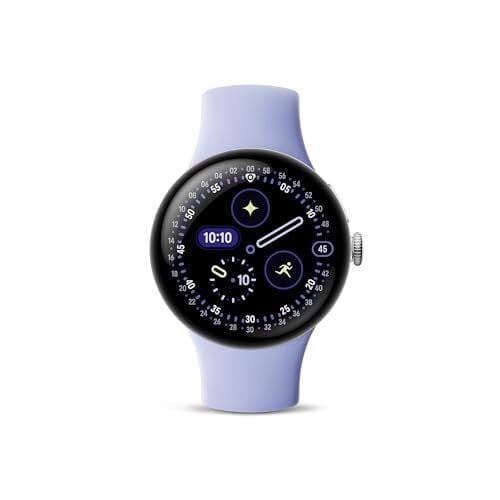
Steps and calories are being overcounted for some Pixel Watch users
The problem, according to numerous posts on forums like r/PixelWatch and comments on the March feature drop, is that the Fitbit app is reporting far more steps than the user feels is plausible. For example, one user reports: “my watch says I’ve walked 6,688 steps today, which is impossible! I just walked to the bathroom and back, and now my watch says I’ve walked 7,025 steps! I’ve probably only walked half that!”
Calorie counts seem to be affected for some users as well. One Redditor says: “I only got in roughly 7,000 steps yesterday, yet my Pixel Watch 4/Fitbit said I burned more than 11,000 calories, which is, obviously, impossible given that I’m not literally on fire and didn’t run three or four marathons yesterday while working my desk job.”
While the issues seem to have started shortly after the March drop, the issue may not be with the Pixel Watch firmware itself but with something else, like the Fitbit app. A few of the reports are from people who haven’t gotten the feature update on their watch yet, yet still have inflated calorie or step counts. (The March drop included a firmware update for Bluetooth/wifi watches but not LTE watches, so people with LTE watches haven’t gotten the update. You can see all available firmware updates here.)
Try these steps to correct step and calorie counts on your Pixel Watch
While Google hasn’t published an official fix yet, forum users have been sharing steps that they say fix the problem. One or more of the following may help:
-
On your phone, go to Settings, then Apps, then Fitbit, then Storage. Select Clear cache.
-
On your Pixel Watch, go to Settings, then Apps & Notifications, then App info, System apps, Fitbit, App info (again), and then Clear cache.
-
Restart your watch: hold in the crown until a menu pops up, then select Restart.
-
Restart your phone.
Some users said the issue was fixed after they cleared their phone’s app cache, and some said it was fixed after restarting their watch. Some recommended doing all the steps above.