10 ‘Educational’ Gifts That Aren’t Boring

We may earn a commission from links on this page.

Opening presents is supposed to be fun. And while everyone has their own idea of what constitutes fun, no one likes a gift that is too functional or boring. This may be why you don’t often consider gifting educational goods.

However, there are plenty of gifts that are can challenge or enrich your giftee in some way—and which are decidedly not boring. Here are 10 suggestions to get you started.

The best educational gifts for kids

Getting an educational gift for a kid is tricky business. When I was about six, my mom kept hyping up a Christmas present she was so excited for me to open, she actually made me open it early, on the afternoon of Christmas Eve. It turned out to be a CD-ROM “game” called Mavis Beacon Teaches Typing, which she gleefully installed on our clunky old PC before we left for mass.

I was furious. I had been dreaming of colorful gifts, gifts with pizzazz, gifts a 6-year-old might actually want. But I did end up playing those typing games, and by the next year, I was a whiz on the QWERTY keys, outpacing my classmates and maybe even setting myself up for my current career. At the very least, I type much faster and more efficiently than any of my friends.

All of that is to illustrate the fact that as much as I didn’t appreciate Mavis Beacon in the moment, the way it gamified learning for me was the real gift. So when looking for educational gifts for kids, remember: Learning should be fun. Here are some that will make it that way.

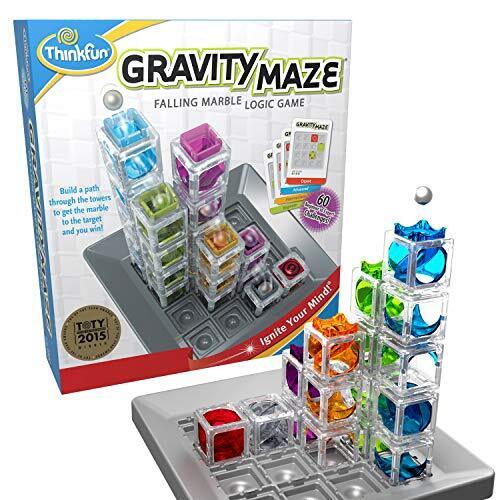
A marble gravity maze teaches practical lessons about physics and is a fun way for kids to learn about building while using their hands, while this interactive globe toy strikes me as especially cool and useful because it requires additional tech, like a tablet or phone, to scan the globe and get information about different countries—I love the way it blends old-fashioned materials with new tech, teaching kids the value of using both to seek out information.

Honestly, anything that retains some of those practical, hands-on elements is a good gift. Kids have access to tons of information via the internet, but there’s something foundational about learning through actually building or creating. While everyone else is giving them super tech-forward gifts, consider giving them this mini chemistry set, or a root viewer. Just do me a favor and ask your giftee’s parents whether an ant farm will be a welcome present. I had one as a child and enjoyed the hell out of it, but that outcome will vary depending on the whims of the kid and the patience of the parents involved.

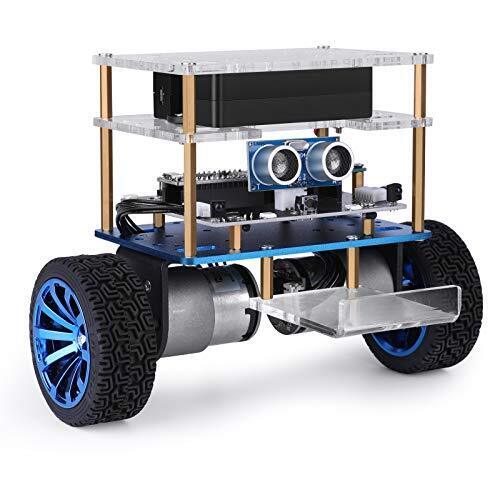
And that’s a good rule of thumb for any educational gifts you’re considering: Remember to keep the actual interests of the kid in mind when choosing one. Back in the ’90s, my mom knew that I was interested in computers (and made a smart bet that they’d only be more relevant and important as I got older), which is why she got me the typing game. If the kid you’re shopping for isn’t into motors of vehicles, forego a hands-on robot kit; it’s only educational if they actually use it.

The best educational gifts for adults

The goal of getting kids into learning is to prepare them for adulthood, right? Ideally, they become lifelong learners—and hopefully you know a few of those yourself. If you’re seeking cool educational gifts for a grown-up, try one of these.

I love learning new things, taking random classes, and throwing myself into new hobbies—just because I don’t know anything about, say, Brazilian martial arts doesn’t mean I can’t figure it out after purchasing a month-long class pass. I also love making things with my hands. Last year, for reasons unclear, I decided to learn how to do a hard gel manicure on my own nails. I didn’t care about saving money; I just wanted to see if I could do it. I couldn’t! But I had fun trying, just as I’ve enjoyed building my own shelving and learning to paint different types of surfaces while redecorating my apartment. So when you’re buying an educational gift for an adult, the same rules apply as when shopping for kids: Figure out what they are already interested in, or might be open to learning about.

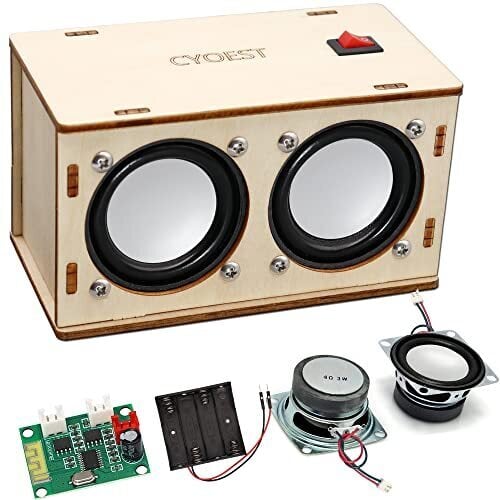
Personally, I’d be delighted to receive a build-your-own bluetooth speaker kit or some countries of the world flashcards. I don’t know anything about audio or nearly enough about geography—but I’d like to.

Any gift that has to be built or worked on is ideal for an adult, because half the present is the effort to create it, but the other half is the physical item they’ll be left with as a result. A motorized marble maze puzzle or mini bonsai garden are both great options there—and bonus points if you offer to work on it with them, and build a lasting holiday memory too.

Welcome to “necroprinting”—3D printer nozzle made from mosquito’s proboscis

Necrobotics is a field of engineering that builds robots out of a mix of synthetic materials and animal body parts. It has produced micro-grippers with pneumatically operated legs taken from dead spiders and walking robots based on deceased cockroaches. “These necrobotics papers inspired us to build something different,” said Changhong Cao, a mechanical engineering professor at the McGill University in Montreal, Canada.

Cao’s team didn’t go for a robot—instead, it adapted a female mosquito proboscis to work as a nozzle in a super-precise 3D printer. And it worked surprisingly well.

Fangs and stings

To find the right nozzle for their 3D necroprinting system, Cao’s team began with a broad survey of natural micro-dispensing tips. The researchers examined stingers of bees, wasps, and scorpions; the fangs of venomous snakes; and the claws of centipedes. All of those evolved to deliver a fluid to the target, which is roughly what a 3D printer’s nozzle does. But they all had issues. “Some were too curved and curved for high-precision 3D printing,” Cao explained. “Also, they were optimized for delivering pulses of venom, not for a steady, continuous flow, which is what you need for printing.”

Read full article

Comments

Subaru Owners Are Ticked About In-Car Pop-Up Ads For SiriusXM

Subaru owners are reporting full-screen SiriusXM pop-up ads appearing on their infotainment systems while driving — sometimes even overriding Apple CarPlay. Subaru says the ads appear only twice a year, but frustrated drivers argue the practice is distracting, unsafe, and a sign of an industry trend that’s likely to get worse. The Drive reports: At least one 2024 Crosstrek owner reported that the pop-up took over their screen even though they were using Apple CarPlay. To force-close an application that’s in use, solely for the sake of in-car advertising, is especially egregious. [The following Subaru owner complaints to the National Highway Traffic Safety Administration reiterate that point…]

The Drive reached out to Subaru for comment on the marketing tactics. A company spokesperson responded, “We will discuss those messages in an upcoming meeting and will always consider customer feedback. This is the first we’ve heard of any issue. Those messages occur only twice a year, around Memorial Day and Thanksgiving, to alert customers that all channels are available to them for about two weeks.” Reddit posts dating back as far as 2023 show owners complaining about in-car notifications.


Read more of this story at Slashdot.

ASRock’s New Intel Motherboard Has Both DDR5 And DDR4 Memory Slots

ASRock's New Intel Motherboard Has Both DDR5 And DDR4 Memory Slots
Thanks to an AI arms race, PC memory prices have gotten out of control in the past several months (and also pushed Crucial out of the consumer market), but is a motherboard with slots for both DDR5 and DDR4 modules really the answer? Probably not but that didn’t stop ASRock from quietly launching such a thing. It’s new H610M Combo lives up

20 of the Coolest Tech Stocking Stuffers For Under $50

We may earn a commission from links on this page. Deal pricing and availability subject to change after time of publication.

What if you make this the year you don’t fill all the stockings with candy or socks? Both have their place, but if you want to really make this the best Christmas ever, you have to shove some tech in those stockings. The good news: tech gifts don’t have to be expensive to be impressive.

No matter who you’re shopping for, there are tons of affordable gizmos that are some combination of cool and useful and that feel pricier than they are. Here are 20 cool tech stocking stuffers to light up any holiday morning, all of which cost less than $50.

This handheld retro gaming console

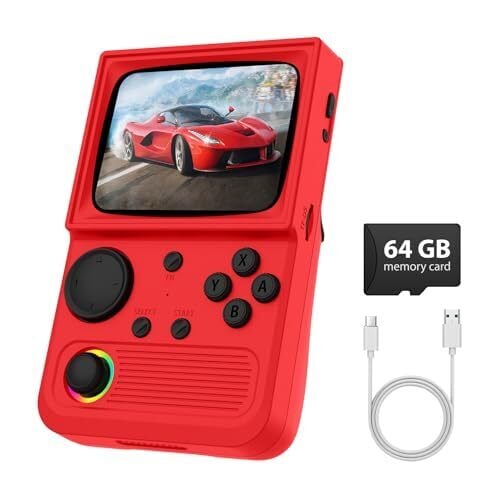
If there’s an old-school gamer on your list, their Christmas morning will be extra merry if it includes a tiny video game emulator. R36T Retro Gaming Console ($47.50) puts over 18,000 video games in the palm of your hand. It has a 3.5″ screen, so whether they like arcade classics or consoles-of-the-past, they can fit ’em all in a pocket. You can even network up with another emulator for head-to-head action.

A teeny tiny e-reader

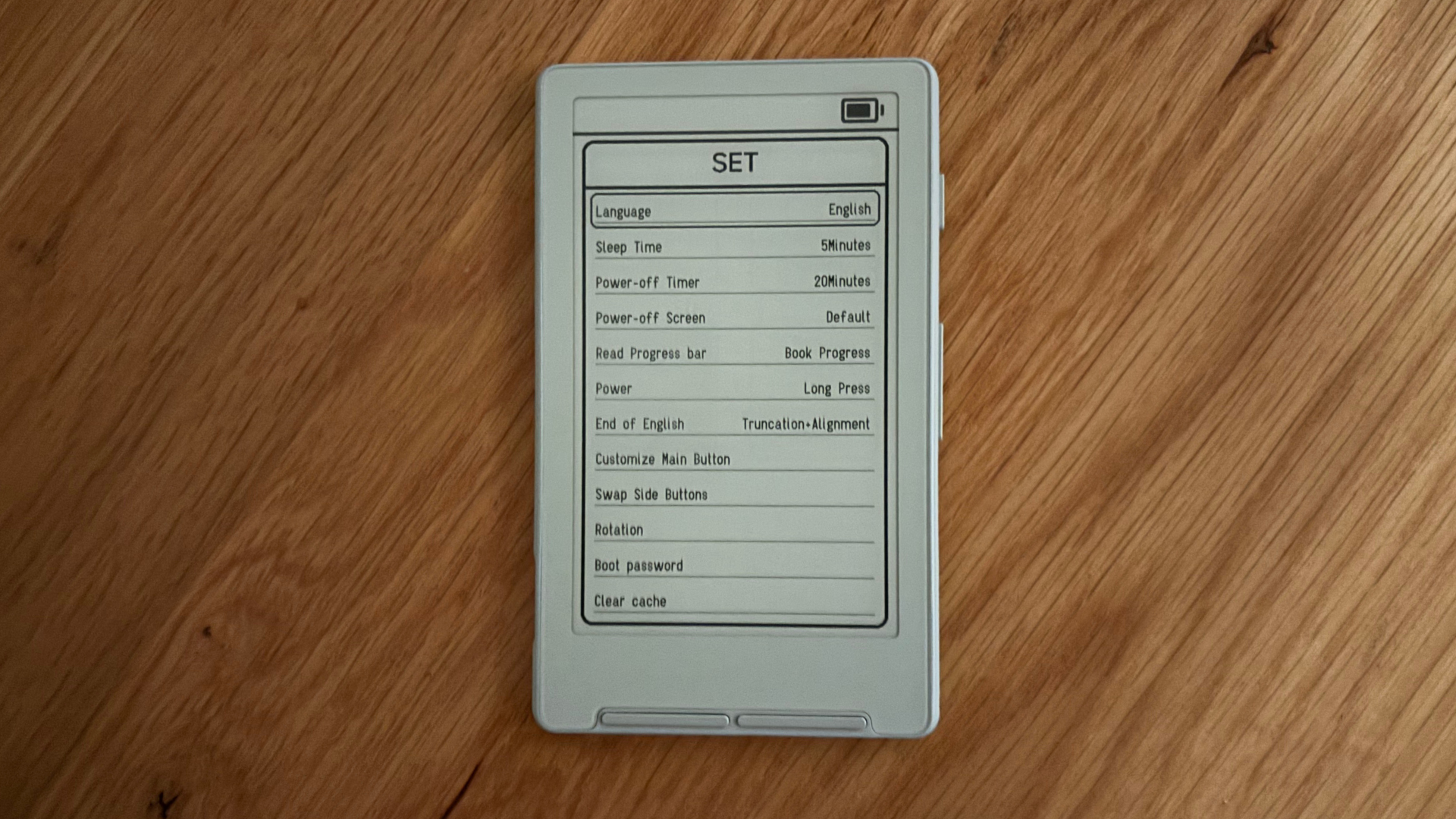
The Xteink X4 is an e-reader that’s smaller than your phone. It uses e-ink like an Amazon Kindle, so you can whip a glare-free screen out of your pocket and start reading anywhere there’s a light source. The X4 is a no-frills gadget—there’s no lighting, touchscreen, or apps—but if you want a cheap, convenient way to read for around $50, it’s perfect.

An electric air duster

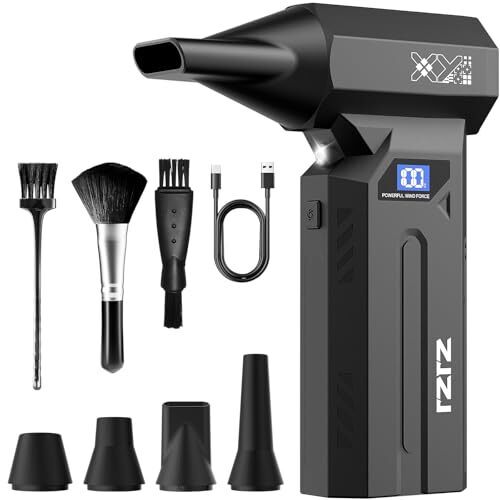
Those disposable cans of compressed air with the red straws are so 2015. Blow the dust off your electronics with an SDFM Electric Air Duster ($32.99) instead. With an engine that moves at 150,000 RPM, it shoots air such high speeds, the dust doesn’t stand a chance. It’s also cordless and comes with a variety of cleaning attachments to keep your gear in top shape.

These sleep headphones

If your giftee likes to listen to music or podcasts while drifting off to sleep, there’s no gift better than a pair of sleep headphones; except two pairs of sleep headphones! This two-pack retails for $29.99 and contains two headbands with built in speakers you can pair with your phone or other device easily. You could buy a single pair, but these things break fairly regularly, so a backup is good.

These colorful smart LED light bars

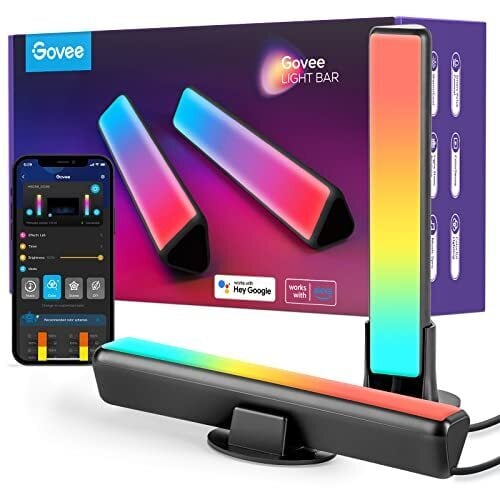
Your giftee may have the tech side of their battle station/home office locked down, but I bet they don’t have the aesthetics dialed in. Govee Smart LED Light Bars ($33) are programmable, colorful light bars work with Alexa and Google Assistant and can display light effects created from 16 millions colors. It even syncs with your music to provide trippy visuals.

A mini chainsaw

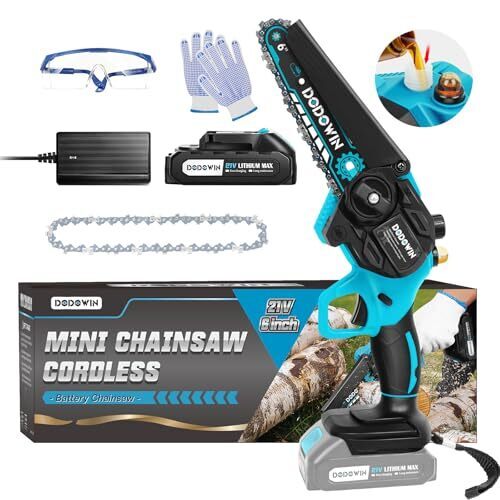
My lifestyle doesn’t involve cutting down trees, but I still need one of these miniature chainsaws. I mean, it’s a chainsaw, and it’s only six-inches long. This Dodowin mini chainsaw ($40) is battery powered, so no one will be accidentally cutting the cord. According to listing, it’s suitable for tree pruning, garden artistry, shrub trimming, forest logging, and wood cutting. They don’t mention it, but it’s also perfect for tiny Texas massacres.

A programmable macro keyboard

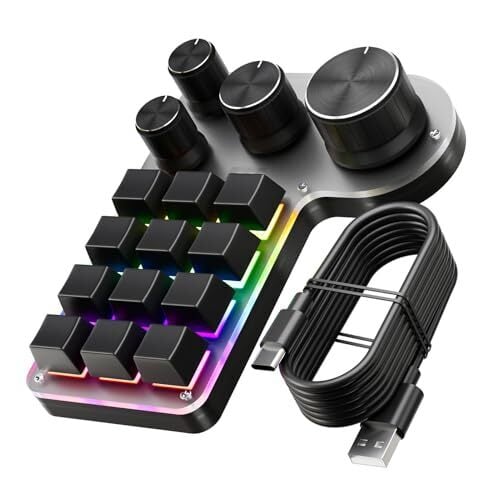
You know what computer fiends are missing in their lives? Knobs. This little $36 gadget lets you assign functions to four external knobs and 12 push buttons, so you can finally have a decent volume control, scrub through video smoothly, skip music tracks with a button push, and control any other function easily and physically. Perfect for gamers.

A laser measuring tool

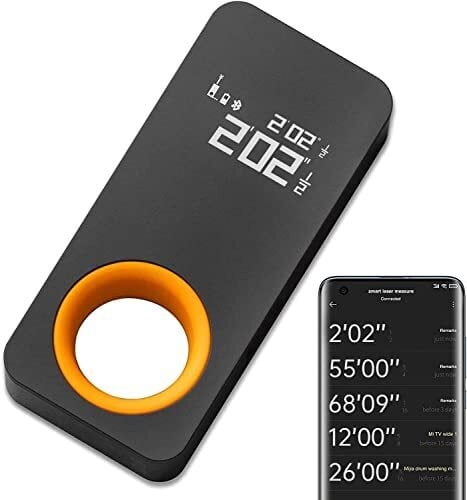
You could use a tape measure like a caveman, or you could measure things with a frickin’ laser that fits in your pocket. This $40 gadget has an LED screen that’s easy to read and it doubles as a cat toy. But does it measure things? Goddamn right it measures things—big things, little things, middle-sized things—it doesn’t give a shit what you put in front of it, it will measure the hell out of it! (Up to 98 feet, anyway.)

The X10 MAX Bluetooth speaker

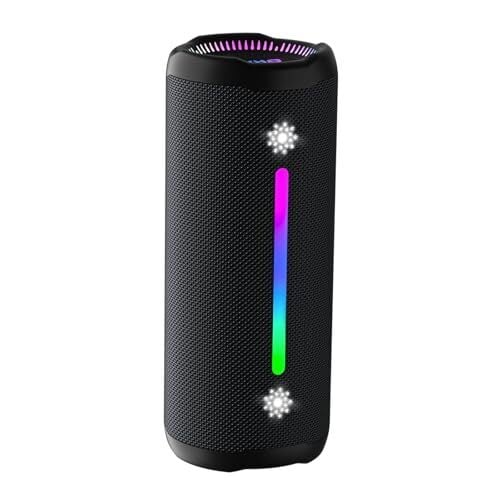
This compact bluetooth speaker has an Amazon rating of 4.7 stars out of 5, and it’s cheap—just $32. It’s waterproof, it sounds great, and it features a built-in light show with six different settings so you can check out cool visuals with your tunes.

These Bluetooth trackers

Keep track of the things in your life with these miniature tracking tags. Slip one in your wallet or your keys, and if you misplace them, you can hit a button and it will play a sound and/or give you a map that will lead you exactly to your missing item. Plus, it works in reverse, so you can hit a tag and it will ring your lost phone. I rely on these; no joke.

This wearable heating pad

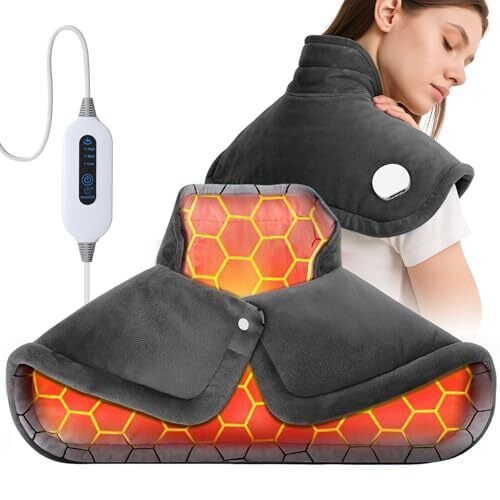
If you want to keep warm during the holidays, you could do a lot worse than this portable neck, shoulder, and back warmer. There are three temperature settings and a safety shut-off feature, and it heats up really fast.

A desktop vacuum cleaner

This tiny little vacuum will keep your desktop dustfree. It sucks at 1000Pa of suction power for 400 minutes off a single charge, and it’s very easy to use: You put it in the palm of your hand and push it around. Cool!

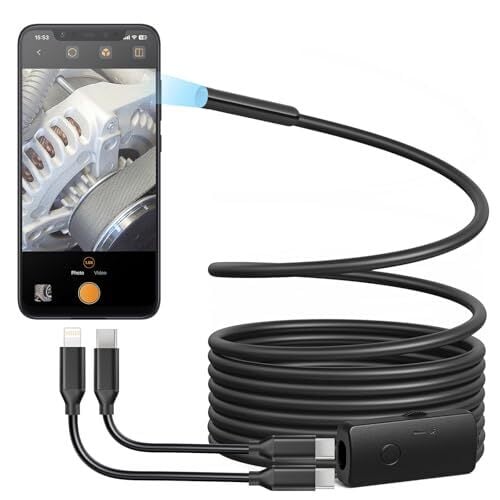
This USB endoscope camera

It’s not like most people need an endoscope camera every day, but if the need for a tiny camera does arise—if you need to see why the engine isn’t working or if your wedding ring falls behind the oven or something—you’ll be glad you have this Anykit USB Endoscope Camera. It plugs right into your Android or iPhone and captures HD photos and video.

A foldable mini Bluetooth keyboard

Why have you been carrying your laptop around to coffeehouses like a chump when you can just connect this foldable mini Bluetooth keyboard from iClever to your phone, turning it into an ultra-portable productivity device? It even has a little trackpad!

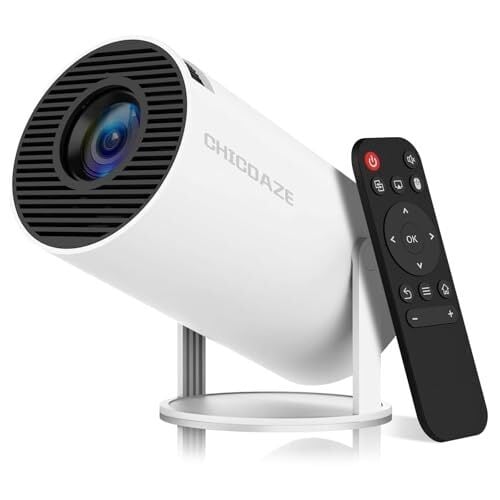
A portable HD mini projector

Projectors have gotten really good over the last few years, and they prices have come down massively too. This mini projector costs only $40 and projects a 1080p image up to 201″ and even comes with a remote control and a projection screen.

The Amazon Echo Dot

If your giftee is into house automation within the Amazon ecosystem, you can’t go wrong with an Echo Dot. This compact smart speaker packs a surprisingly nice sound along with built-in Alexa, so it can be used for for playing music, setting timers, and controlling your smart devices.

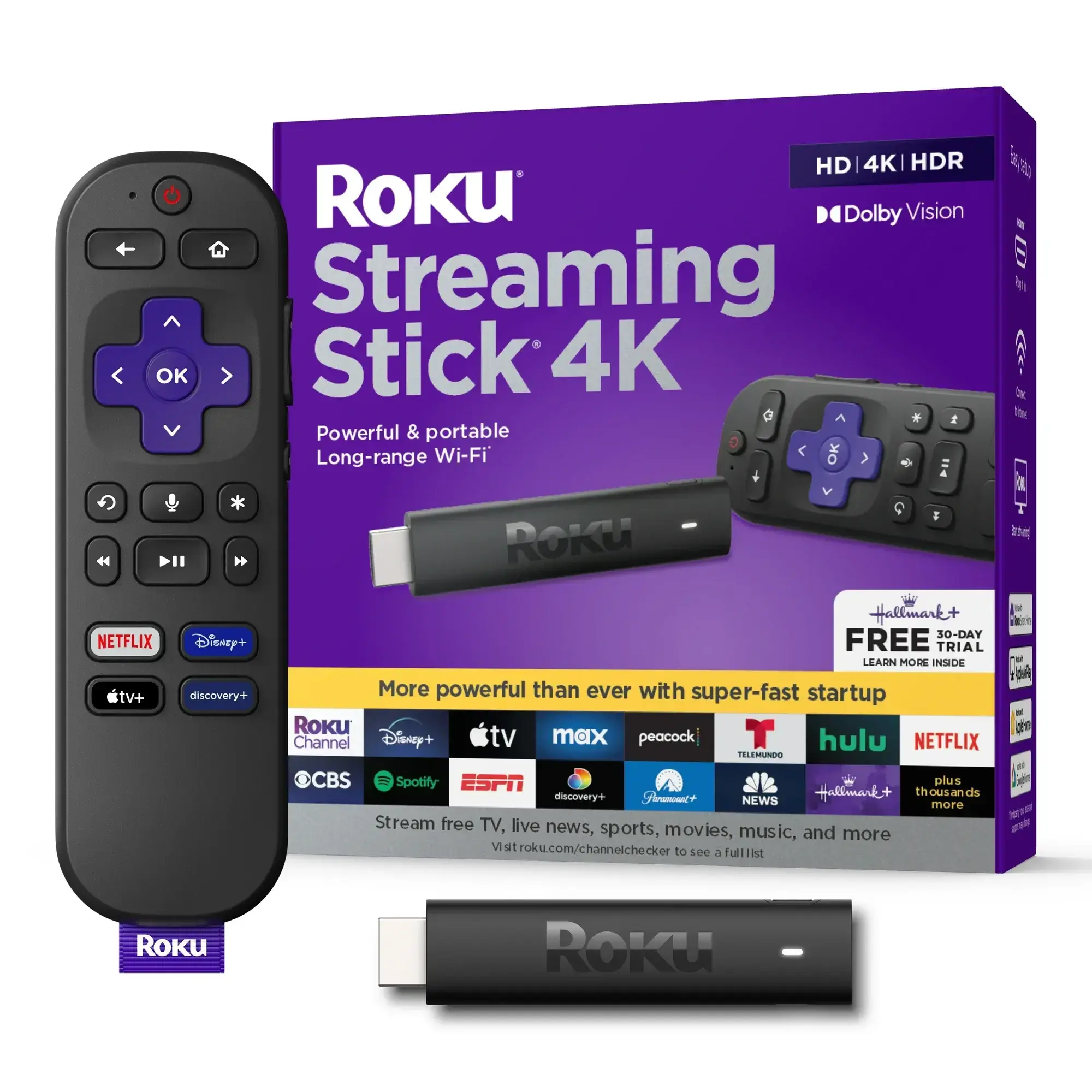
The Roku Streaming Stick 4K

Alright, most people already have a media streamer attached to their televisions, but in case you’re gifting someone who doesn’t, the Roku Streaming Stick 4K is a solid choice. This no-frills device serves up 4K HD video, gives you access to hundreds of free and premium channels, and is easy to setup.

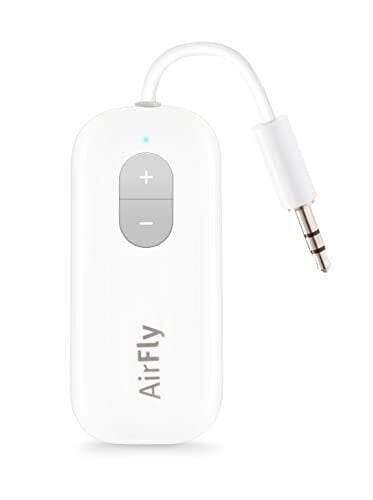
A wireless transmitter for your earbuds 

The Twelve South AirFly SE is an ultra-compact Bluetooth transmitter lets you plug into any device with a 3.5 mm jack, like in-flight entertainment systems, gym machines, or TVs, and stream audio wirelessly to your Bluetooth earbuds or headphones. Leave those accursed wired headphone in the drawer where they belong!

This portable tire inflator

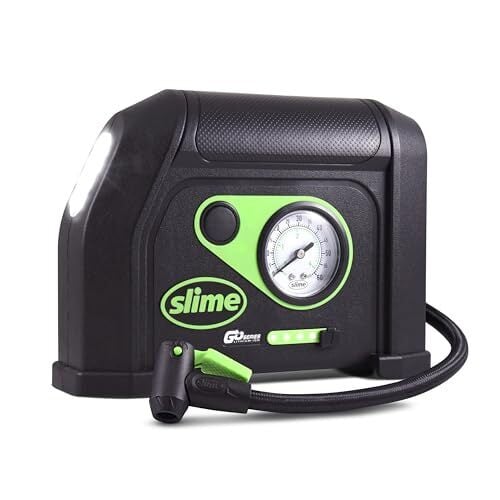
A portable inflator is perfect for car emergencies or keeping your bike tires plump, and this one from Slime is a steal at only $50. It’s rechargeable, has an onboard pressure guage, an LED flashlight, and can inflate a car tire in only eight minutes. You will never go back to a manual air pump, I promise.

This versatile Anker Nano II USB charger

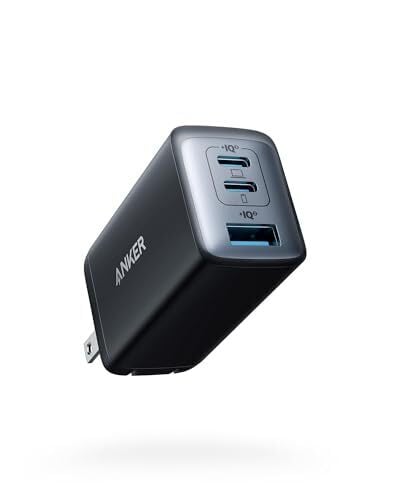
I am 100% sure whoever you’re giving a gift to will be able to use this compact, high‑power Anker charger. It has two USB‑C ports plus one USB‑A, letting you power up your laptop, phone, and tablet all at once, from one plug.

NASA Warns Surge In Satellites Will Sabotage Astronomy And Hubble Images

NASA Warns Surge In Satellites Will Sabotage Astronomy And Hubble Images
Here’s something most of us saw coming: the accelerating deployment of tens of thousands of communication satellites in low Earth orbit (LEO) is creating a diffuse veil of light pollution that is now demonstrably compromising the performance of some of the most powerful telescopes in the world, including the venerable Hubble Space Telescope.

Astronomers

Your Ultimate Guide to Stringing Up (and Storing) Outdoor Holiday Lights

We may earn a commission from links on this page.

Watching Clark Griswold fail at hanging up Christmas lights in National Lampoon’s Christmas Vacation may be a hilarious annual holiday tradition, but in real life, decorating failure is no laughing matter. According to the Consumer Product Safety Commission, around 15,000 people in the U.S. go to the emergency room every year for holiday decorating-related injuries. And no one is keeping statistics on the countless serious injuries my eyes suffer when I see neighbors with a half-ass light display. So let’s avoid all that unpleasantness with this ultimate guide to Christmas lights, from planning, to tools, tips, safety, and storage.

Make a Christmas light hanging plan

The time to think about how you’re going to hang your holiday lights is not when you’re up on the ladder, so first, sit down and make a comprehensive plan for lights before you do anything else. Here are some steps and things to keep in mind:

  • Assess your space: Consider your roofline, windows, trees, shrubs, and walkways and decide what you’re going to light up. Then develop an overall vision for your light display.

  • How much is enough: Decide whether you’d like a maximalist, minimalist, or traditionalist display.

  • Choose a color scheme: A coherent look to your holiday lights is so important, I made a whole section about it below. Skip ahead if needed.

  • Highlight architectural details: You want the lights to go around windows, roofs, and doorways.

  • Decide on your lights: Do you want string lights, icicle lights, net lights, projectors?

  • Props and other decorations: There are so many outdoor decorations available for all styles, from fairly understated displays to Santa in a pickup truck, that you kind of have to have something. Just make sure it fits in with the overall vibe. We’re going for coherence here.

  • Measure it: Now that you know what you’re going for, it’s time to measure. The first step to measuring is to throw away your old tape measures and get a laser. Here’s a laser measurer for less than $30. Get something like this and you won’t have to climb a ladder to know how long your roofline is.

  • Consider the power: Make sure you know where the outlets are and whether you have enough extension cords.

  • Check your older lights: Part of planning is checking if the gear you already have is still working, so mix up some eggnog and make sure those old strings of lights still function.

Choose your color palette wisely

Anyone can throw some lights up, but throwing up lights with intention is what separates us from chimpanzees. Here’s some color theory for your Christmas light display:

  • Pick a palette: The most obvious choice is red, green, and white, but consider other options like white, blue, and silver for a winter wonderland look, or red, white, and pink for candy cane vibes.

  • Limit your colors: You could go for a maximalist, every color look, but it’s hard to pull-off without it looking like a Christmas thrift store.

  • Be careful with the flair: If you’re going to have lights that twinkle, chase, or change color, make sure it’s part of an overall cohesive look. One flashing light amongst a bunch of static strings is not what you want.

Remember that LED Christmas lights are superior

If you’re still using those old-school incandescent mini bulbs, shame on you. Stop being a caveman. LED lights are better than incandescent in all of these ways:

  • They’re cool: LED lights run at about half the heat of older style bulbs, so they are unlikely to set anything on fire, even if you try.

  • They last forever: LEDs can run for tens of thousands of hours. They’ll outlive you.

  • They use less energy: LEDs use about 10% of the energy that old school bulbs use.

  • They are independent: Remember back in the day, when your whole string of lights was shot if one bulb went out? That’s the past, man. LEDs don’t care whether other LEDs are dead or not.

  • They’re versatile: LEDs can be super bright or subdued. You can get LEDs that change color, blink, simulate a meteor shower, and other special effects. You can get LED lights that are controlled from your phone and powered by batteries. They’re just better.

Gather your supplies and tools

Having followed these steps, you should know exactly how many feet of lights you need and what color they should be, but that’s not the whole story. You need tools and other supplies, too.

How to hang Christmas lights

Here’s some tips for actually hanging the lights:

  • Safety first: Hanging holiday lights is the most embarrassing way to injure yourself. It’s just not worth it, so make doubly sure you have a plan for everything, don’t take any risks, and get a helper to hold the ladder.

  • Start at the power source: Always begin where your lights will plug in. Starting elsewhere is a Griswold move that will ruin Christmas. Work outward from the outlet so you don’t run out of cord length mid-roofline.

  • Re-test your lights: You should have already tested them, but test each string again before you string ’em up. It’s much easier to deal with a loose connection on the ground than up on a ladder.

  • Use clips and hooks instead of nails: Nails can damage your house or even cause electrical fires, so don’t nail anything. Bonus: Hooks make taking everything down in January much easier.

  • Hang lights evenly: Space out the bulbs so you don’t end up with a spaghetti look. Follow the lines of your house for the best looking display.

  • Wrap trees and shrubs neatly: For trees, start at the trunk and work outward. For small bushes, wrap in a spiral pattern from bottom to top.

How to remove and store Christmas lights

When the holidays are over, it’s time to put everything back until next year. Resist the temptation to just clump everything up and throw it in boxes—you will not be happy with yourself next year. Do not just leave everything strung up either; you’re a civilized person.

  • Reverse the installation: Do it all backwards. Remove lights starting from the farthest point from the outlet. Remove lights from trees from the outside-in and from the bottom up.

  • Wrap carefully: To avoid a “ball of despair” next Christmas, wrap your lights around something—a makeshift spool or just a piece of cardboard work wonders.

  • Label each strand: Denote where it went (roofline, bushes, tree, etc.) with a piece of masking tape and a Sharpie.

  • Store hooks and clips: A dedicated container for hooks and clips is a must. Fishing tackle boxes work great for this.

  • Store securely: Keep all your gear in a cool, dry place, in a plastic storage bin, so you can be ready for next year. Do not use cardboard boxes. Instead, get something like these Rubbermaid tubs.

A shaky year for American EVs could set the tone for 2026

If you like both electric vehicles and emotional roller coasters, 2025 was an excellent year. However, for those of us whose nerves are already sufficiently frazzled, the highs and lows of the last 12 months were a bit hard to stomach.

In 2025, we saw the introduction of new, compelling models like the Lucid Gravity and refreshed Nissan Leaf, the latter available at a price on par with its internally combusted competition. From a product availability standpoint, 2025 was the year the EV market started feeling more mature and less manic.

But 2025 also saw new heights of anti-EV vitriol stirred up during a particularly traumatic election cycle. The means of propulsion or badge on the hood of your commuter machine suddenly became an indicator of your political affiliations. Put simply, the car you drive is now a political statement, and it’s the latest unprecedented situation in an exhaustingly long and dire string of unprecedented situations. Yes, it’s been a long year, and the pessimism of 2025 will surely carry us well into 2026, but not all hope is lost for EVs.

Tesla and the DOGE effect

Elon Musk flashes his T-shirt that reads "DOGE" to the media as he walks on South Lawn of the White House, in Washington, March 9, 2025. (AP Photo/Jose Luis Magana, File)
Elon Musk flashes his T-shirt that reads “DOGE” to the media as he walks on South Lawn of the White House, in Washington, March 9, 2025.
ASSOCIATED PRESS

We’ve certainly seen some civic-minded CEOs in the past as auto executives have a long history of mixing their corporate interests with their political panderings. Chrysler CEO Lee Iacocca was even considered a potential presidential candidate once upon a time. However, we have never seen the kind of ass kissing and cronyism we were privy to in this year’s fickle friendship between Elon Musk and President Trump.

Musk was (hyper) active on the Trump campaign trail, and wasted no time digging into what he described as government overspending. While the Department of Government Efficiency’s efficacy is debatable, it certainly proved quite effective at decimating the accounts of Tesla investors. Between January and March, Tesla’s stock price dropped by nearly half. Things didn’t turn around until Musk left DOGE in May. 

Since then, Tesla’s price has returned to its highs before the DOGE debacle. Its sales, however, have not. Q1 deliveries declined by 13 percent, then 14 percent in Q2. Deliveries bounced back 7 percent in Q3 as everyone scrambled to buy before the EV credits expired, but profits plunged 37 percent. Tesla’s market share in the US electric vehicle space has halved, leading perennial pitchman Musk to start hawking everything from AI agents to spandex-clad robots — anything to distract from the numbers.

And it’s apparently working. Musk’s $1 trillion pay package was approved by Tesla’s shareholders without much worry. This could make him the world’s first trillionaire, but only if he meets a series of aggressive targets and deadlines for sales, an area where the man has struggled in the past.

The big, beautiful sales spike

A Tesla with a sticker referring to the car's purchase is shown on Sunday, Dec. 15, 2024 in Concord, Mass.. (AP Photo/Peter Morgan)
A Tesla with a sticker referring to the car’s purchase is shown on Sunday, Dec. 15, 2024 in Concord, Mass.
ASSOCIATED PRESS

Elon Musk and Donald Trump’s bromance wasn’t the only fallout from the latter’s second term. So, too, died the $7,500 federal EV incentive, which expired in September as part of President Trump’s “Big Beautiful Bill.” That actually spurred a short-term sales spike ahead of the deadline. Many manufacturers even set new EV sales records riding that wave, but there’s a disconcerting trough to come.

We still need to wait a bit to see just how bad Q4 EV sales are going to be, but early indications are not looking good. J.D. Power’s October report says that EV sales in September were a record high, making up 12.9 percent of new vehicle sales in the US. In October, after the credit expired, they fell to a mere 5.2 percent. 

That’s a worrying drop, and it’s already affecting product planning. 

Cuts in EV production

Test driving Honda's Super-One Prototype
Honda’s Super-One Prototype isn’t coming to the US.
Tim Stevens for Engadget

When I was in Japan last month, getting an early look at some next-gen hybrids from Honda, I wasn’t expecting to hear talk of midterm American elections from the company’s executives. But that’s what was on CEO Toshihiro Mibe’s mind. He’s watching American voting trends closely to determine the nature of the company’s upcoming releases.

Mibe said that Honda has already canceled plans for some EVs here in America, instead focusing on a broader selection of hybrid models. It’s not the only company to do so. Ram also canceled its 1500 EV truck, but the hybrid version is still supposedly on the way. 

Scout Motors, too, has been focusing more on its extended-range hybrid offerings. The company’s initial pitch was purely electric trucks and SUVs. Lately, it’s been prioritizing its extended-range EV options based on the feedback from its 130,000 pre-orderers. 80 percent of them want the onboard generator, an add-on that may prove a saving grace for this EV startup.

There is reason for optimism

Some manufacturers may be throttling back on their EV aspirations, but others are forging ahead. There’s a delightful collection of battery-powered machines coming next year, and that’s worth getting excited about.

Again, the 2026 Nissan Leaf should be a hugely popular choice as its production ramps up. It’s already hitting dealerships now, and with a starting price under $30,000, it’ll be hard to beat. But, Chevrolet is going to try with a refreshed Bolt EV for similar money.

If you’ve got more to spend, you’ve got more options. BMW’s stellar iX3 crossover SUV is due soon, as are both the electric CLA sedan and GLC SUV. 

The most anticipated EV of the year, though, might just be the Rivian R2. This electric SUV will join the stellar R1S and R1T, expanding Rivian’s segment footprint while also hopefully expanding its market reach. A $45,000 starting price makes it far more attainable than any of the company’s previous offerings. 

A photograph of the Rivian factory producing the company's R1 SUV variant.
A photograph of the Rivian factory producing the company’s R1 SUV variant.
Nathan Heleine / Rivian

If the prospect of a fun, affordable SUV from Rivian doesn’t have you excited for the upcoming year in EVs, maybe some promising news from Europe will. After cutting its own EV incentive program in 2023, Germany’s EV sales fell off a cliff, dropping 28 percent in 2024. Cue the predictions of the demise of EVs by many local pundits.

Since then, though, EV sales slowly climbed back up, and lately they’ve been booming, with German road traffic agency KBA saying the total number of newly registered electric vehicles increased by nearly 50 percent in October (year over year). Electric cars now make up 19 percent of the market there, and that’s despite Tesla’s sales cratering.

There’s no guarantee that the American market will follow a similar rebound, especially if the anti-EV political messaging continues. Me, though, I’ve decided I’m staying optimistic, as exhausting as that can be these days.

This article originally appeared on Engadget at https://www.engadget.com/transportation/evs/a-shaky-year-for-american-evs-could-set-the-tone-for-2026-153000210.html?src=rss

Trump wants tiny Japanese-style cars for US even as he cuts mpg goals

It’s been less than a year into the second Trump administration, and to many outside observers, US government policies appear confusing or incoherent. Yesterday provided a good example from the automotive sector. As has been widely expected, the White House is moving ahead with plans to significantly erode fuel economy standards, beyond even the permissive levels that were considered OK during the first Trump term.

Yet at the very announcement of that rollback, surrounded by compliant US automotive executives, the president decided to go off piste to declare his admiration for tiny Japanese Kei cars, telling Transportation Secretary Sean Duffy to make them street-legal in the US.

50.4 mpg 40.4 mpg 34.5 mpg

A little over a decade ago, the Obama administration announced new fuel economy standards for light trucks and cars that were meant to go into effect this year, bringing the corporate fleet fuel economy average up to 50.4 mpg. As you can probably tell, that didn’t happen. It wasn’t a popular move with automakers, and the first Trump administration ripped up those rules and instituted new, weaker targets of just 40.4 mpg by 2026.

Read full article

Comments

Meta Poaches Apple Design Exec Alan Dye

Apple’s longtime human-interface chief Alan Dye is leaving to lead a new creative studio at Meta’s Reality Labs, where he’ll shape AI-driven design for devices like smart glasses and VR headsets. Dye will be replaced by Steve Lemay, who has had “a key role in the design of every major Apple interface since 1999,” according to a statement Apple CEO Tim Cook gave Bloomberg’s Mark Gurman. TechCrunch reports: Shortly after the news broke of Dye’s departure, Zuckerberg announced a new creative studio within Reality Labs that would be led by Dye. There, he’ll be joined by Billy Sorrentino, another former Apple designer who led interface design across Reality Labs; Joshua To, who led interface design across Reality Labs; Meta’s industrial design team, led by Pete Bristol; and its metaverse design and art teams led by Jason Rubin.

Zuckerberg said the studio would “bring together design, fashion, and technology to define the next generation of our products and experiences.” “Our idea is to treat intelligence as a new design material and imagine what becomes possible when it is abundant, capable, and human-centered,” the Meta CEO wrote on Threads. “We plan to elevate design within Meta, and pull together a talented group with a combination of craft, creative vision, systems thinking, and deep experience building iconic products that bridge hardware and software.”


Read more of this story at Slashdot.

Lego announces NASA Artemis SLS rocket set to lift off (literally) in 2026

How do you top a highly detailed scale model of NASA’s new moon-bound rocket and its support tower? If you’re Lego, you make it so it can actually lift off.

Lego’s NASA Artemis Space Launch System Rocket, part of its Technic line of advanced building sets, will land on store shelves for $59.99 on January 1, 2026, and then “blast off” from kitchen tables, office desks and living room floors. The 632-piece set climbs skyward, separating from its expendable stages along the way, until the Orion crew spacecraft and its European Service Module top out the motion on their way to the moon—or wherever your imagination carries it.

“The educational LEGO Technic set shows the moment a rocket launches, in three distinct stages,” reads the product description on Lego’s website. “Turn the crank to see the solid rocket boosters separate from the core stage, which then also detaches. Continue turning to watch the upper stage with its engine module, Orion spacecraft and launch abort system separate.”

Read full article

Comments

The Best Last-Minute Gifts that Don’t Feel Last Minute

We may earn a commission from links on this page.

We’ve all experienced gift panic—that sinking feeling when you realize you need a present in an hour and you just don’t have one to give. Whether you spent all year chasing the “perfect” gift or simply procrastinated, your time is nearly up. But don’t panic. The clock may have run out, but your options haven’t. Before you resort to re-gifting something from the back of a closet, here’s how to pull off a last-minute gift that is effortless but feels elevated and worthy of the person you’re giving it to.

Sometimes the gift is in the delivery

With the right presentation, even the most last-minute gift can read as thoughtful. Any performer will tell you that the difference between a good show and a bad one comes down to commitment and confidence. The same is true for last-minute gifts: If you act like your gift is thoughtful and intentional, they’ll think it is. The biggest mistake people make is apologizing as they hand over a present—nothing ruins a vibe faster than, “Sorry this is so last-minute.” So give with confidence.

And focus on presentation. A handwritten note that contains a shared memory or personal joke can elevate a present. Use simple but personal wrapping; kraft paper and twine, or a reusable gift bag that looks like you planned ahead. Add a small flourish, like a sprig of rosemary or a fancy bow. Small touches can make it seem like you’ve carefully prepared. What you don’t want are obvious panic gifts that scream, “I grabbed this on the way here.” The goal is effortless, not frantic. Here are some suggestions.

Instant purchase digital gifts

Digital gifts are your friends. You can order something in minutes that arrives instantly online, and with a little thought, will still read as personal and intentional. The trick is choosing a present that speaks to the recipient’s tastes, hobbies, or quirks, and pairing it with a small note to show you remember what they love. From eBooks to streaming subscriptions, these gifts hit the sweet spot of thoughtful and last-minute. Here are some suggestion:

Kindle unlimited subscription

If you have a reader on your list, they want books, and a Kindle Unlimited subscription lets them read anything they like. It can be ordered instantly and lets users access millions of titles, including audiobooks, for six months or a year, even if they don’t have a Kindle reader. Include a note that says something like, “I know how much you love discovering new stories. Now you can explore as many as you like—just make sure you tell me what you find!” Boom! Mission accomplished.

Gift cards that aren’t impersonal

When time is running out, gift cards are your secret weapon. They arrive instantly online, don’t require shipping, and with the right presentation, they can feel surprisingly thoughtful. The key is to pick a card that fits the recipient’s interests and add a personal note. The more specific you are, the better. If your giftee is into Italian food, get them an Eataly gift card. If they’re a PC gamer, get them a Steam card. If they’re into education, a membership to Skillshare is perfect. There’s a gift card out there for just about any interest, and all you have to do it google it and email it.

Making generic gift cards seem thoughtful

Generic gift cards can be a last-minute lifesaver that can still seem a little personal if you give them the right way.

  • Pick a theme or design: Many online cards, like Amazon, Etsy, or Starbucks, let you choose designs. The right visual makes the card feel more intentional.

  • Include a warm, personal message: Even one line can make a digital card feel thoughtful—something like, “I couldn’t pick just one thing for you. Hope this helps you treat yourself!”

  • Send strategically: Deliver the card by email or text, but consider printing the email or screenshotting it in a small envelope so it feels like a “real” gift.

Subscription boxes with instant confirmation emails

Sign someone up for a subscription service, write a note explaining you want to keep giving them presents all year, and you’re golden. Here are some suggestions:

  • SnackCrate: This service sends a different snack from around the world every month.

  • SpiceClub: For the culinary adventurer on your list. A subscription to RawSpiceBar’s Spice Club delivers a curated selection of spices every month.

  • Mocktail variety box: Booze-free fancy drinks delivered once a month? Sign me up.

  • Thera Box: If you know someone in need of some self-care, this once-a-month box is packed with wellness and relaxation items.

  • Loot Crate: If your giftee is geeky, consider this monthly surprise box of pop culture treasures.

Send a message from a celebrity

Cameo is a platform where celebrities, influencers, musicians, and performers create personalized video messages for fans. If someone on your list is a fan of someone on Cameo, you can set up a session, and give a card with a mysterious note like “Keep an eye out for a special message.” They’ll be delighted when Kenny G. sends them a video.

Experiential gifts

I have enough crap in my house, so I love getting experiences instead of things. The challenge with experience gifts is usually timing: Many require reservations or coordination, but there are plenty of options that let your giftee schedule the time, making them perfect last-minute gifts.

  • Museum membership cards: Many institutions sell digital gift memberships that the recipient can activate whenever they like.

  • Movie tickets: Your local multiplex probably has a gift certificate you can buy online.

  • Local attraction passes: Some city attractions offer gift cards or “anytime admission” tickets that don’t expire immediately.

Pair these with a note explaining why you chose the experience, or, if you have that kind of relationship, something like, “I want to take you to the Museum of Modern Art” or whatever. Just make sure you follow through and actually go.

Really last-minute, on-the-way-to-the-party gifts

Sometimes, there’s literally no time to order, wrap, or even think about a gift. If you’re scrambling out the door and need something now, you might be able to fake your way through, even if you’re stopping at the liquor store on the way to the Christmas party.

Easy on-the-way options

  • Flowers or a small potted plant: Give a seasonal bouquet or a small indoor plant. Add a handwritten note, even a single line, and it might come off as thoughtful.

  • Gourmet chocolates or candy: Specialty chocolates from a local shop or grocery store display can feel luxe with a little ribbon or bag.

  • Wine, craft beer, or non-alcoholic beverage: A bottle with a clean label or interesting packaging immediately elevates your gift. Ask the clerk at the liquor store to help you find something unique.

  • Lottery tickets: Who wouldn’t appreciate a bunch of scratch-off lottery tickets?

When all else fails, give cash

Hard cash is the most impersonal gift of all, but the only one you know will be used. This gift really depends on the person getting it, so be aware of whether they’re likely to think “Just what I wanted!” or “Wait, I’m not poor.” If you give cash, make sure it’s crisp bills in a nice card, with a personalized note.

iPhone 17e Leak Reveals Key Design Specs For Apple’s Lower-Cost Smartphone

iPhone 17e Leak Reveals Key Design Specs For Apple's Lower-Cost Smartphone
Slated for an early 2026 release, the low-cost iPhone 17e is rumored to get a couple of significant design overhauls, nudging the e-series’ aesthetics closer in line with the company’s flagships.  

As we know, the facade of Apple’s iPhone 16e is characterized by relatively thick display bezels and a screen notch. South Korean news outlet

Alienware Gaming Monitor Blowout Sale Deals Savings Up To $200 Off

Alienware Gaming Monitor Blowout Sale Deals Savings Up To $200 Off
If you’ve never considered an Alienware product because you thought the pricing premium would be too high, do yourself a favor and have a look at the current crop of deals. We already highlighted some fantastic savings on Alienware desktop PCs and laptops for Cyber Monday (which are still on sale, by the way), and now a handful of Alienware

PlayStation teams up with Bad Robot and the creator of Left 4 Dead for a co-op shooter

Sony Interactive Entertainment has signed a deal to produce and publish a game from Bad Robot, JJ Abrams’ production company. The two sides are keeping most of the details close to their chest for now, but the game is a four-player co-op shooter for PlayStation 5 and PC directed by someone who knows a thing or two about that genre: Left 4 Dead creator Mike Booth.

Bad Robot Games — which is a fully remote studio — was formed in 2018 with the help of Tencent. It has lent a hand on games including Weird West (as an investor and creative consultant) as well as interactive streaming series Silent Hill: Ascension. This new game is the first one that Bad Robot Games is developing in-house.

A few months back, Booth dropped into the Left 4 Dead subreddit to say that he was working on a new co-op game “built on the foundations of what made L4D special. If you enjoyed the teamwork, tension and replayability of my past games, you’ll probably find this one interesting. It expands on the co-op formula in ways I’ve wanted to explore for a long time.” He added that, while the game was still in early development, Bad Robot was opening up a waitlist for access to playtests.

According to a press release, “Bad Robot Games is a dedicated game studio working on new and existing transmedia franchises.” So, this project could well be part of an entirely new franchise, but the prospect of co-op shooter from the designer of Left 4 Dead that’s set in the Cloverfield universe is pretty darn intriguing.

This article originally appeared on Engadget at https://www.engadget.com/gaming/playstation/playstation-teams-up-with-bad-robot-and-the-creator-of-left-4-dead-for-a-co-op-shooter-144637802.html?src=rss

Amazon reportedly considering ending ties with the US Postal Service

Amazon is reportedly considering discontinuing use of the US Postal Service and building out its own shipping network to rival it, according to The Washington Post. The e-commerce behemoth spends more than $6 billion a year on the public mail carrier, representing just shy of 8 percent of the service’s total revenues. That’s up from just shy of $4 billion in 2019, and Amazon continues to grow.

Over the past decade, Amazon has invested heavily in shipping logistics, buying its own Boeing planes, debuting electric delivery vans and slowly building out a drone delivery network. Last year, Amazon handled over 6.3 billion parcels, a 7 percent increase over the previous year, according to the Pitney Bowes parcel shipping index. USPS, for its part, handled roughly 6.9 billion, just a 3 percent increase over 2023. That is to say that Amazon’s shipping network can already handle over 90 percent of the volume of the US Postal Service (at least by sheer numbers).

The USPS has been in dire financial condition for some time, losing billions of dollars a year. Negotiations between Amazon and the public carrier have reportedly stalled, which, together with the agency’s need to keep raising its prices, may create more urgency for the company to eliminate its reliance on the service altogether.

The Postal Service has struggled to modernize and adapt (its attempt to electrify the truck fleet was a bust) in a market where the likes of Amazon and Walmart are investing billions in delivering packages around the country at lightning speed. The ever-accelerating digitization of communication and heavy investment in privately owned shipping operations threatens the very existence of one of the country’s greatest public goods.

This article originally appeared on Engadget at https://www.engadget.com/big-tech/amazon-reportedly-considering-ending-ties-with-the-us-postal-service-144555021.html?src=rss

12 Things to Do on Christmas If You Don’t Celebrate

In a way, the Christmas season is more fun if you don’t celebrate it. There’s no pressure. You get to enjoy all the brightly colored lights your neighbors put up, but you don’t have to put up your own. You don’t have to do any duty-shopping. But Christmas Day itself leaves you in a mostly shuttered world that feels like there’s nothing to do. Fortunately, there are still quite a few options to make Dec. 25 a fun day off, regardless of your observances.

Un-Christmas classics: Chinese restaurants and movies

You can’t go wrong with some moo shu pork and a trip to the multiplex. Chinese restaurants and movie theaters traditionally stay open on Christmas day for those who don’t celebrate, and they’re often crowded with fellow Christmas refugees. Check Google for the hours of your local Chinese restaurant and give them a call to make a reservation. If you’re more adventurous and you’re in a city large enough to have a Chinatown (or a whatever-town), just head straight there on Christmas and see what happens—that’s how the best days usually start.

If Chinese food isn’t your thing, look at restaurants serving any non-European cuisine—Greek places, Japanese places, and Mediterranean places are usually open, as are plenty of Italian restaurants and steakhouses. Just make sure you check first. Lots of chain restaurants are open on Christmas Day, including Applebees, McDonald’s, Benihana, and more. You can even get Christmas breakfast at your local IHOP. But not every location of every outlet follows the same hours, so check first. 

As for movies, most chain multiplex theaters are open on Dec. 25, and theaters are usually pretty full. The movies attract both people who don’t celebrate Christmas and people who celebrate the holiday but want to get away from their families for a couple hours, so make sure and reserve a seat beforehand. Consider hitting up an out-of-the-way spot or that theater with the table service and cushy recliners to make it feel like more of an occasion.

Most people going to the movies on Christmas Day aren’t there for Christmas movies, so interesting “secular” movies are often slated for release on the 25th. This year, a ridiculous looking re-boot of Anaconda starring Jack Black will be released on Christmas, so you’ve got options.

Less obvious options for Christmas day fun

Chinese restaurants and movie theaters aren’t the only establishments open on Christmas. Here are some other options:

  • Go skiing or snowboarding: Most mountains are open on Christmas and the lift lines are blissfully empty. There’s no better way of celebrating a winter-based holiday than on a wide open mountain.

  • Visit a skating rink: Speaking of winter sports, ice skating rinks are generally open on Christmas too. 

  • Pretend to be a tourist: Tourist attractions are often open on Christmas, especially in larger cities. This includes places like Madame Tussaud’s and Ripley’s Believe It or Not, as well as ziplines and Segway tours—so do that touristy thing you’ve never done before.

  • Get a room: If you’ve got some spare cash and have nothing better to do, get a room at a hotel. Hotels don’t usually close on Christmas, and they typically offer plenty of amenities, so take advantage of the pool at the Holiday Inn or the spa at the Four Seasons, depending on your lifestyle.

  • Hiking and biking: Hiking trails and parks are open on Christmas if you want to get outdoors. If you’re into biking, hit the trails or hit the streets: Traffic is minimal on Christmas, so it’s a great time to put in some serious roadwork. 

  • Volunteer: Not having anything to do on Christmas isn’t the biggest life problem, especially compared to people who have nowhere to go and nothing to eat. So use Christmas to help people and actually deliver on that whole “good will towards men” thing. Check your local Craigslist for volunteering opportunities.  

  • Use Christmas as a catch-up day: This is strictly for type-A people, but if everyone is out of town and no one is going to call you, why not spend the day catching up on neglected chores or personal projects? You can spend at least part of your day knocking a few things off your to-do list and the rest of the time relaxing. That way you’ll get a break and still feel accomplished.

  • Just sleep all day: Type-B personalities like me see a day free of obligations and other people as a golden opportunity to do as little as is humanly possible, a day to fully commit to sloth.

  • Spend time with friends and family at home: Not celebrating Christmas doesn’t mean you can’t spend the day with family and/or friends. Get together with your loved ones, play games, watch a movie, cook together, talk, or whatever else you all enjoy. You don’t have to go out to have fun, so don’t rule out staying in with people you care about.

  • Shopping: This is at the bottom of the list because it’s iffy. Drug stores and convenience stores like 711 are usually open on the 25th. Grocery chains like Kroger’s and Trader Joe’s usually aren’t. Your local shopping mall or retail district might be open, but probably won’t be, so check ahead.

Make a list and check it twice

Because so many places are closed on Christmas day, you should plan ahead (unless you like spontaneity and are OK with the possibility of disappointment) by:

  • Making a list of the places you want to go.

  • Calling nearby locations to confirm they’ll be open, as not every chain follows corporate holiday hour recommendations. 

  • Making reservations at any restaurant(s) you plan to visit.

  • Putting together a basic timeline of the day, accounting for travel time, so you don’t lose any reservations, miss a movie, or arrive after the store closes.

The most important advice here is to do something intentional on Christmas, even if it’s sleeping in, so the day doesn’t feel depressing or empty. So hit the slopes, suck down some dim sum, or keep your couch from floating away, but be sure you make Christmas your own.

Antigravity A1 drone review: FPV flying unlike anything else

The Antigravity A1 is what happens when Insta360’s 360-degree cameras are given wings and flying feels like a video game. Spinning out as its own brand, Antigravity’s debut drone is a big swing: a three-piece set with a drone that captures 8K 360-degree video, FPV goggles and a motion controller.

Challenging the dominance of DJI’s (many!) consumer drones is a big ask. Antigravity’s approach is to play to its strengths in 360-degree video and smartphone-first editing. A lot of the appeal comes from how the A1 captures 8K video in all directions, meaning you can edit, cut and swap around your footage — and hopefully rarely miss a moment you’re trying to document. It’s a lot of fun, too, if you can get through the early teething issues, updates and the learning curve.

The drone

Antigravity A1 drone review
Image by Mat Smith for Engadget

The A1 drone is just 249 grams (0.548 lbs). This helps it bypass some drone regulations, though flying permissions vary by region. The pair of cameras mounted on the top and bottom of the drone’s body is one of its unique features. It’s difficult to directly compare the A1 against competitor drones, as it offers a mix of features found across different categories and some unique tools of its own.

The A1 can capture 360-degree video at up to 8K resolution, and thanks to Insta360’s action cam experience, it can magically remove the drone body from video. This means you can capture video and never see propellers or, well, any part of the drone itself.

Along the base of the drone, two landing gears automatically lower when you attempt to land the A1, although you will have to manually retract them when you’re looking to launch the drone. You can also lower the landing gear from one of the controller’s many buttons.

The removable battery has a handy one-touch gauge to monitor levels and provides over 20 minutes of flight time, depending on conditions and whether you’re recording video. Antigravity suggests it should last up to 24 minutes during normal filming use. My review device came with two spare batteries and a charging dock. It’s very easy to swap out the batteries, and the charging dock can fully charge a single cell in 45 minutes and even charge all three slots at once. There’s a microSD card slot on the rear of the drone, alongside a USB-C port for (slowly) charging the battery.

Antigravity A1 drone review
Image by Mat Smith for Engadget

The cameras have a 1/1.28-inch sensor, f/2.2 lens aperture and an ISO range from 100 to 6,400. To adjust those settings beyond auto, you’ll have to dive into the menu inside the goggles, which can be laborious to navigate with a gesture-based controller. Fortunately, auto ISO and white balance are usually good enough. Pro-level content creators might want to tinker with levels here, and there’s a histogram you can toggle on or even a zebra pattern to highlight overexposed shots and areas. and the A1 can record 8K video at up to 30fps or 4K at up to 100fps. You can also meet in the middle, with a 5.2k recording mode.

There are also three different flying modes, which are easy to select on the controller. Alongside Normal mode, Sport mode increases the maximum flight speed and offers “enhanced flight performance,” improves control sensitivity and turns off obstacle avoidance. Sport mode offers a tangible difference when flying the A1: it doubles the horizontal flight speed compared to Normal mode. There’s also a Cinematic (C) mode, with a lower max speed for smoother video footage.

The controller and goggles

Antigravity A1 drone review
Image by Mat Smith for Engadget

The flight mode switcher is one of many controls, wheels, buttons and sliders that pepper the surface of the A1’s grip controller. Intriguingly, though, the main way to control the A1 drone is through gestures, not joysticks or buttons. Instead of pitching control sticks to the left and right, up and down, it’s more akin to a video game, where you point the controller where you want to go, shown with a reticle, and pull the trigger. The A1 then shoots off in that direction.

The crucial part is that this doesn’t have to be where you’re “looking” from the drone’s POV. This means you can strafe and fly in any direction without your view being constrained by static cameras. It’s a sensation unlike any other drone I’ve flown. It feels more like playing a video game — like piloting a helicopter in GTA 5. You’re able to look in any direction, both while in motion and while hovering stationary.

There are controls for recording video, controlling vertical flight and rotating your POV without turning your head. There’s even a RTH (return to home) function that can be accessed by long-pressing the emergency brake button.

The included goggles deliver a crisp view of everything, with a pair of 1.03-inch micro-OLED displays with a resolution of 2,560 × 2,560 and a 72Hz refresh rate. Other FPV drone goggles typically offer 100Hz refresh rates, but it wasn’t a dealbreaker for me. I feared that latency hiccups could make airsickness an issue while flying the A1, but I didn’t experience it. My take is that being able to fully control your view makes nausea less of an issue.

Another nice touch, especially if you’re flying with friends, is a circular outer display on the goggles, so everyone can see what the A1 sees. Naturally, it can’t encompass the entire view of the drone pilot, but there’s also nothing duller than watching someone else fly a drone. This offers a mild respite. The other eyepiece is a touchpad for steering through menus inside the goggles without having to point and click with the controller.

Performance

Antigravity A1 drone review
Image by Mat Smith for Engadget

While the Antigravity A1 may offer a more immersive drone-flying experience, in pure numerical terms, it lags behind some competitors. For example, even in Sport mode, the A1 tops out at a maximum speed of just under 36 mph, falling behind the likes of DJI’s Avata 2 (60 mph).

I was still pleasantly surprised by how responsive the A1 felt, especially in Sport mode. An additional FPV mode (accessible from the goggles) adds more sensitive controls, although I haven’t been able to test it much since it was introduced in a recent firmware update.

For someone with more gaming experience than drone piloting hours, Antigravity’s central control system fits like a glove. I could fly where I wanted, confident in the controls and in the knowledge that I would capture what I wanted to. According to Antigravity, you can fly the A1 within a 10km transmission range, although I didn’t manage to test that limit in central London.

The experience of starting with the drone felt, at times, unnecessarily arduous. Pairing everything together has to be done in a specific order: power up drone, power up goggles, power up controller. And turning off each item isn’t a typical long press of the power button. Instead, you use a press-once-press-it-again-and-hold method that I forget pretty much every time.

Downloading video from the A1 to your phone is also laborious, but that’s not a flaw specific to this drone. Antigravity has attempted some shortcuts, including a microSD card quick reader that connects to your phone or PC via USB-C.

However, at the time of testing, manually connecting the microSD is less of an option and more of a necessity. The drone repeatedly failed to connect to the companion app and reliably transfer video files. Some video files recorded seemingly evaporated between firmware updates, only to reappear later. Another file had been converted to two separate circular views, one from each camera, which made it essentially unusable. Hopefully these intial teething problems have been solved by firmware updates and won’t be in retail devices.

It’s a shame everything isn’t more stable, especially when both flying the A1 and using Antigravity’s editing software are bothis so beginner-friendly. It’s something I’ve mentioned before with the parent company’s action cams, but the ability to create barrel rolls, tilt rotations with just one tap or click is, again, just fun. And because you can reframe and tinker with video warping, create tiny planet effects or simply crop to a more traditional, cinematic camera view, Antigravity’s software offers almost infinite ways to present your drone footage. Deeptracking can be done both during recording and editing in post, keeping a moving subject or point of interest centered as the A1 zips around.

There are also AI-powered video editing features to chop up your 20 minutes of flying footage into something digestible and engaging with minimal effort. Because it’s a 360-degree video, the footage can be easily cropped to suit both horizontal and vertical formats.

However, with a smaller sensor and 8K resolution spread across a 360-degree view, the A1 is not the best video drone. The video is pleasingly crisp and clear, and while the footage is best recorded in bright daylight or other well-lit locations, murky British November days didn’t affect it much. As the A1 has to stitch together its two sensors, there’s often a visible seam to your video, but it’s usually a very subtle glitch. It might stop some video creators from tapping it for their most polished aerial shots though. Recording video later in the day resulted in more noise and less detail. This is when the A1’s Cinematic mode (and generally slower flying) is a good idea, but it still won’t make up for the fact that this drone’s sensors are covering such wide angles. More video-centric drones will deliver cleaner video and better performance in less-than-ideal lighting conditions.

Wrap up

Antigravity A1 drone review
Image by Mat Smith for Engadget

The Antigravity A1 is available now, with a standard bundle including the drone, controller and goggles for $1,599. The Infinity Bundle ($1,999) adds two extra batteries, quick reader dongle, sling bag and a charging dock. That does make it substantially more expensive than rival FPV drones like the DJI Avata 2, but the A1 is also a very different kind of drone.

The intuitive controls and ability to look all around you make it unlike anything else currently available. It’s a delightful introduction to drones, FPV or otherwise, but a shame that software issues marred my tests. Plus, pairing all the devices can be convoluted and frustrating at times.

If Antigravity is thinking about what to do next, I’d be intrigued to see a version with the camera bonafides to take on similarly priced DJI drones. But that shouldn’t detract from the company’s debut model since the A1 is arguably the most intriguing consumer drone since the Mavic Pro.

This article originally appeared on Engadget at https://www.engadget.com/cameras/antigravity-a1-drone-review-140026021.html?src=rss

New Homes In London Were Delayed By ‘Energy-Hungry’ Data Centers

A London Assembly report warns that surging demand from “energy-hungry” data centers is straining the electricity grid and delaying new housing developments. With data-center electricity use expected to rise up to 600% by 2050, officials fear London’s housing crisis could worsen without coordinated action. The BBC reports: According to the report (PDF) from the London Assembly Planning and Regeneration Committee, some new housing developments in west London were temporarily delayed after the electricity grid reached full capacity. The committee’s chair James Small-Edwards said energy capacity had become a “real constraint” on housing and economic growth in the city.

In 2022, the General London Assembly (GLA) began to investigate delays to housing developments in the boroughs of Ealing, Hillingdon and Hounslow – after it received reports that completed projects were being told they would have to “wait until 2037” to get a connection to the electricity grid. There were fears the boroughs may have to “pause new housing altogether” until the issue was resolved. But the GLA found short-term fixes with the National Grid and energy regulator Ofgem to ensure the “worst-case scenario” did not happen — though several projects were still set back. The strains on parts of London’s housing highlighted the need for “longer term planning” around grid capacity in the future, said the report.


Read more of this story at Slashdot.

Apple’s AirPods 4 with ANC are back on sale for $99

If you missed the Black Friday sale on Apple’s AirPods 4 with ANC, you’re in luck — they’re back on sale at the same $99 price for a substantial $80 savings (45 percent). What’s more, if you’re one who frets about damaging your gear, you can grab them with AppleCare+ for $118, saving 43 percent from the normal price. 

We think that the AirPods Pro 2 are the best AirPods overall, but the ANC-enabled AirPods 4 are also a solid choice, especially at this price. We gave them a score of 86 in our review.

Apple’s AirPods 4 come in two variants, with and without ANC. Though the base model is solid, the version on sale here with ANC offers a number of advantages like Conversation Awareness, Adaptive Audio and Transparency mode. They also have a charging case that supports MagSafe and Qi-compatible wireless charging, along with a built-in speaker that emits beeps when you activate Find My. And as Apple recently announced, AirPods 4 with ANC supports the company’s Live Translation feature. 

Our main reservation with the AirPods 4 with ANC is that the Airpods Pro 2 are a better noise-cancellation option when they go on sale. At this price, though, the AirPods 4 with ANC are a real bargain if you’re looking for new buds — especially if you prefer the open-ears type. As mentioned, for extra peace of mind you can also get the Airpods 4 with ANC plus AppleCare+ protection for $118, or 43 percent off. 

Check out our coverage of the best Apple deals for more discounts, and follow @EngadgetDeals on X for the latest tech deals and buying advice.

This article originally appeared on Engadget at https://www.engadget.com/audio/apples-airpods-4-with-anc-are-back-on-sale-for-99-140903670.html?src=rss