OpenAI’s child exploitation reports increased sharply this year

OpenAI sent 80 times as many child exploitation incident reports to the National Center for Missing & Exploited Children during the first half of 2025 as it did during a similar time period in 2024, according to a recent update from the company. The NCMEC’s CyberTipline is a Congressionally authorized clearinghouse for reporting child sexual abuse material (CSAM) and other forms of child exploitation.

Companies are required by law to report apparent child exploitation to the CyberTipline. When a company sends a report, NCMEC reviews it and then forwards it to the appropriate law enforcement agency for investigation.

Statistics related to NCMEC reports can be nuanced. Increased reports can sometimes indicate changes in a platform’s automated moderation, or the criteria it uses to decide whether a report is necessary, rather than necessarily indicating an increase in nefarious activity.

Read full article

Comments

Do This Quick (and Quiet) Circuit Workout When You Need a Break From Holiday Family Gatherings

The holidays are for rest, relaxation, and eating your weight in cookies shaped like reindeer. Your fitness goals can absolutely wait until the new year. But if you find yourself trapped in a house where someone just said, “well, actually” for the third time in ten minutes, and you need to escape to your old bedroom before you say something you’ll regret—here’s a quick (and quiet) bodyweight circuit you can do surrounded by your high school participation trophies.

The circuit workout

These are my favorite beginner-friendly exercises to efficiently blow off some steam. Hopefully you have some floor space next to your twin bed.

Tactical door-closed push-ups (10-15 reps)

These are classic push-ups, but you’re listening intently for footsteps. Is someone coming to ask why you fled the living room? This adds an element of anxious anticipation that really engages your core. Modify on your knees if needed.

Spite squats (20 reps)

Do some deep squats while internally composing the perfect rebuttal you’ll never actually say. Feel the burn in your quads and your self-restraint. Make sure you’re pushing your hips back until your thighs are parallel with the floor, looking to keep your knees bent at 90 degrees and in line with your toes. Bonus points if you can do these silently enough that no one downstairs hears the floorboards creaking.

Frustration lunges (10 per leg)

Lunge from your bed to your old dresser (the one still covered in stickers, right?). Consider each lunge as representing a point in the argument you’re nobly choosing not to make. You’re not avoiding conflict; you’re being the bigger person. And getting stronger glutes!

Remember, when you lunge, keep your front knee over your ankle, not your toes. Keep your torso upright and your core engaged.

Diplomatic plank hold (30-60 seconds)

Hold a plank while contemplating how you’ve become the most emotionally mature person in your family. This is harder than it sounds, both physically and existentially. If you need to drop to your knees after 20 seconds, that’s fine—you’re still doing better than the conversation downstairs. My top tip for keeping your body in a straight line is to engage your glutes more than you might think.

Passive-aggressive mountain climbers (30 seconds)

Quick, quiet mountain climbers that let you burn off steam without making enough noise to alert anyone that you’ve rage-quit the family gathering. Imagine you’re running away from the discussion, but in place, silently, on your childhood floor.

Peacekeeper glute bridges (15-20 reps)

Lie on your back (hey, you’re already thinking about taking a nap anyway), feet flat, and lift those hips. Each bridge is you rising above the drama. You’re literally elevating yourself. Metaphorically and gluteally.

Zen bicycle crunches (20 total)

Finish with bicycle crunches while pretending you’re pedaling away from this entire situation. Alternate elbow to opposite knee and find your center.

Cool down

Sit on the edge of your too-small bed, breathing deeply, feeling virtuously exercised and only slightly guilty for abandoning your family. Check your phone. Consider going back downstairs. Hear a raised voice mention “fake news” or “snowflake” or whatever the discourse is today. Do another round.

Ryanair Fined $301M Over ‘Abusive Strategy’ To Limit Ticket Sales By Online Travel Agencies

Speaking of Italy’s competition authority , it has fined Ryanair $301 million for abusing its dominant market position to limit sales of tickets by online travel agents. The Guardian: The authority said Europe’s largest airline had “implemented an abusive strategy to hinder travel agencies” via an “elaborate strategy” of technical obstacles for agents and passengers to make it difficult for online travel agents to sell Ryanair tickets and instead force sales through its own website.

The fine related to Ryanair’s conduct between April 2023 and at least until April 2025, the authority said on Tuesday. It said Ryanair had prevented online travel agents from selling tickets on its flights in combination with other airlines and services, weakening competition. Ryanair said it would immediately appeal against the “legally flawed” ruling.


Read more of this story at Slashdot.

Xbox cloud gaming comes to newer Amazon Fire TV models

Xbox has brought cloud gaming gaming to some Amazon Fire TV models. These include the Fire TV 4-Series and the Fire TV Omni QLED Series. This lets people play Xbox games directly on the television, without needing a bulky console or even something like a Fire TV stick. 

Gamers do need a couple of things. First and foremost, this service requires a subscription to Game Pass. Plans start at $10 a month and shoot all the way up to $30 per month. They’ll also need a compatible wireless controller, though most Bluetooth-enabled gamepads should work.

Two TVs.
Amazon

The feature works for every game on the Game Pass platform and will also stream many titles that people own outright via the “stream your own game” feature. This won’t work with everything, but hundreds of titles are supported. 

Amazon says this is just the beginning and that more TV models will receive the functionality in the future. Xbox Game Pass became available on select Amazon streaming devices earlier this year. Today’s move makes sense, given that Fire TVs and the company’s streaming sticks use the same OS. 

This article originally appeared on Engadget at https://www.engadget.com/gaming/xbox/xbox-cloud-gaming-comes-to-newer-amazon-fire-tv-models-163517432.html?src=rss

10 of the Best iPhone Privacy Hacks Everyone Should Know

We may earn a commission from links on this page.

When you’re using devices that are always connected to the internet, it’s difficult to completely protect your privacy. Luckily, there are plenty of great privacy hacks for your iPhone, which you can use to make it hard for trackers and spies to collect your data and snoop on your business. From built-in solutions, like adjusting app permissions, to purchasing privacy screen protectors, here are 10 hacks every iPhone user should consider to protect their privacy.

Get yourself a privacy screen protector

No software privacy hack can protect you from people looking over your shoulder to memorize your password, or from peeking to see what you’re up to. What can protect you, however, is a privacy screen protector. I saw this first-hand: One of my friends recently tried to show me something on her iPhone, and I realized that I couldn’t see anything at all until her phone was directly in front of me.

These screen protectors can make it easier to use your phone in public spaces without worrying about who’s looking at its screen. That said, there are a few potential dealbreakers. These screen protectors are rather plasticky, and don’t feel as nice or smooth as your iPhone’s touchscreen. These products also lower your screen’s brightness. I don’t mind, but it can be a problem if you’re trying to use your phone in bright lighting. If you can live with these cons though, this is a cheap privacy hack that’s definitely worth considering.

Stop Apple from collecting your data (as much as you can)

Privacy settings on an iPhone.

Credit: Pranay Parab

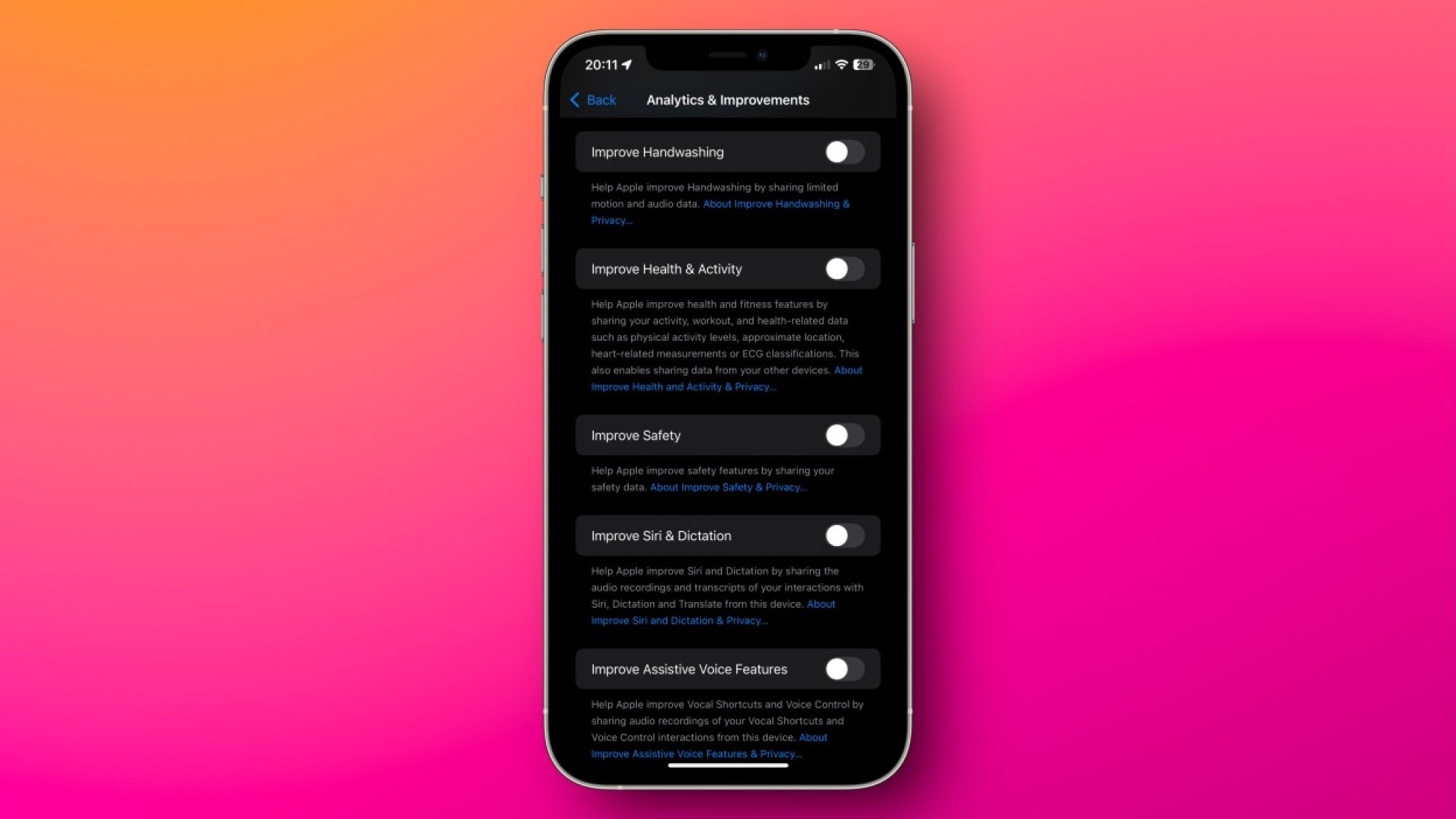
Apple is known for its privacy policies, but in recent years, its resolve seems to be weakening a bit. The company is pushing ads into its apps and your notifications, and it’s aggressively encouraging iPhone users to subscribe to Apple services. There’s not much you can do to block promotional materials coming from the company directly, but it’s still worth changing a few settings to limit Apple’s own ads. This includes reducing Apple’s data collection, too. Many of these options are available under Settings > Privacy & Security on your iPhone. On that page, you can navigate to these pages to disable quite a bit of tracking:

  • Analytics & Improvements

  • Apple Advertising

  • Location Services > System Services

Carefully reviewing all options on these pages and disabling unnecessary features goes a long way in limiting Apple’s data collection.

Deny (or limit) app permissions whenever you can

I used to allow all permissions an app requested when I first opened it. Over time, I realized that this led to a lot of notification spam, unnecessary data collection, and significant battery drain if the app was tracking my location. That’s why I developed a new strategy: deny all permissions unless an app absolutely needs it. In general, I almost always deny permission to send notifications, access to contacts, location, camera, microphone, and photos.

Newer versions of iOS allow you to share just a few contacts or photos, and even restrict GPS access to an approximate location instead of a precise marker. All of these are available under Settings > Privacy & Security in case you missed them while setting up an app.

Consider deleting apps known to track you

While the App Tracking Transparency option on your iPhone does reduce data collection from many apps, it’s far from foolproof. In general, apps have access to far more data than their web versions, so if you can, you should try switching from apps to mobile websites wherever possible. If you delete apps such as Instagram, Facebook, or TikTok, and switch to logging in via Safari, you’ll give away much less data, and some of the data you would otherwise give to the web apps will be blocked or spiked by Safari’s privacy features, further protecting your data. As an added bonus, since web apps are generally a worse experience than dedicated apps, you’re also far less likely to fall into a doomscrolling trap. I’ve used this fairly effectively with social media apps, but you can’t always delete apps, like WhatsApp.

Install an adblocker (or use a better DNS)

uBlock Origin in Safari on a Mac

Credit: Justin Pot

Installing an adblocker and a DNS app can do wonders for your iPhone privacy. Adblockers such as uBlock Origin are pretty good at blocking invasive tracking on your iPhone, but their effect is limited to Safari. To enhance the privacy of your internet traffic, you should consider installing an encrypted DNS app such as NextDNS, AdGuard DNS, or ControlD. All of these will block ads or trackers in most apps on your iPhone and safeguard you from some types of online security threats as well.

Safety Check is a must-have

Everyone should be using Safety Check on iPhone. This feature immediately lets you identify who you’re sharing what with, including passwords, fitness activity, your current location, calendars, notes, and other data. To check on it, head to Settings > Privacy & Security > Safety Check > Manage Sharing & Access. You can go through the prompts to review app permissions, and set up an emergency contact, which ensures that your data (and you) are safe. While you can manually access all these options in the Settings app, the Safety Check prompt lets you find all features without combing through multiple pages, which will save you a lot of time.

A password manager is a great privacy tool

Apple Passwords on Mac

Credit: Lifehacker

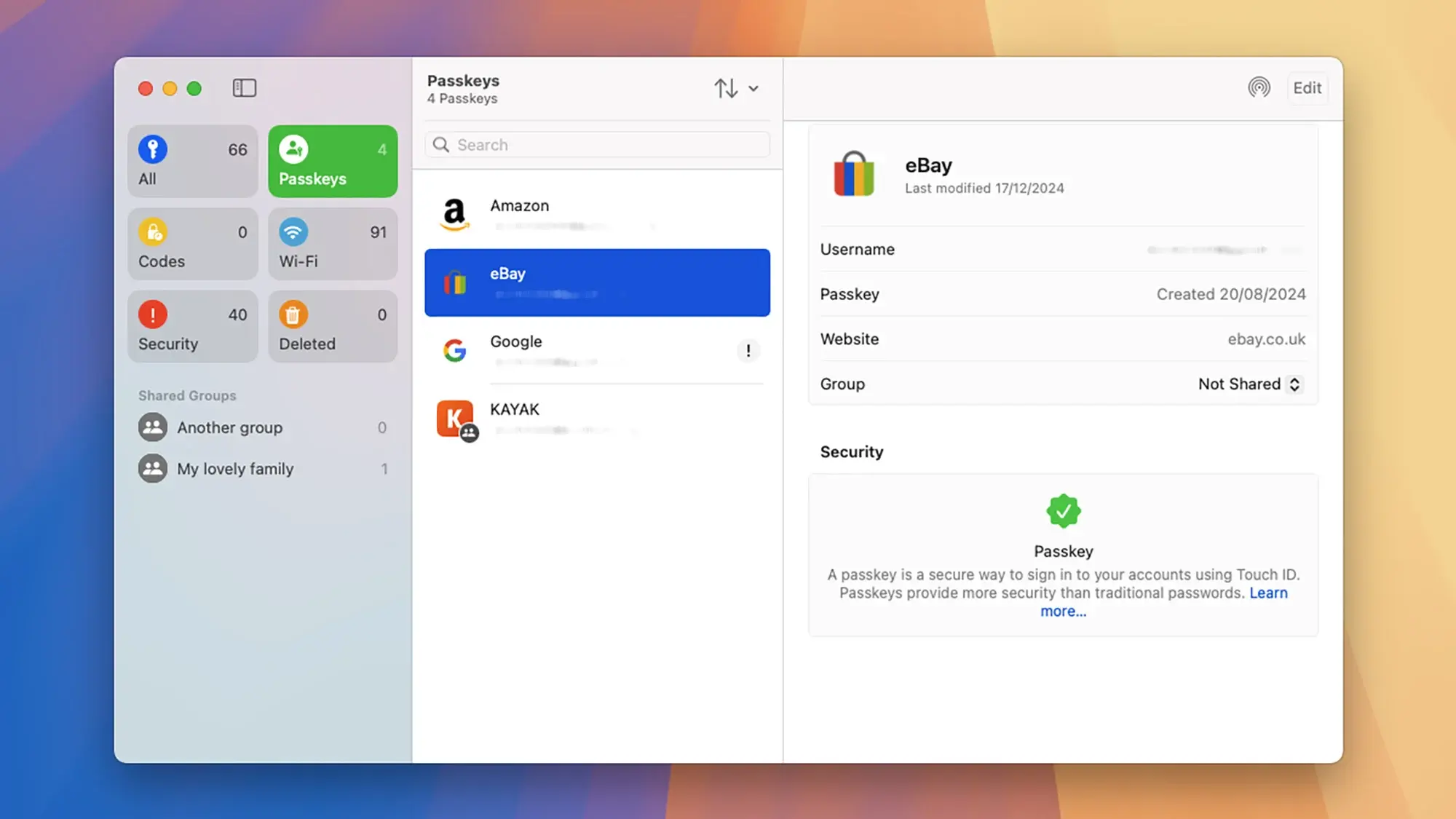
A good password manager is also a must. Free password managers, such as the built-in Passwords app or BitWarden allow you to create unique, strong passwords for each website, which makes it far less likely to compromise your accounts. You can also use these apps to store your two-factor authentication codes to add an extra layer of security to your accounts.

Even better, these apps can manage passkeys to help you log in to your online accounts. Passkeys eliminate the need to remember passwords, and are far more resistant to phishing attacks that could compromise your accounts. For more information on passkeys, check out our full guide here.

Encrypt your data backups responsibly

You should strongly consider enabling encryption on your data backups. This includes your iCloud Backup, and backups of your messaging apps such as Telegram or WhatsApp. Encryption makes it far less likely for an unauthorized party to read what’s on your iPhone, as the data is totally scrambled without the key—which, in this case, is either your password or PIN. However, this is also where the danger lies. If you forget your backup password, even you won’t be able to access the backup to restore data if you need to. Again, use a password manager to store these passwords so you’ll never really forget.

Remove identifying information from social media photos

This isn’t necessarily an iPhone privacy tip as much as it is a general privacy hack, but it’s worth mentioning. These days, trackers and hackers effectively use social media posts, photos, and videos to profile you. While there are plenty of steps you can take to limit the data you share on social media, you might not know you can remove identifying data from photos you post online. “Exif” data includes a host of stats about the hardware that took the image, including your camera make and model, shutter speed, focal length, and, perhaps most importantly, location. You don’t have to avoid sharing photos to protect this data, however: just remove the exif data before posting.

Lockdown Mode protects you from extreme attacks

Most people are never going to need to use Lockdown Mode, because it’s designed to protect your data when it’s under attack from government surveillance or from espionage. That said, it’s still worth knowing about this tool in case you ever face a cyberattack or if you suspect that your iPhone has been infected with spyware. Lockdown Mode disables message attachments, links and link previews, most incoming FaceTime calls, many Apple services, certain web technologies and fonts in Safari, and many other features.

I repeat that this level of extreme protection is unnecessary for most people, but if you do need it one day, you can go to Settings > Privacy & Security > Lockdown Mode to enable it.

“Yo what?” LimeWire re-emerges in online rush to share pulled “60 Minutes” segment

CBS cannot contain the online spread of a “60 Minutes” segment that its editor-in-chief, Bari Weiss, tried to block from airing.

The episode, “Inside CECOT,” featured testimonies from US deportees who were tortured or suffered physical or sexual abuse at a notorious Salvadoran prison, the Center for the Confinement of Terrorism. “Welcome to hell,” one former inmate was told upon arriving, the segment reported, while also highlighting a clip of Donald Trump praising CECOT and its leadership for “great facilities, very strong facilities, and they don’t play games.”

Weiss controversially pulled the segment on Monday, claiming it could not air in the US because it lacked critical voices, as no Trump officials were interviewed. She claimed that the segment “did not advance the ball” and merely echoed others’ reporting, NBC News reported. Her plan was to air the segment when it was “ready,” insisting that holding stories “for whatever reason” happens “every day in every newsroom.”

Read full article

Comments

New York Times reporter files lawsuit against AI companies

Investigative reporter John Carreyrou of the New York Times filed a lawsuit against xAI, Anthropic, Google, OpenAI, Meta and Perplexity on Monday for allegedly training their AI models on copyrighted books without permission. Carreyrou is perhaps best known for exposing the Theranos fraudulent blood test scandal.

According to Reuters, the lawsuit was filed alongside five other writers who all claim big tech companies have been violating their intellectual property rights in the name of building large language models.

This comes after a banner year for IP lawsuits against AI companies brought by rights holders. Just about every type of entity that deals in protected content has gone to court against AI companies this year, from movie studios like Disney and Warner Bros. to papers like the New York Times and the Chicago Tribune. Some of these cases have led to settlements in the form of partnerships, such as the licensing deal between Disney and OpenAI.

It’s notable that this case is being brought by a small group of individuals instead of as a class action, something the authors involved say is no accident. “LLM companies should not be able to so easily extinguish thousands upon thousands of high-value claims at bargain-basement rates,” the complaint reads. This is also the first case of its kind to list xAI as a defendant.

A spokesperson for Perplexity told Reuters that the company “doesn’t index books.” Anthropic, for its part, is no stranger to lawsuits from book publishers, having recently settled a class-action lawsuit brought by half a million authors for $1.5 billion. Apple was also sued earlier this year amid similar allegations. This latest complaint mentions the Anthropic settlement specifically, saying that class members in that case will only receive “a tiny fraction (just 2 percent) of the Copyright Act’s statutory ceiling of $150,000.”

Engadget has reached out to xAI, Anthropic, Google, OpenAI, Meta and Perplexity for comment and will update with any response.

This article originally appeared on Engadget at https://www.engadget.com/ai/new-york-times-reporter-files-lawsuit-against-ai-companies-161624268.html?src=rss

Apple and Google Asking Some Employees With H-1B Visas To Avoid International Travel

Tech giants Google and Apple are asking some employees with H-1B visas to reconsider international travel, as their legal teams warned that visa processing delays could keep employees abroad for months, according to Business Insider. From a report: Law firms representing the tech giants sent memos advising staff who require visa stamps for reentry to stay in the U.S., warning that international travel could entangle them in visa screening delays following the introduction of a new social media screening requirement, according to the news agency. The policy subjects H-1B workers and their dependents to reviews of their social media histories.

“Please be aware that some US Embassies and Consulates are experiencing significant visa stamping appointment delays, currently reported as up to 12 months,” BAL Immigration Law, which represents Google, said in a memo obtained by Business Insider. The law firm said the delays were affecting H-1B, H-4, F, J and M visas.


Read more of this story at Slashdot.

NATO Warns Russia Is Building A Weapon To Obliterate Elon Musk’s Starlink Satellites

NATO Warns Russia Is Building A Weapon To Obliterate Elon Musk’s Starlink Satellites
Two intelligence services from at least two NATO nations have raised alarms over a potential “weapon of fear” currently under development by Russia. This anti-satellite system is reportedly being developed to target Elon Musk’s Starlink constellation, which has become a critical backbone for Ukrainian military communications and battlefield

Lenovo Yoga 7 OLED Ryzen Laptop Drops To $499 — Don’t Miss This Deal

Lenovo Yoga 7 OLED Ryzen Laptop Drops To $499 — Don't Miss This Deal
Are you still shopping for a holiday gift? First and foremost, check out our staff picks of ho-ho-hot tech selections, then have a gander at our roundup of last minute stocking stuffer deals. Of course, it’s a bit late in the game with Christmas now just two days away, but if you’re shopping for yourself (or are okay with printing a picture

F1’s new engines are causing consternation over compression ratios

There’s still another couple of months before the 2026 crop of F1 cars takes to the track for the first preseason test. It’s a year of big change for the sport, which is adopting new power unit rules that place much more emphasis on the electric motor’s contribution. The switch to the new power units was meant to attract new manufacturers to the sport, and in that regard, it has succeeded. But controversy has erupted already as loopholes appear and teams exploit them.

Since 2014, F1 cars have used 1,000 hp (745 kW) power units that combine a turbocharged 1.6 L V6 gasoline engine with a pair of hybrid systems. One is the MGU-H, which recovers energy from (or deploys it to) the turbocharger’s turbine; the other is a 160 hp (120 kW) MGU-K that harvests and deploys energy at the rear wheels. Starting next year, the MGU-H is gone, and the less-powerful 1.6 L V6 should generate about 536 hp (400 kW). That will be complemented by a 483 hp (350 kW) MGU-K, plus a much larger battery to supply it.

And the new rules have already attracted new OEMs to the sport. After announcing its departure at the end of 2021—sort of— Honda changed its mind and signed on to the 2026 regs, supplying Aston Martin. Audi signed up and bought the Sauber team. Red Bull decided to build its own internal combustion engines, hiring heavily from the Mercedes program, but Ford is providing Red Bull with the MGU-K and the rest of the hybrid system. And Cadillac has started an engine program, albeit one that won’t take the grid until 2029.

Read full article

Comments

Apple Fined $116 Million Over App Privacy Prompts

Apple has been fined $116 million by Italy’s antitrust regulator over the “excessively burdensome” privacy rules it imposes on third-party apps. From a report: The Italian Competition Authority (AGCM) says that Apple abused its dominant app store market position by burdening developers with “disproportionate” terms around data collection that exceed privacy law requirements, compared to rules for native iOS apps.

The fine specifically targets the App Tracking Transparency (ATT) policy Apple launched in 2021, which requires third-party developers to ask users for consent twice to track their data across other apps and websites. Apple’s own apps can obtain this permission in a single tap. AGCM says that the burden of consenting twice led to a reduction in user consent rates for advertising profiling, thus harming developers whose business models depend upon revenue generated by personalized ads.


Read more of this story at Slashdot.

Astronomers Stunned To Witness Black Hole Twisting Fabric Of Spacetime

Astronomers Stunned To Witness Black Hole Twisting Fabric Of Spacetime
Astronomers have finally captured a black hole twisting the very fabric of spacetime. This phenomenon, known as frame-dragging or Lense-Thirring precession, confirms a cornerstone of Einstein’s general theory of relativity by showing that massive, rotating objects don’t just spin in situ—they drag it along with them like a spoon stirring honey

The Out-Touch-Adults Guide to Kid Culture: The Top 10 Slang Terms of 2025

2025 is limping to a merciful end, so I’m taking a look back at the year in slang. Below are ten examples of youth patois, chosen for both their popularity and for what they reveal about generations A and Z. Like most slang, these words and phrases evolved over time, so while many didn’t first appear in 2025, but this is the year they gained popularity. (If you want a more complete list of youth slang, check out my guide to Gen Z and Alpha slang.)

6-7

By far the most popular slang word of 2025 was “6-7.” These two previously unremarkable numerals rose to unprecedented popularity with young people this year, to the consternation of legions of educators and parents. It’s perfect Gen A slang because it doesn’t have a literal meaning, like a lot of younger people culture, but it’s a sort of self-contained joke. Often, the idea is to use the phrase in conversation: if someone asks how tall you are, what you scored on a test, or what time it is, you might respond “six-seeeeeven.” Hilarious.

6-7 took off when Philadelphia artist Skrilla released “Doot Doot (6 7)” in February.

From there, it was repeated in schoolyards and TikTok posts for no reason except maybe that it’s fun to say. In a month or two, 6-7 reached full slang saturation, and everyone learned what it means (or doesn’t mean). Dictionary.com named 6-7 its word of the year. It spawned spin-off numbers like 41 and 93. Older people waited for it to end, but 6-7 didn’t end. We’re almost a year in, and kids are still saying it constantly. So it means something to them. But what? 6-7’s lack of literal meaning highlights the difficulty of defining a generation that seems uninterested in (or unable to) define itself.

Brainrot

Brainrot describes online content, usually videos and meme images, that are stupid and meaninglessness. They’re generally loud and assaultive, too: Brainrot is not subtle. It also described the supposed effect that consuming this kind of material has on kids. One of the earliest and most well known pieces of brainrot is “Skibiddi Toilet,” a series of YouTube videos that has billions of views. The genre has evolved from there, and now often consists of reframing and remixing obscure memes to create content that is almost entirely absent of meaning, like this Italian brainrot. Younger kids particularly spend a ton of time watching brainrot content, so it is likely shaping the collective worldview of Generation Alpha, but it’s hard to say what the result will be.

Slop

“Slop” describes the hundreds of millions of cheesy-looking, unsettling, AI-generated images, videos, and songs that have hit the internet since artificial intelligence gained popularity over the last couple years. Ease of production means that slop is rapidly taking over human-produced content, and younger people will live in a slop-dominated future. As a generation, they may have more intellectual and artistic connection to machines than they will with other humans.

Mason

A Mason (or Mason 67 Kid) is a white, suburban Gen Alpha boy who plays baseball, rocks a fluffy “ice cream” haircut, and says “6-7” a lot. His sunglasses are Pit Vipers. He wears Yeezy slides. His polyester-as-hell ice cream shorts can be purchased at Dick’s Sporting Goods. There’s no way to know whether the word “Mason” will resonate enough to be remembered later, but it is, as far as I know, the first popular slang term to describe a dominant subculture in Generation Alpha. If it sticks around, it could be the equivalent of describing Boomers as “hippies” or Gen X as “slackers.”

“Reheating your own nachos”

This slang phrase describes artists whose new works are seen as trying to recapture what was good about their previous artistic output. It’s not a widely used phrase outside of online fandom communities, but I’m including it to represent the kind of hyper-specific slang that comes from the relative rarity of shared cultural experiences among young people. They’re balkanized, and every fandom, hobby, and interest group has its own language that is often not understood outside of the specific group.

Sendy

An adjective that describes a person who does bold and/or exciting things, “sendy” is often used in the phrase “let’s get sendy,” which means something like “let’s do something big/crazy.” It also often means “Iet’s get drunk.” It’s an example of a slang word coming from a niche community and spreading into the larger culture.

It started in rock-climbing communities in the ’80s or ’90s, where “ascend it” was shortened to “send it” and used to encourage people to “go for it. “Send it” was then adopted by skaters, snowboarders, and other action-sports fans, and eventually slid into the mainstream culture when it was used in this video from influencers The Nelk Boys. Being able to so often pinpoint the exact source of a slang word is another unique feature of Gens Z and A.

80/20 rule

80/20 can refer to various scientific and organization principles, but that’s not how kids usually use it. An axiom popular in online incel spaces, the 80/20 rule is the idea that 80% of women only date the “top” 20% of men. The “male loneliness epidemic” and increased social isolation resulted in many younger men accepting controversial, unproven ideas like this as empirical truth, and they have spread from online communities of misfits to the general population of Generations A and Z.

Performative male

This insult is aimed at young men whose tastes, hobbies, and lifestyle are seen as a performance aimed at obtaining societal approval, especially the approval of young women. Like the 80/20 rule, “performative male” came from online spaces dominated by incels, and has since spread to the larger culture and expanded in meaning to the point that even reading in public is seen as performative. The problem with “performative male” is that it only refers to one kind of performance. The opposite performance of masculinity—the “Alpha male” envisioned by Andrew Tate and various lesser Tate-lets—is thus seen as genuine. It’s an illustration of younger people’s growing toxic masculinity as well as the strict policing of self-expression that comes from every public moment ending in potentially viral online ridicule.

Aura farming

The flip side of the “performative male,” aura farming is intentionally cultivating and projecting a cool, charismatic, or impressive image and getting away with it. It’s generally seen as a good thing: Someone who is succeeding at their public “performance” of the self and actually coming across as cool to others is aura farming. Although one of pitfalls of aura farming is trying too hard, an experience that isn’t native to younger generations—in the past, you might have called it “being a poser.”

“Beez in the trap”

“Beez” means something like “I am always” and “trap” comes from “trap house,” but has a more broader meaning like “place of business.” So “beez in the trap” means something like “I am at the place of business, hustling,” but I’m not including it here for the words, but for how they took off online in 2025 and what it says about young people.

The rest of the slang in this column paints a fairly bleak picture of youth, but we shouldn’t forget the creativity, passion, and heart that also defines Generations Z and A. “Beez in the trap” is an example of how younger people are re-mixing and re-shaping the culture we’ve left them into something of their own that is often amazing.

The meme works like this: Two people stand back to back. Person one passionately lip-syncs the chorus of 4 Non Blonde’s song, “What’s Going On.” The camera rotates to person two, who chimes in with Nicki Minaj’s less existentially angsty track. It’s one of those things that just sparks joy in a way that defies explanation and is quintessentially “young person in 2025.” Enjoy:

Nintendo Ends Switch 2 Mario Kart World Bundle — Score One While You Still Can

Nintendo Ends Switch 2 Mario Kart World Bundle — Score One While You Still Can
Nintendo confirmed in a roundabout way that it is discontinuing its Switch 2 + Mario Kart World bundle after an internal GameStop memo stating as much was leaked on X. However, it’s not all bad news. If you’re quick, you can still find the bundle in stock, and at a great discount to boot. More on that in a moment.

CONFIRMED: the Switch

US To Impose Tariffs on Chips From China

An anonymous reader shares a report: The United States will take action against China’s semiconductor industry, setting new tariffs on chips from China from June 23, 2027, that have 0% duties currently, the US Trade Representative said.

The announcement comes following a year-long investigation into China’s chip imports into the United States, launched by the Biden administration and led by the U.S. Trade Representative. “China’s targeting of the semiconductor industry for dominance is unreasonable and burdens or restricts U.S. commerce and thus is actionable,” the agency said in its release.


Read more of this story at Slashdot.

Will Your Smart Vacuum Still Work After It Stops Being Supported?

My Neato D5 Connected was once a willing workhorse, but, today, things aren’t looking so good. I recently caught an email from the company alerting me that it shut down my vacuum’s cloud servers. Now, my once capable Neato is just a LiDAR-equipped vacuum with a soul that’s been deprecated. Without cloud servers, the “smart” is gone.

This could be the lobotomized future awaiting Roomba users. Earlier this month, the company behind the pioneering smart vacuum, iRobot, filed for bankruptcy. The remainder of the business will go to its primary manufacturing partner—the one it owes all that money to—Shenzhen Picea Robotics. It’s a stark reminder that the longevity of a connected smart device depends entirely on the financial health of the company that made it.

I’m not giving up, however. I’m now attempting to get the Neato D5 back into business. Whether you have a Neato, a Roomba, or another robot vacuum approaching the end of its connected, you can mirror my steps to keep your device cleaning.

Switch your robot vacuum to manual

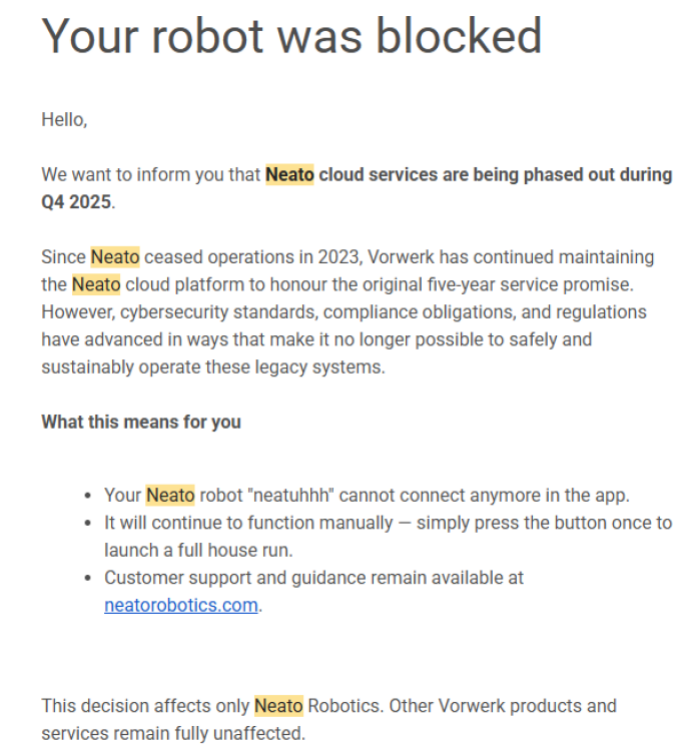
A screenshot of the email Neato send out
The email that Neato sent out during Thanksgiving week letting me know my robot vacuum was done for.
Credit: Florence Ion/Lifehacker

Following the above email, I tried earnestly to get the Neato back online and back into a routine. I ended up reviving my original account by some miracle, though I have absolutely no access to the vacuum via the app as it currently is.

Luckily, there is already a community of folks working to restore the cloud service that once enabled Neato’s robot vacuums to schedule themselves. Neato-connected lets you use Home Assistant to manage the brand’s devices without the cloud. This is the best choice for experts if the goal is to revive the robot vacuum to its full capacities.

Neato has already said that the robots will continue to work manually. The D5 has LiDAR, so it can still physically “see” its way around a floor plan. And although you can’t schedule the device or remotely control it, you can still get up and push a button to start a cleaning session. If you want to be super extra, Switchbot makes an affordable button-pushing gadget you can install near the vacuum dock to trigger it from your phone, essentially “hacking” a remote start.

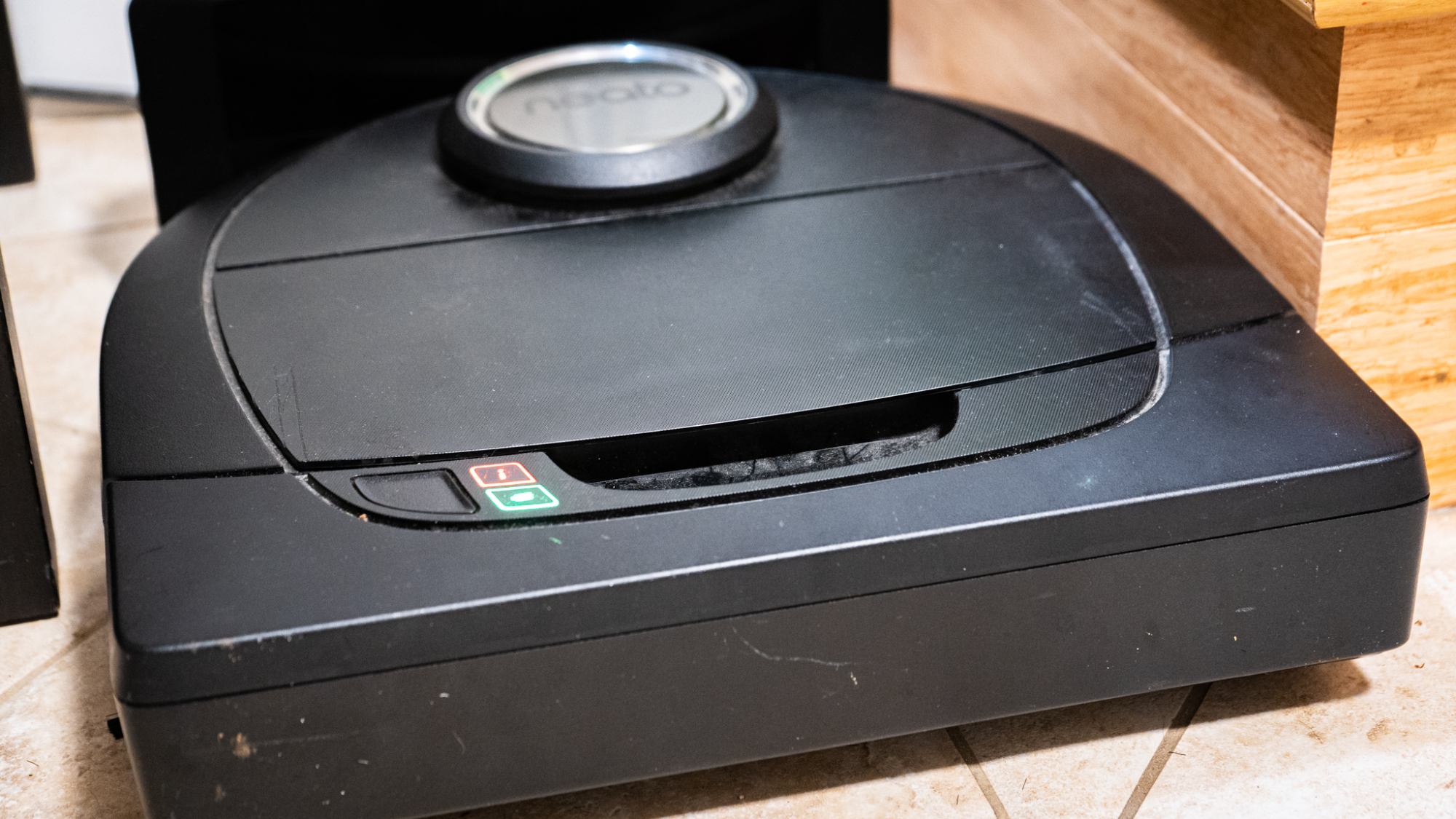
The other headache of trying to keep old hardware from going extinct is figuring out if its parts and mechanics still work. My Neato D5, for example, still hasn’t successfully managed a manual cleaning session. After some troubleshooting, which involved several factory resets, disconnecting and reconnecting the battery, and cleaning debris from all the sensors, it turns out that one of the LiDAR turrets—the hat on top—needs a fix. The vacuum won’t start until that’s addressed, since it literally can’t navigate without that system spinning at a precise speed.

The Neato D5 is going to require some surgery. I am either going to fix it by stabilizing a band, or buy a replacement part from eBay and have someone more tech-savvy help with the install. There’s always the option to donate it to a better cause, too. Rather than hold on to an eight pound paperweight rotting away in the utility closet, it can get a second life with a local robotics group, since Neato vacuums have a reputation for being highly scrappable due to their laser sensors.

A photo of the Neato D5 flashing red and green
Until I get the Neato D5 serviced, it will not manually clean.
Credit: Florence Ion/Lifehacker

Even cheaper robot vacuums, like an Ecovacs, can find a second life this way. While they aren’t as easily “hackable” as Neato (or a Roomba), there are plenty of high school robotics teams that can disassemble the devices to retrieve motors and wheels.

Never throw a robot vacuum into the trash. If the device is truly dead and unusable for parts, look into responsibly recycling the Lithium-ion battery as well as the plastic and metal shell with an e-waste recycler.  

Preparing for the end of Roomba

If you own a Roomba, you aren’t offline yet. iRobot is currently undergoing a restructuring, and the company has stated that app functionality and firmware updates will continue as usual. But inevitable change is coming if Neato’s trajectory is any indication. We don’t know exactly how Roomba’s business will go now that it has changed ownership. Existing Roombas rely on the cloud for much of their flagship functionality, like Smart Maps, which help with specific room targeting. Losing the ability would be a major blow to the hardware’s legacy.

You should prepare for what’s to come, even if it involves a little over-preparing. Stockpile replacement parts now, while they’re still available. Although Roomba’s manufacturer has taken over the business, older models will fall by the wayside as a new generation of robot vacuums is introduced. If you want to get a few more lives out of your Roomba, buy at least a two-year supply of authentic, first-party brushes, rollers, and HEPA filters. Skip the third-party stuff.

You’ll also want to invest in Roomba’s dual-mode virtual wall barriers. Buy them used on eBay. These will come in handy if Roomba’s servers ever go offline, since they act as infrared lighthouses to help direct the Roomba’s path. You’ll be able to use these with Roomba’s “Clean” button, its manual mode that doesn’t require the internet to start. You’ll also want to look into downloading your Smart Maps, in case you can integrate them later.

If that isn’t enough for you, there is a vibrant community of tinkerers who have long been dedicated to liberating Roombas from the clutches of the cloud. Projects like rest980 and dorita980 let tech-savvy users host their own local control servers, though this often involves a third-party device such as a Home Assistant hub.

Ending the e-waste cycle

History tends to repeat itself in the gadget world. You can at least future-proof your buying decision by recognizing that obsolescence is a possibility down the line. This applies to any connected gadget, from big-name brands to small ones.

Matter, the smart home specification that’s been quietly rolling out over the past few years, will be more helpful for aging smart gadgets like this, especially since its latest release. It now enables local smart-home control for robot vacuums, so you don’t need a cloud service to connect. The vacuum talks directly to your phone or smart hub instead. There are also brands like Roborock that advertise that their robot vacuums have local-only modes. You can even install another community-managed project, Valetudo, on those brands and go completely corporate-free.

Or, you could go offline. Most connected home gadgets have variants that use a physical remote control instead. Eufy still makes versions of its robot vacuums without wifi, with no cloud features to worry about going extinct.

I’m waiting before I buy eBay parts for the Neato D5 Connected. I need to see if I can fix what’s broken with some finagling. It’s a bummer I didn’t think of preparing for the end of the device’s life earlier—like when Neato’s parent company announced its eventual shutdown two years ago—to give it a second life and save it from abject hardware failure. If all else fails, I can find it a good home with a robotics team or educational program that can put its parts to good use. I will have considered that a well-lived life for a connected gadget.

NVIDIA’s New 591.67 GPU Hotfix Solves Multiple Gaming Display Quirks

NVIDIA's New 591.67 GPU Hotfix Solves Multiple Gaming Display Quirks
NVIDIA has made available a new out-of-band hotfix driver for GeForce GPU owners that aims to resolve a trio of quirky issues, one of which addresses slight banding that is sometimes observed on gradients in SDR color mode. As is always the case, you really should only install the hotfix if you’re affected by any of the specific issues it

China Bans E-commerce Platforms From Forcing Lowest Prices or Abusing Algorithms

China has unveiled new rules to rein in aggressive pricing tactics by online platforms, prohibiting e-commerce operators from forcing merchants to offer discounts or setting different prices based on user demographics without consent. The 29-article regulation — jointly issued over the weekend by the National Development and Reform Commission, State Administration for Market Regulation (SAMR), and Cyberspace Administration of China — lays out detailed compliance requirements that target several long-standing pain points as competition among internet giants has often eroded the rights of both consumers and merchants.

To restore merchant autonomy on pricing, the rules ban platform operators from leveraging their dominant scale to impose “lowest price” agreements. Platforms are prohibited from using traffic throttling, search ranking demotions, or algorithm penalties to pressure merchants into predatory price-cutting or exclusive pricing arrangements.


Read more of this story at Slashdot.

This Sony Wireless Portable Speaker Is Nearly 50% Off Right Now

We may earn a commission from links on this page. Deal pricing and availability subject to change after time of publication.

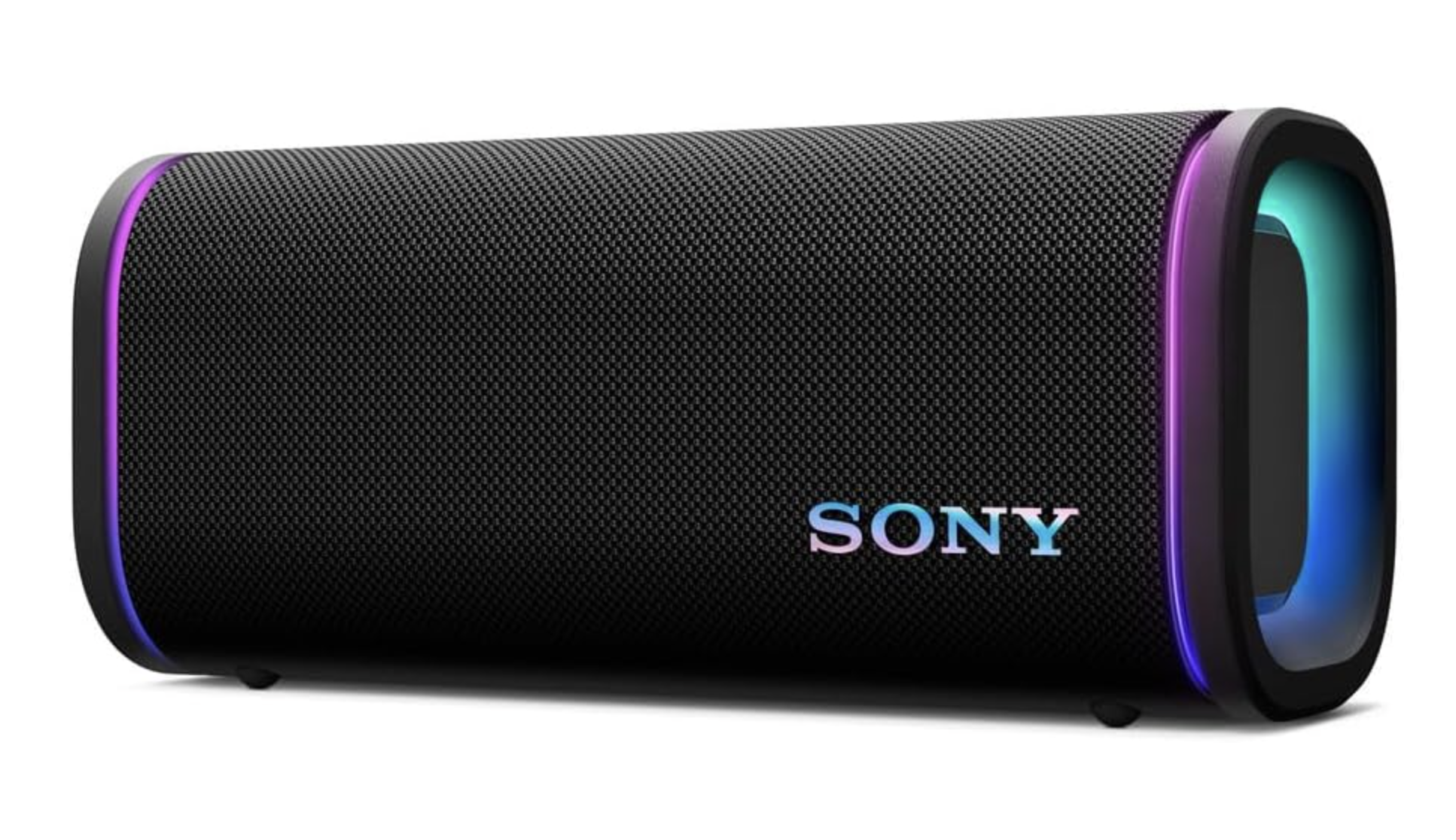
The Sony ULT Field 5 is currently $191.95 on Amazon, down from $349.99, and that price drop is what finally makes this speaker feel properly positioned.

At full price, it was competing with larger, louder options that offered more raw power for the money. With this discount, it makes more sense as a mid-size outdoor speaker that prioritizes bass, durability, and flexibility. PCMag gave it an “excellent” rating, largely because it delivers deeper low-end sound than most speakers in its size class without becoming unwieldy. This is neither a pocket speaker nor a party cannon. It is designed to strike a balance between portability and sound impact, where both are important.

Physically, the Field 5 feels built for abuse. The rectangular body is wrapped in a tough fabric mesh, with passive radiators on each end and subtle LED lighting around them. Those lights can be customized or turned off entirely. The speaker is rated IP67, so dust is a non-issue, and brief drops into water should not cause panic. On top, the controls are simple and tactile, including a large ULT button that changes how the bass behaves. ULT 1 leans into deeper rumble, while ULT 2 pulls things tighter for a more punchy sound. Bass is the clear strength here. It hits harder than you would expect from a speaker this size. The trade-off is in the highs, which can sound a little thin unless you tweak the EQ.

Connectivity is where the Field 5 shows its versatility. Bluetooth 5.3 supports multipoint connections, and Sony’s Party Connect lets you link multiple compatible speakers, though they all need to be from Sony, since this speaker does not support Auracast. There is also a 3.5mm AUX input, which is becoming rare on portable speakers and is useful for wired sources. Codec support includes SBC, AAC, and LDAC, which is a plus for Android users who care about audio quality. Battery life is rated at up to 25 hours, and fast charging delivers about two hours of playback from a 10-minute charge. The USB-C port can also charge your phone in a pinch.

This speaker is still pricey compared to simpler Bluetooth options, and it favors bass over balanced clarity. Still, if you want a rugged speaker with strong low-end and flexible inputs, this deal makes it far easier to justify.