These Are the Best Fitness Deals Under $100 During Amazon’s Big Spring Sale

We may earn a commission from links on this page. Deal pricing and availability subject to change after time of publication.

Amazon’s Big Spring Sale is nearing its end, but there’s still time to take advantage of solid deals for all your fitness needs—here are all the best fitness deals under $100 that are still available.

Deals on strength training equipment

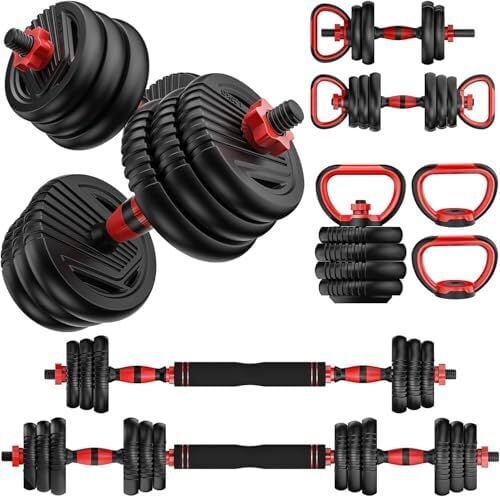
It seems like the heavier you want to lift, the more expensive it’s going to get. In the meantime, there are great deals on starter dumbbells, storage solutions, and more:

If you’re willing to go slightly above your $100 budget, I recommend opting for these Lifepro adjustable dumbbells, currently on sale for $150.09, down from $189.99.

Deals on fitness trackers

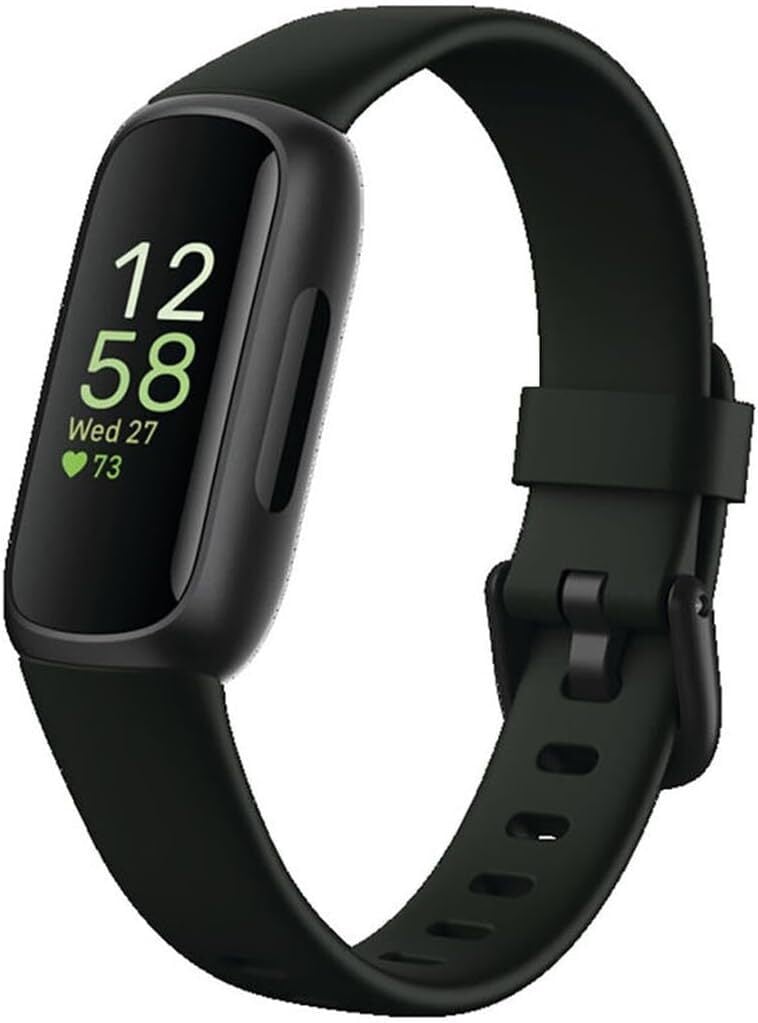
The Fitbit Inspire 3 is on sale for $69.95, down from $99.95. If you want a simple, minimalist fitness tracker, this is a great way to grab one on the cheap. The Inspire 3 is, in many ways, a pared-down Charge 6, and I simply have to mention that the Fitbit Charge 6 is currently $119.95, down from $159.95. If you’re stuck deciding between these two budget options, I recommend reading my colleague Beth Skwarecki’s review of the Charge 6 here.

For a reliable chest strap, the Polar H10—widely regarded as the best heart rate monitor out there—is on sale for $76.99, down from $104.99. 

Deals on muscle recovery and stretching equipment

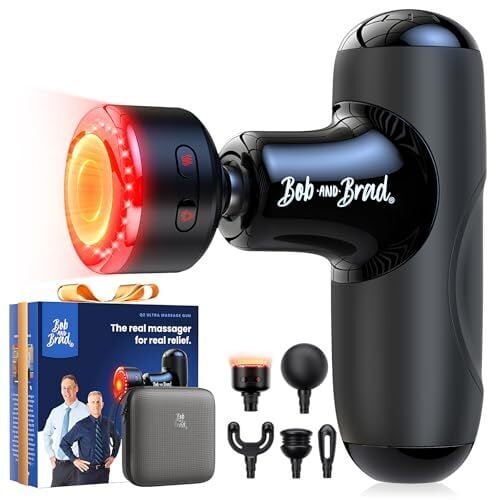
If you’re looking for a travel-sized massage gun, the Bob and Brad Q2 Ultra Mini Massage Gun is on sale for $78.82, down from $99.99. For me, the real selling point of this massage gun—which I reviewed in-depth here—is how great the heat therapy feels. Plus, its compact size makes it perfect for travel or bringing to the gym—something I never considered with my full-sized TheraGun Therabody.

Some more deals in this realm:

Deals on headphones and earbuds

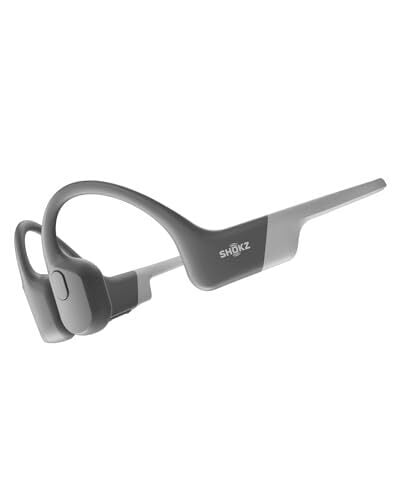
The original Shokz OpenRun are available for $89.94, down from a list price of $129.95. They might not have as powerful bass or as long a battery life compared to my favorites, the OpenRun Pro 2 (also on sale right now, for $139.95), but they’re still a top choice of open-ear bone conduction headphones.

If you’re eyeing Sony noise-cancelling headphones that won’t put you out hundreds of dollars, the Sony WH-CH720N are available for $94 (originally $179.99) on Amazon right now. For more great deals on home gym equipment (even though, fair warning, many of them exceed this post’s $100 benchmark), check out my round-up here.

Our Best Editor-Vetted Amazon Big Spring Sale Deals Right Now

Deals are selected by our commerce team

Sony Shuts Down Nearly Its Entire Memory Card Business Due To SSD Shortage

For the “foreseeable future,” Sony says it has stopped accepting new orders for most of its CFexpress and SD memory card lines due to the an ongoing memory supply shortage. “Due to the global shortage of semiconductors (memory) and other factors, it is anticipated that supply will not be able to meet demand for CFexpress memory cards and SD memory cards for the foreseeable future,” the company said in a notice. “Therefore, we have decided to temporarily suspend the acceptance of orders from our authorized dealers and from customers at the Sony Store from March 27, 2026 onwards. PetaPixel reports: The suspension includes all of Sony’s memory card lines, including CFexpress Type A, CFexpress Type B, and SD cards. The 240GB, 480GB, 960GB, and 1920GB capacity Type A cards have been suspended, as have the 480GB and 240GB Type B cards. The full gamut of Sony’s high-end SD cards has also been suspended, including the 256GB, 128GB, and 64GB TOUGH-branded cards and the lower-end 512GB, 256GB, 128GB, and 256GB plainly-branded Sony cards, which cap out at V60 speeds. Even Sony’s lower-end, V30 128GB and 64GB SD cards have been suspended, showcasing that the SSD shortage affects all types of solid state, not just the high-end ones.

It appears that only the 960GB CFexpress Type B card and the lowest-end SF-UZ series SD cards remain in production. However, those UHS-I SD cards are discontinued in the United States outside of a scant few retailers and resellers. “We sincerely apologize for any inconvenience this may cause our customers,” Sony concludes.


Read more of this story at Slashdot.

Microsoft’s research assistant can now use multiple AI models simultaneously

Microsoft’s Copilot is getting even better at research thanks to a new feature that combines the power of both OpenAI’s ChatGPT and Anthropic’s Claude. In a blog post announcing Copilot Cowork‘s availability, Microsoft debuted the Critique feature that will be used in Microsoft 356 Copilot’s Researcher tool. Unlike the standard Copilot, Researcher is designed to tackle more complex tasks with multiple steps.

Now, Researcher is getting even better at that with the Critique feature that uses GPT responses, which are then refined by Claude. In a blog post, Microsoft said that, “this architecture creates a powerful feedback loop that delivers higher-quality results across factual accuracy, analytical breadth, and presentation,” adding that Researcher’s process is similar to what you see in “academic and professional research settings.” Microsoft claims the upgrade scores somewhat higher (compared to the most recent Perplexity Deep Research models) on the Deep Research Accuracy, Completeness, and Objectivity benchmark. On its own, Anthropic has a Research feature that can use multiple Claude agents to provide a comprehensive response to more complex requests.

If you prefer doing research with a little more autonomy, Microsoft also added the Model Council feature that’s available as an alternative option for Researcher. With Model Council, you’ll get side-by-side responses from both Anthropic and OpenAI, with a report that shows where the models agree and disagree. Both features are currently available in Microsoft 365 Copilot’s Frontier program, which acts as a early access space for the company’s AI innovations.

This article originally appeared on Engadget at https://www.engadget.com/ai/microsofts-research-assistant-can-now-use-multiple-ai-models-simultaneously-154558628.html?src=rss

Why ‘Retro’ Photography Is Back (and How to Get Started With It)

They say the best camera is the one you have with you. But if everyone has at least a pretty good camera in their phone, why would Gen Z (and really, everyone) be drawn to retro photography? Despite the downsides of bulky, standalone film cameras, the aesthetics and tangibility of old school photography still has a lot to offer.

When we talk about “retro” photography, there’s a lot we could mean, but there’s a distinct revival trend around 80s- and 90s-style camera gear and aesthetics we want to focus on. Think Polaroid cameras and standalone point-and-shoots. And if you’re not already drawn in by the appeal of tangible photos and nostalgic vibes, allow me to make the case for why you should.

What is the appeal of retro photography?

There’s a tendency to think of camera technology as steadily progressing forward in a linear fashion. But for creative purposes, it’s often more helpful to think of it in terms of aesthetic eras. Every type of camera has distinct physical qualities that contribute to the appearance of the images they create. And those qualities, over time, become associated with the times and images they capture.

For one very obvious example, consider film grain. As this video essay from YouTube channel Nerdwriter explores, film grain was initially just an artifact of how film cameras work. As it became possible to eliminate film grain, however, our brains started associating this grain with older cinema, or a more generic “film look.” With more control over how—and whether—film grain appears in an image, it can be used to deliberately create a chaotic energy in otherwise still footage.

This same principle applies to the aesthetics of every era of camera technology. 90s point-and-shoots, for example, were characterized by harsh, unflattering lighting. They typically had poor low-light performance, so a blinding flash was sometimes the only viable source of light. Now, with better cameras and lighting equipment, that look can become a deliberate stylistic choice.

Film and instant cameras also provide a tangible experience that forces more deliberate choices. You might notice a lot of your old family photos have a kind of awkward, staged vibe, and there’s a reason for that. When you only had a dozen or so chances to take a picture, you had to be more careful to make sure everyone is posed and in frame, eyes are open, etc. Now, it’s easy to take dozens of photos until you get the right one, but going back to limited use cameras can force you back into thinking ahead about the image you want.

And when it comes to instant cameras, there’s nothing quite like the experience of having a physical memento immediately. Everyone has piles of photos in their camera roll that they’ll never look at again, but if someone hands you a Polaroid of you and your loved ones, there’s a solid chance it’s going on your fridge or in your scrapbook.

If nothing else, there’s also something to be said for photography without all the AI nonsense that’s so unavoidable now. We have guides on how to take photos on Android or iOS without all the post processing junk. But that can only go so far. On some level, every modern smartphone is doing some kind of digital processing to create a look that’s appealing to the vast majority of users. That can result in a smoothed over, generic look that might not actually be what you want.

These are the best retro photography options

So, okay, you’re sold on the idea of experimenting with nostalgic aesthetics. Where can you get started? The great news here is that you have well over a century of camera history to play around with. Used camera gear is going to be your friend, and you can often find great tools for relatively cheap either online or at local photography shops.

In general, there are a few interesting categories of dedicated cameras to check out:

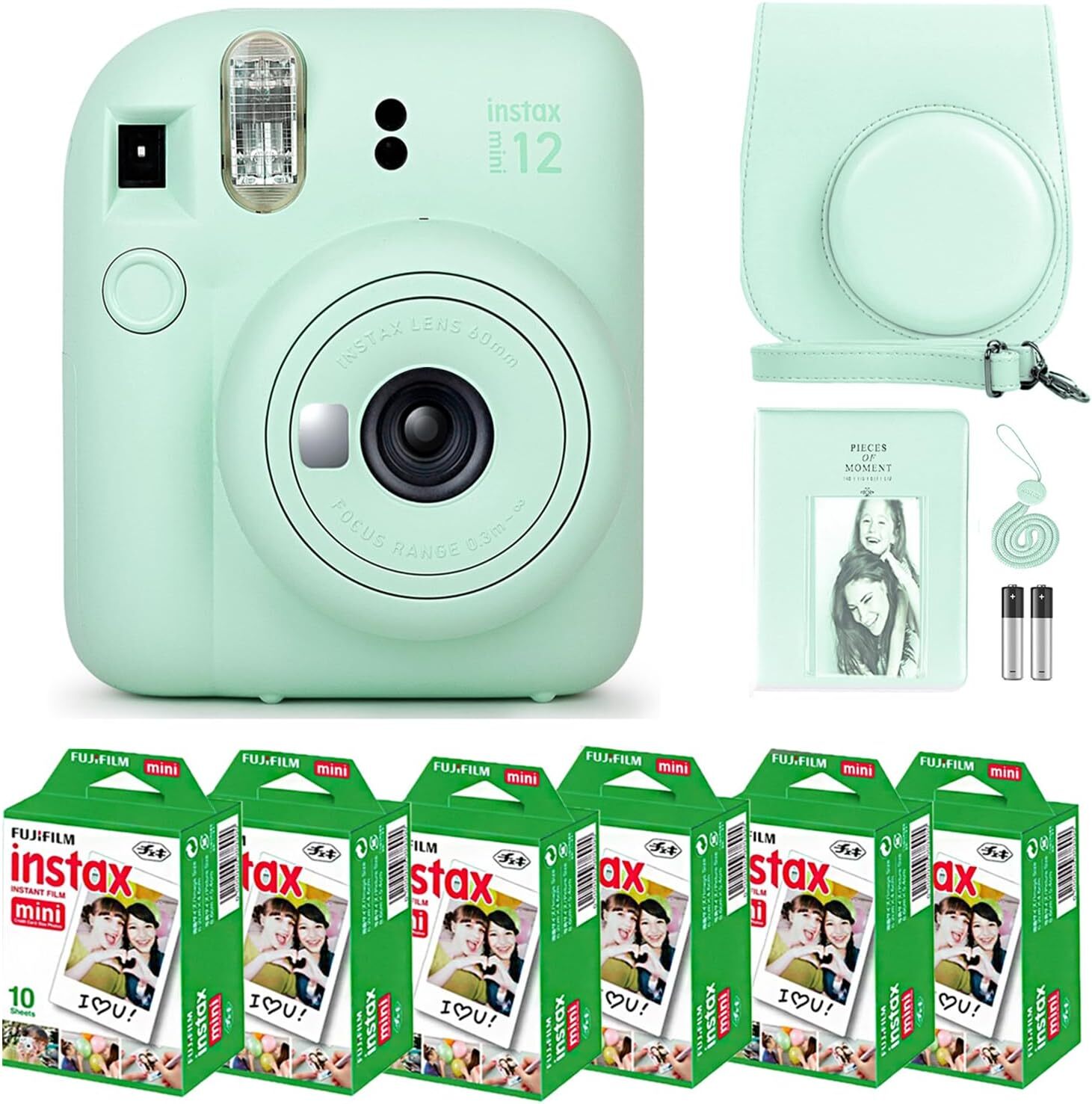
  • Polaroid-style instant cameras. Through a convoluted process of bankruptcy, acquisitions, and relaunches, Polaroid is back, but it’s not the only game in town anymore. Fujifilm, Kodak, and Lomography all offer their own brands of instant cameras that can snap photos and immediately print them out.

  • Classic digital point-and-shoots. Today’s point-and-shoots are geared a bit more towards professional photographers who want a high degree of control. But you can find a lot of cheap, used digital cameras from the last couple decades that still take surprisingly good photos. In many cases, the digital noise or lens artifacts that would’ve been considered flaws when these cameras were new can offer creative opportunities to get a specific nostalgic look.

  • Ancient smartphones. The earliest smartphones from the late 2000s had some pretty atrocious cameras by modern standards. But they also lacked a lot of the AI and post-processing that’s come to dominate the landscape today. You can find cheap, used smartphones on sites like eBay for as little as $50, which can be a handy way to get some authentically aughts-era photos without having to fake it.

Some camera gear—particularly when it comes to DSLR and mirrorless camera lenses and systems—can retain their value for long periods of time. But there’s a wide range of used or outdated camera gear circulating that provide distinct looks and feels. As you explore older cameras, pay attention to the unique aspects of the photos they create, and experiment with how you can use those traits to convey a different story.

How to get started with retro photography

Camera and smartphone manufacturers will never let you forget about their latest and greatest hardware, but where do you go to find the best gear from a decade or two ago? The used market for photography equipment can be scattered and fractured, but here are some tips to get started with your hunt:

  • Check out your local photography or thrift stores. Few things can be more useful to a photographer than that one shop in town that always seems to have a used lens or proprietary power adapter that you need for your camera. And sometimes, if they trade in used camera gear, you can find unique devices that you wouldn’t find anywhere else. If you establish an ongoing relationship with your local camera shop, you can even get the opportunity to try out gear you might otherwise have to buy to experiment with.

  • Search specialty camera gear sites. You can always find used cameras on generic auction sites like eBay, but for my money, I like checking out specialty sites like Adorama and Precision Camera. These sites offer a selection of used camera gear, and sometimes receive a better selection than you find on eBay. Every once in a while, I’ll sort the used camera section by lowest price and scroll to see what kind of budget options are on offer.

  • Join a local photography group. Camera gear is expensive, but you don’t always need to invest a ton of money just to explore different aesthetics. In many cities, groups of photography enthusiasts will get together for photo walks or just to meet up and trade tips. Making friends with other photographers is a great way to learn from others and even share experience with each other’s equipment.

Even if you don’t want to invest in camera gear specifically, it can be a helpful exercise to look back through photos from past eras and observe what they have in common. Pull out your old family photo albums and compare them to the photos on your phone. Grab a movie from your childhood and examine how it looks different from the polished reboot that just dropped a couple years ago.

In photography—and all art—the details matter. A difference in color saturation, noise texture, or even how an image is framed can convey a world of meaning. As you explore the aesthetics of retro photography, your grasp of contemporary visual media can grow, making you better able to express yourself through visual art.

Corvette ZR1X Vs Tesla Plaid: 1,250-HP Chevy Hybrid Dominates Drag Race

Corvette ZR1X Vs Tesla Plaid: 1,250-HP Chevy Hybrid Dominates Drag Race
GM’s Corvette ZR1X hybrid monster has asserted itself over electric rivals and internal combustion legends in dominant fashion. Many already know that the ZR1X has hypercar-like performance, and yet, nothing beats some real world head-to-heads against the likes of an army of Tesla Model S Plaids and a Dodge Challenger SRT Demon 170.

Yes,

Early Deals Hit New M5 Pro And M5 Max MacBook Pros With Up To $200 Off

Early Deals Hit New M5 Pro And M5 Max MacBook Pros With Up To $200 Off
It did not take long for MacBook Pro models sporting Apple’s brand new M5 Pro and M5 Max silicon to go on sale. Announced earlier this month, both the 14-inch and 16-inch variants are discounted during Amazon’s Big Spring Sale event, and while they’re technically not part of the promotion, you can save between $150 and $200 over MSRP, depending

Tech CEOs Suddenly Love Blaming AI For Mass Job Cuts

An anonymous reader quotes a report from the BBC: Sweeping job cuts at Big Tech companies have become an annual tradition. How executives explain those decisions, however, has changed. Out are buzzwords like efficiency, over-hiring, and too many management layers. Today, all explanations stem from artificial intelligence (AI). In recent weeks, giants including Google, Amazon, Meta, as well as smaller firms such as Pinterest and Atlassian, have all announced or warned of plans to shrink their workforce, pointing to developments in AI that they say are allowing their firms to do more with fewer people. […] But explaining cuts by pointing to advances in AI sounds better than citing cost pressures or a desire to please shareholders, says tech investor Terrence Rohan, who has had a seat on many company boards. “Pointing to AI makes a better blog post,” Rohan says. “Or it at least doesn’t make you seem as much the bad guy who just wants to cut people for cost-effectiveness.”

That does not mean there is no substance behind the words, Rohan added. Some of the companies he’s backing are using code that is 25% to 75% AI-generated. That is a sign of the real threat that AI tools for writing code represent to jobs such as software developer, computer engineer and programmer, posts once considered a near-guarantee of highly paid, stable careers. “Some of it is that the narrative is changing, some of it is that we really are starting to see step changes in productivity,” Anne Hoecker, a partner at Bain who leads the consultancy’s technology practice, says of the recent job cuts. “Leaders more recently are seeing these tools are good enough that you really can do the same amount of work with fundamentally less people.”

There is another way that AI is driving job cuts — and it has nothing to do with the technical abilities of coding tools and chatbots. Amazon, Meta, Google and Microsoft are collectively planning to pour $650 billion into AI in the coming year. As executives hunt for ways to try to ease investor shock at those costs, many are landing on payroll, typically tech firms’ single biggest expense. […] Although the expense of, for example, 30,000 corporate Amazon employees is dwarfed by that company’s AI spending plans, firms of this size will now take any opportunity to cut costs, Rohan says. “They’re playing a game of inches,” Rohan says of cuts at Big Tech firms. “If you can even slightly tune the machine, that is helpful.” Hoecker says cutting jobs also signals to stock market investors worried about the “real and huge” cost of AI development that executives are not blithely writing blank cheques. “It shows some discipline,” says Hoecker. “Maybe laying off people isn’t going to make much of a dent in that bill, but by creating a little bit of cashflow, it helps.”


Read more of this story at Slashdot.

How to Play Retro Games on Your Modern Phone or TV

We may earn a commission from links on this page.

One of my favorite ways to spend my free time is watching old movies. I love catching up on classics on my big OLED screen, and delving into the history of a medium I love. Unfortunately, it’s harder to do that with video games. While pulling up an old movie is usually as easy as finding it on streaming or renting it digitally, old video games are split across a number of different consoles, and you can’t always count on rereleases to make them accessible on modern systems.

Luckily, there are still options for those who go looking for them. You can hunt down a vintage system and hook it up to your modern screen using an adapter, yes, but you can also use the power of modern devices to “emulate” these games in virtual environments, often with improvements—and if you do it right, it’s all perfectly legal.

What is video game emulation?

Emulation is a massive rabbit hole, and can get about as deep as you want it to be. I’ve been using it for decades, and I’m still learning new things. But there are some basics you should know that will help you get started, including how it works, its legal status, the drawbacks of not playing on real hardware, and the benefits it offers beyond simple convenience.

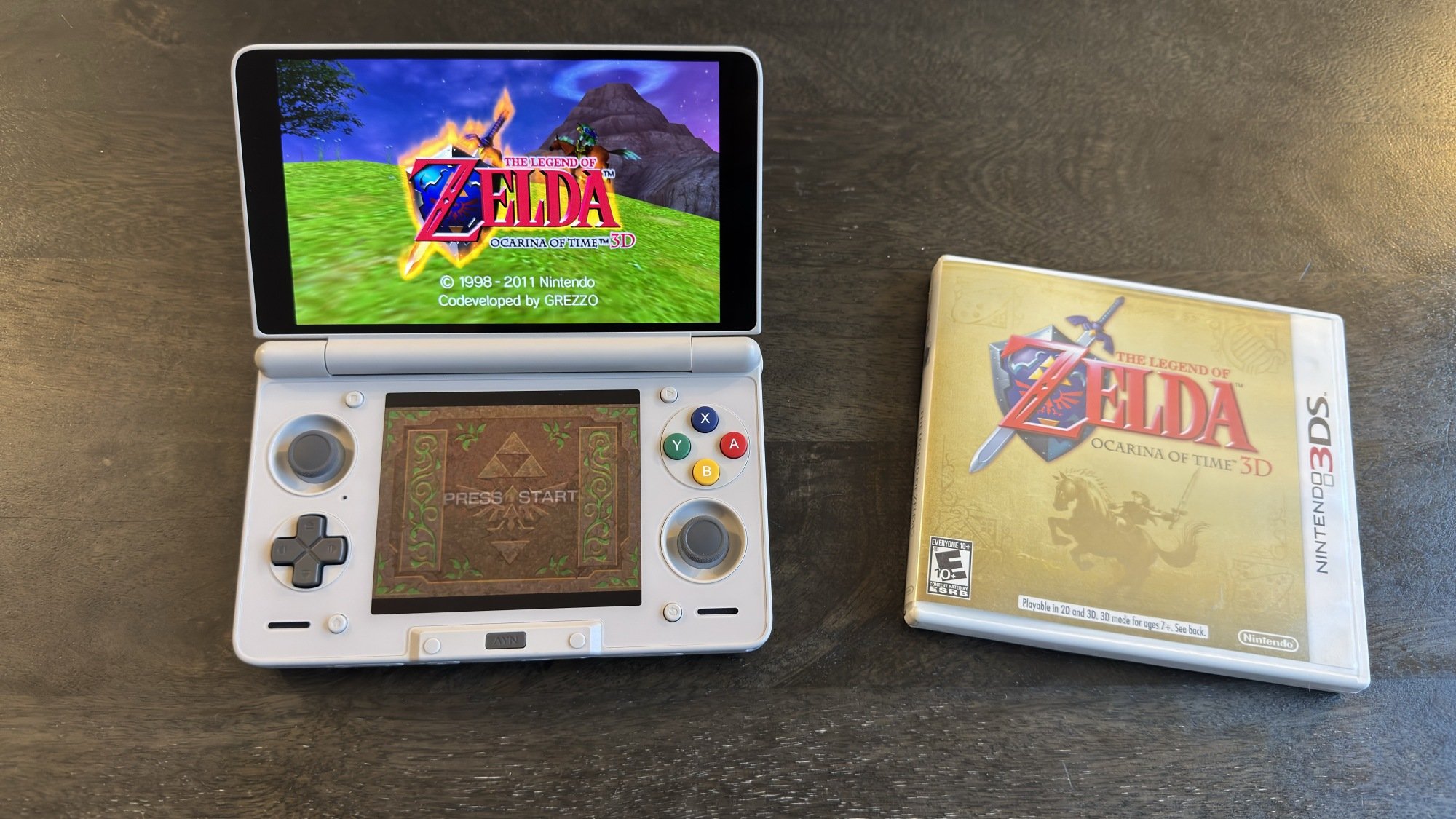
Ocarina of Time 3D running on AYN Thor via emulation

Credit: Michelle Ehrhardt

Essentially, emulation uses the power of modern machines to brute force virtual environments that are close enough to real hardware that files designed for it think they’re running on the real deal, and will boot up like they are. Usually, this means emulators won’t come out until one or two generations after a console’s official release, but there are now emulators for everything from the Nintendo Entertainment System to the Nintendo Switch (which runs on older hardware than you might think).

Granted, you might expect Nintendo’s not too happy about that, but the kicker is that there’s not a lot the company can do about it (aside from trying its best to scare emulator developers). A court case from way back in the day ruled that, so long as emulators don’t distribute copyrighted software, they’re allowed to write their own code that mimics official hardware all they want. That means you’ll need to provide your own games for your emulators, and in some cases BIOS (or operating system) files. To stay on the right side of the law, most emulator guides won’t tell you how to go about that, but there’s at least one method that’s totally fair game. 

It turns out that U.S. law allows you to make your own backup copies of games you own, so long as you don’t distribute them. With that, there are plenty of legal devices that will help you rip your game files from your own cartridges and discs, some of which I cover here. Some emulators are even so advanced that they’ll play your real discs if you simply put them in your PC’s disc drive.

Still, even if everything’s above board, there are a few drawbacks to emulating rather than playing on real hardware. The biggest issue you’ll notice is with accuracy, as some games might have graphics or audio bugs. Input lag is also a common complaint, as emulators often need extra time to register your button presses, since they need to both read them and feed them through your software. Finally, some games might not even run on emulators at all, especially ones with unusual requirements. The original Xbox, for instance, is notoriously difficult to emulate.

On the flip side, though, there are benefits to emulating that real hardware can’t replicate, and they mostly come from the extra power of your modern device. Emulated games can often run smoother than on real hardware, hitting higher frame rates. You’re also usually able to render your games at higher resolutions than originally intended, basically playing them in HD. And most importantly for difficult games or flexible play sessions, you can use save states, which allow you to quickly save your current place in a game to a file, and reload it on demand. This, in turn, allows you to save your game whenever, outside of whatever save system is built into it. It’s perfect if you only have a few minutes to play, or if you’re about to fight a difficult boss in a punishing retro game and don’t want to replay the whole level if you mess up (no judgment here). Because save states essentially take your emulator back in time, they can introduce instability, so it’s advised to use them in addition to more traditional saves, rather than as a full-on replacement for them. Emulators for more modern, difficult-to-run HD systems also may not support save states.

Still, those are enough improvements that I often prefer playing retro games through emulation, even if I have real hardware available to me. And while some of those enhancements are available on official emulation—Nintendo Switch Online has save states, for instance—not all of them are. I haven’t even gotten into widescreen hacks, which lets you play old 3D games in a more modern aspect ratio without stretching the video, or HD texture packs yet. Benefits like these are why, if you’re willing to put in a little elbow grease, unofficial emulators are well worth trying out.

What you need to start emulating

The fans who develop emulators are crafty, and they’ve had plenty of time to refine their work, so most modern devices are able to emulate retro games to some degree. It’s become a running joke that Doom will play on just about anything, including a pregnancy test. But from a realistic point of view, there are a few things you’ll probably want on hand before you get started.

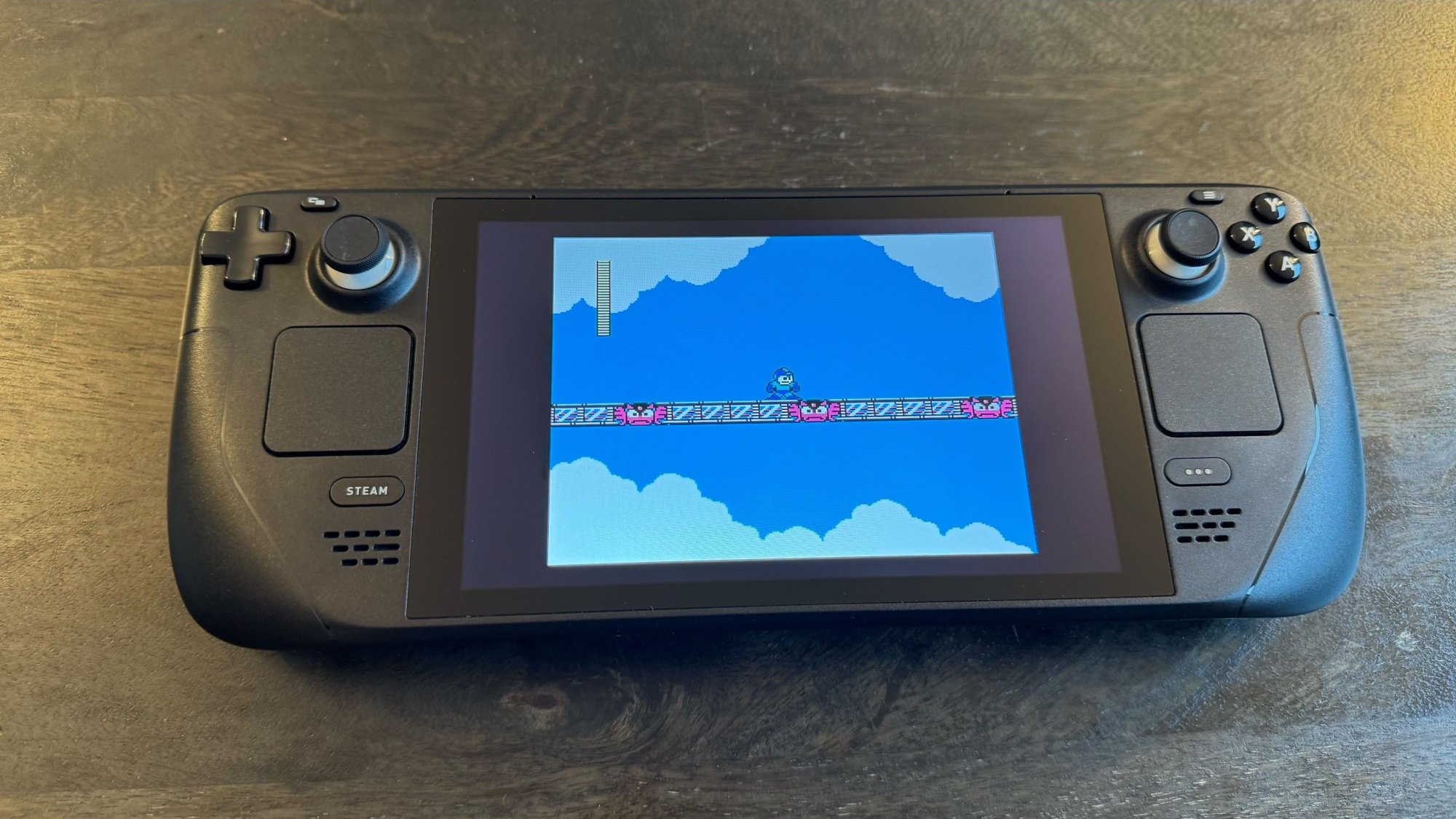
'Mega Man 2' running on the Steam Deck

Credit: Michelle Ehrhardt

If you’re playing on a laptop or a desktop computer hooked up to a monitor, you’ll probably want a controller. Most emulators will support mouse and keyboard controls if you truly can’t get one, but using a controller will help a lot with the old school console experience. Aside from that, though, you might be all set. I have a desktop PC that’s pushing 10 years old at this point, and it’s still able to emulate games through the PS2 and GameCube era at full speed, while upscaling them. Beyond that is when emulation tends to get a bit more demanding, but for retro games, you probably won’t need to upgrade your machine.

If you want to play on a TV, though, you could have a bit more of a shopping list in store for you. In addition to a controller, you’ll also need some type of computer to emulate your games with, and while you can drag a laptop or desktop PC into your living room, it’s often not the most convenient solution. Instead, I suggest getting either a docked Steam Deck or a Raspberry Pi. 

The former’s a bit pricier, and has had stock issues during the RAM crisis, but it’s also compact, plenty powerful when it comes to emulation, easy to output to a TV via a dock, and can play PC games natively, too. With the right Steam Deck emulation setup, you can essentially turn it into your own homebrew Nintendo Switch, but for all your consoles.

The latter, meanwhile, is far cheaper (although its price has also been inflated by the RAM crisis) and smaller, but will take a bit of knowhow to set up and can struggle when emulating systems released after the PS1. Your best bet if you choose to go this route is probably to buy a Raspberry Pi kit, as these will come with a case, cables, storage, and often a fan to get you started. You can also sometimes find these cheaper than a Raspberry Pi motherboard on its own.

But again, the world is your oyster when it comes to which devices you want to emulate with. It’s possible to emulate on a streaming stick or box, too. Generally, if a device has a motherboard and can display a video signal, people will usually find a way to game on it. To wit, you should look into emulating on mobile devices, too. These days, it’s possible to both emulate on an iPhone and on Android, and there is a whole slew of handheld gaming consoles that essentially build controllers into phone hardware running Android to give you an experience similar to a DS or PSP. These can be a great way to play portably, whether using touch controls, a Bluetooth controller, or built-in controls. And if you get a USB-C dock, you can then connect these devices to the big screen to play on them when you get home. You can even get a cheap handheld that runs Linux, for a similar experience to a Raspberry Pi while on the go. Read on here for more details about portable emulation.

Which emulators to get, and how to set them up

Now, it’s time to actually install your emulators, of which you have many choices. I’ve compiled a list of the apps you’ll probably be using to emulate your games, depending on the platforms you’re interested in, before going into how to get them:

  • Retroarch: An app with multiple emulator “cores” in it, that can run games from most systems up through the PS1 era, including the Super Nintendo and Sega Genesis.

  • Duckstation: A standalone app for emulating PS1, with enhanced stability and graphics features compared to Retroarch.

  • Mupen64Plus: A standalone app for emulating Nintendo 64, with enhanced stability and graphics features compared to Retroarch.

  • Flycast: A standalone Sega Dreamcast emulator with support for upscaled graphics and widescreen hacks.

  • MelonDS: A standalone Nintendo DS emulator with community-driven forks that can run on two separate displays for a more authentic experience.

  • Azahar: A standalone Nintendo 3DS emulator with community-driven forks that can run on two separate displays for a more authentic experience. Supports custom graphics drivers on mobile.

  • PPSSPP: A standalone PSP emulator with a highly themed user interface reminiscent of the original console.

  • Dolphin: A standalone GameCube and Wii emulator with high stability, support for custom mobile graphics drivers and upscaled graphics, and the ability to use motion controls. Usually preferable to emulating PS2 or Xbox, if playing a multi-platform game.

  • PCSX2: A standalone PS2 emulator with support for upscaled graphics. Best used for PS2 exclusives. Not available on mobile.

  • NetherSX2: A standalone PS2 emulator for mobile. Many of the same features as Dolphin, but lower stability, and no motion control or custom driver support.

  • Cemu: A standalone Wii U emulator with support for custom mobile graphics drivers and upscaled graphics. No save state support. Requires a high-end machine.

  • RPCS3: A standalone PS3 emulator with support for upscaled graphics, custom mobile graphics drivers, and save states. Requires a high-end machine.

  • Eden: A standalone Nintendo Switch emulator with support for upscaled graphics and custom graphics drivers on mobile. No save state support. Requires a high-end machine.

Phew, that’s a lot. On the plus side, most of these emulators are available for Windows, Mac, Linux, and Android, although iOS users have a bit less to pick from, as Apple restrictions on certain programming techniques mean higher-end devices like GameCube and beyond are difficult to run on its phones. On the plus side, iOS does have access to some potentially more convenient options for older systems, like Delta, which comes with cute touchscreen control overlays built-in.

Now, you could install these apps one-by-one, point them at your game files (which you’ll usually be guided through as part of setup), and play your games by booting up the specific emulator you want and picking the game you want to play from a list. But not only is that slow and inconvenient, it’s not as pretty and is less like using an actual retro console. To solve that problem, we have installers and frontends.

Emulator installers

In this case, installers are programs that will help you set up all your emulators in one fell swoop, or will sort your games into collections by system or genre for you, and will boot you into the appropriate emulator when you select a game.

For installers, you have a few options. My favorite is Emudeck, which despite being named after the Steam Deck, will run you through a simple setup wizard that will install any emulator you could possibly want, whether you’re on steamOS, Linux, or Windows. There’s also an Android version in the works, and you can get early access to it if you subscribe to the development team’s Patreon.

Alternatively, there’s Retrodeck. This is a Linux-only tool, but some users prefer it to Emudeck thanks to more fluid hotkey settings and a less bug-prone (but potentially slower) update process. Nicedeck is another alternative that aims to hit a middle-ground between Emudeck and Retrodeck, and conveniently is the only one of these options that also works for Mac.

As someone who just manually installed a bunch of Android emulators one-by-one, I would highly recommend using an installer to automate the process instead—´specially because many Android emulators need to be sideloaded, something that is about to get harder starting next year. An installer will also usually help you set up configurations like individual desired aspect ratio and upscaling settings for each system you want to play, too, which will save you some tedious trips to each individual emulator’s settings menu.

But just because your emulators are installed doesn’t mean we’re done yet. Instead of having to bounce from emulator app to emulator app and scroll through what can often be ugly built-in menus, let’s put all your games in one convenient, easy-on-the-eyes place.

Emulator frontends

A frontend is an app that will sort your games by system, or by custom collections you set up, like genre. You’ll choose a game from one of its many lists, and the frontend will tell the appropriate emulator app to boot up the game. Then, when you’re done gaming, your emulator will take you back to your frontend. It’s a much more intuitive and console-like experience, and people have created plenty of themes to make them look just as nice as official console menus. Many frontends even come with “scrapers” built in, so they can fetch and display box art next to your games.

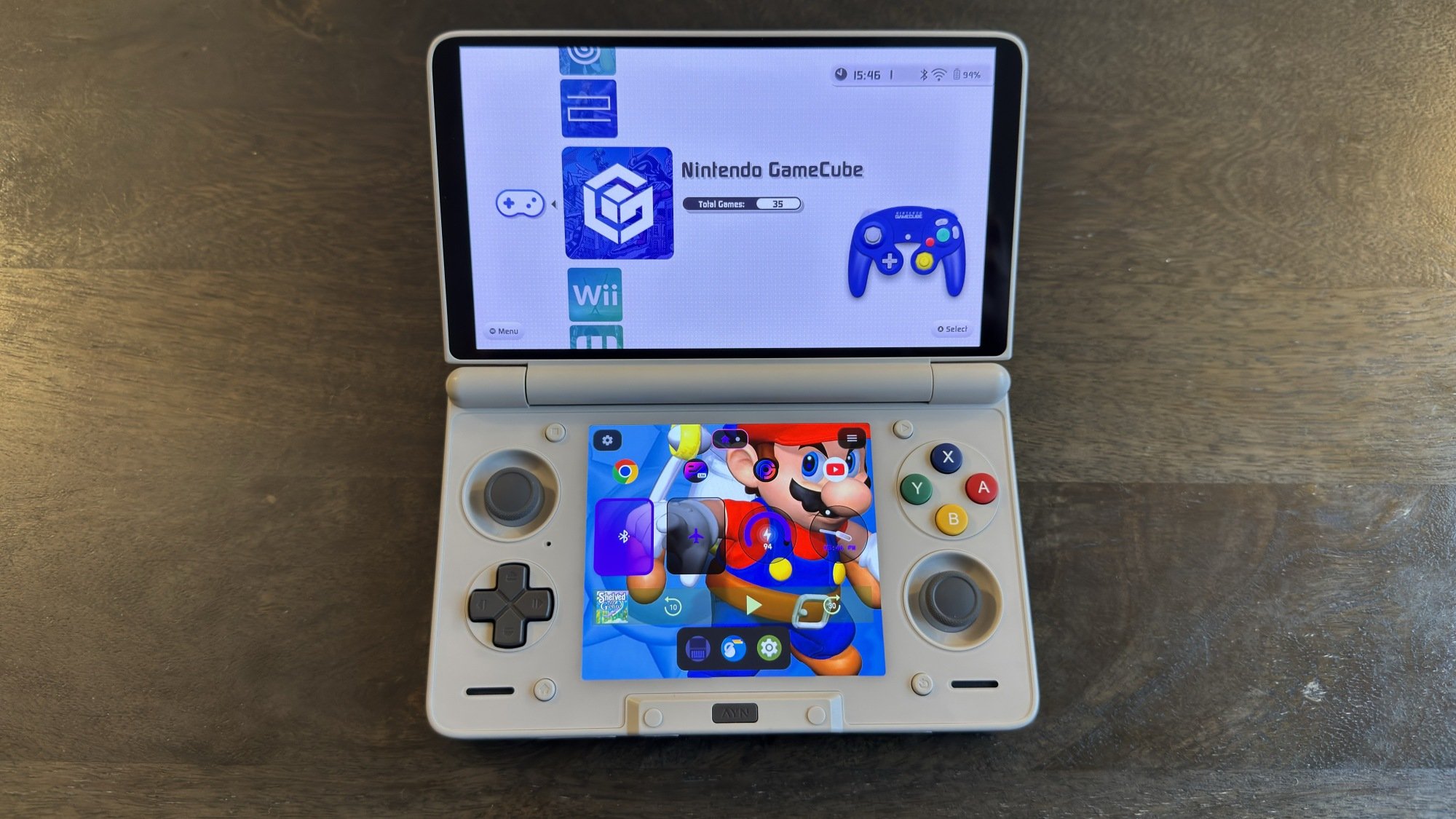
ES-DE running on AYN Thor

Credit: Michelle Ehrhardt

The most common and robust choice here is ES-DE, or Emulation Station Desktop Edition. It’s what I use personally, and comes packaged with installers like Emudeck and Retrodeck. It has the most configuration options available for it, but can be a bit slow to boot. Also, while it’s free on Windows, Mac, and Linux, a small one-time Patreon donation is required to get the app for Android.

ES-DE alternatives on desktop are rare, but options like LaunchBox may be preferable for some users. Other frontend apps are more common on Android, as ES-DE took some time to come to Android, and some users prefer a more playful interface while on mobile. Popular free options include Daijisho and Beacon, although I’m particularly interested in Cocoon, which is modeled after the Nintendo 3DS menu and has built-in dual screen support.

Another option, if all of this sounds like too much setup, is to use Batocera. This is a Linux install that essentially packages largely pre-configured emulators for a wide variety of systems alongside a customized version of Emulation Station. Basically, you install it on your compatible device and boot into it separate from your main operating system, so everything lives in its own confined home. While that means it’s a bit limited, it’s also mostly plug-and-play. It’s also possible to run Batocera off a USB stick or SD card, if you don’t want to install it onto your device’s internal storage.

How to choose and install emulators and frontends for different systems and devices could be a whole series of articles on its own, but the community is welcoming, and is doing its best to make emulation easy and available to as many people as possible. The above programs should be enough to get you started, but if you have additional questions, experts like Retro Game Corps and subreddits like r/emulation are always there to help you out.

How to make your games look old school (or HD)

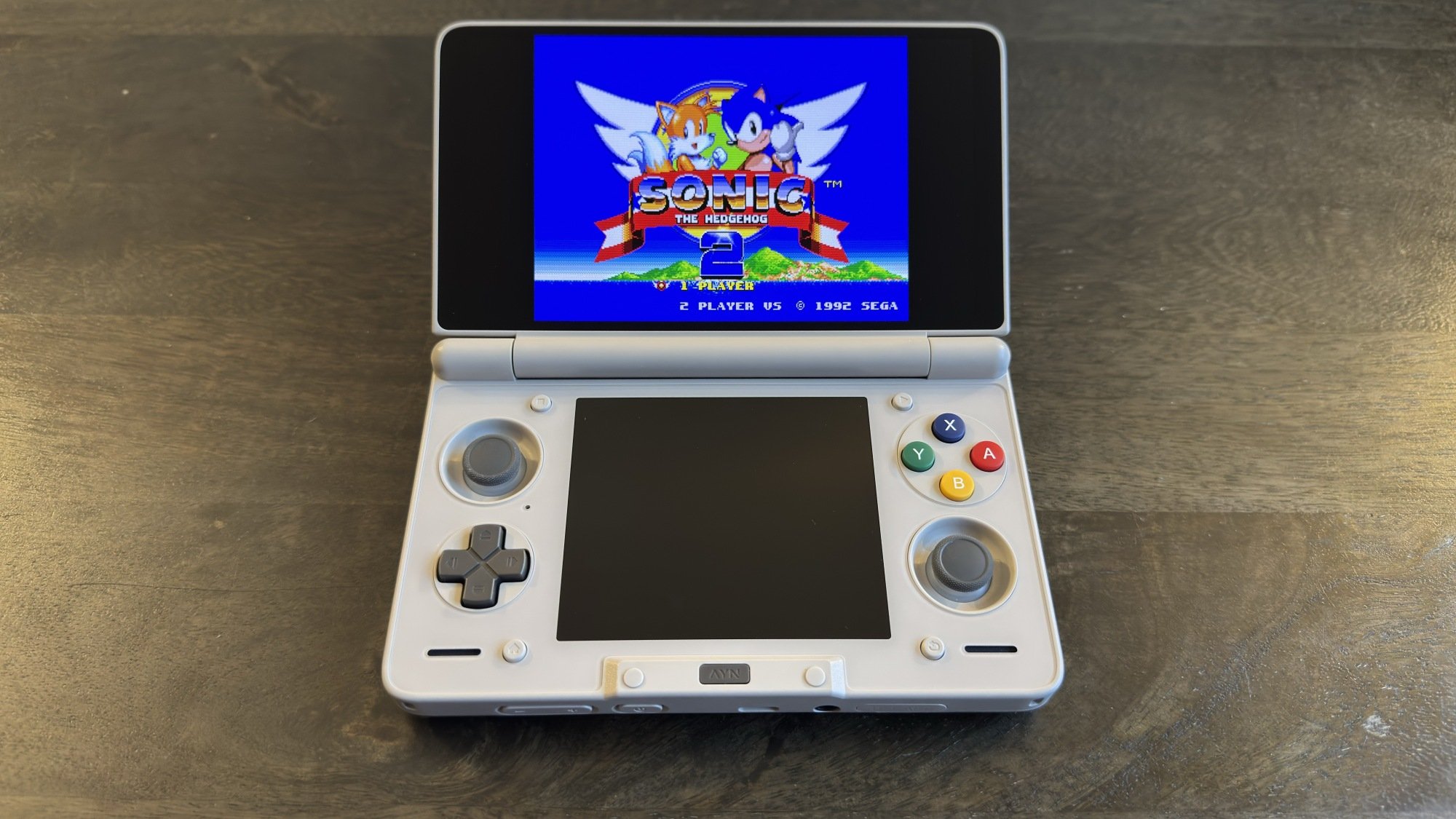
'Sonic the Hedgehog 2' running with a CRT filter

Credit: Michelle Ehrhardt

When emulating a game, you have three options: You can go with the raw emulation output, which will by default usually mimic a console’s native resolution but might not look fully accurate depending on the screen you’re playing on; you can upscale the resolution for a more HD image, and can even apply fanmade texture packs to make individual games look even crisper; or, you can turn on a CRT filter to try to get a more retro feel, as well as help pixel art or low polygon models look a bit smoother. Frankly, this is another area where it’s possible to go on for days. You can mix and match different options from these approaches to your heart’s content, and Retroarch alone has hundreds of filter and shader options built-in (options do differ from emulator to emulator).

Improving the look of 3D emulated games

For 3D games, the idea is to try to get a more modern experience. Widescreen hacks are a good place to start. These extend the aspect ratio to 16:9, then apply tweaks to the emulation so that the screen renders more of the play environment instead of simply stretching the default 4:3 image. It doesn’t work for every game, and can break the design in others (Resident Evil has very purposeful camera angles), but it’s often worth trying, especially in games where situational awareness is helpful, like platformers.

HD Texture packs, meanwhile, help clear up low-resolution HUDs or 2D assets (which are still quite prevalent in 3D retro games) that won’t be covered by upscaling. These need to be developed on a per-game basis, so you’ll need to search for them, but a popular example is Henriko Magnifico’s 4K Zelda texture packs. Personally, I do think these can sometimes interfere with a developer’s intended art style too much, but some people swear by them. 

Improving the look of 2D emulated games

For 2D games, I like to try to make my game look like it’s playing on an old-school TV, and that’s not just for flavor. Pixel art was designed with CRT televisions in mind, which would smooth and blur harsh edges together to make pixels look more hand drawn (here’s a good example). You lose that effect if you just use raw emulation footage on a modern television, but you can mostly get it back with the right filters.

This is far from a solved issue, but so far, my favorite option is the zfast-crt.slangp shader in Retroarch (found in the Quick Menu under Shaders). This is a subtle effect that feels far more accurate to me than the CRT filters often included in official retro game collections, and it’ll work on any device that runs Retroarch. What’s great is that, because this is included with Retroarch, it’ll also work for any system that Retroarch supports, which includes most retro consoles you would play 2D games on.

But CRTs provided an additional benefit beyond making pixel art look nice. Because of the way they scan in their images, they’re highly resistant to motion blur. If you have a device with a 120Hz screen, you can mimic this using a technique called black frame insertion. This technique inserts a single black frame into every other frame of your video output, breaking up the image and helping your eyes reset. While this will slow down your gameplay on a standard 60Hz screen, a 120Hz screen will let you use black frame insertion while still getting 60 fps gameplay. This is built into a toggle in Retroarch’s default Settings > Video > Synchronization page, but to be honest, I find this implementation comes with some pretty intense flickering.

Instead, I prefer the crt-beam-simulator.slangp shader developed by the folks over at Blur Busters, which has a more subtle effect that looks more like the old school TVs I remember from back in the day. Getting this running in Retroarch takes a few extra steps, but luckily, Retro Game Corps has a great video walking through it, including how to tweak it to your liking and combine it with the zfast-crt.slangp if you’d like.

With tools like these, it’s clear that the appetite for playing games from older consoles isn’t going anywhere anytime soon, even if it’s harder than pulling up an old movie on Netflix. Whether you’re on PC, Mac, a Steam Deck, or mobile, you’ve got plenty of options already, even as hardware costs rise. From where I’m sitting, the frontier for retro gaming looks bright.

$4,000 Audio Cable Versus $7 Amazon Basics Test Reveals What You Suspected

$4,000 Audio Cable Versus $7 Amazon Basics Test Reveals What You Suspected
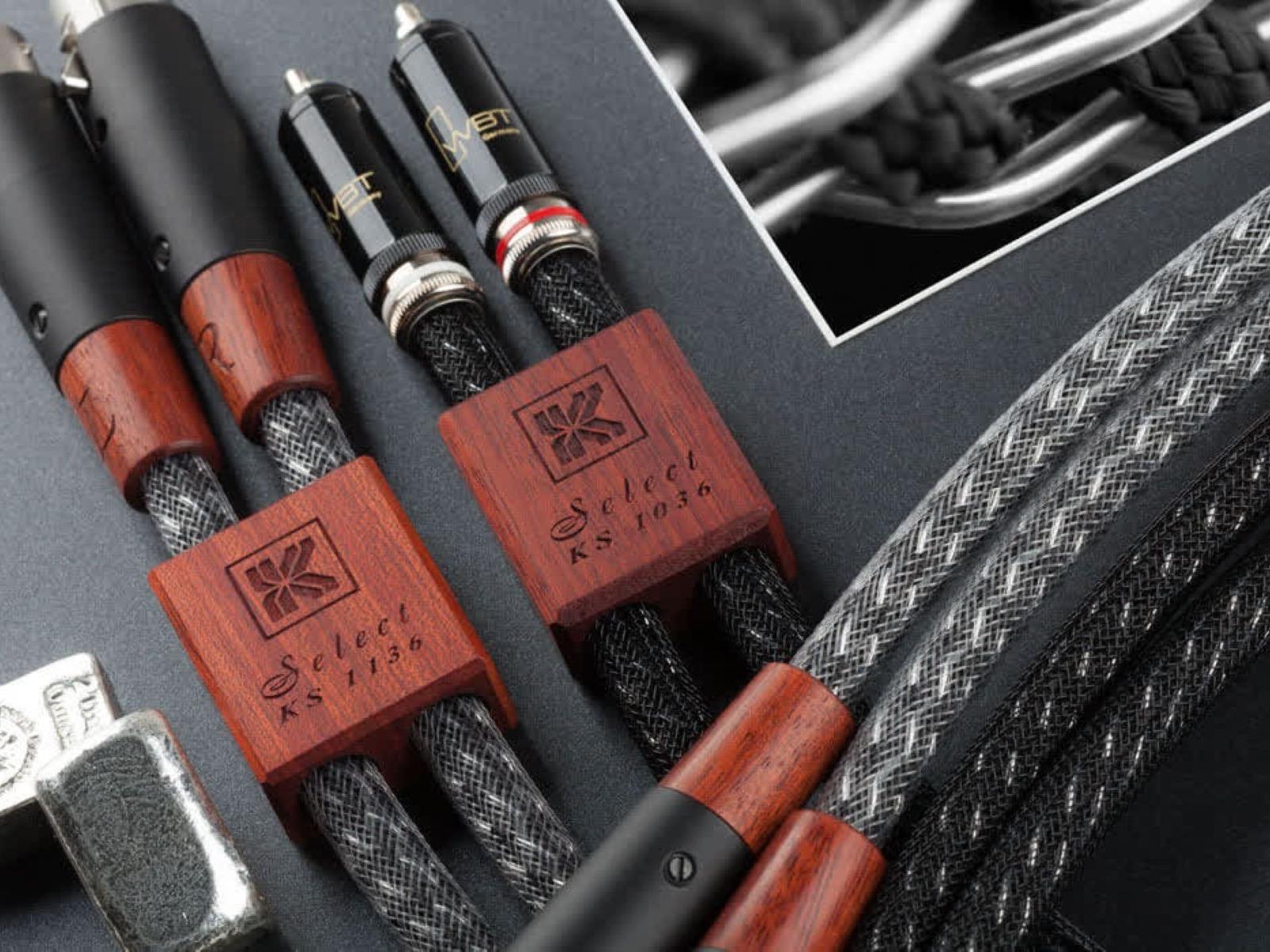
A recent blind test confirms that the only thing a $4,000 boutique audio cable transmits more effectively than a $7 Amazon Basics cord is a massive amount of cash from your bank account to the manufacturer’s pockets. The guilty party in this case is Kimber Kable, although brands like Monster and Audio Quest have been on the naughty list as

Embrace Filming on Analog Video in 2026

We may earn a commission from links on this page.

Cameras are more than just tools for taking photos and videos—they shape the way we think of the past. The distinct look of each major camera format defines its era: The murky colors of a vintage Polaroid picture are as era-defining as the stiffly posed portraiture of the late 1800s. And there are few things that will bring you right back to the 1980s and ’90s than the fuzzy, low-resolution warmth of something filmed on video tape.

I think that’s why some people are so drawn to picking up old 30- or 40-year-old camcorders, even in 2026: You can record a modern scene using one of them today—perhaps someone using a smartphone—and when playing it back, it will look like they’re straight out of 1994.

I grew up with such a camcorder, a Canon ES50, which my family used for filming home movies, and I used for making my own short “films.” My childhood was immortalized in this format, and in a way, their look defines how I picture the ’90s. While that camcorder was sold or given away sometime over the years, my brother recently gifted me another one, and in puttering around with it, I’ve feel like I’ve been traveling through time.  

Whether you also have a similar experience, or you’re curious about older video recording formats and want to dive in to actually putting images down on tape, it’s surprisingly easy to pick up one of these old camcorders and get recording, even in 2026.

There are a lot of camcorder formats to explore

While you can certainly pick up a working camcorder off eBay easily enough, you’ll need to know what format that camcorder records to before getting started. If you don’t buy the proper medium (i.e. tape), you won’t get very far. There are a ton of camcorder formats in this world, but here are the major ones you’ll likely encounter:

  • VHS: If you lived through the VHS era, you’re very familiar with this format. These camcorders use the same sized tapes you used to rent from Blockbuster, which makes them pretty convenient (by 1990s’ standards, anyway): If you have a VHS camcorder, a blank VHS tape, and a VCR, you can easily shoot and watch back your footage right away. These camcorders, however, are huge. Anyone looking for a more compact camera should consider the other formats on this list.

  • VHS-C: This is the same principle as VHS, only in a compact form (hence the C). In fact, because this is still VHS, you can play VHS-C tapes in a VCR, but you need an adapter to do so. (The tech behind this is actually very cool.)

  • S-VHS (and S-VHS-C): These are the successors to VHS and VHS-C, offering higher-quality video in the same form factor.

  • 8mm: These tapes are suspiciously similar in size to standard VHS-C, but with a key difference. As you might guess from the name, these are not VHS, which means you can’t play them back on a VCR. You won’t notice too much of a difference in quality though.

  • Hi8: This is the “upgraded” 8mm format. They’re the same size, but record in higher-quality video.

  • Mini DV: Again, these tapes are similar in size to other mini formats, but with a huge discrepancy: they’re actually digital, not analog. Where all the previous tape standards record magnetically to tape, Mini DV records the information as bytes, the same as it would to a hard drive. That means you can reproduce Mini DV tapes without losing any detail, but you also lose some of the analog charm.

Where to buy camcorders, tapes, and accessories in 2026

Camcorders are not hard to buy in 2026. In fact, you can buy new 4K models—but that’s not why we’re here. If you’re looking for a camcorder from the ’80s or ’90s, eBay is your friend. There are tons of listings for different brands and formats, many for reasonable prices. The camcorder I grew up with is easy enough to find: As of this writing, there’s on listed for $78.50 without a battery or charger, and one with the battery for $99.99. If you have a specific camcorder in mind, you might need to make some concessions: say, buying the camcorder by itself, then hunting down specific accessories that go with it. On the other hand, you might have better luck searching by format: When I searched eBay for VHS-C camcorders, for example, I found this JVC option with all the essential parts for $49.99.

Finding accessories shouldn’t be a problem either, depending on the part and the camera model. I recently needed a proprietary cable to connect a family member’s camcorder to a TV, and by searching the camcorder model number and the part, was able to find one for sale online fairly quickly. If you have a VHS or VHS-C camcorder, you’re going to need a VCR and an adapter. The adapters are easy and cheap to pick up, while VCRs range in price. Take some time looking for a VCR: You’ll want one that seems functional and clean, so as to not damage your tapes. In short, if it was popular, someone is likely selling it somewhere, which is good, because a camera without all the right accessories is just a museum piece.

When it comes to the tapes themselves, it’s the same story. I would have assumed buying formats from more than 30 years ago would be a challenge, but even Walmart still sells 8mm tapes. My recommendation is to search Google Shopping for the tape format you need, and compare prices and listing across reputable outlets. (Though, again, eBay might be your best bet.) You don’t actually need tapes to use retro-style camcorders, since you can buy add-on devices that let you capture footage directly to an SD card—but given I’m writing about the appeal of retro tech, I’m going to assume you want to record on tape.

And as with all retro tech, you might find what you’re looking for at secondhand stores and garage sales. People might have camcorders, accessories, and tapes in their attics ready to be sold on their front lawns; similarly, Goodwill might have camcorders in the mix with their other used technology. If you are looking for something specific, stick to the internet, but if you’re just looking to get started with any old equipment, the hunt can be part of the fun.

How to actually watch your camcorder recordings in 2026

This next two sections are perhaps the trickiest parts of camcorder ownership in 2026. It’s not hard to find a camcorder, and it’s surprisingly uncomplicated to pick up tapes. Even recording isn’t all that challenging. But actually watching this footage, and, god forbid, saving it somewhere else? These analog formats were not designed for our digital future.

That said, it’s perfectly possible, so long as you’re prepared. As I mentioned above, VHS shooters will have the easiest time here, assuming all parts are in order: You can pop your VHS tapes into a VCR connected to a TV, and you’re good to go. VHS-C shooters will have a similarly simple experience, but you’ll need that adapter.

But other formats are not compatible with a VCR. In fact, for many camcorder options, your only choice is to play back your footage on the camcorder itself. That doesn’t mean you need to watch on its tiny screen or viewfinder (though you can, of course); instead, you can simply connect the camcorder directly to your TV. This will vary based on the camcorder model, but most will have some type of cable designed to plug into an output port on the camcorder and connect to the composite ports on your TV.

No matter how you connect your tapes to the TV, you may have another hurdle here. If you have an older TV, there’s no problem, but newer TVs don’t always have the red, white, and yellow composite ports you need. My 2017 LG TV, for example, does not. As such, I had to buy this adapter in order to connect any type of composite input to my TV—including my 8mm camcorder. As with many of the suggestions here, you’ll need to find your TV’s make and model to find the right adapter, but once everything’s hooked up, you’re good to go.

Preserving your tapes (and creating digital backups)

We live in a digital world, and vintage cameras (apart from DV models) are analog. As much fun as it is to watch retro footage directly on a TV, you’ll likely want to convert your tapes to something you can watch on your phone or computer. Perhaps the simplest—if the priciest—option is to send your tapes out to a service to convert them for you. These services take recordings of virtually any format—from 8mm tape to 8mm film—and send them back to you as digital files. That way, you don’t have to worry about doing any of the work yourself.

While that might work for some, there are two reasons I’m not a huge fan of this option. First, it isn’t really an option if you frequently shoot new footage, since you’ll need to continuously send these companies your tapes and wait for them to get back to you. They’re really set up for families sending in all their old home videos at once, which is my second gripe: I really don’t trust another company (or the mail) to handle my family’s irreplaceable home videos.

In any case, it isn’t quite as challenging as it sounds to get footages from your tapes onto your computer to do whatever you want with them, but it will take some elbow grease—and what’s involved may vary based on your camcorder and setup. YouTuber Audrie Storme has a great walkthrough for the process, which should apply to most situations you’ll run into. In summary, you’ll need:

Once you’re connected, you’re ready to record for posterity. Since these are tapes, that means letting the footage roll in real time. So sit back, relax, and watch your “modern” ’90s-style clips unspool.

Oh, and one final piece of advice: If your tapes have the option, make sure to flip the switch from “Rec” to “Save.” That way, you won’t accidentally record over any of your footage.

April Pink Moon 2026: First Full Moon Of Spring Gets Ready To Peak

April Pink Moon 2026: First Full Moon Of Spring Gets Ready To Peak
As the spring air turns crisp, the evening of April 1 will host the first major celestial event of the season. On Wednesday, the Pink Moon will reach peak illumination at 10:12 p.m. EDT, serving as a traditional herald of the changing seasons.

Despite its name, the Pink Moon doesn’t actually have a rose-colored hue. Instead, the title originates

Windows PCs Crash 3x More Often Than Macs If This Study Is Accurate

Windows PCs Crash 3x More Often Than Macs If This Study Is Accurate
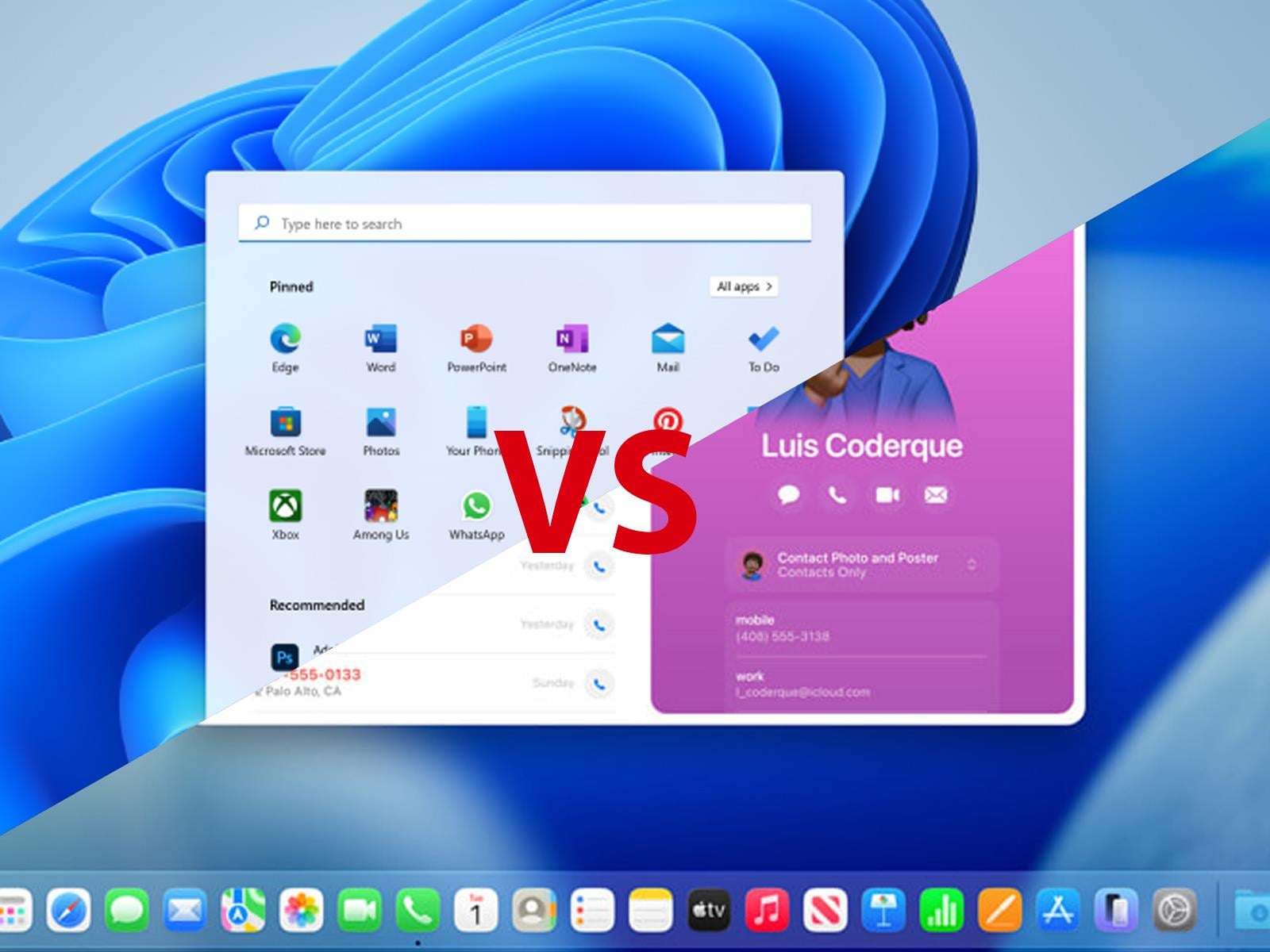
A new study focusing on shadow AI, security gaps, and device instability has found that systems running macOS are far more stable than PCs with Windows installed, resulting in significantly fewer application crashes and being less prone to freezing, among other so-called “micro-frictions” that can cause a cause a productivity gap in the enterprise.

How to Build a Music Library That You Actually Own

We may earn a commission from links on this page.

It’s ridiculous that the pace of my day can be ruined by the realization that a beloved song is no longer on the streaming platform I pay for. As someone who vividly remembers cassette tapes, CDs, and hoarding hard drives full of MP3s, it’s a reminder of what we traded in when we said “yes” to streaming services years ago.

I’ve been working on my Warped Tour playlist for the summer, but I keep running into a ton of licensing holes and grayed-out deep cuts. The gaps are everywhere, and it’s harshing the vibe. It’s another harrowing reminder that I merely rent whatever Spotify offers in its music library. That’s why I started building my music library from scratch again. Here’s how to find, buy, and own music in a world that has gone purely streaming.

The best places to buy MP3s

Buying and owning MP3s depends entirely on the type of music you like. If you’re into mainstream mega hits or your favorite grungy band is on a big label, you can look to the major players to buy music: Apple and Amazon. Apple’s iTunes Store (it’s still called that!) remains one of the most robust among the “available everywhere” sect. It’s also easy to buy high-quality 256 kbps AAC files, which are technically more efficient than regular MP3s and offer CD-like sound quality without being massive files. Just make sure you’re purchasing the music through the purple iTunes icon and not the red one. Amazon’s MP3s are DRM-free, usually 256 kbps, and you can usually find what you need there, even some more obscure offerings.

If you’re hoping to own digital and physical media, Amazon offers AutoRip. When you buy a physical CD or vinyl marked with the AutoRip logo, Amazon adds the digital version to your cloud library for free. You can stream these purchases through the Amazon Music app without needing a monthly subscription. Apple also lets you stream your iTunes purchases directly within the Apple Music app. Even if you don’t pay for the monthly streaming service, you can dig into your legacy library and stream what you own within the platform.

7digital is greatly heralded as a long-standing hidden gem of the MP3-buying world. The service itself is a backend provider for other global music services, which is why they have so much access to music licenses. It’s a British company, so if you listen to more international artists, this is a viable solution, as Amazon and Apple’s offerings can be region-locked. 7digital also allows you to choose between MP3 and high-resolution FLAC files at checkout.

All three of these services have been around long enough to have a legacy of longevity. If you lose your digital files, Amazon, Apple, and 7digital will let you re-download them through your account.

How to buy music directly from artists

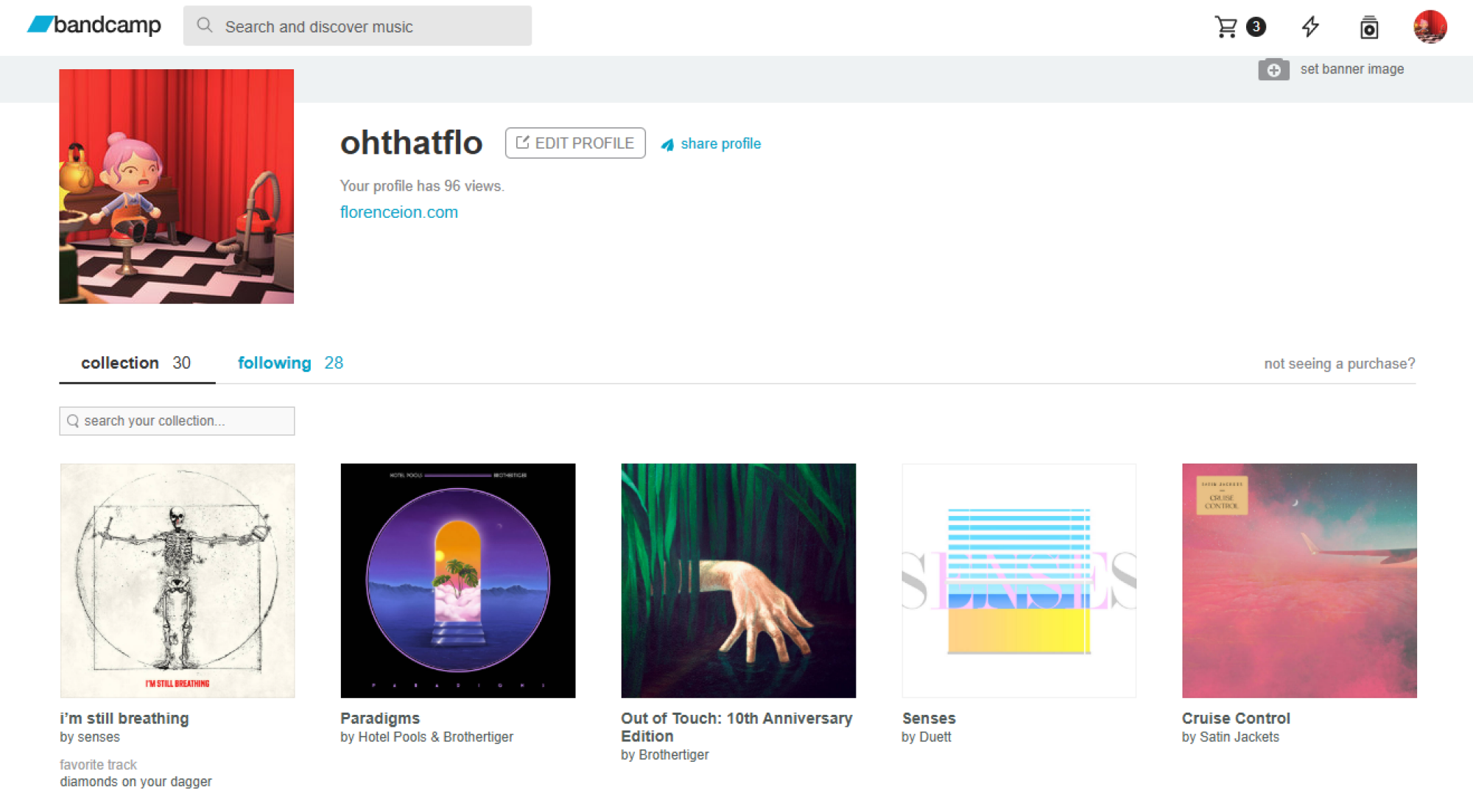
a screenshot of bandcamp
Bandcamp remains the defacto standard for buying music directly from an artist.
Credit: Screenshot by Florence Ion/Lifehacker

If you’re buying digital music to support the band or artist you love directly, try Bandcamp before you go anywhere else. It’s one of the few music marketplaces where you can choose your flavor of file—MP3, FLAC, or WAV, in some cases—within a single transaction. Sometimes there is even merch and physical media, like LPs and CDs, that you can add to the cart. Bands like the site because it doesn’t take a huge cut of what you’re paying the artist for an album. The Bandcamp app also acts like a cloud locker for everything you’ve bought on the platform, so if you get a hankering for music you don’t have on you, you can access it through the mobile app.

Some bands and artists get around their labels by using platforms like Patreon or Substack to distribute music files directly to a monthly “fan club.” Others lean into their labels by using direct-to-consumer online shops, like Polyvinyl, which notoriously prioritizes a 50/50 profit-sharing model with their artists. The digital store also features high-res, DRM-free files, ensuring the artist gets a fair share while you get a file you actually own.

Where to buy higher quality digital music

Even if you aren’t trading your Apple AirPods for a dedicated DAC (Digital-to-analog converter) and a pair of serious headphones, you may want to own even higher quality digital music, beyond 256Kbs. You’ll want to seek 24-bit/192kHz FLAC files, which aren’t available in mainstream digital music stores.

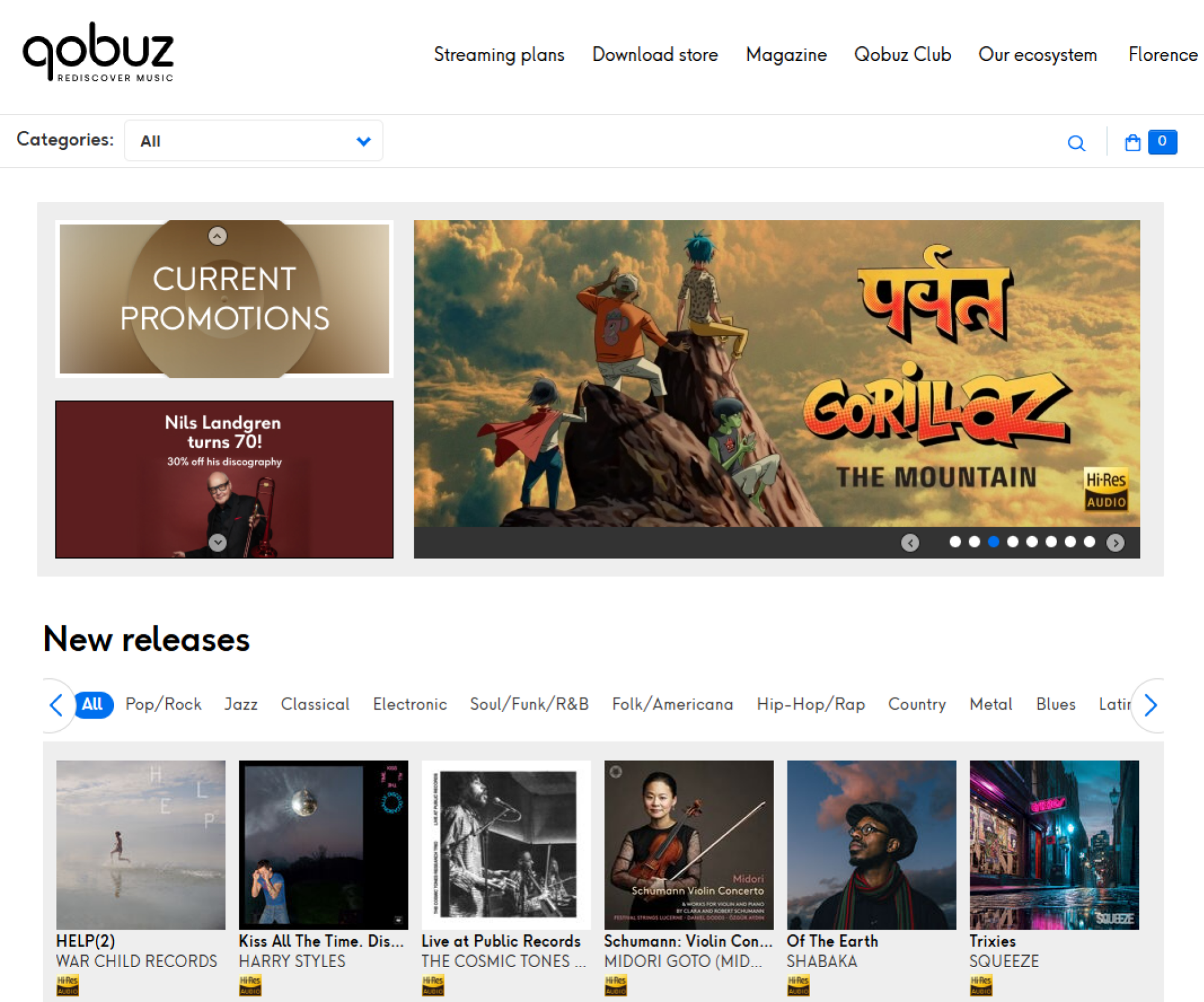
A screenshot of hte Qobuz website
Qobuz is a global streaming service that also lets you buy high-res tracks.
Credit: Screenshot by Florence Ion/Lifehacker

Qobuz is a global favorite for buying high-res tracks, and it’s one of the easiest to use. You can buy what you want in the browser and then use one of the companion desktop apps to batch-download files. Qobuz even offers a streaming subscription that gives you massive discounts on future high-res albums and EPs you purchase. It’s a good deal if you’re actually planning to collect MP3s, and the streaming ability lets you preview an album before you commit.

Other popular services include HDtracks, which has been around since 2008. Founded by a pair of audio engineers, the site specializes in definitive masters. It’s a good choice if you have a more classical or legacy rock taste in music, as 24-bit remasters are usually available to own. Bleep is another service geared toward electronic and alternative music lovers, while Boomkat serves the more experimental and underground niche.

How to RIP your own CDs

Part of the fun of getting back into digital music is remembering that another way to collect it—and really solidify your ownership—is to go to your local record store or second-hand market for CDs. Yes, CDs, the compact discs that somehow endure even though the players aren’t even standard in cars anymore.

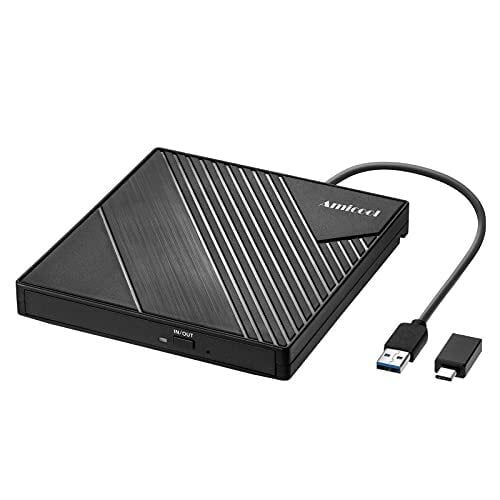
Since most modern laptops and computers no longer ship with optical drives in favor of slim, svelte designs, you will need a simple external CD/DVD drive that connects via USB-C or another method. Brands like Asus and LG still make these combination drives. They’re easy to buy and aren’t too pricey.

Next, you’ll need ripping software. For Mac users, the Apple Music app features the same built-in ripper that shipped with iTunes all those years ago, and it’s still a viable option. If you want something more robust, there’s X Lossless Decoder. It’s simple, handles album art and track names quite nicely, and is a good idea if you’re a stickler for metadata.

If you’re willing to spend a little money, dBpoweramp costs about $40 and works for both Mac and PC. Users like it because it pulls track information from multiple databases simultaneously to ensure metadata is solid.

Windows users also have a plethora of options. Exact Audio Copy is one of the more popular free ripping suites. It cross-references global metadata to ensure you’re grabbing audio that sounds like the original, though it does have a learning curve. I use Express RIP CD Ripper because I paid for a license long ago (around $40). It’s fairly plain and works fine on most of the albums I recover from Goodwill. However, it doesn’t handle compilations very well. I’m still working through a couple of albums in Mp3tag to get them to display the correct song titles.

One major thing to keep in mind if you decide to become CD-obsessed: Always rip to a lossless format like FLAC (Windows) or ALAC (Mac). You can convert a high-quality file into a smaller MP3 later. But you can never expand an MP3 back into the full-fidelity sound of the original CD.

How to stream your musical library now that you own it

Now that you own your own digital music, you’ll likely want to play back those files away from the tethers of your home computer. If you’ve got a centralized storage solution at home and you want to connect your library to the internet, Plexamp lets you create your own private streaming service. You can log in to it from anywhere in the world with the mobile app and stream the files you own in high resolution.

If you don’t want to deal with home servers and want to carry your music with you, apps like Prism on iOS and Symfonium on Android are primed for power users. Prism connects to cloud services like Plex and iCloud and features an Apple-worthy interface, while Symfonium supports almost every music format and even lets you cast to other devices. You could also invest in a dedicated mp3 player, either an off-brand one or a revived old favorite, to carry your music with you.

Finally, keep the 3-2-1 rule of file ownership in mind when managing your music collection: If the song doesn’t exist in three places, it doesn’t exist at all. There should be one copy on your main computer or home server, one on an external backup drive, and one in the cloud or physically stored on a bookshelf. Yes, it’s maintenance work, but the trade-off is that you own what you listen to.

This year’s Xbox Games Showcase is set for June 7

Microsoft has confirmed exactly when this year’s Xbox Games Showcase will take place. It will air at the usual time, 1PM ET on the Sunday (June 7) of Summer Game Fest weekend. In recent years, the company has offered a deeper dive into one particular game straight after the showcase, and it’s sticking to that format this time with a closer look at Gears of War: E-Day.

The showcase and Gears of War: E-Day Direct will be available in more than 40 languages, including American Sign Language and British Sign Language. A stream with English audio descriptions will be available as well. You can watch it on several of Xbox’s various social channels, including YouTube, Twitch and Facebook.

This is typically Xbox’s biggest showcase of the year. It will be the first Xbox Games Showcase with Asha Sharma at the helm of Microsoft’s gaming division. Perhaps we’ll hear some more details on the next Xbox (aka Project Helix), which is confirmed to be a system that will run PC games — much like the upcoming Steam Machine.

Along with more details about a brand-new Gears of War game, it seems likely that we’ll learn the release date for Fable during the Xbox Games Showcase. That game is slated to arrive this fall.

We don’t yet have exact release dates for Minecraft Dungeons 2 or Halo: Campaign Evolved, a remake of the first Halo game’s campaign. Those are scheduled to debut this year as well, so they seem like prime candidates for showcase appearances. Microsoft also has Clockwork Revolution, State of Decay 3, OD (from Kojima Productions) and something new from Toys for Bob in the hopper.

In addition, Microsoft is promising the return of Xbox FanFest, an in-person fan event, to help mark the brand’s 25th anniversary. Sharma confirmed this will take place in Los Angeles, where all of the Summer Game Fest events are going down. “This year’s experience will include a look back at the last 25 years, alongside a forward view of what’s next,” according to an Xbox Wire blog post.

This article originally appeared on Engadget at https://www.engadget.com/gaming/xbox/this-years-xbox-games-showcase-is-set-for-june-7-134942027.html?src=rss

Trump convenes “God Squad” to override Endangered Species Act, up oil production

The Trump administration is turning to the nuclear option on endangered-species protections in the name of national security.

A rarely tapped panel nicknamed the “God Squad” will meet Tuesday to discuss whether overriding Endangered Species Act regulations for all federally regulated fossil fuel operations in the Gulf of Mexico is more important than preventing the extinction of several imperiled species. That includes sea turtles and a whale species down to its last 51 individuals.

Interior Secretary Doug Burgum announced the upcoming Endangered Species Committee meeting last week, with no details on specific projects in the Gulf or the basis for what would constitute an extraordinary action. Only twice in the panel’s nearly half-century has it ever lifted restrictions.

Read full article

Comments

Why You Need an MP3 Player in 2026 (and What to Buy)

We may earn a commission from links on this page.

One of the easiest ways to turn off the noise of the world is to outsource what the phone does to other devices—ones that aren’t perpetually online or requiring a subscription to function. This led me to rediscover an old favorite: the MP3 player.

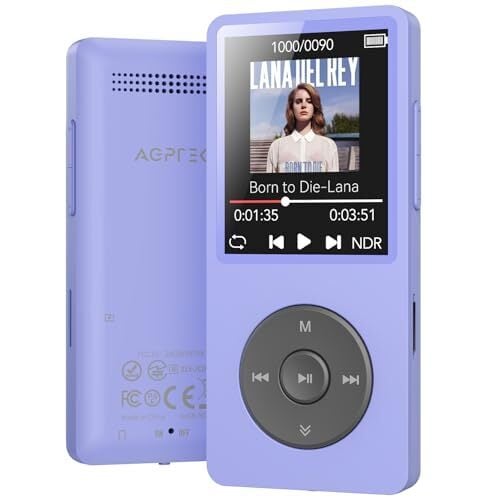
MP3 players are now, not surprisingly, far more capable than they were two decades ago. They come in a variety of shapes and sizes, many of which emulate the design of favorite legacy MP3 players, and are manufactured by companies you’ve likely never heard of, like FiiO and AGPTEK. They come with support for the latest music codecs, Bluetooth, FM Radio, built-in speakers, and even features that smartphone manufacturers have long since dropped, like expansion slots and the standard headphone jack.

But if you’re really nostalgic for the old days, you can recommission a vintage Apple iPod or a Microsoft Zune. There are even creative modders who will customize a traditional one.

Whatever way you decide to participate, embracing the standalone MP3 player means joining a movement in defiance of the current trend of streaming everything. Here’s how I got started with an MP3 player, and where to start if you’re interested in reviving your own for modern-day use.

These MP3 players are a turnkey solution

Let’s be realistic: MP3 players are no longer the de facto gadget category they once were. You can’t find them at brick-and-mortar stores or online the way you used to. But you can find some reasonably priced ones on Amazon and other global gadget markets.

The most common and well-rated brand you’ll see pop up on Amazon is AGPTEK. The company is based in Brooklyn and sells nearly everything in the gadget spectrum. It’s one of those “parts bin” brands, which have access to reliable, off-the-shelf components to make reasonably priced gadgets without the high cost.

AGPTEK offers several music players, but its most popular is the A02. It became a legend for its 70-hour battery life, and it’s the one I brought home because of its impressive feature set. The AGPTEK A02 uses the latest Bluetooth 5.3 codec. I can move around the house with the player in my pocket or leave it on my desk, and I still have clear sound on the other side of the house. It uses USB-C for charging and data transfer, and there’s a microSD slot that supports up to 128GB of storage if you need more than its 64GB internal storage. There’s a physical lock switch to keep you from accidentally skipping a track, too.

A photo of the Innioasis ipod knock off
The Innioasis Y1.
Credit: Innioasis/Amazon

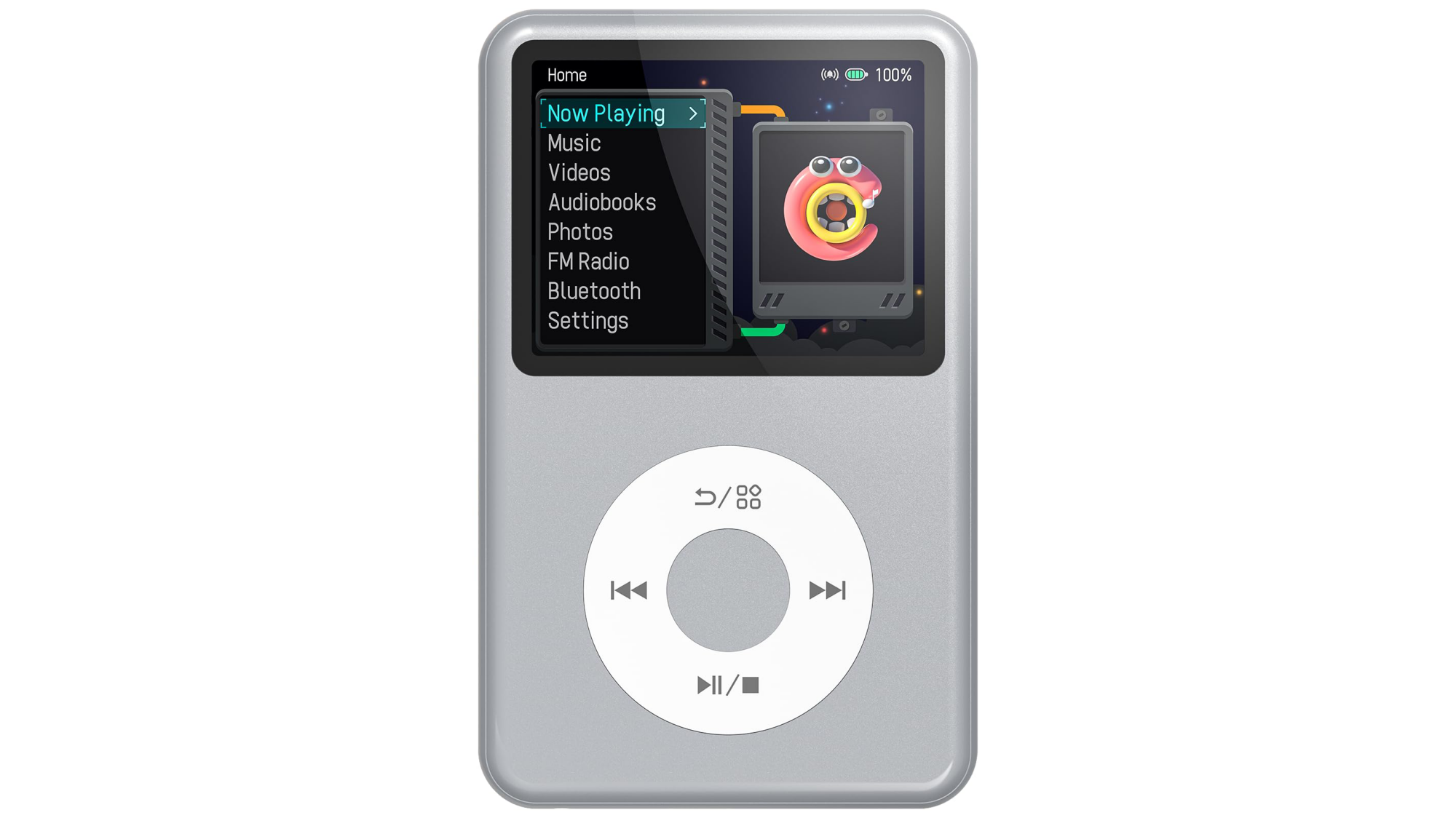
Innioasis is another brand you’ll see floating around—they’re known for their iPod knockoffs. They sell touchscreen MP3 players, too, but it’s the “iPod tribute” ones that get the most traction. The most popular model is the Y1, which looks like an iPod Classic. The $50 device comes with USB-C and Bluetooth, rather than relying on a 30-Pin proprietary charging cable like back in the day. You don’t need special software to drag and drop music onto the device. Most models come with 128GB of internal storage.

Innioasis’s touch-screen models are hybrid digital music players: They have wifi access so that you can download Spotify playlists and Audible audiobooks. They can’t access the internet outside of that hot zone, however, so if you want new music and you’re out on a run, you’ll have to wait until you get back to the internet.

These high-end options for great for audiophiles

The Sony Walkman NW-A306 is a premium digital music player. It has high-end internals like Sony’s proprietary S-Master HX digital amplifier, which reduces distortion and noise across different frequencies, and high-quality film capacitors that make audio sound clearer than a phone’s standard DAC (digital-to-analog converter). These are usually parts reserved for Sony’s high-end home stereo systems, but here they’re shrunk into a smaller footprint.

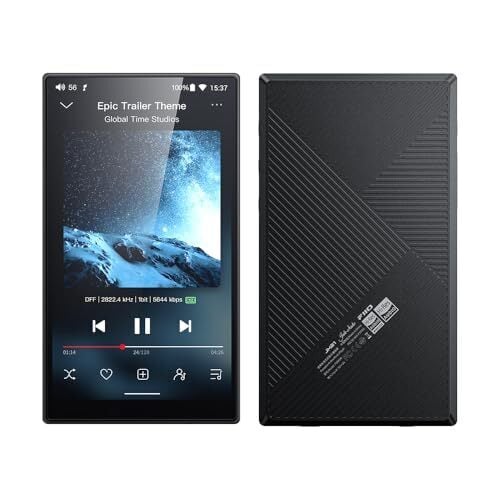
For those on a tighter budget who still want a full-featured MP3 player, the brand FiiO is the current darling of the audiophile community. The JM21 player is slim and runs a Qualcomm Snapdragon 680 chip, which you’d typically find in an Android phone. It has Dual Cirrus Logic CS43198 DAC chips, which means it delivers music with fully balanced audio, the same way Sony’s music players do. It also features both a standard 3.5mm and a 4.4mm headphone jack if you have high-end studio cans you’d rather listen through.

Deciding between these two depends on whether you prioritize usability or power. Sony’s players, like the NW-A306 and the slightly larger NW-ZX707, are small and offer up to 36 hours of battery life. They also feature a Sony-piloted AI-powered tool called DSEE Ultimate, which upscales low-quality audio to sound more high-resolution. That said, Sony users have complained that the device can feel sluggish compared to even a modern midrange Android device. It’s not exactly high-powered.

The FiiO is an easier sell because it just got refreshed. The JM21 has a 700 mW output, so it won’t start crackling as your headphones get louder. Users prefer the interface to that of the Sony MP3 players, too. They’ve also mentioned that the soundstage, or the perceived “distance” between instruments, feels much wider. However, the MP3 player is a bit of a “brick” compared to Sony’s lighter builds. The battery life is only 12-15 hours, and it doesn’t have Sony’s AI-assisted audio processing, so if your audio files are bad, you’ll hear it all.

Should you resurrect your iPod?

If you aren’t interested in buying something new, you might find yourself drawn to the do-it-yourself world of MP3 player revival. You take a twenty-year-old device, gut it, replace its parts with modern components, and then you have yourself Frankenstein’s digital music player for the new age.

Right now, iPods are the ones getting the most modding. The fragile, spinning mechanical hard drive of the original iPod Classic is typically the first thing to fail, so modders use iFlash adapters to load music from microSD cards instead. By removing that hard drive, you also make space for a battery, which can add more life to the iPod—some modders figured out how to run it for over 100 hours of continuous play. If you do decide to go this route, there are kits you can buy, like the Classic Connect 2, which lets you add Bluetooth, USB-C charging, and wireless charging to the classic iPod shell.

Even if you have an older iPod lying around that’s still working, you can break free from the ghost of iTunes by installing Rockbox. This open-source firmware, which finally landed a stable release in 2025, enables vintage iPods to play lossless FLAC files, add custom themes, and other shenanigans that you wouldn’t consider doing to an mp3 player, but you can.

People are also reviving Microsoft’s original attempt at the “iPod Killer”: the Zune. The Zune 30 is particularly popular for these modding projects because its internal layout is spacious. Modders can swap the original hard drive for a larger-capacity solid-state drive and drop in a bigger battery. And yes, they’re bringing wireless charging to the Zune through aftermarket hacks, too.

I am personally on a journey to attempt to revive a Sony Walkman NW-HD5. It has its own community of modders who have figured out how to replace the 1.8-inch drive with flash storage. That model also had a user-replaceable battery from the get-go, and you can find higher-capacity batteries on places like AliExpress to fully revive it. Rockbox also works with the Sony NW-HD5. It’s a tinkering hobby that will keep me busy for a while.

This Wearable Action Camera Is $70 Off for Amazon’s Big Spring Sale

We may earn a commission from links on this page. Deal pricing and availability subject to change after time of publication.

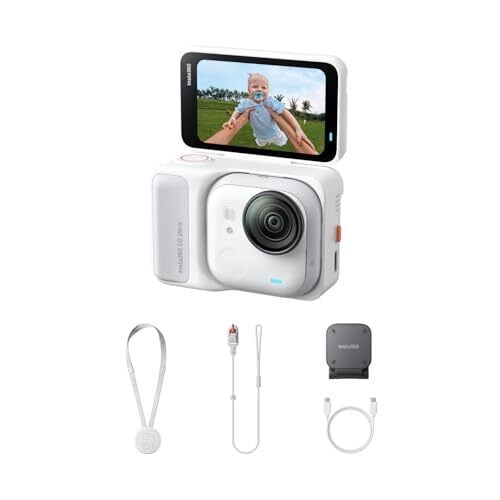
Action cameras usually ask you to choose between size and capability—smaller ones are easier to wear but often compromise video quality or controls. The Insta360 Go Ultra tries to bridge that gap. It’s a tiny, wearable camera that can also behave like a more traditional action cam when you need it to. Right now, it’s down to $379.99 (originally $449.99) during Amazon’s Big Spring Sale (ending March 31), which is its lowest price yet, according to price trackers. It also helps that it earned an “excellent” rating from PCMag, which gives some context to what you’re getting here.

What makes this camera interesting in daily use is how flexible it feels. The main camera unit is small enough to clip to your shirt or wear on a magnetic pendant, so you can record hands-free without thinking about framing. When you want more control, you snap it into the Action Pod, which adds a 2.5-inch flip-up touchscreen and turns it into something closer to a GoPro-style setup. Video quality is a clear step up from older Go models—it shoots stabilized 4K at 60fps, and the larger 1/1.28-inch sensor helps in low light, so evening clips or indoor footage don’t fall apart as quickly. Stabilization, too, works well for walking or biking, and the wide field of view keeps things immersive.

The Go Ultra also supports HDR, multiple shooting modes, and a tutorial-led app-based editing, so putting together a usable clip doesn’t take much effort, even if it takes a bit of getting used to. Video is limited to 8-bit color, so there’s not much room for heavy editing or color grading. You’ll also need a microSD card since there’s no built-in storage.

Audio is decent for casual use, but wind and distance can affect clarity unless you connect an external mic or supported earbuds. Also, its battery life depends heavily on how you use it—the standalone camera lasts around 30 to 36 minutes at 4K60 before heating becomes an issue, while the Action Pod stretches that to about two hours, according to the PCMag review. Compared to something like the DJI Osmo Action 5 Pro, what you’re paying for here is the compact, wearable design rather than raw video flexibility.


Our Best Editor-Vetted Amazon Big Spring Sale Deals Right Now

Deals are selected by our commerce team

Microsoft Confirms ‘This Is An Xbox’ Campaign Is Dead And Reveals Why

Microsoft Confirms 'This Is An Xbox' Campaign Is Dead And Reveals Why
Microsoft has been quietly removing references to its viral ‘This is an Xbox’ marketing campaign and lest there was any doubt about why, the company confirmed in a statement the reasoning behind its decision to move on. Simply put, new Xbox boss Asha Sharma made the decision to abandon the controversial campaign because it did not align with

How to Buy (and Actually Own) Your Movies and TV Shows in 2026

We may earn a commission from links on this page.

Watching a show or a movie has quite literally never been easier. The streaming services you already subscribe to have more content than you could possible ever watch. If something you want to see is only on a specific platform, you can subscribe to it. If it’s only available to buy or rent digitally, you can do that too. But with the rise of streaming, the concept of owning and curating a home video collection has fallen away. It seems fewer and fewer of us want a collection of discs in our homes. We’d prefer everything to fit neatly into our smart TVs.

But streaming isn’t perfect—far from it. Maybe you were counting on watching something on a service you already pay for, but discover it’s now gone; maybe that movie isn’t streaming anywhere at all, and there’s no way to watch it online. Owning a physical copy of a show or movie really is the only way to guarantee that you’ll be able to watch it whenever (or wherever) you want.

Plus, building a collection of films perfectly suited to your tastes is just fun—entertainment feels less ephemeral when you can tie it to a physical object rather than an icon in a sea of them on the Netflix home screen. If you want to go back to how things used to be, here’s how to go about starting your own home video collection in 2026:

Buying movies and shows digitally isn’t the same as owning them

Modern streaming devices and TVs aren’t exactly gatekeeping you from purchasing movies or TV shows. If you want to, you can still buy them through your Apple TV, Fire TV, Roku, Google TV, or through the various apps you use. Prime Video will happily sell you Titanic; Apple will let you buy a “box set” of every season of The Office; you can even buy The Dark Knight on YouTube, by way of Google Play Movies & TV.

The thing is, buying digitally isn’t really ownership. It might feel that way: You have to click a “Buy” button, pay a good chunk of change, and you get access to that content at any time from any compatible, connected device. But when you buy a digital show or movie through Apple, Amazon, or Google, what you’re actually paying for isn’t ownership rights, but a license. You’re paying for the privilege of viewing that content for as long as the platform has the rights to it. If Prime Video loses the rights to Titanic, so do you, even if you paid $19 for it.

That’s not to say digital content doesn’t have its place. These stores are particularly great for renting movies when the flick you want to watch isn’t available on streaming. It might also make sense for you to “buy” shows and movies on these platforms, as the license can cost less than the price of a movie ticket, and you can definitely get your money’s worth in viewings this way. I have a number of movies I bought on iTunes a decade ago that I still have access to, and I watch them regularly across all my Apple devices. But back when I bought them, I assumed I owned them. I was wrong, and that’s why I haven’t clicked “buy” on one of those platforms in years.

True ownership requires buying physical media

If you want to truly own your TV shows and movies, and know for sure that you won’t lose access to them, you need to invest in physical media. In 2026, that largely means on a disc. If you’ve fully transitioned to the streaming lifestyle, the idea of bringing DVDs and Blu-rays into your home might sound downright medieval—but without them, your collection is forever at the mercy of the platforms that license said content.

Here’s the real kicker, though: Even when buying your shows and movies physically, you’re still just buying a license to watch that content—that’s why you can’t publicly screen a movie just because you own the DVD; you still have to pay for the rights to show it outside of your home. Technically, the companies that own the content can revoke that license at any time—it’s just way more difficult to cut someone off when they have a physical disc. That gets a bit dicier with modern Blu-rays and Blu-ray players, which connect to the internet, and could theoretically block your access in the future. But as far as I know, there’s no documented case of this happening, whereas marketplaces like Prime Video have lost licenses and revoked users’ content. So generally, if you buy a movie or a TV show on a disc, you own it, for all intents and purposes.

There are many video formats out there, especially if you’re interesting in owning legacy media (from VHS, to Betamax, to LaserDisc). But for now, let’s assume you want to start a collection of DVDs and Blu-rays. They’re the easiest physical media to buy when it comes to shows and movies, and the most versatile when it comes to playback.

Physical media often looks and sounds better than a digital copy

This isn’t an opinion driven by nostalgia: While streaming quality can be excellent, modern discs will always be superior. Sure, your 4K Prime Video stream is going to crush a low-resolution DVD, but even a 1080p Blu-ray has it beat in certain categories. A 4K Blu-ray, meanwhile, is the absolute gold standard.

The main reason comes down to bitrates—the amount of information displayed on your screen at once. In general, the higher the bitrate, the more visual detail a video will have at any given moment. This is different than resolution, which is simply total number of pixels a video contains. (4K has roughly 8.3 million pixels per frame—3,840 pixels by  2,160 pixels—while 1080p has just over two million pixels per frame—1,920 pixels by 1,080 pixels).

When you buy shows and movies digitally, you’re only really sold on the resolution—whether the content is “HD” (1080p) or 4K—and not the bitrate. While that 4K stream has more available pixels to work with than a 1080p disc, if the disc’s bitrate is higher, it can show more details in its two million pixels than the 4K stream can show in its 8.3 million. While discs can run off of the information they contain alone, streaming has to contend with all sorts of variables with your home internet connections—and, thus, it has to compromise on the bitrate.

Take The Dark Knight, for example: I have the 1080p Blu-ray, which has a bitrate of 24 Mbps. I also have a license for the 4K Dolby Vision version from Apple TV. After hacking my Apple TV a bit, I was able to see the streaming data, which showed that while the maximum bitrate was 24.24 Mbps, my average hovered around 15 Mbps. That’s still a good amount of data, but it’s interesting to see that even at 4K resolution and in Dolby Vision HDR audio, my Apple TV stream moves less data than my 1080p Blu-ray. I have a good internet connection, but maybe if I were able to connect my Apple TV directly to the router via ethernet, I could get that 24.24 Mbps bitrate and match that of the Blu-ray. But what if I upgrade to the 4K Blu-ray, since that has a bitrate of 47.16 Mbps and supports HDR?

While a 4K stream may be comparable (or even preferable) to a 1080p Blu-ray, the Blu-ray (4K or not) will always outclass it in the audio department. Streaming audio bitrates are more compressed than discs, even more than the video bitrates. While my Apple TV copy of The Dark Knight could theoretically reach the bitrate of my Blu-ray copy, its audio maxes out at 383.88 kbps. The Blu-ray, however, has support for 16-bit 48kHz Dolby TrueHD 5.1 audio, which has a variable bitrate, but should theoretically reach 4,608 kbps (16 bits times 48 kHz times six audio channels)—as well as Dolby Digital 5.1 at 640 kbps. Simply put, you get a lot more audio data from the disc. The 4K Blu-ray ups that to DTS-HD Master Audio 5.1 at 24-bit 48kHz, which applying the same math gets you 6,912 kbps.

The big caveat here is that all of this is dependent on the TV and sound system you use to experience your movies or shows. If you use your TV’s built-in, backwards-facing speakers, you might not notice the uptick in quality. But if you have at least a soundbar, if not a more elaborate home theater setup, discs are definitely going to sound better. The same goes for picture quality: If you have a high-quality TV panel, you’ll notice sharper scenes, more film grain, and a lack of compression, especially in dark scenes.

Where to buy Blu-rays and DVDs in 2026

The good news is, even in 2026, it’s not hard to find physical shows and movies to buy. You don’t need to find specialty stores or shop secondhand: major retailers like Walmart and Target still sell physical media of all kinds, including Blu-rays and DVDs. You can walk into a Walmart right now and buy Zootopia 2 on Blu-ray, or head to Target and buy Vice on DVD. But for a more curated selection, you’ll definitely want to keep tabs on Amazon, or even Best Buy. Barnes & Noble famously sells The Criterion Collection Blu-ray and DVDs, though you can always buy directly through Criterion.

You might think that because “nobody” buys discs anymore, that these things would be dirt cheap. Au contraire: Physical media can get pricey, especially Blu-ray (and particularly 4K Blu-ray). My recommend is to follow a site that tracks deals on physical media, like Blu-ray.com. You can sort by type (4K Blu-ray, Blu-ray, DVD, etc.) or just browse all types of deals to see if any of your favorites get to a price you find acceptable. But if you’re getting into this type of collecting, and especially if you’re buying new movies and TV shows, be prepared to spend some cash (there’s a reason folks in the r/Criterion Reddit group mark the Barnes & Noble semi-annual 50% off sale on their calendars).

You’ll need something to play your DVDs and Blu-rays

If you’re all-in on streaming, you might not actually have anything to play a DVD or Blu-ray on. If so, you’ll need to remedy that. Believe it or not, there are companies still making Blu-ray players, though the numbers are dwindling. Two companies, Pioneer and Reavon, abandoned the market in 2025, but there are still good options out there, with Sony and Panasonic leading the pack. CNET recommends the Sony UBP-X700M, which you can pick up for under $300 used on Amazon.

On the flip side, if you have a game console, like a PlayStation or Xbox, you already have a Blu-ray player—with some caveats: The Xbox models, as well as the PS5, don’t support Dolby Vision HDR, only HDR10. If you’re looking for Dolby Vision, you’ll need to buy a dedicated player. But if all you want is a machine to reliably play your budding movie collection, your PlayStation or Xbox will work just fine. (Just make sure you buy one with a disc drive.)

You can rip your discs to enjoy the flexibility of digital ownership

If you want the permanence of physical media and the convenience of digital ownership, you can actually take things full circle and create your own private streaming service. You can take any of the physical discs you buy, rip the video files, and upload them to a private server. You can then use a program like Plex or Jellyfin to access those files from anywhere. You can watch them from your own home, of course, but also stream them when traveling. Plus, it serves as a backup method: Should something happen to the disc (or should the movie studio actually somehow revoke your Blu-ray license) you always have a backup copy of your disc.

You may need some extra hardware to get this done, however. If you’re ripping DVDs, you’ll need a DVD player connected to your computer, and a program like Handbrake. If you’re ripping Blu-rays, you’ll similarly need a Blu-ray player that can connect to your computer, and a program like MakeMKV. While ripping DVDs is pretty straightforward, ripping Blu-rays can get a bit tricky, especially if they’re 4K, so you might want to follow a full guide for the best results.

As for the legality of this method, well, most films are encoded onto discs with digital rights management software (DRM), and while making a backup copy is often considered fair use, bypassing DRM in the U.S. is also a violation of the Digital Millennium Copyright Act, which means it’s illegal. You know, technically. And while I won’t encourage you to break the law, if you invite me over to stream a movie from your personal Plex server, I promise not to tell on you.

What happened to Amelia Earhart? New book takes on the case.

Famed aviator Amelia Earhart mysteriously disappeared in 1937 during an attempt to become the first female pilot to circumnavigate the globe. Speculative theories abound about what really happened to Earhart, but while tantalizing hints of her fate have popped up from time to time over the last 90 years, none have proved conclusive. The people behind those theories, and the extraordinary woman who still inspires them, are the focus of an eminently readable new book, Lost: Amelia Earhart’s Three Mysterious Deaths and One Extraordinary Life, by Rachel Hartigan.

A former editor of The Washington Post’s Book World, Hartigan worked for National Geographic magazine for 12 years, covering such diverse topics as the genetics of persimmon trees and the history of women’s suffrage. So why a book about Amelia Earhart? Hartigan acknowledged that she asked that question herself “in the darkest moments of writing.”

After all, there are countless biographies for readers of all ages, as well as books touting various theories about Earhart’s disappearance, not to mention occasional news coverage about the latest attempts to locate Earhart’s plane or her remains. (Just last fall, we reported on Laurie Gwen Shapiro’s The Aviator and the Showman, a biography exploring Earhart’s unconventional marriage to George Putnam, a flamboyant publisher with a flair for marketing.) “I just didn’t feel there was a book that tied everything together,” Hartigan told Ars. “You get these news stories of people saying they know where Amelia Earhart is, but you don’t have any context beyond the immediate story, all the things that make it a full picture.”

Read full article

Comments