Last year, PocketBook rocked up at CES with a series of large e-paper displays to display art on the walls of your home. This year, the company has turned up with a far larger, A1-sized model called the Duna, which it says mimics the “texture, depth and tonal richness of printed paper.” It’s intended to act as an upmarket alternative to those big screen TVs which display art when they’re not being used for their intended purpose.
Unsurprisingly, such a fancy product also needs some fancy accessories, so it’s recruited Italian design house Pininfarina to help. It claims the credit for the Duna’s “precision-engineered aluminum frame” and its “elegantly stitched Alcantara.” To celebrate the pairing, the InkPoster App will enable you to view original design sketches from the Pininfarina archives on your screens.
At last year’s CES, I saw the three smaller models in person and found them to be very promising. The colors are vibrant in a way you don’t expect from an e-paper display, and at a distance you could easily mistake these for a real canvas. Just don’t get too close to the screen itself, since you’ll still be able to see the pixels rather than brush strokes. I’m no expert, but I suspect the technology suits bold, blocky art styles — think modern artists like Modigliani — better than delicate, more antiquated forms.
As before, each InkPoster can be hung for up to a year on a single charge, refreshing from its library of licensed artwork according to your whims. Plus, you can use it as a digital photo frame, if you want to display your selfies at art gallery or movie poster sizes.
If you’re interested in buying one of the new models, you’ll have to wait until April, after the frames are exhibited at Milan Design Week in April. While we don’t have full pricing details right now, you can expect to pay something in the region of $6,000 for one.
This article originally appeared on Engadget at https://www.engadget.com/home/inkposter-launches-a-premium-41-inch-e-paper-display-for-your-home-170000292.html?src=rss
No pet owner wants to think about what might happen in the event of a fire. As a dog owner, I know I don’t. But fires do happen, and pets can’t follow a fire plan. Rescue Retriever wants to change that: I spoke with the company during CES’ Pepcom event, and learned how they’re working to make it easier for firefighters to find your pets in the event of a fire.
Rescue Retriever first launched back in March of 2024, started by two brothers—one of whom is a former firefighter. The company told me that during a fire, pets tend to run to where they feel safe—maybe that’s under the bed, or somewhere tucked away in a room. That makes it difficult for firefighters to locate pets during an emergency: They don’t have the ability to search every corner of a burning home, and, unfortunately, pets sometimes don’t make it out.
Rescue Retriever’s smoke detector
Rescue Retriever’s smoke detector aims to solve that problem. This detector isn’t supposed to be placed where your current smoke detector is; rather, the idea is to place it where your pet is most likely to go when they are scared. If you know they like to hide under your bed, for example, you can place the detector there. Once the device detects smoke during a fire, a bright light begins to strobe inside, spread out by a mix of holes places throughout the device. (Even in the bright lights of Pepcom, the strobe looked intense to me.) That way, firefighters can look out for the strobing lights when trying to locate pets in your home. There’s even an accompanying sticker you can place on your home’s window, so firefighters know you have a pet to look out for.
The device is silent as well, as to not scare your pets away from their hiding space. It wouldn’t do any good to have a beacon for firefighters to locate your pet, only to have them scurry off because of an alarm.
Rescue Retriever Fire Tag
Credit: Lifehacker
But Rescue Retriever wasn’t at Pepcom just to show off a device they launched two years ago. New to this year is the Fire Tag, which brings the strobe light from the main unit to a small tag you can place on your dog’s collar. The tag syncs up to the main unit using RFID: When the main unit detect smoke and starts strobing, the Fire Tag will pick up the signal, and will follow suit.
It’s great that the main unit doesn’t make a noise to scare your dog, but maybe they run off anyway. Maybe the house smoke alarm scares them again, or they don’t follow their usual pattern and hide somewhere away from where you placed the main unit. Having a Fire Tag on their collar would give firefighters a better shot at locating the dog, wherever they may be in the home.
Rescue Retriever also tells me these tags have a range of up to a quarter mile. If your dog goes running off away from your house, their collars might still light up. To that point, the Fire Tag opens up, allowing you to place a tracker like an AirTag inside. Even if your dog runs out of that quarter mile range, you could still track them if they come within Bluetooth range of a device within the Find My network.
Rescue Retriever says the Fire Tag is ready for production, and, when available, can be purchased either individually ($29.99), or as part of a larger bundle with the main Rescue Retriever unit ($89.99). The main unit can be purchased now for $39.99, but also comes with its own bundles and accessories for varying prices.
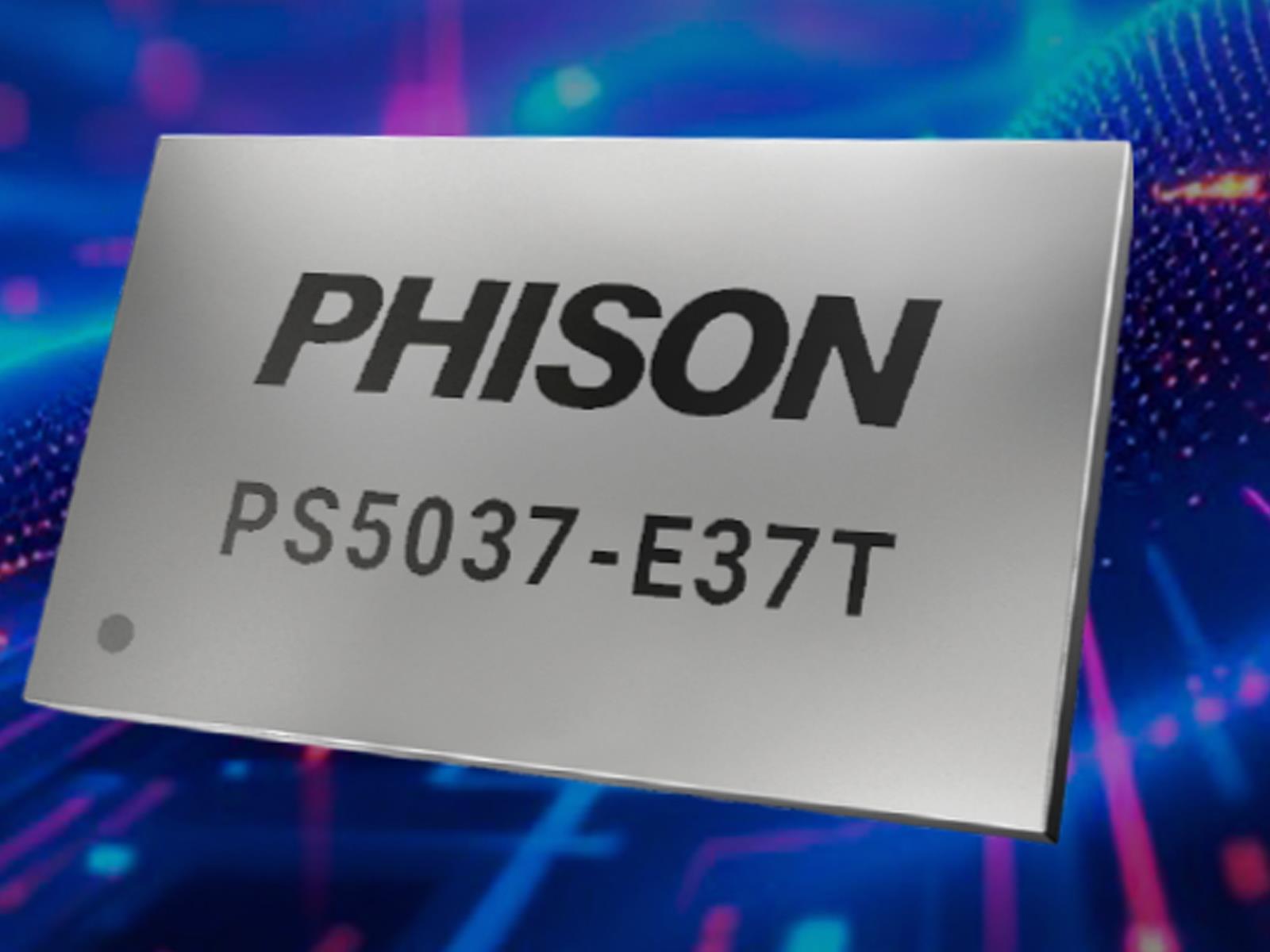
There’s a whole lot of uncertainty in the consumer DRAM and storage space with AI pushing demand for NAND flash memory chips to unprecedented levels, but one thing is for certain—the accompanying parts are in place for whenever the market settles down. Driving that point home is Phison’s new PS5037-E37T controller designed to give mainstream
HP this week announced the EliteBoard G1a at CES 2026, a Windows computer built into a full-size 93-key desktop keyboard that the company is marketing to businesses where employees use hot desks and need a portable computing environment they can carry between workstations.
The device connects to a USB-C monitor for both video output and power delivery over a single cable, and HP includes a USB-to-HDMI adapter for displays that lack USB-C input. Inside runs an AMD Ryzen AI 5 or 7 processor paired with AMD Radeon 800 integrated graphics and an NPU capable of up to 50 TOPS, qualifying it as a Copilot+ PC by Microsoft’s standards.
The device can be configured with up to 64GB of DDR5 RAM and 2TB of SSD storage. The keyboard weighs between 1.49 and 1.69 pounds depending on configuration and measures 14.1 by 4.7 by 0.7 inches, lighter than most laptops but longer and thicker than some. An optional 32Wh battery offers up to 3.5 hours of unplugged use. The EliteBoard G1a ships in March.
Corsair just revealed a gaming keyboard with a built-in Stream Deck controller at CES 2026. The Galleon 100 SD is a mechanical keyboard with a 5-inch screen, two rotary encoders and a full complement of Stream Deck buttons.
For the uninitiated, the Stream Deck is basically a collection of hot keys that execute various commands. It’s been incredibly popular for streamers and the like, but it’s also become a boon for PC gamers.
Corsair is advertising the Galleon 100 SD directly to gamers, so it boasts of hot keys being used to “access abilities, call in airstrikes and manage inventory without diving through menus.” The Elgato Marketplace offers profiles for specific games, eliminating the need to manually program the buttons. The included screen can display relevant stats while playing.
However, this is a real Stream Deck. It has 12 big buttons, which can be programmed to do all kinds of things beyond gaming. People use it to stream, yes, but also to control smart home devices, assist with creative tasks and a lot more.
Corsair
It’s also a true mechanical gaming keyboard with hyper-polling rates up to 8,000Hz, which the company says “transmits your keystrokes up to eight times faster” than standard releases. It features MLX Pulse keyswitches that have been “tuned for fast actuation and smooth yet tactile feedback.”
Everything is housed in a durable aluminum frame with gasket housing and six layers of sound dampening. There’s a cushioned palm rest and configurable RGB lighting.
The Galleon 100 SD is available right now, but there’s a catch. It costs $350, which is a lot of dough for a gaming keyboard. For that amount of money you could buy an actual Stream Deck XL and a decent keyboard and still have plenty to spare.
This article originally appeared on Engadget at https://www.engadget.com/gaming/corsair-made-a-keyboard-with-a-built-in-stream-deck-163158296.html?src=rss
Not to be outdone by the likes of Samsung and TLC, Amazon is joining the picture frame TV space. At CES 2026, the company announced a new line of unobtrusive smart TVs, complete with a new brand name and a redesigned FireTV OS, which will also show up on other FireTV devices.
Meet the Ember Artline TV series
Credit: Amazon
Amazon is calling its new line of art TVs “Ember Artline.” They will ship in two sizes, 55 inches and 65 inches, with pricing starting at $899 for the base model—some $200 cheaper than the list price of Samsung’s Frame TVs (though those models are regularly discounted on Amazon).
The panels will offer 4K QLED screens with 450 nits of brightness. Because it’s an art TV, there is a matte screen coating to reduce glare and make it look less like a standard TV. They also feature Dolby Vision, HDR10+, and Wi-Fi 6. Design-wise, they’re incredibly thin, around 1.5 inches thick.
Amazon’s big selling point here is the Ember Artline offers 10 different frame options, all of which snap on the TV with magnets. You can choose between textures and colors like Walnut, Ash, Teak, Black Oak, Matte White, Midnight Blue, Fig, Pale Gold, Graphite, and Silver. In its art mode, the sets will cycle between 2,000 images of artworks, or your personal selection of photos. “Omnisense technology” will allow the display to turn on when anyone walks in the room, and turns off when they walk out, saving energy.
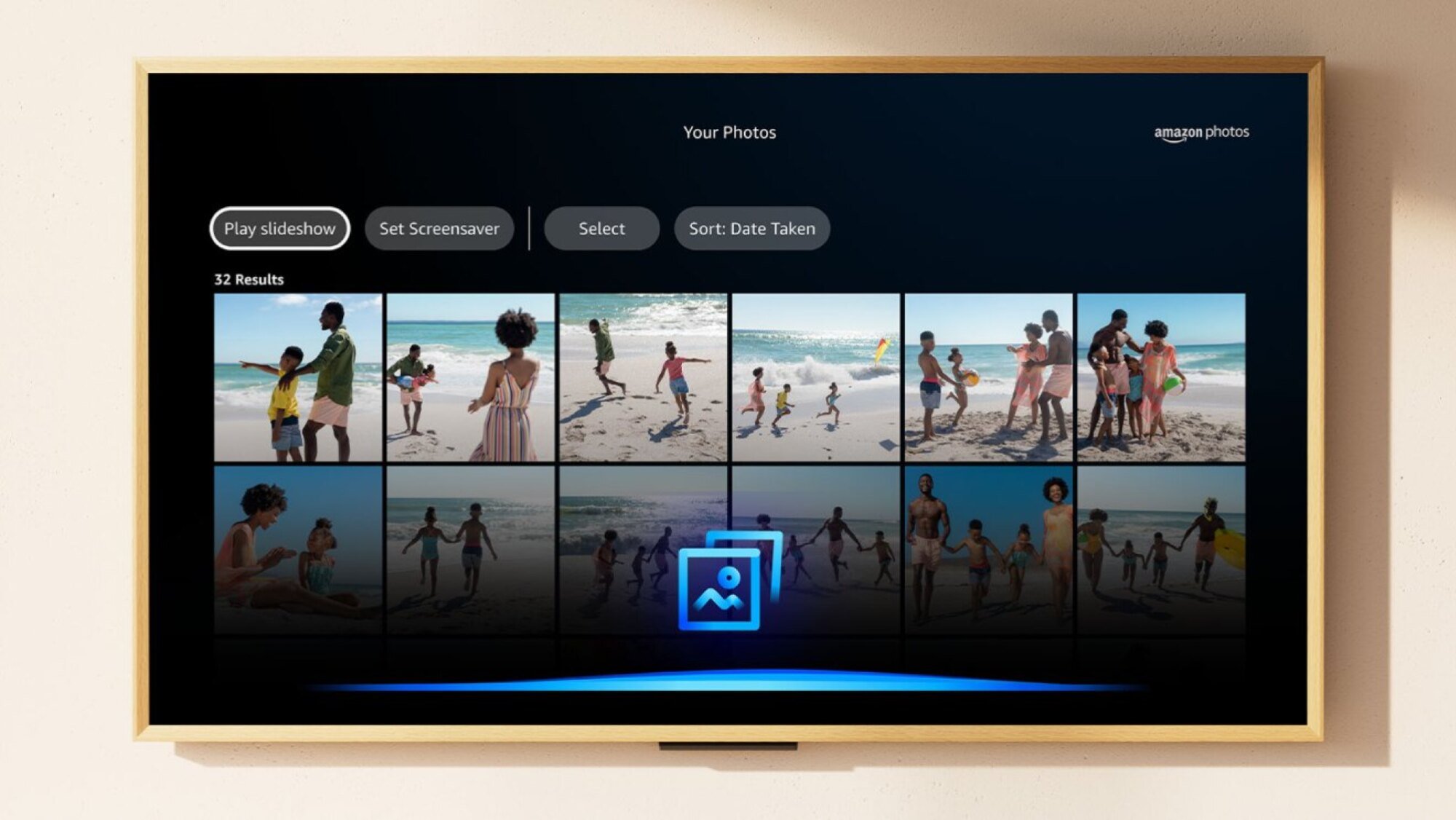
And of course, this wouldn’t be a CES 2026 product announcement without a bit of AI. Amazon is integrating Alexa+ into the FireTV OS on these sets, including an AI feature that will show art pieces on TV that match the decor and room that you’re in (after you upload four photos taken from different angles). With an Amazon Photos connection, you can also ask Alexa+ to create slideshows from specific vacations, days, or events.
The Ember Artline lineup will start shipping sometime in spring, starting in the U.S., Canada, Germany, and the U.K.
There’s also a redesigned FireTV interface
Credit: Amazon
Along with the new art TVs, Amazon also showed off a redesigned FireTV interface—and it looks quite a bit like Google TV. That’s not a bad thing from my point-of-view; one of my biggest issues with the FireTV OS is its slow and inconsistent home page. A refresh with better organization will certainly help, and visually, it looks a lot cleaner, with rounded corners, consistent typography, and much better spacing between elements.
The home screen now has tabs above to quickly switch to movies, TV show, live games, and more. You can also press and hold the Home button to open a Control Center like menu, again similar to Google TV. You will also be able to pin more apps to the home screen. Previously you were limited to six large apps. The refreshed interface has space for up to 20 apps of your choosing.
The refresh will begin rolling out next month in the U.S. to the Fire TV Stick 4K Plus, Fire TV Stick 4K Max 2nd Gen, and Fire TV Omni Mini-LED Series, and will be followed by more countries down the line. It will be available on the Ember TV series at launch.
As tech enthusiasts gather at CES 2026, a groundbreaking but brief (more on that in a quick second) showcase from Samsung Display has likely revealed the future of Apple’s most anticipated hardware: the iPhone Fold.
Samsung Galaxy Z Fold 8 Display at CES�
pic.twitter.com/rSzfoQSkdt
— Max Jambor (@MaxJmb) January 6, 2026 Early eyes-on
ElevationLab makes a battery case for your AirTag that can power it for 10 years and the accessory is on sale now for 30 percent off. Normally retailing for $23, you can pick one up for $16.
The TimeCapsule case uses two AA batteries to offer up to 14 times the lifespan of the CR2032 battery that powers an AirTag. The company based those estimates on Energizer Ultimate Lithium batteries, so your mileage may vary. Once an AirTag is seated inside the case, which is a compact 4.45 x 1.57 inches, it is sealed shut with four screws at the corners. The case is fiber-reinforced, according to Elevation Lab, and rated IP69 waterproof.
The company says it’s intended for use cases where you might place an AirTag for long periods of time, like in a vehicle, a piece of luggage or a work bag. We’ve already got a couple of Elevation Lab products on our list for best AirTag accessories, so while we haven’t reviewed the battery case, we tend to like this company’s products.
If you’re in the market for more AirTags or considering picking some up for the first time, you can still get a pack of 4 for just $65, which is only a few dollars off the lowest price we’ve seen.
This article originally appeared on Engadget at https://www.engadget.com/deals/elevationlabs-timecapsule-extended-battery-case-for-airtags-is-30-percent-off-162308689.html?src=rss
CES remains a key stage for laptop makers to lay out their plans for the year ahead. At CES 2026, that meant new flagship productivity machines, reconsidered gaming notebooks and solid incremental updates across several major lineups. While we’re still seeing embargoes lift and hands-on time on the show floor, the announcements below reflect the most significant laptops we’ve seen so far. Plus, the list will grow as more companies reveal details throughout January 6 and beyond.
Samsung Galaxy Book6 series
New Samsung Galaxy Book6 laptops offer NVIDIA RTX 50-series GPUs.
Samsung announced the Galaxy Book6 family at CES 2026, introducing three new laptops built around Intel’s Panther Lake chips: the Galaxy Book6, Book6 Pro and Book6 Ultra. The focus this year is on slimmer designs, improved thermals and longer battery life, with Samsung claiming up to 30 hours of video playback on the Book6 Ultra and Pro.
The 16-inch Galaxy Book6 Ultra sits at the top of the lineup, with configurations offering up to Intel Core Ultra X9 processors, Intel Arc graphics and NVIDIA RTX 50-series GPUs, including RTX 5070 and RTX 5060 options. Samsung says the Ultra delivers up to 1.6x better CPU performance and 1.7x improved graphics compared with the previous Galaxy Book generation, helped by a wider vapor chamber and a new dual-path fan system for GPU cooling.
Both the Book6 Ultra and Book6 Pro feature upgraded 2,880 x 1,800 AMOLED 2X displays with touch support, adaptive refresh rates up to 120Hz and peak brightness of up to 1,000 nits. The laptops are thinner than their predecessors, with the Ultra measuring 15.4mm thick and the Pro coming in at 11.9mm — and Samsung has added haptic trackpads across the series for the first time. Pricing and release dates have not yet been announced.
ASUS ROG Zephyrus Duo
On top of having two displays, the Zephyrus Duo’s screens also feature excellent brightness at up to 1,100 nits.
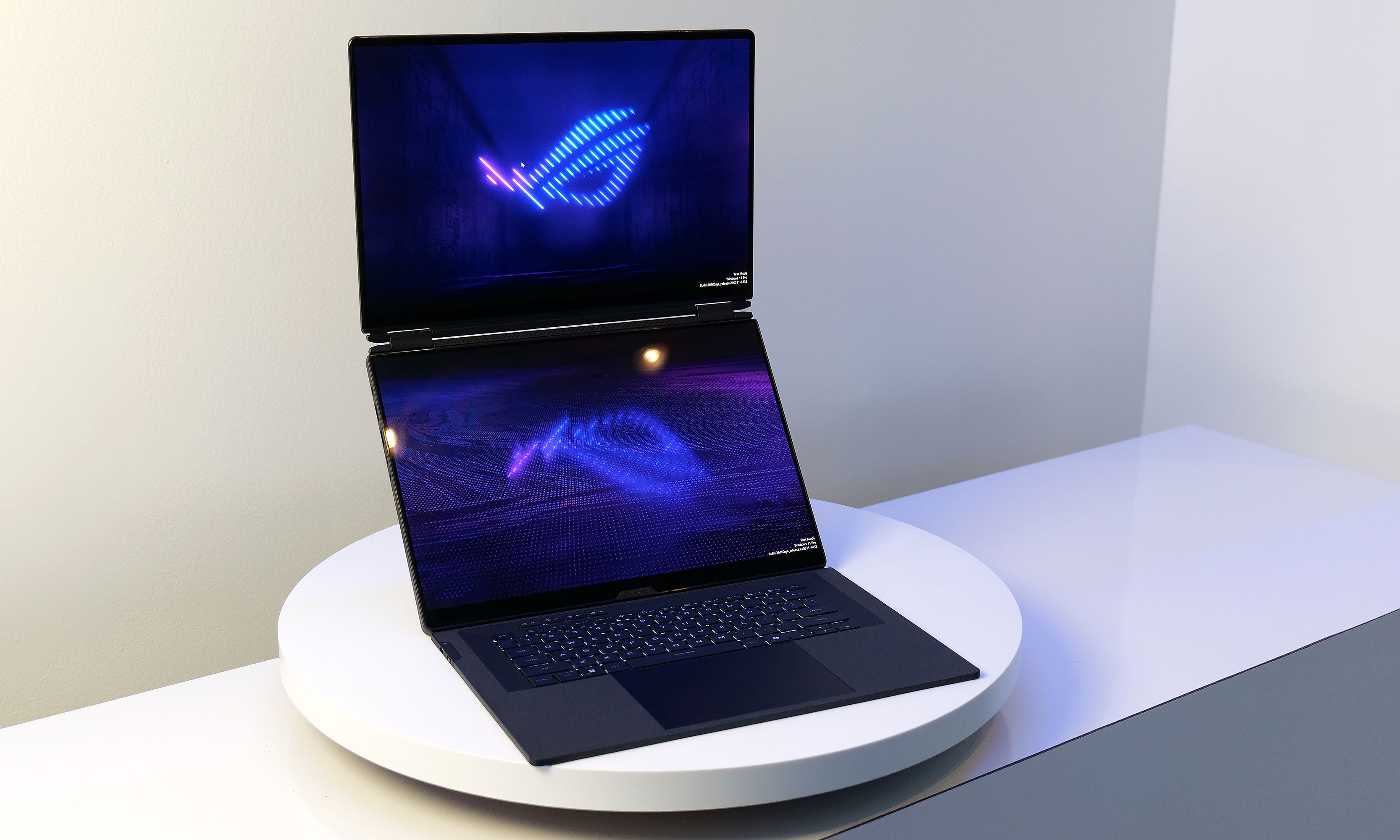
ASUS brought its dual-screen design into the gaming space at CES 2026 with the ROG Zephyrus Duo, a laptop that pairs two full-size 16-inch displays with high-end gaming hardware. Unlike productivity-focused dual-screen systems, the Zephyrus Duo is positioned as a hybrid machine designed to handle gaming, content creation and multitasking in a single portable setup.
Both 16-inch Nebula OLED panels support HDR with up to 1,100 nits of peak brightness, NVIDIA G-SYNC, stylus input and high color accuracy. Performance comes from Intel’s latest Core Ultra processors paired with NVIDIA RTX 50-series GPUs, up to an RTX 5090. While the system’s 135W power budget means it won’t match the raw performance of some single-screen gaming laptops, ASUS is clearly prioritizing versatility over maximum output.
The Zephyrus Duo includes a detachable wireless keyboard, a built-in kickstand and multiple usage modes, including stacked dual-screen layouts and drawing configurations. Despite weighing a whopping 6.28 pounds, ASUS has kept the chassis relatively slim at 0.77 inches and equipped it with a six-speaker system, vapor chamber cooling and a broad selection of ports including Thunderbolt 4, HDMI 2.1 and a full-size SD card slot. Pricing and availability have not yet been announced.
MSI Stealth 16 AI+
MSI’s most powerful gaming laptop.
MSI
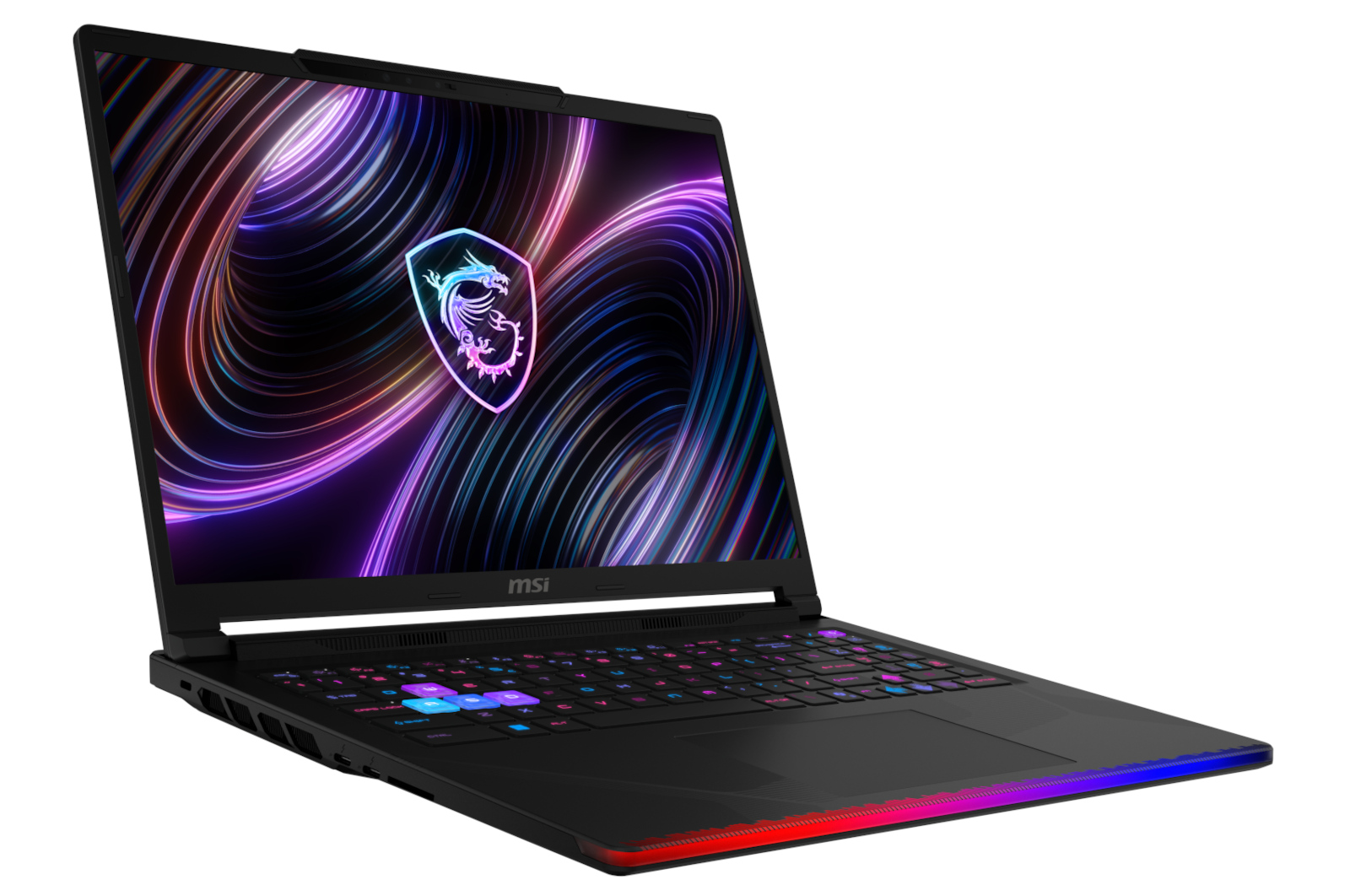
MSI updated its Stealth lineup at CES 2026 with the Stealth 16 AI+, a gaming laptop designed to balance performance and portability. The system measures just 16.6mm thick, weighs under two kilograms and is equipped with NVIDIA RTX 50-series graphics alongside Intel Core Ultra 200HX processors.
Despite its slim profile, the Stealth 16 AI+ includes dual memory slots and dual SSD bays, giving it more upgrade flexibility than many thin gaming laptops. MSI is positioning it as a versatile machine for users who want gaming performance without the bulk typically associated with high-end hardware.
MSI Crosshair 16 Max HX
The Crosshair 16 Max HX represents MSI’s more traditional gaming approach, pairing Intel Core Ultra 200HX processors with NVIDIA GeForce RTX 50-series GPUs. It sits below the company’s flagship Raider models but still targets players who want strong performance in a relatively streamlined chassis.
Buyers can opt for an optional QHD+ OLED display with a 165Hz refresh rate, adding sharper visuals and smoother motion for gaming and media. Alongside the Max HX, MSI also announced a Crosshair 16 HX variant, giving the Crosshair line a broader range of configurations aimed at mid-to-high-end gaming buyers.
HP OmniBook Ultra 14
HP claims the Omnibook Ultra 14 has passed 20 different MIL-STD 810H tests for things like extreme temperature and shock resistance.
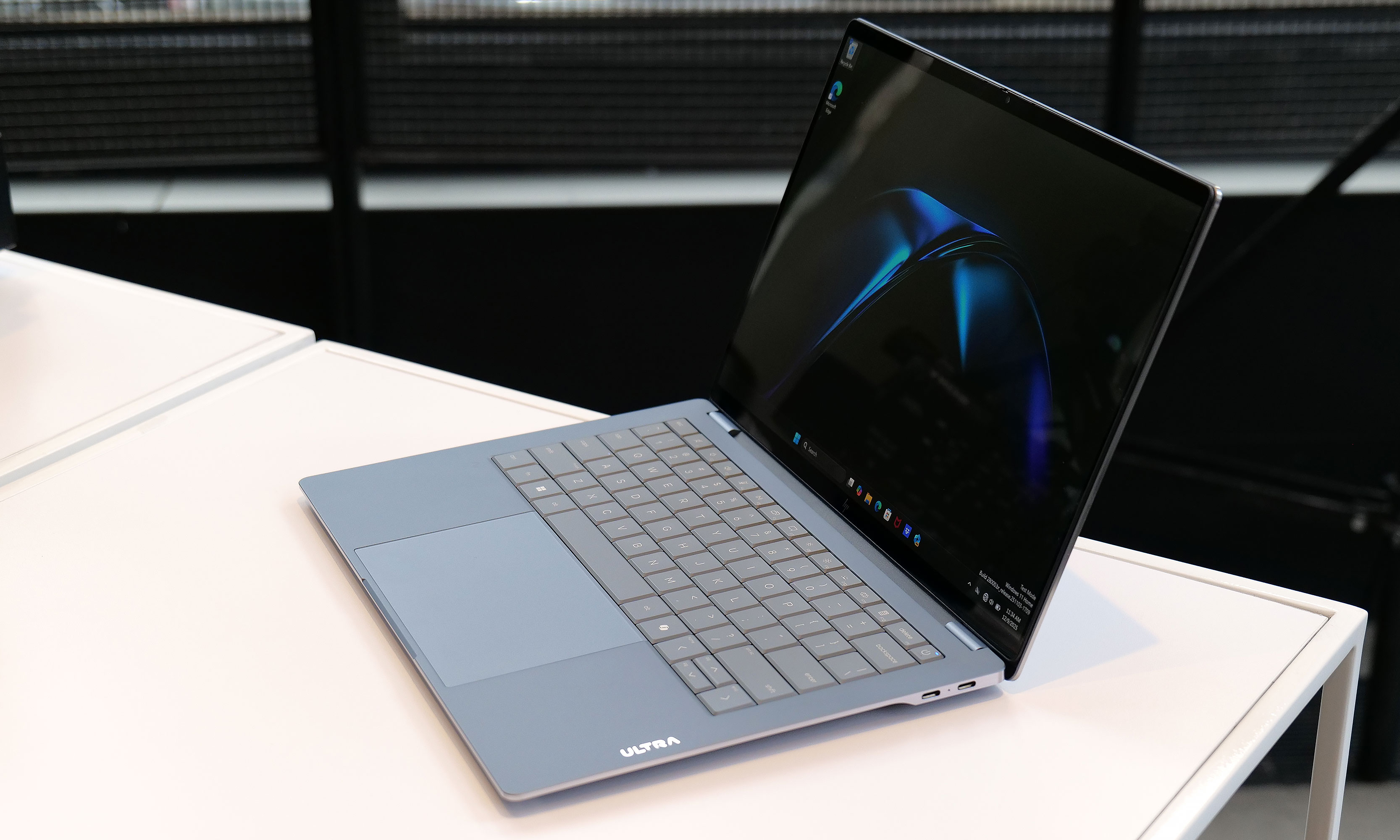
HP used CES 2026 to debut its new flagship consumer laptop, the OmniBook Ultra 14. It’s a premium ultraportable built around an ultra-thin but durability-focused design. The laptop measures just 0.42 inches thick and weighs 2.8 pounds, yet HP says it passes 20 MIL-STD-810 tests for shock, drops and extreme temperatures. Rather than a traditional unibody chassis, HP uses a forge-stamped aluminum construction designed to improve strength and bend resistance.
The OmniBook Ultra 14 features a 3K OLED display and can be configured with up to 64GB of memory and 2TB of storage. Buyers can choose between Intel Core Ultra processors or Qualcomm’s Snapdragon X2 Elite, with the Snapdragon version offering a more powerful NPU rated at up to 85 TOPS for AI workloads. HP has also added a vapor chamber for the first time in an OmniBook to support sustained performance in such a slim chassis.
HP rounds things out with a large touchpad, quad speakers and three USB-C ports supporting Thunderbolt 4, DisplayPort 2.1 and fast charging. The OmniBook Ultra 14 is expected to go on sale later this month starting at $1,550.
HP Omen Max 16
HP also refreshed its gaming lineup at CES 2026 with the Omen Max 16, which the company describes as its most powerful 16-inch gaming laptop to date. The system is built around Intel Core Ultra 200HX processors and NVIDIA RTX 50-series GPUs, with configurations reaching the high end of HP’s mobile performance offerings.
Designed for sustained gaming workloads, the Omen Max 16 features expanded thermal headroom and high-refresh-rate displays aimed at competitive players. HP is positioning the laptop as the flagship of its Omen lineup, sitting above refreshed Omen 15 and Omen 16 models that target more mainstream gaming buyers.
Pricing and availability for the Omen Max 16 have not yet been announced, with HP expected to share more details later this year.
Acer Swift 16 AI
Promo photo of the Acer Swift 16 AI laptop
Acer
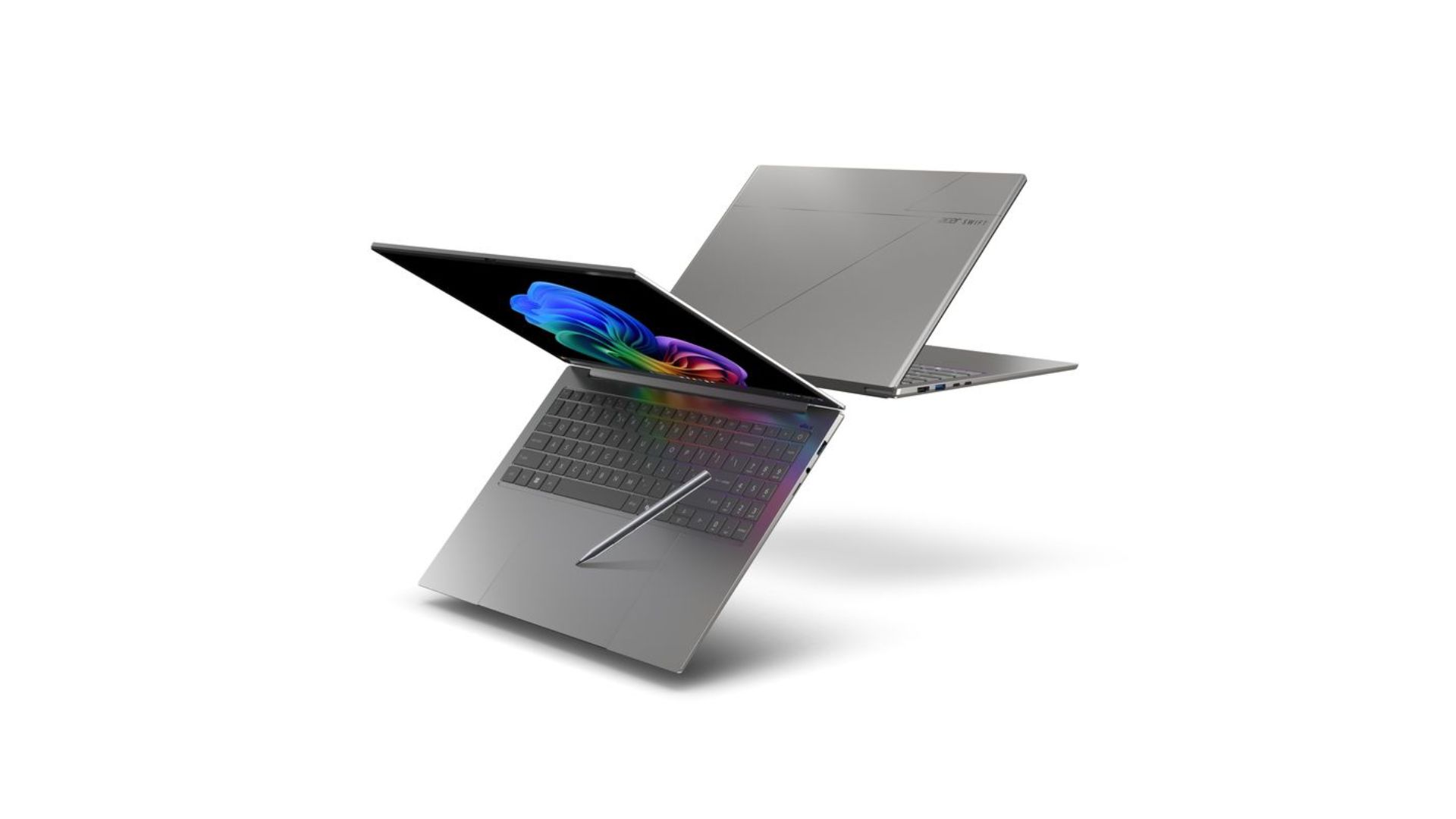
Acer expanded its flagship Swift lineup at CES 2026 with the Swift 16 AI, a large-screen ultraportable that leans heavily into input innovation and display quality. The standout feature is what Acer says is the world’s largest haptic touchpad, which supports MPP 2.5 stylus input and is designed to improve precision for creative and productivity tasks.
The Swift 16 AI features a 16-inch 3K OLED WQXGA+ touchscreen with HDR support, a 120Hz refresh rate and full DCI-P3 color coverage. It can be configured with up to an Intel Core Ultra X9 388H processor and Intel Arc B390 graphics, with up to 32GB of memory and 2TB of storage. Despite the large display, the laptop measures just 14.9mm thick and weighs about 3.4 pounds.
Acer says the Swift 16 AI is part of the Copilot+ PC program, positioning it around on-device AI features alongside performance and portability. Pricing and availability have not yet been announced.
Dell XPS 13, XPS 14 and XPS 16
Dell wouldn’t let me take photos of the XPS 13 prototype model, but here’s a teaser it provided for CES.
Dell
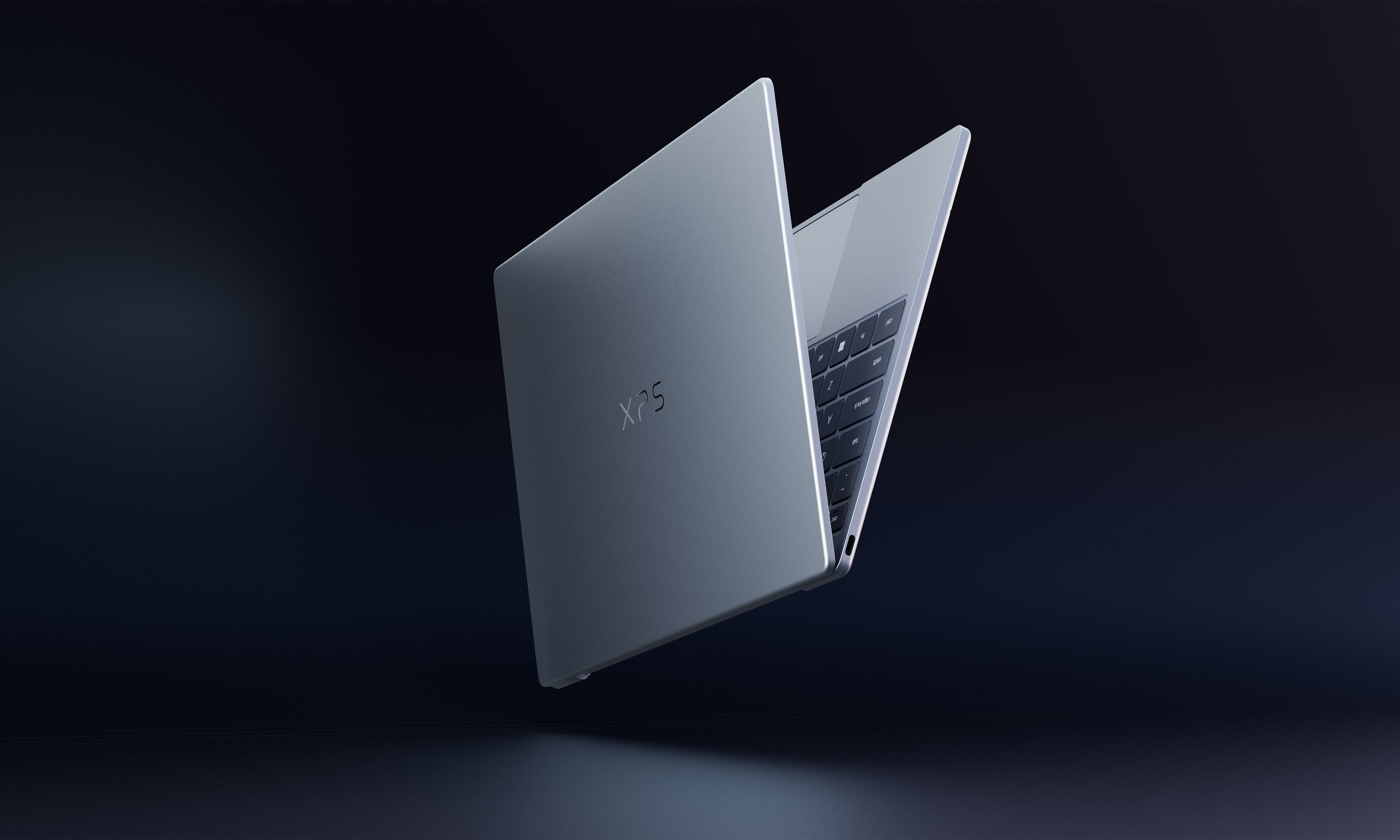
Having a bit of déjà vu? You’re not alone. Dell killed its XPS branding last year only to bring it back this year after admitting it had made a mistake. Instead of simplifying its product offering, the rebranding only bewildered consumers and tech journalists alike, both of which had come to know the XPS lineup to be synonymous with quality. Now, Dell is getting back to its roots and coming out with a whole refreshed lineup of XPS laptops, including new XPS 13, XPS 14 and XPS 16 machines. Specific details for each model still remain under wraps, and there’s no word yet on when they will hit the market.
According to Alienware, the 16-inch version will feature NVIDIA discrete graphics paired with new, highly efficient CPUs. Rather than positioning it as a pure gaming machine, Alienware says the laptop is intended to balance gaming performance with creative work, productivity and everyday use.
Alienware has not shared pricing, availability or full specifications, and it remains unclear how the 14-inch and 16-inch models will differ beyond size.
Alienware also previewed a new entry-level gaming laptop aimed at expanding its reach to more budget-conscious players. While specs remain limited, the company says the system will deliver strong gaming performance at its most accessible price point yet.
Alienware suggests pricing should come in below the $1,199 starting price of the Alienware 16 Aurora, potentially making it the most affordable gaming laptop the brand currently offers. As with the ultra-slim model, full details are expected later this year.
Alienware Area-51 and Aurora
Alongside its new teasers, Alienware announced updates to several existing laptops. The Alienware 16X Aurora and Alienware 16 Area-51 are gaining new anti-glare OLED panels with up to 620 nits of peak HDR brightness and a 0.2ms response time, as well as Intel Core Ultra 200HX processors.
The Alienware 18 Area-51 is also being refreshed with the same CPUs. Alienware says the updated Alienware 16X Aurora, Alienware 16 Area-51 and Alienware 18 Area-51 laptops will be available in Q1 2026. Pricing has not yet been announced.
This article originally appeared on Engadget at https://www.engadget.com/computing/laptops/all-the-laptops-that-caught-our-eye-at-ces-2026-160610752.html?src=rss
New York Governor Kathy Hochul has signed S4505, a law that requires websites to display warnings claiming that features like algorithmic feeds, push notifications, infinite scroll, like counts, and autoplay cause addiction — despite, as TechDirt argues, the absence of scientific consensus supporting such claims.
State Senator Andrew Gounardes sponsored the legislation. The law’s constitutional footing appears precarious. Courts have already rejected nearly identical compelled-speech schemes, most notably in the Texas pornography age-verification case that reached the Supreme Court. The Fifth Circuit, in that case, refused to uphold mandatory health warnings about pornography, ruling that such public health claims were “too contentious and controversial to receive Zauderer scrutiny” — the legal standard that sometimes permits government-mandated disclosures.
The science around social media’s purported addictiveness is even more disputed than the pornography research the Fifth Circuit rejected. Hochul’s signing statement asserts that studies link increased social media use to anxiety and depression, but researchers in the field note these studies demonstrate correlation rather than causation. Some experts have suggested the causal relationship may run in the opposite direction: teenagers struggling with mental health issues turn to social media for community and coping mechanisms. The law’s broad definitions could sweep in far more than major platforms like Facebook and TikTok. News sites, recipe apps, fitness trackers, and email clients could theoretically face enforcement if they employ the targeted features. New York’s Attorney General holds sole authority to grant exemptions.
LG just announced its fastest and brightest OLED gaming monitor yet at CES, the 27-inch UltraGear GX7. The new QHD display, which uses LG Display’s 4th-gen RGB Tandem 2.0 OLED tech, can hit 335 nits typical brightness and is DisplayHDR True Black 500 certified. At the same time, it offers an outstanding 540Hz refresh rate at QHD (720Hz at HD) and a .002ms grey-to-grey (GtG) response time. So in other words, about 5,000 times faster than the best human reflexes.
Though a gaming monitor by design, the GX7 would make an excellent content creation monitor too thanks to the true 10-bit panel that delivers 99.5 percent DCI-P3 color gamma coverage and Delta E<2 color accuracy. It’s also UL certified for anti-glare, flicker-free, low blue light, reduced blue light and reduced circadian stimulating blue light. Finally, it carries VESA’s ClearMR 21000 certification for the highest motion-clarity tier, eliminating the faint blur that can occur around fast moving objects. And as you’d expect, it’s NVIDIA G-SYNC and AMD FreeSync Premium Pro compatible.
Appearance wise, it’s what LG calls “virtually borderless” and has adjustable height, tilt, swivel and pivot controls. For connectivity, you get Dual HDMI 2.1, DisplayPort 2.1 and Thunderbolt USB-C connectivity, along with two USB 3.0 downstream ports and a 4-pole headphone jack for audio and comms.
The RGB Tandem OLED technology in the UltraGear GX7 is designed for speed and brightness and should not be confused with LG’s RGB V-Stripe OLED technology. The latter tech maxes out at 240Hz and is oriented more toward clarity of text and other display elements. The UltraGear GX7 is now available for pre-order at LG.com and anyone who orders before February 1st will receive a $299 27-inch FHD 240Hz gaming monitor for free.
This article originally appeared on Engadget at https://www.engadget.com/computing/accessories/lgs-ultragear-gx7-is-its-fastest-and-brightest-oled-gaming-monitor-to-date-160059443.html?src=rss
Ørsted is seeking a court injunction against the Trump administration’s decision to suspend its work on a major wind farm project off the US northeast coast.
In the latest salvo between the US government and the offshore wind industry, the Danish company filed a legal challenge against the suspension in the US District Court for the District of Columbia on Thursday.
In a statement, Ørsted—the world’s largest offshore wind developer that is 50 percent owned by the Danish state—and its joint venture partner Skyborn Renewables, a unit of BlackRock’s Global Infrastructure Partners, said the US government’s order to suspend the lease on its Revolution Wind project was a violation of applicable law.
Marvel Studios continues to dribble out brief teasers promoting Avengers: Doomsday, which is slated for a December 2026 release—first playing in cinemas prior to Avatar: Fire and Ashscreenings before becoming publicly available.
We reported previously on the first, which featured Steve Rogers (Chris Evans), the former Captain America. Over the holidays, a second teaser highlighting Chris Hemsworth’s Thor was released. Both are familiar faces in the MCU, but we now have a third teaser that brings in some new players. No, not Robert Downey Jr.’s Doctor Doom as rumored. Instead, we’ve got Magneto (Ian McKellen), Charles Xavier (Patrick Stewart), and Cyclops (James Marsden) from the X-Men franchise.
The film takes place 14 months after the events of this year’s Thunderbolts*. In addition to Thor, we have the new Captain America (Anthony Mackie), Bucky Barnes (Sebastian Stan), Ant-Man (Paul Rudd), Falcon (Danny Ramirez), and Loki (Tom Hiddleston). Then there’s the Wakandan contingent: Shuri as the new Black Panther (Letitia Wright), M’Baku (Winston Duke), and Namor (Tenoch Huerta Mejia).
A team of astronomers have uncovered an unusually hot 12 billion year-old gas cluster that challenges everything we thought we knew about the early growth of the universe.
Peering back to about 1.4 billion years after the Big Bang, an international group of researchers has identified a baby galaxy cluster, cataloged as SPT2349-56, that’s
It took a minute, but NVIDIA has finally answered the call to deliver a native Linux app for its GeForce NOW cloud gaming service (timely too, with recent Steam’s survey data showing Linux on the rise for gaming). Same goes for select Amazon Fire TV Stick devices, both of which can tap into the service’s GeForce RTX 5080-class pods to stream
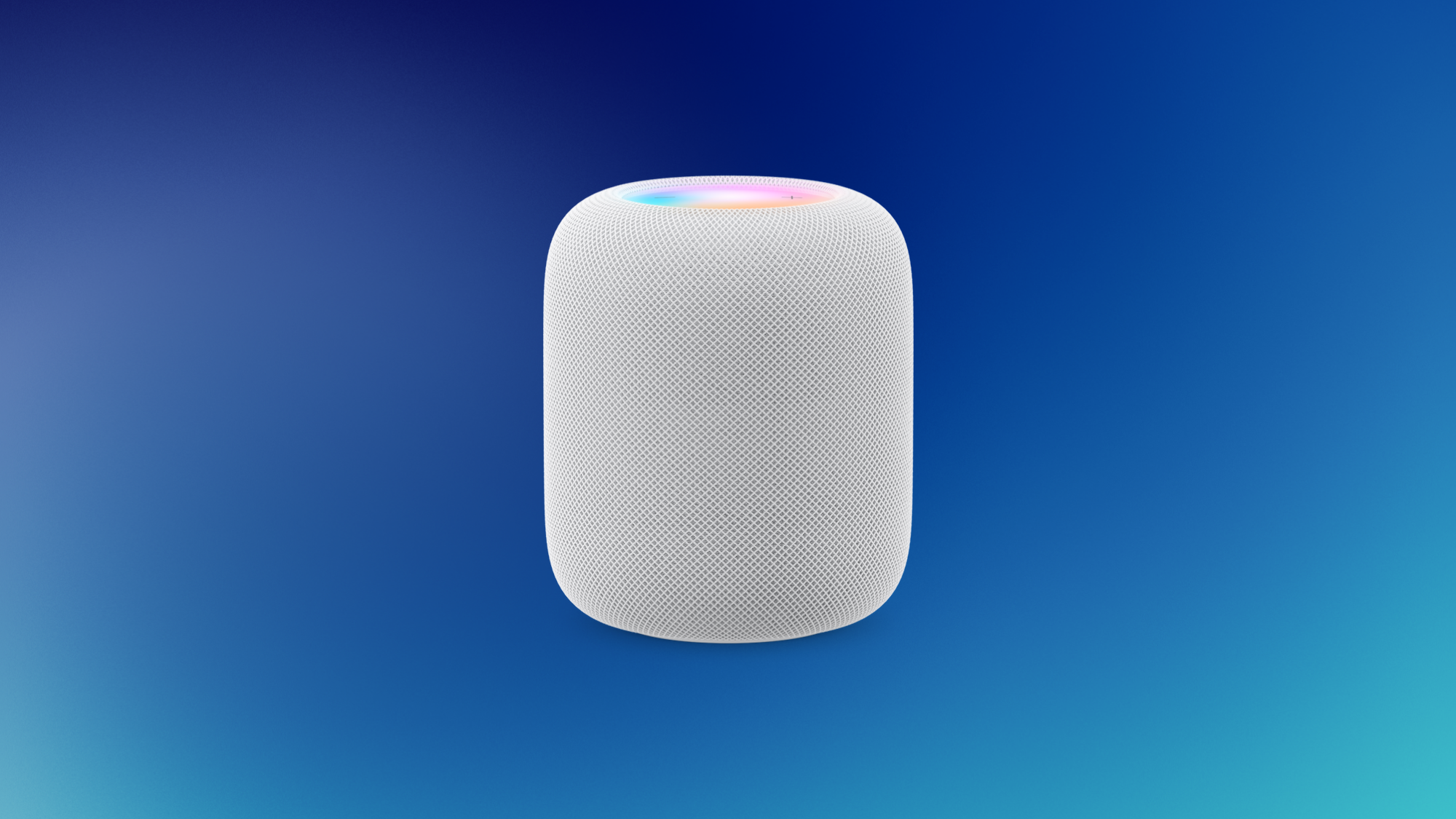
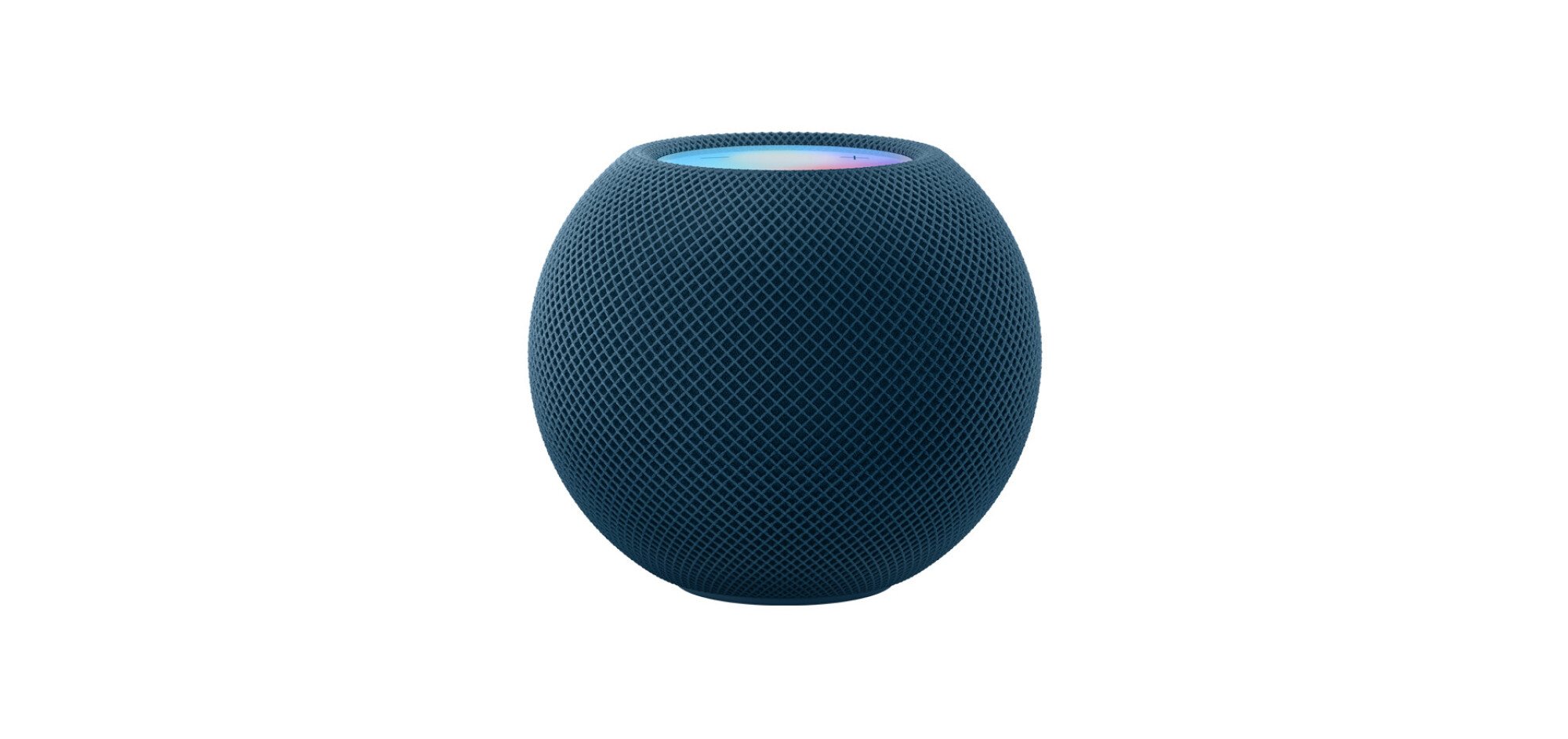
The HomePod is one of the most polarizing Apple devices I’ve ever owned. When it works, it’s awesome, but if anything goes wrong, it can be a bit of a head-scratcher to troubleshoot. That’s led to a bit of a mixed reception among Apple fans, but I’ve been buying HomePods since 2017, and know all the hacks to help make them easier or better to use. Some of these hacks are geared towards trouble-free usage, but others highlight hidden features. Let’s dive right in.
Ensure that the HomePod has a solid wifi connection
In all my experience with HomePods, I’ve observed that the product just works a lot better when it’s in a place with a strong wifi signal. For a few months, I’d kept the HomePod in a bedroom where my wifi was a bit flaky, and the speaker did not perform well at all. Since it uses either the internet or AirPlay to play sound, it needs a strong wifi signal. If your house has a single router, you may have better luck connecting your HomePod to the 2.4GHz band as opposed to the 5GHz option, which has a shorter range.
You can check which network your HomePod is connected to by going to the Home app on your iPhone, selecting your HomePod, and going to Accessory Settings. The smart speaker automatically connects to the same network that your iPhone or iPad is connected to. You can switch the wifi network on your iOS device to change the connected wifi on the HomePod.
The HomePod’s rock solid when paired with an Apple TV
Since we’re talking about increasing the reliability of your HomePod, you’ll find that pairing it with your Apple TV will make it far less flaky. This is not to say that you should go out and buy an Apple TV just to make your HomePod work better, but if you do have the streaming device, you should consider pairing it with your HomePod for the best results.
I’ve used my HomePods with my iPhone, Mac, iPad, and even my Apple Watch, and I can tell you that the experience is just not the same as when using the speaker with an Apple TV. For starters, the Apple TV can use a HomePod as a default output, which means that you don’t have to fiddle with software buttons or use Siri to operate the speaker. You just switch on your Apple TV, play anything you like, and the HomePod will just work. That may sound like a minor benefit, but it’s really not. I don’t have many good things to say about the HomePod’s software and reliability, and it’s only been 100% solid when I’ve used it with an Apple TV.
Stereo sound enhances the HomePod immensely
I don’t usually tell people to spend more money to make the most of a product, but in the case of Apple’s HomePods, two speakers are a lot better than just one. If you have the bigger HomePod, you’ll probably be fine with just one of those, but that’s not true for those of us who have opted for a HomePod mini. Using two HomePod minis in a stereo pair is a much better experience, taking what can be underwhelming audio and letting it play with the big boys. And that goes double if you followed through on that last hack. If you have an Apple TV, you’re going to be really impressed when connecting it to two HomePods in a stereo pair. It makes watching movies so much better.
Route audio from any device to your HomePod
Credit: Apple
HDMI ARC is one of the least-known features of the HomePod, but once you try it, there’s no going back. In a nutshell, it lets you use the HomePod as a speaker for your PS5, Xbox, or any other device connected to your TV. It requires a pretty specific combination of hardware to work, and even after having that in place, you may have to troubleshoot it a bit to get it working correctly. This is because there are at least four different devices made by different manufacturers involved here. Sometimes you might need to manually enable ARC, eARC, or HDMI-CEC in your TV’s settings, which usually does the trick.
This Apple Support page highlights everything you need to make this feature work, which boils down to having an Apple TV 4K (second-gen or newer), a HomePod or a HomePod mini, and a TV that supports HDMI ARC or eARC (usually, TV manufacturers label the HDMI ports to indicate support for these technologies). You’ll have to enable this feature on your Apple TV first, and once you do that, the HomePod should play sound from other devices connected to your TV. Note that you need to add the Apple TV and the HomePod to the same “room” in the Home app on your iPhone to make this feature work.
The good news is that this setup is a one-time headache, and once it’s done, it works without much trouble.
You can chain multiple HomePods together for multi-room audio
If you have more than one HomePod of the same type, you can and should try using them for multi-room audio. Three HomePods (or HomePod Minis) are good enough to cover an apartment of around 1000 sqft, and you can use them to have music playing in every room as you go about your day. If you have a Mac, you could also get the excellent SoundSource app to test how much you like multi-room audio without having to buy multiple HomePods first, too. SoundSource lets you send audio to multiple devices at once, which means that you can play the same audio file on generic Bluetooth speakers, HomePods, AirPods, and any other audio devices connected to your Mac, at the same time.
You can use this to get a feel for how multi-room audio sounds, and if you like the experience, you can use multiple HomePods to have the same experience with minimal latency.
Your HomePod is also an intercom
You can use your HomePod to send voice messages to other people in your house. For instance, you can send the following command to Siri: “Intercom, it’s time for dinner.” This will send your dinner reminder message to all HomePods in the house. Others can use Siri to reply to you as well, making it an effective alternative to sending texts.
You can access the intercom function by opening the Home app on your iPhone, holding down the HomePod icon, and selecting Accessory Settings > Intercom. It also works with Siri on your iPhone, so you can send an intercom message to a HomePod even when it’s not nearby.
The HomePod can be a smart home hub
Apple’s HomeKit smart home platform may not be as popular as its competition, but there are some good HomeKit-compatible smart home accessories out there. If you find the right products, you can use the HomePod to control your entire house. This includes lights, doors, cameras, and many other types of smart home gadgets. Of course, all of these features are heavily dependent on Siri, which means that you’ll occasionally have to repeat your commands or deal with the wrong gadget being switched on or off.
Although Siri can be frustrating to deal with, HomeKit is the best option for people who want a privacy-focused smart home platform. Apple tries its best to minimize data sent to external servers and encrypts security footage, which is different from the approach many competing platforms have chosen.
Find the right place for your HomePod
Credit: Apple
In my experience, it’s worth it to take some time to figure out the best place to put your HomePod, particularly for the best stereo output. Apple recommends placing your HomePod up to 10 inches away from a wall, but in my experience, it works best if it’s about 6-10 inches from walls. For the best stereo experience, you should place your two HomePods on either side of your TV, not more than 4 feet from each other.
If you have expensive wood furniture, be sure to check if it’s safe to place the HomePod on those surfaces. Sometimes, HomePods can leave a mark on wooden surfaces, so you can consider using a cork trivet to protect the surface.
Keep your Siri data away from Apple
If you’ve previously enabled sharing analytics data with Apple, your HomePod could be sending audio of your Siri interactions to Apple’s servers. You should review this and disable the feature if you don’t want to share this data. Open the Home app on your iPhone, hold the HomePod icon, and go to Accessory Settings. Now, go to Analytics & Improvements and disable all options on this page. On the Accessory Settings page, you can also go to Siri History and select Delete Siri History to clear out previously stored data.
Automation routines are incredibly fun to use
The HomePod also supports automation routines, and you can use these to do lots of fun things. For about a year, I’d set up my HomePod to play calming music in the mornings and some jazz at sunset. You can set these up in Apple’s Shortcuts app. Go to the Automation section, tap the + button, and select Create Home Automation. This is where you can set up your favorite automation routines. The HomePod supports executing actions when you reach or leave your home, at a specific time of the day, when accessories are connected, or when a sensor detects something (eg: motion).
In a world where you usually have to choose between ignoring your friends with noise-canceling earmuffs or annoying them with a portable boombox, a new gadget has arrived at CES 2026 to ensure you can do both with a single flick of the wrist.
The TDM Neo has officially been unveiled and it’s determined to solve a problem that exactly three
Razer today unveiled Project Motoko, a concept pair of over-ear headphones equipped with dual cameras that the gaming peripherals company believes could serve as an alternative to the smart glasses that have proliferated across the wearable AI market. The headphones feature two 4K cameras positioned on the earcups along with near and far field microphones, all powered by a Qualcomm Snapdragon chip. Users can point the cameras at objects and ask questions to AI assistants including those from OpenAI, Anthropic, xAI and Microsoft.
Basic queries run locally on the device while more complex requests require a phone or PC connection. Razer’s pitch centers on battery life: the wireless headset has achieved up to 36 hours on a charge during testing, according to the company, compared to the eight hours rated for Meta’s second-generation Ray-Ban AI glasses. The company also argues that over-ear headphones offer more privacy since audio responses aren’t audible to bystanders.
The concept remains unfinished, Bloomberg News cautioned. During a product demonstration, the headset’s dual cameras failed occasionally to recognize objects even in a moderately lit room. Razer has not committed to final pricing but indicated the headphones would command a “slight premium” over other high-end headphones and would be available later this year. The company’s most expensive current headset costs $400.
We already reported on the serious slick ROG Xreal R1 gaming glasses yesterday, but ASUS didn’t come to CES 2026 with just one big reveal. The company’s Republic of Gamers brand rolled out updated Zephyrus laptops with more GPU headroom, a bold new take on the dual-screen Zephyrus Duo, a Kojima Productions–themed Flow Z13 that looks like a
If you’ve been following smart pet tech closely over the last couple years, you might know Pawport. I saw the company’s smart pet door at the last two CES’s, and was my first introduction to this specific product category. At the time, Pawport hadn’t yet launched; now they have. But there’s one key difference between the pet door Pawport showed off at CES 2025, and the one that eventually launched late last year.
Pawport’s smart pet door
In a lot of ways, Pawport’s official pet door is the product I saw last year: Pawport is made of aluminum, and is reportedly bulletproof. (The company has a model riddled with bullet holes on display). This smart door is designed to fit over an existing pet door in your home. If you don’t have one, the company also sells an insert to install into your wall. It’s weatherproof, has deadbolts on the top and bottom for security, and connects to smart home and voice control assistants. It can even work on battery power, though you can also plug it into power.
But Pawport tells me the big change between last year’s prototype and its official launch model is the technology used in the smart tag that attached to your pet’s collar. Now, Pawport uses a type of ultra-wideband (UWB) technology to communicate between the tag and the door. That gives the user more control over things like how far your pet has to be from the door before it opens: Maybe you prefer your dog to be two feet away inside before it opens, but five feet away when outside. Pawport says UWB also gives the door more security than before. Now, the tech enables end-to-end encryption between the dog collar and the door, so, according to the company, the door can’t be hacked. It’s a bold claim, but, if true, that should give pet owners some peace of mind.
Pawport’s UWB smart tag attached to a dog collar. Credit: Lifehacker
Pawport now also gives pet owners control over whether pets can run outside in adverse weather conditions. If there’s rain or lightning, users can configure the app to lock the door from the inside, so pets can’t scurry off into an unsafe backyard. That only locks one way, as well, so if the pet is already outside when the weather lock takes effect, they can still get back inside.
In addition, the company tells me that UWB has extended the battery life of the tag this go around. While the previous prototype was rated for around six months of battery life, the new model has an advertised battery life of one year, though users could see their batteries lasting up to 15 to 18 months.
Pawport plans to eventually sell a dedicated outdoor pet door as well, but at the moment, it only sells the indoor unit. That starts at $599 for the company’s six standard colors in their medium sized unit, and $849 for one of eight “signature series” designs, which adds a polished wood look to the door. You can upgrade to a large unit for another $50, or the extra large unit for an extra $100.