The electric vehicle transition might not be moving ahead with the same gusto it showed in the early 2020s, but it’s still happening. According to Deloitte’s 2026 Global Automotive Consumer Study, 7 percent of US car buyers want an electric vehicle for their next car. While that might sound rather meager, it’s a 40 percent increase from 2025’s survey, which found just 5 percent of car buyers wanted an EV.
Plain old internal combustion remains Americans’ first choice, with 61 percent telling the survey that’s how their next ride will be powered. Twenty-one percent want a hybrid, up from 20 percent last year. Just 5 percent indicated a desire for a plug-in hybrid (down from 6 percent last year), with the remaining confused souls either unsure of what to buy next (4 percent) or some other option, presumably hydrogen (1 percent).
A graph showing preference for engine type in car buyers’ next vehicle.
Credit:
Deloitte
The high demand for internal combustion engines makes the US an outlier among large car-buying markets. Fewer than half of German car buyers want another gas-powered vehicle, and that number falls to just 41 percent in China, Japan, and South Korea. But those consumers aren’t all fleeing internal combustion for battery EVs. Well, they mostly are in China, where EV demand is now 20 percent. But in Japan, only 5 percent of consumers want a battery EV, versus 37 percent indicating their next car would be a hybrid.
Plenty of people have been asking for a MacBook with a touchscreen display, and now that is possible with the Intricuit Magic Screen, according to an announcement at CES 2026. It’s a snap-on accessory that attaches to your MacBook’s display, and uses one of the USB-C ports on the laptop for power. Once connected, you can touch the Magic Screen and your input will be registered on the Mac.
The good news is that this product ships with a stylus, which will make it a lot easier to interact with different Mac apps. When you tap something on your iPhone or iPad, the UI takes into account the fact that your fingers are a lot thicker than a mouse pointer. On the Mac, the default input is the mouse cursor, so the Magic Screen’s stylus is better suited to those interactions than using your fingers. Having said that, you can use your fingers with this touchscreen accessory too.
Keep in mind that using a snap-on touchscreen accessory has a few caveats. The first is that you can’t quickly close your MacBook’s lid when the Magic Screen is attached. The company has added a thick piece of plastic to the base of the accessory. This part rests just above your MacBook’s keyboard and it’ll stop you from accidentally closing your laptop’s lid with the Magic Screen attached. This ensures that you won’t accidentally damage your laptop’d display by slamming the lid shut when the accessory is attached.
It also means that you’ll always have to unplug the Magic Screen when you’re not using the Mac, which can be a bit annoying. Intricuit says it also works in pen tablet mode, so you can place the Magic Screen on your desk and use your stylus to draw something or to control the Mac. This accessory’s battery will last up to 100 hours on a single charge, the company claims.
Intricuit announced this product at CES 2026 and said the Magic Screen will be on Kickstarter soon at a launch price of $139. The company says it expects to start shipping the product in the first quarter of 2026. It currently supports the 16-inch M-series MacBook Pro, 14-inch M-series MacBook Pro, 15-inch M-series MacBook Air, and 13-inch M-series MacBook Air models. You’ll just need to choose the correct variant for your laptop while placing the order.
The domestic cleaning battle between homeowner and multi-story house has finally reached a ceasefire, thanks to a vacuum cleaner that refuses to be grounded by physics or floor plans. All it took was a set of robotic legs with wheels.
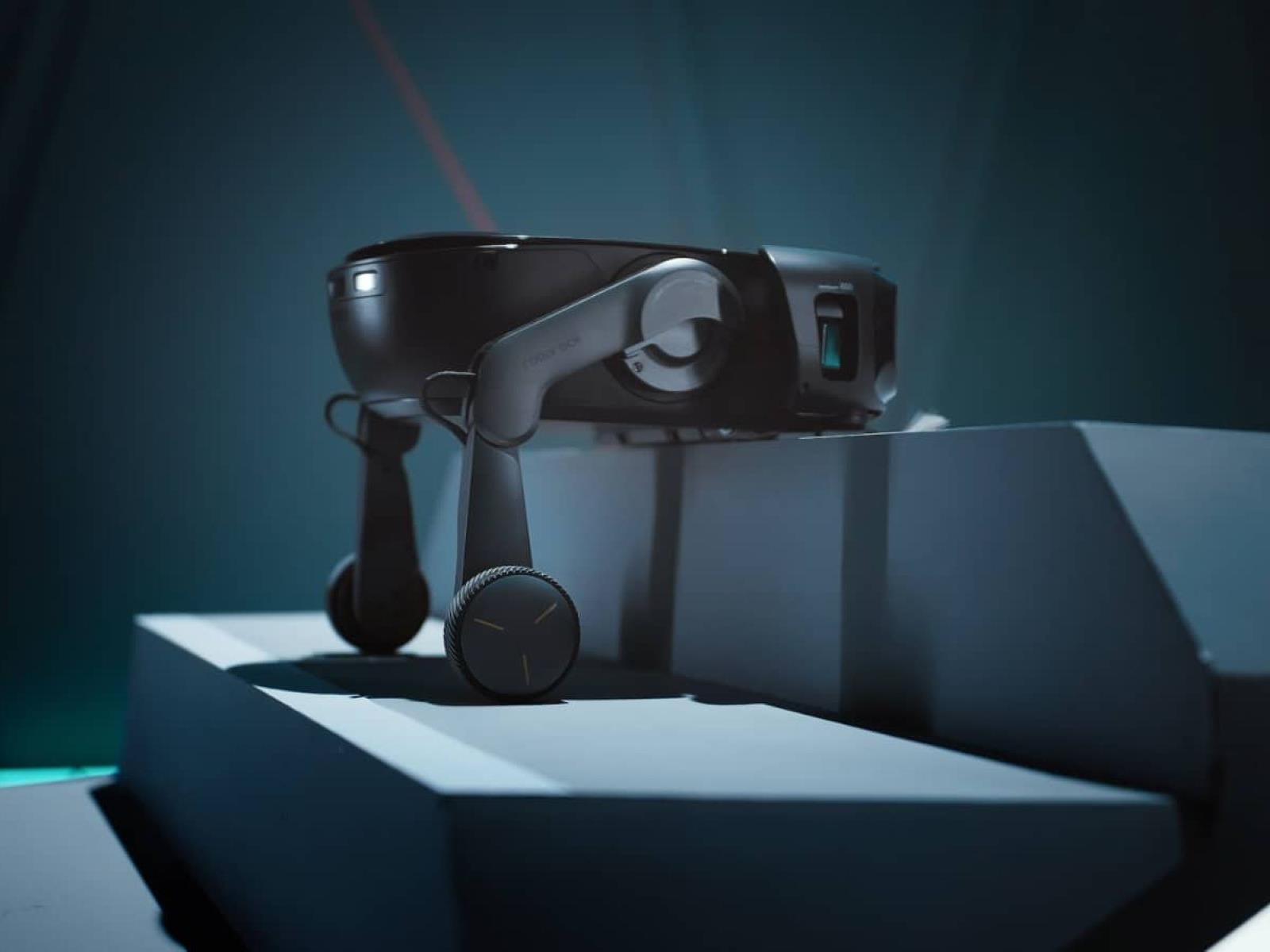
At the 2026 Consumer Electronics Show, Roborock unveiled the Saros Rover, a two-legged robotic vacuum.
WhatsApp just rolled out some upgrades to group chats. Perhaps the most interesting is the addition of member tags, which lets users give themselves a tag that’s customized for a specific group.
Meta gives examples of a user assigning themself the role of a dad in one chat and a soccer goalkeeper in another. This could actually be pretty useful to people who use WhatsApp group chats to role play as characters, organize fantasy sports leagues and other stuff like that.
The platform is also rolling out text stickers to group chats. This lets users turn just about any word into a sticker via an integrated search engine. Folks can gather their most-used stickers together for easy access.
Finally, there are event reminders. This is fairly self-explanatory. The tool lets people create early reminders for upcoming events. Meta says that “this helps everyone remember to commute to the party you’re hosting or hop on the call at the right time.”
This article originally appeared on Engadget at https://www.engadget.com/apps/whatsapp-upgrades-group-chats-with-member-tags-and-text-stickers-161420141.html?src=rss
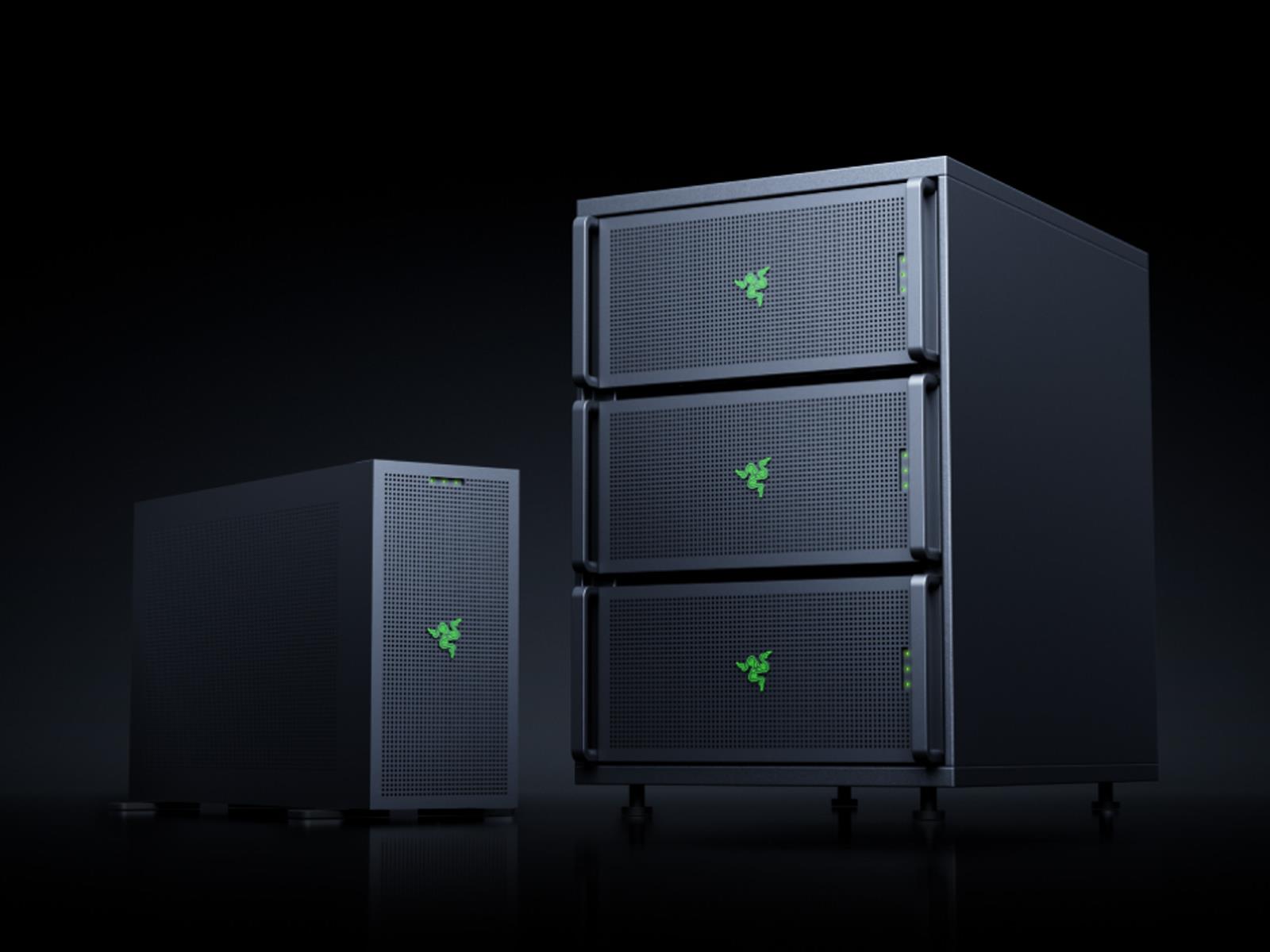
If you had Razer entering the AI workstation market on your 2026 Bingo card, then you’re off to a stellar start. Razer, best known for its gaming peripherals, announced the Forge AI Dev Workstation at CES, and it packs some serious horsepower to achieve the “next AI breakthrough,” or so goes part the marketing pitch. Razer backs up its claim
Anyone paying attention to battery research sees sulfur come up frequently. That’s mostly because sulfur is a great storage material for lithium, and it could lead to lithium batteries with impressive power densities. But sulfur can participate in a wide range of chemical reactions, which has made it difficult to prevent lithium-sulfur batteries from decaying rapidly as the sulfur forms all sorts of unwanted materials. As a result, despite decades of research, very few lithium-sulfur batteries have made it to market.
But a team of Chinese researchers has managed to turn sulfur’s complex chemistry into a strength, making it the primary electron donor in a sodium-sulfur battery that also relies on chlorine for its chemistry. The result, at least in the lab, is an impressive energy per weight with extremely inexpensive materials.
Sulfur chemistry
Sulfur sits immediately below oxygen on the periodic table, so you might think its chemistry would look similar. But that’s not the case. Like oxygen, it can participate in covalent bonding in biological chemistry, including in two essential amino acids. Also, like oxygen, it can accept electrons from metals, as seen in some atomically thin materials that have been studied. But it’s also willing to give electrons up, forming chemical compounds with things like chlorine and oxygen.
A group of 773,000-year-old hominin fossils from Morocco may shed new light on when our species branched off from the ancestors of Neanderthals and Denisovans.
A team of anthropologists recently examined a collection of fossil hominin jawbones, teeth, and vertebrae that belong to hominins who probably lived very close in time to our species’ last common ancestor with Neanderthals and Denisovans. They reveal a little more about a murky but important moment in our evolutionary history.
From predators’ quarry to rock quarry
Archaeologists unearthed the 773,000-year-old bones just southwest of Casablanca in a cave aptly named Grotte à Hominidés. They’re just fragments of what used to be hominins: an adult’s lower jawbone, plus the partial lower jaw from another adult and a very young child, along with a handful of teeth and vertebrae. A hominin femur from the same layer of sediment in the cave has clear gnaw marks from sharp carnivore teeth, offering a chilling clue about how the bones got there.
We may earn a commission from links on this page. Deal pricing and availability subject to change after time of publication.
The Google Nest Wifi Pro is currently $99.99 on Amazon, which is half off its usual $199.99 price, and according to price trackers, the lowest it’s ever been. At this price, it’s a solid entry point for anyone looking to upgrade to Wi-Fi 6E without diving into full-blown mesh systems or complicated installs. The router itself is designed to be discreet—no antennas, no buttons, just a small LED that quietly tells you if things are working. Setup happens through the Google Home app and takes only a few minutes.
Performance holds up well for everyday use. It supports tri-band wifi, including 2.4GHz, 5GHz, and the newer 6GHz band, though you can’t manually select which one your device connects to. There’s no separate network name for the 6GHz band; the router decides automatically using band steering. This isn’t ideal for people who want direct control, especially if you’re hoping to get the most out of newer Wi-Fi 6E devices. Still, it uses modern features to keep speeds consistent. MU-MIMO (Multi-User, Multiple-Input, Multiple-Output) allows it to communicate with several devices at once, instead of cycling through them one at a time. OFDMA (Orthogonal Frequency-Division Multiple Access) improves efficiency by letting the router serve multiple users with different bandwidth needs at the same time. And 160MHz channel support means it can transmit more data in a shorter amount of time, which is great for streaming, gaming, or transferring large files.
It also supports Matter and Thread, which makes it a good match for newer smart home setups. That said, it’s worth noting that there are no USB ports, and Ethernet is capped at 1Gbps, so no multi-gig options here. You also can’t prioritize devices or set age-based filters as you can on some competing mesh systems, notes this PCMag review. Google does include basic parental controls (SafeSearch filtering and scheduled access), a guest network, and notification options, but it lacks any real security software like malware blocking. Power users will probably feel boxed in by the lack of advanced customization. But for most people, especially those already using Google’s ecosystem, it’s an easy, unobtrusive way to get faster, more reliable internet in their space.
Dell’s CES 2026 product briefing, PC Gamer writes, stood out from the relentless AI-focused presentations that have dominated tech events for years, as the company explicitly chose to downplay its AI messaging when announcing a refreshed XPS laptop lineup, new ultraslim and entry-level Alienware laptops, Area-51 desktop refreshes and several monitors.
“One thing you’ll notice is the message we delivered around our products was not AI-first,” Dell head of product Kevin Terwilliger said during the presentation. “A bit of a shift from a year ago where we were all about the AI PC.” The shift stems from Dell’s observation that consumers simply aren’t making purchasing decisions based on AI capabilities. “We’re very focused on delivering upon the AI capabilities of a device — in fact everything that we’re announcing has an NPU in it — but what we’ve learned over the course of this year, especially from a consumer perspective, is they’re not buying based on AI,” Terwilliger said. “In fact I think AI probably confuses them more than it helps them understand a specific outcome.”
Eye tests are an important part of life, but they aren’t always the most convenient things to work into your schedule. It’s an issue Eyebot thinks it has solved with its kiosk, which shrinks the time taken from 20 minutes to closer to three minutes. Plus, you don’t need to book an appointment where an optician will lean too close in to your face while trial and error-ing corrective lenses. As mundane as a subject as a visit to the eye doctor is, this device could have some fairly massive ramifications. And, having tested it, I can certainly see the benefits.
Eyebot CEO Matthias Hofmann said that, despite the popularity of online glasses retailers like Warby Parker, 85 percent of Americans prefer to buy glasses in person. But accessibility is a big issue, especially in areas where there aren’t enough eye doctors to efficiently process tests. Hofmann added that this issue is far worse in rural areas, where people may need to drive for an hour or more to see an eye doctor, and then wait two weeks for their prescription to be filed. It’s these two maladies that Eyebot’s kiosk is meant to address, allowing people to walk up and complete their eye test whenever they want.
The test itself is very simple, you just walk up to the kiosk and let the big touchscreen walk you through the steps. You’ll answer some basic screening questions — this test is suitable for those aged 18 to 64 — and then complete a fairly perfunctory letter test. Once that’s done, you’ll be asked to stare at a picture of a hot air balloon (but not the picture you’re thinking of). All the while, two banks of three infrared cameras are scanning your eyes to create a 3D model of your retina and optic nerve. Once that’s done, you just need to share your email address and then wait for your prescription to be filed.
But you don’t need to worry that your eye health is being left to some algorithm making its best guess. Eyebot explained that each of its prescriptions are sent to an eye doctor working remotely who can look at the data the kiosk has generated, signing off on the prescription. Thankfully, I was able to compare this prescription with my last eye test (conducted by a professional) from the previous year, and found that Eyebot’s results matched it perfectly. It is worth noting, however, that Eyebot can’t run any medical tests; like the little puff of air blown onto your eyes to measure the pressure your eyes can withstand, which shows your risk of glaucoma. Consequently, while you can get your prescription with this process, you’ll still be advised to take regular visits to see a clinician.
Eyebot is presently operating in limited numbers in some Walmart and Sam’s Club stores in Pennsylvania, with plans to roll this out across the US in the near future. For the former, you’ll need to pay, while the latter comes as a benefit of your membership. Hofmann said that he envisages a future where there are Eyebot kiosks in shopping malls or at brick and mortar stores for online glasses retailers to grease the wheels of getting that fancy new pair of specs.
This article originally appeared on Engadget at https://www.engadget.com/general/eyebot-promises-an-accurate-eye-test-in-a-couple-of-minutes-160000668.html?src=rss
Garmin fitness watches are such powerful tools that you can use one for months or years without discovering some of their best hidden features. Here are 10 hacks that every Garmin user should know, from the setup steps you may have skipped, to lesser-known features you’ll wish you knew about earlier.
These hacks apply to watches like the Garmin Forerunner line (like the 570 and 265, to name two of my favorites). Other Garmin models may vary, but most of the features I describe below will still apply. The Vivoactive 6, for example, doesn’t have as many buttons as the Forerunners, but you can still set up shortcuts for the two buttons it has.
Set up shortcuts for touchscreen lock and more
Save yourself time digging through menus (or waiting for features to trigger on their own). By going to the settings menu and selecting System and then Shortcuts (previously “Hot Keys”), you can assign features to long presses or combination button presses. For example, on my watch I hold the DOWN button to bring up music controls, and the BACK button to turn the touchscreen on or off. You can also assign shortcuts to bring up the weather or the stopwatch, to save your current location, to turn on a “night shift” mode, and more.
Download a better watch face
Garmins come with a few stock watch faces, but you can find more on the ConnectIQ store. I’m partial to the Big Easy watch face, with its simple text and configurable data. (I have mine set to display sunset time and weekly running mileage, among others.) Other popular faces include Segment 34, Quatro, and this Fenix 8 lookalike that you can install on just about any Garmin watch.
Customize your favorite activities, glances, and toolbox
When you start an activity, you’ll see a few “favorite” activities to choose from—running and cycling, for example. If you’re always scrolling past activities you don’t do and digging for the ones you actually want, just take a minute to configure this list. I always delete outdoor cycling (not a thing I do), but I make sure that strength and trail running are near the top, since I do those often.
To remove an activity from the favorites list, long press it (or long press the left middle button). You can also reorder the item in the list this way. To add a new activity, scroll to the end of the list and select “add.”
You can also customize the “glances” you see when you scroll down (or swipe up) from the watch face. If you don’t want to see your running performance or your calorie burn, you can remove them from the list. If you want the phase of the moon right up front, that’s within your power as well. Long press a glance to remove or reorder, and scroll to the bottom to add new ones.
The controls menu works the same way. This is the circular dial of apps you get by long pressing the top left button on a Forerunner. Long press an app, or long press the left middle button, to edit this list. The wallet, calculator, stopwatch, and modes like Battery Saver are nice to have here.
Use Garmin Share to sync routes and workouts with friends
If you’re running with a buddy, you can both load the same workout or route on your watch. Just go to the end of your activity list and select Garmin Share. While you’re on this screen, you can receive shared files or scroll down to select a file that you’d like to send.
I have a handy library of workouts and routes on my watch (more on why below) and I find myself sharing them often. If my husband wants to do a interval workout, I can beam him one of my favorites. You don’t need your phone to do this—it’s a watch-to-watch function you can do in a few seconds before starting your run.
Set up LiveTrack
I do a lot of solo runs, so I like to set up LiveTrack. When LiveTrack is on, my watch shares GPS data with my phone, and my phone sends that data to a private Garmin web page and shares the link with my trusted contacts. This way, my husband can see whether I’m almost done with my run (without bothering me), and if I were to get injured or need to be picked up, he’d be able to see exactly where I am.
LiveTrack does require that you run with your phone (I do anyway), and that your phone has service where you’re running. In the Garmin Connect app, you select More, then Safety & Tracking, and then LiveTrack. I like to turn on AutoStart so I don’t have to remember to start LiveTrack every time.
Turn notifications on (or off) during activities
I hate getting phone notifications on my watch, but for some people, notifications are the main reason for having a watch. And whatever preference you have for daily wear, you may feel differently during workouts. Maybe you want notifications during workouts so you don’t have to check your phone constantly, or maybe your workout time is when you don’t want to be disturbed.
Fortunately this is easy to configure. Go to settings, and then Notifications & Alerts for all your notification preferences. The in-activity settings aren’t here, though: you have to go to Focus modes, and then choose Activity, and set up the ways you’d like your watch to behave during activities. The Smart notifications setting lets you change whether notifications come through at all and whether they vibrate or make sound. You can change other activity settings here as well, like screen brightness.
Create your own workouts
You can create workouts within the Garmin Connect app, which is a little confusing at first, but very much worth learning. Once you get the hang of it, it only takes a few minutes to program a Norwegian 4×4 to work on your VO2max, or set up whatever new fartlek workout you just dreamed up this morning.
To get started, hit More in the Garmin Connect app and go to Training & Planning, Workouts, Create a Workout, then choose the activity (say, Run). From there, I usually start by tapping Add Repeat, which gives me a loop in which I can put my intervals—say, 4 minutes hard and 3 minutes easy, for a 4×4. You can set a pace or heart rate target for each, or even record an audio clip with instructions.
I especially like to create Garmin workouts for timed strength training workouts, like EMOM (“every minute on the minute”) structures. I also love it for rest timing in traditional strength training workouts: if I tell my watch I’m resting three minutes between sets of squats, it will beep and start the set when time is up.
Set up a training calendar
If you want to follow a training plan from your Garmin device, you’ll probably set up one of the built-in plans. That’s a natural thing to do, but you have more options. You can set up a third-party app like Runna to give you a training plan and sync its workouts to your Garmin calendar. You can also program workouts in yourself.
Let’s use the 4×4 I mentioned above as an example. This is an interval run I might want to do once or twice a week. After creating the workout, I can view it and tap the three-dot menu and then Add to Calendar. If I assign it to tomorrow, then when I start a run tomorrow, the watch will ask if I’d like to do the 4×4, since that’s the workout of the day. Even without a formal training plan, I find this feature handy to plan out my upcoming week.
Connect LiftTrack for better strength training
Garmin’s strength training features can be useful, but it’s not a great app for tracking your progress over time or setting up training programs with details like sets, reps, and weight. LiftTrack is a third-party app that provides a lot of the features Garmin is missing. If you want to track strength training on your phone, do yourself a favor and set this up rather than only using the Garmin app.
Download routes (even if your device doesn’t have mapping)
Some Garmin watches (the more expensive ones) have full-color maps built in, but even the more barebones models still have the ability to follow a route and navigate you back home. This is a more useful feature than you might think, especially if you enjoy running trails or want to plan out specific distances.
To start, you’ll need a GPX file. You can make one in Garmin Connect by going to Training & Planning, then Courses, and Create Course. Tap points on a map, and the app will tell you how many miles are in the route you’ve drawn, and how hilly it is.
You can also download GPX files from other apps like Strava or RunGo, or have a training partner send you one—either through Garmin Share, or have them send it via another method, like text, to your phone (just open the file in the Garmin Connect app, and sync to your watch from there).
This way, you’ll be able to follow the route from your watch. It will tell you how many miles are left, and you can swipe to the elevation profile to see if you have a big hill coming up. Your watch can remind you when you have a turn coming up, and you’ll be able to see if you’ve gotten off course. With or without maps, this set of features is incredibly useful for navigating trails or new-to-you running routes.
CES 2026 isn’t the first year we’ve seen a wave of interesting robots or even useful robots crop up in Las Vegas. But it’s the first year I can remember when there have been so many humanoid and humanoid-like robots performing actually useful tasks. Of those, Switchbot’s Onero H1 has been one of the most intriguing robot helpers I’ve seen on the show floor, especially because the company says that it will actually go on sale later this year (though it won’t come cheap).
Up to now, Chinese company Switchbot has been known for its robot vacuums and smart home devices. Much of that expertise is evident in Onero. The unexpectedly cute robot has a wheeled base that looks similar to the company’s robot vacuums, but is also equipped with a set of articulated arms that can help it perform common household tasks.
I was able to see some of its abilities at Switchbot’s CES booth, where Onero dutifully picked up individual articles of clothing from a couch, rolled over to a washing machine, opened the door, placed the items inside and closed the door. The robot moved a bit slowly; it took nearly two minutes for it to grab one piece of clothing and deposit it inside the appliance which was only a few feet away.
I’m not sure if its slowness was a quirk of the poor CES Wi-Fi, a demo designed to maximize conference-goers attention or a genuine limitation of the robot. But I’m not sure it matters all that much. The whole appeal of a chore robot is that it can take care of things when you’re not around; if you come home to a load of laundry that’s done, it’s not that concerning if the robot took longer to complete the task than you would have. The laundry is done and you don’t have to do it. That’s the dream.
Under the hood, Onero is powered by RealSense cameras and other sensors that help it learn its surroundings, as well as on-device AI models.
The demo of course only offered a very limited glimpse of Onero’s potential capabilities. In a promotional video shared by Switchbot, the company suggests the robot can so much, much more: serve food and drinks, put dishes away, wash windows, fold clothes and complete a bunch of other — frankly, impressive — tasks. The Onero in the video also has an articulated hand with five fingers that gives it more dexterity than the claw-hand one I saw at CES. A Switchbot rep told me, though, that it plans to offer both versions when it does go on sale.
Which brings me to the most exciting part about watching Onero: the company is actually planning on selling it this year. A Switchbot rep confirmed to me it will be available to buy sometime in 2026, though it will likely be closer to the end of the year. The company hasn’t settled on a final price, but I was told it will be “less than $10,000.”
While we don’t know how much less, it’s safe to say Onero won’t come cheap. It also seems fair to say that this will be a very niche device compared to many of Switchbot’s other products. But, if it can competently handle everything the company claims it can, then there’s probably a lot of people and businesses that would be willing to pay.
This article originally appeared on Engadget at https://www.engadget.com/home/smart-home/switchbot-came-to-ces-with-a-laundry-robot-you-might-actually-be-able-to-buy-153000025.html?src=rss
Almost coming out of left field, Motorola took the stage at CES this week to unveil a surprise expansion of its mobile lineup, headlined by its first-ever book-style foldable, the Motorola Razr Fold.
The Razr Fold is quite the big deal, especially coming from a brand that has spent years focusing solely on vertical flip foldables. Moving
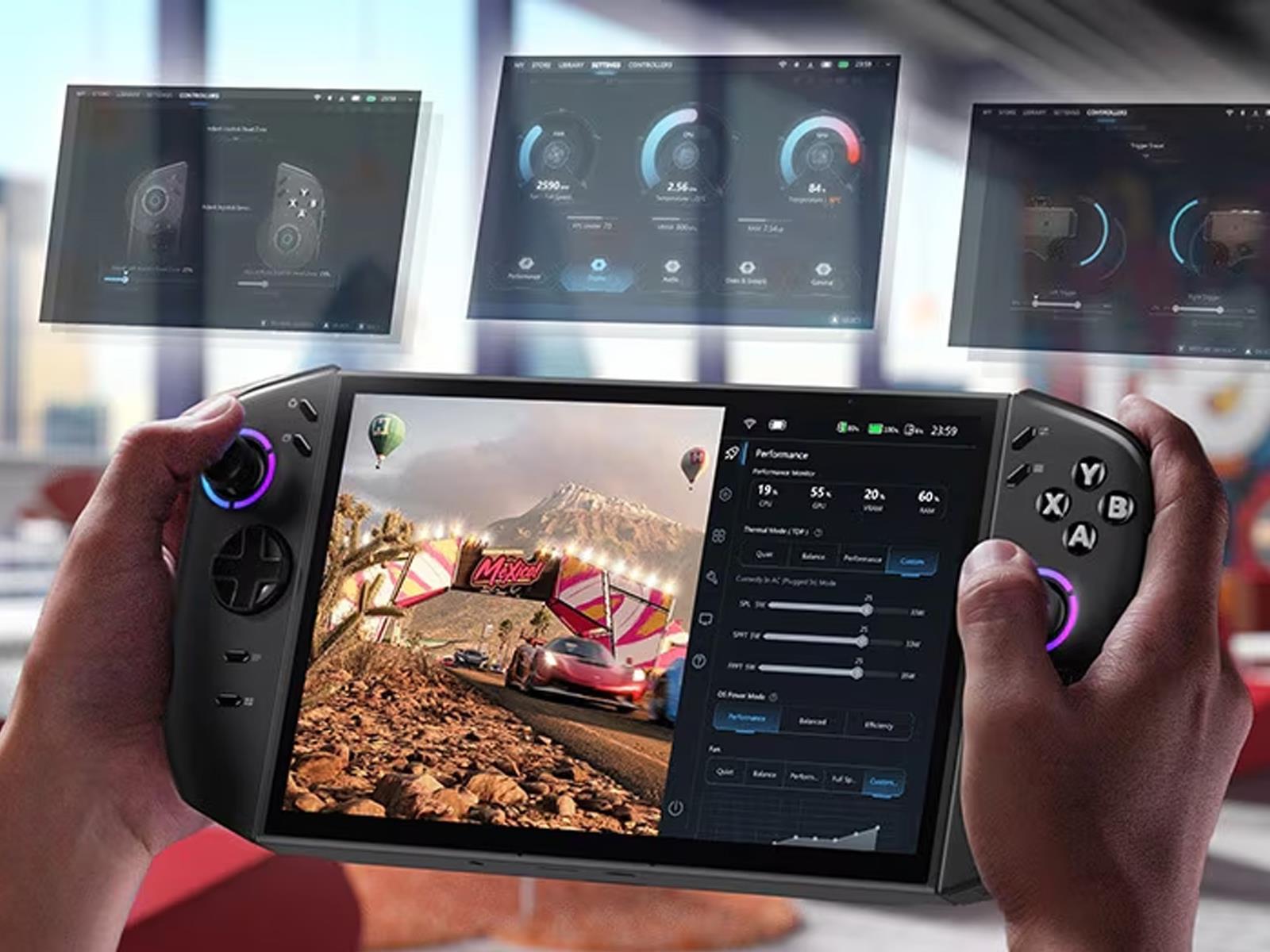
Gamers clamoring for a more powerful version of Lenovo’s Legion Go handheld with SteamOS instead of Windows will get their wish in a few months. At CES, Lenovo announced it’s planning to release a SteamOS edition of its second-generation Legion Go, which will ship with the same core hardware as its existing Windows variant.
Microsoft’s OneDrive cloud storage service has drawn renewed criticism for a particularly frustrating behavior pattern that can leave users without access to their local files after the service automatically activates during Windows updates.
Author Jason Pargin recently outlined the problem: Windows updates can enable OneDrive backup without any plain-language warning or opt-out option, and the service then quietly begins uploading the contents of a user’s computer to Microsoft’s servers. The trouble begins when users attempt to disable OneDrive Backup. According to Pargin, turning off the feature can result in local files being deleted, leaving behind only a desktop icon labeled “Where are my files?”
Users can redownload their files from Microsoft’s servers, but attempting to then delete Microsoft’s copies triggers another deletion of the local files. The only workaround requires users to hunt down YouTube tutorials that walk through the steps, as the relevant options are buried in menus and none clearly describe their function in plain English. Pargin compared the experience to a ransomware attack.
I arrive 10 minutes ahead of schedule from an early morning Eurostar and see Yann LeCun is already waiting for me, nestled between two plastic Christmas trees in the nearly empty winter garden of Michelin-starred restaurant Pavyllon.
The restaurant is next to Paris’s Grand Palais, where President Emmanuel Macron kick-started 2025 by hosting an international AI summit, a glitzy showcase packed with French exceptionalism and international tech luminaries including LeCun, who is considered one of the “godfathers” of modern AI.
LeCun gets up to hug me in greeting, wearing his signature black Ray-Ban Wayfarer glasses. He looks well rested for a man who has spent nearly a week running around town plotting world domination. Or, more precisely, “total world assistance” or “intelligent amplification, if you want.” Domination “sounds scary with AI,” he acknowledges.
Throne has rocked up to CES 2026 to show off its forthcoming toilet computer which uses computer vision to study your poop. It hangs from the side of the bowl and has a camera and microphone to track bowel motions and urination and offer feedback. It was co-founded by (activity tracker) Whoop co-founder John Capodilupo, who explained the hardware is designed to understand what your base state is to be able to identify when you fall out of that pattern.
Capodilupo explained the hardware will look at how often you go, the texture and size of your motions, as well as the volume. The eventual aim is to be able to analyze your gut health, adding that as a GLP-1 user, that sort of data is vital to manage the symptoms of those drugs. The battery lasts for a month on a single charge but you won’t be forced to drag it out of the bathroom to re-juice it. The device ships with a 13 foot long USB-C power cable which should stretch long enough from your nearest outlet to the toilet.
At this point, we can’t talk to its efficacy but will certainly be looking to test this thing when it arrives at some point in February. Pre-orders are open, and it can currently be picked up for $340, plus a $6 per month membership.
This article originally appeared on Engadget at https://www.engadget.com/home/smart-home/throne-from-the-co-founder-of-whoop-uses-computer-vision-to-study-your-poop-150000606.html?src=rss
We may earn a commission from links on this page. Deal pricing and availability subject to change after time of publication.
Tools can be a serious investment—so if you’re looking to up your DIY game in 2026, a tool bundle is often a good solution. Because they come with batteries and chargers, they’re a great way to get everything you need to use a new tool set right away, and they can be more economical than buying each tool individually. Milwaukee tool sets are often more than $1,000, but you can get a few of these bundles for under $700 right now at Home Depot.
Why I recommend Milwaukee tools
I’ve been using Milwaukee cordless tools for over a decade on a variety of professional and personal projects, including projects around the house as well as large scale decking installations. These tools tend to be reliable and the batteries routinely last more than ten years, even working on outdoor projects, exposed to rain and dirt. Durability is a big consideration when I buy tools; the longer they last, the more economical they are. Because all of the current tools are backwards-compatible with all of the 18-volt batteries I have, it’s easy to add tools to my set as new ones come out that I want to try, and as my needs expand.
Milwaukee tool bundles on sale
The Milwaukee 18-volt, nine-tool combo kit is on sale for $649, 46% off its regular price. It comes with a drill, a ¼-inch impact driver, a ½-inch impact wrench, a 6 ½-inch circular saw, a one-hand reciprocating saw, an angle grinder, an oscillating multitool, a mini blower, a work light, two 5-amp-hour batteries, a charger, and tool bag. This is a good set for larger projects, and it has many of the tools included that I used for building a large outdoor deck. Two larger capacity batteries is a good place to start, although if you plan on using multiple saw simultaneously, you’ll need to add another battery or two to keep a fresh battery ready on the charger.
The Milwaukee 18-volt five-tool combo kit is on sale for $299, 50% off its regular price. This set includes a drill, a ¼-inch impact driver, a 6 ½-inch circular saw, a one-hand reciprocating saw, a work light, a five-amp-hour battery, a 1.5-amp-hour battery, a charger, and a tool bag. This set has everything you need to get started doing DIY projects, and it includes all the basic Milwaukee tools I use day-to-day for woodworking and smaller building projects like building shelves. This is a good starter set to build on, and it’s very similar to the one I began with more than a decade ago.
The Milwaukee 12-volt sub-compact drill and driver set is on sale for $199, 50% off its regular price. This set includes a 12-volt drill, an impact driver, a powered ratchet, two batteries, a charger, and a tool bag. While 12-volt batteries are often underpowered for larger projects, these smaller tools can be quite useful for projects like furniture assembly, putting up shelves, or doing appliance repair, as you often don’t need more than an hour or so of battery life to accomplish many of these tasks with your tools, and the smaller size makes them easier to fit into tight spaces.
Stranger Things has finally come to an end and left us with some big complicated feels about how it all went down. Both of us (Jennifer and Beth) are bona fide fans who have seen prior seasons multiple times, and we had remarkably similar reactions to the fifth season, especially the series finale. So we decided to co-write a review, discussing everything we liked about it as well as kvetching about the things we definitely didn’t like—a shared “airing of grievances.”
(WARNING: Many, many spoilers below in the interest of a thorough analysis.)
Season 4 ended with Vecna (Jamie Campbell Bower) opening the fourth gate that allowed the Upside Down to leak into Hawkins. We got an 18-month time jump for S5, Vol. 1, but in a way, we came full circle, since those events coincided with the third anniversary of Will’s (Noah Schnapp) original disappearance in S1.
CES 2026’s first official show day kept the pace up with a mix of near-term gaming upgrades, ambitious new form factors and a few reminders that not every gadget needs to do everything. NVIDIA announced important gaming news, we caught up with Samsung’s tri-fold phone and Lenovo marched out an army of impressive looking gaming laptops and concept tech. Here are the biggest stories from January 6.
NVIDIA
NVIDIA’s G-Sync Pulsar is the next evolution of its VRR technology.
NVIDIA
NVIDIA’s gaming updates focused on making motion look cleaner and boosting performance without forcing developers to rebuild everything from scratch.
The company introduced G-Sync Pulsar, a new display tech designed to reduce monitor-based motion blur by pulsing a screen’s backlight in sections rather than leaving it on continuously. NVIDIA says the approach gives pixels time to stabilize before they’re illuminated, which should make fast movement easier to track, particularly in esports.
The first Pulsar monitors are expected to come out starting January 7 from Acer, AOC, ASUS and MSI, all which are 27-inch 1440p IPS panels with a 360Hz refresh rate and up to 500 nits peak HDR brightness. Pulsar models also support Ambient Adaptive Technology for automatic color temperature and brightness adjustment based on room lighting.
On the software side, NVIDIA announced DLSS 4.5, which adds a second-generation Transformer-based Super Resolution model the company says improves temporal stability, reduces ghosting and improves anti-aliasing. DLSS 4.5 also introduces Dynamic Multi Frame Generation, intended to push performance toward your display’s refresh rate, with NVIDIA positioning it around high-end targets like 4K 240Hz path tracing. The 2nd Gen Super Resolution Transformer model is available now for RTX GPUs, while Dynamic 6x Frame Generation is expected in spring 2026 for RTX 50-series cards, with support rolling out across hundreds of games via the NVIDIA app.
Samsung
The Galaxy Z TriFold is the latest evolution in Samsung’s growing lineup of fancy foldable phones.
Sam Rutherford for Engadget
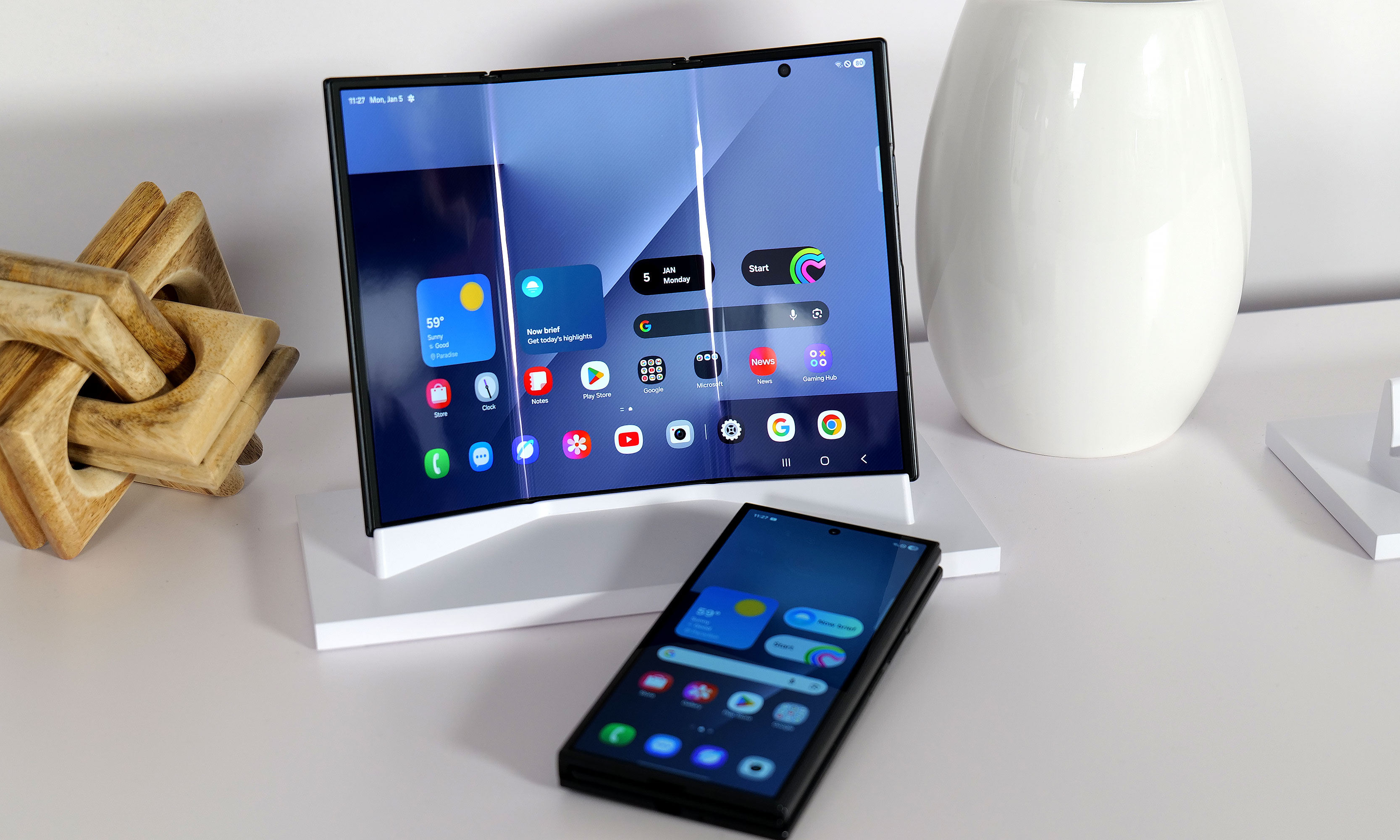
Samsung’s Galaxy Z TriFold was unveiled in Asia before the show, but this was our first opportunity to see the superphone in person. It looked, at first glance, like the kind of idea that comes with obvious compromises: more weight, more thickness and a bigger price tag. In person, the pitch becomes easier to understand.
The main draw is the 10-inch AMOLED display, which is a meaningful leap from the 8-inch inner screen on Samsung’s current book-style foldables. That extra real estate makes multitasking feel less cramped, and when paired with DeX, it starts to resemble a travel-friendly laptop alternative if you’re comfortable carrying a small keyboard and mouse. The TriFold’s 4:3 aspect ratio also helps for video and general productivity, with fewer awkward tradeoffs than the squarer inner screens Samsung has leaned on in recent generations.
Samsung appears to have put real effort into the mechanics, too. The device uses two hinges and a magnet system designed to make opening and closing feel intuitive, with built-in warnings if you try to unfold it the wrong way. The obvious downsides are still there, including the bulk and cost, and it’s not clear how much thinner future versions can get when the USB-C port is effectively the limiting factor. For now, the TriFold is on sale in South Korea, with US and broader North American availability and pricing still pending.
Lenovo
While it normally has a 16-inch display, the Lenovo Legion Pro Rollable concept’s screen can expand up to 23.8 inches across.
Sam Rutherford for Engadget
Lenovo arrived with a stack of concepts and a few more concrete products, making it clear that the company is still treating CES as its main playground for experimental form factors.
The most striking concept was the Legion Pro Rollable, a gaming laptop built around a flexible OLED panel that expands sideways from a standard 16-inch footprint to 21.5 inches or 23.8 inches, shifting aspect ratios from 16:10 to 21:9 or even 24:9. It’s the kind of idea that makes immediate sense for flight sims, racing games and open-world titles that benefit from ultrawide views, even if the mechanics felt a bit prototype-like up close.
Lenovo also showed the XD Rollable concept, which takes a more familiar rollable approach, expanding a 13.3-inch OLED screen to 16 inches at the push of a button. The twist is that the “extra” display wraps around the back of the lid to create a world-facing surface for mirrored content or a secondary view. It’s a clever way to avoid hiding unused panel real estate, even if the practical use cases still feel limited (maybe point-of-sale terminals?).
On the handheld front, Lenovo confirmed the Legion Go 2, which will be powered by SteamOS and will arrive in June starting at $1,199. It keeps the same core hardware, including an 8.8-inch OLED 144Hz VRR display, detachable controllers, a kickstand and two configuration tiers based on Ryzen Z2 chips. The big change is swapping SteamOS in place of Windows, which should appeal to anyone who wants a more console-like experience, even if it remains a large device at 2.2 pounds.
For laptops headed to market, Lenovo introduced the ThinkBook Plus Gen 7 Auto Twist, a notebook with a motorized display that can follow you during calls and presentations using a 10MP webcam and onboard AI. It also supports Intel Core Ultra Series 3 processors, up to 32GB RAM and 2TB storage, plus a strong port selection, and Lenovo says it starts at $1,649 with availability planned for June.
Finally, Lenovo teased an AI smart glasses concept that looks more like normal eyewear than most show-floor prototypes. Lenovo says the glasses are designed for live translation, image recognition and notification summaries, with an eight-hour battery claim. As with many Lenovo concepts, there’s no firm timeline for a retail release.
Pebble
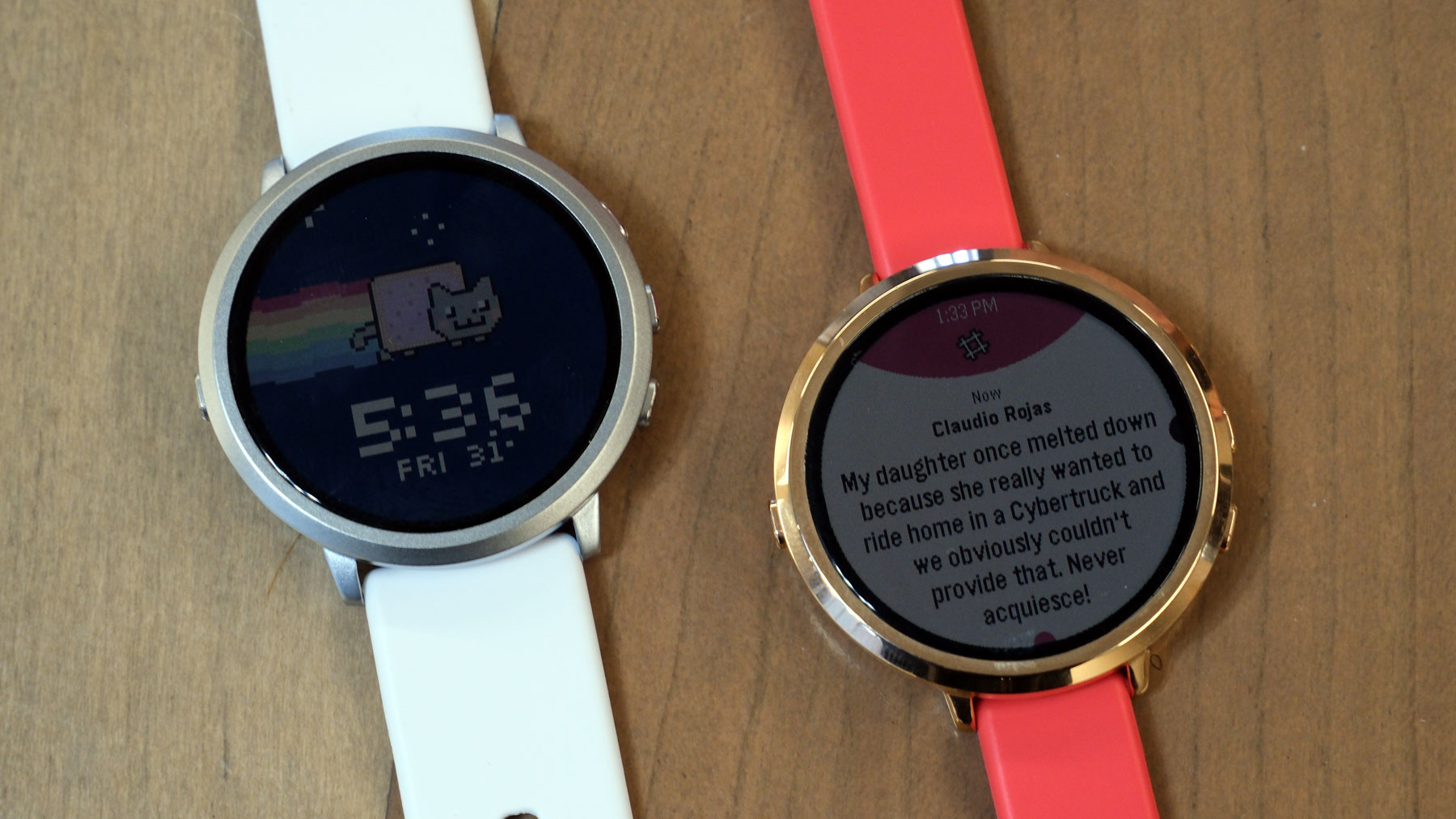
The Pebble Round 2 reboots a smartwatch classic.
Daniel Cooper for Engadget
Pebble’s presence at CES this year felt like a counterpoint to the “more features, more sensors, more subscriptions” direction of other wearables.
The Pebble Round 2 aims to revive the brand’s original appeal: a lightweight watch that supplements your phone rather than trying to replace it. The new model uses a 1.3-inch color e-paper touchscreen that runs to the edge of the case, with Pebble claiming two weeks of battery life in the 8.1mm-thick watch. It also makes deliberate tradeoffs, skipping GPS, a speaker and an optical heart rate sensor to keep the device thin and focused.
Then there’s the Pebble Index 01, a simple AI ring built around a physical button you press to activate voice commands that you can use to ask questions, set reminders and the like. The pitch is reducing friction: no wake words, no gestures you have to get right every time. Pebble says the ring is water resistant and not rechargeable, instead using a sealed battery designed to last years depending on usage, with replacement handled when the battery is nearing the end of its life. It’s available for pre-order at an early bird price of $75, with shipping planned for May.
Segway
Segway expanded its presence well beyond scooters with two very different pitches: smarter yard care and more tech-forward e-bikes.
Under its Navimow brand, Segway introduced a new lineup of robotic lawn mowers spanning multiple tiers, including the X4 Series for large yards up to 1.5 acres with AWD and dual cutting motors, plus the more mainstream i2 Series with AWD and LiDAR options. Segway says pre-orders for the i2 AWD and X4 models begin January 16, with pricing ranging from around $1,000 to $3,000 depending on configuration.
On the mobility side, Segway announced two new e-bikes, the Myon and Muxi, along with an electric dirt bike called the Xaber 300. The headline is the company’s focus on sensor-driven ride smoothing, smart features like Find My integration and app-based controls, and tech meant to make starts, hills and traction feel more predictable. The Myon is available now for $2,000, while the Muxi is expected in March for $1,700.
Meta
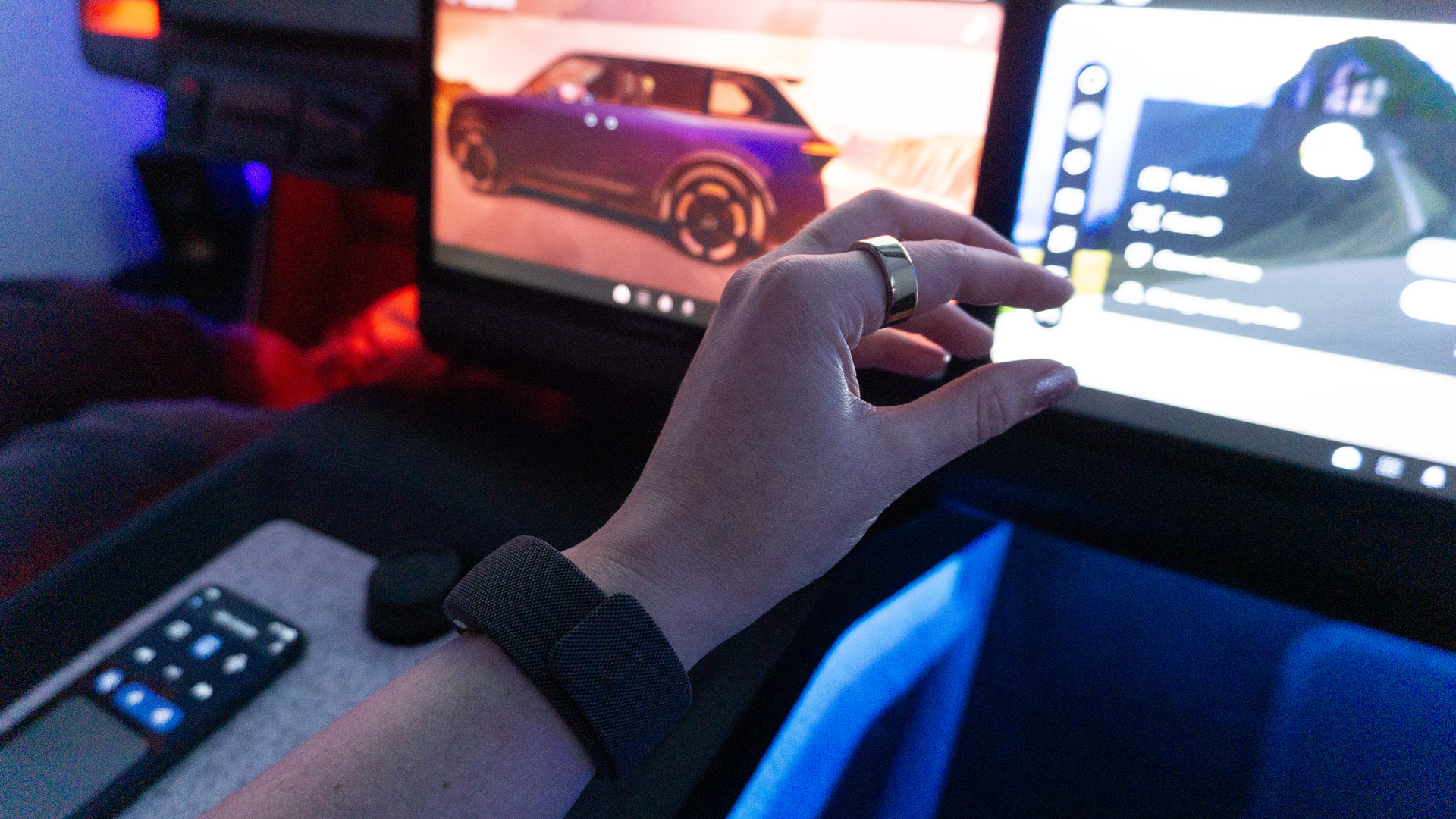
Meta’s neural band in Garmin’s Unified Cabin at CES 2026.
Karissa Bell for Engadget
Meta’s EMG wristband (that’s short for “electromyography,” the ability to recognize and translate small finger and wrist gestures) is starting to look like more than a companion accessory for smart glasses. Meta showed how its wrist-based neural controller could be used beyond its own eyewear, including an early demo with Garmin inside a concept car cockpit. The interaction was still basic — swipe and pinch gestures to navigate apps on an infotainment screen — but the larger idea is hands-free control of vehicle functions over time.
Meta also highlighted research work exploring how EMG control could help people with conditions that limit hand mobility interact with smart home devices like speakers, blinds and thermostats. If day one of the show had a theme beyond AI, it was that companies are still willing to gamble on new shapes and inputs, and they can work as long as they feel practical and immediately useful.
Razer
Razer’s concept immersive gaming chair with light strips along the head cushions is pictured in front of a desk in a rocky outdoor environment between large puddles
Razer
Razer’s day-one news was split between a full-blown immersion concept and a more grounded chair refresh.
The company’s Project Madison concept is a gaming chair designed as a multisensory rig, combining reactive lighting, spatial audio and multi-zone haptics to match on-screen action. It’s not a product you can buy, but it’s a clear statement about where Razer thinks the “setup” category could go.
Razer also showed Project Motoko, a concept headset meant to blur the line between gaming gear and an AI wearable. It includes cameras for real-time object and text recognition and is designed to work with multiple AI assistants, with Razer positioning it as a platform that could eventually ship first as a developer kit and later as a retail product.
Birdbuddy
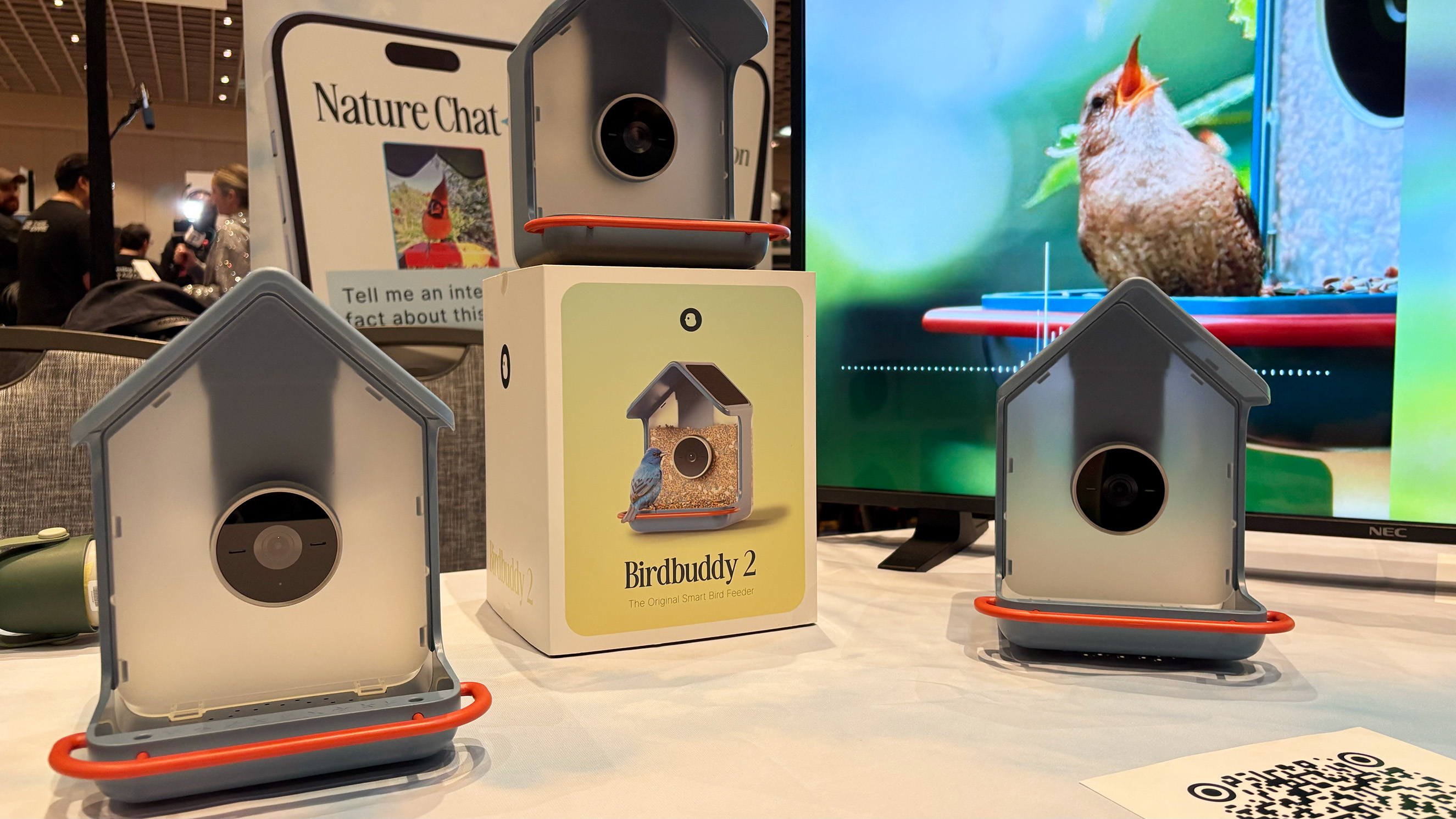
Two new Birdbuddy smart bird feeders displayed at CES.
Amy Skorheim for Engadget
Birdbuddy added a feature that makes its smart feeders feel closer to a true nature companion: birdsong identification. The Birdbuddy 2 and Birdbuddy 2 Mini both add microphones that help the system identify species by sound, alongside the usual camera-based detection. Birdbuddy also says the new models improve camera wake-up speed, use a more modular design for easier cleaning and protect the lens with Gorilla Glass since birds have a habit of pecking at it.
The Birdbuddy 2 is priced at $199 and is expected to ship pre-orders in February, with wider availability mid-2026, while the Birdbuddy 2 Mini costs $129 with pre-orders planned for summer.
Agibot
Humanoid robots are having another moment at CES this year, and Agibot’s demos leaned into movement, personality and practical service roles.
The company brought two robots, the larger A2 and smaller X2, both capable of walking around the floor, waving to attendees and dancing with surprising confidence. Agibot described the A2 as a potential hospitality helper for places like museums or conferences, while the X2 is framed more as an educational platform with slightly more human-like movement. Agibot also says its robots can learn actions from video, including training dance routines from TikTok clips, and the company plans to make its robots available in the US this year, though pricing and broader availability details weren’t shared.
Day one is in the books, but CES 2026 is far from over. With the show floor now fully open, expect more hands-ons, deeper dives and plenty of unexpected demos as the week continues, especially across laptops, wearables, mobility and smart home tech. We’ll be updating our CES coverage daily, with liveblogs, reviews and show-floor impressions throughout the week. You can follow along on Engadget for the latest news as it happens.
This article originally appeared on Engadget at https://www.engadget.com/big-tech/ces-2026-day-1-the-biggest-tech-news-and-gadgets-you-missed-from-the-first-official-day-of-the-show-144040174.html?src=rss