Earth is having some issues, so let’s enjoy the Webb telescope’s new nebula image

Sometimes, you just need to give your mind a little vacation. And these days, outer space sounds like as good a destination as any. Thankfully, the James Webb Space Telescope (JWST) is here to give us a dazzling new image of the Helix Nebula.

Discovered in the early 19th century, the Helix Nebula resides in the constellation Aquarius. (Cue The 5th Dimension.) At about 655 light-years away, it’s one of Earth’s closest planetary nebulae. When zoomed farther out, it’s easy to see why it’s been nicknamed the Eye of God or Eye of Sauron. This 2004 image from the Hubble telescope illustrates that.

An eye-like nebula in space
A wider view of the same nebula from 2004
NASA / ESA / C.R. O’Dell (Vanderbilt University) / M. Meixner / P. McCullough / G. Bacon ( STSI)

What we’re seeing in the nebula is, in a sense, a moment of death that lays the groundwork for a new birth. The dying star (out of frame in the closer new image) sheds its outer layers. As expelled gas and dust cool, they provide raw material that could someday form new stars and perhaps planetary systems.

The new image from Webb’s NIRCam (Near-Infrared Camera) provides a much closer, higher-resolution view.

Pillar-like reddish knots in the Helix Nebula

Those pillars you see are called cometary knots, and this image is our best view of those to date. “Here, blistering winds of hot gas from the dying star are crashing into colder shells of dust and gas that were shed earlier in its life, sculpting the nebula’s remarkable structure,” the ESA wrote in its press release.

The knots’ colors represent temperature and chemistry. Hints of blue indicate the hottest gas (energized by ultraviolet light). The yellow regions, where hydrogen atoms form molecules, are farther from the nebula’s nucleus (and therefore cooler). On the edges, reddish-orange regions depict the coolest material, where gas thins and dust begins to form.

This article originally appeared on Engadget at https://www.engadget.com/science/space/earth-is-having-some-issues-so-lets-enjoy-the-webb-telescopes-new-nebula-image-181049901.html?src=rss

Crypto News Outlet Cointelegraph Loses 80% of Traffic After Google Penalty For Parasitic Blackhat SEO Deal

Cointelegraph, once one of the most-visited cryptocurrency news sites, has seen its monthly traffic plummet from roughly 8 million visits to 1.4 million — an 80% drop in three months — after Google issued a manual penalty in October 2025 for the outlet’s partnership with a blackhat SEO firm that used Cointelegraph’s domain authority to promote affiliate links to offshore casinos and betting platforms.

The CEO, who had no prior media experience, proceeded despite warnings from Google earlier in 2025 and repeated objections from the outlet’s three most senior editorial staff members throughout the year. The penalty removed Cointelegraph from Google News, Discover and search results entirely; a search for “Cointelegraph” now returns CoinDesk as the top result. Jon Rice, the former editor-in-chief, resigned on December 31st and described the situation as an “existential threat to business.”


Read more of this story at Slashdot.

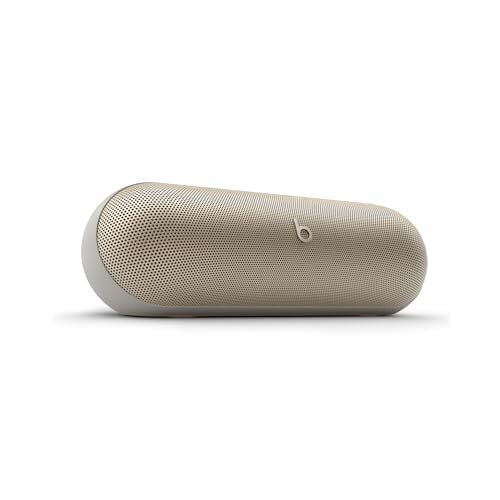
My Favorite Amazon Deal of the Day: The Beats Pill Portable Speaker

We may earn a commission from links on this page. Deal pricing and availability subject to change after time of publication.

Today’s Bluetooth speakers have features that make them better than they were just a few years ago, from USB-C for universal fast charging, to hi-res audio playback, to serving as battery backup for other devices. The Beats Pill speaker has all these features and more, making it a great choice, and it has dropped in price to $99.95 (down from $149.95), matching the lowest price it has reached since its recent release, according to price-tracking tools. For less than a hundred dollars, this speaker is a steal.

I’ve been trying out the Beats Pill speaker since it came out in summer 2024, and it has everything I could want in a portable speaker: stereo sound when connected to another compatible speaker, multi-room mode to play the same music on multiple speakers, the Find My Device feature in case you misplace it during a rager, and Class 1 Bluetooth for extended range.

Apple users will get the most out of the Pill, with seamless iOS compatibility for a smoother experience. (You can read about it in more detail on PCMag’s “excellent” review), but this Beats speaker is not just for Apple users: Android users can also connect to it with a Bluetooth 5.3 connection, but it only supports AAC and SBC codecs, so there are no Android-friendly codec options that will make the audio really pop.

When it comes to battery life, you can expect around 24 hours per charge, depending on your use, which is comparable to other speakers of its size. It has that classic, bright Beats sound signature, balanced yet bass-heavy. It is rated IP67 dust-proof and waterproof, so it can be submerged in water for up to 30 minutes. The biggest downside is that there is no adjustable EQ within the app, but that’s less important when it sounds so great out of the box.

Deals are selected by our commerce team

He Went To Prison for Gene-Editing Babies. Now He’s Planning To Do It Again

He Jiankui, the Chinese scientist who served three years in prison after creating the world’s first gene-edited babies in 2018, is now preparing for another attempt at germline editing — this time to prevent Alzheimer’s disease. In an interview, He said he has established an independent lab in south Beijing and raised $7 million from private donors to fund research into introducing a protective genetic mutation found in Icelandic populations.

The three girls born from his original experiment are now in primary school and healthy, according to He. Since germline editing remains banned in China, He said he plans to conduct future human trials in South Africa and has already spoken with contacts there. He estimates he needs two more years to complete mouse and monkey studies before seeking regulatory approval abroad. He said his lab is developing techniques to make 12 simultaneous genetic edits in a single embryo, targeting genes associated with cancer, cardiovascular disease, HIV, and other conditions. He is currently working on human cell lines and has not yet begun embryo experiments.


Read more of this story at Slashdot.

These Browser Extensions You’ve Used For Years May Now Be Spying On You

These Browser Extensions You’ve Used For Years May Now Be Spying On You
A few weeks ago, we covered DarkSpectre, a threat actor responsible for running numerous spyware campaigns that, combined, infected a total of at least 8.8 million Google Chrome, Mozilla FireFox, and Microsoft Edge users. One of the key ways this was done was through malicious extensions, with the caveat that said extensions did have legitimate

Europe Must Invest in Open Source AI or Cede To China, Schmidt Says

An anonymous reader shares a report: Europe must invest in its own open source artificial intelligence labs and address soaring energy prices, or it will quickly find itself dependent on Chinese models, former Google chief executive and tech investor Eric Schmidt said.

“In the US, the companies are largely moving to closed source, which means they’ll be purchased and licensed and so forth. And it is also the case that China is largely open weight, open source in its approach,” Schmidt said at the World Economic Forum in Davos, Switzerland, on Tuesday. “Unless Europe is willing to spend lots of money for European models, Europe will end up using the Chinese models. It’s probably not a good outcome for Europe.”


Read more of this story at Slashdot.

Roland’s Go:Mixer Studio is an affordable but capable mixer for budding recording engineers

Roland just unveiled the Go:Mixer Studio, a powerful entry in the company’s line of audio interfaces. This one promises to be a portable and affordable way to create high-quality recordings with a smartphone or PC.

The biggest news here are the 12 input channels and six output channels. This means that users can record multiple instruments at once and even run the signal through outboard gear if so desired. There are two XLR inputs on the back with phantom power, an instrument jack, stereo ¼-inch line-in jacks, an aux input, TRS MIDI ins and outs, two headphones jacks and stereo line outs for connecting monitor speakers.

It records up to 24-bit/192kHz audio, which will certainly get the job done. The device comes with built-in effects for mangling audio on the fly. Each audio input also has a dedicated EQ and compressor directly on the channel.

It connects via an app that’s available for iOS, Windows and MacOS. The iOS app actually lets users capture both video and multitrack audio at the same time, which should be a boon for streamers and content creators of all stripes. The Windows and MacOS apps allow for complete control of the mixer remotely.

As for the unit itself, there are several big knobs to adjust parameters and a color display. It’s also really small and light, making it easy to pack away in case of an unexpected recording session. The device can even be mounted on a mic stand.

The Roland Go: Mixer Studio is available right now and costs $300. The Roland Go line of audio products has been around for years, but this one seems like a major step up.

This article originally appeared on Engadget at https://www.engadget.com/audio/rolands-gomixer-studio-is-an-affordable-but-capable-mixer-for-budding-recording-engineers-163927262.html?src=rss

Why A Giant Iron Bar Inside The Ring Nebula Could Reveal The Fate Of Earth

Why A Giant Iron Bar Inside The Ring Nebula Could Reveal The Fate Of Earth
Smack dab in the Ring Nebula, astronomers have stumbled upon a massive bar-shaped structure of iron that had previously eluded prior observations, potentially revealing the ghost of a vaporized world.

Led by a team from University College London (UCL) and Cardiff University, the discovery essentially uncovered a feature hidden in plain

Netflix Is Rolling Out Real-Time Voting for Live Events

When Netflix isn’t spending its time trying to acquire Warner Bros. Discovery, it seems the company is actually adding new features to its subscription service. Netflix is always adding new shows and movies, which is what most users are looking for in the platform, but that’s not all you can expect from your account. In fact, Netflix is now rolling out an interactive experience for its live competition shows, allowing subscribers to cast votes in real-time.

Live voting comes to Star Search

Netflix announced the change in a press release on Tuesday, and also revealed the first show to officially run with real-time voting: Star Search. Netflix is bringing back the American Idol precursor tonight at 9 p.m. ET (6 p.m. PT), and will allow viewers to choose which contestant they like best alongside “millions of others.”

Netflix says it first tested the feature with the show Dinner Time Live with David Chang, and “learned firsthand how members appreciated the seamless and integrated ways they could participate in the series.” I don’t think you need a focus group to know that people like sharing their opinions on things, but then, I’m not a Netflix exec.

The company clarified in its press release that only live events will work with real-time voting. If you watch a show after it airs, you won’t be able to cast your vote—which, obviously, makes sense. The show doesn’t really need to know who you’d pick as a winner after the winner has already been chosen—though Netflix could always use the extra user data, I’m sure.

Star Search is the only show at this time that supports this feature, but Netflix says more real-time voting shows are on the way.

How to vote in live Netflix events

voting in a netflix live broadcast

Credit: Netflix

Netflix says that when you watch a live event, you’ll be able to vote when watching on TV or a streaming device. You won’t be able to vote if you’re watching in a web browser, nor will you be able to vote if you rewind, pause, or tune-in late.

When you join a live program, make sure you do so on a smart TV, supported streaming device (such as Apple TV, Fire TV, or Roku), or the Netflix mobile app. If you want to watch in a web browser, you can still vote on your phone at the same time.

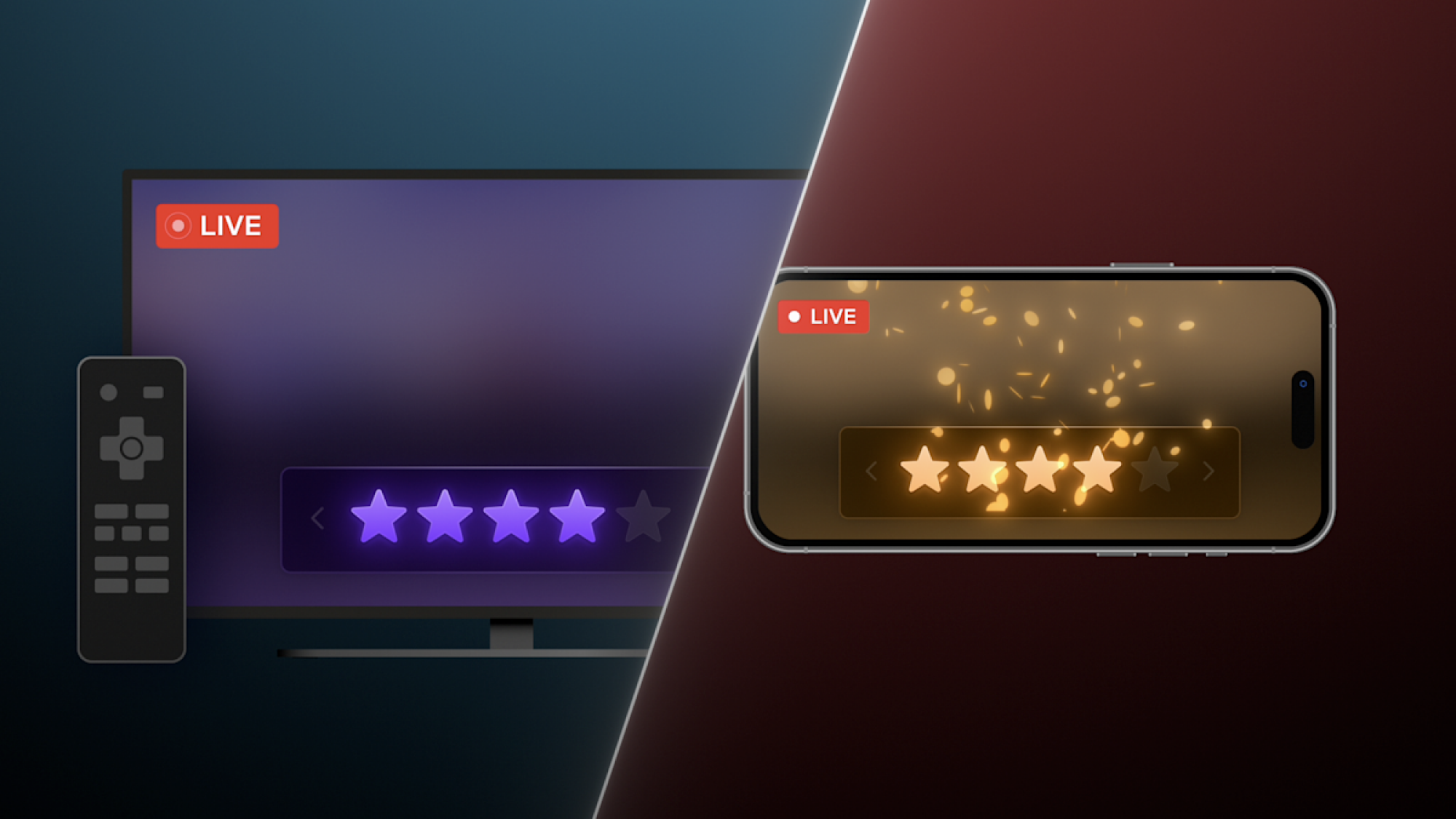
Netflix will prompt you when it’s time to vote. You’ll see a 1–5 star rating appear on the screen. Click on tap on the star level you want for each performer. Note that each profile only has one chance to vote per performance, so you can’t issue another vote after you cast one—you’ll just need to wait until the next performance.

Ukraine To Share Wartime Combat Data With Allies To Help Train AI

An anonymous reader shares a report: Ukraine will establish a system allowing its allies to train their AI models on Kyiv’s valuable combat data collected throughout the nearly four-year war with Russia, newly appointed Defence Minister Mykhailo Fedorov has said. Fedorov — a former digitalisation minister who last week took up the post to drive reforms across Ukraine’s vast defence ministry and armed forces — has described Kyiv’s wartime data trove as one of its “cards” in negotiations with other nations.

Since Russia’s invasion in February 2022, Ukraine has gathered extensive battlefield information, including systematically logged combat statistics and millions of hours of drone footage captured from above. Such data is important for training AI models, which require large volumes of real-world information to identify patterns and predict how people or objects might act in various situations.


Read more of this story at Slashdot.

Sony Hands Control Of Bravia TVs To TCL In Stunning 51% Takeover Deal

Sony Hands Control Of Bravia TVs To TCL In Stunning 51% Takeover Deal
In a development that’s no doubt going to send analysts and fans into a frenzy, Sony today announced that it’s ceding majority control of its iconic Bravia TV and home entertainment business to Chinese electronics giant TCL. Under a new strategic partnership, the two companies will establish a joint venture where TCL holds a 51% controlling

Microsoft Surface Laptop With Snapdragon X Is $350 Off But Only If You’re Fast

Microsoft Surface Laptop With Snapdragon X Is $350 Off But Only If You're Fast
Qualcomm continues to crank out new versions of its Snapdragon X silicon for PCs, and in doing so, there are opportunities to score enticing deals on last-gen releases. Now is one of those times. The caveat is that you’re not getting the latest and greatest silicon, but if you’re willing to go a generation back, you can save a wad a cash on

How to Get Samsung Galaxy’s Best Feature on Your Pixel (or Any Android)

I’m a devout Pixel user. I love stock Android, and I’m always running the latest Android beta, making Pixel basically my only choice. But there are times when I get jealous looking at all the extra tools that Samsung provides on its Galaxy phones, Edge Panel being the big one. With Edge Panel, you can swipe in from the edge of your phone and a hidden drawer reveals itself, filled with apps, system actions, and shortcuts. Given how barebones Pixel Launcher is, I’ve always wanted something like this. Then I found the Panels app by Fossor Coding (not to be confused with the ill-fated wallpaper app by MKBHD).

In some ways, Panels is even better than Edge Panels on Samsung. It lets you use custom icon packs, there’s a quick search shortcut, and you can even open floating widgets. Plus, because it’s customizable, you can move the trigger point to the bottom edge of your phone instead of the side (incredibly handy for large phones), and you can add multiple columns (up to a ridiculous seven column layout). And while you can pay for Panels, all of that basic functionality is included for free.

How to customize the Panels app for Android

First, install the app and give it permission to display over other apps; this makes sure that the Panels launcher can work when you’re using any app.

Customizing Panels app.

Credit: Khamosh Pathak

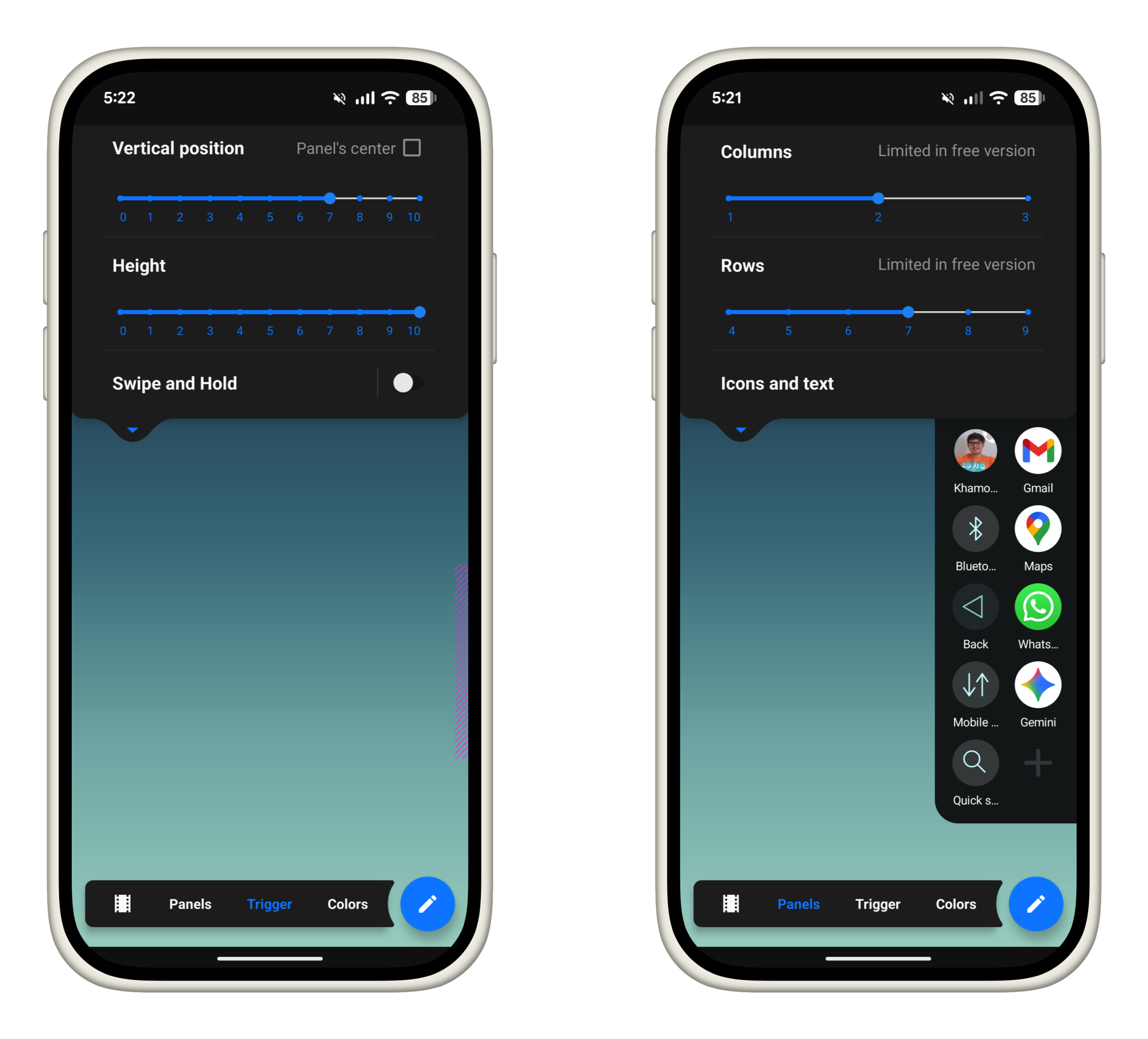
Next, tap on the View button and customize the panel. The free version limits you to 3 columns and 9 rows, which seems like plenty to me. You can upgrade to the full version to remove this limit (which is quite cheap, at just $1.50). From the Trigger section, you can customize the trigger area. If you have a larger phone, I highly recommend bringing down the trigger area towards the bottom of the screen.

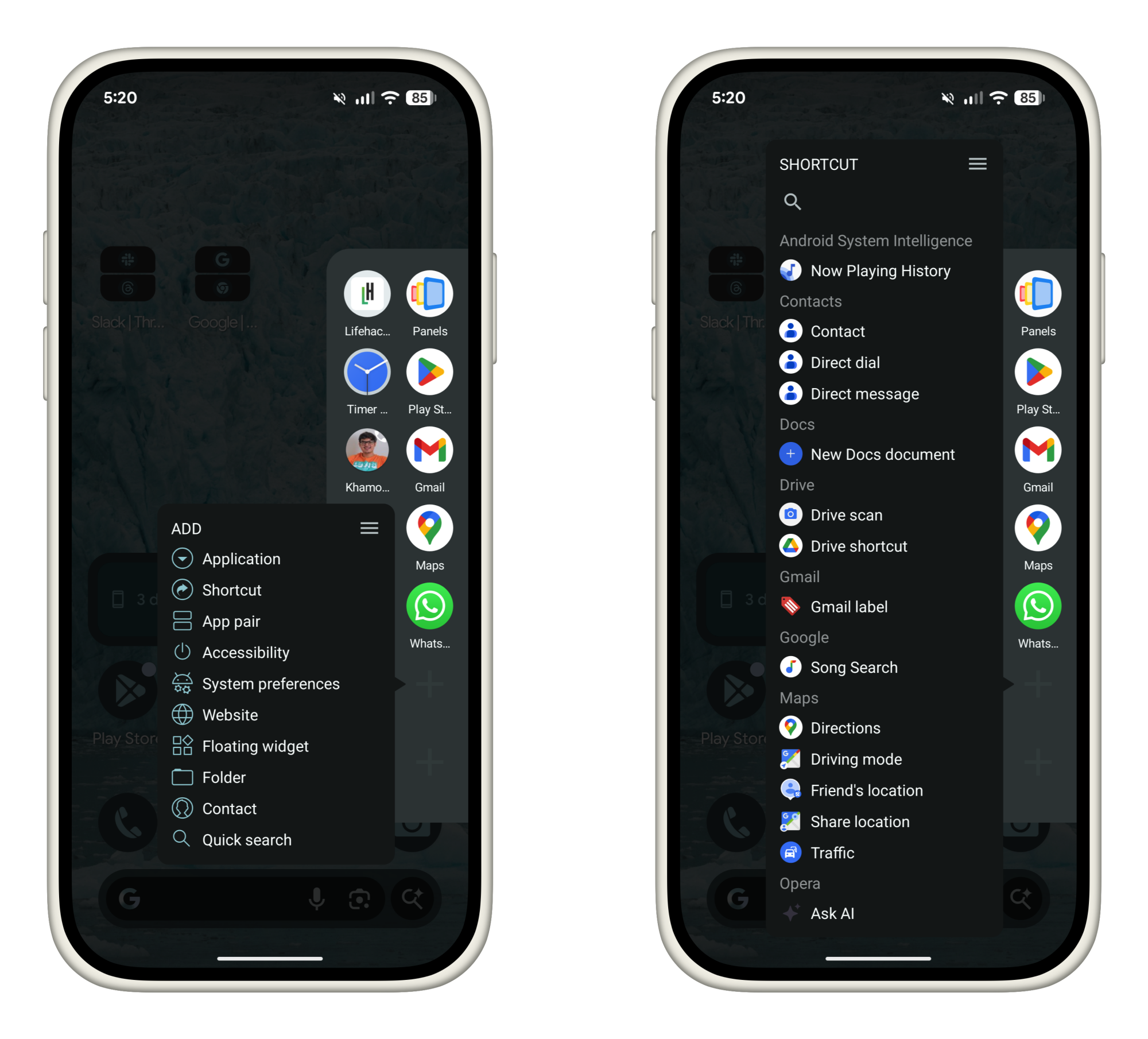
Now, let’s customize the Panels launcher itself. Swipe in from your trigger area and hold for a second to bring up the sidebar panel. By default, you’ll see some apps here already. Tap and hold on an empty area to start adding more apps.

Adding Panels shortcuts.

Credit: Khamosh Pathak

You can choose to add any of the following items:

  • Applications: Choose any installed app. Add your most frequently used apps here.

  • Shortcuts: Launch actions from inside any supported apps. For example, you can create a shortcut for adding a new task in TickTick, or messaging someone on WhatsApp.

  • App pair: Create shortcuts for launching two apps side-by-side, made even more useful after Android 16’s latest 90:10 split screen update.

  • Accessibility: Add shortcuts for system-level options like Home, Back, Notifications, Screenshot, and more.

  • System preferences: Quick access to frequently used settings like media volume, cellular data, airplane mode, Wi-Fi, and a lot more.

  • Website: You can add any website as a quick shortcut here.

  • Floating widget: This is a hidden gem. You can add widgets that open in a floating window above everything else. You can trigger widgets for news, weather, or sports updates. They can hover over everything else for a few seconds, before you dismiss them out of the way.

  • Folder: If you have too many quick app options, organize them in folders instead.

  • Contact: Add any contact here as an icon. Press and hold to quickly call, message, or email them.

  • Quick Search: Another useful hack. The Quick Search panel brings up a fast search for all installed apps.

Go over each option and choose what you’d like to add to your sidebar launcher. Me, I’m a simple man, so my focus is mostly on my most frequently used apps, shortcuts for common actions, and quick access to some system level functionality.

One swipe gesture: Lastly, here’s a pro tip. While you can open apps in Panels by swiping, lifting your thumb, and selecting, you can also do it without taking your thumb off the screen.

Once you swipe in from the edge and the Panels sidebar opens up, don’t let go. You can keep moving your thumb to highlight any app or shortcut (the icon that’s in focus will get bigger). Then simply let go over your selection to launch it.

Overall, Panels is a pretty robust app. Once you have your personalized setup, you can launch apps, shortcuts, or widgets, with just a swipe, no matter which app you’re using.

Energy Costs Will Decide Which Countries Win the AI Race, Microsoft’s Nadella Says

Energy costs will be key to deciding which country wins the AI race, Microsoft CEO Satya Nadella has said. CNBC: As countries race to build AI infrastructure to capitalize on the technology’s promise of huge efficiency gains, Nadella told the World Economic Forum (WEF) on Tuesday that “GDP growth in any place will be directly correlated” to the cost of energy in using AI.

He pointed to a new global commodity in “tokens” — basic units of processing that are bought by users of AI models, allowing them to run tasks. “The job of every economy and every firm in the economy is to translate these tokens into economic growth, then if you have a cheaper commodity, it’s better.”

“I would say we will quickly lose even the social permission to actually take something like energy, which is a scarce resource, and use it to generate these tokens, if these tokens are not improving health outcomes, education outcomes, public sector efficiency, private sector competitiveness across all sectors,” Nadella said.


Read more of this story at Slashdot.

Samsung Raises New Galaxy Book 6 Pro Prices As Panther Lake Arrives

Samsung Raises New Galaxy Book 6 Pro Prices As Panther Lake Arrives
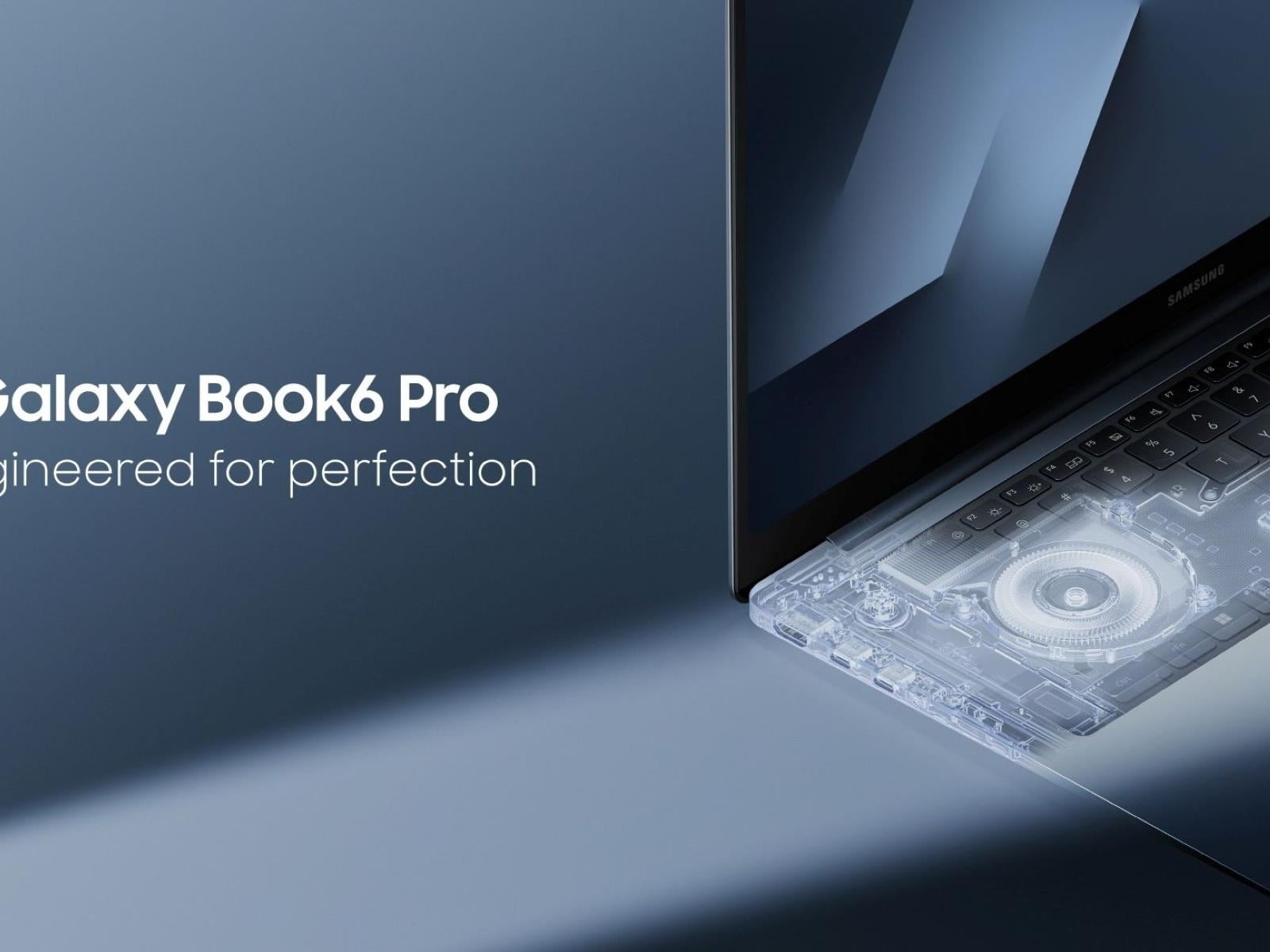
Samsung has just released a pricing guide for its upcoming Galaxy Book 6 series and it shows Panther Lake-powered models hitting shelves with a price premium that’s nearly 20% higher than its Lunar Lake predecessors. Can we thank the RAM-pocalypse for this?

The sticker shock comes directly from Samsung’s official countdown page (for South

The first commercial space station, Haven-1, is now undergoing assembly for launch

As Ars reported last week, NASA’s plan to replace the International Space Station with commercial space stations is running into a time crunch.

The sprawling International Space Station is due to be decommissioned less than five years from now, and the US space agency has yet to formally publish rules and requirements for the follow-on stations being designed and developed by several different private companies.

Although there are expected to be multiple bidders in “phase two” of NASA’s commercial space station program, there are at present four main contenders: Voyager Technologies, Axiom Space, Blue Origin, and Vast Space. At some point later this year, the space agency is expected to select one, or more likely two, of these companies for larger contracts that will support their efforts to build their stations.

Read full article

Comments

Meta’s Oversight Board is looking into transparency around disabling accounts

Meta has a lot of work to do when it comes to limiting hate speech on its platforms. Now, its Oversight Board is looking into the company’s decision to ban an account for, among other things, posting visual violent threats and harassment against a journalist — and it wants the public’s advice. 

In the year prior to the ban, Meta referred five posts due to violations of its hateful conduct, bullying and harassment, violence and incitement and adult nudity and sexual activity community standards. In addition to the posts harassing the woman journalist, the user also shared “anti-gay slurs against prominent politicians and content depicting a sex act, alleging misconduct against minorities.” 

Meta’s internal review experts decided to permanently disable the account due to the consistent violations and calls for violence. This action was taken despite the number of strikes not reaching the ban threshold — Meta’s guidance states that even seven strikes only get users a one-day ban. However, its account integrity page lays out examples of when it will disable accounts, including violating its community standards through “risk of imminent harm” to an individual. 

The Board is now looking for insight from the public until 11:59PM PT on Tuesday, February 3. The Board is specifically seeking comments from individuals who can “contribute valuable perspectives” on the following topics: 

  • How best to ensure due process and fairness to people whose accounts are penalized or permanently disabled.

  • The effectiveness of measures used by social media platforms to protect public figures and journalists from accounts engaged in repeated abuse and threats of violence, in particular against women in the public eye.

  • Challenges in identifying and considering off-platform context when assessing threats against public figures and journalists.

  • Research into the efficacy of punitive measures to shape online behaviors, and the efficacy of alternative or complementary interventions.

  • Good industry practices in transparency reporting on account enforcement decisions and related appeals.

This instance marks the first time the Board has looked into Meta permanently disabling an account. It stated that this “represents a significant opportunity to provide users with greater transparency on Meta’s account enforcement policies and practices, make recommendations for improvement, and expand the types of cases the Board can review.”

This article originally appeared on Engadget at https://www.engadget.com/big-tech/metas-oversight-board-is-looking-into-transparency-around-disabling-accounts-145757717.html?src=rss

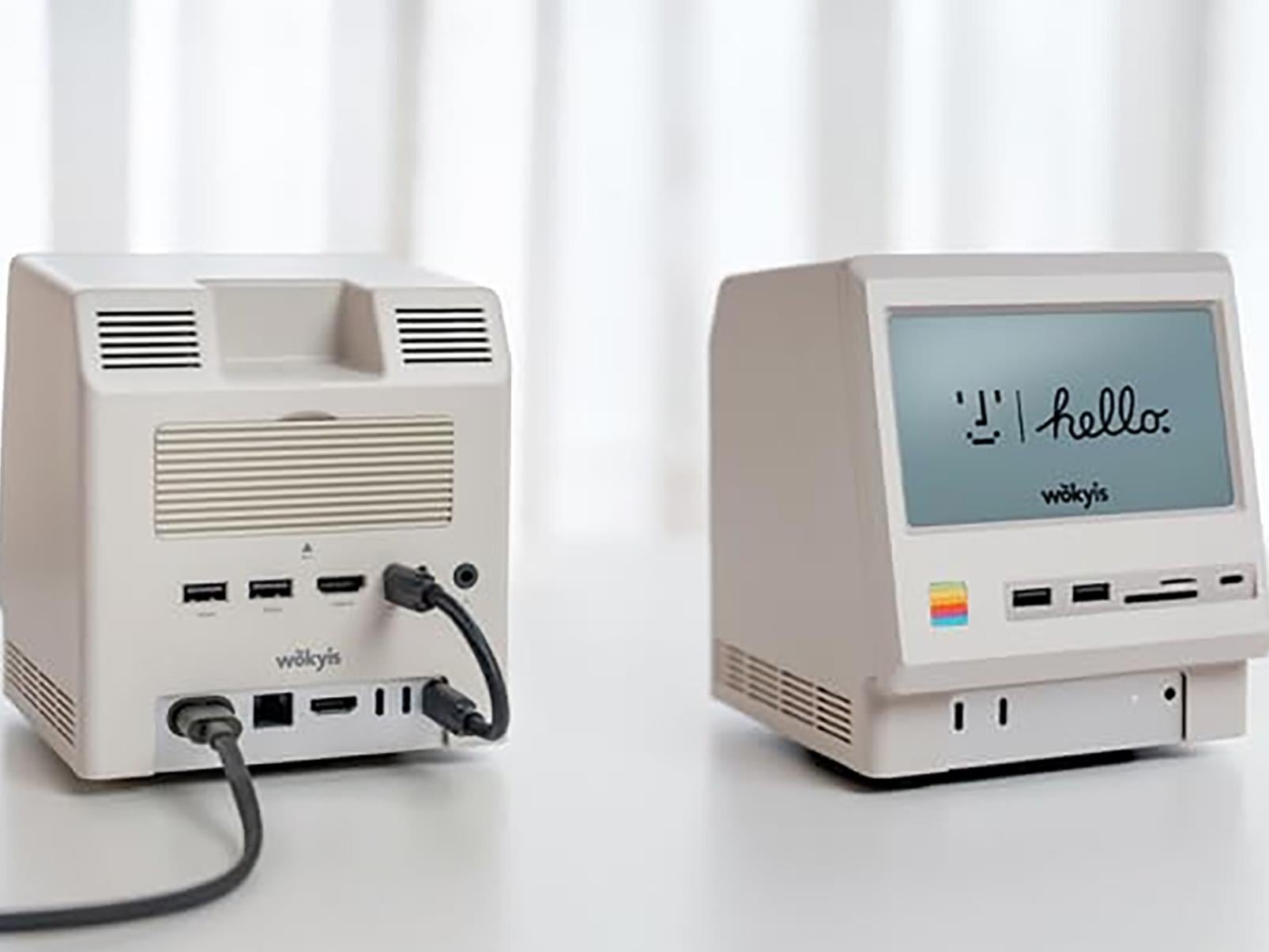
This Macintosh-Style Retro Dock Turns Your M4 Mac Mini Into A Tiny All-In-One

This Macintosh-Style Retro Dock Turns Your M4 Mac Mini Into A Tiny All-In-One
We’re big fans of the Mac mini lineup around these parts (dating back to the M1 Mac mini we reviewed in 2020), particularly as Apple’s in-house M-series silicon has come into its own. The latest version of the Mac mini sports a choice between the M4 or M4 Pro, both of which are powerful and efficient, making the tiny Mac a viable workhorse

How to Back Up All Your Android Messages

I’ve been in a particularly “back everything up for the sake of it” mood lately, and the latest target of my fixation is messages. It’s been several generations of Android flagships since I archived anything, though, so now I’m scrambling to back up everything from 2019 and beyond.

Android was supposed to fix the way it backs up data and messages as far back as Android 8.0 Oreo in 2017. Google recently refined the mechanism when it switched to Google One, its all-in-one subscription and cloud data offering. While data backup has improved, it’s also a veritable “black box.” It’s hard to verify what’s been saved and even harder to view the data.

I’m taking backups back into my own hands, like in the Android days of yore. Actually, one of the throwback apps, SMS Backup and Restore, is still one of the best for backing up text messages, and it’s included in this guide on backing up messages in Android. I’ll also walk you through how to back up archives for secondary messaging apps, including WhatsApp and Signal, two oft-used third-party messengers.

Start with Google One

A screenshot of what the backup page looks like on Android

Credit: Florence Ion / Lifehacker

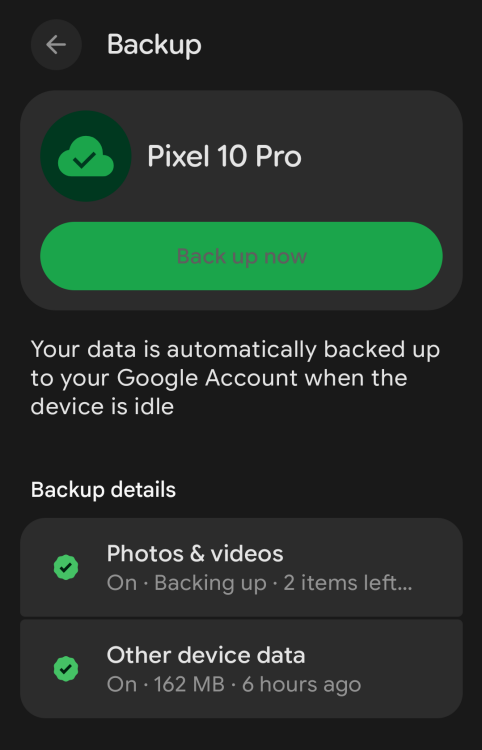
By default, your phone uses Google One to handle backups as long as Google Messages is your default messaging app. (Samsung users can choose to use Samsung Messages instead, which backs up to the Samsung Cloud.) It’s generally a “set it and forget it” system that saves SMS, RCS, and MMS messages, call history, contacts, and device settings to your Google Drive storage. (Pictures and videos are backed up through Google Photos.)

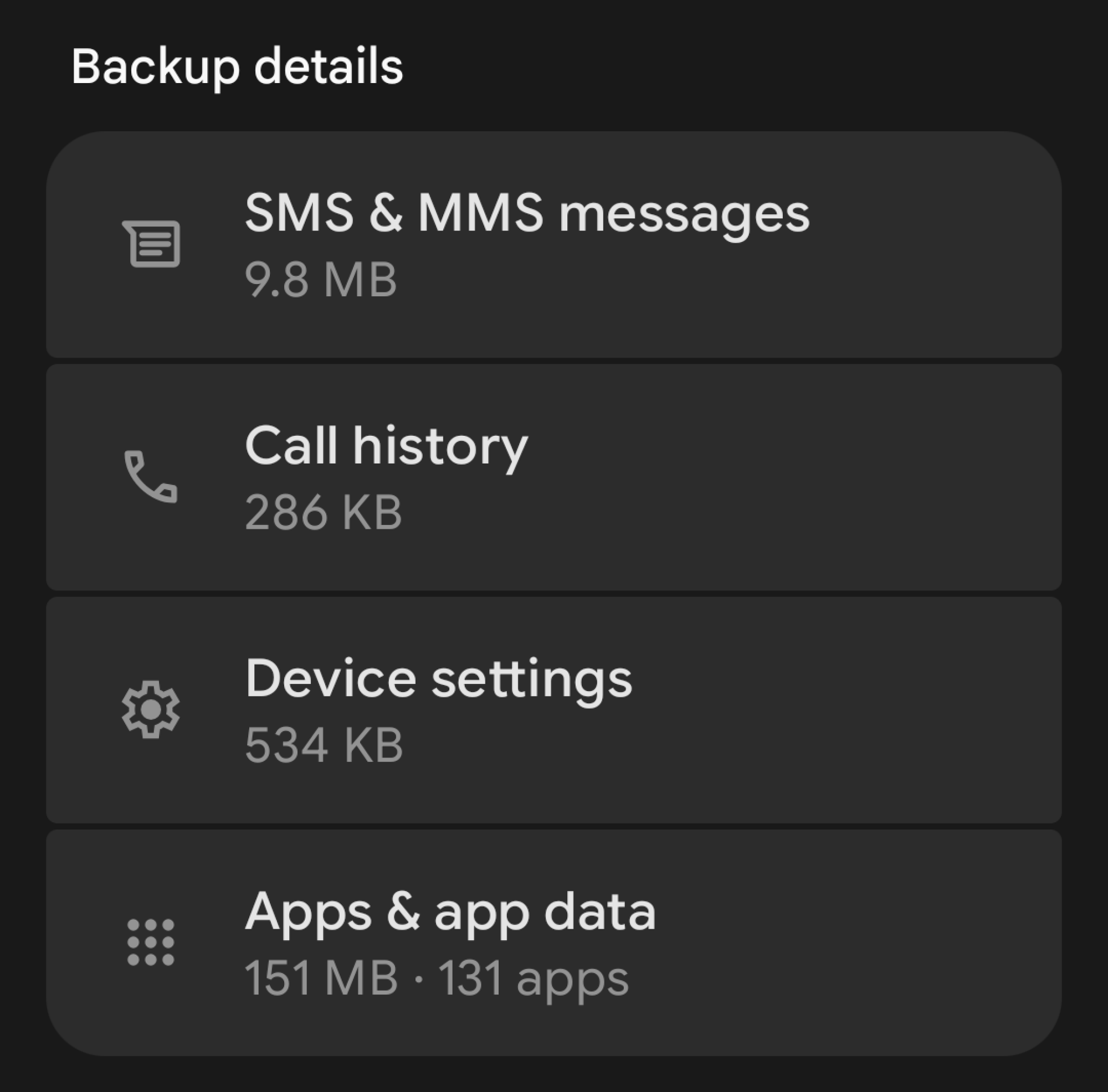
You can check the status of this to see when it was last backed up. Open your phone’s Settings panel, then look for the backup option. If it’s your first time, you’ll get on-screen instructions to turn on backup. If not, you should be able to see what’s been backed up so far. If you’re on the Pixel launcher, scroll down to find a list of Backup details to browse. Tap to see what’s in the vault.

A screenshot showing how much of each thing is backed up to your Google account

Credit: Florence Ion / Lifehacker

At most, backup data doesn’t exceed 25 MB and doesn’t count against your Google Drive quota. (Google Photos does, but that’s effectively another product.) Only the most recent data backup is stored at a time. Anything before that is fully deleted.

Google One’s backup methodology is merely a “sync,” not a true data archive. If you accidentally delete a thread from messages, its backup would also be removed from the cloud, and you couldn’t restore it. Google makes it clear, even in its developer documentation, that backup data can’t be accessed by a user or other apps on the device. So what’s a user to do? Call upon an old faithful: SMS Backup & Restore.

Set up SMS Backup & Restore

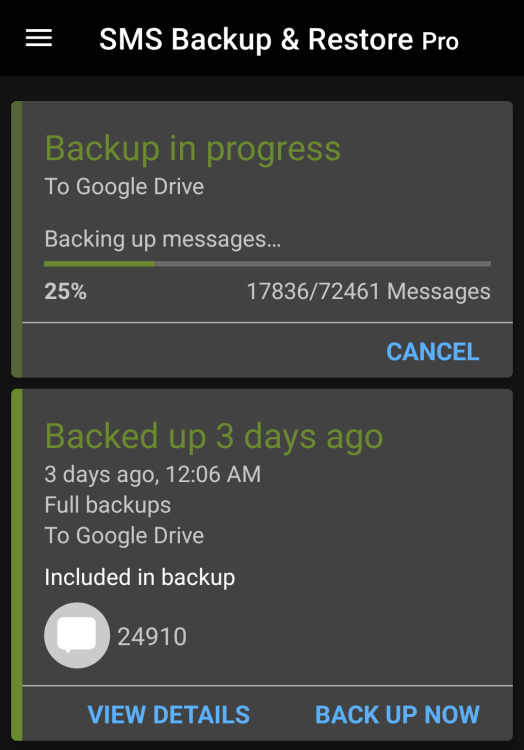
A screenshot of SMS Backup& Restore after it's backed up something

Credit: Florence Ion / Lifehacker

I’m using original Android apps like SMS Backup & Restore to facilitate full backups because it’s still the only way to easily thumb through the messages and call logs you’ve saved. The app treats your text messages as a database and stores them in XML format for parsing if needed. SMS Backup & Restore was once an indie darling, though SyncTech acquired it in late 2017, which has partly helped it endure this long.

It’s easy to set up. Download and install the app from the Google Play Store. The app is free with ads, or you can pay a one-time fee of $6 to remove them and unlock extra abilities, like more cloud storage. Then grant it access to your contacts and messages. Tap the option to set up a backup, and choose Messages. (You can also include call logs if you want.) Then, pick your destination. I back up to Google Drive into its own archive folder. Dropbox, OneDrive, and WebDAV are also options.

SMS Backup & Restore offers several backup options. For one, you don’t have to back up everything in your Messages app. You can choose to back up only select conversations. It doesn’t have to be a constant backup either. If you need to save a one-off thread, SMS Backup & Restore lets you select it and back it up to a location of your choice in XML format.

SMS Backup & Restore also lets you peruse through all that data after it’s synced. The easiest way is through the mobile app, which lets you search conversations, and through SyncTech’s web viewer, where you can upload the XML file it generates and thumb through it as if it were a messaging app on your phone. SyncTech says all processing is done on the browser and nothing is uploaded to any servers. If you’d rather not upload your conversations through the Web Viewer, you can try opening it with Excel instead. And if you’re particularly adept, there are plenty of third-party XML readers available, though they’re not all fully compatible with how SMS Backup & Restore saves logs.

WhatsApp and Signal

These days, half of my digital life is scattered among several messaging apps, most notably WhatsApp and Signal. WhatsApp is where I chat with friends who are on wifi or live halfway across the world, while Signal is where my local parents group and I keep our chats private.

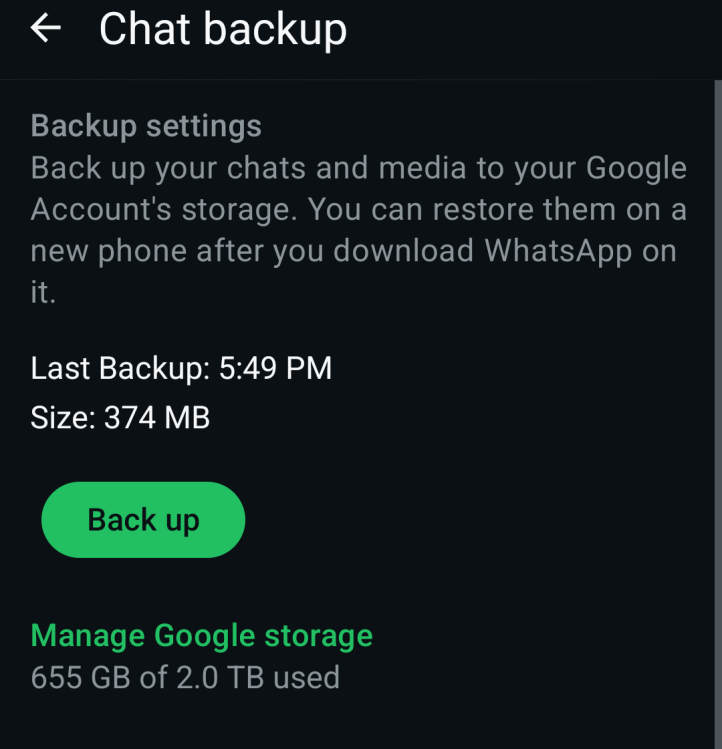
WhatsApp can create a local backup on your phone’s internal storage every day at a set time. This is the most direct way to handle your own WhatsApp chat data. You’ll find your data in the WhatsApp app database on your device’s internal storage. WhatsApp can also automatically back up to Google Drive on Android devices. Unfortunately, Google started counting WhatsApp backups toward your Google Drive storage quota. But the app shows you how much room you have in your Drive account if you are backing up that way.

A screenshot of WhatsApp's backup page

Credit: Florence Ion / Lifehacker

If you haven’t set it up yet, WhatsApp’s backup capabilities are available under the Chats backup option in the app’s settings panel. You can select the backup frequency and whether it includes videos. You can also select whether the backups are end-to-end encrypted. (Note that this option is not on by default.) If you need to export a particular conversation, you can do so from the Chat history menu. You can then read those WhatsApp backups by exporting individual chats as text files directly from the app.

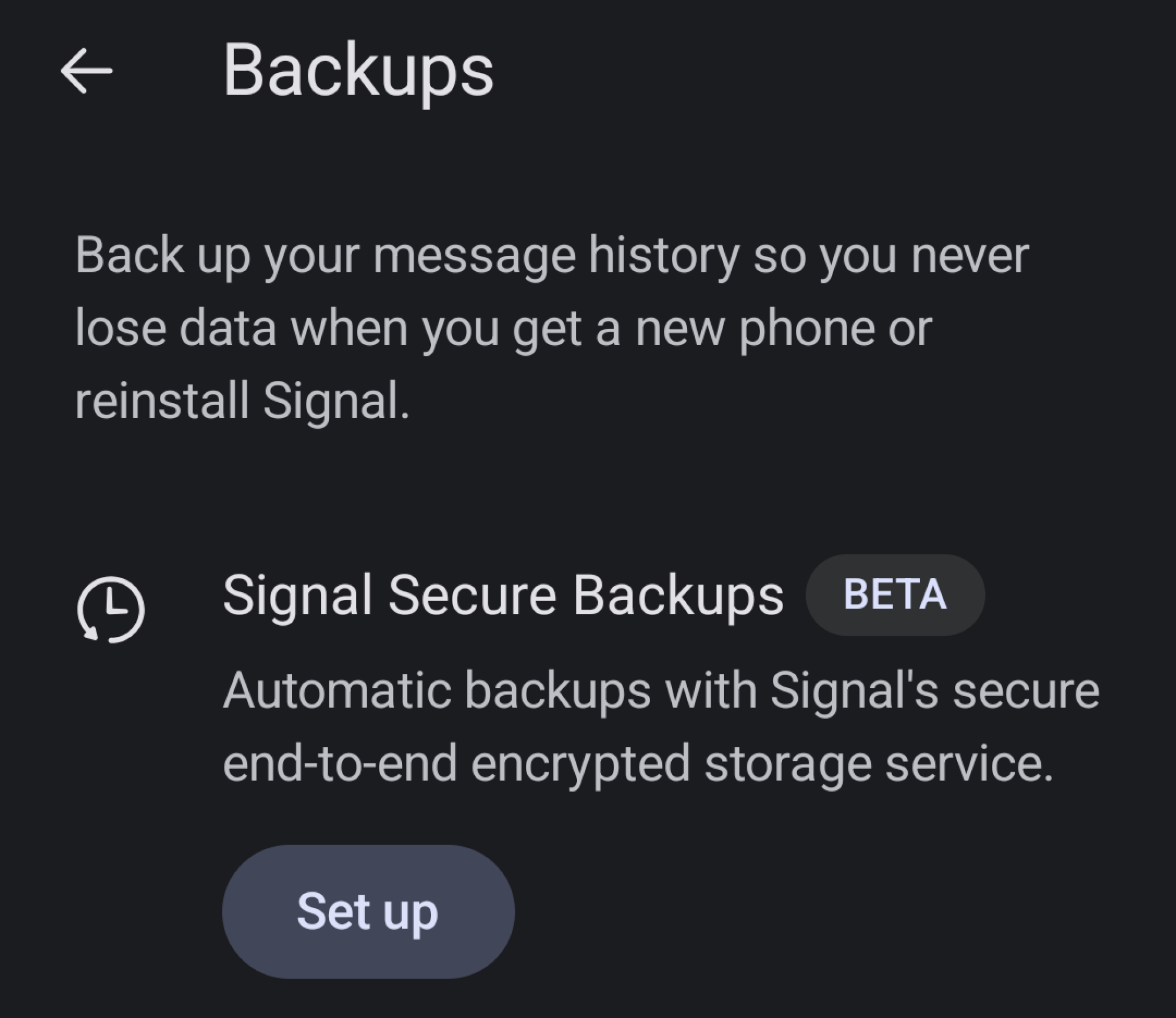
Signal is a little trickier at backup. Since it’s built on the premise of extreme privacy, it prioritizes local backup and doesn’t back up to the cloud. Only recently, in the latest beta for Android devices, has Signal added push-button backup. And it’s technically still getting its kinks sussed out.

A screenshot to show you where you can backup your Signal messages on Android

Credit: Florence Ion / Lifehacker

But you can use it if you want to. In Signal on Android, go to Settings, then scroll down to Backups. You’ll see a big Beta sign right next to it. Tap it, and from here, Signal will set you up with an end-to-end encrypted backup of your conversations. The recovery key is a 64-character code that will help you restore the backup. If you lose it, you won’t be able to recover your messages.

Signal eschews the ability to back up to a third-party service. Instead, it will back up the last 45 days of media and text messages for free. Any more than that, and you’ll have to pay $2/month for a full backup of your messages. It also grants you 100GB of photo storage.

Because these are encrypted files, they’re not particularly easy to parse through without first decrypting them and converting them into a readable XML file. You’ll also need to save the archive locally if you want to dig in. Small apps like the Signal Message Exporter and Signal Back can help with this if you are especially keen on having a readable log.

Backing up isn’t a one-and-done task. It’s something you have to get into the habit of doing. The best way to ensure you don’t lose those “receipts” is to make it a habit to check on your backups. Keep Google One, WhatsApp, and Signal’s cloud backups turned on, then set SMS Backup & Restore to run once a week, or, if you’re lighter on that app than on others, once a month.


Amazon CEO Jassy Says Tariffs Have Started To ‘Creep’ Into Prices

Amazon CEO Andy Jassy said President Donald Trump’s sweeping tariffs are starting to be reflected in the price of some items, as sellers weigh how to absorb the shock of the added costs. From a report: Amazon and many of its third-party merchants pre-purchased inventory to try to get ahead of the tariffs and keep prices low for customers, but most of that supply ran out last fall, Jassy said in a Tuesday interview with CNBC’s Becky Quick at the World Economic Forum in Davos, Switzerland.

“So you start to see some of the tariffs creep into some of the prices, some of the items, and you see some sellers are deciding that they’re passing on those higher costs to consumers in the form of higher prices, some are deciding that they’ll absorb it to drive demand and some are doing something in between,” Jassy said. “I think you’re starting to see more of that impact.” The comments are a notable shift from last year, when Jassy said Amazon hadn’t seen “prices appreciably go up” a few months after Trump announced wide-ranging tariffs. Further reading: Americans Are the Ones Paying for Tariffs, Study Finds: Americans, not foreigners, are bearing almost the entire cost of U.S. tariffs, according to new research that contradicts a key claim by President Trump and suggests he might have a weaker hand in a reemerging trade war with Europe.

[…] The new research, published Monday by the Kiel Institute for the World Economy, a well-regarded German think tank, suggests that the impact of tariffs is likely to show up over time in the form of higher U.S. consumer prices. […] By analyzing $4 trillion of shipments between January 2024 and November 2025, the Kiel Institute researchers found that foreign exporters absorbed only about 4% of the burden of last year’s U.S. tariff increases by lowering their prices, while American consumers and importers absorbed 96%.


Read more of this story at Slashdot.