YouTube TV launches curated subscription packages this week

YouTube is launching YouTube TV Plans this week, after revealing the program back in December. These are genre-specific subscription packages that let users opt into a curated version of the service and save a few bucks in the process. Yeah. It’s pretty much cable, proving you can’t cut a cord if it’s made out of invisible radio waves.

There more than ten plans available and they are all cheaper than the typical asking price of $83 per month. There’s a Sports Plan that costs $65 per month and includes channels like FS1, NBC Sports Network and all of the ESPN networks. Subscribers will pay $72 per month to add some news channels like CNN and CSPAN to the sports package.

The Entertainment Plan costs $55 per month and includes networks like Bravo, Comedy Central, FX and the Food Network, among many others. There’s a beefier version of this that costs $70 per month and adds in family channels like the Cartoon Network and Nickelodeon, along with news channels.

Signing up for one of these plans still provides various perks of a standard YouTube TV subscription. These include unlimited DVR, multiview and the ability to add up to six members on one account. Of course, those with deep pockets can spring for some premium add-ons like HBO Max, 4K Plus and the NFL Sunday Ticket.

A list of prices with discounts.
YouTube

Some plans are rolling out later in the week, but YouTube says it could take “several weeks” for every plan to become available. New customers receive a discount for the first three months, which is worth looking into.

This article originally appeared on Engadget at https://www.engadget.com/entertainment/tv-movies/youtube-tv-launches-curated-subscription-packages-this-week-170710000.html?src=rss

Google Lines Up 100-Year Sterling Bond Sale

Alphabet has lined up banks to sell a rare 100-year bond, stepping up a borrowing spree by Big Tech companies racing to fund their vast investments in AI this year. From a report: The so-called century bond will form part of a debut sterling issuance this week by Google’s parent company, according to people familiar with the matter. Alphabet was also selling $15bn of dollar bonds on Monday and lining up a Swiss franc bond sale, the people said.

Century bonds — long-term borrowing at its most extreme — are highly unusual, although a flurry were sold during the period of very low interest rates that followed the financial crisis, including by governments such as Austria and Argentina. The University of Oxford, EDF and the Wellcome Trust — the most recent in 2018 — are the only issuers to have previously tapped the sterling century market.

Such sales are even rarer in the tech sector, with most of the industry’s biggest groups issuing up to 40 years, although IBM sold a 100-year bond back in 1996. Big Tech companies and their suppliers are expected to invest almost $700bn in AI infrastructure this year and are increasingly turning to the debt markets to finance the giant data centre build-out. Michael Burry, writing on Substack: Alphabet looking to issue a 100-year bond. Last time this happened in tech was Motorola in 1997, which was the last year Motorola was considered a big deal.

At the start of 1997, Motorola was a top 25 market cap and top 25 revenue corporation in America. Never again. The Motorola corporate brand in 1997 was ranked #1 in the US, ahead of Microsoft. In 1998, Nokia overtook Motorola in cell phones, and after the iPhone it fell out of the consumer eye. Today Motorola is the 232nd largest market cap with only $11 billion in sales.


Read more of this story at Slashdot.

Ring’s ‘Search Party’ Feature Is Creepy, but You Can Disable It

If you tuned into Super Bowl LX on Sunday, you may have caught Ring’s big ad of the night: The company tried to tap into us dog owners’ collective fear of losing our pets, demonstrating how its new “Search Party” feature could reunite missing dogs with its owners. Ring probably thought audiences would love the feature, with existing users happy to know Search Party exists, and new customers looking to buy one of their doorbells to help find lost dogs in the neighborhood.

Of course, that’s not what happened at all. Rather than evoke heartwarming feelings, the ad scared the shit out of many of us who caught it. That’s due to how the feature itself works: Search Party uses AI to identify pets that run in its field of vision. But it’s not just your camera doing this: The feature pools together all of the Ring cameras that have Search Party enabled to look for your lost dog. In effect, it turns all these individual devices into a Ring network, or, perhaps in harsher terms, a surveillance state. It does so in pursuit of a noble goal, sure, but at what cost?

The reactions I saw online ranged from shock to anger. Some were surprised to learn that Ring cameras could even do this, seeing as you might assume your Ring doorbell is, well, yours. Others were furious, lashing out at anyone who thinks Search Party is a good idea, or that the feature isn’t the beginning of a very slippery slope. My favorite take was one comparing Search Party to Batman’s cellphone network surveillance system from The Dark Knight, which famously compromised morals and ethics in the name of catching the bad guy.


This Tweet is currently unavailable. It might be loading or has been removed.

According to Ring, Search Party is a perfectly safe and wholesome way to look for lost dogs in the area. The company’s FAQs explain that users can opt-out of the feature at any time, and only Ring doorbells in the area around the home that started the current Search Party will look for the dog. In addition, Ring says the feature works based on saved videos, so Ring doorbells without a subscription and a saved video history won’t be able to participate. (Though I’m not sure the fact that the feature works with saved videos assuages any fears on my end.)

I am not pro-missing dogs. But I am pro-privacy. At the risk of sounding alarmist, Search Party really does seem like a slippery slope. Today, the neighborhood is banding together to find Mrs. Smith’s missing goldendoodle; tomorrow, they’re looking for a “suspicious person.” Innocent until proven guilty, unless caught on your neighbor’s Ring camera.

Can law enforcement request Search Party data?

Here’s the big question regarding Search Party and its slippery slope: Can law enforcement—including local police, FBI, or ICE—request saved videos from Ring cameras participating in Search Party in order to track down people, not pets?

You won’t be surprised to learn that that wasn’t answered by Ring’s Super Bowl ad, nor is it part of the official Search Party FAQs. However, we do know that, as of October 2025, Ring partnered with both Flock Safety as well as Axon. Axon makes and sells equipment for law enforcement, like tasers and body cameras, while Flock Safety is a security company that offers services like license plate recognition and video surveillance. These partnerships allow law enforcement to post requests for Ring footage directly to the Ring app. Ring users in the vicinity of the request have the choice to either share that footage or ignore the petition. Flock Safety says that users who do choose to share footage remain private.

Of course, law enforcement isn’t always going to ask for volunteers. According to Ring’s law enforcement guidelines, the company will comply with “valid and binding search warrants.” That’s not surprising, of course. But the company does note an important distinction in what it will share: Ring will share “non-content” data in response to both subpoenas and warrants, including a user’s name, home address, email address, billing info, date they made the account, purchase history, and service usage data. The company says it will not share “content,” meaning the data you store in your account, like videos and recordings of service calls, for subpoenas, only warrants.

Ring also says it will tell you if it shares your data with law enforcement, unless it is barred from doing so, or it’s clear your Ring data breaks the law. This applies for both standard data requests, as well as “emergency” requests.

Based on its current language, it seems that Ring would give up the footage used in Search Party to law enforcement, assuming they present a valid warrant. The thing is, it’s not clear whether Search Party has any actual impact on that data: For example, imagine a dog runs in front of your Ring doorbell, and the footage is saved to your history. Now, a valid warrant comes through requesting your footage. Whether you have Search Party enabled or disabled, Ring may share that footage with law enforcement—the feature itself had no impact on whether your doorbell saved the footage. The difference would be whether law enforcement has access to the identification data within the footage: Can they see that Ring thinks that dog is, in fact, Mrs. Smith’s goldendoodle, or do they simply see a video of a fluffy pup running past your house? If so, that would be your slippery slope indeed: If law enforcement could obtain your footage with facial recognition data of the suspect they’re looking for, we’d be in particularly dangerous territory.

I’ve reached out to Ring for comment on this side of Search Party, and I hope to hear back to provide a fuller answer to this question.

How to opt-out of Search Party on your Ring cameras

If you’d rather not bother with the feature at all, Ring says it’s easy enough to turn off. To start, open the Ring app, tap the hamburger menu, then choose “Control Center.” Here, choose “Search Party,” then choose the “blue Pet icon” next to each of your cameras for “Search for Lost Pets.”

To be honest, if I had a Ring camera, I’d go one step further and delete my saved videos. Law enforcement can’t obtain what I don’t save. If you want to delete these clips from your Ring account, head to the hamburger menu in the app, tap “History,” choose the “pencil icon,” then tap “Delete All” to wipe your entire history.

Apple Watch Series 11 Hits A Record Low Price On Amazon For A Limited Time

Apple Watch Series 11 Hits A Record Low Price On Amazon For A Limited Time
Coming in hot just in time for Valentine’s Day is a round of discounts on Apple’s newest generation smartwatch, the Apple Watch Series 11. The latest discounts see the wearable drop back down to an all-time low price. In addition, we found some bargains on a few other Apple devices. That doesn’t mean you skip the chocolates and flowers, but

Discord Will Require a Face Scan or ID for Full Access Next Month

Discord said today it’s rolling out age verification on its platform globally starting next month, when it will automatically set all users’ accounts to a “teen-appropriate” experience unless they demonstrate that they’re adults. From a report: Users who aren’t verified as adults will not be able to access age-restricted servers and channels, won’t be able to speak in Discord’s livestream-like “stage” channels, and will see content filters for any content Discord detects as graphic or sensitive. They will also get warning prompts for friend requests from potentially unfamiliar users, and DMs from unfamiliar users will be automatically filtered into a separate inbox.

[…] A government ID might still be required for age verification in its global rollout. According to Discord, to remove the new “teen-by-default” changes and limitations, “users can choose to use facial age estimation or submit a form of identification to [Discord’s] vendor partners, with more options coming in the future.” The first option uses AI to analyze a user’s video selfie, which Discord says never leaves the user’s device. If the age group estimate (teen or adult) from the selfie is incorrect, users can appeal it or verify with a photo of an identity document instead. That document will be verified by a third party vendor, but Discord says the images of those documents “are deleted quickly — in most cases, immediately after age confirmation.”


Read more of this story at Slashdot.

Five Ways to Make Your Phone Charge Faster

Getting a little bit of extra juice into your phone before you leave your house in the morning could make the difference between the device still having power at the end of the day or not. But there are multiple factors that affect charging rate, and you might not be aware of all of them.

Run through the tips here, however, and you can be sure your phone is always charging up as quickly as possible.

Use a wired power source

To begin with, you’re going to get your phone charged a lot faster if you plug it directly into a power source rather than putting it on a wireless charger. Wireless charging offers a lot of convenience, and is gradually getting faster and faster as far as charging rates go, but wired charging is still a long way ahead.

Take the Samsung Galaxy S25 Ultra, for example: You get a maximum charging rate of 45W with a wired connection, and 15W with a wireless connection over Qi2. That means the handset is going to take around three times longer to charge its battery via wireless charging. The figures for other handsets are similar.

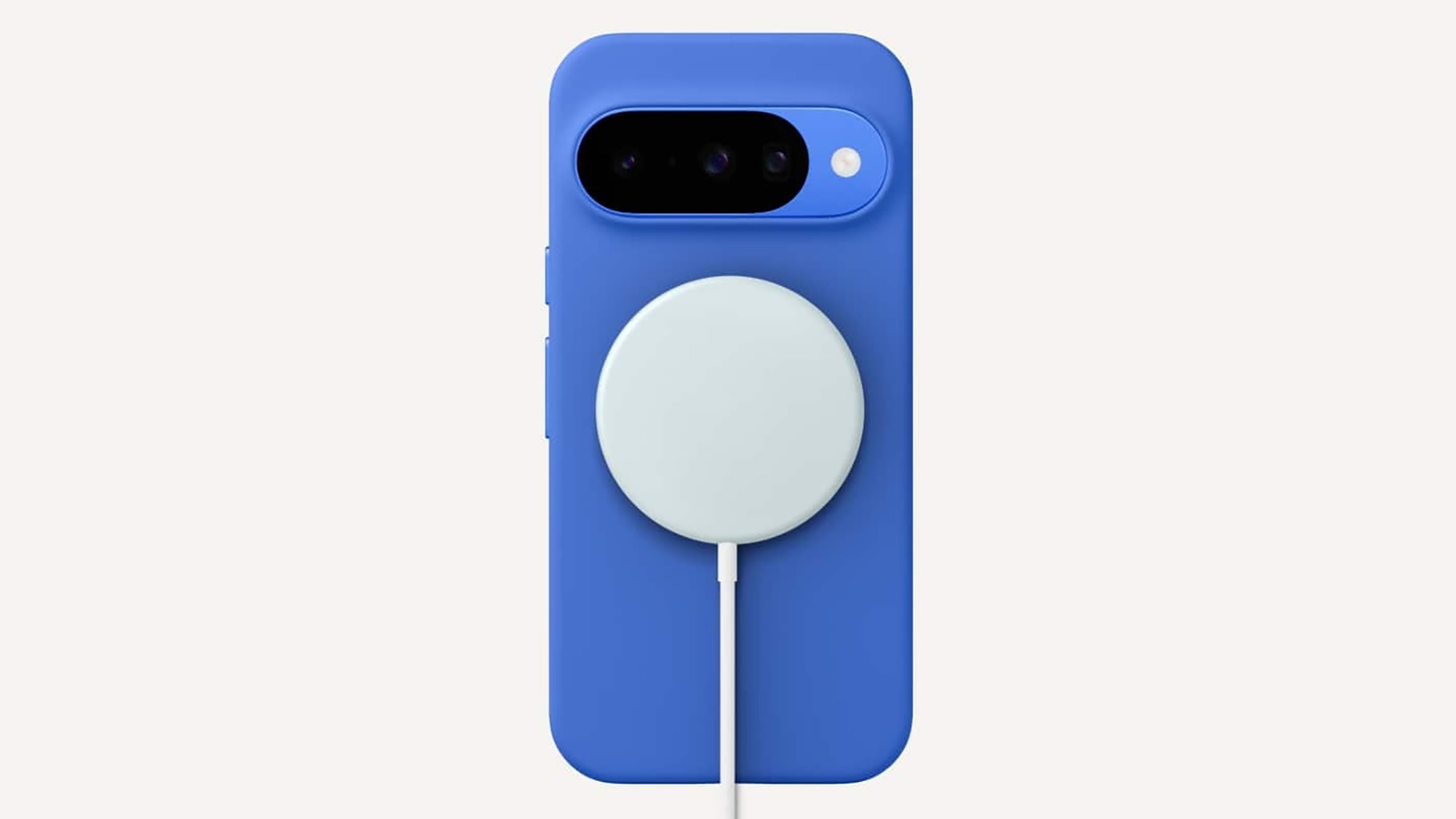
Google Pixelsnap
Wireless charging: convenient but not that fast.
Credit: Google

Not only is wireless charging slower, it’s typically less efficient as well, with more of the power being supplied to the phone lost as heat (due to the way the electricity is converted to a magnetic field and back again). With a cable and a plug, charging is faster, and it’s healthier for your battery as well.

Wired is the way to go if at all possible, and what you plug your phone into makes a difference as well. Wall sockets are very good for charging rates, while anything else is less good—options like laptop USB ports, USB hubs, and sockets you might find on other gadgets such as monitors won’t supply as much power.

Use the right cable and charger

A lot of phones don’t come with a charger and cable in the box these days, but they will have a fast-charging standard and a max charging rate associated with them if you check the specs. You then need to find a charger that matches that charging rate, together with a cable that’s not going to slow anything down.

If you look at the iPhone chargers made by Apple and on sale from its store, there are 20W, 35W, and 60W options—and the latter is going to juice up your handset the fastest. You should also look out for a mention of USB Power Delivery (PD), though this is included on pretty much every charger you’ll find at this stage.

Apple charger
Not all charging blocks are created equal.
Credit: Apple

We’ve written in-depth before about USB-C cables and charging blocks, and these will again list a charging rate along with them (or at least they should). You need to make sure every link in the chain is delivering power at the maximum rate your phone can handle if you want to fully recharge as quickly as possible.

You can use cables and chargers you have lying around for laptops, tablets, and other gadgets with your phone safely enough—the handset will have built-in safety features to prevent it from drawing too much power—but for the best results you’ll generally want to stick with what comes in the box or the officially approved option.

Don’t use your phone while it’s charging

There are a few other tricks you can try if you want to max out charging speed. Think about the amount of power your smartphone is using while it’s actually being charged: If you’re constantly scrolling through social media feeds, watching videos, and playing games, then you’re using precious battery life while recharging.

If you can, put your phone down and leave it alone while it’s charging—you might want to turn off the always-on display to help things a little bit more. For even better results, put your phone into airplane or low power mode, or turn it off entirely while it’s charging (those notifications can wait).

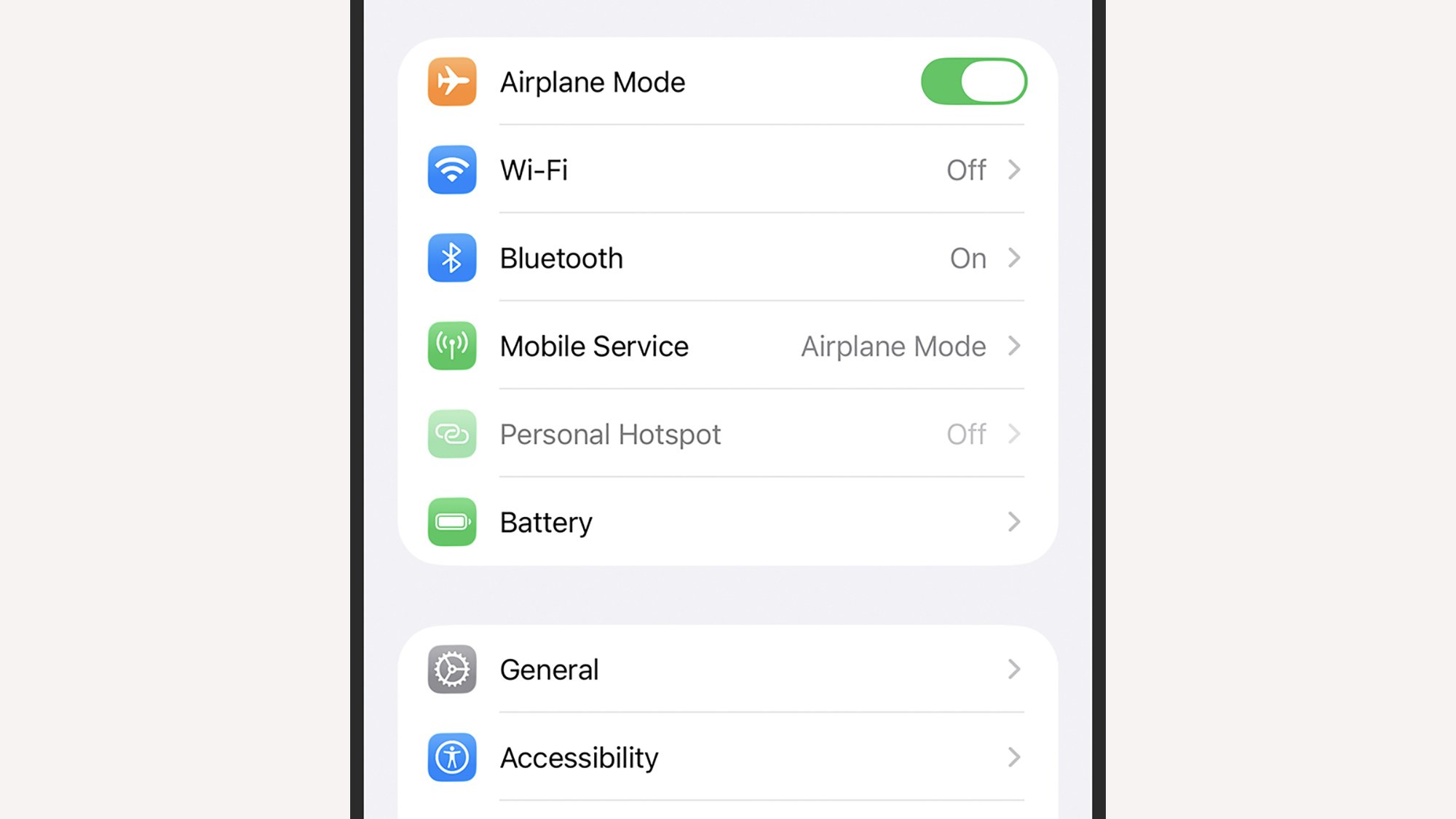
iOS Airplane mode
Airplane mode can help charging speeds along.
Credit: Lifehacker

Watch your phone’s temperature

Due to battery chemistry and the safeguards built into modern handsets, charging speeds slow down if your phone gets too hot or too cold. Keep your phone away from sunny window ledges or freezing bathrooms while it’s being charged to maximize charging speed.

It’s a good idea to remove any case around your phone while you’re charging it, to reduce the chances of the battery temperature rising an extra notch, and it’s also worth checking the USB-C charging port on your phone to make sure it’s dust- and lint-free—even a slightly imperfect connection can affect charging speeds.

Monitor charging speed

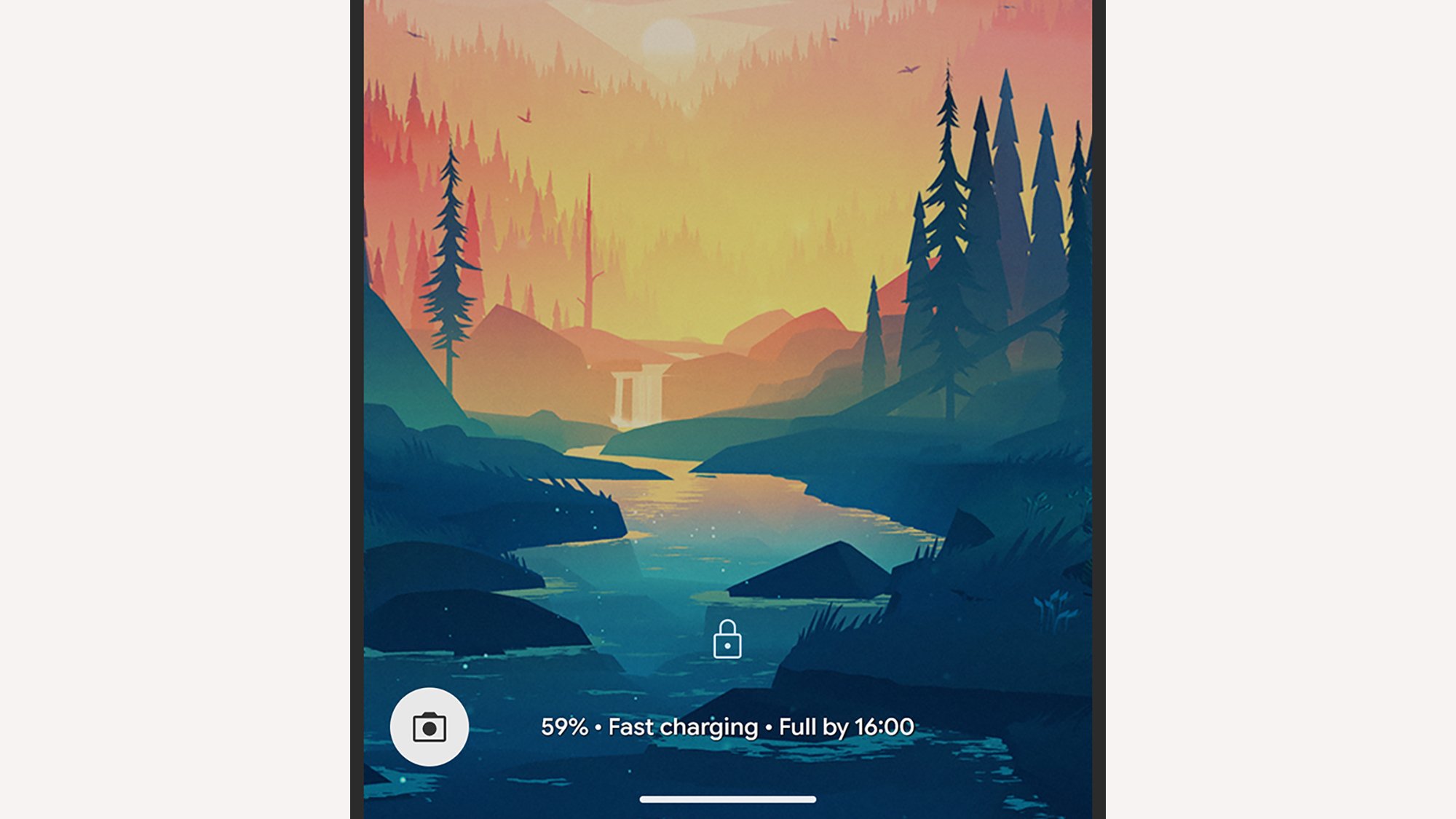
However you’re charging your phone, both Android and iOS let you keep an eye on how fast the battery is being replenished. If you’ve got a Pixel or Galaxy phone, keep an eye on the charging message at the bottom of the lock screen: This tells you how quickly your phone is being charged, and how long it will be until you reach a full charge.

For most Android devices, you can get more information by opening up the Battery page in Settings, though the details you get here will differ among devices: You should see whether or not fast charging is enabled, and maybe an estimate for how long a full recharge will take, but you won’t typically get an actual wattage reading.

Pixel charging
The charging notification on a Pixel.
Credit: Lifehacker

With iPhones, you can visit Battery in Settings to get information about how the battery recharge is going. While there’s not a whole lot of information here, you can get an estimate of how long a charge will take, and you will see a “slow charger” message if your iPhone can support a charging rate faster than that offered by the connected charger.

There are several Android apps that measure charging rate. Ampere is one of the best: It’s free, with extra features (such as widgets and notifications) available for a fee. Note that you need to multiply current x voltage then divide by 1,000 to get the wattage. There isn’t really anything comparable on iOS, unfortunately—what few apps there are appear to be out of date and/or unreliable.

Ive and Newson bring old-school charm to Ferrari’s first EV interior

Ferrari has published images of the interior of its forthcoming electric vehicle, which it designed with LoveFrom, the new firm of former Apple star Jony Ive and another legendary designer, Marc Newson. The Italian sports and racing car maker is taking a careful approach to revealing details about its first battery EV, signaling a depth of thought that goes well beyond simply swapping a V12, transmission, and fuel tank out for batteries and electric motors. Indeed, the interior of the new car—called the Ferrari Luce—bears little family resemblance to any recent Ferrari.

Instead, LoveFrom appears to have channeled Ferrari interiors from the 1950s, ’60s, and ’70s, with a retro simplicity that combines clear round gauges with brushed aluminum. Forget the capacitive panels that so frustrated me in the Ferrari 296—here, there are physical buttons and rocker switches that seem free of the crash protection surrounds that Mini was forced to use.

The steering wheel now resembles the iconic “Nardi” wheel that has graced so many older Ferraris. But here, the horn buttons have been integrated into the spokes, and multifunction pods hang off the horizontal spokes, allowing Ferrari to keep its “hands on the wheel” approach to ergonomics. Made from entirely CNC-milled recycled aluminum, the Luce’s wheel weighs 400 g less than Ferrari’s usual steering wheel.

Read full article

Comments

This Study’s List of the Most Invasive AI Browser Extensions Includes a Few You Probably Use

Browser extensions, even ones from trustworthy sources, are not without privacy and security risks. I’ve written before about add-ons that manage to slip through official store safeguards and even some that “wake up” as malware after operating normally for several years, so it should come as no surprise that a host of AI-powered browser extensions—collectively installed by tens of millions of users—may also be invading your privacy.

Researchers at data removal service Incogni looked at browser extensions available in the Chrome Web Store that included “AI” in their name or description and employed AI as part of their core functionality. By analyzing the data collected and permissions required, they assessed both how likely extensions are to be used maliciously and their potential to cause significant damage if compromised.

AI-powered browser extensions collect extensive user data

Incogni found that website content, such as text, images, sounds, videos, and hyperlinks, was the most commonly collected data type (by nearly a third of AI-powered extensions). More than 29% of extensions investigated harvest personally identifiable information (PII)—name, address, email, age, identification number, for example—from users. Other forms of data collected include user activity, authentication information, personal communication, location, financial and payment information, web history, and health information.

The most invasive extensions fall in the programming and mathematical aid category (such as Classology AI and StudyX), followed closely by meeting assistants and audio transcribers. Writing and personal assistants also pose privacy risks—and many of these are also among the most downloaded AI-powered extensions in Chrome.

How popular AI-powered Chrome extensions stack up on privacy

Incogni also assigned “privacy-invasiveness” scores to the most downloaded AI-powered extensions, a combination of the amount of data collected and both general and sensitive permissions required:

  1. Grammarly: AI Writing Assistant and Grammar Checker App (tied for #1)

  2. Quillbot: AI Writing and Grammar Checker Tool (tied for #1)

  3. Sider: Chat wiht all AI (tied for #3)

  4. AI Grammar Checker & Paraphraser — LanguageTool (tied for #3)

  5. Google Translate (tied for #4)

  6. WPS PDF — Read, Edit, Fill, Convert, and AI Chat PDF with Ease (tied for #4)

  7. Monica: All-in-One AI Assist (tied for #4)

  8. AI Chat for Google (tied for #4)

  9. Immersive Translate — Translate Web & PDF

  10. ChatGPT search

Grammarly and Quillbot were found to collect PII and website content as well as location data like region, IP address, and GPS coordinates. Grammarly also harvest user activity through network monitoring, clicks, mouse and scroll positions, and keystroke logging. While both also require sensitive permissions—such as the ability to inject code into websites and access active browser tabs—they have a relatively low risk of being used maliciously.

How to protect your personal information

Browser extensions that use AI aren’t inherently bad, but you should be aware of what information they are collecting and what permissions they are requiring. The most common type of sensitive permissions required are scripting, which allows the extension to interact with pages as you navigate online, as well as activeTab, which lets it read or modify the page for the current session.

When adding an extension (or installing an app or program), carefully review the permissions requested. If they aren’t essential to the extension’s functionality–or if they are but don’t seem justified—you may be putting your data or device at risk by allowing them. As Incogni points out, users have to decide how much privacy to sacrifice in order to use apps and services.

NVIDIA’s Next Flagship GPU Could Be A GeForce RTX 5090 Ti Or RTX Titan Blackwell

NVIDIA's Next Flagship GPU Could Be A GeForce RTX 5090 Ti Or RTX Titan Blackwell
A fresh rumor claims NVIDIA is readying a new graphics card that will be faster than its flagship GeForce RTX 5090 (pictured above), and it’s purportedly not related to any GeForce RTX 50 Super series models that may or may not still be on the roadmap. Instead, it’s said the new card could materialize as a GeForce RTX 5090 Ti or an RTX Titan

Report: Imminent Apple hardware updates include MacBook Pro, iPads, and iPhone 17e

Apple’s 2026 has already brought us the AirTag 2 and a new Creator Studio app subscription aimed at independent content creators, but nothing so far for the company’s main product families.

That could change soon, according to reporting from Bloomberg’s Mark Gurman. New versions of Apple’s low-end iPhone, the basic iPad and iPad Air, and the higher-end MacBook Pros are said to be coming “imminently,” “soon,” and “shortly,” respectively, ahead of planned updates later in the year for the iPad mini, Studio Display, and other Mac models.

Here’s what we think we know about the hardware that’s coming.

Read full article

Comments

Apple’s Magic Mouse drops to only $68

Apple’s USB-C Magic Mouse is back on sale for about $11 off its usual retail price of $79. At $68, that’s a savings of 14 percent for one of Apple’s best accessories from a company that does not often run sales.

The multi-touch mouse was first released in 2009 with a modest refresh released in 2015 and the addition of a USB-C port in 2024. The rechargeable mouse features gesture controls and automatically pairs with your Mac when connected via USB. The Magic Mouse can also be used with an iPad via Bluetooth, or with a Windows PC, though in that case, functionality would be limited.

Famously, Jony Ive’s design of the Magic Mouse sees its charge port on the underside of the body, rendering it unusable while charging. In 2024 there were rumors of a more comprehensive redesign coming but nothing has materialized since.

Follow @EngadgetDeals on X for the latest tech deals and buying advice.

This article originally appeared on Engadget at https://www.engadget.com/deals/apples-magic-mouse-drops-to-only-68-152708721.html?src=rss

AI Gold Rush is Resurrecting China’s Infamous 72-hour Work Week – in US

The AI boom has revived a workplace philosophy that China’s own regulators cracked down on years ago: the 72-hour work week, known as 996 for its 9am-to-9pm, six-days-a-week cadence. US startups flush with venture capital are now openly advertising it as a feature, not a bug. Rilla, a New York-based AI company that monitors sales reps in the field, warns applicants on its careers page to expect roughly 70-hour weeks. Browser-Use, a seven-person startup building tools for AI-to-browser interaction, operates out of a shared “hacker house” where the line between living and working barely exists.

In a market where dozens of startups are racing to ship similar AI products, founders believe longer hours buy them a competitive edge. But the research disagrees. A WHO and ILO analysis tied 55-plus-hour weeks to 745,000 deaths from stroke and heart disease globally in 2016 alone. Michigan State University found that an employee working 70 hours produces nearly the same output as one working 50.


Read more of this story at Slashdot.

Sony PS6 Rumored For 30GB Of GDDR7, Next-Gen PS Handheld Getting 24GB

Sony PS6 Rumored For 30GB Of GDDR7, Next-Gen PS Handheld Getting 24GB
A new round of hardware leaks suggests that Sony’s next-generation PlayStation 6 and its accompanying handheld will feature a massive surge in memory capacity and speed: think 30GB for the PS5 and 24GB for the handheld..

According to a series of technical disclosures from industry insider Kepler_L2 (first spotted by eagle-eyed Video Cardz),

Scammers Are Sending Fake Invites With Malware

If you receive an event invitation via email, verify it’s legit before you RSVP, as you may not actually be invited to anything. Malwarebytes Labs has identified a new scam in which threat actors are using party invites to trick users into installing a remote access tool (RAT) that gives them full control over infected devices. (This specific campaign seems to be limited to the UK, but similar tactics could easily spread.)

These malicious invites contain a ScreenConnect installer

The scam starts with an innocuous-looking email invitation with an informal “Save the Date” vibe that may appear to come from a friend or acquaintance. The message contains a link to “View Invitation” for event details. If you click through, you’ll end up on a landing page with a bold “You’re Invited” header and a button to download your invitation, but you don’t actually need to take any further action—your browser automatically triggers the download of a .msi file, which is not actually a party invitation or RSVP form but an installer.

The MSI silently installs ScreenConnect Client, a legitimate IT support tool that allows remote access into the user’s machine. Once this connection is established, attackers have the ability to see your screen, control your mouse and keyboard, and upload or download files—even if you restart your computer. All of this happens in the background with no obvious indicators that a remote access tool has been installed and is now running, so victims are unlikely to have cause for concern.

You should know these remote access red flags

As Malwarebytes points out, this scheme is successful because it relies on normal human behavior around a seemingly low-risk situation: opening an event invitation. What’s unusual is that there’s little pressure or urgency in the initial message. Instead, the landing page has language like “a friend has sent you an invitation” and “I opened mine and it was so easy,” which is a form of social proof that guides users to take the desired action.

You should always be alert to unsolicited invites sent via regular email with a link to an external site as well as any communication that prompts you to download or install software. These days, invitations are commonly delivered through apps and digital services like Partiful, Paperless Post, Evite, or Apple Invites, which are generally more trustworthy than random emails with hyperlinked text. If you’re unsure whether the invite is real, verify with the sender through another channel before clicking or downloading anything.

As mentioned, victims of this scam may not immediately notice that a RAT has been installed on their device. But there are some red flags, such as unexplained cursor movement or windows opening or closing on their own. You can check your machine for a file named “RSVPPartyInvitationCard.msi” or a service called ScreenConnect Client with additional random characters in the title.

If you’ve already downloaded ScreenConnect from a malicious invite, Malwarebytes recommends disconnecting from the internet and uninstalling the program immediately. Run a security scan to check your device for malware, and change important passwords from a separate device.

The first PlayStation State of Play of 2026 will air on February 12

The first PlayStation State of Play livestream of 2026 has been announced. The stream will take place on February 12 at 5PM ET. It will run for over an hour and feature PlayStation Studios titles as well as third-party projects and indie games that are bound for PS5. You can watch it on PlayStation’s official YouTube channel (in English, Japanese or with English subtitles) or on Twitch.

As the first State of Play of the year, Sony is going to want to drum up some more hype for its upcoming release slate. Since Bungie’s Marathon is due to arrive on March 5, that will surely make an appearance. MLB The Show 26, which is out on March 17, will likely get a look in too. We could also get another peek at Saros, the highly anticipated follow-up to Housemarque’s Returnal, which will arrive on March 20. A new trailer for Marvel’s Wolverine isn’t out of the question, but Sony could wait until a summer showcase to give us another look at that one. 

The last State of Play took place in November, but that one was focused solely on games coming out of Asia and Japan. Before that, Sony also had a showcase during Tokyo Game Show in September, which featured a first look at gameplay from the aforementioned Wolverine, which is due to arrive later in 2026.

This article originally appeared on Engadget at https://www.engadget.com/gaming/playstation/the-first-playstation-state-of-play-of-2026-will-air-on-february-12-145747775.html?src=rss

HBO Max is finally coming to the UK and Ireland

A big day in streaming has finally arrived: HBO Max has finally announced it’s coming to the United Kingdom and Ireland. The two countries join over 110 territories worldwide that already offer HBO Max. Some HBO shows, like Euphoria, have already been available in these regions through other platforms. HBO Max will bring titles like The Pitt, One Battle After Another and Sinners. It will also air the upcoming Harry Potter series. 

An HBO Max subscription will be available in the UK and Ireland starting on Thursday, March 26. Plans will start at Basic with Ads for £5 per month, offering all titles except movies that first stream on HBO Max after a theatrical release. Then there’s Standard with Ads for £6 per month, which includes those releases and 30 downloads. Both can stream on two devices at a time. 

Anyone who wants an ad-free experience can purchase a Standard or Premium plan. The former has all titles available on two devices, up to 30 downloads and, of course, no ads. The Premium plan comes with four devices in 4K Ultra HD with Dolby Atmos — if the system has capabilities. 

Interestingly, the expanded area comes as Netflix prepares to own Warner Bros., including HBO and HBO Max. While there’s no indication of whether this had any influence, Netflix has long been available in the UK and Ireland. 

This article originally appeared on Engadget at https://www.engadget.com/entertainment/streaming/hbo-max-is-finally-coming-to-the-uk-and-ireland-145126162.html?src=rss

Why would Elon Musk pivot from Mars to the Moon all of a sudden?

As more than 120 million people tuned in to the Super Bowl for kickoff on Sunday evening, SpaceX founder Elon Musk turned instead to his social network. There, he tapped out an extended message in which he revealed that SpaceX is pivoting from the settlement of Mars to building a “self-growing” city on the Moon.

“For those unaware, SpaceX has already shifted focus to building a self-growing city on the Moon, as we can potentially achieve that in less than 10 years, whereas Mars would take 20+ years,” Musk wrote, in part.


Elon Musk tweet at 6:24 pm ET on Sunday.
Credit:
X/Elon Musk

This is simultaneously a jolting and practical decision coming from Musk.

Read full article

Comments

Google Offers Some YouTube TV Users $20 Off For 4 Months, Check Your Account

Google Offers Some YouTube TV Users $20 Off For 4 Months, Check Your Account
Some existing subscribers to YouTube TV are being treated to $80 in cumulative discounts spread out over the course of four monthly payments, though to our knowledge, Google isn’t advertising or actively promoting the potential savings. If you’re a subscriber, this means you’ll have to put in some minor legwork to check if you’re eligible.

Your

The Out-of-Touch Adults’ Guide to Kid Culture: Is Jeffrey Epstein on Fortnite?

We may earn a commission from links on this page.

Things seemed very quiet this week in the world of youth culture, so I asked my always-connected son what kids were talking about. “Dad, the Epstein files,” he said. “That’s all anyone is talking about.”

I like to keep things light here, but it’s not possible at the moment; The Epstein files are the culture right now, no matter what age you are. Younger people are trying to figure out how to fit this massive thing into their idea of the world, just like you probably are. Smaller kids are contextualizing the files by visiting/making Roblox Epstein Islands and joking about it in school (then asking their folks what it really means). For young ‘uns, it seems like “Epstein’s Island” is becoming shorthand for a forbidden haunted place, like “Diddy Party” was 14 years ago—wait, I mean five months ago.

Older young people are making Epstein Phonk videos on TikToks, making memes out Epstein’s sweater and putting themselves in pictures from the files with AI. They’re also poring over the millions of documents, like everyone, and they think they found something that older people might have overlooked.

Is Jeffrey Epstein playing Fortnite?

Among the many conspiracy theories circulating about the Epstein files is that Jeffrey Epstein was playing Fortnite last week. Even for conspiracy theories, this is a stretch, as it requires that Epstein be alive, but here’s the evidence: A YouTube receipt addressed to “littlestjeff1″ is included in the files, and there was a player using that handle playing Fortnite last week. That’s all. Despite a sane reaction being, “OK, so what?” the rumor apparently caused enough commotion that Fortnite’s parent company addressed it, saying it was a player who changed their handle after the name was posted online in connection with Epstein:


This Tweet is currently unavailable. It might be loading or has been removed.

Like any internet theory, you can dig into it deeper, but you’ll find only unverifiable screenshot “evidence” that anyone could have made at any time, elaborate theories connecting unrelated data points to land on baseless conclusions, a lot of passionate people defending the theory, and a company doing desperate damage control. It’s a morass, and a really bleak look at the foreseeable future of American culture.

Jeffrey Epstein’s actual gaming connection

The Fortnite thing looks like bullshit, but Epstein actually was a gamer. Well, he had an XBox Live account, anyway. Among the documents in the files is an email from Microsoft, sent on December 19, 2013, permanently suspending the account associated with Epstein’s email address. It’s a boilerplate ban message, citing “harassment, threats, and/or abuse of other players” that has been “determined to be severe, repeated, and/or excessive.”

A follow-up email reveals that Epstein was banned from Live because Epstein was a registered sex offender. “This action is based on the New York Attorney General’s partnership with Microsoft and other online gaming companies to remove New York-registered sex offenders from online gaming services to minimize the risk to others, particularly children,” the email reads.

What does “phonk” mean?

Let’s talk about the word “phonk,” since it came up earlier in the column and it’s about art instead of depravity. “Phonk” has a complicated history. It was coined in the 2010s by rapper SpaceGhostPurrp to describe his take on 1990s Southern hip hop that featured slow, “chopped and screwed” production and the use of vintage Memphis rap vocals. Interestingly, the elements of phonk spread mainly through SoundCloud and other online outlets, so it’s a subgenre of music that grew without a geographic “base.”

(Bonus explainer: SpaceGhostPurrp is an underground rapper widely regarded as one of the most influential figures in the 2010s “internet rap” era.)

But when kids talk about “phonk” nowadays, they usually mean something else. In the late 2010s, a genre emerged from Russia that was dubbed “drift phonk.” Drift phonk began as the soundtrack of videos of cars drifting. It’s fast, often features heavy distortion—and, unlike SpaceGhost’s “phonk,” which is good, drift phonk is bad. To me. Judge for yourself. Anyway, “drift phonk” gradually just became “phonk” and spread from car videos to become the most common soundtrack to brainrot videos.

What is a “boy aquarium”?

More slang! “Boy aquarium” is a TikTok slang term that describes hockey games. The word is closely linked to the popularity of HBO’s hockey-player romance series Heated Rivalry, and posting videos about the boy aquarium is becoming popular on TikTok. Some are very funny:

What’s the deal with ChatGPT caricatures?

If your feed is filling up with weird cartoon version of the people you’re in parasocial relationships with, here’s the deal: The new trend is asking ChatGPT or another AI to come up with a caricature of you based on only the interactions you’ve had with it. It’s popular, because it’s easy to do, and kind of funny—or so I thought before I tried it.

Gemini cariacture

Credit: Stephen Johnson/Gemini

Jesus—I want to punch myself in the face.

Viral video of the week: A duck with a clover on its head

This week’s viral video is a duck with a clover on its head.

There are many, many cute ducklings who never did anything bad to anyone on TikTok’s baby ducks hashtag. Look at this little guy just cheepin’ away! This duckling is trying on hats because he thinks he’s people! Here’s some lil’ babies taking a bird bath. This one fell asleep in a mug!