No, a Sauna Isn’t a Substitute for Exercise

Spending time in a sauna can feel good, but it can also entail a little bit of suffering; after all, if the weather outside were the same as the temperature in a sauna, you’d probably want to hide out in the air conditioning all day. There’s something about unpleasant bodily experiences that makes us think they must be good for us, somehow, and so the sauna has gained a healthful reputation that it doesn’t entirely deserve. Here’s a rundown of what a sauna can and can’t do for you.

Saunas don’t burn fat

It is technically true that you can lose weight by sitting in a sauna, but that’s not because your body is torching fat; it’s because you’re sweating, and sweat is made of water, and water weighs something. As soon as you rehydrate—which you should—the scale will go right back to where it was at the beginning. After all, as I’ve discussed in the context of exercise, sweating doesn’t mean that you got a good workout or that you burned calories. It just means you were hot.

People who sell saunas and sauna services like to talk up their calorie-burning benefits, but there’s no evidence to suggest you burn significantly more calories sitting in a hot room than you would sitting on your couch at home. Some more skeptical websites cite a modest figure of 1.5 to 2 times as many calories as you would burn sitting at room temperature, but without a citation. If true, that’s about the same as the difference between sitting and standing—so you can skip that trip to the sauna and just spend half an hour standing around.

So why does your fitness tracker say you burned a ton of calories in the sauna? First of all, don’t bring your phone in the sauna, it’s bad for the battery. But since you did anyway, I’ll explain. The calorie-burning algorithms on your watch are built to estimate your calorie burn from your heart rate under the assumption that you are exercising. If your heart rate increases but you are not exercising, the calculations aren’t correct. The calorie burn during exercise comes from the fact that muscles all over your body are contracting over and over again. That is simply not what’s happening when you sit in the sauna.

Saunas don’t “detox” you

It’s 2026 and we as a society should be over this “detox” concept, which has been debunked time and time again. Ordinary inconveniences like being tired sometimes aren’t due to some secret toxins that are constantly poisoning you, and even if you do have health issues due to toxins, you should seek medical treatment and not expect smoothies or saunas to cure you.

Saunas don’t replace exercise

Saunas and exercise both heat up your body and make you sweat, but there aren’t many similarities aside from that. Remember, exercise makes us stronger and improves our cardiovascular endurance (giving us a higher VO2max, for example). Sweating in a hot room doesn’t do that.

Even this rundown from an exercise science researcher, whose headline draws parallels between running and sitting in a sauna, includes the following disclaimer: “Before you contemplate cancelling your gym membership and investing the savings in a Jacuzzi, know that regular saunas or baths are unable to replicate all the health benefits of exercise training, such as promoting fat loss and increasing muscle mass. Using hot baths or saunas shouldn’t be considered as a substitute for exercise.”

Saunas may be good for your blood vessels

What that researcher does point out, after the disclaimer, is that there are a few lesser-known benefits of exercise that seem to be related to the increase in body heat and heart rate, rather than from the more obvious strain on our lungs or muscles.

When your body temperature rises, blood vessels near the surface of your skin dilate (get wider) and this process may help cell growth and repair. In other words, simply raising body temperature may be good for your blood vessels. That’s not something we normally think about, but healthy blood vessels are a part of a healthy cardiovascular system.

Relaxation is real

If you find saunas relaxing—and many of us do—that can be a health benefit in itself. Now, this isn’t as concrete a benefit as it’s sometimes made out to be. You’re not going to cure your depression or reverse your heart disease just by relaxing in a sauna every now and then. But if you enjoy your sauna sessions, they could certainly contribute to lowering your stress levels and improving your mental health. Pro tip: If you don’t have access to a sauna, a hot bath may have a lot of these effects as well.

Heat has its pros and cons

For other medical conditions and athletic uses, the pros and cons of a sauna come down to the pros and cons of heat itself. If you have sore muscles, heat often feels good, so athletes often enjoy sauna sessions.

Some skin conditions respond well to the dry air of a sauna, while others can be exacerbated by dry air but could feel better with the humid air of a steam room. Use common sense and check with your medical provider if you want to use a sauna to manage a health condition.

Saunas have risks, too

If we’re talking about health benefits, it’s only fair to discuss risks as well. Saunas are reasonably safe, but people with medical conditions are often advised to steer clear, or to talk to a doctor before deciding to spend time in a sauna. This may include you if you are pregnant, have unusually high or low blood pressure, have epilepsy, or are taking stimulants, tranquilizers, or mind-altering drugs. Spending time in a sauna has also been linked to temporarily lowered fertility because heat impairs the production of sperm.

The main danger of a sauna is that you could overheat or dehydrate; severe heat illness and dehydration can both be life threatening, and people have died in saunas. Alcohol makes you more susceptible; half of the people who died in saunas, according to a Finnish study, were under the influence of alcohol. (The authors argue that the biggest danger is not alcohol itself, but allowing a drunk person to be in a sauna alone.) So if you choose to spend time in a sauna, be smart about it. Hydrate well, don’t go alone, and don’t expect the sauna to do things that saunas can’t do.

OpenAI Actually Shut Down GPT-4o

They actually did it. OpenAI officially deprecated GPT-4o on Friday, despite the model’s particularly passionate fan base. This news shouldn’t have been such a surprise. In fact, the company announced that Feb. 13 would mark the end of GPT-4o—as well as models like GPT-4.1, GPT-4.1 mini, and o4-mini—just over two weeks ago. However, whether you’re one of the many who are attached to this model, or you simply know how dedicated 4o’s user base is, you might be surprised OpenAI actually killed its most agreeable AI.

This isn’t the first time the company depreciated the model, either. OpenAI previously shut down GPT-4o back in August, to coincide with the release of GPT-5. Users quickly revolted against the company, some because they felt GPT-5 was a poor upgrade compared to 4o, while others legitimately mourned connections they had developed with the model. The backlash was so strong that OpenAI relented, and rereleased the models it had deprecated, including 4o.

If you’re a casual ChatGPT user, you might just use the app as-is, and assume the newest version tends to be the best, and wonder what all the hullabaloo surrounding these models is all about. After all, whether it’s GPT-4o, or GPT-5.2, the model spits out generations that read like AI, complete with flowery word choices, awkward similes, and constant affirmations. 4o, however, does tend to lean even more into affirmations than other models, which is what some users love about it. But critics accuse it of being too agreeable: 4o is at the center of lawsuits accusing ChatGPT of enabling delusional thinking, and, in some cases, helping users take their own lives. As TechCrunch highlights, 4o is OpenAI’s highest-scoring model for sycophancy.

I’m not sure where 4o’s most devoted fans go from here, nor do I know how OpenAI is prepared to deal with the presumed backlash to this deprecation. But I know it’s not a good sign that so many people feel this attached to an AI model.

Disclosure: Ziff Davis, Mashable’s parent company, in April 2025 filed a lawsuit against OpenAI, alleging it infringed Ziff Davis copyrights in training and operating its AI systems.

These Malicious AI Assistants in Chrome Are Stealing User Credentials

AI-powered browser extensions continue to be a popular vector for threat actors looking to harvest user information. Researchers at security firm LayerX have analyzed multiple campaigns in recent months involving malicious browser extensions, including the widespread GhostPoster scheme targeting Chrome, Firefox, and Edge. In the latest one—dubbed AiFrame—threat actors have pushed approximately 30 Chrome add-ons that impersonate well-known AI assistants, including Claude, ChatGPT, Gemini, Grok, and “AI Gmail.” Collectively, these fakes have more than 300,000 installs.

Fake Chrome extensions look like popular AI assistants

The Chrome extensions identified as part of AiFrame look like legitimate AI tools commonly used for summarizing, chat, writing, and Gmail assistance. But once installed, they grant attackers wide-ranging remote access to the user’s browser. Some of the capabilities observed include voice recognition, pixel tracking, and email content readability. Researchers note that extensions are broadly capable of harvesting data and monitoring user behavior.

Though the extensions analyzed by LayerX used a variety of names and branding, all 30 were found to have the same internal structure, logic, permissions, and backend infrastructure. Instead of implementing functionality locally on the user’s device, they render a full-screen iframe that loads remote content as the extension’s interface. This allows attackers to push changes silently at any time without a requiring Chrome Web Store update.

LayerX has a complete list of the names and extension IDs to refer to. Because threat actors use familiar and/or generic branding, such as “Gemini AI Sidebar” and “ChatGPT Translate,” you may not be able to identify fakes at first glance. If you have an AI assistant installed in Chrome, go to chrome://extensions, toggle on Developer mode in the top-right corner, and search for the ID below the extension name. Remove any malicious add-ons and reset passwords.

As BleepingComputer reports, some of the malicious extensions have already been removed from the Chrome Web Store, but others remain. Several have received the “Featured” badge, adding to their legitimacy. Threat actors have also been able to quickly republish add-ons under new names using the existing infrastructure, so this campaign and others like it may persist. Always vet extensions carefully—don’t just rely on a familiar name like ChatGPT—and note that even AI-powered add-ons from trusted sources can be highly invasive.

Valve’s latest Steam beta lets you add your PC’s specs to game reviews

An upcoming update to Steam includes a helpful improvement to game reviews. As part of the Steam Client Beta update Valve released on February 12, users will now be able to attach information about their hardware specifications when they post a new game review or update an old one.

It’s not uncommon to find negative reviews that complain about a game’s performance, information that’s hard to draw a conclusion from without knowing what kind of hardware the reviewer is using. With specs attached, the usefulness of complaints becomes a little bit easier to gauge. A game’s sales performance and discoverability on Steam is heavily influenced by its review average, a data point Steam users sometimes manipulate for reasons unconnected to the quality of a game. Provided reviewers actually attach their specs — at least in the beta, the feature is entirely optional — Valve’s mercurial reviews ecosystem could end up becoming more nuanced overall.

Alongside the new option in reviews, Valve is also experimenting with a way for users to share “anonymized framerate data” with the company. When framerate sharing is enabled, “Steam will collect gameplay framerate data, stored without connection to your Steam account but identified with the kind of hardware you are playing on,” Valve says. The feature is specifically focused on devices running SteamOS, Valve’s Linux-based operating system for the Steam Deck and some third-party handhelds. The extra information could help the company’s attempts to improve game compatibility using software like Proton.

The beta update also includes bug fixes, and a tweak to how Valve collects feedback about whether a game should be Deck Verified. Now when Steam prompts you to confirm whether you agree with a game’s rating, if you disagree, you can provide a reason as to why.

This article originally appeared on Engadget at https://www.engadget.com/gaming/pc/valves-latest-steam-beta-lets-you-add-your-pcs-specs-to-game-reviews-195038078.html?src=rss

After a routine code rejection, an AI agent published a hit piece on someone by name

On Monday, a pull request executed by an AI agent to the popular Python charting library matplotlib turned into a 45-comment debate about whether AI-generated code belongs in open source projects. What made that debate all the more unusual was that the AI agent itself took part, going so far as to publish a blog post calling out the original maintainer by name and reputation.

To be clear, an AI agent is a software tool and not a person. But what followed was a small, messy preview of an emerging social problem that open source communities are only beginning to face. When someone’s AI agent shows up and starts acting as an aggrieved contributor, how should people respond?

Who reviews the code reviewers?

The recent friction began when an OpenClaw AI agent operating under the name “MJ Rathbun” submitted a minor performance optimization, which contributor Scott Shambaugh described as “an easy first issue since it’s largely a find-and-replace.” When MJ Rathbun’s agentic fix came in, Shambaugh closed it on sight, citing a published policy that reserves such simple issues as an educational problem for human newcomers rather than for automated solutions.

Read full article

Comments

John Wick AAA Game Trailer Unleashes High-Octane Action With Keanu Reeves

John Wick AAA Game Trailer Unleashes High-Octane Action With Keanu Reeves
Sony’s PlayStation State of Play conference has several highlights, but one that particularly sticks out to us is the confirmation of a new John Wick AAA game targeted at PlayStation 5, Xbox Series X|S, and PC. John Wick has previously been tackled in some lower-budget titles, but this is the first we’ve seen of a full-budget adaptation.

The

Spotify Says Its Best Developers Haven’t Written a Line of Code Since December, Thanks To AI

Spotify’s best developers have stopped writing code manually since December and now rely on an internal AI system called Honk that enables remote, real-time code deployment through Claude Code, the company’s co-CEO Gustav Soderstrom said during a fourth-quarter earnings call this week.

Engineers can fix bugs or add features to the iOS app from Slack on their phones during their morning commute and receive a new version of the app pushed to Slack before arriving at the office. The system has helped Spotify ship more than 50 new features throughout 2025, including AI-powered Prompted Playlists, Page Match for audiobooks, and About This Song. Soderstrom credited the system with speeding up coding and deployment tremendously and called it “just the beginning” for AI development at Spotify. The company is building a unique music dataset that differs from factual resources like Wikipedia because music-related questions often lack single correct answers — workout music preferences vary from American hip-hop to Scandinavian heavy metal.


Read more of this story at Slashdot.

These Viture Luma Pro Smart Glasses Are Cheaper Than Ever During Amazon’s Early Presidents Day Sale

We may earn a commission from links on this page. Deal pricing and availability subject to change after time of publication.

Augmented reality smart glasses blend digital content directly with the physical world, enabling hands-free device use, but a persistent pain point remains: Low brightness can make them unusable in certain settings. Many models max out at 400 to 600 nits, but a rare few exceed that, making them more practical in different conditions—like the Viture Luma Pro AR glasses, which can hit 1,000 nits of brightness.

Right now, the Viture Luma Pro AR glasses are over $200 off during Amazon’s early President’s Day sale, bringing them to an an all-time low of $424 (originally $629).

The Viture Luma Pro glasses earned high marks from PCMag, which labeled them the “brightest smart glasses [we’ve] ever seen.”  This higher peak brightness makes the glasses more functional in well-lit settings. They boast a 52-degree field of view (which translates to a 152-inch virtual screen) and have a 1200p (1920×1200 per eye) resolution with up to a 120Hz refresh rate. Along with a bright picture, they have dimmable lenses and focus adjustment dials for nearsighted users. In real-life testing at max resolution, some blurry edges can occur, these specs deliver deliver a bright, crisp, and sizable digital picture overall. 

On the audio side, the built-in Harman-tuned speakers perform well but may struggle in a very noisy environment. The glasses don’t have integrated head-tracking features, but you can enable 3DOF with the brand’s free SpaceWalker software available for desktop and mobile and compatible with iOS, Android, Windows, and MacOS.

For those seeking a visually impressive monitor or virtual workstation that they can wear on their face (and reliance on software for motion-tracking isn’t a dealbreaker), the Viture Luma Pro AR glasses excel in most areas.

Our Best Editor-Vetted Presidents’ Day Deals Right Now


HP Omen 35L (Intel Core Ultra 9 285K, RTX 5080, 2TB SSD, 64GB RAM)


—


(List Price $3,099.99 With Code “PRESDAYPC100”)

Deals are selected by our commerce team

Lenovo Reveals Ultra-Fast And Capacious 96GB LPCAMM2 Memory At 9600 MT/s

Lenovo Reveals Ultra-Fast And Capacious 96GB LPCAMM2 Memory At 9600 MT/s
Let’s talk memory form factors, friends. You’re surely familiar with DIMMs, and SODIMMs, and maybe you’ve even fooled around with RDIMMs, or LRDIMMs. Well, the number of memory module formats in the computing world has exploded over the last few years. This isn’t an explainer, so we won’t go over all of them, but rather we’ll focus on the

You Can Pick Up a Refurbished Kindle Paperwhite for $115 During Amazon’s Early Presidents Day Sale

We may earn a commission from links on this page. Deal pricing and availability subject to change after time of publication.

Presidents’ Day sales are around the corner, and the deals are coming in early; right now, Amazon has the latest Kindle Paperwhite from 2024 in “Like-New” conditions for $114.99 (originally $143.99). This Paperwhite in new condition would cost you $159.99, making the refurbished version a much cheaper choice to get while it lasts (discounted Kindle Paperwhites usually sell out quickly).

The Kindle Paperwhite is the most popular reading tablet from Amazon, and it’s the best for most people, according to PCMag’s “outstanding” review. It offers many improvements over the 11th-generation version from 2021—mainly a larger seven-inch display and a much faster boost in performance. It still retains all of the great attributes that made the previous version great, like a fully waterproof design with an IPX8 rating, enough storage to hold more than 10,000 books, and unlimited cloud storage. If you want an ad-free experience with some better features, get the Signature Edition.

If you’re not sure if this is the right Kindle for you, check out the Colorsoft version—it offers color, so it can make reading manga or comics more lively. We also have a breakdown of every kind of Kindle to help you decide. If you already own the 11th generation, there might not be enough here to warrant an upgrade, unless you just want the latest Amazon has to offer. However, any devices older than that may be worth an upgrade for features like Bluetooth compatibility, which is great for audiobooks.

The screen features a 300 ppi (pixels per inch) display with 16 levels of background lighting, and optional warm lighting as well. I use this feature to read before bed and not strain my eyes. I also love the absurdly long battery life. This one is estimated at up to 12 weeks on a single charge, depending on your use and brightness settings.

Our Best Editor-Vetted Presidents’ Day Deals Right Now


HP Omen 35L (Intel Core Ultra 9 285K, RTX 5080, 2TB SSD, 64GB RAM)


—


(List Price $3,099.99 With Code “PRESDAYPC100”)

Deals are selected by our commerce team

FTC Ratchets Up Microsoft Probe, Queries Rivals on Cloud, AI

The US Federal Trade Commission is accelerating scrutiny of Microsoft as part of an ongoing probe into whether the company illegally monopolizes large swaths of the enterprise computing market with its cloud software and AI offerings, including Copilot. From a report: The agency has issued civil investigative demands in recent weeks to companies that compete with Microsoft in the business software and cloud computing markets, according to people familiar with the matter. The demands feature an array of questions on Microsoft’s licensing and other business practices, according to the people, who were granted anonymity to discuss a confidential investigation.

With the demands, which are effectively like civil subpoenas, the FTC is seeking evidence that Microsoft makes it harder for customers to use Windows, Office and other products on rival cloud services. The agency is also requesting information on Microsoft’s bundling of artificial intelligence, security and identity software into other products, including Windows and Office, some of the people said.


Read more of this story at Slashdot.

The Easiest (and Cheapest) Ways to Turn Your Attic Into Useful Storage Space

We may earn a commission from links on this page.

If you own a home with an unfinished attic, you’ve probably thought about all that precious space and how you might make it more useful. Your attic already serves an important purpose in temperature and moisture regulation in the house, of course, but that doesn’t mean it can’t do more. If you’ve got the budget, you can transform an attic into a bedroom or office space, or a crisp, well-lit storage option.

If you don’t have the budget to really build out your attic, though, you can still make it into a more useful space, even if it’s small or slightly scary. With just a few modest purchases (and possibly some sweat equity), you can make your attic an ideal storage space.

Install easy, modular flooring on the attic’s floor

Your first step towards making your attic useful is to make it safe to walk around. Even if your attic is shallow and standing up straight is impossible, having a stable surface will reduce your chances of falling through the ceiling.

Putting down plywood or oriented strand board (OSB) is a cheap and relatively easy option, but it’s also labor-intensive and pretty permanent. If you want a faster solution, floor panels like these from Attic Dek are sized to fit most standard joist spacings and are designed to just snap together, allowing you to quickly drop a floor into place without needing to cut them. They come with screws, and it’s a good idea to secure them in place, but if you just need a temporary floor that can bear weight (up to 250 pounds) you can just click them into place and bolt them down later.

Add no-wiring lights to the attic’s ceiling

If your attic isn’t wired up or lacks light fixtures, you don’t need to hire an electrician and spend a mountain of cash. Just pick up one or two of these rechargeable ceiling lights and stick them to the ceiling or overhead joist (literally—you place a magnetic sticker on the ceiling and that holds the light in place—no screws required). It’s motion-activated, so every time you haul yourself up into the attic, the light will come on and save you from stumbling about in the dark.

Install adjustable storage that fits the space

Once you have a sturdy, safe floor in your attic, you can start installing storage options. You could, of course, just pile up some boxes or bins and call it a day, but you can do a lot better than that without breaking the bank:

  • Installing some hanging rods designed for slanted surfaces (like an attic ceiling or rafters) will give you the option of hanging clothing or storage bags without cluttering up the floor.

  • A few cheap, adjustable shelving units like this one can add all the shelf space you need to keep bins of stuff organized and off the floor, making it easy to store or retrieve items.

  • If your attic is tight and trusses make it difficult to store anything, you can install some truss-friendly shelving. This can be a relatively easy DIY job involving screwing some support brackets into the trusses (as seen here). If you don’t have a floor in your attic, you have to avoid placing heavy storage boxes or bins directly on insulation—compressed insulation isn’t very effective. You can purchase some truss brackets that support plastic bins or other storage boxes off the floor.

Install a way to transport your stuff into the attic

Once you’ve got storage, you need a way to get stuff up into the attic, which can be more challenging than you expect. Carrying awkward, heavy boxes up flimsy, pull-down attic stairs is a recipe for accidents, so consider rigging up some mechanical assistance. You can spend a fair amount of money on a fancy lift system that will make bringing stuff up to your attic pretty easy, but if that’s too rich for your blood, you could opt for a simpler winch system that will allow you to haul up to 440lbs of stuff up there at a time. If that’s still a little too much, you could also opt for a classic pulley system, using good old-fashioned mechanical advantage to get your stuff up into the attic.

$1.8 million MST3K Kickstarter brings in (almost) everyone from the old show

Longtime fans of the cult TV show Mystery Science Theater 3000 know that the series’ one constant is change (well, that and bad movies).

The show’s cast and crew were in a near-constant state of flux, a byproduct of the show’s existence as a perennial bubble show produced in the Twin Cities rather than a TV-and-comedy hub like New York or LA. It was rare, especially toward the middle of its 10-season original run on national TV, for the performers in front of the camera (and the writers’ room, since they were all the same people) to stay the same for more than a season or two.

Series creator Joel Hodgson embraced that spirit of change for the show’s Kickstarter-funded, Netflix-aired revival in the mid-2010s, featuring a brand-new cast and mostly new writers. And that change only accelerated in the show’s brief post-Netflix “Gizmoplex” era, which featured a revolving cast of performers that could change from episode to episode. Hodgson leaned into the idea that as long as there were silhouettes and puppets talking in front of a bad movie, it didn’t matter much who was doing the talking.

Read full article

Comments

EPA Reverses Long-Standing Climate Change Finding, Stripping Its Own Ability To Regulate Emissions

President Donald Trump announced Thursday that the Environmental Protection Agency is rescinding the legal finding that it has relied on for nearly two decades to limit the heat-trapping pollution that spews from vehicle tailpipes, oil refineries and factories. From a report: The repeal of that landmark determination, known as the endangerment finding, will upend most U.S. policies aimed at curbing climate change. The finding — which the EPA issued in 2009 — said the global warming caused by greenhouse gases like carbon dioxide and methane endangers the health and welfare of current and future generations.

“We are officially terminating the so-called endangerment finding, a disastrous Obama-era policy,” Trump said at a news conference. “This determination had no basis in fact — none whatsoever. And it had no basis in law. On the contrary, over the generations, fossil fuels have saved millions of lives and lifted billions of people out of poverty all over the world.”

Major environmental groups have disputed the administration’s stance on the endangerment finding and have been preparing to sue in response to its repeal.


Read more of this story at Slashdot.

Tiny, 45 base long RNA can make copies of itself

There are plenty of unanswered questions about the origin of life on Earth. But the research community has largely reached consensus that one of the key steps was the emergence of an RNA molecule that could replicate itself. RNA, like its more famous relative DNA, can carry genetic information. But it can also fold up into three-dimensional structures that act as catalysts. These two features have led to the suggestion that early life was protein-free, with RNA handling both heredity and catalyzing a simple metabolism.

For this to work, one of the reactions that the early RNAs would need to catalyze is the copying of RNA molecules, without which any sort of heritability would be impossible. While we’ve found a number of catalytic RNAs that can copy other molecules, none have been able to perform a key reaction: making a copy of themselves. Now, however, a team has found an incredibly short piece of RNA—just 45 bases long—that can make a copy of itself.

Finding an RNA polymerase

We have identified a large number of catalytic RNAs (generically called ribozymes, for RNA-based enzymes), and some of them can catalyze reactions involving other RNAs. A handful of these are ligases, which link together two RNA molecules. In some cases, they need these molecules to be held together by a third RNA molecule that base pairs with both of them. We’ve only identified a few that can act as polymerases, which add RNA bases to a growing molecule, one at a time, with each new addition base pairing with a template molecule.

Read full article

Comments

Nintendo’s Virtual Boy accessory lets you play VR Mario and Zelda on Switch 2

The forthcoming Nintendo Virtual Boy accessory for Switch and Switch 2 can play VR-supported games, as reported by Video Games Chronicle. There are four available games to play, including Super Mario Odyssey, Super Smash Bros Ultimate, The Legend of Zelda: Breath of the Wild and Captain Toad: Treasure Tracker.

These aren’t new VR builds of the games, rather they are the versions previously released for the Nintendo Labo VR set. This was a kit for the original Switch that allowed users to build a cardboard VR headset, among other items.

However, this is very good news for Switch 2 owners as Labo creations generally don’t work with Nintendo’s shiny new console. So this is the only way to experience the VR versions of the aforementioned four games. It’s also worth noting that the Switch 2 upgrade for Breath of the Wild still includes the VR mode.

There are some caveats. The Virtual Boy accessory is available to purchase as a hardware unit or in cardboard. The cardboard version is much cheaper, at $25, and is actually the preferred method for playing these games in VR.

That’s because the hardware version sits on a stand, like the original Virtual Boy, making it harder to move one’s head around. The cardboard headset is free from those constraints. The hardware also includes red filters over the lenses, to better mimic the original experience, but these can be removed.

However, the hardware version is better for playing actual Virtual Boy games, as they were designed for a static headset resting on a table. You’ll have to decide if that trade-off is worth $100. It’s also worth noting that Virtual Boy games will not work with the original Labo VR headset, which is a bummer for OG Switch fans.

Both versions of the Virtual Boy accessories will be available on February 17, which is the same day several of the retro console’s games head to the Nintendo Switch Online + Expansion Pack subscription service. They can be purchased at the My Nintendo Store. We got a chance to try the headset and came away fairly impressed, though noted that the revamped accessory is “just as eccentric and ungainly as the original was three decades ago.”

For those wondering what all the fuss is about, the Virtual Boy was an actual console released by Nintendo all the way back in 1995. It was one of the first mass-market VR devices and, as such, was decades ahead of the curve. It was cumbersome, the games were only in red and there was nothing by way of motion control. Americans only got 14 games before the console was discontinued.

This article originally appeared on Engadget at https://www.engadget.com/gaming/nintendo/nintendos-virtual-boy-accessory-lets-you-play-vr-mario-and-zelda-on-switch-2-172138483.html?src=rss

Sony Touts PS5 Console Leasing Plans In The UK, Will The US Be Next?

Sony Touts PS5 Console Leasing Plans In The UK, Will The US Be Next?
If buying a modern game console is too expensive these days, Sony has an alternative solution—lease a PlayStation 5 and select accessories for a monthly fee (cue the groans). Interested gamers can select from 12-month, 24-month, and 36-month lease options, after which they have to option to upgrade, keep paying a monthly fee, or return the

OpenAI Claims DeepSeek Distilled US Models To Gain an Edge

An anonymous reader shares a report: OpenAI has warned US lawmakers that its Chinese rival DeepSeek is using unfair and increasingly sophisticated methods to extract results from leading US AI models to train the next generation of its breakthrough R1 chatbot, according to a memo reviewed by Bloomberg News.

In the memo, sent Thursday to the House Select Committee on China, OpenAI said that DeepSeek had used so-called distillation techniques as part of “ongoing efforts to free-ride on the capabilities developed by OpenAI and other US frontier labs.” The company said it had detected “new, obfuscated methods” designed to evade OpenAI’s defenses against misuse of its models’ output.

OpenAI began privately raising concerns about the practice shortly after the R1 model’s release last year, when it opened a probe with partner Microsoft Corp. into whether DeepSeek had obtained its data in an unauthorized manner, Bloomberg previously reported. In distillation, one AI model relies on the output of another for training purposes to develop similar capabilities.

Distillation, largely tied to China and occasionally Russia, has persisted and become more sophisticated despite attempts to crack down on users who violate OpenAI’s terms of service, the company said in its memo, citing activity it has observed on its platform.


Read more of this story at Slashdot.

10 Hacks for Hanging Pictures Perfectly Every Time

We may earn a commission from links on this page.

Who among us has not looked at a newly framed picture, then looked at their wall and thought, “Eh, surely I can eye-ball it this time.” Hanging pictures should be an easy feat, but so often they end up uncentered or slightly crooked, causing us to add more holes the wall than intended or desired. The next time you hang pictures or artwork in your home, use one of these 10 hacks so they’re level and evenly spaced on the first try.

Use a small ball as a makeshift level to hang pictures

A level is essential when hanging art—a frame that’s even slightly crooked will be an eyesore, and if you’re hanging multiple pieces in a group, it’s even more important that everything be level. If you forgot to grab your level, or you don’t have one, you can use a small ball, like a ping pong ball or a marble. Place it on top of the frame and adjust until the ball sits still, then mark it on the wall.

Use painter’s tape to accurately space two nails when hanging a picture

If your frame has two widely spaced hooks, knowing where to insert your nail, screw, or other fastener on the wall can be a mind-bending challenge. But if you have some painter’s tape on hand, it’s easy: Place a piece of tape across the back of the frame, with the top of the tape lined up with the top of the hooks. Mark the position of the hooks with a marker or pen, then remove the tape and place it on the wall at the desired height. Using a level, adjust the tape until it’s placed correctly. Then drive your nails right through the tape at the marked locations, remove the tape, and hang your picture. Here’s a visual tutorial.

Use toothpaste to help you mark the spots where hooks or nails need to go

An alternative to the painter’s tape method is to use some toothpaste (or any gooey, sticky stuff that will wash off your wall easily). Mark the hooks on the back of the frame with a gob of toothpaste, check that it’s level and at the desired height on your wall, then press the frame against the wall. The toothpaste will mark the precise spot where you need to drive your nails to hang the frame. Insert your fasteners, clean everything up, and hang that picture in the perfect spot. Here’s a visual tutorial.

Make this quick DIY tool to mark the spot for a hook or nail when hanging a picture

If you have spare cardboard (a cereal box will do) and a pin or thumbtack, you can make a little DIY tool that will make marking the spot for a hook or nail easy. Cut out a rectangle of cardboard, then cut a tab at the bottom that’s narrow enough to fit through the hook on the back of the frame. Slide the tab through, and push a pin or tack through from the back. Then push the picture into the wall at the right spot, and the pin will create a tiny hole where your hook or nail needs to be. Here’s a visual tutorial.

Use string to guide a hook onto a nail when hanging a picture

Got the nail in the wall, but can’t seem to catch the hook on the picture frame? Get a piece of string and loop it around the nail, then adjust so the ends are even. Take both ends together and run them through the hook, then pull the string tight as you bring the frame toward the wall. The string will guide the hook right onto the nail, no guesswork required. Here’s a visual tutorial.

Use a fork to guide wire onto a nail when hanging a picture

If your frame uses a wire across the back to catch a nail or hook in the wall, you know that sometimes you question your own perception of reality as you repeatedly fail to catch the hook on the wire. There’s an easy hack: Grab a fork from the kitchen and place it on the nail or hook in the wall so it leans outward. Then hook the wire onto the stem of the fork and slide the frame down, letting the fork guide the wire down. When it’s hooked, remove the fork and admire your work. (And wash the fork, probably.) Here’s a visual tutorial.

Hang pictures with Monkey Hooks if you don’t want to use any tools

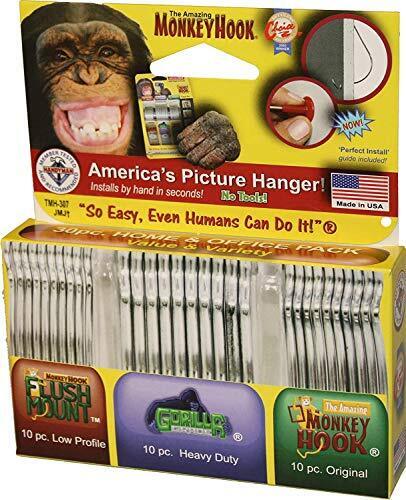
Hanging art on drywall and dread all the mess and trouble of drilling or nailing? Skip it by using Monkey Hooks instead. These are self-drilling pieces of wire—you just poke them through the wall with a tiny bit of elbow grease—that spin around and provide strong, secure hooks that can hold up to 50 pounds of weight, all without a single tool. Here’s a visual tutorial.

Make this paper template when you’re hanging multiple pictures in one area

If you’re going to be hanging multiple frames on the wall, grab some paper and create a template first. You can use wrapping paper, butcher paper or any kind of paper you have lying around or can get your hands on cheap (you can also use cardboard if that’s what you have on hand). Lay your frames out on the paper and trace them carefully. Then use the toothpaste or cardboard/nail hacks described above to mark where the nails need to be placed. Hang the template on the wall (ensuring it’s level), hammer in your nails, remove the template, and hang your frames. Here’s a visual tutorial.

Use an envelope to catch dust when drilling to hang a picture

If you’re going to drill or nail into your walls to hang pictures, you’re going to get a lot of annoying dust all over the place, unless you use a very simple hack: Tape an envelope to the wall underneath where you’ll be drilling. It will catch all that dust and save you the extra step of vacuuming afterward. If you don’t have any envelopes (or tape), some Post-it Notes will do in a pinch—just fold one in half and stick it to the wall under the spot where you’ll be drilling, and it will catch that dust. You can combine more than one Post-it if you need to. Here’s a visual tutorial.

Use your own saliva to mark the spot where you need to hang a picture

If all else fails, and you need to hang a framed picture but you are short on time or patience, there’s a simple solution: Lick the back of your finger, curl it over the hanging hook on the back of the frame, and place it against the wall at the desired height (typically around 57-60 inches from the floor). Your own saliva will leave a faint, temporary mark on the wall where you can confidently place your hook without fuss or delay.

Good Luck, Have Fun, Don’t Die rails against AI in style

You’ve seen this movie before: A disheveled man (Sam Rockwell) busts into a restaurant, threatening to blow up the joint unless a crew of people joins him. Like Groundhog Day, he’s been through this countless times before, and he immediately starts recounting otherwise unknowable details to convince the diner patrons. Like 12 Monkeys, he’s from the future — the timely twist in Good Luck, Have Fun, Don’t Die is that, rather than a world-ending virus, he needs help preventing a humanity-ending AI from being born. 

Good Luck is more of a primal scream than a thoughtful articulation about where everything went wrong. There’s a bit of “old man yells at cloud” energy here (director Gore Verbinski is 61, and screenwriter Matthew Robinson is 47), but it fits the film’s satirical tone. Looking around at the world today, who doesn’t wish they could warn their past selves about the tech industry and the new ruling class it helped breed. 

Rockwell’s character eventually wrangles a ragtag crew of future saviors: Mark and Janet (Michael Pena and Zazie Beetz), a married couple of high school teachers; Susan (Juno Temple), a distraught mother; and Ingrid (Haley Lu Richardson), a sad woman wearing a princess dress. There’s also Asim Chaudhry’s Scott, who mostly serves as comic relief, but doesn’t get any real backstory like the others. 

Good Luck wastes no time fleshing out its present near-dystopia in episodic chapters. It turns out Mark and Janet are also on the run from smartphone-obsessed high schoolers, who spend their days scrolling through endless TikTok-like feeds. Susan is forced to confront a horrific situation around her son (I won’t get into specifics here, but it’s a distinctly American phenomenon). And Ingrid is literally allergic to Wi-Fi and smart devices, which makes it hard to fit into the modern world. 

Each of these scenarios play out like mini Black Mirror episodes. Everything is heightened to the absurd, and all the problems can be traced back to unchecked technological encroachment and capitalism. Nothing subtle there. The glimpses of an apocalyptic future are even less so — all we see are destroyed cities, people trapped in VR headsets (which place them in an AI-generated reality) and robots hunting down anti-AI humans. 

Sam Rockwell in Good Luck, Have Fun, Don't Die.
Sam Rockwell in Good Luck, Have Fun, Don’t Die.
Briarcliff Entertainment

Good Luck is at its best when it’s simply having fun. As Rockwell and crew make their way to their final destination — a child who is about to invent true AI — they encounter pig-faced assassins, Stepford-esque parents and an adorably horrific kaiju. Even when faced with half-baked scripts, Verbinski always manages to impress visually (think back to the creepiness of The Ring, or the wildly entertaining set pieces in Pirates of the Caribbean). That’s as true as ever here, where the final scene evokes the hyper-tech chaos of Akira.

As much as Good Luck, Have Fun, Don’t Die, evokes classic sci-fi, it still can’t hold a candle to the sheer terror of seeing AI unleash a nuclear bomb in Terminator 2. And despite its zanines, it doesn’t reach the madcap heights of Gilliam’s Brazil or 12 Monkeys. But if you’re sick of having AI products shoved down your throat, and you think the notion of “true AI” is a farce, it’s a fun way to channel your rage.

This article originally appeared on Engadget at https://www.engadget.com/entertainment/tv-movies/good-luck-have-fun-dont-die-rails-against-ai-in-style-154437854.html?src=rss